Claude Code OWASP skills: Secure implementation and best practices
Claude Code OWASP: Skills, safe installation and security reviews
Claude Code OWASP skills provide reusable, community-maintained instructions for reviewing software against OWASP security standards. While they improve review consistency and save time, they are not security scanners or replacements for human assessment. This guide covers safe installation, standards verification, evidence-based reviews, and operational boundaries.
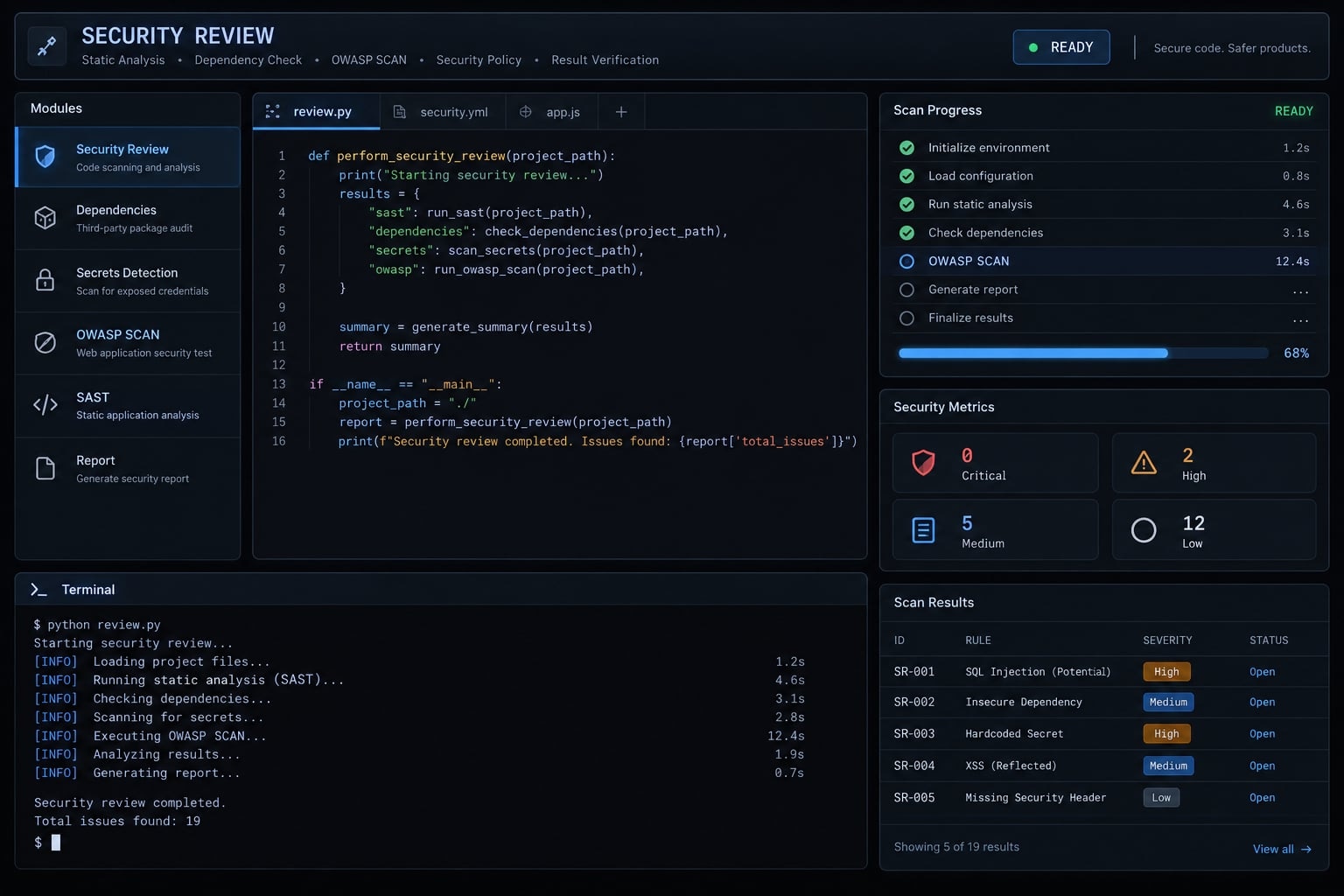
What is Claude Code OWASP?
A Claude Code OWASP skill is a package of review instructions and supporting resources centered around a SKILL.md file. Anthropic’s Claude Code documentation, under “Extend Claude with skills,” explains how this instruction-based extension mechanism works.
A prompt is an individual request. A skill makes instructions reusable. A plugin can package skills alongside other components, while an integration can connect external tools or services. These packaging differences matter because executable components introduce additional capabilities and risks.
The community repository identifier agamm/claude-code-owasp is presented solely as a candidate for inspection, not as a verified security recommendation. Its current contents, installation method, and standards references require revision-specific review.
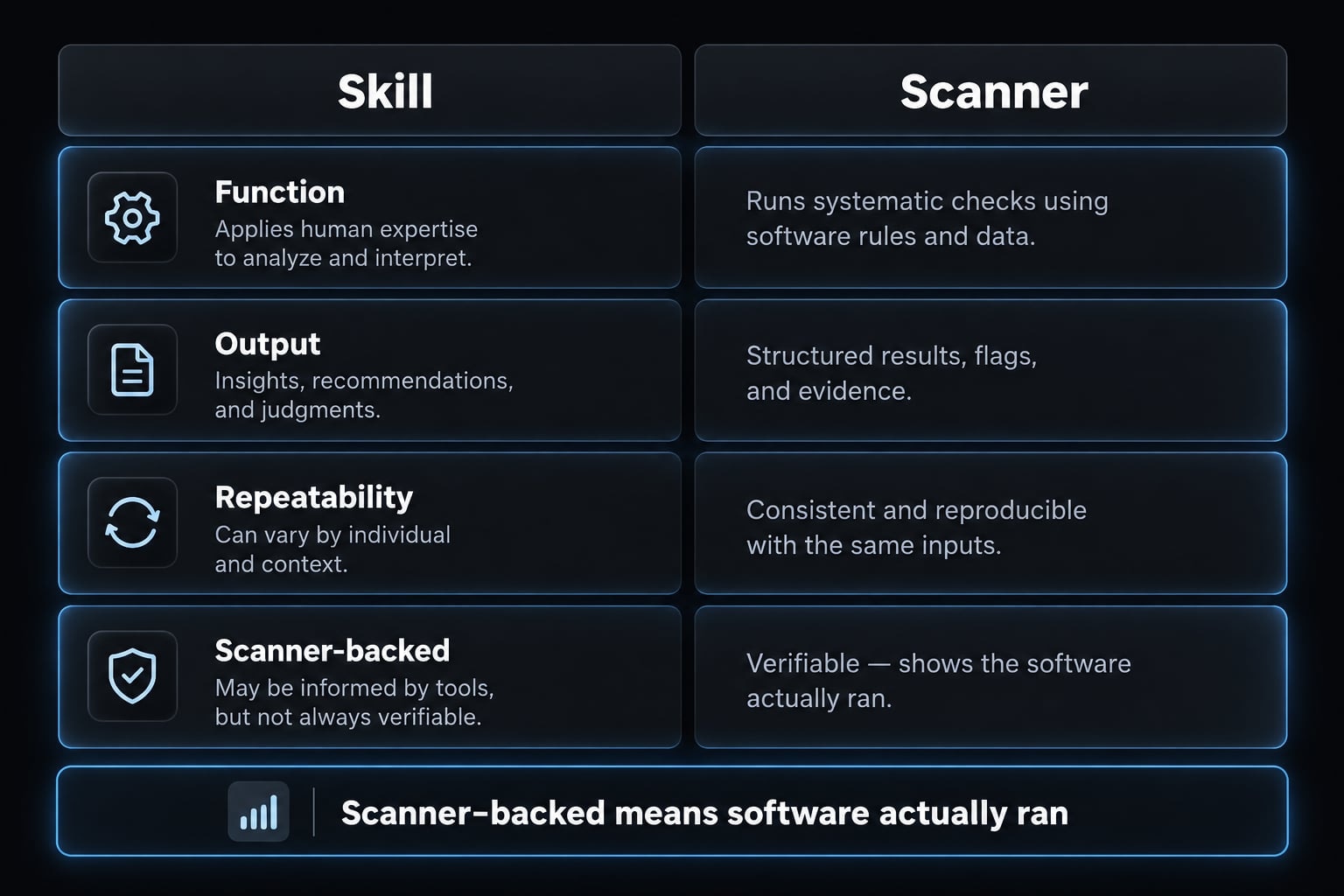
How a Claude Code skill differs from a security scanner
Dimension | Skill | Scanner |
|---|---|---|
Primary function | Guides model analysis | Performs defined security checks |
Typical output | Findings, questions, suggested fixes | Alerts, traces, affected components |
Context sensitivity | Can reason across supplied context | Depends on analysis capabilities and configuration |
Repeatability and coverage | Vary with context, instructions, and model | Vary with rules, databases, configuration, and environment |
Workflow role | Initial review and investigation | Specialized detection and verification evidence |
“Scanner-backed” means actual scanning software ran and produced inspectable results—not merely that Claude discussed scanning.
Who should use it?
- Developers reusing security review instructions.
- Technical founders and small teams seeking an initial security pass.
- Engineering and AppSec teams standardizing application-security review and triage.
For example, a B2B software team could reuse tenant-isolation checks across pull requests. Consistent instructions improve process structure; they do not prove complete coverage.
How to install the OWASP security skill in Claude Code
Inspect before loading, and begin with project-level availability. Use this sequence:
- Verify the source.
- Inspect instructions and executable components.
- Select a reviewed revision.
- Install for one project first.
- Review changes before loading.
- Test in a disposable, non-sensitive environment.
- Preserve the revision and re-review updates.
Inspect the repository before installation
Inspect SKILL.md, referenced resources, scripts, hooks, dependencies, configuration changes, network destinations and requested secret access. Check ownership, licensing, maintenance history, and unresolved concerns.
Do this with ordinary inspection tools before opening the downloaded project in an agent-enabled session.
For an already obtained checkout, these illustrative, untested commands record its revision and working-tree state:
# POSIX shell; run inside the candidate checkoutgit rev-parse HEADgit status --short --untracked-files=all
An installer adds another trust decision. In particular, npx can download and execute a package. Using npx degit therefore requires inspecting both the repository and the installer.
Install for one project
Anthropic’s skills documentation describes project skills under .claude/skills/. A typical layout is:
disposable-project/└── .claude/ └── skills/ └── owasp-review/ ├── SKILL.md └── supporting-resources/
This is an illustrative layout, not the verified structure of a specific community package.
After reviewing a fixed revision, follow that revision’s documented installation method. For manual placement, preserve required resources and relative paths. Stop if the destination already exists; compare contents rather than overwriting blindly.
No repository-specific installation command is supplied here because its source directory, revision syntax, and overwrite behavior have not been tested. Review new files directly. git diff alone can miss untracked additions. A project-level skill limits availability scope; it is not a sandbox or permission boundary.
Install globally
Anthropic documents personal skills under ~/.claude/skills/. Here, ~ assumes a POSIX-style home-directory convention; confirm paths for your operating system.
A global Claude Code skill becomes available across projects. That does not automatically grant permissions, but it broadens where its instructions may influence work. Defer this scope until project-level evaluation succeeds.
Confirm that the skill is available
Use the invocation method documented for your Claude Code version and the installed skill. Inspect loading evidence where available, then run a small fixture with an expected result.
Record OS, shell, Claude Code version, installer version or “manual,” source commit, date, scope, invocation, installation diff, and observed outcome. Claude saying “the skill is available” is not sufficient evidence.
Which OWASP standards does the skill cover?
Relevant standards are not the same as implemented coverage. Without inspecting a fixed skill revision, neither complete nor partial coverage can be established.
The table below distinguishes useful references from verified implementation. “Unverified” does not mean “not found”; that conclusion requires examining the files.
Standard and verified release | Purpose | Evidence in reviewed skill | Review use and boundary |
|---|---|---|---|
OWASP Top 10; skill release reference unverified | Awareness of major web application risks | Unverified; no commit inspected | Organizes questions, not exhaustive testing |
OWASP Application Security Verification Standard; release unverified | Structured security verification requirements | Unverified | Select requirements and assurance level explicitly |
OWASP Top 10 for LLM Applications; release unverified | Risks involving large language model applications | Unverified | Relevant to model-connected features, not every application |
Agentic-security publication; exact title and release unverified | Potential guidance for agents and tools | Unverified | Do not assign coverage or identifiers without a specific document |
Language and framework coverage
No language count or framework-support claim is confirmed here. Example files can demonstrate intended use without demonstrating validated coverage.
Framework context matters. An endpoint without a local authorization check may still be protected by shared middleware. Conversely, the existence of middleware does not prove every route uses it.
How to verify standards accuracy
Compare skill references with official OWASP material:
- Exact document title and release.
- Published versus draft status.
- Category names and requirement identifiers.
- Source references and update dates.
After inspection, mark each mapping referenced, partially referenced, or not found in reviewed files. Record the commit alongside that assessment.
A category mention is weaker evidence than requirement-specific instructions. Neither establishes compliance, certification, or successful verification.
How to use Claude Code for OWASP-aware security reviews
Scope the review and require evidence before accepting findings. A useful Claude Code security review separates investigation from changes and approval.
Copy-ready review prompts
Shared instruction: Review without editing initially, and request approval before commands or changes. Enforce these boundaries through tool permissions and workflow controls; prompt text alone cannot enforce them.
Diff review
Review the selected diff and relevant surrounding code. Identify changed trust boundaries, sensitive operations, and potentially missing controls. Report file references, failure paths, impact, confidence, and missing context. Do not assume unseen protections are absent.
Authentication and authorization
Review tenant isolation, privilege boundaries, session handling, and resource ownership checks. Trace shared middleware and downstream enforcement. Distinguish missing controls from controls implemented elsewhere, and identify which assumptions require human confirmation.
API input
Inspect API input handling for injection, unsafe deserialization, mass assignment, and unexpected data propagation. Trace relevant inputs to sensitive operations. Recommend narrowly scoped remediation and regression tests, explaining existing validation or framework protections.
LLM or RAG feature
Review this model-connected feature, including retrieval-augmented generation: supplying retrieved material to a model. Examine untrusted content, tool permissions, sensitive data exposure, and output handling. Identify trust-boundary failures and controls requiring independent validation.
Finding triage
Triage each proposed finding using code evidence, applicable attack or failure paths, preconditions, affected security properties, and impact. Preserve unresolved assumptions. Do not discard authorization, secret-exposure, or configuration findings merely because direct attacker input is absent.
Recommended seven-step review workflow
- Define protected assets, relevant actors, and trust boundaries.
- Select changed files and related security-sensitive components.
- Run the scoped review with approved access.
- Require traceable evidence and explicit confidence labels.
- Perform vulnerability triage, preserving unresolved questions.
- Approve targeted vulnerability remediation and regression tests before changes.
- Run appropriate tools and obtain accountable human approval before merge.
Suggested finding template
Title / status:File / line / reviewed revision:Verified OWASP reference, if applicable:Attack or failure path:Sensitive operation / missing control:Preconditions / unresolved assumptions:Impact / confidence:Proposed fix:Verification test / observed result:
Confidence is an assessment label, not a calibrated probability. Status should distinguish suspected, confirmed, rejected, and unresolved findings.
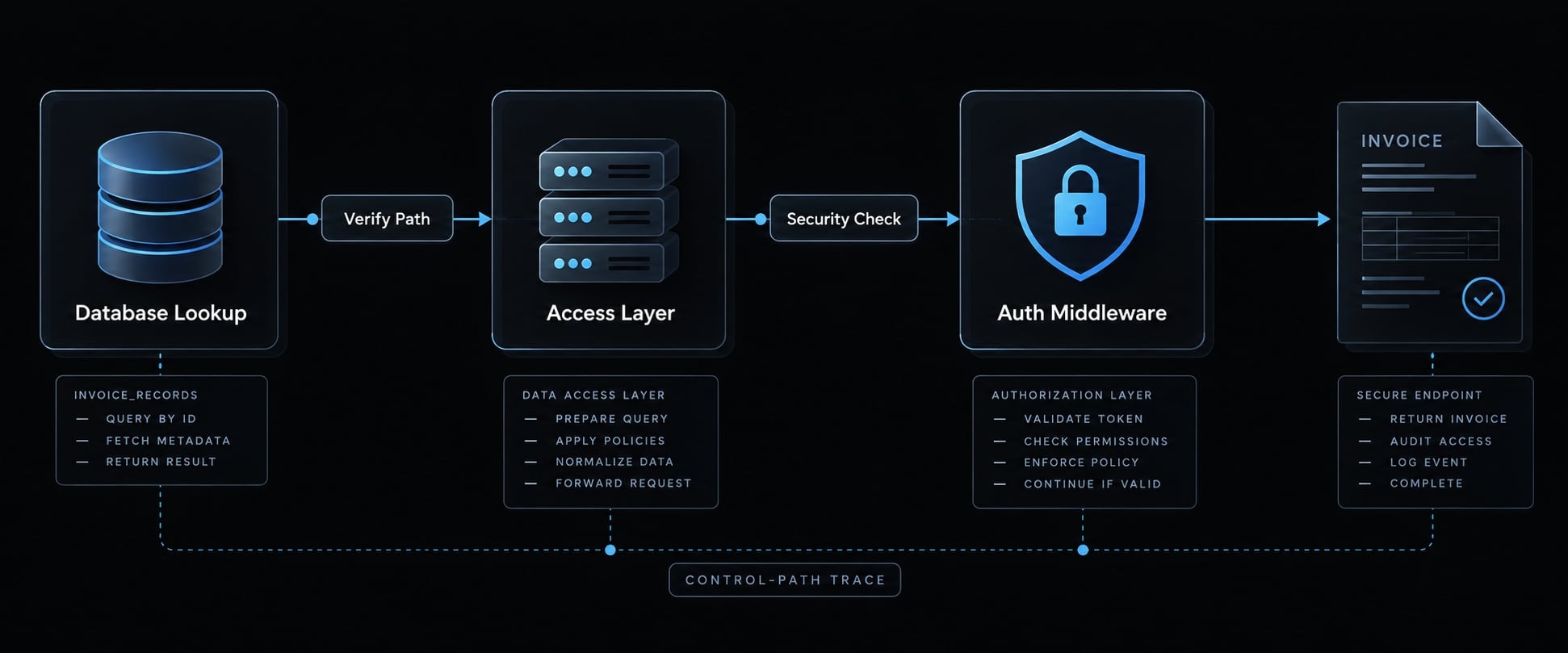
Illustrative example: Claude flags an invoice endpoint because its database lookup uses an invoice identifier without an explicit tenant filter.
The reviewer must inspect shared authorization middleware and the data-access layer. If ownership is enforced there, the original finding may be unsupported. If not, an approved two-tenant test can evaluate cross-tenant access.
Record both the evidence and the result. An unsuccessful test alone does not prove every access path safe. The operational lesson is to verify the whole control path-not count generated warnings.
Use the template above as a pull-request requirement before expanding automated review.
What Claude Code OWASP can and cannot do
No: An instruction-based skill cannot replace security scanners, penetration testing, or human AppSec review. Its role is to support analysis within a broader evidence-producing process.
- SAST means Static Application Security Testing.
- SCA means Software Composition Analysis, including dependency assessment.
- DAST means Dynamic Application Security Testing, which evaluates running applications.
Task | Instruction-based skill alone | Relevant dedicated tools | Human review contribution |
|---|---|---|---|
Insecure coding patterns | Suggests suspicious code | SAST applies configured analyses | Assesses context and fixes |
Authentication and authorization | Traces supplied logic | Tests exercise access boundaries | Defines intended privileges |
Dependency vulnerabilities | Reasons about manifests | SCA checks vulnerability intelligence | Assesses exposure and upgrades |
Exposed secrets | May notice visible credentials | Secret scanning detects supported patterns | Handles revocation and response |
Runtime behavior | Infers possible outcomes | DAST and integration tests observe behavior | Interprets scope and impact |
Infrastructure configuration | Reviews supplied files | Infrastructure checks evaluate policies | Confirms deployed configuration |
Business logic and agent risks | Suggests failure scenarios | Targeted tests exercise scenarios | Establishes abuse cases |
Formal assurance | Produces supporting observations | Tools contribute scoped evidence | Owns assessment and conclusions |
No entry guarantees security. Every assessment has boundaries, assumptions, and an evidence standard.
When the skill may be sufficient as a first pass
- Early implementation feedback.
- Non-sensitive prototypes.
- Preliminary review before automated checks.
These are starting points-not exemptions from further controls. False positives and missed findings remain possible.
When additional security controls are required
Escalate for:
- Sensitive data and credentials: Validate access, storage, and exposure controls.
- Internet-facing or multi-tenant systems: Test isolation and reachable attack paths.
- Regulated workflows and privileged agents: Document requirements, approvals, and access restrictions.
Complementary tools
Official documentation describes static-analysis capabilities in CodeQL and Semgrep, and dependency-security capabilities in Snyk. These products may offer additional functions.
Add secret scanning, DAST, infrastructure checks, and manual threat modeling as appropriate. A code security review is one contribution-not a production-readiness verdict.
Is a third-party Claude Code skill safe to install?
Inspection reduces risk; it cannot guarantee safety. Claude Code skill safety depends on instructions, executable components, configuration, and available access.
Instructions can influence permitted actions even without bundled executable code. Risk increases when an agent combines private-data access, untrusted content, and an external communication channel. Command execution adds another potentially consequential capability. Treat a skill as part of your software supply chain, not as harmless text.
Ten-point pre-installation security checklist
- Ownership: Identify maintainers, licensing, update history, and unresolved concerns.
- Instructions: Read
SKILL.mdand every referenced resource. - Execution: Inspect scripts, hooks, binaries, and executable content.
- Permissions: Review requested tools, commands, and approval behavior.
- External activity: Identify network calls, downloads, and destinations.
- Sensitive access: Check secrets, environment variables and sensitive paths.
- Installation: Inspect installer behavior and dependency execution.
- Configuration: Inspect
.claude/settings.json,.mcp.json, and applicable configuration layers. - Updates: Record reviewed revisions and define re-review requirements.
- Testing: Evaluate in a non-sensitive environment with restricted access.
MCP means Model Context Protocol, a mechanism for connecting agents to tools and data. Its connections deserve the same scrutiny as other external access. Files absent from a repository may still exist in user-level or managed configuration. Repository inspection alone does not reveal the complete effective configuration.
Save this checklist with the adoption record and repeat it for updates.
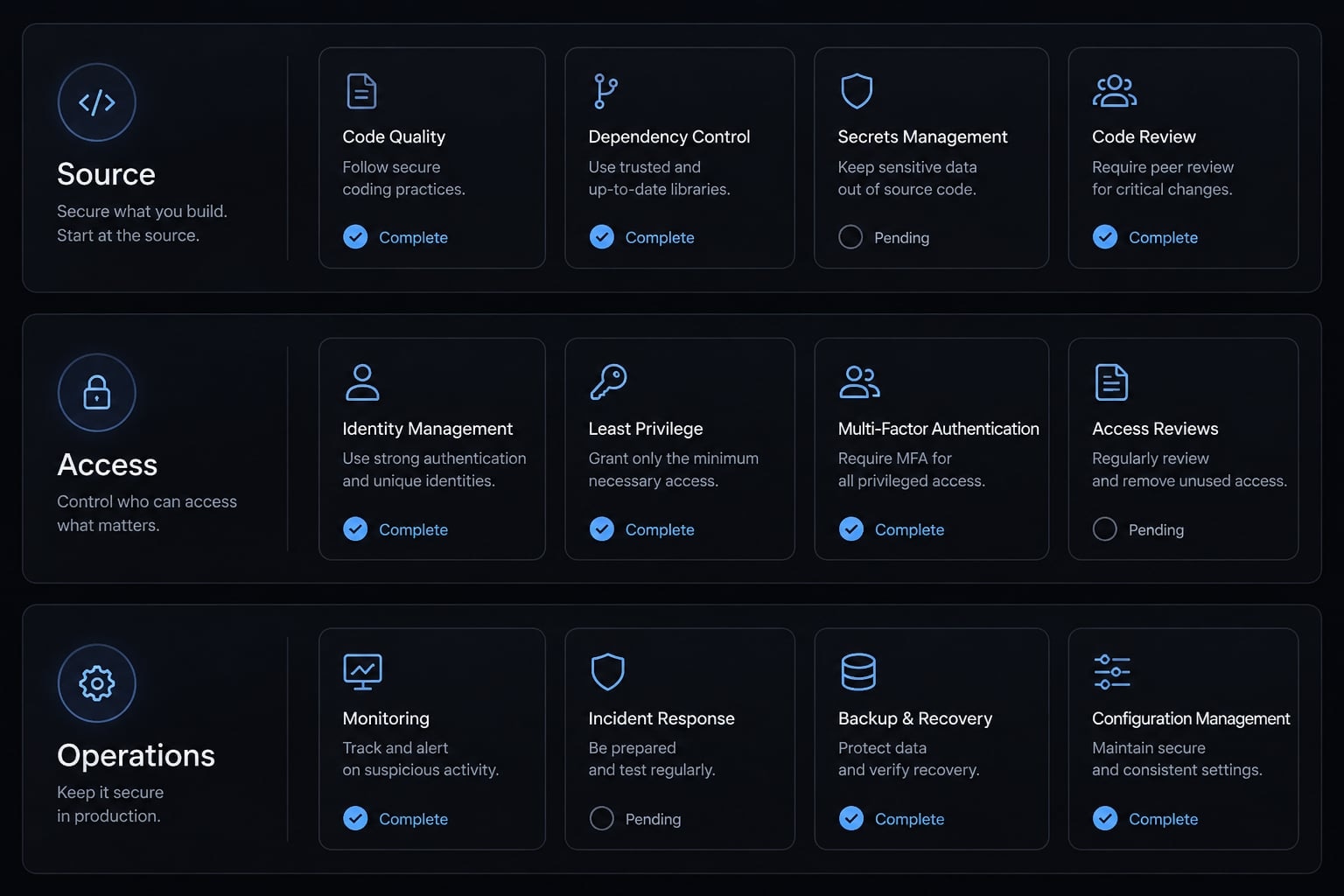
Recommended controls for individual developers and teams
Control | Individual developer | Team |
|---|---|---|
Revision control | Record reviewed commit | Maintain approved revisions |
Least privilege | Restrict tools and paths | Apply enforceable policies |
Execution sandboxing | Configure isolation | Standardize restricted environments |
Network restrictions | Limit destinations | Enforce outbound rules |
Credential separation | Use disposable credentials | Provide scoped test identities |
Change review | Inspect all additions | Require protected review |
Update management | Review before updating | Stage and approve updates |
Audit evidence | Save commands and results | Retain review records |
Availability depends on Claude Code version, environment, and organizational tooling. Follow Anthropic’s documentation on permissions, settings, hooks, sandboxing, and MCP for the deployed version.
A container is not safe if it mounts production credentials. Execution sandboxing and network restrictions require actual configuration. CODEOWNERS identifies reviewers but needs applicable repository rules to enforce approval.
Version pinning supports reproducibility; it does not make an unsafe revision safe.
Publication accuracy guardrail
Review-status note: No specific community skill is certified safe here. No installation test, repository security audit, or incident-specific vulnerability claim is presented.
A governed OWASP workflow with AgentKit
Repeatability requires reviewed instructions, stable configuration, and accountable handoffs. AgentKit’s product description positions it around reusable skills, specialized agents, workflows, and configuration management.
Those categories can support coordination. They do not establish that a packaged OWASP integration exists. Approval enforcement depends on which hooks and permissions you actually configure - confirm that behavior in your own installation rather than assuming it.
AgentKit OWASP review framework
The following is a proposed workflow, not a verified shipped integration. Confirm component availability and behavior against current product documentation before implementation.
Stage | Responsible component | Required output | Approval or enforcement owner |
|---|---|---|---|
Plan | Human lead; planning workflow if available | Scope and security requirements | Engineering owner |
Implement | Developer and coding agent | Bounded change and tests | Change approver |
Review | Reviewed reusable Claude Code skills | Evidence-linked findings | AppSec or designated reviewer |
Verify | Scanners and test runners | Logs and test results | Continuous integration maintainers |
Remediate | Developer and approved agent actions | Targeted fix and regression test | Code owner |
Merge | Repository workflow | Approved, checked change | Repository protections |
CI means continuous integration, the automated checks associated with code changes. CI systems and repository protections should enforce security approval gates where appropriate, particularly at the merge level. Pre-tool hooks can require approval earlier, at the point a sensitive operation is attempted - verify the enforced scope against your own controls rather than assuming either layer covers the other.
Soft conversion path
Explore AgentKit to assess whether its currently documented skills and configuration capabilities fit your review process. Check specific component availability rather than assuming OWASP coverage.
Alternatively, use the ten-point checklist above to evaluate your existing setup first. A useful pilot produces an inspectable installation record and validated finding-not simply more automated output.
Frequently asked questions
How do I install an OWASP security skill in Claude Code safely?
To install a skill safely, first inspect the repository's SKILL.md and any executable scripts. Prefer project-level installation, review all newly created files before loading, and test the skill in a disposable environment. Ensure you pin specific repository commits to maintain consistent and reproducible security instructions.
Which OWASP standards does the Claude Code OWASP skill cover?
Coverage depends entirely on the revision you install. Relevant standards include the OWASP Top 10, the Application Security Verification Standard, and the OWASP Top 10 for LLM Applications - but a skill referencing a category is not the same as implementing checks against it. Inspect the files at a fixed commit and mark each mapping referenced, partially referenced, or not found.
How should I use Claude Code for OWASP-aware security reviews?
Scope your review by defining trust boundaries before invoking the agent. Use specific review prompts for sensitive areas like authentication and input handling. Require the agent to provide evidence and confidence levels for every finding, and always perform a manual human review before approving any remediation or code changes.
Is it safe to install third-party Claude Code skills?
Third-party skills carry supply-chain risks because they can influence the agent’s instructions and permitted actions. You can mitigate these risks by inspecting the skill’s configuration, enforcing least-privilege permissions, verifying the source's ownership, and keeping skills isolated within non-sensitive project environments.
Can Claude Code OWASP replace professional security tools or audits?
No. Claude Code OWASP is intended for initial feedback and developer-side review; it does not replace SAST, SCA, DAST, or professional penetration testing. It serves as an assistive layer that improves consistency but does not provide security assurance or compliance certification for production-ready applications.
Read more:
- How to Setup and Configure MCP Servers in Claude Code
- Docker Claude Code: Choosing the right setup for fast results
- Connect Notion to Claude Code: Official Notion MCP setup guide
Conclusion
Claude Code OWASP skills improve review consistency through structured attention, but they do not guarantee software security. Teams should begin with a limited evaluation, verifying source revisions and requiring evidence for findings before approving fixes through dedicated scanners and human review. Expand adoption only when component access, findings, and verification methods are fully transparent and controlled.