How to Install Claude Code skills: Setup and safety guide
Install Claude Code skills: The correct setup, testing, and safety checklist
Most issues with installing Claude Code skills stem from wrong folder paths, missing SKILL.md files, or assuming "installed" means "working." This guide covers the complete practical loop: how to correctly install skills in ~/.claude/skills/, verify they trigger properly, safely review public skills, and troubleshoot when they fail to activate.
What Claude Code skills are and what they are not
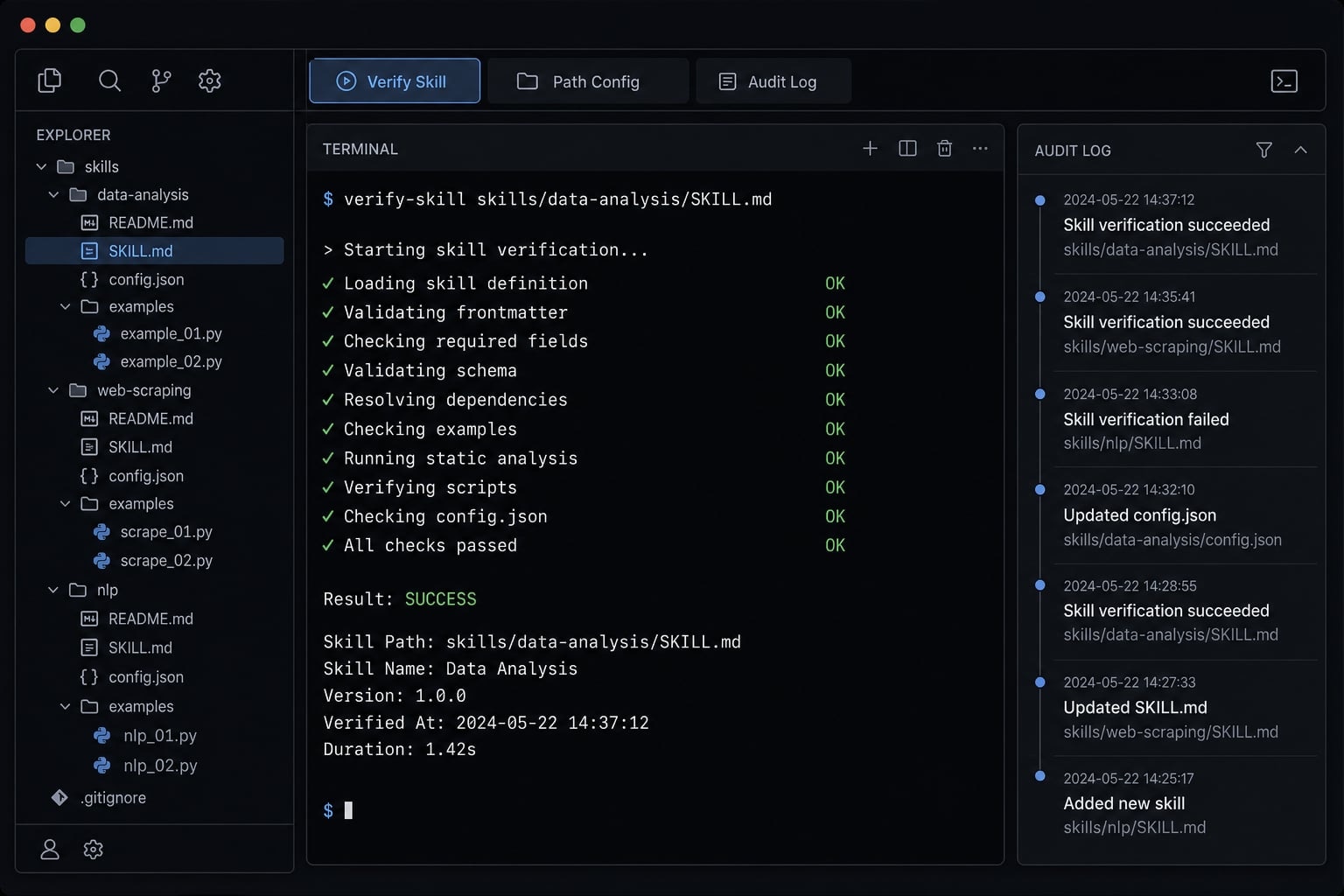
Claude Code skills are local, reusable instruction packages that help Claude apply task-specific guidance when a request matches the skill’s purpose. In most cases, a skill is built around a SKILL.md file and may include supporting files for references, scripts, or evaluations. The key idea is simple: A skill gives Claude extra instructions for a narrow workflow, not a better model.
In practice, Claude Code skills are most useful when they encode a repeatable preference, a review checklist, or a workflow your team uses often. Examples include code review standards, debugging steps, or documentation formatting rules.
What they are not matters just as much:
- They are not guaranteed automation.
- They are not model upgrades.
- They do not automatically create new capabilities.
- They are not the same as always-on project rules in CLAUDE.md.
- They do not always trigger perfectly.
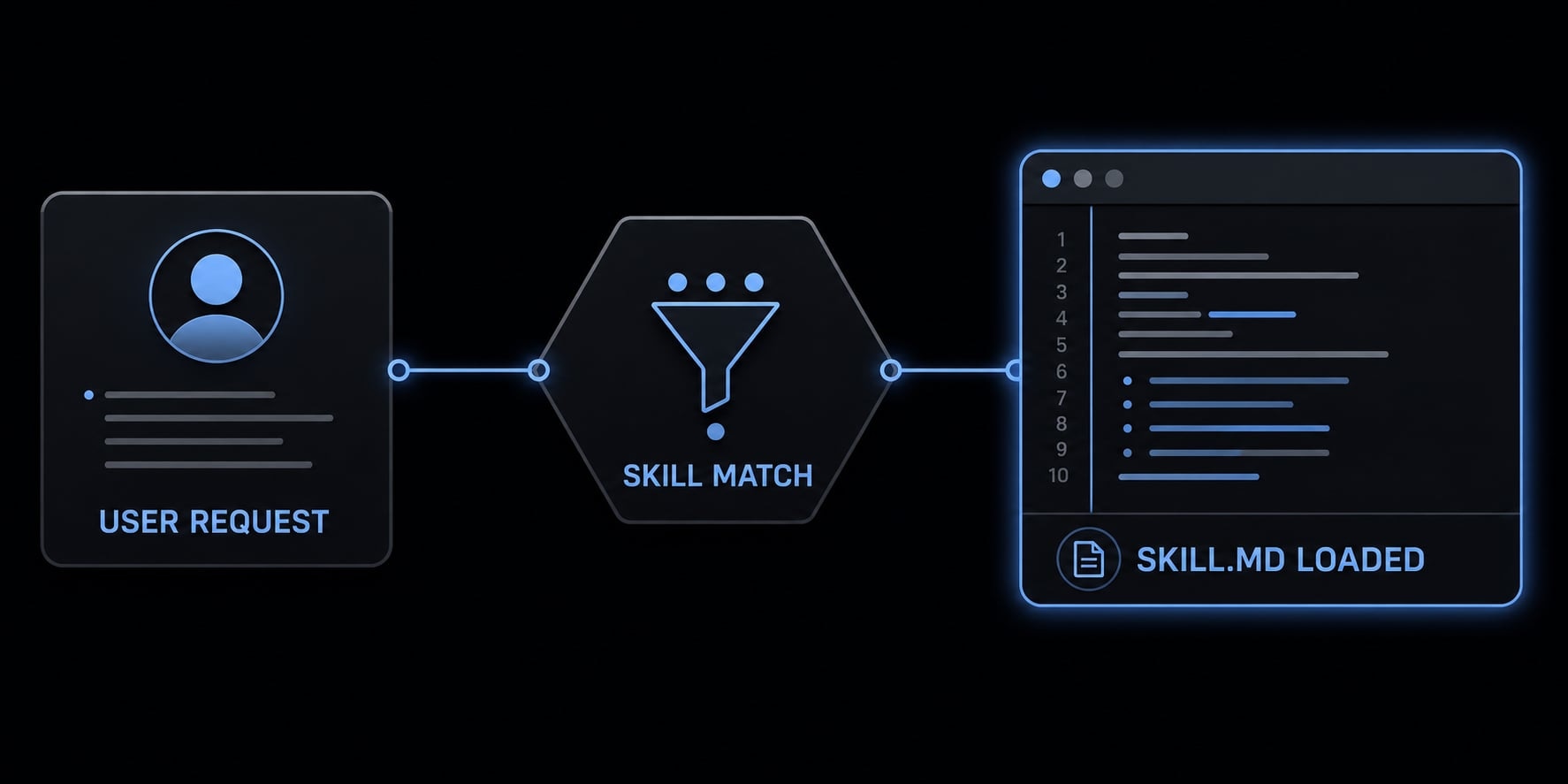
This matters because skills rely on progressive disclosure, meaning Claude usually sees lightweight metadata first and loads the full skill only when the request appears relevant. That keeps idle cost lower, but it also means activation depends on context and request matching.
What a valid skill usually includes
A minimum viable skill is usually small and easy to inspect:
SKILL.mdas the required core file.- YAML frontmatter at the top, which stores structured metadata such as name, description, or tool permissions.
- Optional
references/for extra examples or instructions. - Optional
scripts/for helper actions that need closer review. - Optional
assets/for supporting files. - Optional
evals/for lightweight testing or comparison.
A basic skill can work with only SKILL.md. Extra folders are helpful, but not required.
Why many public skills are not worth installing blindly
A common mistake is assuming more public skills automatically mean better output. In practice, many public skills just restate what the model already does reasonably well. That adds token overhead, extra noise, and sometimes narrower output.
The highest-value skills usually encode a specific team preference or solve one narrow workflow problem. If a skill does not solve a real problem, you are better off not installing it.
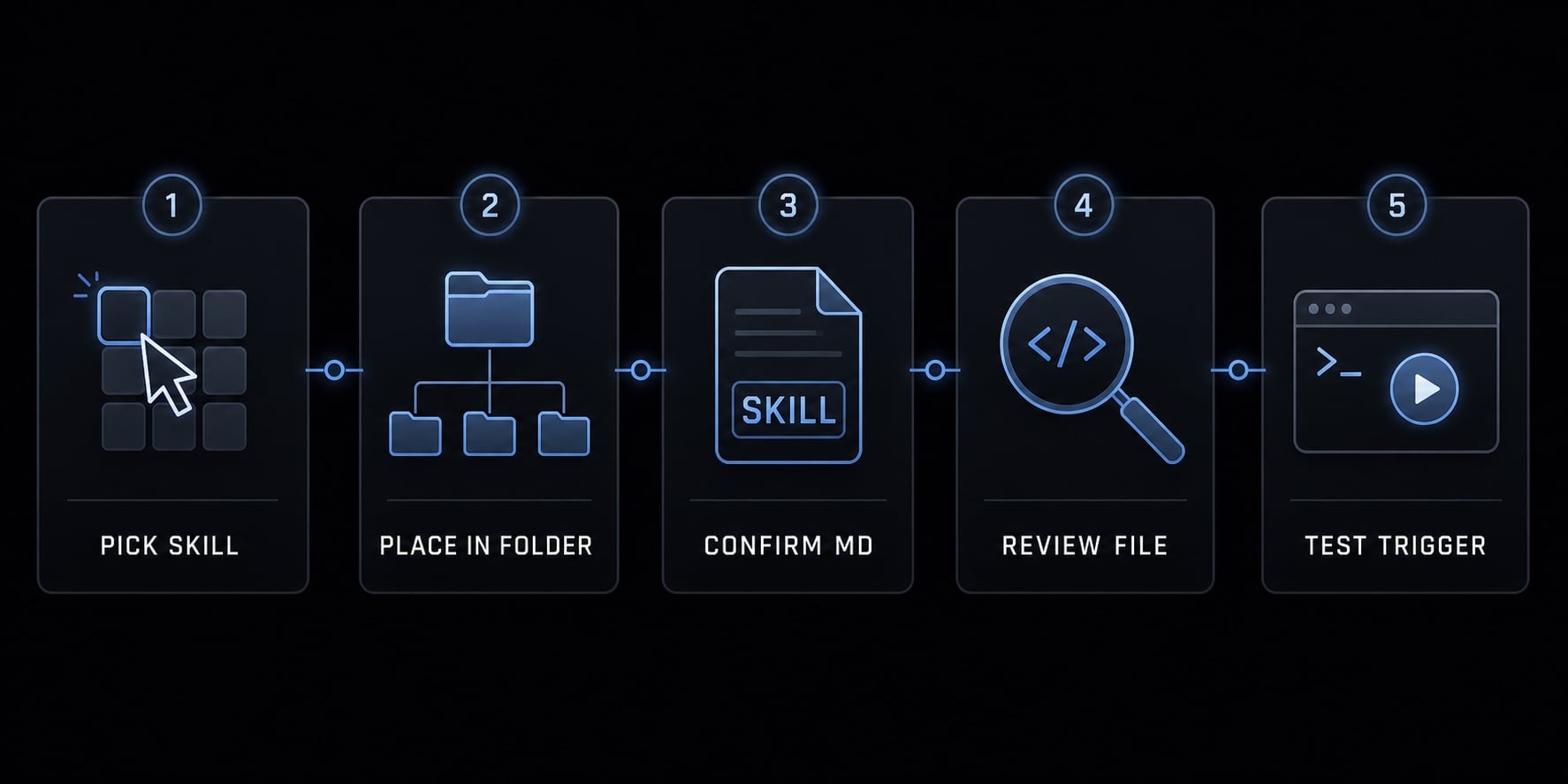
Step-by-Step: How to install Claude Code skills correctly
To install Claude Code skills effectively, take a focused, testable approach. Avoid installing a large bundle until you have validated a specific use case.
- Pick one skill with a clear use case.
- Put it in the correct local folder.
- Check the minimum folder structure.
- Review the
SKILL.mdfile before use. - Trigger the skill with a matching request.
Step 1: Pick one skill with a clear use case
Install one skill at a time. This is the fastest way to tell whether it helps.
Good candidates are tied to one repeatable workflow, such as:
- Code review checklists.
- Debugging routines.
- Commit message formatting.
- Documentation generation.
- File-specific transformation tasks.
Avoid broad bundles at the start. If a skill claims to improve everything, it usually becomes harder to test and easier to misjudge.
Step 2: Put the skill in the correct local folder
The standard local path is: ~/.claude/skills/
Each skill should live in its own folder inside that directory. Use readable, specific folder names so the purpose is obvious.
Examples:
code-review-checklistdebugging-playbookrelease-notes-writer
The wrong folder path is the most common preventable failure. If the folder is not under ~/.claude/skills/, the rest of the setup may look fine but still fail in practice.
Step 3: Check the minimum folder structure
Each skill should have its own folder, and SKILL.md is mandatory. Do not merge several unrelated skills into one folder.
~/.claude/skills/ code-review-checklist/ SKILL.md references/
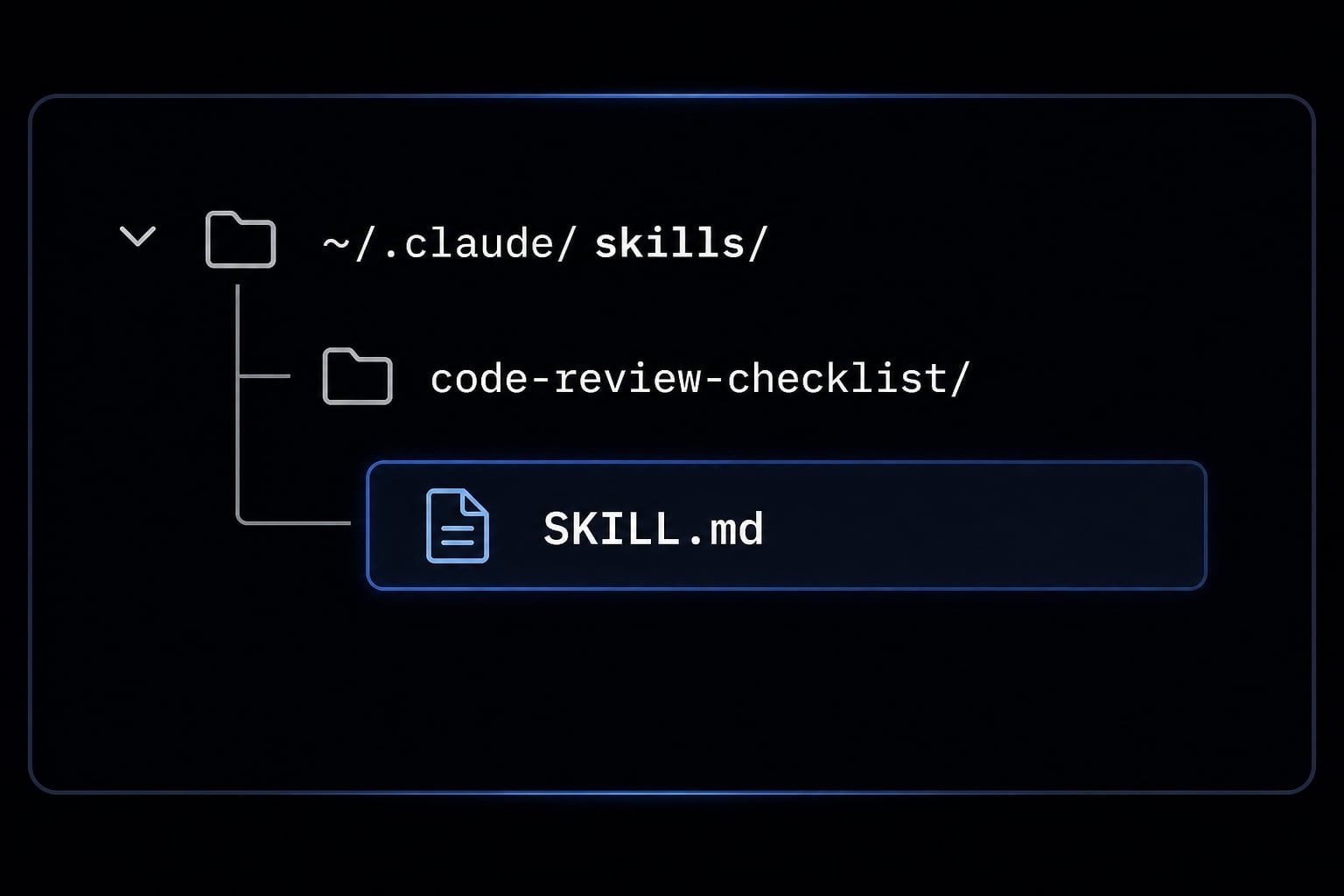
A correct folder structure is more important than extra complexity. If the structure is clean, testing and troubleshooting become much easier.
Step 4: Review the SKILL.md file before use
Before using any skill, open the SKILL.md file and review it manually.
Use this checklist:
- Is the description clear and specific?
- Is the scope narrow enough to test?
- Are the instructions practical, or are they vague and generic?
- Does the YAML frontmatter look clean and readable?
- If
allowed-toolsis present, does it request only what the skill truly needs? - Are there unnecessary layers of complexity?
- Does the skill contain rigid instructions that could hurt mixed-use workflows?
If you are learning how to install custom skills for Claude Code, this review step matters just as much as the file placement itself.
Step 5: Trigger the skill with a matching request
After setup, test the skill with a request that clearly matches its purpose. Claude uses a probabilistic trigger mechanism, so trigger reliability depends heavily on how well the request matches the skill description.
Example prompt:
Review this pull request using our backend API review checklist. Focus on error handling, logging, and unsafe query patterns.
That prompt is better than a vague request like:
Look at this code.
Installation is only complete when the skill works effectively in a realistic workflow.
Skill vs CLAUDE.md vs hook vs MCP: Use the right tool
Many users confuse these tools because they all influence Claude’s behavior, but they solve different problems. A skill is usually the right choice for on-demand workflow guidance. CLAUDE.md is better for persistent project context. A hook is better for a deterministic workflow that must run every time. An MCP server is the right choice when Claude needs a capability or integration it does not already have.
Fast decision matrix:
Tool | Best for | Not ideal for | Behavior style |
|---|---|---|---|
Skill | Reusable task-specific guidance | Global rules that should always apply | On-demand / trigger-based |
CLAUDE.md | Persistent project context | Narrow one-off workflows | Always-on |
Hook | Deterministic automation | Broad advisory guidance | Event-driven |
MCP server | New capabilities and integrations | Simple formatting or behavior rules | Tool/capability-based |
Skills are not the same as always-on instructions:
- If a rule should apply across the whole project,
CLAUDE.mdis usually the better place. - If something must happen every time, a Hook is usually stronger than a skill.
- If Claude needs access to an external system, database, or service, an MCP server is about capability expansion, not just instruction.
A subagent may also appear in advanced workflows, but for installation decisions, the main distinction is instruction versus automation versus capability.
How to tell if a Claude Code skill is actually working
A skill is only worth keeping if it improves a recurring task in a measurable way. “Installed” is not the same as “useful.” That distinction matters because context-aware loading can make a skill seem present even when it delivers no real value.
Because trigger reliability can vary, the most reliable approach is light model evaluation, not guesswork. You do not need a complex benchmark. A small before-and-after comparison is usually enough.
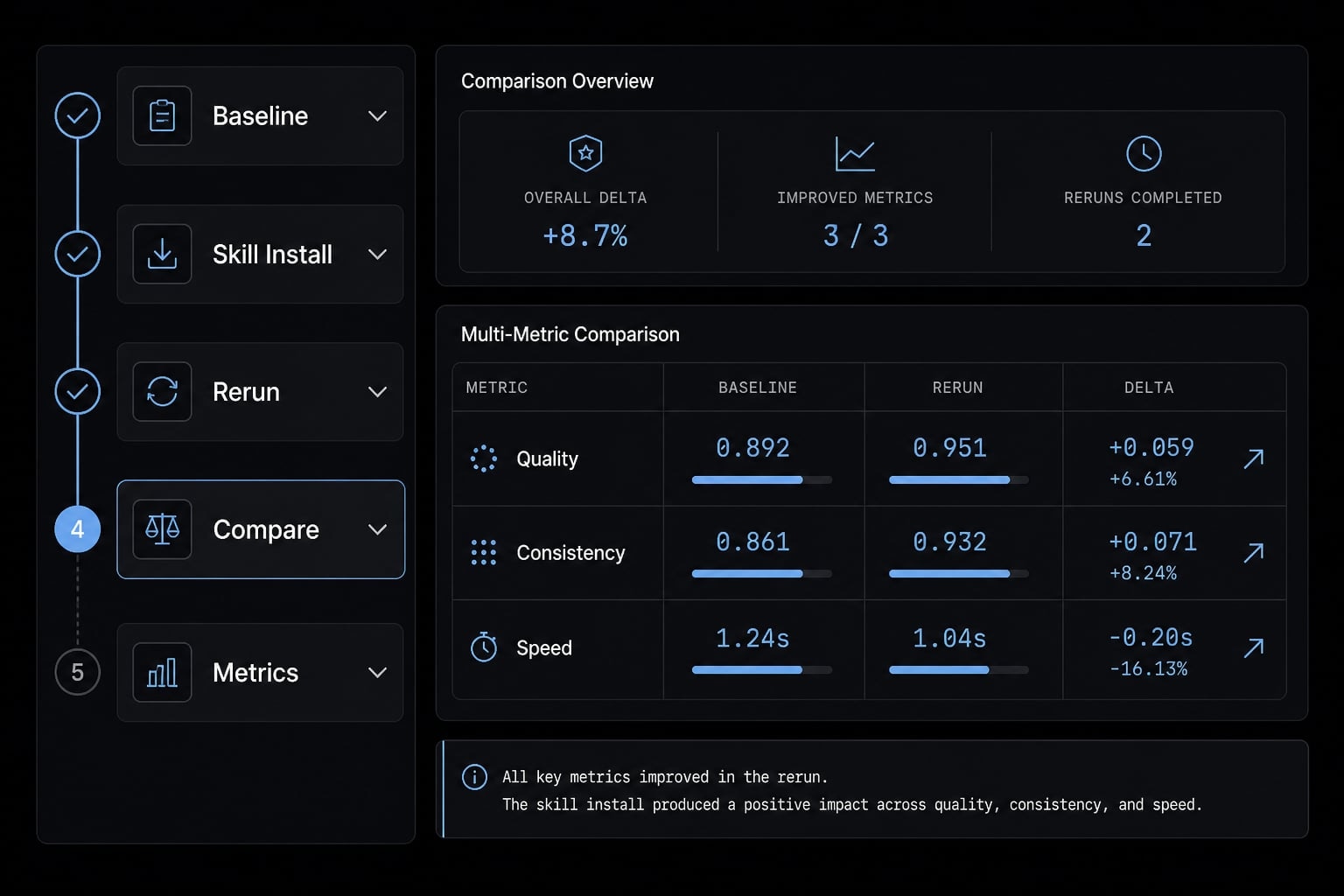
A simple before-and-after validation workflow
- Pick one recurring task.
- Record the baseline output without the skill.
- Install one skill.
- Re-run the same task with a clearly matched prompt.
- Compare quality, consistency, and speed.
Useful questions:
- Did the output become more accurate?
- Did it follow the intended workflow more consistently?
- Did it reduce revision time?
- Did it add unnecessary delay or verbosity?
Signs a skill should be removed
- It never triggers on a well-matched request.
- There is no measurable uplift.
- It adds rigid or unnecessary constraints.
- It increases latency or token cost without benefit.
Good Claude Code skill management is usually subtractive. If a skill does not improve baseline output, removing it is often the correct decision.
Security and quality checks before installing public skills
The main security risks of installing public Claude Code skills are usually not dramatic, but they are real: Unclear instructions, overly broad tool access, risky helper scripts, and low-quality logic hidden inside attractive packaging. Public skills should be treated as reusable instruction packages that require manual review before use.
Do not blindly clone large bundles or mass-install packs. Inspect every file first, especially if the skill includes scripts/ or broad permission settings. For practical secure AI agent deployment, small and testable is safer than large and impressive.
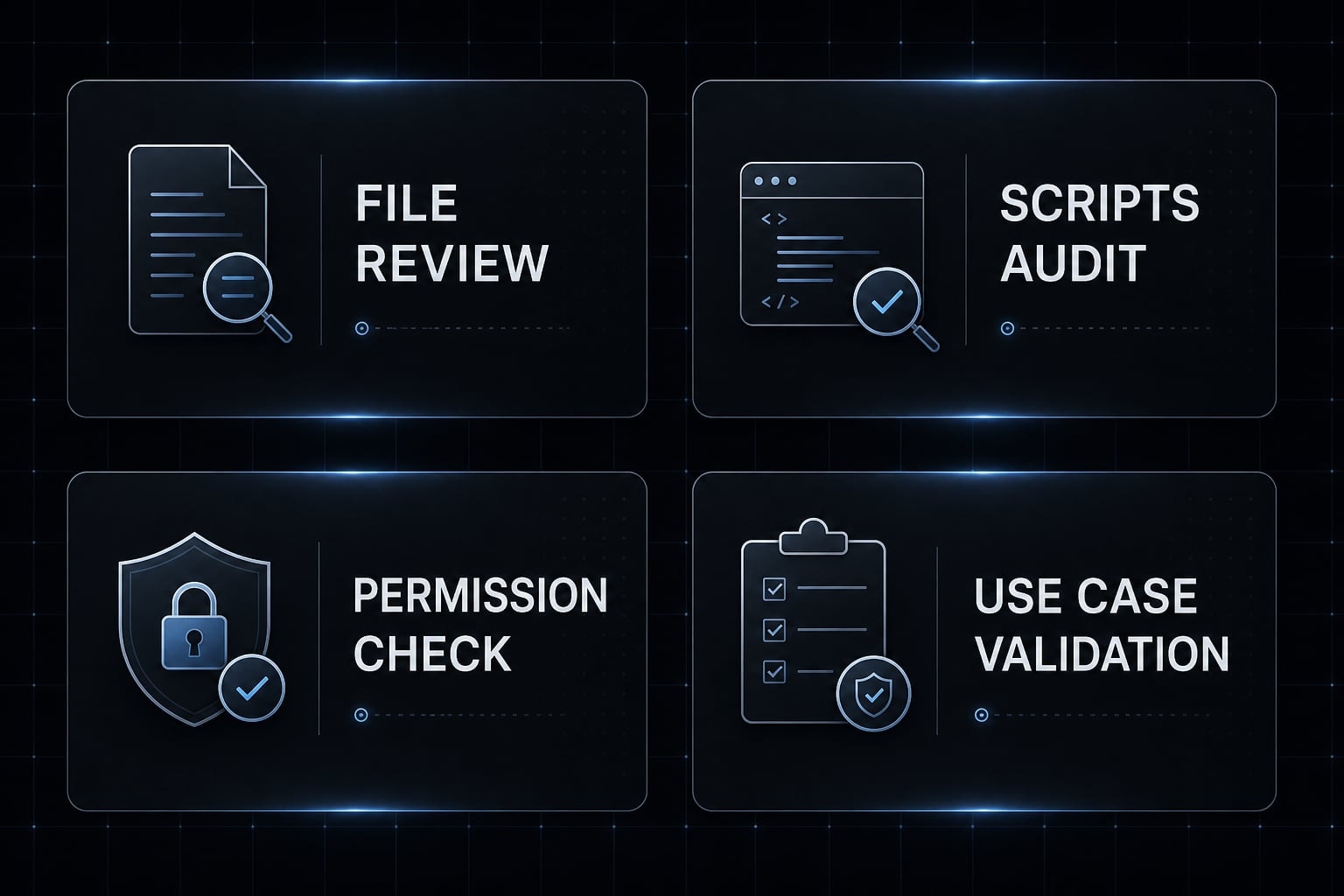
Public skill pre-install checklist:
- Read every file in the skill folder.
- Inspect
scripts/carefully before use. - Review permissions and
allowed-tools. - Confirm the use case is narrow and testable.
- Avoid mass-install packs.
- Prefer small, testable public skills.
This is the simplest way to reduce the security risks of installing public Claude Code skills without turning setup into a heavy compliance process.
Common installation and trigger problems and how to fix them
Most failures come from one of five places: Wrong folder path, bad folder structure, malformed SKILL.md, weak trigger match, or a skill that adds no real value. The right troubleshooting order follows that likelihood, not the order people usually guess.
Problem 1: The skill is installed but never seems to fire
Likely causes:
- The prompt is too vague.
- The skill description is weak.
- The request does not match the intended use case.
Fix:
- Use a more specific request.
- Re-check the skill description for clarity.
- Test the exact workflow the skill was meant for.
- Tighten the wording around the intended action.
Example: Troubleshooting Claude Code skill trigger reliability usually starts by improving the prompt before changing the skill itself.
Problem 2: The folder structure looks right, but output is unchanged
Likely causes:
- The skill only repeats default model behavior.
- The skill is too generic to create measurable uplift.
- The baseline output was already good enough.
Fix:
- Compare baseline output against with-skill output.
- Look for real differences in quality or consistency.
- Remove the skill if there is no real benefit.
If there is no measurable change, keep the workflow simple and move on.
Problem 3: The skill makes output worse
Likely causes:
- Overly verbose instructions.
- Rigid rules applied to mixed contexts.
- Higher latency.
- Extra token overhead and context clutter.
Fix:
- Shorten the instructions.
- Narrow the scope.
- Remove unnecessary constraints.
- Uninstall the skill if quality declines.
In practice, the smartest answer is often removal, not more debugging. If a skill creates friction, that is already useful evidence.
Practical note: A curated alternative to manual skill hunting
For individuals, manually installing one or two skills is often enough. That is usually the cleanest path, especially when the workflow is narrow and easy to test. For teams managing repeated setups across coding, content, research, or operations, structured systems can reduce inconsistency. This is where curated workflows, reusable skills, and automated workflows become more practical than ad hoc folder management.
AgentKit is one example of that approach, especially for teams that want repeatable agent behavior without rebuilding each setup from scratch. The key point is scope: Manual setup works well for simple use cases, while curated systems become more useful when multiple people, workflows, or environments need to stay aligned.
Frequently asked questions
What are Claude Code skills?
Claude Code skills are modular instruction packages-typically contained within a folder featuring a SKILL.md file-that provide task-specific guidance to your agent. They use progressive disclosure to inject preferences or procedures into the context window only when a request matches the skill’s defined purpose.
How do I install Claude Code skills correctly?
- Identify one specific, recurring workflow to automate.
- Create a folder for the skill in
~/.claude/skills/. - Ensure the folder contains a valid
SKILL.mdfile. - Review the
YAML frontmatterand instructions for clarity. - Execute a request that matches the skill's description to trigger activation.
Which is better: Claude Code skills or CLAUDE.md?
Skills are best for on-demand, task-specific procedures that trigger only when needed. In contrast, CLAUDE.md provides persistent, always-on project context. Choose skills for modular workflows and CLAUDE.md for global project rules or behavioral defaults that should apply to every interaction.
How do I verify that a Claude Code skill is working?
Perform a before-and-after validation test. Run a recurring task without the skill to establish a baseline output, then install the skill and re-run the same task. If you do not see a measurable improvement in quality, consistency, or speed, the skill may be redundant or poorly configured.
Are public Claude Code skills safe to install?
Not all public skills are safe. Before installing, manually inspect every file in the directory. Check for suspicious scripts, overly broad permissions in allowed-tools, or instructions that override safety constraints. If a public repository contains dozens of skills, avoid bulk installation and only vet narrow, individual use cases.
Why is my Claude Code skill not triggering?
If your skill fails to fire, first verify that the folder is located exactly at ~/.claude/skills/. Next, ensure your prompt clearly aligns with the skill’s description and keywords. If the triggering remains inconsistent, refine the description or consider whether the task is better suited for a deterministic Hook or CLAUDE.md.
Read more:
- Claude Code tutorial: Set up and master your AI coding agent
- Claude Code plugins: A guide to workflows, setup and safety
- Claude Code VS Code: Installation and setup guide 2026
Conclusion
To install Claude Code skills correctly, keep the process simple: Place the skill in the right folder, confirm SKILL.md is present, review the file before use, test with a matching request, and keep only the skills that produce real value. That operating loop matters more than collecting a large library.
In most cases, fewer and better skills outperform bulk installs. If you want to go further, the next logical step is to learn how to write a narrow custom skill, explore workflow templates, or review adjacent setup guides for CLAUDE.md, Hooks, and MCP-based tooling.