
Claude Code MCP scopes: Local vs. project vs. user
Claude Code MCP scopes determine where server definitions are stored and which project contexts can access them. Understanding these configuration layers helps engineering teams manage server registration, override behavior, and secure cross-environment sharing.
What are Claude Code MCP scopes?
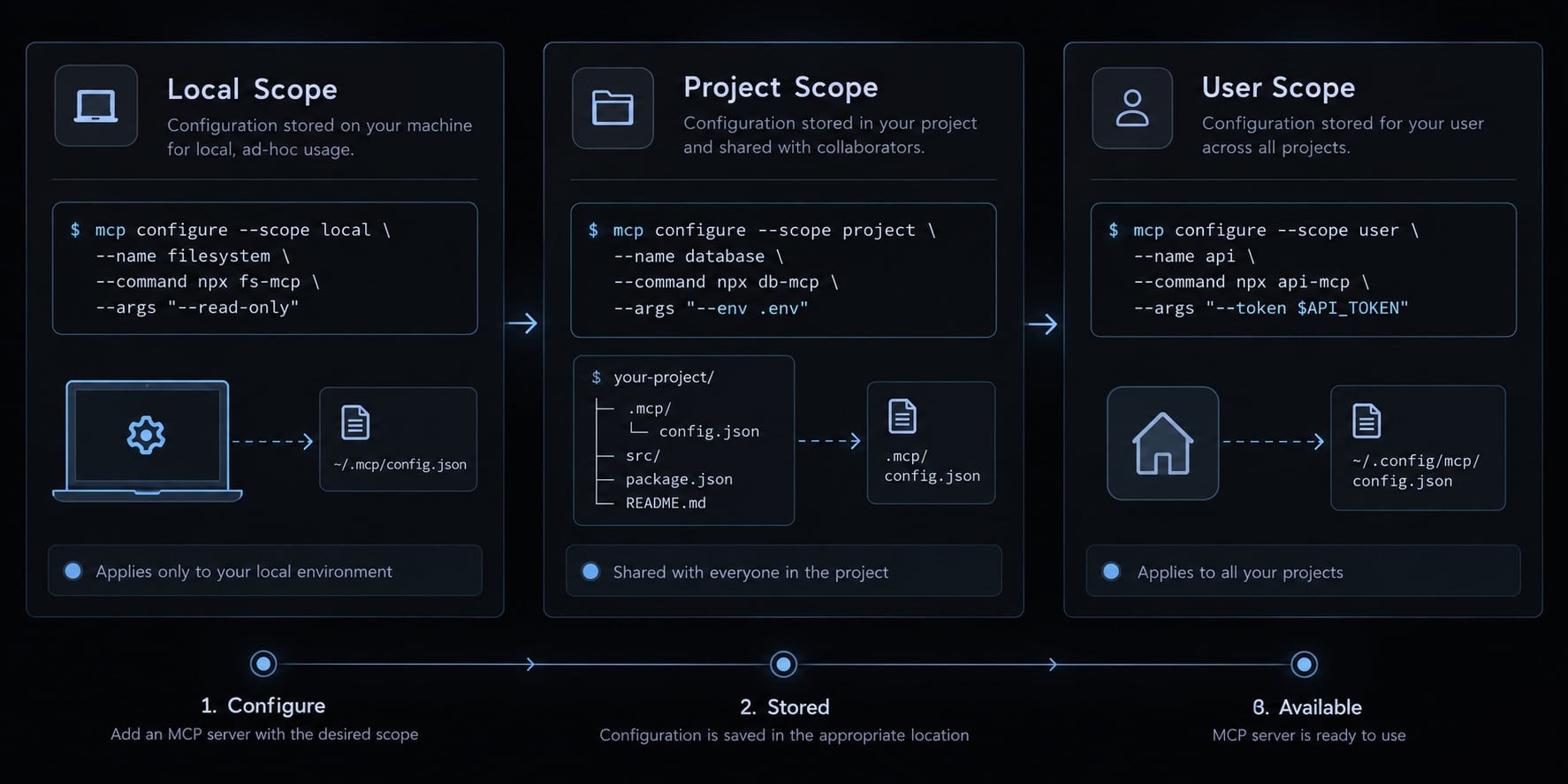
Claude Code MCP scopes are configuration layers that determine server-definition storage, availability within project contexts and how definitions can be shared. The three scopes are local, project, and user. They organize configuration; they do not establish service identity, grant authorization or replace Claude Code’s tool permissions.
Claude Code acts as a client for MCP (Model Context Protocol) servers. Keep these concepts separate:
- Transport: How the client connects, such as an HTTP connection or
stdio, which communicates through a subprocess’s input and output. - Authentication: How a service verifies identity.
- Authorization: What that identity may do.
- Tool capability: An action the server exposes.
- Claude Code permissions: Client-side controls governing tool use.
- OS/process access: Resources accessible to a running local server, subject to operating-system controls and any applicable sandboxing.
Quick comparison of local, project and user scopes
Scope | Default storage | Available to | Sharing/version control | Best for |
|---|---|---|---|---|
|
| This user in this project | Personal configuration outside repository files | Private experiment |
| Project-root | Users working with that project, subject to setup and approval | Repository-shareable; version-controlled only if committed | Team-reviewed definition |
|
| This user across projects | Personal configuration, not automatic synchronization | Cross-project utility |
The documented default is local. Local and user definitions can occupy different logical sections of the same physical file. Receiving .mcp.json does not authenticate a teammate or approve its servers.
Scope is not the same as permission
Scope controls configuration availability, not access rights. A local definition does not restrict a subprocess to the repository directory. A project definition does not grant identical service permissions to teammates. Effective access also depends on credentials, server capabilities, service authorization, client permissions, and process-level controls.
Illustrative scenario: Two developers connect to the same project-defined endpoint. One has a read-only service identity; the other has write privileges. Their configuration matches, but their permitted actions differ.
LOCAL ~/.claude.json → project-associated definition This user + this projectPROJECT -/.mcp.json → repository-shareable definition Project collaborators, after individual setup and approvalUSER ~/.claude.json → top-level definition This user + multiple projects
How each Claude Code MCP scope works
Local scope: Private to one user and one project
Local scope is the documented default when --scope is omitted. Its definition belongs to the project-associated portion of ~/.claude.json, rather than a repository configuration file.
Use it for experiments, machine-specific commands or private project tools. Teammates do not receive the definition, and personal configuration files are not encrypted secret vaults.
Project scope: Shared through .mcp.json
Project scope places the server definition in the project-root .mcp.json. Review that file, document its prerequisites, and commit it when the team should share it.
An issue-tracker or documentation endpoint is a suitable example. The repository distributes the connection definition; each teammate completes authentication separately where required. Claude Code’s documented project workflow requires explicit approval before using project-scoped servers.
User scope: Personal tools across projects
User scope stores personal cross-project definitions in the top-level MCP configuration within ~/.claude.json.
Choose it for a documentation utility or developer assistant that you genuinely need across multiple repositories. However, broad availability can make a tool appear where it is unnecessary. Reusing a generic server name also increases the chance of a project or local definition masking it.
Which MCP scope should you choose?
Choose the narrowest practical configuration scope that supports the workflow. This is a placement and sharing rule, not a substitute for least-privilege service authorization.
Scope selection by scenario
Scenario | Recommended scope | Condition |
|---|---|---|
Temporary experiment |
| Keep experimental setup personal |
Private tool for one repository |
| No team distribution needed |
Team-reviewed server definition |
| Review and commit configuration |
Personal utility across repositories |
| Cross-project availability is intentional |
Shared endpoint with separate credentials |
| Authenticate individually |
Machine-specific executable path | Usually | Avoid nonportable shared paths |
Three-question decision tree
- Does the team need to receive and review the definition? Choose
project. - If not, does this user need it across projects? Choose
user. - Otherwise, is it needed only in this project? Choose
local.
Keep credentials outside committed configuration in every case. Sharing an endpoint and sharing an identity are separate decisions.
How to add, inspect, move and remove MCP Servers by scope
Run project-related commands from the intended project root. These illustrative examples use a POSIX-compatible shell, such as Bash or Zsh.
Check your installed version and available options first:
claude --version
claude mcp add --help
claude mcp remove --help
Add a Local-Scoped Server
This example requires you to install Node and have a ready-to-run script that implements an MCP server. Please note that this script is not bundled with the installation package. Set MCP_SCRIPT to its absolute path before running:
: "${MCP_SCRIPT:?Set MCP_SCRIPT to an existing absolute script path}"claude mcp add --scope local --transport stdio db-server \ -- node "$MCP_SCRIPT"
The -- separator separates Claude Code options from the registered process command. Local scope and local stdio transport are independent choices.
Add a Project-Scoped Server
Set MCP_ENDPOINT to the HTTP MCP endpoint supplied by your server administrator:
: "${MCP_ENDPOINT:?Set MCP_ENDPOINT to your approved MCP endpoint}"claude mcp add --scope project --transport http team-docs \ "$MCP_ENDPOINT"
This creates or updates .mcp.json; review its contents before committing.
The shell expands "$MCP_ENDPOINT" during registration. That does not automatically preserve a runtime variable reference in the generated file.
Add a User-Scoped Server
Using the same transport makes the scope difference explicit:
: "${MCP_ENDPOINT:?Set MCP_ENDPOINT to your approved MCP endpoint}"claude mcp add --scope user --transport http personal-docs \ "$MCP_ENDPOINT"
This registers a personal cross-project definition. It does not distribute configuration or authenticate other machines.
Inspect and verify the Active Configuration
Inspect registrations from the intended project:
claude mcp list
claude mcp get team-docs
Inside an interactive Claude Code session:
/mcp
Use these to inspect configured servers and session-level connection or authentication controls. Exact displayed fields can vary by version; inspect configuration files when scope provenance is unclear.
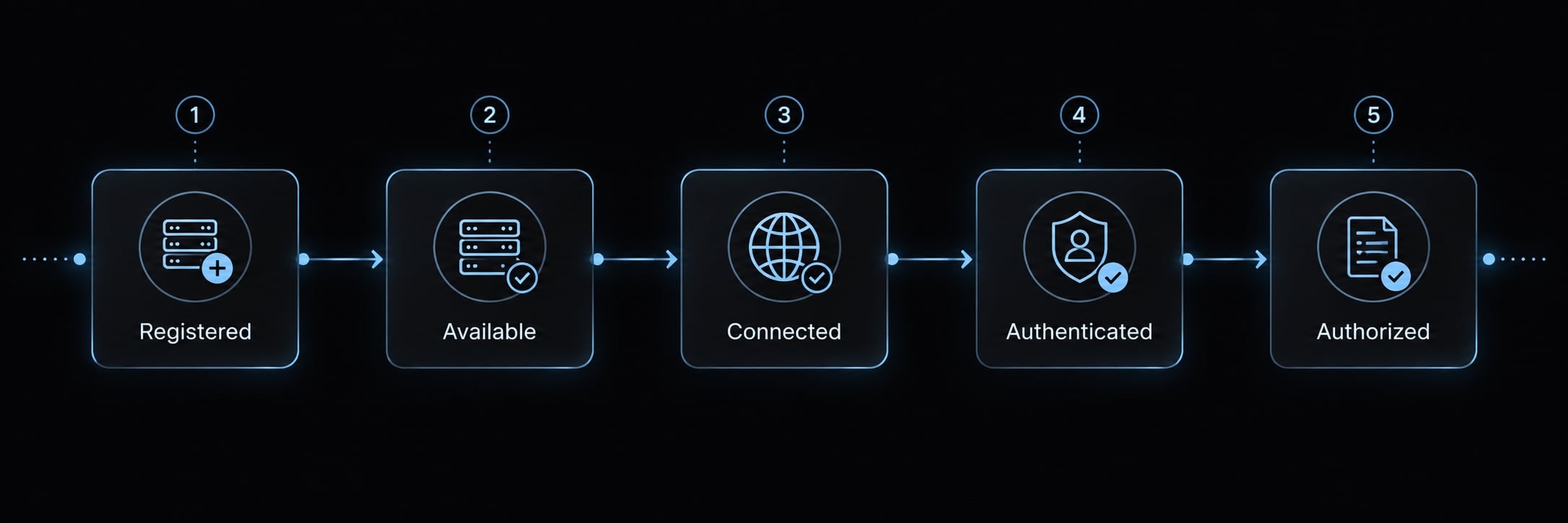
Verify each state separately:
- Registered: A definition exists.
- Available: The current context can use that definition.
- Connected: The server connection succeeds.
- Authenticated: The service recognizes the identity, where required.
- Authorized: That identity may perform the requested action.
Move or remove a Server from a scope
A higher-priority source can mask the destination. A successful same-name call does not prove migration worked.
- Record the source definition without exposing secrets.
- Add the destination definition.
- Check its storage and prerequisites.
- Test using a temporary distinct name if needed.
- Remove the old scoped definition.
- Reinspect and verify the final active definition.
- Retain rollback information until verification finishes.
Explicit removal avoids ambiguity:
claude mcp remove --scope local db-server
This removes the local registration, not the underlying database or every same-name definition.
Configuration files and scope precedence
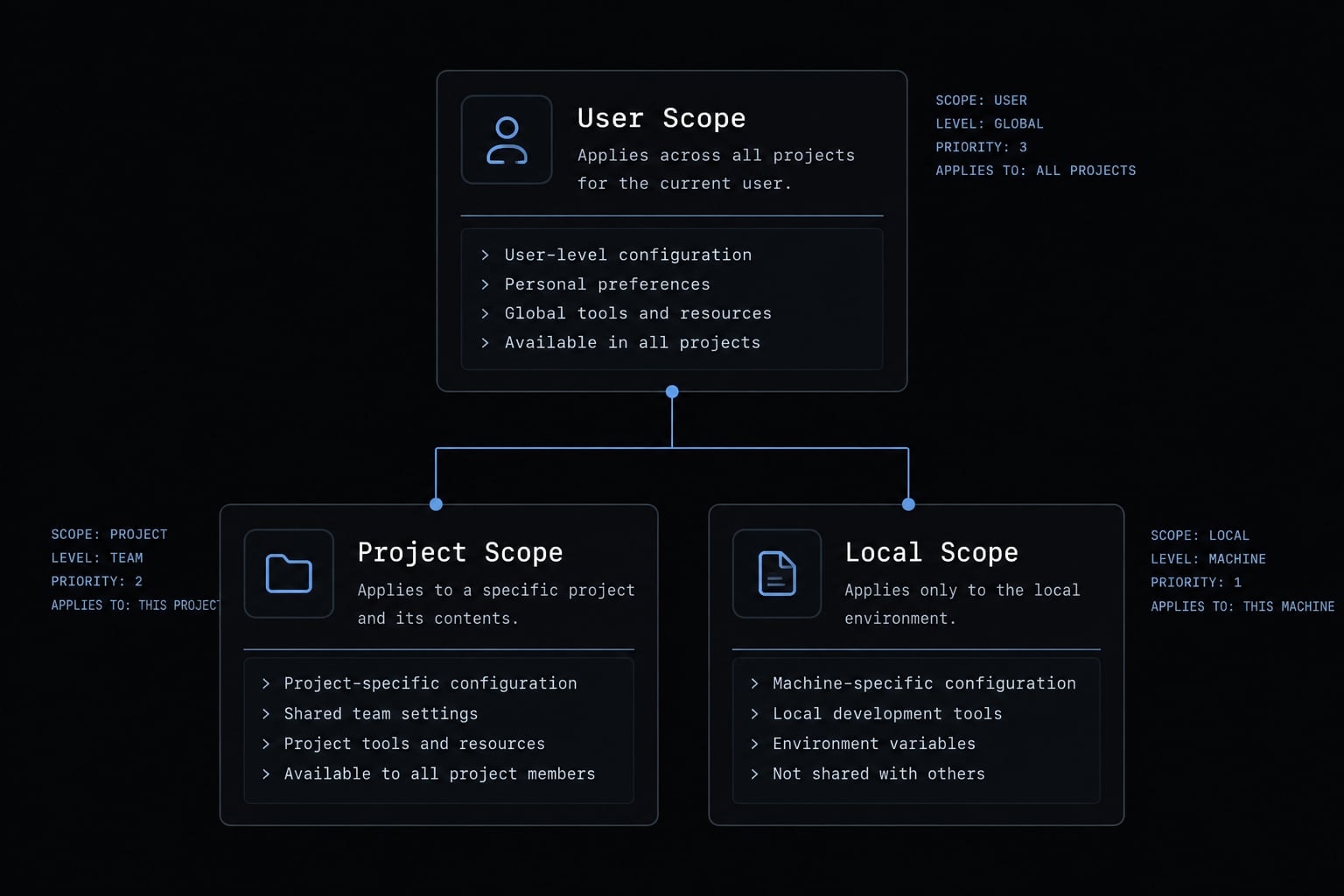
When the exact same server name is defined across multiple scopes, Claude Code resolves the conflict using strict scope precedence:
Same server name:
managed > local > project > user
Highest priority      Lowest priority
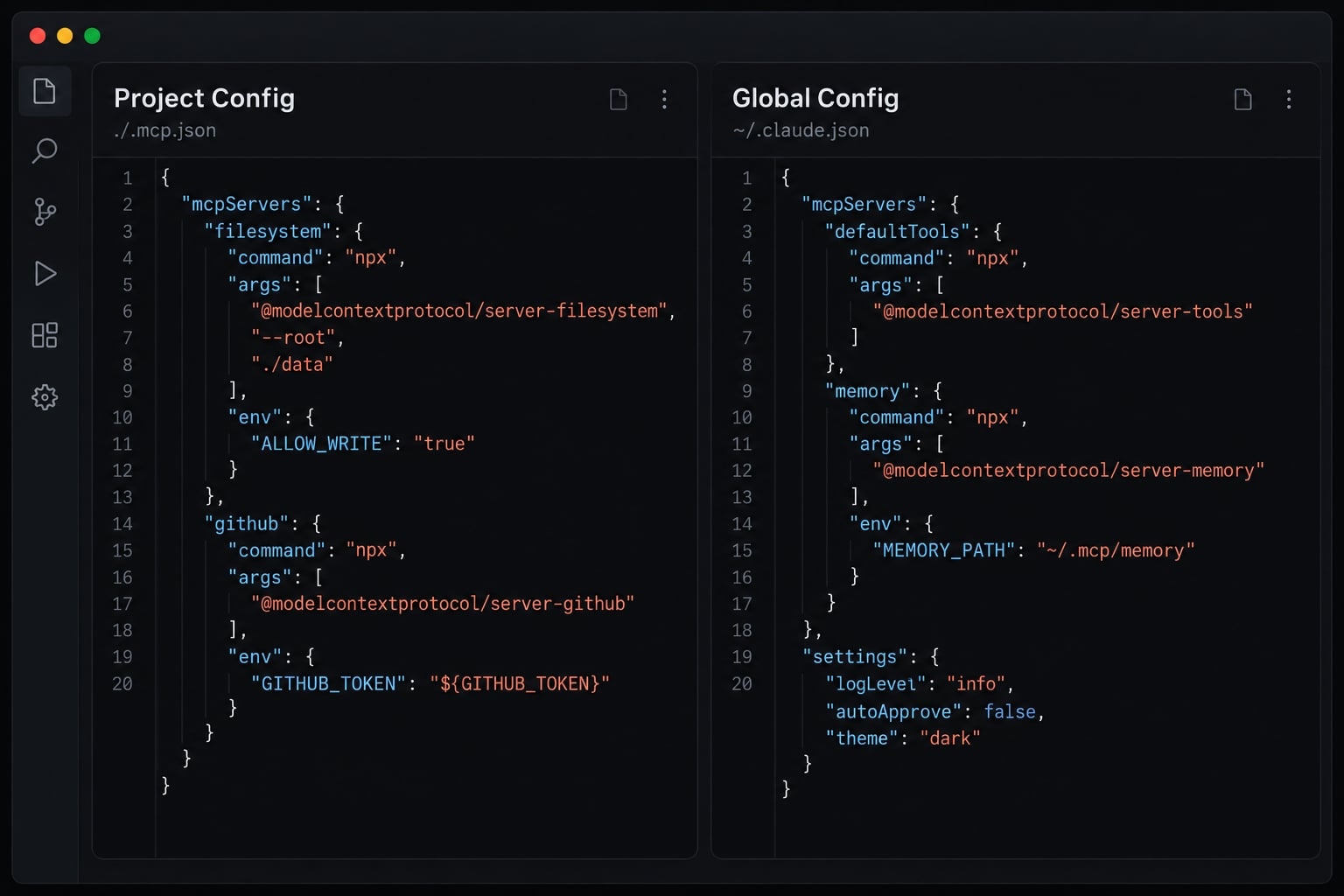
Where Claude Code stores each scope
These locations describe the default setup:
Scope | File | Logical placement |
|---|---|---|
|
| Project-associated MCP entry |
|
| Project-root |
|
| Top-level |
A physical file can contain multiple logical configuration sections. Do not assume every server in ~/.claude.json is user-scoped.
Custom configuration locations may differ. Inspect the active setup rather than reproducing or replacing an entire personal configuration file.
Example of a Scope Conflict
Suppose the project definition for db-server points to staging. A local definition with the same name points to a developer’s container.
The local definition wins. Editing the staging entry can therefore appear ineffective, even though the project file is valid.
Definitions are not combined field by field. Claude Code does not take the endpoint from one scope and credentials from another.
To expose both, give them distinct names. Alternatively, inspect and remove the local definition so the project definition can apply.
Organization-managed MCP configuration or policies may constrain this workflow; do not treat managed controls as another ordinary, lower-priority user override.
Security and team-sharing best practices
Treat .mcp.json as operational configuration. It can instruct Claude Code to start processes or connect to services, so repository review must include it.
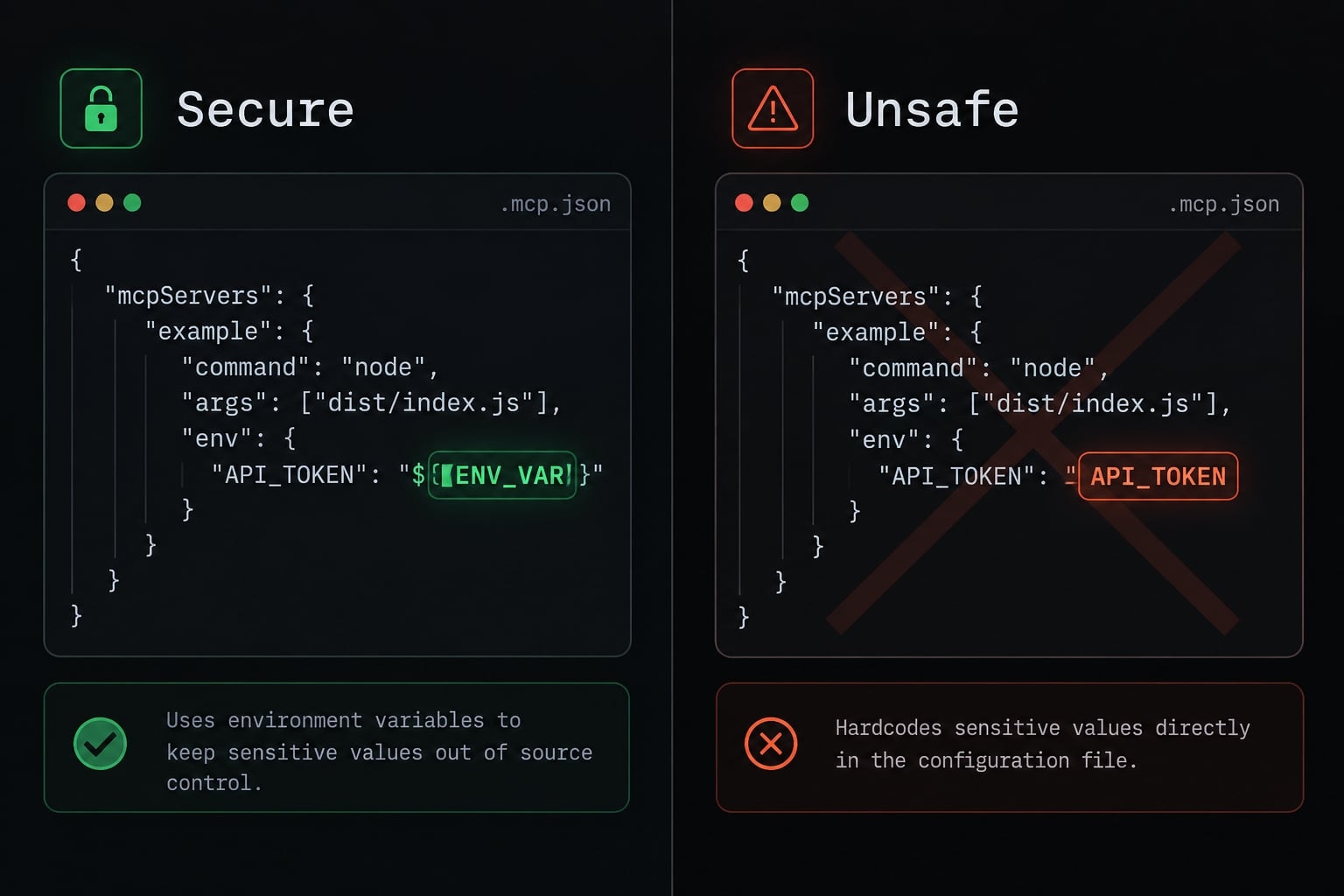
The Claude Code security and permissions documentation provides the broader control model. For team sharing:
Get the next post in your inbox
New guides and AgentKit updates, no spam. Unsubscribe at any time.
Even a nonsecret internal endpoint name can reveal sensitive infrastructure details. Review what the repository audience should know.
Claude Code MCP documentation describes environment-variable expansion in .mcp.json, including URL fields. The following is a configuration pattern, not a self-contained integration:
{
  "mcpServers": {
    "team-docs": {
      "type": "http",
      "url": "${TEAM_DOCS_MCP_ENDPOINT}"
    }
  }
}
Confirm support in your installed version. TEAM_DOCS_MCP_ENDPOINT must exist in the environment used to launch Claude Code. Do not assume a project .env file is loaded automatically.
The endpoint must implement the expected MCP transport. This pattern supplies neither authentication nor service authorization.
Environment variables are not encrypted secret storage. Their exposure depends on how processes, logs, development tools, and deployment systems handle them.
Project trust also requires examining executable behavior, not merely approving a familiar server name. Review changed commands before allowing a repository-defined process to run.
If a credential is committed, revoke or rotate it. Deleting it from the latest file does not invalidate it or erase repository history. Then address history, logs, and other copies under your incident procedure.
Troubleshooting Claude Code MCP scope problems
First distinguish a server absent from the current context from one present but failing. Changing scope is not a universal connection fix.
Use this symptom-led table before changing configuration:
Symptom | Likely cause | First check |
|---|---|---|
Missing in another project | Local or project-only definition | Confirm intended project context and registration scope. |
Appears in every project unexpectedly | User-scoped registration | Inspect top-level user definitions before removing anything. |
Teammate cannot see the server | Missing configuration, approval, or policy restriction | Check repository location, committed file, checkout, approval, and policy. |
Wrong endpoint or command is active | Same-name override | Inspect local, project, and user entries for that name. |
Registered but unable to connect | Dependency, transport, environment, or authentication failure | Check prerequisites and connection status; do not broaden scope. |
Direct edits are not reflected | Wrong file, invalid JSON, stale session, or override | Validate JSON, location, and precedence before restarting. |
Shared configuration contains a credential | Secret exposure | Rotate or revoke first, then clean configuration and history. |
OAuth-capable server requires sign-in | Missing or expired authentication | Use the supported sign-in flow through |
A common failure pattern is a local override hiding an edited project definition. Inspect the conflicting entries before removing either one.
Preserve redacted rollback details and change one variable at a time. Never delete ~/.claude.json as a first-line fix, or blindly execute an untrusted repository command to test connectivity.
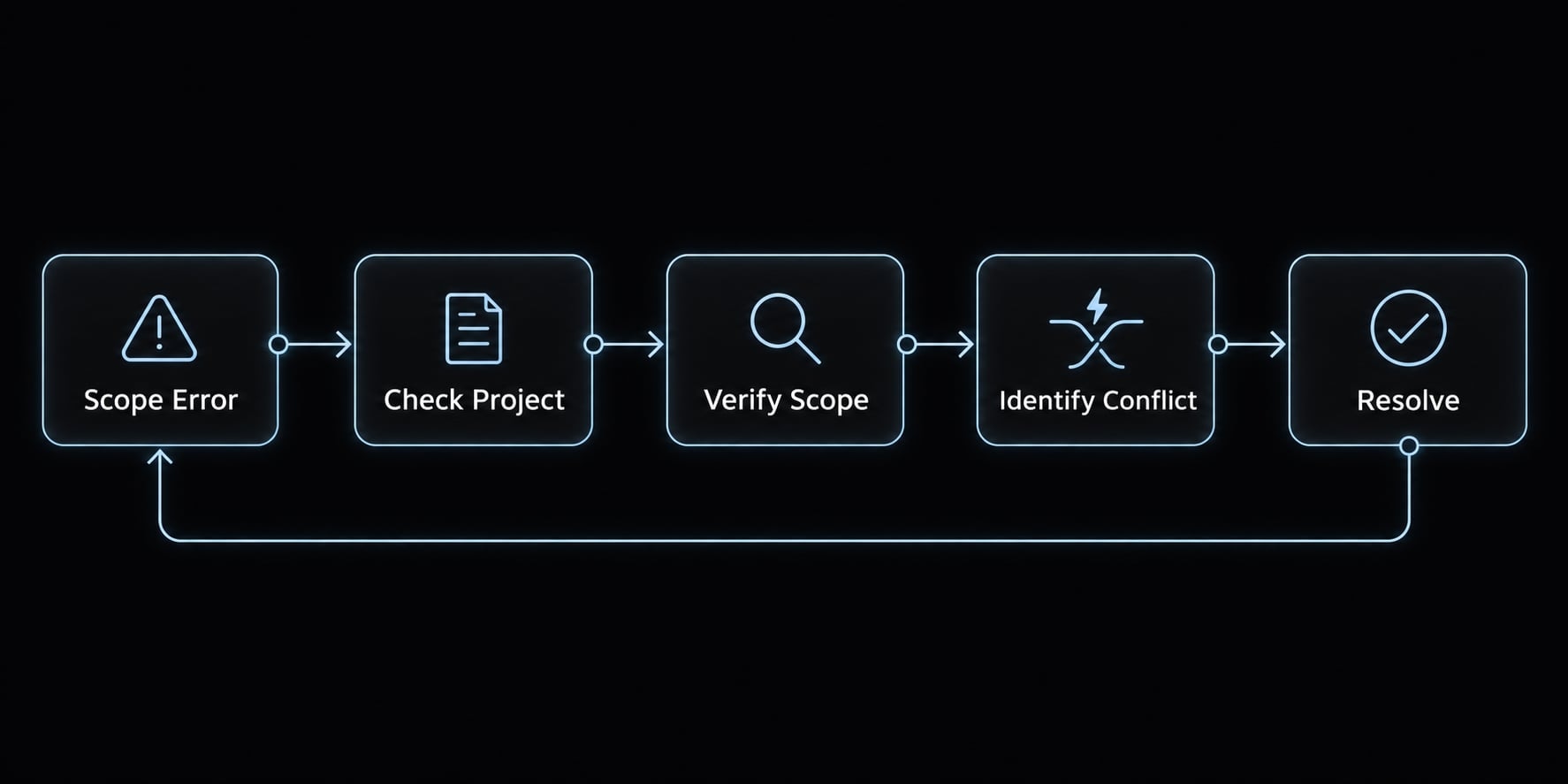
Use this checklist to apply MCP scope best practices:
- Every server uses a scope appropriate to its intended audience.
- Duplicate names are intentional and their precedence is understood.
- Committed files contain no credentials or sensitive configuration values.
- Commands, packages, arguments, and endpoints have been reviewed.
- Individual authentication and suitable service privileges are configured where supported.
- Unused personal cross-project tools have been removed.
- Onboarding documents dependencies, environment variables, approval steps, and relevant local overrides.
Frequently asked questions
What are the different MCP configuration scopes in Claude Code?
Claude Code supports three primary scopes for MCP servers: local (stored in ~/.claude.json per project), project (stored in .mcp.json in the repo root), and user (stored globally in ~/.claude.json). These scopes determine where the server definition is saved and whether it is shared with teammates.
How do I choose between local, project, and user scope?
Choose local for temporary tests or private tools. Use project scope for team-shared tools that should be committed to version control. Select user scope for personal utilities you need to access across every repository on your machine without needing project-specific configuration.
Does setting an MCP scope manage tool permissions?
No. Scopes only manage configuration placement and availability. Scopes are not security boundaries; they do not independently authorize a server to access sensitive data or perform actions. Always configure authentication and role-based permissions separately, regardless of the storage scope chosen.
How do I share an MCP server configuration with my team?
Use the project scope by running claude mcp add --scope project. This generates a .mcp.json file in your repository root. You can then commit this file to Git. Teammates will need to authenticate individually and approve the server definition upon first usage to ensure security.
Where should I store sensitive environment variables for MCP servers?
Never commit API keys or credentials directly into .mcp.json or ~/.claude.json. Instead, store your secrets in your local environment or use a secure secret management system. You can reference environment variables in your server configuration, provided your local shell environment is correctly configured to supply those values.
Why is my MCP server not appearing in another project?
This likely happens because the server was added with a local or project scope tied to a different directory. To make a tool available globally, you must register it using the user scope or define it within the configuration file of each relevant project directory.
Read more:
- Claude Code slash commands: Essential shortcuts for CLI flow
- Claude Code Figma MCP setup: Remote vs desktop guide
- Statusline Claude Code: Fast setup for workflow productivity
Conclusion
Understanding Claude Code MCP scopes streamlines configuration management by matching tools to the right context - local for private experiments, project for team definitions, and user for cross-project utilities. Because scopes govern placement rather than permissions, teams should regularly inspect registrations, keep configurations portable, and handle authentication independently.
Go deeper in the docs
Reference pages for every command, skill, hook and setting mentioned here.
Read the docs →Share this article
Keep reading
- Master Claude Code PostToolUse hook: Setup and examplesLearn how to configure Claude Code PostToolUse hooks for automated formatting and linting. Follow our guide to improve workflow efficiency today.15 min read
- How to use Kimi K2 with Claude Code: Setup & verification guideLearn how to configure Kimi K2 with Claude Code using Anthropic-compatible endpoints. Follow our step-by-step guide for setup, verification, and testing.13 min read
- Claude Code effort level: How to choose the right settingLearn how Claude Code effort level impacts reasoning and performance. Discover the best settings for your tasks to balance efficiency and accuracy.10 min read