Claude Code accessibility testing: A practical, evidence-based workflow
Accessibility work often stalls between detecting a barrier, understanding its cause, changing the component, and proving the change actually helps users complete their tasks. Claude Code accessibility testing connects these activities, but only when the underlying evidence remains visible.
Claude Code coordinates configured scanners and browser tools to analyze findings and suggest code updates. It can then rerun automated accessibility tests to verify the changes. However, it cannot independently establish WCAG 2.2 conformance or replace contextual human evaluation. To get reliable results, you need to define a clear scope, run reproducible tests, thoroughly review changes, and perform separate manual validation. This guide explains the minimum tool stack, a seven-step workflow, a reusable audit prompt, and regression checks for modern web applications.
Can Claude Code perform accessibility testing?
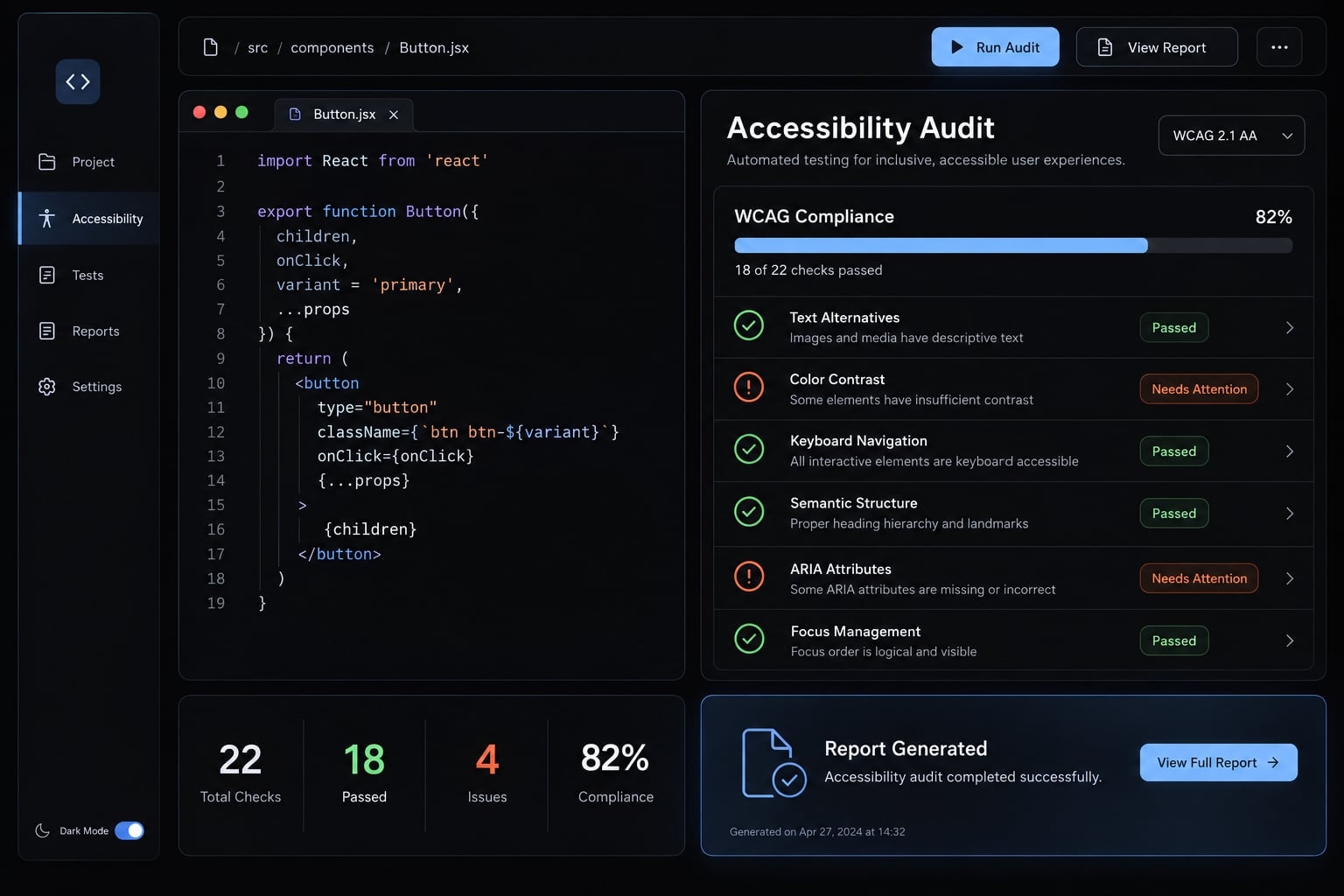
Claude Code coordinates testing; it is not an accessibility rules engine itself. Anthropic’s Claude Code documentation describes repository investigation, command execution, and code editing capabilities. With approved tools and permissions, these capabilities support a comprehensive accessibility testing workflow. Each proposed diagnosis or fix still needs independent evidence.
Activity | Claude Code’s role | Verification required |
|---|---|---|
Detection | Execute configured checks | Scanner output or recorded observation |
Interpretation | Explain likely causes | Compare explanation with evidence |
Remediation | Propose or edit implementation | Review the code change |
Verification | Repeat tests and compare | Inspect results and execution status |
Reporting | Summarize findings and gaps | Confirm scope, ownership, and limitations |
What Claude Code can automate
Given installed dependencies and environment access, Claude Code can run scans, investigate components, edit source files, and generate regression tests. For example, repeated label failures in organization settings may originate in one shared input component. Source investigation can connect those findings before anyone patches individual forms.
What Claude Code cannot validate by itself
Three areas require broader review:
- Contextual meaning: Whether labels, instructions, and alternative text convey useful information.
- Human interaction: Whether focus, announcements, and complete journeys make sense.
- Overall accessibility: Whether the evaluated scope satisfies WCAG conformance requirements and supports real-world use.
Scripted keyboard assertions can verify specific behaviors. They do not establish that an entire workflow is understandable or usable.
The tool stack Claude Code needs for accessibility testing
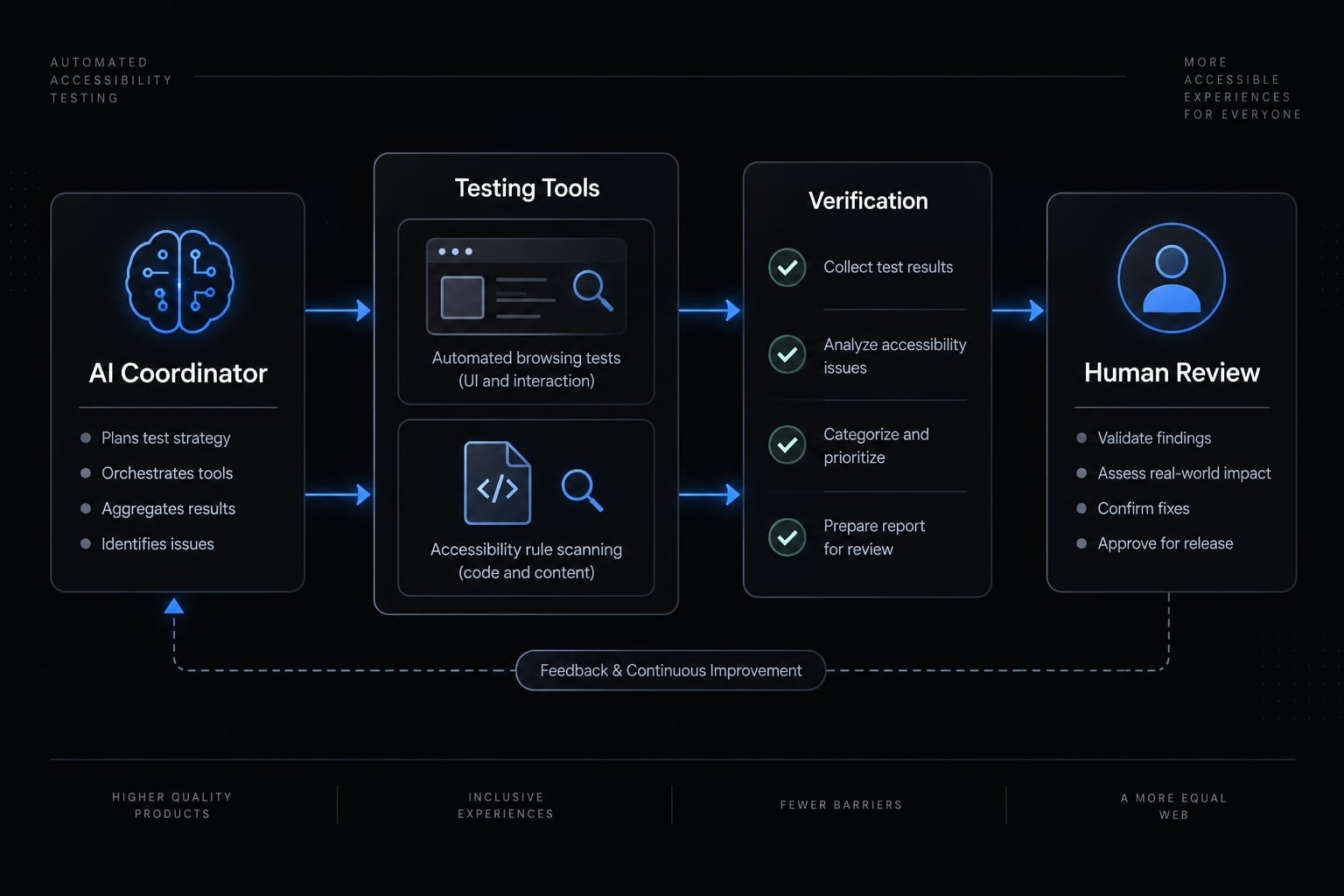
Start with Claude Code, Playwright, an axe-core integration, and human review. Combining browser automation with axe-based checks retains manual assessment while automating repetitive runs.
Component | Primary responsibility | Best use | Main limitation |
|---|---|---|---|
Claude Code | Coordinate execution and changes | Investigation and remediation | Interpretation can be wrong |
axe-core | Rule-based detection | Rendered accessibility checks | Incomplete contextual coverage |
Playwright | Browser automation and assertions | Repeatable journeys | Not itself an accessibility scanner |
Chrome DevTools MCP | Expose configured browser tools | Interactive investigation | Capabilities depend on server version |
Lighthouse | Broader page auditing | Supplemental accessibility signals | Score is not conformance |
Human testers | Evaluate interaction and meaning | Keyboard and assistive technology | Coverage requires explicit planning |
Minimum setup for most projects
Prepare:
- An authorized local or staging application.
- Claude Code permissions for approved commands and edits.
- Playwright and
@axe-core/playwright. - Defined routes, critical journeys, and test accounts.
- A location for reports and sanitized artifacts.
- A named manual-validation owner.
Record package versions from the project’s lockfile and installed environment. Avoid changing scanner versions during a before-and-after comparison without documenting the change.
When to add Chrome DevTools MCP
MCP means Model Context Protocol, a protocol for connecting AI applications to tools and context. It is not the Chrome DevTools Protocol.
Chrome DevTools MCP can support interactive investigation, but check the installed server’s documented tool list first. Do not assume every browser inspection feature is exposed.
If only a snapshot is available, describe it as a snapshot. For fuller accessibility tree inspection, use supported tooling or manual DevTools inspection. Neither reproduces the complete screen-reader experience.
Step-by-Step Claude Code accessibility testing workflow
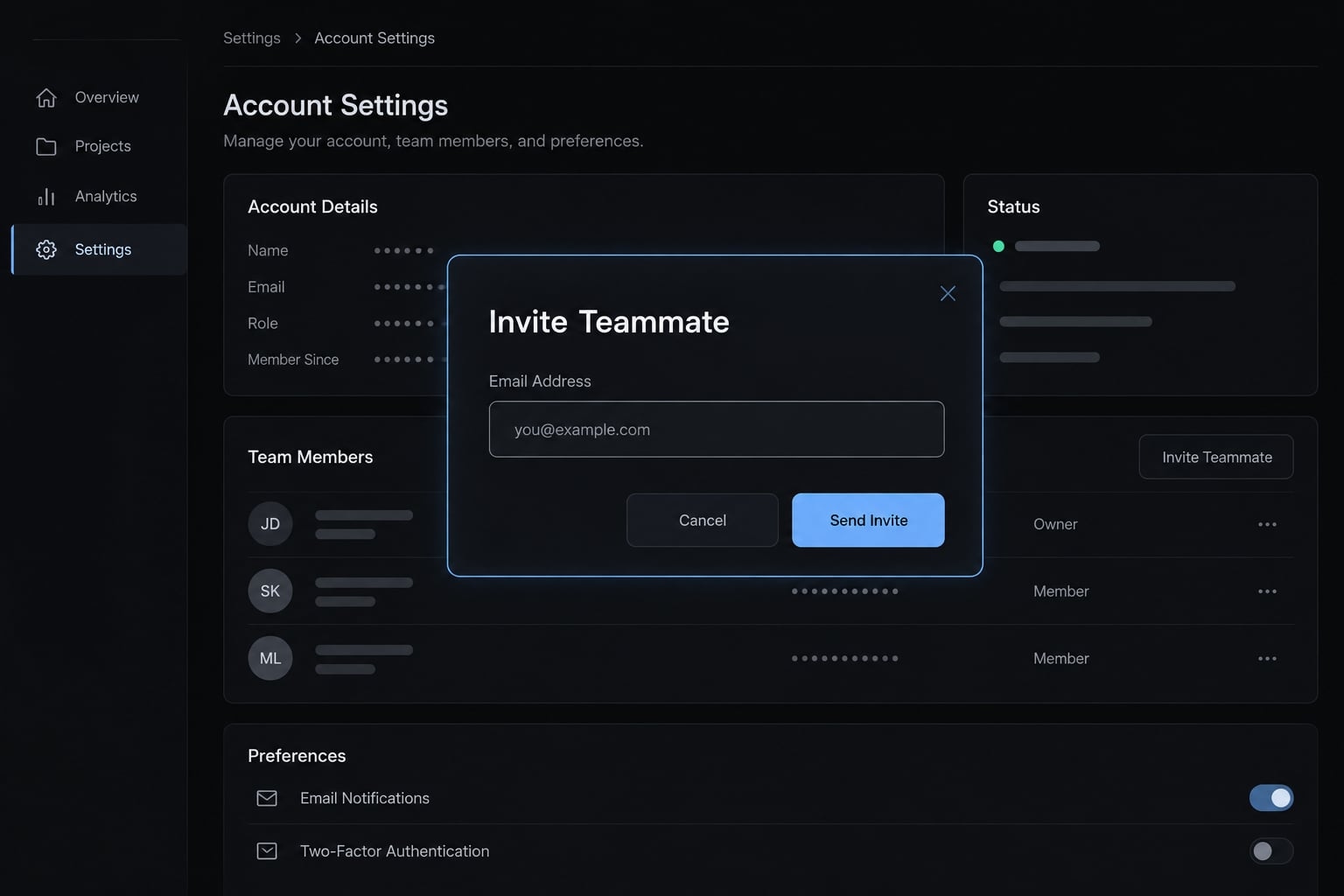
Start with one reproducible user journey before expanding coverage. For Claude Code accessibility testing, an organization settings page with an Invite Teammate dialog provides a useful starting point.
- Define scope and acceptance criteria.
- Render the required interface states.
- Run repeatable scans.
- Inspect semantics and interaction.
- Remediate root causes.
- Repeat tests under comparable conditions.
- Complete manual validation.
Step 1 - Define the audit scope and acceptance criteria
Record the application URL or approved startup command. List routes, journeys, required states, supported browsers, and platforms.
Potential journeys include login, teammate invitations, role assignment, report filtering, account settings, and form-error recovery. For invitations, include the open dialog, invalid submission, loading state, and success notification.
Set WCAG 2.2 Level AA as the evaluation target, not a promised outcome. Define permitted commands, editing boundaries, release-blocking conditions, and manual-review requirements.
Output: A scope record accepted by the engineering and accessibility owners.
Step 2 - Start the application and inspect the rendered interface
Confirm startup instructions in the repository rather than guessing. Use an authorized test account with sanitized data.
Wait for meaningful readiness: a visible settings heading, an enabled invitation button, or a completed loading indicator. Avoid blanket waits for all network activity to stop; applications may maintain persistent connections.
Open the dialog and trigger relevant errors, menus, and asynchronous results. Record application failures that prevent reaching the intended state.
Output: Reproduction steps and state evidence. Accept the setup only when the target interaction is testable.
Step 3 - Run deterministic accessibility scans
Run axe-core against the recorded state with a documented configuration. Preserve machine-readable output, including incomplete results requiring review.
Group repeated findings by shared component or likely root cause. Do not discard individual affected locations.
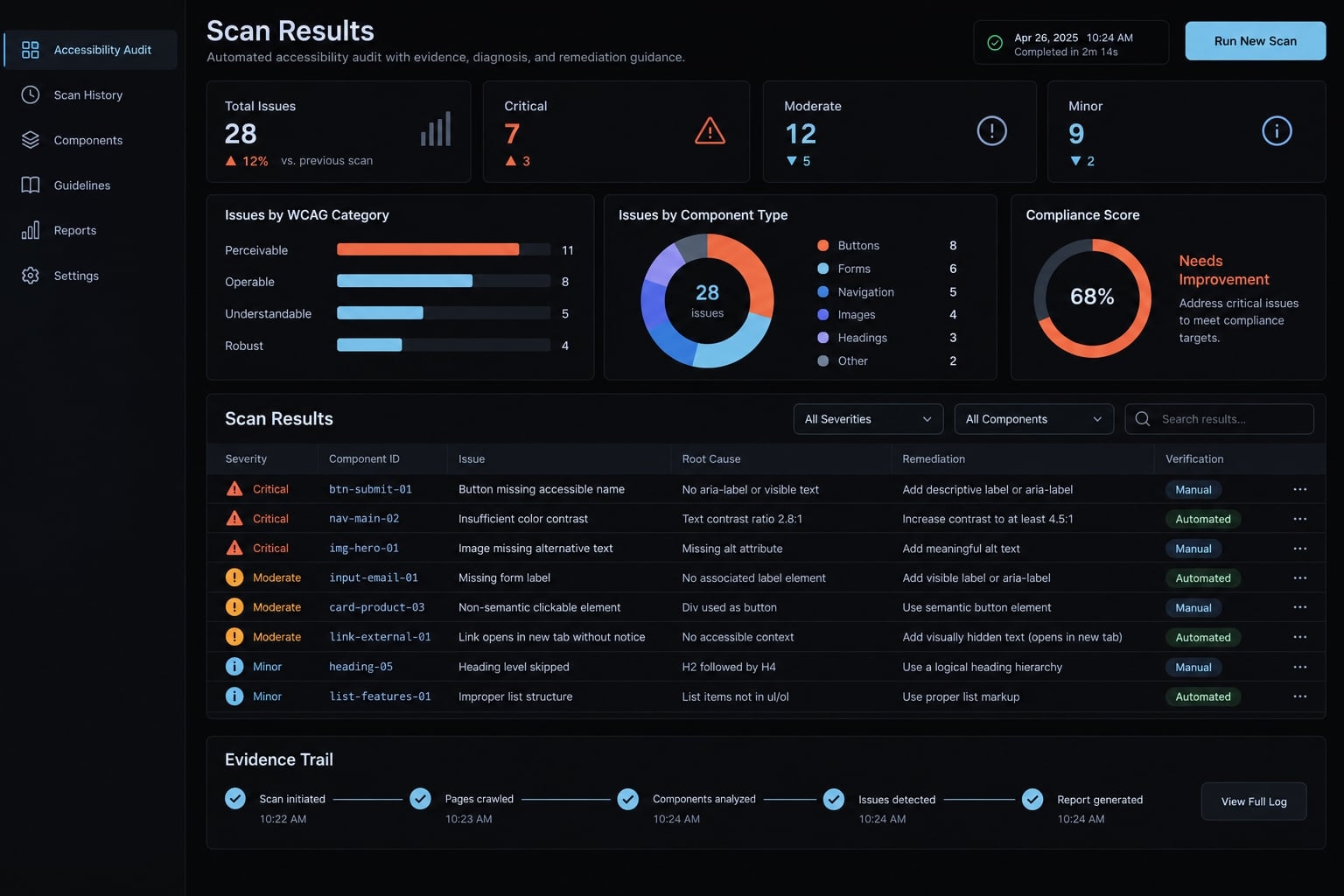
Use a compact evidence record:
Field | Required content |
|---|---|
Detection | Rule ID, scanner impact, evidence origin |
Context | Route, state, element or component |
Evidence | Raw report reference |
Interpretation | Root-cause hypothesis |
Remediation | Proposed change and changed files |
Verification | Automated retest and manual validation statuses |
Automated scanner impact labels do not represent WCAG compliance levels, nor do they serve as complete business-risk assessments.
Output: Traceable findings, not an unsupported AI-generated defect list.
Step 4 - Inspect semantics and interaction behavior
Check:
- Accessible names, roles, states and relationships.
- Labels and programmatic error associations.
- Headings and landmarks.
- Keyboard reachability and visible focus.
- Dialog focus entry, appropriate containment and restoration.
An accessible name is the programmatically exposed name of a control. Inspecting it helps explain what assistive technology may receive.
Prefer semantic HTML: A native button supplies semantics and keyboard behavior that a clickable generic container does not.
Output: Documented observations or assertions. Accessibility-tree evidence supports diagnosis, not a conformance verdict.
Step 5 - Ask Claude Code to remediate root causes
Prioritize shared-component fixes over repeated local patches. Request minimal changes, explanations for material decisions, and relevant interaction tests.
Use native semantics where suitable. Require human approval before broad refactoring, dependency changes, or edits affecting authentication and permissions.
Reject changes that hide interactive content, suppress scanner rules, or introduce invalid ARIA. ARIA-Accessible Rich Internet Applications-provides accessibility semantics, not automatic keyboard behavior.
Output: A reviewable diff addressing the barrier, with assumptions and remaining uncertainty stated.
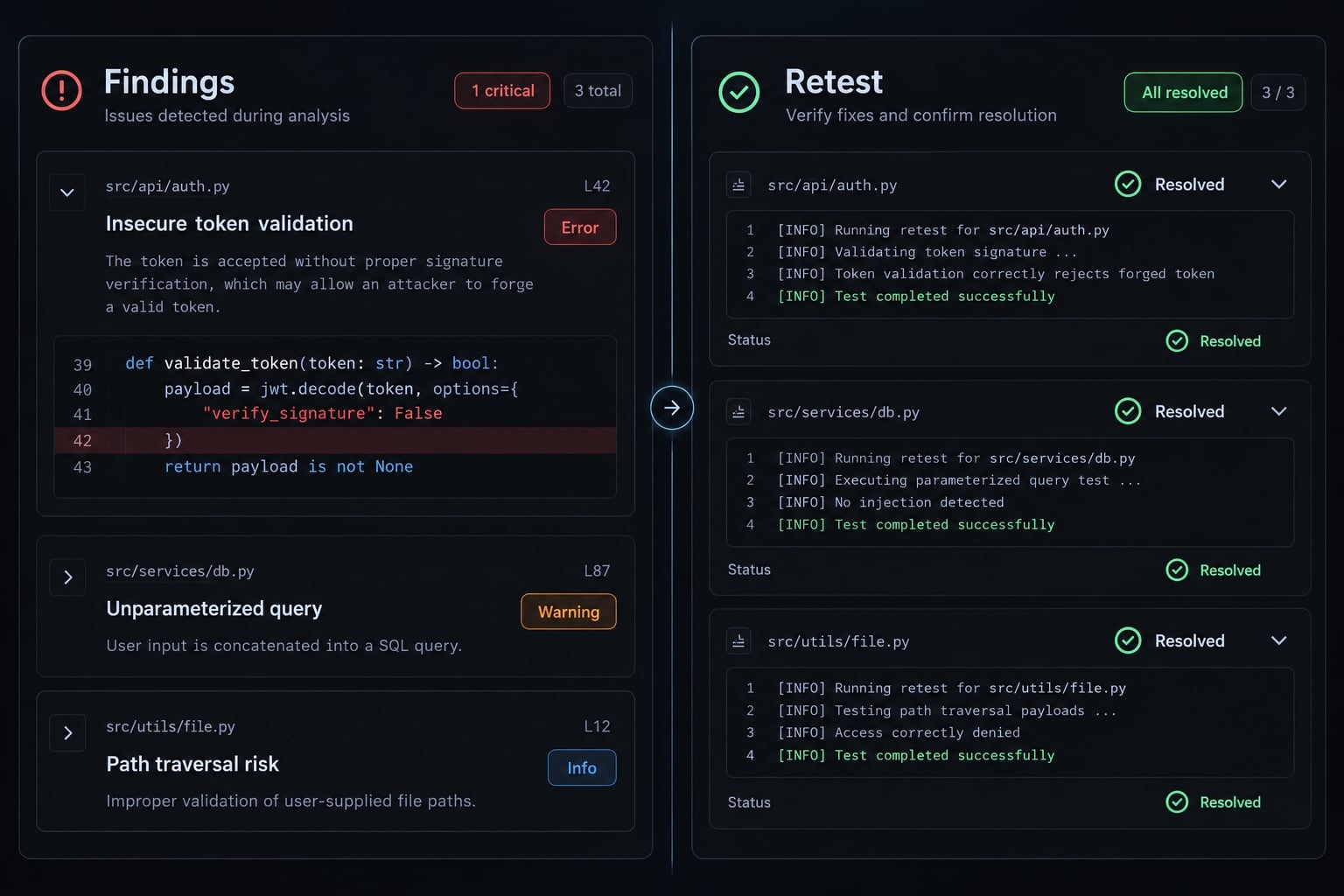
Step 6 - Rerun tests and compare results
Repeat the same routes, states, browser conditions, and relevant scanner configuration.
Record whether the original finding persists, new findings appeared, and the application remained fully testable. Confirm that a “clean” result did not arise because the dialog stopped opening.
Blocked or unexecuted checks are not passes. Preserve unresolved findings and incomplete results.
Output: A comparable retest record with explicit execution status.
Step 7 - Complete manual accessibility validation
Test keyboard operation, focus visibility and order, meaningful content, announcements, and complete task execution.
Evaluate 200% text resizing separately from reflow. W3C’s WCAG 2.2 distinguishes these requirements. For typical horizontally written content, assess reflow at a width equivalent to 320 CSS pixels, subject to specified exceptions.
For screen-reader testing, record the browser, operating system, screen reader, and versions. Test combinations relevant to supported users.
Output: A manual record with pass, fail, blocked, or not-run outcomes. Broader acceptance requires the agreed manual checks, not merely a passing scan.
Reusable Claude Code accessibility audit prompt
A useful accessibility audit prompt defines permissions and evidence requirements before requesting fixes. Replace every bracketed variable before execution. This baseline is a template, not a field-tested result.
Copy-ready baseline prompt
Evaluate accessibility within this approved scope:Application/start command: [URL or verified command]Routes and journeys: [list]Required interactive states: [list]Supported browsers/platforms: [list]Approved tools: [installed tools and versions]Evaluation target: WCAG 2.2 AAEditing permissions: [read-only or approved files/actions]Report location: [path]Use authorized test accounts and sanitized data. Do not accessproduction or expand permissions without approval.Confirm startup instructions and render each required state.Run configured accessibility scans and preserve raw output,including incomplete findings. Inspect semantics and relevantinteraction behavior. Group findings by likely root cause.Separate tool-detected evidence from AI interpretation.Propose minimal changes, preferring suitable native HTML.Edit only when authorized. Do not add unsupported ARIA,hide interactive content, or suppress rules to remove findings.Repeat comparable scans and interaction tests after changes.Confirm the target state remains reachable. Add regressiontests for confirmed defects.For each finding, record evidence origin, AI interpretation,changed files, automated retest status, and manual validationstatus separately.If a required tool is unavailable or execution fails, stop theaffected check and report the limitation. Never mark it passed.List untested states and assign manual-review tasks.Do not claim full WCAG conformance.
Recommended report format
Keep the summary short enough for code review:
- Scope and environment: Routes, states, versions, execution date.
- Findings: Evidence references and root-cause groups.
- Changes and retests: Diffs, assertions, execution outcomes.
- Manual queue: Owners, unresolved checks, and known limitations.
Retain detailed artifacts separately so reviewers can verify the summary without losing the original evidence.
Automated vs. Manual accessibility testing
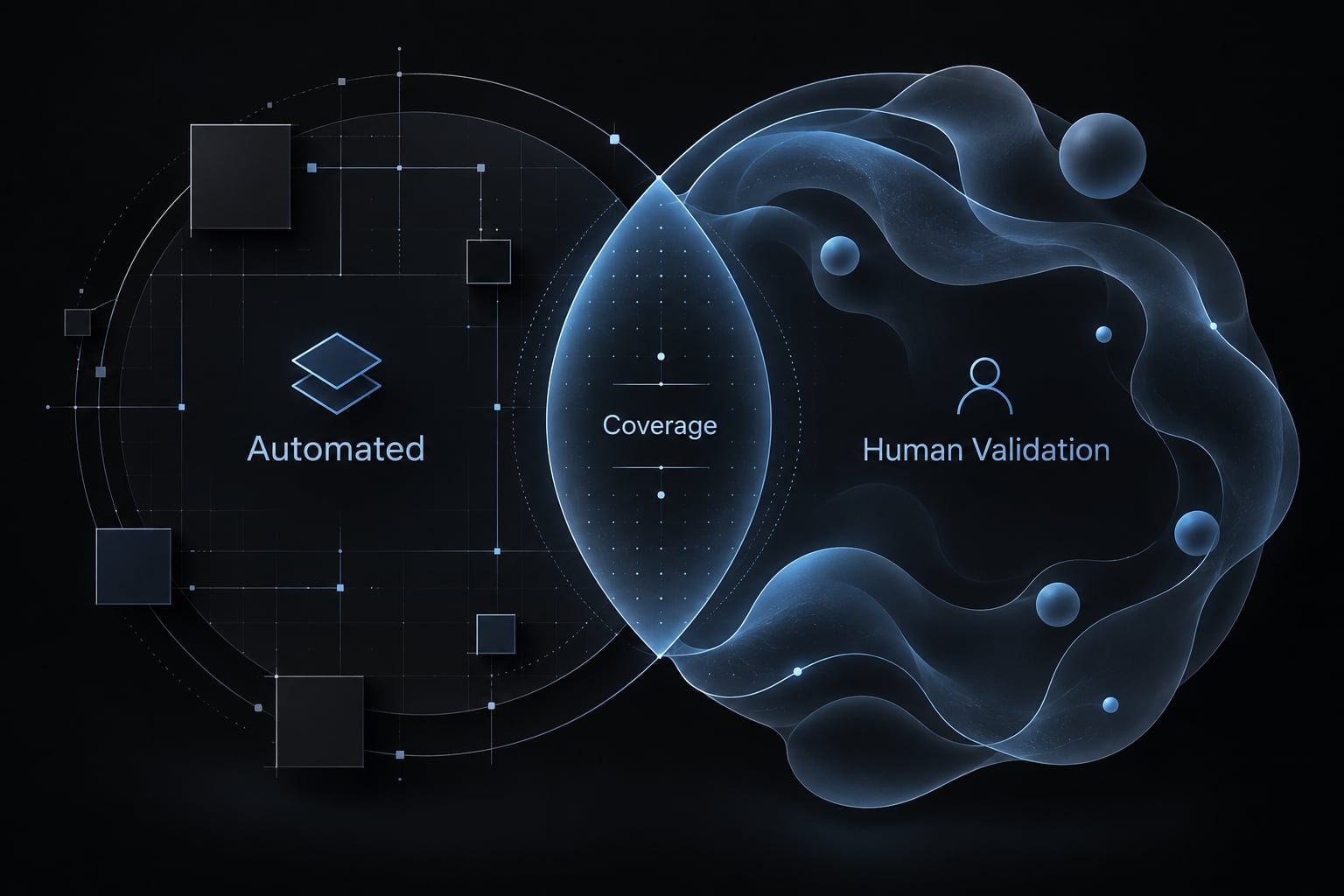
Automated accessibility testing checks selected rules and explicitly scripted behaviors. It does not establish that an interface communicates clearly or supports every relevant interaction. W3C WAI’s Evaluating Web Accessibility Overview emphasizes evaluation beyond tools. Human assessment also needs a defined scope: an informal keyboard check is not a complete conformance evaluation.
A skipped heading level is not automatically a WCAG failure. Likewise, the presence of alternative text says little about whether it conveys the image’s purpose.
Assistive technology testing examines the experienced output, including announcements and navigation. Tree inspection alone cannot replace it.
Watch for four recurring risks:
- Unsupported ARIA: Invalid roles or attributes create unreliable semantics.
- Roles without behavior: A dashboard control gets
role="button"but still ignores keyboard activation. - Conflicting names: Added labels override useful visible text or duplicate announcements.
- Detection suppression: Hidden content or disabled checks removes evidence rather than barriers.
Review both the implementation and the user-facing effect. A structurally valid change can still make the experience worse.
Worked example: From scanner finding to verified fix
Consider an illustrative, unexecuted invitation-dialog change. No scanner output or manual execution record accompanies this example, so it demonstrates the verification path-not an observed or fully verified result.
The proposed defect is a dialog whose visible title is not associated with its accessible name. The implementation lesson is narrow: visible text does not automatically name a custom dialog.
Stage | Evidence or action required |
|---|---|
Before | Reproduce the open dialog and preserve any scanner finding |
Root cause | Confirm whether the title contributes to the accessible name |
Change | Associate the existing title with the dialog |
Automated retest | Repeat the same state and configuration; record actual output |
Manual follow-up | Check announcement, focus entry, containment, dismissal, and restoration |
Illustrative code change-not an executed artifact:
- <div role="dialog" aria-modal="true">
-   <h2>Invite teammate</h2>
+ <div role="dialog" aria-modal="true"
+      aria-labelledby="invite-title">
+   <h2 id="invite-title">Invite teammate</h2>
This accessibility remediation example addresses naming only. It does not implement modal behavior or prove correct focus management.
An accessibility regression test should assert the dialog’s accessible name after opening it. Separate interaction assertions and human observations must cover focus and dismissal.
To call the change verified, retain original output, the reviewed diff, comparable retest output, and manual results. Record execution date, tool versions, browser, and operating system. Until those exist, verification remains not run.
Turn accessibility findings into regression tests
Accessibility regression testing preserves confirmed improvements by testing the behavior that previously failed. Use Playwright with axe-core for rendered rule checks, alongside targeted interaction assertions and human review.
Suggested regression layers
Apply four layers:
- Development: Fast linting and obvious markup checks; pre-commit hooks are optional.
- Component: Labels, dialogs, menus, tabs, and notifications.
- Journey: Authentication, invitations, form submission, and settings.
- Release: Keyboard, text resizing, reflow, screen-reader use, and task completion.
A practical initial policy can make CI accessibility checks-checks in continuous integration-fail on new critical or serious scanner findings. This is a team policy, not evidence that lower-impact findings are acceptable.
Legacy findings need owners, deadlines, and reviewed exceptions. Compare meaningful identities, such as rule, component, route, and state-not just totals. One resolved finding and one new finding can leave the count unchanged.
Never silently refresh baselines to hide failures. Review scanner updates because changed rules can alter results.
Pull-request acceptance criteria
- No unapproved new critical or serious findings.
- Changed controls have appropriate accessible names.
- Relevant keyboard regression assertions pass.
- Required dynamic states are covered.
- Manual validation status and owner are recorded.
- Tool versions and configuration are preserved.
- A human reviewed the changes and evidence.
Optional AgentKit workflow resource
To streamline testing across team environments, developers can use AgentKit. As AI Engineering System scaffolding, AgentKit helps structure reusable skills, subagents, and CI/CD quality gates across tools like Claude Code, Codex, Cursor, and DeepSeek Harness, which teams can adapt to run accessibility checks consistently before code merges.
Frequently asked questions
Can Claude Code independently ensure WCAG 2.2 compliance?
No. Claude Code acts as an agent to coordinate scanners, interpret findings, and propose code changes. It cannot guarantee WCAG 2.2 compliance. Human validation is strictly required to assess complex interaction, cognitive clarity, and screen reader behavior beyond basic structural checks.
What is the minimum tool stack for an accessibility testing workflow?
A practical, robust setup includes Claude Code for orchestration, Playwright for browser control, and the axe-core library for automated rule scanning. This must be paired with manual validation by a human tester and an authorized, rendered environment that reflects the actual user journey.
Does Claude Code need specific access to inspect the accessibility tree?
Claude Code requires an MCP server, such as the Chrome DevTools MCP, to access the browser's internal accessibility hierarchy. Without an MCP integration exposing these specific APIs, Claude Code is limited to analyzing static source code.
What happens if a required accessibility tool is unavailable?
If a tool like axe-core or a specific MCP server is unavailable, Claude Code cannot perform the requested automated analysis. The workflow should be designed to report the limitation immediately rather than attempting to provide an incomplete or "guessed" accessibility report, which can be misleading.
How does Claude Code prevent accessibility regressions?
Regressions are prevented by converting verified fixes into automated Playwright tests in your CI/CD pipeline. Claude Code can re-run these tests on pull requests to ensure new code changes do not break previously fixed components.
How do I enable screen reader accessibility for the Claude Code CLI?
To optimize Claude Code for assistive technology, launch the CLI using the --ax-screen-reader flag or set the environment variable CLAUDE_AX_SCREEN_READER=1. This flattens terminal output, disables dynamic UI animations, and converts interactive menus into numbered lists, ensuring compatibility with screen readers like NVDA, JAWS, or VoiceOver.
Read more:
- Claude Code dependency audit: A safe, step-by-step workflow
- Claude Code secrets: How to secure .env files and credentials
- Claude Code environment variables: Setup and best practices
Conclusion
Claude Code accessibility testing works best as an evidence-driven workflow, not an autonomous verdict. Claude Code coordinates investigation and changes; scanners detect selected rule failures; browser tests reproduce states and assert specific behavior. People review implementation decisions and validate relevant experiences. Regression tests then preserve confirmed improvements. A release decision should state what passed, what remains uncertain, and who owns the unresolved work.
Start with one critical journey, such as inviting a teammate. Record its states, establish reproducible checks, review one root-cause fix, and complete the required manual validation. Expand coverage after that loop is dependable.
Copy the reusable audit template and pull-request checklist into your repository, then assign an owner for the first scoped run.