Antigravity vs. Claude Code: Choosing the right AI agent
Antigravity vs. Claude Code: Differences, integration and which to choose
Choosing between Antigravity and Claude Code is not just about picking an AI model—it is about defining your workflow for planning, executing, and reviewing code. Teams evaluating these platforms should assess whether switching environments delivers enough valid output to justify reconfiguring setups and permissions.
Start with Claude Code for terminal-centric workflows, or explore Google Antigravity for an editor-based interface with visual agent management. Rather than assuming a universal winner, test both on the same repository while evaluating how model options, tool access, and approval settings impact execution.
What are Google Antigravity and Claude Code?
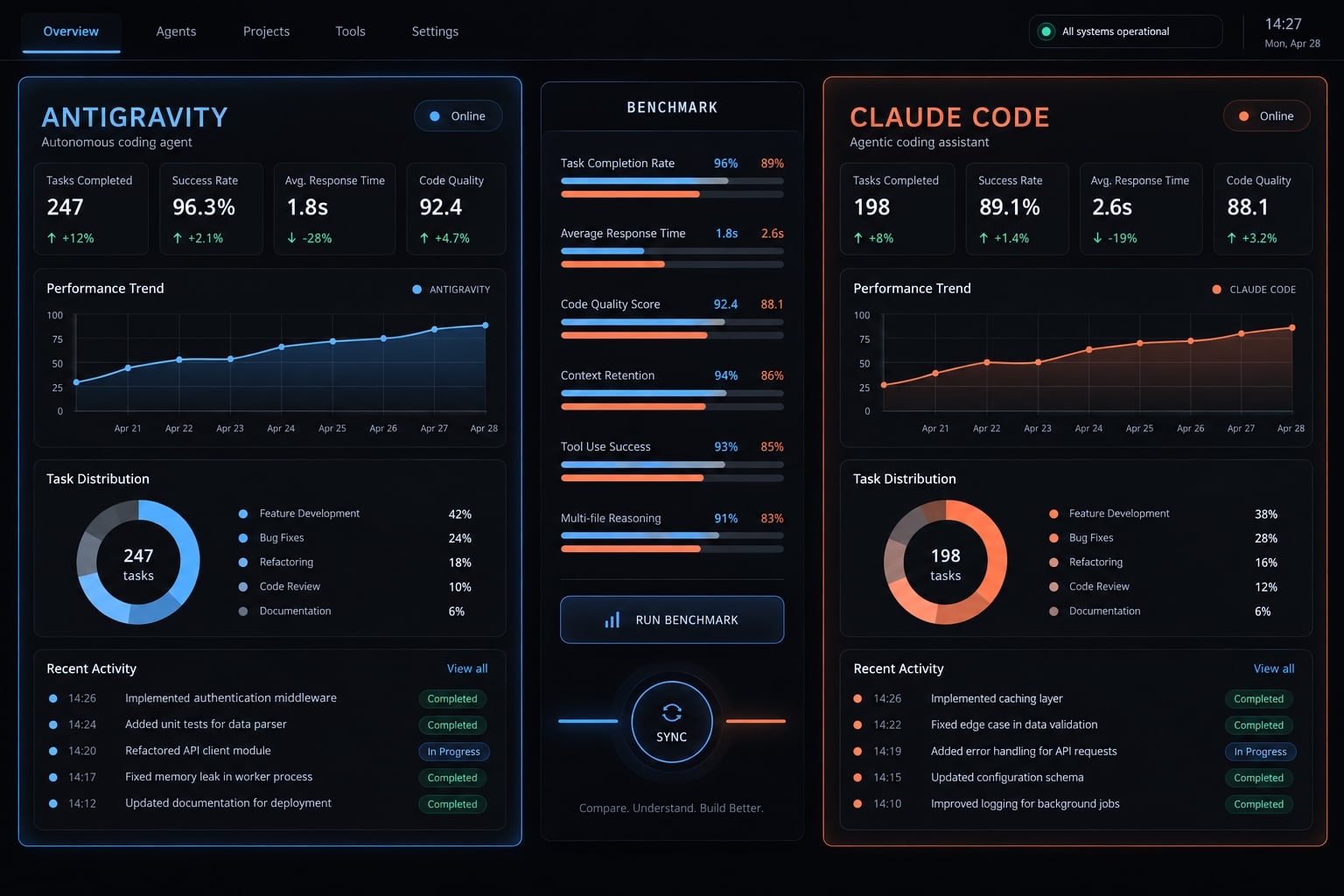
Google Antigravity and Claude Code are full AI coding-agent environments, not merely model names. They combine underlying LLMs with user interfaces, repository access layers, execution tools and safety controls. Their capabilities overlap, but using the same base model does not make their operational workflows identical. Always evaluate generated code separately from how each environment manages execution and human review.
Claude Code in practical terms
Claude Code operates via a terminal-centered workflow alongside other supported interfaces. Anthropic's Claude Code documentation describes repository analysis, direct code edits, CLI command execution, and verification steps.
It also documents CLAUDE.md repository instructions, explicit approval controls, and MCP (Model Context Protocol, an open standard connecting compatible clients with external tools and resources). These mechanisms support deep customization, but they also require migration effort when another environment handles instructions or permissions differently.
Google Antigravity in practical terms
Google presents Antigravity as an agent-first development platform, combining an editor-based experience with an agent-management interface. Its core appeal lies in organizing agent tasks within a structured visual workspace.
Verified vs. reported: Google's product descriptions establish its platform positioning. However, specific concurrency limits, automatic workspace isolation, model routing, and community orchestration plugins require local verification.
Why model performance and platform performance must be separated
- Model: Generates code, reasoning, and plan structures.
- Harness/interface: Coordinates context, tools, interaction, and execution. A harness is the software managing those operations.
- Environment: Enforces repository access, shell permissions, environment variables, and build validation.
Comparing different models allows end-to-end product evaluation, but it fails to isolate platform harness quality.
Antigravity vs. Claude Code: Side-by-Side comparison
Compare equivalent tasks and permission boundaries rather than counting features. Observability refers to how clearly developers can inspect progress, tool calls, and failures - a visual UI alone does not guarantee superior observability.
Criterion | Claude Code | Google Antigravity | Why it matters |
|---|---|---|---|
Interface | Documented: terminal-centered; other interfaces available | Documented: editor and agent-management surfaces | Changes supervision habits |
Repository context | Documented: repository access and instructions | Documented: workspace-based development | Relevant context still needs testing |
Planning and execution | Documented: planning and tool-driven changes | Documented: agent planning and execution workflows | Inspect scope before edits |
Multi-agent support | Documented: subagents; concurrency requires verification | Documented: agent management; isolation requires verification | Coordination can increase workload |
MCP and external tools | Documented: MCP connections | Requires verification: target connectors and configuration | Protocol support is insufficient alone |
Shell permissions | Documented: permission controls | Requires verification: installed execution policies | Bounds command risk |
Observability | Documented: interaction and tool output; completeness untested | Documented: management interface and artifacts; completeness untested | Determines review effort |
Extensibility | Documented: skills, hooks, integrations | Requires verification: equivalent extension mechanisms | Affects configuration investment |
Security controls | Requires verification: effective plan and settings | Requires verification: effective plan and settings | Defaults are not approval |
Portability | Repository assets transferable; configuration needs adaptation | Repository assets transferable; configuration needs adaptation | Determines migration effort |
Cost model | Requires verification: subscription/API route and limits | Requires verification: plan, allocation, and limits | Include usage and review labor |
Best fit | Starting hypothesis: terminal-centered teams | Starting hypothesis: visual workspace preference | Confirm through a pilot |
How the differences affect daily development work
Agent runtime speed is only one fraction of software delivery effort. Planning quality, bug corrections, build validation, and human review dictate whether generated changes land safely in production.
Repository understanding and planning
Consider a SaaS application with tenant-level access controls, an API layer, unit tests, and deployment scripts. Before editing, ask each agent to identify tenant authorization paths, API handlers, and test suites.
A large context window does not guarantee effective repository context awareness. The environment must load applicable conventions, parse relevant files, and prevent stale assumptions. Always demand a concise plan identifying dependencies and excluded files first.
Feature implementation, refactoring and bug fixing
Task | What to inspect | Failure risk |
|---|---|---|
Multi-file feature | Authorization across API, storage, and tests | One path omits tenant checks |
Focused bug fix | Minimal diff and regression coverage | Unrelated cleanup expands scope |
Large refactor | Behavior preservation and dependency mapping | Hidden callers break |
Repetitive migration | Consistent changes and exception handling | Mechanical edits miss special cases |
Illustrative failure: An agent makes a tenant authorization test pass by weakening its test assertion instead of updating the backend logic. The test runner reports green, but security is breached.
Testing, debugging and code review
Always require proof of:
- Execution of the correct test command.
- Root-cause diagnosis rather than blind, iterative trial-and-error.
- Fully preserved assertion conditions.
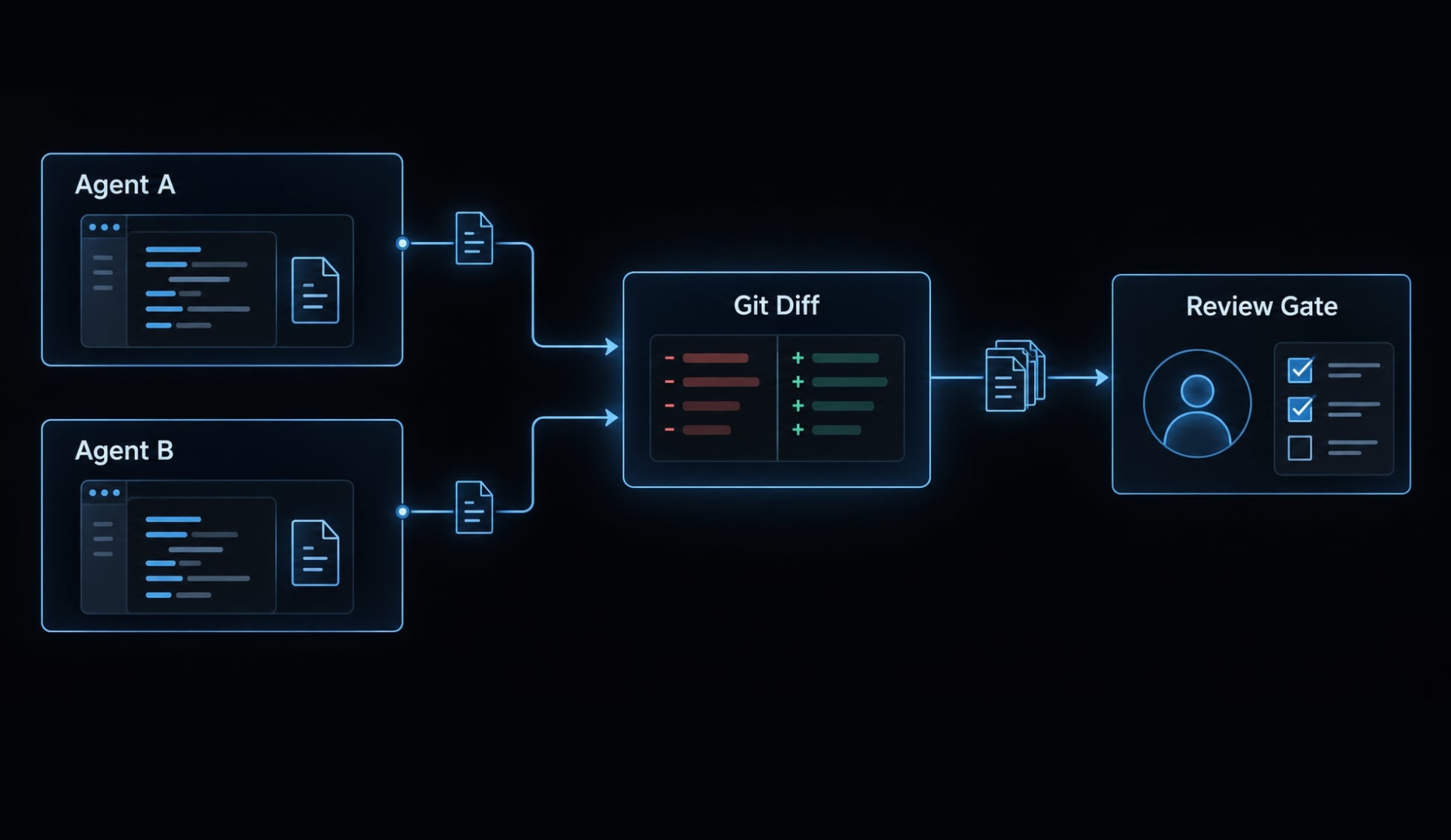
- An inspectable final Git diff.
- Explicit summary of unresolved issues.
Passing automated tests alone does not guarantee correctness. Access control, software architecture, security boundaries, and production safety still require human review.
Parallel agents and supervision overhead
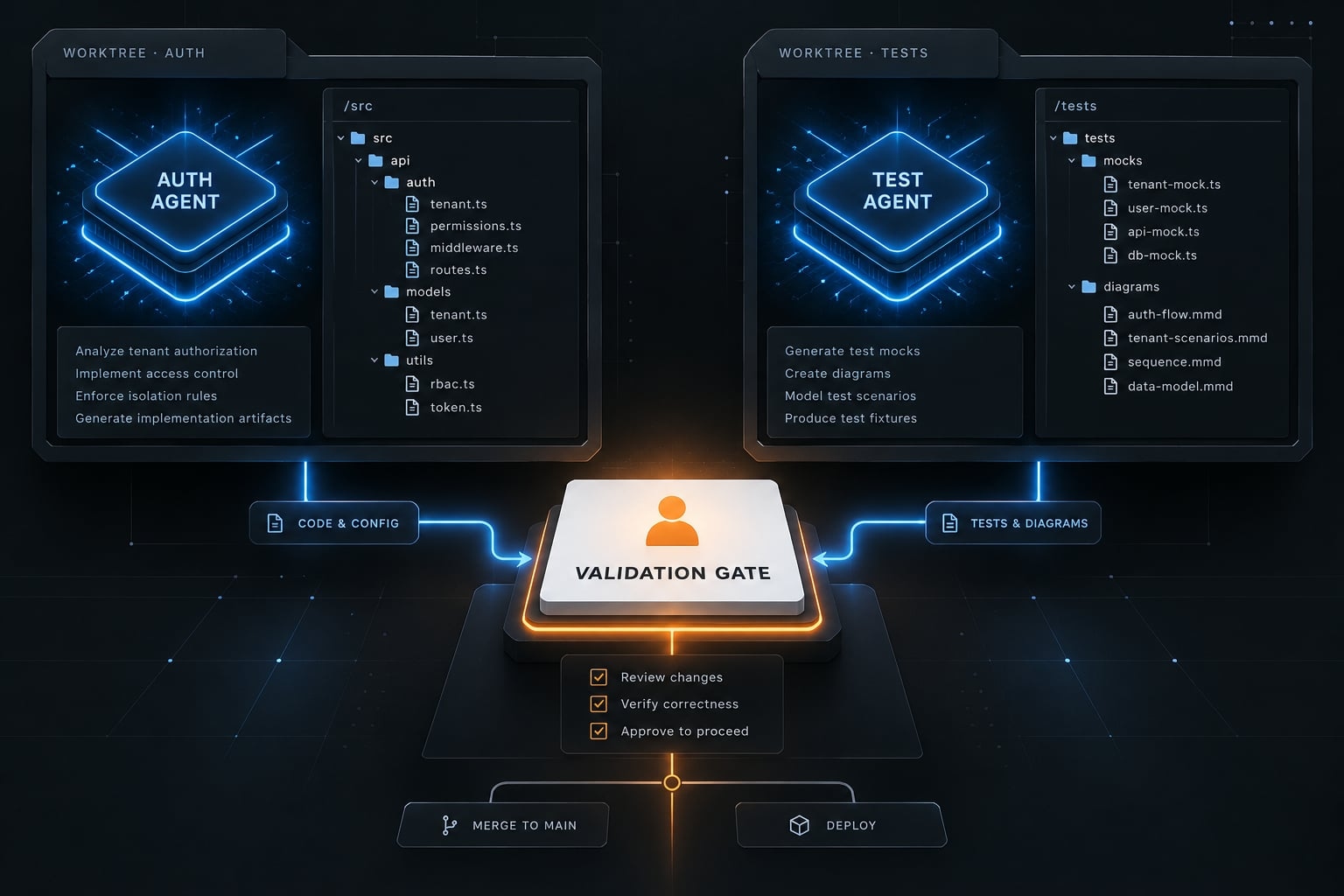
Parallel tasks save time when independent; however, overlapping edits create severe Git conflict costs.
A Git worktree provides an isolated working directory for a repository. It isolates local file changes, but does not isolate shared local databases, running ports, or external test environments.
Can Claude Code and Antigravity work together?
They can coexist within a development workflow, but coexistence does not equal native interoperability. A separately installed Claude Code CLI can run alongside Google Antigravity inside its integrated terminal. However, terminal rendering, authentication credentials, and execution settings require local verification. A shared repository folder does not automatically synchronize agent memories or context state.
Approach | Operation | Use case | Complexity | Risk |
|---|---|---|---|---|
Editor plus authorized CLI | Separate sessions and access | Visual editing plus terminal tasks | Moderate | Conflicting edits; command exposure |
Explicit handoff | Transfer brief and diff | Sequential implementation/review | Moderate | Missing context |
Community bridge/plugin | Third-party orchestration | Specialized delegation | Higher | Credentials; maintenance; unverified behavior |
Unsupported proxy/quota routing | Redirect requests through undocumented paths | Not recommended | Unpredictable | Account, billing, and data exposure |
The safest hybrid workflow
- Install tools via official channels and use authorized credentials.
- Store project rules and conventions directly inside version control.
- Assign a single task owner (human or agent) with clear acceptance criteria.
- Isolate concurrent agent edits using verified Git worktrees.
- Record handoffs using repository-visible briefs and diff outputs.
- Enforce build validation and require mandatory human approval before merging.
Claude Code-to-Antigravity compatibility map
The classifications below describe migration treatment, not confirmed automatic compatibility.
Asset | Class | Evidence or boundary |
|---|---|---|
Repository documentation | Reusable | Content transfers cleanly; verify context discovery |
| Adaptable | Anthropic native; target discovery requires testing |
| Adaptable | Filename recognition and loading precedence require local tests |
MCP servers | Adaptable | Verify underlying transport, auth tokens, and capability support |
Skills and commands | Adaptable | Translate command packaging and invocation logic |
Platform-specific | Event lifecycle and execution semantics differ | |
Environment variables/secrets | Platform-specific | Reconfigure secrets; rotate exposed keys immediately |
Permission policies | Platform-specific | Equivalent intent does not mean identical runtime enforcement |
CI/CD scripts | Reusable | Verify execution runtime and dependency availability |
CI/CD means continuous integration and continuous delivery. Reading Markdown is not automatic instruction loading. Likewise, MCP compatibility does not guarantee matching authentication or tool behavior, as reflected in the Model Context Protocol specification.
Environment variables are not inherently hidden from agents or subprocesses.
Before connecting both environments, complete the compatibility checklist below for instructions, permissions, and external tools.
Why unofficial proxies are a high-risk shortcut
Unsupported routing can expose credentials, change data handling, fail unexpectedly, or conflict with account and billing terms. Approved organizational gateways are different. Prefer official APIs and approved authentication; no specific suspension or enforcement claim is assumed here.
How to benchmark Antigravity and Claude Code fairly
A meaningful AI coding agent benchmark measures accepted work completed and human intervention time under identical conditions.
Use the same environment and acceptance criteria
- Reset the repository to an identical commit hash before each test run.
- Supply identical, unambiguous task specification briefs.
- Match reference files, environment variables, and tool access limits.
- Apply equivalent, safe shell execution policies.
- Record product build version, model ID, operating system, and settings.
- Execute every task at least 3 times per tool in clean, fresh sessions.
- Evaluate outputs against pre-written acceptance criteria.
Five tasks across two products require at least 30 runs. Three repetitions are a practical pilot minimum, not statistical proof.
Alternate execution order where feasible. Record unavoidable differences, including model routing, dependency caches, network access, and tool availability.
Test five representative tasks
Task | Bounded SaaS repository brief |
|---|---|
Repository understanding | Map tenant authorization and identify relevant tests |
Bug fix | Close a seeded cross-tenant API access defect |
Feature implementation | Add a tenant-scoped export endpoint |
Test generation | Add unauthorized-access and empty-result cases |
Code review | Find seeded authorization and validation defects |
Score outcomes that affect real productivity
Use this unscored scorecard for every run.
Metric | Recording rule |
|---|---|
Task completion | Pass/fail against acceptance criteria |
Functional correctness | Behavior review, independent of test status |
Test pass status | Commands, results, and coverage gaps |
Code quality | Consistent rubric: readability, scope, maintainability |
Human interventions | Corrective prompts and manual edits |
Permission interruptions | Approval count and waiting time |
Time to accepted output | Elapsed start-to-acceptance duration |
Active review time | Reviewer minutes, recorded separately |
Usage cost | Visible charges and allocated subscriptions |
Review cost | Active review hours × disclosed labor rate |
Necessary approvals are controls, not automatically defects. Active review may already fall within elapsed time; do not add it twice.
Record usage and labor separately before combining them. Disclose subscription allocation assumptions, and mark hidden usage costs unknown.
Separate observations from conclusions
Report run counts, failures, incomplete tasks, and model/configuration differences. Use medians and ranges for completed outcomes while reporting failures separately.
Keep the original brief, repository commit, final diff, test output, and reviewer notes. Do not remove unsuccessful runs or attribute model-driven differences entirely to the platform.
A pilot supports a decision about that repository and configuration - not a universal productivity claim.
Which tool should you choose?
Choose a starting direction based on existing workflow investment, then retain or change it according to pilot evidence. Neither environment should bypass the same security and acceptance gates.
Profile | Starting direction | Deciding condition |
|---|---|---|
Terminal-first developer | Claude Code | Terminal interaction suits daily work |
Existing Claude Code power user | Keep the baseline | Alternative benefit exceeds migration effort |
Developer seeking visual agent management | Pilot Antigravity | Installed interface reduces supervision effort |
Solo founder | One environment initially | Lowest setup and review burden |
Small engineering team | Compare both on one repository | Consistent quality and enforceable controls |
AI workflow engineer | Evaluate adapters and policies | Reusable assets retain intended behavior |
Choose Claude Code if…
- Your daily workflow centers around terminal execution, shell scripting, and local CLI tools.
- Existing custom instructions, MCP tools, and permission models work reliably.
- Migration overhead to an editor-based environment exceeds predicted productivity gains.
Consider Antigravity if…
- An editor-integrated visual agent interface reduces your cognitive supervision load.
- Needed enterprise governance, workspace controls, and IDE extensions pass internal verification.
- A low-risk pilot demonstrates lower total effort to reach accepted code.
Use both if…
- Each environment has distinct task ownership.
- Keeping both provides a measurable benefit.
- Access methods are supported.
- Validation and merge approval remain unified.
Duplicated configuration, billing oversight, and review effort can make one environment preferable.
Before expanding a pilot, review the compatibility worksheet with whoever owns repository security and merge approval. That conversation should establish what can move, what must be rebuilt, and what remains untested.
Reduce lock-in with a platform-neutral agent workflow
Preserve durable project knowledge outside ephemeral agent chat sessions. Treat platform-specific settings as lightweight adapters rather than deep system dependencies.
Separate durable assets from platform-specific files
Durable assets | Platform-specific assets |
|---|---|
Requirements, conventions, acceptance criteria | Instruction discovery and precedence |
Validation scripts, security requirements | Hooks, manifests, permissions |
Task briefs and handoff records | Authentication and workspace settings |
Portable intent still requires execution tests.
A four-layer portability model
- Knowledge: Version-controlled codebase guidelines.
- Skills: Task procedures, domain rules, and explicit acceptance definitions.
- Tools: Automated build scripts, test suites, and standard MCP connections.
- Platform adapters: Client-specific prompt wrappers, hook definitions, and authorization configs.
Where AgentKit fits
AgentKit is built around the same idea: Keep skills, subagent roles, and workflow rules as editable files, and use thin adapters per harness. It currently lists production support for both Claude Code and Antigravity (plus Codex, Pi, and Oh My Pi), so a team piloting both can run the same /ak:plan → /ak:cook → /ak:code-review workflow in each and compare results on equal terms.
It's a commercial kit with full source access. Adapters still differ by harness - hooks and permission enforcement in particular - so verify behavior in each environment rather than assuming identical execution.
Frequently asked questions
What are the main differences between Google Antigravity and Claude Code?
Google Antigravity is an editor-based workspace with visual agent management features, whereas Claude Code is a terminal-centric AI agent built for deep reasoning, shell command execution, and scriptable repository workflows.
Can I use Google Antigravity and Claude Code together?
Yes. Developers can run Claude Code inside the integrated terminal of Antigravity. However, they operate as separate environments; context, memory, and permissions are not automatically shared between them.
Do unofficial proxies allow safe routing of Claude Code through Antigravity?
No. Using third-party proxies or unauthorized OAuth bridges introduces severe security risks, credential exposure, unpredictable breaking changes, and risks violating platform Terms of Service. Always use official APIs and authorized access paths.
How should I decide which tool to start with?
Start by evaluating your current development environment. If you prefer a terminal-centered workflow and deep reasoning for specific files, Claude Code is a strong candidate. If your work benefits from an IDE-integrated agent manager and visual project orchestration, investigate Google Antigravity. Always conduct a controlled pilot on a single repository before committing to a full migration.
How do I ensure my coding agent workflow is portable?
To reduce vendor lock-in, store your workflow knowledge - such as requirements, conventions, acceptance criteria, and validation scripts - in version control. Maintain a platform-neutral layer of "durable assets" and treat platform-specific configurations like instruction files and hooks as adaptable modules that can be ported when changing or combining tools.
Read more:
- Claude Code toolkit: Scale your AI development workflow easily
- Claude Code vs OpenCode Features: Choosing the right CLI agent
- Aider vs Claude Code: Choosing the right AI Coding Assistant
Conclusion
Antigravity and Claude Code must be evaluated as complete execution environments. Base model intelligence matters, but repository context retrieval, permission boundaries, execution visibility, and developer review overhead dictate real-world velocity.
Run a controlled pilot on a representative repository before committing to team-wide adoption. Retain failed run logs, inspect generated Git diffs thoroughly, and measure total time to accepted output rather than raw generation speed.
Use platform-neutral scaffolding like AgentKit to ensure your instructions, tools, and testing procedures remain portable across whichever AI coding agents your team chooses today and tomorrow.