
Aider vs Claude Code: Which AI terminal coding tool fits your workflow better?
Choosing between Aider vs Claude Code is rarely about feature count. At a glance, both are part of the rise of AI terminal coding agents: They run in the terminal, work against real repositories, and help you change code faster. In practice, though, they follow very different workflow models. This article is not about which tool is universally better. It is about which workflow model fits your development style better. Below, we break that down by real use, trade-offs, and team fit so you can make a faster decision with fewer surprises.
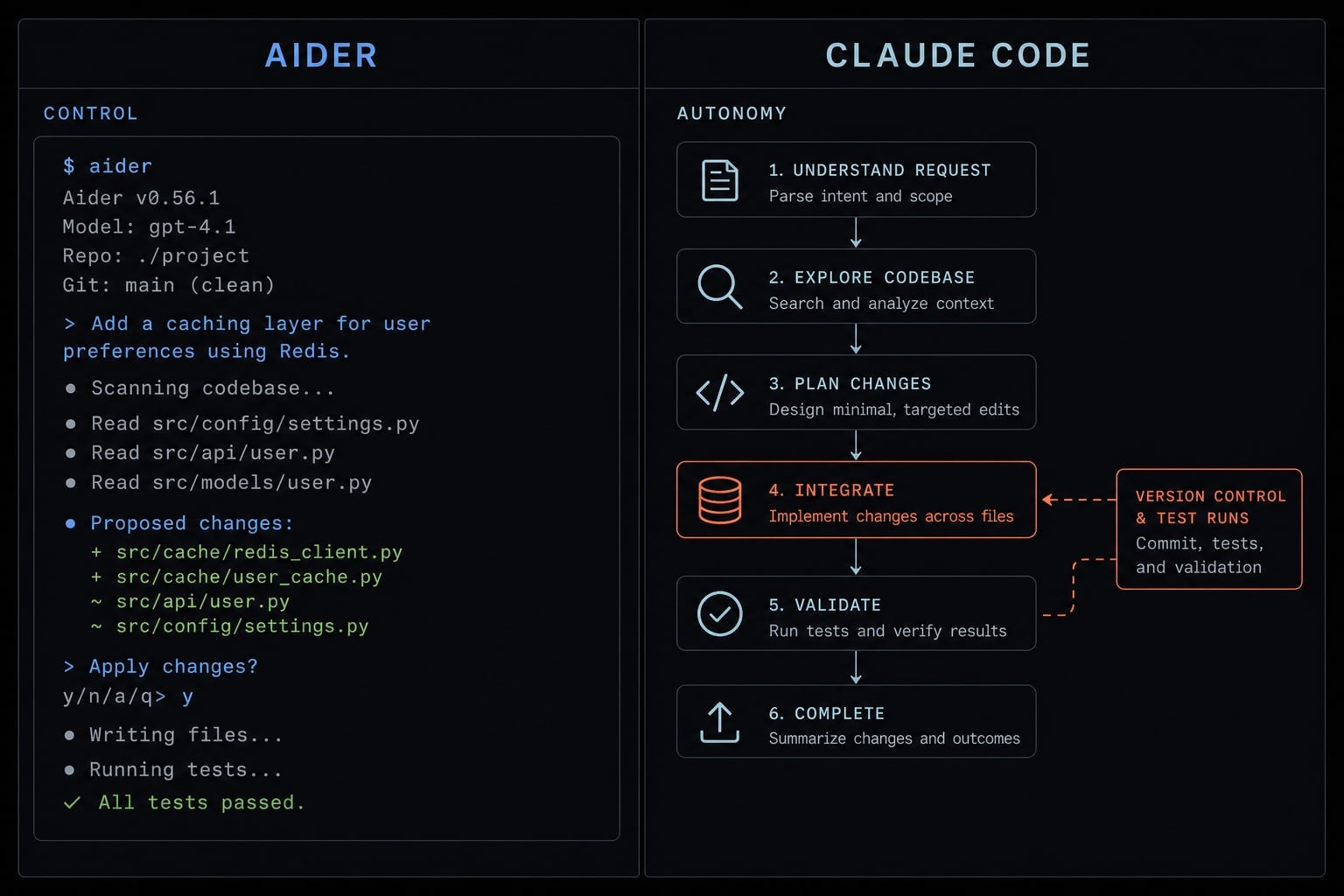
Aider vs Claude Code at a glance
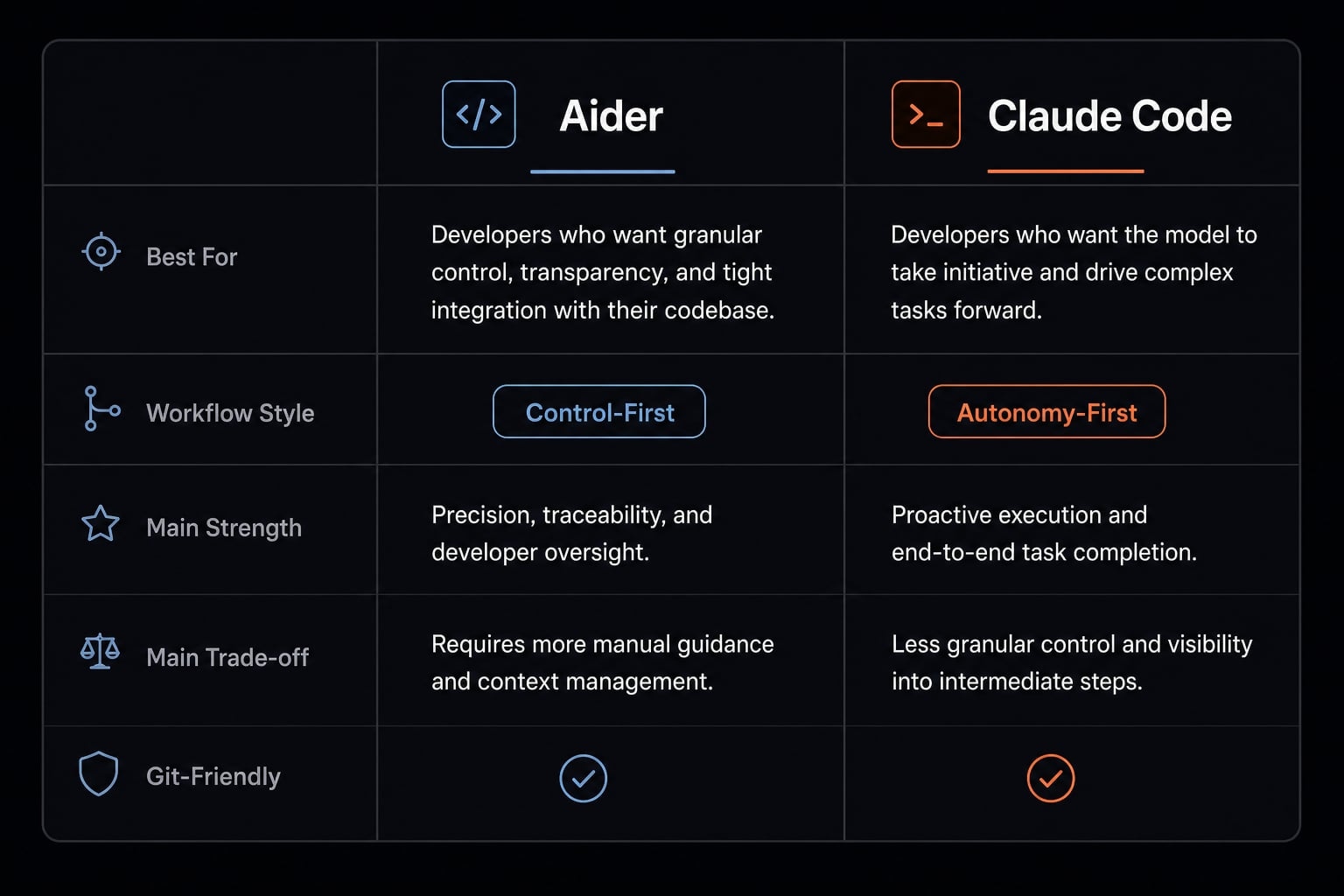
In Aider vs Claude Code, the biggest difference is not that one runs in the terminal and the other does too. The real difference is control vs autonomy. Aider is usually the stronger fit for review-heavy, Git-native workflow users who want tighter control over changes. Claude Code is usually better for broader, execution-heavy work where momentum matters more than diff-by-diff oversight. There is no absolute winner.
- Best for Aider: Developers who want explicit diffs, stronger change review, BYOK (Bring Your Own Key) flexibility, and cleaner provider-level cost control.
- Best for Claude Code: Developers who want more autonomous execution, broader codebase exploration, and stronger performance on multi-step tasks and debugging loops.
- Best hybrid setup: Use Claude Code for exploration, refactors, and iterative execution; use Aider for cleanup, refinement, and Git-friendly review.
Criteria | Aider | Claude Code |
|---|---|---|
Best for | Control-first workflows | Autonomy-first workflows |
Workflow style | Guided, review-heavy | Proactive, execution-heavy |
Main strength | Clean diffs and model flexibility | Multi-step task momentum |
Main trade-off | Needs more user direction | Needs stronger review discipline |
Best user type | Careful solo devs, leads, review-focused teams | Fast-moving builders, autonomy-oriented users |
Simple takeaway: In Aider vs Claude Code, choose Aider for control and Claude Code for momentum.
What actually separates Aider and Claude Code?
Aider and Claude Code differ mainly in how they handle context, initiative, and review. Aider is more control-first: It helps you make scoped, reviewable changes with strong Git discipline and model flexibility. Claude Code is more autonomy-first: It explores the codebase more proactively, executes broader tasks, and carries more of the workflow itself.
In day-to-day use, that difference shows up in three areas:
- Context model - How the tool builds understanding of your codebase.
- Action model - How much initiative it takes once you assign a task.
- Review model - How visible and controllable changes are before and after execution.
Aider as a control-first assistant
Aider leans toward model agnosticism, scoped repository awareness, and diff-based editing. In practice, the user drives scope more directly. You decide what to change, refine prompts as needed, and review edits in a workflow that feels closer to structured AI pair programming than autonomous delegation.
That matters in environments where Git history, auditability, and rollback discipline are important. Aider’s repository map helps it stay repo-aware without pretending to be fully hands-off. For review-heavy workflows, that balance is often a strength: Enough intelligence to move quickly, but enough restraint to keep trust high.
Claude Code as an autonomy-first agent
Claude Code leans toward autonomous execution, broader codebase exploration, and multi-step task handling. It is more likely to inspect files, trace relationships, run commands, and carry a task forward with less manual steering.
That makes it a stronger fit for workflows where speed and momentum matter more than edit-by-edit review. For larger repositories, debugging loops, or broader refactors, Claude Code often feels more like an execution layer than a narrow editing assistant. The trade-off is straightforward: you usually gain velocity, but you also need stronger review discipline after the tool has done more of the work on its own.
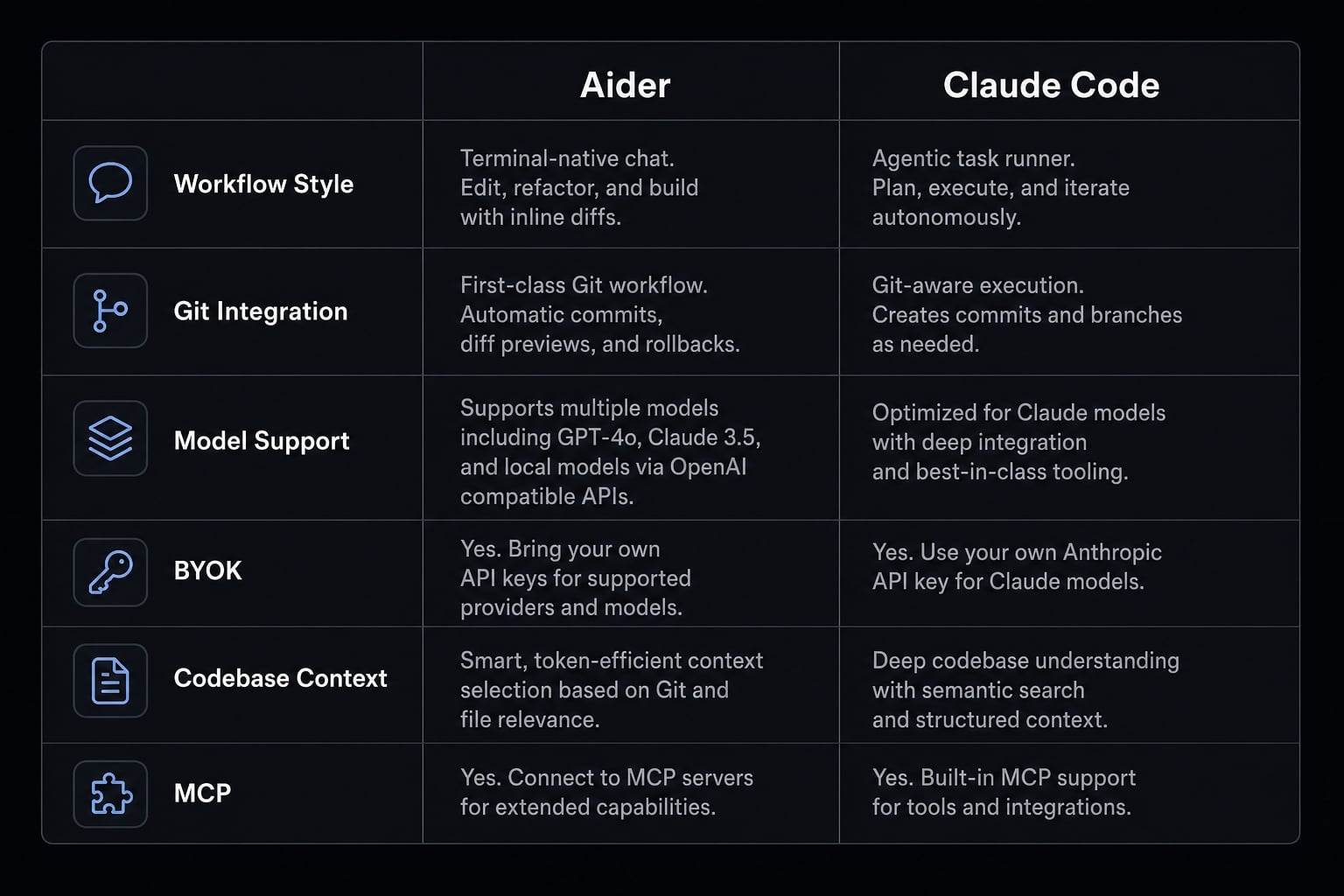
Side-by-side comparison table
If you are evaluating these tools seriously, avoid treating the decision like a checklist of isolated features. In practice, adoption depends on whether the tool fits your operating style, review habits, and cost constraints.
This table is not a feature dump. These are the criteria that most directly influence tool adoption and workflow fit.
Criteria | Aider | Claude Code | Why it matters? |
|---|---|---|---|
Workflow style | Guided, control-first | Proactive, autonomy-first | Sets expectations for how much you steer vs delegate |
Git integration / Git-native workflow | Strong, review-friendly, often preferred for disciplined commit flow | Good, but less central to its identity | Important for auditability, rollback, and team review habits |
Editing style / diff-based editing | Strong diff-based editing model | More execution-led, review often happens after broader work | Diff visibility improves trust in sensitive codebases |
Model support / model flexibility | Multi-model, provider-flexible | Claude only | Matters if you want to switch models by task or policy |
BYOK / cost flexibility | Strong BYOK advantage | More ecosystem-dependent | Helps control spend and avoid one-provider dependence |
Codebase context | Strong scoped repo awareness via repository map | Stronger broad exploration across files and tasks | Crucial for multi-file changes and larger repositories |
Context window / broad context handling | Model-dependent | Strong Claude-aligned handling | Affects how much work can stay coherent in one flow |
MCP integration / ecosystem alignment | Limited or indirect, depends on setup | Native Model Context Protocol (MCP) alignment | Relevant if your workflow depends on connected tools and services |
Best use case | Scoped edits, review-heavy changes, cost-sensitive workflows | Debug loops, large refactors, multi-step execution | Helps narrow the tool to real work, not abstract capability |
Main limitation | Less hands-off for broad tasks | Lower model flexibility and more ecosystem dependence | Prevents false expectations before adoption |
How to read the table?
No single row decides the winner. Most users should prioritize the two or three criteria that affect daily work the most, such as reviewability, autonomy, or budget flexibility. Team buyers should weigh governance, repeatability, and operating discipline more heavily than solo builders, who may care more about raw speed and convenience.
Where Aider wins
Aider tends to win when the real priority is not maximum autonomy, but controlled acceleration. For developers and teams with strong review discipline, that is often the smarter trade-off.
- Its biggest advantage is the Git-native workflow. In review-heavy development, that matters more than it first appears. Clean commit history, easy rollback, and clearer approval flow all reduce operational risk. If your team treats code review as part of quality control rather than a formality, Aider fits that habit well.
- Aider also earns trust through diff-based editing. Instead of asking users to accept broad autonomous actions too early, it makes changes easier to inspect. In practice, that often improves adoption in careful environments, especially for legacy code, production-sensitive systems, or teams with stricter engineering governance.
- Another clear strength is model agnosticism. Aider is not locked to one model provider. That gives users more flexibility to choose the right tool for the task, whether the priority is cost, reasoning quality, privacy posture, or experimentation. Paired with BYOK, this can improve cost control significantly for teams that want to manage API spending directly rather than commit to a single ecosystem.
- Its repository map is also useful, but it should be understood correctly. It supports scoped understanding and repo-aware edits. It does not try to replace a more autonomous execution model. That distinction matters when choosing based on workflow fit rather than marketing language.
Best scenarios for Aider
- Quick, scoped edits across a known set of files.
- Review-heavy changes where clean diffs matter.
- Cost-sensitive usage with tighter provider control.
- Multi-model experimentation across different tasks.
- Legacy or careful codebases where rollback discipline matters.
Aider limitations to know before adopting
- Less hands-off for broad, exploratory work.
- Requires more direction from the user.
- Can feel slower for execution-heavy tasks.
- Not always the best fit when the goal is “handle the full task for me”.
Need a practical way to evaluate AI coding tools before standardizing on one? Use an internal checklist covering reviewability, provider flexibility, cost control, and team adoption criteria.
Where Claude Code wins
Claude Code tends to win when the priority is momentum. If you want a tool to take initiative, move through multi-step work, and help drive tasks forward with less manual steering, it usually has the stronger fit.
- Its core advantage is an autonomous agents style workflow. You give a task at a higher level, and it is more willing to explore, inspect, execute, and iterate. That is especially useful for multi-step work where the bottleneck is not writing a diff, but coordinating the steps around the change.
- Claude Code is often stronger on codebase context in practical use. For large repositories, broader refactors, or tasks that require exploration before editing, that autonomy can save meaningful time. It is also a strong fit for debugging loops, where the real value comes from moving through a test-debug-fix cycle with less user intervention between each step.
- For some teams, Anthropic ecosystem alignment also matters. Native MCP integration can be relevant if your development flow increasingly depends on connected tools, services, or standardized context handoff. That is not an automatic advantage for everyone, but it can be meaningful in Claude-first environments.
- The trade-off is important. More autonomy usually means you need stronger review habits after execution. It also means lower model flexibility and more ecosystem dependence, which can affect both procurement comfort and long-term operating choices.
Best scenarios for Claude Code
- Large refactors across multiple files.
- Debugging loops with iterative execution.
- Codebase exploration before deciding what to change.
- Environment or task orchestration beyond narrow edits.
- Claude-first workflows where ecosystem alignment matters.
Claude Code trade-offs
- Lower model flexibility.
- Higher ecosystem dependence and potential lock-in risk.
- Stronger need for review discipline after execution.
- May be less attractive when cost control is the top priority.
If your team is already relying on Claude-centric workflows, assess not just output quality, but also governance, review burden, and long-term ecosystem dependence before standardizing.
Which tool is better for specfic workflows?
For most buyers, this is the section that matters most. The “best” choice changes depending on whether you optimize for speed, reviewability, cost control, or broader task completion. For solo builders, speed may dominate. For teams, review and governance often matter more.
A simple decision framework: Who should choose what?
If you want the shortest path to a smart decision, start with your operating style rather than the feature list.
- Solo developer: Start with Claude Code if speed and broad execution matter most. Start with Aider if you prefer tighter review and model choice. Caution: Solo users often underestimate the value of clean rollback until a bad change lands.
- Indie founder: Start with Aider if budget control and provider flexibility matter. Start with Claude Code if you need faster execution across product tasks. Caution: Founder workflows can drift into tool sprawl quickly.
- Engineering lead: Usually start with Aider if your team values reviewability and change discipline. Consider Claude Code for faster debugging and exploration. Caution: Autonomy without review standards can create governance debt.
- Small product team: Often benefit from a hybrid model. Use Claude Code for broader task momentum and Aider for refinement and review. Caution: Hybrid only works if conventions are shared.
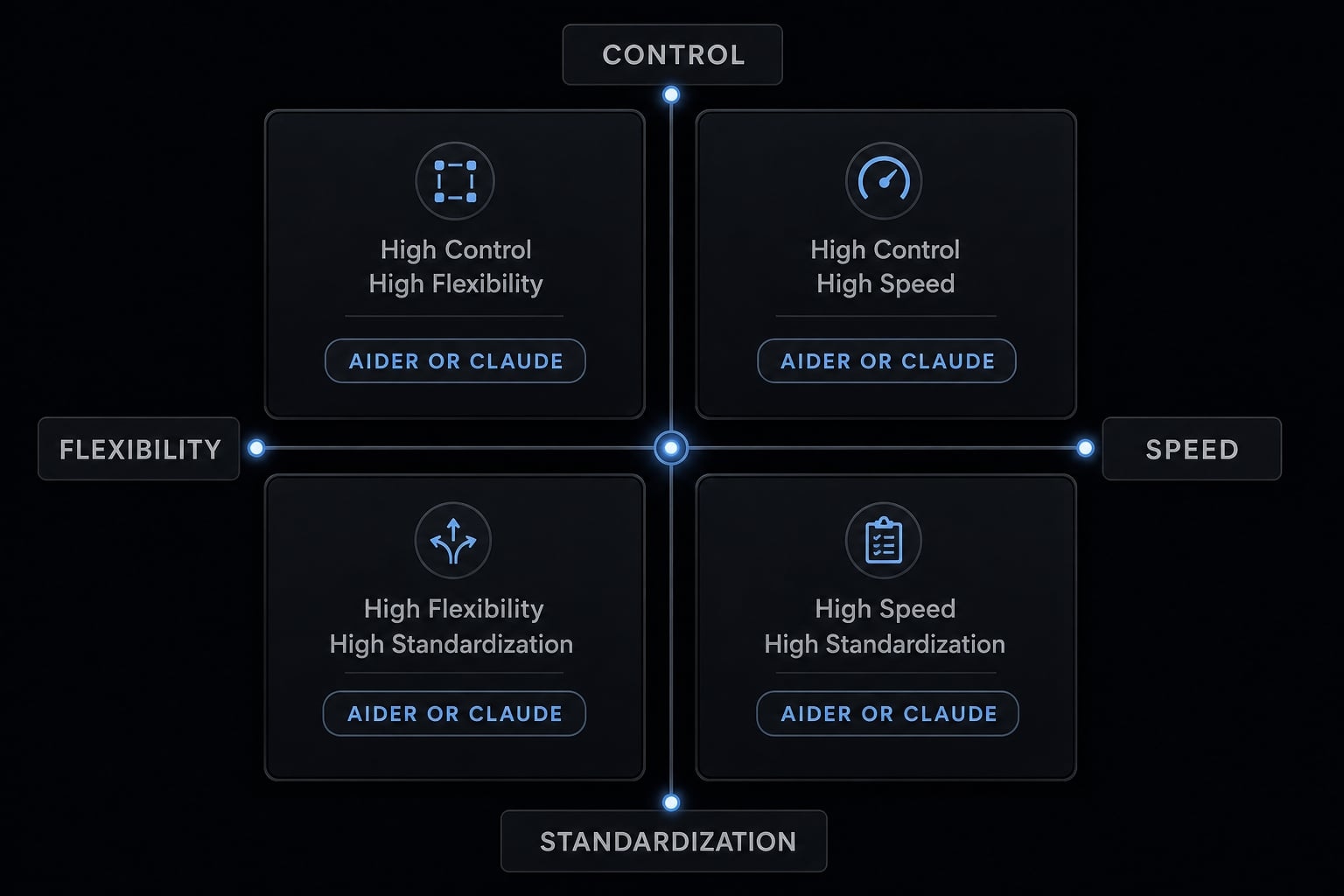
If Your Priority Is Control / Speed / Flexibility / Standardization:
- Control → Aider.
- Speed → Claude Code.
- Flexibility → Aider.
- Standardization → Depends on team maturity and workflow layer.
Priority | Better Starting Point | Why |
|---|---|---|
Control | Aider | Easier review, stronger diff visibility, cleaner Git habits. |
Speed | Claude Code | Better momentum on multi-step work and debugging loops. |
Flexibility | Aider | Multi-model support and BYOK improve optionality. |
Standardization | Depends | Tool choice alone is not enough once multiple users need repeatable workflows. |
When a Coding CLI stops being enough
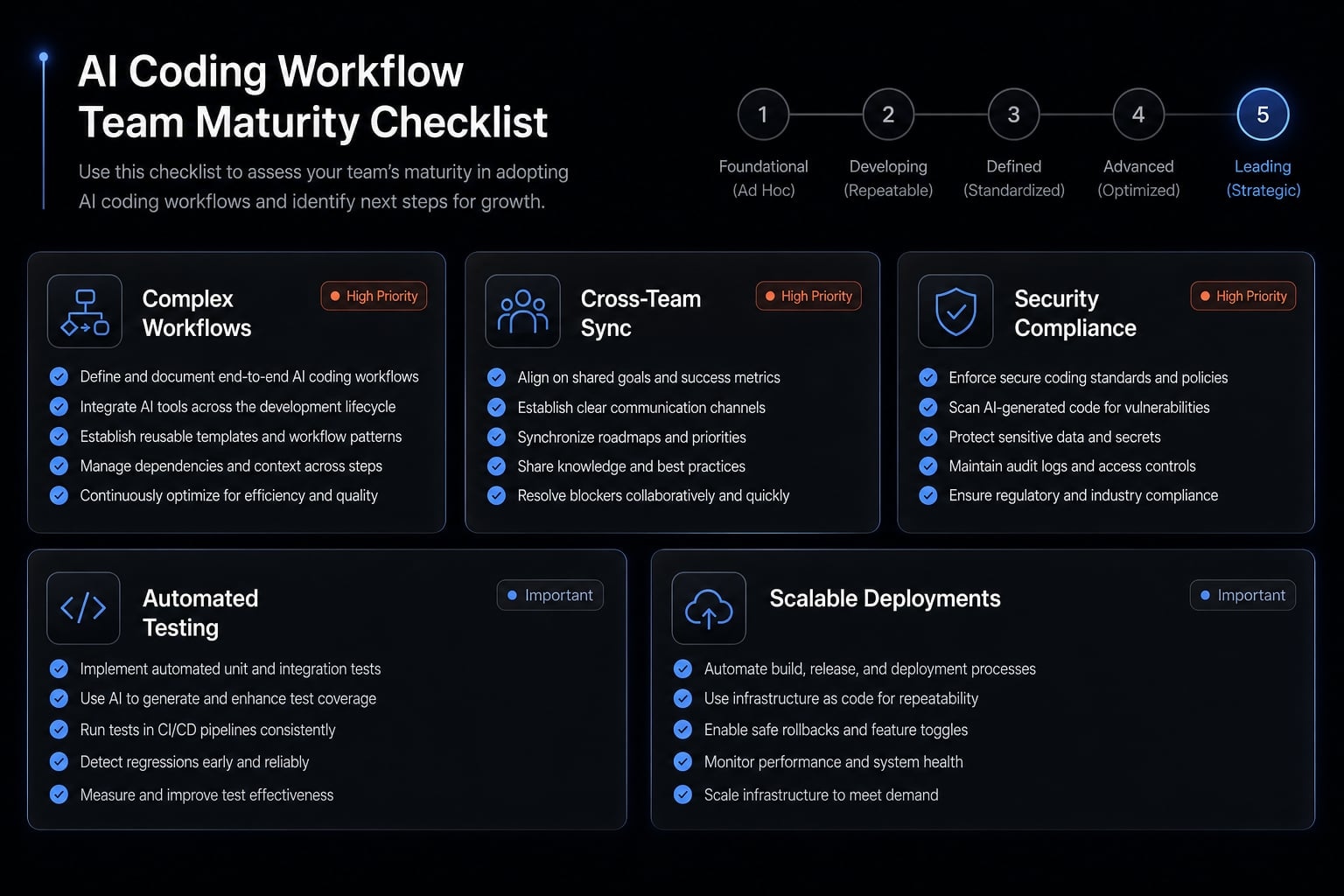
A standalone coding CLI stops being enough when the real problem shifts from “which assistant helps me code faster” to “how do we make AI-assisted development repeatable across a team?” At that point, the issue is less about individual prompts and more about the AI development lifecycle, shared standards, and operational consistency.
That does not mean every team needs more tooling immediately. Small teams can go far with standalone tools if usage is disciplined. But once multiple contributors depend on repeatable results, developer workflow standardization starts to matter. Teams usually need reusable skills, shared configurations, and repeatable agent workflows so output quality does not vary by whoever happens to be prompting better that day.
Signs your team has outgrown standalone AI coding tools
- Rebuilding prompts or setup repeatedly.
- Inconsistent output quality across users.
- No shared configs, guardrails, or review standards.
- Hard to reuse best practices across projects.
- Difficult token, plan, or workflow management at team level.
How AgentKit helps teams standardize AI development workflows
Once a team uses tools like Aider or Claude Code seriously, the next challenge is usually not “which coding assistant is better?” It is “how do we standardize what already works?” That is where a workflow layer becomes useful.
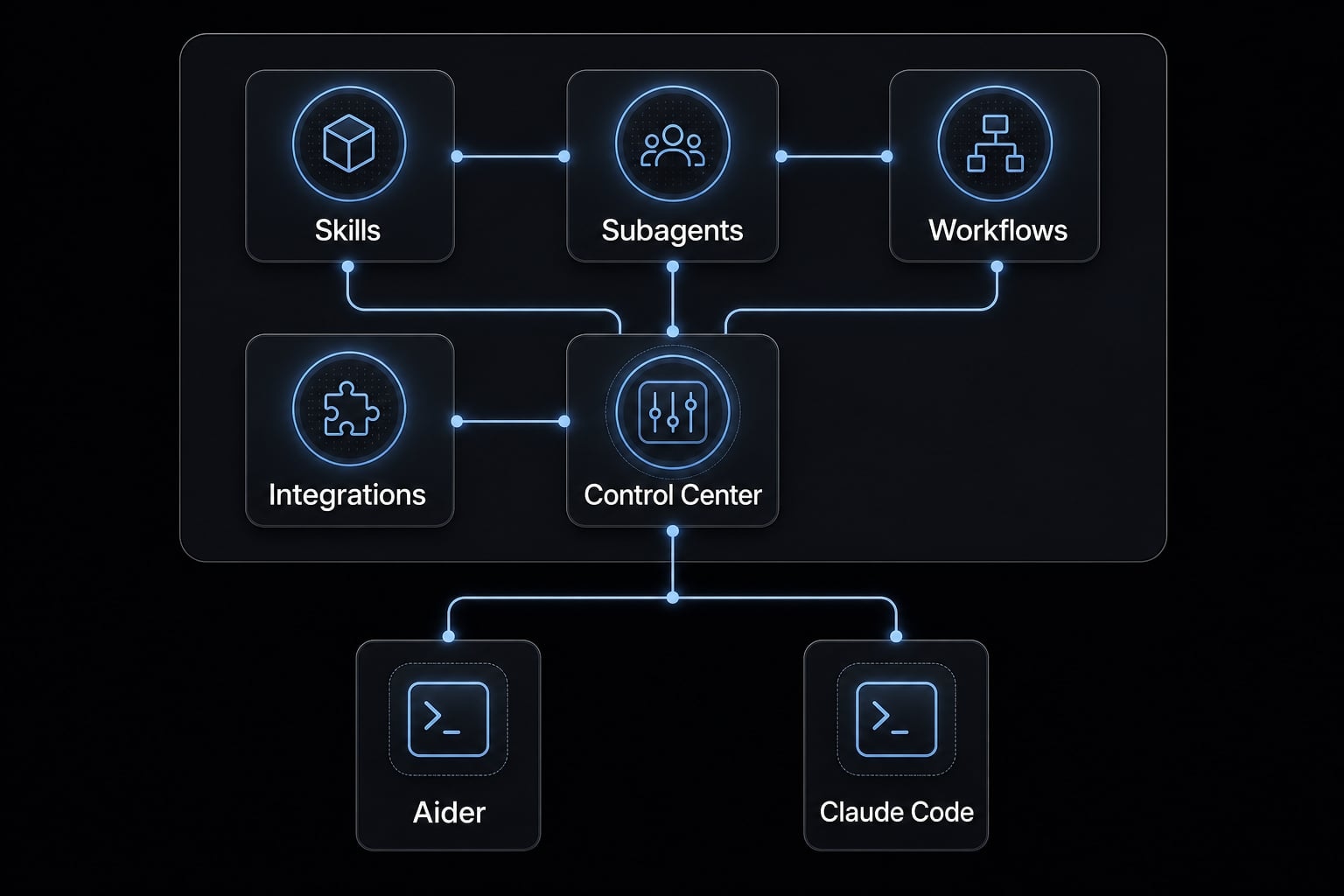
AgentKit Engineer is best understood as a workflow and coordination layer for teams that want repeatable AI-assisted development, not as just another coding assistant. Instead of forcing every developer to rebuild setup from scratch, it helps teams operationalize reusable practices.
Key capabilities mapped to common team pain points:
- Reusable skills for recurring engineering tasks, reducing prompt rebuilding.
- Specialized subagents for focused work across planning, coding, testing, debugging, and review.
- Automated workflows that make common execution patterns repeatable.
- MCP integrations for controlled access to connected tools and systems.
- Desktop control center for managing configurations, plugins, plans, tokens, and security checks.
- Cross-platform coordination that helps keep workflows consistent across users and environments.
This matters most when engineering team adoption is growing and ad hoc usage starts producing uneven quality, governance gaps, or duplicated effort.
Best fit for AgentKit engineer:
- Teams already using AI coding tools seriously.
- Teams needing repeatable prompts, skills, and subagents.
- Teams wanting faster shipping without rebuilding setup every time.
- Teams needing shared controls instead of fragmented individual workflows.
If your bottleneck is no longer tool choice but workflow consistency, evaluate whether your team needs a standardized AI development layer rather than another standalone assistant.
Frequently asked questions
What is the fundamental difference between Aider and Claude Code?
Aider is a Git-native coding assistant focused on user control and model flexibility through a model-agnostic approach. In contrast, Claude Code prioritizes autonomy, complex task execution, and full-codebase exploration within the Anthropic ecosystem.
Should I choose Aider or Claude Code for my workflow?
If you prioritize precise control, a clear Git history, and the ability to customize your choice of model, Aider is the better fit. If you need automated multi-step task execution, in-depth debugging, and faster implementation, Claude Code will be more effective.
Can I use Aider and Claude Code together?
Yes. Many engineers adopt a hybrid approach: they use Claude Code for scaffolding, establishing project structures, or exploring large codebases, then use Aider to refine the code, control changes, and create detailed Git commits.
Which tool is better for managing large codebases?
Claude Code generally has an advantage in large projects because it can automatically discover files, navigate the entire code structure, and make changes across multiple files without requiring constant manual context management.
Which is more cost-effective: Aider or Claude Code?
Aider offers a cost advantage through its Bring Your Own Key (BYOK) model, allowing you to select less expensive models or run local models based on the complexity of each task. Claude Code is primarily tied to the Claude ecosystem and focuses more on performance than cost optimization.
When does a development team need an alternative to coding CLIs?
A workflow management layer such as AgentKit becomes necessary when a team faces inconsistent processes, needs to share standardized prompts, requires centralized security governance, or wants to turn workflows into reusable agents instead of relying on each developer’s individual setup.
Conclusion
In the end, Aider vs Claude Code is primarily a workflow-fit decision, not a universal ranking. Aider is usually the better fit when you value control, Git-native workflow discipline, reviewable diffs, model flexibility, and better cost control through BYOK. Claude Code is usually the stronger fit when you want autonomy, broader execution, stronger debugging momentum, and better support for large multi-step tasks.
For many advanced users, the most practical answer is a hybrid approach: Use Claude Code for execution-heavy work, then use Aider for cleanup, refinement, and safer review.
The best next step is simple: Test both tools on the same real task, using your actual repository and review standards. If your team is moving beyond individual usage and needs shared workflows, reusable skills, and stronger operational control, explore AgentKit Engineer as the next workflow layer.