Vibe coding PRD: A practical template for AI app development
Vibe coding PRD: A practical template for building apps with AI
While an AI-built prototype feels like fast progress, complexity quickly mounts as user roles, data persistence, and edge cases accumulate. A Product Requirements Document (PRD) provides a clear source of truth for both you and your AI coding agent, preventing missing specifications from turning into invented features or flawed permissions. Below is a copyable Markdown template, an illustrative feedback-board example, a review-to-build workflow, and a readiness checklist to guide your implementation.
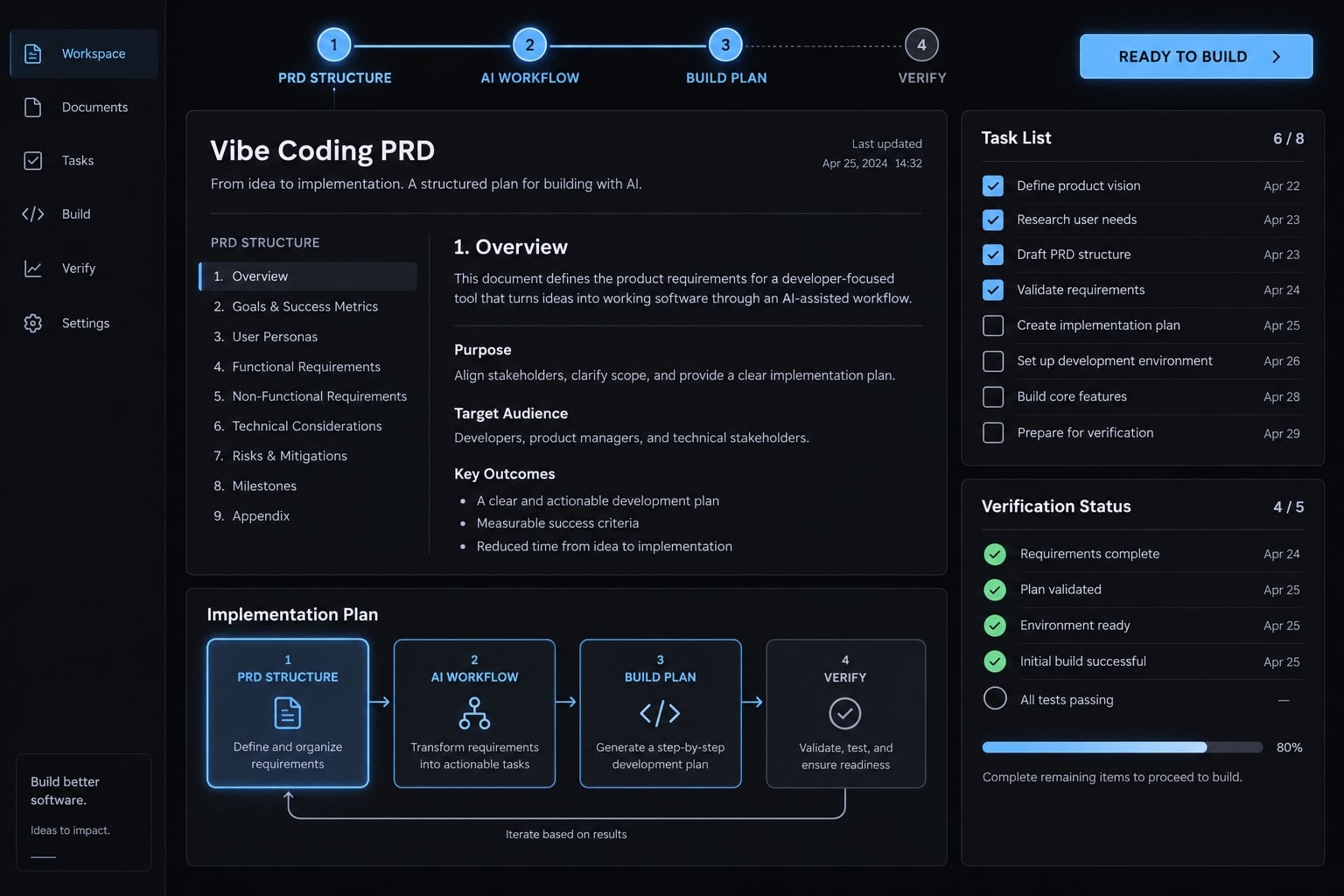
What is a vibe coding PRD?
A vibe coding PRD is a Product Requirements Document adapted for AI-assisted development. It makes users, intended behavior, boundaries, assumptions, and acceptance criteria-observable conditions for completion-explicit enough for people and coding agents to review. It remains a product specification, not an oversized task prompt or a guarantee of correct implementation.
Vibe coding PRD vs traditional PRD
The difference is emphasis, not a rigid document category. Traditional PRDs can also be explicit, testable, version-controlled, and continuously maintained.
Dimension | Traditional PRD | AI-ready PRD |
|---|---|---|
Audience | Primarily product and delivery teams. | People and coding agents. |
Context | May use shared team context. | Makes necessary context explicit. |
Requirements | Detail varies by team. | Emphasizes observable, bounded behavior. |
Scope control | Scope and exclusions documented. | Exclusions supplied alongside assignments. |
Verification | May link acceptance and testing. | Explicit requirement-to-check mapping. |
Storage | Documents, repositories, or product tools. | Agent-accessible text; Markdown optional. |
Update model | Periodic or continuous revisions. | Reviewed changes synchronized with delivery. |
Repository Markdown is convenient, but not mandatory. Explicit context does not make model behavior deterministic.
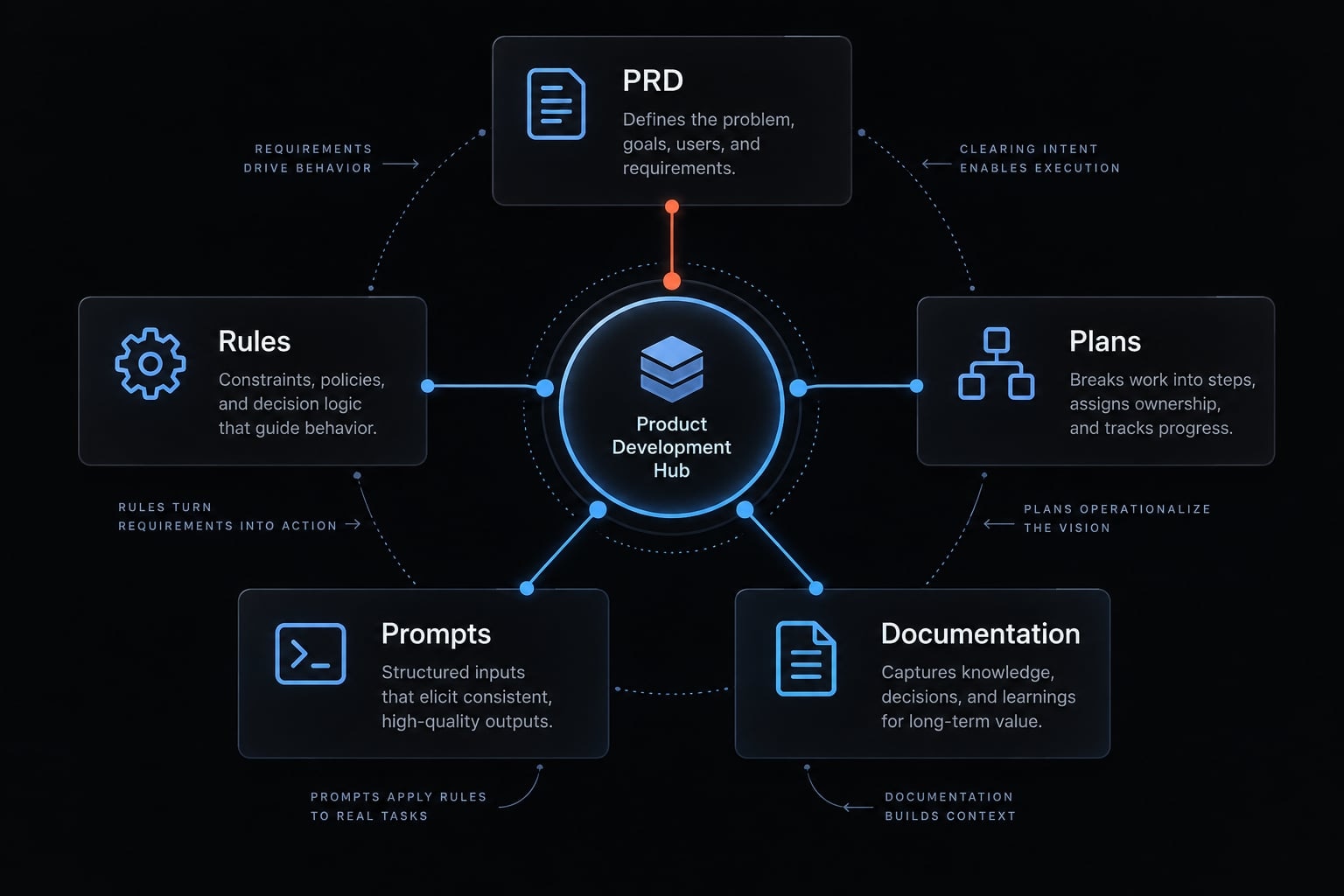
PRD vs. rules file vs. implementation plan vs. task prompt
Keep product decisions separate from instructions about how and when to implement them.
Artifact | Purpose | Example content |
|---|---|---|
PRD | Intended behavior and purpose | Only admins change request status |
Rules file | Persistent development conventions | Follow existing test conventions |
Implementation plan | Build order and dependencies | Establish sign-in before protected submission |
Task prompt | Immediate bounded assignment | Implement FR-01, then stop |
Project documentation | Current implementation and decisions | What exists and its limitations |
Cursor rules are one rules-file example. Formats and precedence vary across tools; a product requirement does not belong there merely because it seems important.
What an AI-ready PRD should include
- Product summary.
- User problem.
- User roles and permissions.
- Objectives and success signals.
- MVP scope.
- Non-goals and hard boundaries.
- User flows.
- Functional requirements.
- Data entities and technical constraints.
- User experience states and recovery.
- Acceptance criteria and verification methods.
- Assumptions, open questions, and change history.
Product context, users and objectives
Connect each feature to a user problem. For a feedback board, customers need a shared place to submit requests; product managers need a manageable review queue.
- Weak objective: “Improve feedback.”
- Stronger objective: “Let invited customers submit requests and let product managers communicate their status.”
The minimum viable product, or MVP, is the smallest useful release. Useful feedback capture is a product success signal. Successful submission is feature acceptance. Neither proves the other.
Scope, non-goals and hard boundaries
Explicit non-goals can reduce unrequested work without prescribing every implementation detail.
In scope | Out of scope |
|---|---|
Sign-in and request search | Multiple workspaces |
Request submission and voting | Billing and Slack integration |
Admin status changes | AI-generated replies |
For this example, one company operates one shared board. Do not let the agent silently expand it into a multi-company platform.
User flows and functional requirements
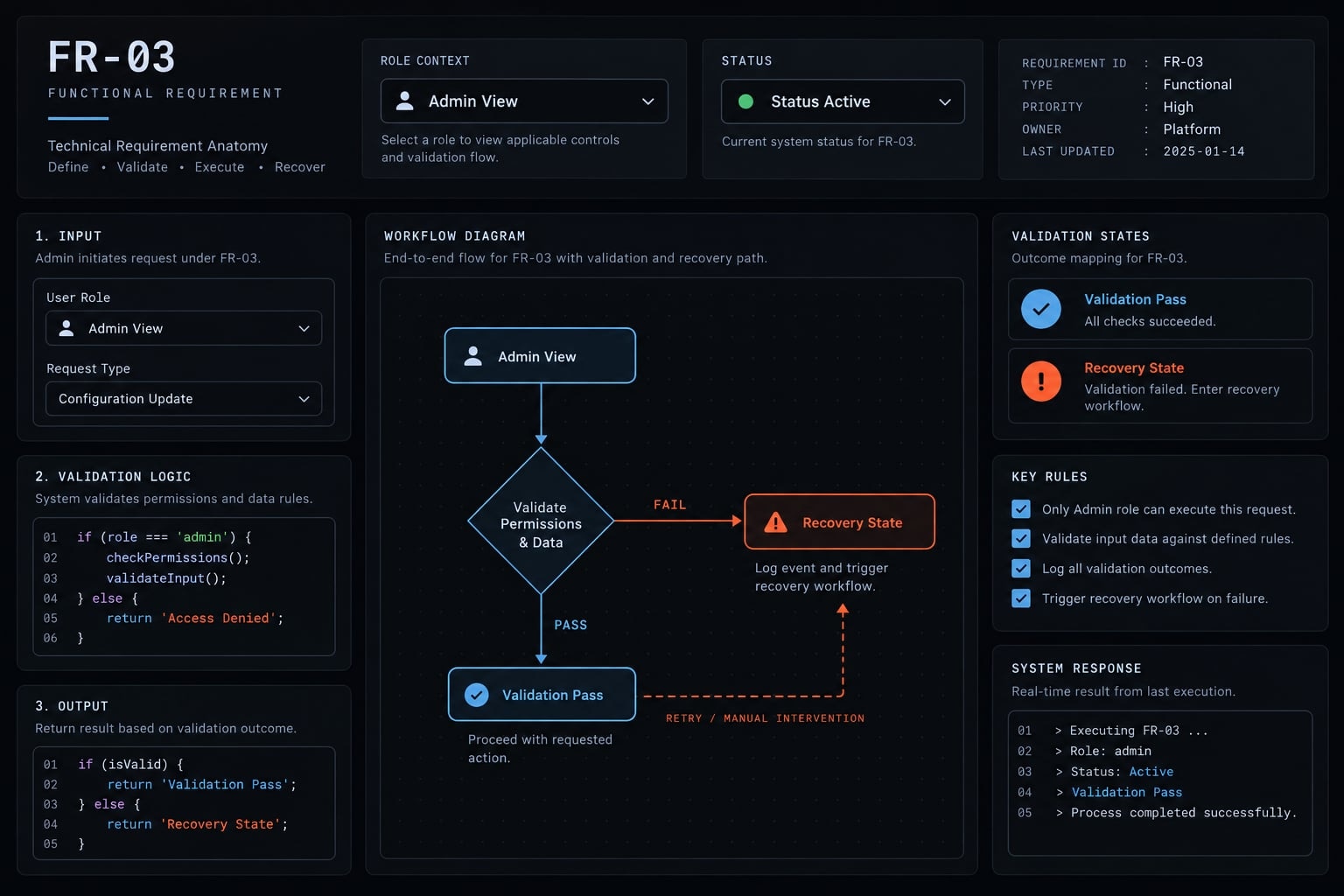
Use this requirement structure:
Actor → trigger → behavior → validation/data → failure response → expected result.
Assign stable identifiers such as FR-01. Prefer one independently testable behavior per requirement.
- Before: “Add status management.”
- After: “FR-03: An admin selects an allowed request status. Save the change; if saving fails, retain the previous status and offer retry.”
Record ordinary users’ lack of status-edit permission separately within its acceptance criteria. Requirements describe behavior, not tasks such as “create a button.”
Data, constraints and technical decisions
Describe entities and relationships plainly: Users submit requests, and votes connect users to requests.
Confirmed constraint | Open decision |
|---|---|
Only invited, signed-in users access the board | Component library |
One vote per user/request pair | Visual spacing |
No confidential customer records in requests | Retention policy: resolve before storing real feedback |
Separate binding constraints from suggestions. Unresolved access, privacy, or architecture decisions block dependent implementation, a reversible visual choice usually does not.
Acceptance and verification criteria
Acceptance criteria define what must be true, verification methods define how you check it. Cucumber’s Gherkin Reference describes Given/When/Then as context, action, and outcome. For FR-03: given an ordinary user, when a status change is attempted, then it is rejected and the saved status remains unchanged.
Tests and browser checks provide evidence. Build, type-check, and lint checks support quality but do not prove correct permissions. Stop for review when a critical criterion cannot be verified.
Copyable vibe coding PRD template
This lightweight vibe coding PRD template is a human-readable specification you can adapt across tools. Copy the block into docs/prd.md. Markdown is portable; automatic context loading is tool-specific.
Complete markdown template
# [Product Name] — Product Requirements Document## 1. Document Status- Owner: [name]- Human reviewer: [name]- Updated: [date]- Version: [identifier]- Status: [Draft / Blocked / Approved for named slice]- Approved scope: [requirement IDs]- Approval record: [reviewer, date, conditions]- Critical unresolved questions prevent approval of affected work.## 2. Product Summary- Product: [one or two sentences]- User problem: [specific difficulty]- Proposed value: [how the product addresses it]## 3. Users and Permissions- Roles: [role → permitted actions]- Access boundary: [who can see which records]- Restricted actions: [role → prohibited actions]- Account lifecycle: [invitation, removal, access revocation]- Enforce permissions beyond interface visibility.## 4. Objectives and Success Signals- Intended outcome: [observable user or business outcome]- Success signal: [measurement and review period]- MVP completion: [required capabilities]- Separate outcome measurement from feature acceptance.## 5. In Scope- [Capability → relevant role → intended outcome]- First approved slice: [bounded user outcome]## 6. Non-Goals and Hard Boundaries- Excluded capabilities: [list]- Prohibited behavior: [list]- Changes requiring approval: [scope, access, data, dependencies]## 7. User Flows- Flow ID: [UF-01]- Actor and preconditions: [role, access, starting state]- Main path: [trigger → steps → outcome]- Alternative path: [condition → behavior]- Failure and recovery: [message, preserved state, next action]## 8. Functional RequirementsRepeat for each independently testable behavior:- ID: [FR-01]- Related flow: [UF-01]- Actor and trigger: [who, when]- Required behavior: [observable action]- Required data: [fields or entity reference]- Validation and permissions: [rules]- Failure response: [what remains unchanged]- Recovery: [retry, reconciliation, or other safe action]- Expected result: [persisted state and visible feedback]## 9. Data Entities and Relationships- Entity: [name and purpose]- Required fields: [field, format, limits]- Relationships and ownership: [plain-language rules]- Uniqueness and integrity: [constraints]- Visibility, retention, deletion: [rules]- Use synthetic examples; never embed sensitive records.## 10. Technical Constraints- Confirmed environment: [existing project constraints]- Binding choices and rationale: [decisions]- Suggestions, not requirements: [options]- Dependency approval: [reviewer and policy]- Security and privacy requirements: [rules]- Never include credentials or production secrets.## 11. User Experience States- Initial, loading, empty, and successful states: [behavior]- Invalid input and denied access: [feedback]- Failed or uncertain save: [preservation and reconciliation]- Retry and duplicate action: [safe behavior]- Accessibility expectations: [keyboard, labels, focus, feedback]## 12. Acceptance Criteria- AC-01 → FR-[ID]- Given: [initial state]- When: [action]- Then: [observable result]- Permission, failure, and recovery criteria: [separate cases]## 13. Verification Methods- AC ID → method → expected evidence → reviewer- Build command: [project-specific command]- Type-check command: [project-specific command]- Lint command: [project-specific command]- Test command: [project-specific command]- Browser/manual checks: [steps and expected results]- Results: [Passed / Failed / Not run / Not applicable + reason]- Record environment, output, limitations, and evidence location.- Stop for review if critical behavior cannot be verified.## 14. Assumptions and Open Questions- Question or assumption: [description]- Impact and affected FR IDs: [scope]- Owner and required decision: [person, answer needed]- Blocking: [yes/no, rationale]- Resolution and approval: [record]## 15. Implementation Phases- Milestone summary: [bounded outcomes and approval gates]- Detailed tasks, sequencing, and dependencies: [plan.md]- Derive the plan from approved requirements.## 16. Risks and Release Boundaries- Risk → mitigation → owner: [entries]- Unverified areas: [limitations]- Additional release reviews: [operational, security, accessibility, legal]- Approval to build is not approval to release.## 17. Change Log- Date | Version | Changed IDs | Reason | Approver- Recheck affected plans, tests, and implemented documentation.
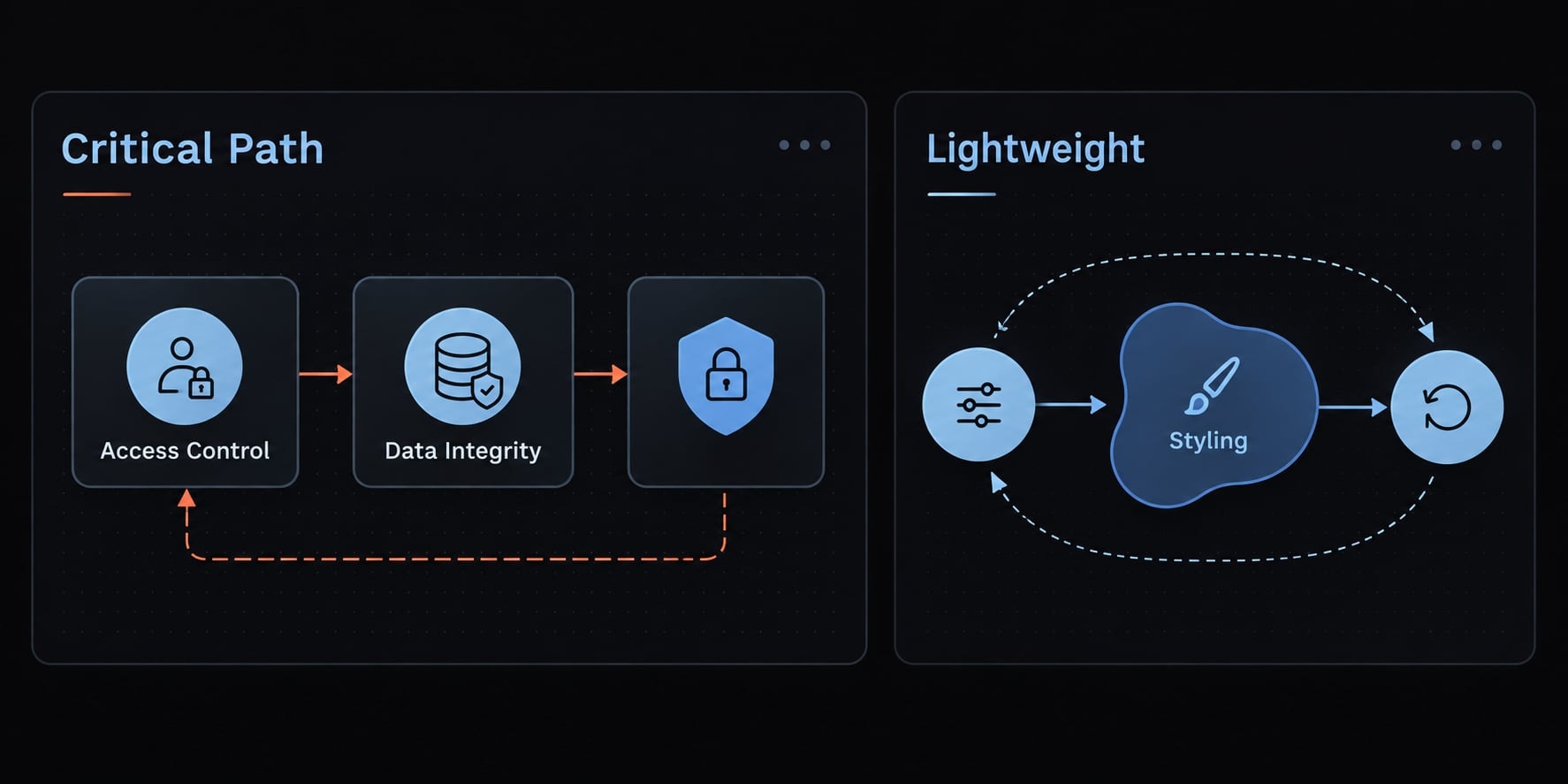
How much detail is enough?
Stop expanding a core feature when its actor, trigger, behavior, required data, failure response, and completion test are clear.
Add detail | Keep lightweight |
|---|---|
Data, access, and privacy | Minor copy |
Costly-to-reverse decisions | Reversible visual choices |
Ambiguous failure behavior | Speculative future functionality |
Not every field needs extensive detail before a bounded first slice. However, unresolved consequential questions must remain visible and block affected work.
Completed example: A customer feedback board
This compact illustrative PRD excerpt shows an appropriate detail level. It is not a client case study or a complete production specification.
Product summary, users and MVP boundary
One B2B software company operates a shared feedback board for invited customers. Signed-in customers can see all board requests, submit suggestions, and vote. Product managers have the admin role and administer statuses.
The intended outcome is to consolidate requests and communicate product decisions. MVP scope includes sign-in, search, submission, voting, and status updates.
Payments, multiple workspaces, integrations and AI replies remain excluded. Because requests are shared, users must not submit confidential information. Retention rules require approval before real customer data is collected.
Example functional requirements
- FR-01 - Submit a request: A signed-in customer provides a title and description. Example product choices: trim surrounding whitespace; require a title of 5–100 characters and description of 20–2,000 characters. Show advisory duplicate suggestions from title search; they do not block submission. Reject invalid input with field-specific messages. Preserve the draft after failure. If the save outcome is uncertain, reconcile it before retrying to avoid duplicate requests.
- FR-02 - Manage an own vote: A signed-in customer adds one vote per user/request pair or removes their existing vote. Enforce uniqueness beyond the interface, including repeated or concurrent attempts. Change the displayed count only after confirmed persistence. On failure, retain the count and provide a safe retry.
- FR-03 - Change status: Admins change a request among Open, Planned, In Progress, and Shipped. New requests start Open. Reject ordinary users’ attempts beyond the interface. On failed saving, preserve the previous status and offer retry.
Example acceptance criterion
AC-02 → FR-02
- Given a signed-in customer has not voted and the request has four votes.
- When the customer selects Vote.
- Then successful persistence produces five votes, changes the button to Remove vote, and survives reload.
A duplicate attempt adds no vote. A failed save leaves four votes, restores an actionable Vote button, and permits safe retry. Verification checklist:
- Confirm persistence after reload.
- Exercise duplicate and concurrent attempts.
- Simulate failure and retry.
- Remove the vote; confirm the count returns to four.
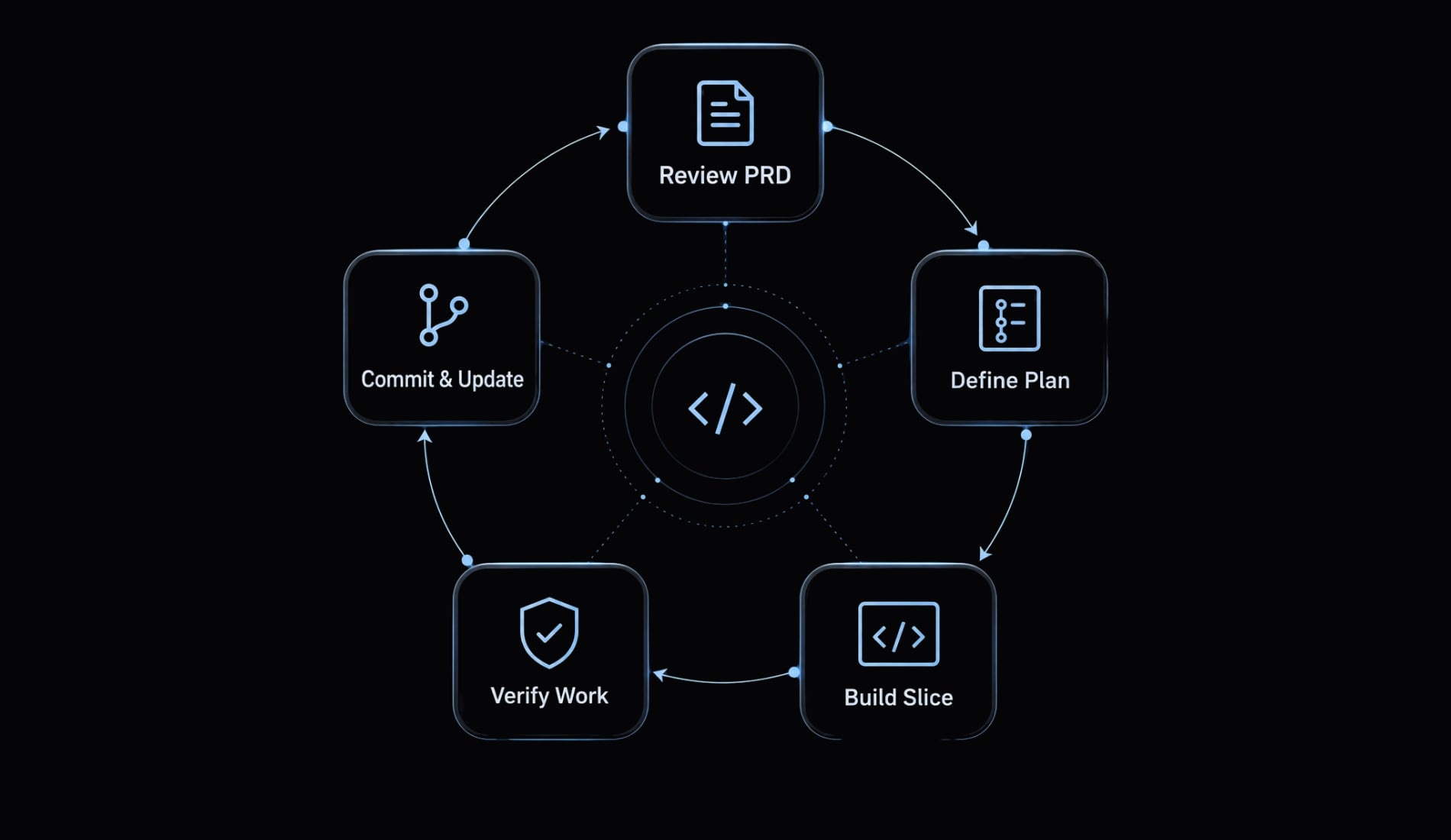
How to turn the PRD into an AI coding workflow
- Review the PRD.
- Resolve blockers.
- Generate a plan.
- Build one vertical slice.
- Verify behavior.
- Review and commit.
- Update documentation.
Step 1 - Ask the AI to review the PRD, not build it
Start with critique rather than code generation:
Read docs/prd.md. Do not write code.Identify conflicts, ambiguity, missing states, risky assumptions,and blocking questions. Reference affected requirement IDs.Separate blockers from reversible choices.Wait for human approval before planning consequential choices.
Resolve consequential questions with the responsible person and update the document. AI critique is another review step, not independent assurance. It can miss the same assumptions that affected the draft.
Step 2 - Generate an implementation plan
Ask the agent to derive plan.md or tasks.md from approved requirements. Require:
- Requirement IDs beside every task.
- Dependencies and exit criteria.
- An explicit list of unmapped requirements.
- Approval gates for consequential decisions.
Detailed sequencing belongs in this plan. The agent should propose scope changes, not silently rewrite the PRD to match easier implementation.
Step 3 - Build one vertical slice at a time
A vertical slice is one small user outcome implemented across the necessary layers. For the board, implement submission of one valid request through the interface, saved data, and its test.
Requirement → Data → Logic → Interface → Test → Review → Commit
Smaller end-to-end increments make behavior easier to inspect. Supply the relevant requirements, acceptance criteria, and global constraints. Instruct the agent to stop after the approved slice rather than continuing into voting or administration.
Step 4 - Verify against acceptance criteria
Request evidence, not only a completion summary:
- Run applicable automated checks using project-specific verification commands.
- Check each acceptance criterion.
- Exercise permission, validation, and failure cases.
- Report affected files and actual test output.
- Identify limitations and checks not run.
- Obtain human review before committing or proceeding.
Passing build, lint, or type checks does not prove correct product behavior. For FR-02, a successful build cannot establish duplicate-vote prevention.
Keep secrets and customer data out of logs and screenshots. Review changes and evidence before recording a version-control commit.
Step 5 - Update the documentation loop
Record approved changes in the artifact they actually affect.
Artifact | Update when |
|---|---|
PRD | Intended behavior or scope changes |
Rules file | Development conventions change |
Implementation plan | Tasks, dependencies, or completion change |
Task prompt | The immediate assignment changes |
Project documentation | Reviewed implementation or limitations change |
Version-controlled files preserve reviewable history; they do not automatically become agent memory. Lost decisions between sessions can cause requirement drift-implementation diverging from approved intent.
Whether using Claude Code, Codex, or another tool, explicitly supply relevant requirements plus applicable global constraints. Context trimming must not remove security or access rules. File conventions and loading behavior vary by project and tool.
Common PRD mistakes and the ready-to-build checklist
Six mistakes that make AI builds unreliable
Missing decisions create room for invented behavior. More document length is not necessarily the correction; more explicit decisions often are.
Mistake | Likely consequence |
|---|---|
Goals without behavior | Attractive interfaces with incomplete functionality |
Missing non-goals | Unrequested features and scope creep |
One oversized project prompt | Changes become harder to inspect |
Undefined permissions | Inconsistent or unauthorized access |
Unreviewed dependency choices | Avoidable maintenance or compatibility risk |
No verification criteria | Completion claims without sufficient evidence |
Illustrative lesson: Missing vote uniqueness → duplicate totals → specify one vote per user/request pair → test repeated and concurrent attempts.
For access control, OWASP’s Authorization Cheat Sheet supports enforcing authorization beyond interface controls.
Ready-to-build checklist
- Users, roles, and intended outcomes are named.
- Scope and non-goals are explicit.
- Core flows include failure and recovery.
- Behaviors have stable requirement IDs.
- Required data and validation are defined.
- Permissions and access boundaries are documented.
- Binding constraints are clear; no credentials or sensitive customer records are embedded.
- Acceptance criteria map to requirements.
- Critical blockers affecting the slice are resolved.
- The first slice is bounded, with a named human review point.
- Verification methods exist; unavailable checks are identified.
- Version control and documentation updates are arranged.
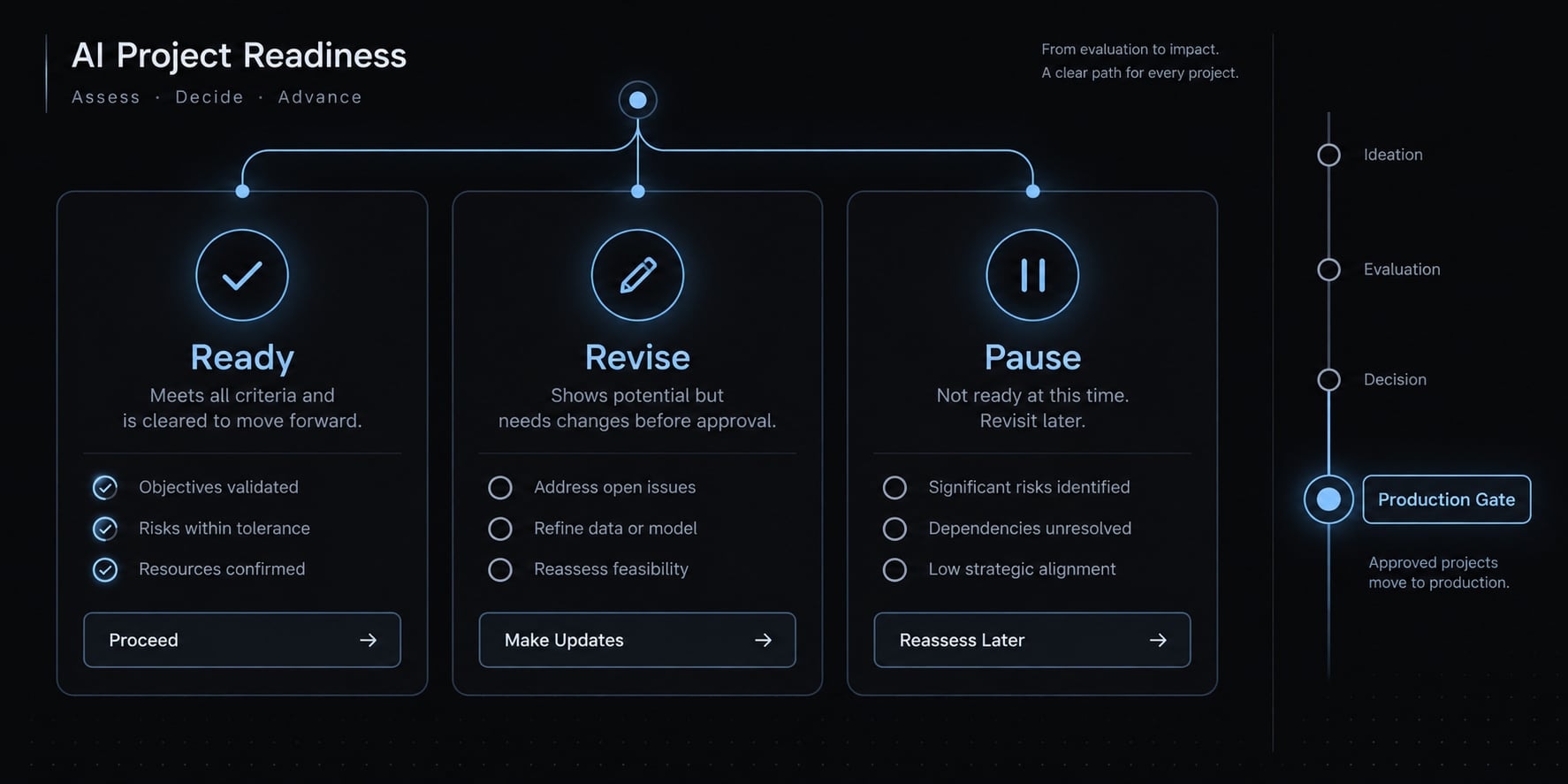
Ready: Critical product decisions and verification methods are clear.Revise: Reversible, low-risk details need clarification; resolve them before dependent work.Pause affected implementation: Data, permissions, security, architecture, or core behavior remains unresolved.
Passing this checklist means ready to begin a controlled build, not ready for production release. Production readiness may require additional operational, security, accessibility, privacy, and legal review.
Frequently asked questions
What is a Vibe Coding PRD?
A Vibe Coding PRD is a structured, version-controlled specification document that serves as the "source of truth" for AI coding agents. It explicitly defines product behavior, user journeys, technical constraints, and verification criteria, ensuring the AI builds according to defined requirements rather than improvising.
How does a Vibe Coding PRD differ from a traditional PRD?
While traditional PRDs often focus on human stakeholders, a Vibe Coding PRD is optimized for AI consumption. It emphasizes machine-readable constraints, testable acceptance criteria, and explicit project boundaries, allowing agents to understand intent and edge cases clearly to prevent coding hallucinations.
What should be included in an AI-ready PRD?
An effective AI-ready PRD must include a clear product summary, defined user roles, functional requirements, technical constraints, non-goals, and detailed acceptance criteria. This documentation must be granular enough to map product outcomes to testable behaviors, helping the agent stay within scope during implementation.
Why shouldn't I just build everything with one prompt?
Building with a single prompt causes context loss, circular debugging, and unchecked technical debt. AI models have limited effective memory; breaking requirements into a phased PRD ensures the agent maintains consistency, follows project architecture, and verifies each vertical slice of the application incrementally.
What is the difference between a PRD and an implementation plan?
The PRD defines what the product must be (its behavior, users, and boundaries), while the implementation plan defines how the build is sequenced. The PRD acts as the product specification, whereas the implementation plan is a step-by-step roadmap derived from that specification.
How do I know if my PRD is ready for development?
Your PRD is ready when all critical product decisions are resolved, edge cases are defined, and acceptance criteria are testable. If your document has unresolved access permissions, ambiguous failure states, or undefined database schemas, you should pause and refine those sections before starting the build.
How do I verify that the AI followed my requirements?
Verification is achieved through deterministic exit criteria, such as passing unit tests, linting, or checking behavior against Given/When/Then scenarios. Always review the AI's output against the acceptance criteria in your PRD before committing code or moving to the next implementation phase.
Read more:
- Vibe coding tools: How to choose the right AI app builder
- How to vibe code a CRUD app without losing control
- How to vibe code a landing page that actually converts
Conclusion
A useful vibe coding PRD makes product intent reviewable: who uses the app, what they can do, what stays out of scope, and how completion will be checked. Explicit requirements improve shared context, but verification determines whether implementation meets them. The document alone does not make generated code production-ready.
Start with one bounded user outcome rather than an entire application. Copy the Markdown template into docs/prd.md, complete its essential fields, resolve consequential blockers, and request review before implementation. Keep requirement IDs connected to tasks, acceptance criteria, and evidence as the product changes.