
How to vibe code a landing page without shipping generic AI output
AI can help you build a vibe code landing page quickly, but speed alone rarely produces a page worth publishing. In practice, the biggest problem is not missing code. It is vague inputs, weak messaging, and no review process. If you want to build a landing page with AI that feels usable, credible, and conversion-oriented, the workflow matters more than the tool. This guide walks through a simple process: Prepare the right context, generate structure first, build section by section, review the result, and only then publish.
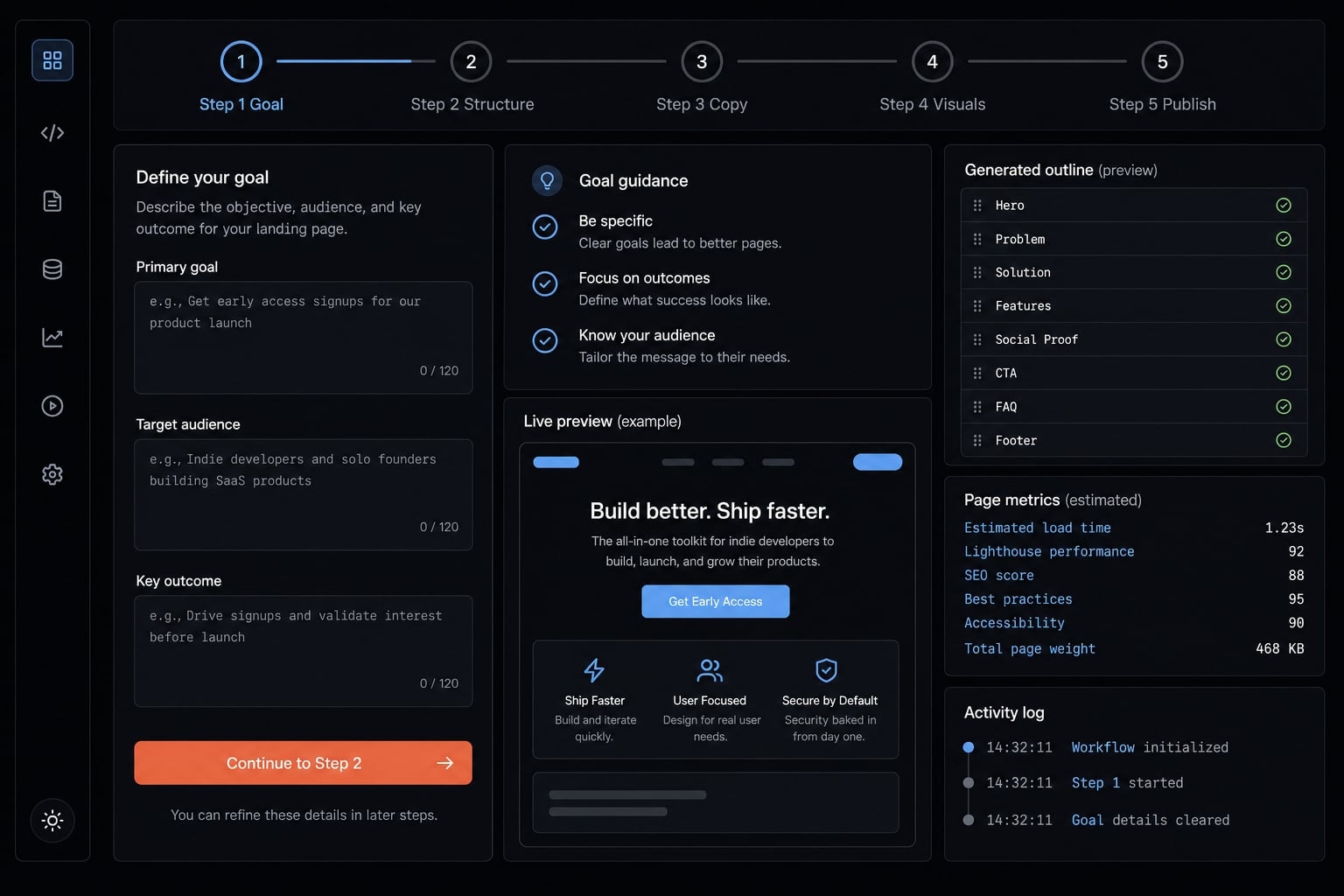
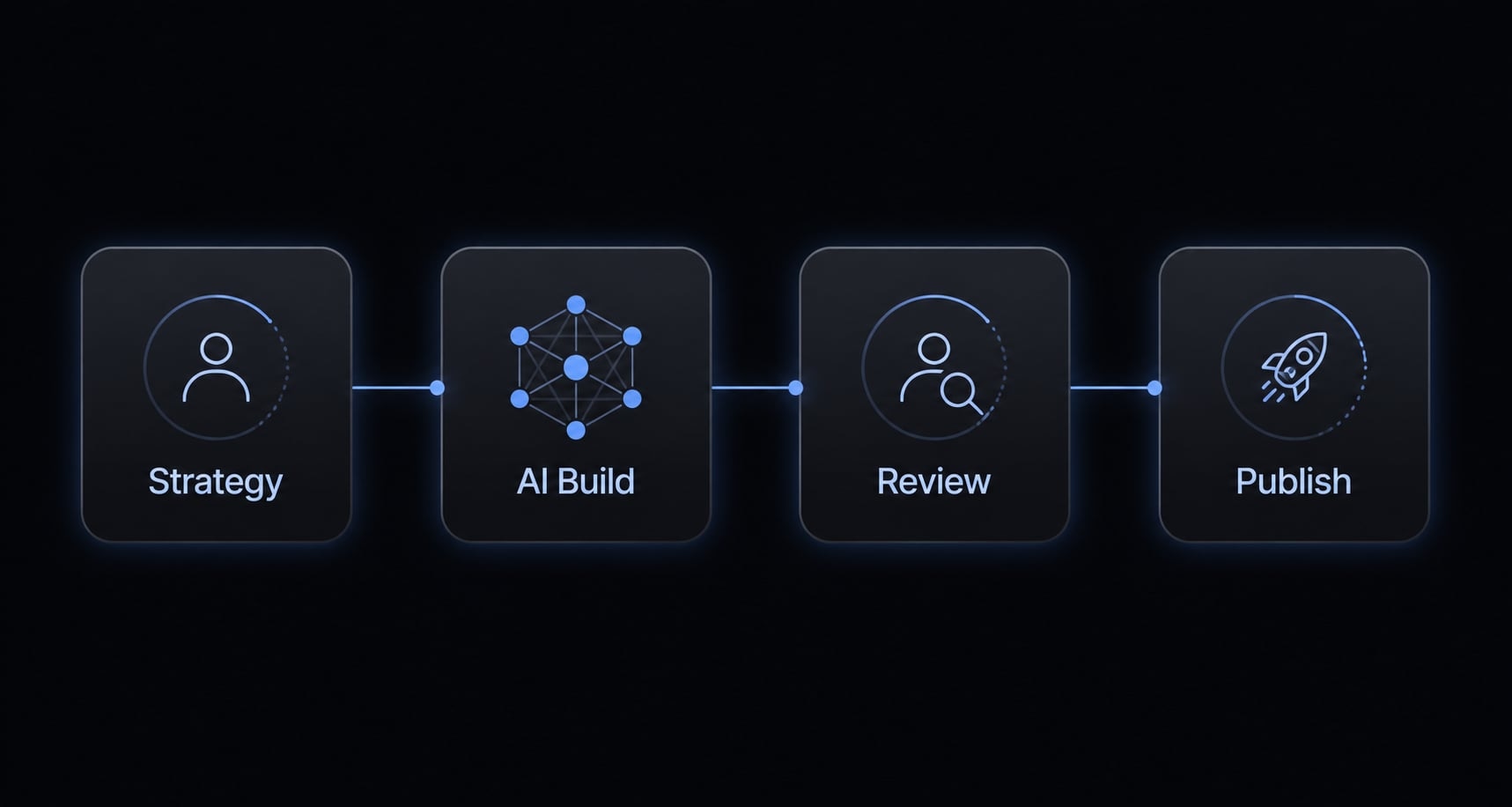
What “vibe coding” means for a landing page
Vibe coding a landing page means using natural language to guide an AI tool as it plans, drafts, and builds the page, instead of you having to write every line of code yourself. In this context, vibe coding is less about magic and more about guided execution: You provide the goals, inputs, and constraints, and the AI helps turn them into a usable page.
That is why landing pages are such a practical use case for AI-assisted web development. A landing page usually has a limited scope, fewer moving parts than a product application, and a faster feedback loop. You can review a hero section, a proof block, or a CTA in minutes.
But there is an important limit. AI can accelerate execution, not replace positioning. A page can look polished and still say very little. A common pattern is that AI-generated pages feel visually complete while the copy remains generic. The bottleneck is often context, not code.
A practical definition, not a buzzword
Vibe coding for a landing page means giving natural language instructions to an AI tool so it can help structure, write, and build the page faster, while you stay responsible for positioning, review, and final quality control.
Why landing pages are a strong AI use case
- They have limited scope, which makes them easier to plan and revise.
- They involve fewer moving parts than full applications or complex product flows.
- They are fast to preview in a browser, which supports quick feedback loops.
- They are well suited to frontend scaffolding because sections are predictable.
- They work well with conversational frontend building, especially for static pages.
- They are a good fit for AI-assisted web development when the offer is already clear.
- They are still vulnerable to weak proof, vague claims, and poor objection handling.
- They often fail when teams expect the AI to infer the customer story automatically.
What AI is good at:
- Drafting a first structure.
- Suggesting section flow.
- Creating rough copy.
- Generating HTML/CSS or simple components.
- Speeding up layout iteration.
What humans still need to control:
- Offer clarity.
- Customer priorities.
- Proof selection.
- Credibility signals.
- Final review and approval.
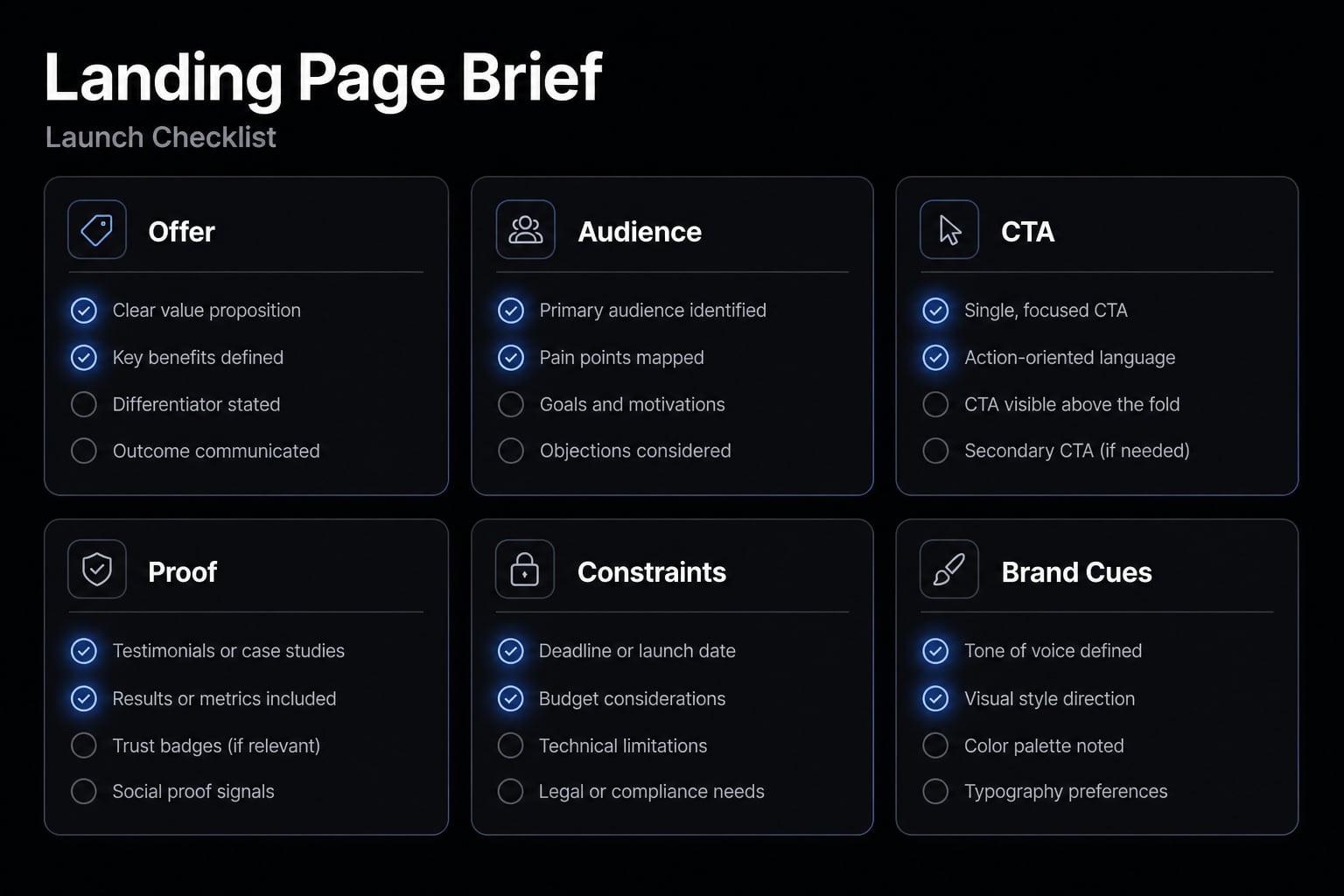
What to prepare before you ask AI to build the page
Before AI builds anything, it needs enough context to build the right page. The quality lever is usually not clever prompting. It is better context packaging. A strong landing page brief gives the AI enough direction to create a page that sounds relevant, not generic. If the input is thin, the output will usually default to broad internet language and safe claims.
The minimum input pack
Before using AI to build a landing page, prepare these inputs:
- Offer summary: What the offer is, who it is for, and what problem it solves.
- Audience: The specific reader segment, such as founders, PMs, growth operators, or technical marketers.
- Primary CTA: The one main action the page should drive, such as book a demo, join a waitlist, or start a trial.
- Proof assets: Testimonials, logos, usage data, customer quotes, outcomes, or relevant credibility signals.
- Must-have sections or constraints: Required sections, compliance notes, page length limits, or specific objections to address.
- Optional style references: Pages, tone examples, or visual direction that show what “good” looks like.
This is not a heavy process. A founder or marketer can usually assemble this landing page brief in 10 to 15 minutes.
Customer language is the real quality lever
If you want a high-converting landing page, real customer insight matters more than sophisticated prompt tricks. In practice, exact customer wording is what reduces bland copy.
Useful inputs include:
- Objections customers raise before buying.
- Pain points they repeat in calls or onboarding.
- FAQs from prospects or users.
- Support questions that reveal confusion.
- Phrases from demo calls, interviews, or chat transcripts.
- The exact words users use to describe the desired outcome.
A vague input sounds like this: “Build a landing page for our AI tool.”
A stronger input sounds like this: “Build a page for solo SaaS founders who waste time rebuilding prompts and workflows every week and want a more repeatable way to ship marketing assets.”
That difference is not just cosmetic. It is the key to reducing generic, bland copy on your landing page by anchoring it in detailed, specific inputs.
Brand inputs that prevent off-brand output
AI also needs brand context. Without it, the model fills in the blanks with familiar patterns, which often leads to AI slop.
Include simple boundaries such as:
- Tone direction: Direct, calm, technical, practical.
- Visual style direction: Minimal, product-led, clean.
- Color preferences if relevant.
- Banned phrases or buzzwords.
- Words you avoid.
- Two or three examples of what “sounds like us”.
If you do not set boundaries, AI fills the gap with default internet language. This is where prompt context management matters. You are not trying to create a giant prompt. You are giving the system enough useful context to stay aligned across drafts.
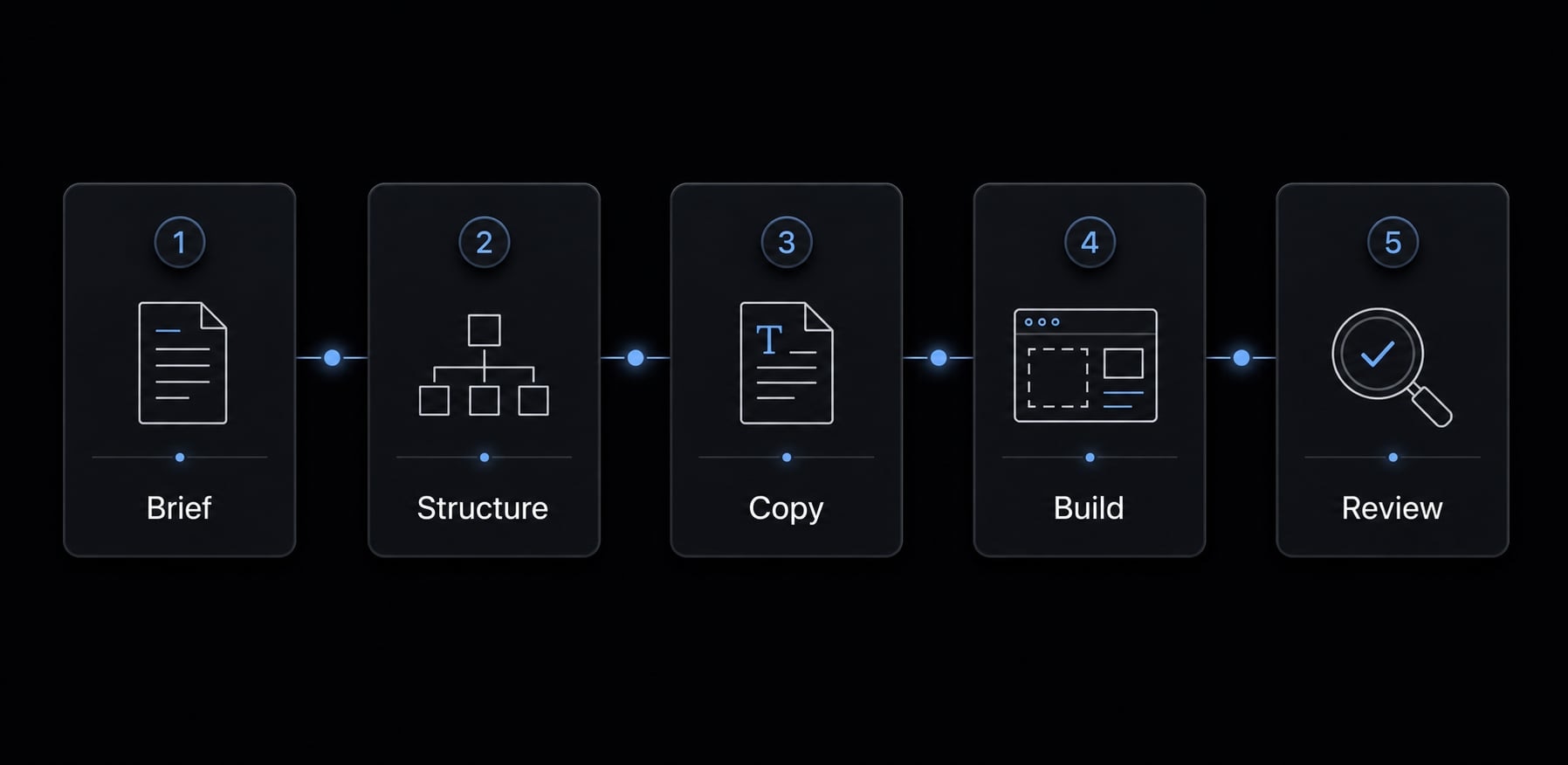
A simple 5-step workflow to vibe code a landing page
- Define goal, audience, offer, and CTA.
- Generate the page structure first.
- Build copy section by section.
- Turn the approved structure into a visual page.
- Preview, review, revise, and publish.
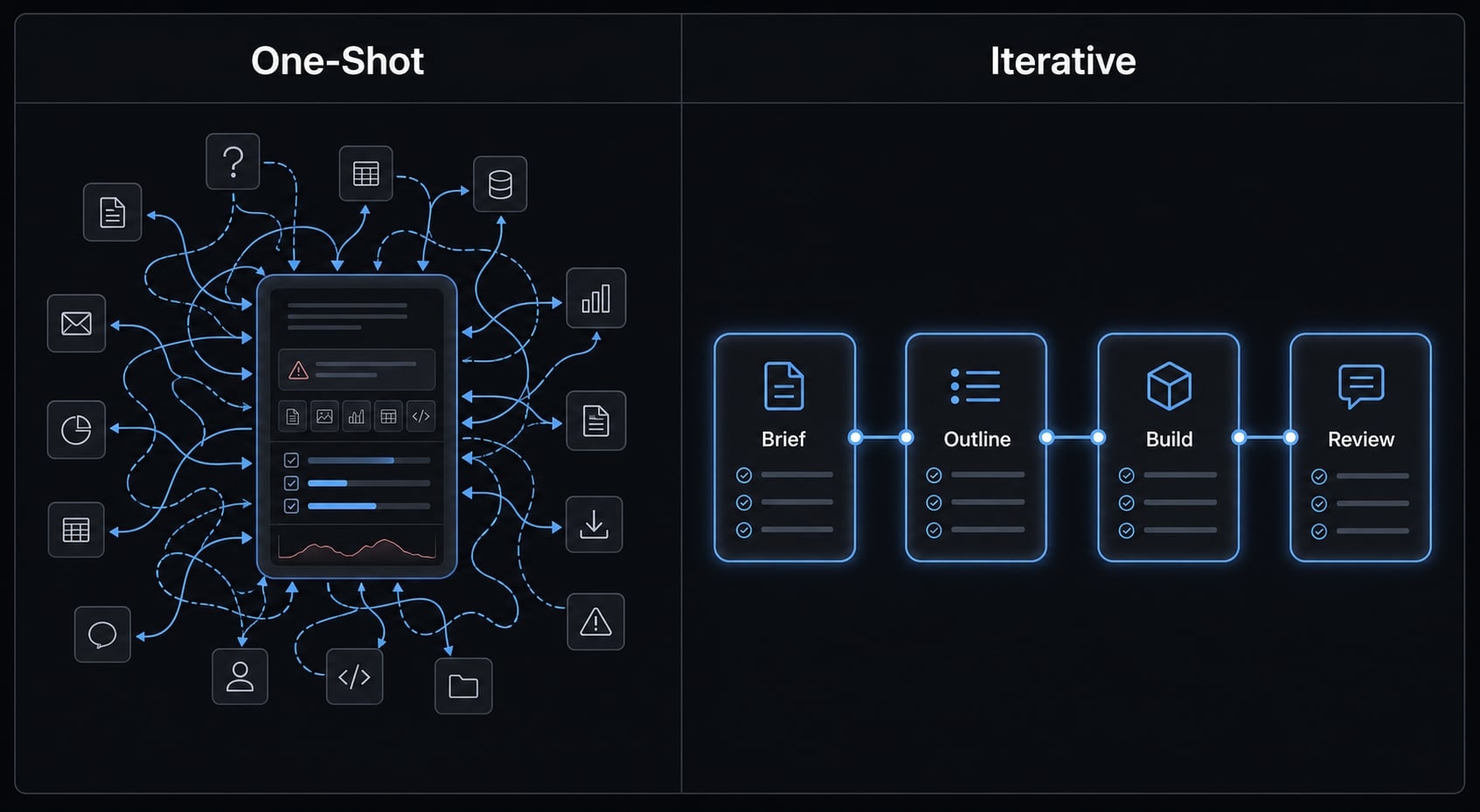
This step-by-step guide to building landing pages with AI agents works because it respects sequence. A common failure pattern is asking for everything at once, then spending hours repairing weak output. In practice, iterative development beats one-shot generation almost every time.
Step 1 - Start with the goal, audience, offer, and CTA
Start by defining the page goal and audience clearly. Who is the page for? What is the offer? What action should happen after someone reads it?
This is where the landing page brief does its job. If the AI does not know whether the page is for a waitlist, a product launch, or a demo-booking flow, the output will drift.
Use a prompt formula like: “Create a landing page structure for [audience] promoting [offer] with the goal of [CTA].”
This first step sounds simple, but it prevents a lot of downstream rework. Clear direction here reduces vague claims later.
Step 2 - Generate the page structure first
Ask for a landing page outline before asking for design or final copy. This is one of the most reliable ways to improve frontend scaffolding.
A practical outline usually includes:
- Hero section.
- Benefits or outcomes.
- How it works.
- Proof or social validation.
- Objection handling.
- CTA section.
Getting the skeleton right is usually more important than getting the first draft pretty.
At this stage, ask the AI to explain what each section should do. That makes it easier to catch weak logic early. If the section flow is wrong, styling will not save the page.
Step 3 - Build copy section by section
Once the structure is approved, build one section at a time. Start with the hero and CTA because they carry the most weight.
This is where iterative prompting matters. Instead of generating the whole page in one pass, refine each section with clear feedback. Tighten broad claims. Replace generic phrases with real customer insight. Make the message more specific, believable, and useful.
A helpful prompt might look like this: “Rewrite the hero for founders who need faster launch execution, using a more specific promise and avoiding generic AI language.”
Why this works:
- It narrows the audience.
- It defines the outcome.
- It flags what to avoid.
- It supports iterative development.
A common pattern is that the first draft sounds acceptable but too broad. That is normal. The goal is not instant perfection. The goal is a stronger second and third version.
Step 4 - Turn the approved structure into a visual page
Only after the structure and copy are stable should you ask the AI to turn the page into a visual build. This is where prompt engineering for web development can stay simple and practical.
Give concrete instructions around:
- Spacing.
- Visual hierarchy.
- Contrast.
- CTA prominence.
- Section separation.
- Mobile responsiveness.
You can ask for output in basic HTML/CSS, lightweight components, or a static build suitable for quick deployment. The exact format matters less than clarity of instruction.
The main guardrail here is simple: Do not over-focus on style before message clarity is locked. A polished layout can hide weak thinking.
Step 5 - Preview, review, revise, then publish
Open the result in a browser preview and review it like a first-time visitor. Can you understand the offer quickly? Is the CTA obvious? Does the page feel easy to scan?
Use screenshots if needed. Screenshot-based review helps teams spot spacing, hierarchy, and message issues faster than reading raw code or draft text alone.
This is the most important human-in-the-loop step. AI-generated output should never go live unreviewed. Use short revision cycles, improve what matters first, and keep the focus on clarity before polish.
That final loop is what turns a rough AI build into something shippable. In practice, this step-by-step guide to building landing pages with AI agents works best when each revision has a narrow goal.
What makes an AI-built landing page good enough to ship
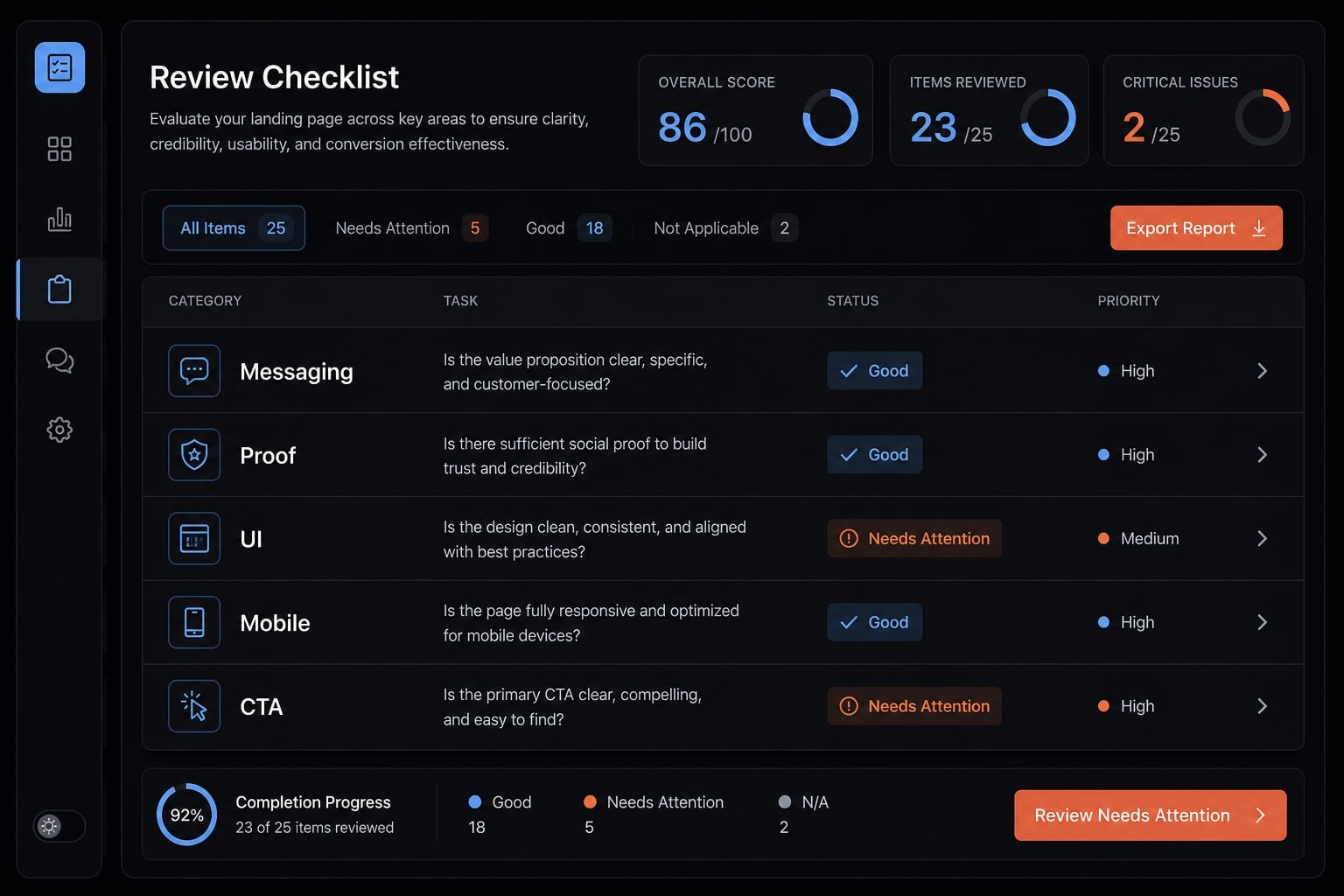
A polished page can still fail. For shipping, the standard is not artistic perfection. The page needs to be clear, credible, readable, and easy to act on. Use this landing page review checklist to judge whether the page is ready.
Messaging checks
Use this part of the landing page review checklist first:
- Can a first-time visitor understand the offer in 3–5 seconds?
- Is the headline specific rather than abstract?
- Is there one clear CTA?
- Does the page speak to outcomes, not just features?
- Is the headline clarity strong enough to stand on its own?
Proof and objection checks
Proof is where many AI pages stay weak. Run these proof checks:
- Are testimonials real and relevant?
- Are logos or trust indicators included where useful?
- Are metrics or outcomes believable and easy to find?
- Does the page show credibility signals near the claims they support?
- Does the page address objection handling around time, complexity, fit, or trust?
Proof should sit close to claims, not be buried at the bottom.
UI and shippability checks
- Is the page readable without effort?
- Is spacing consistent?
- Is the layout easy to scan?
- Is the contrast strong enough to support reading?
- Is mobile responsiveness acceptable on smaller screens?
- Is the CTA visible without hunting for it?
- Does the visual hierarchy guide the eye naturally?
The goal is not perfect design. The goal is a page that feels usable, trustworthy, and easy to act on.
Common mistakes when vibe coding a landing page
Most mistakes when building landing pages with AI come from the process, not the technology. The pattern is usually the same: Too little context, too much generated at once, and too much trust in the first polished draft.
One-shot prompting and vague context
A common mistake is asking AI to create the whole page in one pass. One-shot prompting often produces shallow structure and weak copy because the tool is trying to solve strategy, messaging, and design at the same time.
Why it happens:
- People want speed.
- The page seems simple.
- The tool seems capable enough for everything.
A better flow is:
- Brief.
- Outline.
- Sections.
- Visual build.
- Review.
Even context-aware AI cannot infer positioning you never gave it. That is why iterative prompting works better. It reduces drift and makes revision more manageable.
Chasing polish before clarity
Another frequent source of landing page mistakes is focusing on design polish too early. A page can look modern and still contain generic landing page copy that does not convert.
Watch for signs of AI slop:
- Big promises with weak specifics.
- Repetitive benefits.
- Abstract buzzwords.
- Little or no proof.
- Sections that look complete but say almost nothing.
A better sequence is:
- Message.
- Structure.
- Visuals.
- Final cleanup.
This is a form of controlled iteration. You are improving the page in the right order, instead of hiding strategic problems behind prettier output.
A practical example of a structured AI workflow
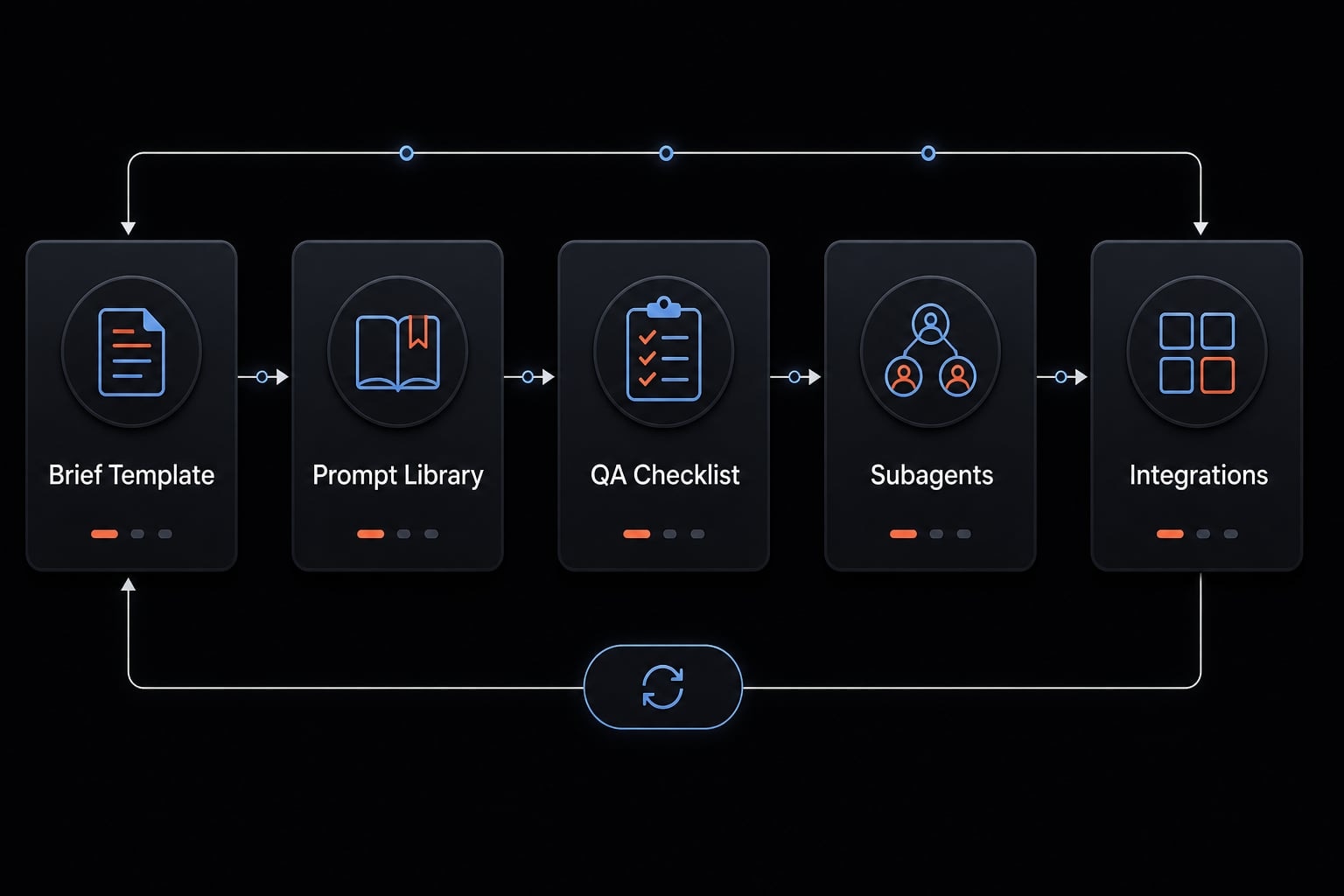
When a founder or small team needs to ship multiple pages, the goal should be repeatability, not just speed. This is where reusable AI workflows become useful.
A practical landing page workflow might include:
- One reusable brief template.
- A small library of prompt templates.
- A section-level QA checklist.
- A lightweight deployment process.
- A review loop for copy, layout, and mobile checks.
Over time, this reduces prompt drift. Teams stop rebuilding the process from scratch for every new campaign page, waitlist page, or feature launch.
This is also where systems built around AI agents can help. Instead of relying on memory, teams can organize reusable steps, prompts, review criteria, and integrations in one place. Systems like AgentKit can support this by organizing reusable skills, subagents, workflow steps, and MCP integrations so production stays consistent without becoming rigid.
The value is operational: Faster review, clearer inputs, and more dependable output quality.
Frequently asked questions
What is vibe coding for landing pages?
Vibe coding is an approach that uses natural language to guide AI coding tools instead of requiring developers to write code manually. In landing page development, it accelerates wireframing, copywriting, and interface design through direct feedback loops with AI.
What should you prepare before using AI to build a landing page?
Prepare a minimum “context package” that includes the page objective, ideal customer profile, value proposition, supporting evidence such as testimonials and metrics, primary call to action (CTA), and brand guidelines. This information helps prevent generic results.
How do you prevent AI-generated results from feeling generic?
Provide real customer data - such as FAQs, specific pain points, and phrases customers commonly use - instead of broad descriptions. You should also apply iterative prompting to each section individually rather than asking the AI to generate the entire page in a single attempt.
Why should you build a landing page section by section instead of asking AI to create everything at once?
Building each section separately - including the hero, benefits, supporting evidence, and FAQs - gives you greater control over content and design quality. It allows you to correct weak sections before they become part of a more complex overall structure.
Does an AI-generated landing page still require review?
Yes. Evaluate it against shippability criteria, including whether the message is clear within the first three seconds, the design is consistent, the page is optimized for mobile devices, and the content addresses the psychological barriers of prospective customers.
How do tools such as AgentKit support this process?
AgentKit helps standardize workflows by organizing prompt templates, specialized subagent skills, and reusable evaluation checklists. This enables operational teams to create landing pages more reliably and consistently while reducing the time required to launch new campaigns.
Read more:
- 7 practical vibe coding examples: Build apps faster with AI
- Andrej Karpathy vibe coding: What it is and how it works
- Vibe code Android: How to build apps faster with AI prompts
Conclusion
A strong vibe code landing page does not come from asking AI to do everything at once. It comes from a simple discipline: prepare the right context, approve the structure first, build section by section, review against conversion criteria, and publish only after the page feels clear and credible.
AI is strongest here as an execution partner, not a substitute for customer understanding. If you want better results consistently, the next step is to standardize the process with reusable AI workflows. Start with a landing page brief template, a section-by-section prompt pack, and a review checklist your team can reuse every time.