How to properly activate Claude Code skill: Complete guide
How to properly activate Claude Code skill: A troubleshooting guide
If your Claude Code skill shows up in your listings but completely ignores your prompts, the real bottleneck is rarely installation-it’s activation. It is frustrating to write a clear prompt only to have a valid skill sit idle. Fortunately, fixing this "installed but ignored" behavior is far simpler than it looks. By verifying your setup, proving direct invocation, and sharpening your skill description-saving hooks as a last resort, you can quickly turn spotty triggers into a dependable, daily workflow.
How Claude Code skill activation actually works
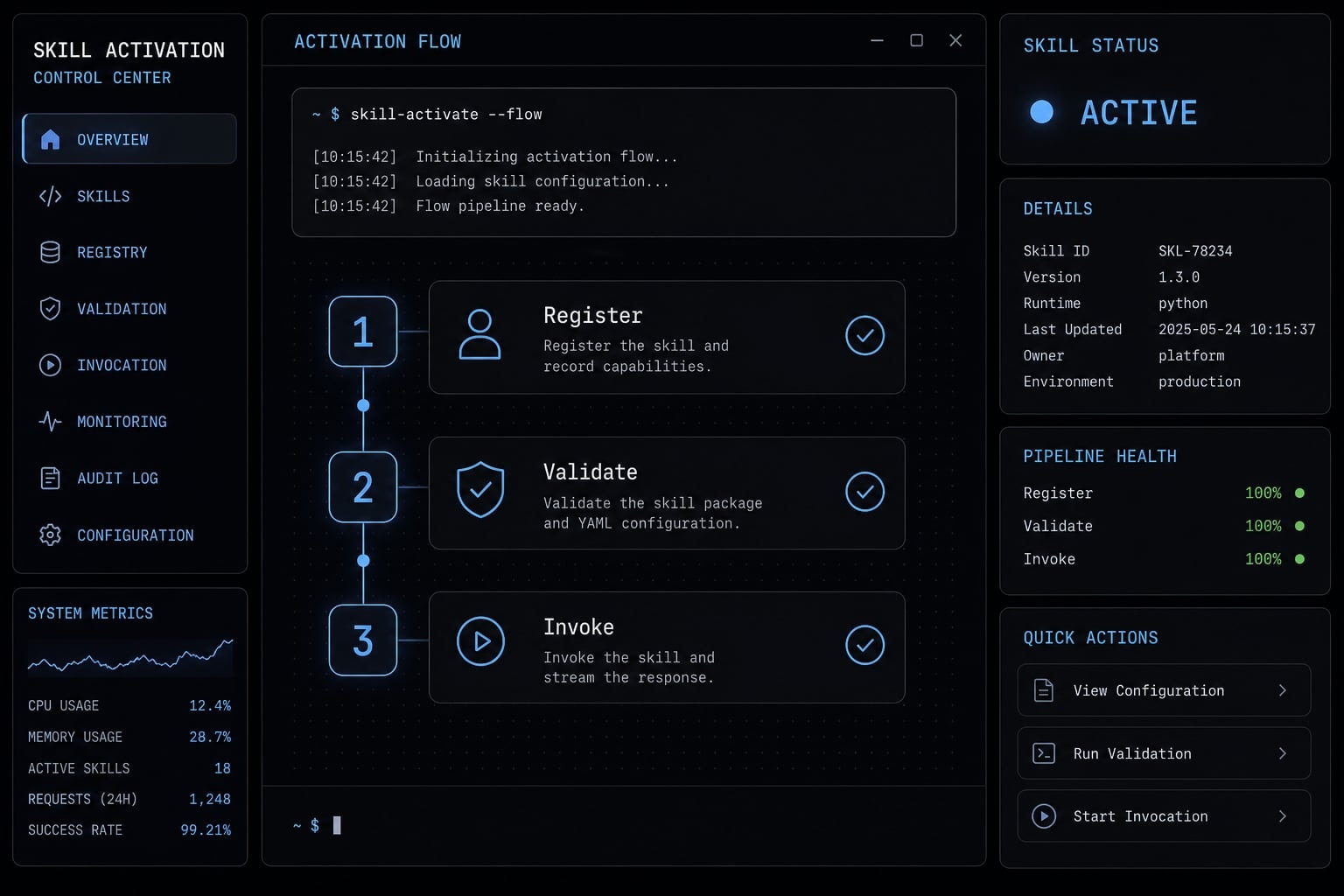
Claude Code skill activation is best understood as three separate states: A skill can exist, it can be visible, and it can be invoked. Those are not the same thing. If you treat registration as proof of working activation, you will usually debug the wrong layer.
From an operational perspective, model invocation is not guaranteed just because a skill is valid. Claude Code can detect a skill through its SKILL.md file and still choose not to load it automatically for a given prompt.
Registration is not the same as activation
A skill being present on disk does not mean it will run at the right time. A valid SKILL.md can make the skill available, but the model still decides whether the request is relevant enough to use it.
From a troubleshooting perspective, the most common mistake is treating a visible skill as proof that activation is already working. In practice, activation depends on three things working together:
- Correct setup.
- Strong relevance in the description.
- The right invocation path.
The 3 activation modes you should know
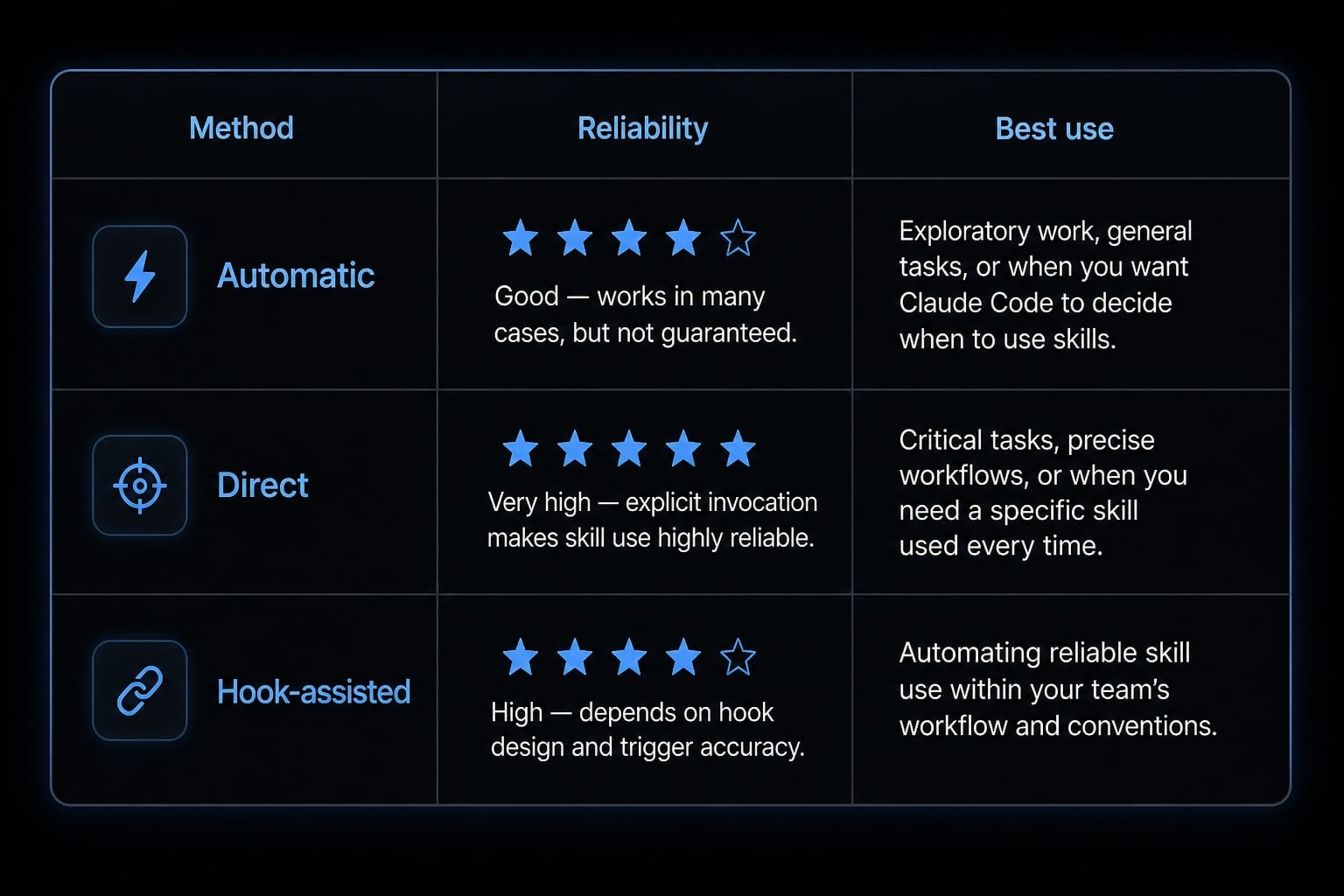
- Automatic activation: Claude decides to use the skill based on description relevance. This is convenient, but non-deterministic.
- Direct invocation: You call the skill explicitly with
/skill-name. This is the most reliable control path. - Hook-assisted activation: A prompt-time instruction, often through a
UserPromptSubmithook, nudges or forces skill usage. This can improve consistency, but adds maintenance.
Activation method | How it works | Reliability | Best use case |
|---|---|---|---|
Automatic | Claude matches prompt to skill description | Medium | Convenience in normal work |
Direct | User calls | High | Important or repeatable tasks |
Hook-assisted | Hook reminds or pushes Claude to check skills | Medium to high | Workflows needing more consistency |
The correct setup checklist before you troubleshoot anything else
Before you try advanced fixes, rule out the basic causes first. Most failures in Claude Code skills come from file placement, weak SKILL.md frontmatter, or testing the wrong scope.
- Check the correct skill location.
- Validate the YAML frontmatter.
- Confirm the
descriptionis meaningful. - Verify the skill is visible.
- Test
/skill-namedirectly.
If these five checks are not clean, do not move to hook configuration yet. Hooks can mask the real issue instead of solving it.
Check the skill location first
Use the correct path for the scope you intend to test:
- Personal skill:
~/.claude/skills/<skill-name>/SKILL.md - Project skill:
.claude/skills/<skill-name>/SKILL.md
Also verify scope before you debug anything else:
- Personal scope applies across projects.
- Project scope applies only inside that project.
- Scope confusion can make a skill look “missing” or “inconsistent”.
If you are testing a project skill but expecting global behavior, your results will be misleading.
Validate your YAML frontmatter
A valid YAML configuration for AI agents does not need to be complex, but it does need to be clean. The most important field for activation is the description.
Use a minimal pattern like this:
---description: Use this skill when the user asks to research a technical claim, verify documentation, or compare implementation options before coding.---
Check these points:
- YAML syntax is valid.
- the frontmatter opens and closes with
---. descriptionis present.disable-model-invocation: trueis not blocking automatic use unless you intended that behavior.
A weak or malformed frontmatter block can create silent quality problems. The skill may still appear present, but activation quality can drop sharply because the matching signal is poor.
Confirm the skill is visible and callable
Run two separate checks:
- Ask Claude to list available skills.
- Test the skill with
/skill-name.
Each check proves something different:
- Not visible: Usually a path or format issue.
- Visible but not callable: Often a naming or scope issue.
- Callable but not auto-triggered: Usually a matching issue tied to the description.
This is why visibility alone is not enough. You need to prove direct invocation before you spend time improving autonomous behavior.
How to make a Claude Code skill trigger more reliably
Once setup is correct, the strongest lever for improving activation is the skill description. Most auto-trigger failures that happen after setup is fixed come from vague descriptions, not missing files.
If you want better Claude Code tool invocation, the description should reflect how users actually ask for help. Internal shorthand, team nicknames, or vague labels usually weaken matching quality.
Better phrasing can improve Claude Code autonomous skill usage, though it still does not guarantee automatic activation.
What a good skill description should include
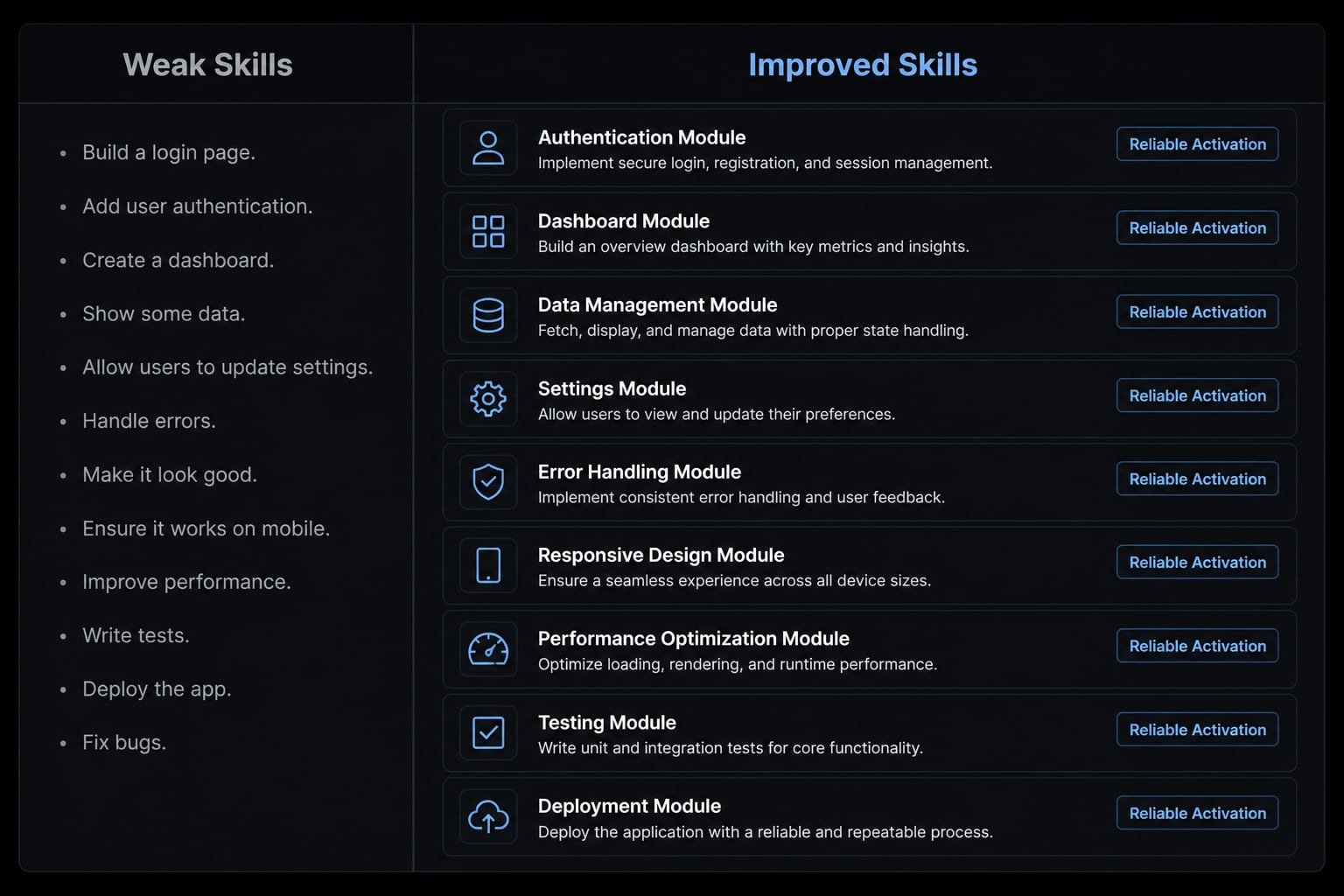
A strong skill description should include:
- What the skill does: Example: reviews diffs, verifies docs, checks framework patterns.
- When it should be used: Example: before coding, when validating an approach, when reviewing changes.
- Common request patterns: Example: “review this diff,” “check the docs before coding,” “compare implementation options”.
- User-facing wording: Match the way people actually phrase requests, not internal team jargon.
Good descriptions are built around real prompt language. If builders call a skill “architecture verifier” but users ask “does this match the framework pattern?”, the description should reflect the second phrasing.
Bad vs better description examples
Below are practical examples of best practices for Claude Code skill triggering.
1. Research or docs verification skill
Weak:
description: Research helper for technical questions.
Better:
description: Use this skill when the user asks to verify a technical claim, check the docs before coding, compare implementation options, or confirm whether a documented approach is correct.
Why it works better: It contains clearer trigger words and realistic request patterns.
2. Code review or diff review skill
Weak:
description: Reviews code changes.
Better:
description: Use this skill when the user asks to review this diff, check recent changes for risks, summarize what changed, or flag missing tests, error handling, and unsafe assumptions.
Why it works better: it maps directly to natural developer prompts.
3. Framework-specific implementation skill
Weak:
description: SvelteKit support.
Better:
description: Use this skill when the user asks whether an approach matches the SvelteKit pattern, needs help with load functions, form actions, route structure, or wants to compare implementation options before coding.
Why it works better: it narrows the job while still covering multiple plausible prompts.
When to narrow or broaden a skill
If a description is too broad, relevance gets weak. If it is too narrow, discoverability drops. A practical default rule is:
- One clear job.
- Several common request patterns.
- No unnecessary internal wording.
That balance usually gives better matching than either a generic label or a highly specialized phrase no one actually types.
The safest activation path: Test automatic, then use direct invocation
The safest workflow is simple: Prove the skill manually first, then test natural-language matching. Automation is convenient; control is safer.
If you are debugging Claude Code custom skill invocation, do not start by assuming automatic behavior should work perfectly. Start by proving the skill can be called on demand.
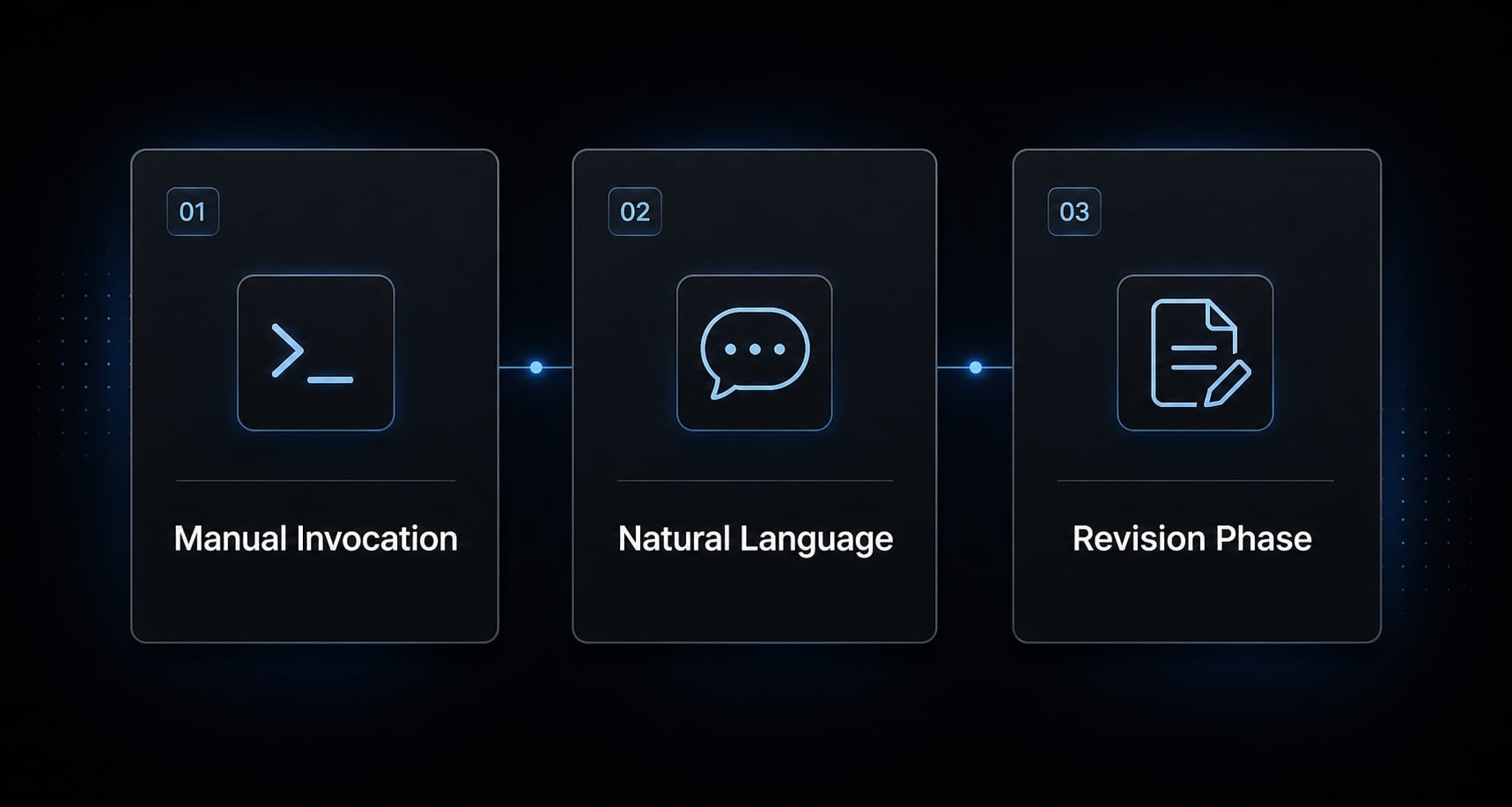
A simple 3-step activation test
- Call the skill directly with
/skill-name: This proves the skill is callable. - Try a natural-language prompt that should match: This tests autonomous matching quality.
- Compare the result and revise the description if needed: If manual works and auto does not, your issue is usually matching, not setup.
This is the shortest reliable path for activating custom Claude skills without overengineering the environment.
When manual invocation is the right choice
Use direct invocation when:
- The task is high-stakes.
- The workflow is repeatable across a team.
- A missed activation would cause rework.
- The skill includes a strict checklist or review process.
Manual invocation is not a failure. It is a precision tool. For many teams, the best operating model is auto for convenience and explicit invocation for anything that must be correct.
If auto-activation still fails, use a hook-based workaround
Do not jump to hooks first. Use them only after path, frontmatter, visibility, and description checks are already clean. If you still need how to fix Claude Code skills not activating, a Claude Code UserPromptSubmit hook can be a useful fallback.
There are two practical options: A lightweight reminder and a stronger forced eval hook pattern.
Method | How it works | Reliability | Trade-off |
|---|---|---|---|
Automatic | Relies on description matching | Medium | Least setup, less control |
Direct | Explicit | High | Requires user intent each time |
Lightweight hook | Reminds Claude to check skills first | Medium | Low overhead, not guaranteed |
Forced-eval hook | Requires evaluate-before-implement behavior | Higher | More setup and maintenance |
Option 1: A lightweight instruction hook
A lightweight hook adds a reminder at prompt submission time. The goal is not to hard-force activation, but to nudge Claude to check available skills before responding.
This works well when:
- You are working solo.
- You want a low-overhead consistency boost.
- You do not want extra scripting complexity.
It is best understood as a prompt-time reminder, not a guarantee.
Option 2: A stronger forced-evaluation approach
A forced eval hook uses an evaluate-before-implement pattern. Instead of hoping Claude checks for a skill, the hook pushes a stricter decision sequence: Evaluate whether a skill applies, activate it if relevant, then continue.
This is stronger for consistency-sensitive workflows, especially when missed activation creates bad output or duplicate work. The trade-off is straightforward:
- More control.
- More structure.
- More maintenance overhead.
When teams ask about using forced evaluation hooks in Claude Code, this is the main trade-off to understand first.
Minimal settings.json example
A minimal hook configuration can look like this:
{ "hooks": { "UserPromptSubmit": [ { "hooks": [ { "type": "command", "command": ".claude/hooks/skill-check.sh" } ] } ] }}
Use this as example structure, not a universal drop-in fix. Also verify:
- The script path is correct.
- Executable permissions are set if needed.
- The hook logic matches your actual skill workflow.
If you want a lightweight implementation, a simple reminder script is often enough. If you need stronger consistency, a forced-evaluation pattern is usually the next step.
A 5-minute troubleshooting flow for skills that are installed but ignored
If a skill exists but still feels unreliable, use this fast troubleshooting order. It isolates the issue without overcomplicating the process.
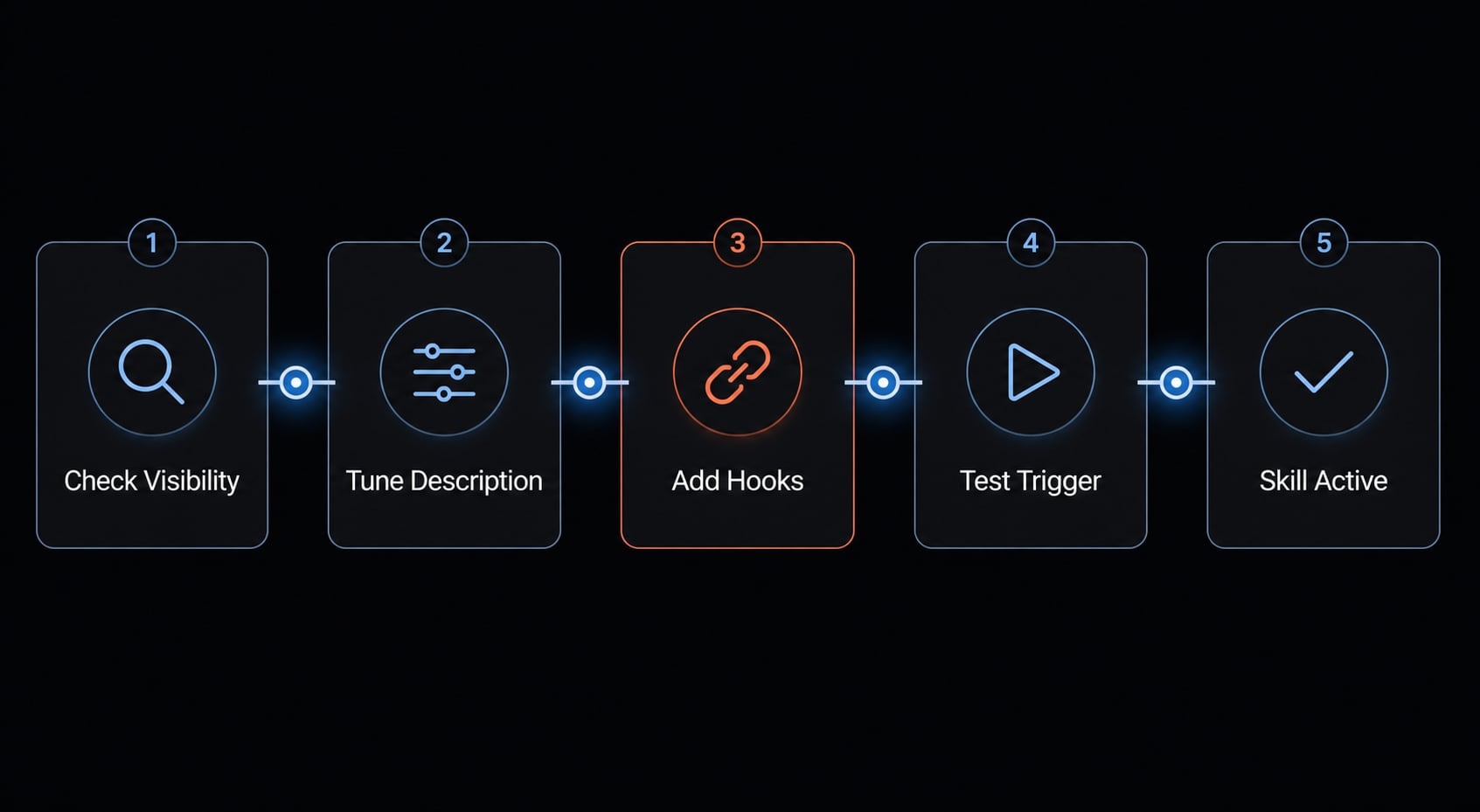
Quick diagnostic order:
- Not visible? Check path and YAML validation.
- Visible but not callable? Check skill name, scope, and file format.
- Callable but not auto-triggered? Improve the description and request patterns.
- Still inconsistent? Add a Claude Code UserPromptSubmit hook.
This logic maps cleanly to the main failure modes:
- Not visible = Setup issue.
- Visible but not callable = Naming or scope issue.
- Callable but not auto-triggered = Matching or model invocation issue.
- Still inconsistent after clean setup = Hook candidate.
If you follow this order, you avoid the common mistake of trying advanced workarounds before proving the base configuration works.
Practical example: Turning a “visible but ignored” skill into a reliable workflow
A common practical workflow looks like this: A team creates a research skill and stores it in the correct folder. Claude can list the skill, so they assume activation is solved. But during normal prompts, the skill is ignored.
They then verify four things:
- Path and frontmatter are valid.
- Direct invocation with
/skill-nameworks. - The original description is too vague.
- A rewritten description includes real prompt language like “check the docs before coding” and “compare implementation options”.
After that, Claude Code skill triggering becomes more reliable, but still not perfect. For important research tasks, they keep using direct invocation. For lightweight consistency, they add a small hook-based activation reminder through UserPromptSubmit.
That is usually the right outcome: Not “perfect automation,” but a practical workflow with fewer misses and better control.
Frequently asked questions
Why is my Claude Code skill visible but not activating automatically?
A skill being visible only confirms it is correctly registered in the system. Claude Code triggers skills based on relevance to your request; if the description in your SKILL.md frontmatter is too vague or fails to match your prompt patterns, the model may bypass the skill entirely.
How do I check if my skill is correctly registered?
To confirm registration, ask Claude to "list available skills." If your skill does not appear, verify your directory path (~/.claude/skills/<skill-name>/SKILL.md) and ensure your YAML frontmatter is properly formatted with a valid description field.
What is the difference between direct invocation and automatic activation?
Automatic activation relies on Claude autonomously deciding a skill is relevant based on your prompt, which can be inconsistent. Direct invocation, performed by typing /skill-name, forces the tool to execute immediately, serving as the most reliable way to ensure a specific procedure runs.
Can I force a skill to trigger if it won't activate on its own?
Yes. You can use a UserPromptSubmit hook in your .claude/settings.json to inject an explicit instruction into the conversation. A "forced evaluation" hook creates a commitment mechanism where Claude must evaluate and then execute the required skill before proceeding with other tasks.
What should I include in a skill description to improve triggering?
A high-performance description should include specific task triggers, clear usage scenarios, and keywords that mirror how you actually phrase requests. Instead of generic labels, use descriptive phrases like "compare implementation options" or "review this diff" to align with natural-language prompt patterns.
Should I use hooks for all Claude Code skill activation?
No. Hooks are best reserved as a fallback for high-stakes or repeatable workflows where consistent triggering is critical. For most tasks, focus on refining your SKILL.md description first, as this maintains a cleaner, lower-maintenance setup without the overhead of shell-scripted hooks.
Read more:
- Claude Code skills best practices: Build reusable AI workflows
- Claude Code tutorial: Set up and master your AI coding agent
- Claude Code slash commands: Essential shortcuts for CLI flow
Conclusion
If you want the shortest answer to how to properly activate Claude Code skill, follow the sequence that actually isolates the problem: Setup first, then description quality, then a direct invocation test, and only then an optional hook. That order matters because registration is not the same as activation.
Reliable skill usage is ultimately about control, not blind automation. Automatic triggering is useful, but manual invocation remains the safest fallback for critical work. If you want a reusable next step, use a clean skill template, a frontmatter checklist, or a lightweight AI workflow setup guide to standardize how your team creates and tests skills.