
Claude Code invalid tool parameters: What it means and what to try first?
If you are seeing Claude Code invalid tool parameters in the middle of a task, the problem is usually not your prompt alone. In practice, this error often shows up when a tool call fails, the workflow stalls, and Claude Code starts retrying the same broken path. The most common causes fall into a few buckets: a version-related issue, a schema mismatch, a wrapper or integration problem, or a local environment problem. This guide breaks down what the error usually means, where it commonly appears, what public reports suggest, and what to try in the next five minutes before you escalate.
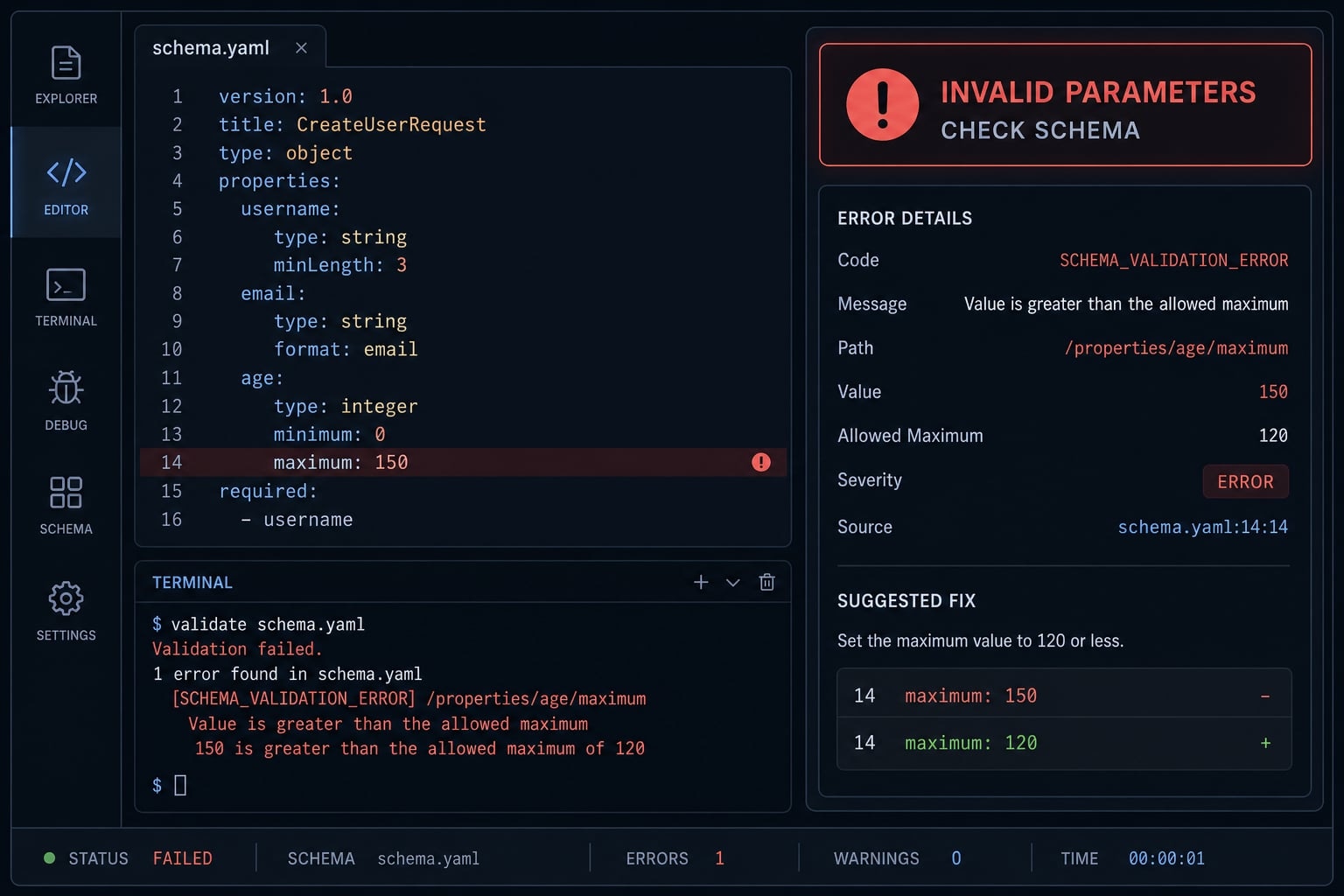
What “Invalid Tool Parameters” usually means in Claude Code?
Invalid tool parameters in Claude Code usually means the tool call arguments did not match what the tool expected. In plain terms, Claude Code tried to call a tool with the wrong input shape, missing fields, unexpected fields, or parameters that failed validation. This is a tool call validation failure, not always a user mistake.
A Claude Code invalid tool parameters error can come from several layers:
- Claude Code CLI behavior
- Model-generated tool arguments
- The tool’s expected schema
- A wrapper, router, MCP integration, or custom layer
- Version compatibility changes after an update
In some cases, the visible stack trace is vague. You may see a generic failure, undefined, or a terminated session even when the real issue is an invalid parameter schema in Claude Code or an InputValidationError.
Translation of the error into normal language
The simplest translation is this: The tool expected one shape of input and received another.
That mismatch might mean:
- A required field was missing
- An unexpected field was sent
- A field name changed
- A wrapper transformed the payload incorrectly
- A newer CLI version behaves differently than the previous one
Common error variants include:
Invalid Tool ParametersInputValidationError- Missing required parameter
- Unexpected parameter provided
Error calling tool openFile: undefined- Repeated tool failures during the same task
Why recursive failures happen after the first error?
Once the first validation miss happens, the session can get noisy fast.
- One failed tool call may trigger retries.
- The agent may keep choosing the same broken tool path.
- A single bad payload can turn into recursive failures.
- The result often looks worse than the original problem.
The key takeaway: this error does not necessarily mean you have used Claude Code incorrectly. The root cause may sit in the CLI, the tool schema, a wrapper, or a version-specific regression.
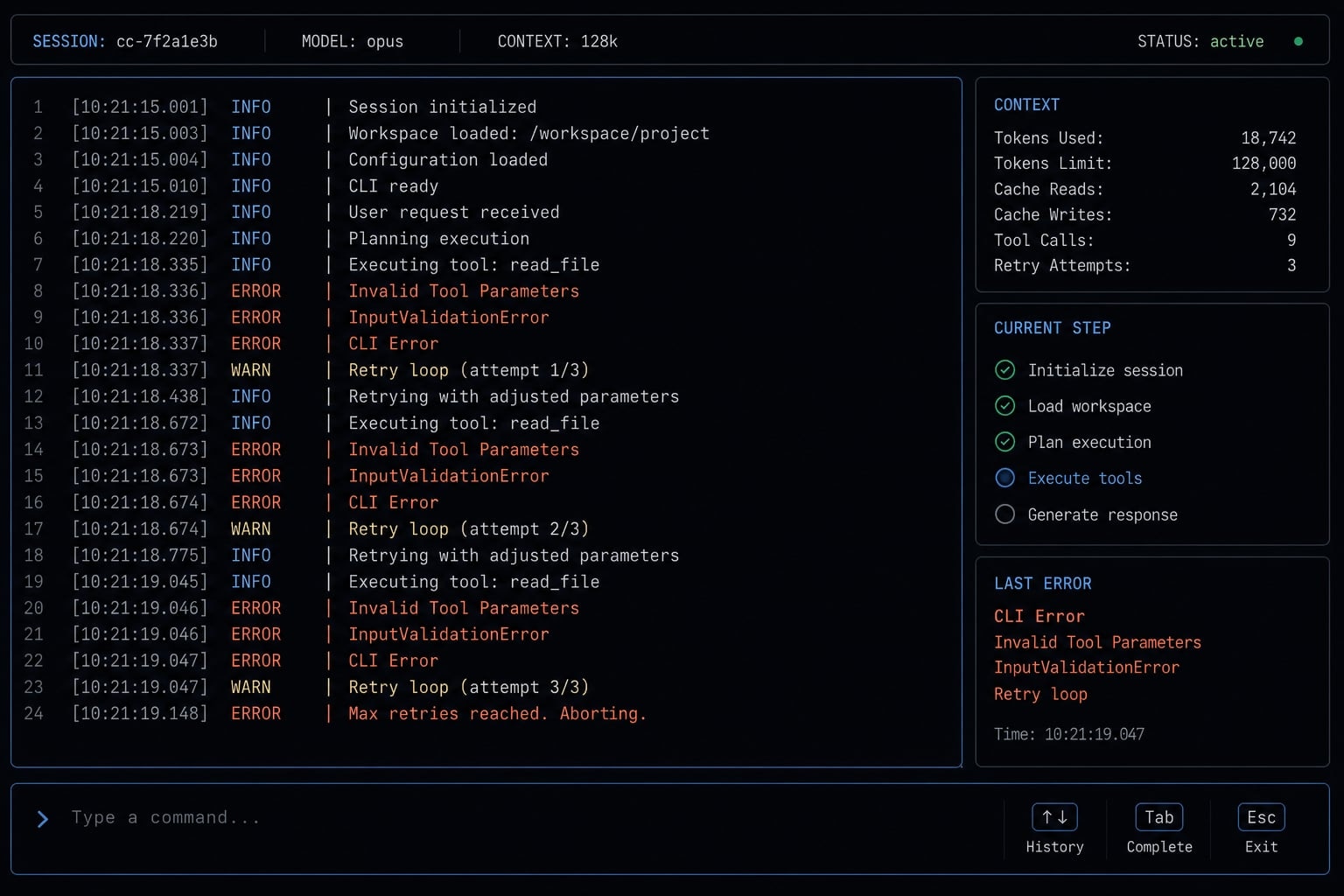
Common scenarios where the error shows up
This error usually becomes obvious when a normal workflow suddenly stops working around one specific tool.
Write tool pattern
The invalid-parameters pattern for the Write tool is one of the easiest to recognize:
- Claude Code starts editing, then fails mid-task.
- It retries instead of completing the change.
- A previously stable flow may break after an update.
- The session may loop without producing a successful file write.
- The visible error may stay generic even when the underlying cause is an AI tool input validation error.
In practical terms, this often feels like: “It used to edit files normally, and now it keeps failing on the same action.”
openFile pattern
The openFile error pattern in Claude Code tends to show up early because file-access tools are often used before editing begins. In reported cases, the output can be vague, including errors like undefined. Once openFile fails, dependent steps break quickly because the workflow cannot reliably inspect or prepare the file before making changes.
This is one reason file tools often expose a JSON schema mismatch or validation issue faster than later-stage actions.
TodoWrite and schema mismatch
A TodoWrite failed is one of the clearest examples of a schema mismatch because the error often names the exact problem: a required field is missing, or an unexpected field was provided.
Example:
- Expected:
todos - Received:
text
That pattern strongly suggests a payload shape problem rather than a random CLI crash. It can happen in native Claude Code, but it is especially common when a router, wrapper, or custom integration validates tool calls differently from the native environment.
The key distinction is this:
- Native Claude Code failure may point toward a CLI or version issue.
- Wrapper-layer failure often points toward a transformed or outdated tool schema.
If you use custom tooling around Claude Code, the same symptom can appear even when the root cause is outside the core CLI.
What public reports suggest so far
Public reports suggest this is a known Claude Code issue pattern, but not a single-root-cause problem. Multiple reports indicate that invalid parameter failures have appeared around tools like Write, openFile, and TodoWrite, sometimes with repeated retries or recursive tool calls after the first failure.
Some threads also suggest version timing matters. In particular, several users reported problems around early 1.0.x behavior, which raises the possibility of a Claude Code 1.0.x bug in at least some cases.
Version pattern around 1.0.x
Patterns seen across public reports include:
- Clustering around early 1.0.x releases
- Failures involving
Write - Failures involving
openFile - Repeated validation-style loops
- Cross-platform mentions, including Linux and macOS
- Reports where the flow worked before an update, then failed after it
This does not imply that every GitHub issue regarding this error shares the same root cause. It does show the pattern is real enough to treat version timing as a serious clue.
What these reports do and do not prove?
A careful reading of public cases leads to a three-part view:
Confirmed:
- Similar public reports exist.
- The error has appeared across multiple tools.
- Recursive retry behavior has been observed.
Likely:
- Some regressions appear version-related.
- Early 1.0.x clustering is meaningful.
- Certain tool paths may be more exposed than others.
Not universally confirmed:
- Not every invalid tool parameter case is a core Claude Code bug.
- Some failures may come from wrappers or integrations.
- Some cases may still be tied to one machine, repo, or environment.
Treat this as a real issue class, not proof that every case has the same upstream source.
A 5-minute troubleshooting checklist
- Check your Claude Code version.
- Test a simple prompt.
- Restart the CLI session.
- Identify the failing tool.
- Remove wrappers or custom integrations.
- Update or roll back if needed.
- Save the exact error text.
To fix this error, begin with low-risk isolation steps. The goal is not to guess. The goal is to reduce variables before you change too much at once.
Check version and timing
For troubleshooting InputValidationError in Claude Code CLI, version timing is one of the fastest signals.
- Confirm the exact installed CLI version.
- Ask whether the problem started right after an upgrade.
- Check whether the same task worked on the prior version.
- If yes, treat this as a version compatibility clue.
- If no recent change happened, keep investigating other layers.
A useful interpretation:
- Started after update → Stronger regression signal.
- Always happened in one setup only → Stronger environment or integration signal.
Run a minimal test prompt
A fast way to isolate this is to shrink the task.
- Try a simple read-only request first.
- Then try a very small edit on a non-critical file.
- Note whether only one tool path breaks.
- Check whether the error appears only with
Write, only withopenFile, or only through a custom tool.
This helps narrow whether you are dealing with:
- One broken tool.
- A broader CLI runtime error.
- A wrapper-specific validation problem.
If a minimal request fails the same way, that is more useful than retrying a large task five times.
Separate native Claude Code from wrappers and integrations
This is one of the fastest diagnosis shortcuts. If you use a router, wrapper, MCP layer, or custom integration, test the same basic task in native Claude Code without those layers if possible.
Useful logic:
- Native passes, wrapper fails → Likely integration or schema transformation issue.
- Native fails too → Stronger signal of a core CLI or version problem.
- Only one custom tool fails → Likely tool-specific schema mismatch.
This matters because some tool call validation failure cases are caused by payload transformation between layers, not by Claude Code itself.
Decide whether to update, roll back, or stop retrying
Once you have a cleaner signal, make the smallest safe move:
- Update if a known fix is available.
- Roll back if the issue started immediately after an upgrade.
- Stop repeated retries if the session keeps looping.
- Preserve the exact output before restarting again.
- Avoid making several environment changes at once.
For a Claude Code tool call recursive error fix, fewer changes usually produce better evidence. If you overwrite the conditions too quickly, you lose the trail that helps you diagnose or report the issue properly.
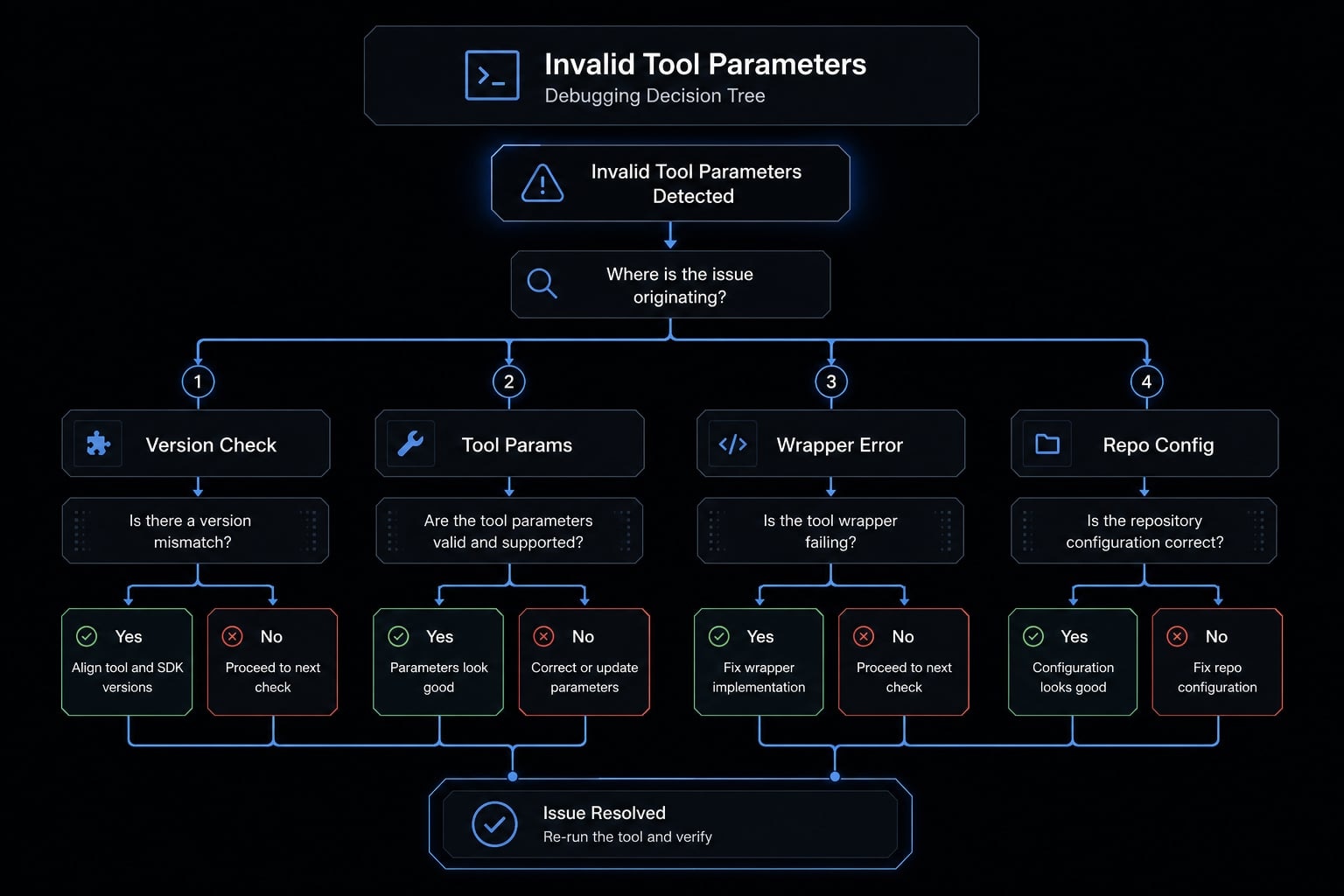
A soft next step if you maintain team workflows: Keep a reusable internal troubleshooting note for recurring CLI failures. It reduces noise when the same pattern reappears after upgrades.
How to tell if it’s a Claude Code bug, a schema mismatch, or your setup
Most blocked sessions become easier once you classify the pattern. You do not need protocol-level detail. You need enough signal to decide the next move.
Signal | Likely Claude Code bug | Likely schema/integration mismatch | Likely local setup issue |
|---|---|---|---|
Started right after version update | Strong signal | Possible | Less likely |
Multiple tools fail ( | Strong signal | Possible | Possible |
Error names missing or unexpected fields | Possible | Strong signal | Less likely |
Only fails through wrapper/router | Less likely | Strong signal | Possible |
Only one repo or one machine affected | Possible | Possible | Strong signal |
Recursive loops after first failure | Strong signal | Possible | Possible |
Clean repo reproduces issue | Strong signal | Strong signal | Less likely |
Likely next step by pattern:
Signal | Likely Claude Code bug | Likely schema/integration mismatch | Likely local setup issue |
|---|---|---|---|
Best next step | Check version, test clean repo, review public issues | Validate schema definition accuracy and wrapper behavior | Compare machine, repo, and environment differences |
Use the table as a decision aid:
- Version change + multiple tools + recursive loops usually points more strongly toward a native Claude Code bug.
- Required field / unexpected field errors + wrapper or custom layer usually points toward a tool schema mismatch.
- One machine or one repo only usually points toward a local environment problem.
The practical test is consistency. If payload structure consistency breaks only in one integration path, that path deserves scrutiny first. If the same minimal repro fails natively across environments, the bug signal gets stronger.
What to include if you report the bug?
A useful Claude Code bug report should include:
- Exact CLI version
- Operating system and terminal
- Failed tool name, such as
Write,openFile, orTodoWrite - Exact error output
- The smallest minimal repro
- Whether it started after upgrading
- Whether it reproduces in a clean repo
- Any wrapper, router, MCP, or custom integration involved
- Relevant environment info only if it changes the outcome
The main rule is simple: Exact evidence beats a long story.
Minimal report template:
Claude Code version:
OS:
Terminal:
Tool that failed:
Exact error text:
Did it start after upgrade?:
Does it reproduce in a clean repo?:
Does it reproduce without wrappers/integrations?:
Minimal repro steps:
Expected behavior:
Actual behavior:
If you are escalating internally or publicly, this level of detail usually helps much more than a broad description like “it keeps breaking.”
Frequently Asked Questions
What does “Invalid tool parameters” mean in Claude Code?
This error occurs when the arguments passed to a tool do not match the schema required by that tool. It may result from inconsistencies in the AI model’s output, the CLI configuration, or issues with custom wrappers or integrations.
Why does this error cause recursive loops in Claude Code?
When a tool call is rejected due to a validation error, Claude Code’s automated mechanism may attempt to retry it. If the AI agent repeatedly selects the same incorrect path or data format, it can create an endless retry loop instead of stopping to handle the exception.
What should I do first when encountering an “Invalid tool parameters” error?
- Check which version of Claude Code you are using.
- Run a simple prompt to isolate the error.
- Restart the CLI session.
- Identify the specific tool causing the error, such as
WriteoropenFile. - If you are using a wrapper, try running Claude Code natively to compare the results.
Is this error caused by a Claude Code bug or my computer’s configuration?
If the error appears immediately after a version update or affects multiple tools at once, it is likely a version-related bug. If it occurs only in a specific repository or with a particular wrapper, it is more likely caused by a local configuration issue or schema mismatch.
How can I report an “Invalid tool parameters” error effectively?
A useful bug report should include the Claude Code version, operating system, name of the affected tool, complete error log, and a minimal reproduction—a concise set of steps that reliably reproduces the issue. Providing these details helps the engineering team classify and investigate the error more accurately.
Should I update or roll back Claude Code when this error occurs?
If the error began immediately after upgrading to the latest version, temporarily rolling back is the quickest way to resume your work. If the issue also occurs on an older version, check whether the latest release notes mention a fix related to tools, often labeled area:tools.
Read more:
- Claude Code slash commands: Essential shortcuts for CLI flow
- How to authenticate Claude Code in terminal
- Aider vs Claude Code: Choosing the right AI Coding Assistant
Conclusion
A Claude Code invalid tool parameters error usually means a tool received input that did not match what it expected. The hard part is that the mismatch can come from different places: A native CLI regression, a wrapper or schema issue, or a local setup problem.
Therefore, effective troubleshooting starts with identifying the error type rather than guessing. Check version timing, run a minimal test, isolate wrappers, and save exact error output before changing too many variables. If you need a repeatable process for your team, use this checklist as a lightweight debugging playbook and pair it with a reusable issue-report template for faster escalation.