Claude Code with Tailwind CSS: Setup, prompts and best practices
Claude Code with Tailwind CSS: Setup, prompts and best practices
To build and refactor components efficiently, Claude Code with Tailwind CSS combines four essential controls: project inspection, persistent instructions in CLAUDE.md, scoped changes, and validation. Utility classes make styling requirements explicit and easy to inspect, but reliable implementation still relies on repository conventions and a review of the rendered interface.
Unlike the general Claude chat interface, Claude Code works with repository files and can execute commands when permissions allow. That access makes context important: incorrect version assumptions, missing generated styles, and unintended global edits remain risks. The workflow below addresses them, including the differences between Tailwind v3 and v4.
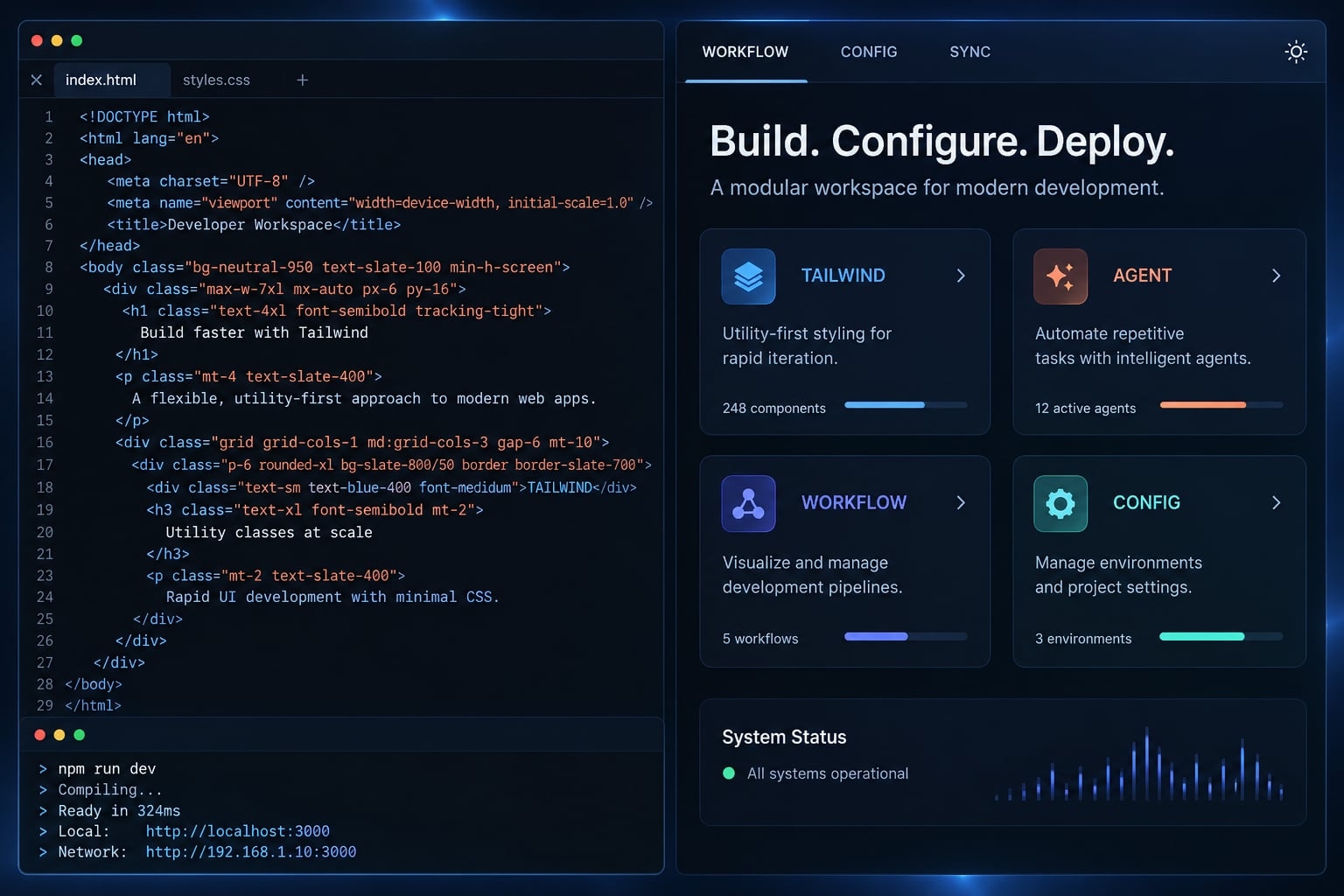
Why Claude Code and Tailwind CSS work well together
Tailwind’s utility-first CSS keeps many styling decisions beside the markup they affect. Its predictable naming conventions make existing patterns easier to inspect and reuse-not proof that an agent will produce better designs.
What Tailwind makes easier for an AI coding agent
- Co-located styling: Component markup exposes layout and presentation together.
- Explicit choices: Utilities describe spacing, typography, alignment, and sizing.
- Distinct variants:
md:applies responsive behavior;hover:andfocus-visible:apply interaction-state styling. - Comparable patterns: Existing components provide examples of approved utility combinations.
For a SaaS subscription-plan selector, grid grid-cols-1 md:grid-cols-3 expresses a single-column layout that becomes three columns at the configured md breakpoint.
Tailwind CSS documentation, “Styling with utility classes” and “Hover, focus, and other states,” describes these conventions.
What Tailwind does not automatically solve
Review still matters. AI-generated Tailwind CSS can have weak visual hierarchy, inconsistent branding, insufficient contrast, excessive repetition, or version-incompatible utilities. Utility classes do not eliminate the CSS cascade or specificity conflicts.
The subscription-plan selector used throughout this article is illustrative, not a tested implementation. No build results, browser checks, or performance improvements are claimed.
Inspect the project before Claude changes anything
Begin Claude Code and Tailwind setup with inspection-not installation. Preserve the repository’s framework, package manager, and integration unless a change is explicitly approved.
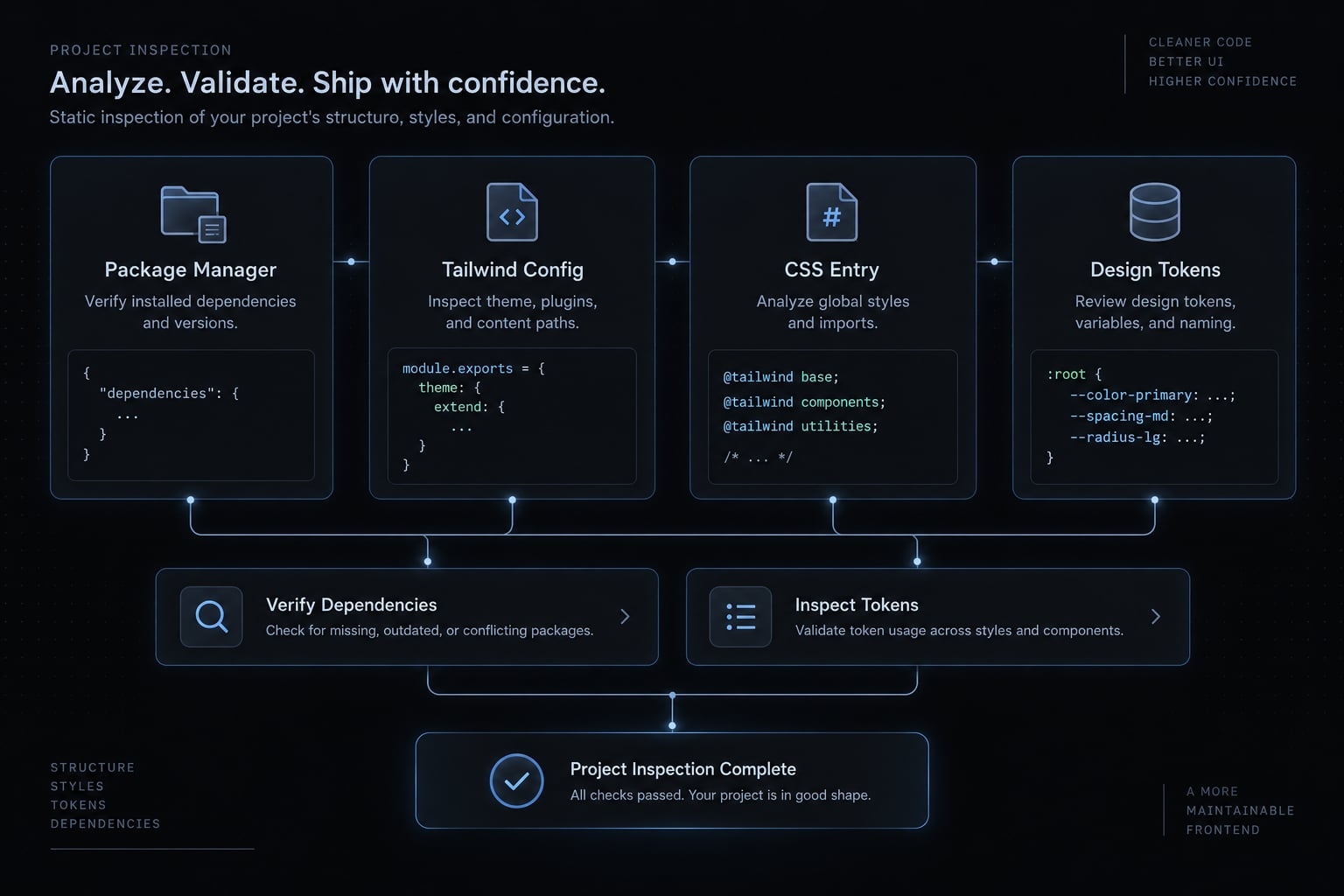
Confirm:
- Existing repository instructions.
- Framework and relevant dependency versions.
package.json, lockfile, and package manager.- Tailwind version evidence from the installed environment, where available.
- CSS entry points and build integration.
- Design tokens-reusable design values-and shared components.
- Available validation scripts and prerequisites.
A dependency range in package.json does not establish the exact installed version. A lockfile records a resolution, but the local installation may still differ.
For a new project, follow Tailwind CSS’s “Framework guides” for your framework and intended version.
Copy-ready project inspection prompt
Inspect this repository without editing files or installing packages.Read existing project instructions. Identify:- Framework, package manager, package.json, and lockfile.- Tailwind dependency range and resolved/installed version evidence.- CSS entry points and Tailwind build integration.- Token definitions and comparable UI components.- Existing validation scripts and their prerequisites.Cite file paths for findings. Separate confirmed facts from unknowns.Propose the smallest plan for the requested UI change.Stop before dependency, configuration, or implementation changes.
Note: A read-only request is not enforcement. Use Claude Code permissions and repository review controls appropriate to the risk.
Tailwind v3 vs. v4: What Claude must know
Area | Typical v3 pattern | Typical v4 pattern | Instruction for Claude |
|---|---|---|---|
Configuration | JavaScript or TypeScript configuration. | CSS-first configuration; applicable legacy JavaScript configuration can load through | Inspect existing configuration; do not create one automatically. |
CSS entry syntax |
|
| Preserve version-appropriate entry syntax. |
Theme-token definitions | Commonly | Theme variables declared using | Reuse the actual token source; neither version mandates one color format. |
Source detection | Commonly configured through | Automatic detection with boundaries; explicit | Verify that component sources are included. |
Build integration | Often the | Dedicated integrations such as | Keep the framework’s existing supported integration. |
Add persistent Tailwind rules to CLAUDE.md
In a repository, CLAUDE.md provides persistent project instructions that Claude Code can load as context. Use it for conventions you would otherwise repeat across tasks.
Keep rules specific, current, and testable. Instructions do not guarantee compliance or restrict file access. Claude Code documentation on memory and permissions treats project guidance and tool permissions as separate concerns.
Copy-ready CLAUDE.md template
Replace every placeholder after inspection. This template is version-neutral: record the project’s actual v3 or v4 conventions rather than combining both.
# Frontend instructions## Project context- Framework/version: <verified framework and version>- Tailwind version: <verified version and evidence>- Package manager: <manager and relevant version>- CSS entry and integration: <paths and integration>- Token source: <verified paths>- Shared UI components: <verified directory>## Styling conventions- Reuse existing design tokens and components.- Match established utility and variant naming patterns.- Use utilities supported by the installed Tailwind version.- Prefer established values; justify necessary arbitrary values or custom CSS rather than banning them.- Preserve intentional @apply usage. Avoid duplicating patterns or introducing abstractions without meaningful repetition.## Responsive and accessible UI- Follow existing breakpoint definitions and mobile behavior.- Use semantic controls with accessible names.- Preserve keyboard access and visible focus.- Cover relevant selected, disabled, loading, error, and long-content states.- Do not rely on color alone to communicate selection or errors.## Change control and validation- Edit only <approved files or component directory>.- Obtain approval BEFORE changing shared tokens, global styles, dependencies, configuration, or public component APIs.- Preserve unrelated changes and code.- Run these verified commands where tools and permissions allow: - <existing validation command and purpose> - <existing validation command and purpose>- Report modified files, executed commands, actual results, browser checks, and unresolved limitations.- Disclose failed, unavailable, and skipped checks.- Never describe an unperformed check as passed.
Keep validation commands tied to actual package scripts. Do not add npm run lint or a type-check command unless the repository defines it.
When to use Claude skills or MCP Servers
- CLAUDE.md: Stable conventions that apply across project tasks.
- A Skill: A reusable procedure, such as inspecting and auditing a component.
- MCP (Model Context Protocol): Optional access to external tools or documentation, with separate permission and data-handling considerations.
Claude Code documentation, “Skills” and “MCP,” explains these mechanisms. External context supplements repository evidence; it does not replace it.
Use a Five-step Claude Code and Tailwind workflow
- Define observable acceptance criteria.
- Inspect relevant existing patterns.
- Plan the smallest implementation.
- Implement within approved boundaries.
- Validate code and rendered behavior.
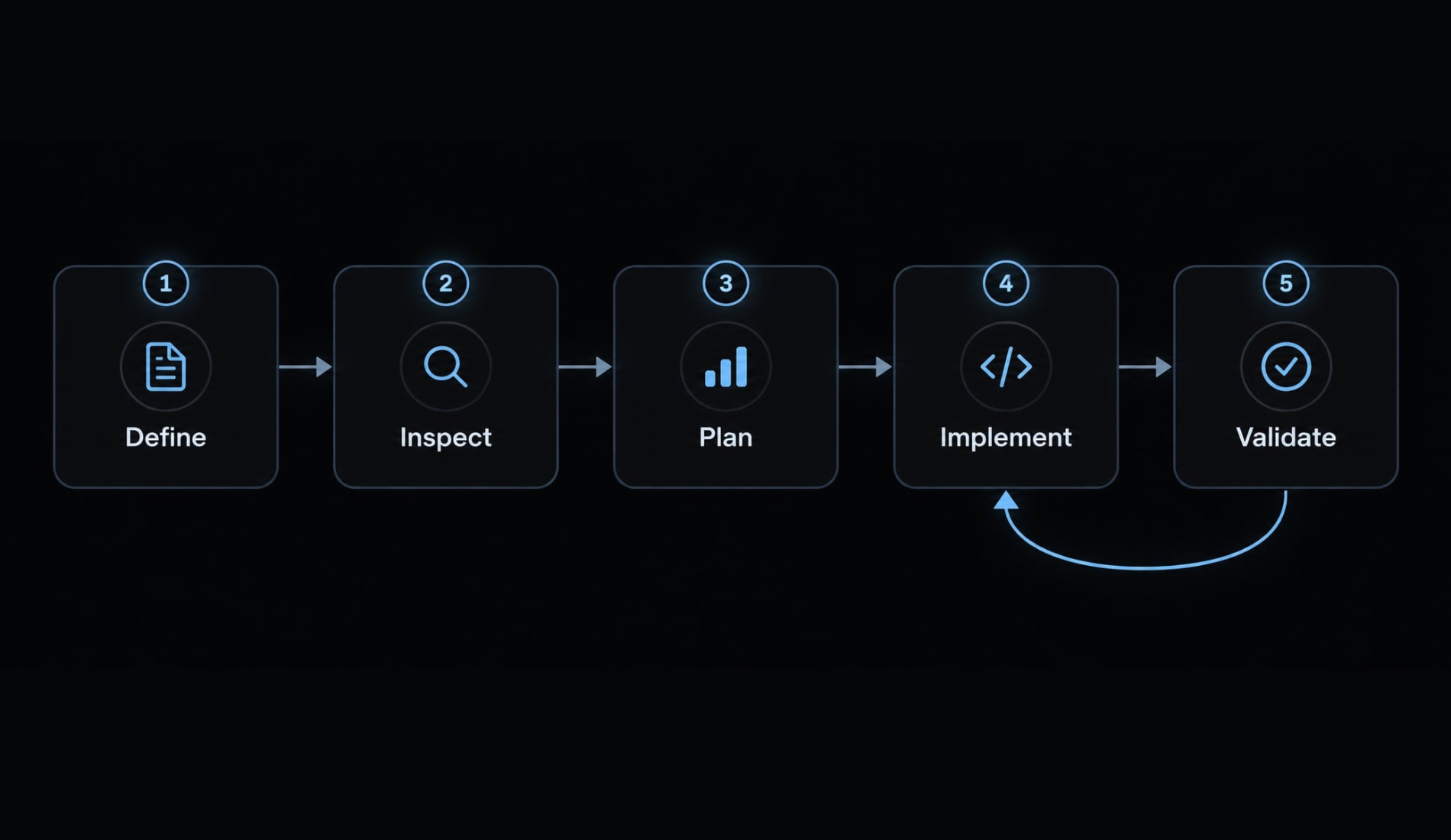
Define the outcome and constraints
For the illustrative plan selector, name the target component file and require users to select one subscription plan.
Specify acceptance criteria:
- One column on narrow screens; three at the existing desktop breakpoint.
- Native radio inputs with labels and visible keyboard focus.
- Clear selected and unavailable-plan states.
- Long plan descriptions without overflow.
- No new dependencies, shared-style edits, or billing-logic changes.
These requirements make responsive web design reviewable. “Make it modern” does not.
Ask Claude to inspect existing patterns
Request one comparable selection component, the established typography and layout utilities, and the relevant token definitions.
The output should identify reusable patterns and likely files to change-not repeat a full repository audit. Resolve conflicting patterns before implementation.
Request a small implementation plan
Ask for four things: files, changes, assumptions or conflicts, and checks.
A small component change needs a short plan. If it requires shared tokens, a public API change, or another dependency, stop for approval rather than expanding scope silently.
Implement within a restricted scope
Name approved files or a component directory. Preserve unrelated code, including existing uncommitted work.
Extract a shared component only when repetition justifies it. Review the diff for unauthorized changes, accidental deletions, and unnecessary abstractions before accepting the implementation.
Named-file instructions define the agreed scope; permissions and review provide stronger controls.
Validate before visual review
Start with available automated validation: relevant builds, tests, linting, or type checks, using verified scripts. Next, inspect responsive layouts and interactions in the browser. Complete human visual review and accessibility checks, including keyboard operation and focus visibility.
A passing build does not establish correct appearance or accessibility. It also may not catch unsupported class names. The completion report should list changed files, commands and actual results, browser coverage, and unresolved gaps.
Prompt patterns that produce more consistent Tailwind UI
A useful Tailwind prompt follows five parts:
- Context: Repository facts and existing patterns.
- Target: The specific component or file.
- Constraints: Allowed scope and approval boundaries.
- States: Required layouts, interactions, and content variations.
- Validation: Checks and honest completion reporting.
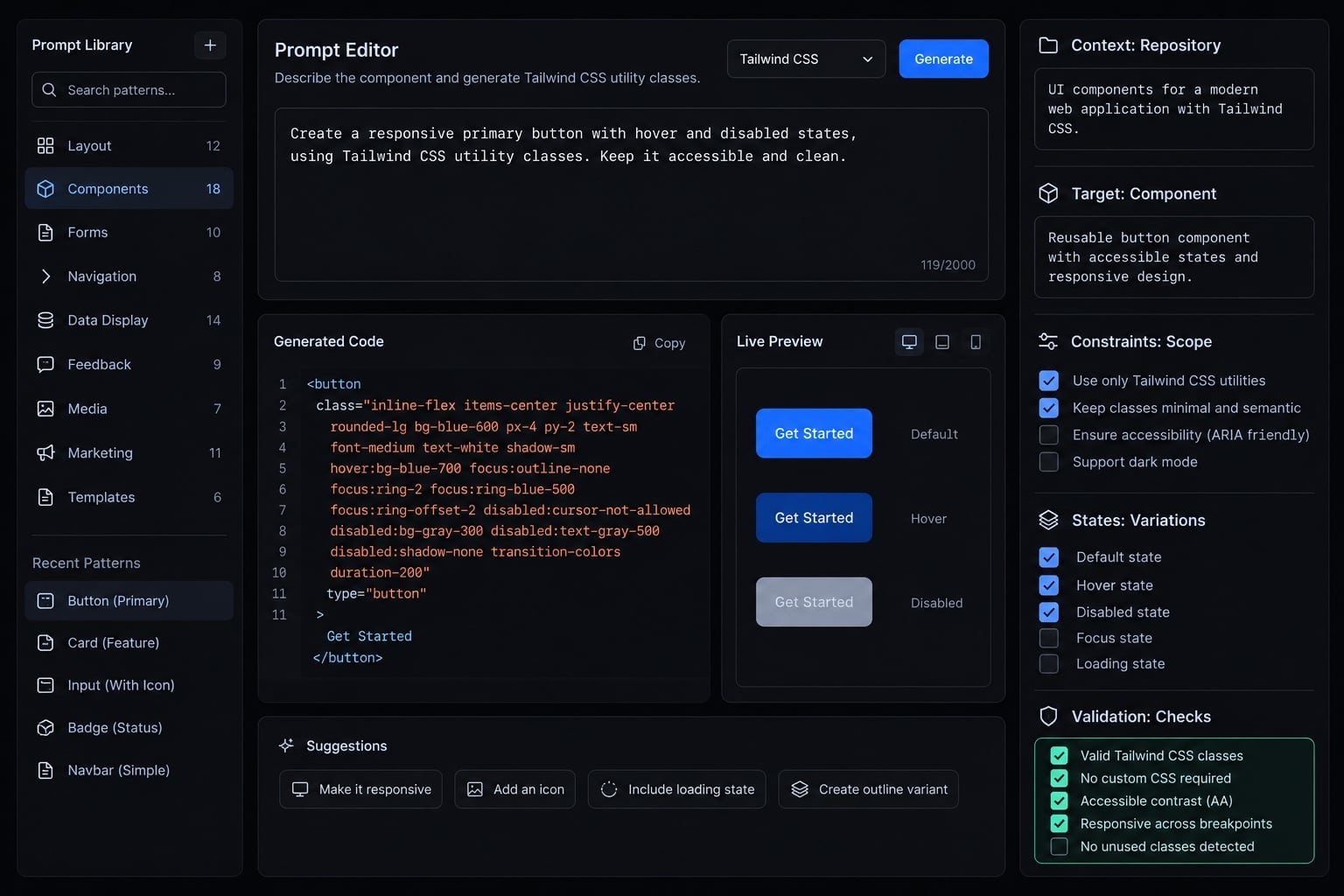
Prompt for a responsive component
Update <plan-selector-file> after inspecting similar components,project instructions, and the installed Tailwind version.Reuse existing tokens and components. Keep the selector one columnon narrow screens and three at the existing desktop breakpoint.Use labeled native radio inputs with keyboard access and visiblefocus. Cover selected, unavailable, and long-description states.Preserve the current component API and billing behavior.Do not add dependencies or edit global styles without approval.Propose the smallest plan first. Run relevant existing checks,review browser behavior if available, and report changed files,actual results, and any checks not completed.
Prompt for a safe Tailwind refactor
Refactor <target-file> without intentional visual or behavioralchanges. Preserve the public component API, responsive variants,semantic controls, keyboard behavior, and focus styling.Inspect and reuse existing abstractions. Extract only meaningfulrepetition; shorter class strings are not the goal.Do not change shared tokens or global styles without approval.Review the diff and run checks proportional to the change.Compare rendered behavior where available. Report results andunverified behavior separately.
Prompt for a Tailwind audit
Audit <target-path> without editing files.Check installed-version compatibility, unsupported utilities,runtime-built class fragments, token inconsistencies, unnecessaryarbitrary values or custom CSS, missing responsive or keyboardbehavior, and repetition worth extracting.For each finding provide: file location, impact, evidence,and smallest version-appropriate fix.Separate confirmed defects from hypotheses.Report checks performed and limitations; do not imply browseror accessibility testing occurred if it did not.
Common Claude Code and Tailwind problems and how to fix them
Begin Tailwind troubleshooting with the symptom. Treat each cause as a hypothesis until inspection supports it, then apply the smallest correction.
Symptom | Likely cause | Recommended fix |
|---|---|---|
Generated utilities do not apply. | Unsupported utility, excluded source, or CSS-entry/build-integration failure. | Check version support and generated CSS. Inspect source inclusion, CSS imports, and CSS build errors separately. |
Unnecessary v3-style configuration appears in a v4 project. | Incorrect version assumptions. | Confirm Tailwind v4 compatibility and existing integration; remove only the unnecessary change. Preserve intentional legacy configuration. |
Dynamically constructed utilities are missing. | Complete classes are absent from scanned sources. | Use complete class strings or explicit mappings. Use version-specific source registration only when needed. |
Tokens, spacing, or colors are inconsistent. | New values bypass established tokens. | Compare token definitions and neighboring components; replace unjustified deviations. |
Repeated class groups complicate maintenance. | Meaningful repetition lacks an appropriate abstraction. | Reuse or extract a component where justified. Long class lists alone are not defects. |
A breakpoint behaves incorrectly. | Wrong breakpoint assumption, missing viewport metadata, or competing styles. | Inspect configured breakpoints, viewport setup, and computed styles at the failing width. |
Global styles or shared tokens changed unexpectedly. | The implementation exceeded scope. | Review and revert the specific unauthorized diff, preserving unrelated work; obtain approval before proceeding. |
The build passes but the interface remains incorrect. | Checks do not cover visual, interaction, or accessibility requirements. | Review rendered states, keyboard behavior, contrast, and acceptance criteria. |
Tailwind’s “Detecting classes in source files” explains why dynamic class names need care: source scanning does not evaluate arbitrary runtime string construction.
// Unsafe for source detection:const className = `bg-${color}-600`;// Detectable when this file is included in scanned sources:const backgrounds = { blue: "bg-blue-600", red: "bg-red-600",};const className = backgrounds[color];
Troubleshooting order:
- Confirm version and integration.
- Inspect the diff.
- Run relevant existing checks.
- Inspect rendered classes, source detection, CSS imports, and generated CSS.
- Compare established project patterns.
- Verify browser behavior and accessibility.
Production guardrails: Where Claude helps and where humans should review
Delegate constrained implementation and repeatable checks. Keep release decisions tied to evidence and an identified reviewer.
Best tasks for Claude vs. best tasks for human review
Claude-assisted work | Human review responsibility |
|---|---|
Scaffold the plan selector. | Approve hierarchy and interaction design. |
Apply existing tokens. | Review brand fit and contrast. |
Implement responsive utilities. | Review actual viewport layouts. |
Refactor repeated patterns. | Verify behavior and public API preservation. |
Execute permitted checks. | Evaluate results and coverage gaps. |
Combine automated accessibility checks with manual evaluation. W3C/WAI guidance on keyboard access, focus visibility, and contrast provides useful review criteria; neither approach alone establishes full accessibility.
Production definition of done
- Syntax matches the installed Tailwind version.
- Tokens and established components are reused appropriately.
- No unauthorized dependency, configuration, or global-style changes.
- Relevant viewport layouts reviewed.
- Relevant interactive and content states covered.
- Semantic HTML, keyboard behavior, and visible focus checked.
- Available checks pass; unavailable or skipped checks are disclosed.
- Modified files, limitations, and review ownership documented.
An unchecked requirement remains a gap. If release proceeds despite it, document the decision and responsible reviewer rather than labeling the check passed.
Packaging workflows with AgentKit
Repeated instructions, audit steps, and validation procedures can become a reusable Skill. For teams seeking to streamline these agentic setups across projects, AgentKit serves as an open AI Engineering System scaffolding. It provides modular skill packages, pre-configured CLAUDE.md templates, and automated verification workflows designed for CLI agents like Claude Code, Cursor, and Codex.
While tool packaging helps standardize team conventions, human inspection and visual verification remain required before shipping to production.
Frequently asked questions
Can Claude Code effectively work with Tailwind CSS projects?
Yes, Claude Code is highly effective for Tailwind projects because utility-first CSS makes styling requirements explicit. However, success depends on providing proper repository context, using Tailwind version-specific instructions, restricting the agent’s implementation scope, and validating changes through automated build checks and human review.
How does Tailwind CSS benefit AI-assisted coding?
Tailwind’s utility-first approach co-locates structure and styling within markup. This allows Claude Code to inspect existing UI patterns and reuse tokens without needing to navigate complex CSS cascades or resolve specificity battles across multiple files. It simplifies how the agent understands layout, responsiveness, and state variants.
What is the most important instruction to include in CLAUDE.md for Tailwind?
You must explicitly define your Tailwind version-v3 or v4-and your integration method. For v4, instruct the agent to use CSS-first @theme directives and warn it against attempting to generate legacy JavaScript configuration files, which can break modern build processes.
Should I let Claude Code automatically update my CSS tokens?
No. Treat design tokens as high-sensitivity configuration. You should restrict the agent to applying existing tokens and utility classes, and require manual approval before it is allowed to modify global styles, token definitions, or the @theme block in your CSS entry point.
Why do some Tailwind utility classes generated by Claude Code not render?
This typically happens when Tailwind’s source-detection engine fails to track dynamic class names or when the agent writes classes that don't exist in your current version. Always run your build process-such as npm run build-immediately after an agentic change to confirm that the CSS engine successfully compiled the new utilities.
How do I troubleshoot Tailwind styling inconsistencies?
First, verify the installed Tailwind version in your package.json. Then, compare the generated diff against established project patterns for components and tokens. Check if the agent introduced unintended global styles or used deprecated syntax, and ensure your build process is running to identify any syntax or configuration errors.
Does using Claude Code with Tailwind guarantee a perfect design?
No. Claude Code is an implementer, not an autonomous designer. While it excels at handling responsive breakpoints, layout skeletons, and state variants, it lacks nuanced design judgment regarding visual hierarchy, subtle contrast, and accessibility. Human review remains essential to verify the final interface.
Read more:
- Connect GitHub MCP to Claude Code: Step-by-step guide
- Blender MCP with Claude Code: A secure AI scripting setup guide
- Claude Code skills best practices: Build reusable AI workflows
Conclusion
Claude Code with Tailwind CSS works best when the implementation task is explicit and the evidence is reviewable. Confirm the installed version and integration, preserve repository conventions in CLAUDE.md, and keep edits within an approved scope.
Utilities make styling easier to inspect, but they do not settle design decisions. Automated checks catch some defects; browser inspection and human review address different risks. Record both completed checks and remaining gaps.
Start with one existing component, such as the subscription-plan selector. Define its required states, approve a small plan, and compare the final diff and rendered behavior against those requirements. Expand the workflow only after the team can apply it consistently.
Copy the CLAUDE.md template above, replace its placeholders with verified repository facts, and use it for your next scoped component change.