
Claude Code vs v0: Which AI development tool should you use?
An impressive interface does not guarantee a reliable application. The choice between Claude Code and v0 depends on your team's objective: whether you need to visually explore a product or implement it within a maintainable codebase. Both AI development tools can contribute to working web products, but they organize the work differently. First-screen speed matters during discovery; production-readiness matters when customers depend on the result.
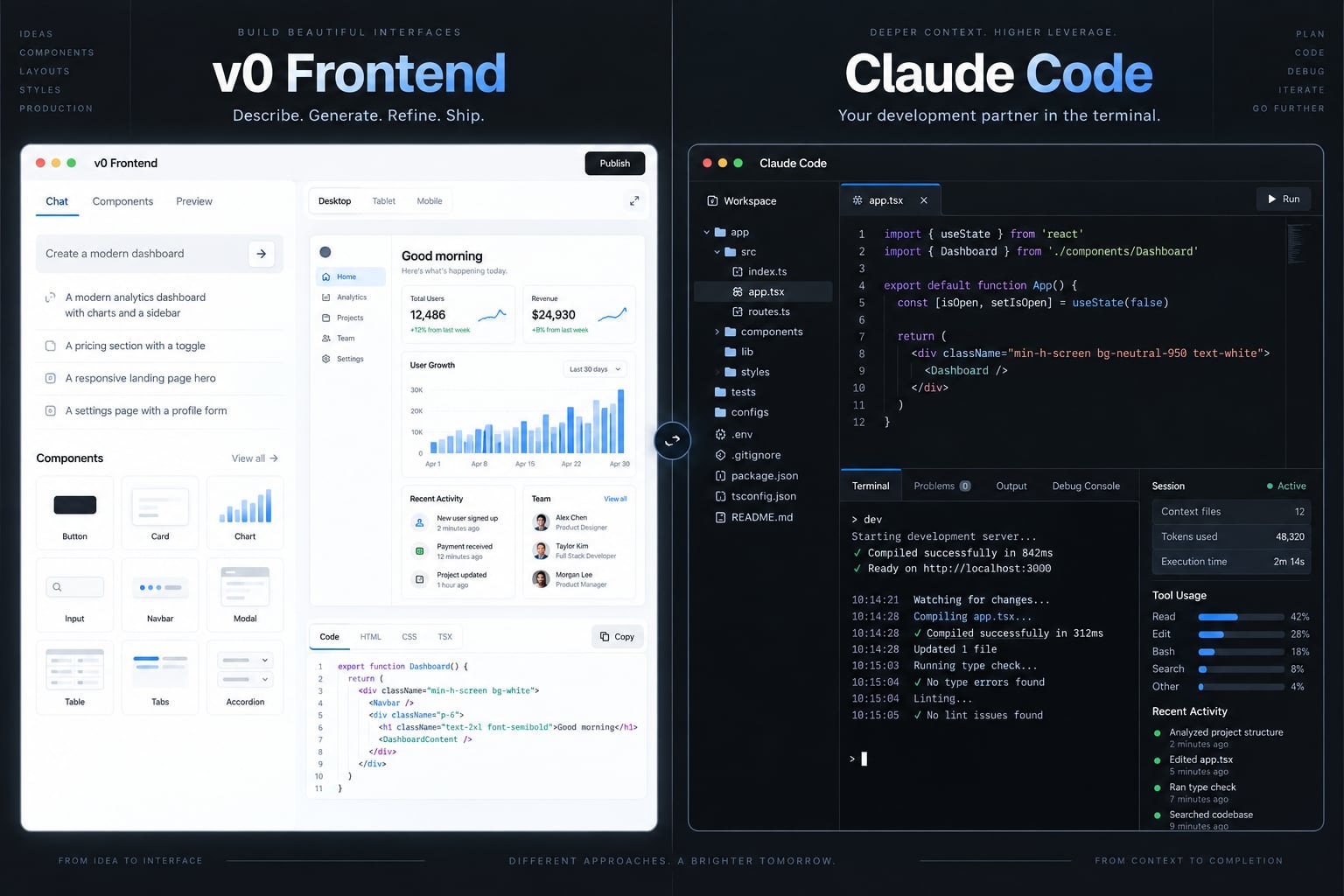
Choose v0 for browser-first application generation and visual iteration, particularly when starting a new web project. Choose Claude Code for repository-centered implementation, debugging, and maintenance. Use both when separating visual exploration from engineering integration creates enough value to justify the additional handoff and review.
Evaluation methodology
This is a documentation-informed comparison, not a hands-on benchmark. Recommendations are editorial assessments of workflow fit, informed by Anthropic’s Claude Code documentation and Vercel’s v0 documentation. Current plans, interfaces, integration behavior, and pricing have not been independently verified for this article.
The shared scenario is illustrative: a small team building a B2B SaaS customer portal with a responsive dashboard, authentication, account roles, and database-backed workflows.
Evaluation prioritizes functional completeness, repository integration, review effort, and release requirements. No measured completion times or product scores are claimed. A timed evaluation should count setup, retries, corrections, and human review, using identical acceptance criteria and starting conditions.
Publisher disclosure: AgentKit publishes this comparison and is discussed separately as a workflow-standardization option. Its inclusion is not evidence of either tool’s performance.
Claude Code vs v0: The short answer
v0 is best understood as a browser-first app generator, while Claude Code is a repository-centered coding agent. Their capabilities overlap, including full-stack work. The useful distinction is where iteration happens: around an application preview or around the project’s existing files, development commands, and engineering conventions. Neither category determines release quality.
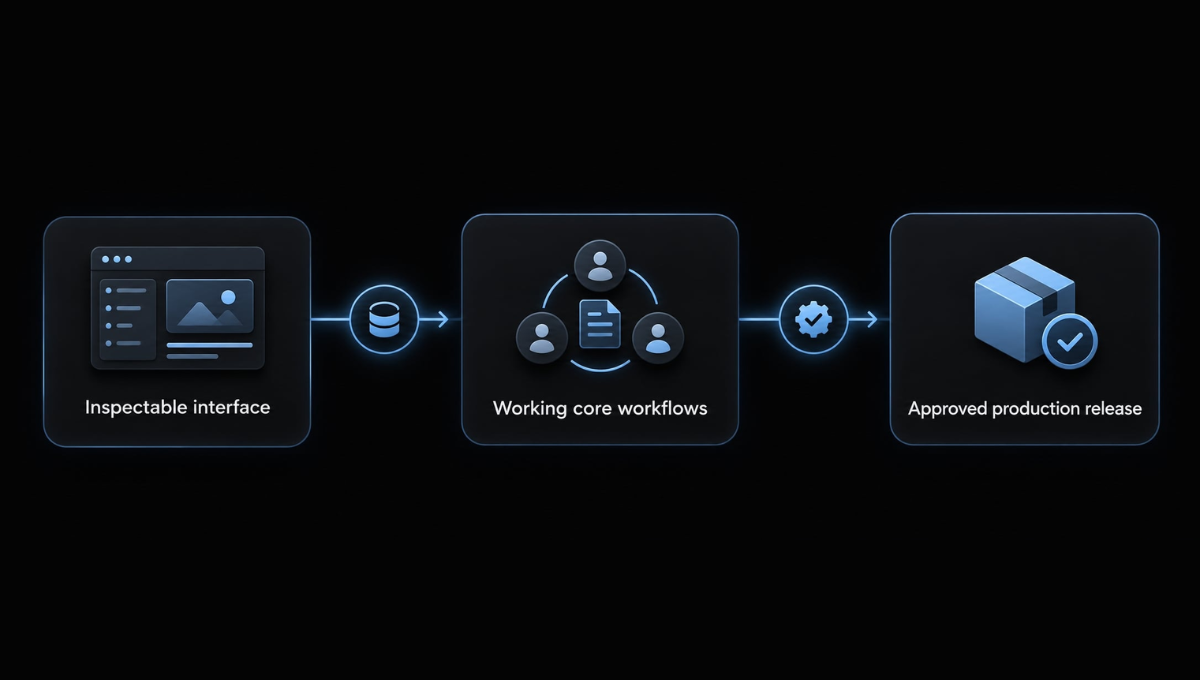
Three milestones prevent misleading comparisons:
- First screen: A relevant interface can be viewed and inspected.
- Functional MVP: The minimum viable product’s agreed workflows operate with required data and integrations.
- Production release: Reviews, security requirements, deployment checks, and operational requirements are satisfied.
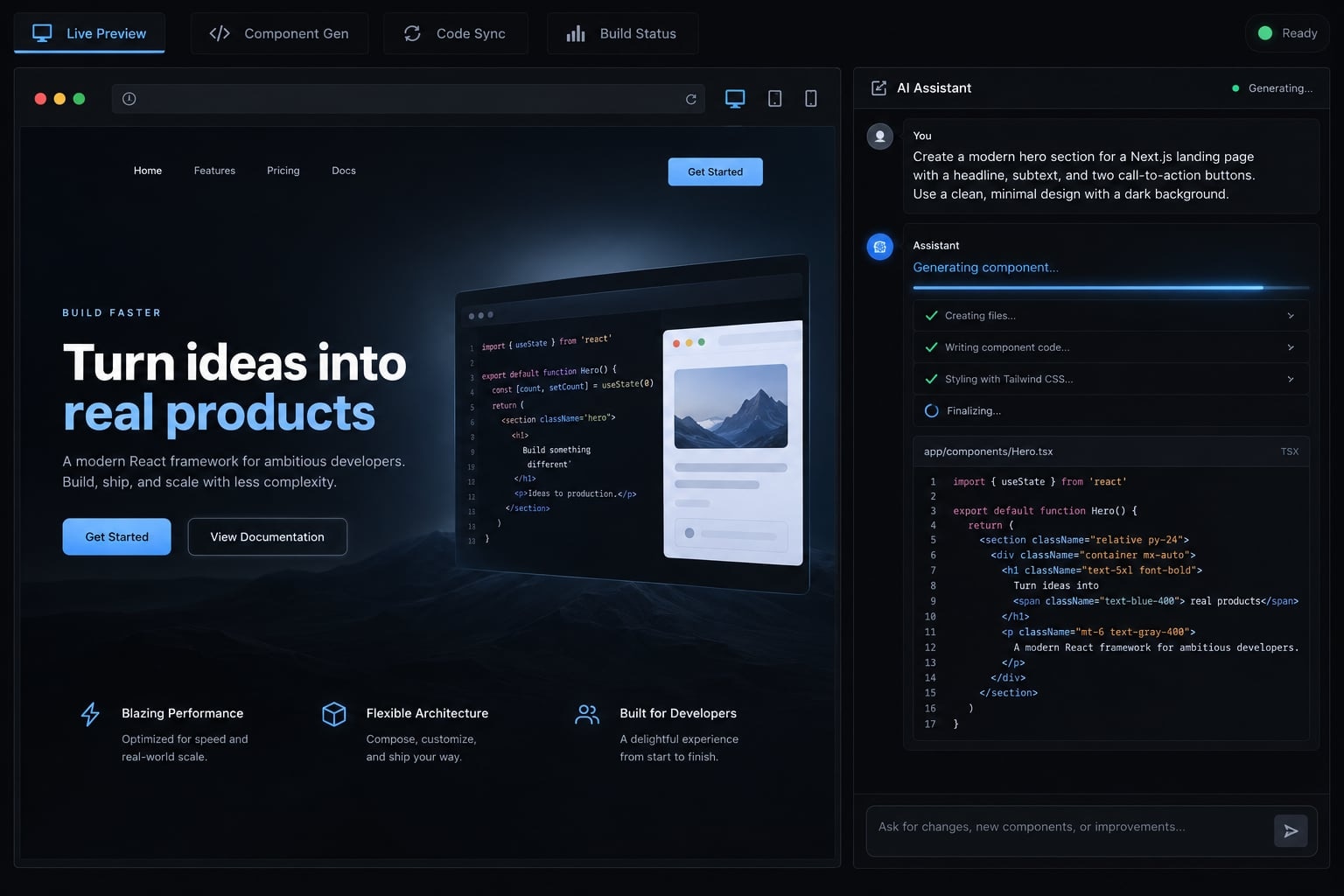
Choose v0 when…
- You need to explore layouts before committing to implementation.
- Browser-based iteration suits the people approving the interface.
- Your project fits its supported application stack and integrations.
For the illustrative portal, v0 for prototyping means comparing dashboard layouts, navigation, and account-management screens before connecting customer data.
Choose Claude Code when…
- An established repository already defines how the application works.
- Changes span business rules, shared components, tests or dependencies.
- Developers need access to project commands and debugging output.
Repository context means working within existing files, conventions, and dependencies - not automatically understanding every part of the application.
Use both when…
Use both when visual approval and engineering integration are genuinely separate activities. The benefit must outweigh code transfer, dependency reconciliation, and additional review. A single-tool workflow remains reasonable when it already meets the project’s needs.
Claude Code and v0 compared feature by feature
The table compares workflow orientation, not benchmark results. Exact availability depends on the current environment and plan.
Dimension | Claude Code | v0 | Practical implication |
|---|---|---|---|
Primary workflow | Repository-centered engineering | Browser-first application generation | Match the tool to the work surface. |
Interface and setup | Development-environment access and configuration | Browser-led workspace | Local setup needs differ. |
First-screen iteration | Uses the project’s preview workflow | Integrated application preview | Consider the visual feedback loop. |
Existing repositories | Works directly with accessible project files | Repository connection requires capability checks | Validate compatibility before committing. |
Visual refinement | Code changes plus visual inspection | Preview-centered iteration | Neither replaces design review. |
Full-stack scope | Frontend and backend implementation | UI and supported server/data workflows | Neither is frontend-only. |
Tests and debugging | Runs permitted project commands | Validation depends on workspace capabilities | Confirm access to required tests. |
Git workflow | Can use available Git commands | Check current GitHub connection behavior | Preserve branch and review policies. |
Source access | Edits project files | Generated source is available for inspection | Check transfer and licensing separately. |
Deployment | Works with project deployment tooling | Vercel-oriented deployment path | Dependencies affect hosting flexibility. |
Learning curve | Benefits from development experience | Lower initial browser-workflow friction | Ease of entry is not release expertise. |
Ecosystem fit | Broad language and tool applicability | Strong React/Next.js orientation | Evaluate your actual stack. |
Pricing and usage | Access terms and usage limits vary | Access terms and usage limits vary | Compare total effort, not headline price. |
Cost note: Consult Anthropic’s Claude Code usage and billing documentation and Vercel’s v0 pricing documentation before purchase. No current prices or quotas are asserted here.
Evaluation cost = tool usage + setup + review + correction + integration + ongoing operational costs.
Include hosting, databases, monitoring, and third-party services separately.
Interface and runtime environment
Claude Code can work through a development environment with access to files and permitted commands. That makes installed dependencies, network access, and permissions important.
v0 concentrates application generation and preview in a browser-led workflow. Lower setup friction helps early collaboration, but does not remove configuration or integration work later. Interface simplicity should not be mistaken for limited capability.
Frontend and visual generation
v0’s React and Next.js orientation makes it a natural candidate for web interface exploration. Next.js is a React framework that supports both interface rendering and server-side application behavior.
A live visual preview helps reviewers compare layouts and interactions. However, attractive output does not establish keyboard accessibility, responsive behavior, or working data flows. Claude Code can implement interfaces too; teams must arrange an appropriate visual inspection loop.
Repository context and existing applications
For an existing portal, preserving shared components and conventions may matter more than generating new screens.
Claude Code’s repository-centered workflow fits that constraint. Still, developers must direct attention toward relevant modules, tests, and architectural rules. In a monorepo - a repository containing multiple applications or packages - scope changes carefully. File access is not exhaustive comprehension.
Backend logic, databases and integrations
Both tools can contribute to full-stack development. Standard create, read, update, and delete workflows differ from custom account permissions, billing rules, or private services.
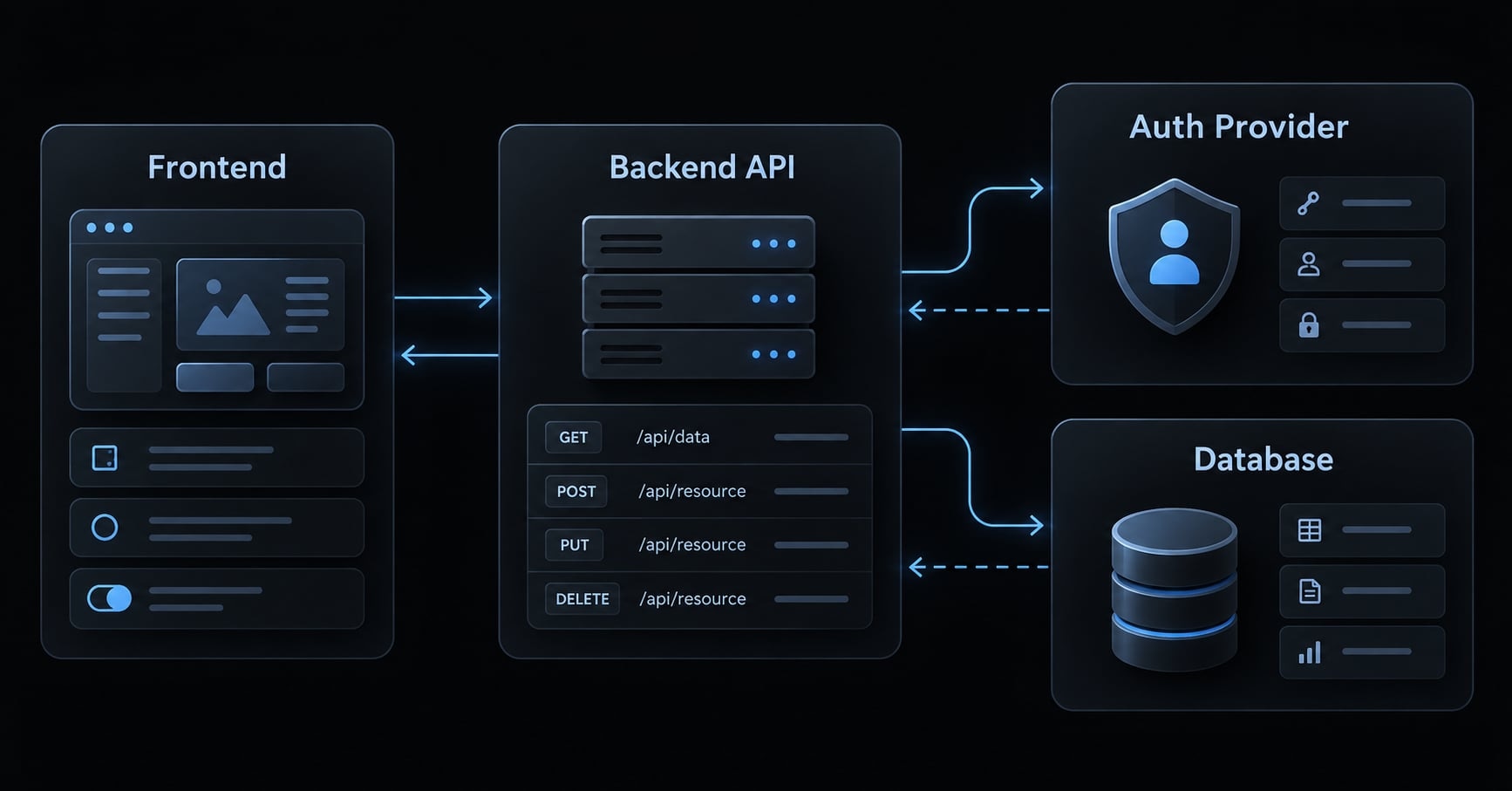
For the portal, ask whether each workflow can access the required systems safely. The Vercel ecosystem may simplify a compatible application; an established backend may favor implementation inside its existing environment.
Testing, debugging and git workflows
Claude Code can execute permitted commands, inspect failures, and rerun tests. Do not assume v0 lacks validation capabilities; check whether its current workspace supports your required checks.
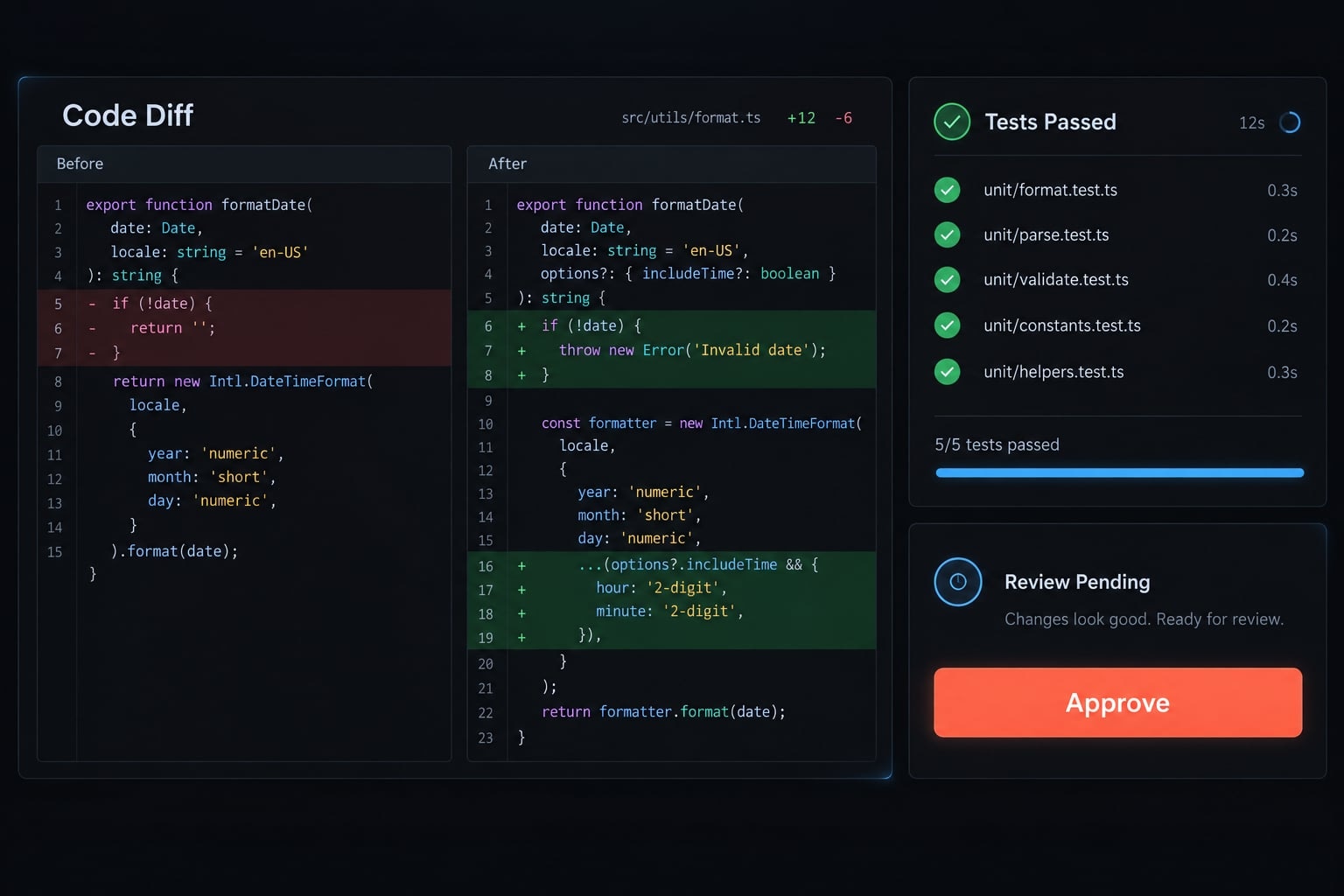
Review diffs - the actual file changes - and use controlled branches. Code ownership requires separate consideration of source access, repository control, and contractual terms. Exported code may still depend on hosting-specific services, so portability requires testing rather than assumption.
Which is faster and which is more production-ready?
The faster tool depends on the endpoint. Time-to-first-screen ends at an inspectable interface. Time to functional MVP ends when agreed workflows work. Time-to-production ends when release requirements are satisfied, including correction and review.
These are qualitative workflow recommendations, not measured rankings.
Stage | Likely better fit | Reason or condition |
|---|---|---|
Visual concept | v0 | Browser preview supports visual feedback. |
Landing page | v0 | Useful when stack and publishing requirements align. |
Simple MVP | Either | Required integrations determine completion effort. |
Existing application | Claude Code | Changes must respect established conventions. |
Complex integration | Claude Code | Often benefits from existing development-tool access. |
Maintenance | Claude Code | Repository history and tests become central. |
Time to first screen
v0’s integrated preview can shorten the initial visual-feedback loop. The advantage may narrow when an existing local application is already running.
Count the time needed to inspect meaningful states, not merely generate a default page. A portal dashboard should show realistic navigation and account information.
Time to functional MVP
The portal becomes functional when users can sign in, access permitted account data, and complete required actions against a real database.
A common pitfall is a convincing preview that relies on placeholder data and hides administrative buttons without enforcing proper permissions server-side.
Detect it by testing protected actions as a restricted user. Correct the server-side authorization and add regression tests. Readers should verify permissions at the data or service boundary, not only in the interface.
Six checks for production radiness
- Functional completeness: Verify required workflows, account roles, and edge cases.
- Error handling: Check invalid input, unavailable services, and recoverable states.
- Testing: Exercise critical user journeys and integrations.
- Security: Review authorization, secrets, dependencies, and sensitive data handling.
- Deployment fit: Validate configuration, monitoring, and recovery; test portability when required.
- Maintainability: Ensure understandable structure, reviewable changes, and clear ownership.
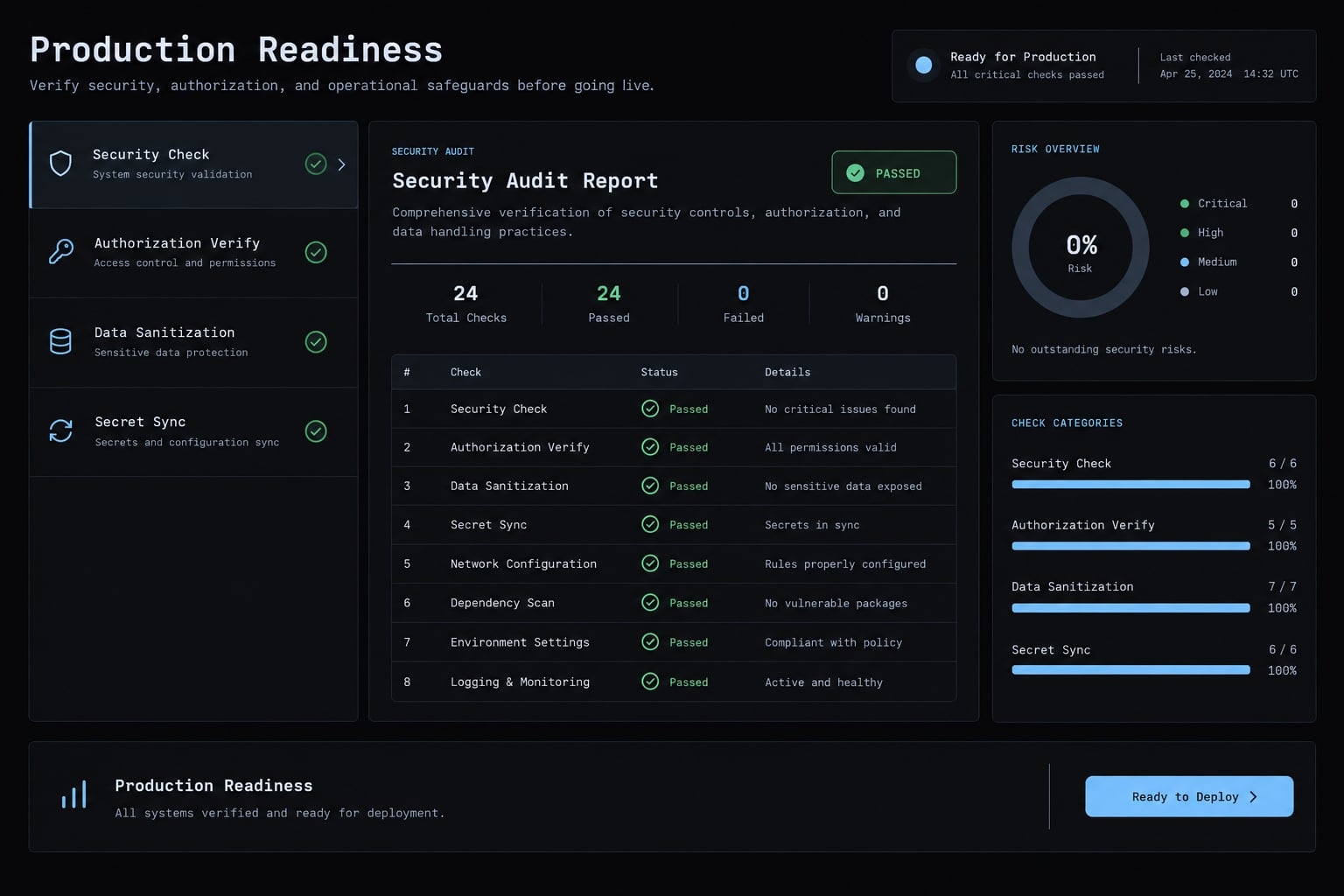
OWASP’s Application Security Verification Standard provides a useful security-review reference. Passing tests does not establish the absence of security defects.
Neither tool guarantees secure code or software maintainability. Production-readiness belongs to the application and delivery process. Apply these six checks to the same representative task before comparing completion effort.
When to choose Claude Code, v0 or both
Start with project stage, existing code, and nonnegotiable constraints. Then consider who will review changes and maintain the result. An AI coding workflow that produces attractive output but creates an unmanageable handoff is not the better choice.
Best choice for Founders and Designers
Browser-based prototyping can make feedback more concrete before engineering investment. For the portal, validate navigation, screen priorities, and account-management expectations.
Before introducing real customer data, assign an engineer to review authentication, permissions, and deployment. Low setup friction does not mean zero technical responsibility.
Best choice for Developers
Claude Code is typically a stronger starting point when the task lives inside an established repository. Frontend developers may still prefer v0 for early interface alternatives.
Broad stack support does not imply equal performance across every language or framework. Evaluate the tool on representative code, dependencies, and tests.
Best choice for Small Product Teams
Name owners for design approval, integration, validation, and release. Using both tools is worthwhile only if the separation improves delivery enough to cover coordination overhead.
If a portable codebase is mandatory, test a small deployment outside the original hosting path before expanding the application. Otherwise, portability need not become an unnecessary requirement.
Select one matrix row that matches your project, then run a bounded evaluation against written acceptance criteria. Include review and correction effort in the decision.
A practical v0-to-Claude Code workflow
How to combine v0 and Claude Code effectively starts with a boundary: approve the visual foundation, then establish the repository as the authoritative implementation. This is a controlled handoff - not an assumed native integration or effortless two-way synchronization.
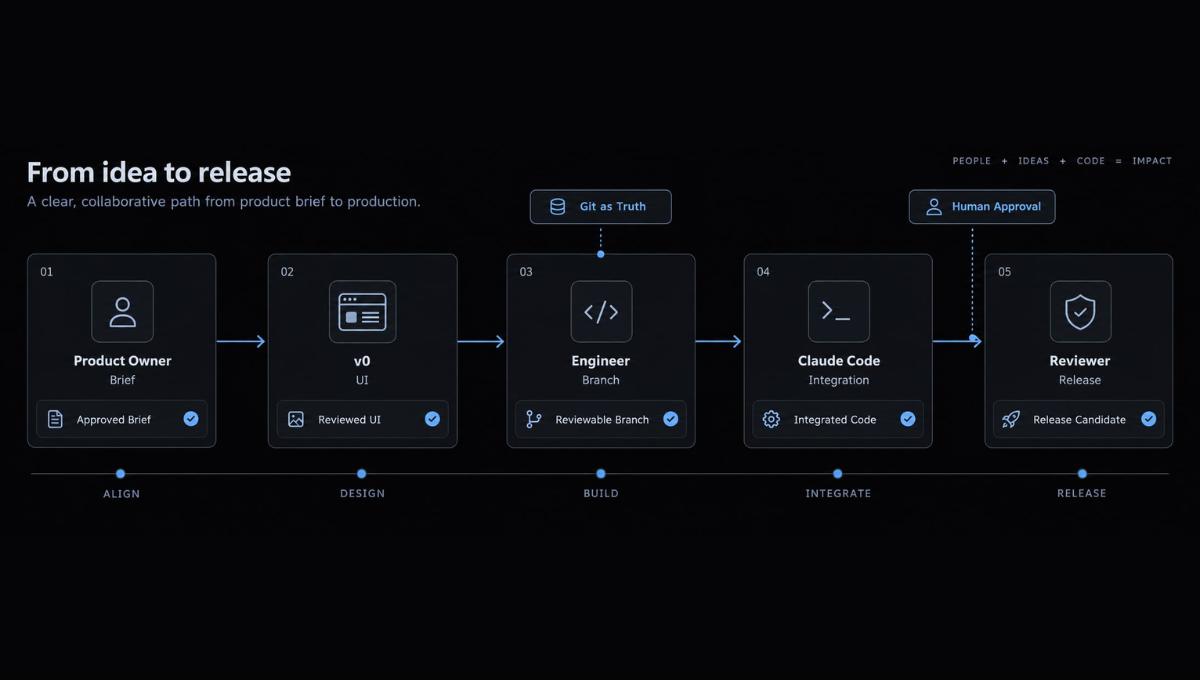
Define the application brief
The product owner specifies users, screens, workflows, stack constraints, and completion criteria.
For the portal, separate visual goals from requirements such as account isolation and administrative permissions. Define what each role can view and change.
Output: An approved brief and acceptance checklist.
Generate and refine the UI in v0
The designer or product owner reviews navigation, responsive layouts, and reusable components. Include loading, empty, and error states.
Treat frontend scaffolding as a starting point. Record approved behavior and mark any interactions still using placeholder data.
Output: A reviewed visual foundation with explicit limitations.
Move the approved UI into the git repository
The engineer checks the source-transfer or repository-connection options available in the current v0 workspace. Use a confirmed route; do not assume universal export or synchronization behavior.
Review dependencies, naming, component boundaries, and placeholders before opening a pull request - a proposed change submitted for review.
Output: A reviewable branch. Git becomes the source of truth.
Use Claude Code for production integration
Inspect the existing architecture before editing. Connect APIs (interfaces through which software systems exchange data) along with authentication, database operations, and permissions.
For complex work, approve a plan first. Keep changes small enough to review, and reuse existing services rather than creating parallel implementations.
Output: Integrated functionality mapped to acceptance criteria.
Test, review and deploy
Run project validation and review security-sensitive changes. Test in staging, a preproduction environment, using realistic roles and data.
Preserve release approval, monitoring, and rollback planning. The production workflow remains accountable to the team, not the generating tool.
Output: A reviewed release candidate.
Repository handoff checklist
- Approved screens and responsive states.
- Component and dependency inventory.
- Mock data requiring replacement.
- API and data contracts.
- Permission requirements.
- Known defects.
- Acceptance criteria and responsible reviewer.
Use this checklist before transferring implementation responsibility; unresolved items should remain visible rather than becoming implicit assumptions.
How AgentKit standardizes Multi-Agent development
Repeatedly recreating instructions, losing handoff context, or skipping validation can undermine an otherwise useful toolchain. AgentKit addresses this coordination problem through reusable agent workflows. It is optional infrastructure, not a requirement for using either tool.
The roles remain distinct: v0 supports visual generation, Claude Code supports repository-centered engineering, and AgentKit supplies reusable roles, skills, instructions, and workflows in supported environments.
AgentKit’s product description positions AgentKit Engineer across planning, implementation, testing, review, and deployment. Exact compatibility and available controls should be confirmed against current product documentation.
Area | Role and boundary |
|---|---|
AgentKit Engineer | Organizes repeatable software-development work. |
Kits, skills, and subagents | Provide reusable instructions and specialized task roles. |
Supported workflows | Cover development stages; verify the selected environment. |
Integrations | MCP integrations connect supported tools; check permissions and availability. |
CLI and desktop controls | Support configuration and workflow management. |
Governance | Human review and release accountability remain necessary. |
Frequently asked questions
What is the fundamental difference between Claude Code and v0?
Claude Code is a terminal-native, agentic coding tool that operates directly within your existing local codebase to perform refactoring, debugging, and testing. v0 is a browser-based application generator optimized for rapidly creating and visually iterating on full-stack web applications using cloud-based sandboxes.
Which tool is better for production-ready applications?
v0 is generally faster for building polished UI components and Vercel-native full-stack apps. Claude Code is better for maintaining, refactoring, and adding complex features to existing, large-scale repositories where you require full control over the code, test suites, and deployment lifecycle.
Can v0 build full-stack applications in 2026?
Yes. As of 2026, v0 has evolved beyond frontend generation to include full-stack capabilities, such as API route creation, Server Actions, and direct database integrations with services like Supabase and Neon, allowing for complete application workflows within its browser-based environment.
Do I need to choose between Claude Code and v0?
Not necessarily. Many teams use a hybrid workflow: utilizing v0 for rapid visual prototyping and initial UI scaffolding, then handing off that code to Claude Code for backend integration, complex business logic implementation, and ongoing repository maintenance within the local development environment.
Does Claude Code require a specific tech stack?
No. Claude Code is stack-agnostic, meaning it operates effectively across any programming language or framework found in your repository, including Python, Rust, Go, or C++. This makes it highly suitable for backend-heavy projects or systems programming, unlike tools focused primarily on the Next.js ecosystem.
How do I ensure security when using AI coding agents?
Both tools require human oversight. You should perform thorough code reviews, run automated security scans, and verify authorization logic after any AI-generated changes. Use agentic tools within secure, controlled repositories and always maintain human control over final deployment and sensitive architectural decisions.
Read more:
- Claude Code vs Cline: Which AI coding workflow suits you?
- n8n and Claude Code: Workflow Automation and AI Best Practices
- Claude Code Plan Mode: Optimize your AI coding workflow
Conclusion
The Claude Code vs v0 decision comes down to workflow fit: Use v0 for browser-based visual exploration and Claude Code for repository-centered engineering. Combining them makes sense only when visual approval and production integration are distinct needs with a clear handoff. Ultimately, neither tool replaces human responsibility for security, permissions, and release approval, so you should evaluate a small task in your own application and verify current capabilities and pricing before committing.