Claude Code TypeScript: A guide to SDK and CLI integration
Claude Code TypeScript: What it means, how the SDK works and what to know before you start
If you are searching for Claude Code, you are likely trying to clarify the distinction between the product, the CLI, and the TypeScript integration path: The product experience, the CLI workflow, and the TypeScript integration path. The problem is that the relevant information is spread across official docs, technical posts, and community discussions. This guide is a start-here orientation, not a deep reference manual. It explains what the term usually means, whether an official SDK exists, how the setup works at a high level, what you can realistically build, and what to watch for before using Anthropic’s SDK in a real workflow.
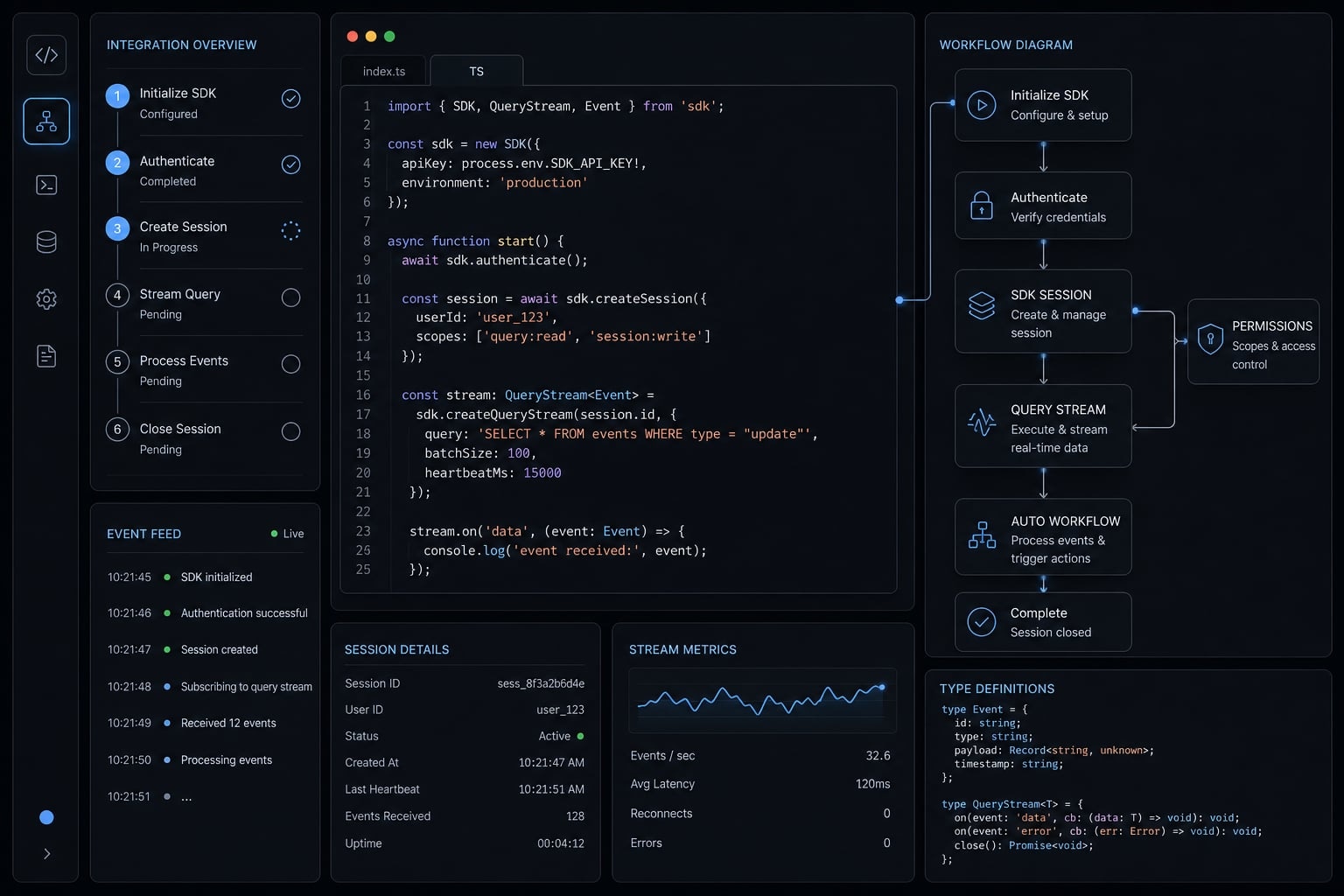
What “Claude Code TypeScript” usually means in practice
In practice, Claude Code typescript usually refers to one of three things: Using Claude Code as a coding agent, working through the Claude Code CLI, or integrating the official TypeScript SDK into a TypeScript project. The search term is common, but the intent behind it is often mixed.
The main source of confusion is that these layers are related, but they are not the same thing. Many developers search for “Claude Code TypeScript” when they really want to know whether there is an official integration path they can use inside an app, script, or internal tool.
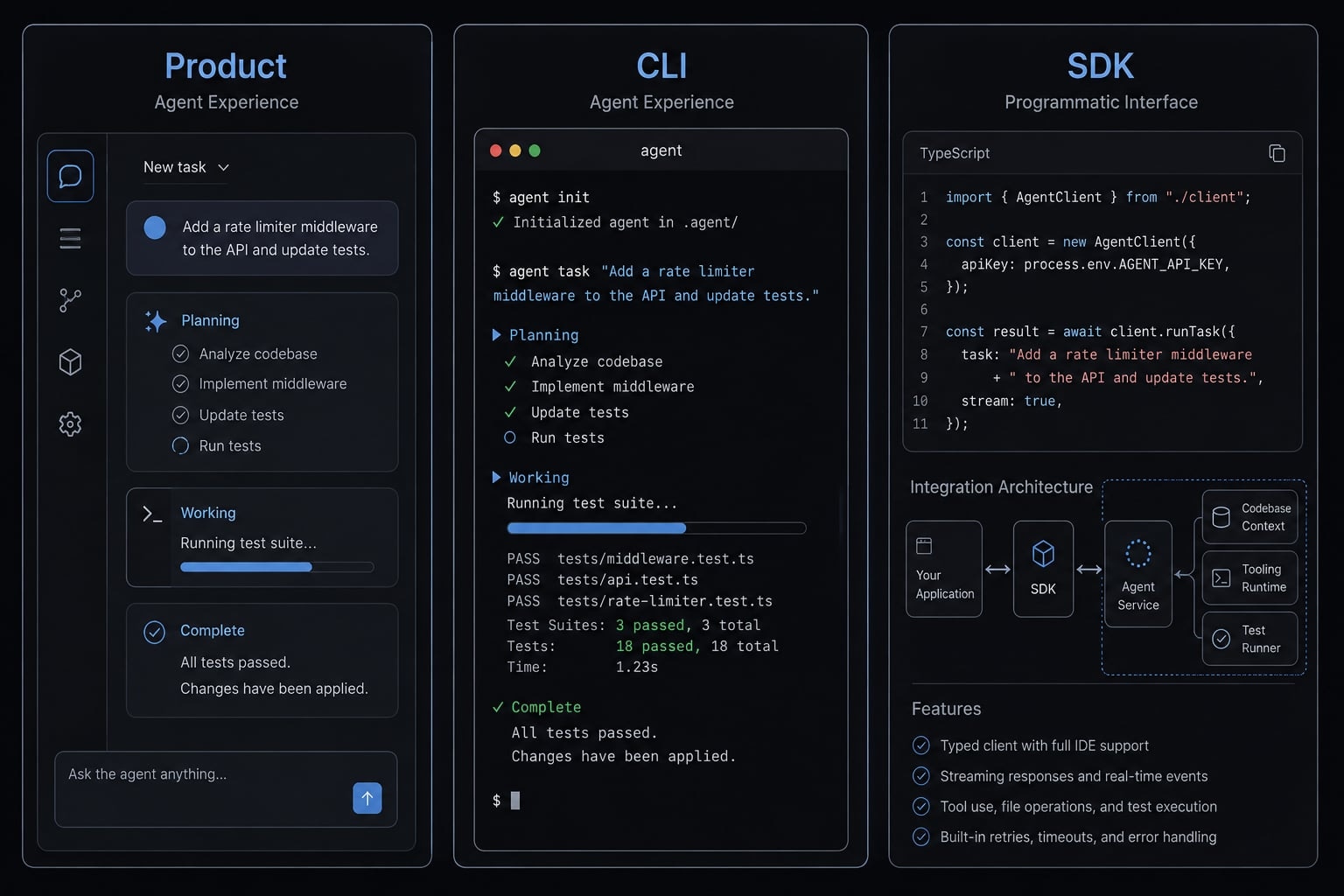
Claude Code as product vs SDK as developer interface
- Claude Code usually refers to the broader coding-agent experience from Anthropic.
- The Claude Code CLI is the terminal-based operating layer many users interact with in practice.
- The Anthropic Agent SDK is the developer integration layer for programmatic usage in TypeScript.
- If you only want to use the tool interactively in your terminal, CLI-only may be enough.
- If you want to embed prompts, tool behavior, or structured automation into your own application, the TypeScript SDK is the more relevant path.
A simple mental model helps: product is the experience, CLI is the local operating surface, and SDK is the programmable interface.
Why TypeScript matters here
TypeScript matters because it lowers experimentation friction for modern teams already working in JavaScript ecosystems. You get familiar package management, type safety, and a practical path for wiring AI-assisted workflows into existing developer tooling. For many teams evaluating this integration, the attraction lies not only in model access but in the ability to build on top of an existing, familiar stack.
Is there an official Claude Code SDK for TypeScript?
Yes. There is an official TypeScript path, and the key package is @anthropic-ai/claude-agent-sdk. For most developers, this is the package that matters when evaluating a Claude Code TypeScript API integration guide or deciding whether there is a supported SDK route.
Basic installation and what bundled binary means
Prerequisite: Node.js 18 or later.
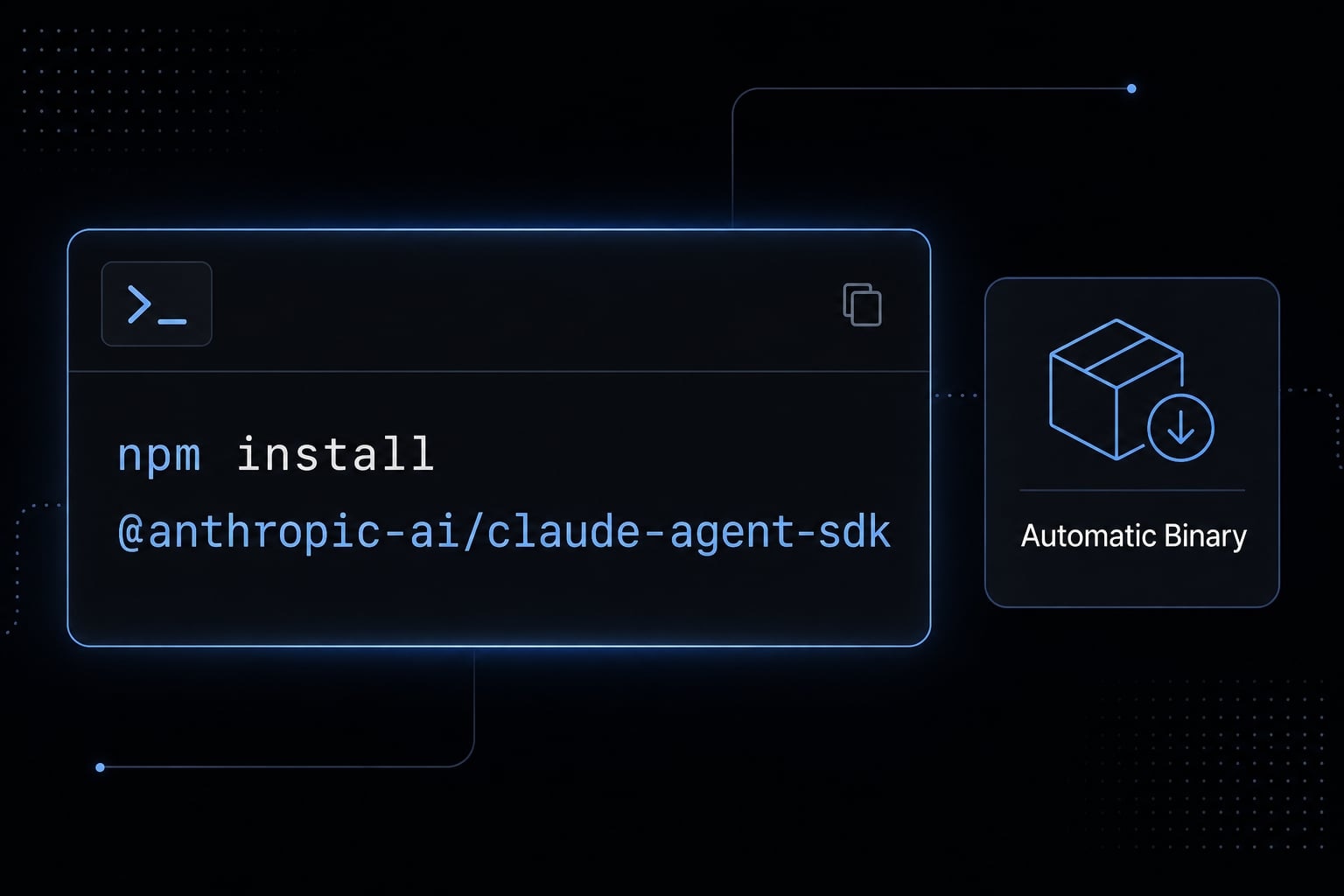
npm install @anthropic-ai/claude-agent-sdk
If you are effectively searching “npm install claude agent sdk,” this is the package name you want. In many setups, @anthropic-ai/claude-agent-sdk also pulls in a platform-specific native CLI binary as an optional dependency. That means a separate manual install is often unnecessary.
This bundled approach is convenient because the SDK is designed to work with the underlying Claude Code runtime on your machine. In practical terms, many users can install the package and start testing without separately installing another binary.
Common “Native CLI binary not found” scenario
Common setup issue:
- Some package managers or install environments skip optional dependencies.
- When that happens, the platform-specific native CLI binary may not be available.
- A typical error looks like:
Native CLI binary for <platform> not found. - The error message itself gives you two routes: reinstall the package without
--omit=optional, or point the SDK at a separately installed binary withoptions.pathToClaudeCodeExecutable. Use an absolute path - a bare command name like"claude"fails, because the SDK checks it withfs.existsSync, which treats a bare name as a relative path.
While setup is typically straightforward, it can encounter friction depending on your specific environment configuration. If the binary is missing, the issue is often not the SDK itself. It is the install behavior around optional dependencies.
Note: This is a good example of why docs can feel fragmented. Product usage may look simple on the surface, but local binary handling still matters in real environments.
The simplest way to understand how it works
- Install the SDK.
- Let it invoke the local Claude Code binary.
- Send prompts through
query(). - Receive streamed responses asynchronously.
- Add settings, permissions, or tools as needed.
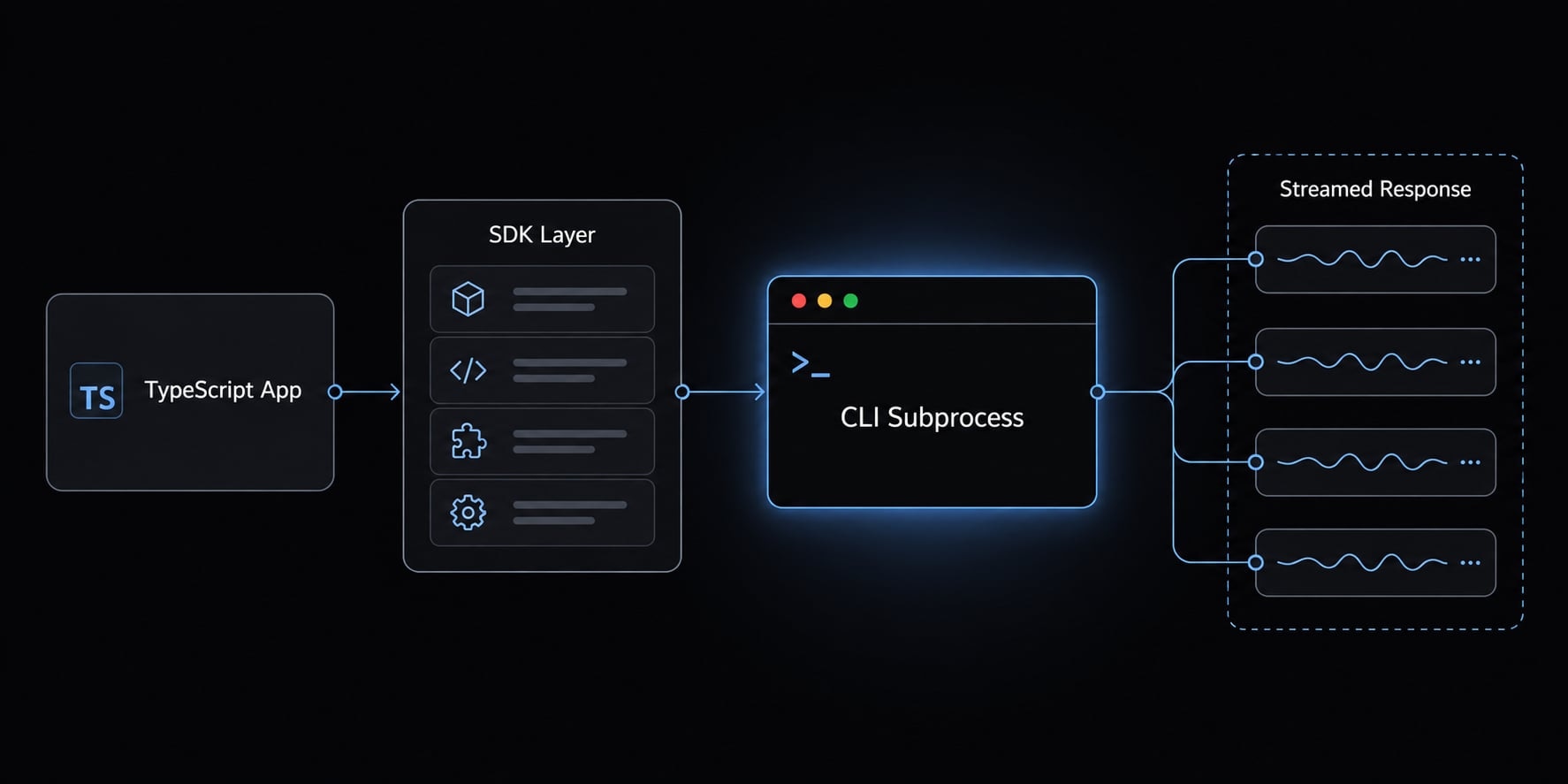
The simplest mental model is this: Your TypeScript application talks to the SDK, the SDK coordinates a local CLI subprocess, and that local process handles the Claude Code workflow. Results come back as async message streaming, which is useful when you want progress, tool activity, or intermediate outputs instead of waiting for one final response.
This is the simplest mental model, not full API coverage. The key difference from a normal hosted API wrapper is that this model is closely tied to local execution behavior and runtime controls.
query() for streamed interaction
The easiest conceptual entry point is query(). You send a prompt in, and you receive messages back over time rather than as a single blocking response.
That matters because interactive developer tooling often benefits from visibility. Instead of waiting silently, your app can observe output as it arrives.
A minimal conceptual example looks like this:
for await (const message of query({ prompt: "Review this TypeScript module" })) { console.log(message);}
You do not need to think of query() as a complex framework primitive. For orientation purposes, it is simply the main way to start a Claude-powered interaction from your code.
startup() for pre-warming
startup() exists to reduce cold-start overhead.
- It pre-warms the Claude Code process before a user-facing action needs it.
- This helps when startup latency would otherwise sit on the critical path.
- It matters more in interactive tools, repeated workflows, or UI-triggered actions.
- It matters less for one-off local experiments or background scripts where a small delay is acceptable.
If you are building TypeScript project automation with Claude for repeat usage, startup() becomes more relevant.
Sessions, settings and MCP tooling
Beyond query() and startup(), the SDK includes a few orientation-level concepts worth knowing.
Area | What it does | Why it matters |
|---|---|---|
Multi-turn continuity | Pass an | The standalone session API ( |
Settings | Controls runtime behavior such as model, tools, and permissions | Helps standardize how the workflow behaves across environments |
MCP | Extends tool-use through Model Context Protocol | Useful when your app needs structured access to external tools or systems |
For many teams, the SDK is enough. More structure only matters when repeatability becomes important. That is where TypeScript project automation with Claude starts to shift from experimentation into workflow design.
What you can actually build with Claude Code in a TypeScript workflow
The most practical use of Claude Code in a TypeScript workflow is not “autonomous software engineering.” It is structured help for internal tooling, repeatable engineering tasks, and controlled code automation. The biggest value usually appears when the workflow is narrow enough to guide and broad enough to repeat.
For internal developer tools and workflow automation
Examples that fit well include:
- Custom CLI wrappers that standardize prompts, repository context, and review rules.
- Documentation generation support for changelogs, internal references, or technical summaries.
- Repo triage and refactor preparation across large TypeScript codebases.
- Repetitive engineering task automation such as file analysis, implementation planning, or structured code review assistance.
- Small utilities for classifying issues, summarizing diffs, or preparing migration checklists.
This is where Building custom CLI tools with Claude Agent SDK becomes more useful than ad hoc prompting. You move from “ask once” behavior to a more repeatable agentic workflow.
For team workflows and repeatable agent-assisted tasks
For small teams, the stronger use case is shared patterns rather than pure autonomy. That might mean team-specific review helpers, consistent repo automation, or controlled agent-assisted tasks that follow the same rules every time. Model Context Protocol becomes relevant when tool-use needs to connect with internal systems, but it should be viewed as an extension mechanism, not magic automation. Review-oriented automation is usually a better fit than blind delegation.
Use-case fit by team maturity
Team type | Good fit | Watchouts |
|---|---|---|
Solo builder | Fast experimentation, scripts, custom helpers. | Easy to overbuild before a real workflow exists. |
Small product team | Shared copilots, repeatable automation, internal tooling. | Needs lightweight standards for prompts, permissions, and review. |
Weak-process early-stage team | Limited fit unless a workflow is already recurring. | Structured setup may feel like overhead. |
Security-sensitive team | Strong potential for controlled local workflows. | Controls should come before broader rollout. |
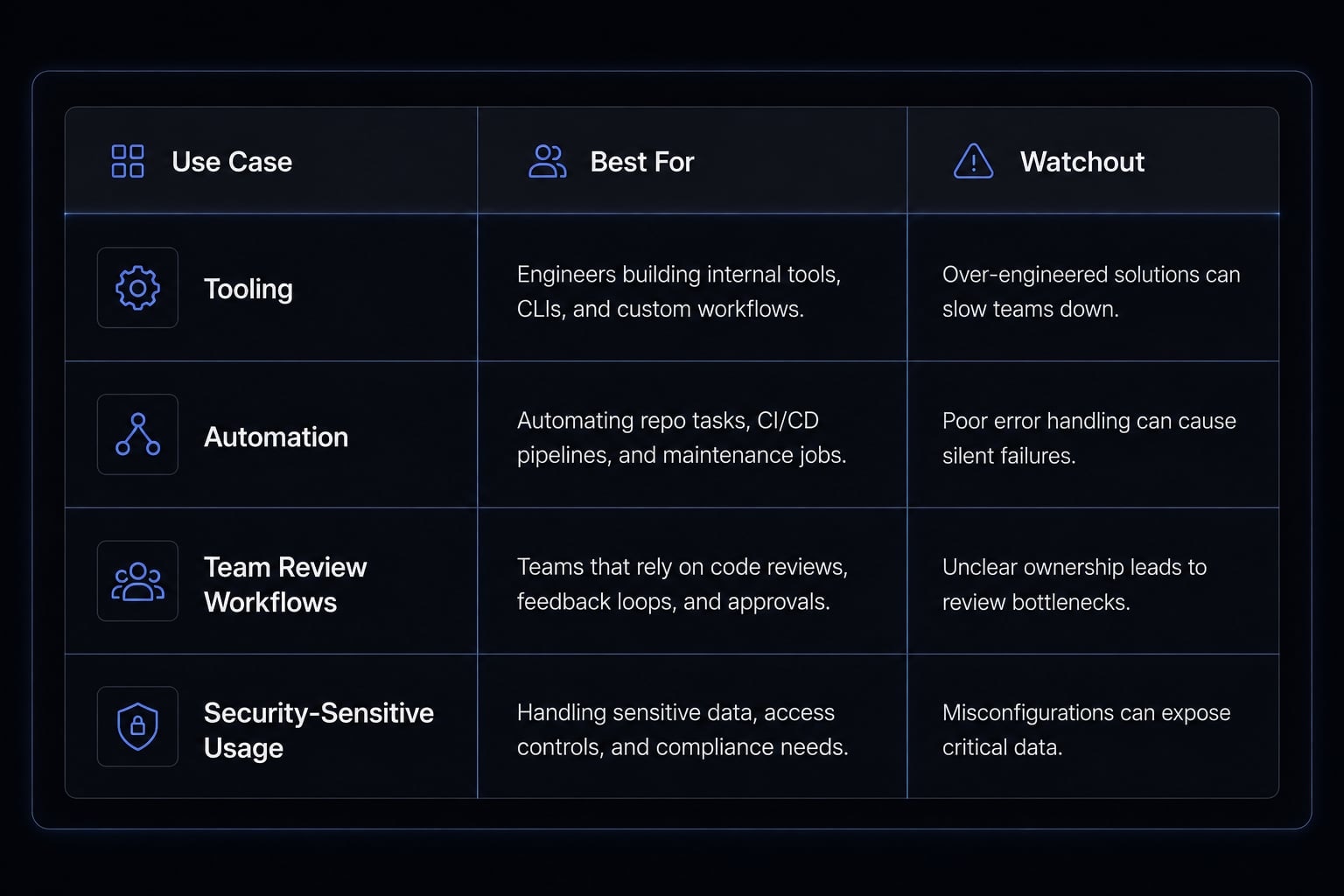
The main constraint is discipline. Claude-assisted workflows tend to produce more value when the team already knows how it wants work reviewed, approved, and repeated.
A related next step is to standardize prompts and tool behavior only after usage patterns become clear. That is usually a better path than trying to engineer a full agent platform on day one.
What to know before you start: Permissions, local execution, and Constraints
This setup behaves much closer to a local execution environment than a standard API-only wrapper. That changes the risk model immediately. If the workflow can touch files, run commands, or interact with tooling on your machine, permissions and boundaries need to be defined early.
Before you start
- Confirm SDK install behavior.
- Check local binary availability.
- Review permission mode.
- Define sandbox boundaries.
- Keep human review in the loop.
Important: Because this can operate in a local execution environment, permission and sandbox settings decisions matter more than in a standard model API integration.
The deployment constraint most TypeScript teams hit first
Since v0.2.110, the SDK ships the CLI as a Bun-compiled single executable rather than a bundled JS file. The native binary unpacks to roughly 230 MB per platform.
That number matters because it exceeds Vercel's 250 MB function size limit once your own code is included, and sits uncomfortably close to AWS Lambda's 250 MB unzipped layer cap. In practice this closes off serverless as a deployment target, and there is no documented workaround.
If your TypeScript stack is Next.js on Vercel or a Lambda handler, check this before anything else in this guide. The SDK is a good fit for CLIs, local tooling, long-running servers, and containers - less so for the serverless patterns many TypeScript teams default to.
One version trap to know: Options.skills arrived at 0.2.120, and 0.2.109 was the last JS-distributed release. Since no version includes both, pinning to an older version to avoid the binary forces you to forgo the Skills API.
Why permissions matter more here
Local execution changes what “safe by default” means. The issue is not just prompt quality. It is what the system is allowed to do.
Control area | Why it matters | Practical concern |
|---|---|---|
Permission mode | Affects how much autonomy the workflow gets. | Higher autonomy increases operational risk. |
File access | Local repositories and system paths may be reachable. | Sensitive files should not be exposed casually. |
Bash execution | Commands can change the environment or codebase. | Explicit control is necessary before broad use. |
This is the core of Claude Code TypeScript permission management. Once command execution and local file access enter the picture, review gates matter much more.
Sandbox basics and explicit controls
At a high level, sandbox settings exist to limit what the workflow can access or modify.
- Filesystem restriction controls what paths can be read or written.
- Network rules can define allowed or denied domains.
- Explicit write boundaries are better than broad defaults in shared environments.
- Security-sensitive teams should set these controls before encouraging widespread usage.
- Human review should stay in place for meaningful edits, command runs, and workflow changes.
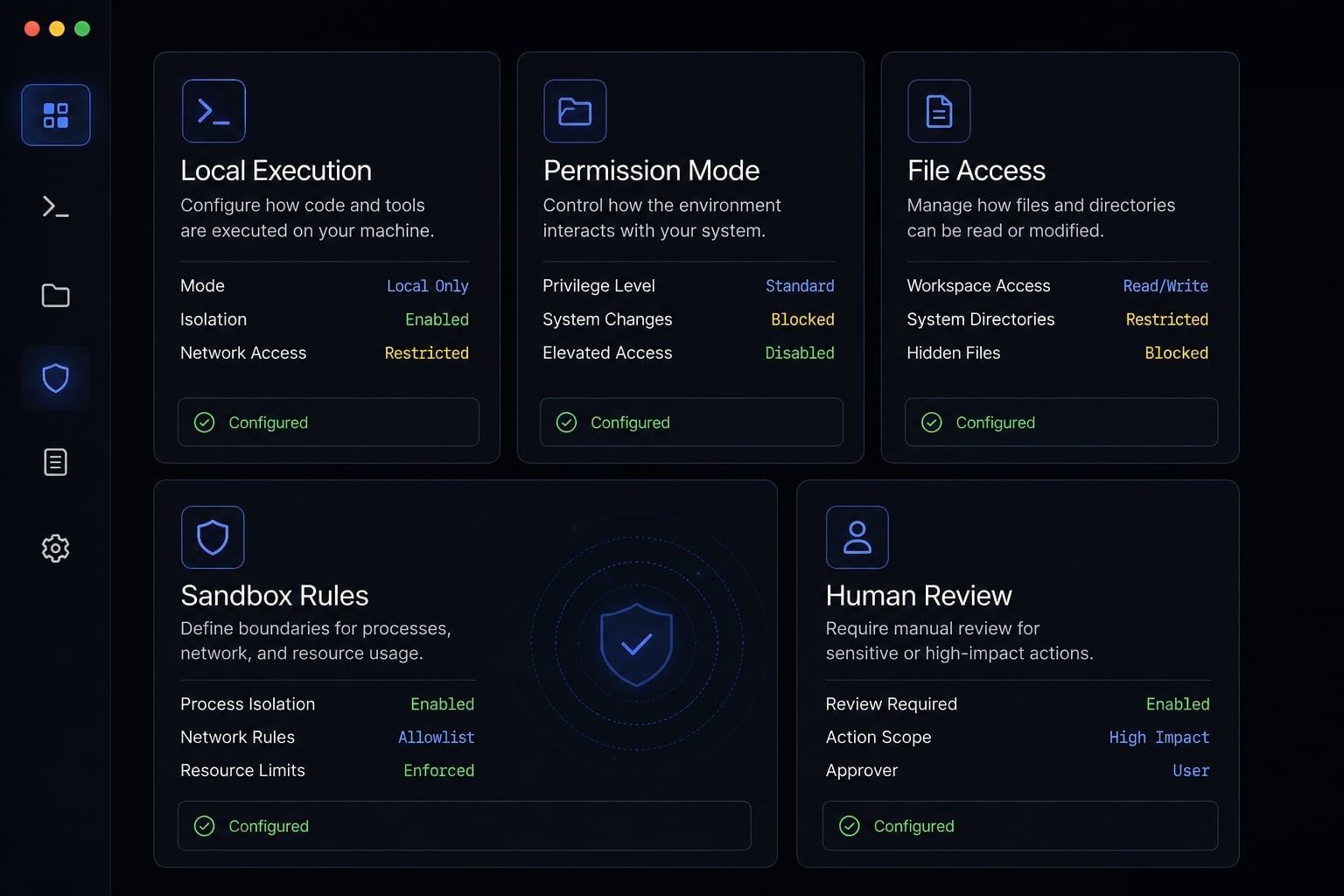
This is also where many teams misjudge effort. The integration may be fast, but operational trust still needs design. Human review remains necessary, especially when the workflow can edit files or execute commands locally.
What real-world signals say about Claude Code and TypeScript
Public signals suggest that Claude Code fits naturally into modern TypeScript-heavy workflows, but these signals should be treated as directional rather than definitive proof of broad market maturity.
One reason is architectural fit. Public discussions around How Claude Code is built point to a TypeScript stack, with related tooling choices such as the Bun runtime in parts of the workflow. That matters because developer adoption is often shaped less by abstract model capability and more by whether the surrounding stack feels familiar. TypeScript is not only the SDK surface here. It is also part of the broader ecosystem fit for teams already building internal tools, CLIs, and automation in JavaScript environments.
That said, real-world usage stories should not be over-read. Technical posts and practitioner examples are helpful evidence that the workflow model is practical, especially for teams already comfortable with TypeScript-based tooling. They are not proof that the setup is universally right for every team or every development process.
When a simple SDK setup is enough - and when teams need a more structured workflow layer
For solo testing, internal scripts, and lightweight experiments, the SDK is often enough. You can test the interface, validate workflow fit, and see whether the interaction model is useful without building a bigger system. A more structured layer only becomes necessary when prompts, tools, permissions, and execution patterns need to be reused consistently across people or projects.
A simple maturity checklist:
- You are a solo builder testing ideas: SDK-only is usually enough.
- The team keeps repeating the same tasks: Start defining reusable agent workflows.
- You need consistency across prompts, tools, and review rules: A structured agent setup becomes useful.
- You are coordinating specialized flows or subagents: More workflow design may help support repeatable automation.
The key point is maturity, not complexity for its own sake. Add structure only when the workflow has already proven that it repeats often enough to justify it.
Frequently asked questions
What does "Claude Code TypeScript" mean?
"Claude Code TypeScript" is a broad search term typically referring to one of three things: The Claude Code coding-agent product, the underlying CLI-based workflow, or the official TypeScript SDK used to integrate Claude’s agentic capabilities directly into your own TypeScript projects or automation tools.
Is there an official SDK for using Claude Code with TypeScript?
Yes, Anthropic provides an official TypeScript package called @anthropic-ai/claude-agent-sdk. This SDK allows you to interact programmatically with Claude Code functionality, though it relies on a local CLI binary which is often bundled as an optional platform-specific dependency during installation.
How does the Claude Agent SDK work at a high level?
The SDK operates as a local execution layer. Your TypeScript application uses query() to send prompts, which orchestrates a local CLI subprocess. Claude then processes the task, and the SDK streams the messages and tool outputs back to your application asynchronously for real-time handling.
What are the main benefits of using the SDK in a TypeScript project?
The SDK provides a type-safe interface for building custom internal developer tools, automating repository tasks, and creating repeatable agent workflows. It allows teams to integrate LLM-powered coding assistance directly into their existing dev environments while maintaining local control over the execution context.
What security and permission controls should I consider?
Since Claude Code operates in a local execution environment, you must manage permissions explicitly. Key controls include configuring sandbox settings to restrict filesystem access, defining network allow/deny lists for tool use, and implementing human-in-the-loop review for all sensitive code edits or command executions.
When is a structured agent workflow better than a simple script?
A simple SDK setup is ideal for solo testing and lightweight automation. You should transition to a more structured workflow layer when your agent tasks require consistent tool configurations, repeatable subagent patterns, or standardized permission guardrails that must be shared across an entire development team.
Read more:
- Claude Code tutorial: Set up and master your AI coding agent
- Claude Code toolkit: Scale your AI development workflow easily
- Claude Code specialized agents: Boost your coding efficiency
Conclusion
The simplest takeaway on Claude Code TypeScript is that the term usually mixes three things together: The Claude Code experience, the CLI workflow, and the SDK integration path. If your real question is whether there is an official TypeScript SDK, the answer is yes: @anthropic-ai/claude-agent-sdk is the main supported path to start with. Before implementation, focus less on hype and more on local execution, permissions, sandbox boundaries, and review discipline.
The most practical next step is to read the official docs, test the SDK in one small TypeScript workflow, and add more structured agent workflows only after repeat patterns become clear.