Claude Code token efficiency: Reduce costs & boost results
Claude Code token efficiency: Reduce waste without sacrificing correctness
As Claude Code sessions accumulate instructions, tool results, and abandoned debugging paths, tracking token efficiency becomes increasingly difficult. However, extra activity isn't inherently wasteful if it leads to a correct, reviewable change. To optimize usage, give Claude clear task boundaries, precise acceptance criteria, and well-filtered context. The best way to start is by auditing one representative task and tweaking its scope or workflow to improve Claude Code token efficiency before making broader changes.
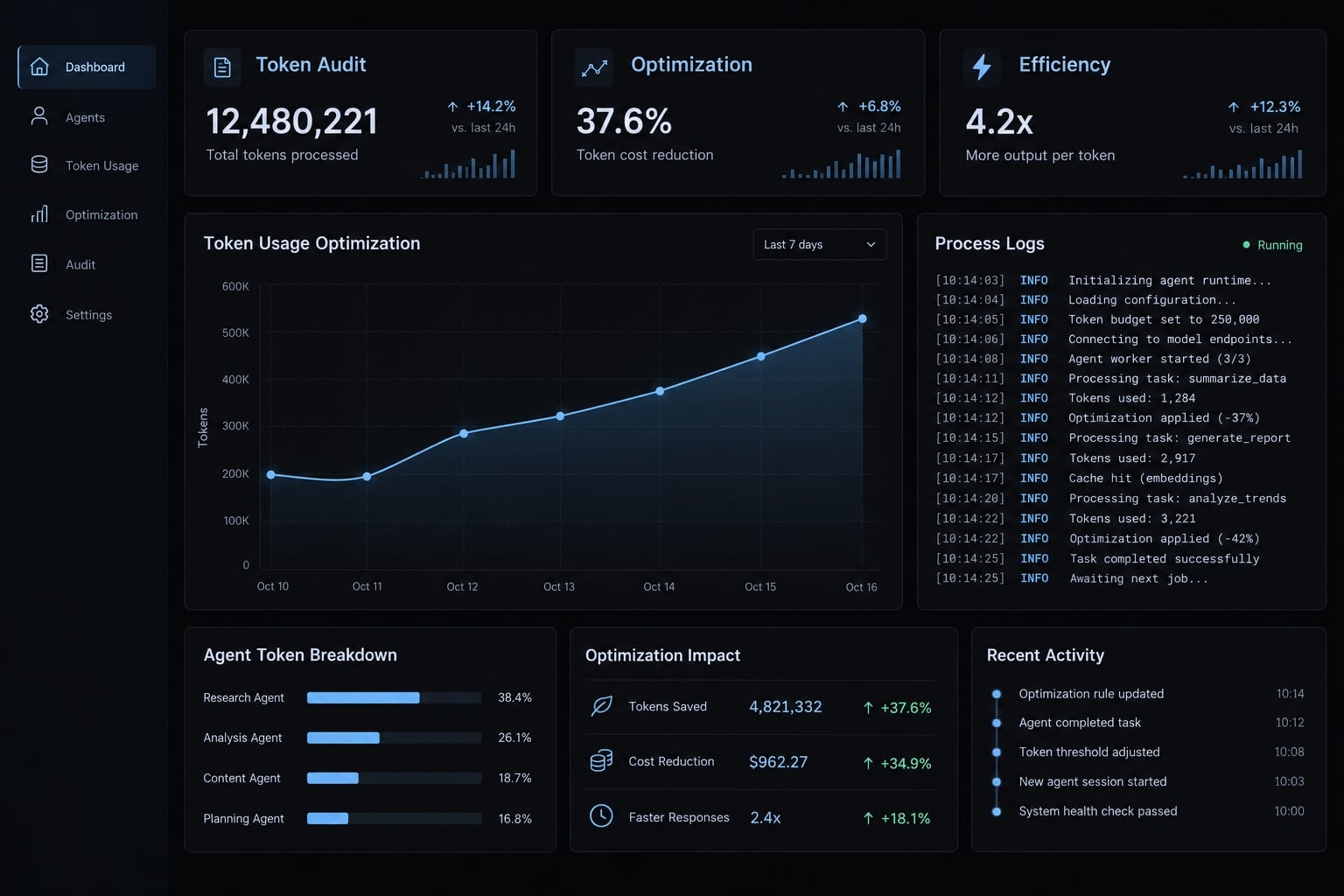
The highest-impact Claude Code token efficiency fixes
Start with task scope and diagnostic noise. These changes are easier to evaluate than reconfiguring tools or changing models. The impact labels below are qualitative priorities, not measured savings. Their value depends on your repository, task, and existing workflow.
Priority | Action | Potential impact | Effort | Guidance type |
|---|---|---|---|---|
1 | Define outcome and initial scope | High | Low | Task |
2 | Filter repetitive diagnostic output | High | Low | Output |
3 | Separate unrelated conversations | High | Low | Session |
4 | Prune irrelevant persistent instructions | Medium–high | Medium | Configuration |
5 | Preserve decisions through handoffs | Medium | Low | Session |
6 | Review unnecessary tool exposure | Conditional | Medium | Configuration |
7 | Match model capability to task risk | Conditional | Medium | Model |
Configuration changes require checking documented behavior, permissions, and retained capabilities. Disabling a tool may remove necessary evidence; choosing a lighter model may introduce retries.
Apply these five-minute fixes first:
- Define one observable outcome rather than a broad improvement request.
- Name likely relevant files and the reproducible failing test.
- Request a brief explanation, patch summary, and verification results.
- Start fresh when unrelated history contributes little useful context.
- Request focused diagnostic output before full-suite logs.
For a B2B SaaS authentication bug, replace “review our authentication system” with “investigate the failing refresh-token expiration test.” Prompt specificity can reduce Claude Code token usage without preventing necessary investigation.
What actually consumes tokens in Claude Code?
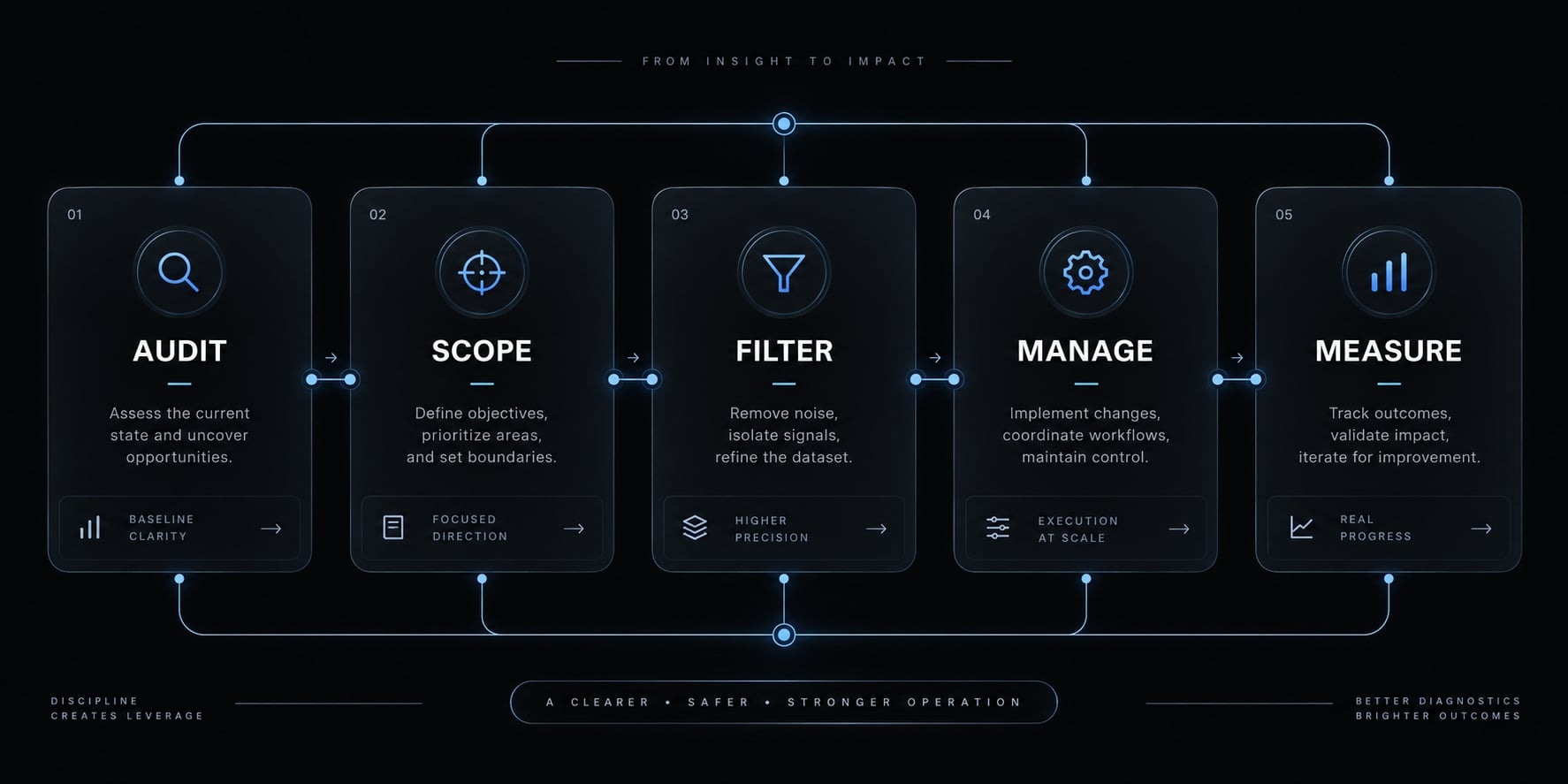
Your typed prompt is only part of the input. Claude may also process applicable instructions, previous messages, retrieved files, tool information, and execution results. Generated responses add usage too. Repeated turns can process overlapping material, while caching, compaction, and tool discovery affect how that material is represented and charged.
Source | Avoidable waste | Possible symptom |
|---|---|---|
Persistent instructions | Duplicated or irrelevant guidance | Substantial starting context |
Conversation history | Obsolete plans and failed branches | Repeated discarded assumptions |
File and search results | Broad or repeated retrieval | Frequent rereads |
Tool definitions or discovered schemas | Unneeded tool descriptions | Large tool-related context |
Terminal and tool output | Repetitive logs | Relevant errors buried |
Generated responses | Unnecessary explanations | Long answers without progress |
Keep four measurements distinct:
- Context occupancy: Information currently available within the working context.
- Cumulative token usage: Tokens processed or generated across the measured task.
- Monetary cost: Charges under applicable billing categories and rates.
- Accepted result: Output meeting predefined correctness and review criteria.
Use this article’s operational measure, not a vendor-defined score:
Tokens per accepted task = total measured task tokens ÷ accepted tasks
Track retries, review time, test outcomes, and manual corrections separately. With reliable API billing data, also calculate cost per accepted task.
Quality-adjusted efficiency means interpreting these measures together—not combining incompatible units. A shorter response that causes two repair attempts may be less efficient overall.
Run a 10-minute Claude Code token audit
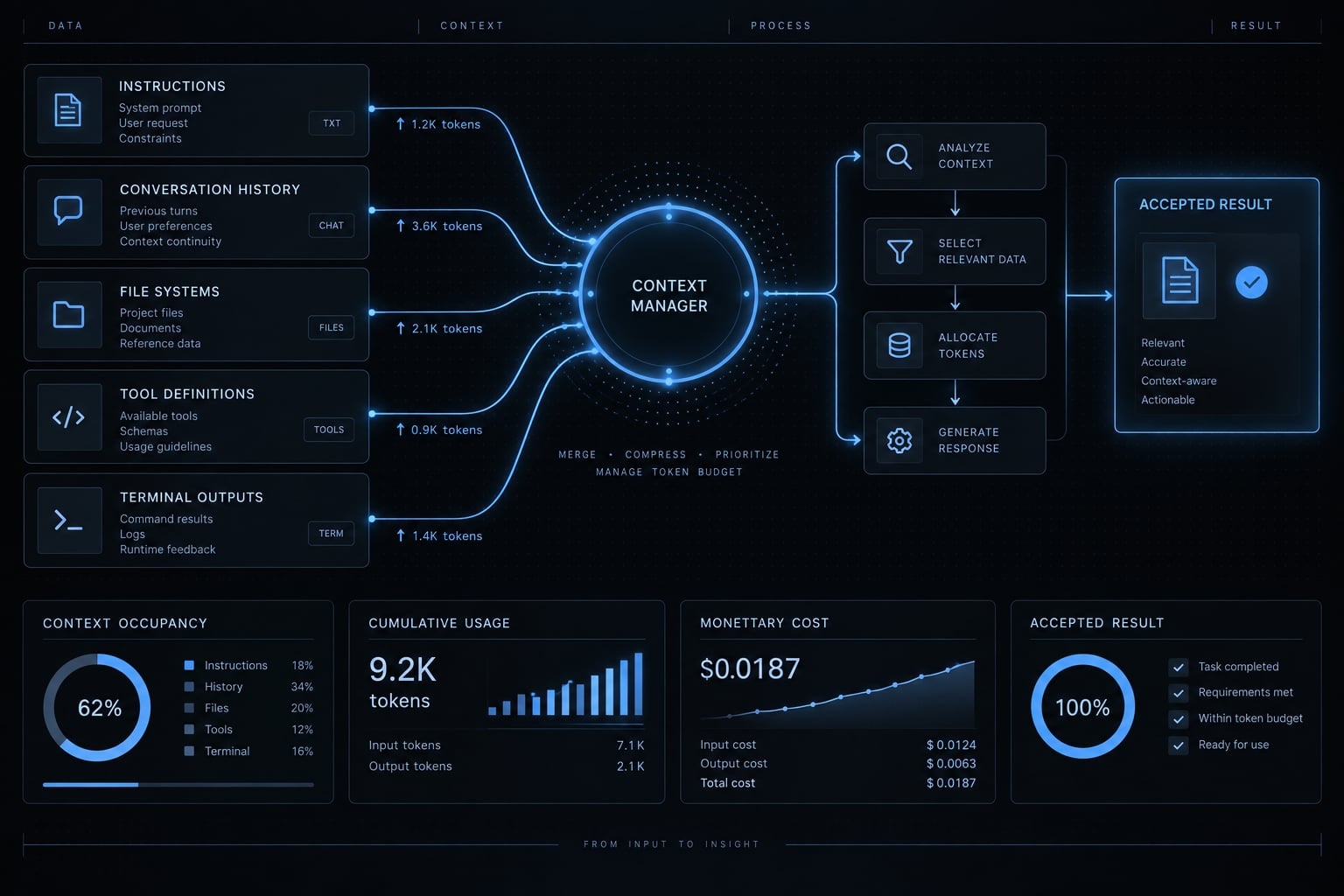
Identify your installed version and its documented context and usage interfaces first. Check whether each display reports current occupancy, session usage, estimated cost, or plan allowances. No single interface should be assumed to supply every metric below.
Ten minutes is an initial triage window, not a benchmark. The running example here is an illustrative refresh-token validation bug; no execution results or tested installation are claimed.
- Check available measurements: Record the interface, units, and reporting scope.
- Identify loaded instructions: Inspect applicable personal, project, and directory-level guidance.
- Review CLAUDE.md: Flag stale directions and duplication without deleting essential constraints.
- Inventory MCP integrations: MCP (Model Context Protocol) connects assistants with external tools and resources.
- Inspect repeated retrieval: Determine whether searches revisit information or investigate new evidence.
- Check prompt scope: Compare the request with the failing authentication test.
- Identify noisy output: Look for full-suite logs where focused diagnostics could suffice.
- Record a baseline: Preserve the starting repository state and acceptance criteria.
Audit persistent instructions
Review relevance and loading scope, not an arbitrary word limit.
Keep | Remove or relocate |
|---|---|
Non-obvious build and test commands | Duplicated generic advice |
Security requirements | Stale directions |
Architectural boundaries | One-off task details |
High-consequence project constraints | Long, rarely relevant examples |
Do not remove an important rule merely because someone could eventually infer it from code. Explicit security requirements can prevent expensive mistakes.
Audit tools, files and terminal output
Check that diagnostic excerpts retain:
- Primary error and relevant stack trace.
- Reproduction steps and command.
- Exit status.
- Surrounding evidence needed to interpret the failure.
Focused tests help diagnose the refresh-token bug. They do not automatically replace broader final verification. Retain complete logs locally for follow-up.
Capture a baseline before optimizing
Define a retry as a corrective implementation attempt after a proposed solution fails acceptance. Apply that definition consistently.
Metric | Baseline |
|---|---|
Usage: unit and reporting scope | |
Files read | |
Tool calls | |
Retries | |
Time to acceptance | |
Tests and outcomes | |
Manual corrections |
Fill unavailable fields with N/A, not zero. Count review and repair work through acceptance, rather than stopping at the first patch. Your initial context audit should identify one suspected waste source and one measurable usage baseline.
Scope prompts, files and output before Claude starts exploring
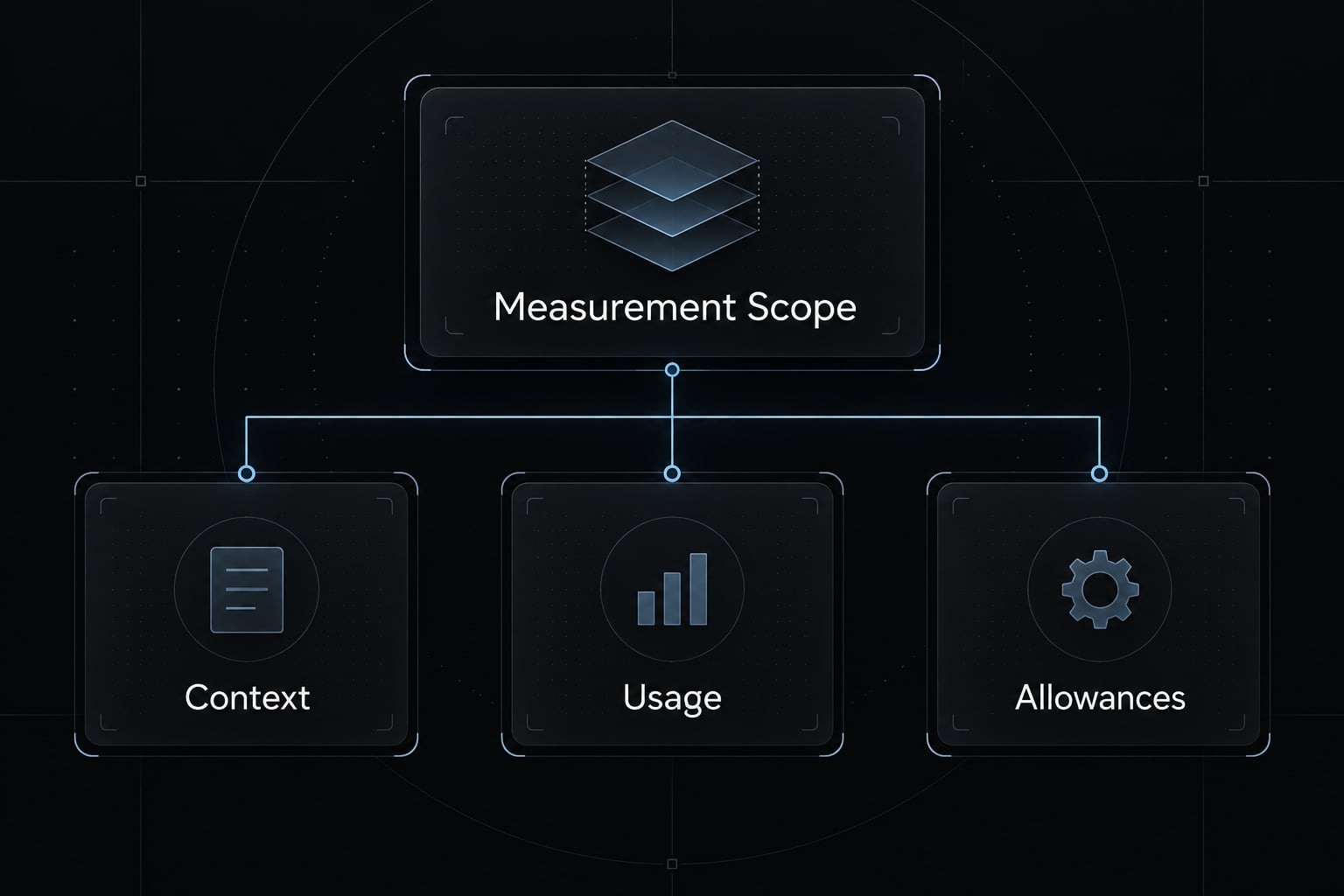
Define completion before asking for exploration. A task contract gives Claude a starting point, boundaries, and evidence requirements. It should narrow unnecessary work without blocking a dependency that explains the failure.
Replace open-ended prompts with task contracts
Illustrative weak prompt:
Fix authentication and clean up anything that looks wrong.
Illustrative improved prompt; replace the paths with your repository’s equivalents:
Objective: Fix refresh-token expiration validation.Current behavior: The regression test accepts an expired refresh token.Expected behavior: Reject expired tokens; preserve valid-token behavior.Initial scope: src/auth/refresh.ts and tests/auth/refresh.test.ts.Constraints: Preserve public interfaces and security checks. Avoid unrelatedrefactors and new dependencies unless justified.Required output: Brief root cause, smallest safe patch summary, verificationresults, and explicitly unverified assumptions.Verification: Run the failing regression test, relevant authentication tests,and the project's required checks. Report commands and outcomes.Scope expansion: If evidence points elsewhere, explain which additional fileis needed and why before inspecting it. Do not guess to stay within scope.
The improved version reduces ambiguity about both investigation and acceptance. It does not assume the named implementation file contains the cause. If the bug originates in shared timestamp parsing, expanding scope is correct. Repeatedly patching the wrong file would defeat the intended savings.
A minimal diff means the smallest safe change, not necessarily the fewest changed lines. Adding regression coverage may increase the diff while reducing review risk.
Output constraints should shorten presentation, not suppress verification. Ask for decisions, evidence, and unresolved assumptions—not lengthy internal analysis.
Use negative constraints to prevent scope creep
Negative prompting means stating concrete exclusions:
- No unrelated refactors.
- No new dependencies without justification.
- Preserve public interfaces unless the task requires changes.
- Do not weaken tests to make them pass.
- Skip unrelated documentation updates.
These exclusions prevent a localized authentication fix from becoming repository maintenance.
Avoid an absolute prohibition on test changes. Correcting an invalid expectation or adding missing regression coverage may be necessary. Require an explanation when existing assertions change.
Filter files and logs without removing critical evidence
Do | Avoid |
|---|---|
Provide exact starting paths | Request repository-wide reading by default |
Share relevant errors and surrounding context | Paste every successful test line |
Diagnose with focused tests | Treat focused tests as universal sign-off |
Include dependency-relevant code | Supply isolated lines that hide behavior |
Retain full logs locally | Discard evidence after extracting an excerpt |
Truncation can remove the causal error, while output pipelines can obscure the original process’s exit status. Preserve both before interpreting results.
File-selection conventions and prompt exclusions are not enforced access controls. Use documented permissions for access restrictions, and verify their scope separately.
The goal is sufficient evidence with less noise. An extremely short prompt that omits reproduction steps can increase searches, retries, and total task usage.
Manage sessions before context becomes noisy
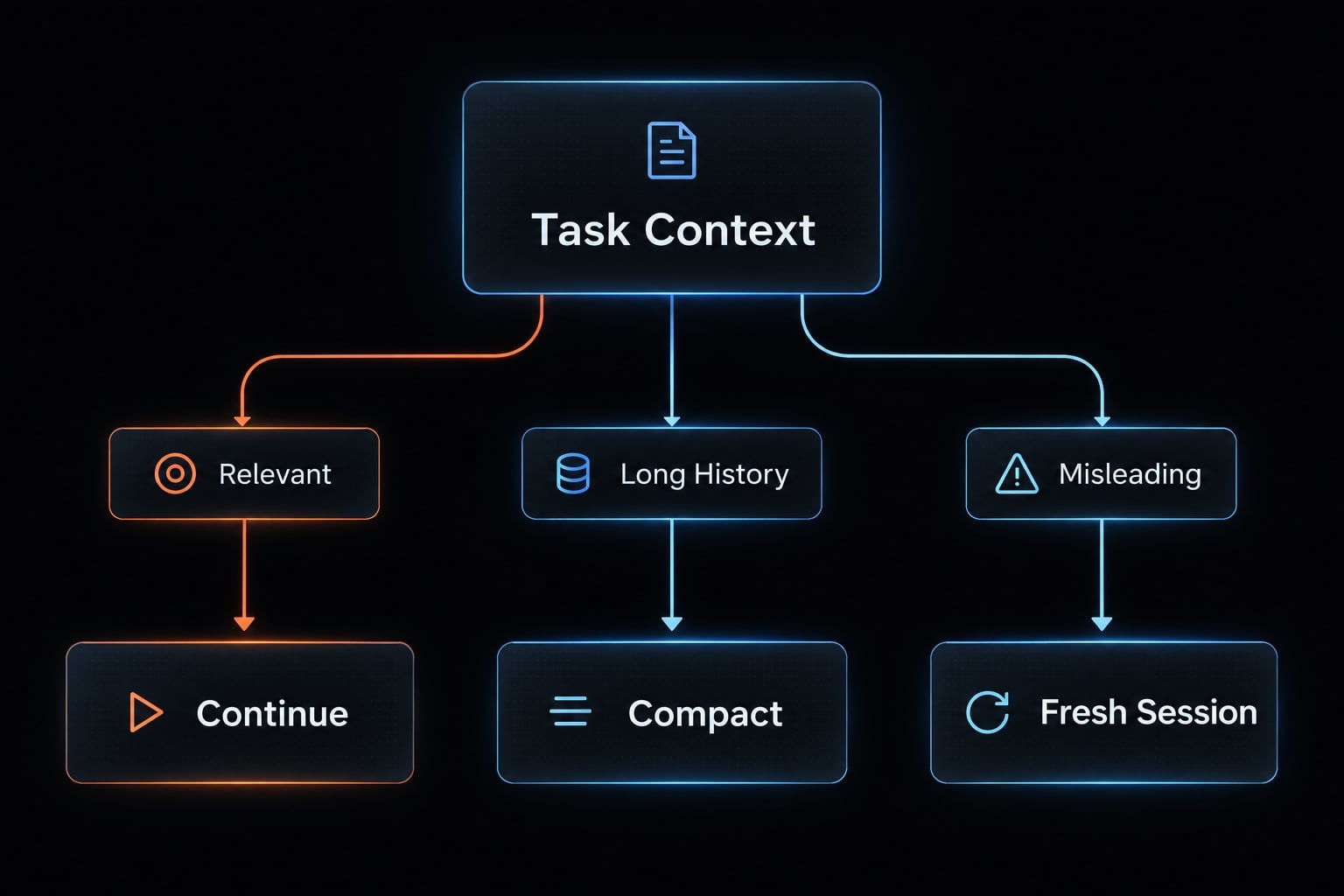
Keep useful continuity; remove obsolete context deliberately. In the illustrative authentication task, an early diagnosis might blame clock skew. Later evidence instead identifies an incorrect expiration comparison, but the old diagnosis remains prominent.
“Context rot” is informal shorthand for stale or distracting context—not a measured condition with a universal threshold.
Context-management decision matrix
Situation | Preferred action | Preserve |
|---|---|---|
Same task, relevant context | Continue | Current evidence |
Same task, long history | Consider documented compaction | Constraints and decisions |
Discarded branch dominates | Fresh handoff; verify checkpoint options | Confirmed findings |
Unrelated work | Fresh session | Only applicable project rules |
Different feature or bug | Clear conversation or restart appropriately | Repository status |
Returning later | Resume with concise handoff | Progress and remaining checks |
Compaction summarizes history; it can omit useful detail and requires processing itself. Starting fresh can trigger rereading. Compare net task usage rather than assuming either action saves tokens.
Conversation changes are not repository rollback. Do not assume clearing history changes files. Checkpoint recovery also has limits: Shell-created changes, database writes, deployments, and external side effects require separate inspection and recovery.
Use a session handoff instead of carrying the entire history
Copy this illustrative template and replace every status with observed facts:
Task:Acceptance criteria:Branch / commit:Working-tree status:Confirmed findings:Discarded hypothesis and disconfirming evidence:Files changed:Constraints to preserve:Tests run, commands, and outcomes:Tests not run:Remaining uncertainty:Next smallest action:
Exclude credentials, secrets, and unnecessary customer data. A handoff is a factual checkpoint, not another speculative debugging narrative.
Separate planning, building, debugging and verification
Use four stages: Establish scope, implement, diagnose failures, and verify acceptance.
These are workflow stages, not a mandate for four sessions. Introduce boundaries when the required context materially changes. Retaining relevant reasoning and test evidence can be more efficient than repeatedly reconstructing them.
Reduce persistent context, MCP and model overhead
Optimize repeated overhead after understanding loading behavior. Instructions that never enter a task’s context cannot explain its token usage. Removing guidance without checking applicability can create risk without reducing work.
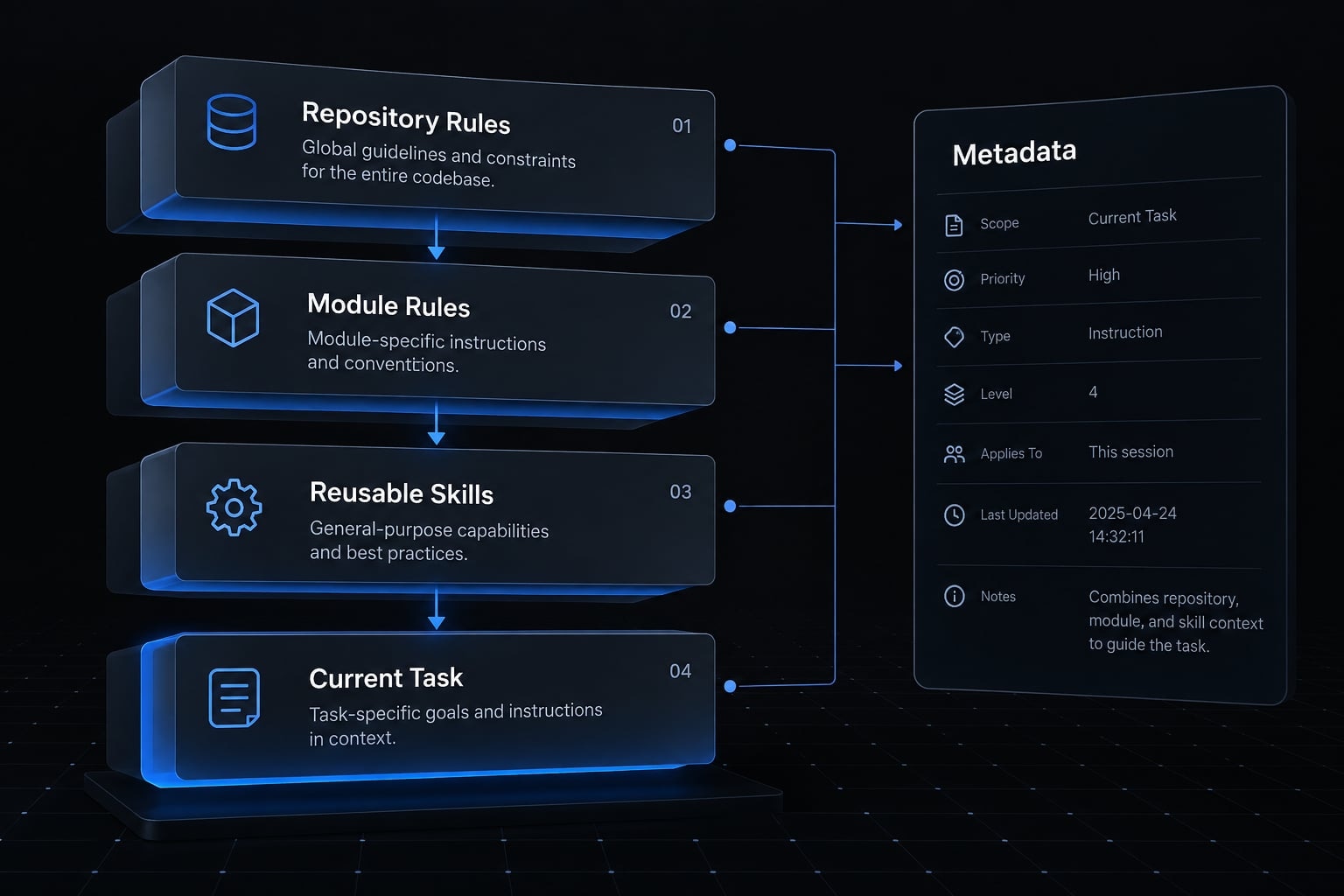
Place instructions at the narrowest useful scope
Information | Placement principle |
|---|---|
Repository-wide requirements | Project-wide instructions |
Module-specific requirements | Supported path-scoped rules |
Repeatable task procedure | Supported skill or reusable workflow |
One-time requirement | Current prompt |
Human onboarding narrative | Human-oriented documentation |
Progressive disclosure means making detailed guidance available when needed rather than including everything upfront.
Keep security-sensitive rules explicit. Prune duplicated prose from CLAUDE.md, but preserve requirements such as token-revocation behavior and tenant isolation.
Audit MCP servers and tool definitions
MCP specifies a protocol; exact tool exposure is a client implementation choice. Claude Code’s MCP documentation and the official MCP Tools specification are relevant references.
- Inventory configured servers and tools.
- Identify capabilities required for the current task.
- Inspect tool definitions and returned output.
- Reduce unnecessary exposure through documented controls.
- Recheck capability, permissions, and diagnostic completeness.
Tool discovery or deferred loading can change overhead. Do not assume every configured schema enters every request identically. Apply least privilege, use approved servers, review credentials and data exposure, and treat external tool content as untrusted. Do not blindly remove a security-relevant integration.
Match capability and reasoning effort to the task
Treat these as starting points to test, not model rankings:
Task | Capability starting point |
|---|---|
Mechanical edits | Lightweight, tightly scoped execution |
Routine documentation | Lightweight, with factual review |
Localized bug fixes | Moderate; escalate for risk |
Multi-file features | Strong dependency awareness |
Architecture changes | Strong reasoning and trade-off evaluation |
Security-sensitive changes | Strong reasoning plus independent verification |
The refresh-token bug is localized but security-sensitive. File count alone does not establish difficulty.
Model routing—selecting capability by task—should optimize total cost through acceptance. Cheap retries can become expensive collectively.
Use only model and effort controls available in your environment. Record changes as experimental variables, including relevant cache conditions, rather than attributing every difference to capability.
Measure results and avoid false token savings
Measure the entire path to accepted output. A smaller first response is not sufficient evidence of improvement. Quality-adjusted efficiency requires comparable tasks, consistent accounting, and correctness safeguards.
Before-and-after measurement template
Metric | Before | After |
|---|---|---|
Total usage: stated unit and categories | ||
Files read / tool calls | ||
Retries | ||
Time to acceptance | ||
Review time | ||
Tests and outcomes | ||
Manual corrections |
Define total usage as all measured task interactions through acceptance, including failed attempts and relevant delegated work where observable. Specify tokens, estimated cost, or another unit.
Record whether input, output, cache reads, and cache writes are distinguishable. Mark missing measurements N/A. Lower usage may preserve subscription capacity without lowering the subscription bill.
Control or record repository starting state, acceptance criteria, model, effort settings, Claude Code version, tools, test commands, and relevant cache conditions.
Change one major variable at a time when practical. Repeat comparable tasks before claiming stable improvement. Repeating an identical bug after learning its solution introduces a learning advantage; disclose that limitation.
Passing tests provides evidence, not a correctness guarantee. Reject apparent savings that materially worsen security, review effort, or reliability.
Common token-efficiency mistakes
- Shortening answers while ignoring excessive context and generic instructions.
- Mixing unrelated tasks or clearing context without a useful handoff.
- Exposing unnecessary tools or returning excessive raw output.
- Over-filtering evidence or confusing ignore conventions with access controls.
- Choosing the cheapest model and reporting savings without counting retries.
Final implementation checklist
- Identify version and measurement interfaces.
- Define acceptance criteria.
- Capture baseline usage.
- Review persistent instructions.
- Name initial files and tests.
- Specify concise output.
- Preserve critical diagnostic evidence.
- Review tools and permissions.
- Choose deliberate session boundaries.
- Compare total usage and quality through acceptance.
Use the blank worksheet until comparable measurements exist. A single successful run is illustrative, not a benchmark.
Frequently asked questions
How do I identify which parts of my session are consuming the most tokens?
Check which measurement interfaces your installed version provides, and what each one reports — current context occupancy, session usage, estimated cost, or plan allowances are different things. Record the interface, its units, and its reporting scope before drawing conclusions.
Does using fewer tokens result in lower-quality code?
Not necessarily. In fact, providing scoped context and explicit instructions often improves quality by removing "noise"—such as stale logs or irrelevant files—that the model otherwise has to reason through. Efficiency is best measured as the number of accepted results relative to the total tokens expended.
Why do MCP servers increase my token usage?
Tool definitions can add overhead, but discovery and deferred-loading behavior vary by version and client. Inventory configured servers, keep only what the current task needs, and reduce exposure through documented controls — then recheck that you still have the diagnostic evidence you need.
Should I clear my Claude Code session frequently to save tokens?
Neither action automatically saves tokens: Compaction costs processing and can omit detail, while starting fresh can trigger rereading. Decide by whether the remaining history still helps the current task, and preserve a factual handoff — task, confirmed findings, discarded hypotheses, tests run — instead of relying on the transcript
Is pasting large chunks of text directly into the CLI recommended?
No. Pasting large text blocks consumes tokens immediately and keeps them in your session history permanently. Instead, save the text to a file and have Claude Code read it directly from the path. This approach is more efficient and keeps your main conversation workspace clean.
Does a longer CLAUDE.md file lead to better performance?
Not always. An excessively long CLAUDE.md acts as constant overhead, loading on every session. You should trim it to include only high-level project constraints or non-inferable rules. For module-specific directions, use path-scoped rule files that only enter the context window when necessary.
Read more:
- Claude Code prompt engineering: A practical guide for developers
- Compact Claude Code: How to optimize context and stop drift
- Claude Code toolkit: Scale your AI development workflow easily
Conclusion
Claude Code token efficiency improves when you remove unnecessary work without removing the evidence needed for correctness. Audit the baseline, scope the task, filter diagnostic noise, manage sessions deliberately, and measure through acceptance.
Start with one representative task and one high-impact change. For the refresh-token example, a clearer task contract is a better first experiment than simultaneously changing models, tools, and instructions. Keep the failing test, security constraints, and final verification intact.