Compact Claude Code: How to optimize context and stop drift
Compact Claude Code: How to use /compact without losing important context
Long Claude Code sessions rarely fail suddenly; they slowly drift off track as Claude revisits old decisions or stale files. The /compact command prevents this "context rot" by condensing your active session to protect continuity. This guide explains what /compact actually does, when to use it, how to write strong preservation instructions, and when it is smarter to start fresh instead.
What /compact does in Claude Code
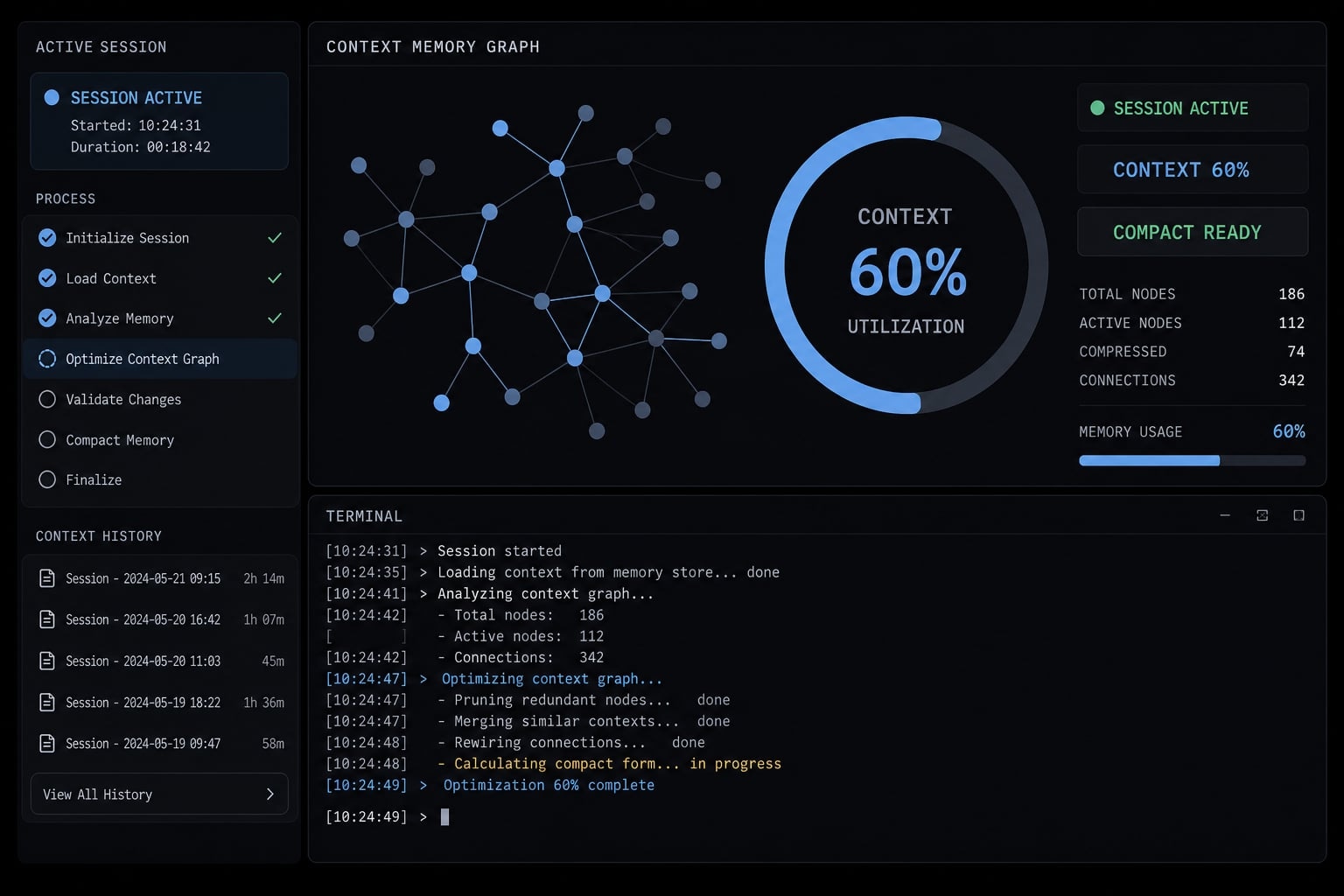
/compact condenses the current Claude Code conversation into a shorter working summary so the session can continue with less context overhead. It does not simply delete your chat. Instead, the model continues from a summarized version of the active session rather than carrying the full conversation forward turn by turn.
A better way to think about compact Claude Code behavior is controlled summarization. The /compact command helps reduce clutter in the active thread so Claude can keep working on the task without dragging every prior message into each new step. That makes it useful for Claude Code context optimization, especially in longer sessions where old logs, repeated explanations, and abandoned ideas begin to compete with the details that still matter.
In plain English, what changes after you run /compact
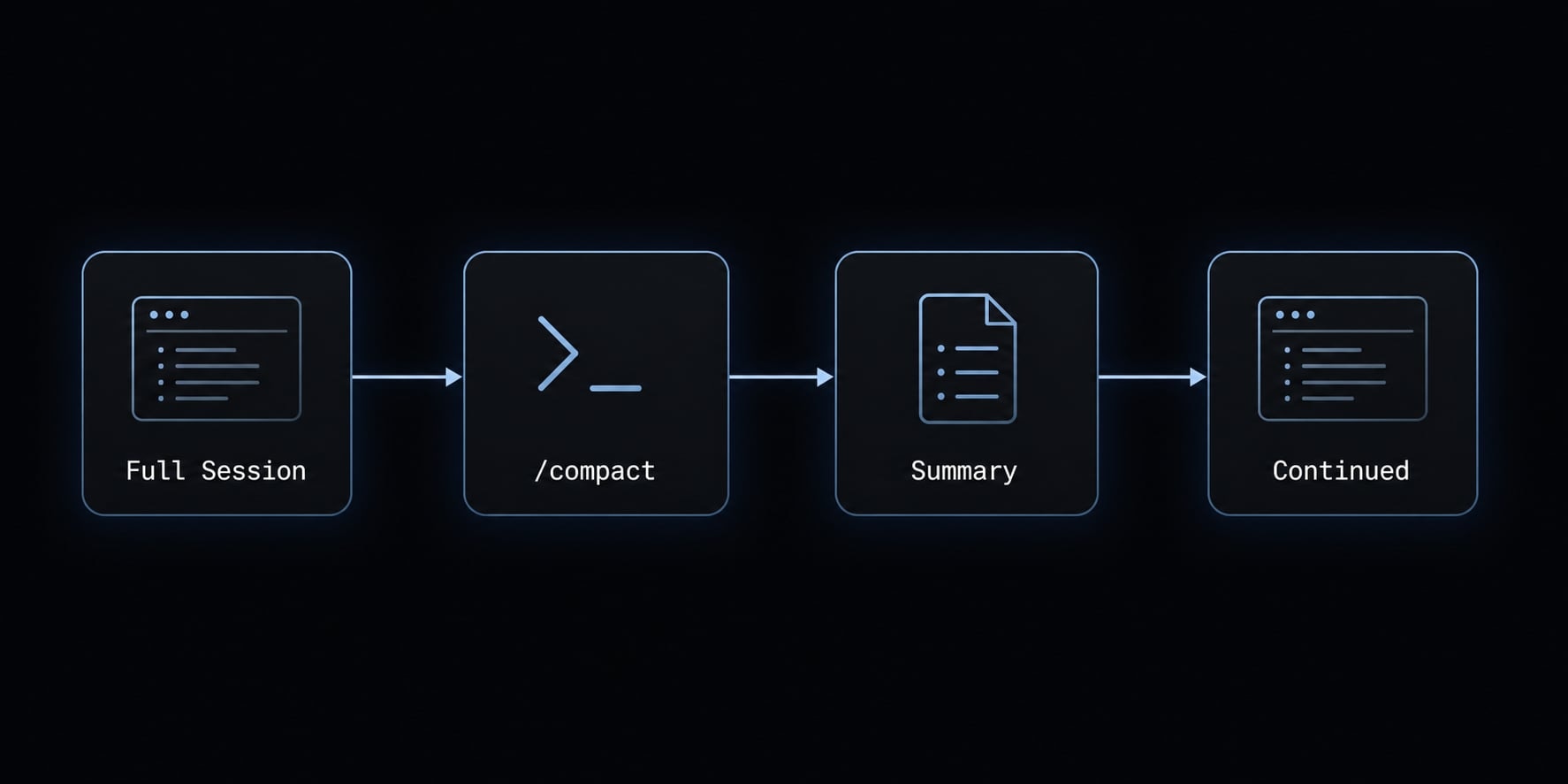
After you run the /compact command, the summary replaces full active conversation context for ongoing work. In plain English, Claude stops relying on the entire active thread as-is and instead continues from a condensed version of it.
This is why compact Claude Code workflows can feel cleaner after compaction. The session has more room to continue, and the model is less likely to be distracted by stale branches of discussion. The trade-off is that AI conversation summarization is lossy. Some fine-grained details may not survive, especially if they were not clearly preserved before compaction.
What you gain, and what you give up
What you gain:
- Lighter context.
- More room inside the context window capacity.
- Better continuity in long sessions.
- Less interference from repeated or stale discussion.
What you give up:
- Some low-level detail may be lost.
- Exact phrasing from earlier messages may not survive.
- Minor implementation nuance can disappear if not preserved.
The practical takeaway: Use compact in Claude Code intentionally, not casually.
Why long Claude Code sessions break down
Context rot is the gradual loss of clarity that happens when a long AI coding session accumulates too much noise relative to the signal that still matters. It usually shows up as drift rather than a hard break.
In long sessions, the problem is not only raw size. It is also structure. As threads pile up, the session collects stale branches, repeated instructions, resolved logs, abandoned implementations, and side discussions that no longer help. This is where managing long-running coding sessions becomes less about memory in theory and more about workflow hygiene in practice.
Early signs of context degradation
Common early signs of context degradation include:
- Claude repeats questions you already answered.
- It references the wrong file or old file structure.
- It suggests stale implementation paths you already rejected.
- It conflicts with a previous architecture decision.
- Its reasoning becomes less consistent across turns.
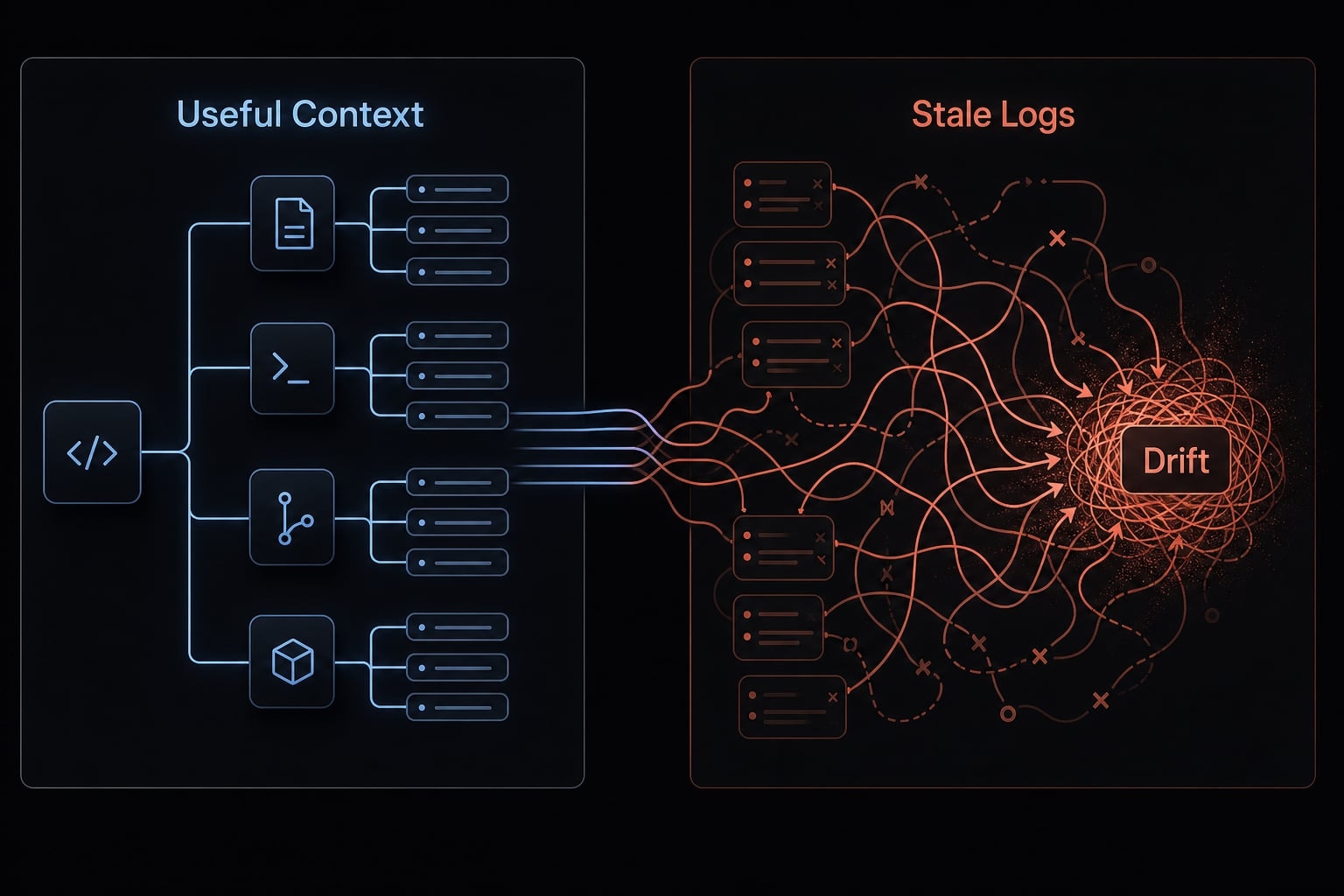
These symptoms are familiar to anyone using Claude for feature work, debugging, or refactoring across multiple files. A session may start sharp, then slowly become less reliable as useful context gets buried under old material.
Why more context is not always better
More history is not automatically better inside an LLM context window. If half the thread is made up of resolved logs, repeated clarifications, and exploration that went nowhere, the model has more to carry but not more that is useful.
That is the core noise vs signal issue. The point of compaction is not only token payload reduction. It is also removing baggage so the active task remains legible. This is one reason Claude Code token limit management strategies should be practical rather than purely technical: Users care about continuity and accuracy more than token math.
The transition is simple: If drift is starting to appear, compaction may help restore a cleaner working state.
When to use /compact and when not to
The most useful best practices for using /compact in Claude come down to timing. Used proactively, it keeps long sessions usable. Used reactively, after the thread is already degraded, it may preserve a weaker version of the session than you intended.
Good moments to compact
Good moments to compact include:
- After a major architecture decision.
- After finishing a feature or milestone.
- Before switching tasks.
- After a long planning discussion.
- When drift begins to appear.
These are strong examples of good moments to compact because the work has a stable shape. Claude has enough context to summarize what matters, and you are less likely to lose fragile details that are still actively changing.
Bad moments to compact
Bad moments to compact include:
- Mid-debug when exact error details matter.
- During unresolved branch exploration.
- In log-heavy diagnosis sessions.
- When exact earlier code or output still needs to be quoted.
These are classic bad moments to compact because the unresolved detail is the work. A common mistake is compacting in the middle of debugging, when the exact stack trace, failing input, or step-by-step output still matters more than the summary.
The 60% rule as a practical benchmark
The 60% rule is a practical benchmark, not an official Claude Code rule. The idea is simple: Compact before the session feels bloated rather than waiting until it is near the edge.
This is the difference between proactive vs reactive usage. If you compact while the thread is still healthy, the summary is more likely to preserve the right structure. If you wait too long, you may be summarizing already degraded context.
In that sense, the best practices for using /compact in Claude are less about precision and more about habit: Use it early enough to stay ahead of drift and to keep preventing context rot in Claude Code.
If you are deciding between manual vs automated context compaction, manual use is usually better when the current state still needs your judgment.
How to use /compact without losing important context
This is the most important part of Claude Code /compact command usage: Do not compact without first telling Claude what must survive.
A simple 4-step method
- Pause and identify what must survive: Note the current goal, key decisions, active blocker, changed files, constraints, and next action.
- Write a short preservation instruction: Use direct language. This is where strong preservation instructions matter.
- Run
/compact: Keep the instruction concise and specific. - Ask Claude to restate the current state and next action: A quick verification prompt helps catch missing or distorted context before you continue.
This 4-step method is the safest pattern for Claude Code /compact command usage because it treats compaction as guided summarization rather than blind cleanup.
Copy-paste preservation instruction examples
Use these copy-paste /compact examples as starting points. They rely on explicit instruction injection so the summary keeps the details that matter.
Feature development
/compact Preserve the current goal: add user role management to the admin dashboard.Keep the architecture decision to use server-side authorization checks.Keep modified files and why they changed: auth.ts for permission logic, admin/page.tsx for UI gating, roles.ts for shared role constants.Keep constraints: no schema changes, must remain backward compatible with current API.Keep the next step: implement role validation in the update flow.Drop resolved logs, abandoned UI variants, and repeated background discussion.
Debugging
/compact Preserve the current goal: fix the login redirect loop.Keep the current error context: redirect repeats after successful auth callback in production only.Keep files in scope and why: middleware.ts for redirect logic, auth.ts for session handling, env config for callback URL checks.Keep constraints: do not change provider config yet, avoid breaking local development.Keep the next step: compare cookie/session behavior between local and production.Drop resolved logs, old hypotheses already ruled out, and repeated setup explanations.
Refactoring
/compact Preserve the current goal: refactor the billing module without changing behavior.Keep the architecture decision to separate pricing calculation from invoice formatting.Keep file scope context: billing.ts, invoice.ts, and tests for billing edge cases.Keep constraints: preserve public function signatures and existing test coverage.Keep the next step: extract pure calculation helpers first.Drop replaced code drafts, resolved warnings, and early exploratory approaches.
Multi-file changes
/compact Preserve the current goal: complete the search feature across frontend and backend.Keep modified files and why they changed: search-api.ts for query handling, search-index.ts for indexing logic, SearchBar.tsx for UI behavior, results.tsx for rendering.Keep current blocker: ranking output is inconsistent for partial matches.Keep constraints: no third-party search service, maintain current response shape.Keep the next step: inspect tokenizer and ranking logic for partial-term queries.Drop resolved logs, abandoned ranking ideas, and repeated project background.
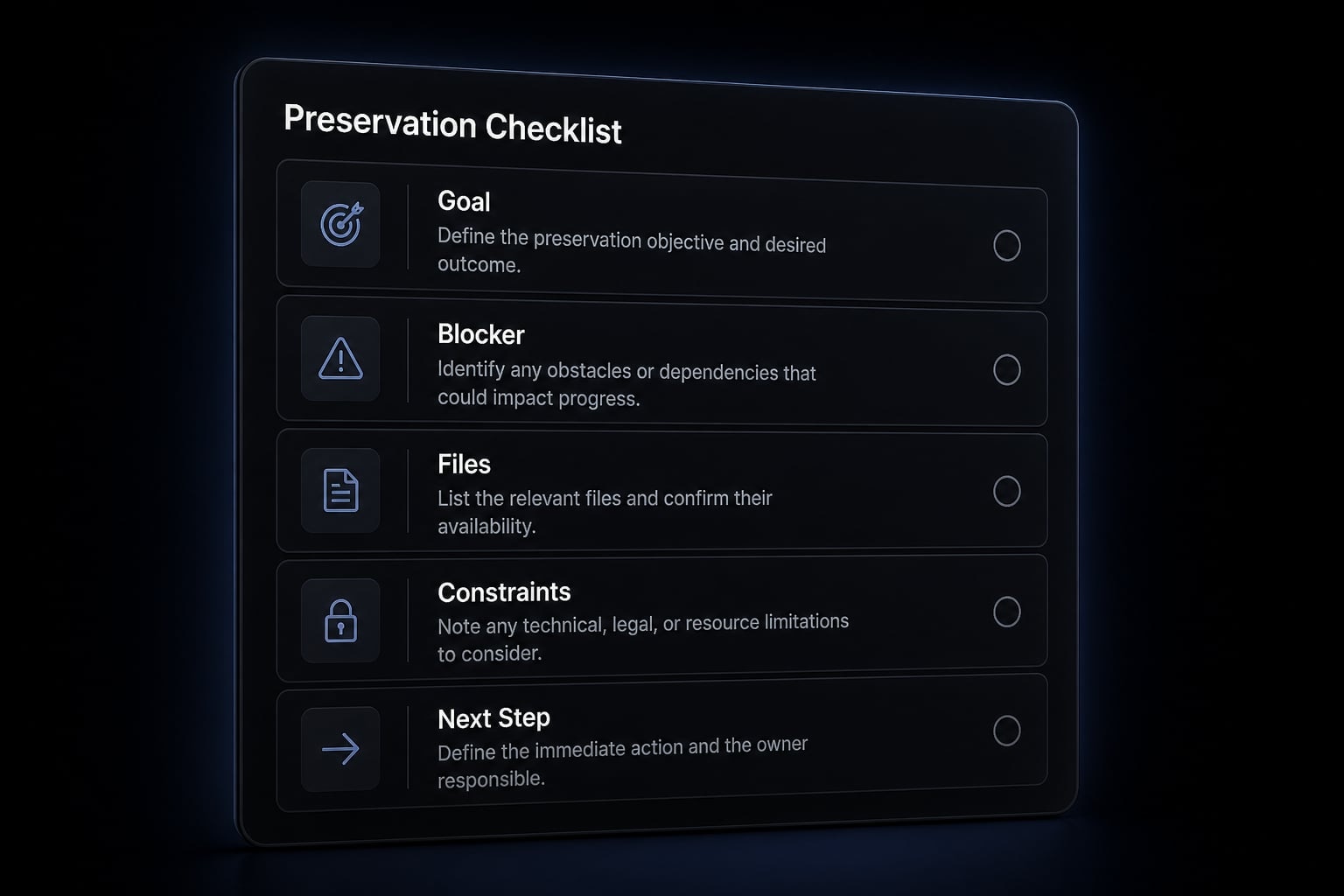
A good summary should preserve:
- Current goal.
- Architecture decision, if relevant.
- Current error context.
- File scope context.
- Constraints.
- Next step.
It should usually drop:
- Resolved logs.
- Abandoned paths.
- Repeated background explanations.
Verify immediately after compaction
After compacting, do not assume the summary is perfect. /compact improves continuity, but it is still a lossy process. Use a quick verification prompt such as:
- “Restate the current goal and next action.”
- “Which files are in scope, and why?”
- “What architecture decisions are we preserving?”
- “What blocker are we solving right now?”
Look for:
- Missing files.
- Distorted constraints.
- Dropped decisions.
- Incorrect next steps.
That verification step is not optional if the work is important.
/compact vs auto-compact vs starting a new session
Choosing between manual vs automated context compaction depends on the state of the work. Manual compacting gives you more control. Auto-compact is convenient, but it is often reactive. Sometimes the cleanest answer is to start a new session.
Compare the options by use case:
Option | Best for | Main benefit | Main risk | Best practice |
|---|---|---|---|---|
Manual | Ongoing work where you know what must be preserved | Highest control over continuity | You may forget to preserve a key detail | Add explicit preservation instructions before compacting |
Auto-compact | Long sessions where convenience matters more than precision | Low-friction continuation | It may summarize reactively after drift has started | Use it as backup, not as your only context strategy |
New session | Major scope changes, messy threads, or switching projects | Clean reset and sharper focus | You lose continuity unless you seed the new session well | Start with a structured recap of goal, files, constraints, and next step |
Clearing context entirely | Rare edge cases where previous thread is harmful or irrelevant | Total reset | Easy to lose valuable history | Use only when previous context is actively getting in the way |
In most cases, Claude Code context management best practices look like this: Use manual compacting for important active work, rely on auto-compact for convenience when needed, and start a new session when the scope has genuinely changed. The real question is not which option is theoretically best, but which one improves the reliability of your AI coding workflow for the task at hand.
For many users, the most practical comparison by use case is simple: If you still care about continuity, compact; if you need a cleaner frame, reset.
What happens under the hood, in plain English
In practical terms, /compact creates a summarization checkpoint for the active session. What users observe is that future work continues from a condensed version of the thread rather than from every previous message in full.
Some reports suggest local session records, such as a JSONL history file, may still retain more history than what gets actively carried forward after compaction. You may also see references online to a compact boundary that marks this transition point. The important distinction is that visible or stored history is not the same thing as active working context.
This is why a session can still appear intact while the effective working state has changed. What changes most is what gets carried forward into the next exchange. One practical outcome is payload size reduction, which can make the session lighter to continue.
The practical takeaway: Efficiency rises, granularity drops. /compact changes forward working context more than it changes your visible sense of chat history.A simple 4-step workflow for everyday Claude Code sessions
The easiest Claude Code workflow is the one you can repeat without thinking too much about it. You do not need a complex system. You need a stable context management habit.
The 4-step everyday routine:
- Start with a short working objective: Begin the session with two to five bullets: Goal, files in scope, constraints, and what “done” looks like.
- Watch for milestone completion or drift: During long-running coding sessions, pause after a milestone or when Claude starts feeling less consistent.
- Compact with explicit preservation notes: This is where repeatable AI-powered workflows matter. Do not just compact. Preserve the current goal, blocker, files, constraints, and next step.
- Verify and continue: Ask Claude to restate where you are and what should happen next. Then continue with a cleaner thread.
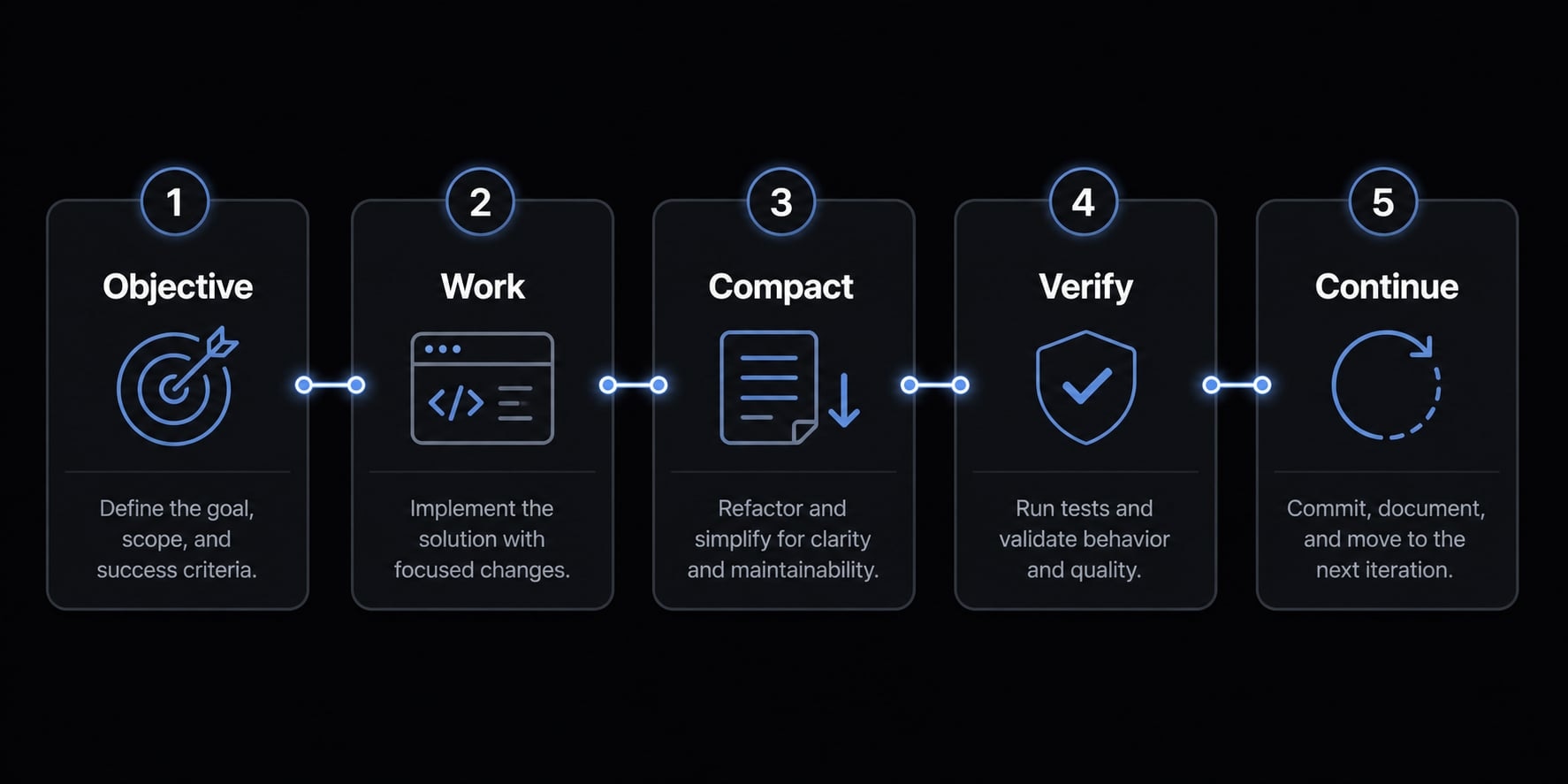
The practical takeaway is simple: Use /compact as a routine checkpoint, not as an emergency button.Frequently asked questions
What does the /compact command do in Claude Code?
The /compact command triggers a controlled summarization of your active session. Instead of deleting your history, it replaces the full, verbose conversation log with a condensed summary that preserves key architecture decisions, constraints, and current blockers, allowing the model to continue working without context overload.
Why does Claude Code start losing track in long sessions?
This is known as "context rot." As a session grows, the context window fills with noise—such as stale logs, repeated instructions, and abandoned debugging paths. This accumulation causes the model to become inconsistent, forget earlier foundational decisions, or contradict its own previous logic.
When should I run the /compact command?
The best time to compact is proactively, often cited as the "60% rule"-compacting once you reach about 60% of your context capacity. Avoid compacting in the middle of active, log-heavy debugging sessions where precise error details are still required to reach a resolution.
Does /compact lose important information?
It can be a "lossy" process if you do not provide guidance. To prevent data loss, always include explicit preservation instructions-brief bullet points summarizing current blockers, modified files, and architectural goals-before running the command. Always verify the project state immediately afterward.
Is /compact better than starting a new session?
Yes, for ongoing tasks. While starting a new session creates a clean slate, it forces you to re-explain constraints and project history. /compact preserves your progress and architectural context, enabling you to maintain momentum on complex features that require deep historical understanding.
How can I verify that my context was preserved correctly?
Immediately after running /compact, send a follow-up prompt asking the AI: "Summarize our current goal, the files we are currently modifying, and the next step in our plan." If the response matches your expectations, your context has been successfully preserved for continued work.
Read more:
- Claude Code slash commands: Essential shortcuts for CLI flow
- Claude Code Plan Mode: Optimize your AI coding workflow
- Claude Code CLAUDE.md guide: Best practices and 3 templates
Conclusion
The best way to think about compact Claude Code usage is proactive continuity management. /compact helps keep long sessions usable, but it works best when you run it before drift gets severe, preserve the right details, and verify the result immediately afterward.
Three habits matter most: Compact early enough to avoid heavy drift, use clear preservation instructions, and confirm the post-compact state before continuing. If the thread is too messy or the scope has changed, starting a new session is often the better choice. For related educational reading, explore our guides on Claude Code workflows, AI coding productivity, and session hygiene for long technical threads.