Claude Code Sentry integration: A guide for faster debugging
Claude Code Sentry integration: A complete guide for faster debugging
Generating code with AI is fast, but turning it into a production-ready iOS app requires a disciplined testing process. Whether you are using the Vibecode platform or prompting an AI assistant directly, this guide provides a practical framework-covering essential tools, a step-by-step workflow, and release checklists-to help you build and launch safely.
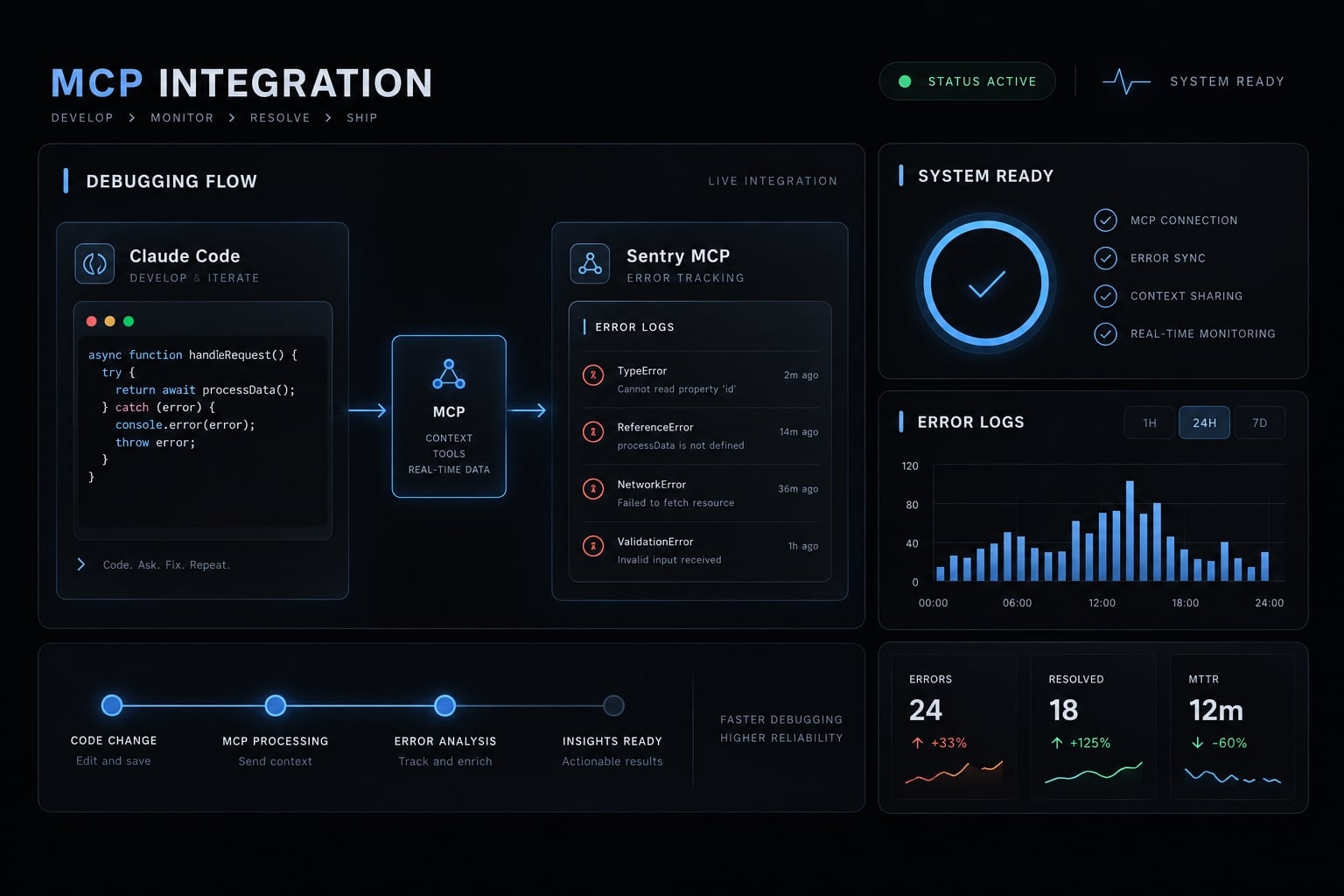
How Claude Code and Sentry work together
Sentry supplies evidence; Claude Code investigates code; developers control changes. The Sentry MCP server exposes supported Sentry capabilities to an authorized client. Model Context Protocol (MCP) is a standard for connecting AI applications to external tools and context. It is not a code editor or a permission system for your repository.
Sentry captures telemetry from instrumented applications. Claude Code retrieves permitted information and compares it with separately accessible source files. Seer, Sentry’s AI debugging capability, may provide additional analysis where supported and enabled; its suggestions still require verification.
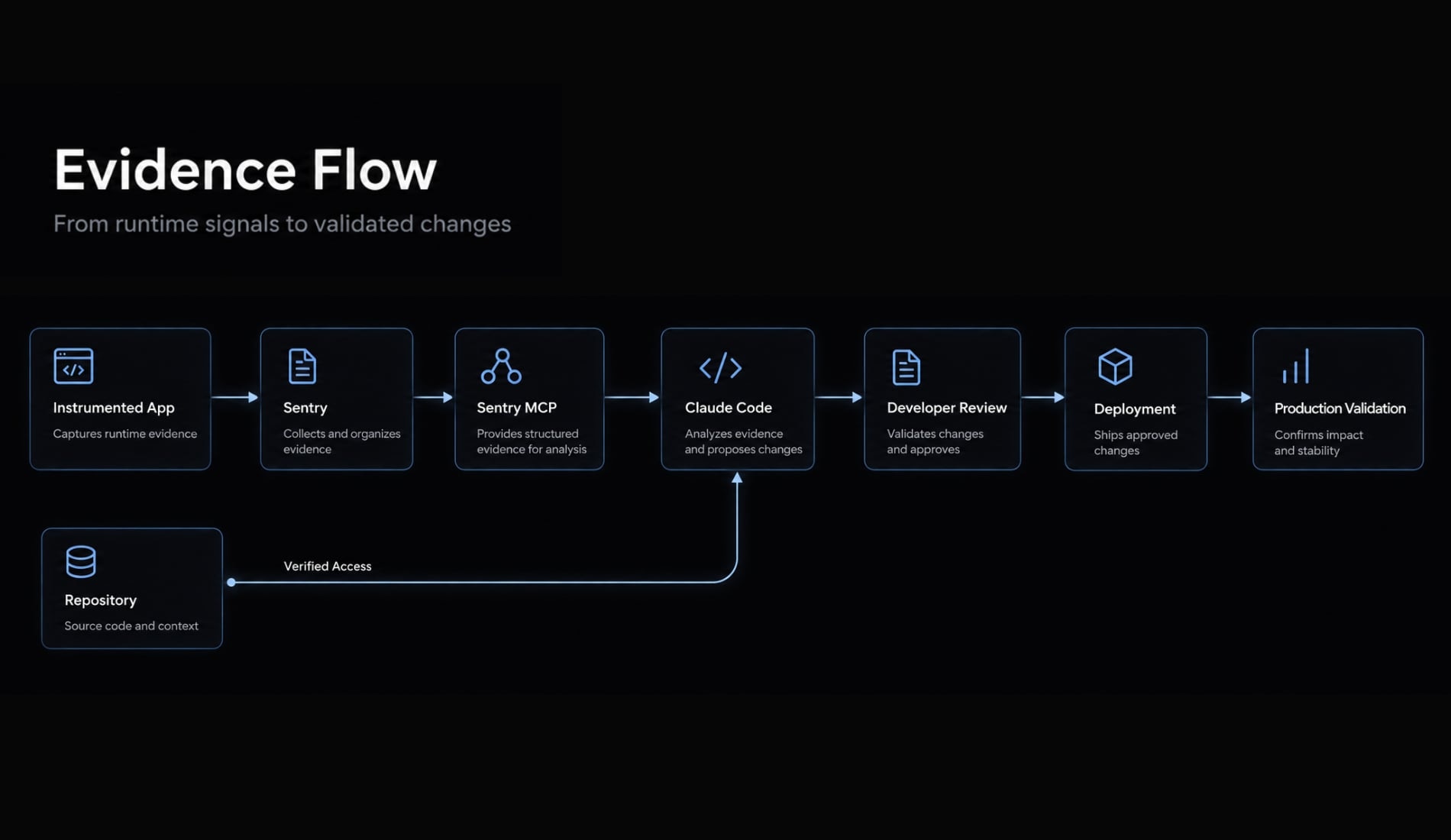
Instrumented application → Sentry → Sentry MCP ↓Repository access ─────────────────→ Claude Code(separately authorized) ↓ Evidence and proposed diff ↓ Developer review and tests ↓ Authorized deployment ↓ Production validation
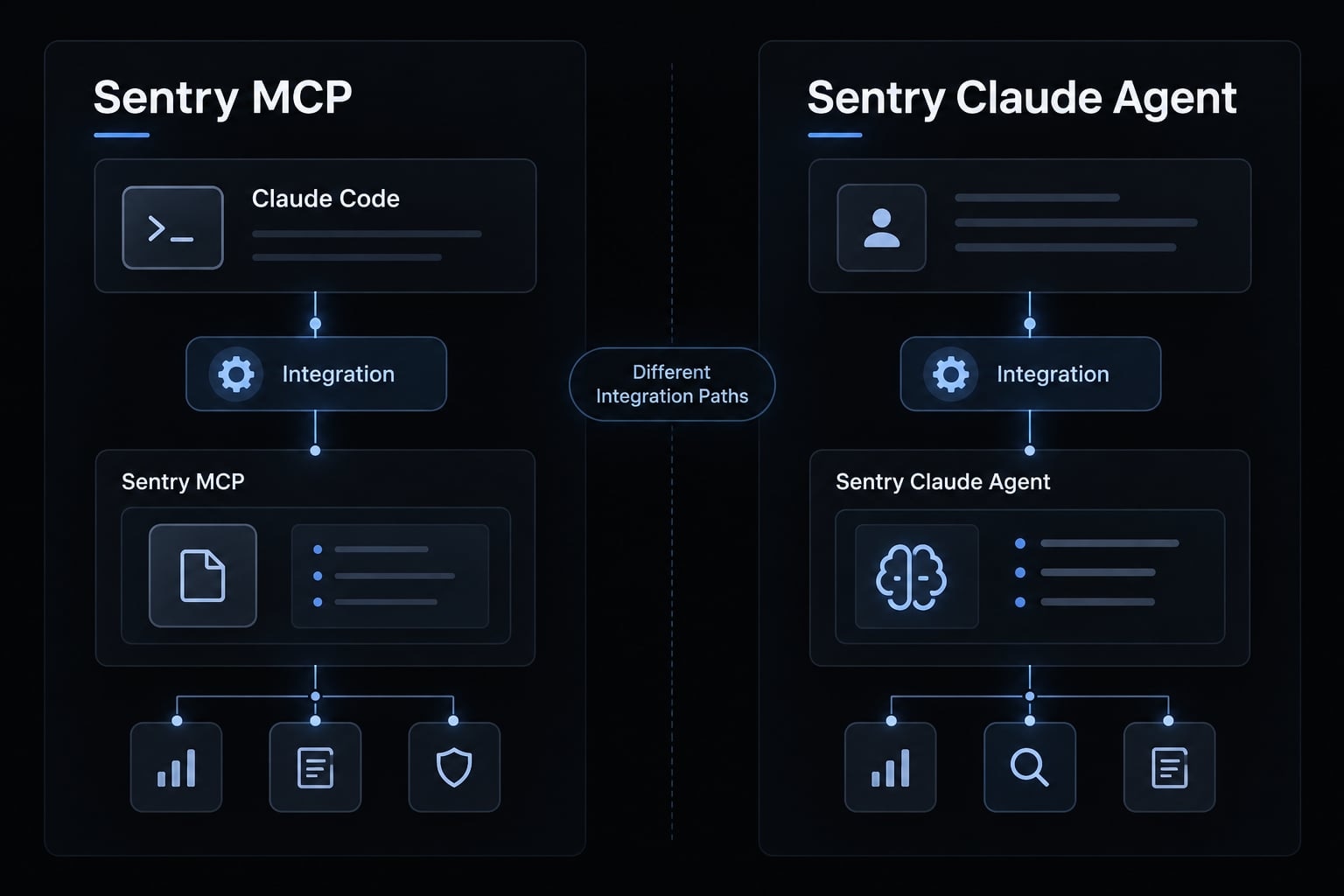
These are different integration paths. Do not infer the capabilities of a Sentry-initiated agent workflow from an MCP connection.
Criterion | Sentry MCP with Claude Code | Sentry Claude Agent integration |
|---|---|---|
Starting point | Claude Code session | Separate Sentry-side integration |
Trigger | User request and permitted tools | Confirm supported initiation method |
Purpose | Interactive investigation | Agent-assisted issue handling, where supported |
Authentication or connection | MCP registration and authorization | Integration-specific setup |
Repository access | Separately controlled locally | Requires separately configured access |
Output | Evidence, analysis, proposed changes | Depends on enabled workflow |
Best fit | Developer-led debugging | Evaluating Sentry-initiated work |
Control model | Tool, shell, and repository permissions | Integration and repository policies |
Use MCP for interactive investigations. Before assuming support for automated triggers, branches, or pull requests, check Sentry’s Claude Agent documentation.
Prerequisites before connecting Sentry MCP
Sentry MCP setup requires both authorized access and usable evidence. Successful authentication cannot compensate for missing events or an incorrectly identified project.
Minimum access and data checklist:
Requirement | Required or optional | Why it matters |
|---|---|---|
Installed, authenticated Claude Code | Required | Provides the MCP client and coding session |
Intended repository access | Required for code investigation | Enables evidence-to-code comparison |
Sentry account and organization membership | Required | Establishes account access |
Permission to view the intended project | Required | Determines which evidence is accessible |
Existing event data | Required for meaningful verification | Demonstrates retrieval beyond connection status |
Organization slug and project slug | Required | Identifies the intended organization and project |
Browser access for OAuth | Required for this hosted setup | Completes interactive authorization |
Logs, traces, or Seer | Optional | Adds diagnostic context when available |
A project slug is the project’s URL-friendly identifier; an organization slug identifies its containing organization. Display names and slugs may differ. OAuth is an authorization mechanism that lets a client obtain approved access without requiring you to paste your account password into it. Before connecting, confirm:
- The target environment, such as staging or production.
- One known issue or event.
- The minimum necessary project access.
- Whether a staging dataset can support the initial investigation.
A connection can exist without matching issues. However, retrieving a known issue is stronger verification than receiving an empty list.
Use least-privilege access: Grant only the access necessary for the task. Missing instrumentation limits diagnosis, regardless of how capable the coding assistant is.
Connect and verify Sentry MCP in Claude Code
To connect Sentry to Claude Code, register the hosted server, authenticate, and verify a project-scoped query. The following setup has not been independently executed for this article; check version-specific behavior against Anthropic’s Claude Code MCP documentation and Sentry’s MCP documentation.
- Open a terminal in the intended repository: Record
claude --versionwhen documenting your team’s setup. - Register the server using HTTP transport:
claude mcp add --transport http sentry https://mcp.sentry.dev/mcpsentryis the local server label.httpselects the transport; the endpoint identifies the hosted service. Claude Code documents local scope as the default: configuration applies to your user in that project, not automatically to every repository. - Start Claude Code with
claude, then open/mcp. - Complete OAuth authentication. Select the Sentry connection and follow the available authentication flow. Review requested access before authorizing.
- Confirm organization and project context. Authentication alone does not establish access to the intended data.
- Run a narrow verification query before requesting repository changes.
Note that registering an MCP server does not guarantee access to project-level data.
Run a read-only verification query
Use Sentry tools to query organization [org-slug], project[project-slug], environment [environment], during [timeframe].Return up to five unresolved issues with issue ID, summary,recent activity, and available impact fields. Report unavailablefields instead of inventing them.Do not modify files or change Sentry state. Show which toolresult supports the response.
Use an explicit interval, including timezone where relevant. Inspect the actual Sentry tool invocation and result; an unsupported narrative answer is insufficient evidence. Zero matches can be valid. Follow up with a known issue to distinguish an empty result from incorrect filters. A read-only prompt is an instruction, not an enforced access boundary. Review tool permissions separately.
Five-point connection verification
- Server appears in
/mcp. - Authentication succeeds.
- Correct organization is accessible.
- Intended project query succeeds.
- A known issue returns relevant context.
For team documentation, capture redacted connection status and query evidence. Exclude tokens, authorization artifacts, customer identifiers, and sensitive payloads.
The end-to-end Claude Code + Sentry debugging workflow
Discover → Retrieve → Diagnose → Patch → Test → Validate
Throughout this workflow, the example scenario focuses on an undefined-property error when accepting a workspace invitation after a release. No customer counts, time savings, or production outcomes are assumed.
Discover and prioritize the right issue
Narrow discovery by project, environment, time window, and release. Assess:
- Frequency and recent activity.
- Affected users, where available.
- Whether invitation acceptance is blocked.
- Whether the issue is a regression, where supported.
The highest-volume error is not automatically the most urgent. A lower-volume failure may prevent onboarding entirely. Once selected, use the exact issue ID in subsequent requests.
Retrieve the full event context
Ask for the available evidence:
- Relevant event and timestamp.
- Exception, stack trace, and suspect source frame.
- Release, environment, and relevant tags.
- Associated structured logs, traces, and spans.
- Seer analysis, if supported.
Structured logs carry named fields; traces connect operations, with spans representing individual steps. One issue may group events with different contributing causes. Compare representative events rather than generalizing from the first result.
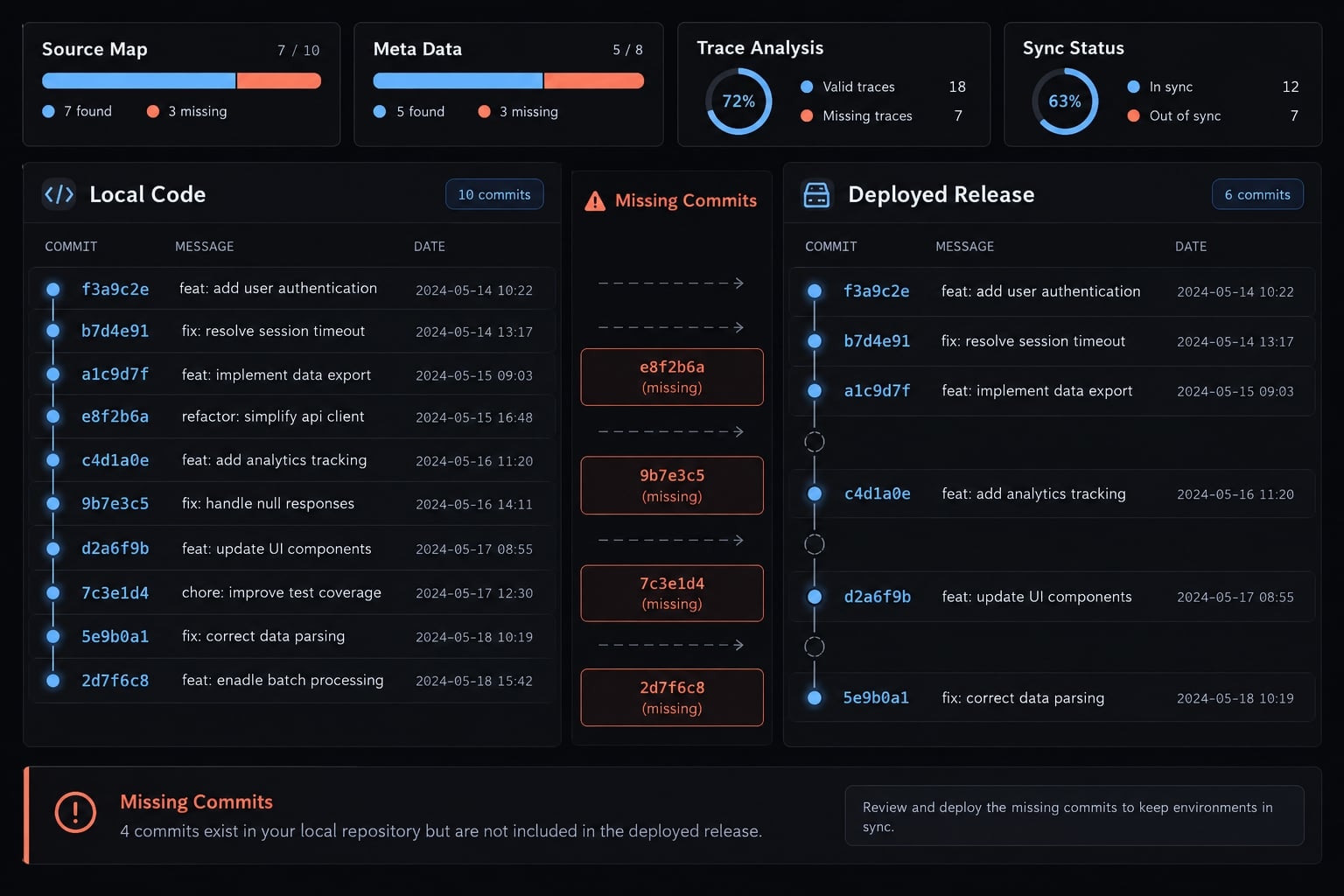
Match repository code to the deployed release. A current checkout may contain changes absent from the failing deployment. Missing source maps or release metadata can also weaken stack trace analysis.
Diagnose the root cause
Root cause analysis identifies the underlying mechanism behind a failure, rather than merely locating its visible symptom. Use this investigation order:
- Confirm event identity and metadata.
- Inspect the stack trace and source frame.
- Review related logs and traces.
- Compare release-matched code and recent changes.
- Attempt reproduction.
- Inspect or add relevant tests.
Require separate statements for observed facts, proposed explanation, supporting evidence, alternatives, missing evidence, and confidence rationale.
For example, an undefined workspace object might reflect a changed response contract-not simply a missing null check. Model confidence is not a calibrated probability.
Stop before editing if the causal explanation remains ambiguous.
Generate a targeted patch
Request the smallest relevant code patch as a proposed diff before filesystem modification. Require an explanation linking the change to the observed failure.
For invitation acceptance, consider data contracts, authorization, sequencing, and upstream behavior. Silently skipping a missing workspace could conceal a deeper onboarding failure.
Follow repository conventions and exclude unrelated refactoring. Obtain explicit approval before applying or committing changes. Sentry access does not grant repository write access; those permissions remain separate.
Test and validate the fix
Before merge:
- Establish the existing test baseline where feasible.
- Add a regression test reproducing the invitation failure.
- Run permitted relevant tests and applicable lint, type, and build checks.
- Review the final diff through the normal branch and pull request process.
- Report failed checks and commands not run.
After authorized deployment:
- Confirm the fixed release is serving the affected environment.
- Exercise invitation acceptance, including relevant failure cases.
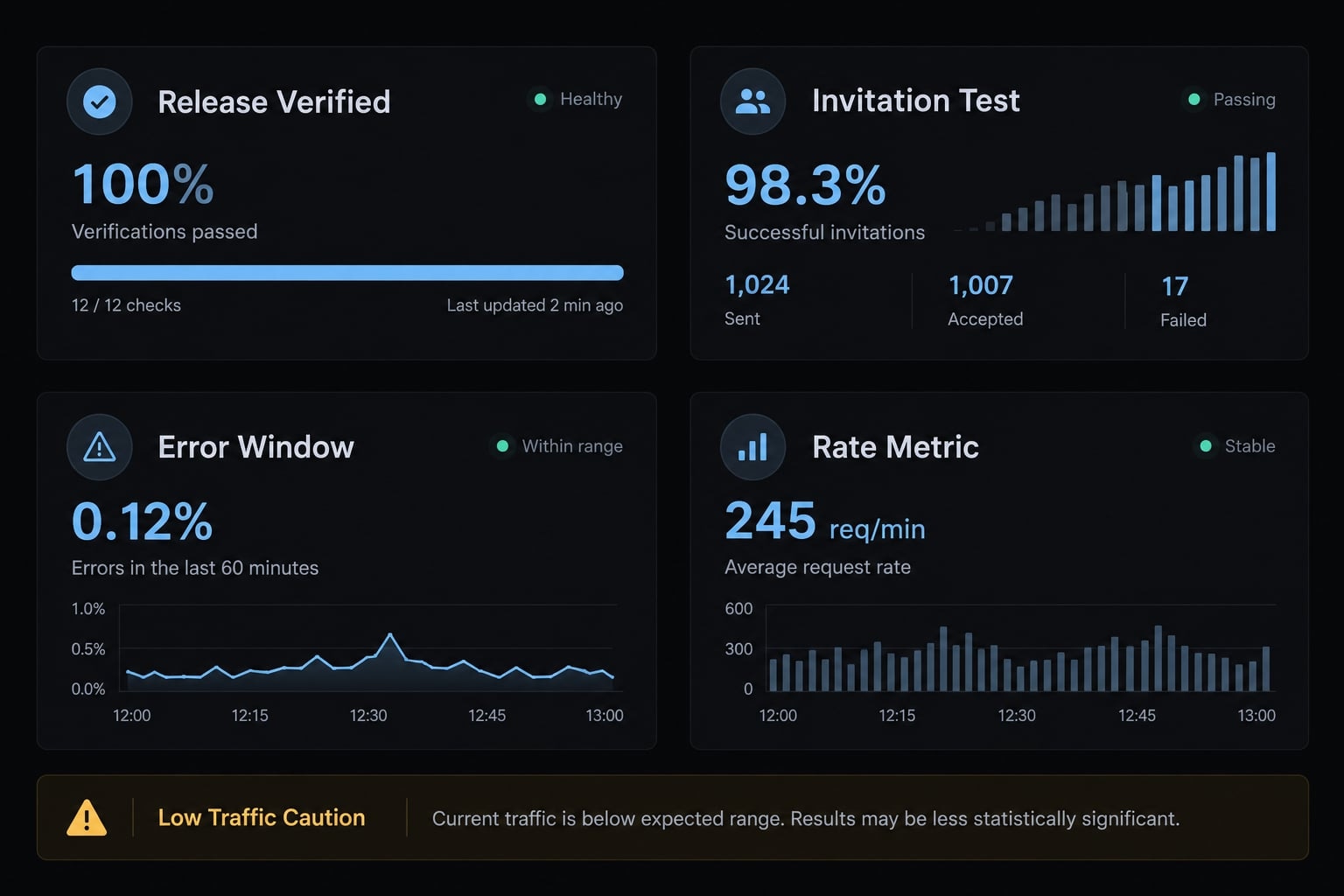
- Compare error occurrence across meaningful observation windows.
- Account for invitation attempts or another appropriate traffic denominator.
- Check related or newly grouped issues and relevant performance regressions.
Passing tests does not prove production resolution. Likewise, zero new events may reflect low traffic, sampling, or broken telemetry. Assess error rate reduction against actual exposure. Manually marking an issue resolved changes its status; it does not demonstrate a successful fix.
Copy-ready prompts for each debugging stage
Use these prompts for Claude Code error analysis after verifying access. Replace [org-slug] and [project-slug] with identifiers; [issue-id] with the exact Sentry issue ID; [environment] with the target environment; and [timeframe] with an explicit interval. Placeholders do not automatically constrain later tool calls.
Issue discovery prompt
Query Sentry organization [org-slug], project [project-slug],environment [environment], during [timeframe]. Rank unresolvedissues qualitatively by available impact and recent activity.Return IDs and supporting fields; identify unavailable data.Do not modify files or Sentry state.
Full context retrieval prompt
Retrieve relevant events for [issue-id] in [org-slug]/[project-slug], [environment], [timeframe]. Include availableexceptions, stack frames, release metadata, tags, logs, andtraces. Identify unavailable telemetry. Separate observationsfrom assumptions. Do not modify files or Sentry state.
Root-cause analysis prompt
Analyze [issue-id] against repository code matching its deployedrelease. Evaluate Seer suggestions if available. Report theproposed cause, supporting evidence, alternatives, relevantfiles, confidence rationale, and missing evidence. Identify areproduction or regression test. Do not edit files or Sentry state.
This root cause analysis prompt should produce a hypothesis to evaluate—not an instruction to accept the explanation.
Patch generation prompt
For the reviewed diagnosis of [issue-id], propose the smallestsafe diff following repository conventions. Explain its causalrelevance and required regression tests. Exclude unrelatedrefactoring. Show the diff without applying it, and wait forexplicit approval before modifying files.
Validation prompt
Evaluate the already approved change for [issue-id]. Run onlypermitted relevant checks. Report exact commands, actualoutcomes, checks not run, and remaining risks. Propose apost-release observation plan. Do not commit, merge, deploy,or change Sentry state automatically.
If pull request preparation is needed, authorize it separately. None of these prompts replaces tool permissions or review of shell commands.
Safety and governance controls for production use
Retrieved Sentry content enters the active Claude Code context. Review applicable Anthropic and Sentry product and account policies before retrieving production data. Do not assume universal retention, training, or residency terms.
Apply least-privilege access to organizations and projects. Where supported, restrict tools to required read operations. Keep repository and shell permissions separate from telemetry access.
Review telemetry for secrets and sensitive information. Configure data scrubbing before ingestion or retrieval where feasible; consult Sentry’s data-scrubbing documentation. Scrubbing changes may not sanitize previously stored events.
Treat issue descriptions, logs, and other external content as untrusted data. An embedded instruction to reveal credentials or execute commands must not override the user’s task.
Do not disable permission controls for untrusted tools or repositories. Prompt-only restrictions are not enforcement, and human approval is useful only when reviewers understand the proposed action.
Stage | Claude may do | Human must confirm |
|---|---|---|
Investigation | Retrieve permitted evidence | Scope and data sensitivity |
Diagnosis | Propose explanations | Evidence and unresolved alternatives |
Patch | Present a targeted diff | Causal fit and modification approval |
Testing | Run permitted checks | Baseline and pre-merge validation |
Pull request | Prepare content if authorized | Diff, reviewers, and merge readiness |
Deployment | Assist with approved steps | Release authorization and rollback readiness |
Validation | Summarize observed behavior | Traffic context and incident disposition |
Anthropic’s Claude Code permissions and security documentation provides the reference for client-side controls. Sentry authorization governs a different boundary; neither substitutes for release ownership.
Common Sentry MCP problems and how to fix them
Troubleshoot the failing layer before changing permissions. These are possible causes, not diagnoses.
Symptom | Likely cause | Recommended check |
|---|---|---|
Tools absent | Registration or scope mismatch | Inspect |
Incomplete OAuth | Interrupted browser flow | Inspect status and complete documented authorization |
Missing organization | Wrong account or insufficient access | Confirm account identity and membership |
No matching project issues | Wrong project slug, filters, or missing events | Check access, environment naming, retention, interval, and matching data |
Issue not found | Incorrect ID or inaccessible project | Confirm exact reference and project context |
Missing logs | Instrumentation, retention, permissions, or tool limits | Check Sentry ingestion and supported retrieval capabilities |
Missing trace context | Sampling or missing event association | Check trace links and instrumentation; new instrumentation cannot recover historical data |
Unavailable Seer analysis | Eligibility, configuration, or tool limitation | Check enabled capabilities; continue with available evidence |
Repository writes blocked | Local permission boundary | Review the specific action; avoid blanket escalation |
Self-hosted Sentry connection problems | Unsupported configuration or service assumptions | Require explicit documented compatibility; changing transport alone is insufficient |
Previously working authentication fails | Expired or revoked authorization | Inspect status, then reauthenticate through the documented flow |
An MCP authentication failure differs from a successful query returning zero results. Similarly, successful Sentry tool calls say nothing about repository write permissions.
For self-hosted Sentry, do not assume the hosted endpoint can access your installation. Confirm the supported architecture before entering credentials or changing network settings.
Pause changes and obtain explicit human investigation when:
- Evidence conflicts or the failure remains unexplained.
- Retrieved content exposes sensitive data.
- The patch affects authentication, authorization, financial operations, migrations, or destructive actions.
- The proposed change expands into unrelated code.
- The test baseline is missing or unreliable.
These conditions do not prohibit further AI-assisted reading or summarization. They require tighter scope and accountable review before consequential actions.
Frequently asked questions
What is the Sentry MCP server and how does it work with Claude Code?
The Sentry MCP server is a standardized integration that uses the Model Context Protocol to share your production telemetry with Claude Code. It allows Claude to query issues, traces, logs, and root-cause analyses from your Sentry projects directly within your terminal-based coding session.
Is a paid Sentry plan required to use the Sentry MCP server?
No, the Sentry MCP server works with all Sentry plans, including the free tier. While advanced features like Seer root-cause analysis or extended data retention depend on your specific Sentry plan, the core ability to fetch issues and read telemetry is available to all users.
Does connecting Sentry MCP allow Claude to edit my production environment?
Not through code changes: Patches are proposed locally and require your approval. But do not assume the connection is read-only - the available Sentry tools depend on what the server exposes and what you authorized, and some can change Sentry state. Restrict tools to the read operations you need, and keep repository and shell permissions separate.
Can I use Sentry MCP with self-hosted Sentry installations?
Yes, but the setup process differs from the cloud-hosted version. Support depends on your installation and version. Changing transport alone does not make a hosted endpoint reach a self-hosted instance - confirm the documented architecture in Sentry's MCP documentation before entering credentials or changing network settings.
Does Sentry MCP work with other AI coding agents besides Claude Code?
Yes, the Sentry MCP server is compatible with multiple AI coding clients that implement the Model Context Protocol. You can use it with various supported IDE extensions and terminal agents. Note that configuration steps may vary slightly depending on the specific client software you are using.
Is my Sentry telemetry data shared with Anthropic when using MCP?
When Claude fetches data via the Sentry MCP server, that specific telemetry becomes part of your active Claude conversation context to assist with debugging. You should review Anthropic’s data usage policies and Sentry’s privacy documentation to ensure compliance with your organization’s data governance requirements.
How do I troubleshoot if Claude Code cannot see my Sentry issues?
First, verify your connection status by running the /mcp command in Claude Code to ensure the server is registered. Then, check that you have selected the correct organization and project slug. Finally, ensure your user account has the necessary permissions to view the specific project data in Sentry.
Read more:
- PostHog MCP Claude Code: Practical setup guide for developers
- How to Setup and Configure MCP Servers in Claude Code
- How to sdd Context7 MCP to Claude Code: Setup & Troubleshooting
Conclusion
The Claude Code Sentry integration brings runtime evidence into the coding session, but evidence retrieval is only the beginning. Sentry supplies available context; Claude Code correlates it with separately accessible code and proposes explanations.
Reuse a controlled sequence: Verify project access, identify the exact issue, align code with the deployed release, review the proposed diff, and test before approving release. After deployment, evaluate the affected workflow over a meaningful observation window and traffic context.