Claude Code plugin security audit: Installation and patch guide
Claude Code plugin security audit: Installation, scanning and patch guide
A claude code plugin security audit uses the Claude Security plugin to examine a repository or supported committed changes for potential vulnerabilities. The workflow starts through /claude-security, produces reviewable findings, and can generate patch proposals for selected issues. Findings may be incomplete or incorrect, while patches remain under developer control. Treat the plugin as an additional defense-in-depth layer, not proof that a codebase is secure.
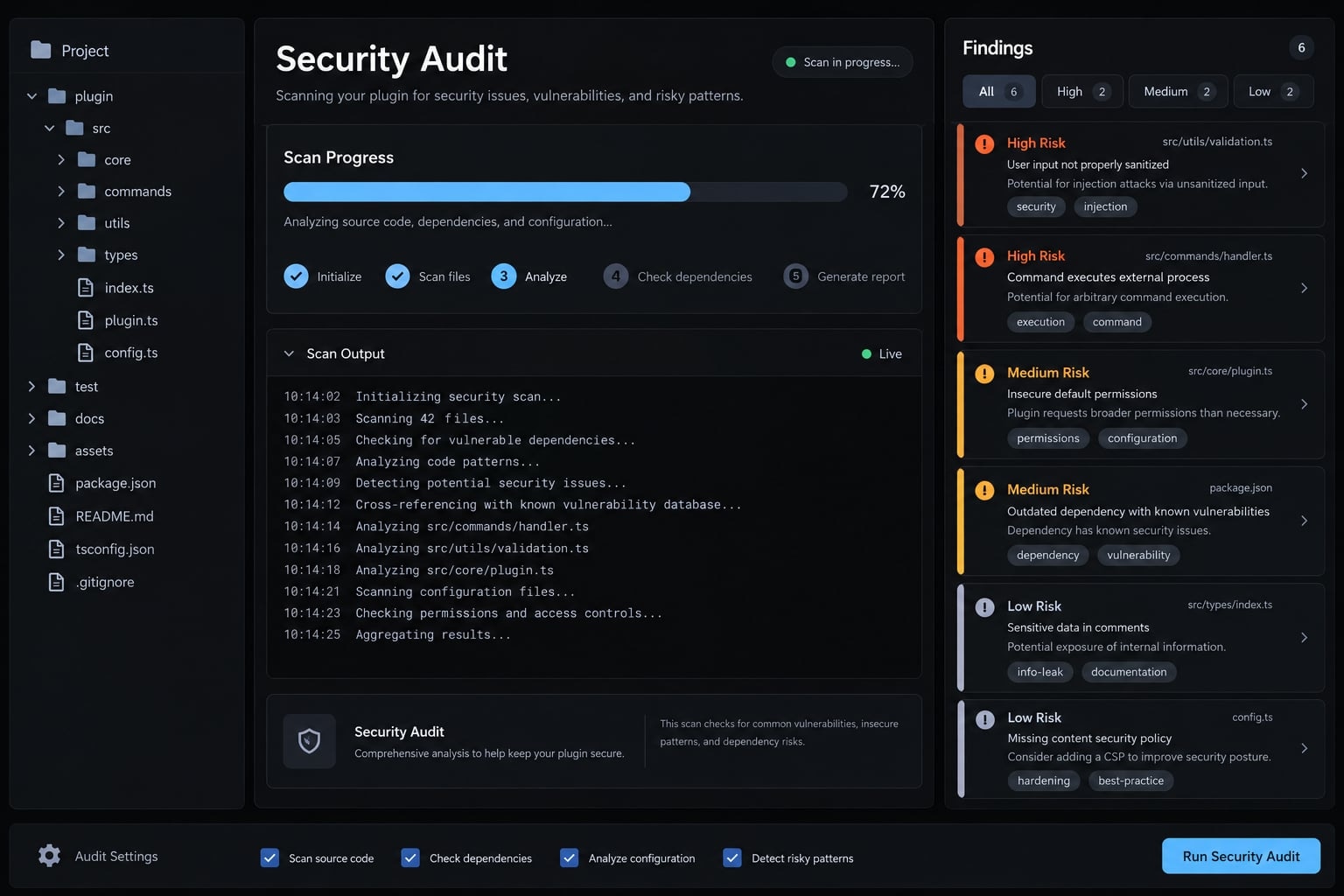
This guide covers:
- Checking requirements and repository safety
- Installing and activating the plugin
- Selecting and running a scan
- Triaging reports and proposed fixes
- Applying patches through a controlled Git workflow
Quick start: Run your first audit safely
- Check Python and Git in your system terminal.
python3 --versiongit --version
- Open Claude Code in the intended repository.
- Install Claude Security plugin from Anthropic’s official marketplace.
/plugin install claude-security@claude-plugins-official
- Reload plugins if Claude Code reports that activation is pending.
/reload-plugins
- Open the security workflow.
/claude-security
- Run a focused or full scan, based on the security question.
- Review the generated report before requesting vulnerability remediation patches.
- Validate and apply accepted patches manually.
git apply --check <patch-file>git apply <patch-file>
- Run tests, obtain human approval, and rescan the affected code.
Version note: Availability, commands, menu labels, requirements, and output formats may change. Verify the current workflow in Anthropic’s documentation. Review and test every generated patch before applying it.
1. Check requirements for the Claude Security plugin
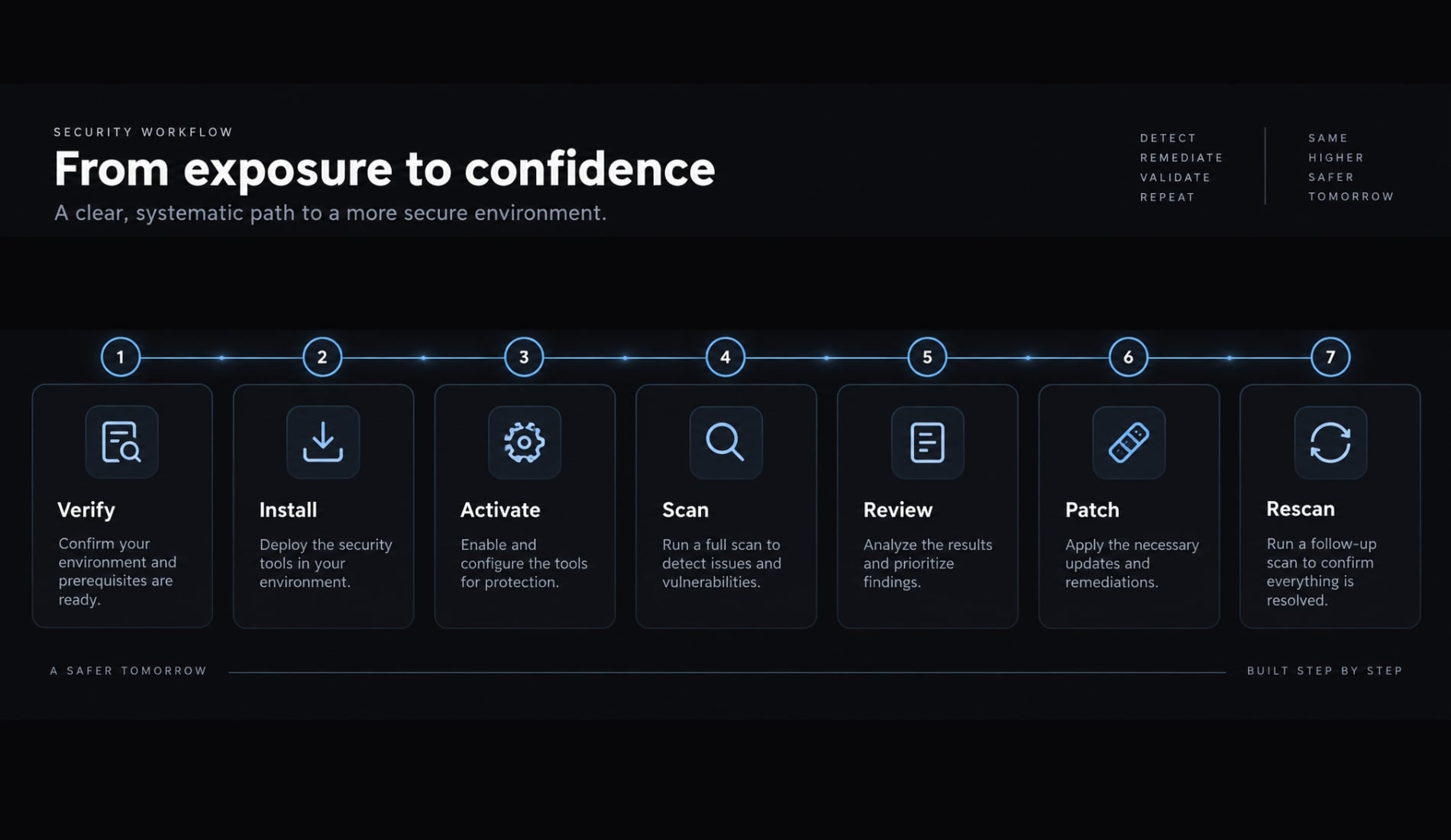
Check each dependency independently before installation. The current documented Claude Security plugin requirements include an eligible paid plan, Python, a supported operating system, and Git for specific workflows.
Run a pre-installation environment check
Run these commands in your system terminal:
python3 --versiongit --version
Expected result: The terminal returns an installed Python and Git version without a command-not-found error.
Anthropic currently documents Python 3.9 or later, exposed on PATH as python3. The plugin uses Python’s standard library, so its tooling does not install a separate dependency bundle. If python3 is unavailable, install a supported Python release through the official instructions for your operating system. Restart Claude Code after changing PATH.
The plugin currently supports Linux, macOS, and Windows. It also requires access to dynamic workflows. On eligible Pro plans, Anthropic instructs users to enable them through the Dynamic workflows row in /config.
Requirement | How to verify | Why it matters |
|---|---|---|
Claude Code access | Open a paid Claude Code session | The scan uses dynamic agent workflows |
Plugin availability | Check Anthropic’s official listing | Names and availability can change |
Python | Run | Plugin tooling requires Python 3.9+ |
Operating system | Confirm Linux, macOS, or Windows | These are the documented platforms |
Git | Run | Required for change scans and patch workflows |
Repository state | Run | Change scans depend on committed history |
Session permissions | Review filesystem, shell, network, and environment access | The plugin operates with current session access |
Understand when Git is required
Git requirements vary by workflow:
- A full scan can operate in a directory with or without version control.
- Branch, pull request, and commit scans depend on accessible Git history.
- Change-based scans inspect committed changes, not arbitrary working-tree edits.
- Patch generation and application require the report to match the relevant committed code.
- Material changes after a scan can make its findings or proposed patches stale.
Before scanning a branch, commit the intended changes and separate unrelated edits. This creates a reviewable baseline and reduces ambiguity during remediation.
Review permissions before scanning untrusted code
Security warning: The plugin runs within the permissions available to the current Claude Code session. A repository may contain instructions, scripts, configuration, or tooling that creates additional risk.
Before opening unfamiliar code:
- Use a disposable workspace, container, virtual machine, or comparable sandboxing control.
- Remove unnecessary API keys, cloud credentials, and production tokens.
- Restrict filesystem and network access where supported.
- Inspect repository scripts and configuration before execution.
- Avoid exposing customer data or private environment variables.
- Apply least privilege to the Claude Code session.
Isolation reduces exposure but does not guarantee safety.
2. Install and activate the Claude Security plugin
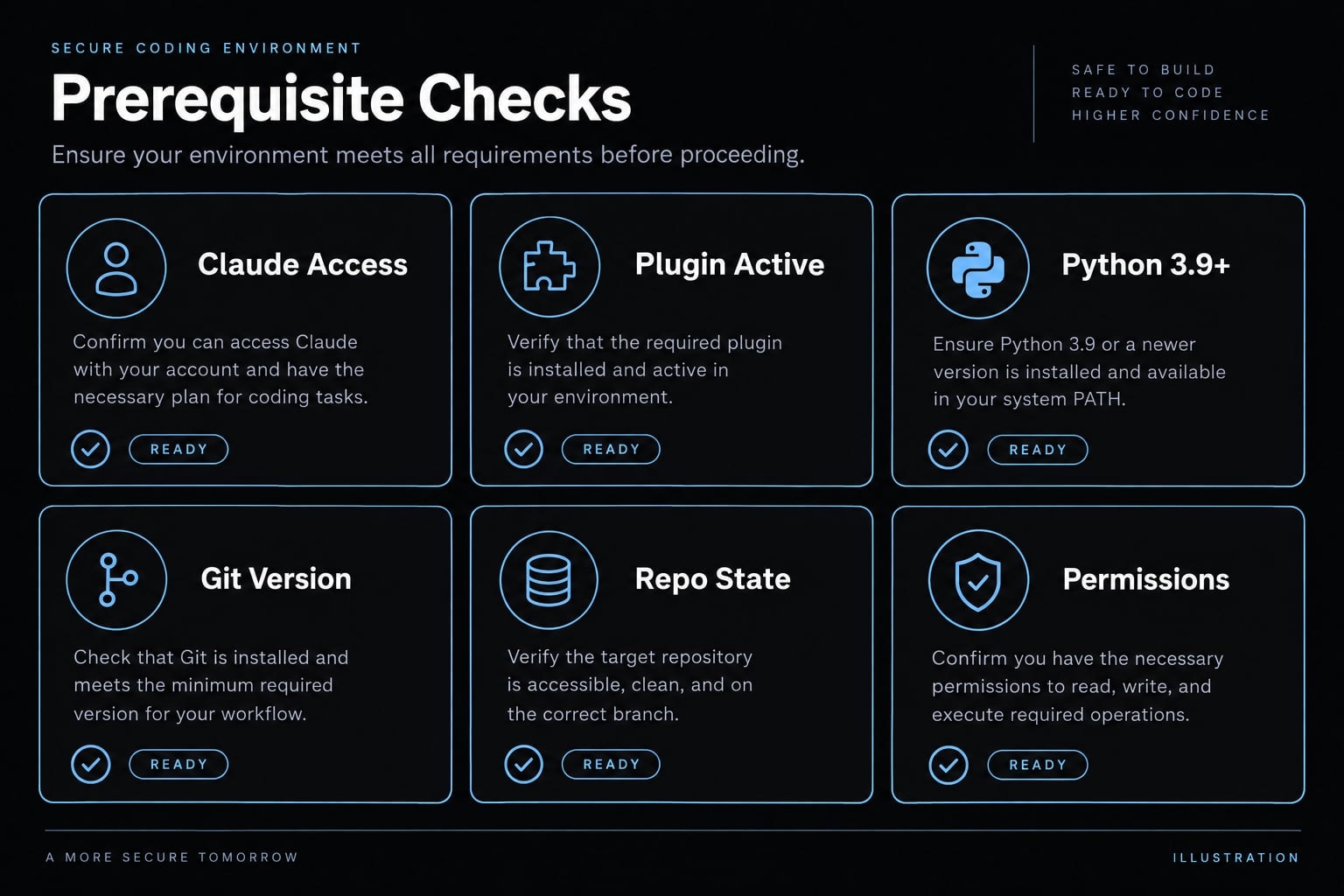
Install the plugin only from Anthropic’s verified official plugin marketplace. Installation, activation, and functional verification are separate steps.
Install from Anthropic’s official marketplace
- Open Claude Code in the intended project environment.
- Run the installation command in the Claude Code slash-command interface.
/plugin install claude-security@claude-plugins-official
Expected result: Claude Code displays the plugin identity and prompts for an installation scope before completing installation.
- Verify the source is
claude-plugins-official. - Select an installation scope appropriate for your environment.
- Review the installation summary for pending activation instructions.
The official source matters because third-party mirrors may contain modified, outdated, or malicious plugin code. Verify the listing through Anthropic’s Claude Security documentation before placing the command into team documentation.
Add the official marketplace if it is missing
If Claude Code reports that claude-plugins-official cannot be found, add Anthropic’s marketplace:
/plugin marketplace add anthropics/claude-plugins-official
Expected result: Claude Code registers the official marketplace, allowing you to retry the installation command.
Symptom | Likely cause | Resolution |
|---|---|---|
Marketplace unavailable | Official marketplace is not registered or accessible | Add or verify the marketplace |
Plugin not found | Typo or changed listing | Check the current official plugin name |
Python warning | Missing or unsupported Python | Correct |
Command unavailable after installation | Reload or activation remains pending | Follow the installation summary |
Permission error | Installation scope or filesystem restrictions | Review system and Claude Code permissions |
Treat these as likely explanations rather than universal causes. Use the reported error and current documentation as the final authority.
Activate and verify the plugin
If the installation summary reports that a reload is required, run:
/reload-plugins
Expected result: Claude Code activates the pending plugin change without requiring a complete restart.
Then verify functional access:
/claude-security
Expected result: Claude Code opens the installed security workflow. Available labels may vary by plugin version.
Uninstall the plugin
Remove the plugin through Claude Code’s /plugin manager or run the documented terminal command:
claude plugin uninstall claude-security
Expected result: Claude Code removes the installed plugin from the selected scope.
3. Run a Claude Code security audit
To run a Claude Code security audit, open /claude-security and select the smallest supported scope that answers your security question. Broader scanning can improve coverage, but it usually consumes more time and plan usage.
Run the first scan from the plugin menu
- Open the repository in Claude Code.
- Confirm the active branch and run
git statuswhere applicable. - Run the workflow entry point.
/claude-security
Expected result: The plugin presents the currently supported scanning and patch workflows.
- Choose a scan workflow.
- Select the repository or focused scope.
- Review any requested actions or permissions.
- Confirm the scan.
- Keep Claude Code open while the scan completes, if instructed.
- Open the generated results from the timestamped output directory.
The scan runs within your local Claude Code session and uses models available through your current plan. Each run counts against applicable usage limits.
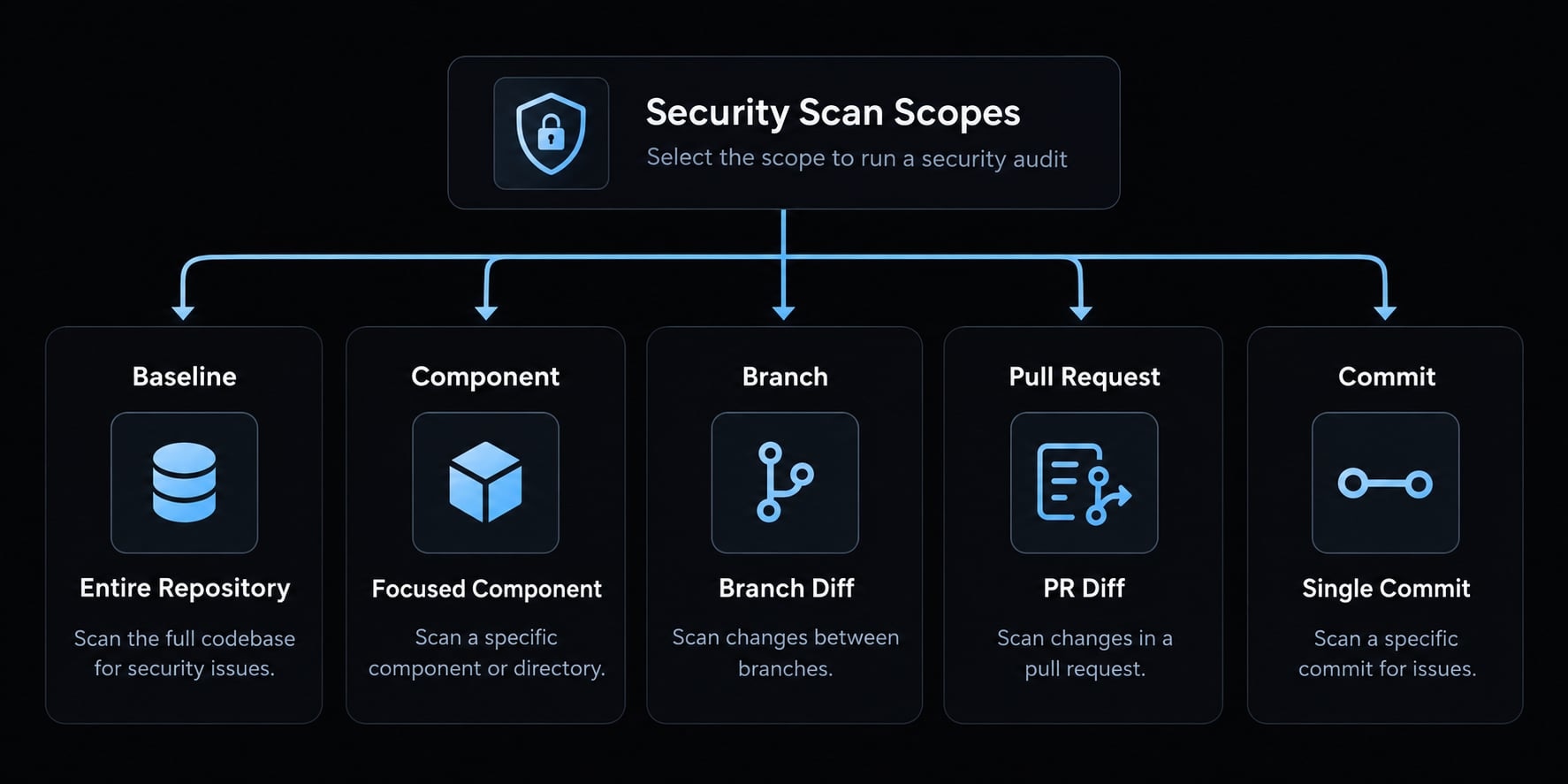
Choose the correct scan scope
Scan scope | Best used when | Main consideration |
|---|---|---|
Entire repository | Creating an initial security baseline | Broader but potentially slower and more usage-intensive |
Focused component | Reviewing authentication, API, billing, or data-access code | Faster, but does not establish complete coverage |
Branch diff | Reviewing committed feature-branch changes | Depends on the base comparison and Git history |
Pull request diff | Assessing a defined proposed change | Requires accessible pull request and Git context |
Single commit | Reviewing an isolated hotfix or change | May miss surrounding architectural weaknesses |
A full scan is not always the best first choice. In a large monorepo, begin with the component connected to the current risk or release decision.
Run a change-based scan
The plugin accepts direct requests through the command workflow or natural-language instructions. Examples include:
- “Scan the committed changes on this branch.”
- “Review the security impact of commit
<commit>.” - “Audit the authentication changes in this pull request.”
These are request examples, not a fixed command-line API. Interpretation may vary by version and repository context.
For a reliable scan branch diff workflow:
- Confirm the correct base revision.
- Commit the relevant changes before scanning.
- Separate unrelated working-tree edits.
- Verify that the intended pull request or commit is accessible.
- Record the scanned revision for later patch validation.
A change scan can miss vulnerabilities created by surrounding architecture. For example, a safe-looking authorization helper may still be misused elsewhere.
Scope large repositories by risk
When you scan codebase with Claude Code, prioritize areas that handle sensitive access or untrusted data:
- Authentication
- Authorization and tenant boundaries
- Public APIs
- Administrative functions
- Database query construction
- File upload and parsing
- Secrets and cryptographic handling
- Payment or billing logic
- Cross-tenant data access
This sequence is a practical starting point, not a universal ranking. Adjust it according to data sensitivity, internet exposure, user privileges, and business impact.
4. Read and prioritize the scan results
A Claude Security report should be treated as an investigation queue, not a final vulnerability verdict. Verify the report format, scanned revision, and code state before acting on any finding.
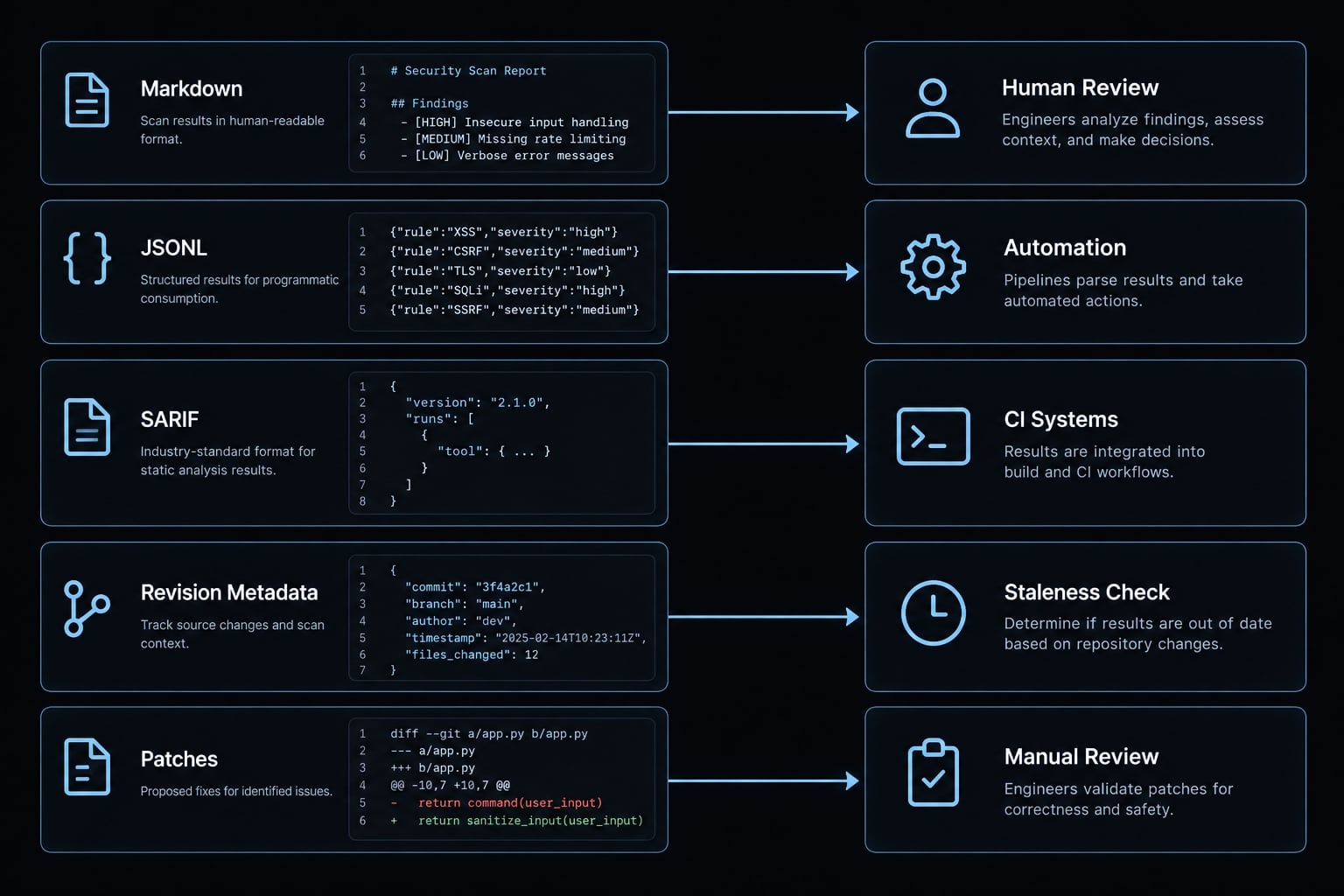
Identify the generated files
Current scans write results into a timestamped CLAUDE-SECURITY-<timestamp>/ directory.
Output | Purpose | Typical user |
|---|---|---|
| Human-readable findings and recommendations | Developers and engineering leads |
| Structured JSONL findings | Automation and tooling teams |
| Security-analysis interchange output | CI and security platforms |
| Records the scanned revision | Reviewers and audit workflows |
| Stores generated patch proposals | Developers managing remediation |
Understand severity, confidence and exploit context
Finding confidence describes the strength of evidence supporting a reported weakness. It does not measure business impact or prove that an attacker can exploit the issue. Review confidence alongside reachability, exposure, existing controls, and the affected system’s role.
- Severity: Potential impact if the weakness is exploitable.
- Confidence: Strength of evidence supporting the finding.
- Exploit scenario: A proposed path through which an attacker could abuse the issue.
- Reachability: Whether an attacker can practically access the vulnerable path.
- Exploitability: The effort and conditions required to abuse the weakness.
- CWE: A Common Weakness Enumeration category, when provided.
MITRE’s CWE reference can clarify the weakness category. It does not validate whether the specific finding is reachable.
Severity is not exploitability. A critical rating may describe serious theoretical impact while compensating controls prevent practical access.
Apply a six-factor finding triage framework
Prioritize each finding using six factors:
- Reachability: Can an attacker reach the affected path?
- Business impact: What data, service, or privilege is at risk?
- Exploitability: How difficult is practical abuse?
- Confidence: How strong is the supporting evidence?
- Exposure: Is the code public, internal, privileged, or isolated?
- Compensating controls: Do existing controls reduce practical risk?
Finding profile | Recommended action |
|---|---|
Reachable, high-impact, externally exposed | Validate and prioritize immediate remediation |
High severity, low confidence | Investigate before changing code |
High confidence, low business impact | Schedule according to engineering risk |
Protected by effective controls | Document residual risk and verify the controls |
No longer matches current code | Rescan before remediation |
A useful triage process can still produce the wrong decision if ownership is unclear. Assign each accepted finding to a developer or security owner and record deferred or accepted risk.
Confirm the report still matches the code
Before generating a patch:
- Confirm the scanned commit or revision.
- Compare the report timestamp with later code changes.
- Isolate unrelated modifications.
- Rescan if the affected code changed materially.
AI-generated findings can include false positives and false negatives. A focused or clean scan does not establish complete repository security.
5. Generate, review and apply security patches safely
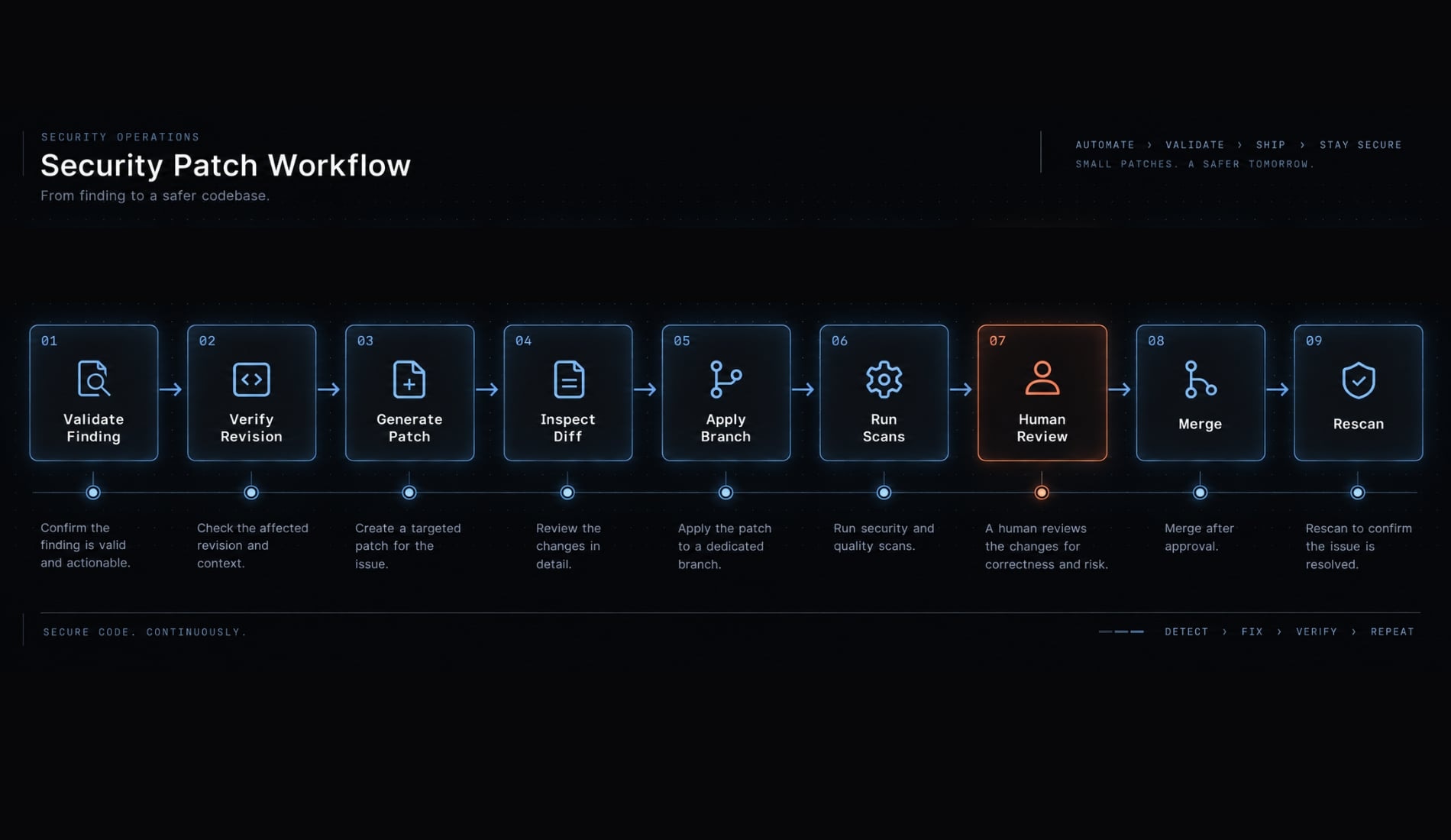
Claude security patches are proposed code changes, not trusted fixes. Generate them only for validated findings, inspect the complete diff, and keep application under human control.
Generate patches for selected findings
- Verify the report revision.
- Open the plugin workflow.
/claude-security
- Select the documented patch-suggestion workflow.
- Choose only findings that have completed triage.
- Generate the vulnerability remediation patches.
- Locate the resulting patch files.
- Review any generation errors or unsupported findings.
Expected result: The plugin writes patch proposals for review. It does not apply them automatically.
Review a patch before applying it
Check each proposed change:
- Does it address the reported root cause?
- Does it preserve authentication and authorization boundaries?
- Is untrusted input validated at the correct layer?
- Could it introduce a bypass, regression, or fail-open condition?
- Does it change error handling or security logging?
- Does it add dependencies or configuration changes?
- Could it expose credentials or sensitive data?
- Are tests included for the vulnerable path?
- Does the change require a second security reviewer?
A patch that applies cleanly can still be unsafe.
Apply the patch manually
Create a dedicated branch and validate the patch structure:
git switch -c security/fix-<finding-id>git apply --check <patch-file>git apply <patch-file>git diff
Expected result: git apply --check confirms whether Git can apply the patch without modifying the working tree. It does not verify security correctness.After manual patch application:
- Review the complete diff.
- Run formatting and linting.
- Run unit and integration tests.
- Run existing SAST, SCA, and secret-scanning controls.
- Open a focused pull request.
- Obtain human approval.
- Preserve a rollback path.
Refer to the Git documentation for applying patches for current options and behavior.
Rescan after remediation
Scan the component or committed change after remediation. Confirm the original path is addressed and check for newly introduced findings.
A clean rescan indicates that the workflow did not report another issue in that run. It does not prove the remediation is complete or the application is secure.
6. Choose the right Claude Code security review option
The Claude Security plugin supports deeper, on-demand investigation across documented repository or change scopes. /security-review provides a more direct security review for routine development changes. Neither option is universally better, and both should complement deterministic scanners, CI controls, and human AppSec review.
Claude Code security tool selection matrix
Tool or layer | Best use case | Typical trigger | Scope | Output | Main limitation |
|---|---|---|---|---|---|
Claude Security plugin | Deeper vulnerability investigation | Manual | Repository or supported committed changes | Findings and optional patch proposals | Variable output; human validation required |
| Routine security review during development | Manual | Current documented review scope | Security feedback | Less suited to broad repository investigation |
Claude Code Review | General pull-request review | Pull request | PR diff | Review comments | Security is one part of broader review |
CI review | Repeatable merge checks | Push or PR event | Configured jobs and changed code | Status checks or comments | Quality depends on configuration |
SAST | Repeatable code-pattern or data-flow analysis | Local or CI | Supported source code | Deterministic findings | May miss contextual business-logic flaws |
SCA | Known dependency vulnerability detection | Local or CI | Manifests and lockfiles | Package and vulnerability records | Does not assess custom business logic |
Secret scanning | Credential and token detection | Local, pre-commit, or CI | Repository content and history | Secret alerts | Cannot validate every access-control flaw |
Penetration testing | Runtime exploit validation | Scheduled or pre-release | Deployed system | Validated attack paths | Limited test window and higher cost |
- SAST (Static Application Security Testing) evaluates source code using repeatable rules or data-flow analysis.
- SCA (Software Composition Analysis) checks third-party packages against known vulnerability data.
- DAST (Dynamic Application Security Testing) evaluates a running application from the outside. It addresses a different security question than source-code review.
Anthropic also documents automated /security-review usage and GitHub Actions workflows in its Claude Code security review guidance.
Use a defense-in-depth workflow
- Apply secure coding guidance during implementation.
- Review routine changes with
/security-reviewor Code Review. - Use
/claude-securityfor deeper or high-risk investigation. - Run SAST, secret scanning, and SCA in CI.
- Conduct architecture and manual AppSec review for critical systems.
- Use DAST or penetration testing when runtime validation is required.
- Require human approval before merging generated fixes.
This defense-in-depth model combines contextual reasoning with repeatable controls. It also prevents teams from relying on one tool’s blind spots.
Know the plugin’s operational limits
- Findings may differ between runs.
- A finding may be incorrect, incomplete, or no longer relevant.
- Scan output does not prove exploitability.
- Large repositories may require focused scopes.
- Focused scans do not demonstrate full-codebase coverage.
- Dependency vulnerabilities still require SCA.
- Runtime vulnerabilities may require DAST or penetration testing.
- Generated patches require review and testing.
- Material code changes can make an earlier report stale.
- Session permissions determine what the workflow can access.
- Requirements and supported behavior may change.
The practical question in Claude Security vs security review is not which tool replaces the other. It is which review depth matches the change, followed by which conventional controls validate the result.
Build a controlled, layered Claude Code security workflow
A reliable Claude Code security audit starts by verifying the environment, repository state, and session permissions. Install the Claude Security plugin from Anthropic’s official source, activate it, and select the smallest scan scope that answers the security question. Triage findings using reachability, impact, exploitability, confidence, exposure, and compensating controls.
Generate patches only for validated findings. Review and test every change on a dedicated branch, obtain human approval, and rescan before merging. Continue using SAST, SCA, secret scanning, CI policies, and manual review throughout vulnerability remediation.
A clean scan does not prove security, and version-sensitive commands should always be rechecked. Use AgentKit when your team needs a reusable workflow that preserves explicit control over findings, patches, tests, and approvals.
Frequently asked questions
What is the Claude Security plugin?
The Claude Security plugin is a tool for Claude Code that runs a multi-agent vulnerability scan locally within your development session. It identifies security issues in your repository and generates remediation patches that you can review, test, and apply manually.
How does the Claude Security plugin identify vulnerabilities?
The plugin orchestrates subagents to map your repository architecture, build threat models, and conduct adversarial verification. It uses a 2-of-3 quorum panel to validate candidate findings for reachability, impact, and existing defenses before including them in the final security report.
Are Claude Security patches applied automatically?
No. Patches are never applied automatically. After the plugin generates a patch, you must review the diff, run your project’s test suite, and manually apply the patch using git apply. This ensures you maintain full control over your codebase.
Can the Claude Security plugin scan my entire repository?
Yes. The plugin offers multiple scan scopes, including a full repository scan, focused scans for specific directories or components, and change-based scans for branches, pull requests, or single commits. For large monorepos, focused scans are recommended for better performance.
Is the Claude Security plugin a replacement for traditional security tools?
No. It is an on-demand, deep-scan layer designed to complement existing practices. It should be used alongside other controls, including Software Composition Analysis (SCA), Static Application Security Testing (SAST), manual code reviews, and penetration testing to ensure a robust defense-in-depth strategy.
What are the system requirements for running the plugin?
To run the plugin, you need a paid Claude plan, Claude Code v2.1.154 or later, Python 3.9+, and Git. Anthropic recommends using a sandboxed runtime when scanning unfamiliar or untrusted codebases to ensure environment isolation during the analysis.
How do I troubleshoot installation issues?
If an installation fails, verify your Python version and ensure the official marketplace is added via /plugin marketplace add anthropics/claude-plugins-official. If the plugin is installed but inactive, run /reload-plugins to initialize the workflow in your current session.
Read more:
- Claude Code hooks guide: Automate and control AI workflows
- Claude Code Windows: How to install, set up, and fix issues
- Claude Code Plan Mode: What it is, how it works, and when to use it
Conclusion
In conclusion, the Claude Security plugin offers a powerful, context-aware layer for deep vulnerability analysis and patch generation, but it should be embraced as an enhancement for traditional security practices. Achieving a resilient security posture requires treating AI findings as an investigation queue, rigorously triaging candidate vulnerabilities, and testing all proposed patches through a human-controlled Git workflow.
By combining the plugin's multi-agent scans with deterministic SAST, SCA, CI/CD controls, and expert human review, development teams can safely accelerate security audits without compromising codebase integrity.