Claude Code Next.js: A practical workflow for faster development
Claude Code Next.js: A practical workflow for faster, safer development
When using Claude Code with Next.js, the real question isn't if AI can write code, but where it saves time without creating a maintenance mess. This guide skips the hype to focus on practical workflows. We cover step-by-step usage, the biggest time-savers, common pitfalls, and how to build a repeatable process that balances speed with maintainability.
What Claude Code actually helps with in a Next.js project
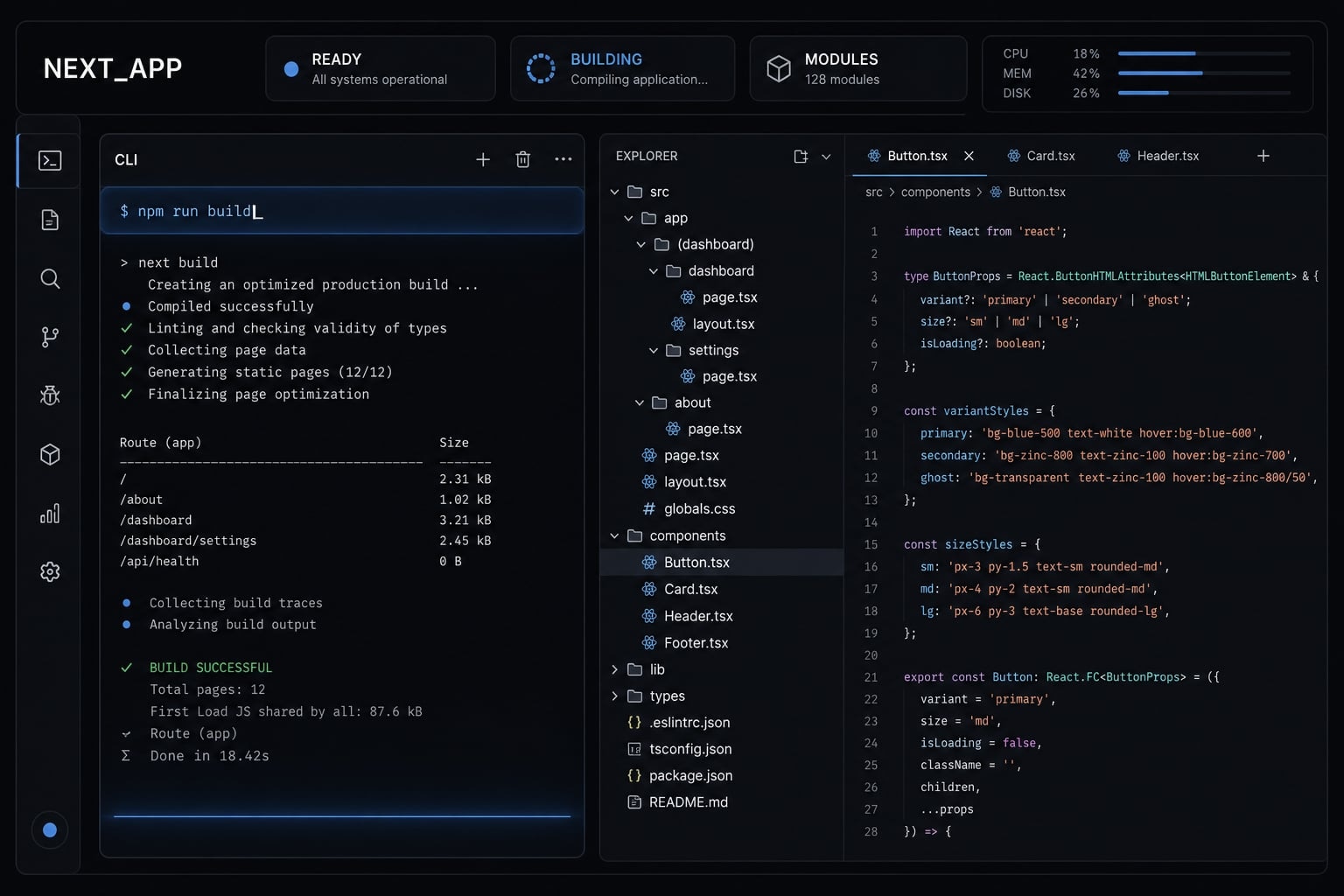
Claude Code for Next.js is a terminal-first, context-aware coding assistant that helps developers work across real project files, not just generate isolated snippets. In practice, it is most useful for structured implementation work such as scaffolding components, organizing routes, cleaning repeated JSX, and assisting with common debugging, while humans still own architecture, security, and final QA.
Unlike basic autocomplete, Claude Code does not just predict the next few lines. It can follow task continuity across folders, inspect related files, and work more like AI pair-programming inside a real repo. That matters in Next.js, where routes, layouts, metadata, and server/client boundaries often span multiple files.
Why Claude Code feels different from basic autocomplete
Basic autocomplete is local. It is good at finishing syntax or continuing a pattern already visible in the current file.
Claude Code is better at repo-level reasoning. It can inspect layout structure, understand how a page fits into an App Router setup, trace reused components, and make suggestions that account for surrounding context. In a Next.js project, that often means better help with route organization, shared layouts, and repeated UI patterns.
Best-fit tasks vs high-risk tasks
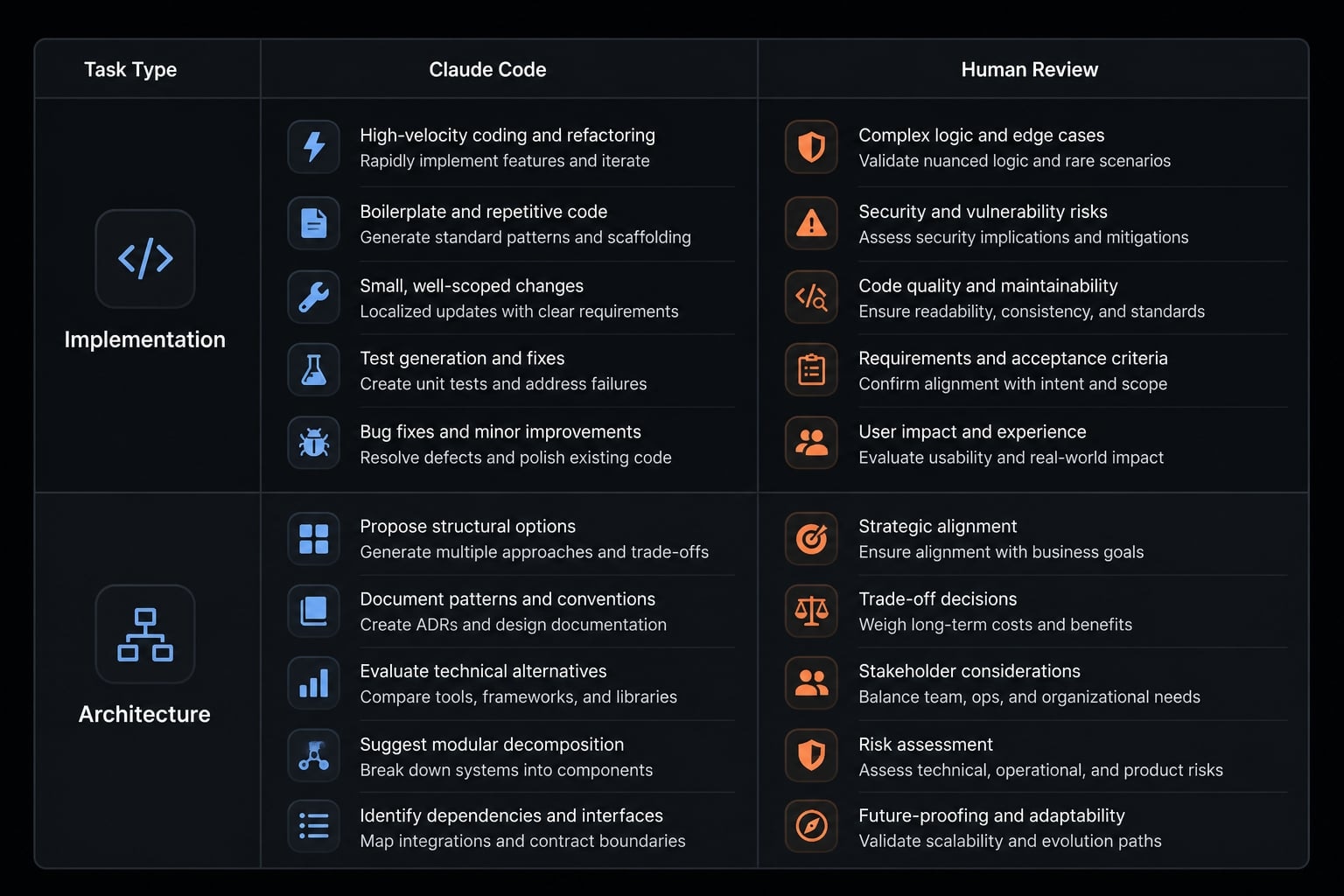
The biggest time savings usually come from implementation work that is structured and easy to review. Where teams get into trouble is assuming the tool should make the final call on architectural or sensitive decisions.
Best-fit tasks:
- Scaffolding page sections and components.
- Organizing routes and shared layouts.
- Tailwind CSS scaffolding for repeated UI blocks.
- Cleaning up repeated JSX.
- Assisting with common errors and light refactoring.
- Basic metadata setup.
High-risk tasks:
- Auth design.
- Security-sensitive logic.
- Major rendering or architecture decisions.
- Business-critical data flow.
- Final production-ready sign-off.
- Final QA before deployment.
Task type | Good fit for Claude Code | Needs human review |
|---|---|---|
Component scaffolding | Yes, especially repeated UI sections | Review naming, structure, and maintainability |
Route setup | Yes for basic page and folder patterns | Review routing decisions and edge cases |
Metadata basics | Yes for titles, descriptions, and defaults | Review SEO intent and page-specific accuracy |
Refactoring repeated JSX | Yes for cleanup and reuse suggestions | Review abstraction quality and readability |
Auth and business logic | Limited | Always review architecture, security, and rules |
Final QA | No | Always test manually before merge |
A simple step-by-step workflow for using Claude Code with Next.js
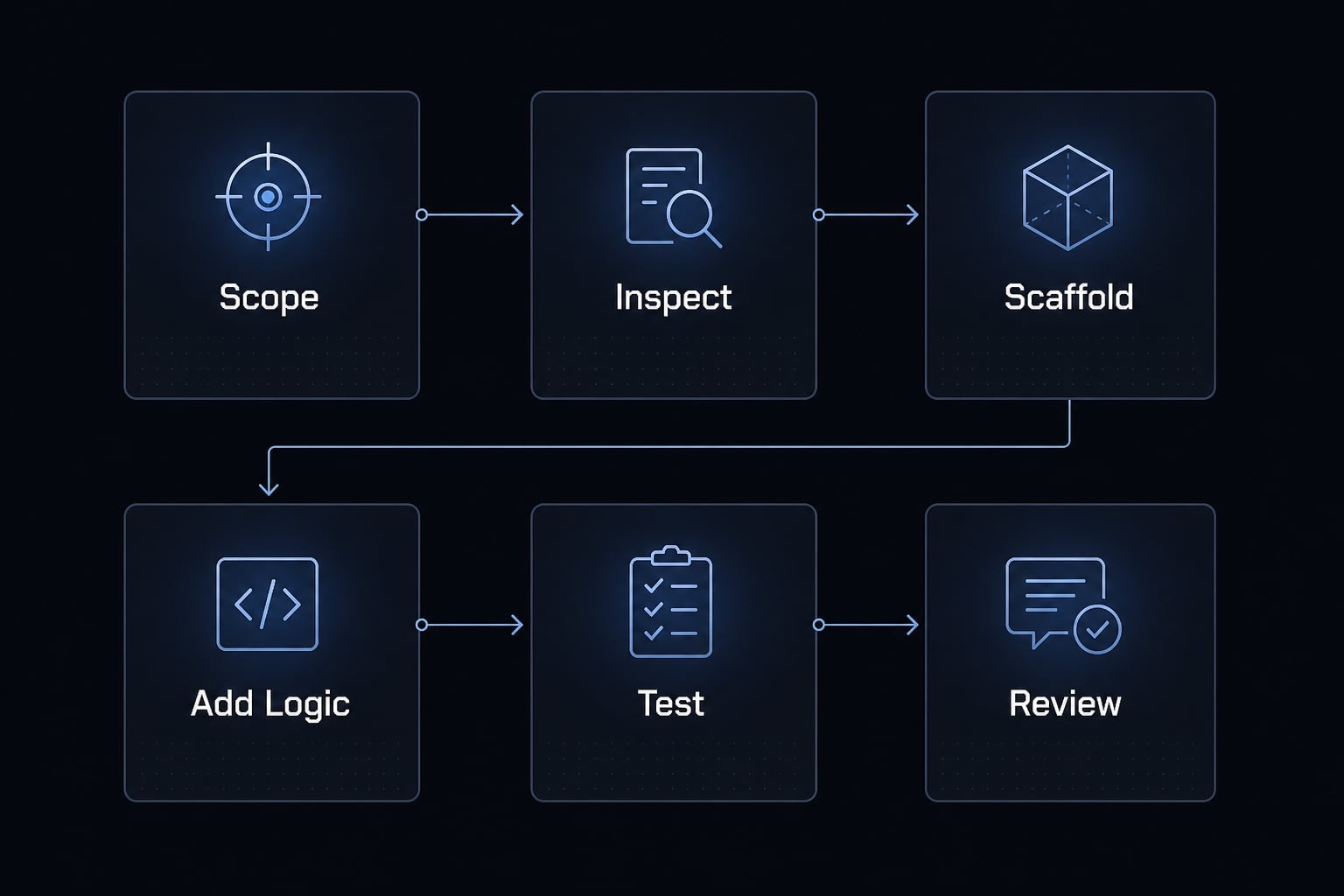
The most reliable results come from treating using Claude Code with Next.js as a structured workflow, not a single giant request. Good output starts with scope control, continues with layered implementation, and ends with strict review discipline.
- Define the feature and constraints.
- Inspect the existing structure first.
- Scaffold routes, components, and layout.
- Add logic incrementally.
- Use Claude Code for debugging and cleanup.
- Review output manually before committing.
Step 1 and step 2 - Define scope, then inspect before editing
When using Claude Code with Next.js, the first job is not writing code. It is defining the task clearly enough that the tool does not invent unnecessary structure. A good scope statement usually includes:
- Feature goal.
- Route or page involved.
- UI expectation.
- Logic boundary.
- Constraints from the current repo.
For example:
- Build a pricing page under
/app/pricing. - Reuse the existing navbar and footer.
- Add three pricing cards and a FAQ section.
- Do not change auth flow or shared theme tokens.
This is also where project constraints matter. Ask the tool to inspect existing structure before editing. That simple step reduces bad assumptions about folders, naming, server/client patterns, or component reuse.
If you are working through the Anthropic Claude CLI, this repo inspection phase is often more valuable than the first generation pass. It improves React codebase navigation and helps the assistant respond with fewer disconnected edits.
Step 3 and step 4 - Scaffold first, then add logic in layers
A common mistake is asking for full implementation in one shot. A better pattern for using Claude Code with Next.js is to scaffold first, then build functionality in controlled layers.
Start with structure:
- Routes.
- Page shells.
- Shared sections.
- Layout placement.
- Tailwind CSS scaffolding.
Then add logic incrementally:
- Local state.
- Validation.
- Data flow.
- Empty and error states.
- Visual polish.
This layered approach makes automated Next.js coding workflows more reliable. Smaller batches are easier to review, easier to revert, and less likely to mix UI, business logic, and architecture into one messy output.
It also improves prompt engineering for code generation without turning the process into theory. You are simply reducing ambiguity and making each task easier to verify.
Step 5 and step 6 - Debug, cleanup, then review manually
Once the feature exists, Claude Code becomes useful again for cleanup. It is often strong at debugging Next.js errors, reducing repeated markup, and making simple refactors more consistent across files.
Useful examples:
- Review this page for likely hydration issues.
- Refactor these duplicated card sections into reusable components.
- Check whether client-only logic should move out of a server-rendered file.
- Suggest cleaner prop structure for these repeated UI blocks.
Then comes the non-negotiable part: Review output manually before commit.
Minimum review checklist:
- Inspect existing structure again after edits.
- Inspect git diff.
- Verify types.
- Run tests.
- Review file-level changes.
- Confirm no unnecessary files were touched.
- Check permissions if the tool was allowed broad actions.
Blind commits are where trust breaks. Even good output needs human review.
Prompt hygiene that keeps the workflow stable
Good results are usually less about clever prompts and more about disciplined task framing.
Use this checklist:
- One task at a time.
- Mention exact files or folders.
- State expected output clearly.
- Keep logic boundaries explicit.
- Reset context when switching task types.
- Use slash commands like
/clearwhen needed. - Manage permissions intentionally.
- Avoid bloated context and unrelated history.
- Add logic incrementally, not all at once.
This is the difference between a helpful coding assistant and a chaotic session that drifts across the repo.
Where Claude Code saves the most time in Next.js development
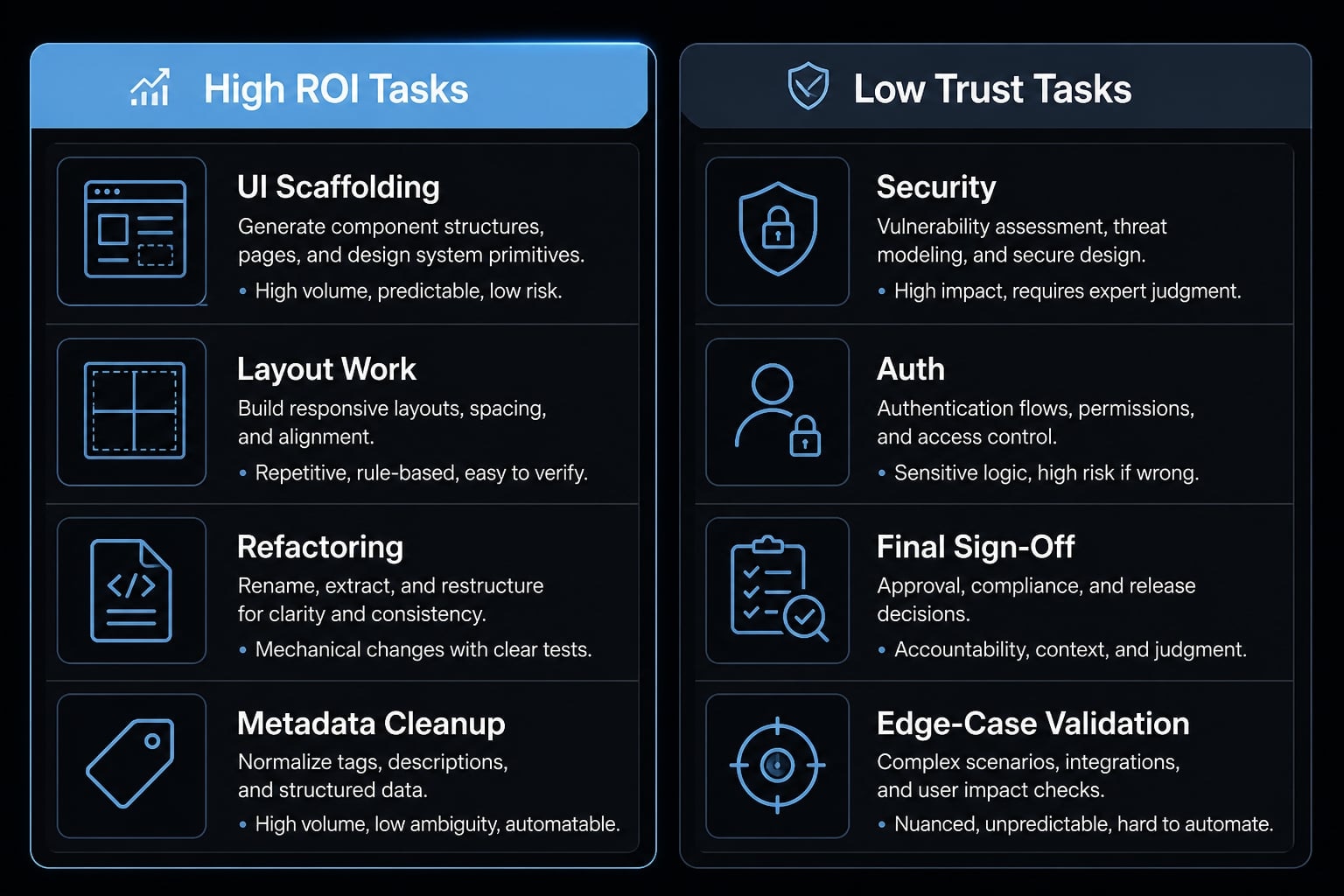
The biggest ROI does not come from delegating ownership. It comes from reducing repetitive implementation work that capable developers would otherwise do manually. That is where Claude Code is most useful in larger React/Next.js codebases.
UI scaffolding and repetitive layout work
The clearest time savings usually appear in UI-heavy work:
- Landing page blocks.
- Dashboard shells.
- Forms.
- Repeated content sections.
- Tailwind-heavy markup.
This is where Tailwind CSS scaffolding consistently helps. If you describe a landing UI with clear structure and reuse constraints, Claude Code can produce decent first drafts quickly. The same applies to repeated dashboard sections or form layouts where the work is predictable and easy to inspect.
For many teams, repetitive component work is the easiest place to get immediate value because the output is visible, constrained, and reviewable.
Practical Next.js tasks Claude Code handles well
Beyond UI, there are several Next.js tasks where the tool is often helpful:
- Basic routing.
- Shared layout structure.
- Page-level metadata.
- Suggestions around Server Components.
- Light help with hydration errors.
- Cleanup after fast implementation passes.
This does not mean the assistant should decide every rendering strategy. It means it can help surface likely issues, suggest better separation, and accelerate implementation around known patterns.
Refactoring and navigating a growing codebase
Claude Code also becomes more useful as the repo grows. It can help with:
- Repeated JSX cleanup.
- Standardizing similar components.
- Cross-file consistency.
- AI-driven refactoring of obvious repetition.
- Faster navigation in larger React/Next.js codebases.
That is often a better use case than greenfield architecture. The tool adds value when the codebase already has patterns worth following.
High-ROI Claude Code tasks | Lower-trust tasks |
|---|---|
Tailwind CSS scaffolding | Auth architecture |
Repeated layout generation | Security-sensitive logic |
Metadata basics | Core business rules |
Repetitive JSX cleanup | Final performance decisions |
Light debugging of common issues | Final production sign-off |
Common mistakes when using Claude Code for Next.js
Most problems are not caused by the model alone. They come from poor scope control, weak review habits, and asking the tool to decide things that should remain human decisions.
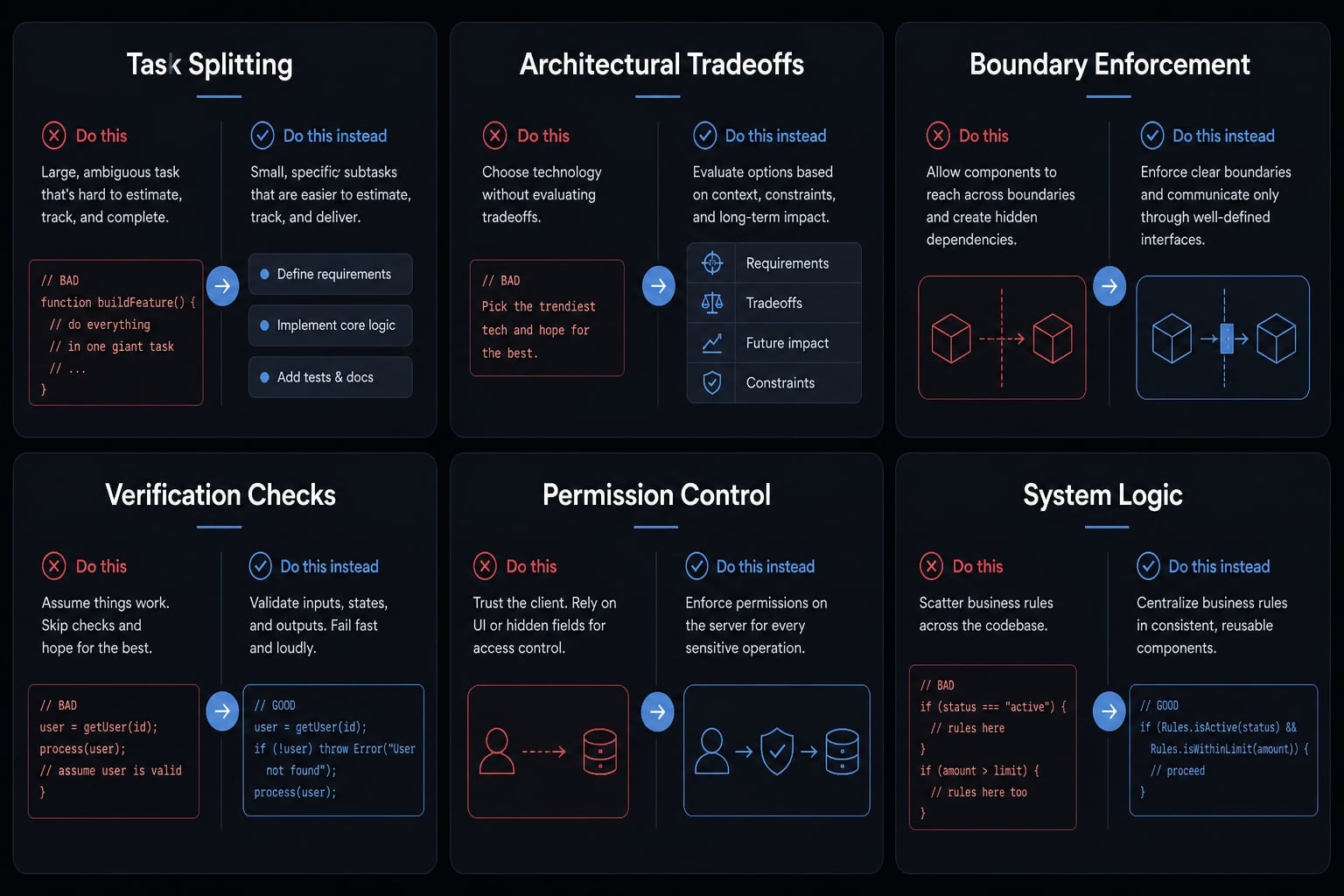
- Asking for the entire feature in one prompt:
- Why it happens: Developers want speed, so they combine page structure, business logic, validation, styling, and cleanup into one request.
- Safer alternative: Split tasks by page/component/logic. Scaffold first, then add logic, then refactor.
- Letting AI decide Next.js architecture by default:
- Why it happens: The assistant sounds confident and can suggest reasonable patterns quickly.
- Safer alternative: Ask for options and tradeoffs around the app router, rendering approach, and data flow instead of accepting the first architectural proposal.
- Ignoring App Router and server/client boundaries
- Why it happens: Client/server assumptions are easy to blur when a tool edits multiple files. That often leads to hydration mismatches or unnecessary client components.
- Safer alternative: Explicitly ask which files should stay server-rendered, which need client behavior, and why. This is especially important when debugging Next.js hydration errors with Claude Code.
- Skipping review, tests, and diff checks:
- Why it happens: The output looks plausible, so teams move too fast.
- Safer alternative: Always run code review basics before commit:
- Inspect git diff.
- Verify types.
- Run tests.
- Review file-level edits.
- Confirm only intended files changed.
- Using broad permissions without attention:
- Why it happens: Constant approval prompts can feel slow.
- Safer alternative: Manage permissions intentionally. Use wider access only when the task scope is clear and review remains strict.
- Keeping too much irrelevant context in the session:
- Why it happens: Long sessions accumulate unrelated instructions and stale assumptions.
- Safer alternative: Keep context small, reset when switching topics, and treat prompt engineering for code generation as session hygiene, not magic wording.
A practical setup that makes Claude Code more repeatable
Repeatability rarely comes from brilliant prompts. It comes from stable instructions, consistent checks, and lightweight tooling around the workflow.
Use a project context file and define patterns early
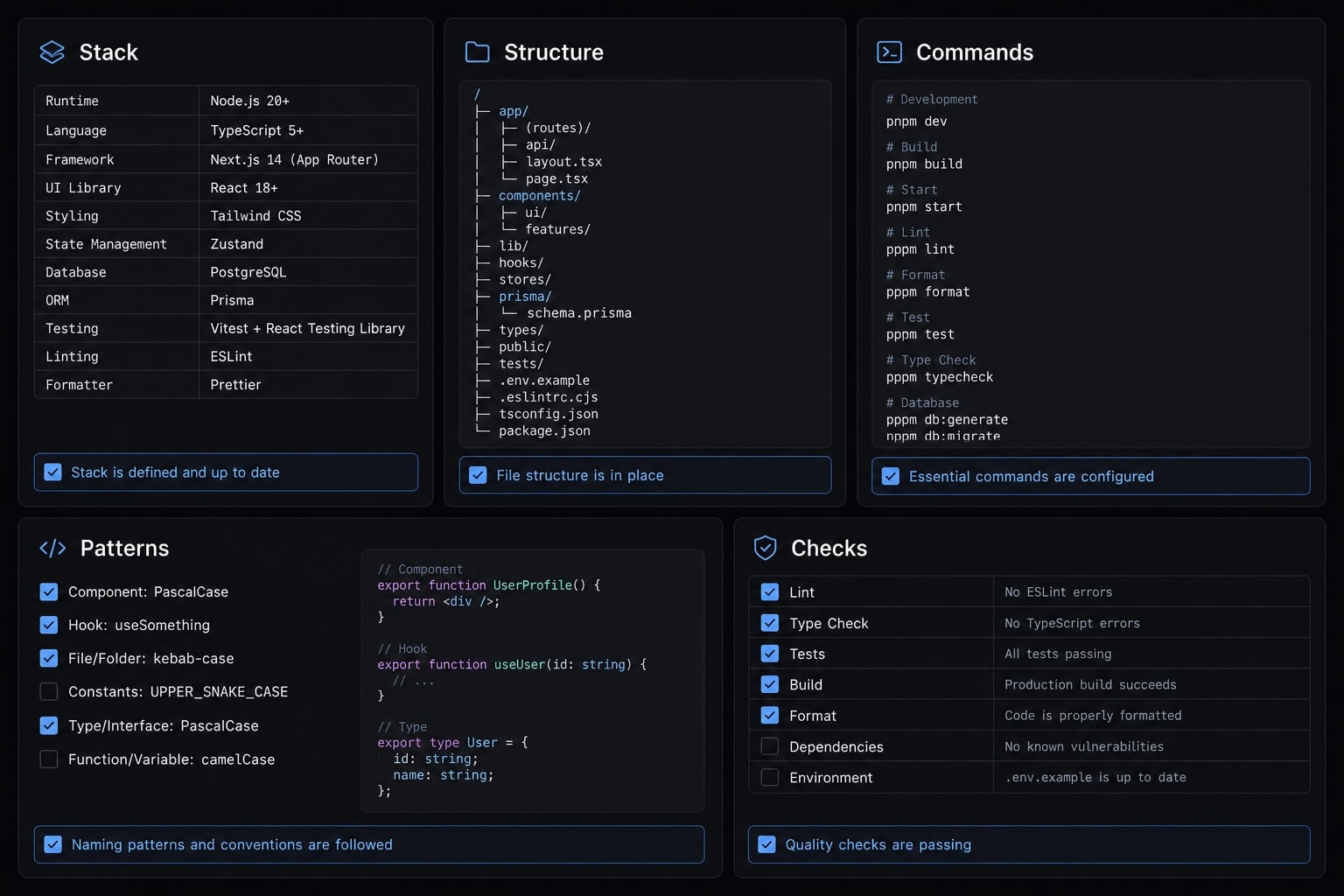
CLAUDE.md is a project context file that gives Claude Code durable instructions about how your repo works. In a small, readable format, it tells the assistant what stack you use, how folders are organized, which commands matter, what patterns to follow, and what quality bar to respect.
A useful CLAUDE.md should include:
- Stack and key dependencies.
- Folder structure.
- Dev, build, lint, and test commands.
- Preferred component and state patterns.
- Naming rules and coding conventions.
- Quality expectations for review.
This kind of project-specific configuration reduces drift. Instead of re-explaining the repo every session, you create stable context once and refine it as patterns evolve.
Add lightweight automation around the workflow
A repeatable setup does not need heavy infrastructure. It usually needs a few dependable checks:
- lint/type/test checks.
- Simple validation commands.
- Optional custom hooks.
- Stable reusable skills or standard task instructions.
- Limited queue-based task processing for larger teams handling multiple small tasks.
The point is not to automate everything. The point is to create a system where output is easier to trust because it is checked the same way every time.
A practical setup often includes:
- A short project-specific configuration.
- Standard review steps.
- Known commands for linting and testing.
- Lightweight guardrails before merge.
A realistic example: Using Claude Code across a small Next.js build
A realistic Claude Code workflow might look like this: You are building a small SaaS landing page with a pricing section, FAQ, testimonial blocks, and basic signup CTA inside a production-ready Next.js app.
The AI coding agent handles the repetitive parts well. It scaffolds the page layout, generates repeated content sections, suggests SEO polish for page metadata, and helps with light refactoring when multiple card blocks share the same structure. It may also suggest a cleaner split between shared sections and page-specific components.
What still needs manual work is everything that defines quality. A developer should review naming, confirm visual hierarchy, check mobile spacing, validate copy placement, test form behavior, and verify that no server/client boundary was handled poorly.
That is the practical pattern: Claude Code reduces repetitive work, but it does not own judgment. The output becomes useful when the human keeps architectural control and treats AI assistance as acceleration, not replacement.
Frequently asked questions
What is Claude Code for Next.js?
Claude Code is a terminal-first, context-aware coding assistant designed to help developers build and refactor applications. In a Next.js project, it acts as a pair-programmer that understands your codebase structure, routing, and component boundaries, enabling faster scaffolding and repetitive implementation while requiring human oversight for architectural decisions.
How do I use Claude Code with a Next.js project?
To use Claude Code effectively, follow this structured workflow:
- Define your scope and constraints clearly.
- Inspect your existing repo structure.
- Scaffold routes, layouts, and components.
- Add logic in small, incremental layers.
- Use it to debug and clean up code.
- Manually review all diffs before committing.
Which Next.js tasks are best suited for Claude Code?
Claude Code excels at high-repetition, structured tasks where context matters. Ideal use cases include Tailwind CSS scaffolding, setting up App Router layouts, writing basic page metadata, refactoring redundant JSX components, and navigating large codebases to identify patterns. Architectural logic and security-sensitive code should always be reviewed manually.
What are the most common mistakes when using Claude Code?
The most frequent errors include requesting entire features in one prompt, allowing the AI to dictate core Next.js architecture, ignoring server/client component boundaries, skipping manual git diff reviews, and failing to manage context size, which leads to bloated or buggy output. Always use smaller, scoped prompts to maintain output quality.
How can I make Claude Code usage more repeatable?
Consistency relies on setup, not just prompts. Create a CLAUDE.md file in your repository to store project-specific instructions, preferred patterns, and quality conventions. Combine this with lightweight automation - such as linting, type checks, and test commands—to ensure every agent-generated change aligns with your production standards.
Does Claude Code replace the need for manual code review?
No. Claude Code is a productivity tool, not an autonomous engineer. You must always inspect git diff outputs, verify type safety, run tests, and ensure that generated code adheres to your project’s specific architecture. Human judgment remains the final authority for security, authentication, and production readiness.
Read more:
- Claude Code react: Best practices for faster frontend dev
- Mastering the Claude Code workflow for reliable AI development
- Claude Code toolkit: Scale your AI development workflow easily
Conclusion
Used well, Claude Code Next.js can be a meaningful productivity boost. The strongest gains usually come from scaffolding, repeated UI work, refactoring, and debugging support where a context-aware coding partner can follow repo structure better than basic autocomplete.
The real leverage, however, comes from workflow discipline. Keep tasks scoped, inspect the repo before editing, add logic in layers, and never skip manual review. If you want more consistent results, document your own CLAUDE.md, standardize your review checklist, and build a repeatable AI-assisted workflow that keeps human judgment at the center.