Claude Code multiple repositories: Setup and best practices
Claude Code multiple repositories: Setup, context and safe Cross-Repo workflows
A feature rarely stops at one repository. Adding a billing field can affect shared schemas, backend responses, and frontend behavior. Using Claude Code with multiple repositories makes that work easier to coordinate, but file access alone does not explain dependencies or establish safe execution boundaries.
This guide separates four concerns: directory access, architectural context, permissions, and Git state. It covers local setup, instruction templates, a plan-first workflow, and independent validation and delivery. The running example is a B2B SaaS application with shared-contracts, api-service, and web-frontend. You can keep their existing histories; no monorepo migration is required.
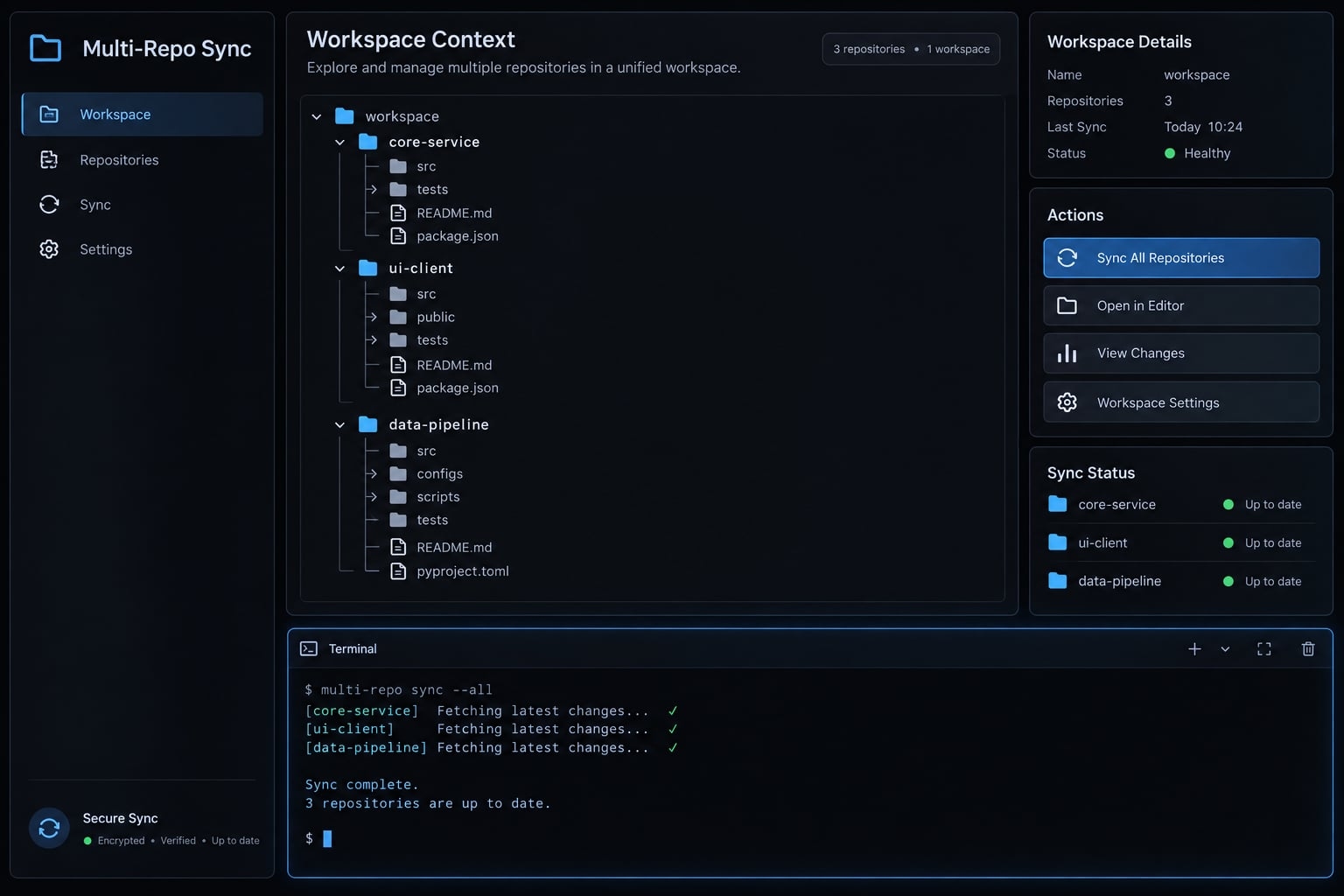
Verification status & prerequisites
These illustrative examples are designed to guide developers. The provided commands target macOS/Linux environments using standard Bash or Zsh shells. Always inspect your installed CLI version's help output (claude--help) and official documentation before executing commands in production environments.
Yes, Claude Code can work with multiple local repositories in one session. Start from a primary repository with --add-dir, or launch from an appropriate parent workspace. Provide repository relationships and scoped CLAUDE.md instructions separately: directory access does not guarantee instruction loading or unrestricted execution. Inspect permissions and working trees, then validate, commit, and coordinate pull requests independently for each repository.
The fastest way to use Claude Code with multiple repositories
Expose only the repositories needed for the task. Start with this seven-step sequence:
- Confirm the repositories exist locally.
- Check
claude --versionandclaude --help. - Choose additional directories or a parent workspace.
- Launch Claude Code.
- Inspect directory access and Git state.
- Read the relevant instructions and validation scripts.
- Approve an impact plan before editing.
Option 1 - Add sibling repositories to the current session
The following command launches a new session with additional directories; it does not modify an already-running session.
From Bash or Zsh:
cd ~/work/api-serviceclaude --add-dir ../web-frontend ../shared-contracts
This command uses the multi-path form of --add-dir. Confirm support in your installed CLI’s help output. Relative paths resolve from the launch location, and all three repositories must already exist.
For an existing session, check its supported interactive directory-management commands separately. A launch flag is not an in-session instruction.
Begin with an inspection-only request:
Inspect api-service, web-frontend, and shared-contracts.Do not edit files. Read their relevant instructions.Map dependencies for billing responses and propose an impact plan.Report inaccessible paths and assumptions.
Option 2 - Launch from a shared parent workspace
A parent workspace provides one local entry point:
~/work/commerce-workspace/├── CLAUDE.md├── shared-contracts/ # Independent Git root├── api-service/ # Independent Git root└── web-frontend/ # Independent Git root
cd ~/work/commerce-workspaceclaude
The parent directory does not merge child repository histories, nor does it automatically function as a single unified Git repository. Verify actual access under your permissions and execution environment.
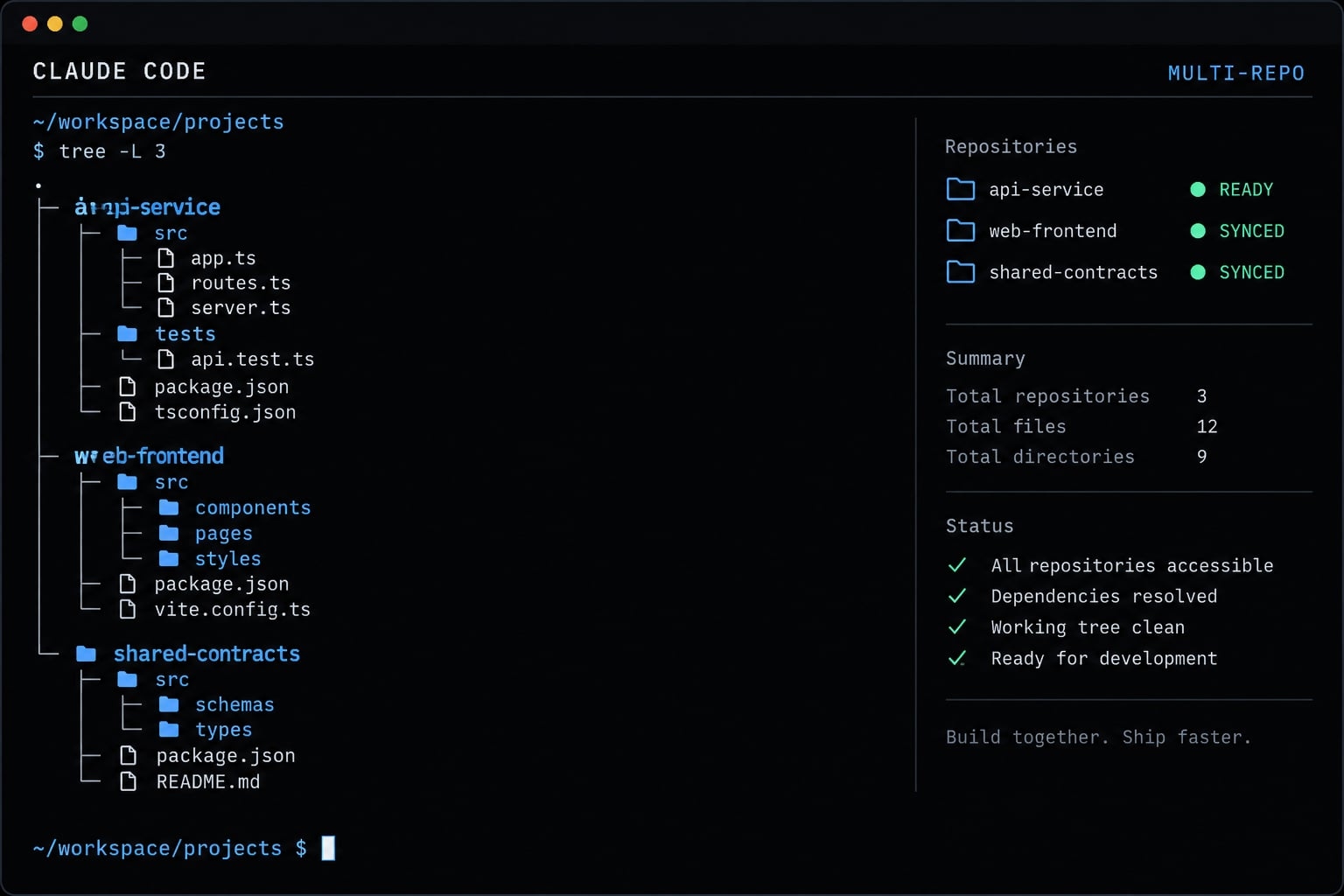
Confirm access before starting work
Collect terminal evidence from your setup:
pwdfor repo in . ../web-frontend ../shared-contracts; do printf '\nRepository: %s\n' "$repo" git -C "$repo" rev-parse --show-toplevel git -C "$repo" branch --show-current git -C "$repo" status --shortdone
A blank branch result may indicate a detached HEAD state. Resolve that before making changes. Record intended paths, existing modifications, validation commands, and approved scope. Trust tool output over verbal assurance.
Choose the right Multi-Repository setup
Choose by coordination needs, not repository count alone. Editor organization, session access, and Git composition solve different problems. These patterns can be combined.
Pattern | Best for | Main advantage | Main limitation | Typical scope |
|---|---|---|---|---|
Primary repository plus | Focused feature work | Explicit scope | Relationships need documentation | One primary repo and dependencies |
Shared parent workspace | Recurring cross-service work | Common entry point | Easy to expose unrelated projects | Related application repositories |
VS Code multi-root workspace | Editor navigation | Unified editor view | Does not configure Claude access | Any convenient editor grouping |
Bootstrap or orchestration repository | Repeatable team setup | Versioned setup conventions | Scripts and manifests need maintenance | Shared development environment |
Git submodules | Revision-pinned composition | Records component commits | Additional Git procedures | Deliberately versioned repository collection |
These scopes are recommendations, not product limits. More orchestration creates more configuration to maintain, even when it improves consistency.
Use the least complex pattern that solves the problem
Begin with explicit additional directories. Adopt a shared parent when developers repeatedly coordinate the same repositories.
Add a VS Code multi-root workspace independently if it improves navigation. Opening folders in the editor does not automatically configure Claude Code access or permissions.
Introduce a bootstrap repository when onboarding problems or inconsistent local layouts justify it. A repository manifest can record paths, ownership, and dependencies.
Git submodules serve a different need: the containing repository records a particular commit for each component. They do not automatically keep every component on the latest branch revision.
When parallel sessions are better than one shared session
Use a shared session for impact analysis and tightly coupled changes. Use separate sessions for independent tasks with focused context.
Separate conversations do not guarantee filesystem isolation. Two sessions using the same working tree can overwrite changes or disrupt tests.
For concurrent implementation, consider separate clones or Git worktrees - additional working directories associated with a repository. Coordinate file ownership and integration explicitly. Start parallel work only after agreeing on shared interfaces.
Structure CLAUDE.md for Cross-Repository context
CLAUDE.md supplies project instructions that help Claude Code interpret repository conventions, architecture, and validation requirements. It complements code inspection rather than replacing it. A useful arrangement separates workspace-wide relationships from repository-specific details, while keeping canonical specifications and executable scripts as the sources of truth.
This hierarchical documentation is an organizational convention. Automatic discovery depends on supported loading rules, file location, and launch arrangement - not simply whether a file exists.
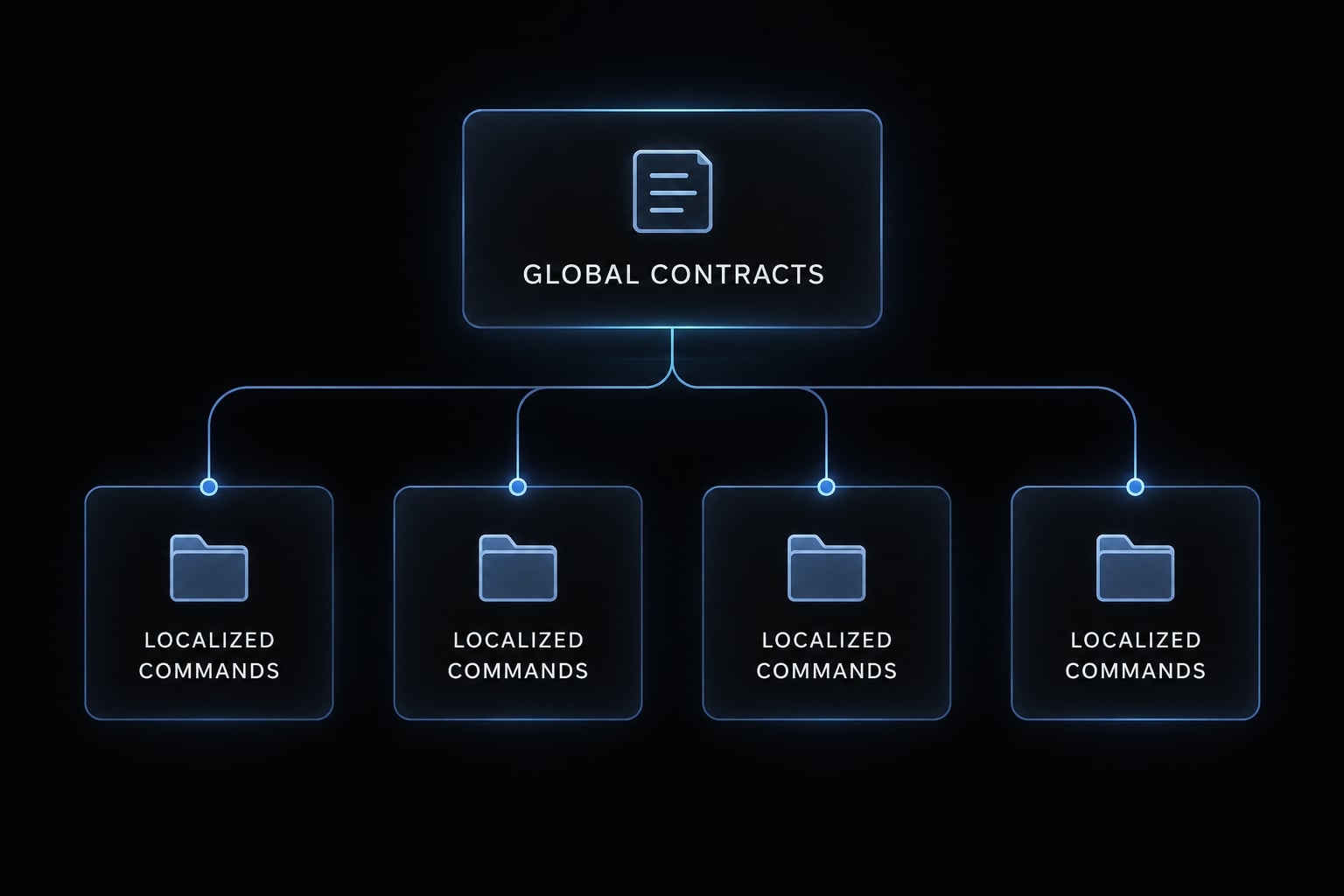
Workspace-Level CLAUDE.md
Use a concise repository relationship map:
# Commerce workspacePurpose: Coordinate billing features across three repositories.## Responsibilities- shared-contracts: Owns canonical API schemas and shared types.- api-service: Produces billing responses.- web-frontend: Consumes billing responses.## Dependencies- api-service and web-frontend depend on shared-contracts.- web-frontend consumes api-service responses.## Example project paths: verify before use- Canonical schema: shared-contracts/schemas/billing.json- Producer: api-service/src/billing/- Consumer: web-frontend/src/billing/## Planning and validation- Inspect canonical definitions before proposing changes.- Identify consumers, compatibility risks, and unknowns.- Obtain approval for a repository-by-repository plan.- Inspect each repository's scripts; validate separately.- Report passed, failed, not run, and blocked checks.## Delivery and maintenance- Keep branches, commits, and pull requests separate.- Owner: Platform engineering- Last reviewed: Not yet reviewed; set before adoption.
For a parent launch, place this file at the working-directory root and verify that its instructions appear in the session.
For a primary-repository launch, explicitly request reading the workspace file through an accessible path. Do not assume adding siblings loads their instruction files. Additional-directory memory behavior must be checked independently against the current memory documentation.
Repository-Level CLAUDE.md
Keep implementation details local:
# api-servicePurpose: Produce billing API responses.Related repositories: ../shared-contracts, ../web-frontendExample entry point: src/billing/Canonical contract: ../shared-contracts/schemas/billing.json## Example validation: verify package.json first- Tests: npm test- Lint: npm run lint- Types: npm run typecheck## Change rules- Regenerate generated clients; do not edit them manually.- Preserve compatibility with consumers missing optional fields.- Document contract and dependency-version changes.Owner: API teamLast reviewed: Not yet reviewed; set before adoption.
These paths and commands are examples, not assertions about your application. Inspect actual package scripts before adopting them.
Keep context accurate without duplicating documentation
Reference manifests, scripts, and ADRs - architecture decision records - instead of copying their contents. Ask Claude to read relevant referenced files explicitly; an ordinary path mention is not a guaranteed import.
Review instructions after renames, schema migrations, or command changes. Resolve contradictions using verified loading scope and documented precedence, rather than assuming one file overrides another.
Duplicate skill names are a separate configuration issue. Verify their discovery and precedence independently.
Documentation organization—not guaranteed loading:Workspace instructions → responsibilities and dependenciesRepository instructions → local architecture and validationReferenced documents → explicitly inspect when relevant
Run a safe Cross-Repository change from plan to pull request
Follow this 9-step execution sequence when modifying code across boundaries:
- Verify each repository’s state.
- Locate the source of truth.
- Identify producers and consumers.
- Propose a repository-by-repository plan.
- Implement approved changes.
- Validate affected repositories.
- Review separate diffs.
- Commit within each Git root.
- Link pull requests and record release dependencies.
Example - change a shared API contract
Consider adding an optional billingAccountId field to billing responses. This is an illustrative scenario, not a tested customer case study.
Dependency mapping should identify these responsibilities:
Repository | Responsibility/change | Validation | Compatibility concern |
|---|---|---|---|
| Add optional field to canonical schema; regenerate types if required | Schema checks, generated-output review | Field must remain optional |
| Populate field when an account exists | Producer tests and contract checks | Older consumers must tolerate the response |
| Use field with missing-value handling | Consumer tests and UI checks | Older API deployments may omit it |
An additive field is not automatically harmless. Strict response validators can reject unknown properties, and generated types can accidentally make an optional field mandatory.
Separate editing the schema from regenerating types, publishing a package, and updating dependency versions. These may require distinct changes and approvals.
Code dependencies:shared-contracts → api-service → web-frontendshared-contracts ──────────────→ web-frontendDelivery:separate PRs → required package availability → compatible deployments Actual order depends on versioning and fallback behavior.
Implementation order is not deployment order. A tolerant frontend might deploy before the producer. A consumer requiring a newly published package cannot build until that artifact exists.
Use a Plan-First prompt
Plan the optional billingAccountId change across the three repositories.Do not edit files before approval.Report:- Canonical schema and inspected producers/consumers.- Git root, branch, and existing modifications for each repository.- Proposed files and exact validation commands.- Regeneration, publication, and dependency-version requirements.- Compatibility, deployment, and rollback risks.- Assumptions and dependencies you could not inspect.Separate observed evidence from inferred relationships.
Dependency mapping cannot prove that no external consumers exist. Check API ownership records and acknowledge uninspected integrations.
Test and review by repository
Run repository-specific checks and relevant contract or integration tests. Review git diff and git status separately, including generated files, lockfiles, and unrelated changes.
Label every check passed, failed, not run, or blocked. Missing credentials or unavailable services are not passing results. Record the command and failure reason.
Commit and open pull requests separately
Create independent branches and commits while respecting Git boundaries. Use a shared ticket identifier and coordinated pull requests with reciprocal references.
Document release prerequisites and rollback constraints. Reverting a consumer does not undo a published package or producer deployment.
A shared ticket is not a transaction: independent repositories have no native atomic cross-repository commit or unified native pull request.
Apply Git, permission and context safeguards
Apply least privilege: expose only the files and operations needed. Written intent helps coordination, but tool permissions and environment isolation provide enforcement.
Risk | Required control |
|---|---|
Wrong working directory | Explicit paths and Git-root checks |
Existing changes overwritten | Baseline status and agreed dirty-tree treatment |
Consumer missed | Dependency map with acknowledged unknowns |
Excessive context | Focused repository scope and concise instructions |
Secrets exposed | Verified access restrictions and isolated credentials |
Incorrect review scope | Per-repository diffs and commits |
High-impact action | Explicit approval and applicable permission controls |
.gitignore controls Git tracking behavior; it is not a security boundary. Asking Claude not to read secrets does not prevent access.
Likewise, directory configuration does not override operating-system permissions or sandbox restrictions. Verify relevant read, write, shell, and network behavior in your environment. Do not assume a restriction on one tool blocks equivalent access through another.
Minimum Pre-Edit safety checklist
- Only necessary repositories are included.
- Every Git root is known.
- Intended branches are checked out.
- Existing changes are recorded and protected.
- Canonical files are identified.
- The implementation plan is approved.
- Validation commands are known.
- Remote operations are restricted.
The recommended policy here requires approval for destructive commands, dependency upgrades, pushes, PR creation, and deployment. These are not claimed built-in defaults.
Configure applicable permission gates and environment controls to support that policy. Test them in a disposable workspace before trusting them with sensitive repositories.
Keep the context window focused
The context window is the information available to the model during a session.
- Request relevant entry points instead of repository-wide dumps.
- Keep instructions concise and explicitly read supporting files.
- Summarize verified findings before changing task scope.
- Consider sparse checkout only when build tooling supports partial trees.
Accessible files are not necessarily all loaded into active context. Sparse checkout is a Git technique, not a security control; omitted files can also break builds.
Troubleshoot common Multi-Repo problems
First classify the failure: directory access, instructions, execution context, or Git state. Changing permissions will not repair an incorrect dependency assumption.
Symptom | Likely cause | Next check or fix |
|---|---|---|
Sibling repository inaccessible | Wrong path, missing session directory, permissions, or sandbox restriction | Resolve the path; inspect each access layer separately |
Files accessible, relationships misunderstood | Missing map or unloaded instructions | Check whether the intended file was actually loaded; inspect contracts |
Commands run in wrong directory | Ambiguous execution context | Check |
Generated files edited manually | Generation rules missing or stale | Locate generator configuration; regenerate through the documented command |
Downstream consumer omitted | Incomplete dependency map | Inspect imports, package references, and ownership records |
Noisy or irrelevant context | Scope too broad | Narrow inspection and summarize relevant findings |
Conflicting instructions or skills | Overlapping rules or configuration | Inspect loaded sources; verify precedence for the installed version |
Git changes reviewed at wrong scope | Parent or unrelated repository selected | Verify Git repository boundaries; review each root |
Behavior changes after update | Version-dependent configuration | Record version; recheck help, settings, and instruction loading |
Treat these as diagnostic possibilities, not reproduced failures. Change one variable at a time and retain the resulting command output.
For stale instructions, update the source file as well as the immediate session. Otherwise, the same mistake can return during the next task.
Independent repositories require independent Git delivery. Visibility does not ensure architectural understanding, and more context is not always better.
Parallel sessions can drift in assumptions or share filesystem risk. Conversational context isolation is not execution isolation.
This guide addresses local CLI arrangements. Do not generalize them to hosted or web sessions, repository attachment behavior, or remote skill resolution without separate verification.
Scale the workflow for larger teams
A bootstrap repository is an optional, versioned home for workspace instructions, repository metadata, and setup helpers. It standardizes how a team assembles independent clones without merging their histories. This is a workspace orchestration convention, not a required Claude Code feature or an automatic dependency-management system.
Keep application clones beside the bootstrap repository:
commerce-workspace/├── team-bootstrap/ # Separate Git repository│ ├── CLAUDE.md│ ├── repos.yaml│ ├── scripts/│ │ ├── status.sh # Suggested asset; implementation required│ │ └── validate.sh # Suggested asset; implementation required│ └── docs/billing-team.md├── shared-contracts/ # Independent clone├── api-service/ # Independent clone└── web-frontend/ # Independent clone
Application repositories are not ordinary tracked content in the bootstrap repository. Sibling clones avoid accidental inclusion. Nested clones need explicit tracking exclusions; submodules are a separate, deliberate choice.
Use a compact, team-defined schema:
repositories: - name: api-service path: ../api-service responsibility: Produce billing API responses owner: api-team dependencies: [shared-contracts] consumers: [web-frontend] validation: - npm test - npm run lint - npm run typecheck
Paths here are relative to team-bootstrap; validation commands are illustrative. Remote identifiers and product tags are optional fields.
A platform owner should maintain the repository manifest with repository owners. Explicitly ask Claude to read it, or build reviewed tooling that consumes it.
Claude Code does not automatically interpret arbitrary repos.yaml files or execute their commands because they exist. Access to the manifest also does not grant access to every repository it names.
Frequently asked questions
Can Claude Code work with multiple repositories?
Yes, Claude Code can interact with multiple Git repositories within a single session. You can achieve this by launching the CLI from a shared parent directory, using the --add-dir flag to attach sibling repositories, or by using the --add-dir flag to attach additional sibling repositories. An editor multi-root workspace helps navigation but does not configure Claude Code’s access.
How do I attach sibling repositories to a Claude Code session?
You can include additional codebases by launching Claude Code with the --add-dir flag followed by the relative path to the desired folder. For example, running claude --add-dir ../web-frontend from your api-service directory makes that sibling repository accessible to the session, subject to your permission settings and environment restrictions.
What is the advantage of a shared parent workspace?
Launching Claude Code from a parent directory that contains multiple repositories provides a unified view of your entire architecture. It gives the session one entry point to related repositories. Pair it with a workspace CLAUDE.md that maps responsibilities, dependencies, and canonical contracts, since file access alone does not explain how repositories relate.
Does Claude Code support atomic cross-repository commits?
No, Claude Code cannot create a single unified Git commit or pull request that spans multiple independent repositories. Even when the agent has access to all related codebases, you must coordinate commits, branch creation, and pull requests individually within each specific Git root to maintain repository integrity.
How can I prevent Claude Code from editing the wrong repository?
To maintain safety, always verify the Git root and current branch for each repository before performing edits. Use the git rev-parse --show-toplevel command to confirm the active directory, maintain separate terminal sessions for independent tasks, and explicitly define your scope in the planning prompt to avoid accidental changes in unrelated folders.
Read more:
- Claude Code slash commands: Essential shortcuts for CLI flow
- How to authenticate Claude Code in terminal
- Claude Code subagents documentation: Setup and usage guide
Conclusion
A successful multi-repository workflow with Claude Code depends on clear boundaries and explicit instructions. By pairing a well-defined workspace structure with a concise CLAUDE.md, you establish strict canonical contracts, ownership rules, and validation standards without relying on implicit assumptions.
Keep planning, permissions, and Git delivery strictly separated across repos. Always inspect cross-repository dependencies before editing, deliver separate pull requests rather than assuming atomic releases, and test your setup with a single low-risk contract change before scaling automation.