AI project Bootstrap: A practical guide to building software
AI project Bootstrap: A practical workflow from idea to first release
While AI tools quickly generate repositories, a maintainable codebase requires clear boundaries, compatible dependencies, and verified functionality. Instead of outputting sheer code volume, small teams should define success by delivering a single verified vertical slice-a complete, working end-to-end user journey. By constraining execution, verifying changes, and keeping human oversight, teams can build a reliable foundation instead of a costly prototype.
What is AI project bootstrapping?
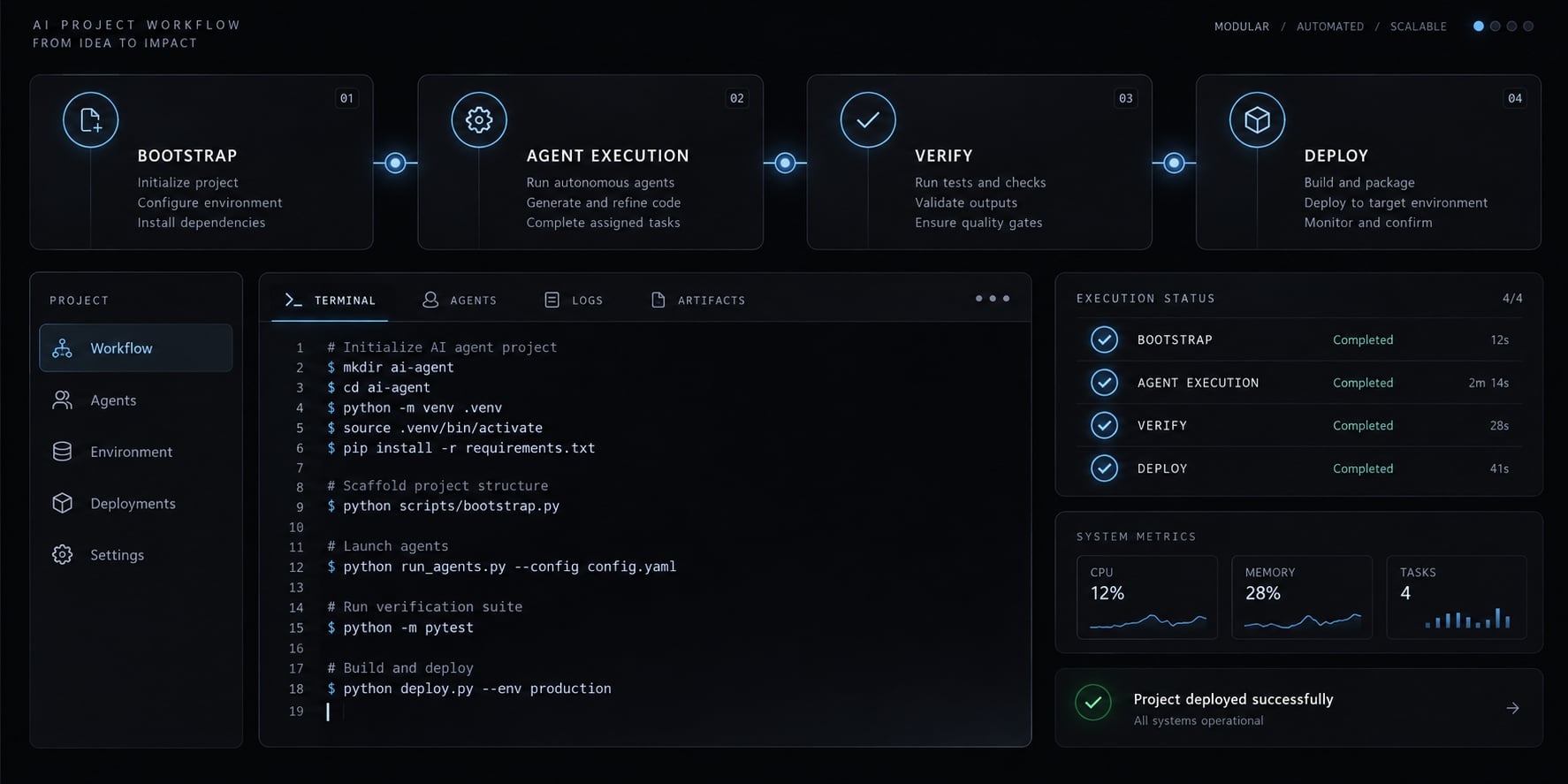
AI project bootstrapping is the use of AI tools to help establish a software project’s initial scope, structure, implementation patterns, tests, and deployment path. It combines generated work with human decisions and verification to produce a usable foundation, rather than treating generated files as evidence of a finished application.
It spans planning, implementation, testing, documentation, and deployment preparation within the Software Development Lifecycle. AI-assisted project scaffolding creates the initial structure; bootstrapping also establishes working behavior.
The final product does not need to incorporate AI features.
Concept | Meaning |
|---|---|
Software bootstrap | Establish a working technical foundation. |
Startup bootstrap | Build a business with limited capital and staff. |
The connection | Narrow scope protects founder time and limits operating costs; working software does not prove demand. |
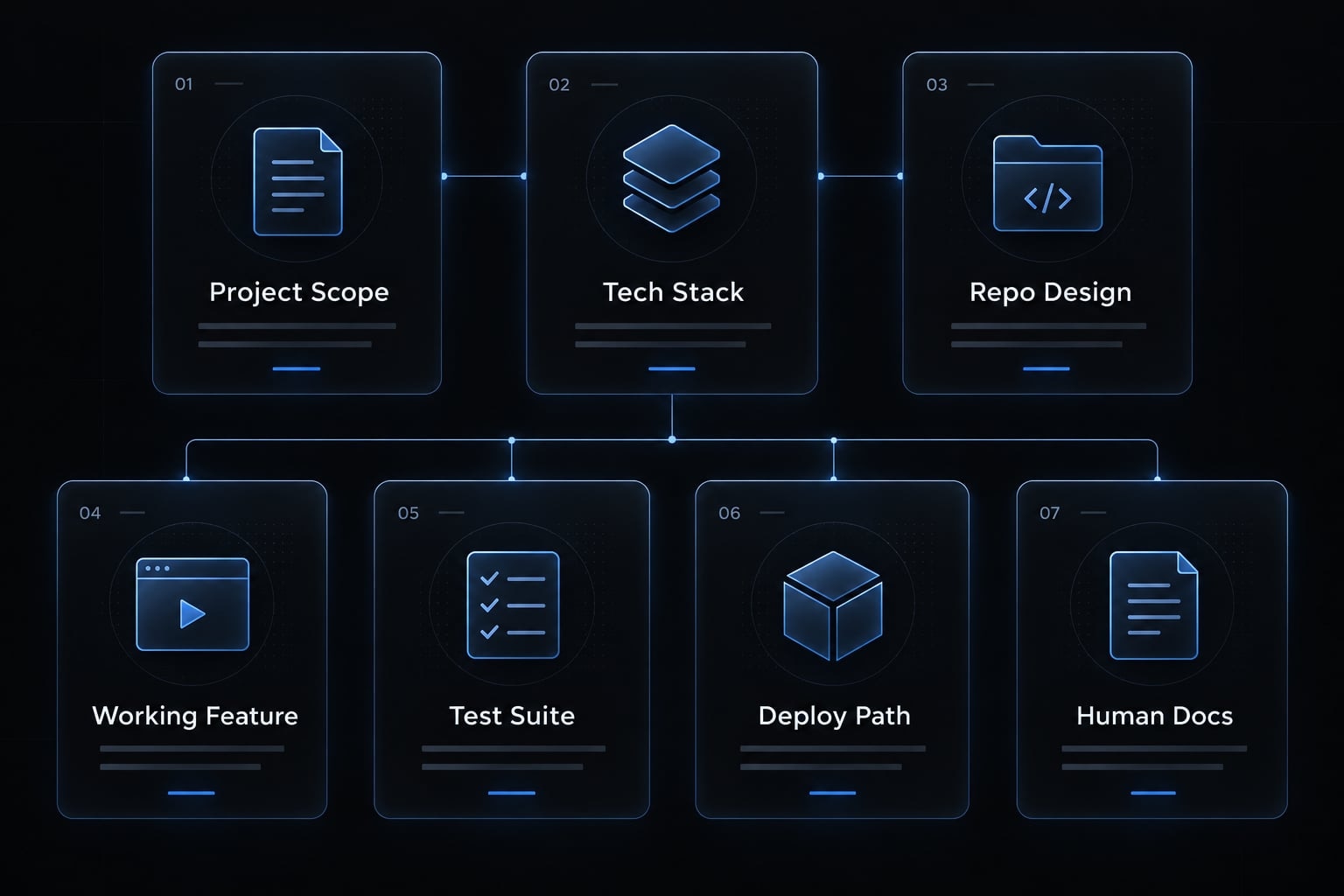
What an AI Project Bootstrap should produce:
- Documented scope and non-goals.
- Approved stack and version policy.
- Consistent repository structure.
- One working end-to-end feature.
- Initial automated tests and security checks.
- Deployment and rollback instructions.
- Continuation documentation for humans and agents.
Throughout this guide, an illustrative internal request-tracking application provides the example: A business user submits a request and retrieves its saved status. Demonstrations use synthetic records in a nonproduction environment. These outputs support production-readiness assessment. They do not automatically establish it.
What AI can and cannot Bootstrap reliably
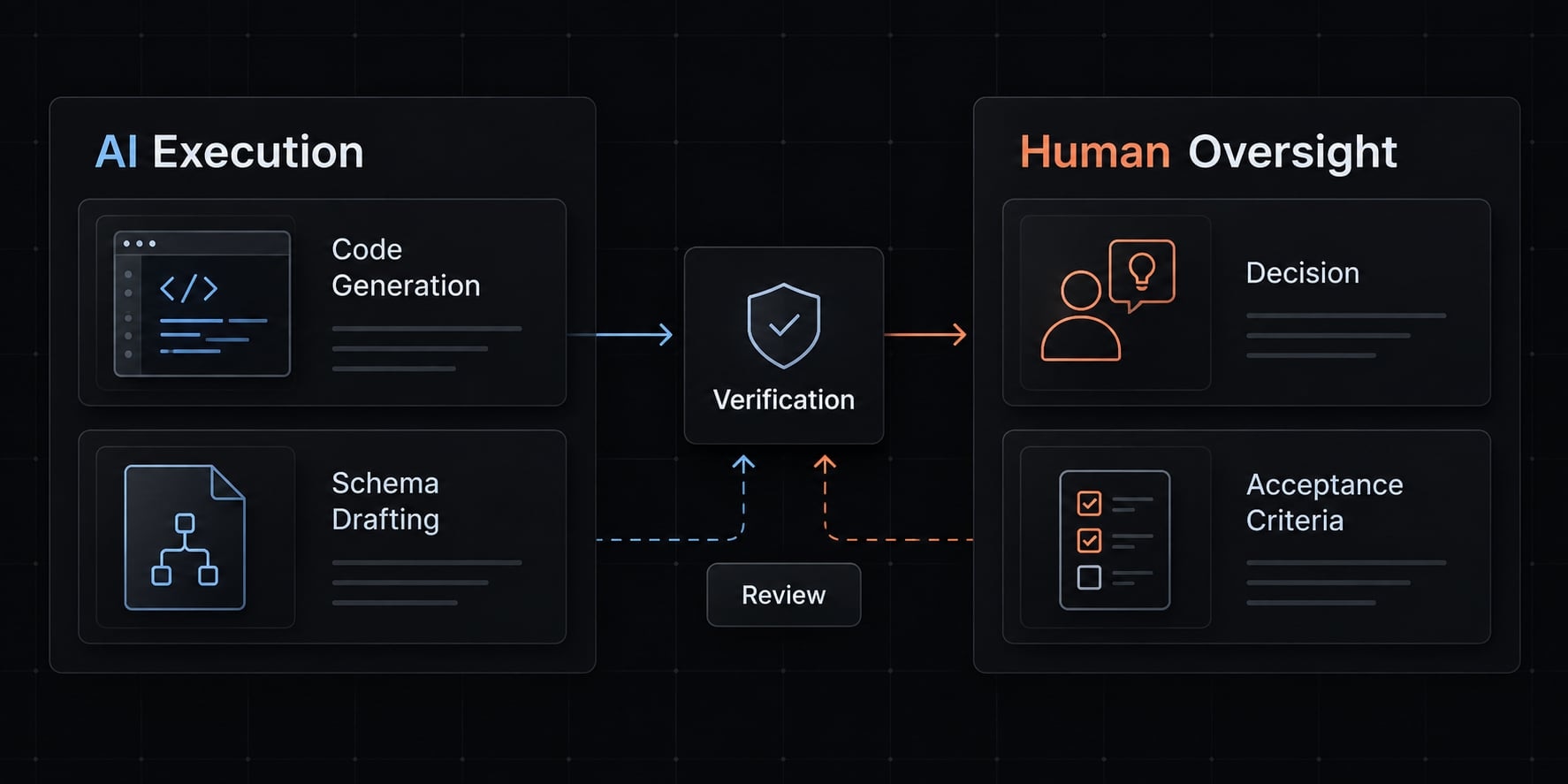
Reliability depends on scope, repository context, supported versions, and observable acceptance criteria. Generated code remains a draft until reviewed and tested. The columns below represent independent task categories, not sequential steps.
Often suitable with clear specifications | Needs close supervision | Human accountability required |
|---|---|---|
Repository scaffolding | Framework configuration | Stack selection |
Schema drafts | Data migrations | Data ownership |
Basic endpoints | Authorization logic | Access policy |
UI components | Accessibility and states | User acceptance |
Test drafts | Coverage assessment | Acceptance decisions |
Release documentation | Deployment execution | Release authorization |
Why backend work is often more predictable
Bounded backend AI code generation can be verified against schemas and API contracts-agreed request and response formats. Authorization, concurrency, and data integrity can nevertheless make backend tasks highly complex.
Why frontend Bootstrapping creates more rework
Frontend AI code generation often assumes incompatible package APIs. Furthermore, successful compilation easily misses visual and user interaction bugs. Check installed versions against official framework documentation, such as the Next.js installation and upgrade guides.
Human-AI responsibility matrix
An ADR (Architecture Decision Record) is a short note documenting a decision and its trade-offs.
Area | AI role | Human role | Control |
|---|---|---|---|
Requirements | Draft criteria | Confirm need | Approved brief |
Architecture | Propose options | Choose boundaries | ADR |
Dependencies | Suggest packages | Review suitability | Approved inventory |
Implementation | Create changes | Inspect behavior | Focused diff |
Testing | Draft and run checks | Challenge coverage | Acceptance evidence |
Security | Flag risks | Evaluate exposure | Control review |
Deployment | Prepare artifacts | Authorize release | Deployment gate |
Authentication establishes identity; authorization determines permitted actions. The OWASP Authorization Cheat Sheet recommends denying access by default and validating permissions on every request. AI-assisted review supplements accountable human review; neither review nor scanning eliminates all risk.
A step-by-step AI project Bootstrap workflow
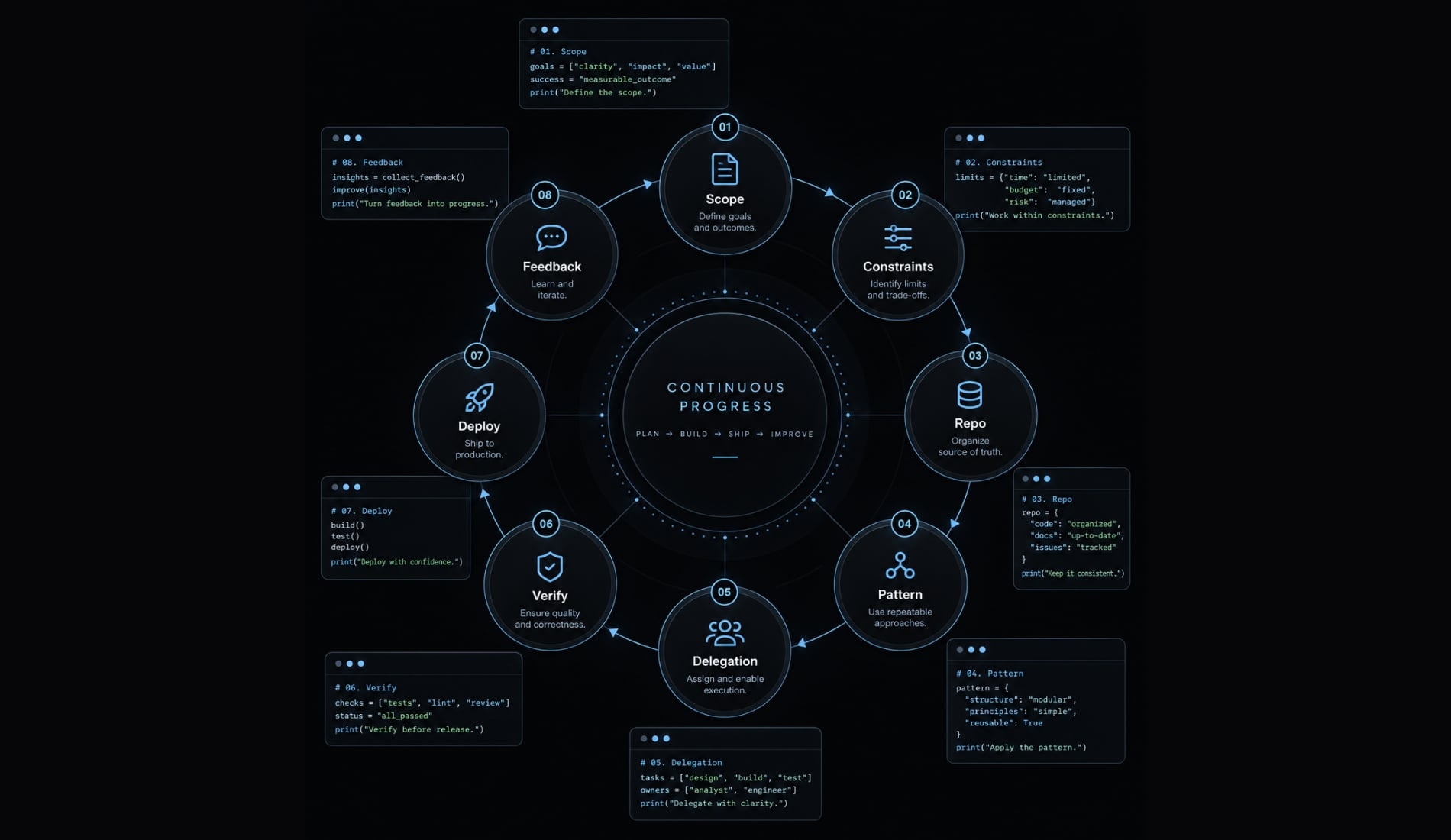
Use this sequence to turn a product idea into inspectable evidence.
- Define the smallest valuable outcome.
- Set technical and business constraints.
- Create the repository structure and context files.
- Establish one approved implementation pattern.
- Delegate bounded tasks to AI.
- Verify every change automatically.
- Deploy one vertical slice.
- Iterate from user and operational feedback.
Step 1: Define the smallest valuable outcome
- Choose one user and action: An employee submits a request and retrieves its status.
- Define observable criteria: Valid submissions persist, status survives refresh, invalid input is rejected, and unauthorized access fails. Exclude attachments and approvals initially.
- For an MVP (minimum viable product), ask: Does this reduce status-chasing?
Output checkpoint: Product brief, acceptance criteria, non-goals.
Step 2: Set technical and business constraints
Specify supported language and framework versions, database, hosting, and testing approach. Set budget, privacy, license, and performance limits.
Approve dependencies, external services, and model providers before use. A lockfile records resolved dependency versions; it improves reproducibility, not compatibility, security, or license suitability.
Require approval for baseline changes while maintaining an update policy.
Output checkpoint: tech-stack.md, dependency policy, data-handling rules.Step 3: Create the repository structure and context files
Document module boundaries, naming, environment setup, and the Git review workflow.
src/tests/docs/AGENTS.md
Use AGENTS.md, CLAUDE.md or an equivalent only after checking tool support and instruction precedence. OpenAI Codex and Claude Code documentation describe their respective instruction mechanisms.
Keep instructions concise and version-controlled. Context drift occurs when instructions or assumptions no longer match the project. Instruction files guide behavior; they do not enforce permissions.
Output checkpoint: Repository skeleton, current instructions, definition of done.
Step 4: Establish one approved implementation pattern
Review a small request module covering routing, validation, data access, error handling, and tests. Apply “show, don’t tell”: a concrete example gives agents a clearer pattern than pages of abstract preferences. Subsequent features still need review; copying structure does not prove correctness.
Output checkpoint: Approved reference module and test pattern.
Step 5: Delegate bounded tasks to AI
Use a task record with five fields:
- Objective: Save a request and retrieve its status.
- Allowed scope: Request module and associated tests.
- Constraints: Approved packages; no schema or architecture changes.
- Acceptance criteria: Persistence, validation, and access rules pass.
- Verification: Run named checks and report unresolved failures.
Require small, reviewable changes. Architecture or dependency changes need approval. Pair written constraints with actual tool permissions or sandboxing-execution within restricted boundaries.
Output checkpoint: Task record, focused diff or commit, change summary, test results.
Step 6: Verify every change automatically
CI (continuous integration) runs automated checks when repository changes occur. Include formatting, linting, applicable type checks, unit and integration tests, and dependency scans.
Test negative paths, including unauthorized retrieval and failed writes. Derive tests from human acceptance criteria, not merely implementation assumptions. A separate testing agent is not automatically independent. Record unresolved warnings rather than hiding them.
Output checkpoint: CI evidence tied to a commit, scan results, open issues.
Step 7: Deploy one vertical slice
Validate the user journey across interface, server, and storage in the target environment. Add logging and basic monitoring; keep credentials human-controlled.
A deployment gate defines conditions and approvals required before release. Test rollback or document recovery. Irreversible data changes need specific recovery planning; reverting code may not restore data.
Output checkpoint: Working staging slice, deployment record, monitoring, recovery plan.
Step 8: Iterate from user and operational feedback
Observe whether users can submit requests and retrieve status without assistance. Track task completion, defects discovered after review, review and correction effort, and operating costs. Prioritize observed friction and validated demand over generated feature suggestions. Technical success alone does not establish product value.
Output checkpoint: Updated backlog, product brief, and context files.
Before generating another feature, use the five-field task template to check whether its outcome and verification are equally clear.
Common AI project Bootstrap mistakes
AI-created technical debt often begins when generation outpaces review. Preventive controls should match the consequence: a naming inconsistency and exposed production credentials do not deserve the same response.
Mistake | Consequence | Prevention |
|---|---|---|
One-shot generation | Hidden assumptions across many files | Generate bounded tasks. |
Unreviewed dependency choices | Compatibility, license, or security issues | Review packages and maintenance status. |
Large changes before testing | Failures become difficult to isolate | Check small increments. |
No approved reference pattern | Inconsistent validation and errors | Review one reusable example. |
Compilation treated as completion | Behavior remains untested | Verify acceptance criteria. |
Unrestricted terminal access | Destructive commands or data exposure | Restrict execution and require approvals. |
Stale context files | Context drift repeats obsolete decisions | Update instructions alongside changes. |
Provider coupling | Switching becomes expensive | Add abstraction when switching risk justifies it. |
Dependency management requires ongoing review, not simply freezing versions forever. Similarly, a prototype does not automatically need an elaborate multi-provider architecture.
The danger of apparent completeness
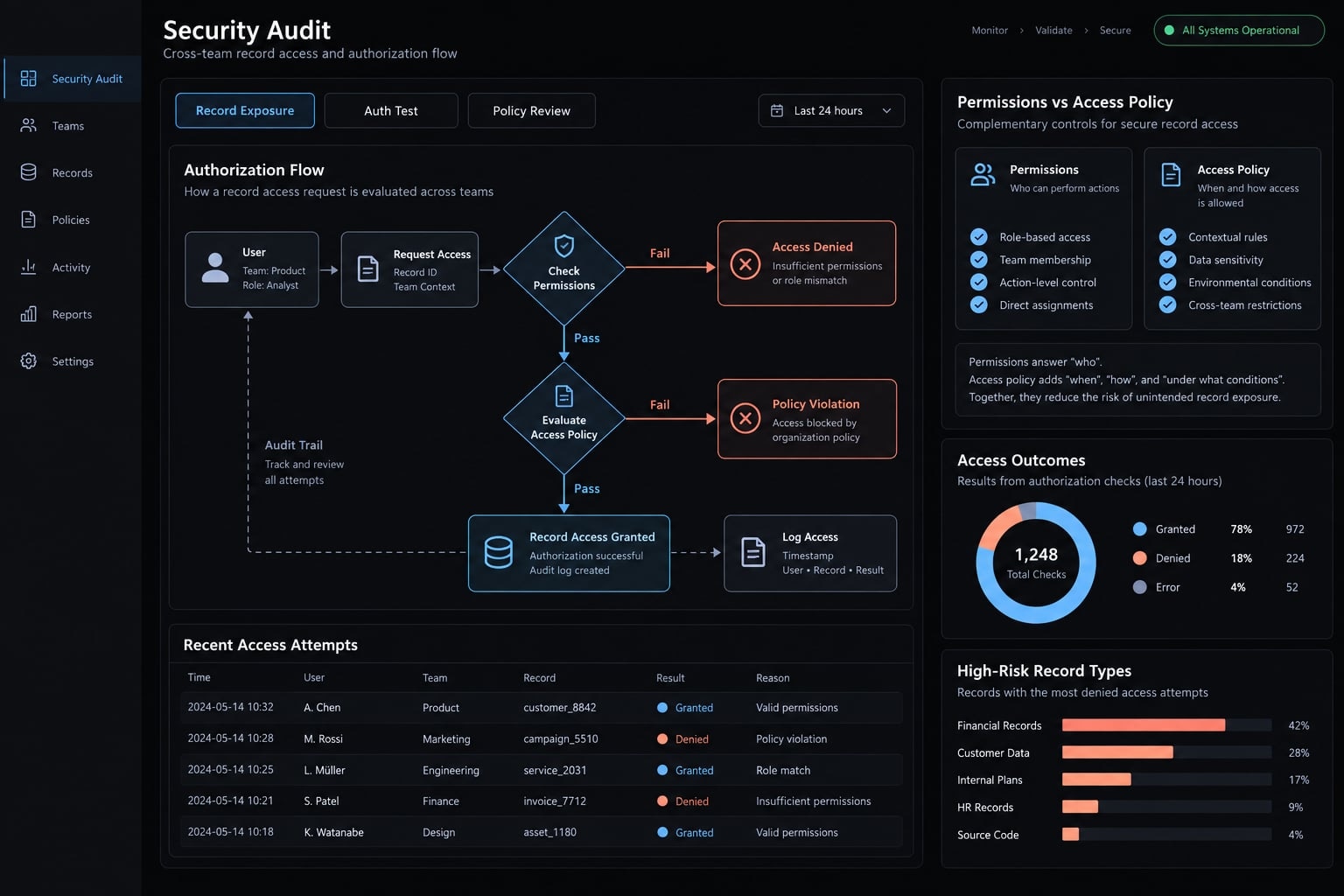
Attractive screens and passing builds can conceal missing authorization, incomplete validation, unsupported commands, and untested failure paths. Successful submission in the request tracker does not prove users cannot retrieve another team’s records. Prefer verified behavior over file count or visual polish.
When to stop and request professional review
Pause before real-user exposure when work involves authentication or authorization, payments, sensitive or regulated data, multi-tenant isolation, production credentials, infrastructure access, or irreversible migrations. Semi-technical founders should obtain qualified engineering review. Higher-risk systems may also require specialist security or compliance input. Human approval must involve meaningful inspection, not a ceremonial click.
The OWASP Application Security Verification Standard provides relevant verification requirements. Passing scans alone does not establish production readiness.
How to choose an AI Bootstrap tool or workflow
Choose operational fit, not a universal winner. Repository awareness is useful, but visible context does not prove correct understanding. A single well-controlled agent may be sufficient.
Criterion | What to verify | Why it matters |
|---|---|---|
Repository awareness | Relevant files and instructions | Reduces misplaced changes |
Scoped editing | Enforceable edit boundaries | Limits change scope |
Command permissions | Approval and restriction controls | Constrains execution |
Reviewable diffs | Inspectable change history | Supports acceptance |
Test execution | Actual commands and results | Exposes failures |
Reusable instructions | Versioned project guidance | Supports consistency |
Coordination | Explicit task handoffs | Reduces conflicting work |
Security controls | Sandbox and secret handling | Limits exposure |
Model flexibility | Supported provider options | Manages switching constraints |
Cost visibility | Usage and service charges | Supports budgeting |
Tool categories and suitable use cases
- IDE assistants: Interactive, developer-supervised editing.
- CLI agents: Repository work through command-line interfaces.
- More autonomous workflows: Bounded execution with strong controls.
- Multi-agent systems: Work benefiting from explicit role handoffs.
Cursor, Aider, Claude Code, and GitHub Copilot are representative examples, not endorsements. Categories overlap; verify current interfaces, permissions, and data handling in official documentation.
Avoid choosing by code-generation speed alone
Total completion cost includes generation, review, correction, verification, and operation. This is an evaluation principle, not a validated financial formula.
Test candidates against the same feature and acceptance criteria. Record evaluation date, baseline, tool and model versions, failed attempts, human effort, and token, tool, and infrastructure costs. Without those records, efficiency remains an intended benefit-not a measured result.
Example framework: Bootstrapping a project with coordinated AgentKit agents
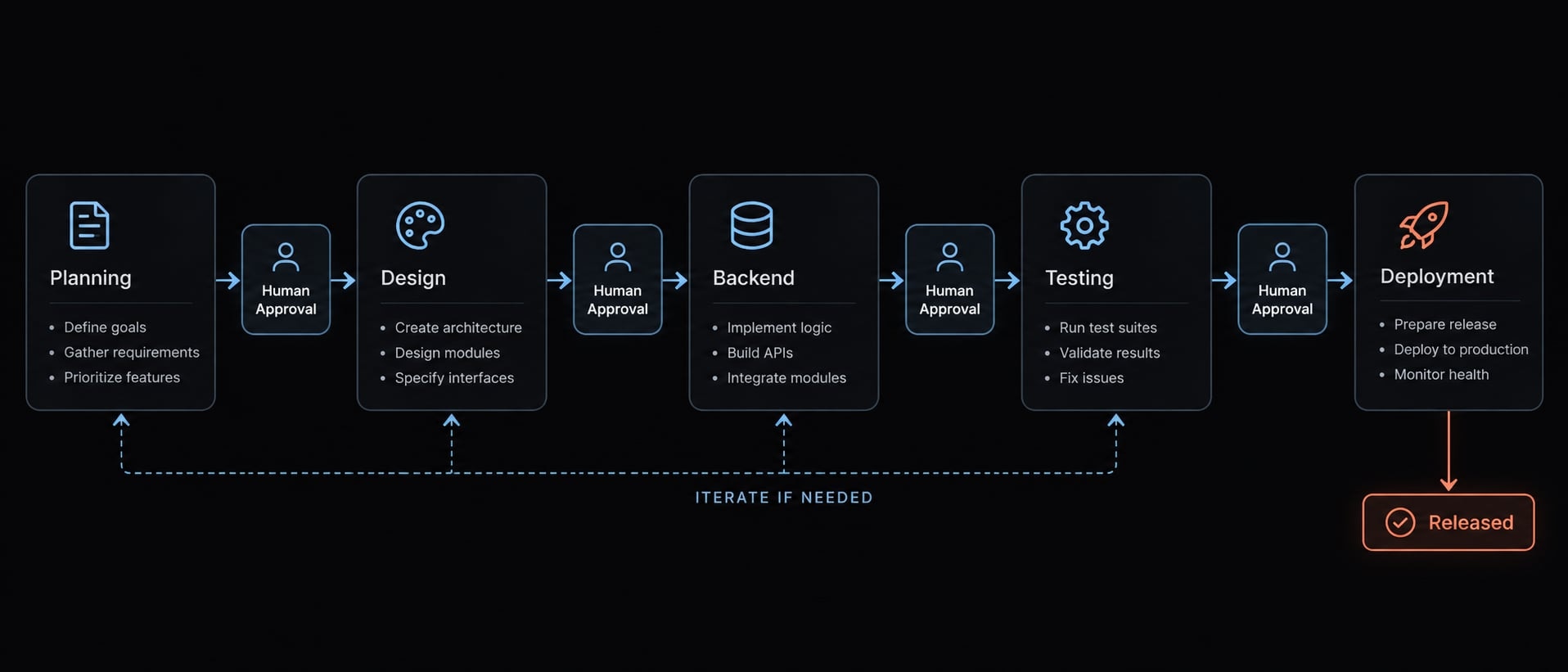
This is an illustrative AgentKit Engineer workflow, not a measured case study. It shows how repeatable responsibilities and handoffs can support the request-tracking example.
AgentKit organizes specialized subagents-role-specific workers-and reusable skills, meaning repeatable instructions or capabilities. Cross-agent task decomposition means splitting a larger outcome into bounded assignments with explicit inputs and outputs.
The roles below are workflow responsibilities, not guaranteed built-in agent names.
Role | Responsibility | Required output | Human approval |
|---|---|---|---|
Planning | Bound the work | Tasks and criteria | Scope |
Architecture | Propose boundaries | Decision note and interfaces | Design |
Frontend | Build request interactions | UI changes and states | Usability |
Backend | Implement persistence and access | Endpoints and tests | Data rules |
Testing | Check acceptance criteria | Results and gaps | Coverage adequacy |
Review | Inspect changes and risks | Findings and corrections | Risk disposition |
Deployment | Prepare release | Release and recovery records | Credentials and release |
MCP integrations (Model Context Protocol integrations) standardize connections to tools and data. They do not guarantee safe access. Require approved servers, scoped credentials, and enforceable permissions.
Example execution sequence
- A human supplies the brief and constraints.
- Planning produces bounded tasks.
- Architecture proposes boundaries and shared interfaces.
- Implementation follows the approved pattern.
- Testing evaluates the acceptance criteria.
- Review identifies risks and required corrections.
- Deployment prepares release artifacts and recovery instructions.
- A human approves high-risk decisions and release.
Frontend and backend work should share agreed interfaces before parallel execution. Role separation improves organization; multiple agents can still repeat the same incorrect assumption.
Proof-of-work requirements
Retain task records, actual diffs, failed attempts, corrections, and test and security-check results. Record stack, tool, and model versions, plus the evaluation date.
Mark every acceptance criterion passed, failed, or untested, with limitations. Tie evidence to an actual commit and environment. A generated summary is not proof that a command ran, and a test report proves only the behavior tested.
Before adopting this workflow, map one existing task to these artifacts. If the evidence cannot be inspected, adding agents will not fix the acceptance process.
AI project Bootstrap checklist
Use this project bootstrap checklist as an acceptance record. Attach evidence or unresolved issues to each item; workflow automation should preserve these controls, not bypass them.
Product and scope
- The brief identifies the target user and problem.
- One narrow user journey is documented.
- Acceptance criteria describe observable outcomes.
- Non-goals and a validation question are recorded.
Architecture and dependencies
- Supported stack versions are documented.
- Module and data boundaries are reviewed.
- Dependencies are approved, locked, and scanned.
- Relevant provider-switching risks are assessed.
Agent context and execution
- Instructions are current and version-controlled.
- A reviewed reference pattern is available.
- Tasks specify allowed scope and verification.
- Architecture and dependency changes require approval.
Quality and security
- CI results reference the reviewed commit.
- Critical access-control behavior has been reviewed.
- Secret storage and access controls are documented.
- Risky commands require enforced approval.
Deployment and validation
- The slice works in its target environment.
- Logging and basic monitoring are verified.
- Rollback or recovery procedures are validated.
- User feedback informs the next iteration.
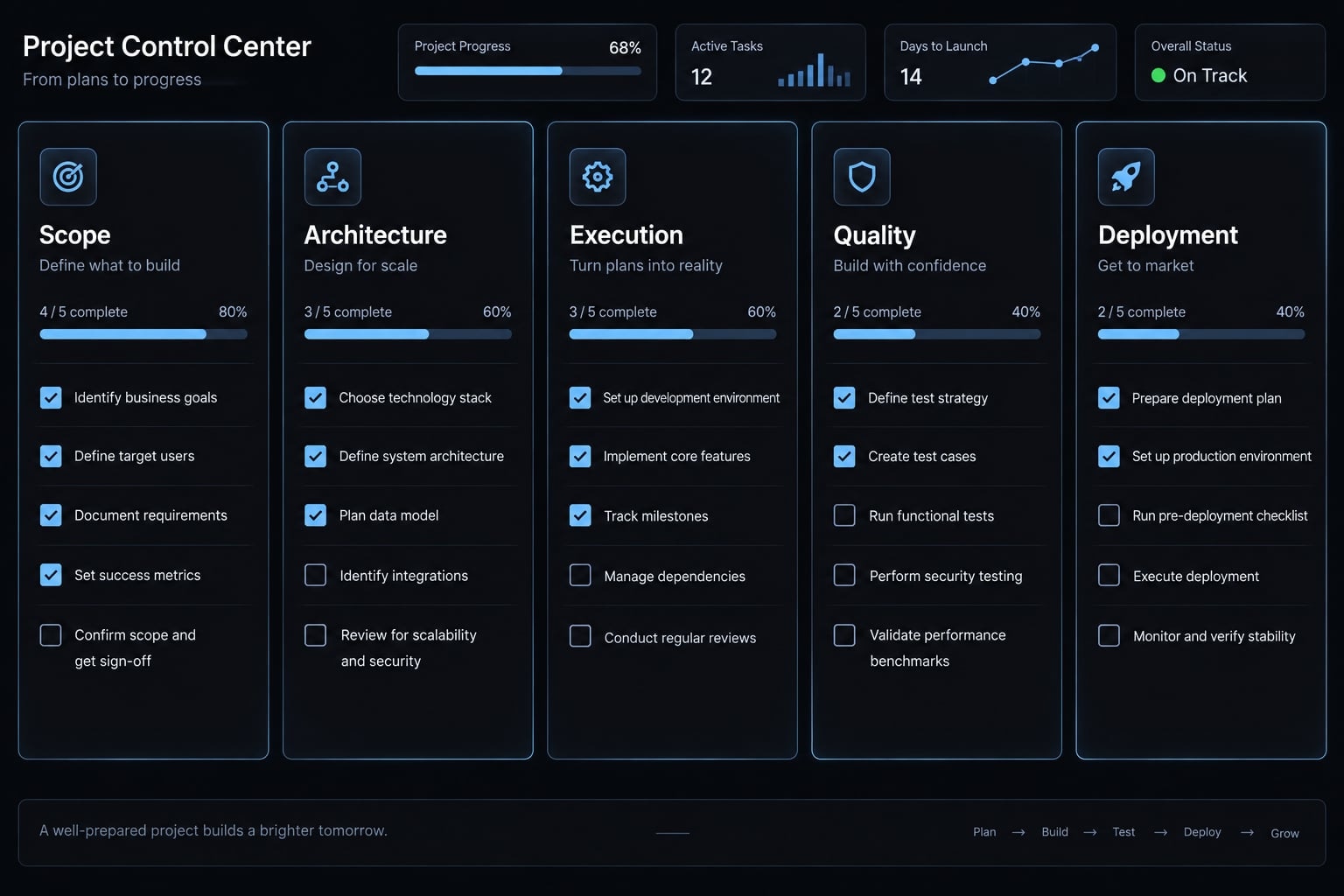
Completing the checklist supports a release decision; it does not certify security or production readiness. A staging release can complete the initial bootstrap while production exposure remains subject to additional controls.
Frequently asked questions
What is AI project bootstrapping?
AI project bootstrapping is an engineering methodology that utilizes AI agents across the entire initial software-delivery process, moving beyond simple file generation to establish a verified foundation. It includes architectural planning, dependency management, implementation, and automated validation, ensuring the codebase is testable, maintainable, and aligned with predefined constraints.
What are the essential outputs of an AI project bootstrap?
A successful bootstrap produces seven core artifacts: a documented product scope, an approved technology stack, a consistent repository structure, one working end-to-end feature (a vertical slice), automated test suites, deployment instructions, and agent context files that provide consistent operational instructions for ongoing development.
How does AI-assisted software bootstrapping differ from startup bootstrapping?
Software bootstrapping focuses on the technical creation and validation of a functional product foundation using limited resources. Startup bootstrapping is a broader business strategy involving the management of capital and ownership to maintain founder control. AI bridges these by reducing the operational cost of technical execution.
Why does frontend bootstrapping often lead to more rework than backend work?
Frontend development involves rapidly evolving frameworks and visual states that are not always captured by standard compilation. Generated code may accidentally reference incompatible package versions or outdated setup patterns. Backend tasks are often more predictable because they rely on strictly enforced API contracts and database schemas.
Is AI-generated code automatically production-ready?
No. AI-generated code remains a draft until it passes human-led review and rigorous automated verification. Passing compilation or basic tests does not replace the need for security assessments, authorization checks, and human validation. Production readiness requires comprehensive testing and a clear understanding of the application's risk profile.
How should I evaluate an AI coding tool for my project?
Evaluate tools based on operational control rather than just generation speed. Look for repository awareness, scoped editing permissions, the ability to execute tests, clear diff reviews, cost visibility, and the flexibility to integrate multiple AI models. The best tool is one that integrates into your existing security and development workflow.
Can AgentKit coordinate multiple AI agents during bootstrapping?
AgentKit uses specialized subagents and reusable skills to handle distinct roles such as planning, architecture, and testing. It coordinates these agents through explicit task handoffs and standardized primitives. However, human oversight is still required to approve architectural decisions, security configurations, and the final release of any vertical slice.
Read more:
- Master a repeatable AI coding workflow for faster development
- Human in the loop AI coding: Optimize speed and quality
- AI implementation planning: A framework for scaled success
Conclusion
A useful AI project bootstrap ends with evidence, not a large repository. Start with a narrow outcome, approve the constraints, establish a reference pattern, and delegate bounded tasks. Verify changes against human-defined acceptance criteria, then release through explicit approval and recovery controls.
For founders with limited resources, the primary milestone is delivering a single functional feature that performs reliably in a production environment. Expand only when user feedback and operational evidence justify more scope. Keep review effort, correction work, and ongoing costs visible.