Claude Code context loss: Prevent & recover session issues
Claude Code context loss: Why it happens and how to prevent it
When using Claude Code, it is a common frustration for developers when the AI suddenly "forgets" rules, repeats old actions, or reapplies previously rejected approaches. Understanding the root causes and applying proper memory management and recovery workflows will help you keep your coding sessions smooth and efficient.
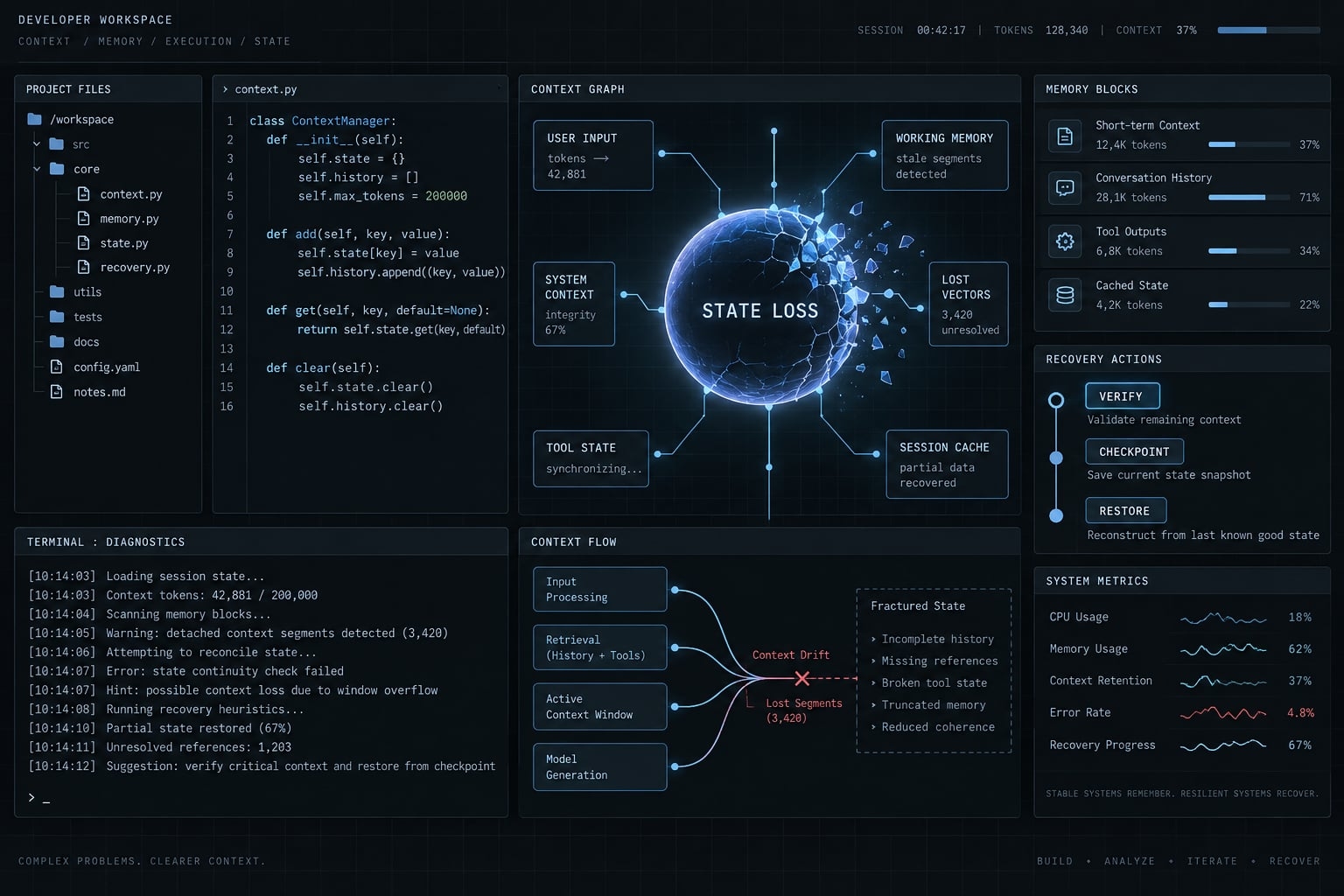
Claude Code context loss can reflect context pressure, missing project instructions, or reopening the wrong session. Pause edits, inspect repository changes, and verify the task’s actual state. Then resume a useful conversation or start a fresh one with an explicitly loaded handoff. Preserve stable rules and current progress outside chat.
First, identify which type of Claude Code context loss you have
Choose the first fix from observable evidence, not the assumption that Claude has “forgotten everything.” Context compaction (summarizing a conversation to reduce its size) is only one possible factor.
Symptom | Likely cause | First check or fix |
|---|---|---|
Forgotten requirements during a long task | Context pressure or competing instructions | Restate verified constraints in a task handoff. |
Missing repository conventions | Instruction scope, loading, conflicts, or outdated guidance | Check applicable project instructions and their contents. |
Missing conversation after reopening the terminal | A new session or unavailable history | Check native session resume; inspect repository changes separately. |
Repeated repository scanning | Missing task state, uncertainty, or legitimate verification | Ask what needs confirmation; provide relevant file references. |
Assumptions carried across unrelated tasks | Mixed task history | Create separate task handoffs and conversations. |
Repeated unsuccessful approaches | Rejected approaches or failure evidence are unclear | Record what failed, why, and what remains unknown. |
Missing constraints after compaction | Summary omissions or instructions not reloaded | Explicitly load the verified constraints before editing. |
It is crucial to distinguish between the context window (the information currently available to the model) and the saved session history.
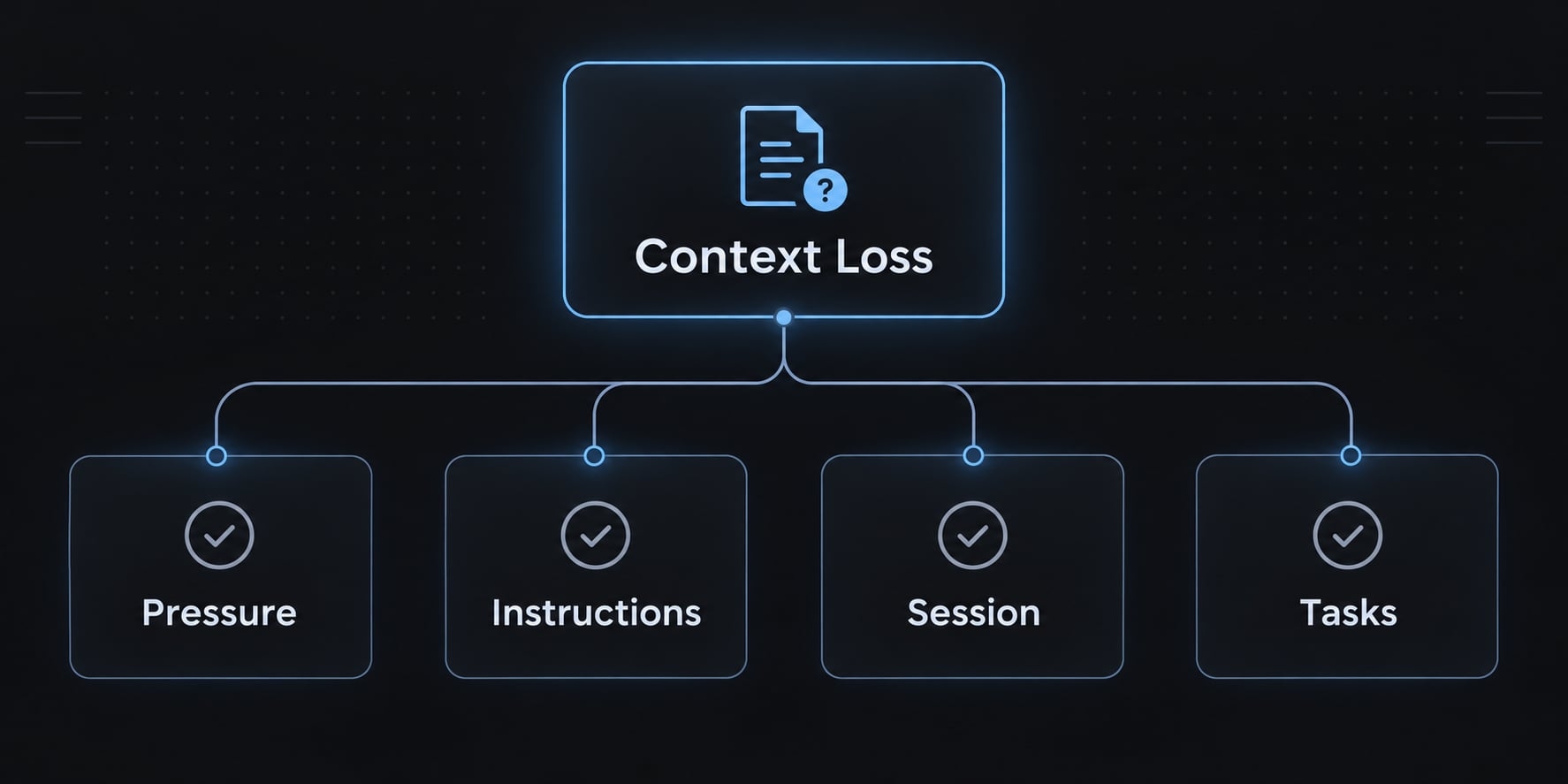
Context retention concerns usable working information. Session persistence concerns recovering a conversation or keeping a process running. Durable knowledge lives outside that conversation, such as project-scoped memory and repository documentation.
These mechanisms complement each other. A saved conversation can exceed usable context, while a saved file contributes nothing unless its relevant contents reach the session.
How to recover when Claude Code has already lost context
- Pause edits and preserve current changes.
- Ask Claude to summarize its understanding without modifying files.
- Verify that summary against repository evidence.
- Create a concise, verified handoff.
- Resume or restart with the relevant instructions loaded.
Step 1 - Stop before more incorrect changes accumulate
Inspect tracked and untracked work:
git status --shortgit diffgit diff --cached
Review untracked files separately; ordinary diffs do not show their contents. Preserve valuable changes through your established backup or reviewed-commit workflow.
Do not use reset, clean, forced checkout, or automatic rollback as the default recovery action. First establish what must survive.
Step 2 - Ask Claude to state its current understanding
Use this diagnostic prompt:
Do not modify files or run state-changing commands.Summarize:- Task goal and confirmed constraints- Files you believe have changed- Accepted decisions and rejected approaches- Blockers and proposed next action- Anything uncertain or inferredSeparate confirmed evidence from assumptions.Wait for approval before making changes.
Treat the response as a diagnostic hypothesis, not verified project state.
Step 3 - Verify the summary against the repository
Check:
- Tracked diffs and untracked files.
- Issue requirements and acceptance criteria.
- Relevant implementation files.
- Current architecture and security documentation.
- Actual validation commands and their results.
Code shows what exists; requirements establish what should exist. Passing tests do not prove every requirement is satisfied.
In an illustrative example, role-based access control tests might pass for administrators while never checking cross-tenant access. Preserve that unresolved requirement explicitly.
Step 4 - Create a clean Handoff
Write a context checkpoint containing verified facts, remaining work, and labeled unknowns. Use the task-handoff template below rather than copying the entire conversation.
Record whether test results still apply to the current revision.
Step 5 - Resume or restart from verified state
- Resume when the earlier conversation is accessible and useful. Consult installed help and the official Claude Code CLI reference for supported resume options.
- Restart when conflicting assumptions or irrelevant history dominate. Direct the fresh session to read the handoff and applicable project guidance before editing.
Claude Code session recovery is not repository rollback. Check the working tree after any transition.
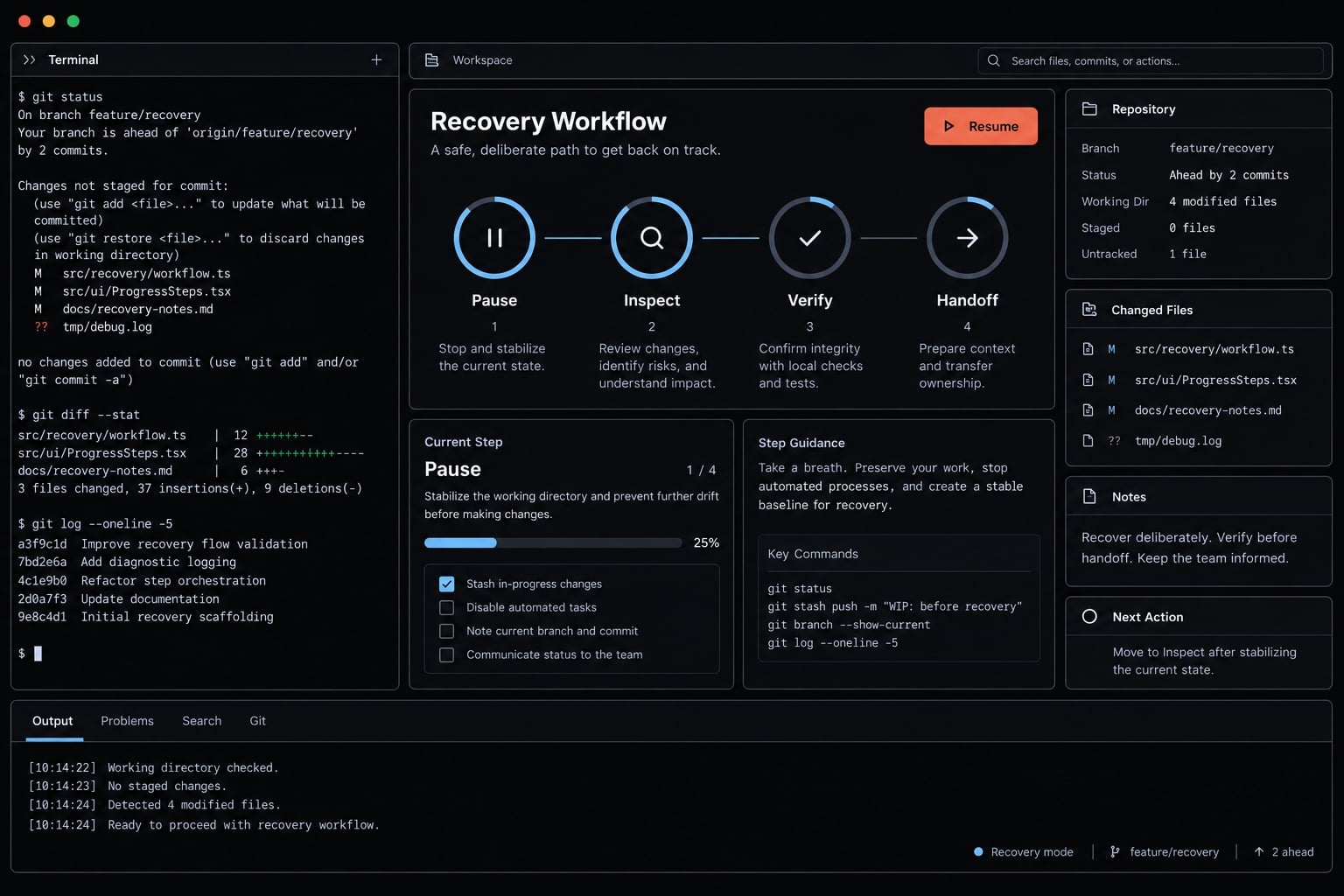
Use a three-layer memory workflow to prevent context loss
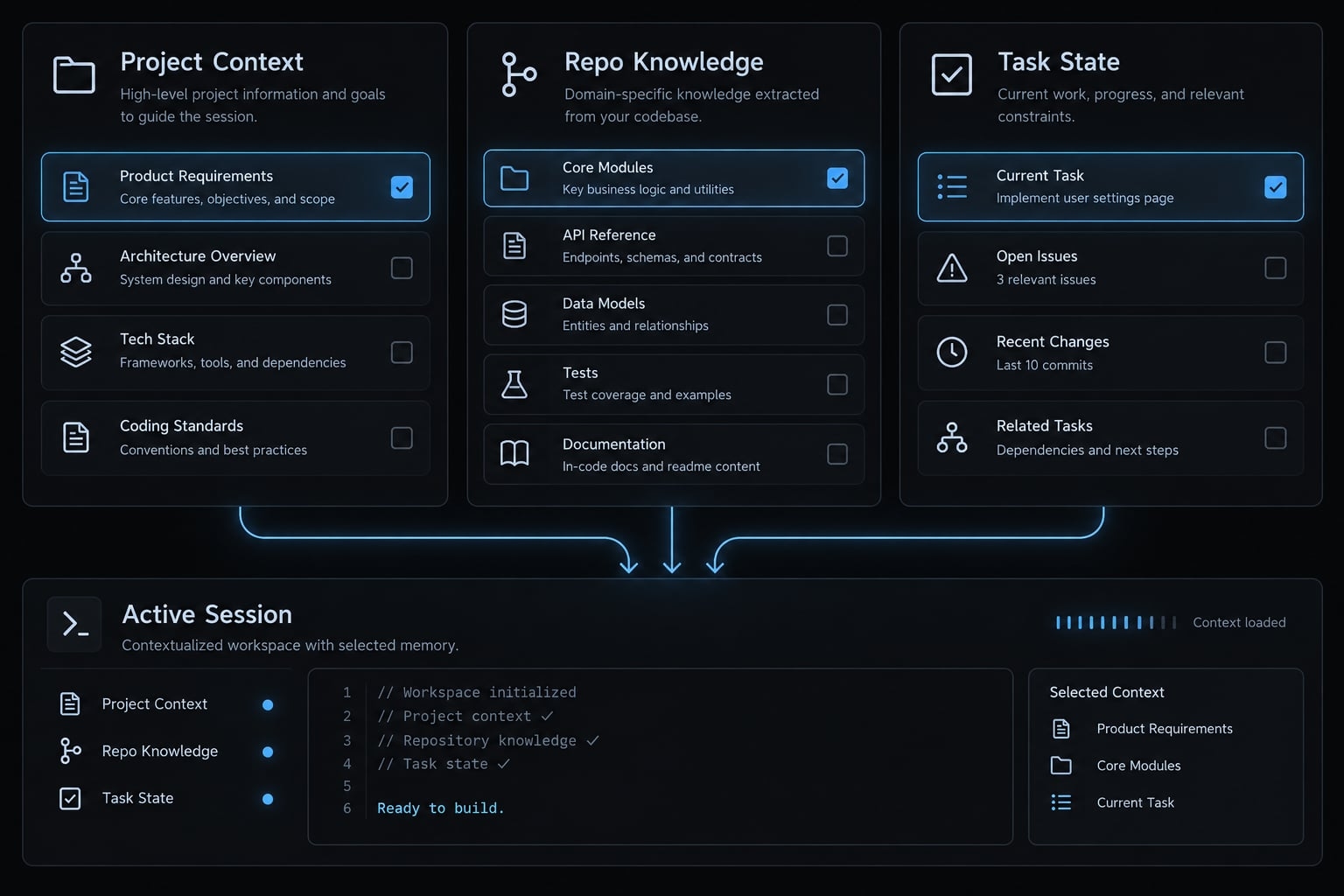
Separate stable rules, durable knowledge, and temporary progress. This recommended workflow reduces repeated explanation without treating every conversation detail as permanent documentation.
It is not an exhaustive description of native memory features. Official Claude Code documentation, “Manage Claude’s memory,” describes project instructions and available automatic-memory behavior; check applicability to your installation.
Layer | What belongs here | Suggested location | Update trigger |
|---|---|---|---|
Stable guidance | Commands, conventions, boundaries | Project-wide practice changes | |
Architecture and decisions | Domain rules, contracts, rationale | Repository documentation | Design or contract changes |
Current task state | Verified progress, unknowns, next steps | Task-specific handoff | Milestone or session transition |
Layer 1 - Keep CLAUDE.md lean and durable
Include essential development and validation commands, repository-wide conventions, architectural boundaries, security expectations, and the definition of done. Reference deeper documentation where necessary.
Exclude full logs, complete API references, temporary progress, obsolete decisions, and one-off feature instructions.
For the illustrative authorization task, a stable rule could require tenant isolation checks on every protected server endpoint. Temporary implementation progress belongs elsewhere.
Instructions are not enforcement. Actual permissions, execution restrictions, and application authorization must enforce security-sensitive boundaries.
Layer 2 - Store architecture and decisions in version-controlled documentation
Useful documents include:
docs/architecture.md- Domain rules and authorization requirements.
- Architecture decision records.
- Relevant API contracts.
Capture why decisions were made. “Authorization stays server-side because clients cannot be trusted” provides more useful guidance than an unexplained implementation preference.
Explicitly select relevant documents for the task. Ordinary links do not guarantee that every referenced file is read.
Layer 3 - Maintain a small current-task file
Copy this template for the current task:
# Task handoff## Task and intended outcome- Identifier:- Outcome and acceptance criteria:- Repository / branch:## Last verified state- Verification date:- Commit reference and working-tree changes:- What was inspected:## Constraints- Required behavior:- Security and compatibility boundaries:## Completed work- Verified changes only:## Relevant files- Path — why it matters:## Decisions- Accepted decision — rationale:- Still-relevant rejected approach — evidence:## Remaining work- Next bounded action:- Other unfinished requirements:## Validation already performed- Exact command:- Actual result:- Revision/state tested:## Validation still required- Command or manual check:- Requirement it verifies:## Blockers and unknowns- Unknown:- Evidence needed:
TASK_STATE.md is an example filename, not an automatically recognized native feature. Tell Claude to read it explicitly.
Concurrent tasks should use separate files rather than overwrite one shared handoff. Version-control shared, sanitized handoffs when appropriate; separate local-only notes according to team policy.
Update the file after meaningful changes. An outdated handoff can preserve the wrong assumptions more effectively than chat alone.
Keep memory files safe and maintainable
Never include credentials, tokens, customer records, or confidential logs. Remove stale instructions and review shared guidance through pull requests.
Treat imported instructions as untrusted. .gitignore is not access control. Check what external tools and MCP (Model Context Protocol) integrations can read, transmit, and modify.
Control context pressure before it becomes context loss
Context window management starts with reducing irrelevant input, not preserving every interaction. Keep evidence sufficient for the task while avoiding repeated material that adds no new information.
Inspect what is consuming context
Official Claude Code interactive-mode documentation describes /context for inspecting context usage. Confirm availability through your installed help before relying on its display.
Common sources of unnecessary pressure include:
- Large file reads unrelated to the current change.
- Repeated command output.
- Verbose test logs and large diffs.
- Stale instructions.
- Long correction loops.
Usage is a capacity signal, not a precise predictor of response quality. No universal percentage establishes when reasoning will become unreliable.
Checkpoint before major transitions
Update the written handoff after an architecture decision, significant debugging finding, scope change, important failed approach, or verified test milestone.
Also update it before planned compaction, clearing, or restart.
A written task checkpoint documents verified state. Claude Code’s native checkpointing feature serves a different restoration purpose.
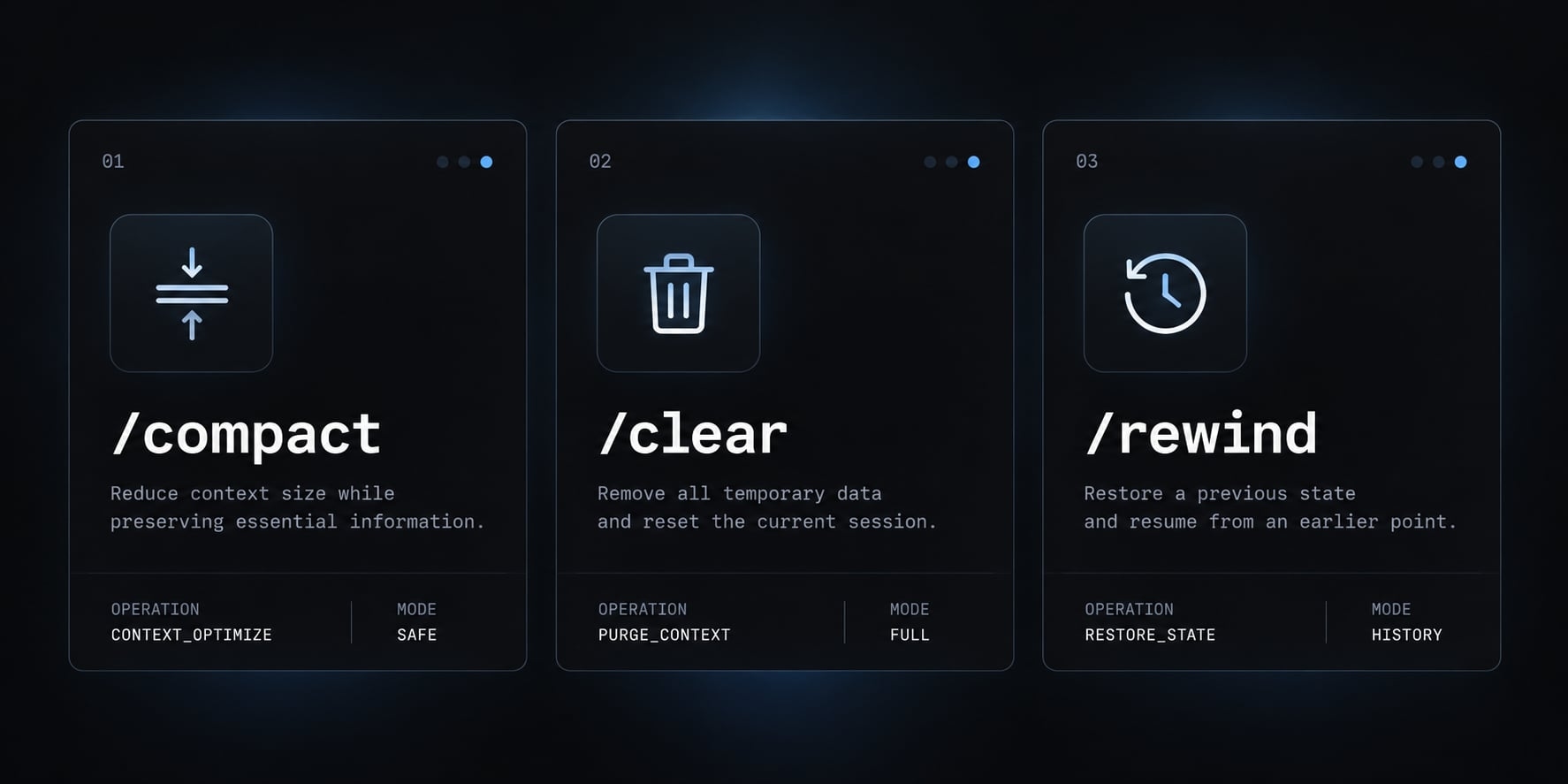
Use /compact, /clear, and /rewind deliberately
The official interactive-mode and checkpointing documentation describes these actions. Exact options and restoration scope are version-dependent; inspect installed help and prompts before proceeding. No hands-on version verification is claimed here.
Action | Appropriate use | Required precaution |
|---|---|---|
| Summarize conversation context to reduce its size | Save constraints first; compaction is not guaranteed lossless. |
| Clear conversation context for a fresh start | Preserve the handoff; clearing is not repository rollback. |
| Return to an available checkpoint using supported restoration options | Inspect the selected scope; external side effects may remain. |
Native checkpoints do not replace Git or backups. Do not assume rewind reverses shell commands, database operations, or changes to external services.
Reduce noisy tool output
Use targeted tests during narrow diagnosis, then broader validation before declaring completion. Select relevant log excerpts without hiding failure evidence.
Load task-relevant files. Where appropriate, use subagents for bounded analysis, as described in official Claude Code subagent documentation. Their summaries can omit details; isolation does not eliminate verification.
Session persistence is not the same as context retention
Claude Code session persistence can restore conversation access or preserve a running process. Neither provides unlimited usable context.
Method | What it preserves | Best use | Main limitation |
|---|---|---|---|
Native resume or continuation | Available conversation history | Returning to earlier work | Depends on accessible history and supported behavior; context remains finite. |
tmux | A running terminal session | Surviving client disconnections | Requires the host and tmux server to remain running. |
Project-scoped session manager | Product-dependent session organization | Switching projects | Recovery capabilities vary by product. |
| Written project instructions | Consistent conventions | Scope, loading, conflicts, and compliance still matter. |
Task-state file | Documented task progress | Verified handoffs | Requires maintenance and explicit reading; preserves no process. |
External memory system | Stored knowledge | Cross-session retrieval | Relevant information must be selected, retrieved, and checked. |
For example, a remote-development connection can drop while Claude continues inside tmux. Reattaching may restore that terminal interaction, provided the remote host and tmux server survived.
After a host reboot, tmux alone does not recreate the process. Native conversation recovery may still be available, while a verified handoff helps a fresh conversation establish the correct remaining task.
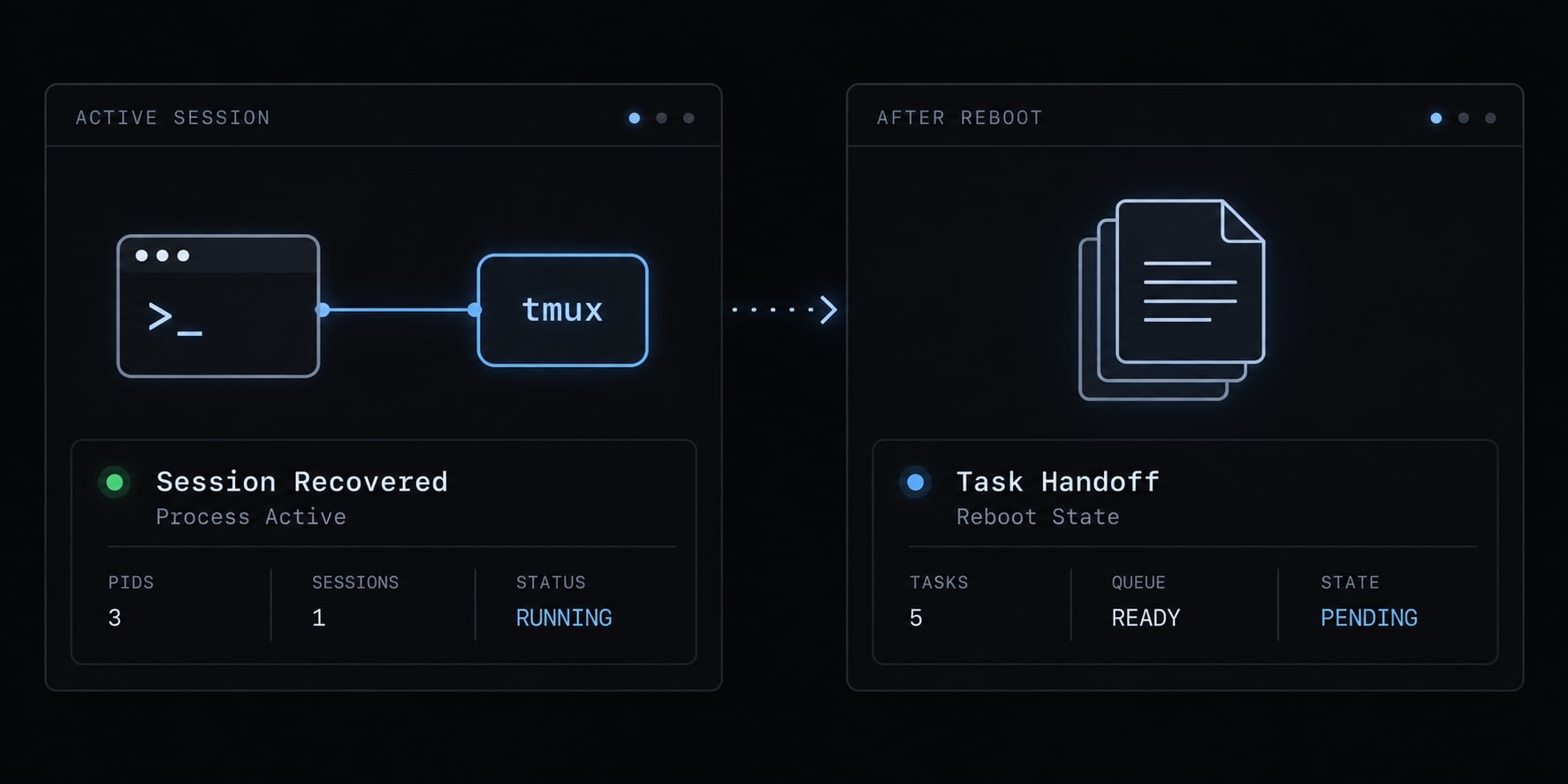
These distinctions follow the official tmux manual and Claude Code session-management documentation. A live terminal is not durable project knowledge, and conversation history is not proof that current requirements remain available or correctly understood.
Common mistakes that make Claude Code context loss worse
Good context hygiene means removing ambiguity, not merely shortening prompts.
- Overloading
CLAUDE.md→ diluted guidance → Keep durable rules there and move detailed reference material into selected documentation. - Treating resume as perfect memory → missed constraints → Explicitly reload the task handoff and verify the next action.
- Mixing unrelated tasks → conflicting assumptions → Separate conversations and task-state files for independent work.
- Repeating vague corrections → repetitive prompts → Identify the exact violation, supporting evidence, and required behavior.
- Loading unnecessary logs or diffs → excess context pressure → Select relevant output while preserving actionable failure details.
- Retaining outdated constraints → instruction drift → Remove superseded guidance and record the current decision.
- Trusting unverified summaries → durable misinformation → Check repository changes, requirements, and validation before saving the summary.
- Saving secrets in persistent files → exposure risk → Store sanitized references, never credentials or sensitive records.
- Allowing unrelated edits to continue → harder recovery → Pause changes and agree on one bounded next action.
- Adding external tooling before fixing documentation → more coordination overhead → Establish a reliable handoff before automating its management.
None of these actions proves a context failure by itself. The practical question is whether the session has current, relevant evidence—and whether its proposed action matches that evidence.
When an external session manager or agent ưưorkflow is justified
Native features and maintained files are sufficient for many workflows. Consider a Claude Code session manager when coordination itself becomes repeated work.
Native workflow vs. External orchestration:
Prefer a native workflow | Consider external orchestration |
|---|---|
One bounded task | Several agents or repositories |
Occasional switching | Repetitive session management |
Individual handoffs | Shared handoff standards |
Personal configuration | Shared skills and security review |
AgentKit is this publisher’s optional workflow tooling. Its session hooks can load project rules and invariants at startup, and its post-tool hooks capture outputs and execution traces that support a verified handoff. It does not expand the model’s context window or recover lost memory, and hook coverage varies by coding agent harness.
Final Claude Code context-loss checklist
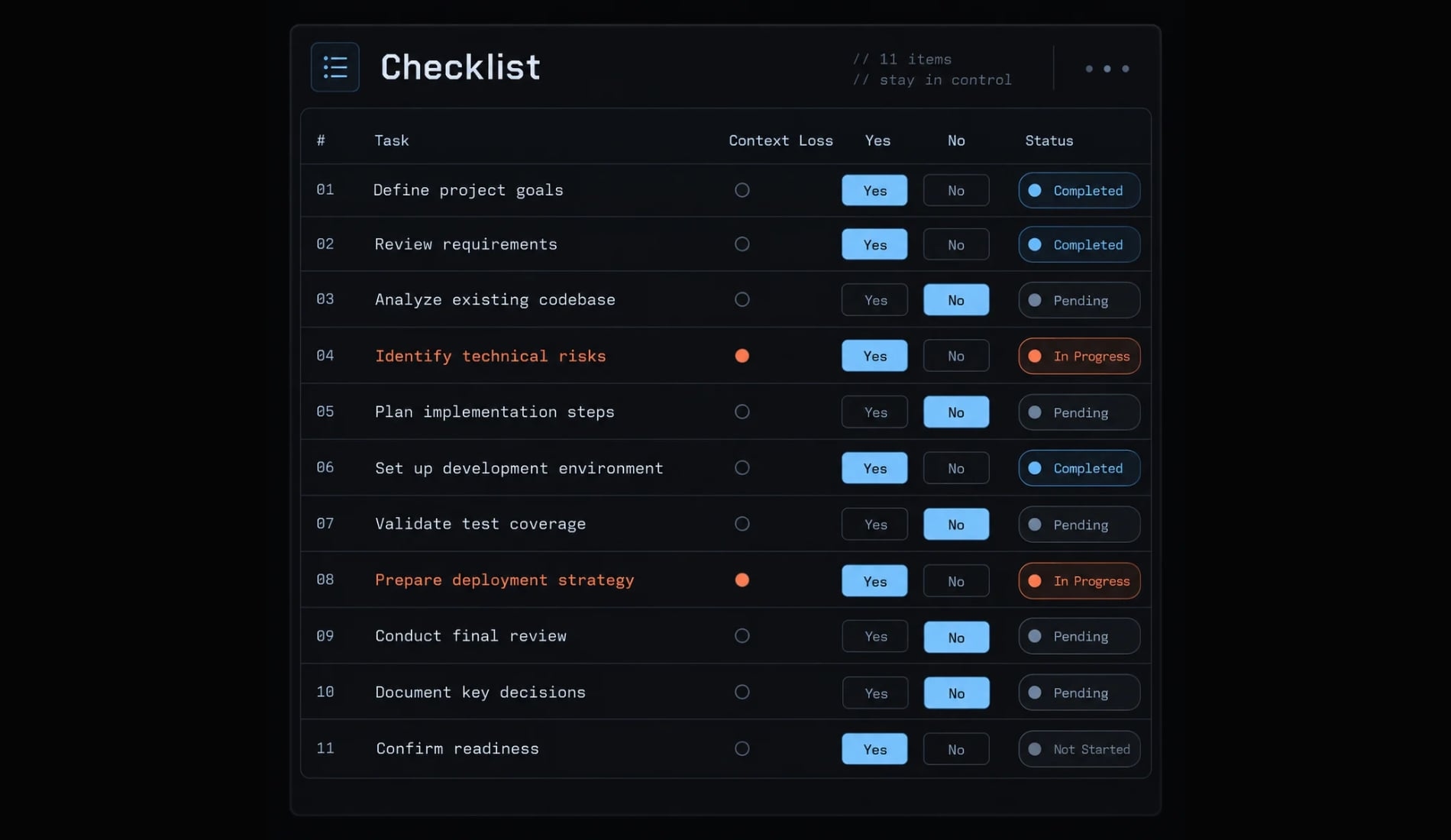
Use this checklist before continuing a task or changing sessions. Each item should have an observable yes-or-no answer.
- Stable project rules exist outside conversation history.
CLAUDE.mdcontains current, concise project instructions.- Architecture documentation and decision records reflect current requirements.
- The current task has a verified handoff, and the next session is explicitly instructed to read it.
- Important state is saved before compaction, clearing, or restart.
- Unrelated tasks have separate conversations or clearly separated handoffs.
- Summaries have been checked against repository changes, requirements, and actual validation.
- Loaded files and log excerpts are relevant to the current action.
- Superseded instructions and stale task assumptions have been removed.
- Persistent artifacts contain no secrets or sensitive customer information.
- External tools address a documented coordination need, with their data access reviewed.
Frequently asked questions
What causes Claude Code context loss?
Context loss can come from several causes: context pressure and compaction summaries that omit details, missing or conflicting project instructions, reopening a different session, or mixing unrelated tasks in one conversation. Diagnose the symptom before choosing a fix.
How can I stop Claude Code from "forgetting" my instructions?
To maintain continuity, move essential project rules into a lean CLAUDE.md file and keep domain-specific documentation in separate project files. Instead of relying on chat history, direct the agent to read these documents explicitly when beginning a new task to ensure critical constraints remain in the active context.
What is the difference between context retention and session persistence?
Context retention refers to the model's ability to recall project instructions and task state within an active conversation. Session persistence refers to your ability to reopen a previous conversation or keep a terminal process alive. Even if a session is persistent, it does not guarantee that the model will perfectly recall deep architectural decisions from thousands of tokens ago.
How should I recover when Claude Code loses the task thread?
First, pause all editing to prevent compounding errors. Ask the agent to summarize its current understanding of the task and its constraints. Verify this summary against your actual repository state and test results. Finally, create a verified task-handoff note containing only confirmed facts, and use it to re-initialize your next session.
Is CLAUDE.md enough to manage project state?
CLAUDE.md is excellent for high-level repository conventions, but it is not a replacement for active task state. For complex work, maintain a separate task-handoff file that tracks completed steps, verified validation results, and remaining blockers. Explicitly loading this task-specific file ensures the agent remains focused on the immediate goals without relying on stale conversation memory.
Does using a subagent prevent context loss?
It can help. Subagents can handle high-noise work such as large logs or broad searches and return a summary, which keeps the main session focused. Their summaries can omit details, so verify important findings before acting on them.
Read more:
- Compact Claude Code: How to optimize context and stop drift
- Claude Code memory guide: How to organize persistent context
- How to Resume a Claude Code Session: Complete Guide
Conclusion
Claude Code context loss is easier to manage when you distinguish missing working context from missing conversation access. Diagnose the symptom, preserve repository changes, and verify the task before asking for more edits. Store stable rules, architectural decisions, and temporary progress separately.
Start with a lean native-first workflow: concise CLAUDE.md guidance, relevant repository documentation, and one maintained task handoff. Use session resume when useful, but never treat stored history as guaranteed recall. Add external coordination only when repeated management work justifies it.