How to resume a previous Claude Code session
When working with Claude Code, interrupting your workflow and returning to previous sessions is a common requirement. Instead of starting from scratch, commands like claude --resume or claude--continue allow you to quickly restore your conversational context. This comprehensive guide details how to seamlessly pick up where you left off, distinguish between commands, and troubleshoot common session issues.
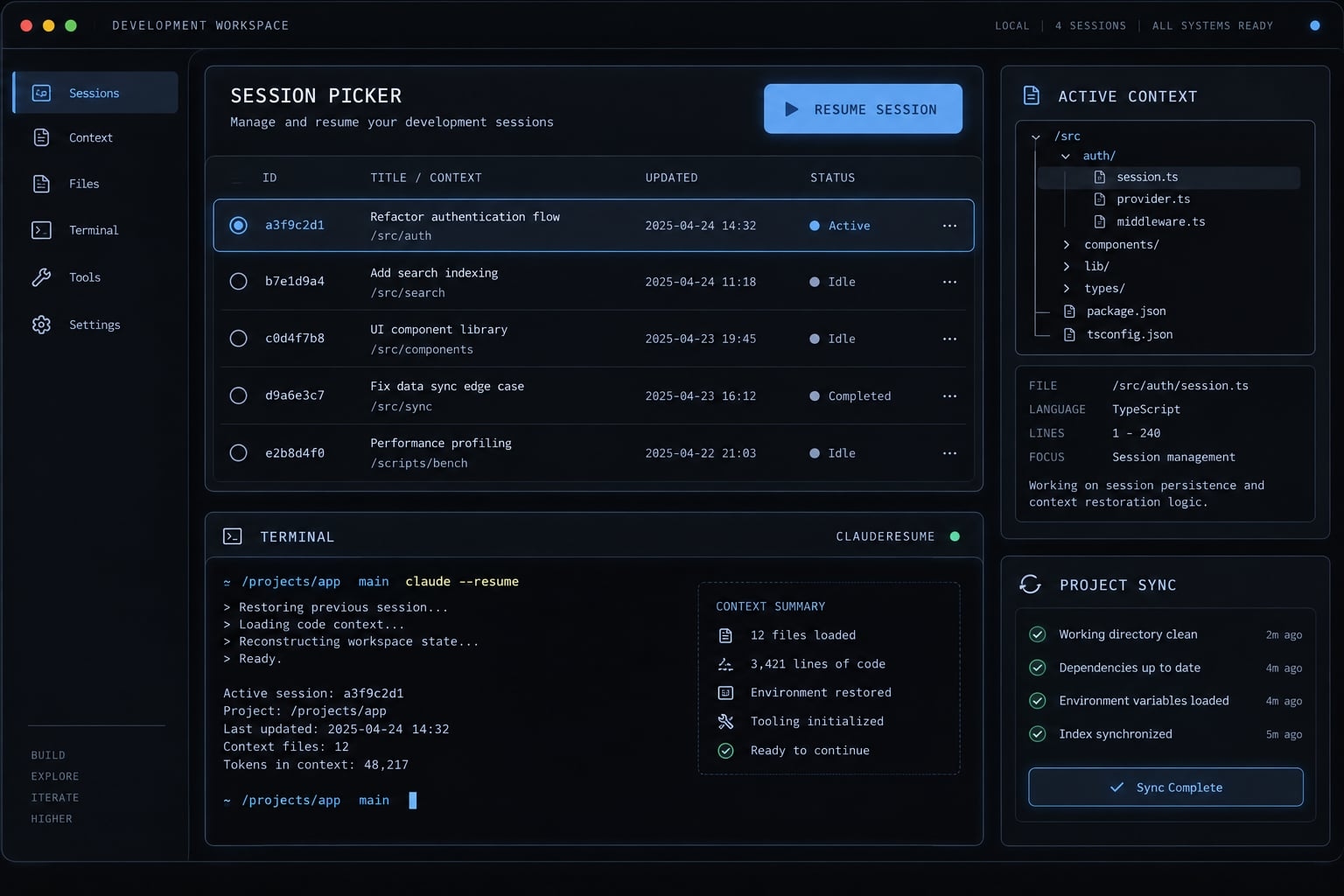
How to use claude --resume
Select the conversation, then verify its assumptions before editing. Starting from the intended project makes that verification easier.
- Open your terminal.
- Navigate to the intended project.
- Run the resume command.
- Select the intended conversation.
- Verify context before edits.
Navigate to the relevant project
Use this Bash-style example, replacing /path/to/project with your actual project location:
cd /path/to/projectpwdgit status
pwd confirms your working directory. For Git-managed projects, git status shows the current branch and pending changes. Claude Code does not require every project to use Git. This check is for repository awareness, not a prerequisite for conversation persistence. Changing directories also does not restore an earlier repository state.
Open the session picker
Run:
claude --resume
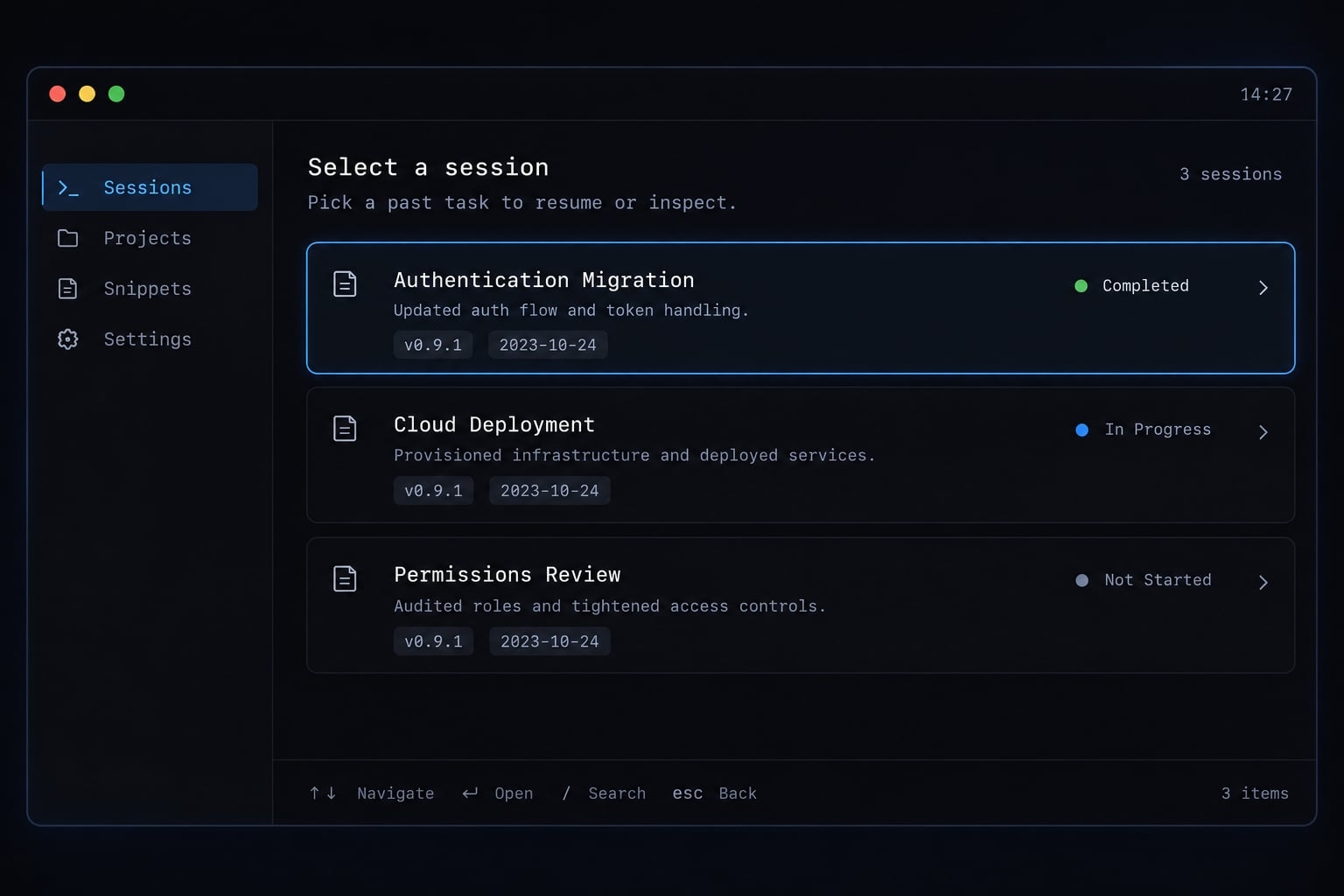
The session picker lets you select a previous conversation. Identify the intended task from the session information displayed, rather than assuming the newest entry is correct.
For example, an authentication migration for a team SaaS product may sit alongside deployment and permissions-review conversations. Choose the authentication task, then compare its assumptions with the branch currently checked out.
Verify the resumed context before editing
Start with:
Before making changes, summarize the current task, decisions already made,files in scope, and the next recommended action.
Check the summary against:
- The current objective and remaining tasks.
- Prior decisions that still apply.
- Files actually present in the project.
- Constraints or requirements that changed.
- The current branch and working tree.
The working tree means files currently on disk, including uncommitted changes. Claude’s summary is a verification starting point - not independent evidence that those files match the conversation.
claude --resume vs. claude --continue
Use --continue for the latest conversation in the current directory; use --resume when selection matters. Neither command determines whether the selected context remains appropriate.
Anthropic’s CLI reference documents the long flags and their short forms, -c and -r. The interactive /resume command belongs inside Claude Code, not in your shell.
Command comparison
Choose a command based on the conversation you need.
Situation | Command | Behavior |
|---|---|---|
Return to the latest session |
| Continues the most recent conversation in the current directory. |
Choose a previous session |
| Opens session selection. |
Reopen a known session |
| Targets the specified available session. |
Switch while already inside Claude Code |
| Opens the in-session conversation picker. |
Begin with clean conversation context |
| Starts a new session without requesting continuation. |
SESSION_ID is a placeholder, not a value to copy literally.
A simple decision rule
- Latest session is known to be correct: Continue.
- Several candidate conversations exist: Resume and select.
- Previous assumptions conflict with today’s task: Consider starting fresh.
Suppose yesterday’s authentication migration was your last conversation in the project. Automatic continuation is a reasonable shortcut. However, if you subsequently investigated deployment failures, --continue can reopen that investigation instead. The command is behaving correctly; “latest” simply does not mean “the task you intended.”
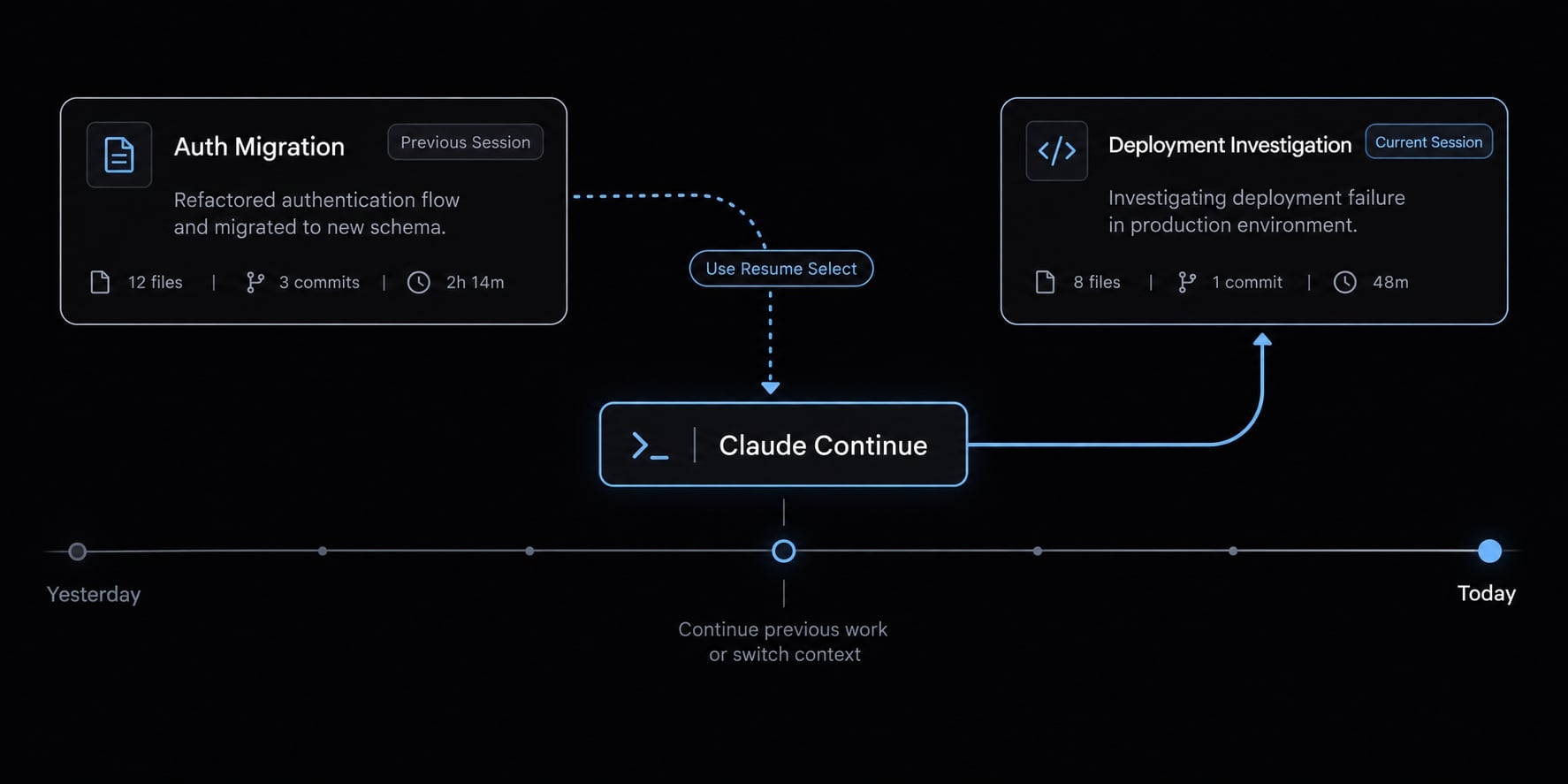
When the current conversation is already open, use /resume at the Claude prompt rather than leaving solely to run another shell command. A fresh session creates a new conversation boundary. It does not clear project files or remove project-level instructions. Likewise, choosing an older conversation does not make the surrounding development environment older.
How to resume a specific Claude Code session
Use a session identifier when you know it; use the picker when you do not. Descriptive names make retrieval easier, but names and identifiers should not be treated as shared-document links.
Resume through the interactive picker
The picker is useful when you did not record a session ID or have several similar conversations. Choose the task you recognize from the displayed session information. Then confirm its objective after opening it. A recognizable title is helpful evidence, but it does not establish that every prior requirement still applies.
Resume by session ID or name
The direct-target syntax is:
claude --resume <session-id>
Replace <session-id> with the actual identifier, removing the angle brackets. Do not execute the placeholder literally. Anthropic’s session-continuation guidance also describes named-session resumption:
claude --resume "auth-migration-phase1"
Here, auth-migration-phase1 is an illustrative task name, not a session supplied with Claude Code. Quote names containing spaces. A personal workflow note can record the session identifier, project location, and objective. This reduces ambiguity when returning to several related investigations.
Copying that identifier to a teammate does not transfer the underlying session history. Do not assume availability across machines or environments.
Name sessions for easier retrieval
Inside Claude Code, enter:
/rename auth-migration-phase1
Useful names describe a bounded task:
auth-migration-phase1tenant-permissions-reviewrelease-2-4-test-failures
Naming helps distinguish related work without opening every conversation. It does not guarantee unique lookup behavior when names overlap. If a name is ambiguous, use the picker or a recorded identifier and verify the reopened task.
Troubleshooting Claude Code session resumption
Diagnose syntax, session selection, conversation context, and repository state separately. A missing session and a mismatched branch are different problems.
The expected session does not appear
Check these possibilities in order:
- Confirm the intended working directory.
- Check which repository or Git worktree you used previously.
- Determine whether the conversation originated on another machine or environment.
- Try a recorded session identifier if that history is available.
- Compare your installed command help with the documented syntax.
A Git worktree is a separate working directory associated with a repository. Using another worktree can explain why your current location differs from the earlier task.
For local command information, run:
claude --versionclaude --help
Do not assume signing into the same account makes every conversation available everywhere.
Claude opens the wrong session
- Problem: Automatic continuation opens deployment debugging instead of authentication work.
- Likely cause: Deployment was the latest conversation in that directory.
- Fix: Use
claude --resumeand select the intended task. Give related sessions descriptive names so their purpose is easier to recognize later.
The session opens without the expected context
First confirm that you selected the correct conversation. Ask for a summary, restate changed requirements, and inspect relevant files.
Conversation history does not guarantee every historical detail remains equally available or prominent. Summarization of earlier context can be one possible factor, but missing details alone do not establish the cause. Reintroduce important constraints explicitly rather than relying on assumed recall.
The repository or Git branch has changed
Resuming a conversation does not restore its earlier branch, commits, or working-tree files.
Inspect:
git statusgit branch --show-currentgit log --oneline -5
These checks reveal pending changes, the current branch, and recent committed history. Git history alone does not describe uncommitted edits.
Resumed conversation Current repository-------------------- ------------------Objective and decisions Branch and commitsPrevious observations Files and uncommitted edits \ / Compare before editing
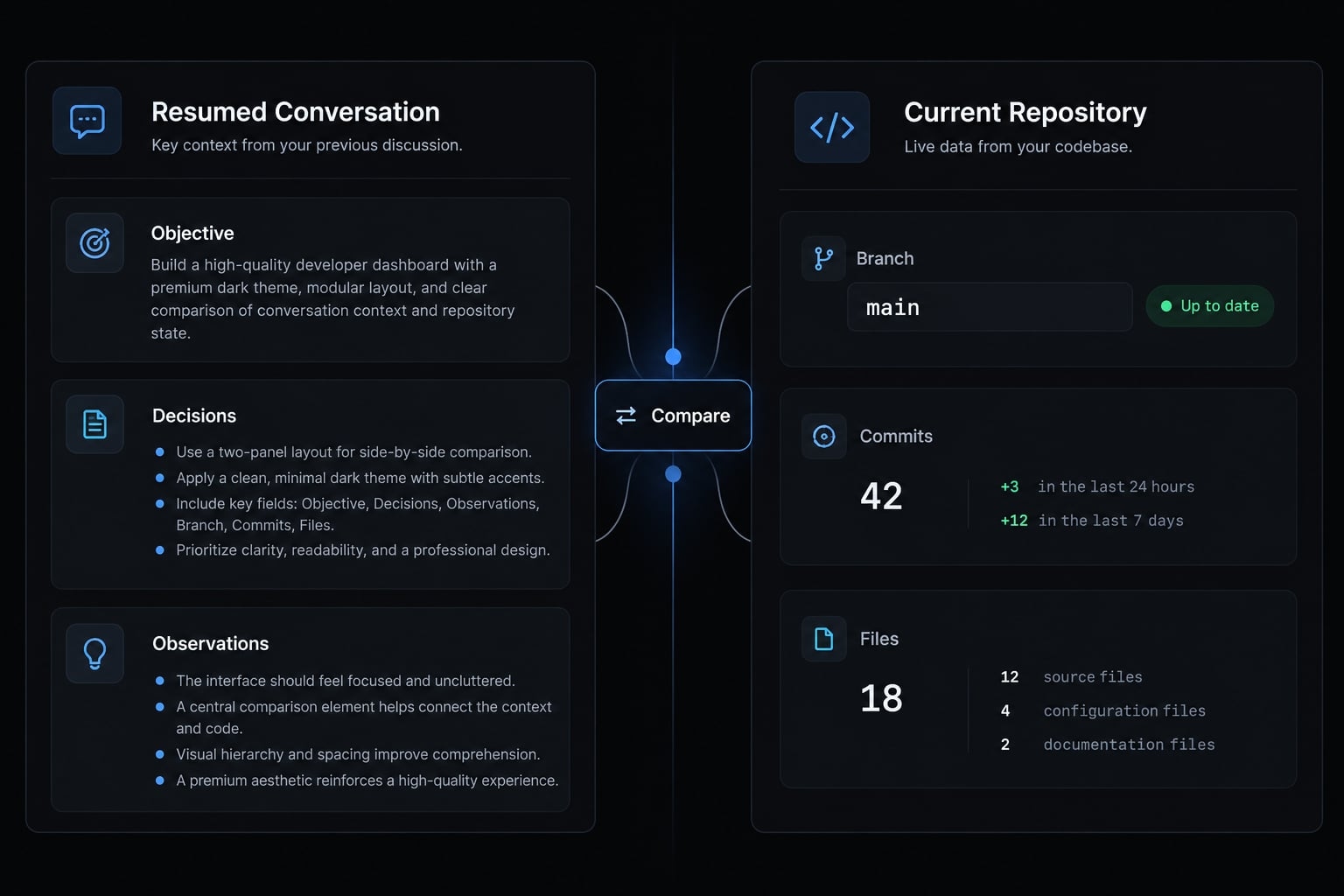
For the authentication migration, decide whether today’s branch is intentionally different. Inspect uncommitted changes before any branch switch. Align the task and repository deliberately; do not automatically roll back to yesterday’s state.
claude code --resume does not behave as expected
Use:
claude --resume
The additional code token is not part of this invocation. Parser behavior can differ, so it may not produce one consistent error.
If your shell cannot find claude, consult Anthropic’s Claude Code Setup documentation. Session selection cannot fix an unavailable executable.
When to resume a session and when to start fresh
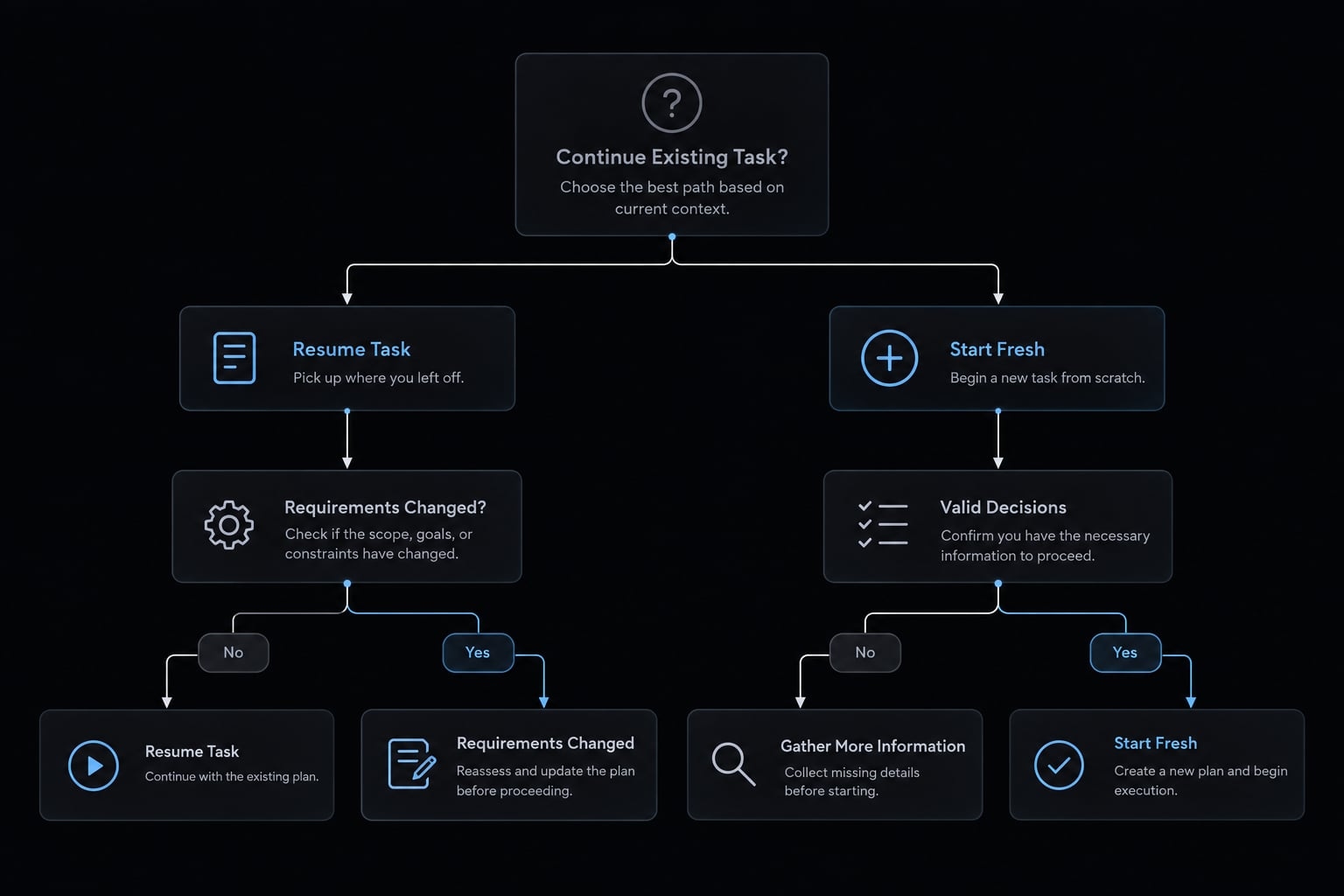
Base the decision on relevance, not conversation age. A long session can remain useful when its decisions still match the task.
Resume the existing session when
- You are continuing the same task.
- Previous decisions remain valid.
- You understand the current repository state.
- Reconstructing the existing context would require meaningful effort.
For example, continue the authentication migration when its compatibility requirements and implementation approach remain unchanged.
Start a fresh session when
- Requirements or architecture changed materially.
- Unrelated investigations accumulated.
- Outdated assumptions repeatedly reappear.
- A new project phase needs an explicit boundary.
An authentication investigation may lead to a newly designed tenant-permissions system. That shift can justify a fresh conversation with a concise handoff, rather than carrying forward abandoned design assumptions.
Resume-or-fresh decision table
Choose continuity based on the task and available evidence.
Condition | Action | Reason |
|---|---|---|
Same task; decisions remain valid | Resume | Relevant reasoning is already available. |
Latest session is the intended task | Continue | Manual selection is unnecessary. |
Several conversations could match | Use the picker | Avoid selecting by recency alone. |
Current branch differs | Inspect and align deliberately | A branch mismatch needs investigation, not automatic rollback. |
Requirements or architecture changed | Consider a fresh session | Earlier assumptions may now conflict. |
Important decisions are buried | Summarize; start fresh if helpful | A brief makes selected decisions explicit. |
Context preservation means retaining useful decisions, not necessarily every exchange. Starting fresh is not inherently more accurate, and resuming is not inherently safer.
Whichever path you choose, maintain important architectural decisions outside the conversation. Project documentation provides a durable reference that can be reviewed against the implementation.
Use a session-handoff brief for clean continuity
A session handoff carries selected working context into a fresh conversation. Its contents still need verification against current files.
Copy-ready handoff template
Project:Current branch:Current objective:Work completed:-Decisions already made:-Files changed or in scope:-Constraints:-Open issues:-Verification already completed:-Next action:-
Record actual checks under “Verification already completed.” For example, identify the test command and observed result rather than writing “tests pass” without evidence. Include unresolved questions instead of presenting tentative decisions as settled. For the authentication migration, distinguish implemented behavior from compatibility requirements that still need testing.
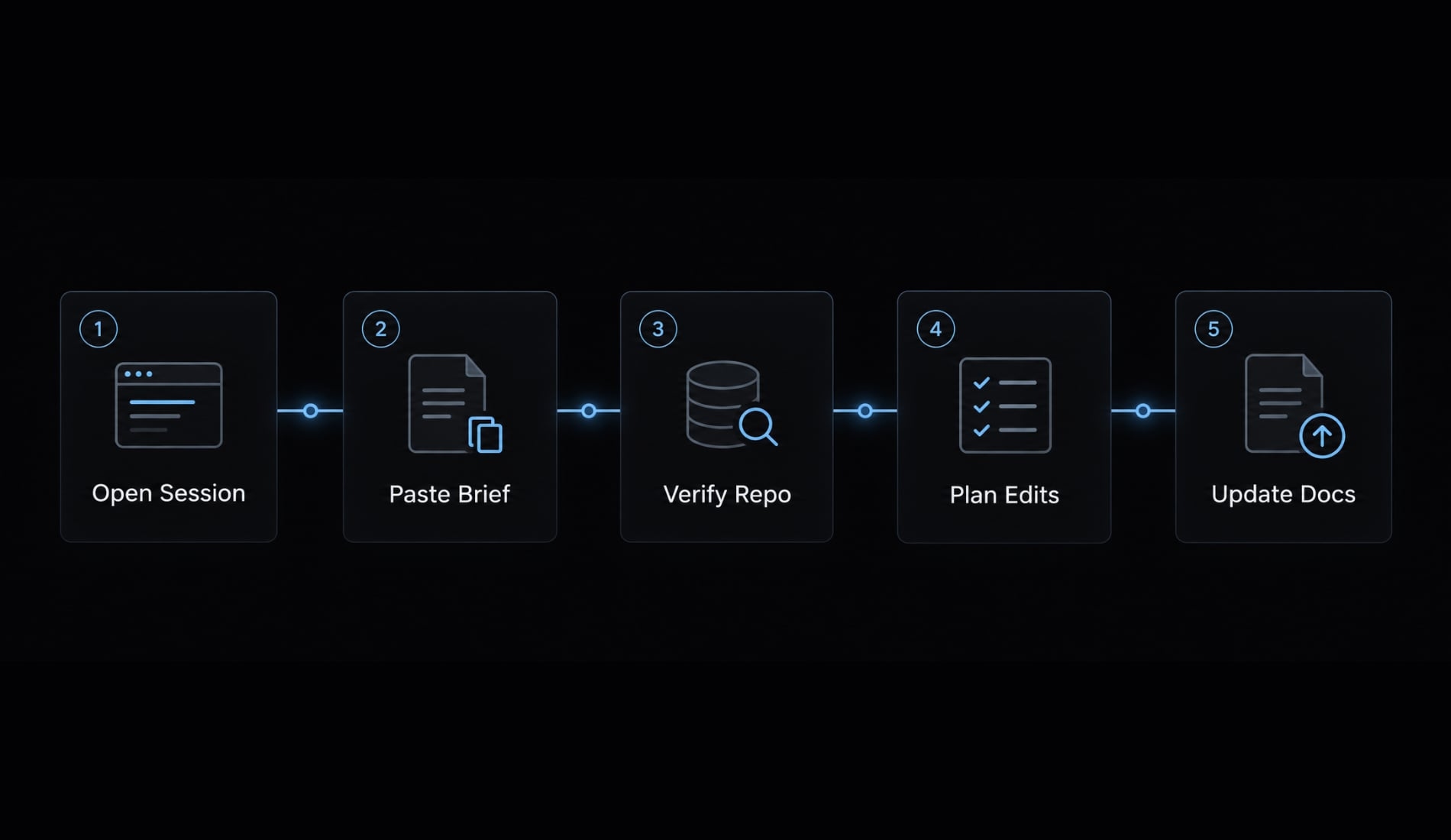
How to use the brief
- Open a fresh session in the intended project.
- Paste the completed context brief.
- Ask Claude to inspect relevant files and identify conflicts.
- Request a short plan before edits.
- Update durable project documentation.
Use this prompt:
Use this handoff as working context. Verify it against the current repository,identify any conflicts, and propose the next three actions before editing files.
Keep credentials and unnecessary customer information out of the brief. Store enduring requirements and architectural decisions in appropriate project documentation.
The brief supports your development workflow; it is neither a repository backup nor proof that the described work exists.
Frequently asked questions
What command do I use to resume a previous Claude Code session?
To resume a previous session, run claude --resume in your terminal within your project directory. This command opens an interactive picker where you can select, search, or preview your past conversations. For the most recent session, you can use claude --continue.
Why doesn't my expected session appear in the picker?
If a session is missing, first verify that your current terminal is in the correct project directory. Claude Code stores session history based on the path; if the session was originated in a different folder, Git worktree, or on another machine, it may not appear in your local project picker.
Does resuming a session restore my Git branch or file state?
No. Resuming a conversation rehydrates the AI's context - including previous tool outputs and memory - but it does not automatically switch your Git branch or modify your files to match an earlier state. Always run git status before resuming to ensure your repository state matches your task expectations.
When should I start a fresh session instead of resuming?
Start a fresh session if your project requirements or architecture have changed significantly, making old context obstructive. If a long session feels cluttered, write a concise handoff brief summarizing your current progress and open tasks, then provide this brief to a new session to maintain clarity.
Read more:
- Claude Code session handoff: Continue Work Without context loss
- Claude Code stuck? How to recover and troubleshoot fast
- Master Claude Code focused sessions: A workflow guide
Conclusion
Use claude --resume when you need to select a previous conversation. Use claude --continue when the latest session in the current directory is clearly the right one. Start a fresh session with a handoff brief when earlier assumptions no longer fit the task.
The essential check stays the same across all three paths: compare conversation context with the current repository before editing. Confirm the objective, relevant decisions, files, branch, and uncommitted changes. A reopened conversation provides continuity, not a restored development environment. When continuity becomes ambiguous, use the handoff template above to make the next objective explicit. Preserve useful decisions, verify their accuracy, and proceed from the files you actually have.