
Claude Code for Angular: Setup, CLAUDE.md, skills and practical workflows
Claude Code for Angular is most effective when closely tailored to your actual repository rather than abstract concepts of modern Angular. It can inspect files and make changes, but it still needs to recognize local conventions to avoid injecting NgModules into standalone features or picking signal APIs that clash with your Angular version. This guide covers repository setup, context templates, practical prompts, and verification. The goal is reviewable changes with explicit checks - not autonomous completion or an assumption that generated code works.
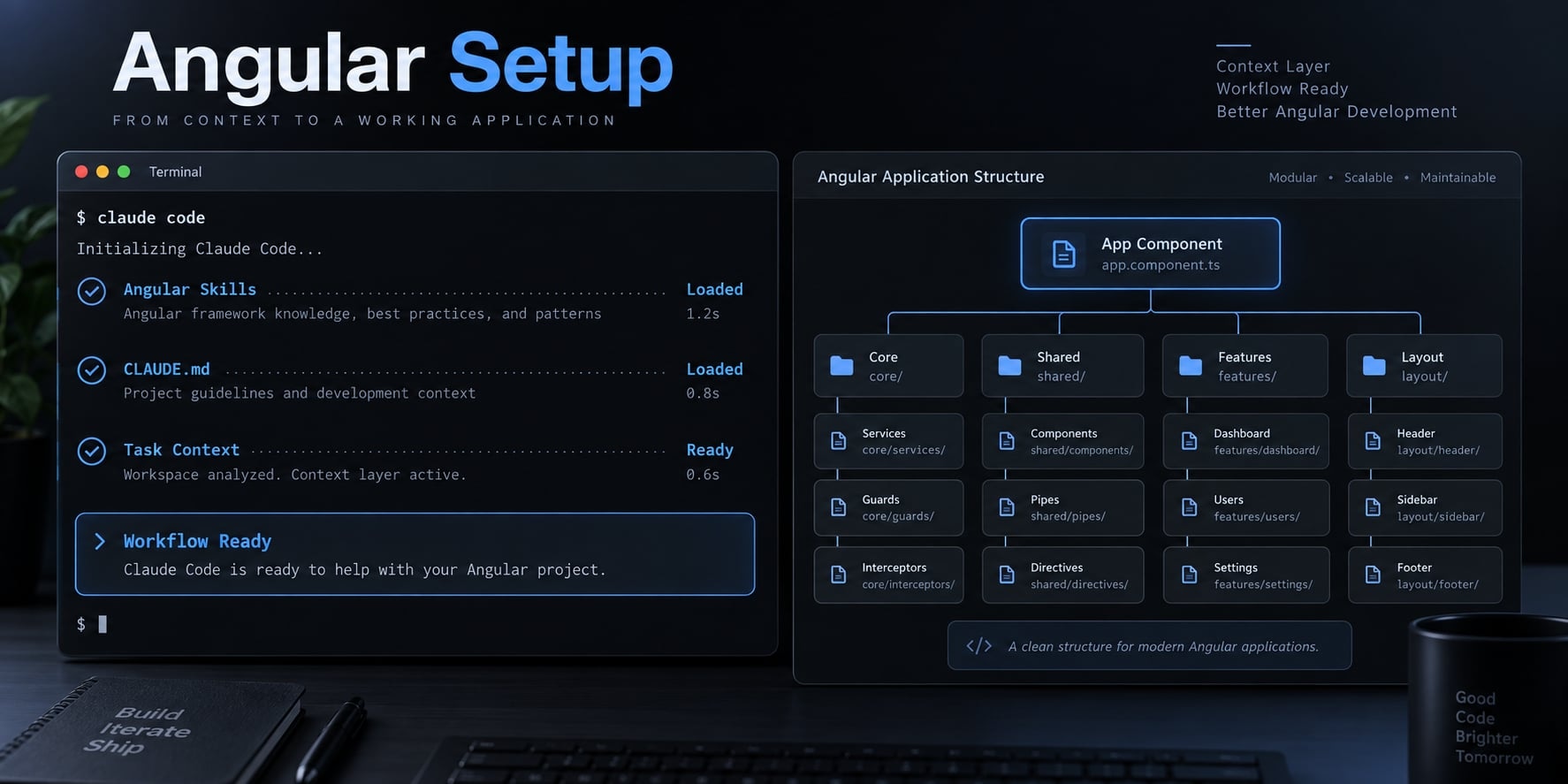
What Claude Code can do in an Angular project?
Claude Code can inspect an Angular repository, explain implementation choices, propose scoped edits, modify permitted files, and execute allowed commands. As an AI coding agent, it assists with investigation, implementation, debugging, and verification. Developers still control architecture, access permissions, acceptable scope, and whether the resulting change should be accepted.
Claude Code’s overview and permissions documentation describe these capabilities; execution depends on configuration and environment.
Capability | Developer control |
|---|---|
Inspect repository files | Limit access and protect secrets |
Generate components | Approve contracts and conventions |
Refactor implementation | Define preserved behavior |
Run Angular CLI commands | Confirm targets and permissions |
Investigate failures | Review diagnosis and evidence |
Best-fit Angular use cases
- Scaffold an account-user component and its tests.
- Refactor account filters without changing behavior.
- Diagnose compiler, template and Angular testing failures.
These tasks work best when the expected outcome is observable and the file scope is small.
Tasks that need additional caution
Require explicit approval for dependency changes, authentication or authorization changes, deployment configuration, and broad migrations. Client-side route guards do not replace server-side authorization. A seemingly reasonable implementation does not prove that an access-control modification is safe.
Prepare the Angular repository before starting Claude Code
A safe Claude Code Angular setup starts with the repository and lockfile. First install and authenticate Claude Code using its setup documentation.
- Open the intended repository root.
- Record its commit and preserve existing work.
- Restore dependencies using the repository’s documented lockfile workflow.
- Record installed framework and runtime versions.
- Inspect workspace and test configuration.
- Identify actual validation commands.
- Run and record baseline checks.
- Launch Claude Code and request inspection before edits.
Record the Project’s Actual versions
Inspect package.json, the lockfile, workspace configuration, and test configuration. Record Angular, Angular CLI, Node.js, TypeScript, package manager, test runner, and Claude Code versions.
Declared dependency ranges are not necessarily installed versions. Angular’s version compatibility documentation is the appropriate reference for runtime compatibility.
For an npm-based workspace, these illustrative commands collect part of that information:
git rev-parse HEAD
git status --short
node --version
npm --version
npm ls @angular/core @angular/cli typescript --depth=0
claude --version
claude
Run them from the repository root after dependencies are installed. Other package managers need their equivalent commands. An Angular workspace may use Nx or custom configuration rather than standard angular.json targets.
Establish a clean baseline
Use an isolated branch where appropriate, but remember that creating a branch does not remove uncommitted changes. Preserve existing work without destructive cleanup.
Inspect npm scripts rather than assuming lint exists. Confirm a non-watch test invocation and the relevant build target. Record existing failures before editing, including environment-related failures.
Use this baseline record:
Starting commit:
Installed versions:
Test runner:
Command | Exit status | Relevant output
Existing changes:
Known failures:
Ask Claude to inspect before editing
Inspect this repository without editing files. Identify installed versions,
workspace layout, account-management conventions, and test configuration.
Support conclusions with file paths. Separate confirmed findings from
uncertainties. Propose the exact focused-test, full-test, lint, and build
commands supported here. Report missing scripts or dependencies before
suggesting implementation.
A no-write prompt is not enforced read-only access. Configure permissions separately.
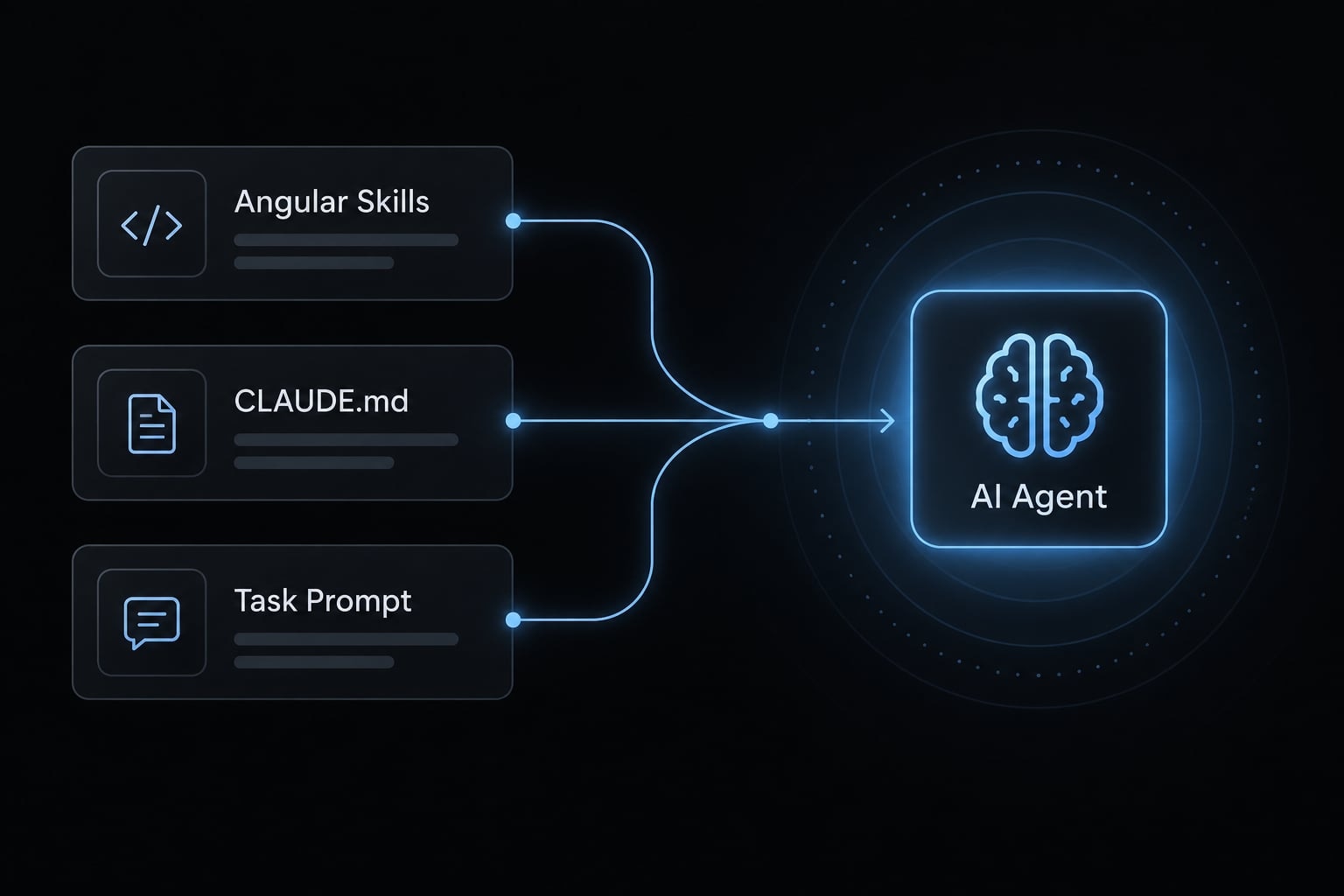
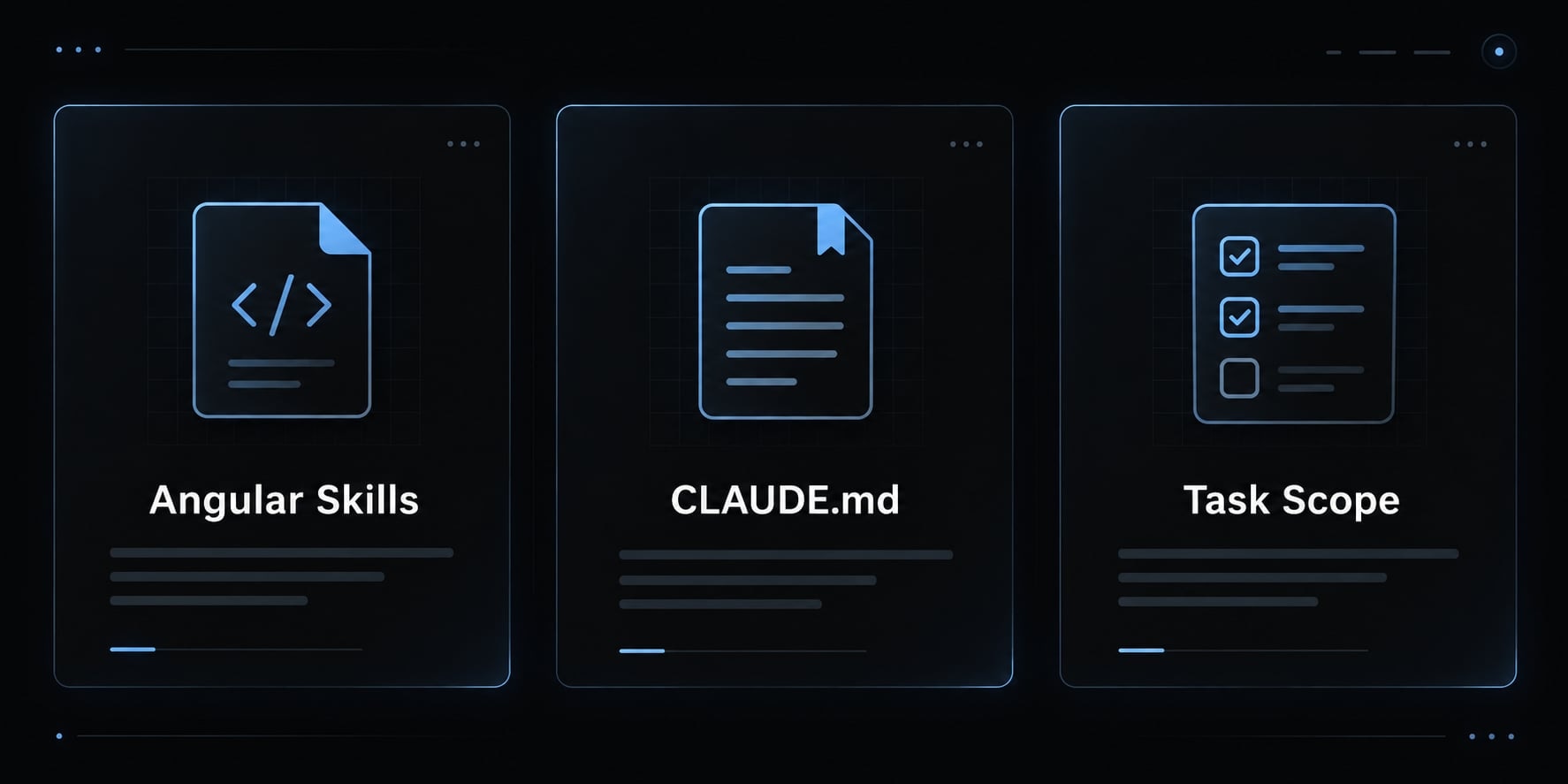
Configure Claude Code with a three-layer context model
Context layer | Purpose | Suitable content | Avoid |
|---|---|---|---|
Angular Skills | Reusable guidance | Framework practices and references | Assumed repository decisions |
| Repository rules | Conventions, paths, commands | Entire framework manuals |
Task prompt | Current objective | Scope and acceptance criteria | Unbounded modernization |
This is an organizational model, not a guaranteed instruction-precedence hierarchy. Keep recurring rules separate from temporary requests.
Layer one: Angular skills for framework-level guidance
Skills package reusable instructions in a SKILL.md file, typically with YAML frontmatter describing the Skill and its purpose. Supporting references can provide deeper guidance.
Progressive disclosure means supplying detailed guidance when relevant instead of loading every reference immediately. It helps avoid filling the context window with unrelated material.
Claude Code’s skills documentation describes discovery and invocation behavior. Do not assume every supporting file loads automatically. Verify behavior against your installed release, and review third-party Skills for provenance, instructions, scripts, and permissions.
Layer two: CLAUDE.md for repository rules
CLAUDE.md is a Markdown instruction file that communicates recurring repository context to Claude Code. It can document architecture, relevant directories, development commands, and acceptance expectations. It helps keep tasks consistent, but it does not guarantee compliance or enforce access restrictions; permissions and other security controls must exist separately.
Claude Code’s memory documentation explains instruction-file locations and loading. Replace every placeholder in this template before use:
# Repository instructions## Verified environment- Angular / Angular CLI: <installed versions>- Node.js / TypeScript: <installed versions>- Package manager / test runner: <names and versions>## Relevant paths- Account feature: <actual path>- Shared UI and services: <actual paths>- Tests and configuration: <actual paths>## Local conventions- Component architecture: <standalone, NgModules, or mixed>- Inputs, outputs, and injection: <existing conventions>- State and async work: <existing Signals/RxJS conventions>- Templates, styles, change detection: <adjacent patterns>- Preserve public APIs unless explicitly approved.## Validation commands- Lint: <actual command, or unavailable>- Focused tests: <actual non-watch command>- Full tests: <actual non-watch command>- Build: <actual project and configuration command>## Approval and completion- Request approval for dependencies, migrations, and deployments.- Do not access secrets or perform destructive operations.- Report changed files, commands, results, and remaining risks.- Disclose failed, skipped, unavailable, or blocked checks.
The restricted-operation lines communicate policy; they are not a security boundary.
Layer three: Task prompts for scope and acceptance criteria
Weak: “Improve the account feature.”
Better:
Objective: add account-user filtering.
Allowed paths: <approved feature and test paths>.
Preserve existing inputs, outputs, permissions, and selection behavior.
Inspect adjacent components and tests before planning.
Use the repository's approved validation commands.
Report changed files, command results, skipped checks, and remaining risks.
Ask before expanding scope.
Standalone components, Signals, RxJS, and inject() are project-dependent choices—they are not mandatory defaults for every task.
Set up Angular-specific tools and context sources
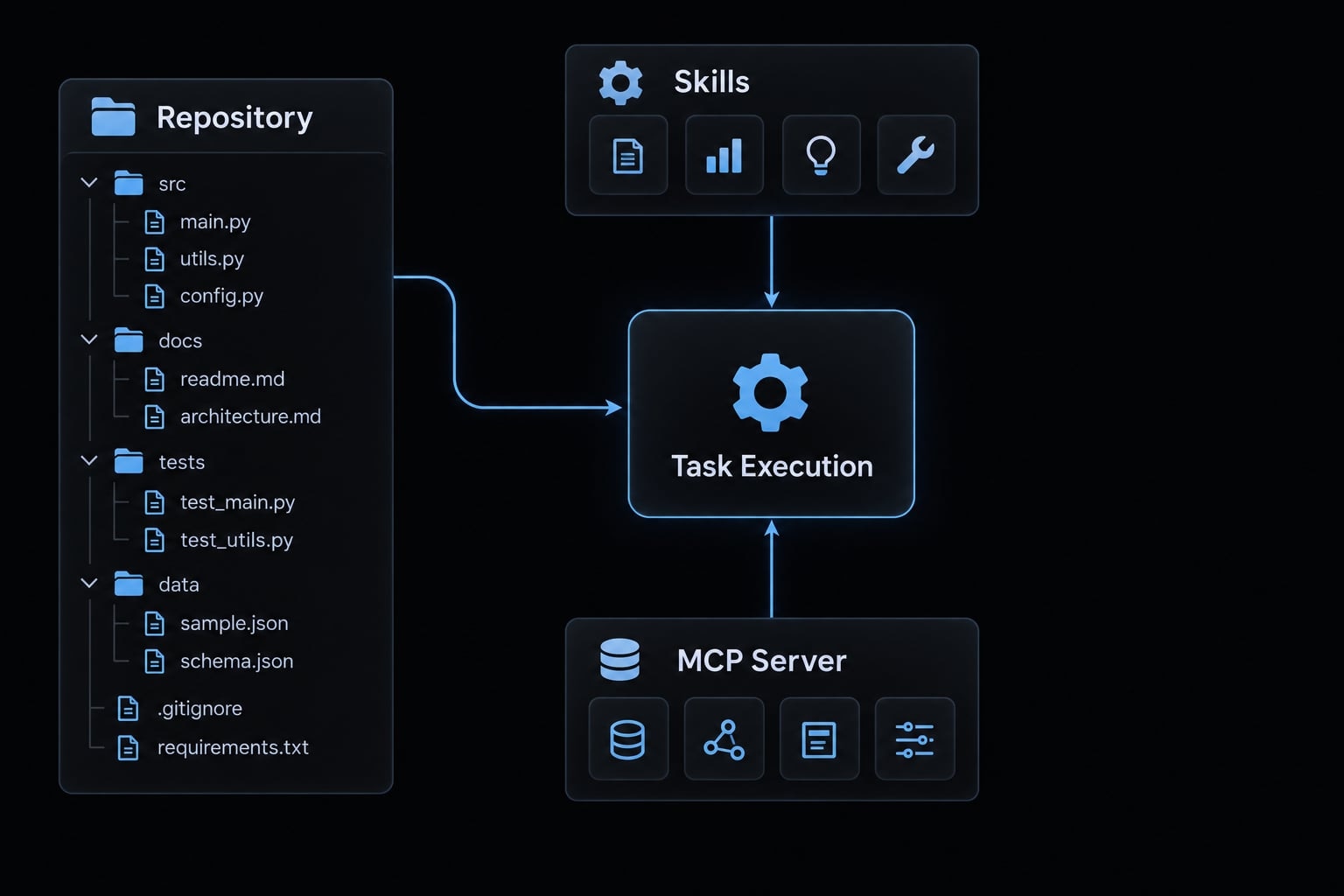
Skills and MCP integrations are optional and version-dependent. The minimum viable setup is Claude Code, repository access, concise instructions, and explicit validation.
MCP (Model Context Protocol) connects an agent to tools or information exposed by a configured server. It is not another name for a Skill.
Option | Useful when | Boundary |
|---|---|---|
Repository files | Discovering actual implementation | May contain stale comments |
| Sharing recurring rules | Instructions are not enforcement |
Angular Skill | Reusing framework guidance | Review source and applicability |
Angular CLI MCP server | Using supported framework tools | Verify version and exposed capabilities |
When to use an Angular skill
Add a Skill when useful Angular guidance would otherwise be repeated across tasks or repositories.
Follow the maintainer’s installation instructions only after confirming ownership, installation scope, and destination. Do not assume every installer writes to .claude/skills/ or uses symlinks. Review updates as you would other development tooling.
When to use the Angular CLI MCP server
Consider an Angular MCP server when your installed CLI supports capabilities you actually need.
Before configuring it, consult Angular CLI’s MCP documentation for the minimum compatible version and supported tools. Verify the configuration location and connection procedure against Claude Code’s MCP documentation.
This tutorial does not claim a tested minimum version or tool list. Documentation search, migration assistance, and other capabilities must be confirmed in your connected server.
Prefer verified project-local or explicitly versioned execution. An unpinned package invocation may fetch a different CLI version.
How the context layers work together
Skills provide guidance; CLAUDE.md describes the repository; the prompt defines the task. An Angular MCP server can supply additional tools. None replaces inspection or acceptance checks.
Three practical Claude Code workflows for Angular
Use these three workflows for everyday Angular work:
- Generate a component that follows local conventions.
- Refactor one implementation detail without changing behavior.
- Diagnose and correct a reproducible failure.
The examples below are illustrative, not execution results. Replace placeholder paths and commands with findings from repository inspection. Approve the plan before permitting edits.
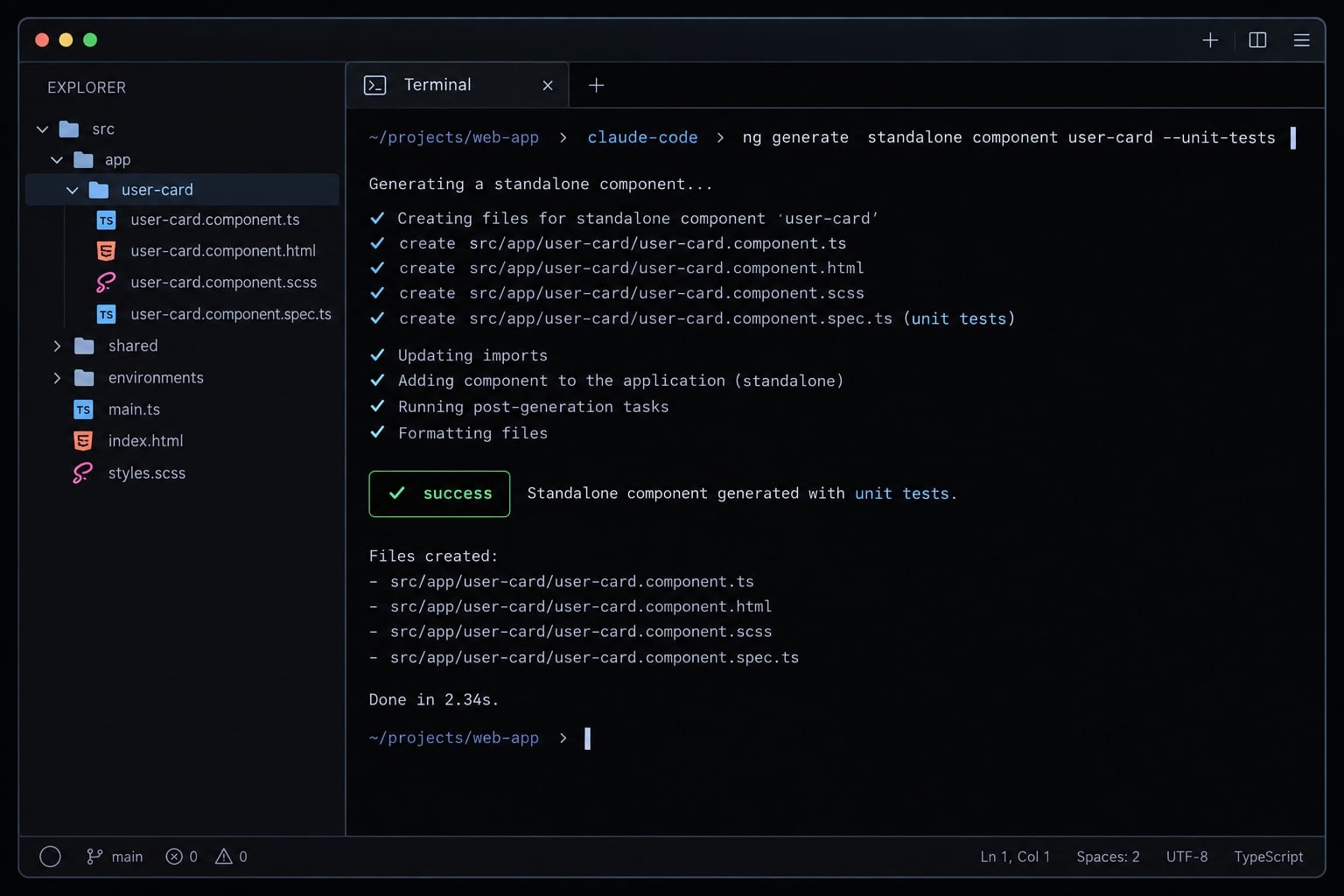
Workflow one: Generate a component that matches the repository
Scenario: Add an account-user list to the SaaS administration feature. Existing services already provide the users and loading state.
For Angular component generation, specify behavior rather than asking for a “modern component.” Check whether adjacent components use OnPush change detection; do not impose it without inspecting the surrounding design.
Prompt
Plan an account-user list within <approved feature path>. Inspect nearby
inputs, outputs, dependency injection, change detection, template control
flow, styling, and tests. Reuse the existing account-user service.
Support loading, empty, populated, and user-selection states. Preserve
authorization behavior. List proposed files and tests first; wait for
approval before editing. Then run approved checks and report their
actual results and any limitations.
Definition of done
- Local conventions and approved file scope are respected.
- The primary interaction and relevant loading/empty states are tested.
- Existing service contracts and authorization behavior remain unchanged.
- Required checks are recorded.
- A human reviews the final diff.
An illustrative scope could include the component, template, styles, and adjacent spec. A dependency or routing change requires separate justification—not silent expansion.
Workflow two: Refactor legacy Angular code safely
Scenario: Modernize the account-user component’s conditional template syntax, but only when supported by the installed framework and approved by the maintainer.
This is a bounded AI-assisted refactoring task. It is not permission to redesign state management or migrate neighboring components.
Prompt
Inspect <account-user component and spec paths> without editing.
Check whether the installed Angular version supports the proposed
conditional-template syntax. Propose a minimal migration and regression
tests covering loading, empty, and populated states. Preserve public
inputs, outputs, DOM behavior, and selection handling. Wait for approval.
After approval, change only agreed files, run affected checks, and
disclose any behavior whose equivalence remains unproven.
Definition of done
- The syntax change is supported and explicitly approved.
- Public contracts and observable behavior are preserved.
- Affected checks pass, or limitations remain clearly reported.
- No unrelated formatting or architectural changes appear.
- Unproven equivalence is disclosed.
Replacing RxJS with Signals or adopting standalone components would be separate tasks. Neither is automatically behavior-preserving.
Workflow three: Debug a failing test or build
Scenario: An account-user test reports that Angular cannot bind to a property on a child component.
The following is a debugging scenario, not an observed failure. Possible causes include an incorrect input name or a missing test import. Investigate rather than assuming either diagnosis.
Prompt
Run <exact failing command> and capture the first actionable error.
Inspect the account-user template, child component contract, and test
setup. Distinguish source, test configuration, and version issues.
Explain the likely cause with file-path evidence before editing.
Propose the smallest correction within <allowed paths>. After approval,
rerun the original command, then broader approved checks. Do not
suppress errors, disable tests, or weaken type checking.
Definition of done
- The root cause and correction are documented.
- The original failing command succeeds.
- Tests and compiler safeguards remain intact.
- Broader validation is completed or explicitly marked blocked.
For every workflow, retain the prompt, starting commit, changed-file list, and command output together. That record makes the work reproducible without claiming results that were never measured.
Use a verification loop before accepting Claude’s changes
A verification loop is a bounded process of running relevant checks, diagnosing failures, and correcting approved changes before human review. It provides evidence that a change meets defined expectations. It does not establish complete correctness, and neither passing tests nor a successful build authorizes automatic acceptance or deployment.
Order checks by cost and feedback speed. During debugging, focused checks usually precede expensive suites. Use ng build only where it matches the repository’s target; multi-project workspaces may require explicit project selection.
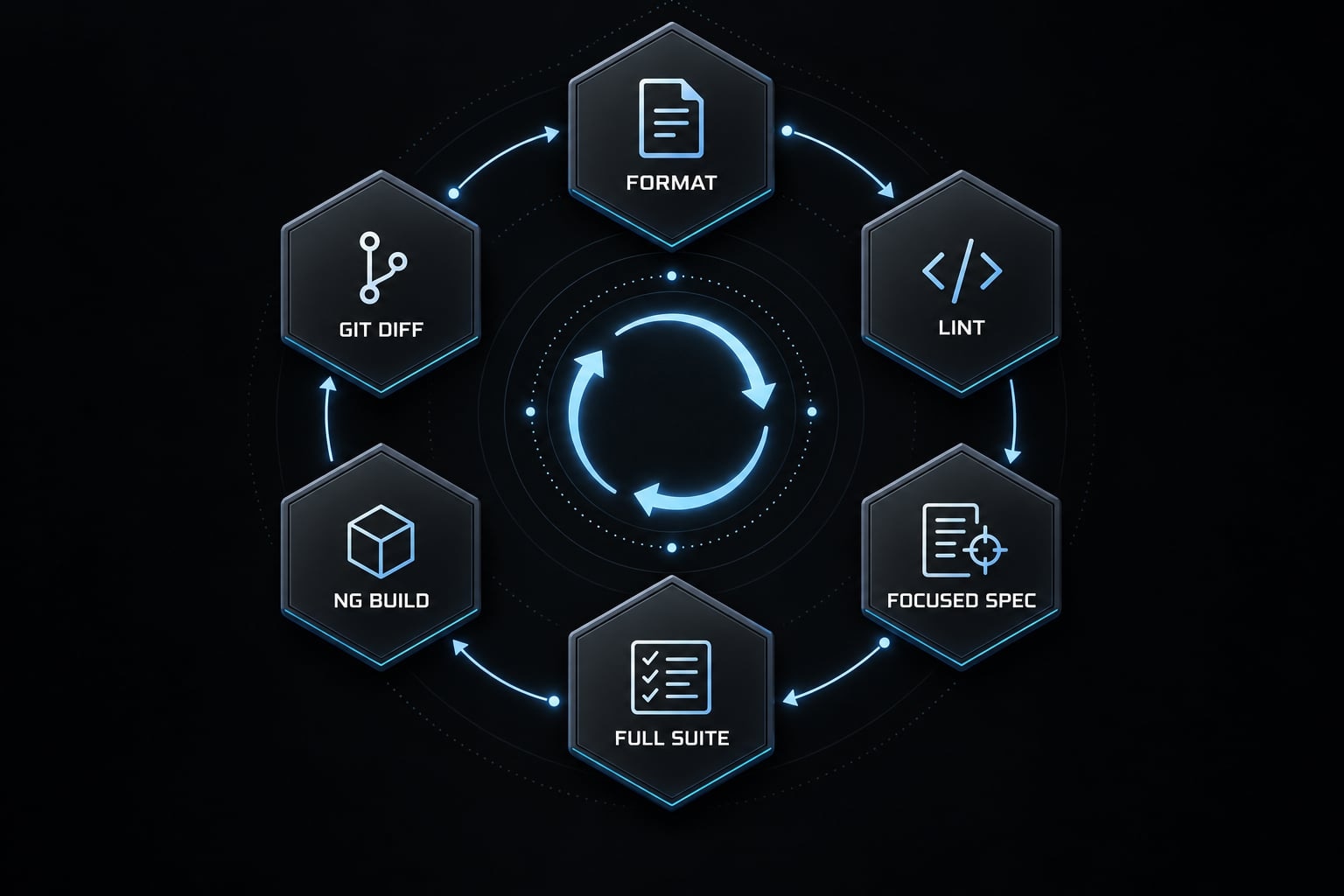
Require a clear definition of done
- Requested behavior is implemented.
- Changes remain within allowed scope.
- Relevant tests are added or updated.
- Validation commands and results are recorded.
- Failed, skipped, unavailable, or blocked checks are disclosed.
- Changed files and remaining risks are summarized.
Implementation finished is not verification complete. Require evidence rather than “all checks passed.”
Command | Status | Exit code | Relevant output<exact command> | <pass/fail/blocked/not run> | <code or N/A> | <summary>Human review: <pending/approved/changes requested>Remaining risks: <specific limitations>
Review the final diff, not only Claude’s summary
Inspect tracked changes and untracked files:
git status --short
git diff
git diff --cached
Plain git diff does not show untracked file contents. Open those files separately.
Check public APIs, dependencies, lockfiles, disabled tests, relaxed compiler settings, sensitive configuration, and unrelated modifications. Code review remains necessary even when CI/CD (continuous integration and delivery) checks succeed.
Keep sensitive and destructive operations human-controlled
Require approval for dependencies, deployments, database operations, destructive commands, and broad migrations. Use configured permissions, isolation, and secret-access controls.
Set a retry limit - for example, two correction attempts. Stop sooner if scope must expand, access is missing, or the same failure repeats.
Common Claude Code Angular mistakes and how to fix them
Treat these as diagnostic hypotheses, not observed failures from a tested repository. The corrective action should address both the request and the environment.
Failure | Likely cause | Corrective action |
|---|---|---|
Version-incompatible output | Current docs substituted for installed versions | Record versions and verify compatibility |
Ignored local architecture | Adjacent files were not inspected | Require file-path evidence before planning |
Excessive file changes | Prompt scope was open-ended | Approve paths and require expansion approval |
Bloated instructions | Context bloat hides relevant rules | Keep recurring rules concise; separate references |
Refactor regressions | Preserved behavior was undefined | Add focused regression coverage first |
Unverified completion | Generated code was treated as finished | Require commands, statuses, and output |
Unsupported newer APIs | Availability or stability was assumed | Check installed-version API documentation |
Compilation passes; behavior fails | Build-only validation | Test interactions and review rendered behavior |
Avoid over-correcting toward the newest Angular pattern
Existing patterns may be valid and intentional; calling them “outdated Angular patterns” does not establish that they need replacement. Migration requires explicit scope, version compatibility checks, and regression coverage.
Keep instructions short and observable
- Weak: “Write clean code.”
- Strong: “Match adjacent patterns, preserve public APIs, update affected tests, and report validation results.”
Retain lint-related instructions when they clarify workflow or address recurring mistakes. Remove duplicated style manuals, not useful acceptance criteria. If guidance conflicts, ask for a maintainer decision instead of silently choosing whichever instruction appears newest.
Copy-ready Claude Code Angular setup checklist
Paste this checklist into an issue, pull request, or onboarding document. Replace general references with repository-specific paths and commands to create a reusable workflow.
- Record the starting commit, installed versions, package manager, test runner, and workspace configuration.
- Preserve existing work and capture baseline validation results.
- Replace all placeholders in concise repository instructions.
- Review optional Skills or MCP integrations for provenance, compatibility, and permissions.
- Request repository inspection before implementation.
- Approve the objective, allowed files, plan, and acceptance criteria.
- Specify public contracts and observable behavior that must remain unchanged.
- Record exact validation commands, statuses, and relevant output.
- Review tracked changes, staged changes, and untracked files.
- Require approval for sensitive operations and scope expansion.
- Version-control shared instructions and review changes to them.
- Recheck context after framework, runtime, runner, or tooling updates.
Do not mark validation complete when checks were unavailable. Keep unresolved risks visible in the handoff so the reviewer can distinguish missing evidence from confirmed success.
Frequently asked questions
What is Claude Code in the context of Angular development?
Claude Code is an agentic CLI tool that integrates directly into your terminal, allowing it to inspect files, execute Angular CLI commands, and perform refactoring. It helps Angular developers by automating component scaffolding, signal-based refactoring, and test generation while maintaining project-specific architecture and modern framework standards.
Why do I need repository-specific context for Claude Code?
Standard AI models may default to outdated Angular patterns like NgModule or decorator-based inputs. By providing repository-specific context - such as your preferred signal primitives and standalone component architecture - you ensure Claude Code follows your project’s conventions and modern Angular v20+ patterns rather than generic training data.
What is the purpose of the three-layer context model?
The model organizes guidance into three layers: Angular Skills for reusable framework patterns (like Signals or modern control flow), CLAUDE.md for project-specific rules, and individual task prompts for immediate scope. This hierarchical approach prevents token bloat and keeps the agent focused on relevant, up-to-date framework instructions.
Should I use Angular Skills, MCP, or both?
Both are optional. Angular Skills provide reusable guidance for framework patterns and modern APIs, whereas the Angular CLI MCP server exposes live tools like documentation lookups and build utilities. You can achieve high-quality results using only a well-structured CLAUDE.md and explicit task prompts without requiring these integrations.
How does Claude Code handle self-correction during development?
Claude Code uses a closed-loop feedback workflow. After generating or modifying Angular code, you can prompt it to run ng build or ng test. It parses the CLI output, identifies TypeScript or template errors, and applies necessary fixes in-place before asking you to review the final changes.
Is Claude Code capable of autonomous Angular migration?
No. Claude Code is a productivity assistant that requires human oversight. While it can suggest migrations like converting decorators to Signals, these operations require explicit approval, scope definition, and validation. Always review the generated diffs, run relevant regression tests, and maintain human control over sensitive architectural changes.
What should I check before accepting Claude’s changes?
Always review the final diff including untracked files, ensure the code follows project-specific architecture, and verify that the requested Angular build and test commands pass. Do not rely solely on the agent’s summary; manually confirm that no unintended modifications, such as weakened type checking or disabled tests, were introduced.
Read more:
- Claude Code hooks guide: Automate and control AI workflows
- Claude Code install guide: Official setup steps for all OS
- How to authenticate Claude Code in terminal
Conclusion
Claude Code works best with accurate repository context, narrow scope, and observable acceptance criteria. Start with installed versions and baseline results. Use CLAUDE.md for recurring rules, and add optional Angular Skills only when reusable guidance provides clear value.
Keep implementation and verification separate. A successful build is useful evidence, but it does not replace behavioral tests, permission controls, or human diff review. Require explicit reporting whenever a check fails, is skipped, or cannot run. Copy the template and checklist above, then choose one small account-management task. Record the baseline, approve a bounded plan, and accept the change only after reviewing its evidence and remaining risks.