11 best Claude Code alternatives 2026: Compare AI tools
11 best Claude Code alternatives in 2026: Compare tools by workflow
The most relevant Claude Code alternatives in 2026 include OpenCode for open-source terminal workflows, Codex CLI for OpenAI-centered development, Cursor for editor-first work, and Cline for configurable approvals. OpenHands and Devin deserve consideration when you want to delegate bounded tasks rather than supervise every interaction.
Choosing between these AI coding agents starts with your constraint: interrupted sessions, limited model choice, awkward visual review, or governance requirements. Claude Code’s terminal-native workflow remains a credible baseline; changing tools only helps when the alternative resolves a meaningful problem. This comparison separates workflow fit, effective cost, control, and migration effort so you can shortlist two or three options.
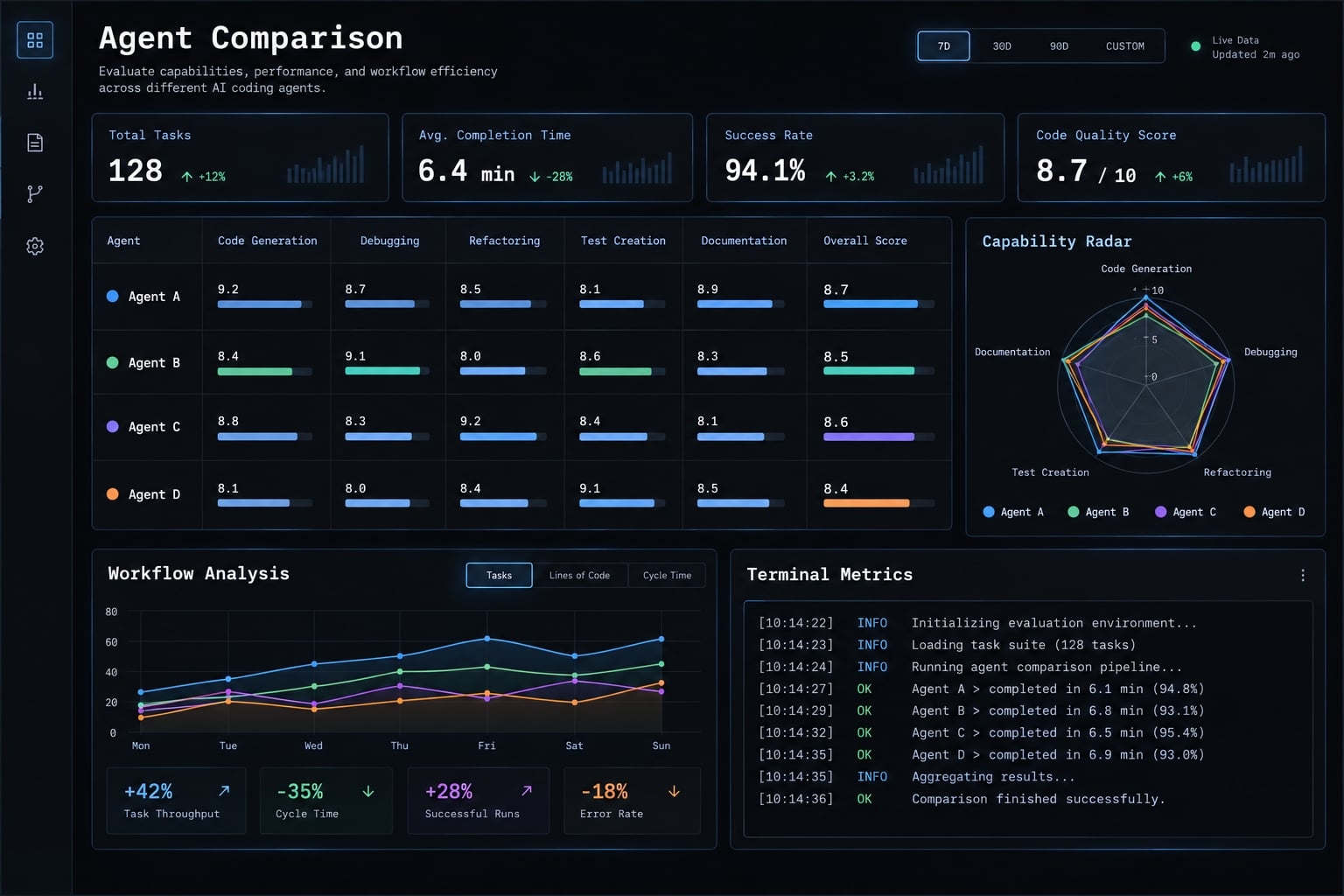
Best Claude Code alternatives in 2026: Quick recommendations
Claude Code alternatives are coding assistants and agents that support software development through terminal tools, integrated development environments, or delegated development platforms. Some replace Claude Code’s interactive workflow; others complement it with different models, visual review, deployment options, or background execution. Their suitability depends on the task, permissions, and operating model.
Quick picks by workflow
These recommendations indicate workflow fit, not a measured performance ranking.
- OpenCode: For an open-source terminal workflow with provider choice.
- OpenAI Codex CLI: For terminal development centered on OpenAI services.
- Aider: For developer-directed editing with Git-aware iteration.
- Gemini CLI: For Google-centered terminal workflows.
- Cursor: For an integrated, AI-native IDE - an editor built around AI-assisted development.
- Cline: For configurable models and explicit approval controls.
- GitHub Copilot: For teams already organizing development around GitHub.
- Kiro (formerly Amazon Q Developer CLI): For AWS-oriented teams that want a spec-driven IDE and terminal agent.
- OpenHands: For teams prepared to operate self-hosted agent workflows.
- Devin: For managed, asynchronous work on clearly scoped tickets.
- Factory: For evaluating shared agent workflows and team delivery controls.
At-a-Glance comparison table
Data verified on 2026. Treat this table as a shortlist; confirm current editions and contractual terms before purchase. Plans, models, credits, rate limits, and product names may change after publication.
Tool | Primary interface | Model support | Open-source status | Pricing model | Best for | Main trade-off / avoid if |
|---|---|---|---|---|---|---|
OpenCode | Terminal/TUI | Multiple providers | Open-source client | Provider usage; optional services | Provider-flexible CLI work | You want minimal configuration |
Codex CLI | Terminal | OpenAI-centered | Open-source CLI client | Eligible subscription or API billing | OpenAI terminal workflow | Provider diversity is essential |
Aider | Terminal | Multiple providers; local options | Open-source client | Inference and infrastructure | Git-aware pairing | You need managed delegation |
Gemini CLI | Terminal | Gemini-centered | Open-source client | Account-dependent allowances or paid usage | Google-centered development | Quotas cannot interrupt work |
Cursor | IDE | Product-selected models | Proprietary editor product | Subscription and usage allowances | Visual, integrated review | Editor migration is unacceptable |
Cline | Editor extension | Multiple providers | Open-source extension | Provider or service usage | Approval-oriented work | Frequent approvals disrupt work |
GitHub Copilot | Editors and GitHub | Surface/plan-dependent selection | Proprietary service | Individual/team plans; usage conditions | GitHub team adoption | You expect feature parity everywhere |
Amazon Q Developer | IDE and AWS surfaces | Service-managed | Commercial service; component scope varies | Free and paid tiers | AWS-oriented development | You mainly need provider flexibility |
OpenHands | Platform and runtime | Configurable providers | Open-source core; verify edition scope | Inference, hosting, or managed service | Self-hosted workflows | You cannot own operations |
Devin | Managed workspace | Service-managed | Proprietary platform | Plan and usage-based service | Bounded background tasks | Requirements remain ambiguous |
Factory | CLI and team workflows | Offering-dependent | Full-platform license not verified | Current plan/contract terms | Shared delivery workflows | Required controls lack confirmation |
AI coding agent comparison scope: Interfaces, licensing, model access, and billing are separate dimensions. An open-source client can still depend on commercial inference. Entry price is not effective monthly cost. A low subscription can become expensive through retries, infrastructure, or review effort.
Why developers look beyond Claude Code and how to evaluate alternatives
Switching should solve a recurring constraint, not satisfy curiosity about a newer agent. Start by writing down what currently prevents reliable delivery.
Five reasons developers evaluate alternatives
- Usage limits and effective cost: A developer may lose momentum when an implementation session reaches an allowance. Compare uninterrupted task completion, not just advertised access.
- Model or provider dependence: Model lock-in can restrict procurement choices or task-specific experimentation. Provider flexibility introduces configuration work in return.
- Interface and review mismatch: A developer may prefer examining frontend and backend changes together inside an editor rather than switching between terminal output and diffs.
- Governance and deployment requirements: A team may require specific data-processing terms, restricted network access, or centrally managed permissions.
- Coordination across tools: Separate agents can duplicate settings, misunderstand handoffs, or edit overlapping files without clear ownership.
Evaluation criteria and weighting
Apply mandatory security and deployment requirements as pass/fail gates before scoring. A tool that violates policy should not win through strong results elsewhere.
Criterion | Suggested weight | What to assess |
|---|---|---|
Task completion and code quality | 25% | Accepted changes, regressions, test validity |
Workflow fit | 15% | Interface friction and developer interventions |
Model flexibility | 15% | Required providers and configuration effort |
Effective cost | 15% | Usage, administration, review, and rework |
Control and reviewability | 10% | Permissions, readable diffs, rollback |
Repository context handling | 10% | Relevant files, conventions, dependency awareness |
Security and deployment | 5% | Controls beyond mandatory eligibility gates |
Team and automation capabilities | 5% | Shared settings, integrations, repeatability |
Evaluate the tool-plus-model configuration on one repository snapshot: a bounded defect, a small feature, and a behavior-preserving refactor. Record the product version, plan, environment, permissions, prompts, retries, interventions, review time, and outcome.
BYOK - bring your own key - means connecting your provider credentials. It changes billing and provider control, but does not automatically prevent retention or training. Include API usage costs in the comparison.
Define autonomy before comparing products
Five useful workflow patterns are:
- Completion assistance: Suggestions while a developer writes.
- Interactive pair programming: Conversational, developer-directed changes.
- Repository execution: File editing and command execution.
- Asynchronous execution: Tasks continue outside an interactive session.
- Multi-agent coordination: Specialized roles exchange work under defined rules.
Coordination may involve closely supervised agents. Background execution is not automatically coordination, and more autonomy is not inherently better.
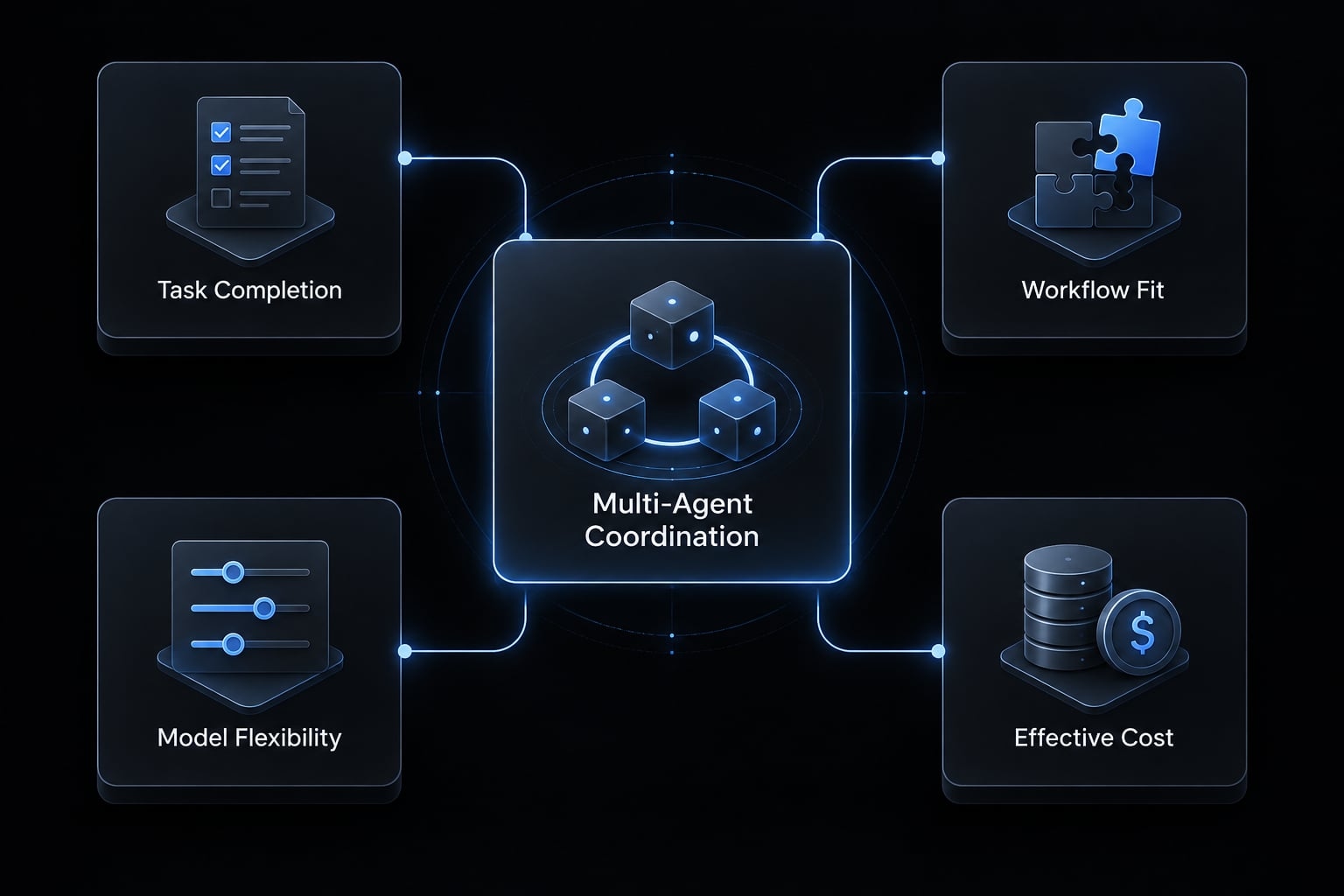
Best terminal-first Claude Code alternatives
Terminal alternatives are the closest comparison when you want to preserve command-line development. Their practical differences involve provider access, edit review, command permissions, and billing. Running a client locally does not mean its model runs locally or that repository content stays on your machine.
OpenCode: For Open-Source CLI workflows and provider choice
- What it is / Best for: OpenCode is an open-source coding agent with a terminal user interface. It suits developers who want provider choice without making an editor migration their primary change.
- Why consider it: Its provider-oriented configuration makes it relevant when implementation and test-writing tasks require different model options. A hypothetical B2B SaaS developer could compare providers on the same feature while keeping a familiar terminal workflow.
- Main trade-off: You take responsibility for credentials, model selection, permissions, and usage monitoring. Switching providers can change tool behavior and context handling.
- Cost and control: Separate the open-source client from inference charges and optional services. For local-model configurations, confirm the full data path, including telemetry, integrations, and fallback behavior.
- Migration effort: Medium. Basic use may be straightforward, but repository instructions, integrations, and command rules need validation.
- Verdict: Shortlist OpenCode when provider dependence is the recurring blocker. Keep Claude Code when its established configuration already produces reviewable changes with less operational effort.
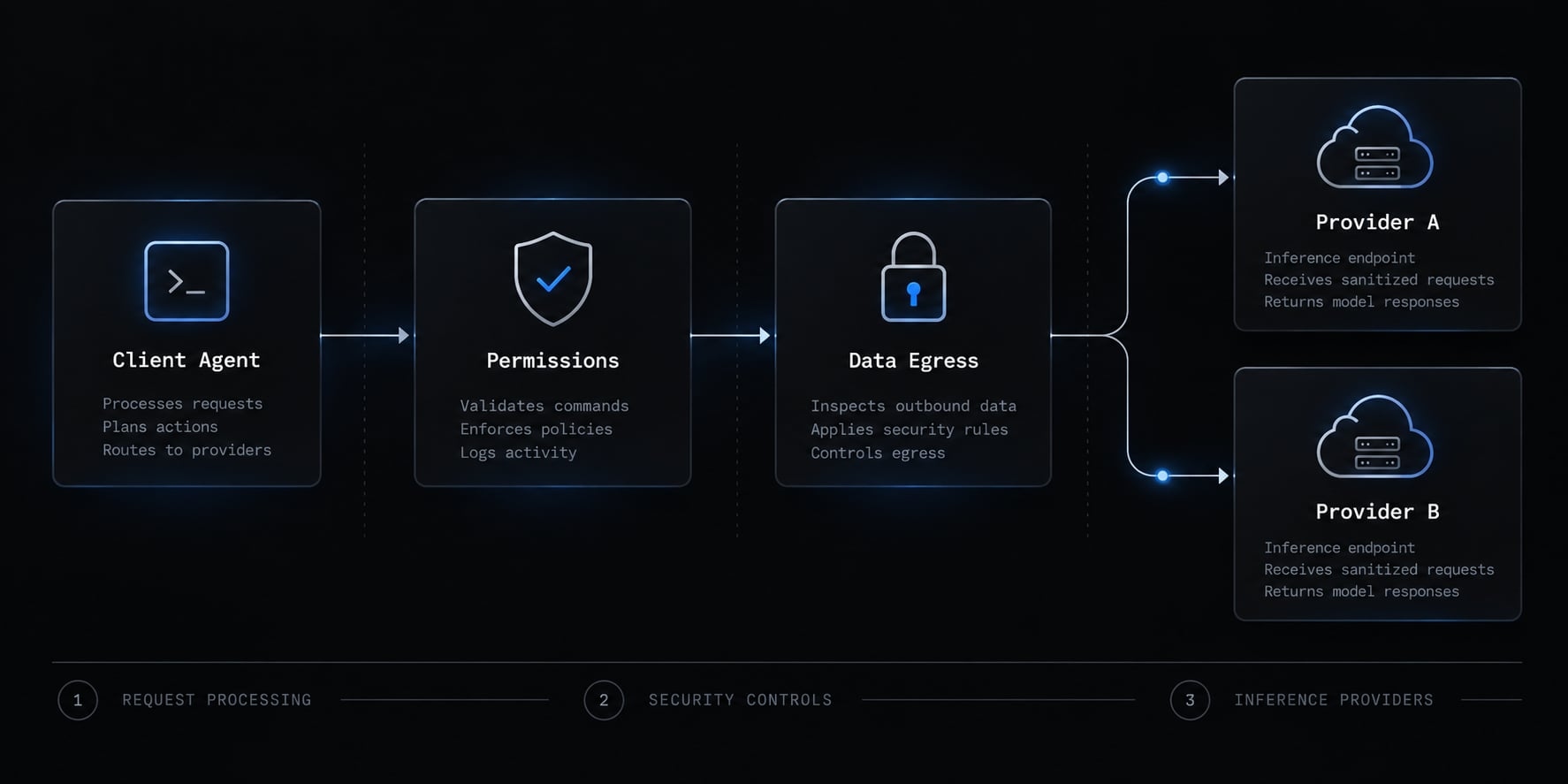
OpenAI Codex CLI: For OpenAI-centered terminal workflows
- What it is / Best for: Codex CLI is OpenAI’s terminal coding client. It is a relevant alternative for developers who want OpenAI-centered coding without abandoning command-line interaction.
- Why consider it: Its documented workflow includes repository interaction, code changes, and command execution under configurable execution controls. Authentication and access may involve eligible subscriptions or API credentials, depending on current support.
For example, a small product team could pilot an internal API change with explicit acceptance criteria, then inspect the patch and test evidence.
- Main trade-off: The default ecosystem remains OpenAI-centered. Do not assume features available through another Codex surface are identical in the CLI.
- Cost and control: The CLI client is open source; model and hosted-service access are separate commercial considerations. Review sandboxing, approval policies, network access, and billing terms for the exact environment.
- Migration effort: Medium. Terminal habits transfer, but permissions, instructions, integrations, and billing assumptions need revalidation.
- Verdict: Shortlist it when OpenAI tooling is already part of your operating model. Claude Code may remain sufficient when changing providers does not solve a concrete constraint.
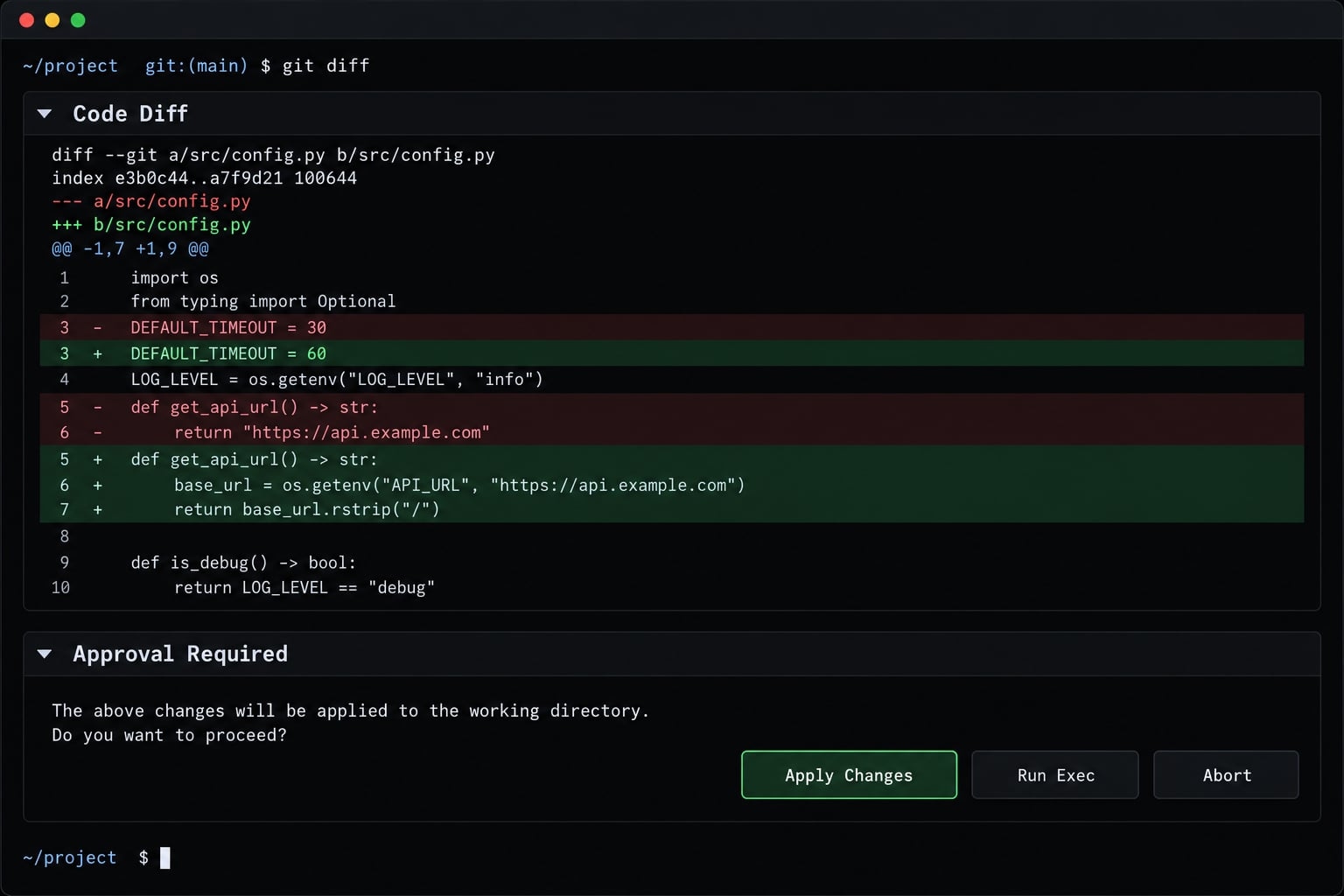
Aider: For Git-Aware terminal pair programming
- What it is / Best for: Aider is a terminal-based AI pair-programming tool focused on editing code in an existing repository. It fits developers who prefer directing changes through short, reviewable iterations.
- Why consider it: Its documentation describes Git integration, configurable commit behavior, repository mapping, and support for multiple model providers. These capabilities help structure incremental work without requiring a managed background platform.
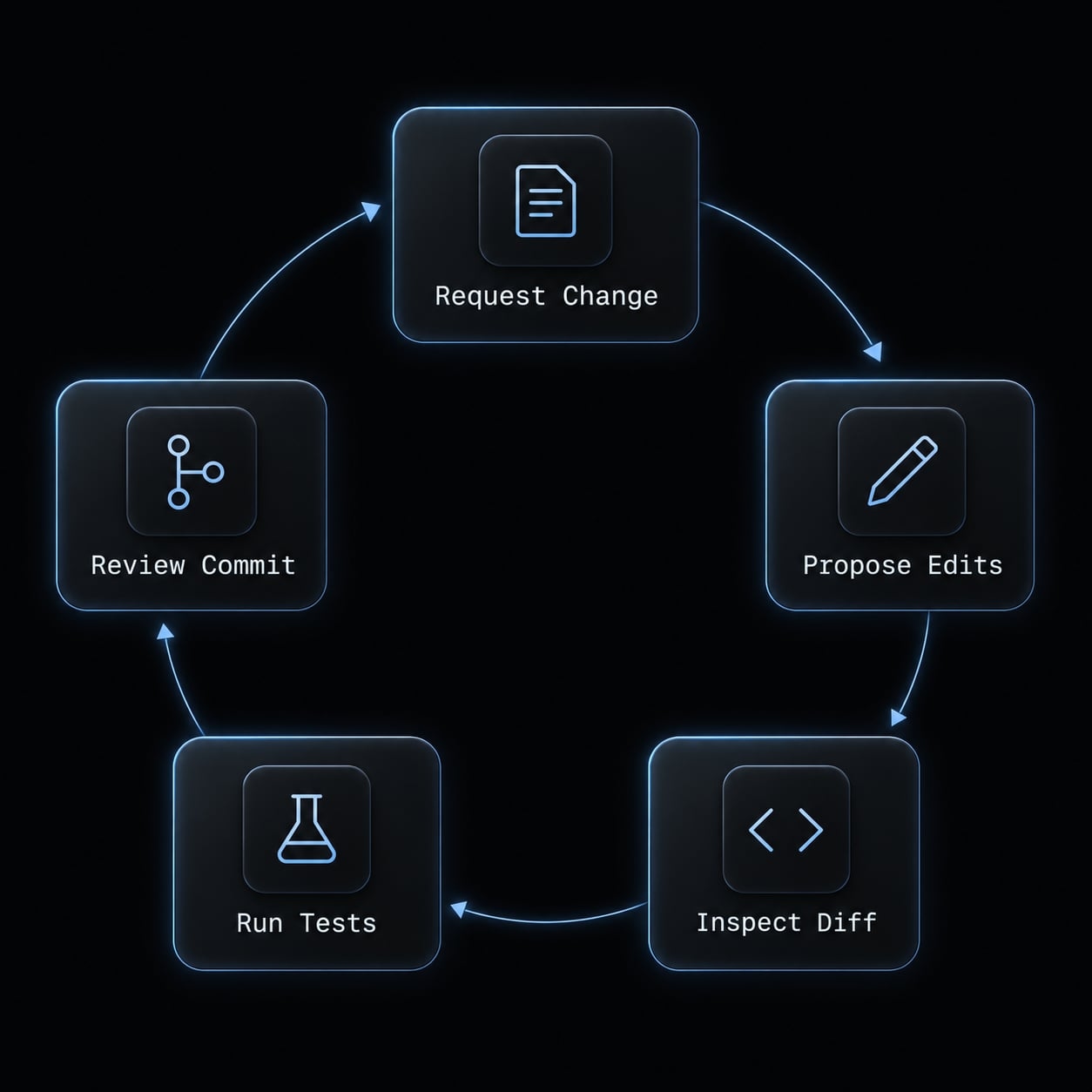
A hypothetical SaaS refactor illustrates the fit: request one behavior-preserving change, inspect the diff, run relevant tests, and review the resulting commit before continuing.
- Main trade-off: Developer-directed pairing differs from submitting a ticket to a managed service. You remain responsible for task progression, context selection, and checking whether tests cover the changed behavior.
- Cost and control: Budget for inference or local infrastructure rather than assuming open-source software means free operation. Confirm the repository’s current license rather than relying on an inherited license label.
- Migration effort: Medium. Model configuration, repository instructions, commit preferences, and testing habits need adjustment.
- Verdict: Shortlist Aider for focused, Git-aware iteration. Keep Claude Code when its broader execution workflow already matches your preferred level of delegation.
Gemini CLI: For Google-centered terminal workflows
- What it is / Best for: Gemini CLI is Google’s open-source terminal agent. It is relevant to developers assessing Gemini-based coding within an existing Google-oriented environment.
- Why consider it: Its documented access paths include Google account and cloud/API-oriented configurations. Model capabilities can support substantial context, but available capacity depends on the model and access route.
- Main trade-off: A large context window does not guarantee effective repository understanding. An agent can receive many files yet miss an authorization boundary or misunderstand generated code. Free allowances also should not be treated as guaranteed capacity for continuous professional work.
- Cost and control: Confirm quota rules, paid usage routes, and privacy terms for the authentication method you choose. Consumer-account conditions and organizational cloud terms should not be assumed equivalent.
- Migration effort: Medium. Recheck credentials, repository instructions, command permissions, and connected services.
- Verdict: Shortlist Gemini CLI for a Google-centered pilot. Keep Claude Code when existing repository outcomes are strong and provider alignment offers little practical benefit.
- Terminal category verdict: Choose by provider needs and interaction style first. Then compare accepted changes, interruptions, review burden, and effective cost - not context size alone.
Best IDE and hybrid Claude Code alternatives
An IDE (Integrated development environment) primarily changes how developers interact with and review agent work. Editor-native tools can replace a terminal workflow or complement it. Neither visual integration nor codebase indexing guarantees more accurate changes.
Cursor: For an integrated AI-Native IDE
- What it is / Best for: Cursor is an AI-oriented editor for developers who want code navigation, agent interaction, and visual review in one workspace.
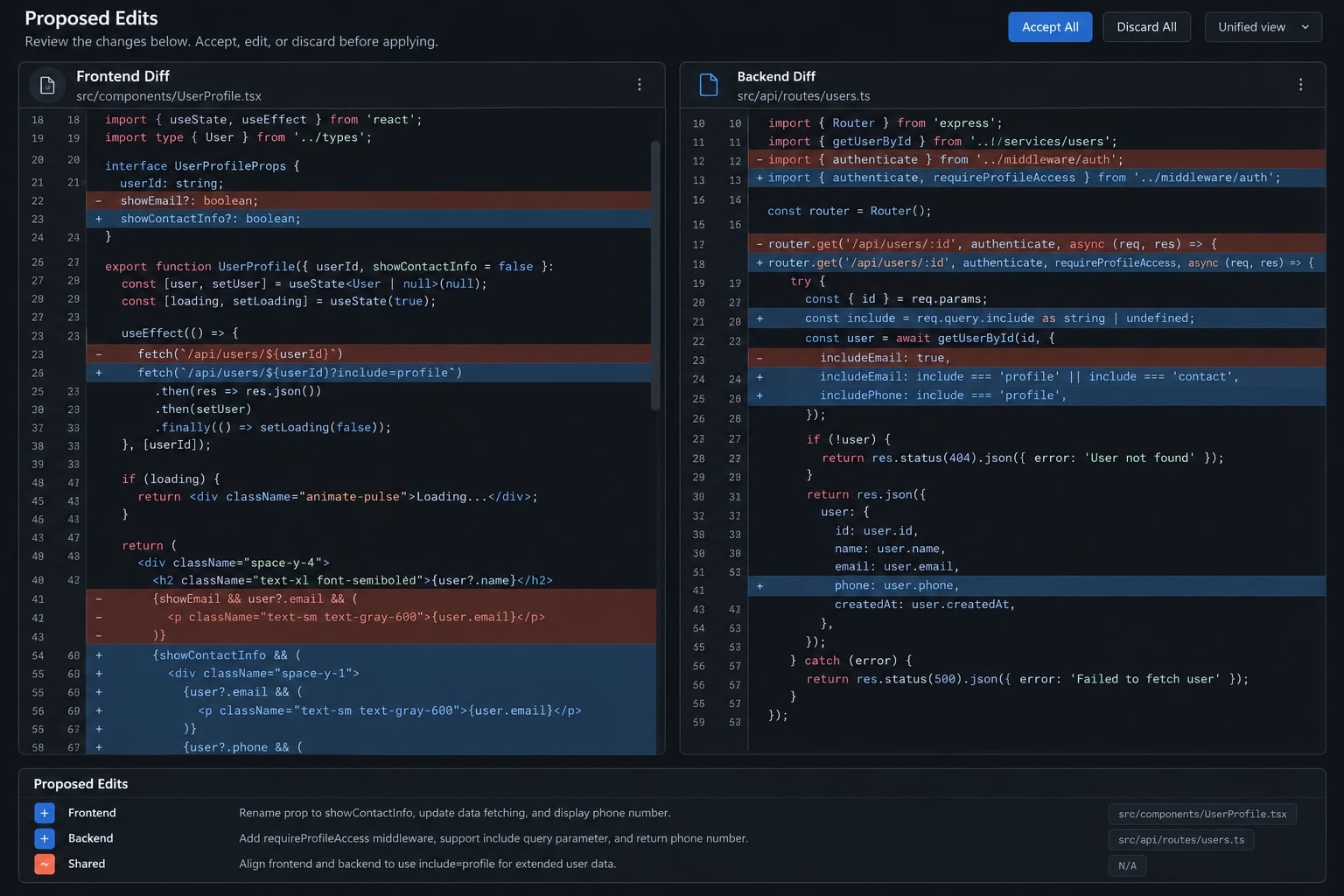
- Why consider it: Its documented capabilities include codebase indexing, multi-file editing, and agent workflows. A founder coordinating a frontend form with a backend endpoint can inspect related changes without repeatedly switching interfaces. The interface advantage is visibility, proposed edits remain close to the files, diagnostics, and navigation tools used for review.
- Main trade-off: Adopting the editor requires checking extensions, shortcuts, development environments, and team settings. Indexing helps retrieval; it does not establish complete understanding of application behavior.
- Cost and control: Review current subscriptions, model access, usage allowances, and privacy settings. Heavy execution and background features may have different conditions from ordinary editor assistance.
- Migration effort: Medium. Editor habits and extensions matter alongside agent configuration.
- Verdict: Shortlist Cursor when visual diff review is the missing capability. Consider augmentation instead of replacement if Claude Code remains effective for implementation.
Cline: For BYOK and explicit approval controls
- What it is / Best for: Cline is an open-source coding agent associated with editor-based workflows. This comparison centers on its established extension workflow, not unverified parity across newer surfaces.
- Why consider it: Documentation describes model-provider configuration, Plan/Act interaction, command approvals, and MCP - Model Context Protocol, a standard for connecting agents with tools and context.
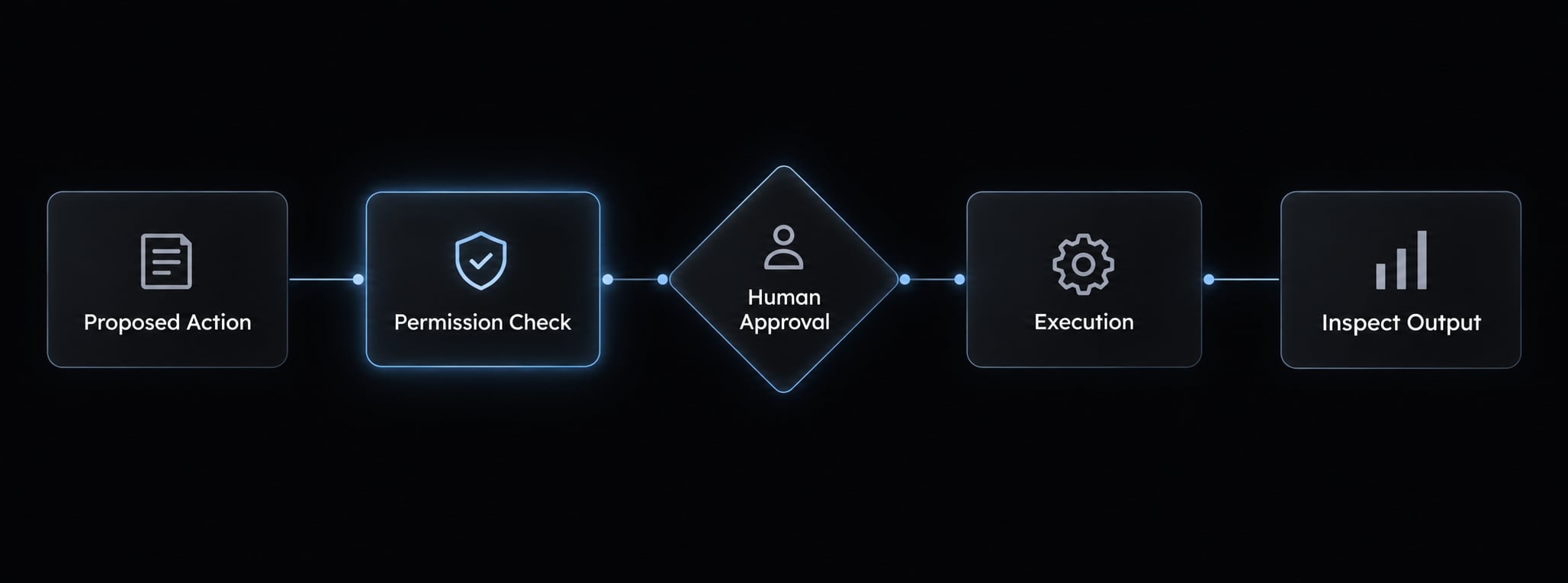
- Main trade-off: Repeated approvals can interrupt concentration. Auto-approval reduces that friction but changes the supervision model and requires narrower permissions.
- Cost and control: BYOK usage is billed under the selected provider’s terms. Connected MCP servers introduce additional credentials, data access, and potential network destinations.
- Migration effort: Medium. Recreate model settings, approval rules, instructions, and integrations. Test each permission rather than copying similarly named settings blindly.
- Verdict: Shortlist Cline when explicit control points are central to your workflow. Keep Claude Code if its existing controls satisfy the requirement with less friction.
GitHub Copilot: For GitHub-centered teams
- What it is / Best for: GitHub Copilot combines editor assistance with agent and repository-oriented capabilities across supported surfaces. It suits teams already coordinating work through GitHub.
- Why consider it: Editor interaction and repository-to-PR workflows can connect assistance with existing review processes. A PR(Pull request) keeps proposed changes inside the team’s normal discussion and approval process.
- Main trade-off: Editor assistance, coding-agent workflows, and CLI capabilities have distinct availability and limits. Do not assume identical features or model access.
- Cost and control: Confirm plan eligibility, current usage billing, organization policies, and repository access. Administrative controls can influence adoption as much as individual developer preference.
- Migration effort: Medium. Existing GitHub processes help, but permissions and shared instructions still require testing.
- Verdict: Shortlist for organizational fit, not assumed coding superiority. Claude Code may remain the better individual execution tool.
Amazon Q Developer: For AWS-centered development
- What it is / Best for: Amazon Q Developer provides development assistance across supported IDE and AWS environments.
- Why consider it: AWS-oriented assistance and documented transformation capabilities make it relevant to a team maintaining an AWS-hosted service. Verify support for the exact language, environment, and task.
- Main trade-off: AWS alignment does not demonstrate superior general-purpose coding performance.
- Cost and control: Check free versus paid entitlements, identity configuration, data-use terms, and access to cloud resources.
- Migration effort: Medium. Validate editor setup, cloud permissions, and team instructions.
- Verdict: Shortlist when AWS-specific work is material. Keep Claude Code for general development if cloud integration would add little value.
Best autonomous and team-oriented platforms
These platforms are compared for delegated or team-oriented work. They are not necessarily direct substitutes for an interactive CLI session. Their value depends on task boundaries, operating responsibility, and review requirements - not merely their ability to keep running.
OpenHands: For Self-Hosted agent workflows
- What it is / Best for: OpenHands provides a development-agent platform with self-managed deployment options and an open-source core. It fits teams prepared to own the runtime and surrounding infrastructure.
- Why consider it: Its configurable model connections and execution environment make it relevant to repeated maintenance tasks across internal services. A team could evaluate a narrowly specified dependency update with established test commands and rollback rules.
- Main trade-off: Self-hosting transfers infrastructure, upgrades, monitoring, and security responsibilities to your team. It does not remove model-provider dependencies or ensure compliance.
- Cost and control: Include hosting, inference, administration, and review. Check the license and entitlements of the specific components and edition you deploy.
- Migration effort: High for a production self-hosted rollout because access design and operational ownership extend beyond client configuration.
- Verdict: Shortlist when deployment control is a requirement and your team can support it. Claude Code may be simpler for supervised local development.
Devin: For managed asynchronous tasks
- What it is / Best for: Devin is a managed development-agent platform for delegating work outside a continuous interactive session.
- Why consider it: Its documented environment and progress visibility support a workflow where developers submit bounded tasks, inspect progress, and review outputs. A dependency update with explicit compatibility requirements is a more suitable pilot than “improve the architecture.”
- Main trade-off: Ambiguous instructions can produce extended investigation, retries, or changes that miss the intended requirement. Delegation reduces direct interaction only when task preparation and review remain manageable.
- Cost and control: Evaluate current plan and usage terms alongside repository access, environment secrets, retention, and execution permissions. Vendor-managed infrastructure does not transfer responsibility for approving changes.
- Migration effort: Medium for a bounded pilot; potentially high for organization-wide access and workflow redesign.
- Verdict: Shortlist for asynchronous tickets with clear acceptance criteria. Keep Claude Code when requirements evolve through conversation and immediate developer feedback is essential.
Factory: For governed team delivery
- What it is / Best for: Factory offers agent-oriented development workflows, including CLI interaction. It is considered here for shared delivery processes, not exclusively enterprise procurement.
- Why consider it: A team can assess whether its available interfaces and controls support a repeatable ticket-to-review process.
- Main trade-off: Required administrative features, integrations, and deployment terms need current confirmation; do not infer enterprise controls from positioning alone.
- Cost and control: Check the applicable plan, access model, policy capabilities, and contractual scope.
- Migration effort: Medium, rising with organization-wide integration.
- Verdict: Shortlist when standardization is the main requirement. Retain Claude Code if your existing process already supplies those controls.
How to choose: Cost, security, migration and when to keep Claude Code
Select tools against your actual repository, delivery process, and risk constraints. The following decision aids narrow the shortlist without pretending every developer needs the same operating model.
Decision matrix by developer profile
Profile | Primary need | Shortlist | Main caution |
|---|---|---|---|
Terminal-first developer | Preserve CLI interaction | OpenCode, Codex CLI, Aider | Revalidate instructions and permissions |
Visual IDE developer | Inspect multi-file edits | Cursor, Cline | Editor changes create adoption cost |
Solo founder | Low-overhead delivery | Claude Code, Cursor, Codex CLI | More tools can increase coordination |
Open-source/BYOK user | Provider and client control | OpenCode, Aider, Cline | Open source does not eliminate inference cost |
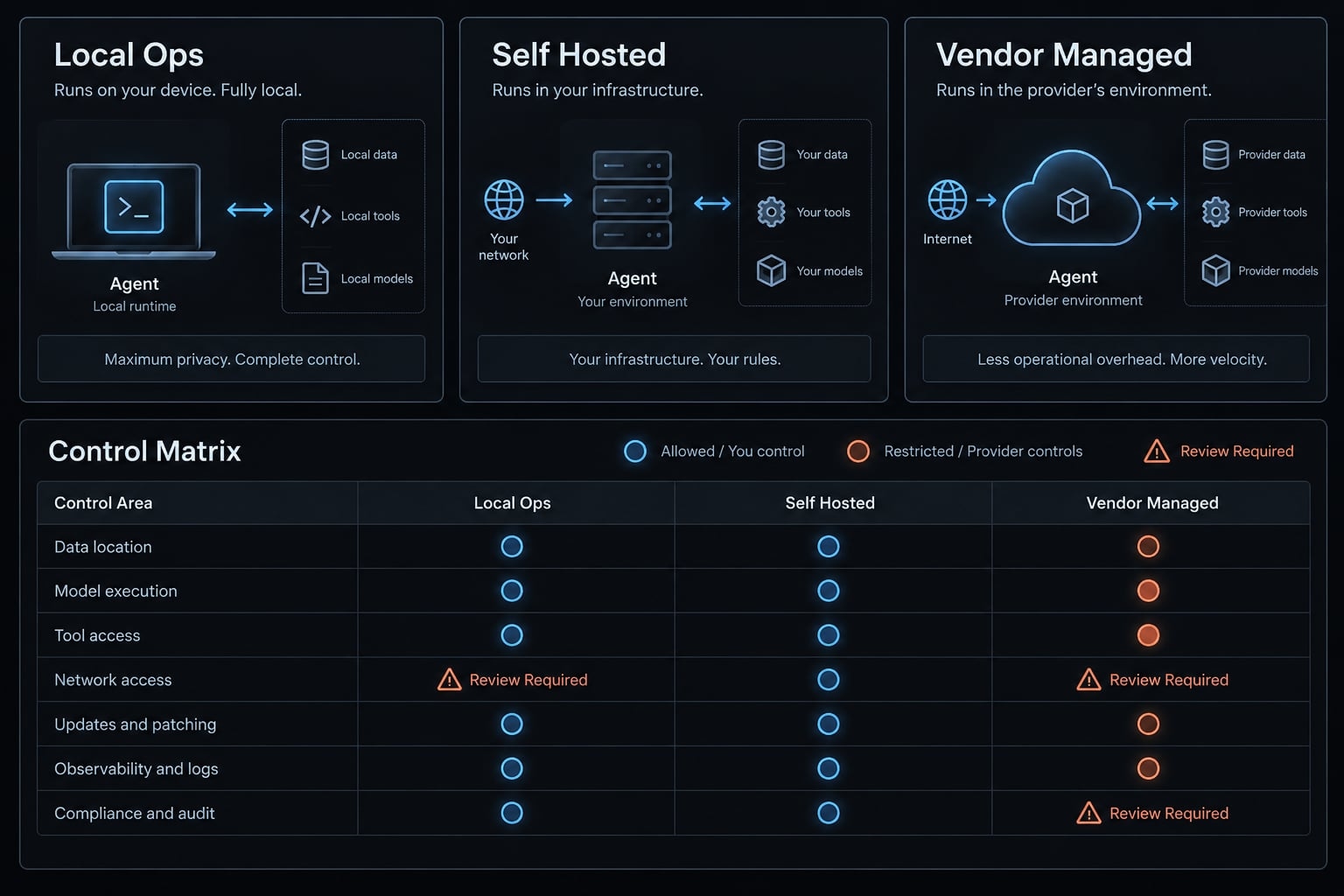
Local/private workflow | Approved data paths | Aider, OpenCode, OpenHands | Verify local inference and external dependencies |
GitHub-centered team | Existing repository processes | GitHub Copilot, Claude Code | Confirm surface-specific policies |
AWS-centered team | Cloud-relevant development | Amazon Q Developer, Claude Code | Scope cloud credentials carefully |
Small engineering team | Repeatable review and delivery | Claude Code, Copilot, Cursor | Measure shared adoption effort |
Enterprise team | Governance and procurement | Copilot, Factory, OpenHands | Apply deployment gates before scoring |
Local-model quality depends on the model, hardware, configuration, and task. Neither “local is weaker” nor “local is equivalent” is a useful blanket assumption.
Compare effective cost, not entry price
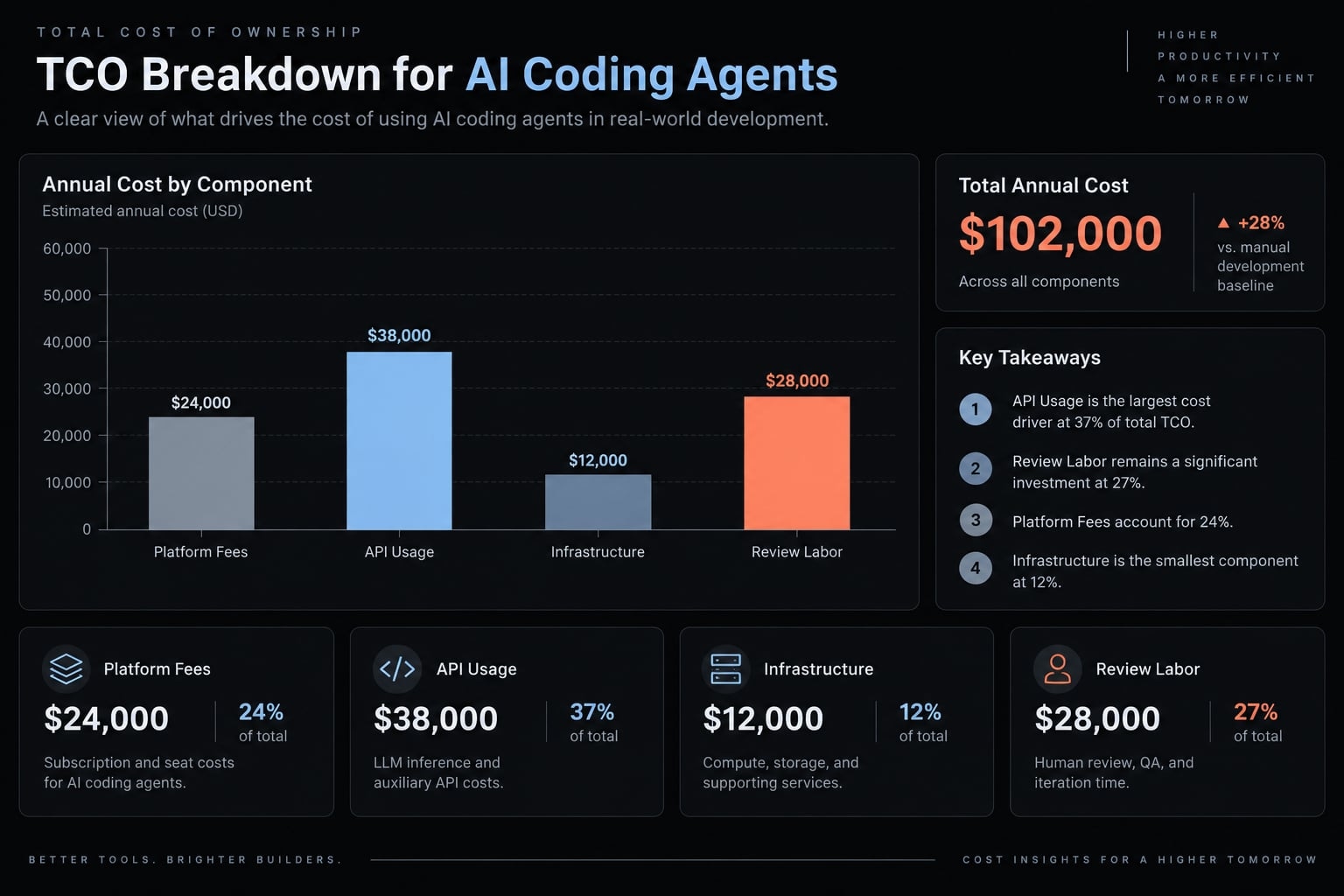
Monthly TCO = Platform fees + Incremental usage charges + Infrastructure + Setup/admin labor + Review/rework labor.
TCO means total cost of ownership. Included credits are allowances, not another charge to add. API token costs alone cannot establish value.
Usage profile | Likely cost driver |
|---|---|
Light individual | Minimum subscription and unused allowance |
Daily professional | Sustained usage and review time |
Heavy agentic | Retries, long sessions, concurrency, infrastructure |
Five-developer team | Seats, shared administration, review consistency |
Cost-comparison assumptions
- Record currency, billing period, seats, and monthly workload.
- Identify the model/provider and included allowances.
- Separate overages from already included usage.
- Distinguish annual commitments, taxes, and one-time setup.
- State labor rates and setup amortization.
- Label figures measured, vendor-published, or illustrative.
No vendor price estimates are assumed here.
For a measured Claude Code cost comparison, track cost per accepted task. Count failed attempts and review time; cheaper tokens can still produce more expensive delivery.
Security and governance checklist
AI coding agent security depends on the complete configuration, including integrations and credentials.
- Processing location: Where do code, prompts, and tool outputs travel?
- Retention: How are logs stored, deleted, and backed up?
- Training use: Which terms and opt-outs apply?
- Execution controls: What can the sandbox and shell access?
- Network egress: Can untrusted repository content or MCP tools trigger external requests?
- Secrets exposure: Which environment variables and credentials are visible?
- Destructive actions: What requires explicit human approval?
- Audit and recovery: Are logs, diffs, and rollback available?
- Identity controls: Are single sign-on, roles, and administration sufficient?
- Deployment scope: Which components remain external in a local or self-hosted setup?
Container isolation depends on mounts, network rules, secrets, and runtime permissions. A command approval is a checkpoint, not proof of safe execution.
Migration effort: What must be recreated?
Coding agent migration extends beyond installing a replacement client.
Migration area | Revalidation required |
|---|---|
Repository instructions; prompts and task templates | Priority, syntax, loading behavior |
MCP servers; hooks and scripts | Authentication, invocation, permissions |
Environment variables and credentials; command permissions | Secret storage and least-privilege access |
Editor settings; team configurations | Developer experience and shared defaults |
CI/CD and PR workflows | Checks, handoffs, merge responsibilities |
CI/CD means continuous integration and delivery. Similar configuration names do not guarantee equivalent behavior.
Start with non-production access and preserve the original configuration. Never transfer secrets through prompts or committed instruction files. Estimate migration effort from the existing workflow, not from a clean installation.
When Claude Code is still the better choice
Stay when all five conditions hold:
- Actual repository outcomes meet your acceptance criteria.
- Its interaction style fits daily work.
- Instructions, integrations, and permissions are mature.
- Switching costs exceed the demonstrated benefit.
- No unresolved deployment or provider requirement blocks adoption.
Augment when one need remains underserved. Add editor-native review, a second review model, bounded background work, or a validated local setup without replacing an effective implementation workflow.
Define responsibility between tools. Two agents editing the same files can create extra review and merge work.
Switch when a recurring blocker remains unresolved and a comparable pilot demonstrates better fit. Evidence should include accepted output, interventions, review effort, and effective cost - not a single impressive demonstration.
A stable workflow is an asset. Replacing it needs a stronger justification than a longer feature list.
Replace, augment or orchestrate: Where AgentKit fits
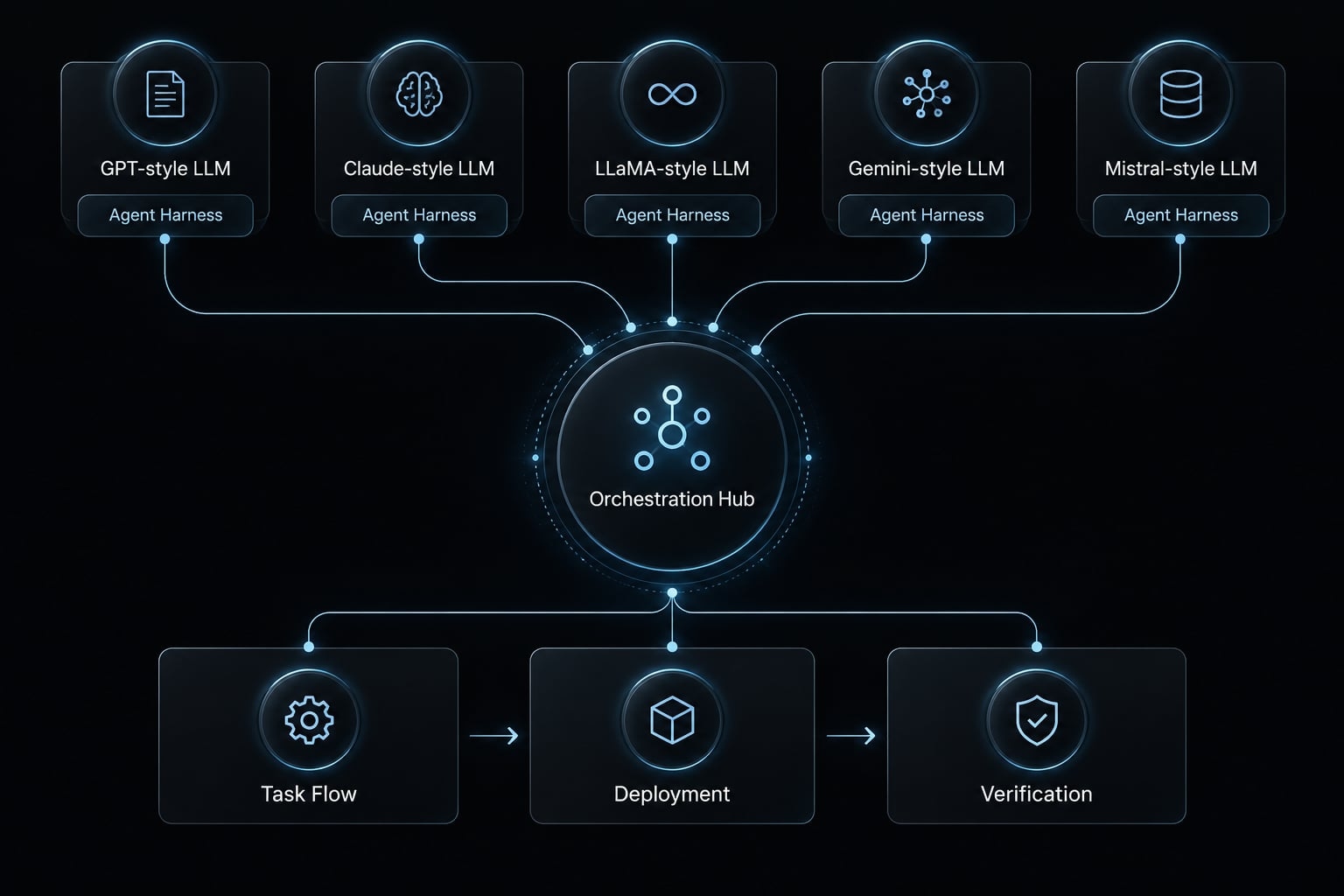
Multi-agent orchestration is the coordination of specialized agents through shared instructions, task boundaries, handoffs, and review rules. It connects planning, implementation, testing, and deployment preparation without forcing you into single-vendor lock-in.
Option A: Replace Claude Code
Replace the primary tool when one alternative resolves the main constraint with acceptable migration effort. Keep the first pilot narrow: the same repository, permissions, and acceptance criteria. A successful replacement should make the workflow more suitable without requiring several additional products merely to restore existing functionality.
Option B: Augment Claude Code
Augmentation assigns a specific job to another tool: terminal implementation, editor review, or bounded background work. It avoids unnecessary migration but introduces extra subscriptions, configurations, and handoffs. A second agent’s review is not independent proof of correctness; agents can share assumptions and miss the same defect. Tests and accountable human review remain necessary.
Option C: Orchestrate multiple agents
Orchestration connects specialized tools into a repeatable software engineering pipeline, ensuring clear boundaries and structured handoffs across tasks.
Strategy | Best when | Added overhead | Main caution |
|---|---|---|---|
Replace | One tool resolves a recurring blocker | Migration and retraining | Do not discard a working baseline prematurely |
Augment | A specific capability is missing | Additional tools and handoffs | Avoid overlapping ownership |
Orchestrate | Repeated multi-step work needs coordination | Workflow design and maintenance | More roles do not guarantee better output |
Coordinate multiple agents with AgentKit
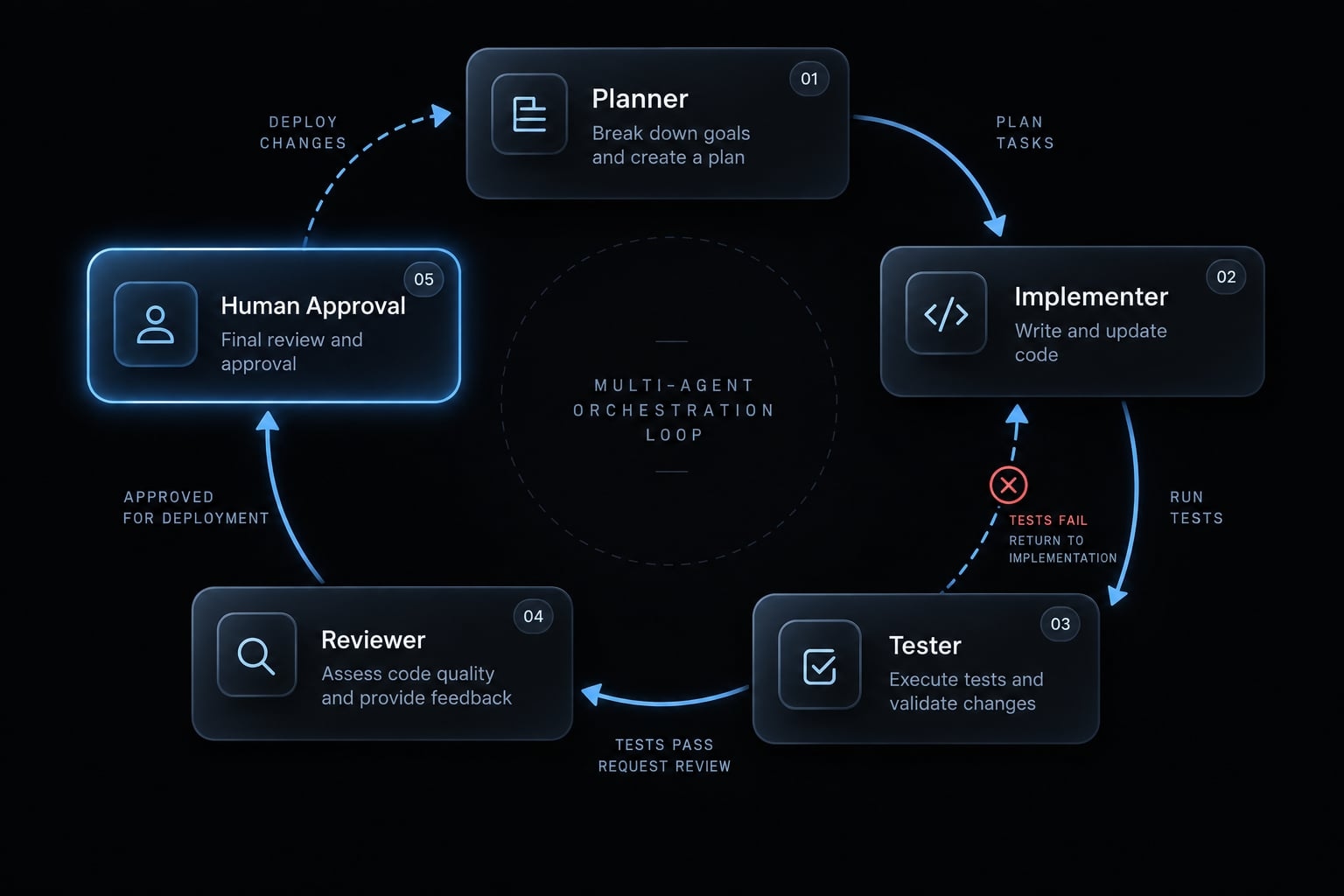
AgentKit is a commercial, editable kit for building your own AI engineering system on top of the coding agents you already use. Instead of rebuilding prompts, roles, and handoffs for every project, you start from pre-built subagents, skills, and chained workflows — Brainstorm → Plan → Cook → Review → Ship — and keep, change, or delete any part. You receive the full source, so your rules stay readable outside the tool.
Field | AgentKit |
|---|---|
What it is | Editable agent kits (Engineer, Marketing, Bundle) + optional desktop app |
Coordination model | Specialized subagents, reusable skills, and chained slash-command workflows |
Best for | Developers, founders, and small teams repeating multi-step delivery work |
Harness support | Production: Claude Code, Codex, Antigravity, Pi, Oh My Pi · Beta: Cursor, DeepSeek Harness · Preview: OpenCode, GitHub Copilot |
Safety | Pre-tool hooks that prompt for approval before risky operations |
Other tools in this comparison — Aider, Gemini CLI, Kiro, Devin, and OpenHands — are not currently supported. Hook enforcement varies by harness and does not replace restricted credentials, isolated worktrees, or human review.
Check the support tier for each agent you use before standardizing on AgentKit.
Frequently asked questions
What are the best Claude Code alternatives in 2026?
The top alternatives depend on your workflow. For open-source terminal agents, OpenCode and Aider are leading choices. If you prefer an IDE-integrated workflow, Cursor and Cline are highly recommended. For enterprise or OpenAI-centric needs, OpenAI Codex CLI remains a strong competitor.
Is it necessary to switch from Claude Code?
No. If your current workflow is stable, reliable, and within your budget allowance, there is no technical requirement to migrate. Developers typically evaluate alternatives when they encounter usage limits, require provider flexibility (multi-model/BYOK), need local-only LLM execution, or seek deeper visual review capabilities inside their IDE.
Are open-source alternatives truly free?
While the client software itself is often open-source and free to install, you must still pay for the underlying LLM inference. "Bring Your Own Key" (BYOK) tools require you to connect your API credentials, meaning you pay inference providers (such as Anthropic, OpenAI, or Google) directly for consumed tokens and API usage.
How do I choose between terminal-based and IDE-based agents?
Choose terminal-based agents like OpenCode or Aider if you value lightweight, Git-native workflows and high-speed CLI interactions. Opt for IDE-native tools like Cursor or Cline if you prefer visual diff reviews, deep editor context, and a graphical interface for monitoring agent progress.
Do these alternatives offer the same level of autonomy as Claude Code?
Yes, many alternatives support advanced autonomy, including task planning, terminal command execution, file modifications, and test suite execution. However, safety and permission models vary. Tools like Cline and Codex CLI use explicit approval checkpoints before executing sensitive shell commands.
Can I run these coding agents locally?
Yes, several alternatives support local execution. Tools like Aider and OpenCode can be configured to point to local LLM engines (such as Ollama or vLLM), allowing code processing within your local network without transmitting repository data to external cloud providers.
What is the Model Context Protocol (MCP) and why does it matter?
MCP is a standardized interface that allows your AI agent to securely connect to external data sources - such as databases, issue trackers, or internal APIs. Most modern alternatives now support MCP, enabling agents to act on real-time project data without requiring custom, one-off tool definitions.
Read more:
- Claude Code permissions security: Guide to safe workflows
- Claude Code OWASP skills: Secure implementation and best practices
- Claude Code E2E testing: A practical Playwright workflow
Conclusion
Choosing the ideal Claude Code alternative in 2026 comes down to solving your specific workflow constraint rather than simply adopting a newer model. Whether you prioritize terminal flexibility with OpenCode and Aider, visual diff review in Cursor, or delegated asynchronous execution through Devin, selecting the right interface directly determines developer momentum. A structured pilot evaluating task completion, effective cost, and safety permissions ensures you make an evidence-based decision rather than relying on feature claims.
Beyond individual coding assistants, scaling modern software development requires establishing a reliable AI Engineering System across your team. By combining your preferred agents with open orchestration scaffolding like AgentKit, you can standardize multi-agent handoffs, enforce repository-level rules, and preserve reusable skills across Claude Code, Codex, and Cursor. This hybrid approach ensures your development pipeline remains flexible, controllable, and ready for future model advancements.