Claude Code E2E testing: A practical Playwright workflow
Claude Code E2E testing: A practical Playwright workflow
Integrating AI into end-to-end testing can significantly streamline test creation, execution, and debugging. This guide explores a practical workflow using Claude Code alongside Playwright to generate reliable test scripts, automate complex user flows, and identify edge cases with minimal overhead. By leveraging Claude Code to handle repetitive setup and fix broken selectors, you can maintain a robust test suite that catches regressions early without slowing down deployment.
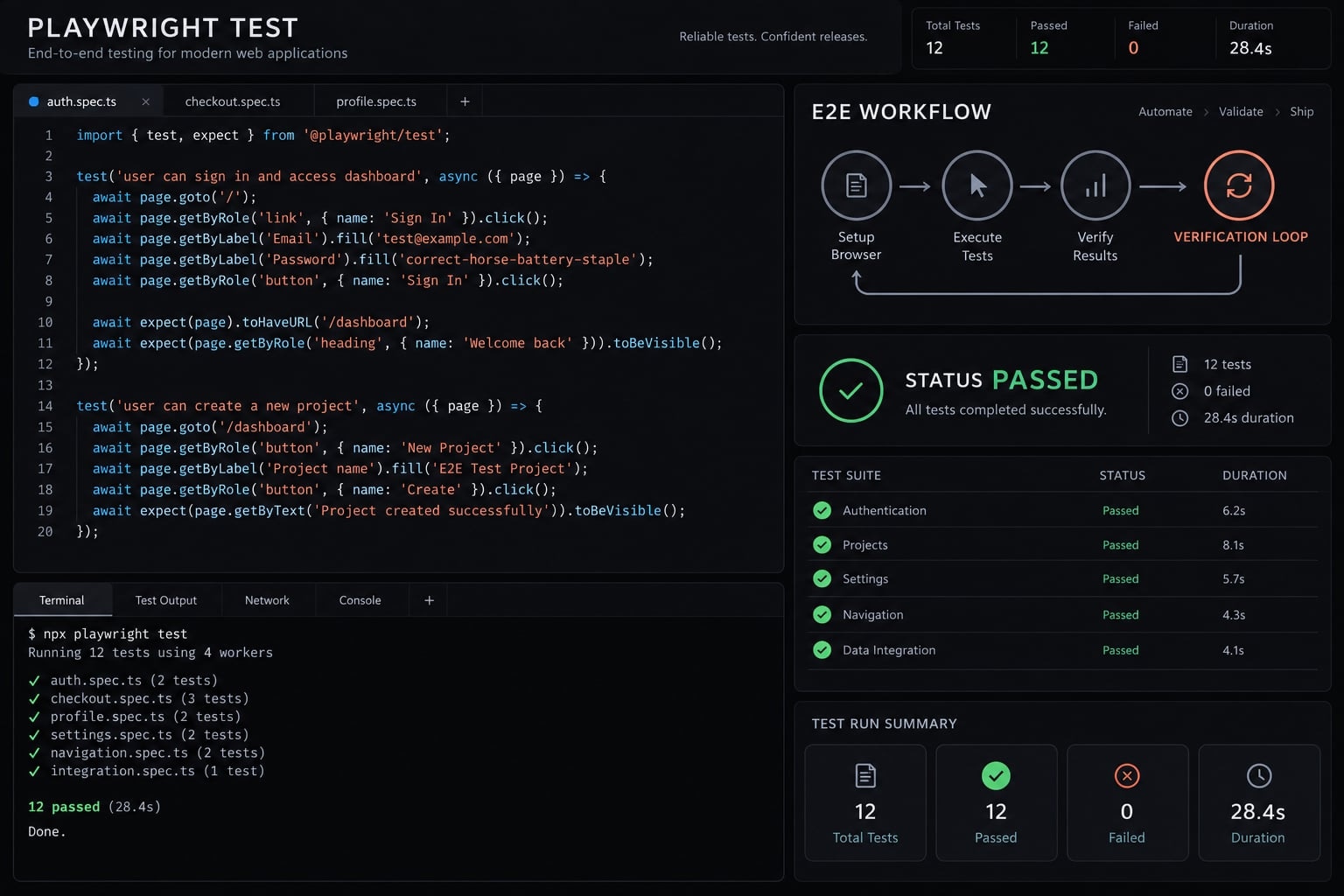
What Claude Code can and cannot do for E2E testing
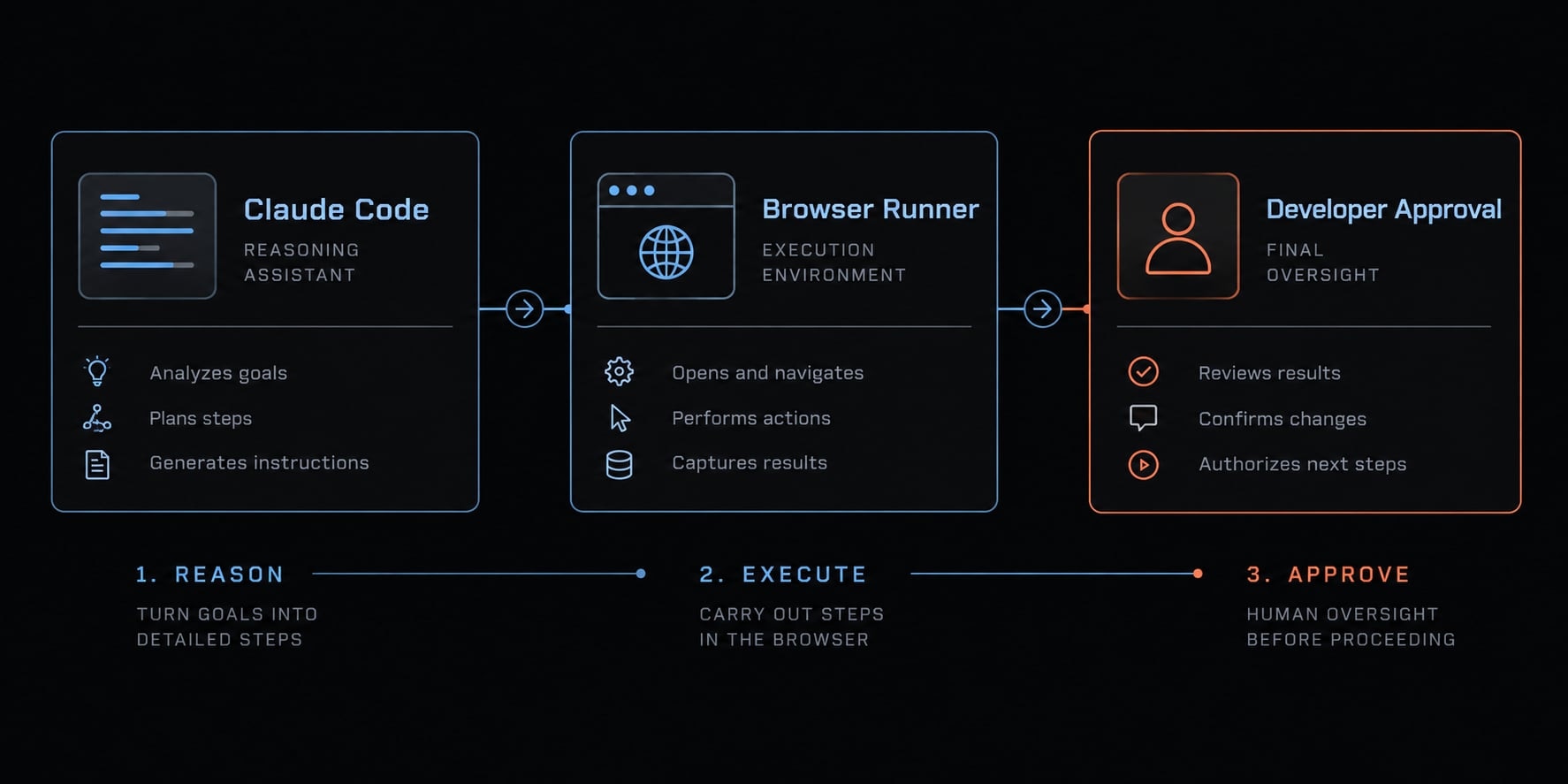
Claude Code assists; the browser framework executes; developers decide what correctness means. A Claude Code testing workflow can coordinate repository inspection and permitted tools, but cannot establish unstated business requirements.
Access matters: An assistant cannot necessarily inspect every report, trace, or browser session. Provide relevant, sanitized evidence through tools available in your environment.
Claude Code capability | Developer-controlled boundary |
|---|---|
Planning: Inspect relevant code and propose coverage. | Confirm requirements, assumptions, and scope. |
Generation: Draft tests and configuration. | Review assertions, selectors, dependencies, and data handling. |
Execution: Invoke permitted test commands. | Approve targets and operations; Playwright or Cypress automates browsers. |
Diagnosis: Help analyze available artifacts. | Verify evidence and distinguish inaccessible artifacts. |
Scoped fixes: Propose changes and reruns. | Approve repairs without weakening accepted behavior. |
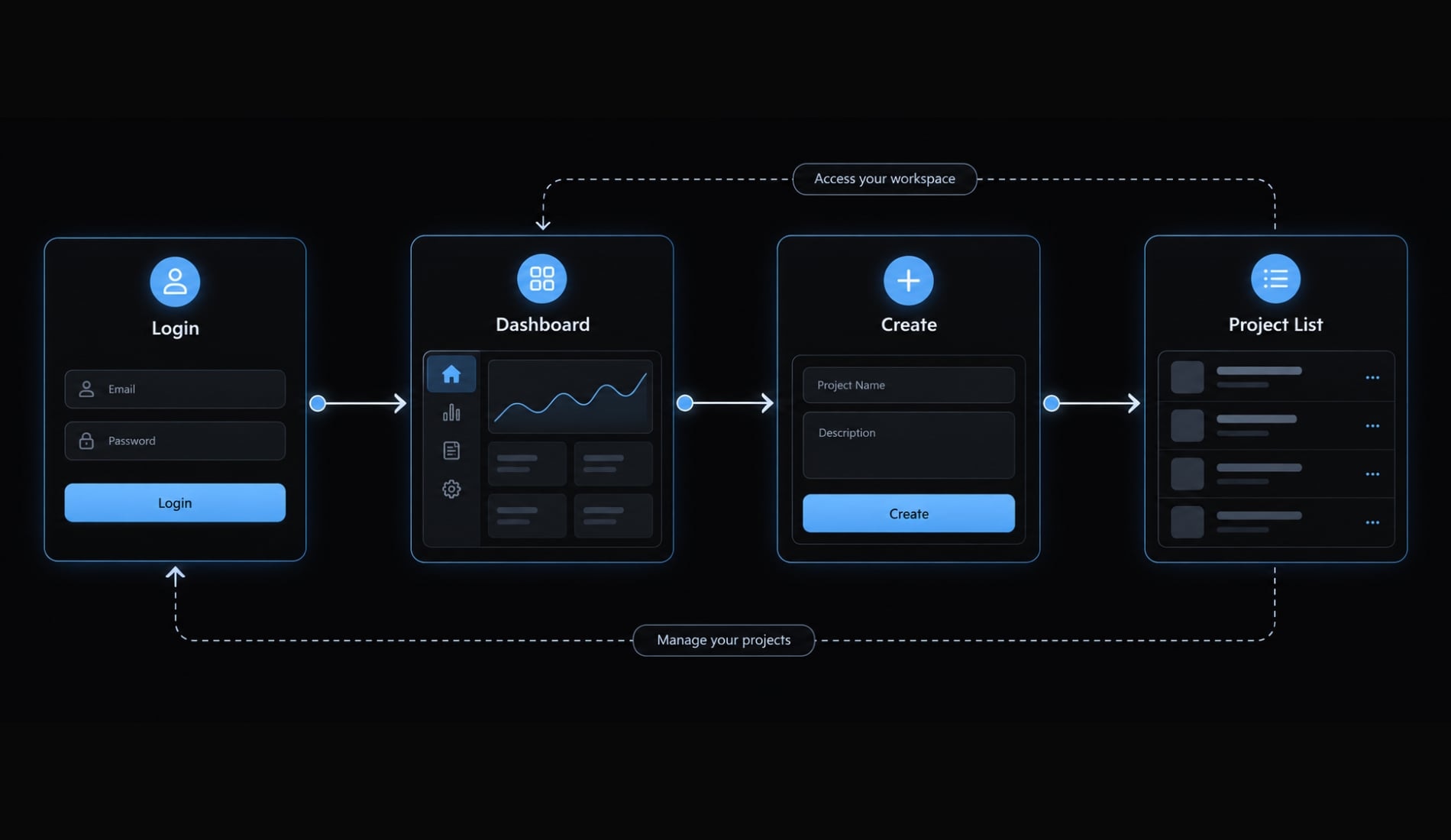
E2E (end-to-end) testing verifies an observable user journey across integrated components. Here, an authenticated user reaches the dashboard, creates a uniquely named project, and sees that exact project in the intended list.
The current implementation is evidence about how the application works—not authority over how it should work. Acceptance criteria define the contract. A passing result matters only when assertions test that contract.
Use human-in-the-loop approval: A developer reviews proposed actions before consequential execution. As described in Anthropic’s Claude Code permissions documentation, approval behavior depends on configured permissions. Written requests to “ask first” are not a security boundary; back them with tool restrictions.
Prepare the repository and choose the test framework
Inspect the actual repository before installing anything. Existing conventions usually matter more than a preferred test automation framework.
Confirm these prerequisites:
- Claude Code is installed and authenticated.
- Node.js satisfies repository and tooling requirements.
- The package manager and lockfile are identified.
- Application build, start, and readiness commands are known.
- The target is approved local, preview, or staging infrastructure.
- A non-production test user and isolated workspace exist.
- Test fixtures—controlled setup resources—and cleanup are defined.
- Work starts on a clean branch.
- Existing test configuration and CI workflows are located.
- Dependency installation requires explicit approval.
Use Anthropic’s Claude Code setup documentation and Playwright’s Installation documentation to check platform requirements before changing tooling.
Playwright vs. Cypress for Claude Code
Decision | Playwright | Cypress |
|---|---|---|
Existing investment | Retain established suites | Retain established suites |
Debugging | Trace Viewer and HTML reports | Interactive runner and command log |
Locators | Built-in role and label locators | Commonly stable data attributes; accessibility queries may use extensions |
Browser needs | Chromium, Firefox, WebKit projects | Consult the version-specific browser matrix |
Playwright is this tutorial’s default because its locator, assertion, and trace workflows fit the example. Browser engines do not guarantee coverage of every branded browser or platform. Check Playwright’s Browsers and Cypress’s Launching Browsers documentation for supported combinations.
A functioning Cypress suite does not need replacement merely because Claude Code is introduced.
Define the test environment before generating code
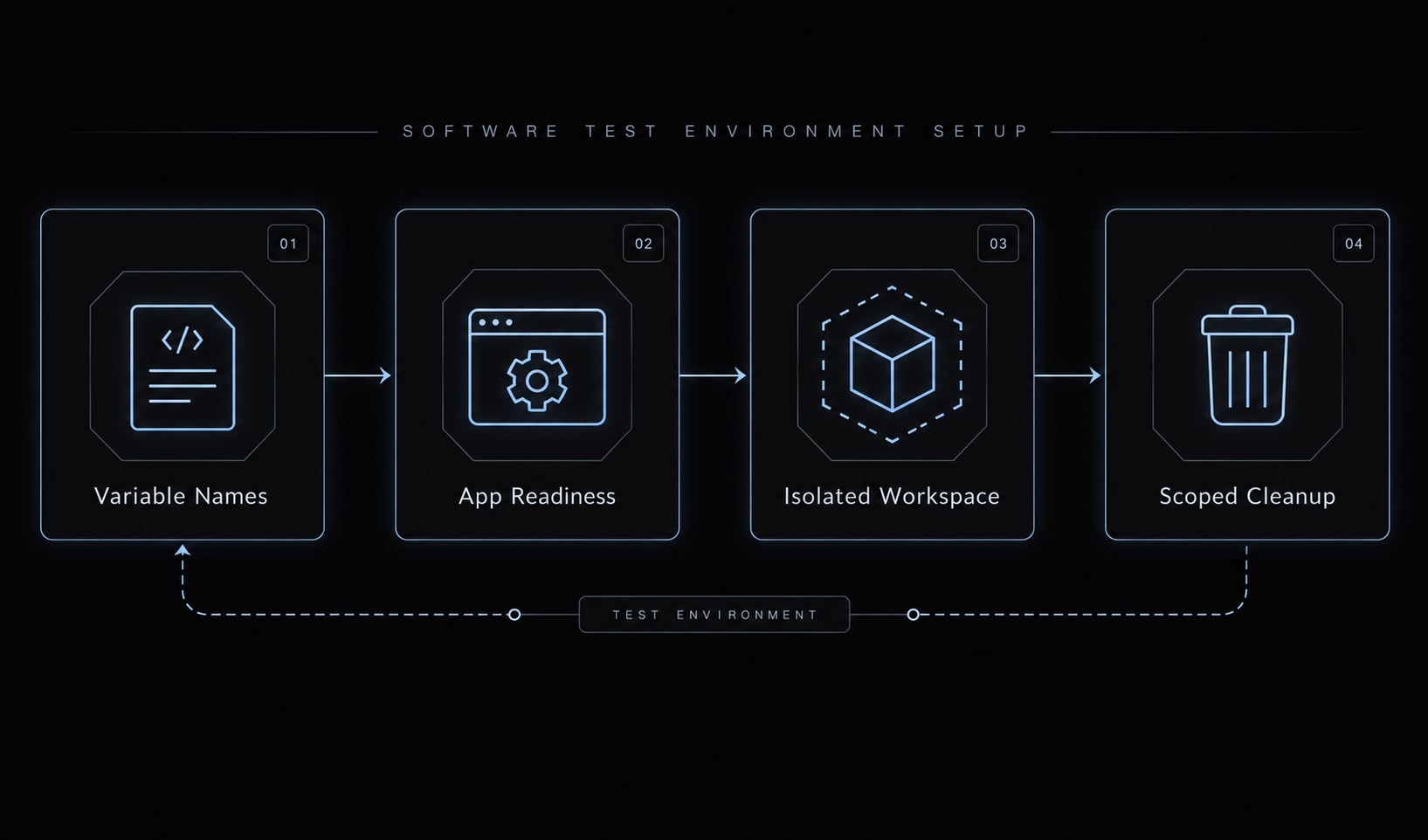
Specify the base URL, startup/readiness check, backend services, and seeded workspace. Use environment variable names such as E2E_BASE_URL, E2E_EMAIL, and E2E_PASSWORD—never their values in prompts.
Generate collision-resistant project names and define record-specific cleanup or a disposable-environment reset. Uniqueness reduces collisions; deterministic behavior also requires controlled permissions, quotas, dependencies, and starting state.
Build the first E2E test with Claude Code
A useful Claude Code E2E testing process has seven steps:
- Inspect the repository.
- Define the behavioral contract.
- Generate one scenario.
- Review the diff.
- Run the selected test.
- Classify failures and approve corrections.
- Move validated coverage into CI.
This section covers inspection through review. Keep the scenario narrow: login → dashboard → create project → verify project list.
Step 1 - Ask Claude Code to inspect the repository
Begin with read-only investigation. Targeted context is more useful than loading unrelated files or entire logs.
Inspect this repository to plan one E2E test. Do not edit files,install dependencies, start services, or execute tests.Identify:- Application framework, package manager, and lockfile.- Build/start commands and the intended non-production target.- Existing E2E framework, configuration, and test conventions.- Login approach and relevant UI routes/components.- Required environment variable names, never their values.- Test-user/workspace setup and scoped cleanup mechanisms.- Existing CI configuration.- Proposed files to add or change.Do not open secret-bearing files or reproduce secret values.Inspect templates and configuration references instead.Return a short plan with evidence file paths, assumptions,missing information, and blockers. Stop before implementation.
The expected output is a plan—not a test. Check that each finding points to a relevant repository file. If the target, authentication setup, or cleanup mechanism remains unknown, resolve that blocker first.
Keep an implementation record containing inspection findings, proposed files, and approved assumptions. Do not treat an inferred route or UI label as verified merely because it sounds plausible.
Step 2 - Define one critical user journey
Agree on observable outcomes before selecting elements. Otherwise, generated tests may reproduce the implementation’s mistakes.
Contract element | Accepted scenario |
|---|---|
Preconditions | Running application, isolated workspace, existing authorized test user |
Action | Log in and create a uniquely named project |
Expected result | Dashboard is reached; the exact project appears in the intended project list |
Test data | Seeded prerequisites and collision-resistant project identifier |
Cleanup | Delete only this test’s record, or reset its disposable environment |
Missing business behavior becomes a question or documented assumption-not an invented requirement. Do not add persistence, notifications, or permission assertions unless stakeholders include them in this scenario.
Use these five rows as a reusable acceptance-criteria template. Record who approved the contract alongside the proposed test.
Step 3 - Generate the Playwright test
Constrain Playwright test generation to the approved plan:
Generate one Playwright TypeScript test for the approved contract:login, reach the dashboard, create a uniquely named project,and verify the exact project in the intended project list.Follow existing file structure, naming, and fixtures.Use role/label locators first; use scoped exact text or stabletest IDs where appropriate. No layout-dependent selectorsor fixed sleeps. Assert user-visible accepted outcomes.Use independent, controlled setup and approved scoped cleanup.Read credentials and target from approved configuration.Fail clearly when required configuration is absent.Do not change application code, dependencies, or acceptancecriteria. Do not execute the test yet.Return changed files, unresolved assumptions, and a mappingfrom each assertion to its acceptance criterion.
Semantic locators identify elements by meaning, such as role or accessible name, rather than layout. They still must match the actual UI. Text can be ambiguous or change with localization.
Playwright’s Locators and Assertions documentation describes role-based selection and retrying, web-first assertions. Apply those patterns to verified elements.
The following illustrative excerpt is not a runnable, validated test. Labels and the project-list test ID are placeholders; credential loading, fixtures, and cleanup are intentionally omitted.
await page.goto('/login');await page.getByLabel('Email', { exact: true }).fill(email);await page.getByLabel('Password', { exact: true }).fill(password);await page.getByRole('button', { name: 'Sign in', exact: true}).click();await expect(page.getByRole('heading', { name: 'Dashboard', exact: true})).toBeVisible();await page.getByRole('button', { name: 'New project', exact: true}).click();await page.getByLabel('Project name', { exact: true}).fill(projectName);await page.getByRole('button', { name: 'Create project', exact: true}).click();await expect( page.getByTestId('project-list') .getByText(projectName, { exact: true })).toBeVisible();
The two assertions map directly to the contract: Dashboard reached and created project visible. Keep cleanup tied to the created record, preferably through its captured identifier.
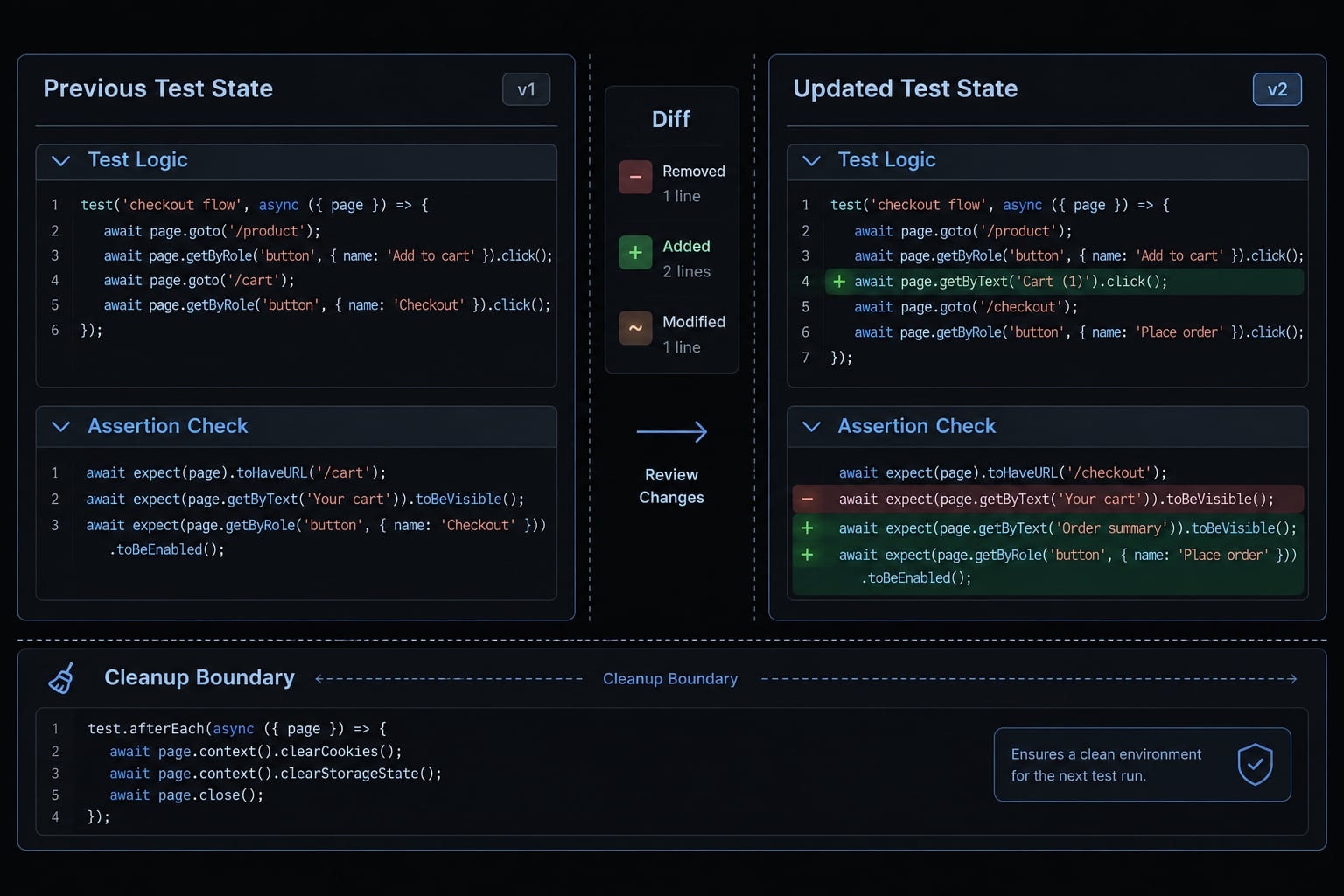
Step 4 - Review the proposed changes before execution
Review the diff and confirm:
- Only intended files changed.
- No unexpected dependencies appeared.
- Locators match actual UI labels.
- Assertions match the contract.
- No secrets or saved authentication state are committed.
- Setup and cleanup are narrowly scoped.
- No configuration silently targets production.
- Application changes require separate approval.
Test code, fixtures, and setup scripts can execute commands or mutate data. Review more than selectors.
Run, diagnose and correct failing E2E tests
Collect evidence before editing. Use repository scripts when available. These illustrative commands assume npm, an already installed local Playwright dependency, and an approved running application:
# Run only the reviewed scenario.npx playwright test tests/e2e/project-creation.spec.ts# Inspect browser behavior visually.npx playwright test tests/e2e/project-creation.spec.ts --headed# Generate a trace and an HTML report.npx playwright test tests/e2e/project-creation.spec.ts \ --trace on --reporter=html# Open the previously generated HTML report.npx playwright show-report# Open a generated trace; substitute its actual path.npx playwright show-trace path/to/trace.zip
Playwright test execution is normally headless browser testing: The browser runs without a visible window. Headed mode helps visual investigation but is not a substitute for assertions.
Generating artifacts and opening them are different operations. show-report does not generate missing evidence or launch Trace Viewer directly. Screenshots and video require their own configuration. Playwright’s Trace Viewer and Reporters documentation explains these distinctions.
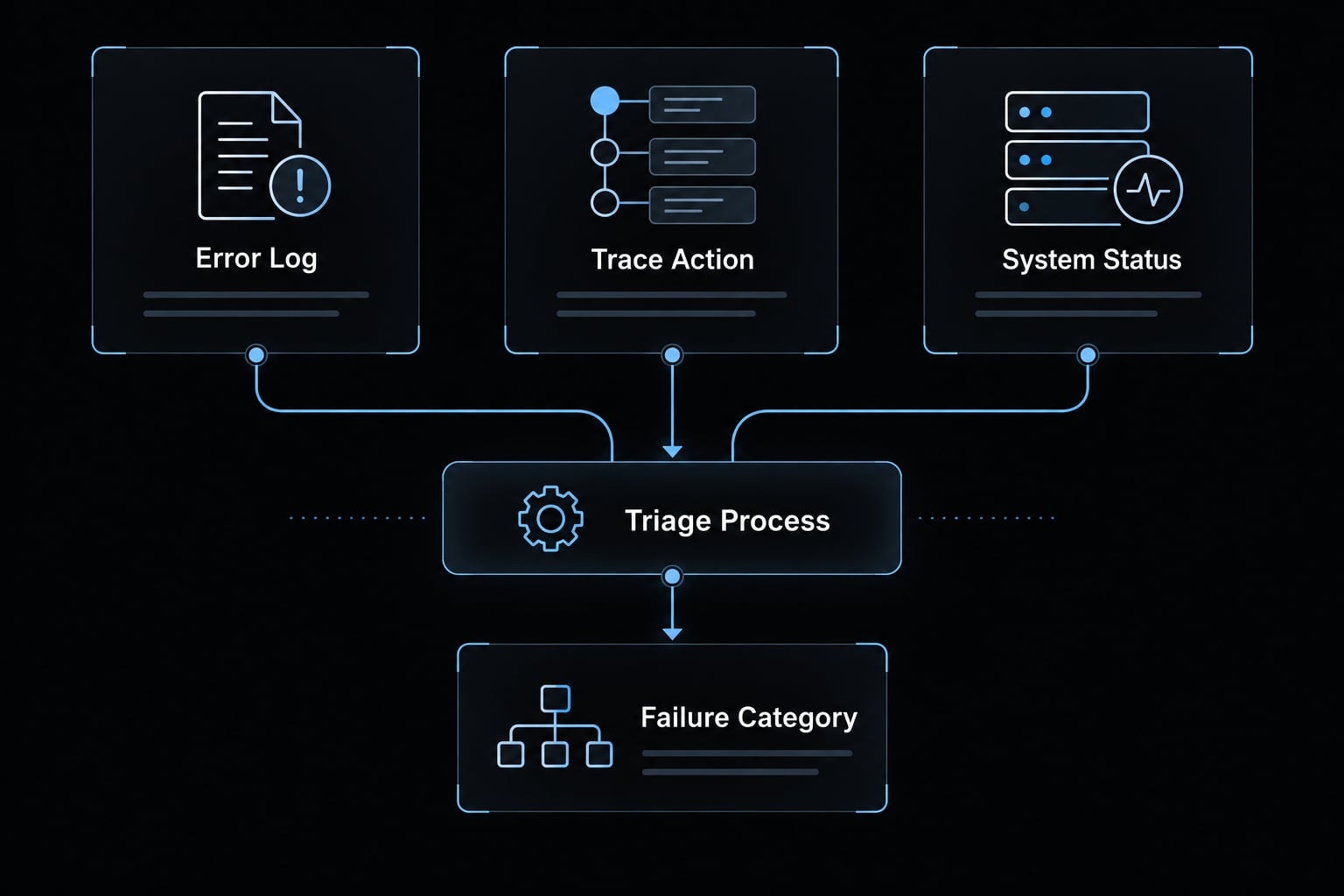
Classify the failure before editing code
Category | Evidence | Response |
|---|---|---|
Product defect | Accepted behavior fails despite valid setup | Propose a separately approved application fix |
Test defect | Incorrect locator, setup logic, or assertion | Correct the test; preserve the contract |
Data defect | Missing user, conflicting workspace, exhausted quota | Repair fixtures, isolation, or cleanup |
Environment defect | Application, service, or configuration unavailable | Restore the environment |
Timing/flakiness | Inconsistent outcomes across comparable runs | Investigate synchronization, state, and dependencies |
Classification is a working hypothesis. Intermittency alone does not establish a timing defect. A Playwright trace may reveal an unexpected redirect or missing element, but the underlying cause still needs investigation.
Use a constrained failure-diagnosis prompt
Analyze this selected test failure without editing files.Return:1. Proposed failure category and supporting evidence.2. Artifacts actually inspected; identify unavailable artifacts.3. Missing evidence and assumptions.4. Smallest justified fix and exact files affected.5. Confirmation that acceptance criteria remain unchanged.Do not remove, weaken, or replace assertions solely to pass.Request separate approval for application changes, dependencychanges, or destructive commands. Wait for approval before edits.
After approval, apply only the justified change and rerun the selected scenario. Record the failing assertion, inspected evidence, approved diff, and rerun result.
This controlled diagnosis-and-rerun loop is not unrestricted repair. Repeated passes help investigate flaky tests but cannot prove their absence.
Apply guardrails for reliable Claude-generated E2E tests
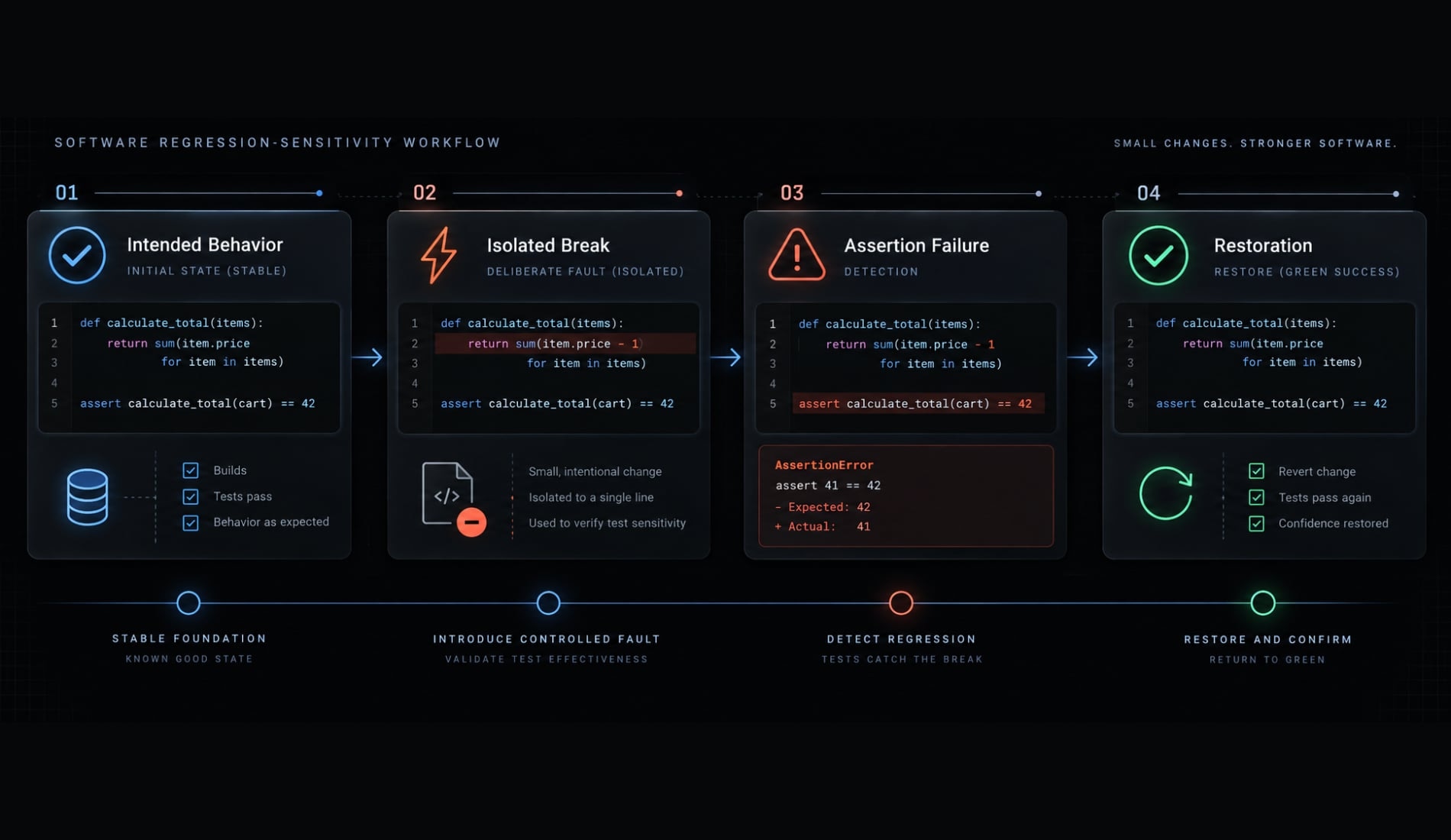
A green result is useful only if the test can detect the regression it claims to protect. Perform a regression-sensitivity check in a disposable branch or environment.
Deliberately break the accepted project-creation behavior. Confirm the test fails for that specific reason, restore the implementation, and confirm the test passes. Never merge the deliberate break or perform this exercise in production.
One negative check does not establish comprehensive coverage. Reliable E2E tests require deterministic assertions—checks against controlled expected outcomes—plus consistent setup, synchronization, and ongoing test maintenance.
Claude Code E2E test review checklist
- Acceptance criteria are documented and approved.
- Assertions verify the observable outcome, not merely successful clicks.
- Locators are stable, specific, and appropriately scoped.
- Web-first assertions and condition-based waiting replace arbitrary sleeps.
- Setup and cleanup control only approved test resources.
- The test does not depend on execution order.
- Credentials and saved authentication state remain protected.
- Failure artifacts are configured, accessible, and reviewed for sensitive content.
- Retries expose instability rather than conceal repeatable defects.
- A safe regression-sensitivity check targets the intended behavior.
- Application changes remain independently reviewable.
- Code, configuration, and commands follow repository conventions.
Playwright’s Isolation documentation explains browser-context separation. That separation does not automatically isolate server-side workspaces, accounts, or database records.
Common mistakes to prevent
- Requesting coverage of the entire application in one generation step.
- Generating selectors before agreeing on expected behavior.
- Accepting CSS paths tied to layout or element position.
- Repairing product code and tests together without independent review.
- Reusing production accounts or customer data.
- Feeding unbounded logs or page dumps into the assistant instead of targeted evidence.
Automatic locator changes also need behavioral review: a new matching element may represent a different action.
E2E coverage complements—not replaces—unit, integration, accessibility, performance, and security testing. A passing project-creation scenario says nothing definitive about untested workflows.
Move validated tests into CI/CD
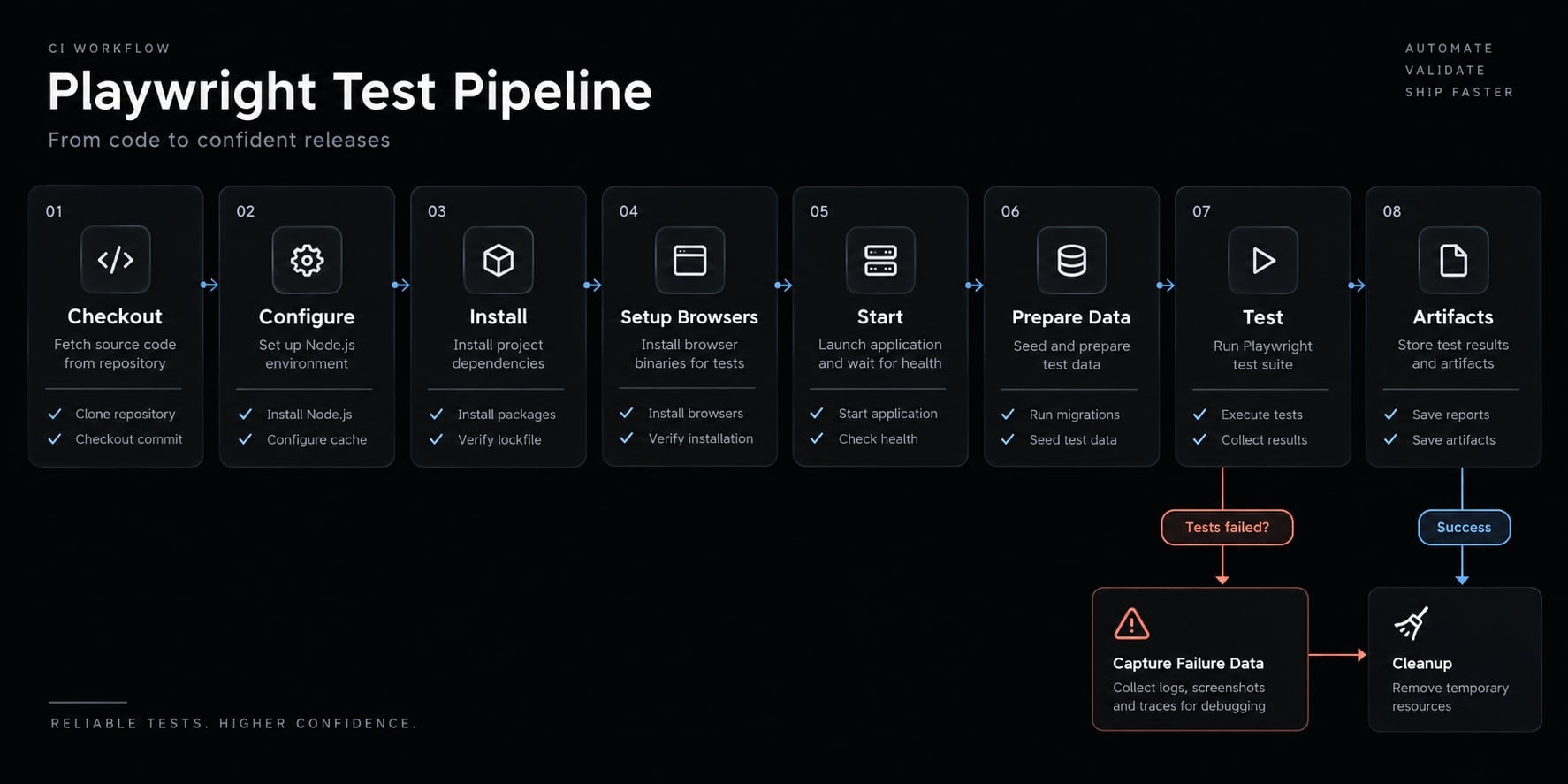
Routine CI runs saved Playwright tests; it does not require Claude Code. CI (continuous integration) belongs within a broader CI/CD pipeline, but running tests does not necessarily deploy software.
Follow the existing repository conventions:
- Check out the repository.
- Configure its supported Node.js version.
- Install locked dependencies.
- Install required browsers and system dependencies.
- Start the application or select an approved preview target.
- Wait for readiness and prepare test data.
- Run the validated suite.
- Upload configured reports and failure artifacts, including after failure.
Playwright’s Continuous Integration documentation provides runner guidance. For GitHub Actions, also consult GitHub’s workflow, secrets, and artifact documentation.
Start with small, high-value smoke coverage on pull requests. Run broader suites on merge or a schedule when justified. An ephemeral environment—a temporary environment created for a run—can improve isolation but is not universally required. Always clean up temporary resources.
CI integration prompt:
Inspect existing CI configuration and propose integration of thereviewed Playwright test. Do not edit yet.Preserve the package manager, lockfile, and Node.js convention.Use approved application startup and readiness checks.Prepare isolated test data and scoped cleanup.Load credentials through approved CI secret handling.Run the existing test command.Retain configured diagnostic artifacts after failure, withappropriate access and retention controls.Explain each added command and permission, browser installation,and artifact path. Account for untrusted pull requests.Do not introduce unrelated deployment changes.List proposed files and unresolved assumptions.Wait for approval before editing.
Untrusted pull requests must not receive sensitive credentials. Secret masking cannot guarantee that derived values or artifact contents are safe. Reports, traces, screenshots, and saved authentication state may expose sensitive material; limit collection, access, and retention.
Standardize the workflow across repositories
Reuse the process, not repository-specific assumptions. Package inspection instructions, acceptance-criteria templates, locator rules, credential boundaries, failure-triage prompts, and CI review checks.
Claude Code project instructions and reusable skills can hold these conventions. Claude Code subagents can separate scoped investigation context, but context separation is not a security guarantee. Apply permissions independently.
AgentKit is an optional packaging layer for repeatable engineering instructions and workflows. Adapt any adopted assets to the repository; this tutorial does not establish a prebuilt Playwright integration or validated testing kit.
Frequently asked questions
How does Claude Code assist with E2E testing?
Claude Code automates the test-generation cycle by inspecting repository code, generating browser-based test scenarios, and executing them. It can help analyze the artifacts it can actually access and propose a failure category as a working hypothesis — identifying which evidence was unavailable rather than inferring around it.
Do I need to be an expert in Playwright to use this workflow?
No, but basic familiarity is beneficial. Claude Code can generate Playwright scripts and handle configuration. However, you must define the acceptance criteria and review the agent's proposed changes to ensure the test correctly validates your specific business requirements and intended user flow.
Can Claude Code fix failing tests?
Not automatically. It classifies the failure, proposes the smallest justified change, and waits for your approval. Application-code changes need separate approval, and assertions must not be weakened to make a test pass.
Is Claude Code E2E testing reliable for production?
E2E coverage is one verification layer. A passing scenario is evidence about that scenario — combine it with unit, integration, accessibility, performance, and security testing.
How do I integrate Claude Code tests into a CI/CD pipeline?
You can automate test execution in CI/CD by using your repository's existing script runners. Claude Code helps configure the initial pipeline settings, but routine execution should be managed by your CI platform (e.g., GitHub Actions), running the validated test suite against a stable or preview environment.
Read more:
- Playwright Claude Code testing: Setup to reviewed tests
- How to use Claude Code for QA automation: A practical guide
- Claude Code integration testing: A practical workflow guide
Conclusion
Claude Code E2E testing works best as a reviewed verification loop: Define acceptance criteria, generate a constrained test, inspect the diff, execute with Playwright, and diagnose failures from evidence. Check regression sensitivity before moving coverage into CI.
Engineering judgment remains essential. Generated assertions can miss requirements, isolated browsers can share backend state, and repeated passes cannot guarantee reliability. Preserve the contract when correcting failures, and treat every passing result as evidence about a specific scenario.
Choose one critical user journey, complete the five-row contract, and reuse the review checklist before expanding this reusable workflow.