Vibecode iOS: A practical guide to vibe coding iOS apps
Searching for "vibecode iOS" reveals two things: Vibecode, the AI app-building platform, and "vibe coding," the practice of guiding development through natural language. While AI can transform feedback and error logs into working code, a generated UI is not a fully tested product. This guide breaks down the essential tools, a seven-step workflow, common pitfalls, and pre-release checks using a local-only routine tracker as an example.
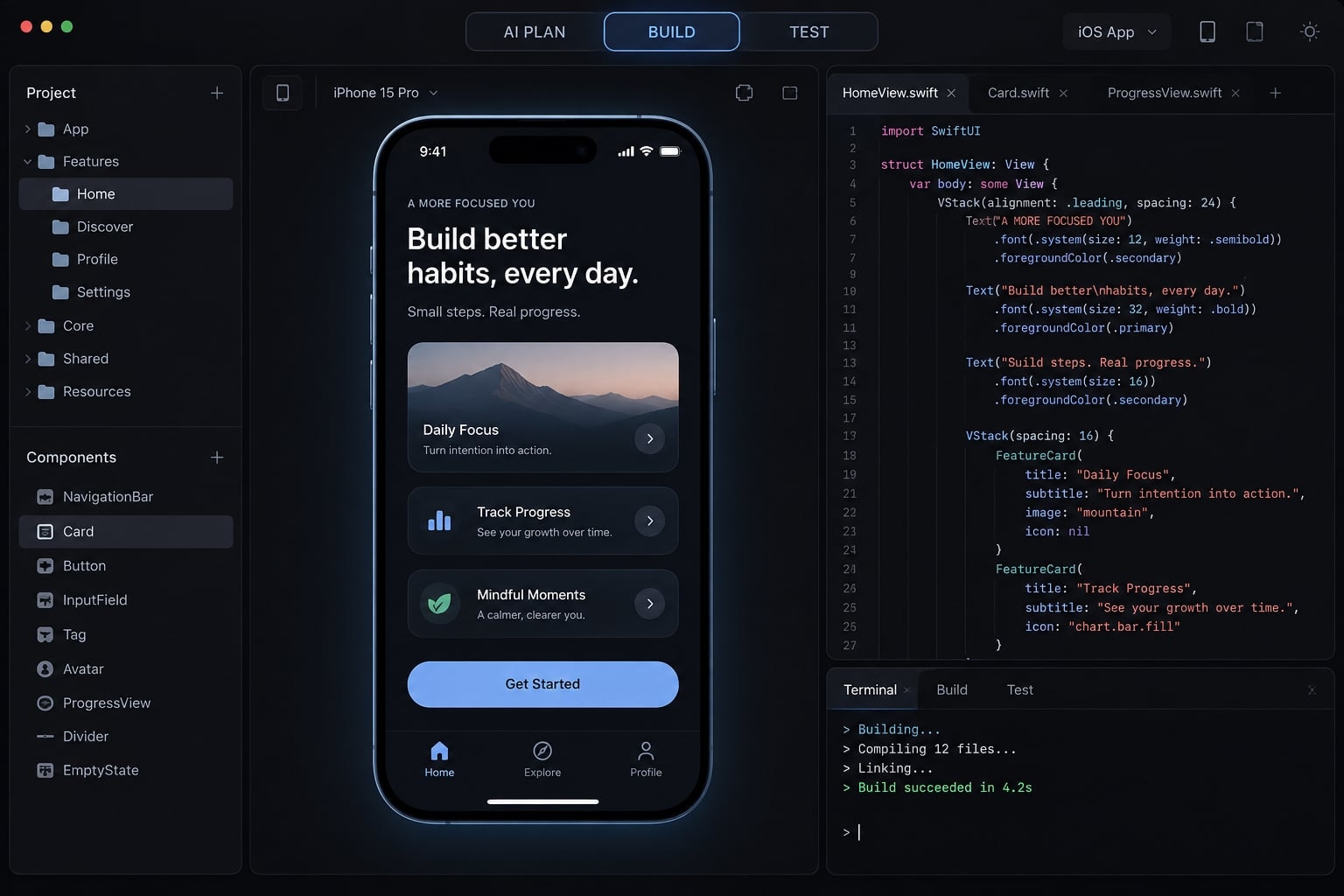
What is Vibecode iOS development
Vibecode iOS usually refers to either building iPhone apps through conversational AI assistance or using the named Vibecode platform. In the broader practice, an AI coding assistant generates and revises code from instructions. The builder still decides what to build, checks observed behavior, and accepts responsibility for the result.
These approaches overlap rather than forming exclusive categories:
Approach | Meaning |
|---|---|
Vibe coding iOS | Prompt-led, AI-assisted iOS development |
Named AI app-building platform; current capabilities require checking | |
Traditional iOS development | Engineering-led development that may also use AI |
No-code app building | Visual or configuration-led building; export options vary |
“Vibe coding” has no universally accepted technical definition. Some people mean accepting generated code with minimal inspection. Others mean a disciplined workflow with specifications, tests, and review. This guide recommends the latter. For the Vibecode platform, consult its official product documentation before relying on particular export, build, or publishing features.
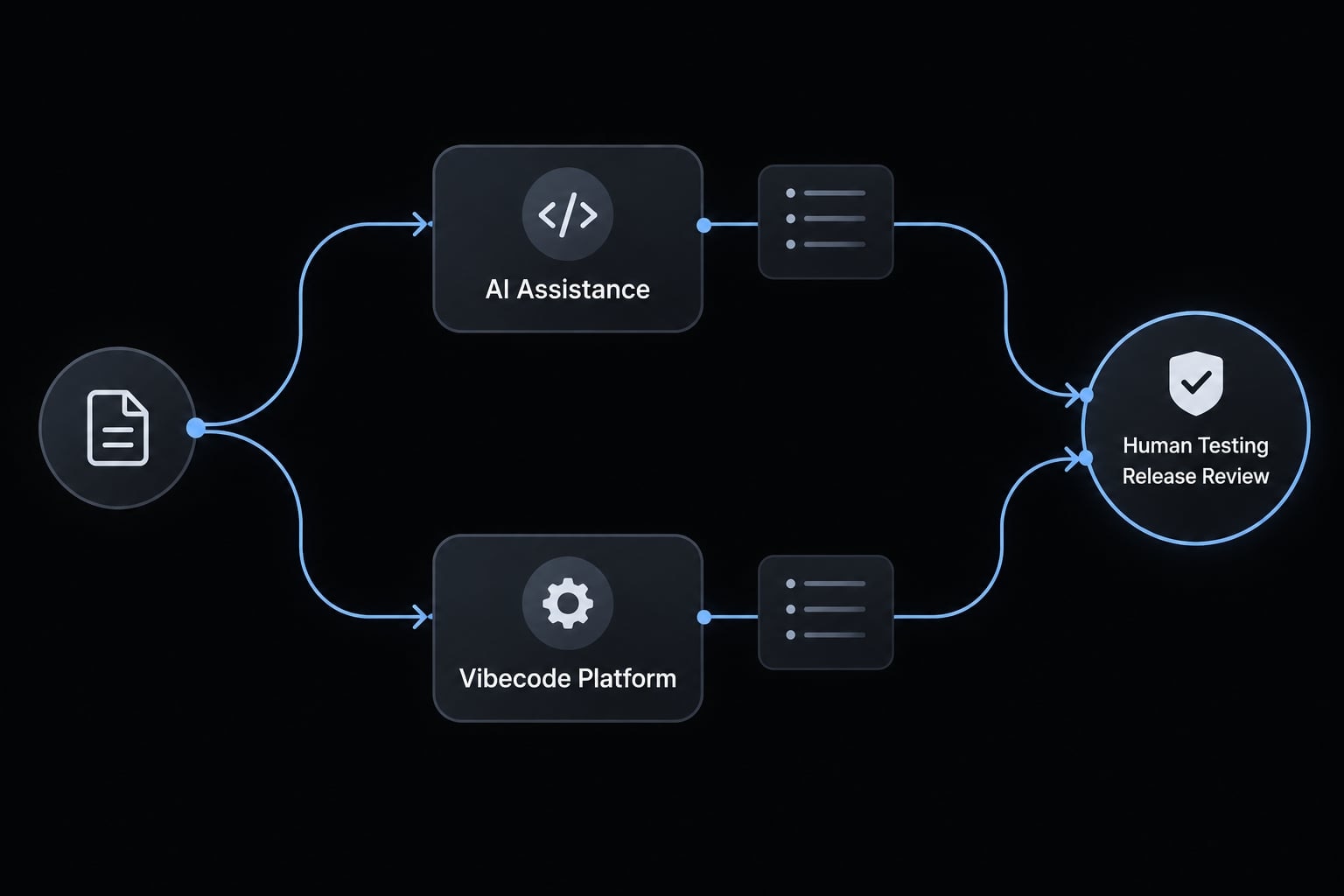
What AI does in an iOS project
- Drafts views and supporting logic.
- Explains code and compiler errors.
- Suggests implementation plans.
- Drafts tests and documentation.
- Revises changes using observed feedback.
What AI does not remove
- Product validation.
- Scope and user-experience decisions.
- Privacy and security verification.
- App Store compliance.
- Maintenance and support.
The key workflow is prompt → change → observed result. Remember: Generating code is not the same as verifying it.
What you need to vibe code an iOS app
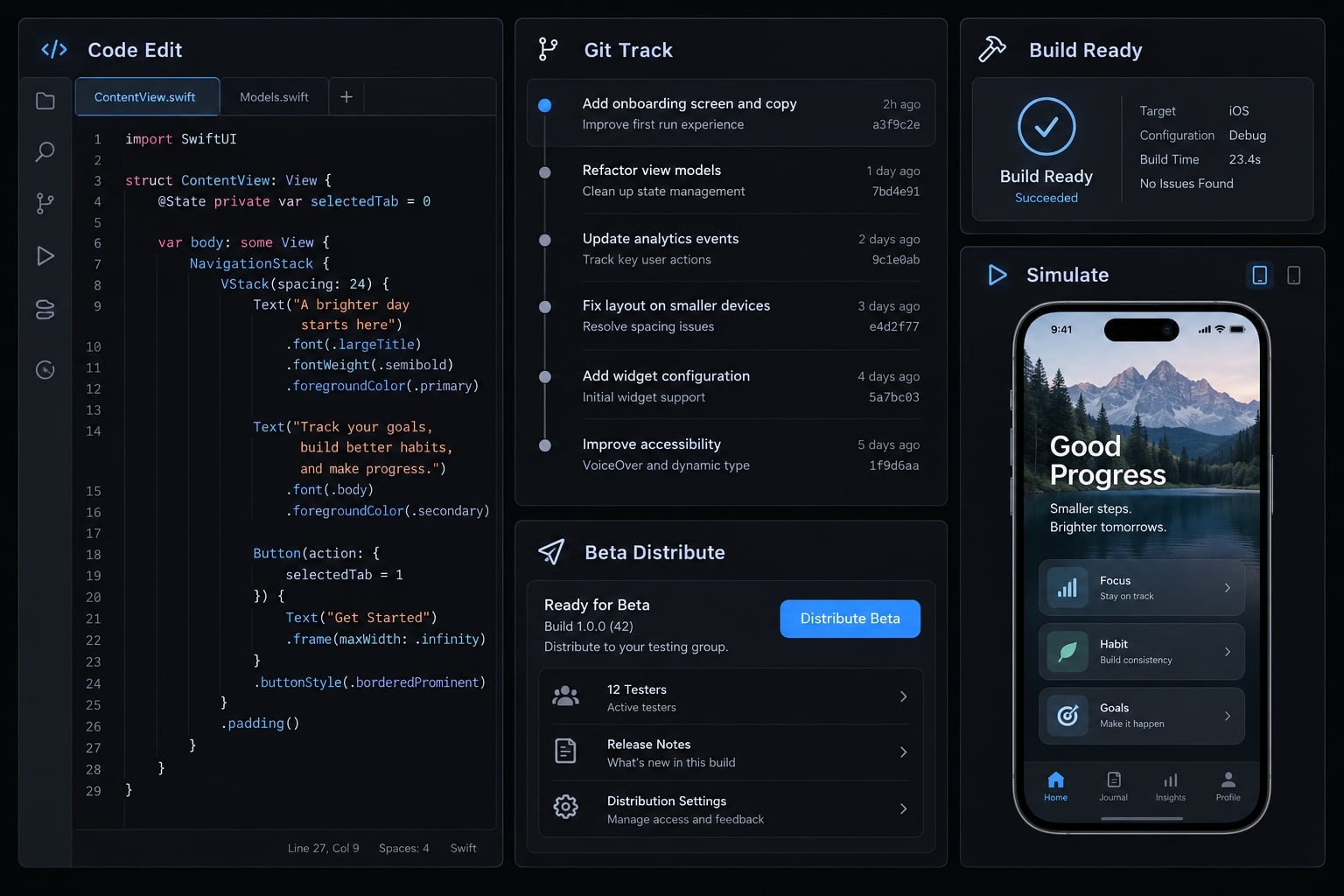
Start with one suitable assistant, a build environment, version control, and testing tools. You do not need every product below.
Tool/component | Role | Best fit | Limitation |
|---|---|---|---|
Xcode and supported Mac | Build, debug, sign | Local native development | Check macOS compatibility |
Cursor or comparable AI editor | Edit source with AI | Editor-centered work | Not the Apple build toolchain |
Claude Code, Codex, or GitHub Copilot | Alternative coding assistance | Different interaction styles | Permissions and capabilities vary |
Git; GitHub optional | Track changes; optionally host repositories | Recovery and collaboration | Not correctness verification |
iOS Simulator | Run simulated devices | Frequent functional checks | Not physical hardware |
TestFlight | Distribute beta builds | Representative user testing | Distribution setup required |
Vibecode or managed builder | Managed creation workflow | Reduced local setup | Verify export and publishing support |
Xcode is Apple’s development environment. Swift is a programming language; SwiftUI is Apple’s declarative interface framework.
Git tracks changes. GitHub optionally hosts a repository; it is not required to use Git.
Managed builders and cloud build services can change the hardware workflow. Check code export, signing, builds, and publishing individually.
Apple Developer Program enrollment is needed for TestFlight and App Store distribution. Limited local learning and personal-device testing have different requirements. Consult Apple’s Xcode support information and developer membership documentation.
Native SwiftUI or cross-platform?
Choose SwiftUI for an Apple-focused app and native integration. React Native/Expo can suit shared iOS and Android development. Cross-platform tools do not bypass Apple signing or review. Neither path is universally easier.
Minimum knowledge a beginner still needs
- Understand screens, navigation, and state: Information controlling current app behavior.
- Understand persistence: keeping information after the app closes.
- Run a build and reproduce a defect.
- Inspect change summaries and restore working versions.
- Recognize permission and data-handling decisions.
How to vibe code an iOS app step by step
This illustrative walkthrough follows a native SwiftUI path, not platform-specific Vibecode instructions. The app helps an individual agency operator record nonsensitive work routines locally. It has no employee monitoring or shared reporting. Each step produces an artifact you can inspect:
- Validate one specific problem.
- Limit the first version to three screens.
- Write a one-page specification.
- Approve an implementation plan.
- Build and test individual features.
- Record behavior beyond compilation.
- Gather beta feedback before public release.
Step 1 - Validate one specific problem
Start with one person, recurring task, and expected benefit:
For an agency operator, the app helps with remembering personal work routines through daily completion tracking.
Ask prospective users how they currently manage that task and what fails. A few conversations can expose weak assumptions; they do not conclusively validate demand.
Output: A problem statement and a reason to test the idea.
Step 2 - Reduce the first version to three or four screens
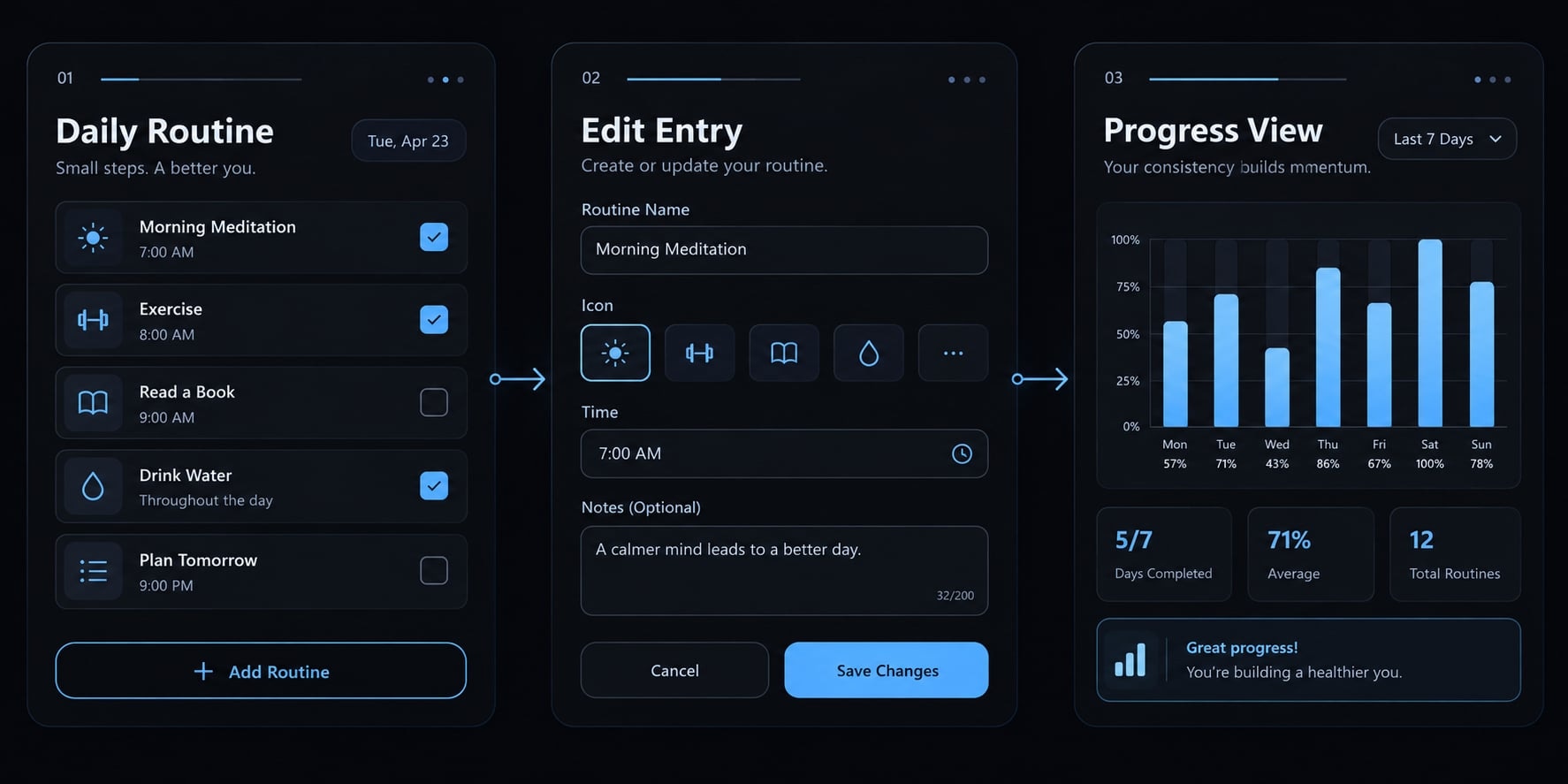
Three or four screens is a scoping heuristic, not a technical limit. Use exactly these three:
- Routine list: View routines and mark daily completion.
- Add/edit routine: Create or rename a routine.
- Seven-day progress history: Review recent completions.
Exclude customer data, authentication, analytics, subscriptions, cloud sync, employee monitoring, and shared team reporting.
Step 3 - Create a one-page project specification
The deployment target is the oldest supported iOS version, not your installed Xcode version. Select one compatible with the APIs-software interfaces-you intend to use.
Create a SPEC.md project document:
User/problem: Individual tracking nonsensitive work routines.Platform: iPhone, SwiftUI.Deployment target: [Choose supported iOS version].Screens: Routine list; add/edit; seven-day history.Behavior: Create, rename, complete/uncomplete today.Data: Stable routine ID, title, completion dates; local storage.Constraints: No network, analytics, accounts, or unapproved dependencies.Design: Clear labels, larger text, Dark Mode, VoiceOver.Acceptance: Saved data survives relaunch; no duplicate daily completions.Protected: Signing, permissions, dependencies need approval.Excluded: Customer data, monitoring, sharing, subscriptions, cloud sync.
Define “today” using a consistent calendar and time-zone policy. A specification helps only if the assistant loads or receives it. Documentation is guidance, not an automatic security control.
Step 4 - Ask the AI to plan before it codes
Request assumptions, ordered tasks, affected files, dependencies, risks, and tests before editing. A compact implementation plan might be:
- Define routine records and local persistence.
- Implement the list and add/edit behavior.
- Add daily completion and seven-day history.
- Check persistence, date boundaries, and accessibility.
Approve the plan before implementation. Reject unnecessary accounts, packages, or abstractions.
Output: A bounded task list with observable acceptance checks.
Step 5 - Build and test one feature at a time
Use this loop: Request → inspect changes → build/run → test → commit
A commit is a recorded Git checkpoint. Save working increments, not just the final result. For a hypothetical persistence failure, provide a reproducible bug report:
Steps: Add “Review tomorrow’s priorities,” tap Save,terminate the app, then relaunch.Expected: The routine remains.Actual: It appears after Save but disappears after relaunch.Evidence: [Attach observed logs or screenshots; redact sensitive data.]Inspect loading and saving. Explain the cause.Propose the smallest justified fix; avoid unrelated changes.
A proposed change summary could read: “Connect Save to persistence; load records at launch; add a relaunch check.” It remains unverified until tested.
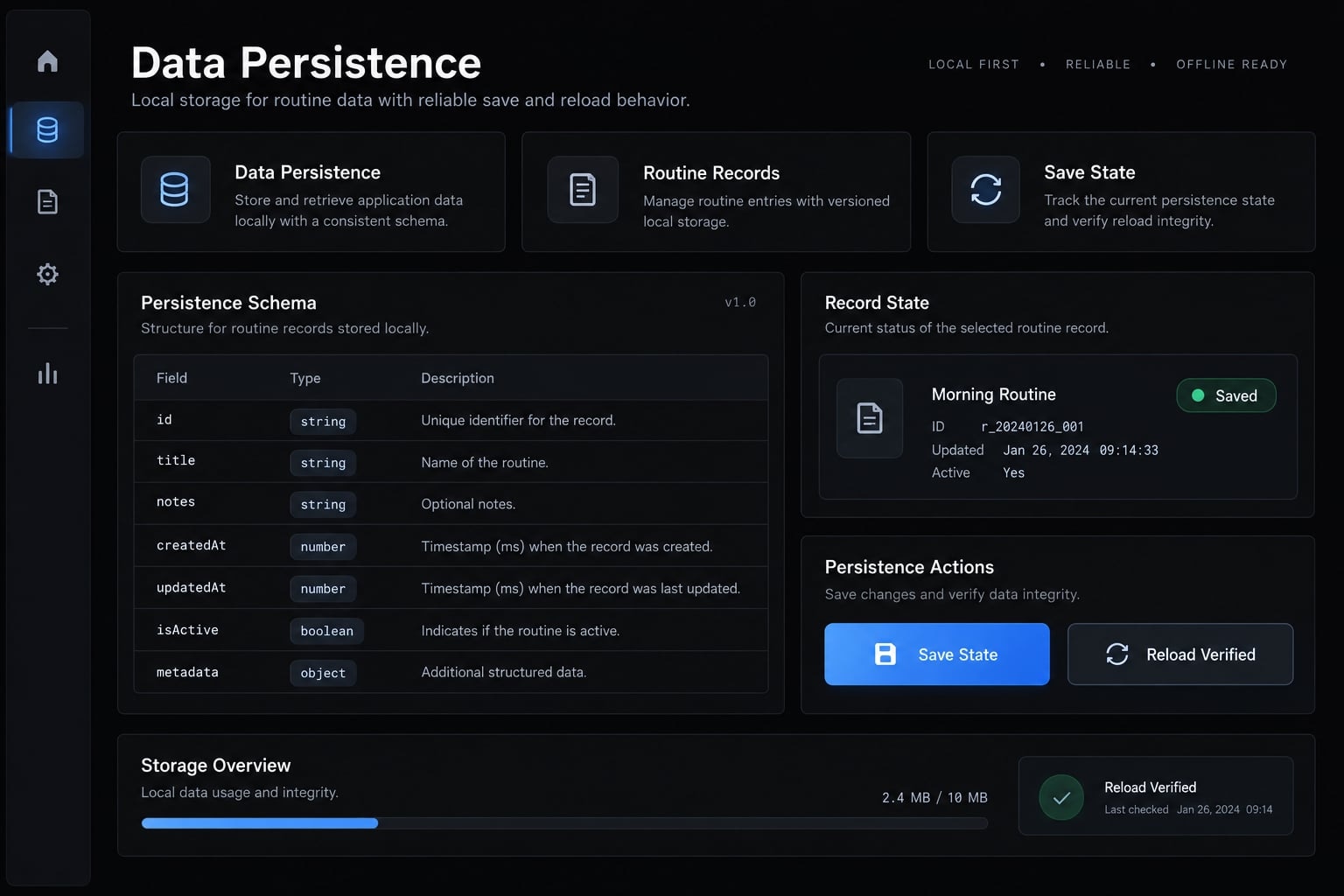
Git supports recovery; it does not prove correctness.
Step 6 - Review the app beyond “it compiles”
Check first launch, empty state, invalid input, repeated completion taps, and save/relaunch behavior. Also inspect small screens, larger text, Dark Mode, offline operation, and a supported physical device. Record test date, Xcode version, deployment target, device configuration, and remaining limitations.
Feature | Expected result | Actual result | Status |
|---|---|---|---|
Save/relaunch | Routine remains | Not executed | Pending |
Repeated completion | One completion per date | Not executed | Pending |
Larger text | Controls remain usable | Not executed | Pending |
This is a test-log template, not execution evidence. If an agent cannot run the app, its report must say so. A drafted test is not a passed test.
Step 7 - Distribute through TestFlight before public release
TestFlight is the recommended beta workflow here, not a universal prerequisite for submission. Apple’s TestFlight documentation explains distribution and review procedures.
Recruit representative testers. Observe the main task and record crashes, data loss, blocked flows, and confusion in a release backlog.
AI-generated code can be submitted to the App Store if the final app meets Apple’s technical, privacy, content, and review requirements.
Eligibility does not guarantee approval. External TestFlight testing may involve beta review under Apple’s current process; beta acceptance does not guarantee final approval.
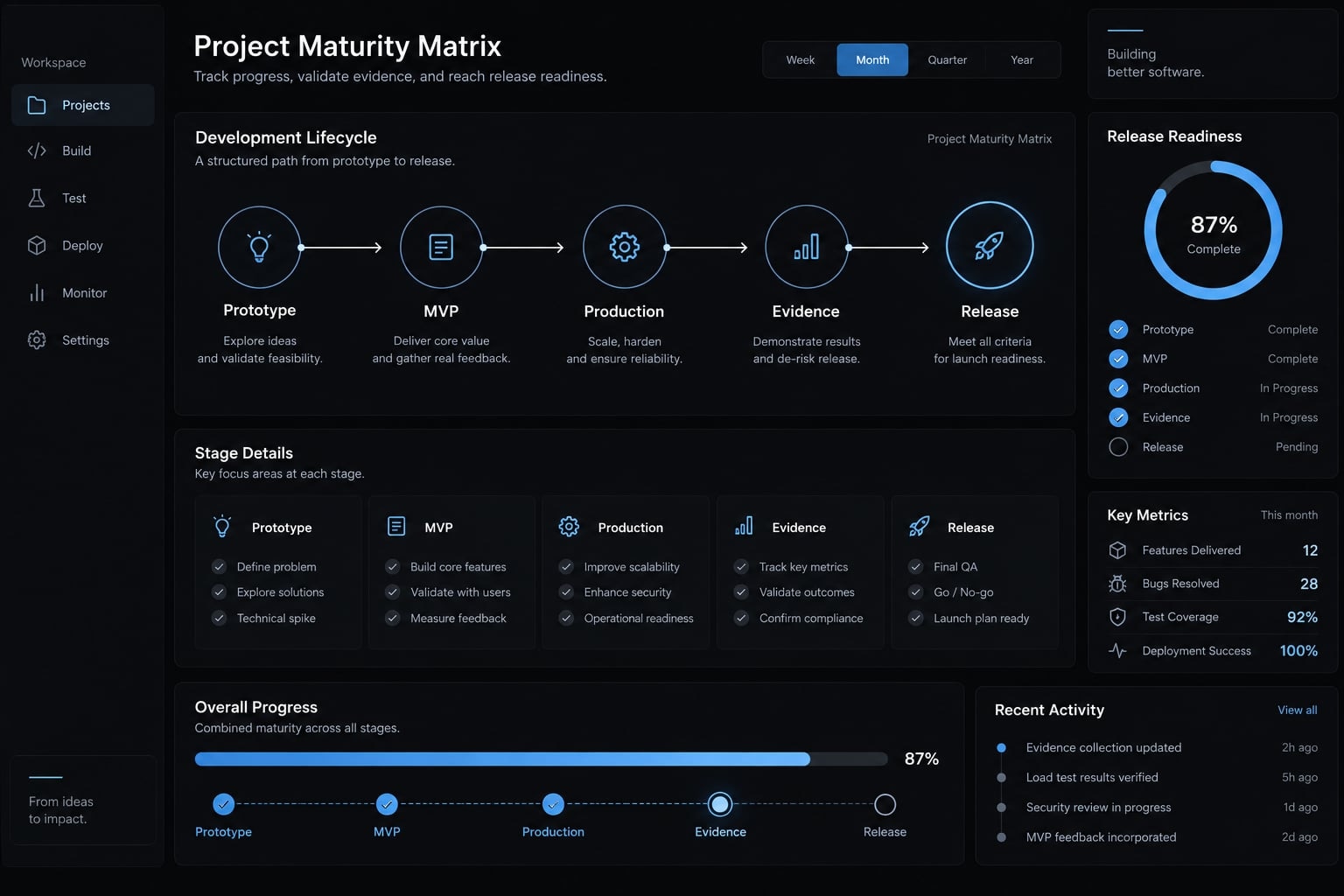
Prototype, MVP or production app-What has actually been built?
A polished interface proves less than a repeatable, tested user journey. Product maturity depends on evidence, not screenshots or user count. An MVP (minimum viable product) narrows scope to test value. It can be public or paid; it does not waive privacy or security responsibilities.
Criterion | Demo/prototype | Production app | |
|---|---|---|---|
Purpose | Explore an idea | Validate core value | Deliver dependable value |
Users | Exploratory testers | Intended early users | Supported audience |
Testing | Selected scenarios | Core flows and risks | Broader, maintained checks |
Data handling | Prefer dummy data | Protect actual data | Ongoing controls and lifecycle |
Error handling | Gaps identified | Core failures addressed | Recovery and support |
Accessibility | Early evaluation | Core-task usability | Supported-use verification |
Review | Concept feedback | Targeted review | Risk-proportionate review |
Distribution readiness | Limited demonstration | Intended channel prepared | Release process maintained |
AI usage | Draft implementation | Reviewed changes | Controlled, traceable changes |
These are practical distinctions, not certifications. A prototype using sensitive data still needs protection. App Store approval does not certify security. For the routine tracker, local storage does not mean data is disposable or recoverable. Explain deletion and backup limitations before users depend on it.
Effort depends on scope, integrations, builder experience, data sensitivity, defects, user feedback, and release preparation. Fast to generate, slower to validate is a useful expectation-not a schedule. A production-ready iOS app needs evidence appropriate to its consequences and intended use. A later feature or operating-system change can invalidate earlier assumptions. Release readiness is contextual, not permanent.
Common iOS vibe coding mistakes and how to avoid them
Large, unreviewed changes make defects difficult to isolate. Better prompts help, but they cannot guarantee good code. Architectural debt means accumulated structural choices that make future changes harder. For a small tracker, duplicated completion state can create this debt without any complex architecture.
Mistake | What happens | Why it matters | Human correction |
|---|---|---|---|
Entire app in one prompt | Many coupled changes | Hard to isolate failures | Request one behavior |
Unexplained large changes | Scope expands silently | Hidden regressions | Require a diff and summary |
Vague bug reports | Assistant guesses | Wrong fixes | Provide reproduction steps |
Missing project context | Conflicting assumptions | Rework | Supply specification and decisions |
Outdated API suggestions | Incompatible implementation | Build or runtime failure | Check Apple documentation |
No physical-device testing | Hardware issues missed | Real-use defects | Test supported hardware |
Embedded privileged secrets | Credentials extractable | Unauthorized access | Keep confidential credentials server-side |
Sensitive features too early | Risk expands | More safeguards needed | Defer or obtain review |
Compilation equals validation | Behavior unchecked | Data loss or unusability | Execute acceptance tests |
Store requirements checked late | Release blockers emerge | Rework or rejection | Review requirements early |
A diff shows changes between versions. Read it alongside the change summary rather than approving a description alone. Not every API identifier is confidential. Public client identifiers differ from privileged backend credentials, which must stay out of distributed client code. Match review to actual data and consequences:
Tier | Example | Review direction |
|---|---|---|
Lower | Nonsensitive local utility | Careful testing; recoverable changes |
Moderate | Accounts, sync, analytics, subscriptions | Integration and data-handling review |
Higher | Sensitive health/financial data, children’s data, precise location, regulated functions | Qualified engineering, security, privacy, and domain review |
A health reference app differs from one making clinical recommendations. A local-only app can still contain sensitive information.
AI explanation is not an independent security audit. AI code review can identify issues, but confident output should not replace qualified judgment.
iOS App Store readiness checklist
Apple’s App Review Guidelines govern review requirements. Its Human Interface Guidelines inform interface design; not every recommendation is a universal review mandate.
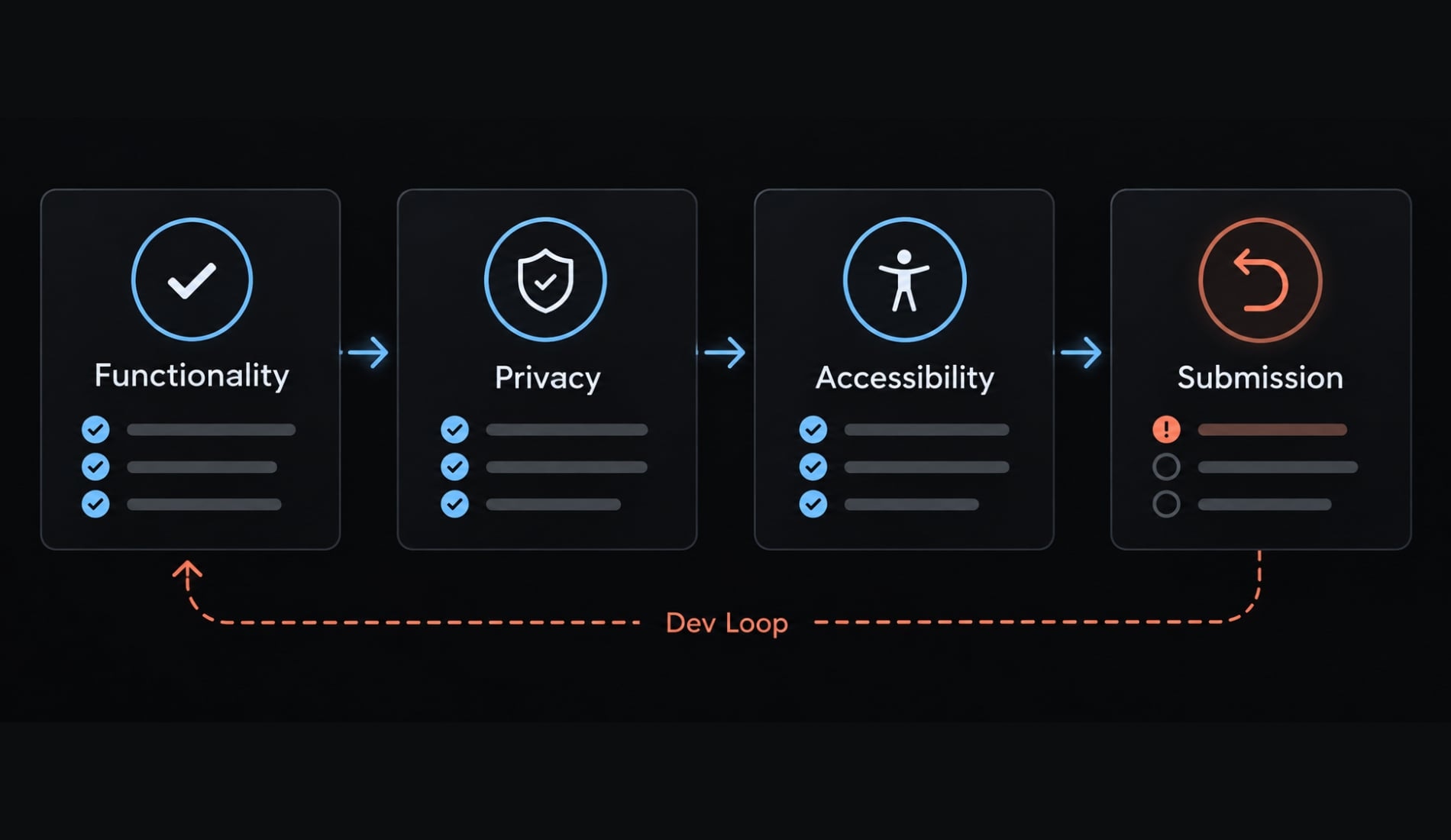
Use this checklist to verify the earlier risks are addressed. Conditional requirements apply where relevant, and completion does not guarantee approval.
Product and functional checks
- Main user journey works end to end.
- Expected usage has no known crashes.
- Required data survives relaunch.
- Empty, invalid, denied-permission, and relevant offline states work.
- Destructive actions offer suitable confirmation or recovery.
- The app provides meaningful functionality.
For the tracker, verify creation, editing, daily completion, and history together—not only as isolated screens.
Privacy and security checks
- Request only necessary permissions with accurate explanations.
- Privacy declarations reflect app and third-party SDK behavior.
- No privileged backend secrets appear in client code.
- Transmission, storage, and access controls match actual risks.
- Account deletion is implemented where Apple requires it.
- Applicable privacy-manifest and required-reason API requirements are checked.
An SDK is a software development kit that may introduce third-party behavior. App Store privacy disclosures describe data practices to users. Privacy manifests provide structured information used in Apple’s privacy tooling; they are not interchangeable.
Device and accessibility checks
- Supported layouts work on physical hardware.
- Larger text does not hide essential controls.
- Labels and VoiceOver behavior are meaningful.
- Touch targets remain usable.
- Relevant appearance and orientation behavior works.
Apple’s Human Interface Guidelines provide the design reference. Accessibility needs observable checks, not an assistant’s assurance.
Submission and store asset checks
- Metadata, screenshots, and age-rating responses are accurate.
- Signing, bundle identifier, version, and build are correct.
- Support and privacy-policy destinations work.
- Review instructions and necessary test access are provided.
- Beta feedback is assessed; TestFlight is recommended here.
- Current SDK and submission requirements are verified.
- Current App Review Guidelines are checked.
The App Store submission process changes. Consult Apple’s submission requirement notices for the actual release date.
A better way to work with AI coding agents
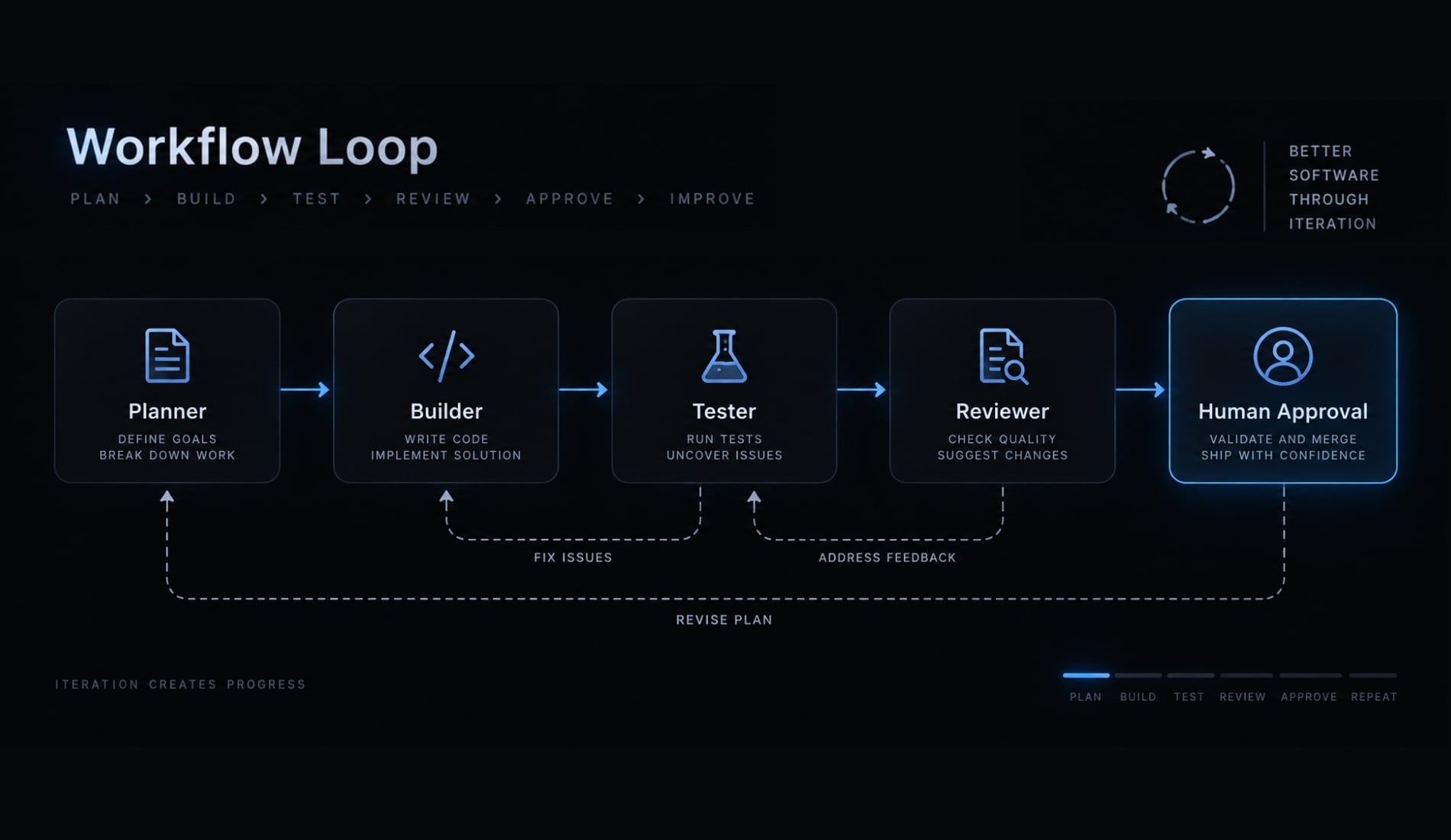
Separate responsibilities before adding more tools. A clear AI agent workflow makes omissions visible and limits changes.
- Planner: Defines scope and acceptance criteria.
- Builder: Makes limited changes against the approved plan.
- Tester: Executes available checks and reports results.
- Reviewer: Examines the diff, risks, and omissions.
- Human: Approves, rejects, or requests revision.
One assistant can perform these roles sequentially. Beginners do not need a complex multi-agent setup.
Context engineering means providing the specification, constraints, decisions, and relevant evidence at each handoff. Passing only “finish the app” loses the information needed for consistent work.
AgentKit is one example of reusable planning, implementation, testing, and review workflows; that does not establish built-in iOS execution or compliance verification. Before accepting a change, require:
- A concise change summary.
- Actual test evidence and unexecuted checks.
- Known limitations.
- A rollback path.
Multiple AI roles can share blind spots. Role separation improves organization, not independent assurance. Keep this approval record with the project so later changes can be evaluated against earlier decisions.
Frequently asked questions
What does "vibecode iOS" mean?
Vibecode iOS refers to two distinct but related concepts. It is the name of an AI app-building platform, and it also describes the broader trend of using agentic AI to write native SwiftUI code for iOS through natural language prompts.
Is vibecode iOS the same as no-code app building?
No. No-code tools build through drag-and-drop interfaces, while prompt-led development produces actual Swift or SwiftUI source you can open in Xcode. Portability still varies by product: managed platforms differ in what they let you export, so check each one's documentation rather than assuming the code is yours to take elsewhere.
Can I really build a production-ready iOS app using AI?
Yes, but it requires more than just prompts. While AI is excellent at drafting views and logic, shipping a production-ready app involves human-led product validation, rigorous testing on physical devices, ensuring App Store compliance, and setting up proper maintenance processes. AI is a tool, not a full replacement for an engineer.
How does Apple's App Store review handle AI-generated code?
Apple allows AI-generated code, provided the final application meets all App Store guidelines regarding functionality, privacy, and security. However, avoid "dynamic execution" patterns-where an app generates and runs new code on the fly-as these often violate App Store Guideline 2.5.2 and can lead to rejection.
What is the biggest mistake beginners make when vibe coding?
The most common mistake is attempting to build the entire app in a single prompt. This causes the AI to lose context, producing many coupled changes that make failures hard to isolate. Success comes from breaking the project into small, manageable screens and features, providing the AI with clear specifications, and testing every increment.
Do I need to be a developer to use AI coding tools?
You do not need to be an expert, but you must understand basic concepts like app state, screen navigation, and data persistence. Even when the AI writes the code, you are responsible for reading the output, debugging errors, and ensuring the final app is secure and usable before submission.
What is the role of an AI coding agent in an iOS project?
An AI agent acts as a collaborator that can draft SwiftUI views, explain compiler errors, suggest implementation plans, and draft unit tests. Whether it can also build or run the app depends on your tools, permissions, and environment. Treat a report that implies execution as a claim to verify: Check that the build and tests actually ran, and require the agent to state which checks it could not execute.
Read more:
- How to publish your vibe-coded app on the Apple App Store
- Vibe code mobile app: Build ideas faster with AI development
- How to vibe code: A practical beginner guide to AI development
Conclusion
The practical answer to “vibecode iOS” is not a single tool or a perfect prompt. It is a controlled workflow: Narrow the problem, specify behavior, approve a plan, make reversible changes, and test observed results. Distinguish generated code from executed tests, and distinguish a working demo from release evidence.
Start with a nonsensitive, local-only utility before introducing accounts or integrations. Add complexity when user needs justify it and you can evaluate the resulting risks.
Create your iOS Vibe Coding Starter Checklist from this guide: save the one-page brief, SPEC.md scaffold, feature-request pattern, bug-report prompt, project rules, testing checklist, and App Store release gate. Use it before accepting your next AI-generated feature-not only before submission.