Vibe coding for dummies: How to build your first app with AI
If you have an app idea but lack programming experience, vibe coding for dummies shows you how to build simple prototypes using plain-language instructions. While AI handles the drafting, you remain responsible for describing behavior, validating functionality, and avoiding unsafe shortcuts. Through a practical exercise—building and testing a personal daily task tracker—this guide shows you how to select a tool, verify essential features, and save recoverable versions safely.
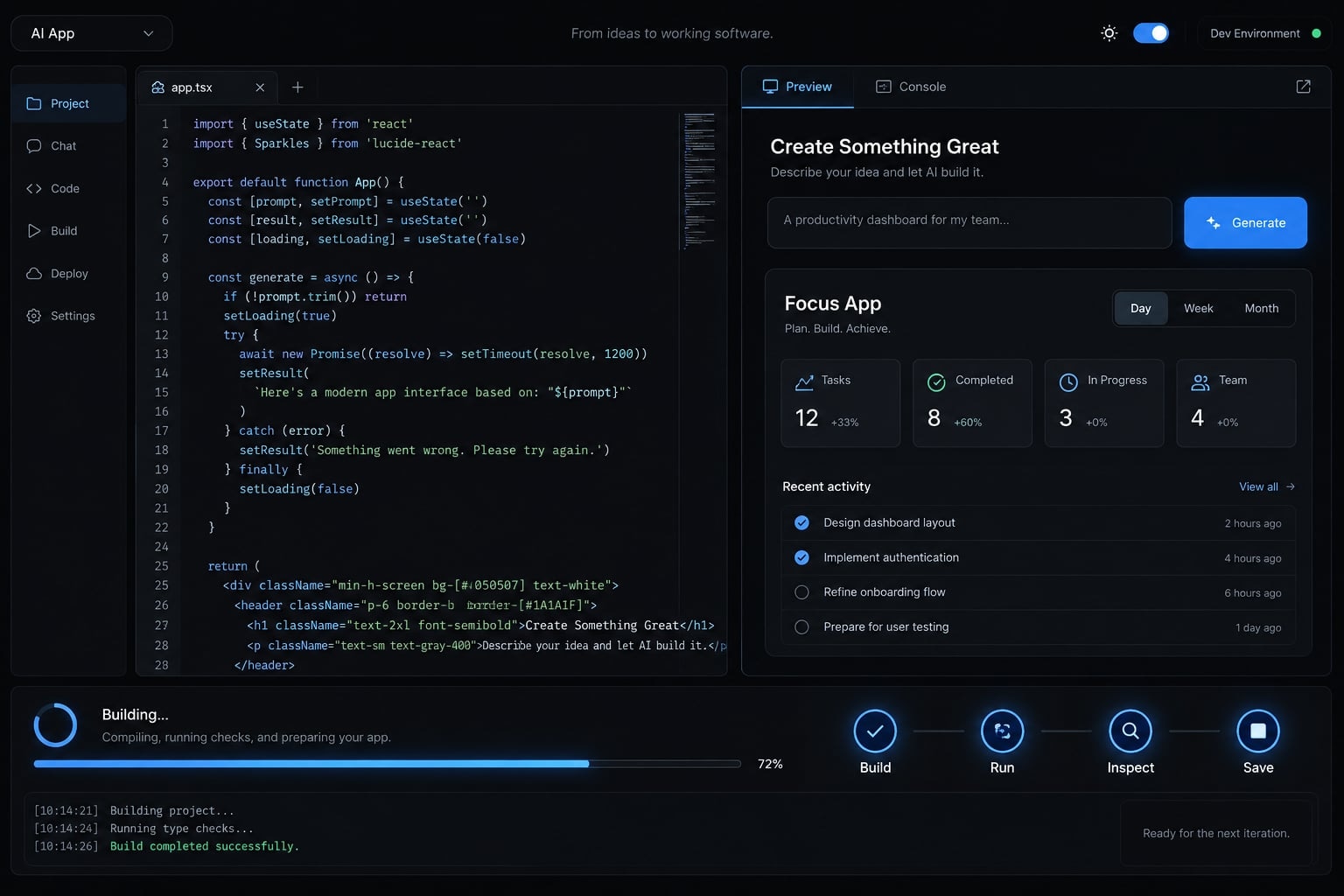
What is vibe coding?
Vibe coding is an informal approach to creating software by describing what you want to an AI tool, then trying the generated result and requesting changes. It can reduce the need to write code manually, but people still need to define behavior, evaluate results, and decide whether the software is appropriate to use.
Andrej Karpathy popularized the term in February 2025, originally describing a completely hands-off approach to generated code. Since then, the concept has evolved into more practical, hands-on applications.
This guide teaches a more controlled form of AI-assisted development: You specify, AI generates, and you check. Not all AI-assisted development is vibe coding.
A simple vibe coding example
Create a daily work-task tracker where I can add, complete, and delete fictional tasks, such as “Prepare sample project brief.”
This describes behavior rather than implementation. The AI translates the request into code; its output still requires inspection.
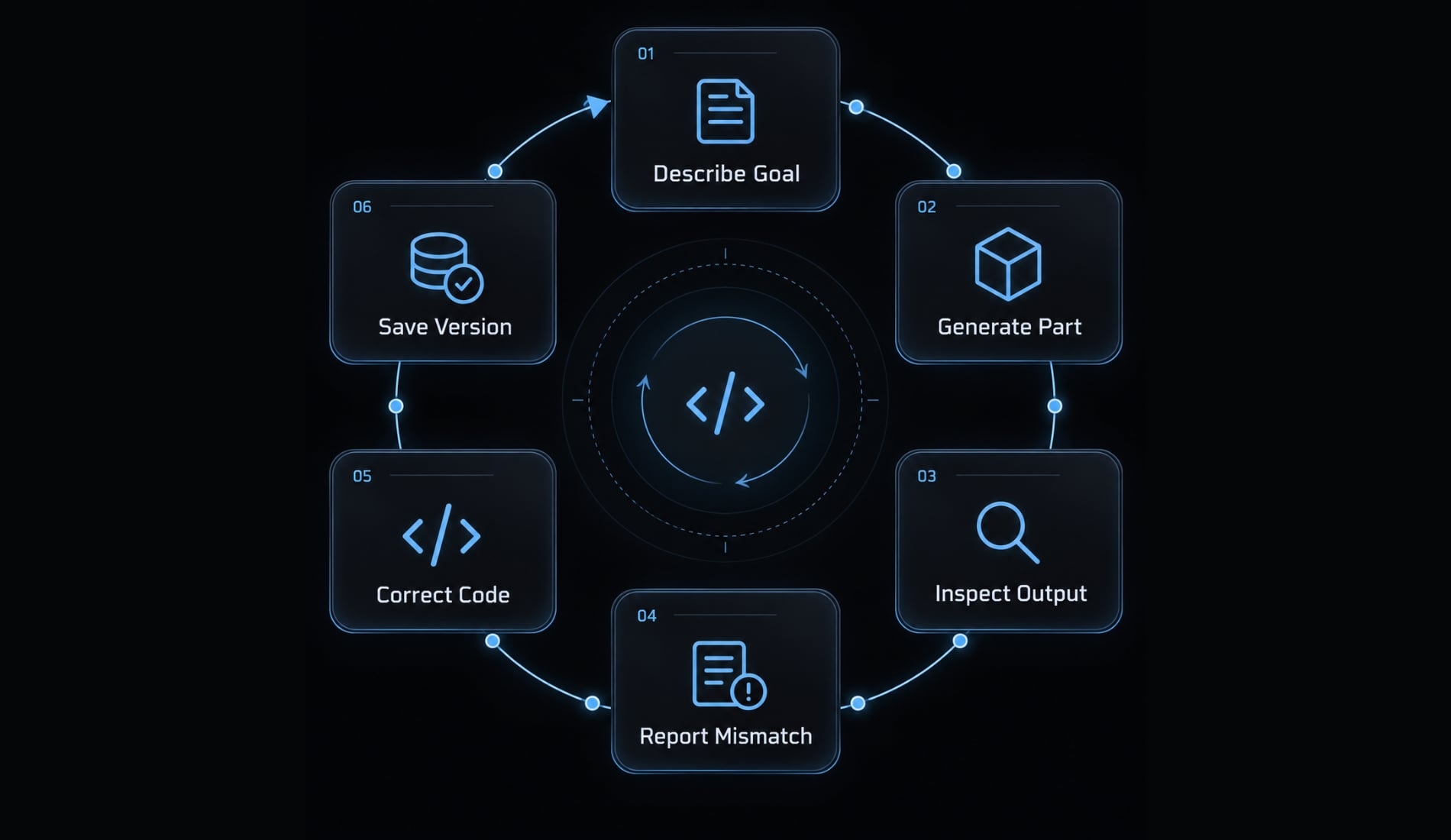
The basic vibe coding loop
- Describe the goal.
- Generate one small part.
- Open and inspect it.
- Report the mismatch.
- Make a controlled correction.
- Save a working version.
Repeat this loop for each small improvement. A convincing screen is a starting point, not evidence that every action works.
Can you vibe code without knowing how to code?
Yes-for simple prototypes, you can start without knowing how to write code. You need to explain your goal, inspect what happens, and recognize when the task exceeds your ability to assess it. Plain-language instructions reduce the syntax burden; they do not remove software logic or responsibility.
A personal experiment differs from an application shared with colleagues or software people depend on. These contexts can overlap. Public availability does not establish readiness.
Vibe coding vs. Traditional coding
Dimension | Vibe coding approach | Traditional coding approach |
|---|---|---|
Input | Plain-language requests | Direct code changes |
User role | Describe and inspect | Implement and inspect |
Starting knowledge | Lower initial coding requirement | Coding knowledge |
Initial speed | Small prototypes may start faster | Depends on experience |
Implementation control | Requires inspecting generated choices | More direct |
Debugging | Report symptoms; inspect fixes | Investigate and edit |
Testing | Essential | Essential |
Release readiness | Requires appropriate review | Requires appropriate review |
Typical fit | Exploration and rapid drafts | Deliberate implementation and maintenance |
Professional developers also use AI. This comparison simply highlights different approaches rather than two separate worlds. Whichever path you choose, final quality ultimate rests on your oversight.
What beginners can realistically build
For vibe coding for non-programmers, favor examples where mistakes have limited consequences.
Good first projects | Not yet without review |
|---|---|
Personal task tracker | Payment processing |
Content idea organizer | Sensitive customer records |
Sample-data follow-up tracker | Complex access permissions |
Internal checklist prototype | Mission-critical operations |
Keep early projects personal and use fictional information.
How to choose a beginner-friendly vibe coding tool
Consider a browser-first builder for this exercise because setup can be simpler. There is no universal answer to “What are the best AI tools for vibe coding?” Choose based on preview access, recovery options, and your comfort with setup.
The categories below are orientation, not a live-verified product comparison. Interfaces, credits, publishing limits, and plan requirements change; confirm details in current official documentation.
Tool decision table
Beginner need | Category | Examples | Setup | Suitable starting use |
|---|---|---|---|---|
Start in a browser | Browser-first builders | Replit, Lovable, Bolt.new | Account and browser | Small interactive app |
Explore screen design | UI-oriented generation | v0 | Browser account | Interface draft |
Work directly with code | AI code editors | Cursor, Windsurf | Editor installation | Guided code editing |
Operate through typed commands | Command-line coding agents | Claude Code | Terminal setup | Developer-led work |
Use a local builder | Local/open-source builders | Dyad | Desktop installation | Local project experimentation |
Categories overlap. Local installation does not necessarily mean model requests or data stay on your device.
Five questions to ask before choosing
- Installation: Can you begin in a browser?
- Preview: Can you test privately, and how does publishing differ?
- Code access: Can you inspect or export the project?
- Recovery: Can you restore earlier versions on your plan?
- Data and cost: What is sent externally, retained, or charged?
Check export, restoration, and publishing separately; one does not imply the others. The illustrative walkthrough uses Lovable as its browser-first example. Exact interface labels and account-tier limits are not verified here, so follow its current documentation rather than assumed button names.
How to build your first app with vibe coding
To learn how to build an app with vibe coding, create one page for one person with three actions: Add, complete, and delete. Use fictional tasks only. Data stays in the app’s temporary memory: Refreshing clears every task. Exclude accounts, payments, analytics, integrations, and sensitive information.
The five steps are:
- Define the outcome.
- Supply context.
- Build small slices.
- Inspect and correct.
- Save a checkpoint.
In Lovable, start a new app project, enter the brief through its prompting interface, and open the generated preview when available. Stop if proceeding requires unclear permissions or unexpected paid features.
Step 1 - Define one small outcome
Use this mini brief:
Brief element | Requirement |
|---|---|
User | One person practicing with fictional tasks |
Problem | Track today’s sample work |
Actions | Add, complete, delete |
Exclusions | Accounts, sharing, permanent storage, integrations |
Start with a planning request:
Plan a one-page personal daily work-task tracker. Its only actions are add, complete, and delete. Ask about ambiguous behavior before building. Do not add features.
Acceptance criteria are the checks that tell you the feature works. Define them before generating the app.
Checkpoint: Your plan has one goal, exactly three essential actions, and no unnecessary features.
Step 2 - Give the AI sufficient context
Add the behavior and scope limits:
Use plain labels, large controls, and a phone-friendly layout. Reject empty or whitespace-only tasks with helpful feedback. Keep tasks only in temporary memory; refreshing must clear them. Do not use browser storage, a database, accounts, payments, analytics, or integrations. Do not send entered task text to an external service. Use fictional data only.
This instruction concerns the generated app. The builder may process your prompts externally under its own data policies.
Checkpoint: Inspect the proposed plan. If it introduces a database, login, or integration, correct that before continuing.
Step 3 - Build in small slices
Request these slices separately:
- Layout: Heading, task field, and clearly labeled controls. They may initially be nonfunctional.
- Add: A non-empty task appears in the list.
- Complete and delete: Only the selected task changes.
- Usability: Readable phone layout and a helpful empty-list message.
Use a narrow request:
Implement only the Add action. Trim surrounding spaces, reject blank input, and display valid tasks. Keep data temporary. Do not redesign the page.
This is iterative development: Building and checking small increments. One change at a time makes failures easier to locate.
Checkpoint: Test each slice before requesting the next.
Step 4 - Run, inspect and correct
Report problems using four details:
- Action taken.
- Observed result.
- Expected result.
- Exact error, if present.
For example—not an observed test result:
I added two tasks, then deleted the second. Both disappeared. Only the second should disappear. No error appeared. Make the smallest relevant fix; do not redesign or change storage.
Remove private details before sharing error messages.
Checkpoint: Reproduce the original action, then retest previously working actions. The AI saying “fixed” is not evidence.
Step 5 - Save a working checkpoint before publishing
Version history provides recoverable project snapshots. Locate the actual recovery controls and verify their availability before sharing anything. Export the project too if supported.
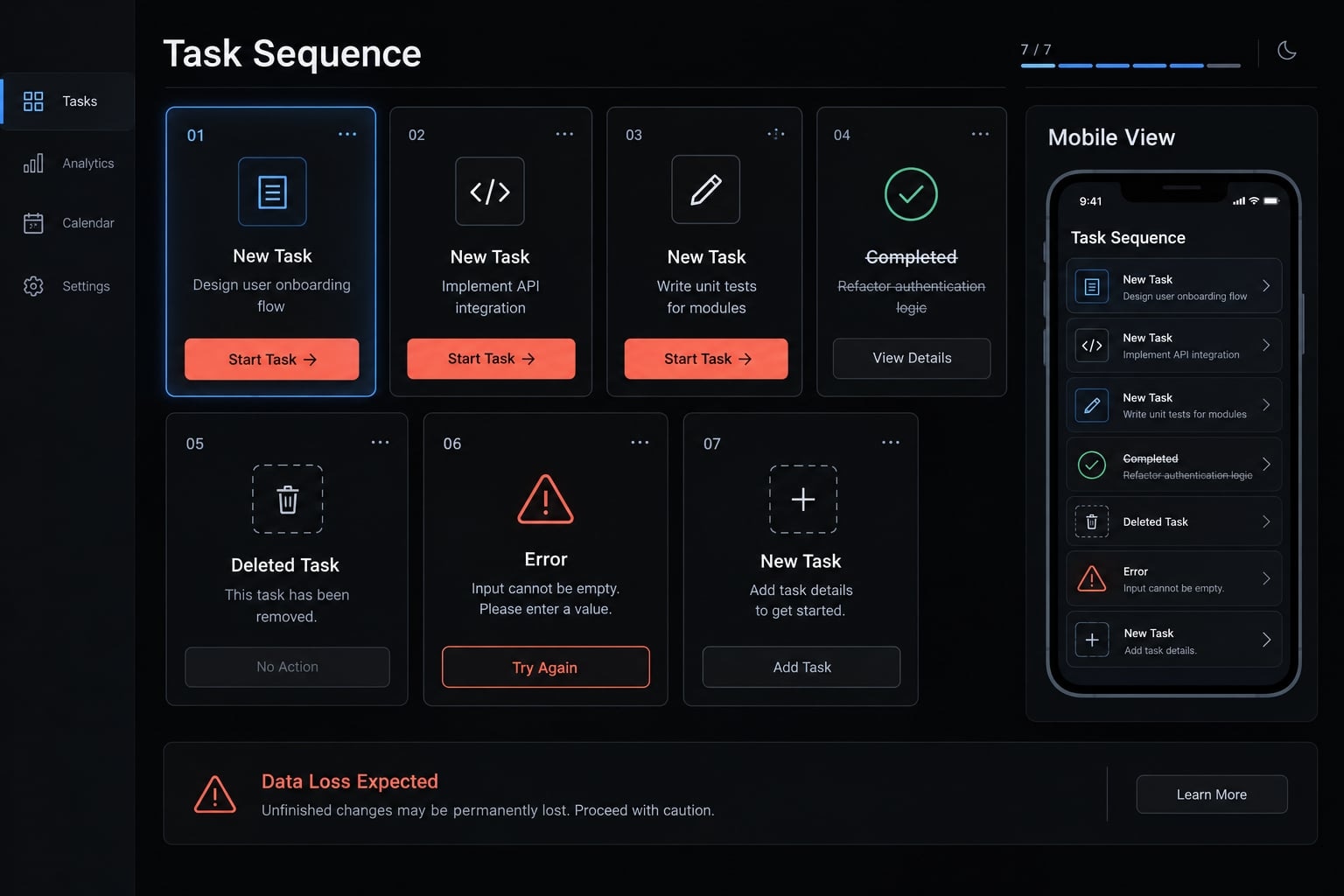
Run this final sequence:
- Add three fictional tasks.
- Complete one.
- Delete another.
- Reject empty input.
- Check the phone layout.
- Refresh and confirm tasks disappear.
- Save a named working version.
Keep a simple recovery log:
Checkpoint: three-actions-working | Checks passed: add, complete, delete, blank input, phone layout, refresh | Restore location: [record actual location]
A checkpoint preserves project state, not necessarily user data.
Checkpoint: Know which version to restore and how. Publishing makes the app accessible to others; passing these checks only supports considering a low-risk demonstration. Apply the safety checklist below first.
Use the G.U.I.D.E. framework to write better vibe coding prompts
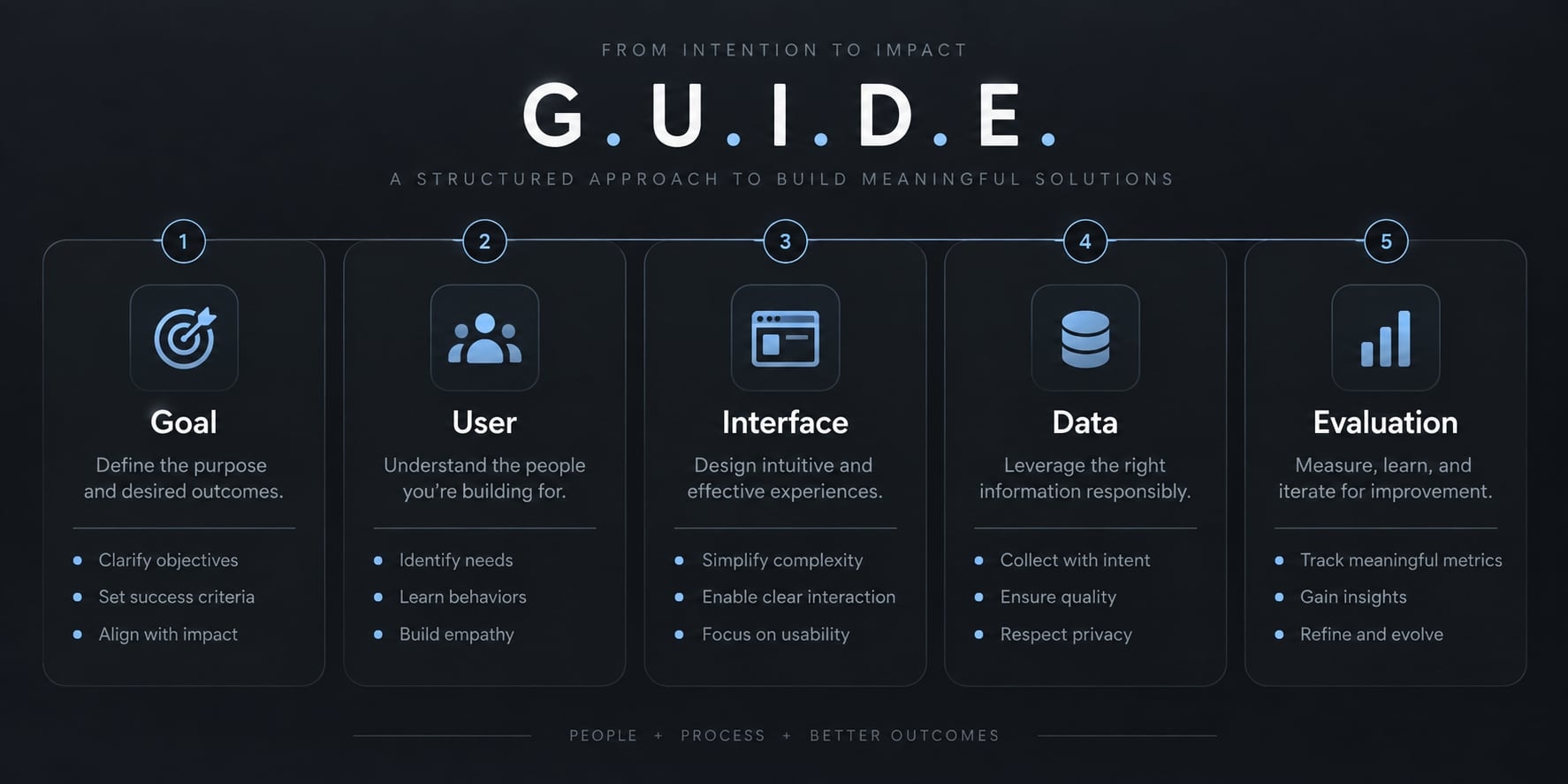
G.U.I.D.E. is an editorial mnemonic used in this guide, not an established industry standard. It organizes prompt design around details a beginner can describe and verify.
The G.U.I.D.E. prompt framework:
- Goal: What outcome should the app achieve?
- User: Who will use it?
- Interface: Which screens and controls are needed?
- Data: What is entered, changed, stored, or discarded?
- Evaluation: Which observable checks establish completion?
Add exclusions to prevent the AI from expanding the task.
Copyable template
Goal: Help [user] achieve [one outcome].User: [person and situation].Interface: [screens, controls, accessibility needs].Data: [inputs, changes, storage, deletion, refresh behavior].Evaluation: When I [action], I should observe [result].Exclusions: Do not add [unneeded features or services].Ask before making assumptions that change this scope.
Completed task-tracker example
Goal: Track fictional daily work tasks.User: One person practicing privately.Interface: One phone-friendly page with a labeled input,Add button, and Complete/Delete controls.Data: Task text and completion state in temporary memory.Refreshing clears tasks. Do not transmit task text externally.Evaluation: Add three tasks, complete one, delete another,reject blanks, and confirm refresh clears the list.Exclusions: No accounts, permanent storage, payments,analytics, databases, or external integrations.
Use this as a planning reference, then request one build slice at a time. Clearer prompts reduce ambiguity; they do not guarantee correct or secure code.
How to test and debug what the AI built
Application testing follows a simple pattern: perform an action → observe the result → compare it with expected behavior.
AI-generated software is a draft requiring validation. Debugging AI-generated code means identifying and correcting failures—not merely accepting the next generated answer.
Beginner testing checklist
Group | Checks |
|---|---|
Functionality | Add, complete, and delete; finish the full task sequence. |
Error handling | Try blank input and repeated clicks; check for clear feedback and unintended changes. |
Usability | Test phone layout, readable labels, keyboard navigation, and visible completion state. |
Data | Confirm refresh clears tasks and deletion affects the selected item; investigate unexpected data collection. |
Security and access | Do not embed secrets; obtain technical review for accounts, permissions, or sensitive information. |
For this exercise, losing tasks on refresh is expected. Persistence would contradict the brief. Try a long fictional task too. It should not hide controls or break the page. Use the Tab key to reach controls and confirm they can be activated without a mouse.
The failure-and-recovery loop
- Stop adding features.
- Reproduce the issue.
- Record the action and error.
- State the expected result.
- Request the smallest fix.
- Retest the failure.
- Check existing features.
- Save a checkpoint.
Use the issue-report format from Step 4. If repeated fixes create new failures, return to a known working version instead of stacking more changes.
Do not publish yet if…
- Secrets, such as private service keys, are exposed.
- Authentication or permissions exist but remain untested.
- Personal, medical, financial, or regulated data lacks appropriate review.
- Payment handling lacks technical and security review.
- Important generated changes remain unassessed.
- No recovery method exists.
- Critical actions fail intermittently.
Exposed secrets require revocation or rotation; hiding them afterward is insufficient. A project checkpoint is not necessarily a backup of application data. Use the platform’s current recovery documentation to understand its boundaries. If you cannot assess a relevant risk, pause and obtain qualified review.
Common vibe coding mistakes and realistic limitations
The most costly vibe coding mistakes usually involve uncontrolled scope, unclear feedback, or trusting changes without checking them. More generation is not always the solution.
Five mistakes that make vibe coding harder
Mistake | Likely result | Better approach |
|---|---|---|
Requesting the whole product | Too many moving parts | Build one small outcome |
Giving vague feedback | Guesswork and unrelated edits | Report action, result, expectation |
Adding features before testing | Hidden failures accumulate | Test each increment |
Allowing broad rewrites | Working behavior breaks | Request narrow corrections |
Publishing without checks | Unassessed risks reach users | Apply release and review gates |
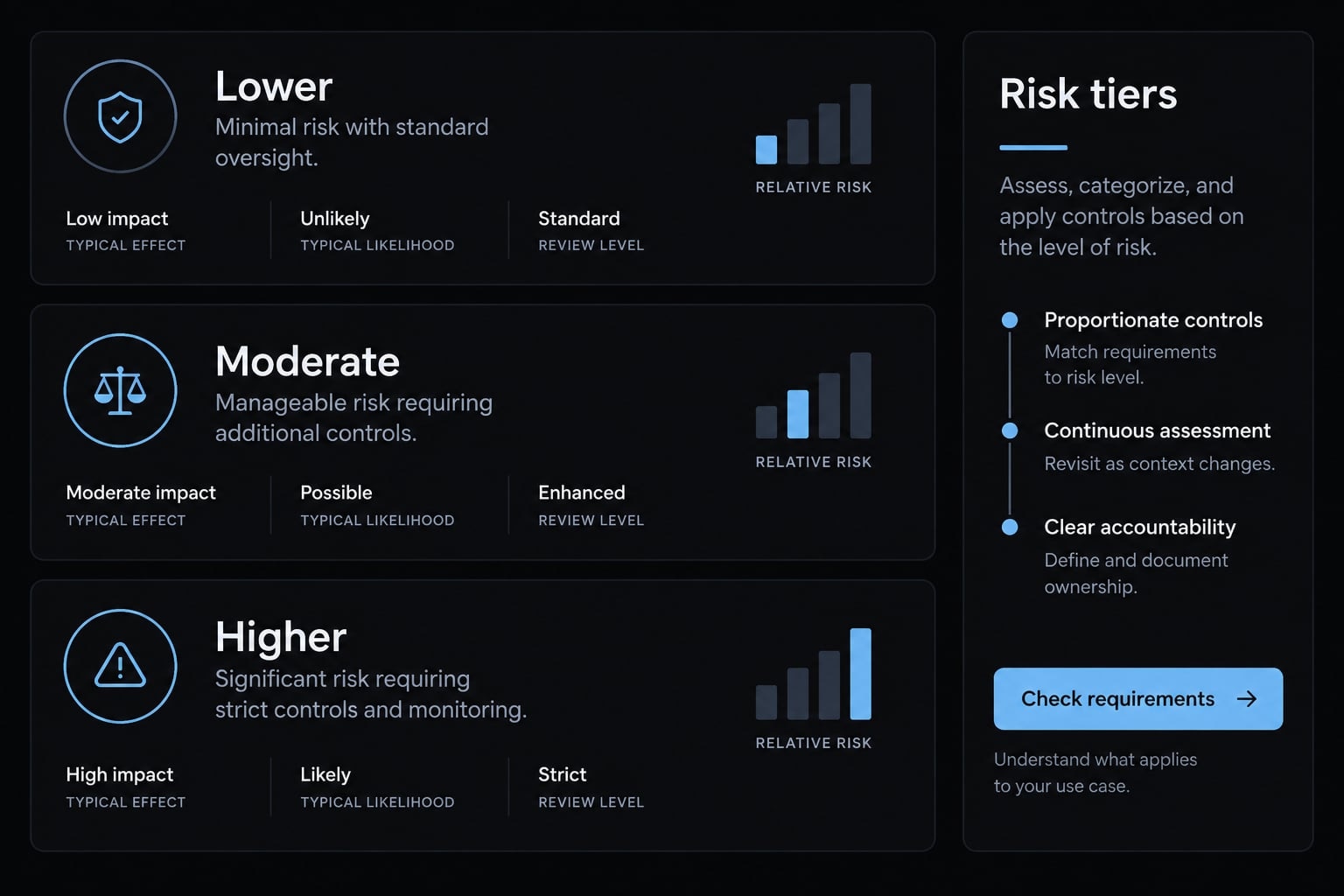
Prototype vs. production risk levels
These are editorial risk categories based on data, access, exposure, and consequences—not simply project size.
Risk level | Example | Review needed |
|---|---|---|
Lower | Personal sample-data tools | Functional checks, data-behavior inspection, recovery |
Moderate | Shared internal tools or operational dashboards | Technical review of access, data, reliability, and maintenance |
Higher | Payments, sensitive information, consequential workflows, complex public access | Qualified engineering, security, and applicable compliance review |
Local tools are not automatically safe, and internal tools can expose important information. A minimum viable product—the smallest useful product offered to users—may already require substantial review.
Maintainability means how easily software can be understood and changed later. When nobody understands generated behavior, even small updates become risky. Code quality includes that long-term ability to make changes, not just a polished screen.
Moving from one-off prompts to repeatable workflows
Repeatable workflows preserve planning, testing, debugging, and review steps so they are not reinvented for every change. AgentKit Engineer supports these development activities, including code review. Such workflow tooling is unnecessary for this first exercise. It can help organize work, but it does not replace accountable human review or establish production readiness.
Frequently asked questions
What does "vibe coding" mean?
Vibe coding means describing what you want in plain language, then trying the generated result and requesting changes. You define the behavior, the AI drafts it, and you check what it actually does — inspection is part of the loop, not an optional extra.
Can I build an app without knowing how to code?
Yes, you can build simple, functional prototypes using AI-assisted tools without prior programming experience. However, you must be able to clearly define your goals, inspect the application’s behavior for errors, and recognize when your project requires professional security review or technical engineering expertise.
How do I choose the right tool to start?
Start with browser-first builders like Replit, Lovable, or Bolt.new for simple prototypes, as they require no local setup. Before choosing, verify the tool's current publishing limits, credit usage, and how it handles project data or recovery, and whether you can inspect or export the project, and what is sent externally or retained.
How can I write a useful vibe coding prompt?
Use the G.U.I.D.E. framework: define your Goal, identify the User, describe the Interface elements, specify the Data behavior (e.g., temporary or persistent), and list the Evaluation criteria (what the app must successfully do) to reduce ambiguity about what you need.
How do I check if my AI-generated app is working?
Test your app by performing core actions—such as adding, completing, or deleting items—and comparing the results against your expected outcomes. If the app fails, record the exact action taken, the observed error, and provide that specific feedback to the AI to request a targeted fix.
When should I stop vibe coding and seek an expert?
Stop and seek professional review if your application involves handling sensitive personal information, payment processing, complex user permissions, or mission-critical workflows. Beginner-friendly AI tools create drafts; they do not automatically guarantee the security or production-grade architecture required for handling protected or regulated data.
Read more:
- How to vibe code: A practical beginner guide to AI development
- DeepSeek vibe coding: A practical workflow and safety guide
- How to vibe code a CRUD app without losing control
Conclusion
To practice safely, define the outcome, let AI generate the draft, and thoroughly test the behavior yourself. Keep your initial daily task tracker simple—use fictional data and temporary storage, saving recoverable checkpoints before making further changes. Completing a small, manageable project provides a strong learning foundation while ensuring you remain accountable for your software's functionality and security.