DeepSeek vibe coding: How it works, a practical workflow and production safeguards
Building an application with AI is easy; proving it is secure, maintainable, and production-ready is the real challenge. DeepSeek vibe coding relies on conversational iteration, but running code once isn't enough. The true test is your ability to inspect and validate what the model creates. Starting with a small internal tool, this guide covers setup selection, a seven-step workflow, evidence-based debugging, and the production controls needed before handling real users or sensitive data.
What is DeepSeek vibe coding?
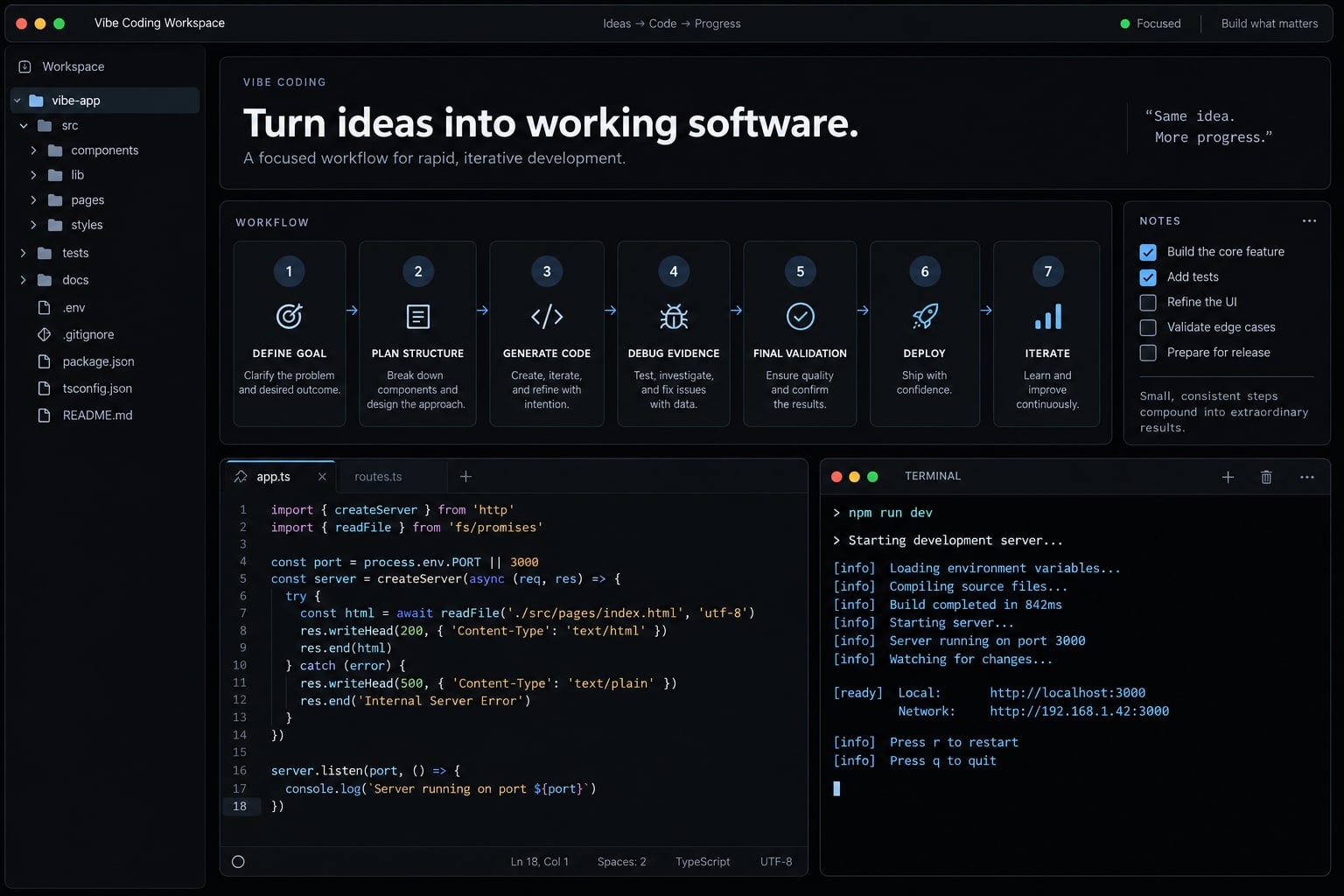
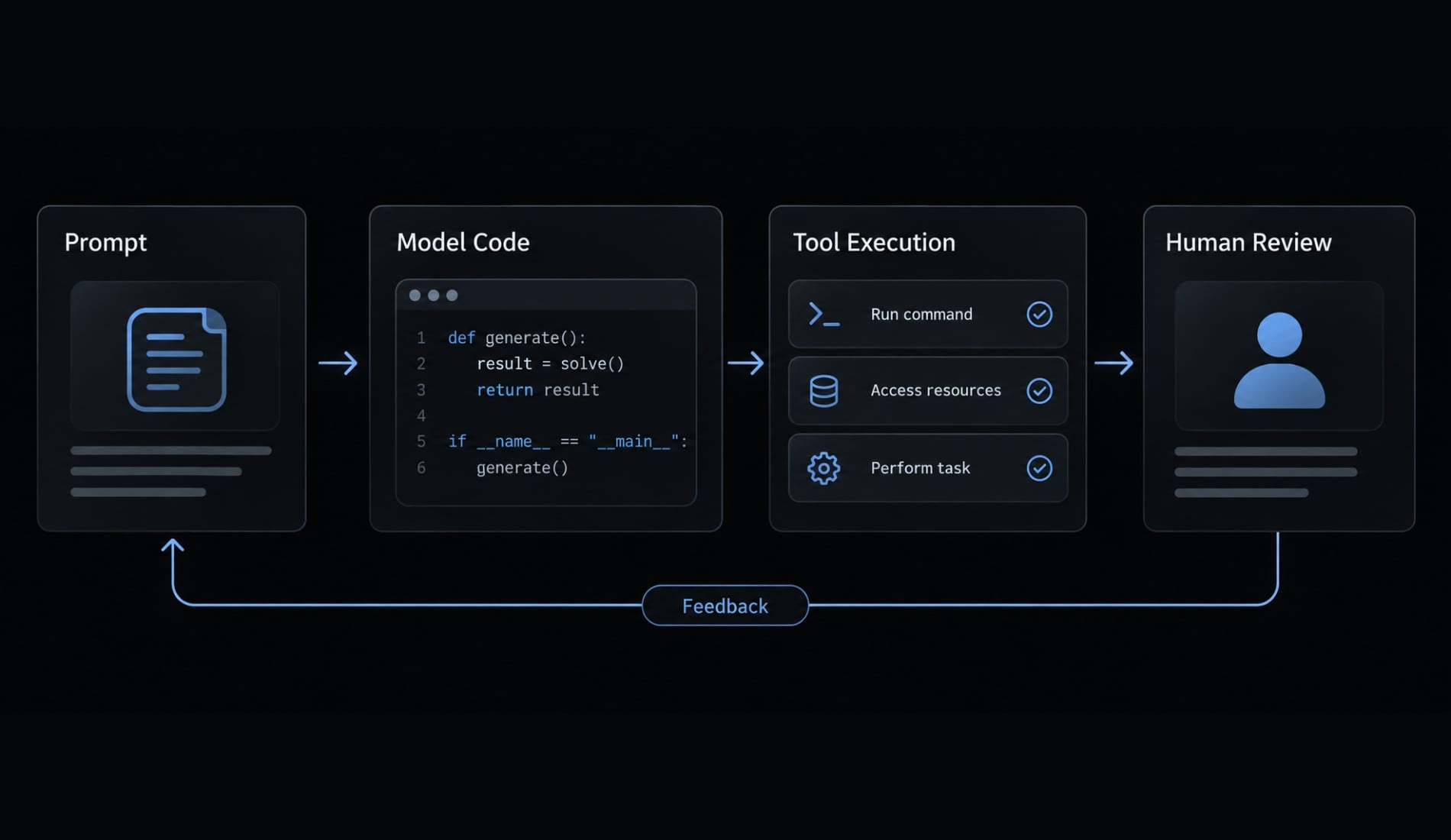
DeepSeek vibe coding is an informal development approach that uses natural-language requests to ask DeepSeek models for an implementation, then runs or inspects the results and supplies iterative feedback. The model proposes code; people and connected tools execute and validate it, while humans remain responsible for correctness, security, and deployment decisions.
It is important to note that 'vibe coding' is not an official product category offered by DeepSeek. Andrej Karpathy’s February 2025 statement popularized “vibe coding,” describing an approach with limited attention to generated code’s internals.
Vibe coding vs. other AI coding approaches
These categories overlap. Human involvement depends on permissions and review practices, not the label alone.
Approach | How it works | Human role | Best fit | Main risk |
|---|---|---|---|---|
Traditional coding | Human writes implementation | Design, implement, validate | Direct implementation control | Human defects |
AI autocomplete | Suggests nearby code | Accept and inspect | Repetitive edits | Incorrect suggestions |
AI pair programming | Conversational collaboration | Direct and review | Focused development tasks | Misplaced trust |
Vibe coding | Generate and iterate conversationally | Specify and evaluate | Exploratory prototypes | Unexamined behavior |
Agentic development | Tools execute coordinated tasks | Bound access and approve | Multi-step repository work | Excessive permissions |
How DeepSeek vibe coding contributes to your workflow
Depending on the model and supplied context, DeepSeek can help with:
- Code scaffolding: Generating an initial project structure.
- Explaining or transforming existing code.
- Proposing diagnoses and targeted fixes.
- Refining an implementation across multiple turns.
DeepSeek-R1 is one relevant model-family example, described in the official DeepSeek-R1 materials—not the only coding option. A model generates responses; an agent runtime coordinates file access, commands, and tool execution.
Choosing a DeepSeek model and coding setup
Choose the model and access method separately. Start with the simplest approved setup that supports your task, then evaluate it on representative work.
Model selection by task
Task | Model role to evaluate | Required check |
|---|---|---|
Scaffolding and repetitive UI | General-purpose code generation | Inspect structure and behavior |
Architecture and difficult debugging | Reasoning-oriented model | Compare diagnosis with evidence |
Tests and security-sensitive changes | Code and test generation | Independent, accountable human review |
A reasoning-oriented model is not automatically the best debugger. Evaluate whether its proposed patch resolves the defect without introducing unrelated changes.
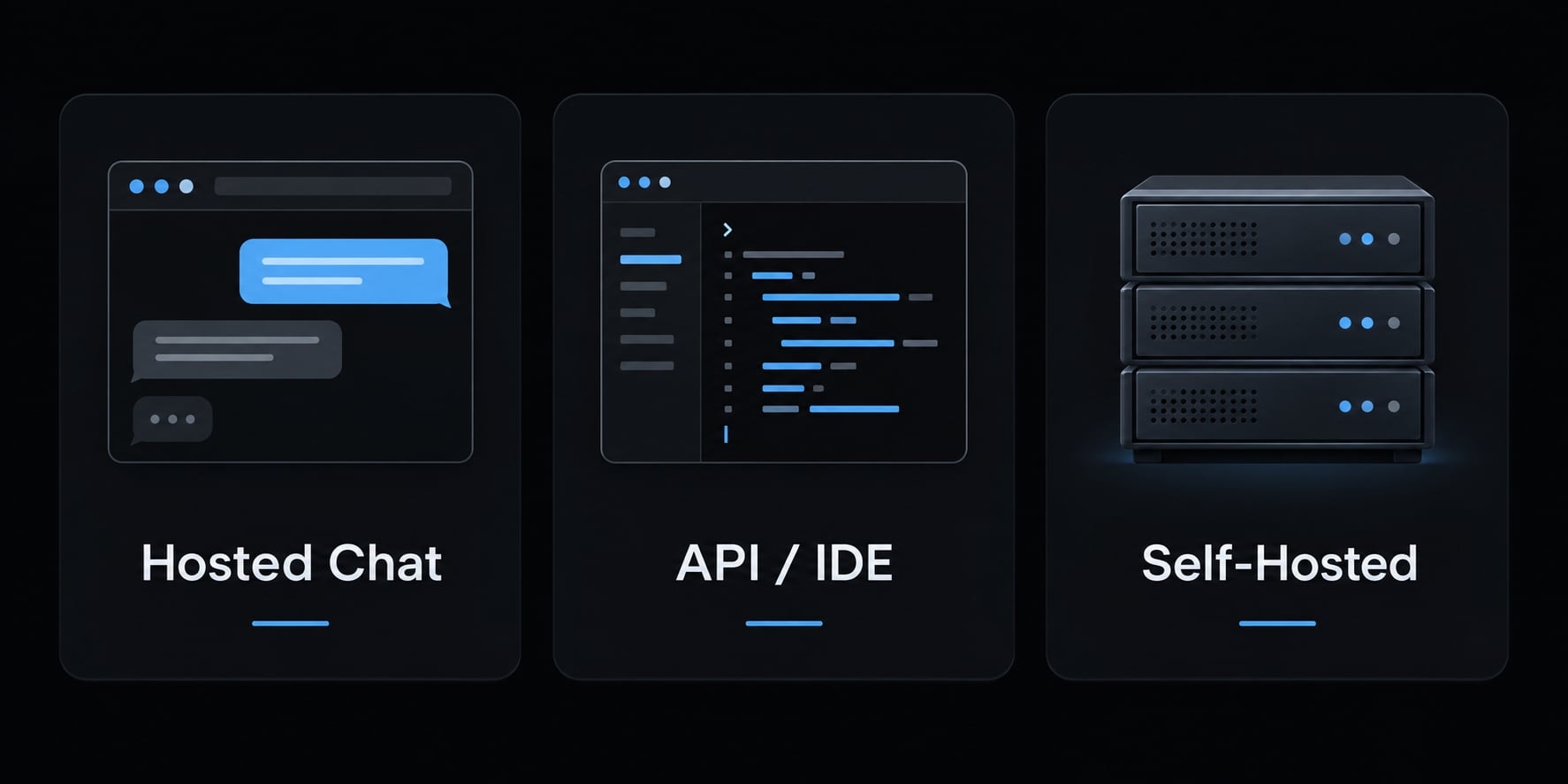
Three practical setup paths
- Hosted chat: Suitable for learning, explanations, and small snippets you transfer into a development environment.
- API/IDE workflow: An application programming interface connects the model to a compatible integrated development environment or agent tool.
- Local/self-hosted: An inference engine-software that runs a model-provides greater deployment control with additional hardware and operational responsibilities.
To start, choose the model/provider, confirm tool support, configure credentials securely, and test on a disposable project. A hosted-chat subscription should not be assumed to include API access.
Setup decision matrix
Requirement | Hosted chat | API/IDE | Local/self-hosted |
|---|---|---|---|
Setup effort | Usually low | Tool configuration | Infrastructure setup |
Repository workflow | Often manual transfer | Tool-dependent integration | Runtime-dependent integration |
Data handling | Provider terms | Provider and tool terms | Greater direct control; configuration-dependent |
Operating responsibility | Account and content | Credentials and permissions | Runtime, infrastructure, access |
Best starting use | Learning and snippets | Controlled repository edits | Specific deployment requirements |
Check the official DeepSeek API documentation and your tool’s integration documentation for current availability and capabilities. Confirm retention and training terms before sharing proprietary code.
Self-hosting can still involve third-party infrastructure. Distilled models are separately trained variants; quantized deployments use reduced numerical precision. Neither should be assumed equivalent to the full model.
A seven-step DeepSeek vibe coding workflow
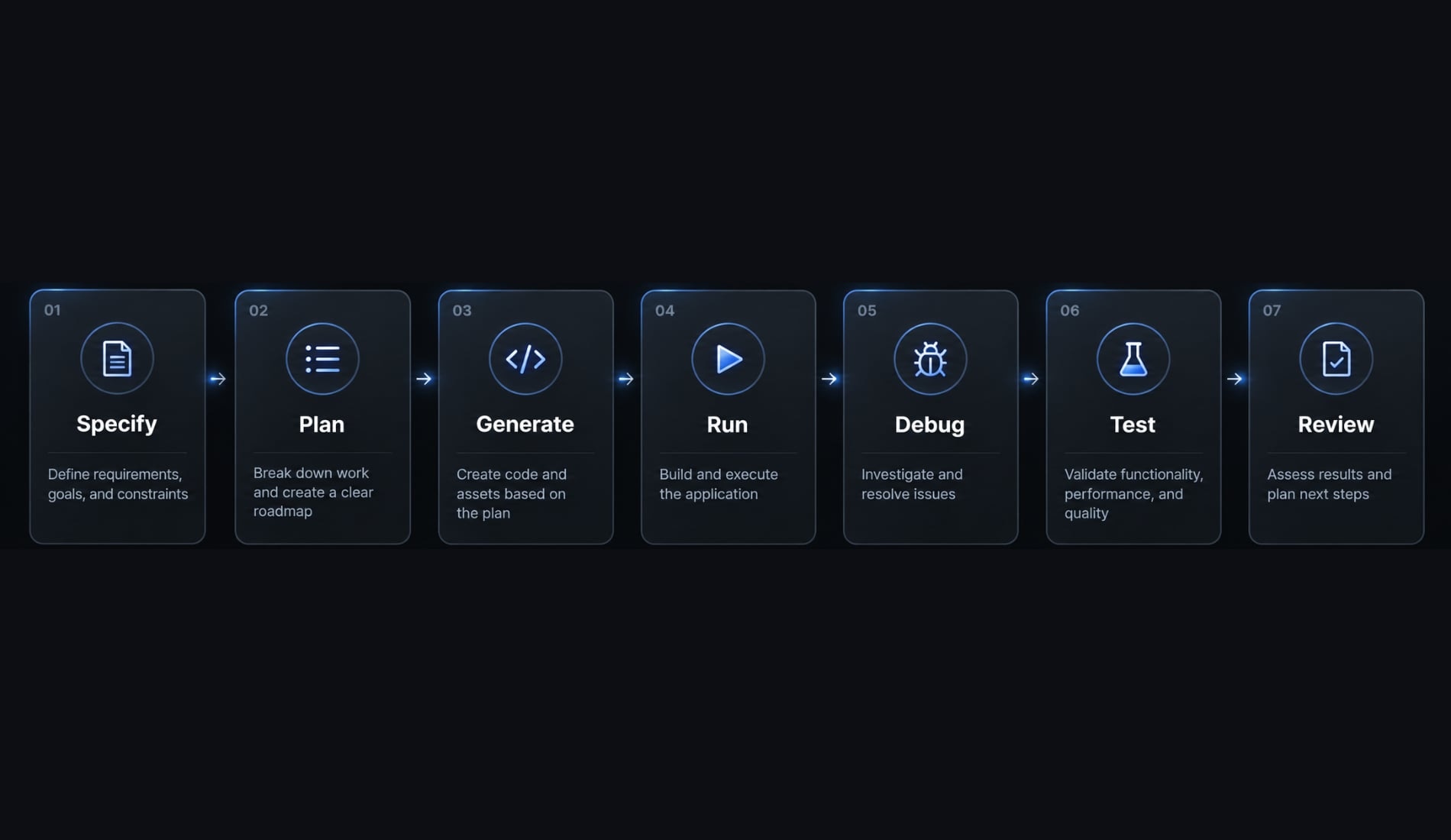
Build one observable outcome at a time, with evidence before expansion.
- Define one verifiable goal.
- Specify constraints before requesting code.
- Ask for a plan and file structure.
- Generate the smallest working version.
- Run the application and capture evidence.
- Debug from evidence, not guesswork.
- Test, review, and expand incrementally.
Define one verifiable goal
For an issue-triage dashboard, the user is a support lead who needs to filter issues and adjust priorities.
Define acceptance criteria: Observable conditions determining whether the feature works. Exclude authentication, customer data, and deployment from the initial scope.
Specify constraints before requesting code
Record:
- Stack and installed runtime versions.
- Synthetic-data limits.
- Permitted dependencies.
- Editable files and prohibited operations.
Require approval before destructive commands. Keep credentials and production access outside the development environment.
Ask for a plan and file structure
Copy this planning block:
User: Support lead.Action: Filter issues and update priorities.Include: Synthetic issues, filters, priority editing, counts.Exclude: Authentication, database, deployment.Stack: React and TypeScript with Vite.Before coding: Identify assumptions; propose files,data flow, dependencies, and acceptance checks.Wait for approval.
Review whether the plan introduces unnecessary services or packages. Approve the bounded implementation, not unrestricted repository changes.
Generate the smallest working version
Request a vertical slice: One complete, usable path through a feature. Start with rendering and filtering sample issues.
Require a change summary and inspect the diff-the actual file changes. Save a version-control checkpoint before proceeding. Version control supports code rollback; it does not automatically reverse external operations or recover deleted data.
Run the application and capture evidence
Execute approved commands in a controlled development environment. A command proposed by the model is not evidence that it ran.
Capture the command, exit status, relevant output, and reproduction steps. Sanitize logs before submitting them, removing tokens, customer identifiers, and sensitive paths.
Debug from evidence, not guesswork
Use a focused repair request:
Failing command: [exact command, or none for a UI defect]Observed: [what happened]Expected: [required behavior]Reproduce: [numbered actions]Relevant files: [smallest useful set]Scope: Diagnose from this evidence; propose a minimal patch.Do not replace dependencies or rewrite unrelated files.
Ask for a concise diagnosis and supporting evidence, not an unsupported assertion that the issue is fixed.
Test, review and expand incrementally
Check the acceptance criteria and run regression tests: Tests that confirm existing behavior still works.
Inspect new dependencies and changed files. Commit the validated checkpoint before adding another feature. If verification fails, resolve that failure rather than stacking additional changes onto uncertain behavior.
Practical example: Building a small issue-triage dashboard
Instructional scenario: This example has not been executed. The defect, correction strategy, and validation expectations are illustrative, not reported test results.
Project scope and success criteria
The dashboard uses synthetic issue records with status, priority, and title. It supports status and priority filtering, priority editing, and summary counts.
Edits must survive filter changes within the active session. Refresh persistence is excluded. Counts represent all records, regardless of active filters; the interface should label this explicitly. Authentication, a production database, real customer data, and automated deployment remain outside scope.
The initial planning prompt
Build a React + TypeScript dashboard with Vite for a support lead.Use synthetic issues only.Include status/priority filters, editable priority, and countsacross all records.Exclude authentication, database storage, and deployment.Edits must survive filter changes during the active session.Refresh persistence is not required.Propose files, state ownership, and acceptance tests.Identify assumptions and wait for approval before coding.
Generating the minimal vertical slice
Implement in this order:
- Render sample issues; check identifiers and displayed values.
- Add filters; check individual and combined selections.
- Add priority editing; check behavior after changing filters.
- Add summary counts; check them against the complete dataset.
Run a check after each meaningful addition. This helps isolate which change introduced a problem.
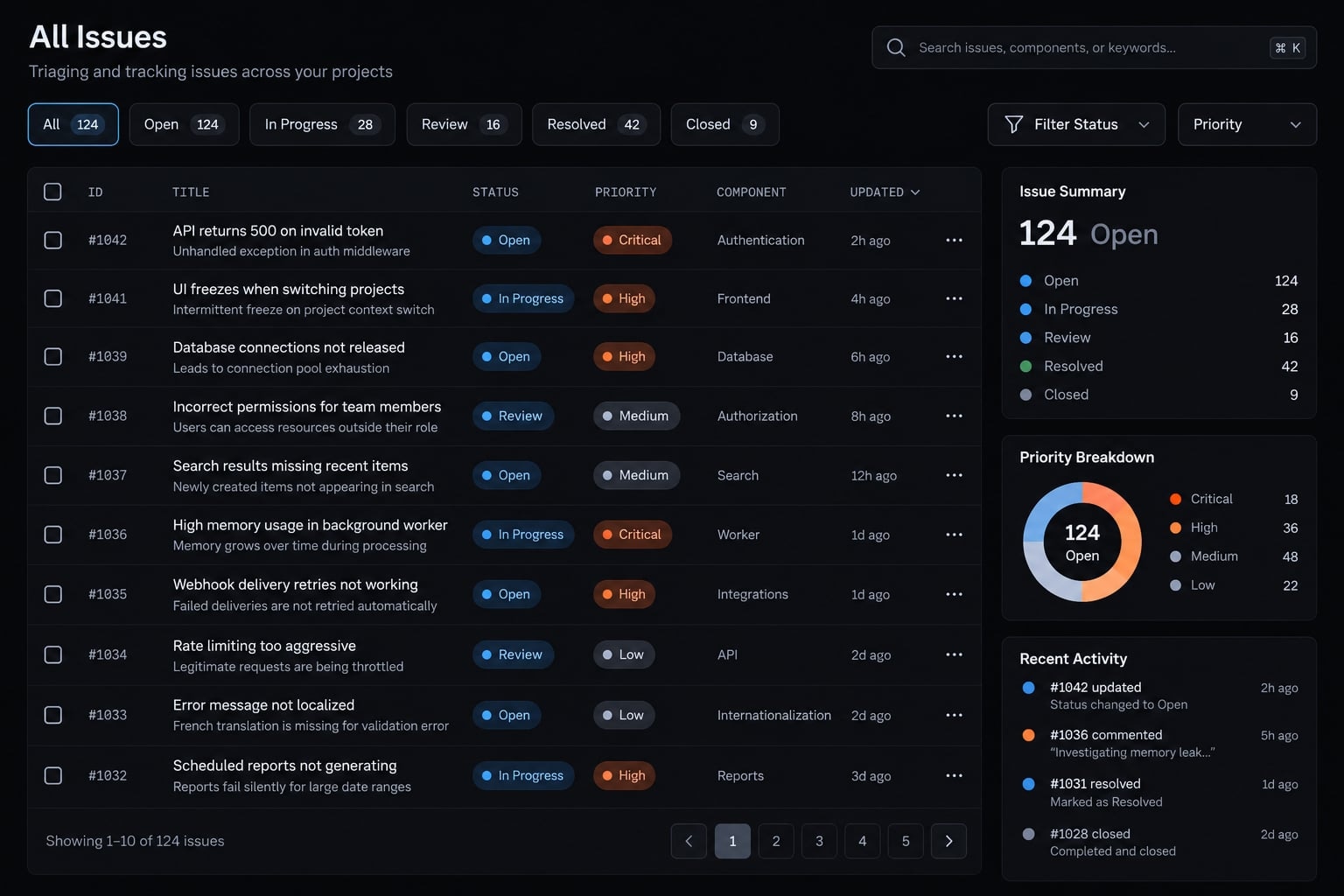
Representative failure and correction
- Reproduction: Change issue A from medium to high priority. Select a status filter that hides it, then clear the filter.
- Illustrative failure: Issue A returns to medium priority.
- Expected behavior: It remains high during the active session.
Inspect the dashboard’s state owner and filtering module. A possible cause is rebuilding visible records from the original fixture rather than updated state. This is a hypothesis to investigate, not an established diagnosis.
A focused correction would maintain one authoritative issue collection, update records by stable identifier, and derive filtered views from that collection. Add a regression test that edits, hides, restores, and checks the issue. Also verify that summary counts reflect the change.
Final validation result
Execution status: Not executed. These are proposed verification targets.
Validation item | Expected prototype behavior | Required before production |
|---|---|---|
Filtering | Correct matching records | Edge-case tests |
Priority editing | Survives filter changes | Persistence and conflict rules |
Authentication | Absent | Verified identity controls |
Authorization | Absent | Server-enforced permissions |
Logging | Development diagnostics only | Safe operational/audit logging |
Customer data handling | Synthetic data only | Approved data protections |
Prompting and debugging practices that improve results
Useful context is relevant evidence, not the largest possible repository dump. Iterative prompting works best when each request preserves a clear behavior boundary.
Write prompts around outcomes and constraints
Before submitting a task, specify:
- Desired behavior.
- Behavior that must remain unchanged.
- Files in scope.
- Acceptance criteria.
- Assumptions requiring confirmation.
For the dashboard, distinguish “retain edits while filtering” from “save edits after refresh.” They require different implementations.
Control the size of each change
Keep one feature or defect per iteration. Request a change summary and preserve a version-control checkpoint. Require explicit permission for file deletion, database schema changes, and dependency replacement. A fix should not silently become a redesign.
Use evidence-based debugging
Copy this fuller template when a defect needs investigation:
Environment and versions:Command executed:Reproduction steps:Expected behavior:Actual behavior:Sanitized error output:Relevant files:Suspected cause, if any: [unconfirmed]Request: Give a concise diagnosis supported by evidence.Propose the smallest patch and a regression check.State missing information; avoid unrelated changes.
Context management means keeping the current requirements, relevant implementation, and latest evidence available. Remove obsolete diagnoses so they do not become false assumptions.
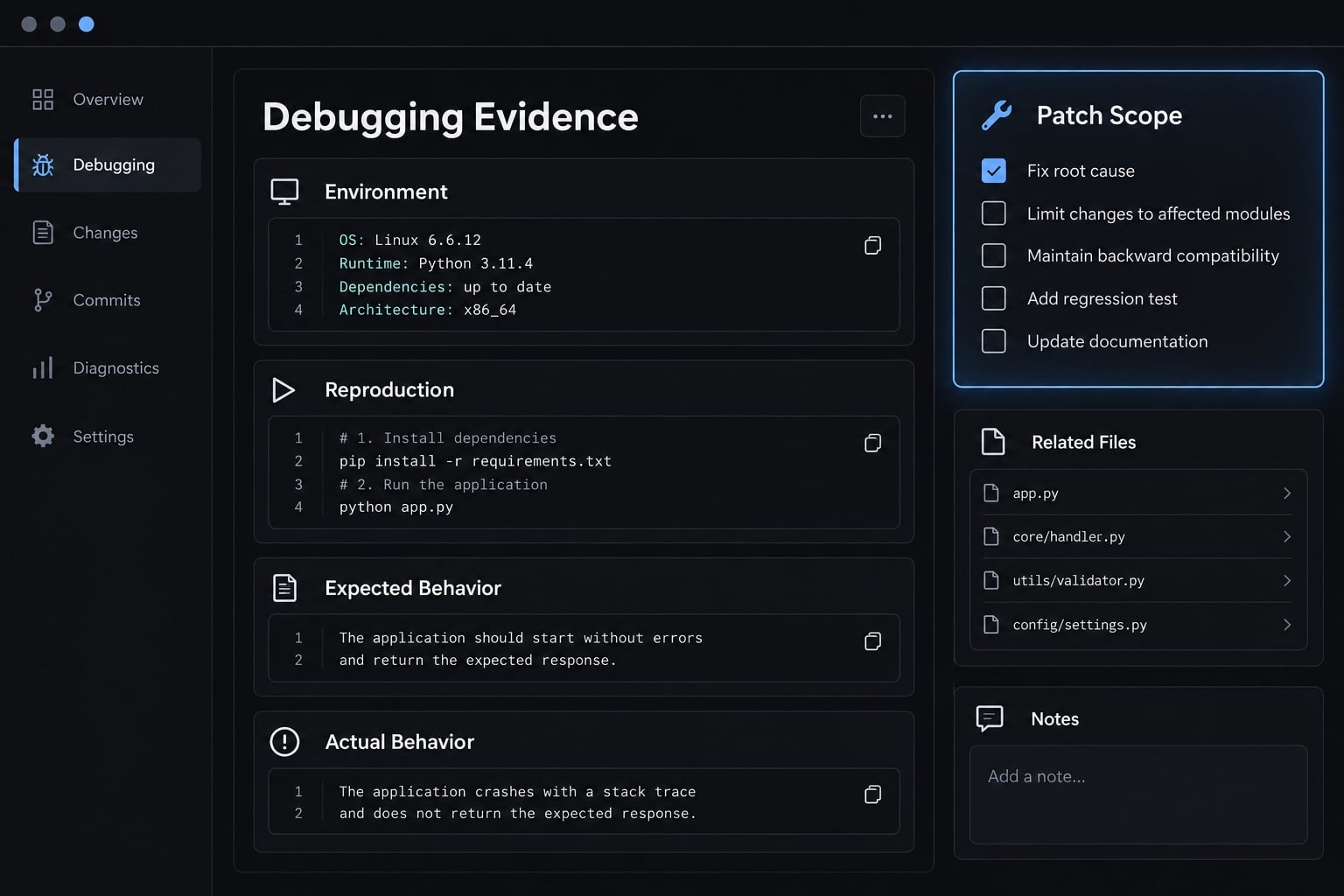
Common prompting failure patterns
Weak pattern | Why it fails | Better instruction |
|---|---|---|
Entire-platform request | Too many interacting assumptions | Build one user path |
“Fix the app” | No reproducible symptom | Supply actions and actual output |
“Make it production-ready” | Undefined release standard | Name specific controls |
Unfiltered repository dump | Irrelevant context obscures evidence | Share affected files and contracts |
Repeated broad rewrites | Introduces new unknowns | Isolate one cause and patch |
Know when to stop reprompting
Pause for investigation when defects reappear, fixes contradict each other, or data ownership remains unclear. Authentication failures, authorization failures, migrations, and data-integrity risks require accountable technical review.
Do not use repeated regeneration as a substitute for understanding the failure. Reproduce it independently, inspect the affected code, and reassess the implementation plan.
Where DeepSeek vibe coding works-and where it does not
Suitability depends on failure consequences, complexity, reversibility, and validation effort. A small internal tool is not automatically low-risk: a short script with production credentials can cause substantial damage.
Strong use cases
Reasonable starting points include:
- UI experiments with synthetic data.
- Project scaffolding reviewed before expansion.
- Small CRUD prototypes-create, read, update, and delete workflows.
- Limited-access internal scripts with reversible actions.
- Test and documentation drafts.
- Non-sensitive data transformations with checked outputs.
For scripts, restrict permissions and test against copies of data. For generated tests, verify that assertions reflect requirements rather than merely reproducing implementation mistakes.
High-risk or poorly suited use cases
Loosely supervised generation is unsuitable for:
- Identity, permissions, payments, and secrets.
- Production migrations or sensitive information.
- Safety-critical, regulated, or concurrency-heavy systems, where simultaneous operations can interact unpredictably.
The concern is unreviewed implementation, not a blanket prohibition on AI assistance. These areas need domain expertise, explicit controls, and stronger independent validation.
Prototype vs. production-ready software
Area | Production expectation | |
|---|---|---|
Functionality | Demonstrates a path | Verified supported behavior |
Security | Isolated exploration | Reviewed security boundaries |
Data | Synthetic or disposable | Protected, recoverable records |
Dependencies | Initial package choices | Verified and maintained versions |
Error handling | Basic feedback | Safe failures and recovery |
Deployment | Local execution | Repeatable release and rollback |
Ownership | Individual experiment | Named maintenance and incident owners |
A deployable application is not necessarily production-ready. Likewise, deterministic execution proves only that behavior repeats-not that the behavior is correct.
Risks, validation and the path to a structured agent workflow
Trust requires observable evidence and named owners. OWASP’s Application Security Verification Standard, NIST’s Secure Software Development Framework, and CISA’s Secure by Design guidance provide relevant security and accountability principles-not certification of generated code.
Common risks in DeepSeek vibe coding
Risk | Symptom | Control |
|---|---|---|
Invented packages/APIs | Missing imports or methods | Check registries and official documentation |
Security weaknesses | Unsafe inputs or permissions | Review security boundaries |
Context loss | Forgotten requirements | Maintain a concise specification |
Regressions | Existing behavior breaks | Run regression tests |
Uncontrolled file changes | Unrelated edits/deletions | Restrict scope; inspect diffs |
Sensitive-code exposure | Private content reaches providers | Minimize uploads; review terms |
License uncertainty | Unclear reuse rights | Review code and dependency licenses |
Dependency drift | Builds resolve different versions | Lock versions; review updates |
Repository content and tool output can contain malicious instructions. Treat them as untrusted input, restrict permissions, and review consequential actions before execution.
Minimum production-readiness checklist
Copy this baseline; it is not a certification or complete security audit.
- Map acceptance criteria to tests.
- Execute tests in a clean environment.
- Verify dependency existence, necessity, provenance, and locked versions.
- Check for committed secrets, including repository history.
- Review authentication and authorization where applicable.
- Verify input validation and failure handling.
- Triage static-analysis and vulnerability findings under team policy.
- Verify migration, backup, and recovery controls where applicable.
- Exclude sensitive information from logs.
- Review maintainability and assign an owner.
- Verify repeatable deployment and rollback.
- Apply least privilege: grant models and tools only required access.
Clean scans and passing tests reduce uncertainty; they do not establish complete security. Retain results and document unresolved findings.
From one-chat vibe coding to a structured workflow
Stage | Defining characteristic |
|---|---|
Single conversation | Decisions and context remain in one chat |
Staged workflow | Planning, implementation, tests, and review produce explicit outputs |
Structured agent workflow | Specialized roles use reusable instructions, bounded permissions, and evidence-based gates |
AgentKit is an optional example of organizing specialized development roles through reusable skills, workflows, plans, and configuration management. Such structure can support consistent review stages, but it does not establish DeepSeek compatibility or replace human validation of code and security boundaries.
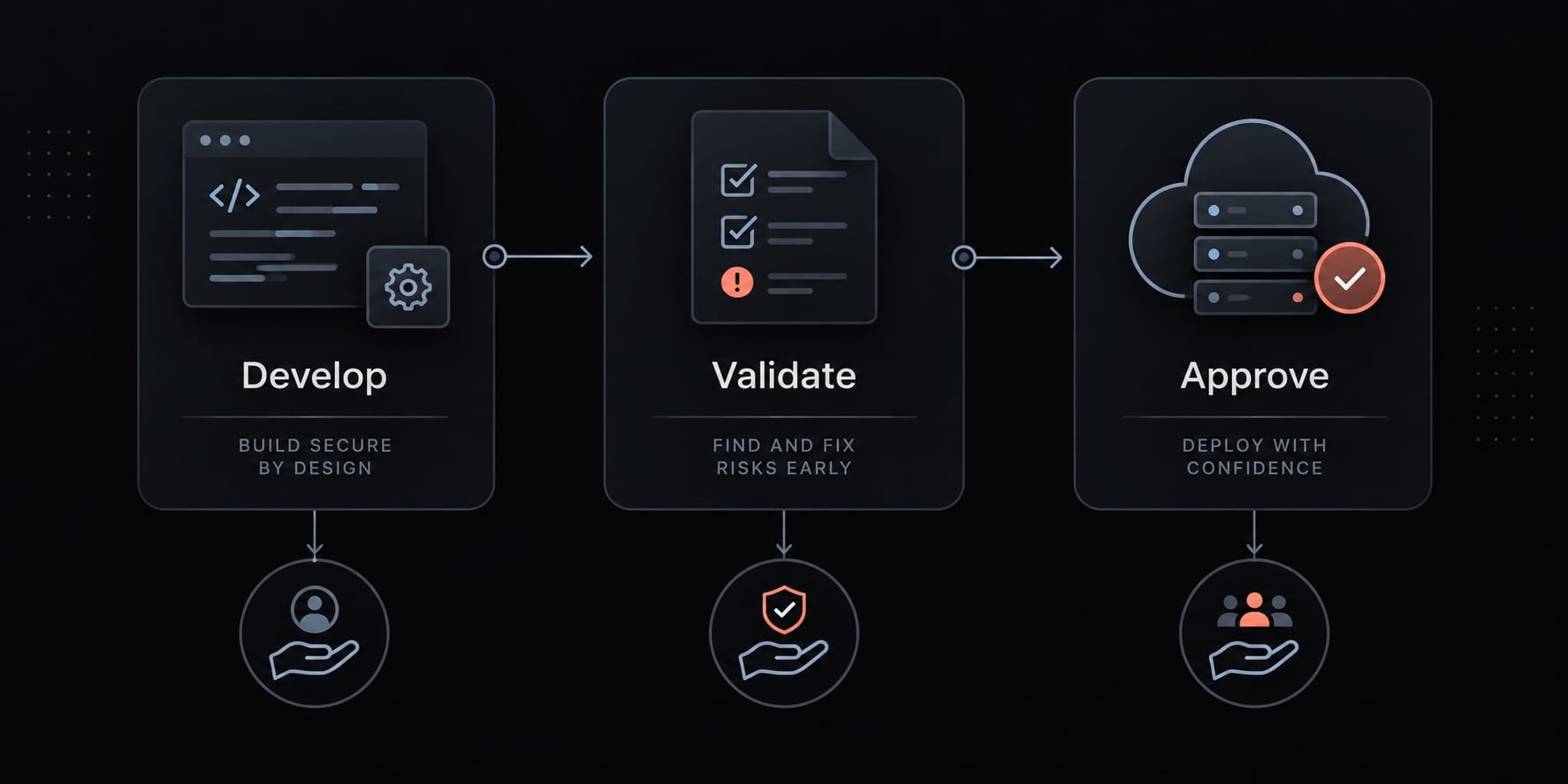
Final human approval gates
Assign owners for:
- Architecture decisions.
- Security boundaries.
- Database changes.
- Merge approval.
- Production deployment.
- Incidents and rollback.
One person may own several gates in a small team. Accountability must still be explicit; agents cannot assume it.
Frequently asked questions
What is DeepSeek vibe coding?
DeepSeek vibe coding is an AI-assisted development method where you use conversational natural language to direct models, such as DeepSeek-V3 or R1, to generate and iterate on code. You provide high-level intent, and the model handles the implementation details, which you then review, test, and refine iteratively.
How does vibe coding differ from traditional programming?
Traditional programming requires you to write, debug, and maintain every line of code manually. Vibe coding shifts your role toward architecting and validating; you express desired outcomes in natural language, and the AI agent generates the implementation, allowing you to focus on high-level logic and quality assurance.
Can DeepSeek vibe coding be used for production-ready software?
DeepSeek vibe coding can generate functional prototypes and application components, but it does not guarantee production readiness. Any code generated for production must undergo rigorous human review, dependency validation, security scanning, and functional testing to ensure it meets your specific project requirements and safety standards.
Is vibe coding secure?
Vibe coding is not inherently secure. AI agents can hallucinate dependencies, introduce vulnerabilities, or suggest insecure practices. You must treat all model output as untrusted input, apply the principle of least privilege to agent permissions, and verify all changes-especially those involving authentication, database schemas, or external API integrations.
How do I troubleshoot when DeepSeek generates broken code?
Avoid broad requests like "fix this app." Instead, use evidence-based debugging: identify the specific failing command, describe the expected versus actual behavior, provide relevant file snippets, and request a minimal patch. This focuses the model’s reasoning on a narrow scope, reducing the likelihood of regressions or contradictory fixes.
Do I need to be a professional developer to use DeepSeek for coding?
While conversational prompting makes coding more accessible, building reliable software still requires technical understanding. You must be able to validate the AI's output, manage dependencies, configure your development environment, and handle security considerations. AI can accelerate your workflow, but it does not replace the necessity of engineering judgment.
Read more:
- Vibe coding threat model: Secure AI-assisted development guide
- Vibe coding risks: 7 critical failure modes to avoid
- Vibe coding tools: How to choose the right AI app builder
Conclusion
DeepSeek vibe coding turns conversational requests into proposed implementations, but reliable development depends on what happens after generation. Define one observable outcome, constrain the change, inspect the result, and debug with reproducible evidence. Small, testable increments make assumptions and failures easier to identify than repeated full-application rewrites.
A functioning prototype is a learning milestone, not a release decision. Production use requires security review, verified dependencies, appropriate data controls, repeatable deployment, and accountable ownership. Passing tests supports that decision without settling every risk.
Start with a small mock-data project. Copy the planning and debugging templates, then apply the production-readiness checklist before expanding scope. Explore reusable workflows only when they help preserve those controls.