Vibe coding documentation: A practical guide for AI-assisted projects
Requirements and decisions often get trapped in chat logs. Vibe coding documentation moves this context into small, version-controlled project files-preventing architecture drift and eliminating repeated explanations. Rather than adding paperwork, this approach gives AI coding agents a clear, maintained source of truth to keep development controlled and aligned.
What is vibe coding documentation?
A practical definition
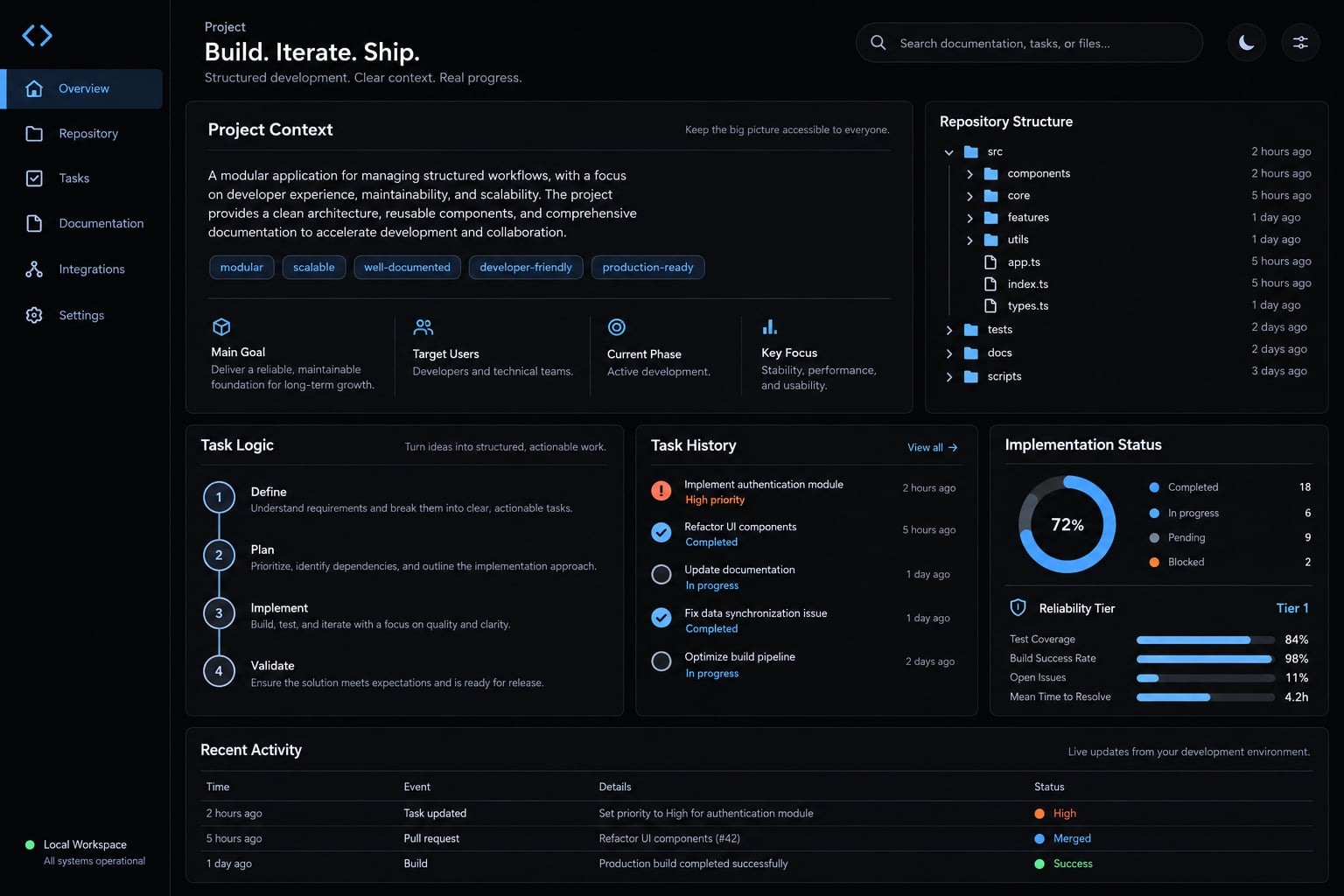
Vibe coding documentation is a system of version-controlled files that records project goals, requirements, and architecture. This practice provides AI coding tools with a reliable source of truth. It preserves reusable context across sessions and tools by keeping information available for retrieval, without guaranteeing that an agent will load, understand, or follow it.
The phrase can also describe educational guides about vibe coding. Here, it means documentation maintained inside a software project, whether development is mostly prompt-driven or closely supervised.
Context persistence means information remains stored and retrievable. It does not mean Markdown creates durable model memory. Useful repository context still requires deliberate selection, review, and testing.
Documentation vs. prompts, comments and agent rules
Context source | Primary purpose | Main limitation |
|---|---|---|
Prompt history | Explore options and direct immediate work. | May mix approved decisions with abandoned experiments. |
Code comments | Explain local behavior, constraints, and implementation reasoning. | May not capture broader product intent or remain current. |
Agent rules | Specify reusable commands, conventions, and working boundaries. | Discovery and application depend on the tool and configuration. |
Project documentation | Maintain requirements, architecture, decisions, and verification guidance. | Requires ownership, retrieval, and updates. |
Agent rules are documentation artifacts, but their instructional purpose is narrower than a full project specification. Prompts remain useful for immediate work; maintained documents establish the reusable baseline.
Why prompt history is not enough
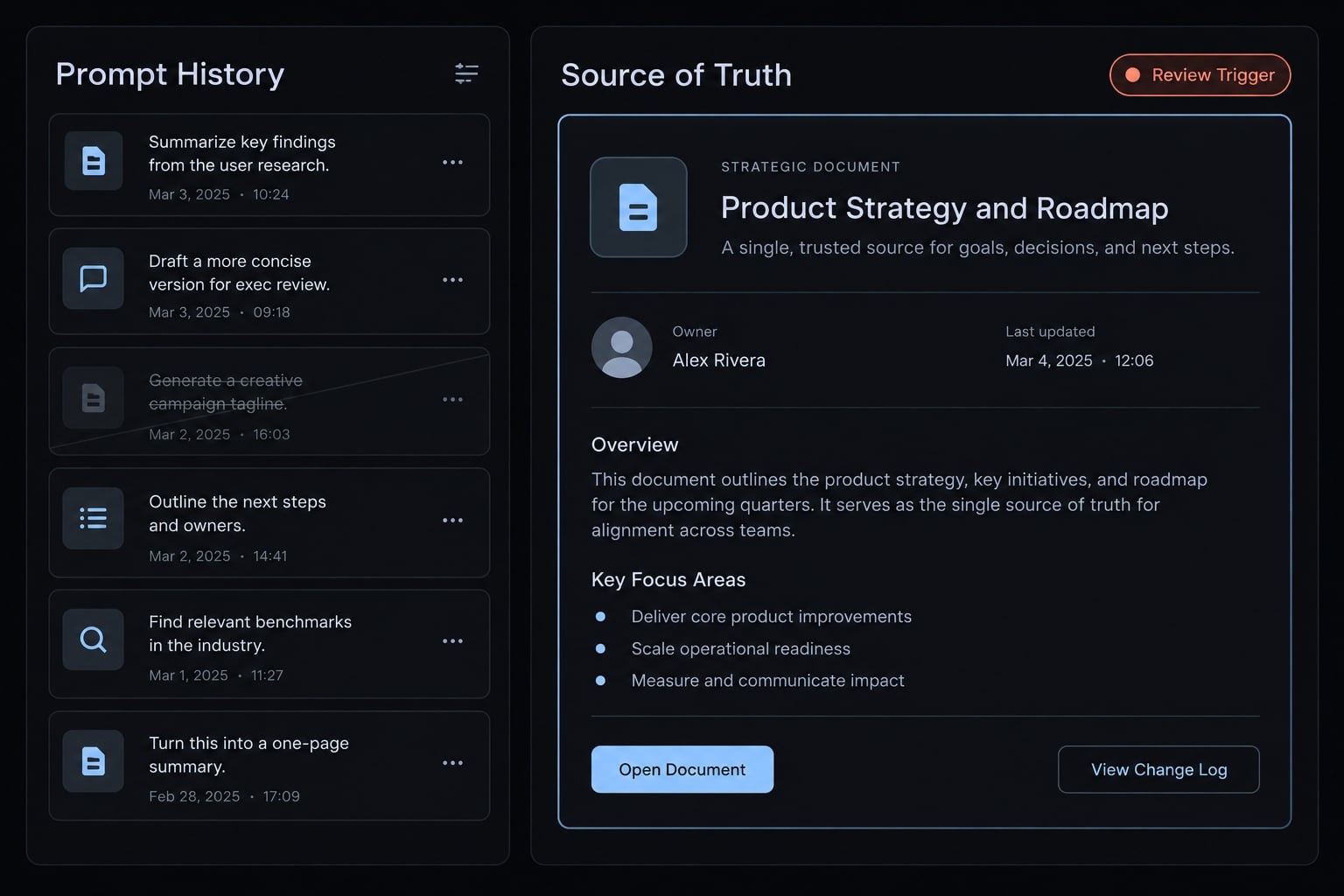
Conversation history records exploration, not necessarily the current agreement. An early suggestion to replace authentication may sit beside a later decision to preserve it. Both statements can enter the same context window.
Larger context windows help retain information, but they do not establish authority, freshness, or completeness. Effective context window management means selecting current requirements and relevant code-not simply adding more material.
The main failure modes documentation prevents
Documentation helps prevent or reduce these failures when its controls are paired with review and verification.
Failure mode | Typical symptom | Documentation control |
|---|---|---|
Context loss | Requirements need repeated explanation. | Maintain project context and reference relevant sections before planning. |
Architecture drift | A change introduces an unapproved service or pattern. | Record approved patterns; review departures before implementation. |
Convention inconsistency | Similar components use incompatible approaches. | Document conventions and point to representative code. |
Unbounded implementation | A small feature becomes a broad rewrite. | Define task scope, exclusions, and observable acceptance criteria. |
Unverified completion | “Done” lacks supporting evidence. | Specify test commands and require verified results, including checks not run. |
Documentation drift | Instructions describe obsolete behavior. | Assign owners and review affected documents with each change. |
Tool lock-in | Important requirements exist only in one assistant’s configuration. | Keep canonical requirements outside tool-specific adapters. |
Documentation changes the AI’s role
Explicit requirements move the agent from filling gaps with local guesses toward implementing reviewed boundaries. Human owners still decide whether those boundaries are appropriate.
Illustrative example: An organization administrator invites a teammate into a B2B software workspace. The request says “add invitations,” but never specifies who may send them.
The implementation might allow ordinary members to invite users. Documenting “only authorized administrators may invite teammates” removes that hidden assumption. A negative test-an ordinary member attempting an invitation-checks the boundary.
The requirement belongs in the feature specification. Authorization belongs in the implementation. Tests and human review check whether they agree and help detect a later software regression.
The minimum vibe coding documentation Stack
Responsibilities matter more than filenames. Your documentation stack needs clear places for intent, behavior, architecture, working instructions, and active work. Decisions and verification must also remain visible, even when embedded in those files.
Recommended repository structure
This reference structure separates responsibilities for easier maintenance:
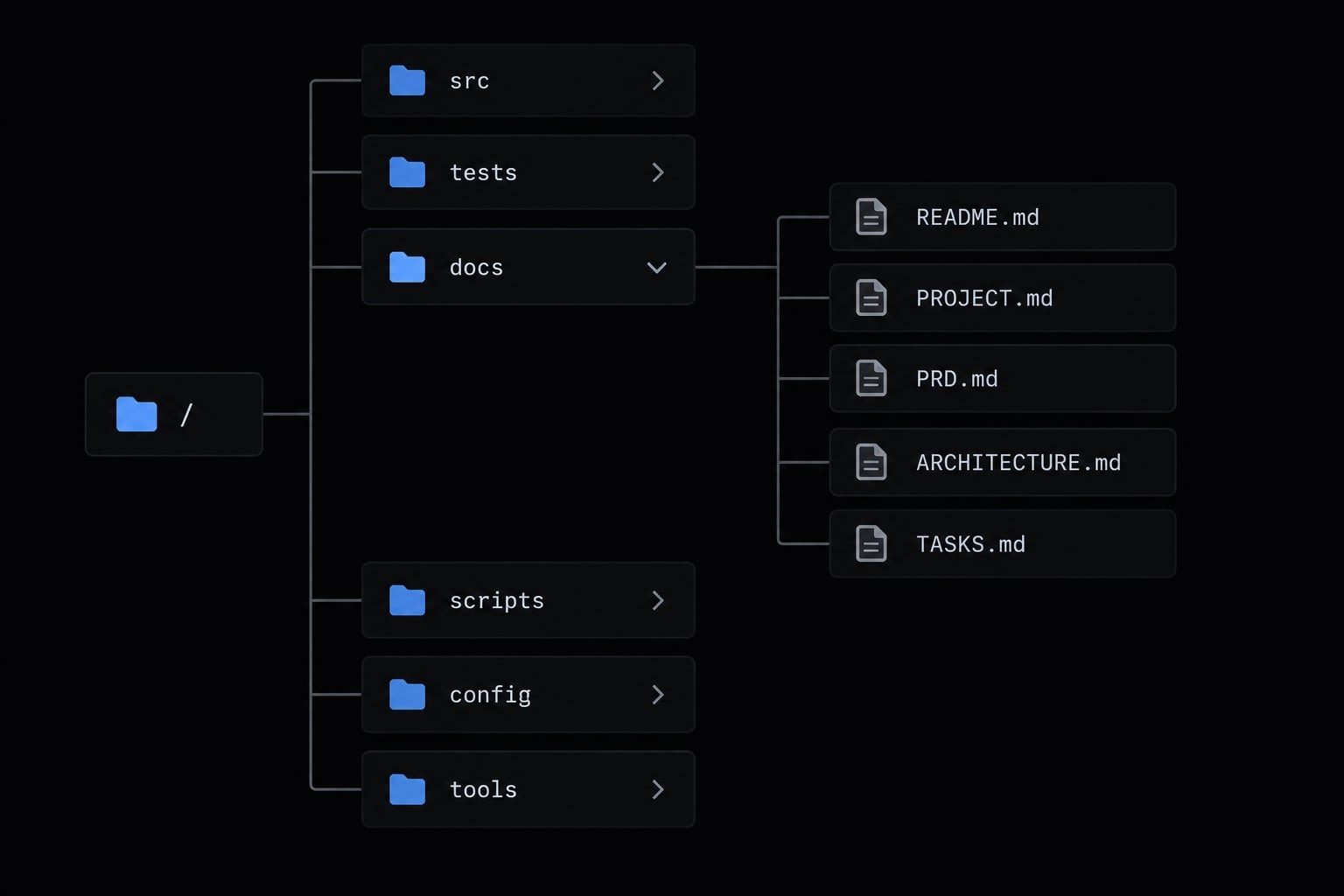
repository/├── README.md├── PROJECT.md├── PRD.md├── ARCHITECTURE.md├── AGENTS.md├── TASKS.md├── DECISIONS.md├── TESTING.md└── docs/ # Optional as needs grow ├── features/ ├── api/ └── operations/
README.md remains the human-facing entry point: explain setup and link to project-specific documents. These filenames are suggested organizational choices, not a universal agent-loading standard.
Do not assume every coding tool recognizes AGENTS.md, or that any tool automatically reads the entire tree. Check the instruction mechanism supported by your environment.
What each document should contain
A PRD (product requirements document) defines expected product behavior. It should be specific enough to verify without prescribing every implementation detail.
File | Purpose | Minimum contents | Update trigger |
|---|---|---|---|
| Preserve stable intent. | Purpose, users, goals, scope, non-goals, constraints. | Product direction or foundational constraints change. |
| Define feature behavior. | User need, required behavior, edge cases, acceptance criteria. | Expected behavior or supported cases change. |
| Explain codebase architecture. | Components, data flow, interfaces, approved patterns. | Component boundaries, integrations, or patterns change. |
| Provide reusable agent instructions where supported. | Commands, conventions, task boundaries, approval rules. | Working practices, commands, or approval policies change. |
| Track bounded active work. | Scope, dependencies, status, owner, completion checks. | Work starts, changes scope, becomes blocked, or finishes. |
| Preserve approved reasoning. | Context, alternatives, chosen approach, consequences. | A consequential choice is approved or superseded. |
| Make verification reproducible. | Commands, environment, required checks, expected outcomes. | Test setup, required coverage, or verification procedures change. |
Ownership rule: The change author proposes related documentation updates; the responsible maintainer reviews them. Store each requirement in one authoritative location and reference it elsewhere.
For the invitation example, an acceptance criterion could state: “An expired invitation creates no membership and returns an expiration message.” Changing invitation expiry policy triggers a specification and test review.
Keep verification procedures separate from execution evidence. TESTING.md explains what to run; a task record or pull request records what actually ran against the change.
Essential, reliability and scale tiers
Start small, then separate documents when maintenance becomes difficult.
Tier | Documentation approach | Required safeguards |
|---|---|---|
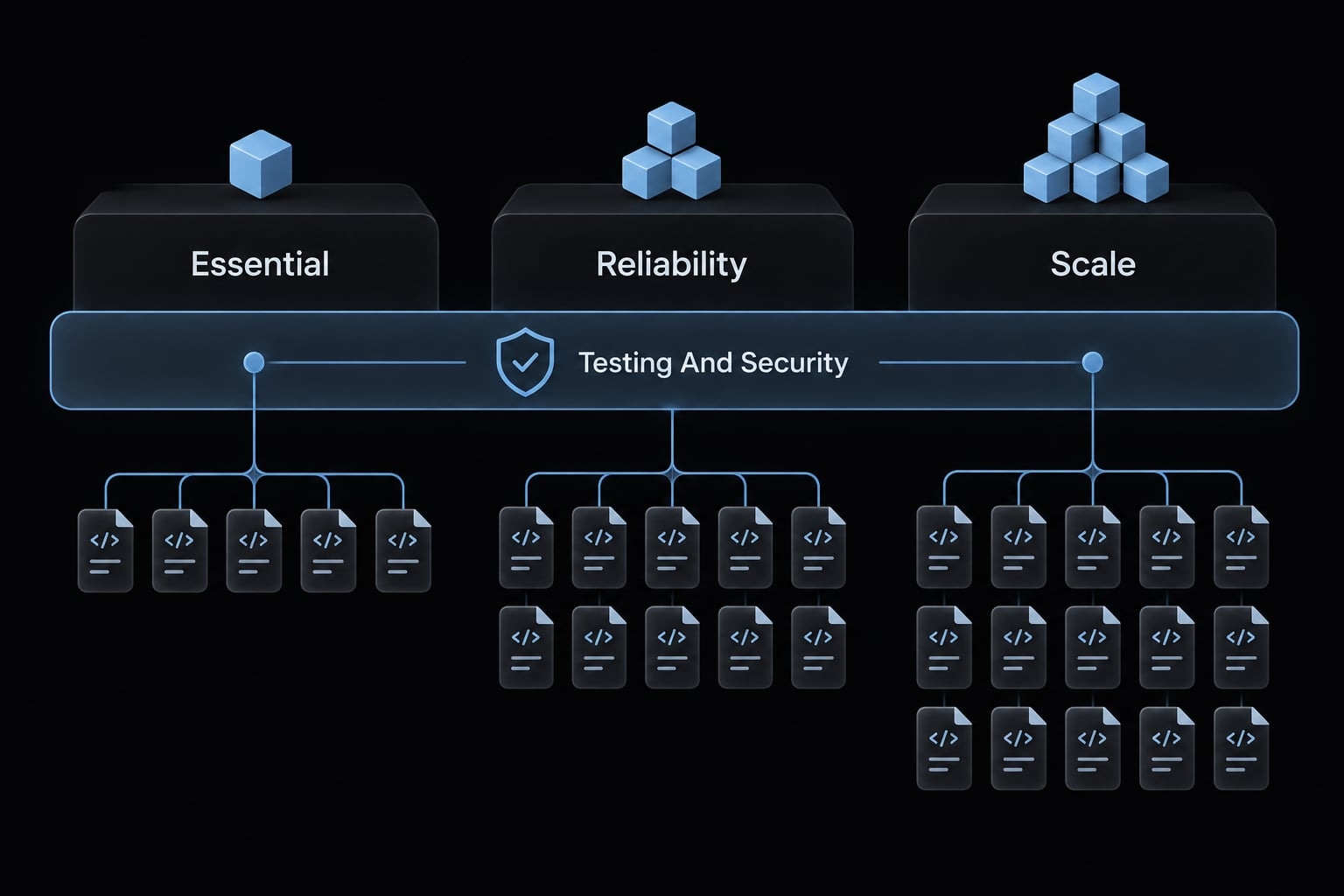
Essential | Five responsibilities-context, behavior, architecture, instructions, tasks-may occupy three or four files. | Embed decisions, test procedures, security boundaries, and completion evidence. |
Reliability | Separate specifications, decisions, and testing records as handoffs increase. | Assign owners and review documentation alongside code. |
Scale | Add interface, operational, threat-model, and security-design documents as exposure grows. | Define cross-team ownership and risk-based approval requirements. |
Testing and security apply at every tier; only the organization of their documentation changes. A SECURITY.md file commonly explains vulnerability reporting. Do not assume it contains the system’s security architecture. Document threat assumptions and security design where maintainers can find and review them.
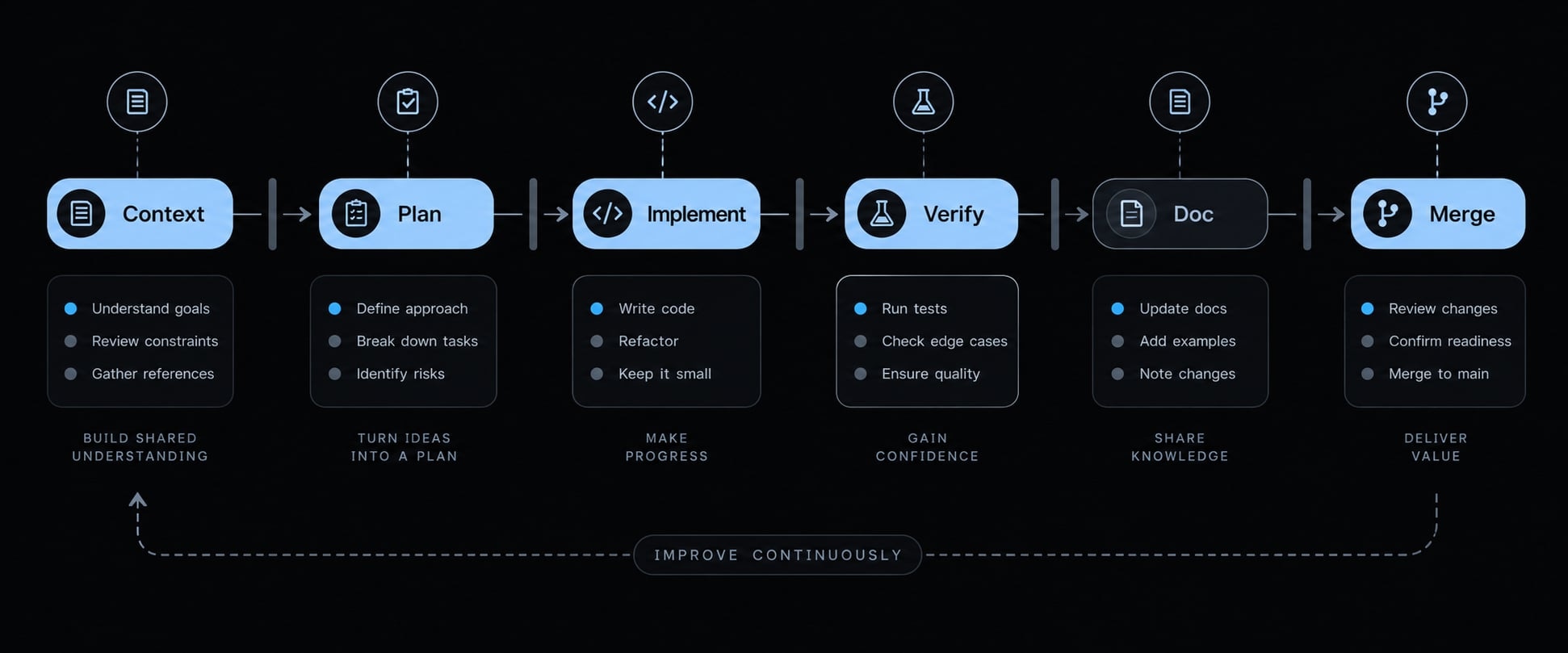
A simple documentation workflow for AI-assisted development
Keep documentation inside the development lifecycle rather than treating it as cleanup.
- Before development: Establish intent, constraints, and verification expectations.
- Before each task: Define a bounded change and approve the plan.
- After implementation: Inspect the diff, verify behavior, and update documents.
- Before merge or release: Confirm consistency, approvals, and handoff readiness.
Project context ↓ Task plan ←──────────────────────┐ ↓ │ Approval │ Replan if needed ↓ │Implementation ←───────┐ │ ↓ │ │ Verification ── fail ──┴───────────┘ │ pass ↓Documentation update ↓ Merge / release
Illustrative lifecycle: Project context and task approval lead to implementation, verification, documentation updates, and merge. Failed checks return work to implementation or planning.
Stage 1 - Before development
- Record users, goals, scope, constraints, and non-goals.
- Describe the basic architecture and approved technology.
- Establish testing, security, dependency, and approval boundaries.
- Resolve conflicting requirements before generating code.
A prototype may need only a short architecture section. Its output should still identify trusted components, sensitive data, and actions requiring approval. Written approval rules are not technical access controls. Restrict tool permissions and credentials separately.
Stage 2 - Before each task
- Define one bounded change with observable acceptance criteria.
- Identify relevant documents, code paths, dependencies, and exclusions.
- Ask the agent to list assumptions and propose an implementation plan.
- Obtain human approval before editing.
Vertical slicing means implementing one bounded, end-to-end behavior. For invitations, that includes the interface, application programming interface (API), persistence, and tests-not a general authentication rewrite.
Explicit exclusions might prohibit adding an authentication provider or changing existing membership roles.
Stage 3 - After each implementation
- Review the actual diff, not only the agent’s summary.
- Run appropriate automated unit testing, integration checks, and manual checks.
- Verify acceptance criteria and propose affected documentation updates.
- Report incomplete work and checks that remain unverified.
For invitations, verify organization ownership, administrator authorization, and safe rejection of expired or reused invitations.
“Tests passed” and “tests were not run” are different states. Record the command, environment, outcome, and relevant change identifier. Review test assertions as well as results.
Stage 4 - Before merge or release
- Confirm code and documentation describe the same behavior.
- Check architecture and dependency approvals.
- Require human review of security-sensitive changes.
- Commit related code and documentation together where practical.
Finish with a concise handoff: What changed, verification evidence, unresolved limitations, and remaining work. Agent-reported completion is not verified completion.
Copyable vibe coding documentation templates
Keep templates short enough to maintain. Replace placeholders with reviewed facts; leave unknowns explicit rather than asking the agent to fill gaps silently.
Project context template
# Project Context- Purpose: [Problem the product solves]- Users: [Primary users and roles]- Goals: [Prioritized outcomes]- Non-goals: [Deliberate exclusions]- Constraints: [Technology, security, data, resources]- Definition of success: [Observable outcomes]- Unknowns: [Questions requiring an owner]
Feature specification template
Use this compact PRD template for one feature, not an entire product roadmap.
# Feature: [Name]- User need: [Who needs what, and why]- Required behavior: [Expected system behavior]- Edge cases: [Invalid, unauthorized, expired, repeated inputs]- Acceptance criteria: - Given [state], when [action], then [observable result]. - Given [disallowed state], then [safe rejection].- Out of scope: [Explicit exclusions]- Open questions: [Unresolved requirements and owners]
Agent task template
This is a task-specific instruction block, not an AGENTS.md template. Reusable repository-wide rules belong in the tool’s supported instruction file; reference them here.
# Task: [Bounded change]- Objective: [One outcome]- Relevant requirements: [Document sections]- Architecture rules: [Approved patterns and constraints]- Related paths: [Files or directories]- Exclusions: [Changes not permitted within this task]- Approval boundaries: [Decisions requiring human review]- Proposed plan: [Steps and explicit assumptions]- Before editing: Present the plan for approval.- Completion checks: [Tests and observable outcomes]- Completion report: - Changes: [Paths and behavior] - Verification: [Commands and actual results] - Not run / not verified: [Checks and reasons] - Remaining limitations: [Unresolved work]
Documentation update prompt
Use this documentation prompt after inspecting the implementation.
Inspect the current change and relevant project documents.Identify affected requirements, architecture, instructions,tasks, decisions, and testing guidance.Cite supporting code paths for each proposed update.Propose minimal edits to authoritative documents.Do not duplicate requirements across files.Flag contradictions, unknowns, and unverifiable claims.Distinguish passed checks from checks not run.Present proposed updates and await approval before editing.
These approval instructions describe a process; they cannot independently prevent tool actions.
How to keep documentation accurate and portable
Accuracy needs ownership and evidence. Portability needs a stable source of truth plus tool-aware retrieval.
Add explicit freshness controls
Documentation drift occurs when documented expectations and implementation diverge. Stale instructions can be more misleading than an explicit information gap.
Add lightweight maintenance metadata:
owner: "<responsible maintainer>"last_reviewed: nullrelated_paths: - "<relevant code or test path>"update_trigger: "<behavior or interface change>"verification: status: "not verified" evidence: []
This metadata is a maintenance convention, not an automated control unless you implement checks around it. A recent date does not establish accuracy; review should compare claims with code, tests, and approved decisions.
Avoid tool lock-in
Keep substantive requirements and decisions in tool-neutral Markdown. Use supported instruction files as adapters that direct each coding tool toward relevant canonical documents.
Avoid copying project truth into several rule systems. Load task-relevant context explicitly and resolve contradictory instructions before implementation. A reference to another document is not necessarily an import or an automatic-loading mechanism; check the tool’s current official documentation.
MCP (Model Context Protocol) lets configured tools expose resources and capabilities; it does not guarantee retrieval of the right documentation. The published llms.txt proposal describes a documentation index convention with varying support; neither mechanism replaces project requirements, architecture, or decisions.
Vibe coding documentation checklist
Use this documentation checklist at the task boundary, not only before release.
Before the agent writes code
- The goal and feature requirement are recorded.
- Task boundaries and exclusions are explicit.
- Relevant architecture and rules have been supplied or retrieved.
- Assumptions and the proposed plan have been reviewed.
- Acceptance criteria and required tests are defined.
- Architecture, dependency, and security changes have required approval.
After the Agent Writes Code
- A human has inspected the actual diff.
- Test results are verified; unrun checks are identified.
- No unrelated changes remain.
- Affected documents are identified and updated where needed.
- Decisions and known limitations are recorded.
- Code and documentation are ready for coordinated review and commit.
Frequently asked questions
What is vibe coding documentation?
Vibe coding documentation is a system of version-controlled Markdown files that provides AI coding agents with stable project context, architectural constraints, and task requirements. Unlike ephemeral chat history, these files keep project knowledge available and reviewable across sessions, tools, and developers.
How is vibe coding documentation different from AI agent rules?
While both guide AI behavior, they serve different roles. Agent rules reside in supported instruction files to define local coding conventions and tool-specific commands, whereas project documentation contains the broader product requirements, architectural decisions, and testing standards that define what the system must do and why.
Why is prompt history insufficient for complex projects?
Prompt history often becomes cluttered with obsolete experiments, unresolved assumptions, and non-authoritative implementation attempts. Documentation provides a centralized, reviewed source of truth, reducing architectural drift and ensuring that agents work from current requirements rather than misinterpreted past conversations.
How do I prevent my documentation from becoming outdated?
Documentation drift is managed by assigning clear ownership to project maintainers and tying document updates to specific development triggers. Before any code is merged, the change author must verify that relevant documentation remains accurate, reflecting the current state of the implementation and any new decisions.
Should I paste library manuals into my agent's prompt?
No. Pasting entire manuals is inefficient and degrades agent reasoning. Point the agent at the specific sections it needs instead. Conventions such as llms.txt and MCP documentation servers can help, but support varies and neither guarantees the agent retrieves the right page - check what your tool actually supports.
Read more:
- Spec-driven vibe coding: A smarter way to build with AI
- Vibe coding threat model: Secure AI-assisted development guide
- Is vibe coding the future of programming? Trends and insights
Conclusion
Good vibe coding documentation preserves intent, constraints, architecture, active work, and verification expectations. Its value comes from making decisions inspectable and reusable-not from producing a large collection of files.
Start with five responsibilities: Project context, feature behavior, architecture, agent instructions, and tasks. Combine files where appropriate. Add dedicated decision and testing records when maintenance demands them, without deferring decision tracking or testing itself.
Keep the three boundaries clear: Available context is not automatically loaded context; instructions are not security controls; reported completion is not verified completion. Testing, security review, and engineering ownership remain necessary. Build your starter pack from the copyable templates above, adding architecture, decision, and testing sections from the reference matrix.