Vibe coding cost: What you actually need to budget for
A lot of people look at a $20 to $50 monthly plan and assume that is the full cost of vibe coding. It isn’t. That price usually buys access to AI coding tools, not the full cost of building, launching, and maintaining an app. If you are evaluating an MVP, an internal tool, or a lightweight SaaS product, the real budget depends on much more than the subscription. This guide breaks the cost into four practical layers: tool access, build cost, run cost, and maintenance cost. It also shows realistic budget ranges, hidden expenses, and simple ways to keep spending under control.
What “vibe coding cost” actually includes
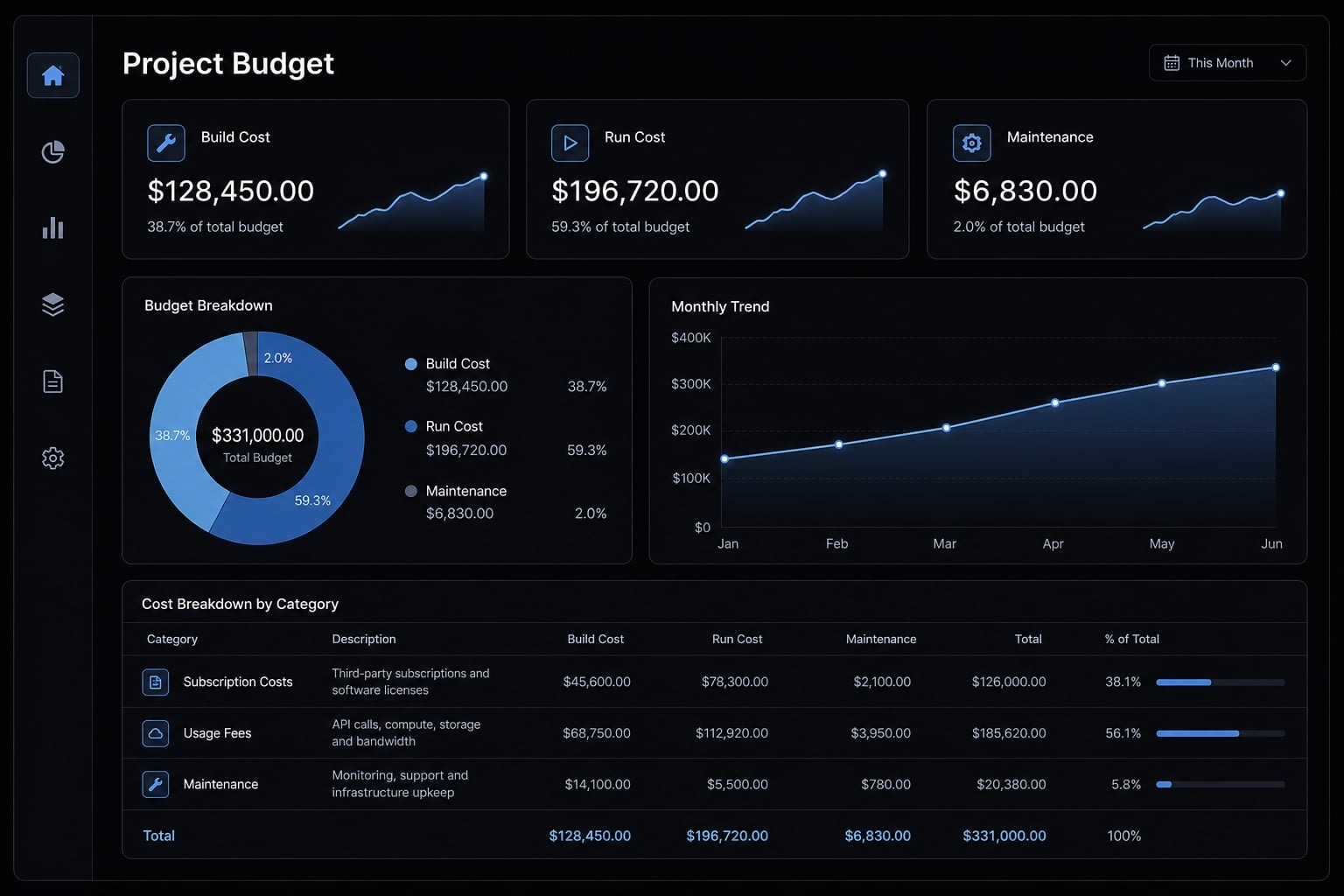
Vibe coding cost is the total cost of building, running, and maintaining an app created with AI coding tools. It includes more than the monthly subscription: teams also pay for usage-based AI charges, hosting, third-party APIs, debugging time, and ongoing maintenance once the app is live.
A common mistake in early AI-assisted builds is confusing tool access with total project cost. In practice, the real vibe coding cost is closer to a total cost of ownership calculation than a simple software subscription.
Build cost vs run cost vs maintenance cost
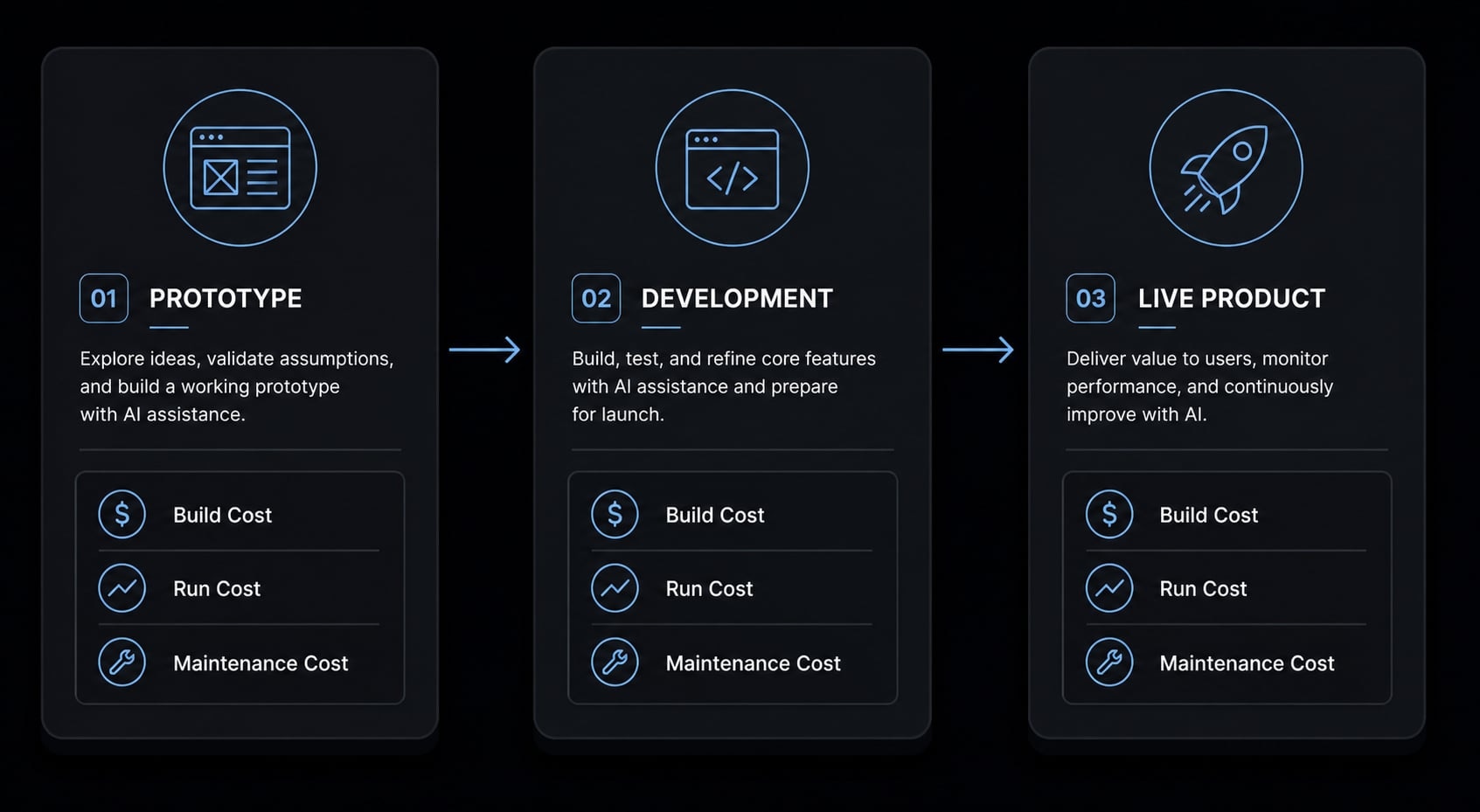
- Build cost covers tool subscriptions, early setup, initial integrations, prompt iterations, and human review during development.
- Run cost includes hosting fees, databases, storage, bandwidth, monitoring, and any live service usage after launch.
- Maintenance cost includes bug fixes, security updates, compatibility issues, cleanup, and changes required after users start relying on the app.
This framework matters because AI-generated apps still create normal software obligations. Even if AI writes a large share of the code, your app still has to run, stay available, and remain maintainable.
Why the headline subscription can be misleading
A $20 or $50 monthly plan may unlock the tool, but it does not define the full cost of building and running the app. That number usually reflects access, not all-in delivery. Teams often discover that costs rise in three moments:
- When they start retrying prompts repeatedly.
- When they add integrations such as payments or email.
- When a successful demo needs production-ready deployment.
That is the key budgeting correction. The vibe coding cost of a prototype may be low, but production costs can rise quickly once real users, reliability, and maintenance enter the picture. The lowest visible price is rarely the same as the true total cost of ownership.
The 5 main cost buckets in a vibe coding project
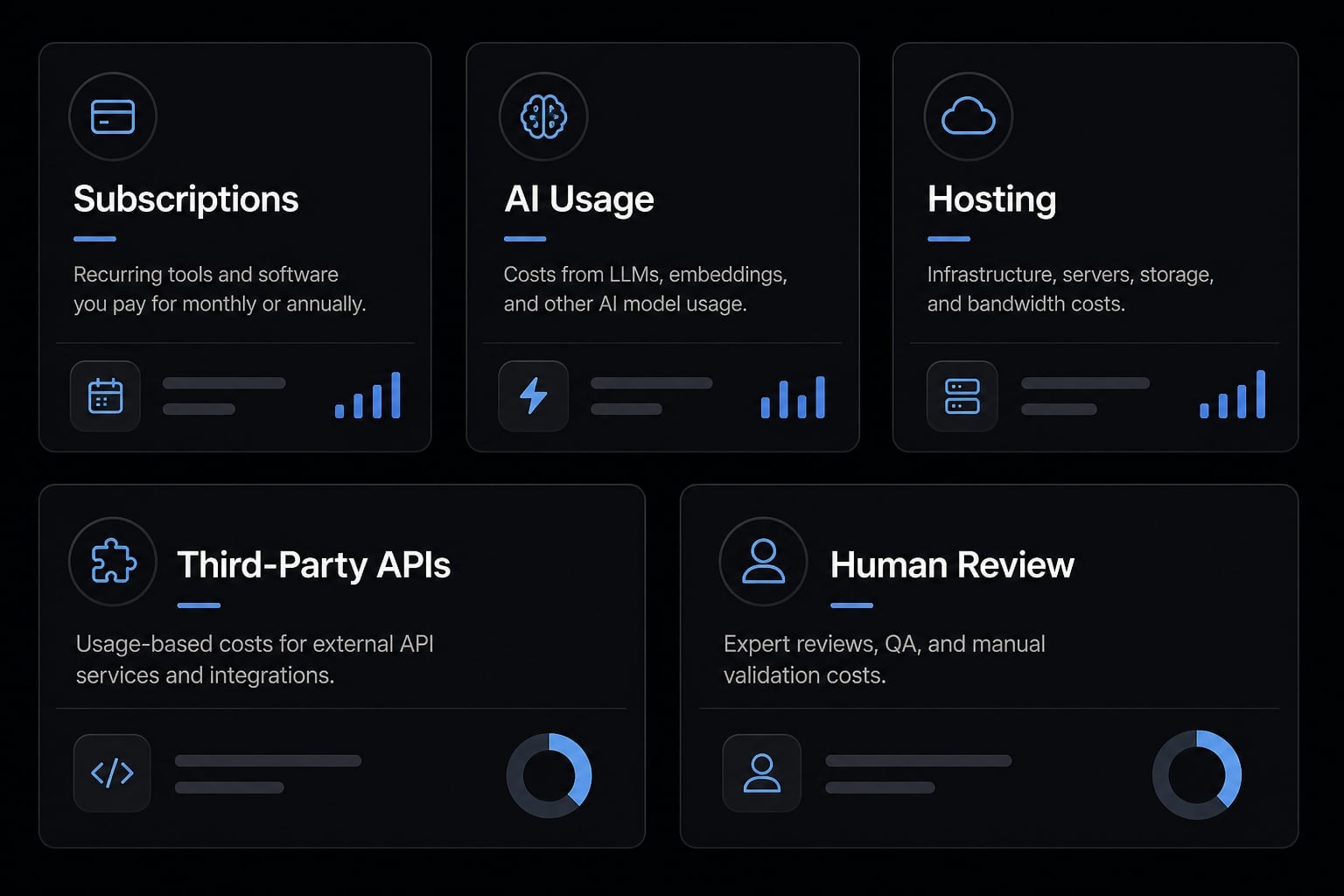
- Base tool subscriptions.
- Usage-based AI charges.
- Hosting and infrastructure.
- Third-party services and APIs.
- Human review, debugging, and iteration time.
A realistic vibe coding cost estimate should include all five buckets. If you budget only for the AI tool fee, you will almost always understate the real project cost.
1. Base tool subscriptions
Most builders use more than one tool. A typical stack might include Cursor, GitHub Copilot, Claude Code, Replit, or a Lovable-style environment.
Individually, these plans often look affordable. The problem is cost stacking. One subscription may be manageable, but several active tools used in the same month can materially raise your budget.
This is especially true during active build periods. A casual month may only require basic access, while a heavy build month often includes multiple paid tools running at once. That is why managing AI coding tool subscription fees should be treated as a real budget line, not background noise.
2. Usage-based AI charges
This is where low-cost builds often become less predictable. Many tools use usage-based pricing, even when the monthly plan looks fixed.
Common charging models include:
- Token consumption, where larger prompts and code outputs increase cost.
- Credit-based systems, where usage burns through prepaid units.
- Metered access to premium or reasoning-based AI models.
- Add-on charges tied to heavy compute or larger context windows.
In practice, cost usually rises when builders:
- Use long prompts.
- Keep retrying similar requests.
- Refactor large files repeatedly.
- Send oversized context into the model.
- Default to premium models for routine tasks.
A builder may save development time but still spend more than expected after repeated retries, large context windows, and premium model use. That is the real effect of inference costs: More AI work usually means more spend.
3. Hosting and infrastructure
Once the app is live, the budget shifts from building to operating. That means paying for:
- Hosting.
- Database services.
- File storage.
- Bandwidth.
- Domain names.
- Logs and monitoring.
- Deployment utilities.
Prototype hosting often looks cheap because usage is low. But production-ready deployment demands more reliability. As traffic grows, hosting fees usually rise with uptime expectations, performance needs, backup requirements, and monitoring.
4. Third-party services and APIs
Many app budgets are underestimated because people only count the AI tool. In reality, modern apps often rely on several third-party APIs and support services.
Common examples include:
- Payment processing.
- Email delivery.
- Authentication.
- Analytics.
- SMS.
- Maps.
- Image generation.
- Search APIs.
These are not “AI tool costs,” but they are still part of the app budget. A tool may be cheap to build, then become more expensive once those production dependencies are added.
5. Human time and debugging overhead
AI reduces boilerplate, but it does not remove judgment. Someone still has to review outputs, test workflows, check logic, and fix edge cases.
The biggest hidden expense in many projects is not software. It is time spent:
- Reviewing generated code.
- Testing broken flows.
- Rewriting weak outputs.
- Cleaning up architecture.
- Resolving bugs after launch.
Even if no invoice arrives for debugging, the time spent reviewing, retrying, and fixing generated output is still part of the total project cost.
For non-technical builders, this can become the largest of the hidden costs of AI-powered application development. It also creates opportunity cost: Founder or operator hours spent debugging AI code are hours not spent on product, sales, or customer work.
Realistic cost ranges by project type
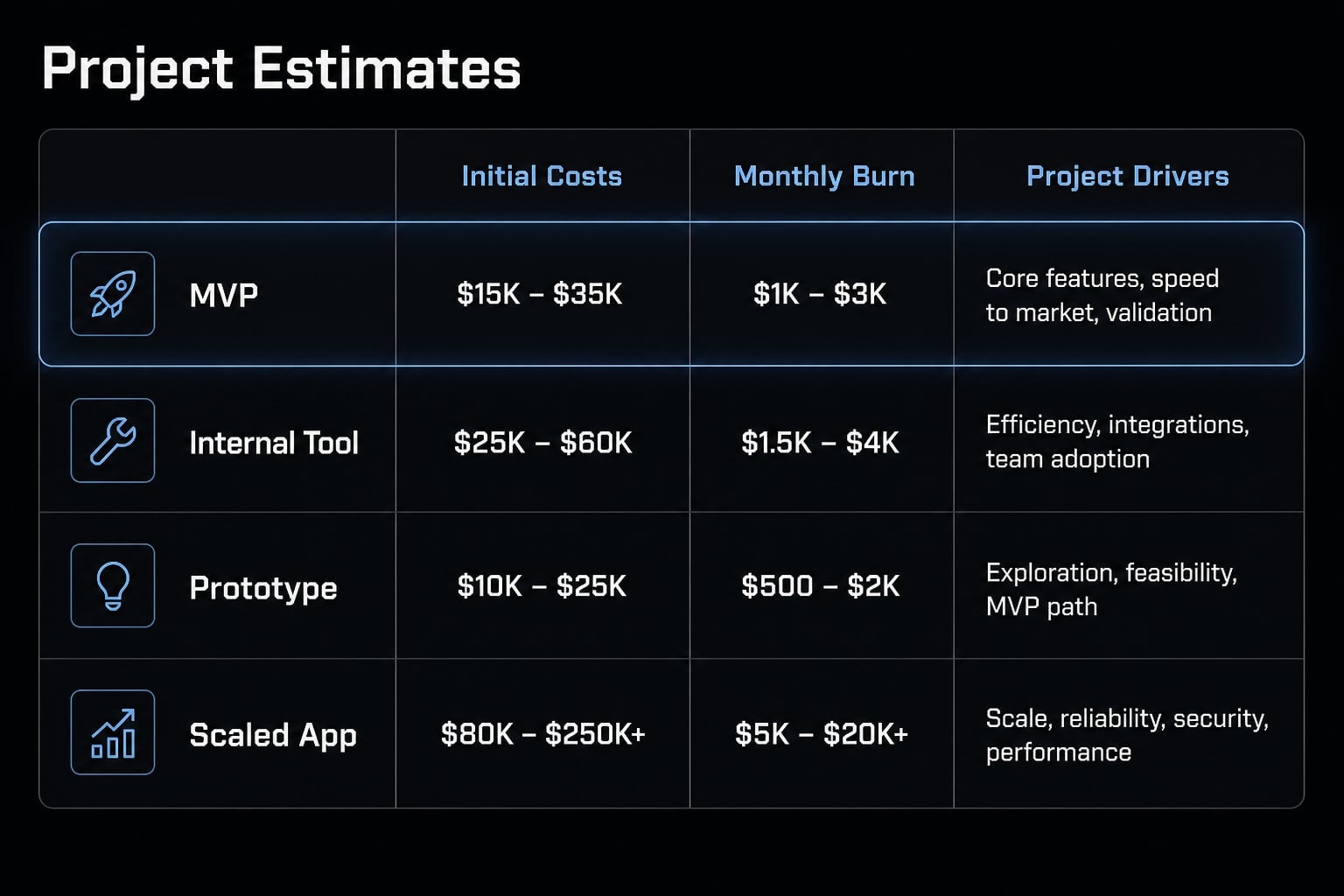
The most useful cost estimate starts with project type, not tool brand. The ranges below are directional estimates, not quotes. They assume early-stage builds, normal usage, and no major compliance requirements. They also exclude heavy traffic, advanced custom architecture, and enterprise-grade security complexity.
Project type | Typical initial cost | Typical monthly cost | Main cost drivers |
|---|---|---|---|
Simple micro-tool / utility | $50–$300 | $20–$100 | AI tool plan, hosting, light iteration |
Internal team tool | $150–$1,000 | $50–$250 | Auth, database, workflow logic, revisions |
MVP web app | $500–$3,000 | $100–$500 | Multiple features, integrations, debugging |
Small production SaaS | $1,500–$8,000+ | $300–$1,500+ | Reliability, security, monitoring, real user traffic |
These ranges vary because software cost is shaped more by scope than by the price of the coding tool. The main factors that change the budget are:
- Feature count and workflow complexity.
- Number of prompt iterations and rebuilds.
- Integration requirements.
- Security sensitivity.
- Production-ready deployment expectations.
- Who is responsible for ongoing maintenance.
The biggest jump usually happens between MVP and live SaaS. An MVP can tolerate shortcuts. A customer-facing product cannot. That is why MVP cost and small production SaaS cost often diverge sharply, even if the early prototype looked inexpensive.
If you are planning an internal app or MVP, it helps to map cost categories before you build. Related planning resources on structured AI workflows and deployment planning can make early budgets much more realistic.
Is vibe coding actually cheaper than other ways to build?
The right benchmark is not just upfront cost, but speed, control, and long-term maintenance burden.
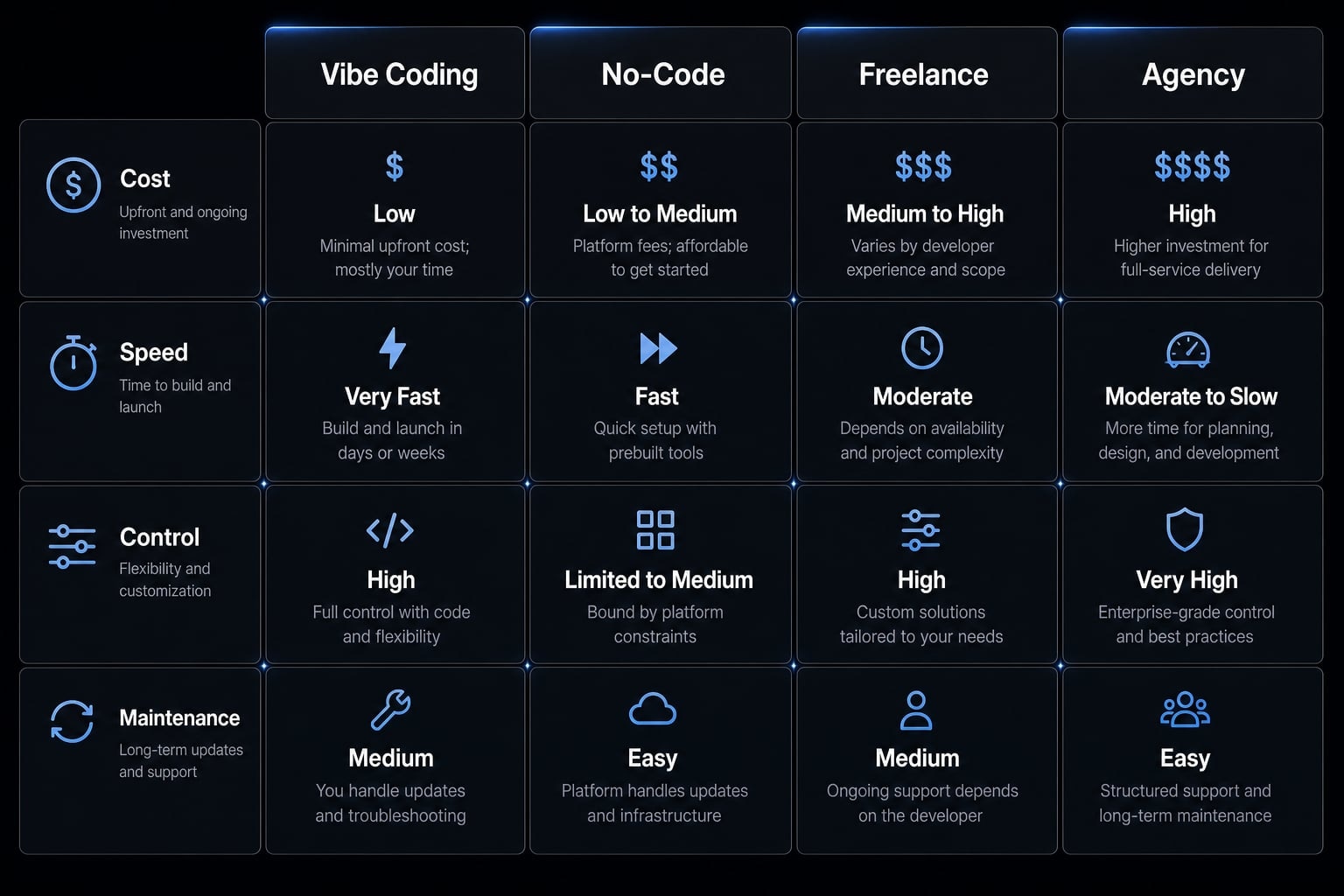
Approach | Typical cost | Speed | Control | Predictability | Best fit |
|---|---|---|---|---|---|
DIY vibe coding | Low upfront, variable total | Fast for prototypes | Medium to high | Low to medium | Founders validating ideas |
No-code platform | Low to medium | Fast | Medium | Medium to high | Internal tools, simple apps |
Freelance developer | Medium to high | Medium | High if managed well | Medium | Custom MVPs with limited internal capacity |
Agency build | High | Medium | High | High if scoped well | Production products, complex business-critical apps |
For many early projects, vibe coding cost is lower upfront than traditional development. That is its main advantage. It lowers the barrier to experimenting with ideas and shipping narrow prototypes quickly.
But lower upfront cost does not always mean lower total cost. A few practical tradeoffs matter:
- No-code can be more predictable for simple internal tools because hosting, components, and guardrails are packaged together.
- A freelance developer cost is higher, but customization and technical review are usually stronger.
- Agency cost is highest, yet often makes more sense when reliability, security, and production quality matter from day one.
This is the real comparison behind vibe coding vs traditional software development costs. DIY AI builds usually win on speed and accessibility. They do not automatically win on predictability or long-term maintenance.
The cheapest upfront path can become more expensive if it creates rework, instability, or maintenance debt later.
The hidden costs most people underestimate
The most underestimated expenses are usually not the visible subscriptions. They come from rework, weak architecture, debugging, and production hardening.
A common mistake in early AI-assisted builds is assuming that a working feature is a finished feature. Teams often discover that “almost right” output creates more cleanup than expected.
Common hidden cost patterns
- Repeating prompts several times to fix one issue
- Rebuilding features because the first version was scoped poorly
- Paying for APIs that looked free during test volume
- Spending hours untangling generated code later
- Using premium models for tasks that did not need them
- Expanding the context window unnecessarily, which increases inference overhead
- Delaying cleanup until debugging AI code becomes slower than rebuilding
These patterns matter because small inefficiencies compound. One extra prompt is not expensive. Fifty retries across multiple features usually are. That is the core of the hidden costs of AI-powered application development.
Prototype success can create production cost shock
Prototypes are cheap partly because they ignore many reliability requirements. Once the app becomes important, the economics change.
Production typically adds:
- Authentication and permissions.
- Monitoring and alerts.
- Backups.
- Logging.
- Uptime expectations.
- Security review and cleanup.
A working demo is not the same as a production-ready system.
This is where technical debt appears. Technical debt is the future cost created by shortcuts, inconsistent code structure, or weak architectural decisions made early. A cheap prototype can still become expensive to run or maintain if those shortcuts pile up.
That is why production costs, maintenance, and code quality should be considered before the app becomes business-critical.
How to keep vibe coding costs under control
Good cost control starts before the first prompt. The biggest savings usually come from better scope decisions, cleaner usage habits, and separating prototype budgets from production budgets.
Cost control checklist
- Scope one workflow before building five features: Strong scoping reduces waste earlier than optimization does. Build one useful flow first.
- Use cheaper or default models unless premium reasoning is necessary: Reserve premium models for complex logic, not routine edits or formatting.
- Track tool spend, hosting, and API usage separately: Good usage monitoring means knowing where the money actually goes by category.
- Keep prompts structured and avoid bloated context: Better context window management reduces unnecessary usage and keeps outputs cleaner.
- Review production risks early if logins, payments, or users are involved: Security and reliability costs are easier to plan early than retrofit later.
- Clean up documentation and architecture before rework compounds: Small documentation habits reduce long-term maintenance burden.
- Split prototype budget from production budget: The most important discipline is treating experimentation and live operation as separate phases.
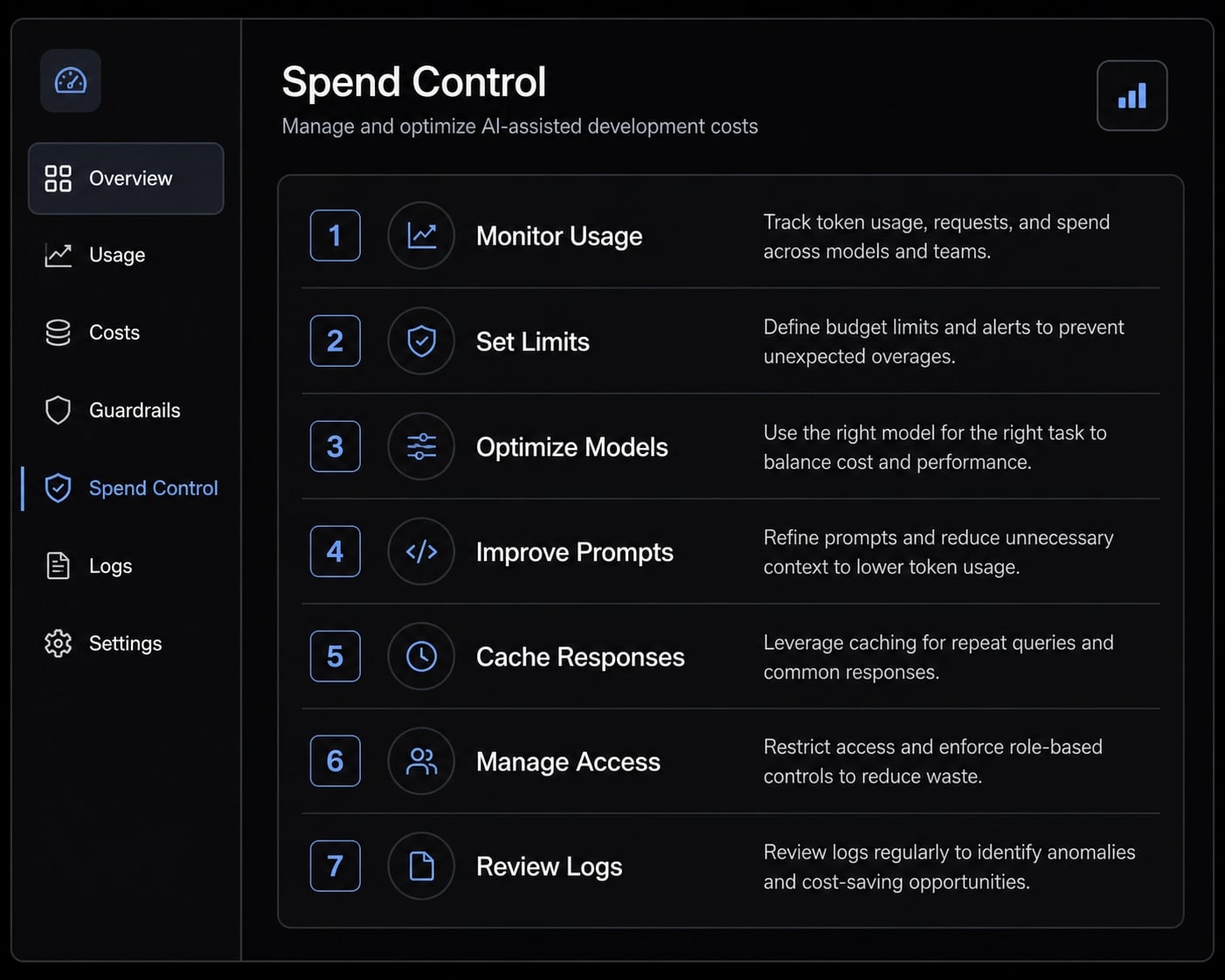
Some projects also benefit from a simple monthly budget review across subscriptions, AI usage, hosting, and integrations. That makes managing AI coding tool subscription fees much easier than trying to reconstruct spending after the fact.
When DIY stops being cost-efficient
DIY usually stops making financial sense when you see the same inefficiencies repeating:
- Constant rebuilds.
- Unstable outputs.
- Unclear architecture.
- Too much founder time lost to debugging.
- Live users depending on the app.
- Growing payments or security requirements.
At that point, more prompting may not solve the problem. Process, engineering review, or more repeatable AI workflows often reduce waste more effectively than continued trial and error.
If your team is moving beyond experiments, it may be worth reviewing guides on maintaining AI-assisted apps or workflow automation so the build process becomes more structured.
A simple decision framework: When vibe coding makes financial sense
Vibe coding makes the most financial sense when speed and low upfront experimentation matter more than long-term architectural certainty.
Best fit
- Testing demand quickly.
- Building lightweight internal tools.
- Shipping a narrow MVP fast.
- Exploring product ideas before hiring developers.
- Reducing early MVP validation cost.
Poor fit
- Compliance-heavy systems.
- Security-sensitive systems.
- Multi-team enterprise software.
- Customer-facing products where uptime matters immediately.
- Products with no clear maintainer after launch.
This is the practical rule: AI-native coding is strongest when you need fast learning, not perfect certainty. As complexity rises, more structured processes and repeatable AI workflows usually reduce waste and rework more effectively than pure DIY prompting.
Frequently asked questions
What does "vibe coding cost" actually include?
Vibe coding cost is the total cost of ownership for building, running, and maintaining an app created with AI coding tools. It includes more than your monthly subscription: you must also budget for usage-based AI charges, hosting fees, third-party API costs, debugging time, and ongoing maintenance.
What are the five main cost buckets for an AI-assisted build?
To accurately budget for a project, you should account for these five areas:
- Base tool subscriptions.
- Usage-based AI charges (tokens/credits).
- Hosting and infrastructure.
- Third-party services and APIs.
- Human time for review, debugging, and iteration.
Is vibe coding always cheaper than hiring an agency or developer?
Not necessarily. While vibe coding often has lower upfront costs and faster prototyping, traditional development provides more predictability, architectural control, and reliability for production-grade apps. The "cheapest" path depends on whether you value initial speed or long-term system stability and maintenance.
Why do "hidden costs" often arise in AI-powered projects?
Hidden costs typically stem from "productivity tax"—the human time spent untangling AI-generated code, fixing poorly scoped features, and managing unexpected usage spikes. Additionally, moving a prototype to a "production-ready" state requires professional security, backups, and monitoring that often exceed initial cost estimates.
How can I effectively control my vibe coding expenses?
You can control costs by scoping workflows into smaller modules, monitoring token usage carefully, and avoiding "premium" reasoning models for simple tasks. Separating your prototype budget from your production budget helps prevent unexpected bills when moving from a test environment to a live, stable system.
Does the cost of vibe coding change when moving to production?
Yes. Moving from a prototype to production-ready deployment usually increases costs significantly. You must transition to higher-grade hosting, implement robust monitoring, manage database scaling, and ensure security compliance-all of which require infrastructure and maintenance spend that do not exist during the initial "vibe" phase.
Read more:
- Vibe code marketplace: Defining AI-driven development & risks
- Vibe code mobile app: Build ideas faster with AI development
- Vibe coder meaning: How AI is changing software development
Conclusion
The real lesson is simple: Vibe coding cost is rarely just the monthly tool plan. A realistic budget should separate build cost, run cost, and maintenance cost, then account for usage-based AI charges, hosting, integrations, and human review time.
That distinction matters most when a prototype starts behaving like a real product. A cheap demo can still become expensive if hidden costs, technical debt, and production requirements are ignored. The best results usually come from tight scope, careful cost control, and clear boundaries between prototype and production.