Vibe coding deployment: How to take an AI-built app live
An AI preview may work well, but it can still fail with real users. Deploying a vibe-coded app exposes hosting, configuration, authentication, and database permission issues that previews often hide. Lovable, Bolt, Replit, v0, Cursor, and Claude Code help generate applications, but their export and hosting workflows differ.
This guide shows how to deploy a vibe-coded app from source code to a live host without assuming advanced DevOps experience. You will identify the architecture, prepare GitHub, choose hosting, configure services, and test the release. The reference example is a small client portal with login and organization-scoped records-not a platform for generating applications.
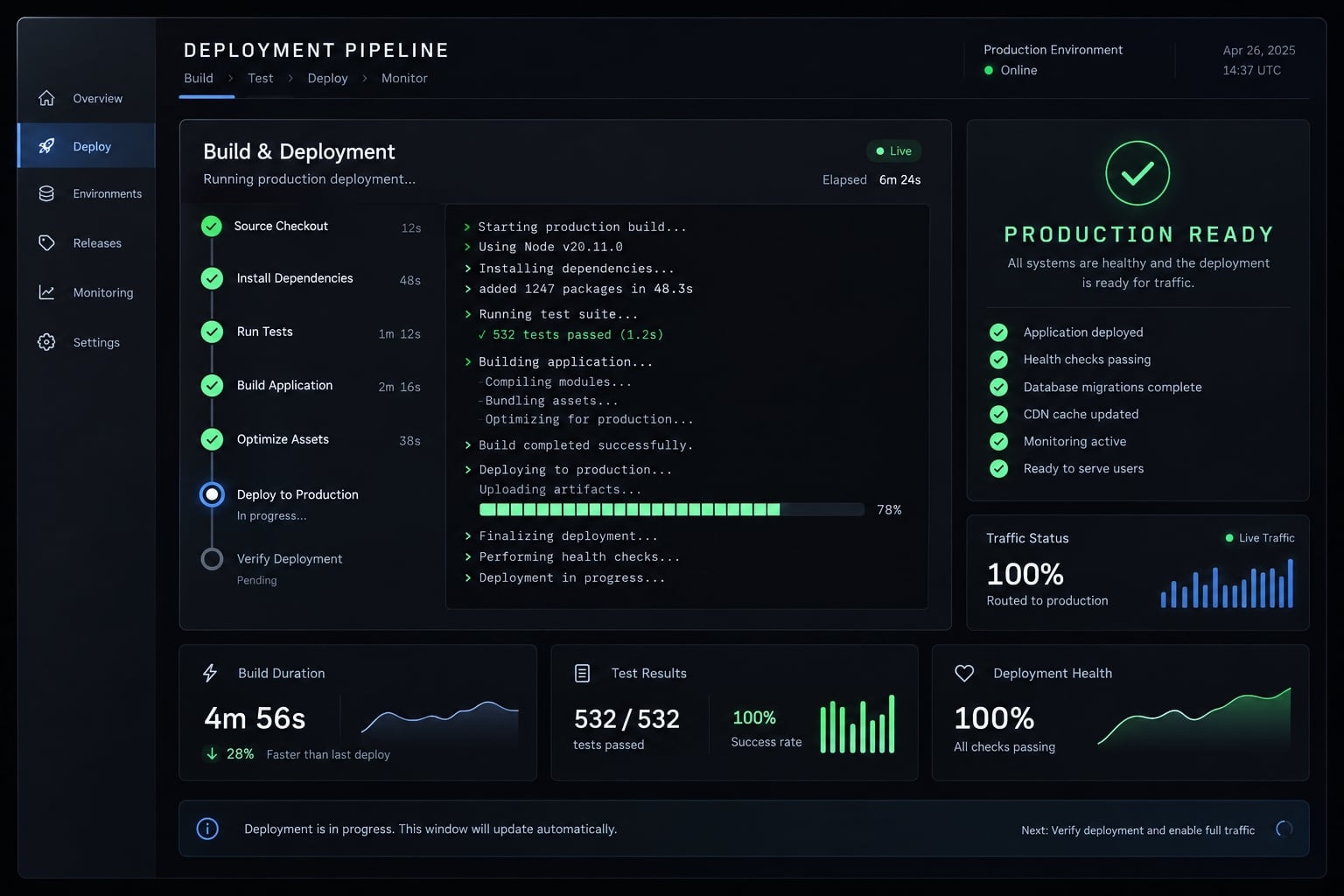
What vibe coding deployment actually involves
Vibe coding deployment is the process of moving an AI-generated app's source code, configuration, and services to a live host for public access. It includes choosing compatible infrastructure, building when necessary, configuring authentication and data access, and validating behavior before approving a release for real users.
Preview, deployment and production readiness are not the same:
Stage | What it demonstrates | What remains unproven |
|---|---|---|
Local/platform preview | The app runs in a development environment, sometimes publicly | Production configuration and service behavior |
Public deployment | A host serves the application | Security, reliability, recovery |
Production-ready release | Intended workflows and controls have supporting evidence | Future changes, incidents, and evolving risks |
A deploy button won't check if one client can access another's data. You must run separate authorization tests.
Our portal uses a browser frontend and managed backend services. Deploying the frontend does not automatically configure those services correctly.
What to check before deploying an AI-built app
Verification status: This is an unexecuted reference procedure, not a tested deployment report. The proposed stack is Vite + React, npm, GitHub, Netlify, and Supabase. Record your actual Node/npm versions, commit, test date, build result, and live checks before release.
Use this pre-deployment checklist:
- Obtain complete source (not only a preview link).
- Confirm a GitHub repository with reviewable history.
- Identify the framework, package manager, and runtime.
- Test login and the main record workflow.
- Require a successful production build.
- Inventory configuration names and scopes.
- Find secrets, mocks, and placeholder integrations.
- Commit the compatible dependency lockfile.
- Ignore local secrets and generated artifacts.
- Record a recoverable commit or release tag.
Identify what the AI tool actually generated
Inspect package.json for scripts and dependencies. vite.config.* suggests a frontend build; next.config.* suggests Next.js.
Server entry points may indicate a custom backend. Migration folders describe database changes. A Dockerfile describes container packaging.
These are clues, not proof of hosting suitability. Trace where requests execute and where records persist.
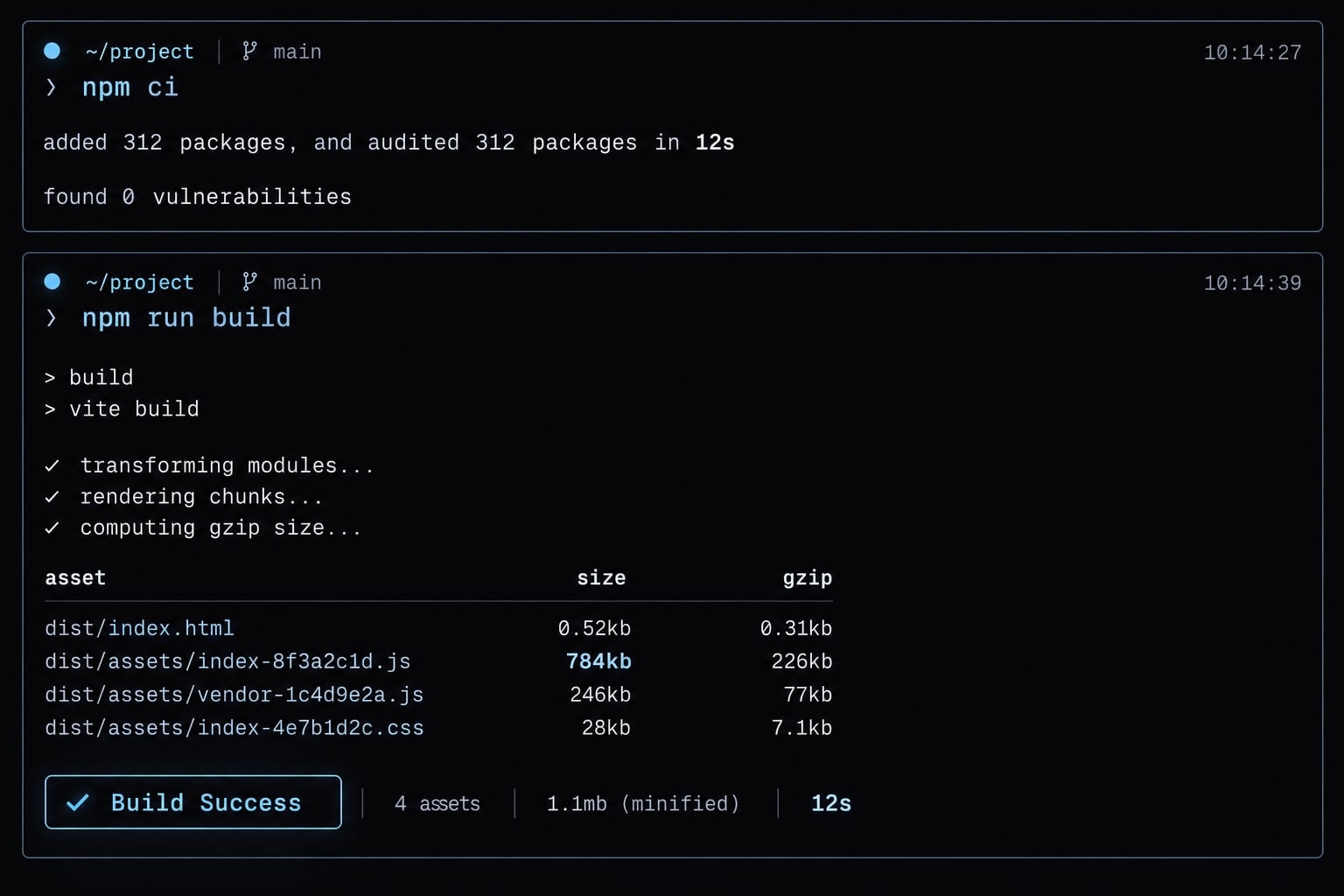
Run a local production build
For an npm project with a compatible committed lockfile:
npm cinpm run build
Other package managers need their equivalent locked install. Run tests and linting when those scripts exist; missing tests represent a coverage gap.
Inspect the generated app locally. Vite’s preview server is for inspection, not production hosting, as Vite’s Deploying a Static Site documentation explains. Stop if installation or compilation fails. A working development server does not override that failure.
Create a deployment inventory
Item | Record |
|---|---|
Framework/runtime | Versions and package manager |
Commands | Locked install and build |
Paths | Repository root and output directory |
Variables | Names, public/private classification, scope, secret location-not values |
Services | Database, authentication, storage |
Domain | Hostnames and callback requirements |
Commit .env.example only with nonsecret placeholders.
Choose a deployment platform based on your application type
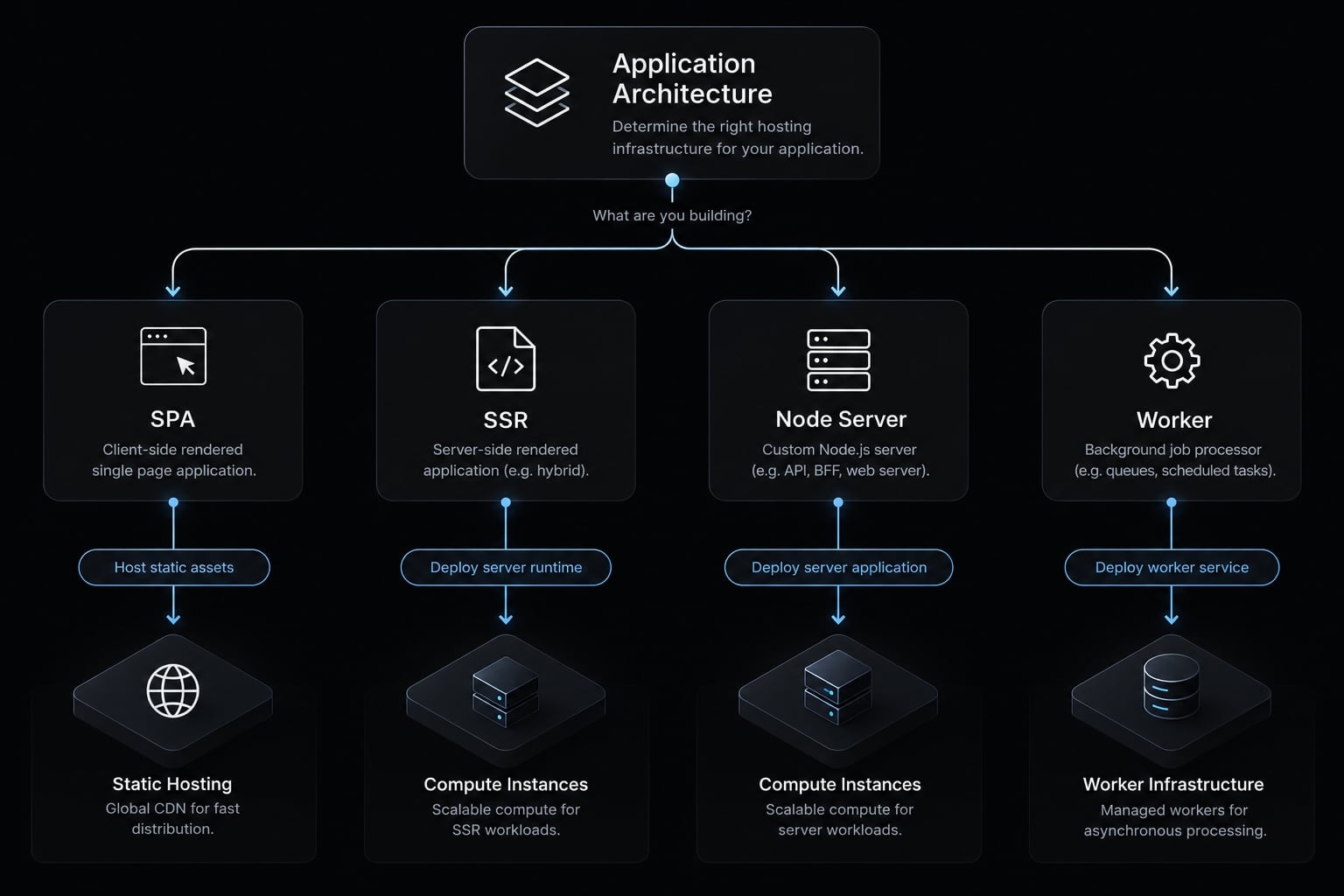
Architecture determines hosting fit-not the tool that generated the code. A browser application, server-rendered application, and background worker need different execution environments.
Hosting decision table
Application type | Recognizable signs | Suitable path | Limitation to verify |
|---|---|---|---|
Static website | HTML, CSS, assets | Netlify, Vercel, Cloudflare Pages | Redirects and build requirements |
React/Vue SPA | Browser routing and frontend bundle | Frontend hosting plus external services | Route fallback and public configuration |
Next.js application | Framework routes and rendering features | Supported framework-integrated host | Server features versus static-export compatibility |
Full-stack Node application | Server process and API routes | Compatible Render, Railway, or Fly.io service | Runtime, health checks, persistence |
Database-backed application | Database/authentication SDK | Frontend plus managed backend, or custom server | Authorization and connection model |
Background-task application | Queues, schedules, long-running work | Worker-capable service | Duration, retries, concurrency |
SPA means a browser application with client-side navigation. SSR means server-generated pages. A compatible Next.js static export does not require a persistent Node server.
Netlify and Vercel support more than static hosting. Cloudflare Pages and Workers are distinct products; consult Cloudflare’s framework-specific deployment documentation before choosing either.
A simple platform selection rule
Use framework-integrated hosting for supported Next.js features. Use frontend hosting for browser apps backed by external services. Choose backend- or worker-capable hosting for persistent processes and long-running jobs.
Our portal follows the second path: Netlify serves Vite assets, while Supabase supplies authentication and database services. A custom backend is not mandatory when managed-service authorization correctly enforces access.
Render, Railway, and Fly.io are examples of production PaaS, whereas platforms like Replit serve primarily as prototyping environments. Check current framework support, free-tier limits, commercial-use terms, and pricing before committing.
Five questions to ask before selecting a host
- Does any code require server-side execution?
- Where must persistent data live?
- Does the app require SSR?
- Does it handle uploads or background jobs?
- Does the host support its framework and runtime?
Local filesystem writes may disappear during redeployment or instance replacement. Store durable uploads in suitable persistent storage.
How to deploy a vibe-coded app step by step
Follow this sequence for the reference client portal:
- Export the project and push it to GitHub.
- Review the generated project.
- Confirm the build command, output directory, and runtime.
- Import the GitHub repository into the host.
- Add production environment variables.
- Deploy and read the build logs.
- Connect the database and authentication services.
- Connect a custom domain.
- Test the live application.
Step 1 - Export the project and push it to GitHub
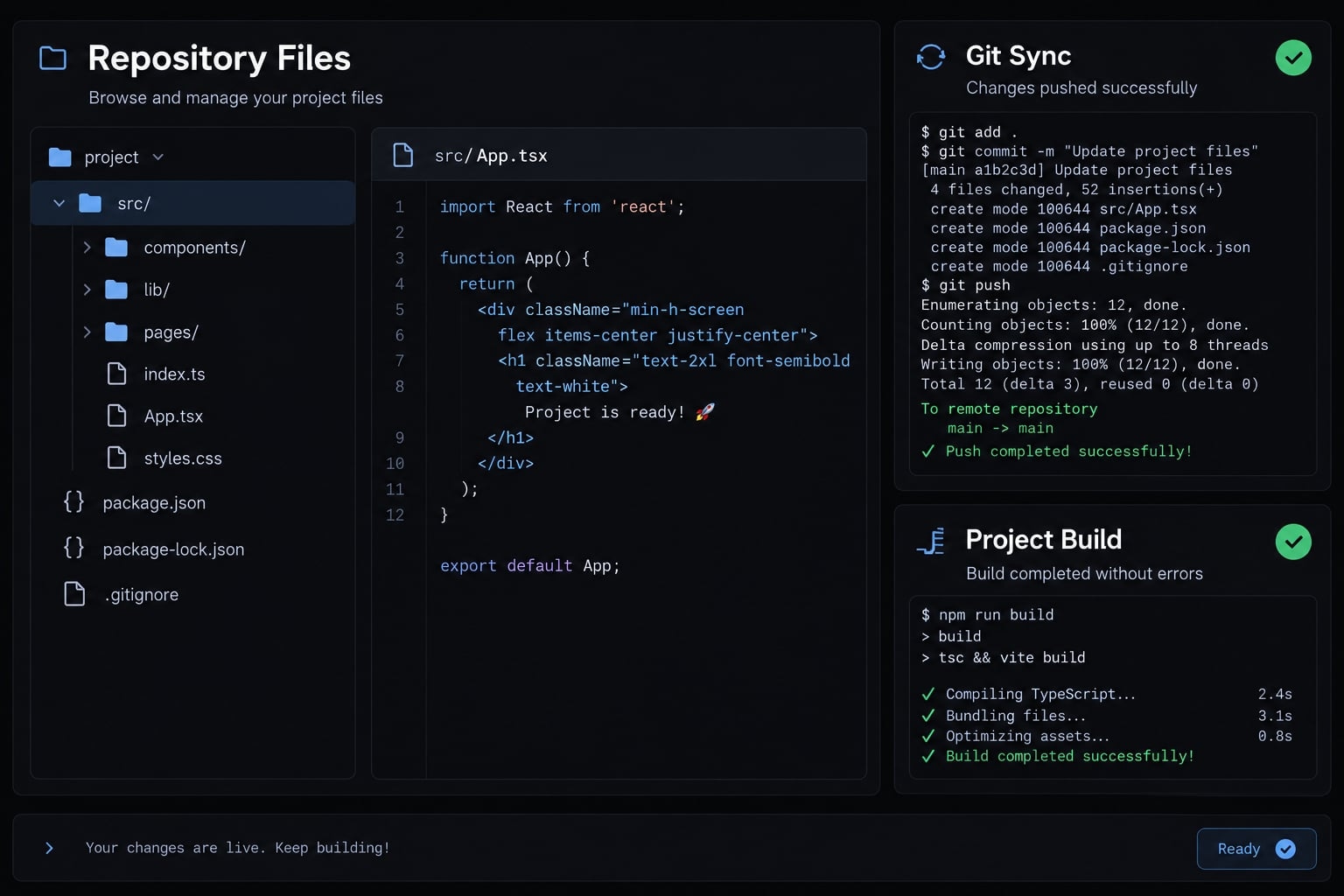
Obtain the complete source or use the generator’s existing repository integration. Add ignore rules before staging files.
Inspect git status and git diff --cached before committing. Push to a repository with appropriate visibility and restricted write access. Avoid staging credentials, dependencies, and generated output.
Complete when: GitHub contains the intended source and lockfile without local secrets.
Step 2 - Review the generated project
Inspect actual scripts, dependencies, hard-coded credentials, mock integrations, sample administrators, and localhost endpoints. Compare README claims with behavior.
Identify every protected action. For the portal, hiding another organization’s records in React is insufficient: backend policies must reject unauthorized reads and writes.
Complete when: No known deployment blocker or obvious authorization bypass remains.
Step 3 - Confirm the build command, output directory and runtime
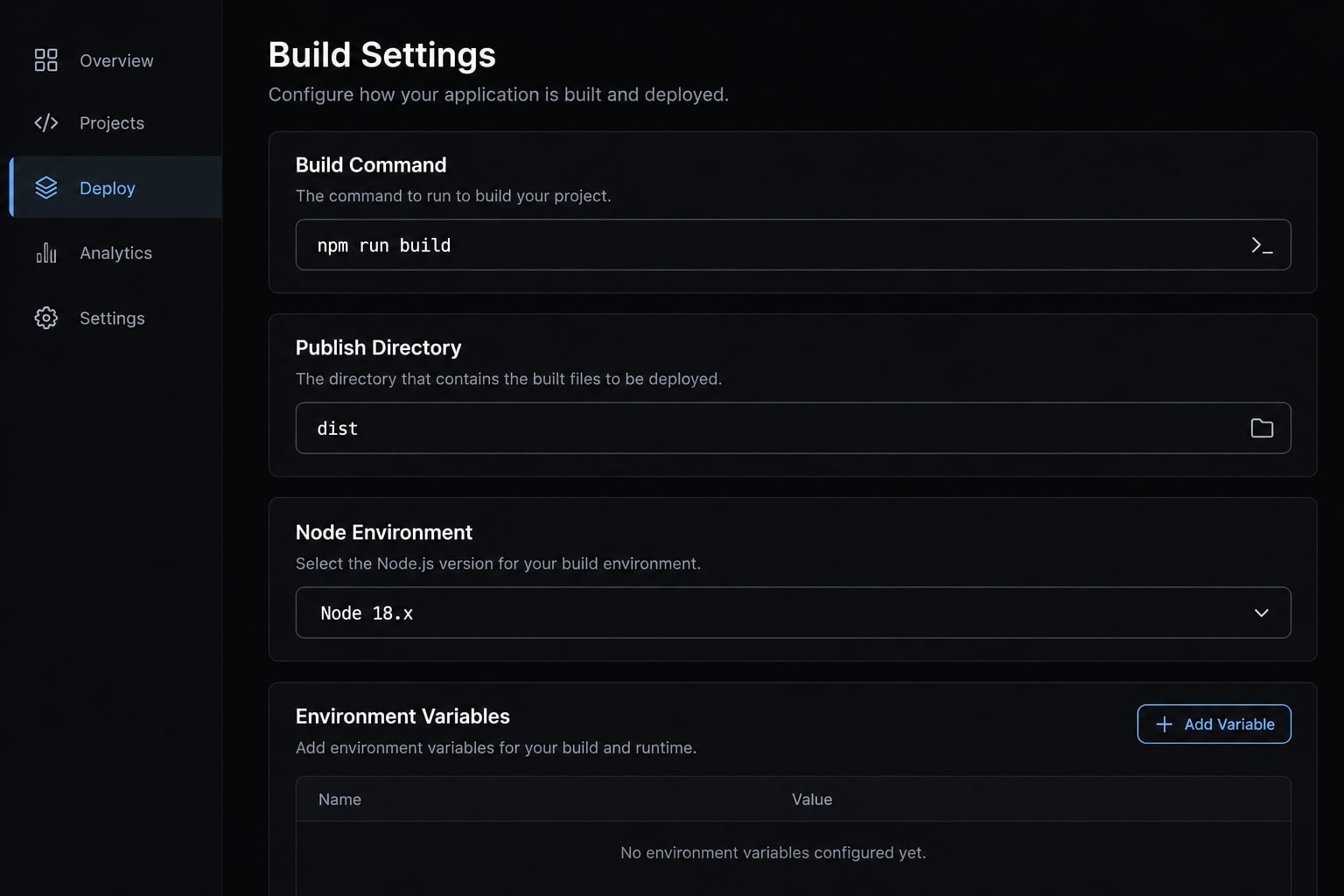
Use these settings only after checking the project:
Setting | Reference Vite configuration |
|---|---|
Install |
|
Build |
|
Publish directory |
|
Runtime | Exact supported Node version, pinned consistently |
Repository root | Directory containing the application’s |
Choose a Node release supported by both the installed Vite version and host. Record it in project configuration.
.next is not a generic static publish directory; framework-managed deployments differ from static exports.
Complete when: Local and host settings agree.
Step 4 - Import the GitHub repository into the host
Connect Netlify to the intended repository with limited permissions. Select the release branch and review detected framework settings.
Confirm root, build command, output, and Node version. Check whether pushes automatically publish production releases; use previews while validation remains incomplete.
Complete when: The correct repository and branch are connected with verified settings.
Step 5 - Add production environment variables
Provision the portal’s production Supabase project, then configure the exact variable names the code reads.
Do | Do not |
|---|---|
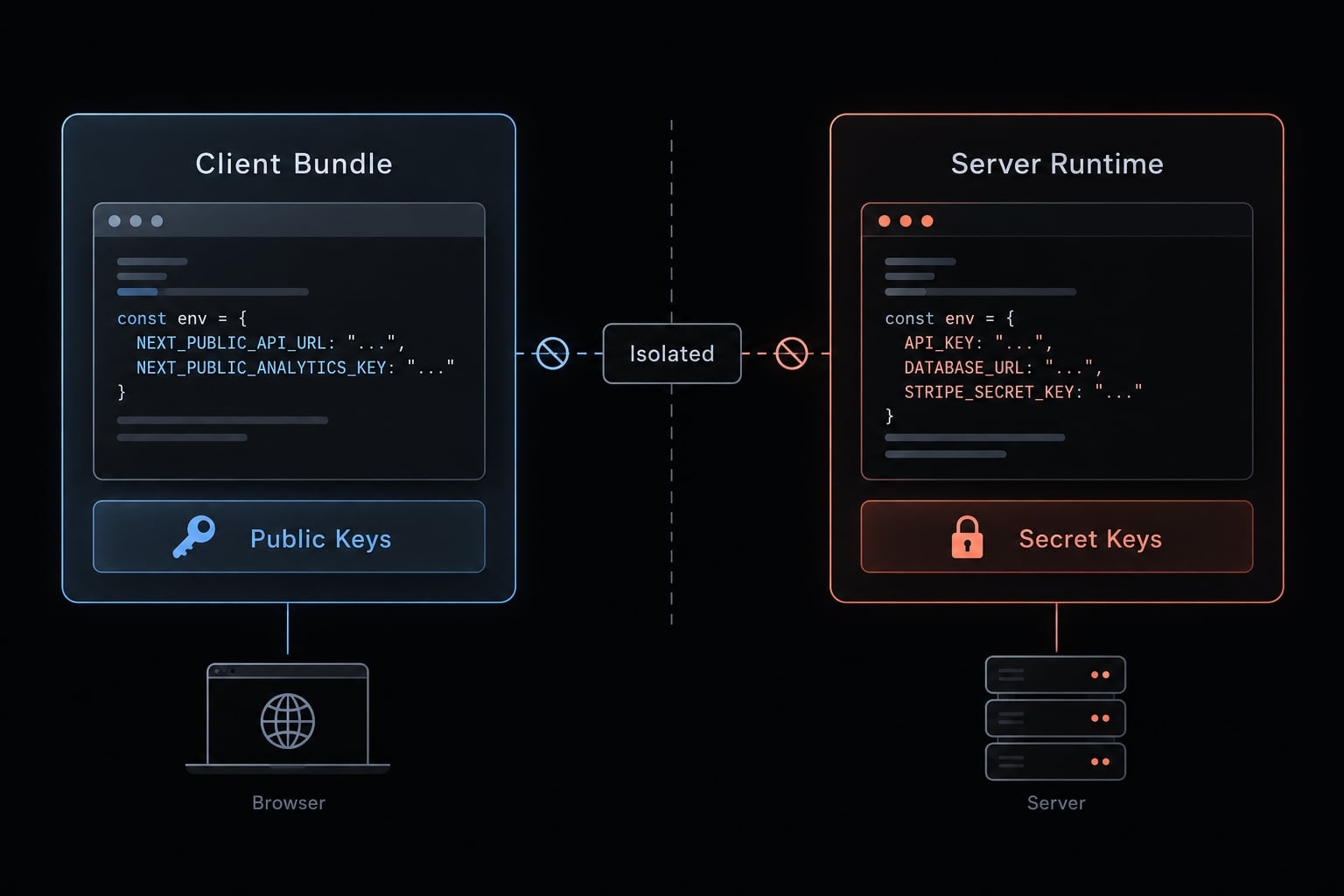
Supply the Supabase project URL and publishable key | Supply a service-role or secret key to React |
Separate preview and production values | Let preview writes reach customer data |
Store privileged credentials server-side | Treat frontend prefixes as protection |
For example, code may read VITE_SUPABASE_URL and VITE_SUPABASE_PUBLISHABLE_KEY; names must match the implementation.
Vite embeds frontend configuration during builds. Changing dashboard values generally requires rebuilding. VITE_ and Next.js’s NEXT_PUBLIC_ expose values to browsers; neither prefix protects secrets.
Complete when: Names, scopes, and exposure classifications are correct.
Step 6 - Deploy and read the build logs
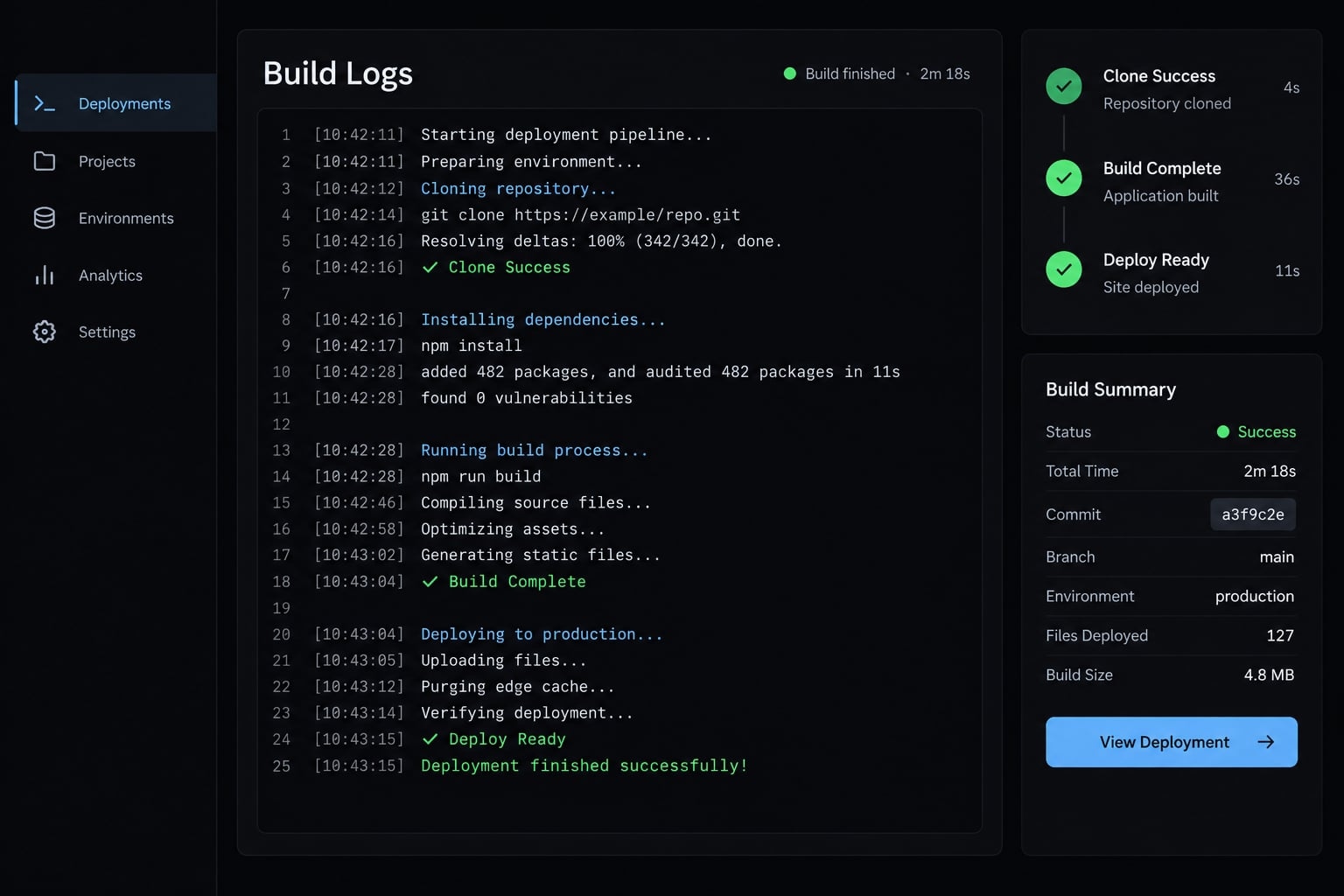
Trigger deployment and inspect failures in this diagnostic order:
Install → Build → Environment → Runtime → Database/auth
Illustrative failures not reproduced test results include:
- Unsupported Node version: Align the project and host runtime.
- Missing frontend configuration: build succeeds, but initialization or requests fail.
Fix application code in GitHub. Host-managed settings and secrets may remain in the dashboard; document changes without copying their values.
Complete when: The build succeeds and the deployed app serves correctly.
Step 7 - Connect the database and authentication services
Confirm the production project and apply reviewed database migrations-versioned schema changes-through one controlled process.
Enforce least-privilege access and row-level security, which restricts accessible records. Derive organization access from trusted membership records, not a user-editable organization identifier.
Configure exact authentication callback URLs. Test login, logout, reset, and verification where applicable. Never expose a privileged database connection string to a static frontend.
Complete when: A normal user can perform permitted actions and cannot access another organization’s records.
Step 8 - Connect a custom domain
Add the domain to Netlify and apply its supplied DNS records. DNS connects hostnames to hosting infrastructure; targets depend on your configuration.
Wait for verification and HTTPS activation. Select the canonical hostname, then update callbacks, allowed origins, and base URLs.
Complete when: Root and www behavior is intentional, HTTPS works, and authentication returns to the selected hostname.
Step 9 - Test the live application
Use a clean browser session and synthetic records. Check:
- Login and applicable recovery flows.
- Main form, request, and database write.
- Organization and role boundaries.
- Direct navigation and refresh.
- Mobile layout.
- Uploads and failure handling, if present.
- Logs and recovery instructions.
Record the deployed commit, date, expected outcome, and actual result for each critical journey.
Complete when: Critical workflows pass and the operator can restore a prior release.
Configure production services and fix common deployment errors
Capture evidence before changing code. A symptom can have several causes; repeated prompt changes often obscure the original failure.
Environment variables and API keys
Value type | Correct location | Exposure rule |
|---|---|---|
Public frontend configuration | Frontend build settings | Browser-visible |
Server-side secret | Server secret settings | Never ship to browsers |
Database credential | Trusted backend | Never embed in frontend |
Public auth redirect configuration | Auth settings and app configuration | Not an access-control mechanism |
Browser-delivered values remain public even when injected at runtime.
Databases, migrations and permissions
Check project identity, migration status, database roles, and policies. Custom servers may also require compatible connection methods or pooling.
Back up before destructive changes. Do not run migrations independently on every instance or disable policies to make requests succeed.
Supabase’s Row Level Security documentation describes database-enforced access controls.
Authentication, domains and CORS
Check exact callback URLs, allowed origins, session persistence, and secure cookie settings where applicable.
CORS-cross-origin resource sharing-controls browser cross-origin access. Authentication identifies users; authorization determines permitted actions. CORS is not authorization. Wildcard origins are not a universal fix, especially for credentialed requests.
Common deployment errors and direct fixes
Symptom | Likely cause | First check | Typical fix |
|---|---|---|---|
Dependency installation fails | Lockfile/runtime mismatch | First install error | Align versions; reproduce locked install |
Missing build command | Wrong script/root |
| Correct settings; static files may need no build |
Blank page | Asset/configuration error | Browser console | Correct asset paths or configuration |
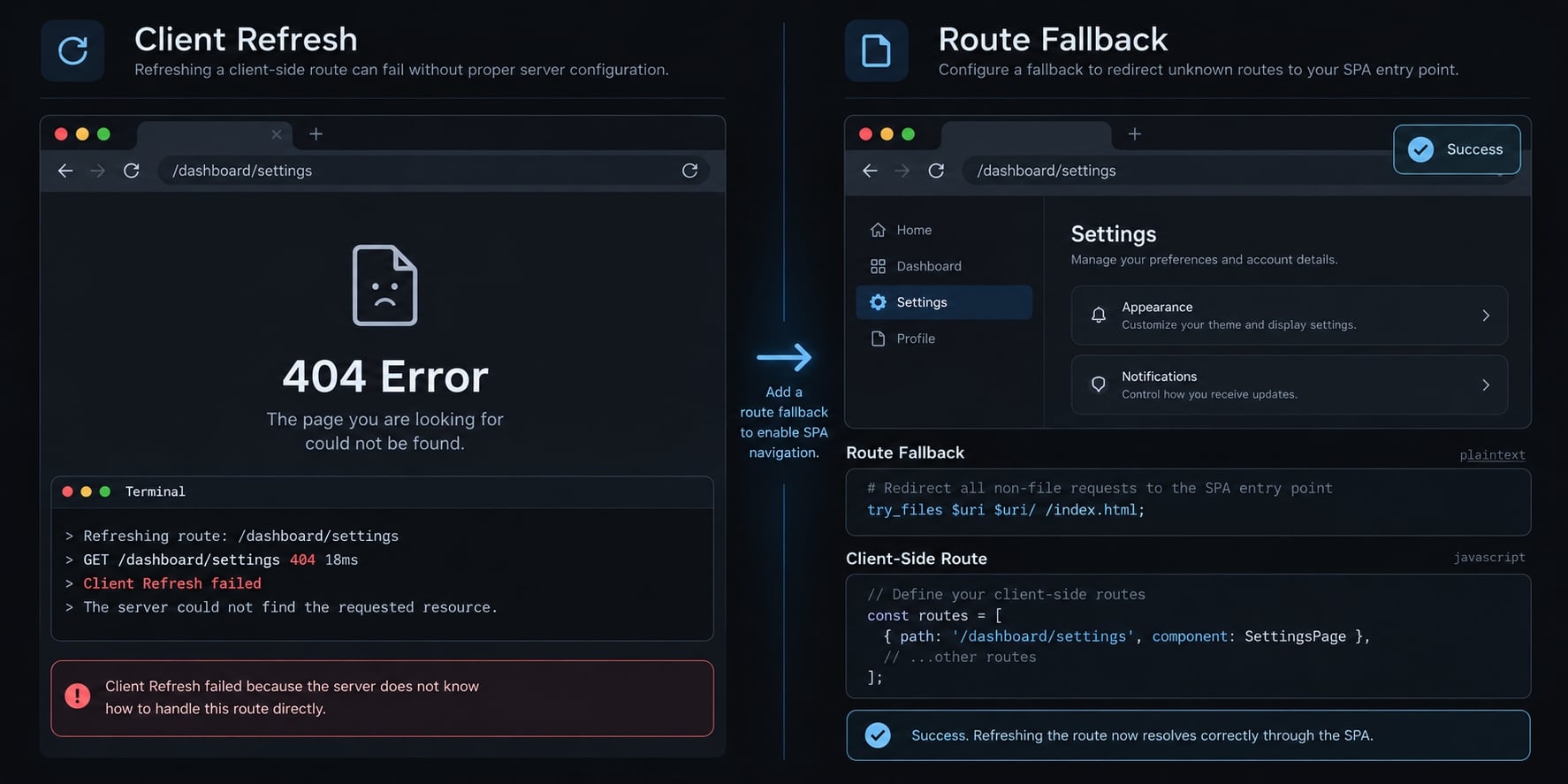
Refresh returns 404 | Missing SPA fallback | Direct route request | Add scoped fallback |
API works locally only | Local endpoint/origin mismatch | Network request | Correct endpoint and allowed origin |
Login redirects incorrectly | Callback mismatch | Actual redirect target | Align hostname and callback |
Database connection fails | Endpoint/access/connectivity | Redacted service error | Correct connection and permissions |
Import fails only on host | Filename capitalization | Import versus filename | Match case exactly |
Function times out | Unsuitable workload | Duration and limits | Optimize or move to worker |
Changes do not appear | Wrong release/cache | Deployed commit | Deploy correct branch; inspect caching |
- Missing Vite configuration: A build may succeed while requests fail. Verify variable spelling and production scope, then rebuild. Never solve missing configuration by exposing a privileged key.
- SPA refresh 404: In-app navigation can work because React handles it; refresh asks the host for that path.
For this portal, the following Netlify example is documented-style configuration, not tested here. Put it in public/_redirects so Vite copies it into dist:
/portal/* /index.html 200
Use it only if /portal/* contains client routes, not API endpoints. Netlify’s Rewrites and proxies guidance explains fallback behavior. Avoid forced rewrites that override existing assets.
When to stop debugging through prompts alone
Escalate payments, sensitive data, repeated authorization failures, complex migrations, custom cryptography, or unexplained data loss to engineering/security review.
Provide redacted logs, reproduction steps, the relevant commit, and expected versus actual behavior. Do not weaken authentication, database policies, or TLS validation to remove an error.
Is the app production-ready? A final security and release checklist
Production readiness means having evidence that critical user journeys, access controls, monitoring, and recovery procedures are appropriate for the intended release.
Minimum production-readiness checklist
- No exposed repository credentials.
- No privileged browser-side keys.
- Backend-enforced authorization.
- Reviewed database roles and tenant boundaries.
- Validated inputs and uploads.
- Disabled test users and debug/admin shortcuts.
- Safe user-facing errors and redacted logs.
- Reviewed dependency vulnerabilities.
- Passing critical live journeys.
- Working error and uptime monitoring.
- Appropriate backups and verified restoration.
- Available, tested application rollback.
- Hosting/API usage controls and alerts.
- Named release approver.
Severity and applicability depend on the application. A static information site and a customer-data portal have different exposure.
Deployed vs. Production-ready
Area | Deployed | Production-ready evidence |
|---|---|---|
Availability | URL loads | Monitoring works |
Workflows | Landing page renders | Critical journeys pass |
Identity | Login appears | Session flows verified |
Access | UI hides records | Unauthorized requests rejected |
Operations | Build succeeds | Logs, alerts, owner assigned |
Recovery | Prior code exists | Code rollback and data restoration verified |
Reverting application code does not restore deleted records or automatically reverse a database migration. Confirm the previous application remains compatible with the current schema.
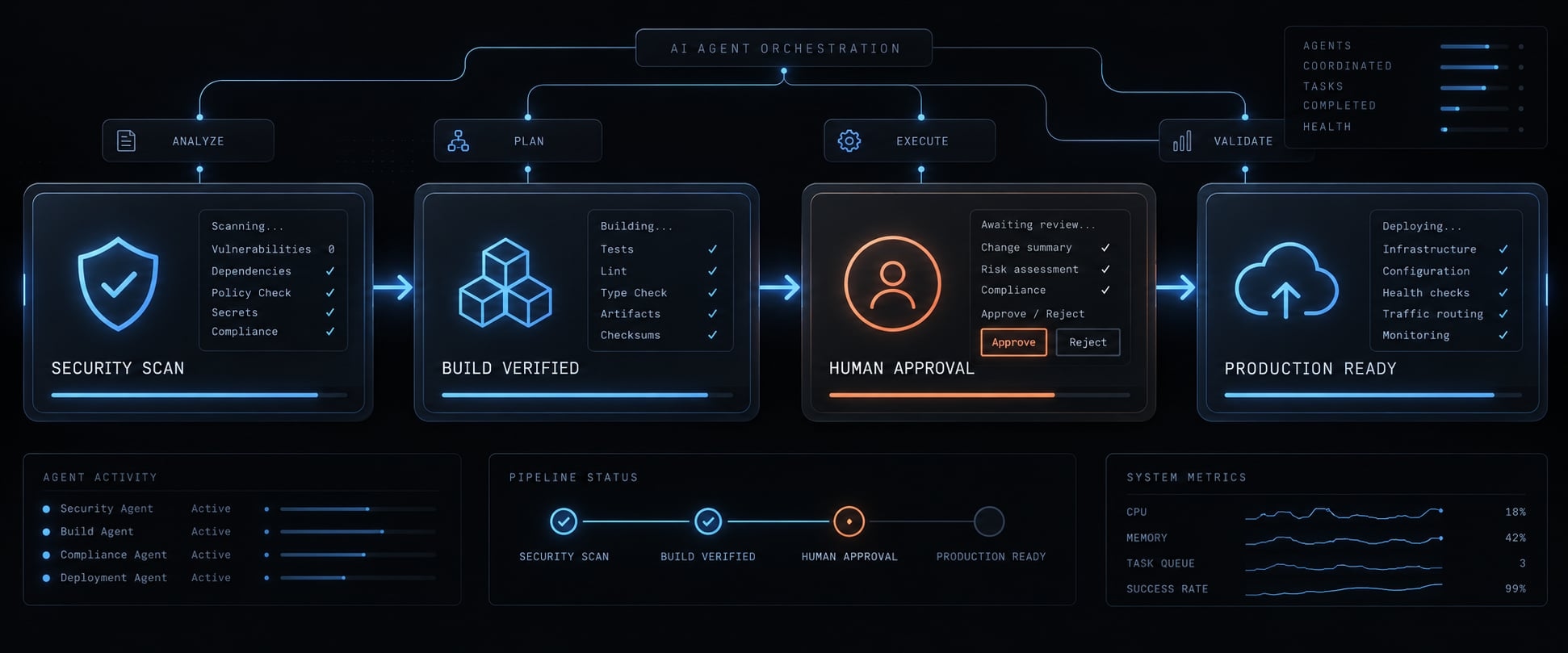
Optional agent-assisted release workflow
- Review changes.
- Run builds and tests.
- Check secrets and dependency risks.
- Prepare evidence and risk notes.
- Obtain human approval.
When managing complex AI engineering setups, developers use scaffolding toolkits like AgentKit to coordinate AI engineering agents (such as Claude Code, Cursor, or Codex) across the development and release lifecycle.
Frequently asked questions
What is vibe coding deployment?
Vibe coding deployment is the process of moving an application generated by natural language AI tools from a prototype or preview environment into a live, production-ready hosting environment. It involves configuring infrastructure, securing environment variables, and validating application behavior for real users.
How does vibe coding deployment differ from traditional software deployment?
Traditional deployment relies on manually managed code and infrastructure pipelines. Vibe coding deployment emphasizes agentic automation, where AI tools often provision infrastructure, configure dependencies, and handle database connections automatically, requiring specialized checks to ensure security and scalability before the application goes live.
Which hosting platform is best for vibe coding projects?
There is no single "best" platform; the choice depends on your architecture. Use managed frontend platforms like Vercel or Netlify for React and Next.js applications, and persistent backend or container-based hosts like Railway or Render for full-stack applications requiring custom Node.js servers or background tasks.
Can I deploy full-stack AI-generated applications for free?
Yes, many hosting providers offer generous free tiers suitable for personal projects or simple prototypes. However, you should monitor bandwidth usage, build minutes, and serverless function limits, as AI-generated applications often include heavy dependencies that can quickly exhaust free-tier quotas as traffic grows.
Why does my vibe-coded app work in preview but fail in production?
This typically occurs due to differences between your local environment and the production host. Common causes include missing environment variables, incorrect build commands, SPA routing configuration errors, or mismatched Node.js versions. Always check your production logs to identify the specific runtime or configuration mismatch.
Are AI-generated applications secure for production use?
Not automatically. AI-generated code may contain vulnerabilities, hardcoded secrets, or insecure database policies. Production readiness requires a manual security review, including auditing environment variables, configuring proper row-level database security, and ensuring that no privileged credentials are exposed in the client-side code.
Read more:
- How to vibe code an AI agent: Build prototypes to production
- 7 practical vibe coding examples: Build apps faster with AI
- Vibe coding tools: How to choose the right AI app builder
Conclusion
Reliable vibe coding deployment starts with understanding what the AI generated. Identify the architecture, verify a repeatable production build, and choose a compatible host. Keep public frontend configuration separate from privileged credentials, provision the required services, and inspect deployment logs before inviting users.
Then test actual behavior: login, record creation, direct-route refresh, and organization boundaries. Record the release commit and results so another operator can reproduce the checks. Maintain separate recovery procedures for application code and database state.
A frontend host plus managed backend can suit a small client portal, but a live URL is not release approval. Unresolved access-control or recovery failures should block customer access.
Use the deployment inventory and fourteen-point production checklist above as your next release’s working record.