12 vibe coding rules for controlled, testable AI development
12 vibe coding rules for building with AI without losing control
Vibe coding rules provide practical guardrails for building software with AI, guiding your habits and agent instructions to keep you in control. Without them, AI agents can easily lead to broken builds and endless debugging loops - because a convincing explanation isn't proof that code actually works. By structuring your workflow into Plan, Implement, Verify, and Ship, these 12 rules help you control scope, verify evidence, and confidently ship AI-generated code.
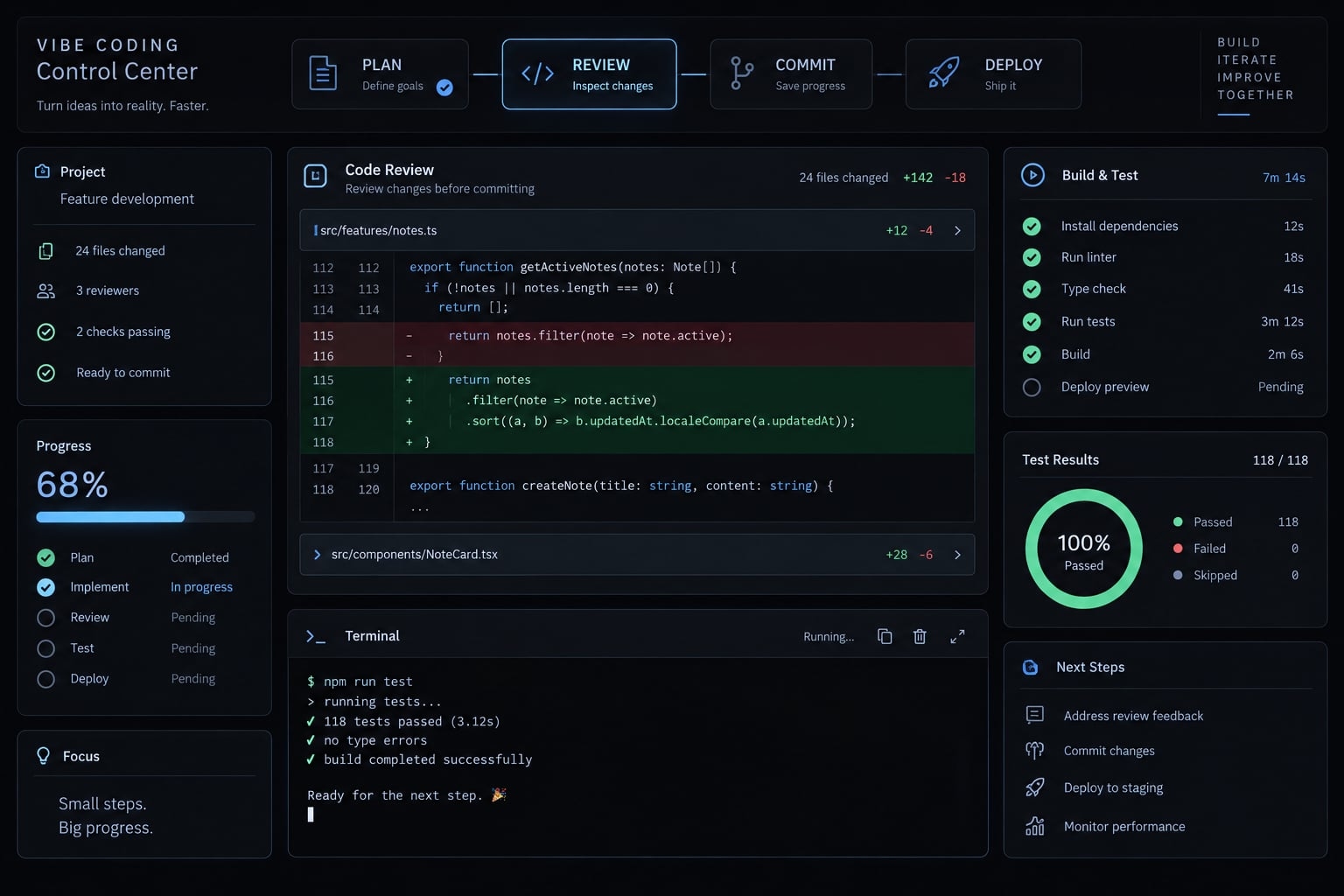
The 12 vibe coding rules at a glance
“Essential” means a baseline practice; “stricter for production” means stronger protection as exposure grows; a “production gate” requires a release decision.
# | Rule | Stage | Priority |
|---|---|---|---|
1 | Define the outcome and acceptance criteria | Plan | Essential |
2 | Give the agent persistent project rules | Plan | Essential |
3 | Keep the stack as simple as practical | Plan | Essential |
4 | Approve a plan before changes | Plan | Essential |
5 | Implement the smallest testable step | Implement | Essential |
6 | Limit editable files and systems | Implement | Essential |
7 | Review the actual changes | Verify | Essential |
8 | Test after every meaningful change | Verify | Essential |
9 | Save working checkpoints with version control | Verify | Essential |
10 | Stop failure loops and recover safely | Verify | Essential |
11 | Protect secrets, permissions, dependencies, and data | Ship | Essential; stricter for production |
12 | Require stronger review before deployment | Ship | Production gate |
This AI coding workflow is a practical framework, not a formal specification. Follow it for each bounded change rather than treating verification as a final cleanup phase. A prototype containing real credentials or sensitive data already needs appropriate protection. Its label does not reduce its exposure.
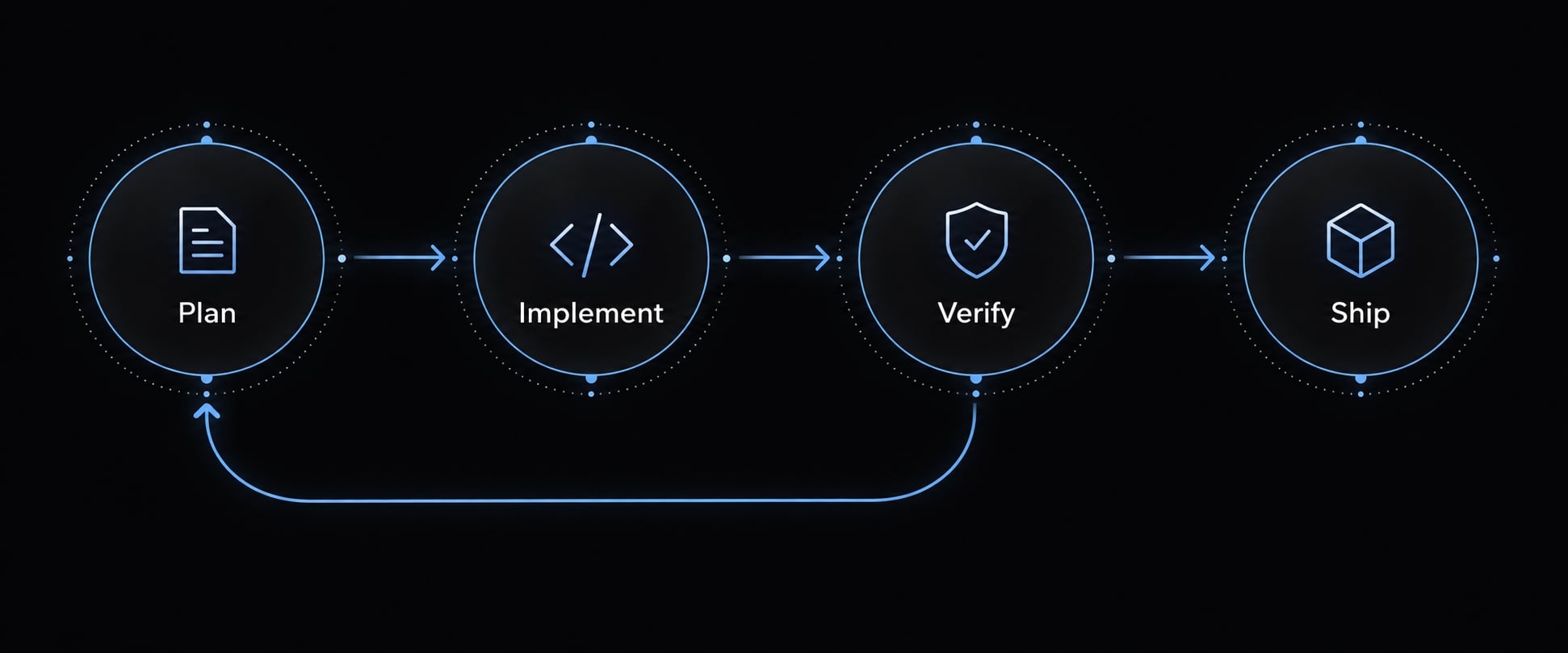
Plan before the agent writes code
Make the intended behavior testable before requesting implementation:
- Define the outcome.
- Supply project rules.
- Confirm the existing stack.
- Approve the implementation plan.
Rule 1 - Define the outcome and acceptance criteria
Start with a project requirements document - a short feature brief, not a lengthy specification. Acceptance criteria describe observable success; a prompt communicates the work.
Consider an illustrative scenario: A small B2B team adds validation to an internal lead-intake form. “Improve the form” leaves too many decisions open.
Instead, specify:
- Staff submit a lead with required name and email fields.
- Valid submissions follow the existing record-creation path.
- Missing or malformed fields show actionable errors.
- Invalid submissions create no CRM record.
- Routing rules and page redesign are excluded.
CRM means customer relationship management system.
Restate the outcome, identify assumptions, and confirm exclusions before proposing changes.
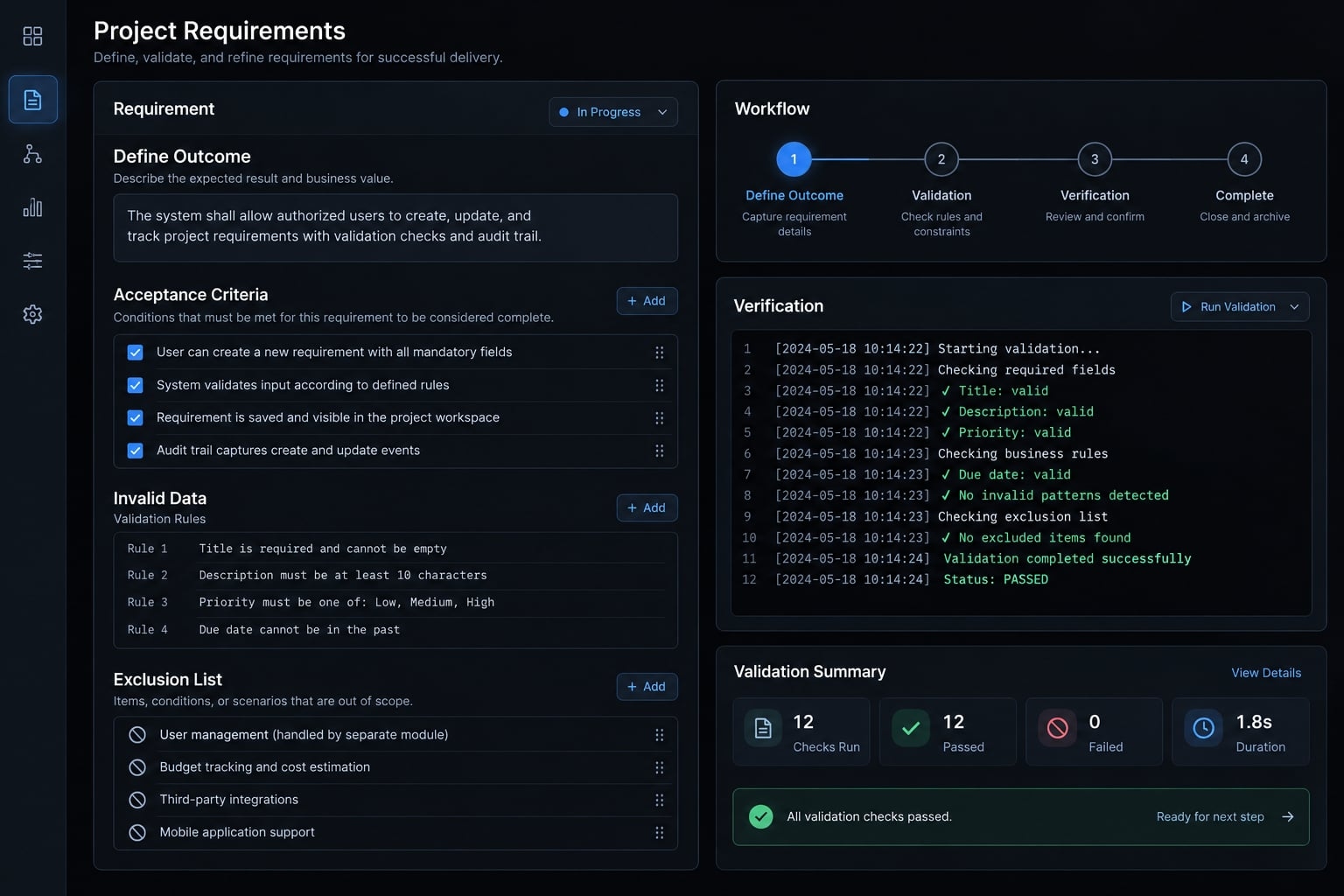
Rule 2 - Give the agent persistent project rules
Record the project purpose, approved technology stack, architecture conventions, actual validation commands, protected actions, and approval requirements. Relevant formats include CLAUDE.md, Cursor Rules, and AGENTS.md for compatible agents. These are not interchangeable universal formats.
Consult Anthropic’s Claude Code memory documentation, Cursor’s Rules documentation, and OpenAI Codex’s AGENTS.md guidance for their respective tools. Confirm your installed agent’s supported format, instruction scope, precedence, and loading behavior.
Keep root instructions concise and current. Remove obsolete commands when the repository changes.
Rules guide behavior; they do not enforce permissions or guarantee compliance. Use tool permissions, approval settings, and sandboxing - restricted execution environments - to constrain actual actions where available.
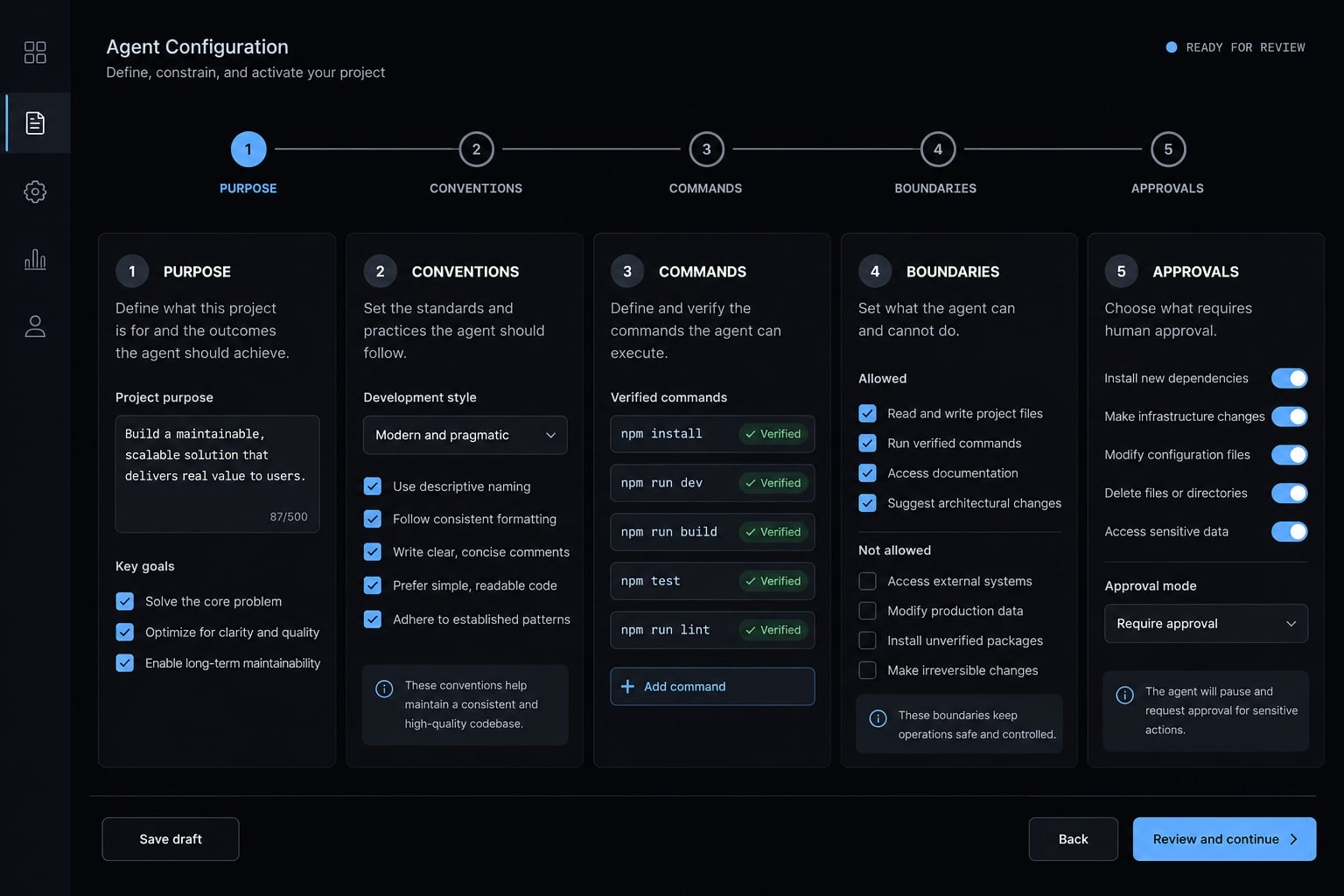
Rule 3 - Keep the stack as simple as the use case allows
Reuse the existing stack unless a specific requirement justifies changing it.
Dimension | Personal prototype | Deployed or shared tool |
|---|---|---|
Data | Synthetic or limited local data | Persistence and recovery suited to use |
Access | Local-only where appropriate | Controls matching users and exposure |
Operations | Minimal setup | Monitoring and release controls |
Require approval before adding dependencies - external software packages - replacing libraries, or introducing services. For the lead form, check whether an existing validation helper already handles email fields. Reusing it may avoid inconsistent behavior.
Simple does not mean unprotected. Bounded planning can improve maintainability; it does not ensure scalable architecture.
Rule 4 - Ask for a plan before allowing changes
Ask the agent to identify expected files, reusable logic, data or schema changes, risks, assumptions, and validation steps. A schema defines how stored data is structured. The plan should explain why each proposed change is necessary. If form validation somehow requires replacing the CRM connector, stop and challenge that assumption.
Propose the smallest implementation plan. List expected files, existing logic to reuse, data impact, risks, and checks. Offer a simpler alternative if appropriate. Do not edit yet.
Keep the agent in planning mode until you accept the scope. Planning is valuable because it exposes decisions before they become code to untangle.
Keep very AI-generated change small and controlled
A small change is understandable, testable, and reversible - not simply short.
Rule 5 - Implement the smallest testable step
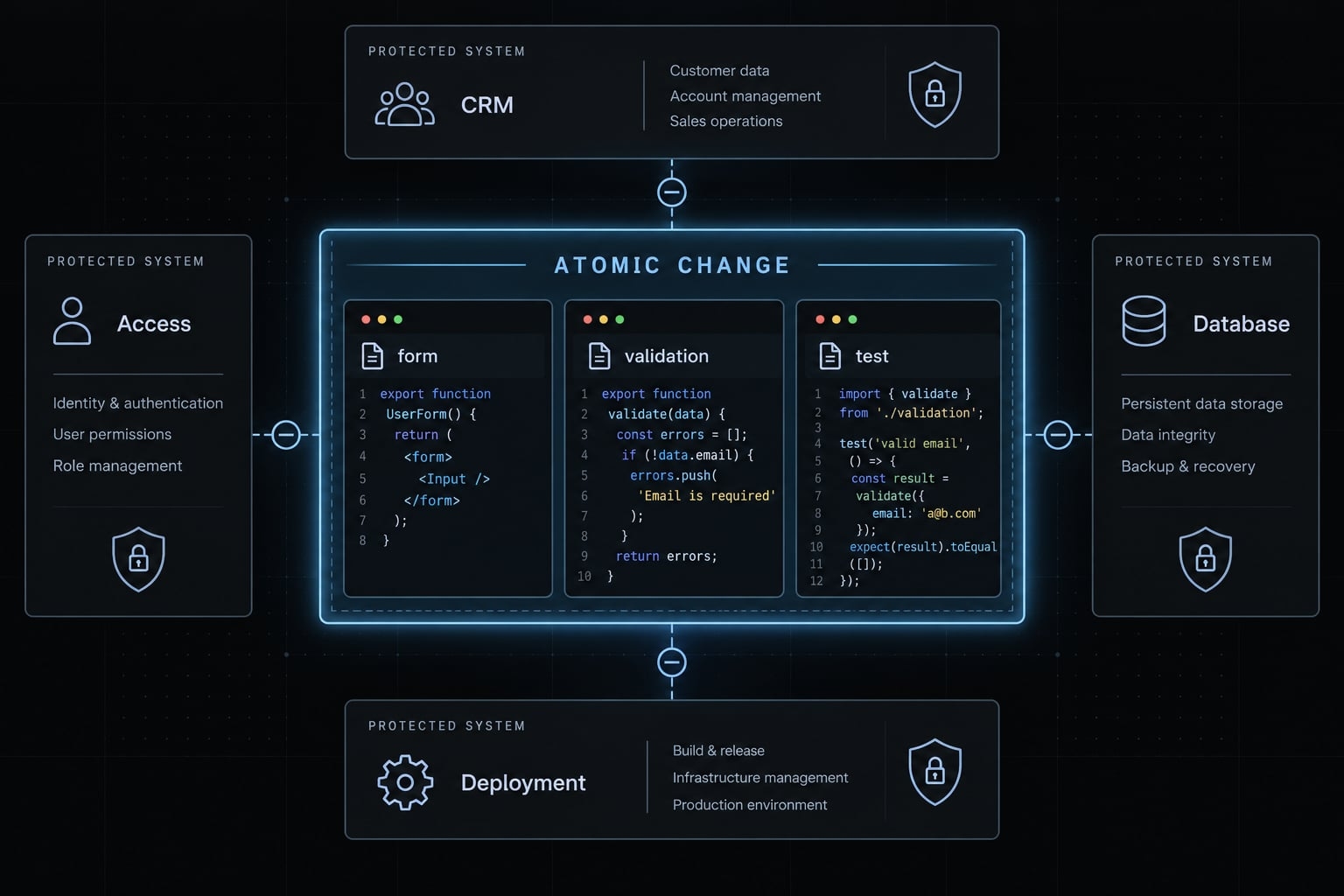
Use atomic changes: Bounded changes that address one coherent behavior.
- Define one expected behavior.
- Implement one bounded step.
- Run relevant checks.
- Confirm behavior manually.
- Commit the verified state.
- Continue.
For the illustrative lead-intake form, validate required fields before connecting the new behavior to CRM writes. Preserve the existing integration while confirming invalid inputs are rejected. This form-first approach is only an example. Sometimes a small end-to-end change, covering input through storage, gives more useful evidence.
Line count is a review signal, not a safety threshold. A five-line permission change can carry more risk than a larger presentation update. Start a fresh session when context becomes confused or the task changes. Carry forward the approved objective, current checkpoint, applicable rules, and verified errors.
Check that handoff against the repository and actual outputs. A new conversation does not correct an inaccurate summary automatically.
Rule 6 - Limit the files and systems the agent may modify
Name the allowed files or folders before implementation. Require approval before expanding scope. Protect these areas explicitly:
- Authentication and authorization.
- Database schema.
- Dependencies.
- Deployment configuration.
- Public APIs - interfaces used by other systems.
- Billing or payment logic.
Authentication identifies a user; authorization determines what that user may access.
Only edit the lead-intake form, its existing validation helper, and related tests. Do not change CRM integration code. Stop and request approval if other files need changes.
Use the repository’s real paths when adapting this instruction. Verify the resulting changed-files list against those boundaries. Written restrictions should be supported by actual permission controls where available. Do not grant broad terminal or service access merely because the prompt says “be careful.”
Verify the evidence, not the agent’s confidence
Treat the agent’s explanation as a reference - the actual changes and test results are your only real proof.
Rule 7 - Review the actual diff
A diff shows additions, deletions, and modifications. Inspect it for:
- Unrelated edits or removed error handling.
- Duplicate code and placeholder logic.
- Dependencies and lockfiles, which record dependency versions.
- Configuration changes or hard-coded credentials.
For the lead form, confirm that CRM integration code remained untouched.
Review unstaged changes, staged changes selected for a commit, and newly created files. Git’s documentation distinguishes these views: a default git diff does not reveal every possible change.
Ask for a summary, but inspect the underlying files yourself. If you cannot assess a consequential change, obtain qualified review before accepting it.
Rule 8 - Test after every meaningful change
Use several validation layers because each answers a different question.
Validation layer | Question it helps answer |
|---|---|
Build checks | Can the project produce its intended output? |
Type checking | Are values compatible under the project’s type system? |
Linting | Does code violate configured static rules? |
Automated tests | Do the defined test cases pass? |
Manual check | Does observed behavior match the intended workflow? |
Diff review | Are the changes appropriate and within scope? |
A successful build does not establish correct behavior. Type checking does not validate every runtime input. Automated testing covers defined cases, not every possibility.
For the lead form, test a valid submission, a missing required field, and malformed email input. Verify that rejected submissions create no CRM record. Use a test environment without private customer data.
Require each check to be labeled Passed, Failed, Not run-with reason, or Not applicable-with explanation.
Document existing failures rather than assuming the new change caused them or dismissing them without evidence. Never delete tests, weaken assertions, or suppress errors merely to obtain passing results. Passing checks contributes evidence; it does not prove complete correctness or security.
Rule 9 - Commit every working checkpoint
Preserve the last known working state, create a feature branch where useful, implement a bounded change, validate it, and commit the verified result.
Git provides version control, preserving code history. GitHub is an optional hosting and collaboration platform. Git’s documentation describes commits as recorded snapshots, not certificates that software works.
Use a descriptive checkpoint message for the verified validation change. Inspect the selected contents before saving it. Do not commit secrets to preserve work. Version control supports recovery; it does not prevent breakage. A code revert is not a database restore or complete deployment rollback.
Rule 10 - Revert Early When the Agent Enters a Failure Loop
Pause when edits repeat without progress, new errors accumulate, assumptions contradict each other, or the diff grows unexpectedly.
Two or three failed attempts is a practical pause threshold, not a universal rule. Stop sooner for destructive, security-sensitive, or data-affecting behavior.
- Preserve relevant errors and uncommitted work safely.
- Return to a known working code state using an appropriate non-destructive method.
- Start a fresh session with verified context.
- Reproduce the original issue.
- Request root-cause analysis and the smallest diagnostic step.
The recovery method depends on whether changes are uncommitted, committed, or shared. Protect unrelated work.
Illustrative failure-and-recovery pattern: Repeated fixes expand validation into CRM refactoring. Recovery means preserving diagnostics, removing the unapproved changes safely, and reproducing the original invalid-input failure-not requesting another broad rewrite.
Apply stronger guardrails before production
Production readiness depends on exposure, data, permissions, and business dependence - not whether someone calls the project a prototype.
Rule 11 - Protect secrets, permissions, dependencies, and user data
Apply security basics from the first experiment:
- Use approved AI tools and follow data-handling policies.
- Keep production credentials and private customer data out of unapproved tools.
- Use appropriate secret storage and limit credential access.
- Keep secrets out of client bundles, logs, errors, and repository history.
- Review authentication, authorization, uploads, external commands, APIs, and payment logic.
- Check dependency necessity, maintenance, and known vulnerabilities.
- Run appropriate secret and dependency scans; review findings.
Environment variables are not automatically safe. Misconfiguration can expose them in browser-delivered code or logs. If credentials leak, removing the text is insufficient: Revoke or rotate them as appropriate.
A permissions example: A B2B SaaS user must not retrieve another customer account’s records by changing an identifier. Verify authorization on the server, not only through hidden interface controls.
OWASP’s Secrets Management, Authorization, Input Validation, and Vulnerable Dependency Management Cheat Sheets provide relevant guidance. Scanning and another agent’s review do not replace competent assessment of sensitive behavior.
Rule 12 - Require stronger review before production deployment
Choose review depth according to actual risk.
Project type | Minimum approach to assess |
|---|---|
Personal experiment | Limited exposure, safe data, basic checks, recoverable code |
Internal low-risk tool | User access, workflow tests, error visibility, release ownership |
Public application | Exposure review, abuse cases, monitoring, controlled recovery |
Payments or sensitive data | Independent qualified review of security and failure consequences |
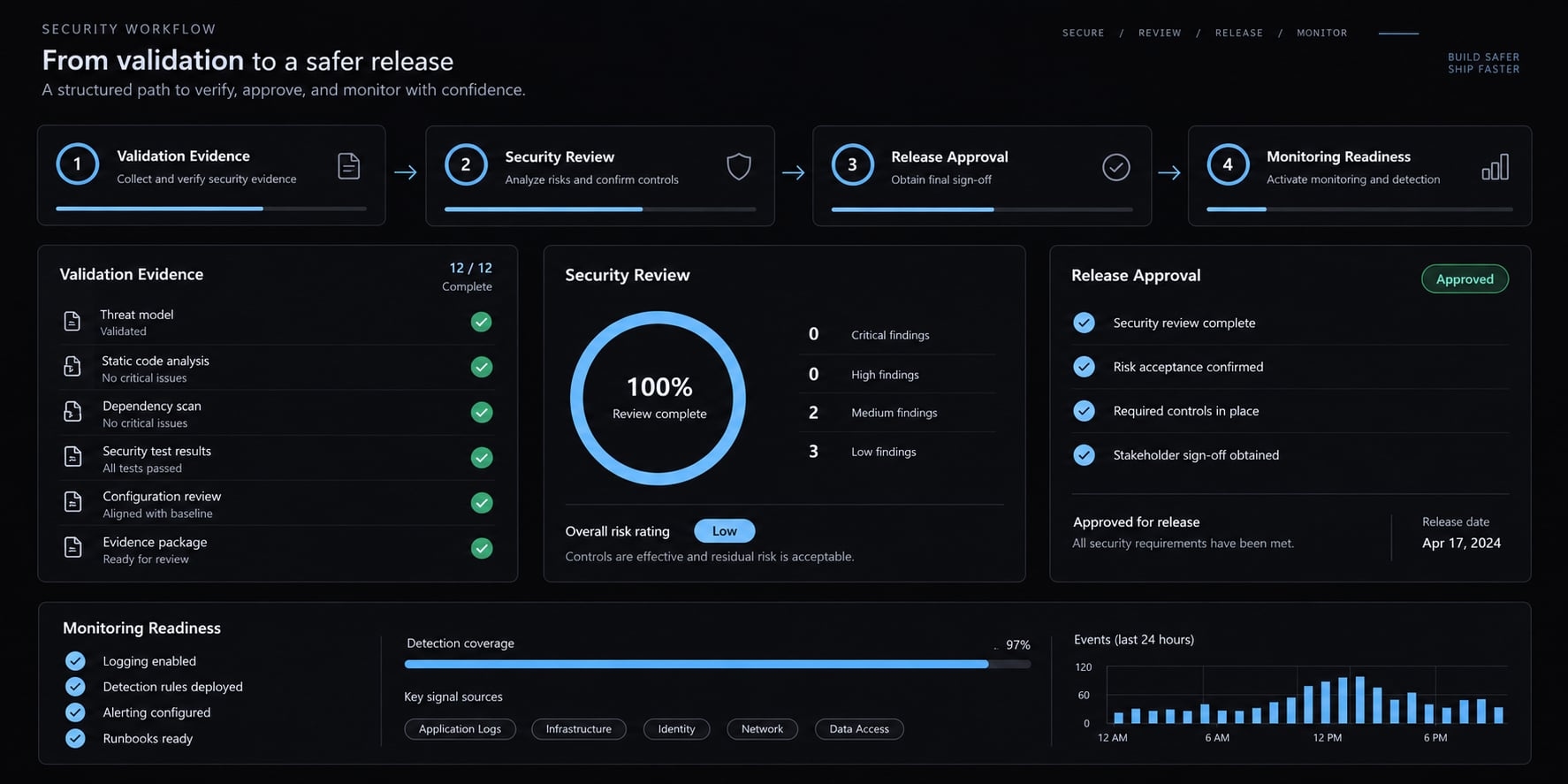
These categories overlap. An internal application handling customer records can be high risk. Before releasing the lead-intake change more widely, confirm:
- Acceptance criteria and required checks are satisfied.
- Changes, permissions, and secret handling are reviewed.
- A named person owns the release decision.
- Monitoring or error visibility can reveal failures.
- Recovery covers code, configuration, and relevant data.
For this example, check who may submit leads and where rejected input appears in logs. Confirm that monitoring will reveal failed submissions without exposing customer information.
Require independent qualified review for security-sensitive or high-impact changes. Human review only helps when the reviewer can assess the relevant risk.
AI-generated code should meet the same applicable release standards as human-written code. A working local demonstration does not authorize deployment.
Copy-ready vibe coding rules template
Use this as a starting point, not a universal standard. Adapt it to CLAUDE.md, AGENTS.md, or Cursor Rules only where your tool supports the format and instruction scope. Replace every placeholder. Update the instructions whenever commands, architecture, or approval requirements change.
# Project Purpose- Users: [intended users].- Purpose: [business workflow].- Current task: [observable outcome].- Acceptance criteria: [success and failure behavior].- Exclusions: [explicit non-goals].# Approved Stack- Languages, frameworks, and services: [approved stack].- Architecture conventions: [relevant repository guidance].- Reuse existing helpers before introducing new implementations.- Request approval before adding dependencies or replacing libraries.# Scope Rules- Editable paths: [exact files or folders].- Protected systems: [repository-specific boundaries].- Before editing, propose a plan and expected changed-file list.- Identify assumptions, risks, reuse opportunities, and data impact.- Wait for approval; request approval again before expanding scope.# Implementation Rules- Implement one bounded, testable behavior at a time.- Preserve unrelated work and existing error handling.- Stop on contradictory evidence or repeated failed fixes.- Do not perform unapproved destructive actions.- Record verified context before handing work to another session.# Validation Rules- Build: [actual command].- Tests: [actual command].- Type check: [actual command or justified not-applicable status].- Lint: [actual command or justified not-applicable status].- Manual verification: [successful and invalid-input steps].- Report passed, failed, not-run, and not-applicable checks honestly.- Include reasons, existing failures, and remaining limitations.- Never weaken tests or suppress errors to manufacture success.# Security Rules- Follow [approved tool and data-handling policy].- Never expose credentials or private customer data.- Preserve authorization and server-side input validation.- Review secrets, dependencies, permissions, and sensitive outputs.# Approval Required- Authentication, permissions, schema, deployment, public interfaces, payment logic, sensitive data, dependencies, or scope expansion.- Destructive commands or irreversible data operations.- Commits unless explicitly authorized by [project policy].- Pushing and deployment require separate authorization.# Definition of Done- Agent reports files changed, behavior, checks, and limitations.- Agent provides reproducible manual verification steps.- Required checks pass, or an authorized exception is recorded.- Human reviews evidence, accepts the result, and authorizes saving.- Completion does not itself authorize pushing or deployment.
Instructions still require review and supporting permission controls. An agent reporting completion is not the same as a human accepting the result.
Final pre-commit checklist:
- The change remains within the explicitly approved task scope.
- Changed files, including new files, match the approved plan.
- Git diff shows no unexplained deletions, duplication, or placeholders.
- No dependencies or services were added without prior approval.
- Applicable checks ran, with commands and results recorded accurately.
- Successful and relevant failure behavior were verified by observation.
- Relevant secrets, permissions, and customer-data handling were reviewed appropriately.
- Limitations are documented; required failures block acceptance without authorized exceptions.
- Selected commit contents are reviewed and ready to save.
- A known recovery point or suitable rollback approach exists.
Frequently asked questions
What are vibe coding rules?
Vibe coding rules are practical guardrails and persistent instructions used to guide AI coding agents. They combine human operational practices - like planning, testing, and version control - with project-specific constraints defined in configuration files to keep scope controlled, make AI-generated changes verifiable, and keep people accountable for what is accepted and released.
How do I stop an AI agent from changing too much?
To prevent excessive changes, enforce bounded implementation. Require the agent to propose a plan for one specific task before writing code, limit the agent’s scope to specific files or directories, and commit verified changes in small, atomic steps so each change stays reviewable and reversible. Back written limits with actual tool permissions where available.
What should I inspect before accepting AI-generated code?
Always review the actual diff to identify unintended edits, duplicate logic, or missing validation. Verify that the changes pass all build, type, and linting checks, and manually test the feature's behavior. Never rely on the AI’s explanation as a substitute for inspecting the code itself.
Should I use project-specific rules files like CLAUDE.md?
Yes. Project-specific rule files help keep the AI aligned with your stack, conventions, and architectural constraints. However, keep these files concise and modular. Use them to provide necessary context, but treat them as guidance rather than as a substitute for secure coding practices or permission-based access controls.
Are these coding rules sufficient for production applications?
They provide a baseline, and Rules 11 and 12 add production gates. High-risk applications still need independent qualified review, secure secret management, monitoring, and recovery planning matched to their actual exposure.
Read more:
- Vibe coding maintenance: A practical guide for AI-built apps
- Mastering the vibe coding workflow: A practical delivery guide
- Spec-driven vibe coding: A smarter way to build with AI
Conclusion
AI coding is about controlled, verified progress rather than generated code volume. By planning testable outcomes, keeping changes bounded, verifying actual results, and applying proper review and guardrails, you stay in control and ship reliable code safely.