How to build a portable AI coding workflow for remote access
How to build a portable AI coding workflow that survives device switching
A truly portable AI coding workflow ensures seamless cross-device continuity without losing active tasks or rebuilding environments. Rather than relying solely on remote terminals, this guide structures persistent sessions, reproducible setups, and reusable agent context across a minimal tool stack. With execution centered on a main host, mobile devices offer secure supervision and lightweight interaction on the go.
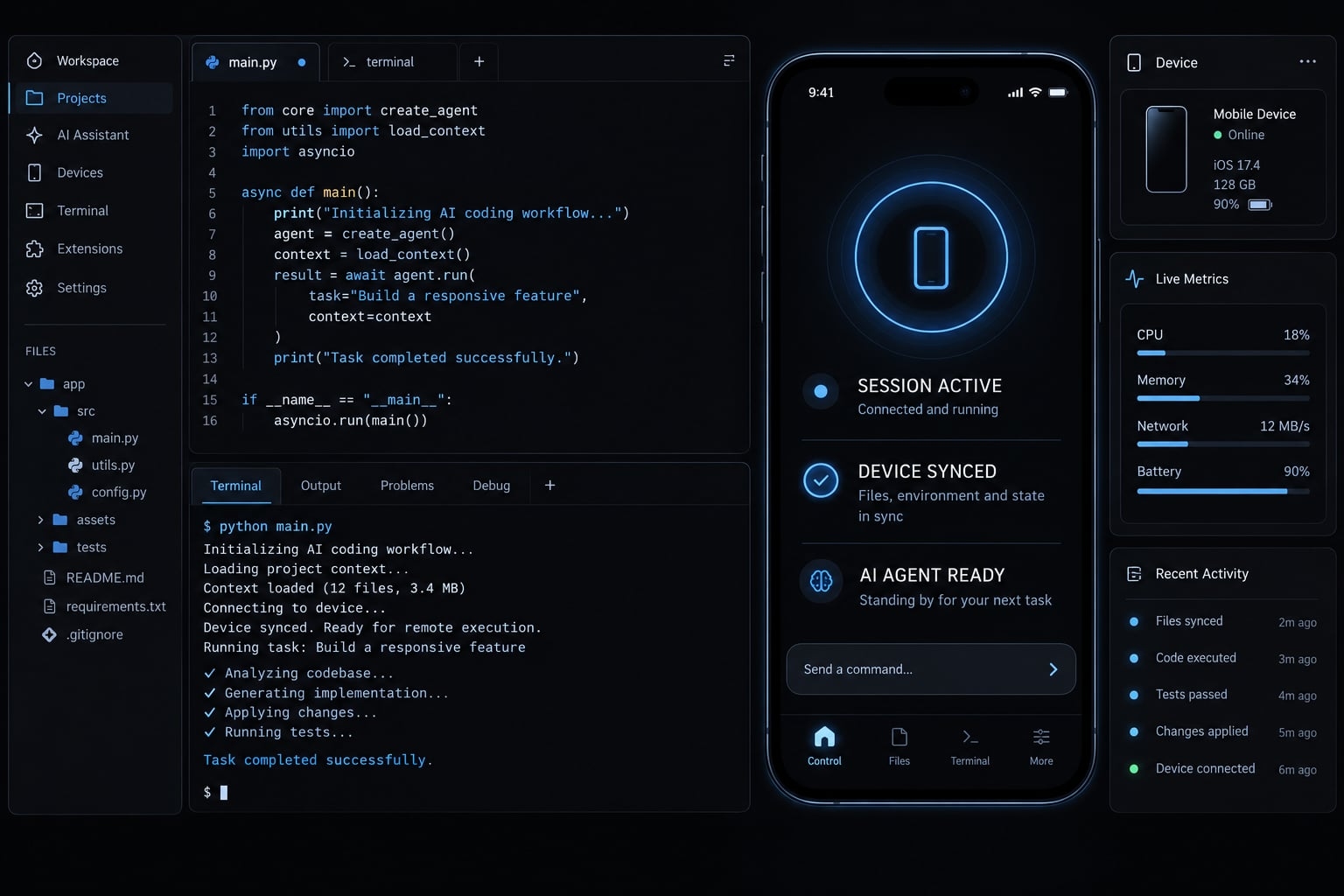
Reference setup: Ubuntu 24.04 LTS host, OpenSSH, Tailscale, tmux, and Claude Code. Adapt versions and clients to your environment.
What makes an AI coding workflow portable?
A portable AI coding workflow is a development setup that lets approved devices access the same execution host, retain terminal work while that host remains running, and reproduce project environments and supported agent configuration elsewhere. It combines connectivity, session persistence, environment definitions, and reusable instructions - not automatic migration of live processes.
Access is only the first layer
SSH (Secure Shell) provides authenticated remote shell access. It does not recreate dependencies, load every agent preference, or guarantee that processes survive their controlling session ending.
Consider an illustrative example: a developer starts a task from a laptop and later connects from a tablet. Reaching the same host proves access. Finding the original task still running requires a separate session-persistence mechanism.
Switching clients leaves execution on the original host. Moving execution to another host requires rebuilding the environment and restarting work from saved artifacts.
The four layers of portability
Layer | What must persist or be reproducible | Typical mechanism |
|---|---|---|
Access | Authorized connectivity to the execution host | Private network and SSH |
Session | Running terminal and agent processes | tmux on the active host |
Environment | Runtime, dependencies, and development tools | Version files, lockfiles, bootstrap scripts |
Agent configuration | Supported instructions, skills, permissions, integrations | Reviewed configuration and tool-specific settings |
Agent configuration portability does not imply conversation portability. Different agents may interpret instructions differently or store conversation history in incompatible formats.
Likewise, persistent development state is not a backup. tmux cannot preserve a running process through host power loss or reboot. Git preserves committed project history, not arbitrary running memory or uncommitted files stored nowhere else.
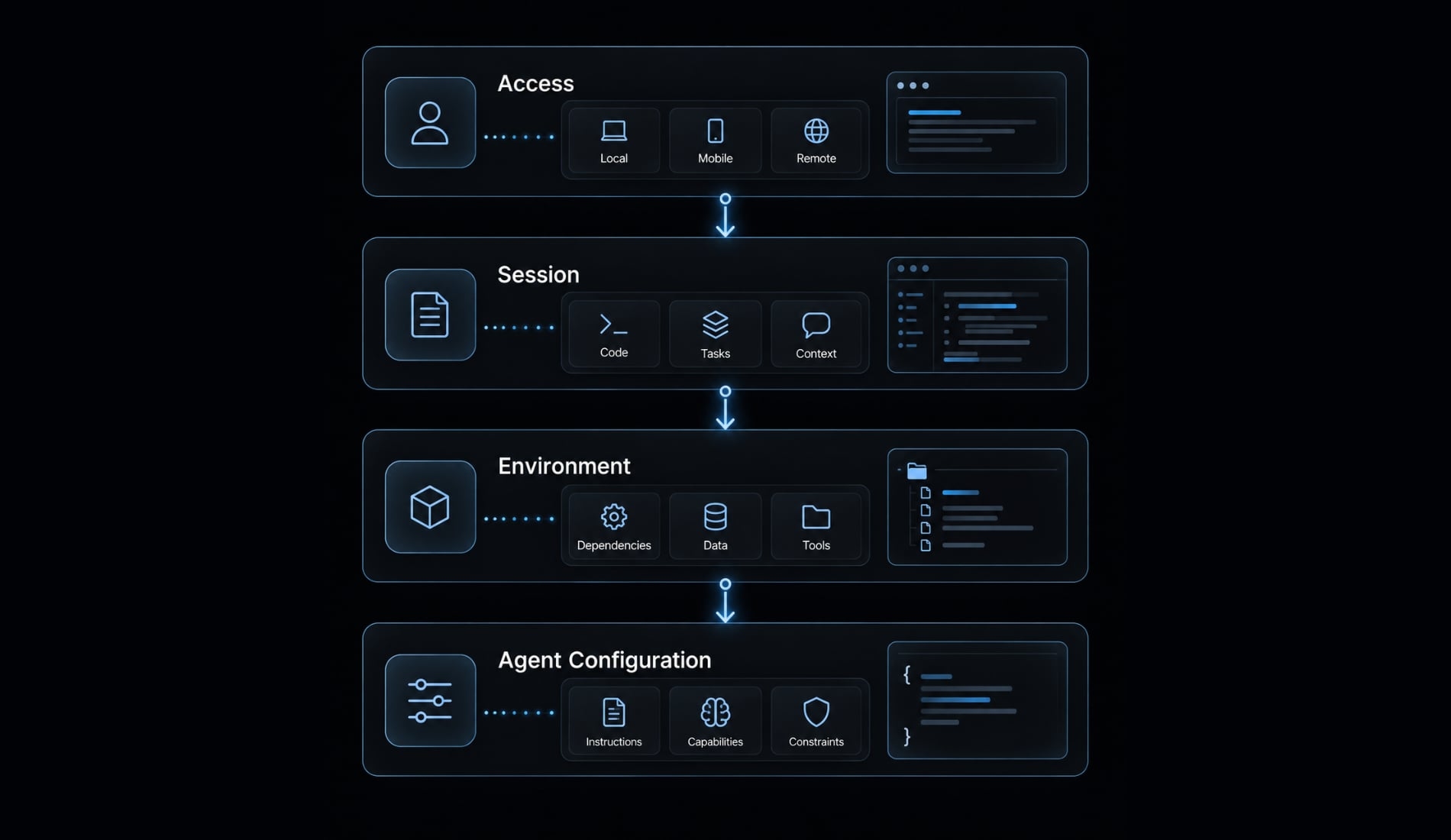
Choose the right host: Local, cloud or hybrid
Start with an existing workstation if its availability meets your needs. A remote development host does not need to be a cloud server. “Local” describes the execution host’s location, not the device currently accessing it.
Architecture comparison
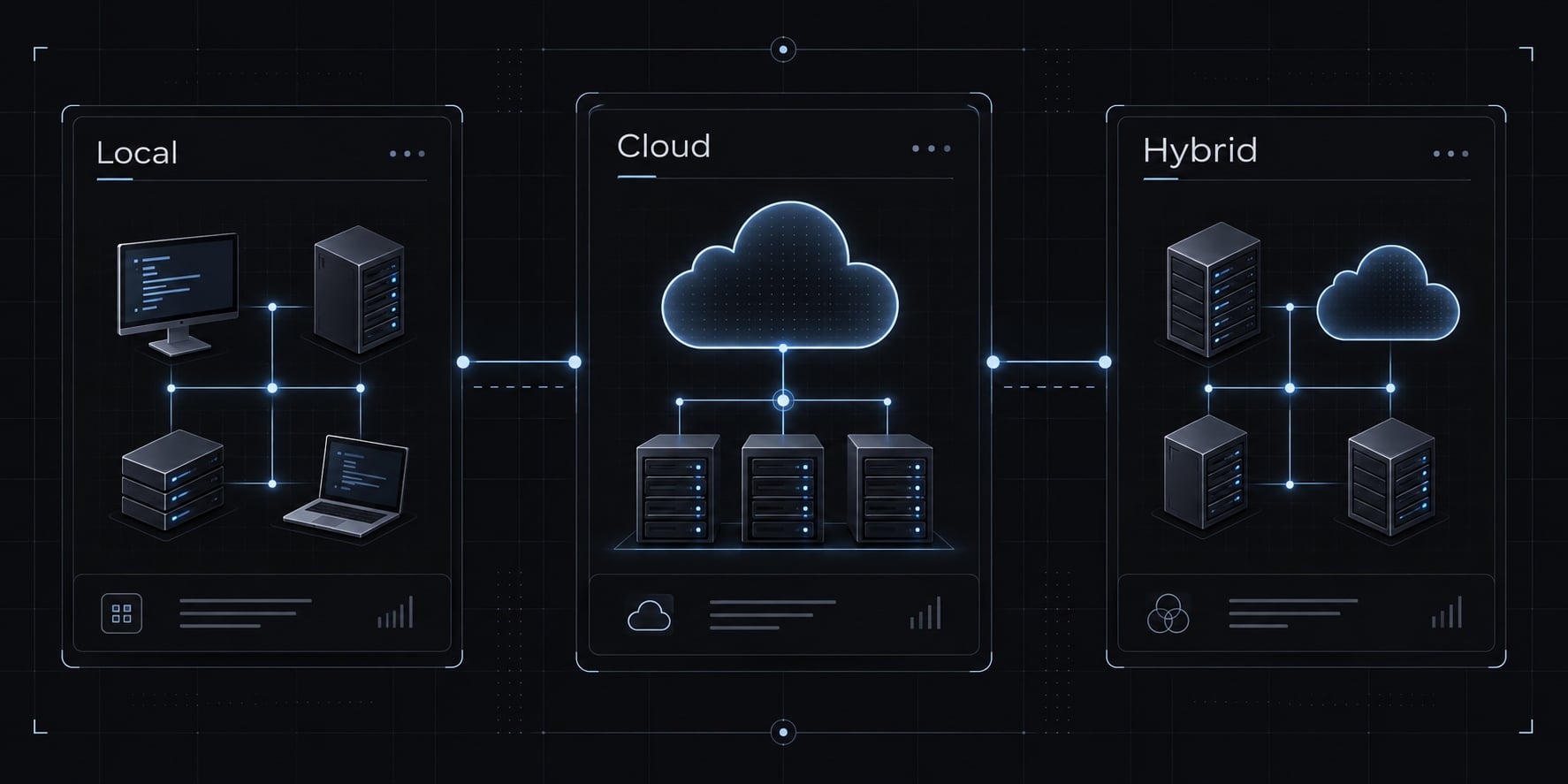
Model | Execution location | Advantages | Costs and limitations |
|---|---|---|---|
Local | Your workstation or dedicated home machine | Existing hardware; direct control over storage and tooling | Sleep, power, and internet interruptions; you maintain backups |
Cloud | Persistent remote virtual machine | Independent of your workstation; selectable compute | Recurring charges, maintenance, provider access, storage and suspension policies |
Hybrid | Separate local and cloud hosts | Choose execution location by task | Duplicate maintenance; explicit synchronization; no automatic live-session migration |
A local AI coding environment can still send code, instructions, and tool output to an external model provider. Host location and model inference location are separate decisions.
For cloud-based agent development, check persistent disks, idle shutdown policies, maintenance reboots, and recovery procedures. A cloud host may improve availability, but it can still suspend or fail.
A hybrid development setup works best when each task has an explicit execution host. Use branches and reviewed commits to transfer code rather than assuming two workspaces remain synchronized.
Simple selection rules
- Availability: Can the host remain powered, awake, and reachable during expected work?
- Data sensitivity: Are host storage and model-provider handling acceptable?
- Compute: Does the workload need ordinary development resources or local-model hardware?
- Maintenance: Who handles updates, backups, and recovery?
- Budget: Include storage, network charges, model usage, and administration - not just machine rental.
A solo founder with a reliable workstation can start locally. A frequently traveling developer may justify a persistent cloud host. Before committing, define an acceptable interruption window. If you plan to run tasks overnight, avoid using a laptop that enters sleep mode when the lid is closed, unless you have configured it to stay awake.
Build the minimum viable tool stack
Choose capabilities before brands. Each component should solve one identifiable problem; overlapping tools increase configuration and troubleshooting work.
Reference Stack
Layer | Purpose | Example options | Priority |
|---|---|---|---|
Execution host | Run repository and agent | Ubuntu workstation or VM | Required |
Private connectivity | Restrict network reachability | Tailscale, managed VPN | Recommended |
Remote shell | Authenticate terminal access | OpenSSH | Required here |
Session manager | Preserve host-side terminal sessions | tmux | Required here |
Coding agent | Inspect and modify code | Claude Code; alternatives: Codex, Aider | Required |
Version control | Track code and configuration | Git | Required |
Environment definition | Reproduce dependencies | Runtime pins, lockfiles, Dev Containers | Required |
Mobile client | Provide phone or tablet access | Platform-compatible SSH application | Mobile use only |
Connection resilience | Handle supported network interruptions | Mosh | Optional |
Security controls | Constrain access and execution | Permissions, protected secrets, isolation | Baseline required |
The walkthrough uses Claude Code as its terminal agent. Installation, authentication, and available controls should follow the installed version’s official documentation.
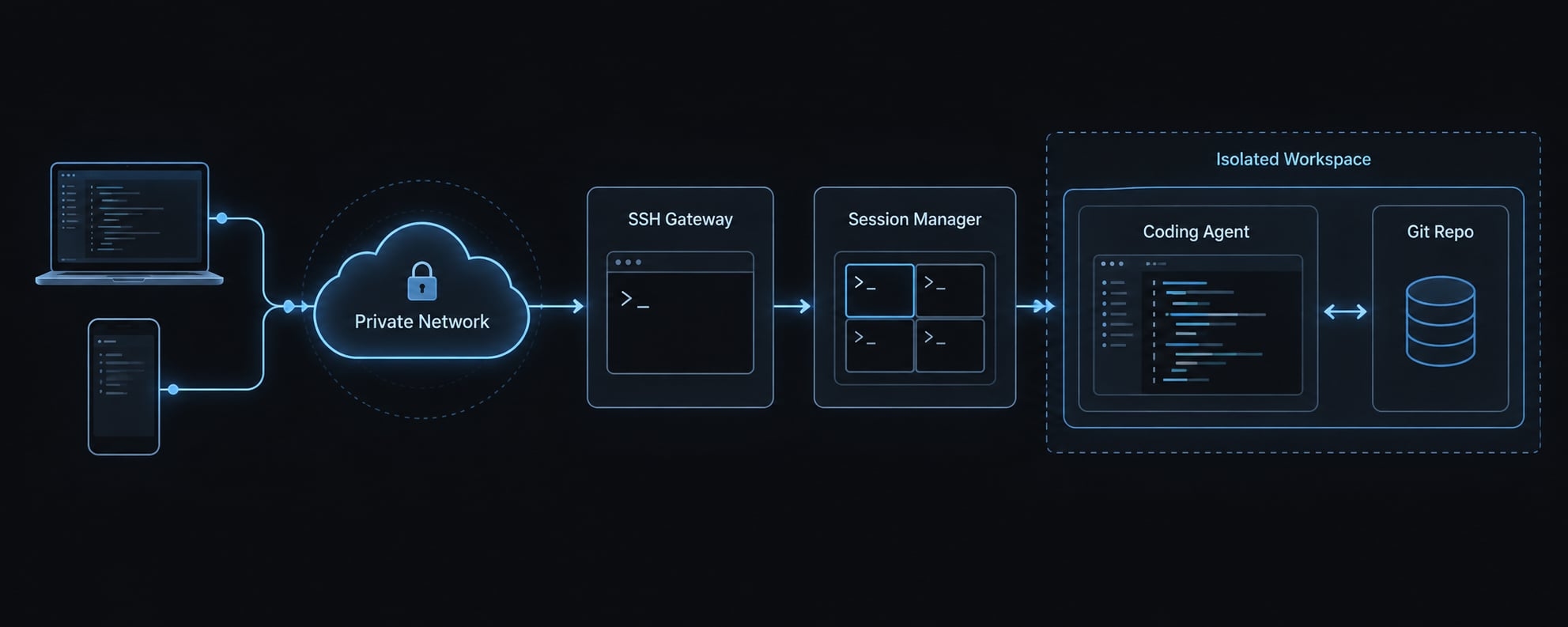
OpenSSH’s manuals describe remote authentication and shell access. The tmux manual describes sessions maintained by its server process. These are complementary capabilities, not interchangeable persistence guarantees.
Keep the initial stack small
To build your first portable AI coding workflow, start with one host, a secure private connectivity path, SSH, tmux, an AI agent, Git, and documented configuration. Add credential restrictions and approval boundaries immediately. For a mobile AI development setup, verify the exact application, platform, version, and subscription requirements before depending on keyboard shortcuts or Mosh support.
Containers and specialized secret-management tools depend on workload scope. Least privilege and protected credentials do not. Avoid introducing orchestration or multiple agents until the basic disconnect-and-reattach test passes.
Set up the workflow step by step
- Prepare the execution host.
- Establish private connectivity.
- Configure SSH authentication.
- Create a persistent tmux session.
- Add Mosh if needed (optional).
- Configure the mobile client.
- Test continuity across devices.
Prepare an always-reachable host
On the illustrative Ubuntu host, install Git, OpenSSH server, and tmux:
sudo apt updatesudo apt install git openssh-server tmuxsudo systemctl enable --now ssh
Install the repository’s required runtime and Claude Code using their official instructions. Run baseline tests and authenticate the agent without exposing credentials.
Check sleep settings, persistent storage, and backups. Document restart procedures; reboot recovery is not session survival.
Expected result: The host runs the repository and agent independently of a connected client.
Establish private connectivity
Install Tailscale on the host and approved clients using Tailscale’s installation documentation. Configure explicit access rules allowing approved clients to reach the host’s SSH service.
From the laptop:
tailscale ping HOST_TAILSCALE_IP
Replace uppercase placeholders with your values. Also restrict SSH through the host firewall; do not create public port forwarding.
This tutorial uses ordinary OpenSSH over Tailscale, not Tailscale SSH, which has a different authentication configuration.
Expected result: Approved clients reach the host through the intended private path.
Configure SSH authentication
Use a non-root account and distinct, protected keys for each device. Authorize each public key in that account’s ~/.ssh/authorized_keys, with appropriate file permissions.
Connect from the laptop:
ssh -i ~/.ssh/portable_host dev@HOST_TAILSCALE_IP
Verify the host fingerprint through a trusted channel. Test a second connection before disabling fallback authentication. Avoid agent forwarding unless specifically required.
Private-network membership does not replace SSH authorization.
Expected result: Each approved device authenticates with its own authorized key.
Create a persistent tmux session
After connecting, run these commands on the host, inside the repository:
cd ~/projects/demotmux new -s mainclaude
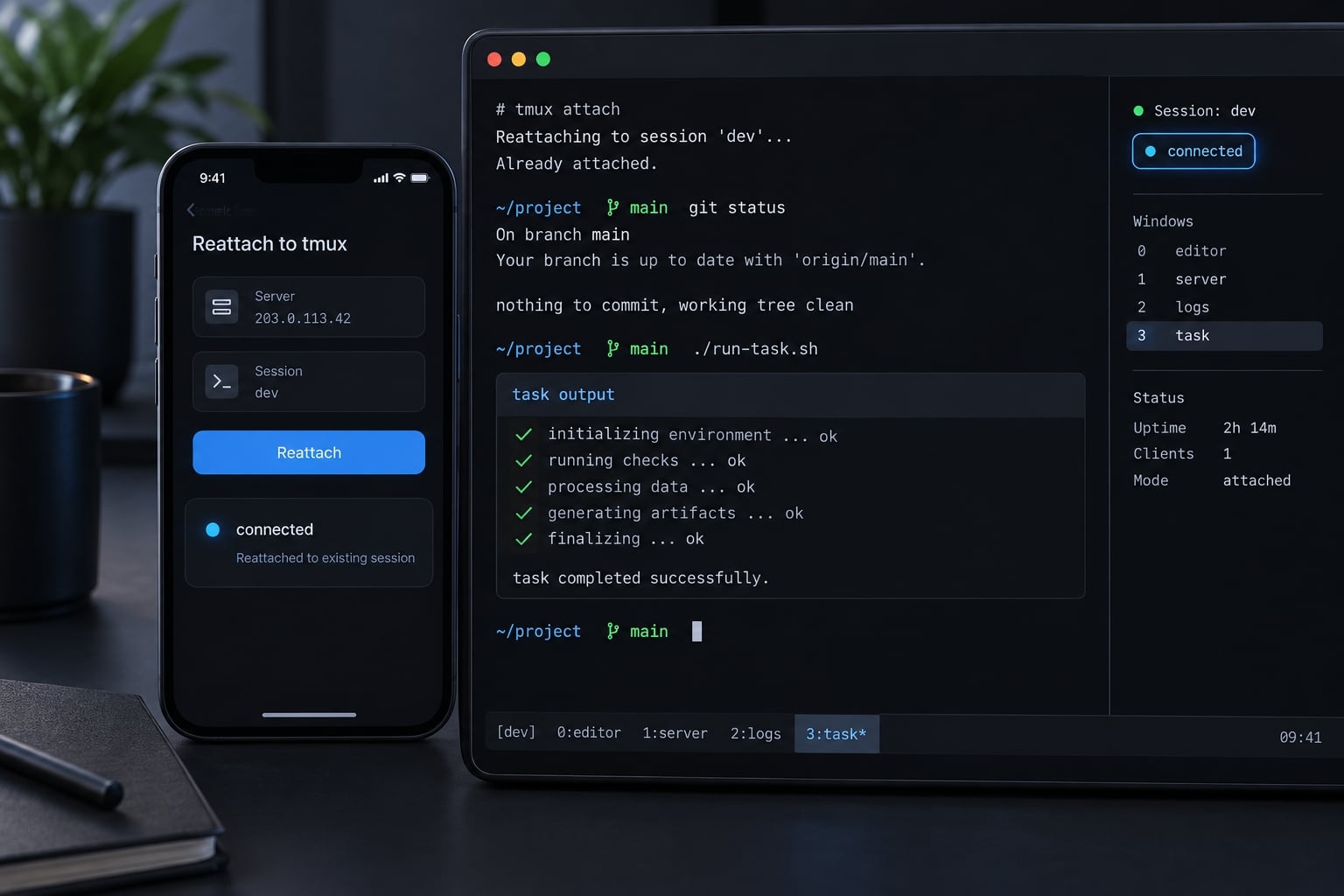
While the agent occupies the terminal, detach with Ctrl-b, then d. Disconnect the client.
Reconnect through SSH and run:
tmux attach -t main
These persistent AI coding sessions depend on the host and tmux server remaining alive. A client disconnect normally leaves them intact; reboot or process failure may not.
Expected result: The original agent session remains available.
Add mosh for unstable mobile connections - optional
If the host and client support Mosh, a typical laptop invocation is:
mosh dev@HOST_TAILSCALE_IP
Mosh normally initializes through SSH, then uses its own UDP transport. Allow required UDP reachability only through the intended private path.
The Mosh documentation describes connection resilience during roaming and interruptions. tmux still provides host-side session persistence. Mobile suspension behavior requires separate testing.
Expected result: Supported interruptions are handled more gracefully in your validated configuration.
Install and test the mobile client
Install an iOS SSH client with protected key storage. Configure the private host address, verify its fingerprint, and authorize a separate device key.
Connect and run:
tmux attach -t main
Verify that input shortcuts like Ctrl-b, scrolling, window resizing, and text entry work as expected. Ensure sensitive data is not stored in clipboard history or insecure locations.
Exact feature support remains client- and version-dependent.
Expected result: Mobile access supports supervision and lightweight interaction.
Test session continuity
At a shell prompt in main—after exiting the agent normally—run:
for i in $(seq 1 60); do date -Is sleep 2done | tee /tmp/portable-check.log
Disconnect deliberately. Reattach from the approved phone over cellular data and inspect the output plus git status --short.
- Pass: Same session, normal task progress or completion, visible history, unchanged repository, no duplicate run.
- Fail: Missing session, connection-caused termination, wrong repository, lost access, or exposed secrets.
Then repeat with a narrowly scoped, non-critical agent task.
Expected result: The second device resumes existing work without rebuilding it.
Make the agent configuration portable, not just the terminal
Context-as-code means storing reviewable agent instructions and workflow configuration alongside the project, or in a controlled configuration repository. It makes assumptions inspectable and repeatable across approved environments. It does not transfer live processes, guarantee identical model responses, or automatically translate settings between agents.
Create a portable agent bundle
Use this adaptable structure:
project/├── CLAUDE.md # Claude Code project instructions├── AGENTS.md # For agents documenting support├── docs/workflow.md # Shared task and review procedure├── scripts/bootstrap.sh # Reviewed environment setup├── skills/ # Illustrative reusable procedures├── .agent/│ └── permissions.example.yaml # Illustrative policy template├── .env.example # Placeholders only└── .gitignore # Exclude local secrets/artifacts
Claude Code’s memory documentation describes CLAUDE.md. Do not assume it automatically loads AGENTS.md. Consult each agent’s documentation for supported filenames and precedence.
The skills/ and .agent/ paths above are illustrative, not universally recognized directories. Map permission templates to actual tool controls. Inspect bootstrap scripts before execution.
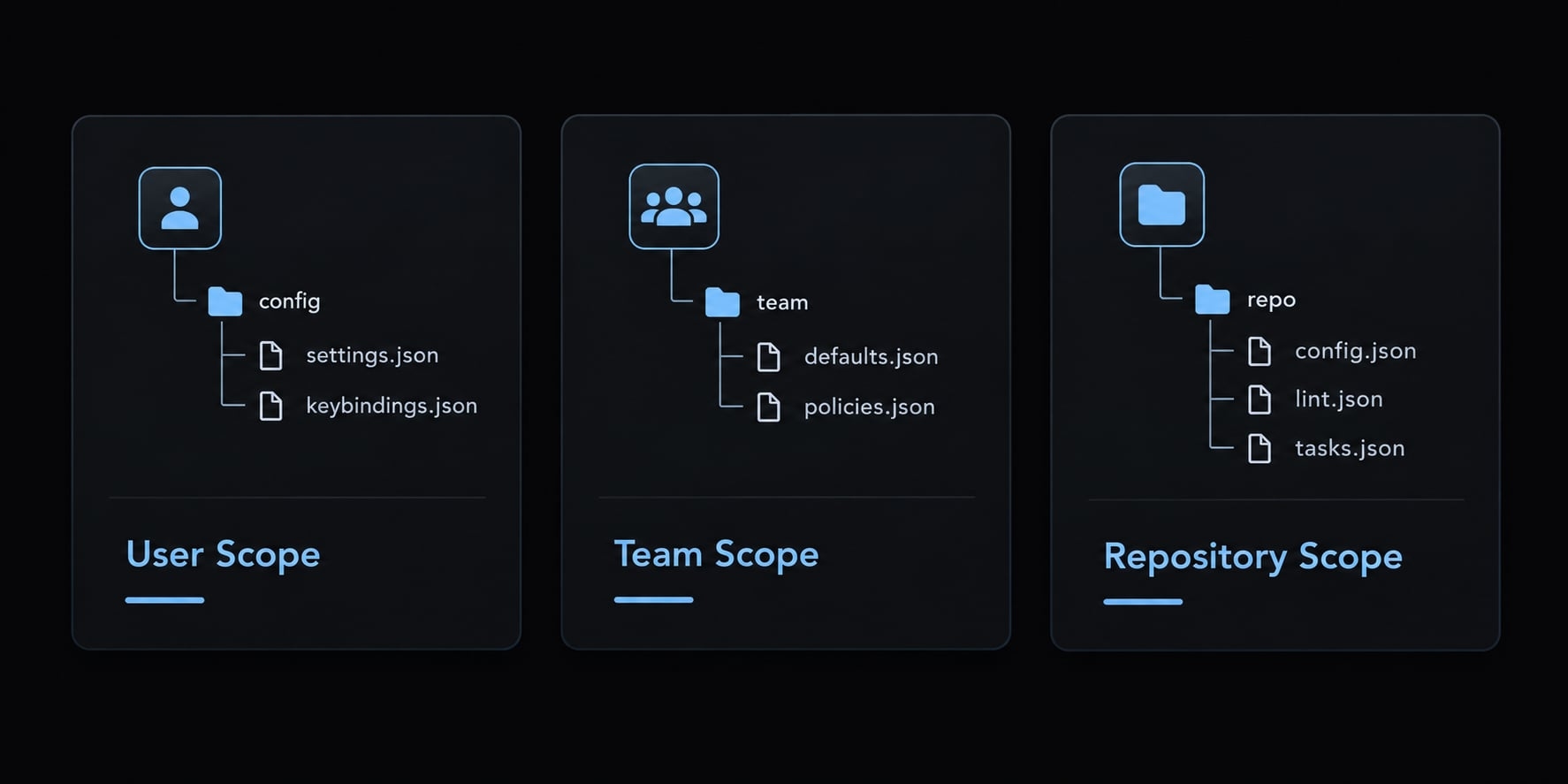
Separate three scopes:
- User: Personal preferences and local tooling.
- Team: Shared procedures and approved integrations.
- Repository: Architecture, commands, and project constraints.
There is no universal precedence order. Instructions can travel without conversation history traveling. Consistent configuration reduces drift, not model variability.
Separate configuration from secrets
Do | Don’t |
|---|---|
Commit placeholder-only | Include working tokens or passwords |
Inject short-lived credentials through supported mechanisms | Assume environment variables cannot leak |
Use scoped credentials and protected storage | Share unrestricted credentials across devices |
Rotate exposed secrets and address repository history | Treat deleting a committed file as remediation |
Environment variables may leak through subprocesses, inspection, or logs. Their delivery mechanism does not determine credential lifetime.
Standardize reusable agent components
The manual option is a reviewed configuration repository with documented bootstrap steps. Maintain reusable agent skills and test integrations individually. MCP (Model Context Protocol) standardizes tool connectivity, but client support, authentication, and permissions still vary.
AgentKit packages reusable skills, subagents, and workflows with harness-native adapters for Claude Code, Codex, Antigravity, Pi, and Oh My Pi, with Cursor and DeepSeek Harness on its beta channel. That makes the same agent configuration easier to reuse across hosts and coding agents, but it is an optional packaging layer, not a replacement for access controls or validation; check each harness’s support tier and hook coverage before relying on it.
Apply security and human-in-the-loop controls
Restrict capabilities before relying on approval prompts. Every authorized device and integration introduces another access path. A private network reduces exposure; it does not replace authentication, patching, or revocation.
Security controls by risk
Risk | Safe default |
|---|---|
Public exposure | Private access path, host firewall, explicit access rules |
Lost device | Device lock, protected keys, network removal, key and token revocation |
Credential leakage | Scoped credentials, protected storage, runtime injection, rotation |
Destructive actions | Enforced agent permissions and explicit approval for privileged operations |
Prompt injection | Treat external content as untrusted; limit actions and accessible secrets |
Host modification | Project-scoped execution and appropriately configured isolation |
Unreviewed changes | Tests, diff review, protected merges and deployments |
Private-network authorization, SSH keys, and API tokens are separate controls. Removing a mobile application does not revoke credentials copied elsewhere.
Prompt injection occurs when untrusted content attempts to redirect an agent’s behavior. Repository files, issues, web pages, and tool output can carry such instructions. Telling an agent to ignore them is not a sufficient defense.
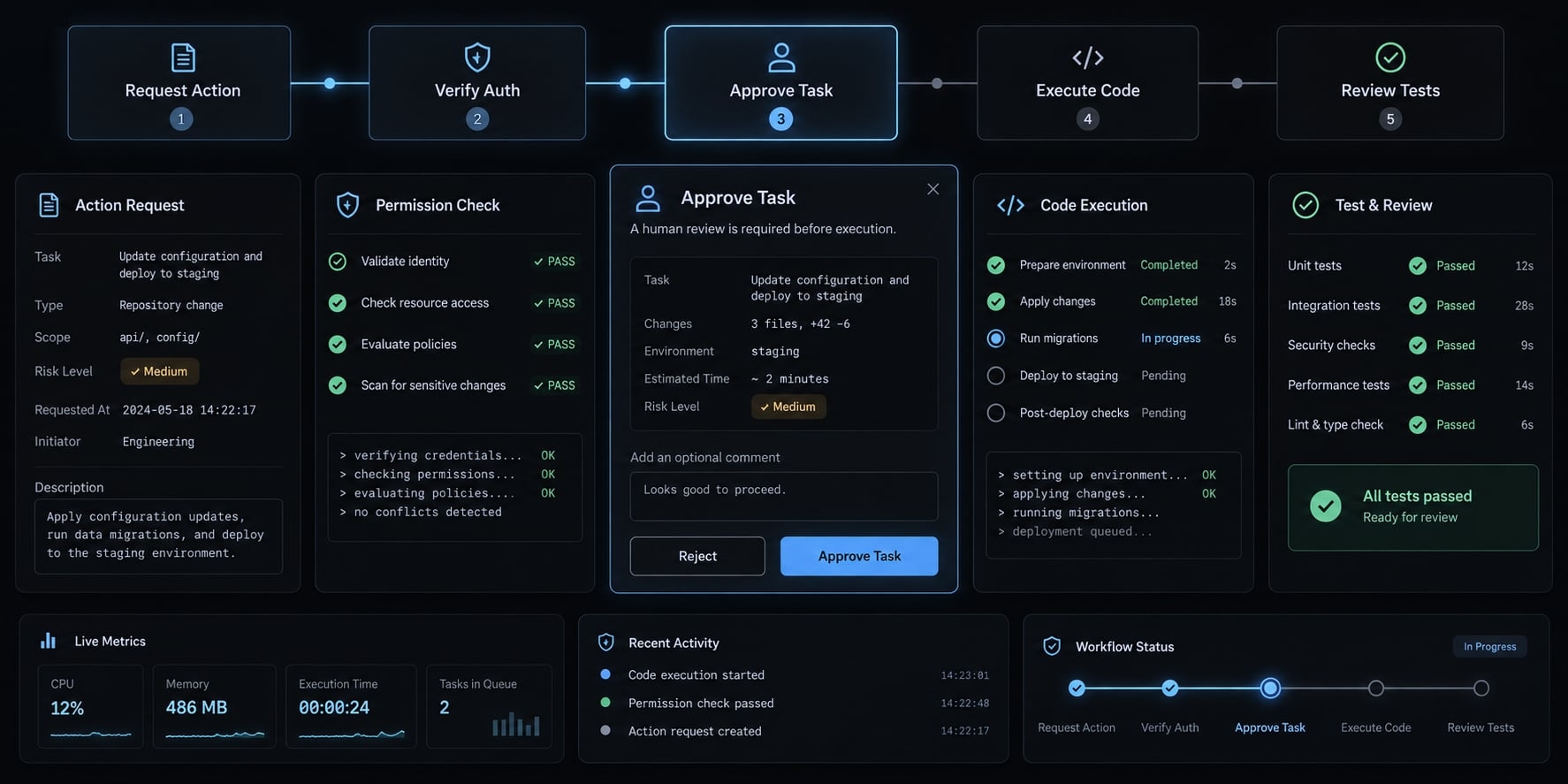
Limit filesystem access, integrations, network destinations, and available secrets. Require additional approval for actions that exceed the task’s scope.
Sandboxed code execution can reduce exposure, but isolation depends on privileges, mounts, networking, and secret access. A container with broad host mounts or access to the Docker socket is not a strong boundary.
Claude Code’s security and permissions documentation, OpenSSH’s manuals, and OWASP’s LLM Prompt Injection Prevention Cheat Sheet provide relevant guidance. Verify controls against installed versions.
Use the phone as a control surface
Task | Recommendation |
|---|---|
Start predefined, bounded tasks | Appropriate with established limits |
Inspect status and output | Appropriate; protect sensitive output |
Answer clarifications | Appropriate when context is sufficient |
Review small diffs | Suitable for inspection, not a release shortcut |
Pause work or withhold approval | Appropriate |
Complex debugging, extensive review, infrastructure changes, production incidents | Prefer a full workstation |
Remote access must not bypass code review, test gates, or deployment controls. A small screen can conceal context; defer consequential approval when you cannot inspect the complete change.
Validate the workflow before depending on it
Run this portable environment checklist against a non-critical repository without production credentials. Record pass/fail results, versions, and dates. Session continuity and fresh-host reproducibility are separate acceptance tests.
Portable workflow acceptance checklist:
- ☐ Host remains reachable after a separate client disconnects.
- ☐ Host stays awake throughout the intended work period.
- ☐ Private access works without public SSH exposure.
- ☐ Approved device keys authenticate to the intended account.
- ☐ The same named tmux session can be reattached.
- ☐ Client interruption does not terminate the bounded task.
- ☐ Instructions and applicable configuration are version-controlled.
- ☐ Fresh-host bootstrap is documented and independently tested.
- ☐ Secrets are excluded from portable configuration.
- ☐ Destructive operations encounter enforced approval boundaries.
- ☐ Git changes and test results are reviewable before release.
- ☐ Device, SSH-key, and token revocation are documented.
- ☐ Access works outside the primary network.
- ☐ Mobile task boundaries are documented and understood.
A reboot requires a recovery path; do not expect a live tmux process to survive. Document session recovery as reconnecting to surviving work or deliberately restarting from saved artifacts.
One successful test does not prove production readiness. Repeat relevant checks after changing networking, authentication, client software, or agent permissions.
Frequently asked questions
What is a portable AI coding workflow?
A portable AI coding workflow is an engineering setup that decouples your AI agent's execution from a specific IDE or local environment. It ensures your terminal sessions, agent configurations, and project dependencies remain accessible and reproducible across different machines, whether you are using a workstation, laptop, or tablet.
Is Mosh necessary for a portable AI coding setup?
No, Mosh is optional. It is useful only if you frequently move between unstable networks, such as switching between cellular and Wi-Fi. For most setups, standard SSH combined with tmux provides reliable remote access and session persistence, which is sufficient for supervised AI-assisted coding.
How can I keep my agent configuration portable across projects?
Store agent instructions, skills, and workflow constraints in version-controlled files that each agent actually supports, such as CLAUDE.md for Claude Code or AGENTS.md for compatible agents. This keeps rules reviewable and repeatable across hosts, though each agent’s loading behavior and responses still vary.
Does a portable workflow make mobile AI coding secure?
Portability does not inherently guarantee security. You must implement layered controls, such as using a private network overlay, employing scoped credentials, and enforcing manual approval gates for destructive bash operations, to ensure that mobile access does not bypass your standard code review and deployment security protocols.
What is the primary difference between a local and a cloud-based host?
A local host uses your existing hardware, which is often free but limited by power and network availability. A cloud host can stay available independently of your workstation, but it adds recurring cost, maintenance, provider policies such as idle shutdown, and its own recovery planning.
Read more:
- AI coding workflow for small teams: A guide to faster delivery
- Human in the loop AI coding: Optimize speed and quality
Conclusion
A dependable portable AI workflow separates private access, session persistence, reproducible environments, and reusable agent configs - solving one does not cover the rest. Treat mobile devices as control surfaces rather than replacement workstations, and start with a minimal baseline (SSH, tmux, one agent). Always validate your core setup against the acceptance checklist before adding tools or production access.