
Sample design doc for Claude Code: A lightweight template you can copy
If you are looking for a sample design doc for Claude Code, the real need is usually simple: better output with less back-and-forth. In practice, vague prompts often create messy iterations, unnecessary file edits, and avoidable misunderstandings about scope. Better prompt context for Claude Code usually comes from structure, not from writing longer instructions. This guide gives you a lightweight template you can copy into your repo today. It covers what a design doc is, which sections matter, a reusable Markdown template, a filled example, and a simple workflow for using it with Claude Code.
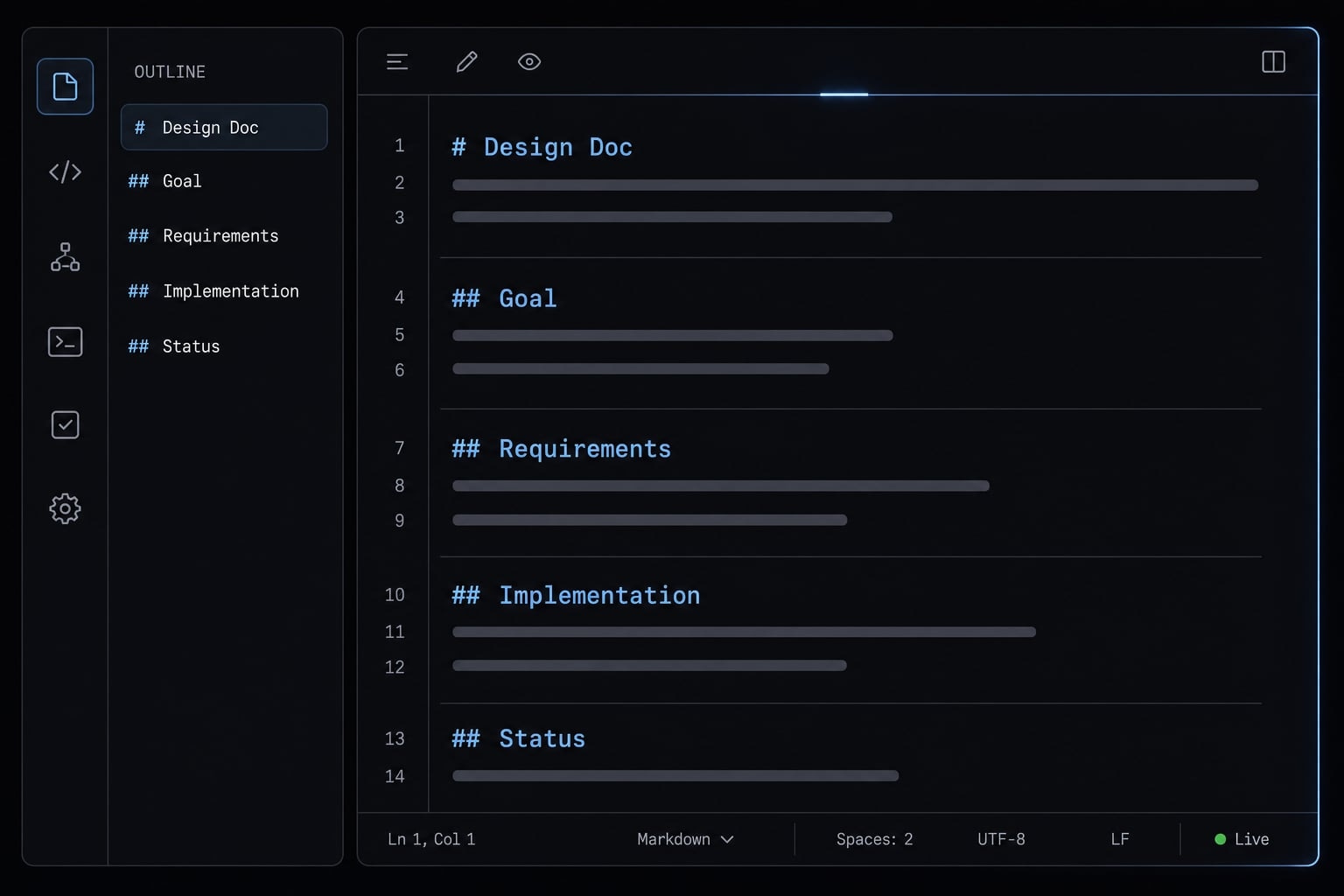
What a design doc for Claude Code actually is
A design doc for Claude Code is a short, structured project brief that gives the agent enough context to implement a task with fewer wrong assumptions. It is not a giant spec. It defines the goal, scope, constraints, expected approach, and validation rules before coding starts.
A Claude Code design doc helps when the task is large enough that a one-line prompt is likely to cause rework. A common failure mode is asking for a feature in one sentence, then spending several rounds correcting assumptions about files, frameworks, or edge cases. A sample design doc for Claude Code reduces that drift.
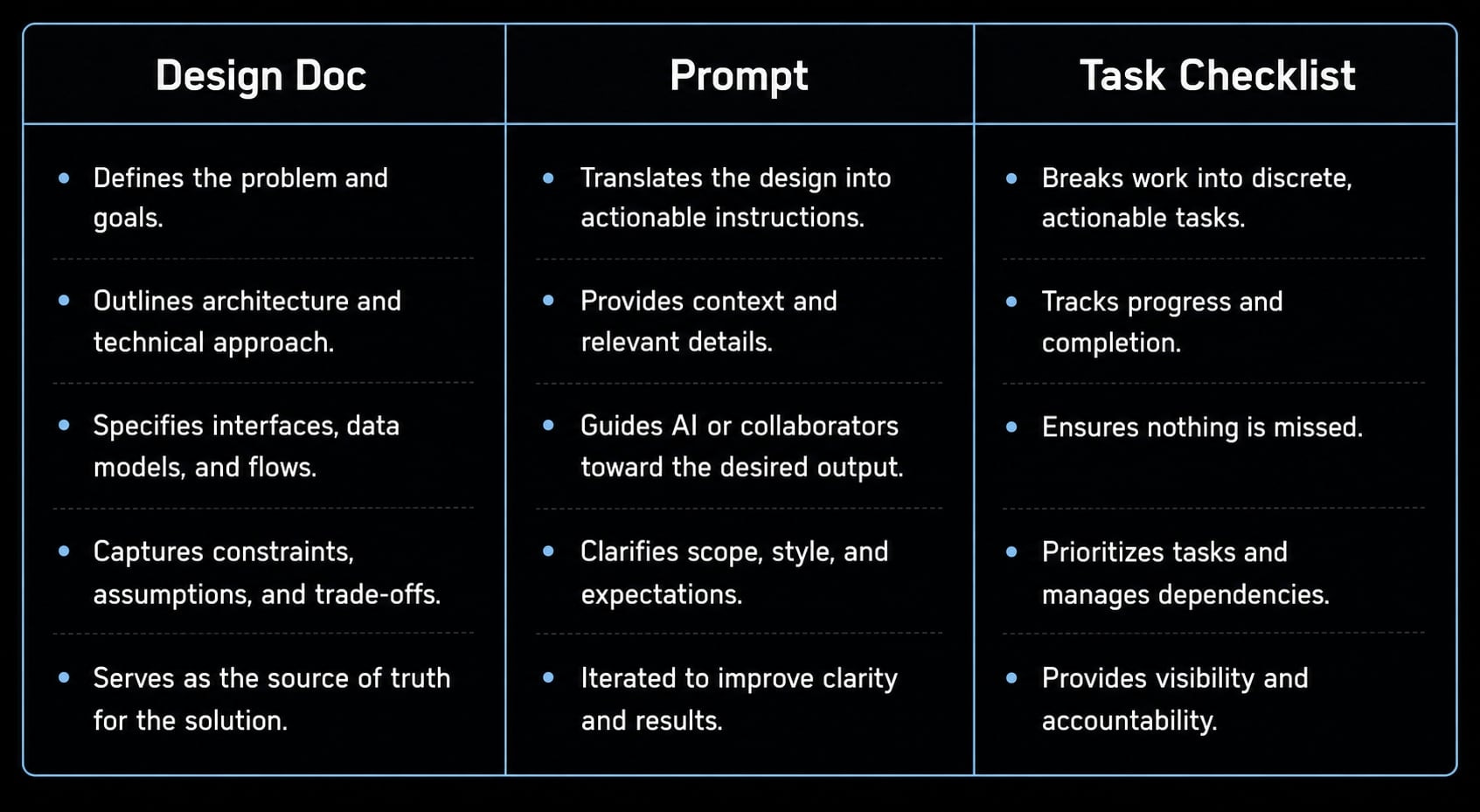
This also answers a common question around how to write a design doc for Claude Code: keep it short, structured, and directly tied to implementation. A Claude Code design doc is not the same as a prompt, a checklist, or a full architecture memo.
Use a sample design doc for Claude Code when the task includes multiple files, feature logic, refactoring risk, or handoff between sessions. Skip it for tiny edits. If you are fixing a typo, changing button text, or adjusting one CSS class, a full doc is usually unnecessary.
Well-structured prompt context for Claude Code matters because the agent works better when goals and constraints are explicit. The goal is not perfect documentation. It is fewer wrong turns.
Design doc vs prompt vs task checklist
Format | Main purpose | Typical length | Best use |
|---|---|---|---|
Prompt | Instruct the next action. | 1 - 10 lines. | Ask for one step or one implementation slice. |
Design doc | Provide reusable structured context. | 0.5 - 2 pages. | Plan a feature, refactor, or multi-file change. |
Task checklist | Break execution into steps. | 5 - 20 bullets. | Track work after planning is done. |
When to use a lightweight design doc
Use a lightweight doc when:
- You are building a new feature.
- You expect a multi-file change.
- You are planning a refactor.
- You are integrating an API.
- You want clean handoff between people or sessions.
Usually skip it when:
- The change is a trivial one-file edit.
- You are fixing a typo.
- You are changing a label with no logic impact.
The minimum sections your Claude Code design doc should include
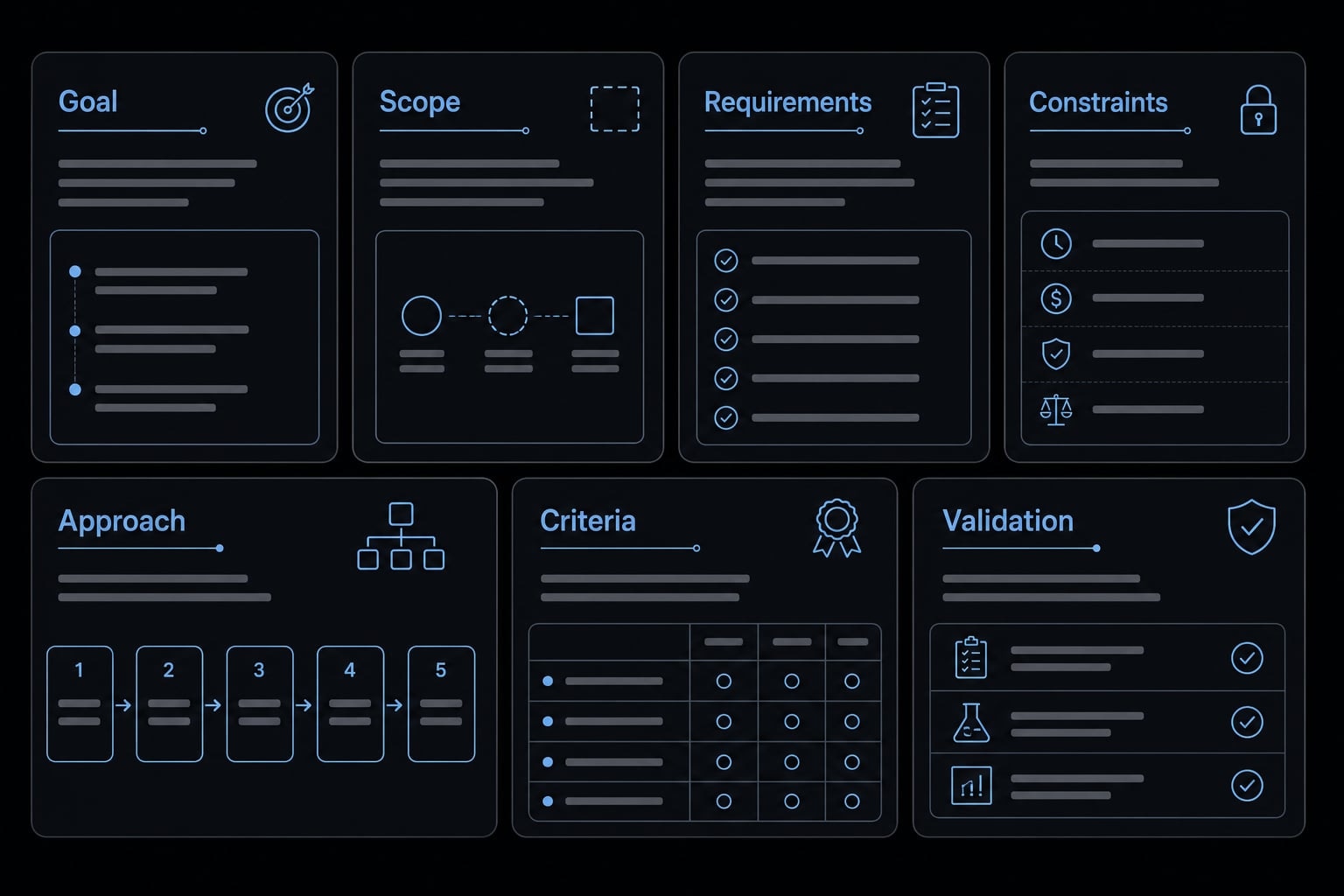
A good doc does not need to be long. The best Claude Code technical specification template is usually the one your team will actually reuse. For small teams, the friction usually comes from over-documenting simple work or under-documenting risky work. The structure below is a minimum viable claude code project planning template, not a rigid process.
- Problem / Goal.
- Scope.
- Requirements.
- Constraints.
- Implementation Notes / Proposed Approach.
- Acceptance Criteria.
- Validation / Testing Plan.
This seven-part structure works because it creates a structured development blueprint for llms without turning the task into process bloat. It is also a practical form of effective design documentation for ai coding agents because each section helps the model make better choices during implementation.
Problem / Goal
Include:
- What is changing.
- Why it matters.
- What result you expect.
Why it helps:
- A clear goal reduces wrong assumptions early.
- It gives the model a target outcome, not just an action.
- Non-engineering collaborators can often draft this part well.
Example:
- Add draft auto-save to reduce lost note content.
- Users should be able to recover unfinished text after refresh.
Scope
Include:
- What is in scope.
- What is out of scope.
Why it helps:
- Scope boundaries stop Claude Code from expanding the task on its own.
- A common failure mode is the agent “helpfully” adding extras you never asked for.
Example:
- In scope: Save local draft for note editor.
- Out of scope: Cloud sync, multi-device restore, offline queueing.
Requirements
Include:
- Functional requirements.
- Core user flow.
- Only key edge cases that matter.
Why it helps:
- Requirements anchor implementation decisions.
- They reduce ambiguity when several valid approaches exist.
Example:
- Save draft after text changes.
- Restore draft when user reopens the same note.
- Clear draft after successful publish.
Constraints
Include:
- Language or framework rules.
- APIs or libraries to use or avoid.
- Existing repo patterns.
- Compatibility or deadline limits.
Why it helps:
- Constraints stop bad assumptions.
- Missing constraints often lead to wrong framework choices or unnecessary abstractions.
Example:
- Use existing React hooks pattern.
- Do not add new dependencies.
- Support current mobile layout.
Implementation notes
Include:
- Proposed approach.
- Likely files or modules.
- Integration points.
- Dependencies.
Why it helps:
- This points Claude Code to the right part of the codebase.
- It reduces wandering edits across unrelated files.
Example:
- Update
NoteEditor.tsx. - Reuse existing local storage helper.
- Add draft key by note ID.
Acceptance Criteria
Include:
- What “done” means.
- Conditions that are observable and testable.
- Avoid vague phrases like “works well”.
Why it helps:
- Acceptance criteria are one of the strongest tools for reducing review ambiguity.
- They make output easier to verify, especially when multiple people review the result.
Examples:
- Draft text is restored after page refresh for the same note.
- Draft is cleared after successful save.
- No draft appears when opening a different note.
Validation / testing plan
Include:
- Unit tests.
- Manual checks.
- Quick QA steps.
- What must be verified before merge.
Why it helps:
- AI-generated code is not self-validating.
- Good docs reduce ambiguity, but they do not replace review.
Example:
- Add tests for draft restore and clear behavior.
- Manually verify refresh, note switching, and successful save flow.
Copy-paste sample design doc for Claude Code
The template below is intentionally lightweight so you do not overengineer it.
Blank template in Markdown
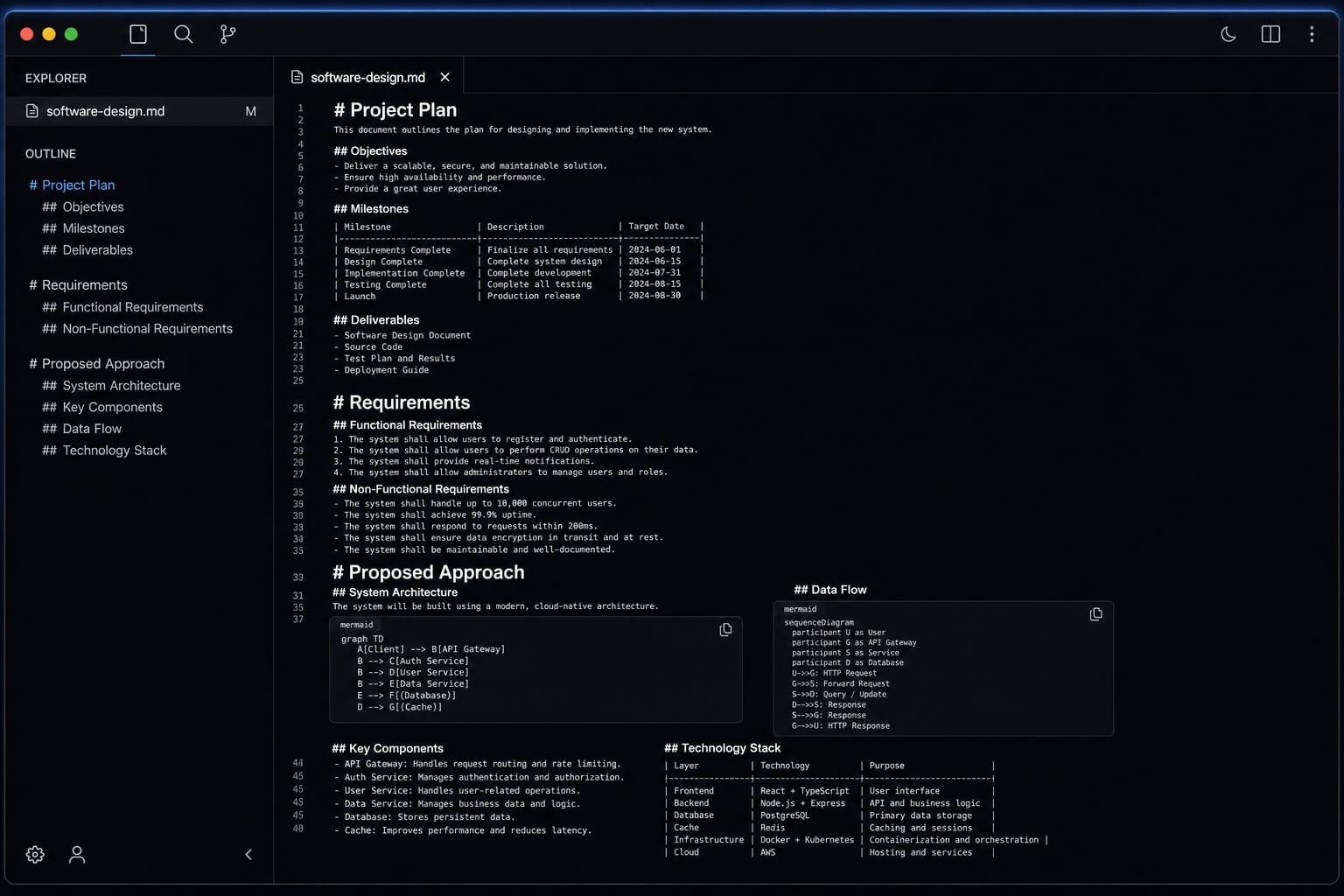
# TitleShort name for the change## Problem / Goal- What is changing?- Why does it matter?- What outcome should users or the team see?## Scope### In Scope- - ### Out of Scope- - ## Requirements- Functional requirement 1- Functional requirement 2- Core user flow- Important edge case, if relevant## Constraints- Framework or language rules- APIs, libraries, or tools to use- Tools or patterns to avoid- Repo or compatibility limits## Proposed Approach- High-level implementation plan- Likely files or modules involved- Integration points- Dependencies or assumptions## Acceptance Criteria- Observable success condition 1- Observable success condition 2- Observable success condition 3## Validation Plan- Unit tests to add or update- Manual QA steps- What must be verified before merge
A good sample design doc for Claude Code works because it front-loads the decisions Claude Code needs before it starts editing files. This kind of Claude Code project planning template also keeps prompts shorter. Instead of repeating background in every message, you can point to the doc and ask for the next slice of implementation.
That makes reviews easier too. When the design, ai coding agent design requirements, and acceptance criteria are already written down, it is much simpler to check whether the output actually matches the task. In practice, this kind of llm-ready technical documentation also improves task breakdown because the model can turn each section into smaller implementation steps with less guesswork.
Why this format works well for Claude Code
A lightweight format works well because it gives context before code generation without burying the task in narrative.
Benefits:
- Less ambiguity before implementation starts.
- Easier task decomposition into small slices.
- Easier review against acceptance criteria.
- Shorter, cleaner prompts during execution.
- Better reuse across GitHub, GitLab, Notion, or
/docs.
Filled example: Design doc for a simple Feature in Claude Code
If you want an example design doc for Claude Code, the best example is a small feature with clear UI behavior and limited moving parts. “Save draft” in a notes app works well because it includes user behavior, state handling, and simple validation without turning into architecture sprawl.
This is also the right level of detail for teams learning how to write a design doc for Claude Code. It is specific enough to guide implementation, but small enough to stay practical.
Example scenario selection
This scenario works because it is easy to understand, includes both interface and behavior logic, and stays compact. It is realistic for a small repo task and fits a lightweight Claude Code technical specification template.
Filled sample doc
Title: Save local draft in note editor
Problem / Goal
- Users can lose text if they refresh or leave the page before saving.
- Add local draft persistence so unfinished note content can be restored.
Scope
In Scope
- Save draft content locally for the active note
- Restore draft when reopening the same note
- Clear draft after successful save
Out of Scope
- Cloud sync
- Cross-device draft restore
- Draft history or versioning
Requirements
- Save draft automatically when editor content changes
- Use note ID to separate drafts
- Restore only the matching note draft
- Do not override saved note content after successful save
Constraints
- Use existing React state and hooks patterns
- Reuse current local storage helper if available
- Do not add external dependencies
Proposed Approach
- Update
NoteEditorto save draft content with debounce - Store draft by key format:
draft:<noteId> - On editor load, check for existing draft and restore it
- On successful save, remove the draft key
Acceptance Criteria
- Refreshing the page restores unsaved content for the same note
- Opening another note does not show the wrong draft
- Saving the note clears the local draft
- Existing note save flow continues to work
Validation Plan
- Add tests for restore and clear behavior
- Manually verify refresh restore
- Manually verify switching between two notes
- Manually verify draft disappears after save
This example design doc for claude code is intentionally simple. It shows what “good enough” looks like. Another example design doc for claude code does not need to be cleaner or longer than this to be useful.
How to use the design doc with Claude Code in a simple workflow
The design doc supports prompts; it does not replace them. That is one of the most important best practices for Claude Code technical specs. The doc carries background and constraints, while the prompt tells Claude Code what to do next.
A lightweight workflow also helps with context window management. Dumping a huge wall of repo history into every request usually hurts clarity. In practice, shorter prompts paired with stable written context are easier to review and maintain. This is where a light form of spec-driven development becomes useful.
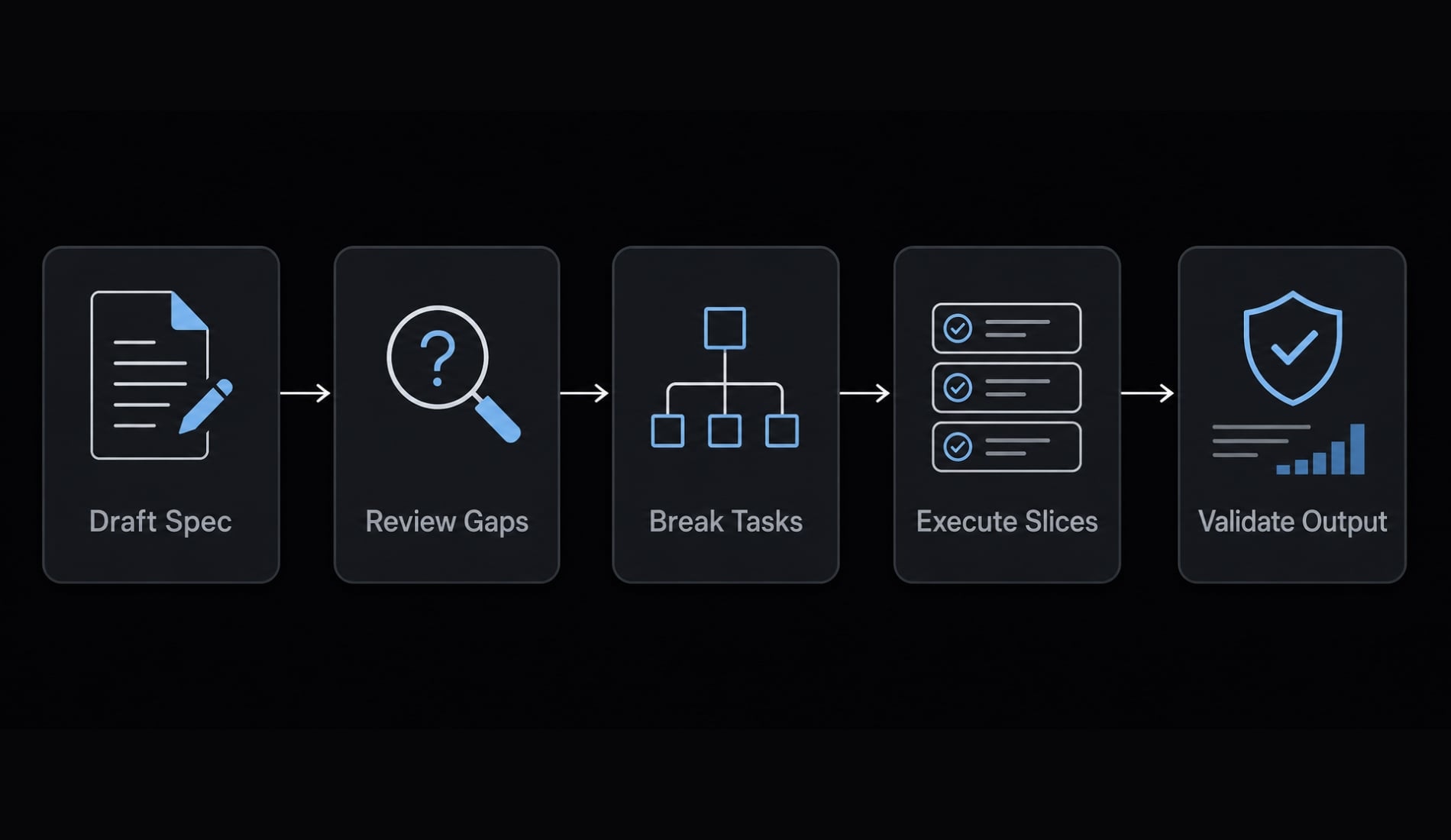
Suggested lightweight workflow
- Draft the design doc: Write the goal, scope, requirements, constraints, and validation plan before implementation starts.
- Ask Claude Code to review it for gaps or risks: Use the model to flag unclear scope, missing constraints, or weak acceptance conditions.
- Turn the doc into implementation tasks: Break the work into small steps such as UI update, persistence logic, tests, and cleanup.
- Execute in small slices: Keep prompts focused because the doc already provides the broader prompt context for Claude Code.
- Validate against acceptance criteria and tests: This is essential in spec-driven development. Generated code still needs review, testing, and manual verification before merge.
Common mistake: Using the doc as a giant prompt dump
Warning signs:
- Too much background weakens clarity.
- Narrative overload hides the real decisions.
- Large context dumps create context window management problems.
- Decision-focused notes outperform rambling documentation.
Common mistakes that make Claude Code design docs less useful
Most design doc failures are not about writing skill. They are about missing structure. If your goal is reducing bad edits in Claude Code, the fixes are usually small and immediate.
Mistake: Vague scope
- Fix: Define in-scope and out-of-scope items explicitly.
Mistake: Long narrative docs
- Fix: Use labeled sections and bullets instead of paragraphs of background.
Mistake: Missing constraints
- Fix: List frameworks, files, APIs, and repo rules up front.
Mistake: Weak acceptance criteria
- Fix: Write testable success conditions instead of “works well” or “looks good.”
Mistake: Blind trust in generated code
- Fix: Validate with tests and manual checks before merge.
This structure creates a clear instructional hierarchy for the task. It also shows why clear specifications reduce hallucinations in practical terms: the model has less room to guess. More importantly, design docs guide ai coding agents toward the right boundaries, but review still matters. They reduce ambiguity. They do not eliminate the need for testing and human judgment.
A practical next step for teams that want repeatable AI development workflows
For solo builders and small teams, a simple Markdown template is often enough. But as work becomes more repeatable, the real challenge shifts from one good doc to a consistent system for planning, execution, review, and validation.
That is where reusable agent kits and standardized ai development workflows become useful. Instead of rebuilding the same planning pattern each time, teams can create a repeatable structure for design docs, task slicing, review steps, and validation rules. In practical terms, this becomes a structured development blueprint for llms rather than a pile of ad hoc prompts. That is also the broader workflow direction behind platforms like AgentKit: Not more AI hype, but more consistent execution.
Frequently asked questions
What is a design doc for Claude Code?
A design doc for Claude Code is a concise, structured project brief that defines the essential context, scope, and requirements before implementation begins. It bridges the gap between high-level project goals and technical execution, helping the AI agent make more accurate decisions while reducing ambiguity and rework.
What are the essential sections of a Claude Code design doc?
An effective design doc should include these seven core sections:
- Problem or Goal
- Scope
- Requirements
- Constraints
- Implementation Notes
- Acceptance Criteria
- Validation and Testing Plan
How does a Claude Code design doc differ from a prompt?
A prompt provides an immediate instruction for the next action, while a design doc supplies reusable, structured context. Use prompts to guide execution and design docs to establish boundaries, constraints, and success criteria for complex development tasks involving multiple files.
When should you use a design doc for Claude Code?
Use a design doc for complex tasks such as building new features, performing multi-file refactors, or integrating APIs. For trivial tasks, such as correcting a single typo or changing a CSS label, a complete design doc is unnecessary and introduces additional overhead.
How do you validate code generated by Claude Code?
- Define clear, observable acceptance criteria in the design doc.
- Require the AI to implement unit tests using test-driven development (TDD).
- Conduct a manual code review to verify the logic against the defined constraints.
- Run validation scripts to confirm that all requirements have been met before merging.
Should you use a design doc for very small tasks?
No. For minor single-file edits or simple logic fixes, the time required to write a design doc outweighs the benefits. Design docs are most valuable when tasks involve multiple files or complex dependencies where the project is more likely to drift from its original objectives.
Read more:
- Claude Code subagents documentation: Setup and usage guide
- Claude Code plugin marketplace: A guide to discover and setup
- Claude Code invalid tool parameters: Causes and fixes
Conclusion
A good sample design doc for Claude Code is short, structured, and testable. It should clarify the goal, lock scope, list constraints, define acceptance criteria, and make validation obvious. The point is better context, not more documentation.
If the task is small, skip the doc. If it is a multi-file change, a refactor, or a feature with edge cases, use one. This is a practical, lightweight form of spec-driven development that helps Claude Code make better decisions without turning your workflow into bureaucracy.
Copy the template, adapt it to your repo, and save it in /docs, Notion, or your project planning folder. Then use it on your next real change and refine it based on what your team actually needs.