Qwen3 Claude Code: Hosted and local setup guide
Integrating Qwen3 with Claude Code requires a compatible endpoint or translation layer to connect the model backend with the agent harness. While hosted endpoints offer the quickest path for initial validation, local inference demands careful management of hardware, runtimes, and memory—even for smaller Qwen3-Coder variants. Achieving reliable performance depends on ensuring streaming, tool calls, and tool results pass seamlessly through the entire request pipeline.
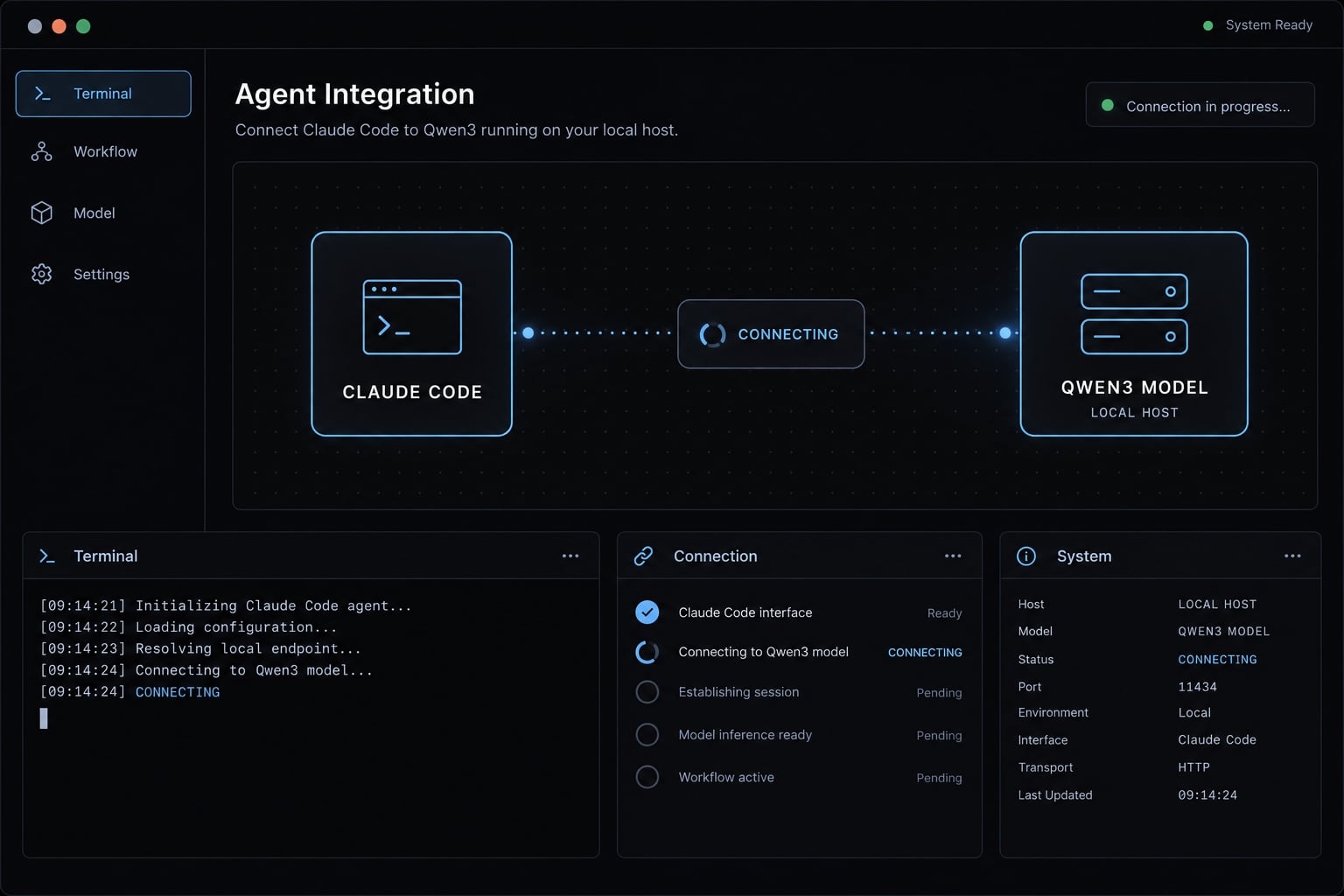
Validation status: Documentation-based guidance, not independently tested. No last-tested date, reviewer sign-off, or measured compatibility results are available. Commands below are configuration examples, not evidence of a verified integration. Confirm current documentation before using a real repository.
How Qwen3 works with Claude Code
Claude Code is the agent interface
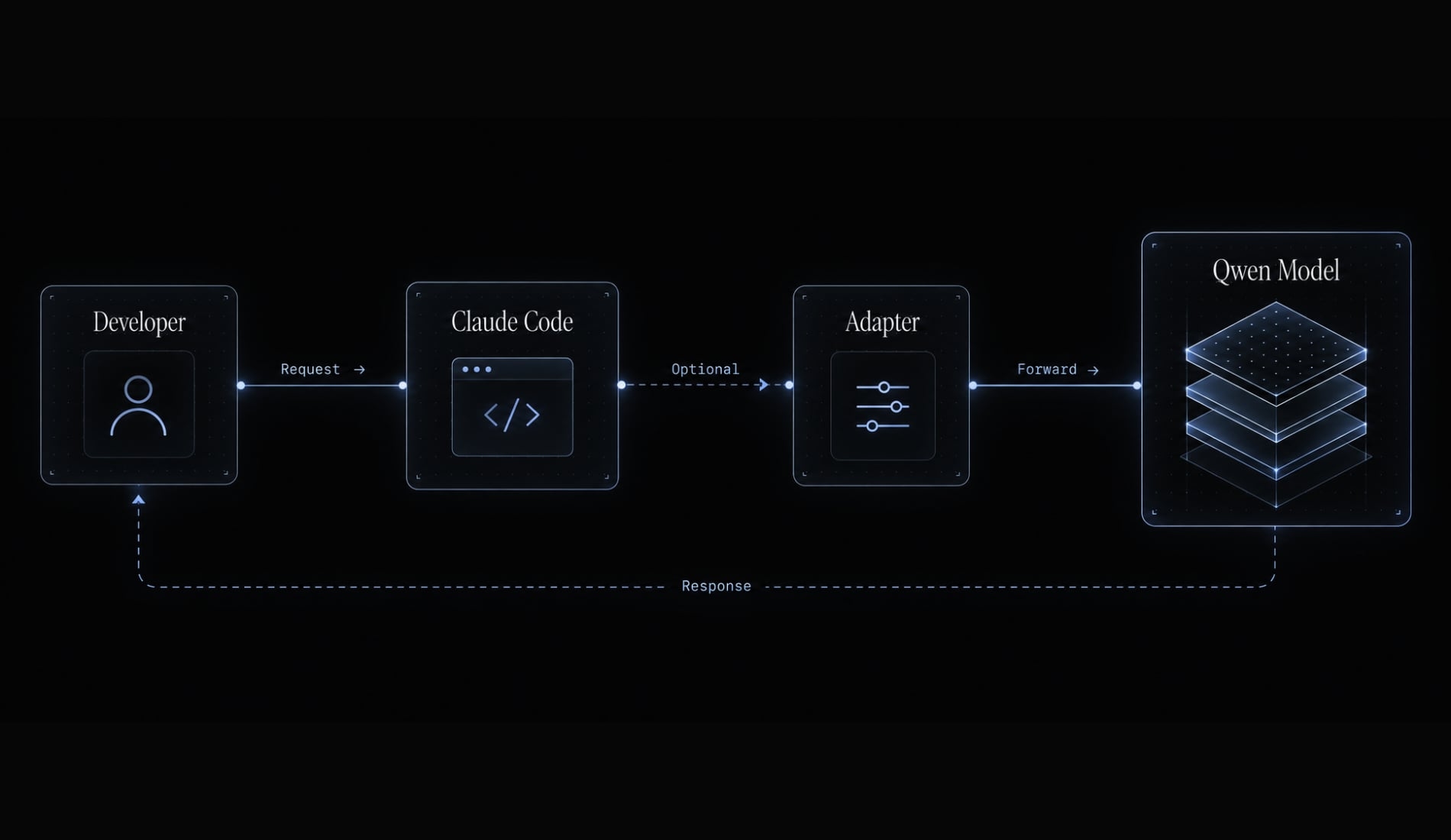
Claude Code coordinates repository context, approvals, tools, and the interaction loop. Its settings.json file is one configuration surface; changing the backend does not replace the harness or remove its access requirements.
Qwen3 is the model backend
Qwen generates responses and proposes actions. The harness executes approved tools and returns their results to the model. Code-generation quality and agent reliability are different properties. A model may write a correct function yet mishandle tool arguments or fail to recover after a test error. Qwen3-Coder is a candidate for coding workloads, not an automatic recommendation for every machine.
When a proxy or router is required
An Anthropic-compatible API is a prerequisite for the client-facing route, not proof of complete compatibility.
Endpoint capability | Connection approach | Still requires verification |
|---|---|---|
Compatible Messages interface | Direct connection | Streaming and tool calling |
OpenAI-compatible API only | API proxy translating protocols | Arguments, results, errors |
Version-dependent local runtime | Direct or adapter, depending on release | Actual routes and templates |
The local example uses LiteLLM’s Anthropic-compatible interface as the translation layer. Be sure to check the Claude Code gateway and runtime documentation against your installed versions to ensure compatibility.
Choose between hosted Qwen, local Qwen and a router
Hosted and local describe where inference runs. A model router describes how requests reach that backend; it can serve either deployment.
Option | Best fit | Effort | Data path | Hardware | Cost basis | Main limitation |
|---|---|---|---|---|---|---|
DashScope hosted | Alibaba Cloud users | Low–medium | Alibaba endpoint | Ordinary client | Selected service or plan | Region and entitlement |
OpenRouter hosted | Initial model evaluation | Low–medium | Gateway and upstream provider | Ordinary client | Usage and account terms | Upstream routing policies |
Local llama.cpp, direct | Supported compatible runtime | Medium | Local model endpoint | Model-dependent | Equipment and operation | Release-specific interface |
Local llama.cpp with adapter | OpenAI-only runtime route | Higher | Local adapter and runtime | Model-dependent | Equipment and maintenance | Translation compatibility |
Router with multiple backends | Controlled model switching | Higher | Each configured destination | Backend-dependent | Backend plus gateway operation | Fallback governance |
Recommended route for most users
Start with a documented hosted endpoint when repository policy permits it. Use synthetic code before transmitting confidential material.
Recommended route for private or offline work
Choose local Qwen3 when hardware and operational ownership fit your requirements. Predownload model weights, binaries, packages, and test dependencies. Reserve “fully offline” for a complete workflow demonstrated with external network access blocked.
When to add a router
Add one for protocol translation, model switching, or controlled fallback. Disable remote fallback when data-handling rules require local processing. A locally running router is not necessarily a local inference system.
Prerequisites and compatibility checks
Common requirements
The commands below use Bash on macOS. Adapt installation steps for other supported platforms rather than mixing shell syntax. Before proceeding, confirm:
- A supported OS and functioning terminal.
- A working Claude Code installation and permitted access.
- Dependencies for the selected installation method.
- A provider credential or reachable local server.
- The exact model identifier for that route.
- A compatible interface or configured adapter.
- A disposable repository with no production credentials.
- Approved source-code handling and secret-storage practices.
The official Claude Code installer does not require a separate Node.js installation. However, package-manager installation methods may have different prerequisites.
Additional local hardware requirements
Memory must cover weights, runtime overhead, and working context. The context window consumes additional memory through the KV cache, which stores attention state. Apple Silicon shares unified memory across CPU and GPU workloads. Other systems may have separate RAM and GPU memory constraints.
A quantized GGUF model reduces weight storage, but its file size is not a complete inference-memory estimate. Consult the exact model card and measure the loaded workload.
Qwen model names are not interchangeable
Distinguish the model family, Hugging Face repository, provider API identifier, local GGUF filename and server alias. These names can represent related artifacts without being interchangeable configuration values.
Environment field | Disclosure for this guide |
|---|---|
Last tested | Not independently tested |
OS / hardware | macOS Bash examples; hardware unmeasured |
Claude Code version | Not recorded; capture locally |
Hosted model |
|
Local model / quantization | User-selected; not validated |
Context setting | Illustrative 8,192 tokens, not a sizing recommendation |
Runtime / router versions | Not pinned or tested here |
Route status | Documentation-based; direct local alternative unverified |
Quick start - Connect Claude Code to a hosted Qwen endpoint
Step 1 - Install and confirm Claude Code
Use Anthropic’s native installer after reviewing its official installation instructions:
curl -fsSL https://claude.ai/install.sh | bashclaude --versioncommand -v claude
Expect a version string and an executable path. If the command is missing, reopen the terminal and inspect the installer’s PATH instructions. Record the version before debugging integration behavior.
Step 2 - Obtain a Qwen API endpoint and credential
This example follows OpenRouter’s documented Claude Code integration, not an independently tested route. Obtain three matching values:
- Anthropic-compatible base URL.
- OpenRouter credential.
- Available Qwen model ID.
The documented base URL is https://openrouter.ai/api; the example model is qwen/qwen3-coder. Confirm availability, upstream provider selection, account restrictions, and region suitability.
For this route, the documented Claude Code authentication method uses ANTHROPIC_AUTH_TOKEN. That does not make bearer-token authentication universal across Qwen API providers.
Step 3 - Set the required environment variables
Run this in a dedicated Bash terminal. The subshell limits changes to the current session; entering the secret interactively avoids putting it in shell history.
bashunset ANTHROPIC_API_KEYexport ANTHROPIC_BASE_URL="https://openrouter.ai/api"export ANTHROPIC_MODEL="qwen/qwen3-coder"read -r -s -p "OpenRouter API key: " ANTHROPIC_AUTH_TOKENprintf '\n'export ANTHROPIC_AUTH_TOKEN
These endpoint and model values are route-specific examples, not universal placeholders. Replace them only with values documented for the same provider route. The Claude Code environment variables select the destination, credential, and requested model. Existing settings or launch scripts may introduce conflicting configuration. Do not print credentials while inspecting the environment.
Step 4 - Launch Claude Code in a test repository
mkdir -p /tmp/qwen-claude-smokecd /tmp/qwen-claude-smokegit initprintf '# Synthetic integration smoke test\n' > README.mdclaude
Request: “Read README.md and summarize it. Do not edit files or execute commands.”
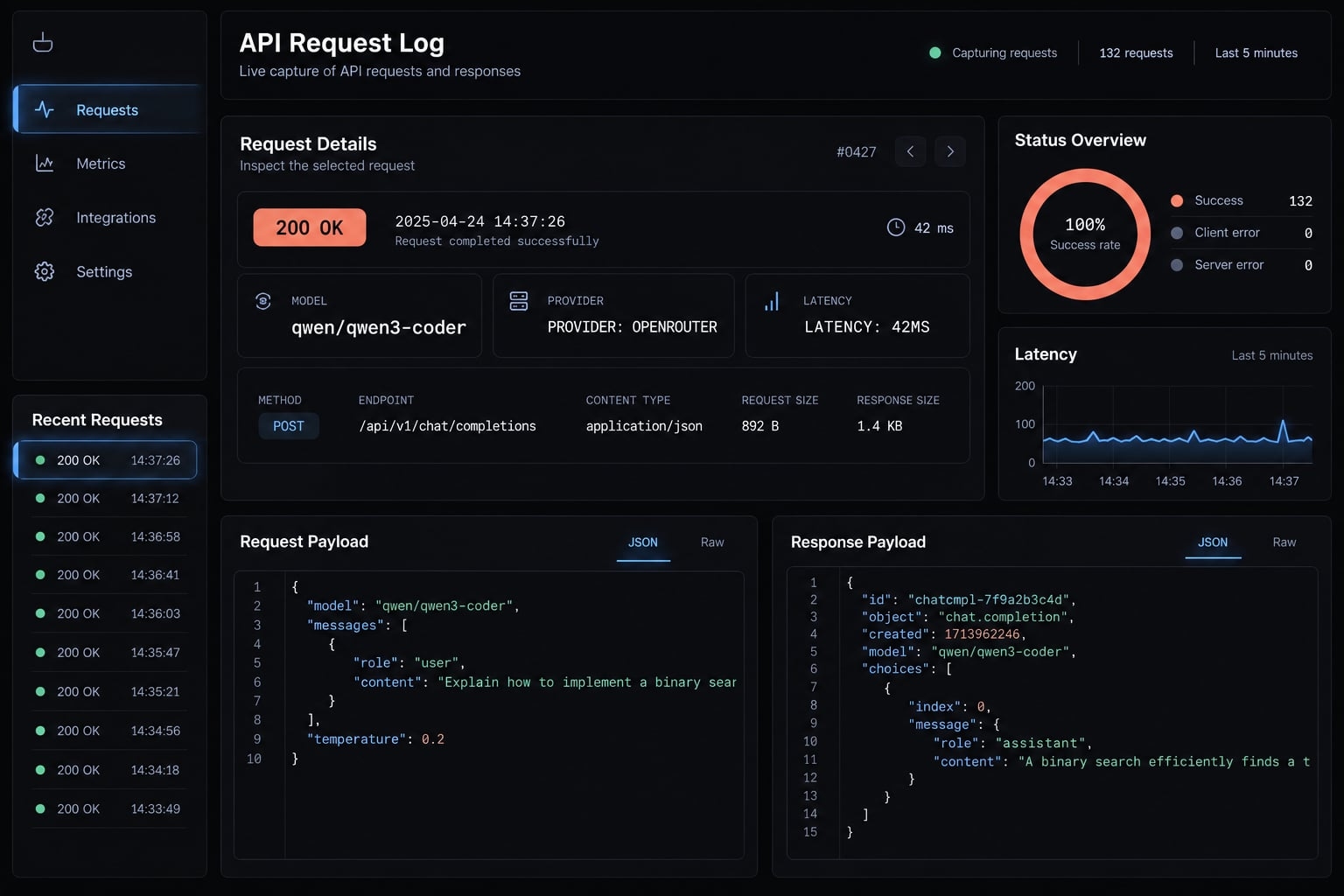
Approve the necessary read operation. Then find the corresponding request in OpenRouter’s activity records. Starting the CLI alone does not establish successful Qwen inference.
Step 5- Save or roll back the configuration
Persist nonsecret settings only after completing backend verification. Supply credentials through an approved secret manager or session launcher.
To leave the temporary configuration:
exit
This returns to the parent shell’s environment. Restart Claude Code from there. Alternatively, unset removes temporary variables, but does not restore previous values or remove settings-file overrides. Restore any edited configuration backups separately.
Run Qwen3 locally with Claude Code
Step 1 - Select an appropriate local model
To run Qwen3 locally with Claude Code, select a model that your runtime supports and your machine can load with working-context headroom.
Constraint | Selection approach | Trade-off |
|---|---|---|
Limited memory | Smaller supported model or lower-bit quantization | Potential quality reduction |
Coding-focused workload | Supported Qwen3-Coder variant | May require substantially more memory |
Longer tasks | Measure context growth before increasing limits | More memory and processing |
For mixture-of-experts models, active parameters describe computation per token—not total weight-storage requirements.
Step 2 - Install the local inference runtime
Use llama.cpp as the runtime. The following is a documentation-based Apple Silicon build example using an already downloaded source checkout:
cd /path/to/llama.cppcmake -B build -DGGML_METAL=ONcmake --build build --config Release -j 4./build/bin/llama-server --versiongit rev-parse HEAD
Install the compiler and CMake beforehand. Record the commit and consult the project’s “Build” and “llama-server” documentation. Confirm startup output recognizes the intended acceleration backend. Enabling Metal at build time is not a measurement of actual GPU utilization.
Step 3 - Start the Qwen model server
This example loads a previously downloaded local file, not a download shorthand:
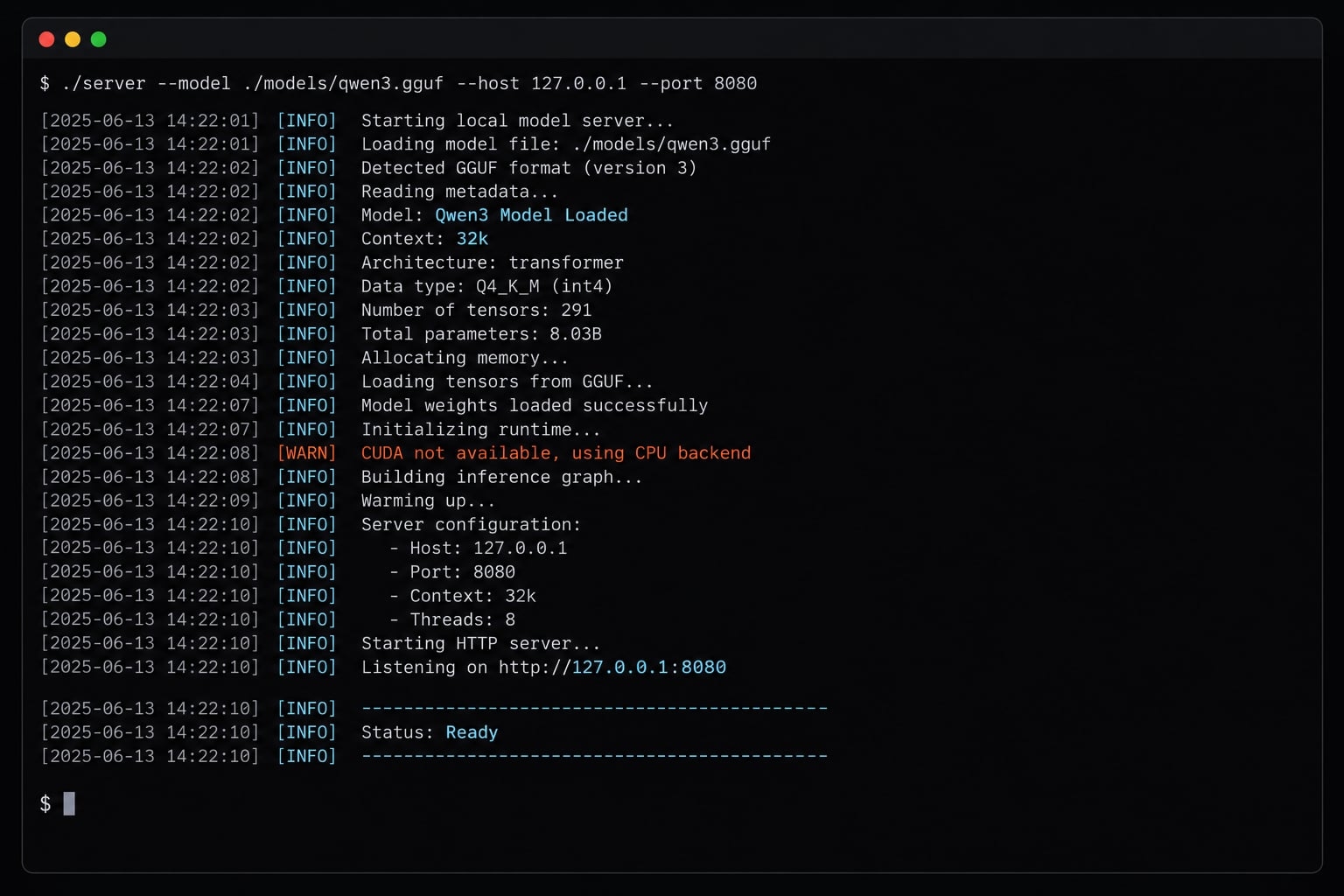
./build/bin/llama-server \ --model "/absolute/path/to/your-qwen3-model.gguf" \ --alias local-qwen \ --host 127.0.0.1 \ --port 8080 \ --ctx-size 8192 \ --jinja
Replace the model path. Port 8080 is the runtime endpoint; local-qwen is its explicit alias. The 8,192-token context is illustrative. It may be insufficient for Claude Code’s instructions and task context, or too costly for your hardware.
--jinja enables template processing; it does not fix incompatible models, tool parsers, or adapters. Thinking behavior and template options vary by model and runtime.
Step 4 - Point Claude Code to the local server
Direct branch: If your exact runtime release documents a compatible Messages endpoint, use its documented base URL and authentication behavior. Verify it independently.
Adapter branch used in this example: Translate Claude Code requests through LiteLLM to the runtime’s OpenAI interface.
Install in a separate environment:
python3 -m venv .venv-litellmsource .venv-litellm/bin/activatepython -m pip install 'litellm[proxy]'python -m pip show litellm
Save litellm-local.yaml:
model_list: - model_name: local-qwen litellm_params: model: openai/local-qwen api_base: http://127.0.0.1:8080/v1 api_key: local-placeholder
local-placeholder is not a secret; this example assumes an unauthenticated loopback runtime.
Start the adapter:
litellm --config litellm-local.yaml --host 127.0.0.1 --port 4000
In a separate disposable Bash session:
bashunset ANTHROPIC_API_KEYexport ANTHROPIC_BASE_URL="http://127.0.0.1:4000"export ANTHROPIC_AUTH_TOKEN="local-placeholder"export ANTHROPIC_MODEL="local-qwen"claude
The LiteLLM release must support incoming Anthropic Messages requests and tool translation for this upstream path. No remote fallback is configured.
Step 5 - Configure conservative permissions
A minimal project .claude/settings.json example is:
{ "permissions": { "defaultMode": "default" }}
This requests normal permission behavior; it does not revoke broader existing grants. Check effective permissions against your CLI version. Start without automatic write or command approvals. Use a disposable workspace without mounted secrets. Application deny rules are not OS-level isolation.
Ollama and LM studio alternatives
- Ollama: Check the installed release’s Claude Code interface and exact model support.
- LM Studio: Verify exposed API routes, tool behavior, and model templates separately.
Neither alternative inherits validation from this example.
Verify that Claude Code is actually using Qwen3
Test 1 - Confirm endpoint connectivity
Separate reachability, authentication, and inference.
For the local runtime, check its listening service:
curl --fail --silent http://127.0.0.1:8080/health
A successful health response does not prove a model handled Claude Code’s request. Confirm request arrival at the adapter and runtime. For hosted deployment, inspect the provider response and request record without exposing authentication headers.
Test 2 - Confirm the active model
Model verification requires routing evidence. Correlate the session timestamp or request ID with provider records or server logs. Inspect the resolved upstream model where available. A requested alias may be remapped, and an intermediary may choose a fallback.
Asking the model to introduce itself proves nothing. Hosted records establish what the provider reports, not independent attestation of its internal infrastructure.
Test 3 - Run a controlled Agent workflow
Use a synthetic tenant-access function containing a deliberate defect:
def can_access(user_tenant, resource_tenant): return True
Prepare tests for matching tenants, different tenants, and missing identifiers. Then ask the agent to:
- Read the function and tests.
- Explain the access-control defect.
- Run the existing tests with approval and interpret the failure.
- Make a scoped edit.
- Rerun the approved test and explain the result.
This exercises tool calling, repository editing, command execution, and failure recovery without production services.
Practical success criteria
Accept the smoke test only when:
- The intended model route is corroborated.
- Read and edit operations succeed.
- The approved command executes.
- Test output informs the next action.
- The diff matches the task.
- No unexpected access occurs.
Troubleshoot common Qwen3–Claude Code errors
Start with the visible symptom. Change one component at a time, then repeat the same smoke test.
Symptom | Likely cause | First diagnostic | First fix |
|---|---|---|---|
Unauthorized response | Authentication error or wrong route | Check credential type, scope, region, expected header | Match authentication to provider documentation |
Connection refused | Server stopped or wrong port | Check listener and ANTHROPIC_BASE_URL | Start the intended service; correct destination |
Model not found | Identifier mismatch | Compare provider ID and adapter mapping | Use the exact available identifier |
Unexpected backend | Alias, fallback, or stale session | Inspect resolved request record | Correct mapping and restart session |
Tool calls returned as text | Template or translation mismatch | Inspect sanitized structured response | Align model, template, parser, and adapter |
Thinking output breaks parsing | Reasoning-channel mismatch | Check handling of thinking tags | Use supported parser; disable thinking only if documented |
Context overflow | Request exceeds context limit | Compare input size with allocated context | Reduce task context or safely resize |
Slow local generation | Compute, context, or memory bottleneck | Inspect utilization and prompt size | Reduce workload; verify acceleration |
Process terminated | Crash, limit, or out of memory | Inspect OS and runtime logs | Confirm cause before reducing memory demand |
Unreliable edits | Weak task following or tool handling | Repeat a small deterministic task | Narrow scope or change backend |
For confirmed memory pressure, distinguish smaller models, lower-bit weights, and shorter context. Each changes a different resource demand. More GPU offload can exceed available GPU memory.
Configuration precedence checklist
This is an inspection order, not a universal precedence ranking:
- Active process variables, without printing secrets.
- Launch scripts.
- User and project settings.
- Router mappings.
- Provider aliases and fallback rules.
- Stale sessions.
Use version-specific documentation to resolve conflicts. Return to the hosted setup and verification checks after changes.
When to stop tuning and change the deployment
Change backend when structured tool use remains unreliable after supported configuration fixes. Use smaller workloads when local latency is impractical. Consider hosted inference only when source-code handling and residency rules permit it.
Security, privacy, cost and operational limits
Source-code residency
Local, private, offline, compatible, and inexpensive describe different properties.
Concern | Hosted inference | Local inference |
|---|---|---|
Model processing | Remote provider infrastructure | Local runtime |
Other egress | Tools, integrations, logs | Still possible |
Billing | Usage or plan terms | No per-token API charges for local inference |
Operational burden | Provider plus client configuration | Hardware and complete local stack |
For source-code privacy, review retention, training use, processing region, and subprocessors. A local router can still forward requests remotely.
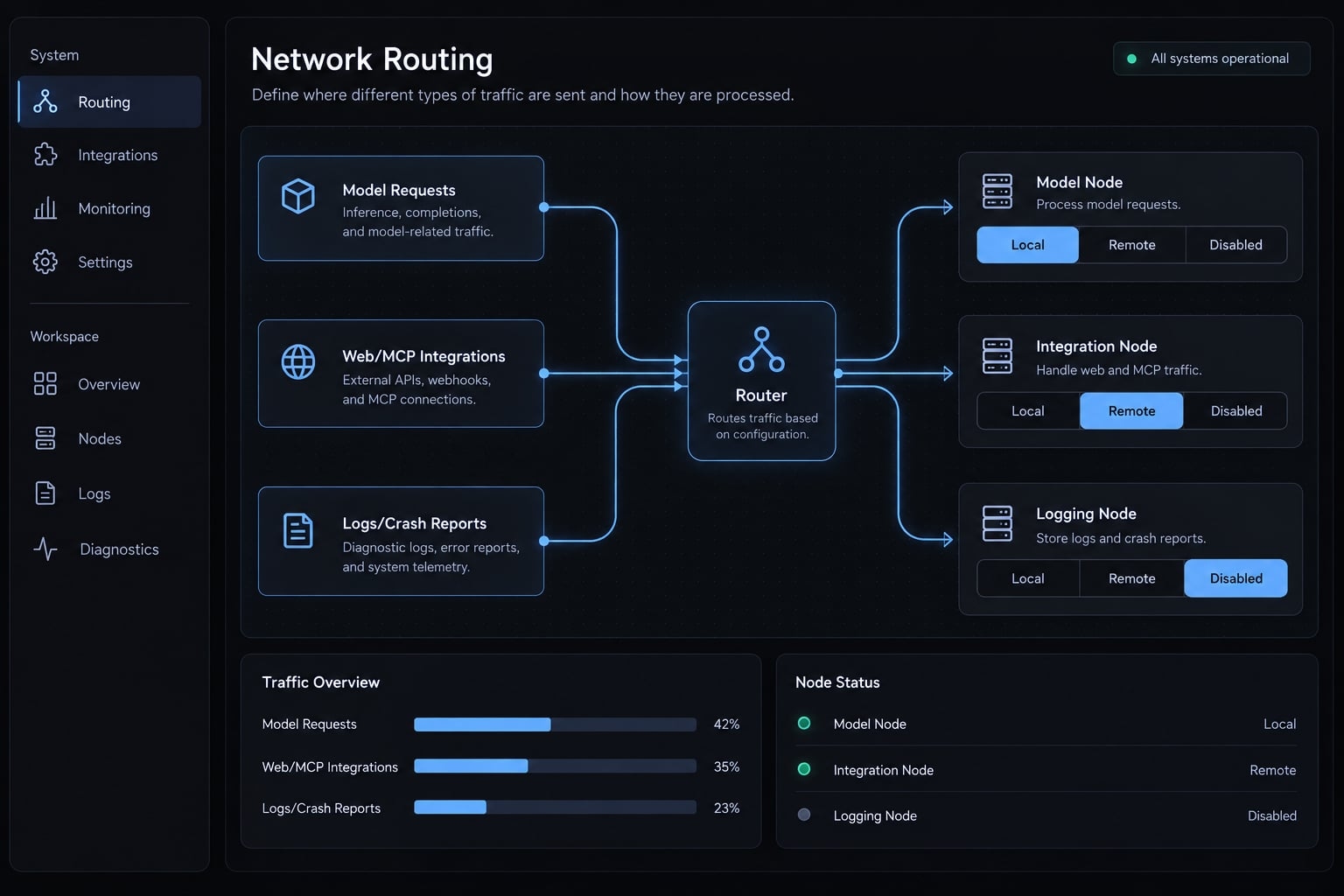
MCP connections—integrations using the Model Context Protocol—can introduce additional data destinations.
Permission and secret controls
Apply a least-privilege permission policy:
- Keep unrelated credentials outside the workspace.
- Approve destructive commands individually.
- Review diffs before committing or deploying.
- Use OS isolation where stronger boundaries are required.
.gitignore prevents ordinary Git tracking, not agent file access. Shell tools may reach files through paths that application-level restrictions do not adequately contain.
The real cost of local and hosted deployment
Hosted API cost depends on usage, plan terms, rate limits, and routing. Local costs include hardware, power, storage, setup, and maintenance. Claude Code software, authentication, licensing, and access requirements remain separate from inference pricing. Backend substitution does not remove them.
Production limitations
Version changes, context limits, incomplete tool support, and unattended-use terms can invalidate a previously working setup. Before claiming offline operation, predownload every dependency and test the complete workflow with external networking blocked.
Check model licensing, provider terms, and CLI terms separately. A successful smoke test supports further evaluation—not production approval or guaranteed reliability.
Frequently asked questions
Can I use Qwen3 models with the Claude Code CLI?
Yes, you can integrate Qwen3 models with Claude Code by configuring the CLI to point to an Anthropic-compatible API endpoint. Because Claude Code expects a specific protocol for tool calling and agentic workflows, you will need either a hosted provider that offers a compatible gateway or a local proxy to translate the requests for the Qwen backend.
What is the main difference between Claude Code and Alibaba's Qwen Code?
Claude Code is a proprietary agentic CLI tool developed by Anthropic, designed to interface primarily with Anthropic's models. Qwen Code is an open-source alternative designed by Alibaba that supports multiple protocols, including OpenAI and Anthropic formats, allowing developers to switch between various local or cloud-hosted backends more flexibly while leveraging Qwen’s coding-specific architectures.
Does running Qwen3 locally with Claude Code remove all data privacy risks?
Local inference significantly reduces data egress by keeping model processing on your machine. However, it does not make the entire workflow "fully offline" by default. Claude Code may still attempt to connect to external services for telemetry, package lookups, or web-based tools unless you explicitly configure the environment and CLI permissions to block these connections and use local-only tool sets.
How do I troubleshoot "thinking" block errors when using Qwen with Claude Code?
If you encounter errors related to <think> tags, it is likely due to a mismatch between how Qwen models output reasoning and how the Claude Code harness expects to parse them. Ensure your inference server is configured to either suppress these tags or stream them in a format compatible with Anthropic's expected response structure.
Is running Qwen3 via Claude Code cheaper than using the official Anthropic API?
Local inference avoids per-token API charges but adds hardware, power, storage, setup, and maintenance costs. Hosted Qwen pricing varies by provider, plan, and routing — compare against your actual usage. Either way, Claude Code's own access requirements remain separate from inference pricing.
What hardware is required to run Qwen3-Coder locally?
Memory must cover weights, runtime overhead, and the KV cache for your working context — the model file size alone is not a sizing estimate. Consult the exact model card for your chosen variant and quantization, then measure the loaded workload. Apple Silicon shares unified memory; other systems have separate RAM and GPU constraints.
Read more:
- How to setup Claude Code with OpenRouter: Practical guide
- How to use Ollama with Claude Code: Complete local setup guide
- Claude Code UI and CloudCLI: Setup, security and alternatives
Conclusion
Using Qwen3 with Claude Code is a routing and compatibility integration rather than a simple model swap. Choose hosted Qwen for lower-friction validation when policies permit, local inference when data residency and hardware justify it, and a router only when protocol translation is required. Before expanding deployment, verify your backend identity, test scoped repository edits, and log version configurations to ensure end-to-end reliability across tools and adapters.