MCP Security for Claude Code: Best practices & risk guide
MCP Security for Claude Code: Risks, safe configuration and best practices
Securing Claude Code MCP integrations comes down to trust, permission boundaries, and active monitoring rather than inherent software flaws. Because integrations can access sensitive systems like repositories and production accounts, this guide details how to vet servers, lock down permissions, protect credentials, and detect misuse effectively.
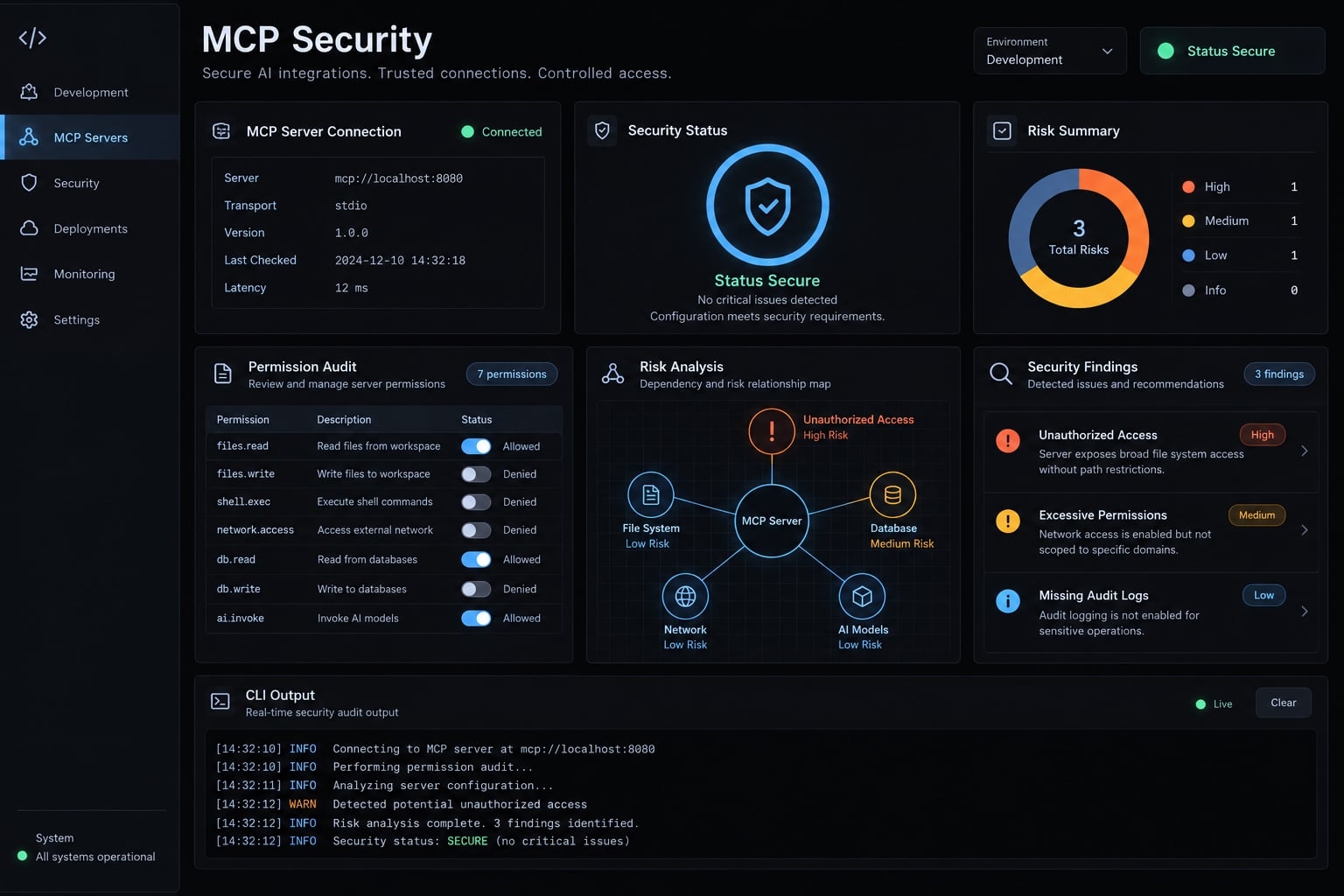
How MCP security for Claude Code works and where trust can break
MCP security in Claude Code means reviewing the servers you connect, restricting their access, protecting their credentials, and maintaining visibility into their behavior. Model Context Protocol defines how applications exchange capabilities and context; the security outcome depends on server implementations, process permissions, connected services, and the controls surrounding them.
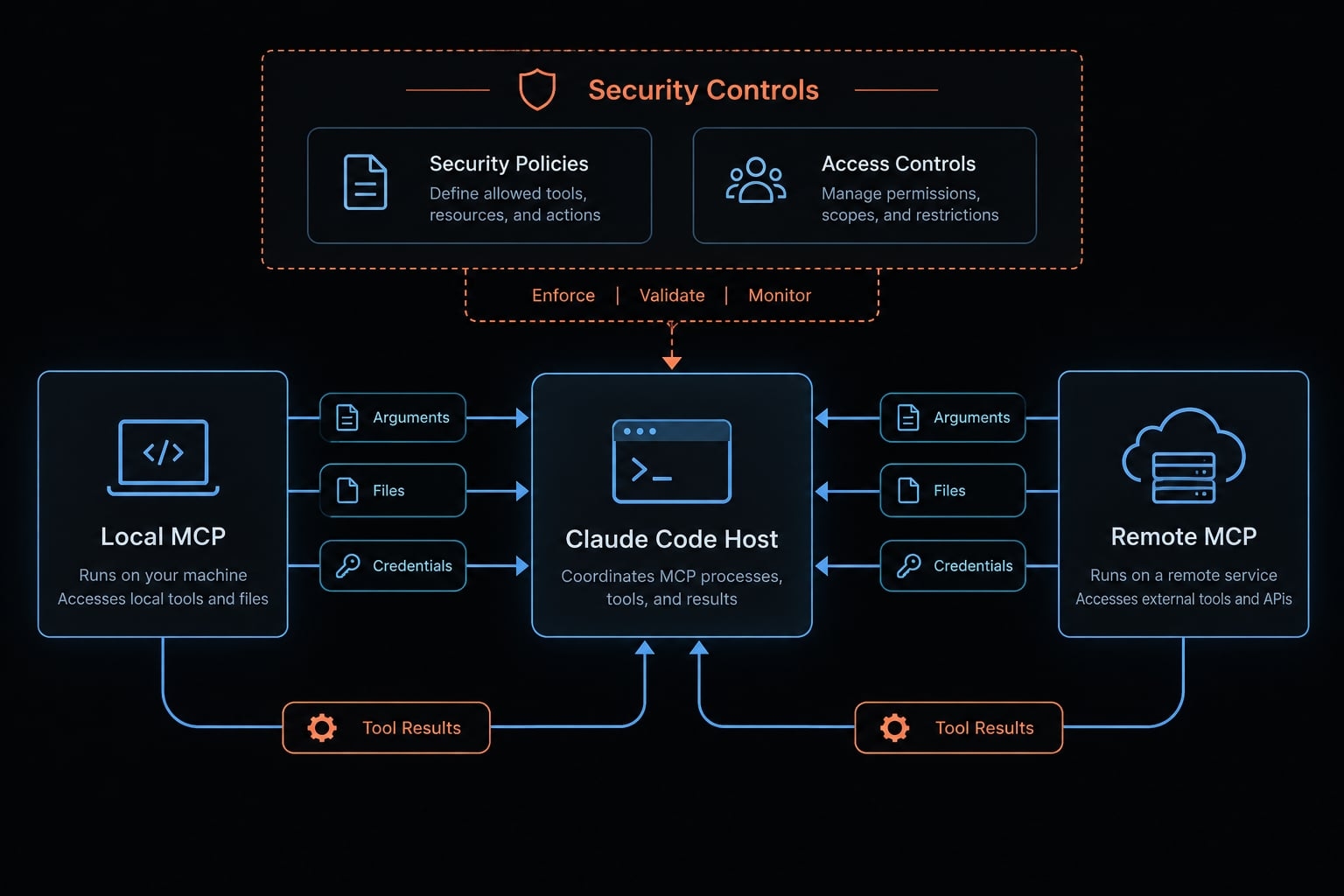
The Claude Code–MCP trust chain
Claude Code acts as a host using an MCP client connection. A server exposes tools or other supported capabilities. Tool calls send selected arguments or context - not automatically every file, prompt, or environment variable.
A local server accesses resources based on its operating system process permissions. A remote server operates within its own infrastructure and uses its own service credentials. Results return to the agent’s working context, where untrusted content can influence subsequent decisions.
Illustrative workflow: A B2B SaaS developer retrieves an issue linked to a repository. The server receives the ticket identifier and accesses the tracker through its credentials. The returned ticket remains untrusted content, even when the connection is approved.
Are MCP Servers inherently unsafe?
No. Risk depends on implementation, access, and data sensitivity. A narrowly scoped documentation server differs from one with repository writes or operational APIs. Production access combined with broad credentials deserves stronger scrutiny. Read-only access reduces modification risk, but it can still expose confidential information to an unauthorized destination.
The seven most important Claude Code MCP security risks
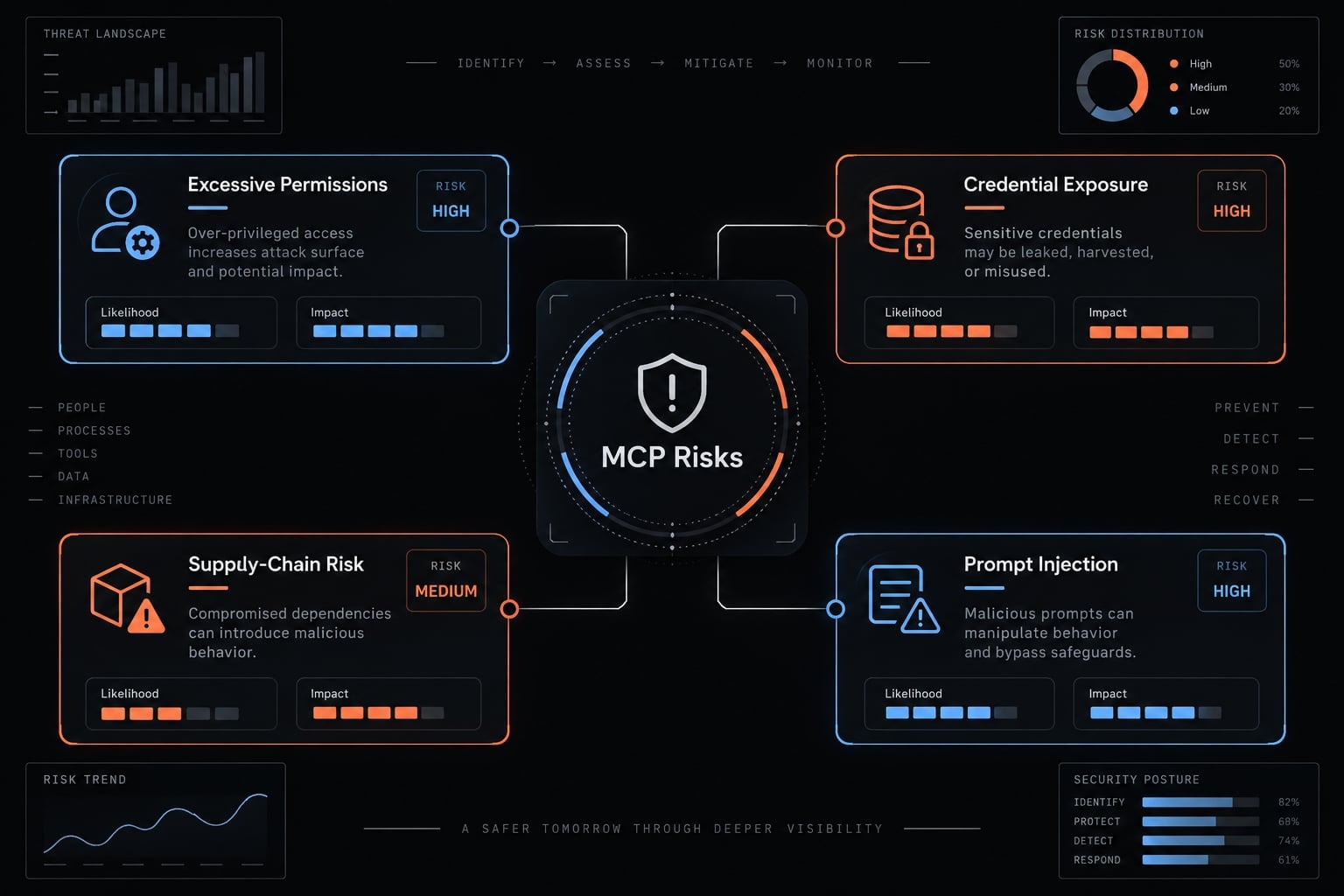
The risks below are threat-model categories, not allegations of confirmed Claude Code vulnerabilities. A confirmed vulnerability requires a specified component, affected version, and verified defect. A published attack technique demonstrates a method under stated conditions. Recommendations describe precautions; they do not establish that an incident occurred.
Contextual review priorities - not vulnerability severity scores or measured incident frequency.
Risk | Plain-language impact | Review priority | Primary control |
|---|---|---|---|
Excessive permissions | Unnecessary access enables data exposure or changes. | Highest with sensitive data or writes | Enforce minimum resource access. |
Credential or token exposure | Stolen credentials enable impersonation. | Highest with reusable production credentials | Protect, scope, and revoke credentials. |
Compromised server or dependency | Installed software performs unauthorized actions. | High for executable dependencies | Review provenance and updates. |
Indirect prompt injection | Retrieved content redirects agent behavior. | High with untrusted content and powerful tools | Constrain tools and require independent approvals. |
Unsafe command execution | Commands damage systems or expose information. | High with shell access | Restrict execution and validate inputs. |
Configuration tampering | Changed settings redirect access or launch software. | High for execution-related configuration | Review and monitor configuration changes. |
Limited observability | Misuse becomes difficult to reconstruct. | Increases with shared or sensitive access | Maintain attributable, privacy-conscious logs. |
Missing logs hinder attribution and recovery because investigators cannot reliably connect identities, actions, and affected systems.
Excessive filesystem, tool and service permissions
A documentation task should not require repository writes. Restrict access at the layer that actually controls it: filesystem permissions for local files, service scopes for APIs, and network controls for destinations. A client approval alone does not constrain a server process.
Credential and OAuth token exposure
Whoever possesses a valid bearer token can generally exercise its granted access. Credential exfiltration can occur through unsafe storage, logs, inherited environment variables, excessive scopes, or unintended destinations.
OAuth is a framework for delegated authorization - not proof that permissions are appropriate. Authentication establishes identity; authorization determines allowed actions. The MCP specification: Authorization and Security Best Practices address these distinctions.
Revoke compromised access immediately from a trusted environment. Introduce replacement credentials only after cleanup or rebuilding.
Malicious servers and software supply-chain risk
Review publishers, dependencies, ownership changes, installation behavior, and updates. npm installation lifecycle scripts, including post-install hooks, can execute code during installation.
Version pinning improves reproducibility, not trustworthiness. A pinned release still needs vulnerability review and a patch process. OpenSSF’s Scorecard documentation provides useful supply-chain review categories, not a guarantee of safety.
Prompt injection through repositories and connected data
Indirect prompt injection occurs when external content tries to redirect the agent.
Illustratively, an issue description might instruct the agent to upload a private configuration file. Trusted transport does not make that instruction trustworthy. Constrain tool access and independently approve sensitive actions; an instruction to “ignore malicious content” is insufficient. OWASP’s LLM Prompt Injection Prevention Cheat Sheet discusses this class of risk.
Unsafe command execution and configuration tampering
Malicious software may deliberately execute harmful commands. Command injection instead involves unsafe input handling that changes a command’s meaning.
Software interprets configuration and may launch configured commands or hooks; JSON itself does not execute. Review execution-related settings and endpoint changes as carefully as code.
How to evaluate an MCP server before enabling it
Start every MCP server review with seven dimensions:
- Publisher and ownership.
- Canonical source.
- Source transparency and release history.
- Capabilities and purpose.
- Authentication and credentials.
- Endpoints and telemetry.
- Dependencies, installation scripts, and updates.
The following four steps consolidate these dimensions. Review depth should increase with data sensitivity, executable capabilities, and production access.
Step 1 - Verify the publisher and source
Confirm the canonical repository or package through a publisher-controlled channel. Similar names and familiar logos do not establish server provenance.
Review maintainers, ownership changes, releases, unresolved security issues, installation scripts, and dependency security. Inspect available source and package metadata before executing unfamiliar software.
Source availability and popularity are review inputs - not security guarantees. Closed-source software requires alternative evidence, such as documented behavior, contractual protections, and a credible security process.
Step 2 - Map capabilities to the server’s purpose
For the same SaaS team, issue retrieval should not silently become repository administration.
Purpose | Minimum access | Access requiring justification |
|---|---|---|
Retrieve issue details | Read selected tracker projects | Organization-wide issue access |
Read linked code | Read the relevant repository | Repository writes or administration |
Add an approved response | Comment on selected issues | Bulk modification or deletion |
Retrieve documentation | Read approved documents | Local secrets or production databases |
Document why each permission scope is needed. Filesystem access plus outbound networking may be legitimate, but it also creates a data-transfer path requiring explicit constraints.
Step 3 - Inspect authentication, credentials and network destinations
Establish where credentials reside, which OAuth scopes apply, when access expires, and how revocation works.
Distinguish local execution from remote processing. Record expected destinations, redirects, telemetry, caching, retention, and relevant subprocessors.
An unfamiliar proxy or dynamic endpoint is not automatically malicious. Unexplained behavior is a blocker pending clarification. Confirm who operates the destination and what information it receives.
Step 4 - Assign an approval decision
Decision | Condition and action |
|---|---|
Approve | Provenance, purpose, permissions, and exposure are acceptable; record the approved scope. |
Approve with restrictions | Excess access can be constrained; verify restrictions before use. |
Isolate for testing | Uncertainty remains; use non-sensitive data and disposable credentials. |
Reject | Unacceptable provenance, access, or credential risk remains unresolved; do not enable. |
Isolation is not production approval. Record evidence, restrictions, reviewer, and a re-review trigger. An MCP allowlist should contain approved entries, but it provides enforcement only when a supported mechanism blocks unapproved servers.
Approval is a dated decision, not permanent trust.
Minimum safe configuration for Claude Code and MCP
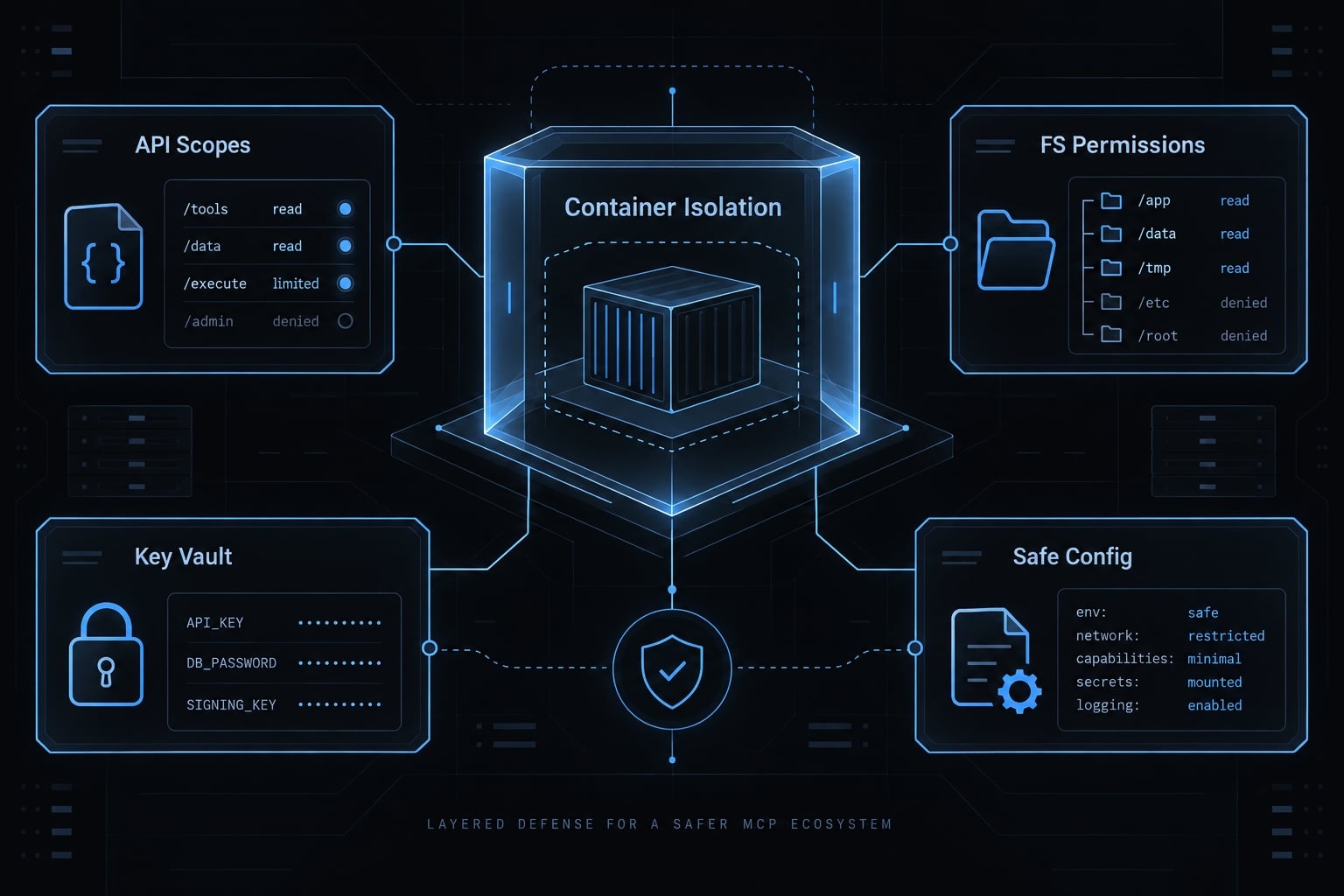
To secure MCP for Claude Code effectively, build a multi-layered defense: review integrations, restrict access, protect credentials, and verify isolation. “Minimum safe configuration” means risk reduction, not certification that a deployment is safe.
Enable only explicitly reviewed MCP servers
Review project-defined integrations before enabling them. Remove unused servers, record approved versions, and re-review ownership, permission, endpoint, or meaningful behavior changes.
Pin versions where supported while maintaining a security-update process. An inventory documents intended use; a technically enforced allowlist restricts actual use. Do not confuse the two.
Avoid bypassing approvals in ordinary development environments. Verify behavior against the documentation for the installed release rather than assuming every action prompts.
Apply least privilege to files, commands and connected services
Use this recommended policy model not literal configuration syntax:
Group | Recommended treatment |
|---|---|
Allow | Reviewed access to explicitly approved, non-sensitive project resources |
Ask | Writes, dependency installation, executable tests, pushes, and sensitive service actions |
Deny | Secret export, unrelated private directories, and unjustified production access |
Tests and installation steps can execute code. Treat them accordingly.
Apply least privilege at each enforcement boundary:
- Claude Code permissions: Supported client actions and approval workflows.
- Operating-system or container controls: Local process access.
- API scopes and identity and access management (IAM): Connected-service permissions.
- Network controls: Outbound destinations and connectivity.
Avoid root or administrator execution. A Claude Code file-deny rule does not necessarily restrict an external server process.
Planning or read-only modes are workflow controls, not proof of isolation. Managed application settings are not a general filesystem or network firewall. Anthropic’s Claude Code documentation: Permissions, Settings, and Sandboxing should guide deployment-specific verification.
Protect secrets and OAuth credentials
Never commit secrets to repositories. Use supported credential stores or secrets management systems, with separate credentials for each integration and environment.
Prefer narrow scopes and short-lived tokens where supported. Expiry limits duration; it does not prevent misuse before expiration or misuse of refresh credentials.
Sanitize logs and tool outputs. Environment variables are not inherently a secure vault, particularly when inherited by subprocesses. Revoke access when it is no longer required.
Isolate high-risk servers
For local servers, configuration hardening may include:
- Restricted mounts and non-privileged execution.
- Limited outbound connectivity.
- No production credentials.
- No unnecessary host sockets or home-directory mounts.
Sandboxing and containers have different coverage depending on implementation. Broad mounts, privileges, networking, or supplied credentials can undermine isolation. A local container does not constrain a remote server’s infrastructure.
Review repository configuration before trusting the project
Inspect MCP definitions, documented settings, hooks, package scripts, endpoints, proxies, and environment overrides.
Hooks and scripts are executable code requiring review. Inspect unfamiliar repositories without running their setup commands first.
Verify configuration locations, precedence, and supported controls for your installed version. Do not copy security settings from an unrelated release and assume they enforce the intended boundary.
MCP governance for teams and enterprise environments
MCP governance establishes ownership, approved integrations, access policy, visibility, and review. Start with controls a small team can maintain; add central enforcement when exposure justifies the operational cost.
These are editorial maturity tiers, not an official standard:
Tier | Focus |
|---|---|
Baseline | Individual review, scoped access, credential protection, practical monitoring |
Managed | Shared inventory, templates, owners, change review, offboarding |
Governed | Central policy, identity integration, auditable access, incident coordination |
Maintain an approved MCP server inventory
An approved server catalog should record the owner, publisher, version, purpose, exposed tools, and data classification.
Include credential references - not secret values - plus destinations, approval conditions, and the next review date. Assign an owner for exceptions and removal.
Make offboarding explicit: removing a developer’s local configuration does not necessarily revoke credentials or remote grants.
Use individual identity and role-based access
Prefer attributable user identities where supported. Single sign-on (SSO) centralizes sign-in; multifactor authentication (MFA) adds authentication checks; role-based access control (RBAC) assigns permissions by responsibility.
When service identities are necessary, require scoped, owned, auditable credentials. SSO and MFA do not independently prevent misuse of an already stolen bearer token.
Centralize policy and logging where risk justifies it
An AI Gateway, or centralized intermediary for supported traffic, may help coordinate policy and audit logs. It observes or controls only traffic routed through it.
Log field | Investigation value |
|---|---|
User or service identity | Attribution |
Server and tool | Capability used |
Timestamp and result | Sequence and outcome |
Target system | Affected resource |
Approval or denial | Authorization context |
Configuration change | Policy or integration drift |
Collect records from supported client, host, gateway, and service sources. Do not assume one product captures everything.
Redact secrets, minimize payloads, restrict log access, and define retention. Logs themselves can expose source code or customer information. MCP governance should improve accountability without creating another uncontrolled data store.
How to detect and respond to a suspected MCP compromise
Investigate deviations from approved behavior, especially when they involve credentials, sensitive resources, or unexpected execution. Configuration monitoring and connected-service records provide complementary evidence.
Warning signs of suspicious MCP activity
- Unexpected configuration, hook, or package changes.
- Unexplained destinations, redirects, or proxy settings.
- New tools, subprocesses, or background activity.
- Sensitive-file access outside the approved task.
- Unusual OAuth grants or connected-service actions.
- Missing expected approvals or unusual outbound traffic.
These indicators warrant investigation; none independently proves an MCP compromise.
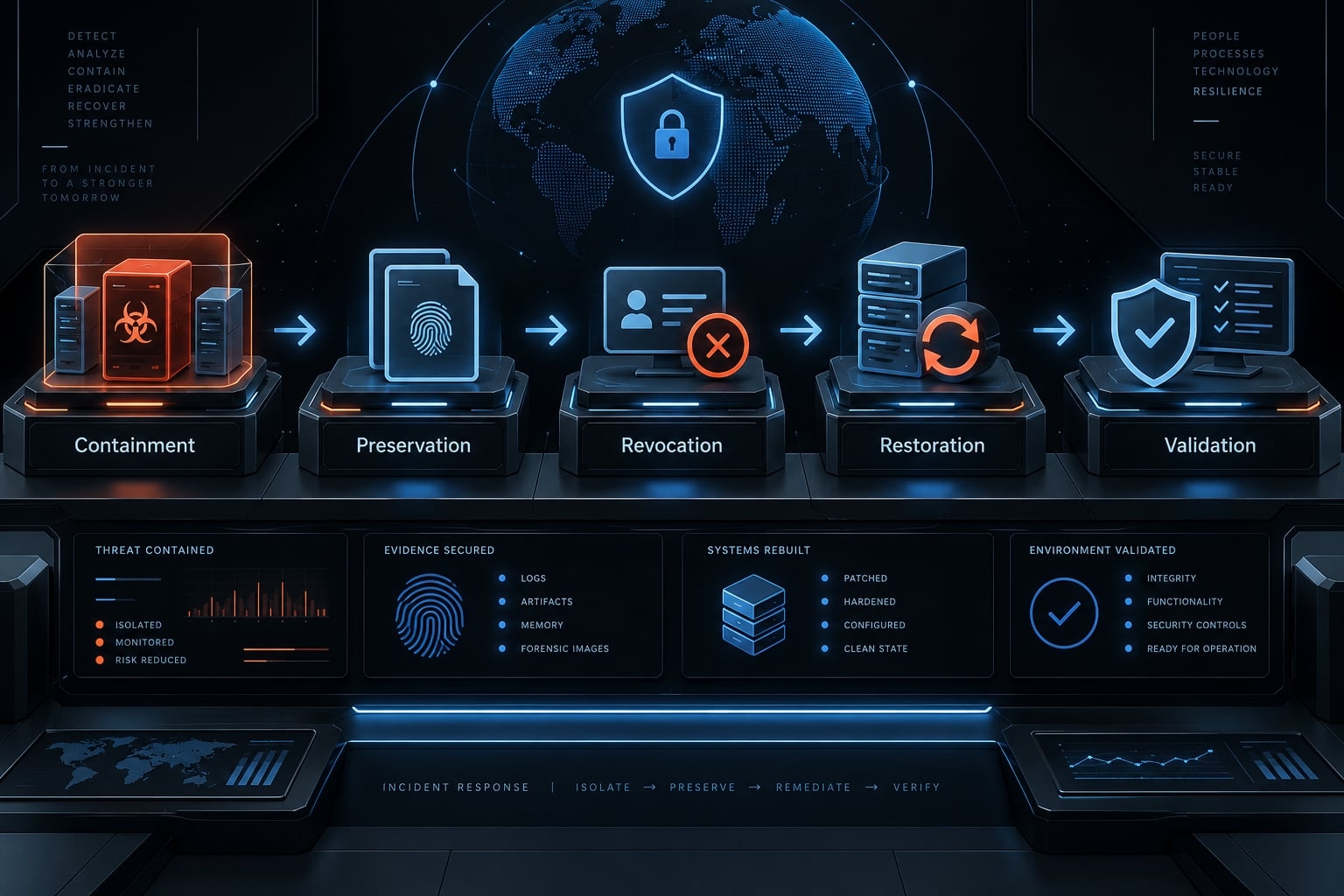
Incident-Response playbook
- Stop the affected server and related processes.
- Isolate affected systems or network access when necessary.
- Preserve evidence: logs, configuration, package records, and timestamps, without delaying containment.
- Revoke access promptly: affected tokens, grants, sessions, and credentials, from a trusted environment.
- Compare configuration and identify the likely compromise path.
- Remove malicious components and persistence, or rebuild when system integrity is uncertain.
- Investigate connected services to determine exposed data, credentials, and unauthorized changes.
- Restore or rebuild from trusted sources and close the original weakness.
- Issue replacement credentials into the trusted environment with narrower scope.
- Validate before re-enabling, then apply heightened monitoring.
- Document findings, notify appropriate stakeholders, and update review controls.
Containment, evidence collection, and investigation may run in parallel. Preserve useful security logs without prolonging active exposure.
Immediate revocation reduces ongoing abuse. Cleanup or rebuilding prevents replacement secrets from being stolen again. Token rotation alone is insufficient if old access remains valid or the affected environment remains compromised.
This lifecycle follows established incident-response principles described in NIST’s Incident Response Recommendations and Considerations for Cybersecurity Risk Management, SP 800-61 Revision 3.
When to escalate the incident
Escalate incident response when it involves:
- Production credentials or customer data.
- Regulated information or source-code exposure.
- Suspected persistence.
- Multiple affected machines.
Security, legal, and compliance teams should determine notification obligations. Applicable contracts, jurisdictions, and incident facts - not a universal deadline - govern reporting.
Claude Code MCP security checklist
Before enabling
- Verify the publisher and canonical source.
- Review dependencies, scripts, and releases.
- Record purpose and exposed capabilities.
- Check permissions, credentials, and destinations.
- Record the approval decision and restrictions.
During use
- Maintain minimum necessary access.
- Confirm sensitive actions independently.
- Protect credentials and sanitize outputs.
- Run without unnecessary privileges.
- Monitor configuration and activity.
- Re-review meaningful changes.
Removal or investigation
- Disable the server and related execution.
- Preserve evidence when compromise is suspected.
- Revoke unnecessary or compromised access promptly.
- Remove components or persistence; replace exposed secrets from a trusted environment.
- Review relevant logs and record closure.
Routine removal does not require a forensic investigation. Suspected compromise does require containment, evidence preservation, and an assessment of connected systems.
Copyable review record
Field | Record |
|---|---|
Identification | Server, owner, publisher, version, review date |
Purpose | Task and data classification |
Access | Tools, scopes, destinations, credential storage method |
Evidence | Documentation, package review, configuration, test records |
Decision | Approval status and restrictions |
Accountability | Reviewer and next review trigger |
Closure | Removal and revocation confirmation |
Record credential references only. Never enter token values or secrets.
Publisher disclosure: AgentKit, the publisher’s related tooling, includes configuration-management and security-check capabilities in its product description. Those capabilities have not been independently tested for this article. They do not replace server provenance review, operating-system restrictions, credential controls, or incident response. Tooling should support documented decisions, not be treated as certification, automatic approval enforcement, or a guarantee of security.
Frequently asked questions
What are the main security risks when using MCP servers with Claude Code?
The primary risks include excessive permission scopes, potential credential or OAuth token exfiltration, supply-chain attacks from malicious server dependencies, and indirect prompt injection. Misconfigured or malicious settings can lead to unauthorized commands or traffic to unexpected endpoints, especially where approvals have been bypassed or broad permissions granted.
How does the Model Context Protocol (MCP) trust model function?
MCP connects applications to external tools and context. Trust is not automatic; Claude Code acts as a client, while the MCP server operates with the permissions of its host process. Security depends on strictly evaluating the server’s purpose, its required access scopes, and the integrity of the data it returns to the agent.
Is it safe to enable all project-level MCP servers?
No. Enabling all servers bypasses critical security checks. You should only enable explicitly reviewed servers. Always verify the publisher, inspect the capabilities requested, and ensure the server does not require broad filesystem or administrative access unless strictly necessary for the intended task.
How can I prevent credential exfiltration in my Claude Code environment?
Avoid storing secrets in plaintext configuration files. Use your operating system’s native credential store, implement short-lived tokens where supported, and run high-risk servers in containers or sandboxes configured with restricted mounts, limited egress, and no production credentials, since broad mounts or supplied secrets can undermine isolation from sensitive local directories.
What should I do if I suspect an MCP server has been compromised?
Immediately disable the affected server and terminate related processes. Revoke all tokens or credentials accessed by that server from a secure, trusted environment. Preserve logs and configuration files for forensic analysis, then remove malicious components or rebuild the environment before re-enabling services with tighter security constraints.
Can Claude Code configuration files execute malicious code?
Configuration files like .claude/settings.json are not executable, but Claude Code interprets them to define hooks and server endpoints. If an attacker plants a malicious configuration, the agent may be instructed to run harmful shell commands or redirect API traffic to external servers, effectively using the configuration as a path for command execution.
How can I harden Claude Code against potential supply-chain attacks?
Standardize your security by maintaining an approved inventory of MCP servers, enforcing least-privilege access, and requiring review of all repository-level configuration changes. Treating agent configuration files as code that requires security audits in CI/CD pipelines reduces the risk of malicious hooks and unauthorized endpoints being introduced.
Read more:
- Claude Code sandbox security: Best practices and configuration
- Claude Code permissions security: Guide to safe workflows
- Claude Code API security: Prevent API key leaks and secure code
Conclusion
Claude Code MCP security relies on deliberate, multi-layered boundaries rather than a single setting. Maintain safety by auditing servers, enforcing least privilege, safeguarding credentials, and strictly following an approve-operate-monitor-review-remove lifecycle. Because integrations expose your system to external data and processes, always start with narrow permissions, verify your security controls, and expand access only when necessary.