Master Claude Code with Nuxt: Setup, CLAUDE.md & best practices
Claude Code with Nuxt: Setup, CLAUDE.md template, MCP options and best practices
Claude Code works best with Nuxt when the agent understands your repository before making changes. Assumed directories, outdated APIs, and missing checks can produce plausible code that breaks runtime behavior. This guide covers project context setup, repository prep, a copy-ready CLAUDE.md, and evidence-based validation - ensuring generated code aligns with your installed Nuxt version and conventions.
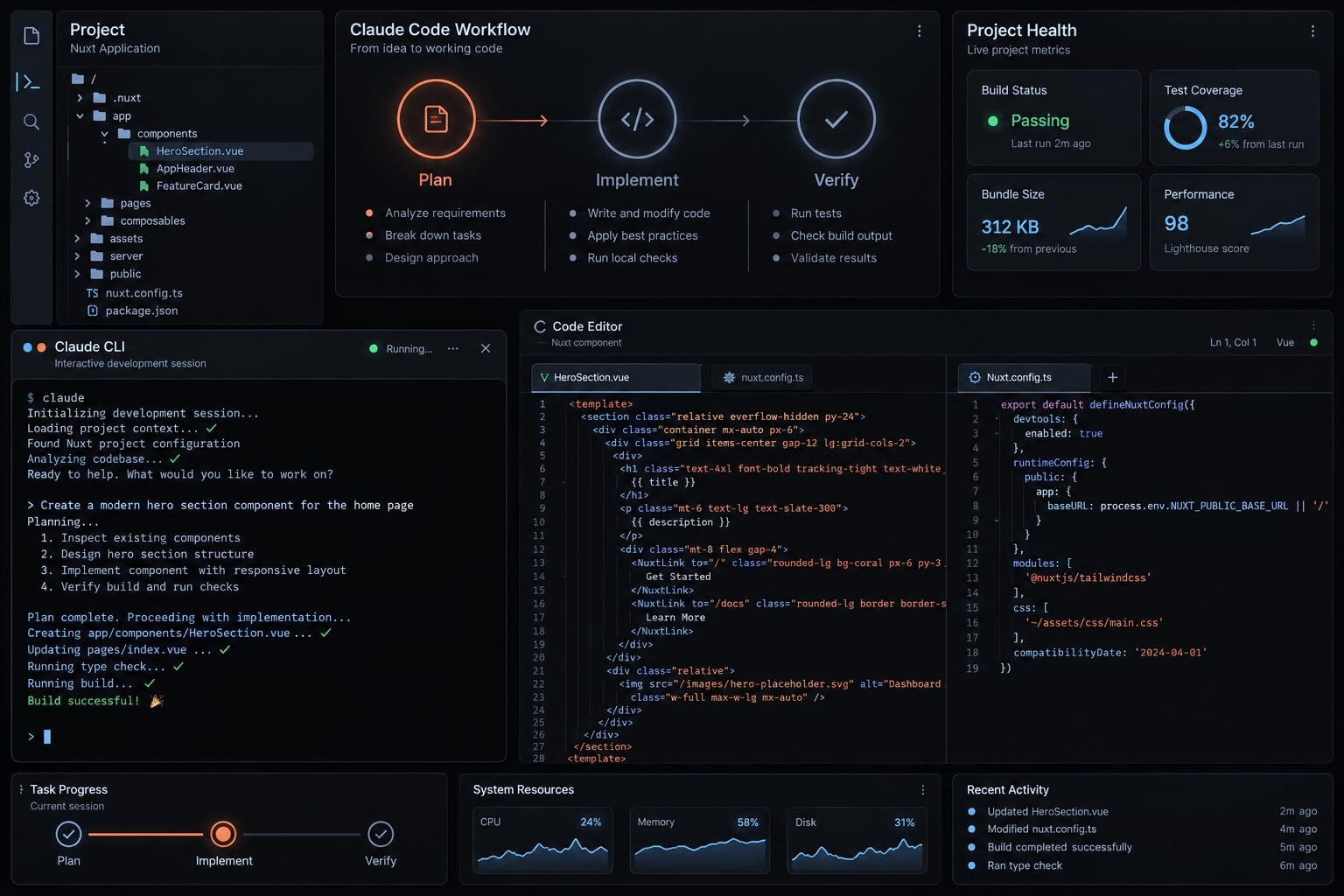
Can Claude Code work with Nuxt?
Claude Code can work with both Nuxt 3 and Nuxt 4 without MCP. It can inspect files, propose edits, and run checks when permissions and the local environment allow. Reliability depends on accurate repository context, version-appropriate documentation, bounded tasks, and verification - not simply connecting an additional tool.
A Claude Code Nuxt integration does not require restructuring the application. Start Claude Code from the repository and let the existing project guide implementation.
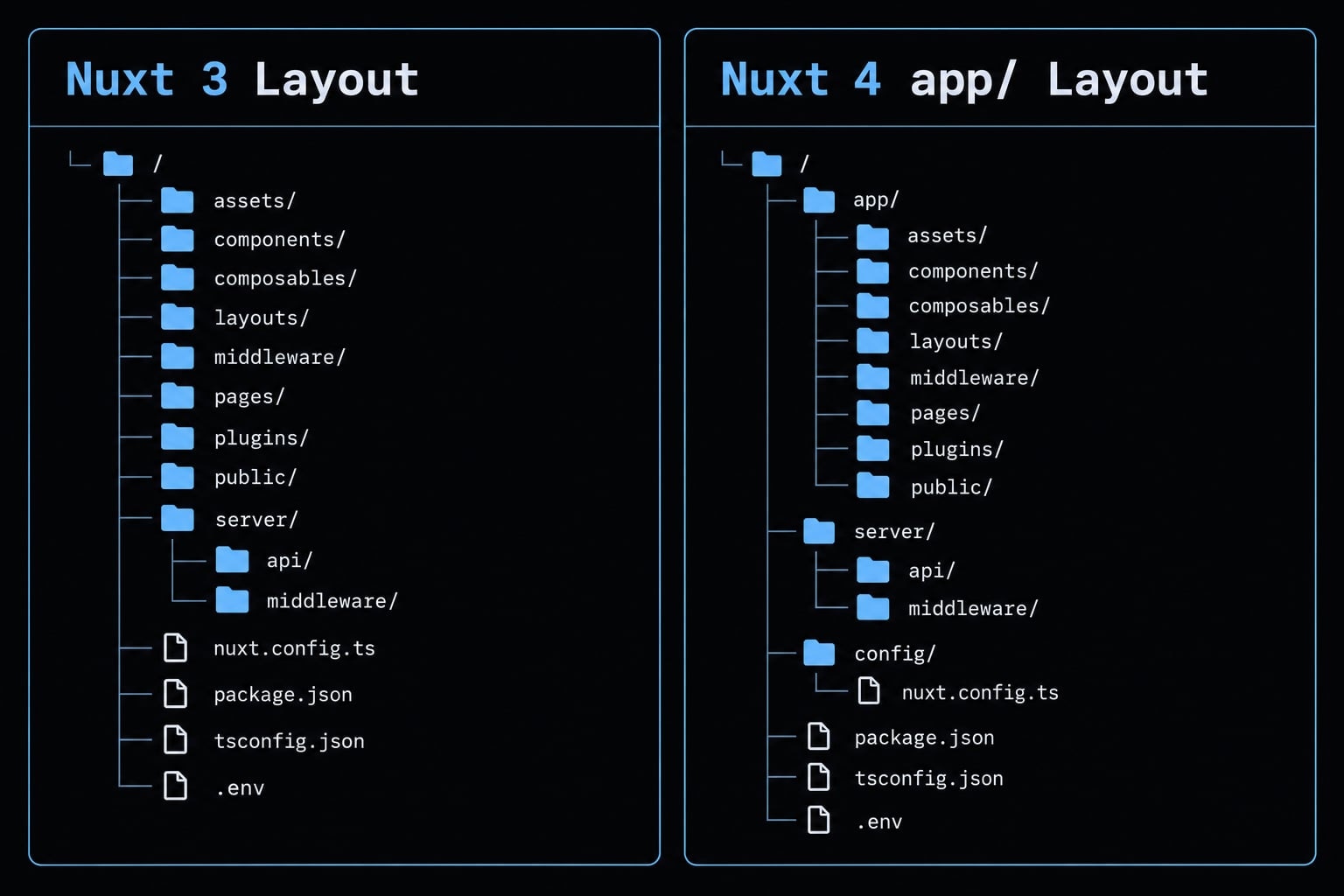
Root-level application directories are common in Nuxt 3. Nuxt 4 defaults to organizing application code under app/, but configuration and compatibility choices can change either arrangement. Server directories do not automatically move beneath app/.
Official Nuxt directory-structure documentation explains these conventions; Claude Code documentation describes file access and permission controls. Neither replaces inspecting the actual repository.
Prepare the Nuxt repository before using Claude Code
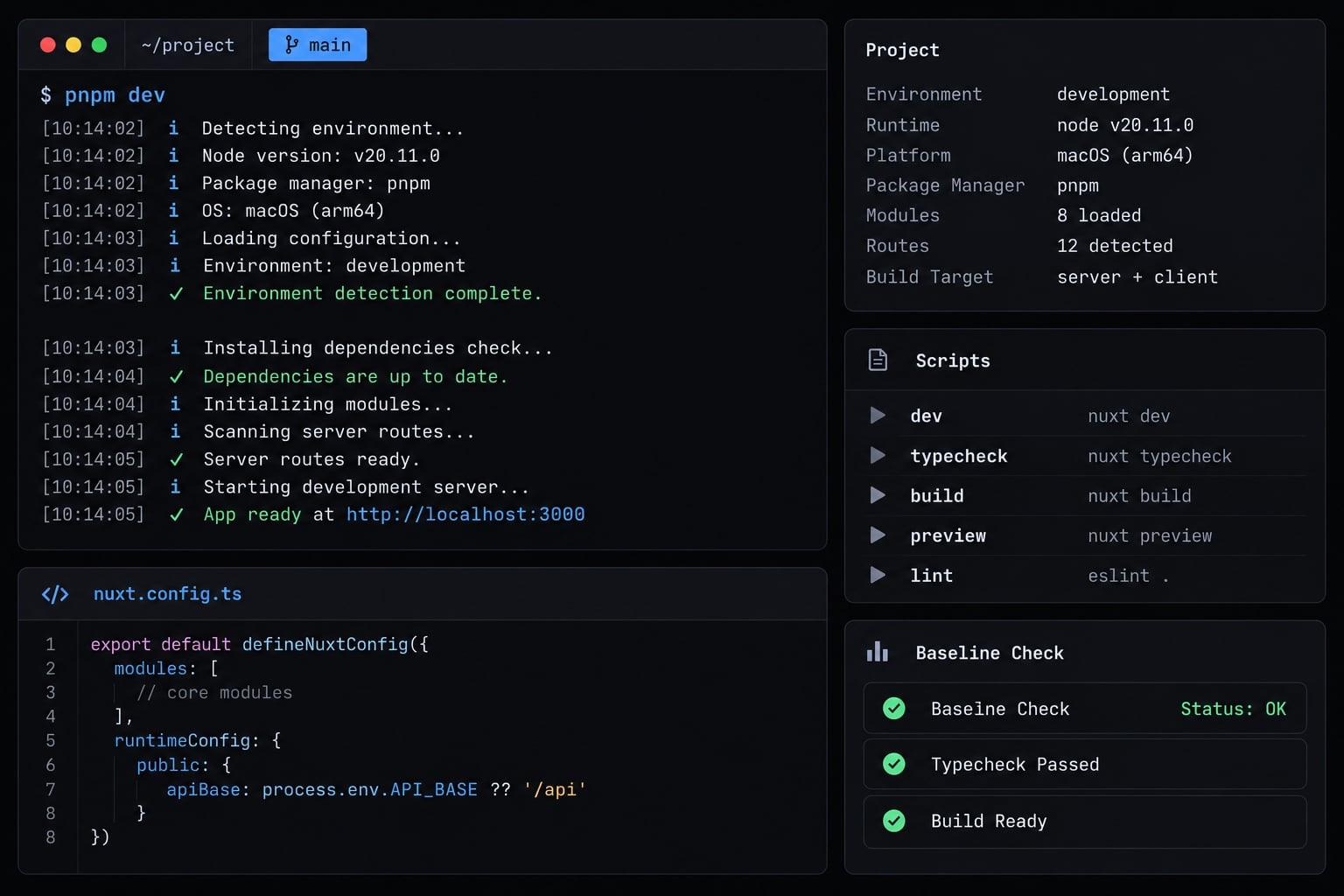
Establish a baseline before allowing edits. Otherwise, an existing failure can be mistaken for a regression - or disappear from the completion report.
- Confirm the repository starts through its documented development procedure.
- Install and authenticate the Claude Code CLI using official setup guidance.
- Check Node.js requirements in project configuration and documentation.
- Identify the package manager, version, and authoritative lockfile.
- Run
git status; commit or otherwise safely preserve existing work. - Inspect Nuxt configuration, modules, tests, and
package.jsonscripts. - Run available baseline checks and record their outcomes.
- Separate existing failures from missing validation coverage.
Confirm the baseline commands
Read package.json before executing script names. This example applies only to an npm repository defining all four scripts:
git statusnpm run typechecknpm run lintnpm run testnpm run build
Use the repository’s documented reproducible installation procedure when dependencies need installation. Do not reinstall automatically when they are already correct.
A missing type-check script is a validation gap, not a passing result. Establish an appropriate command before relying on it.
Use an inspection-first prompt
Inspect without editing. Identify Nuxt, Node.js, and package-manager versions; actual directories; modules; configuration; and validation commands. Report ambiguities and known failures. Distinguish inspected evidence from assumptions and checks not run.
Create a practical Nuxt CLAUDE.md
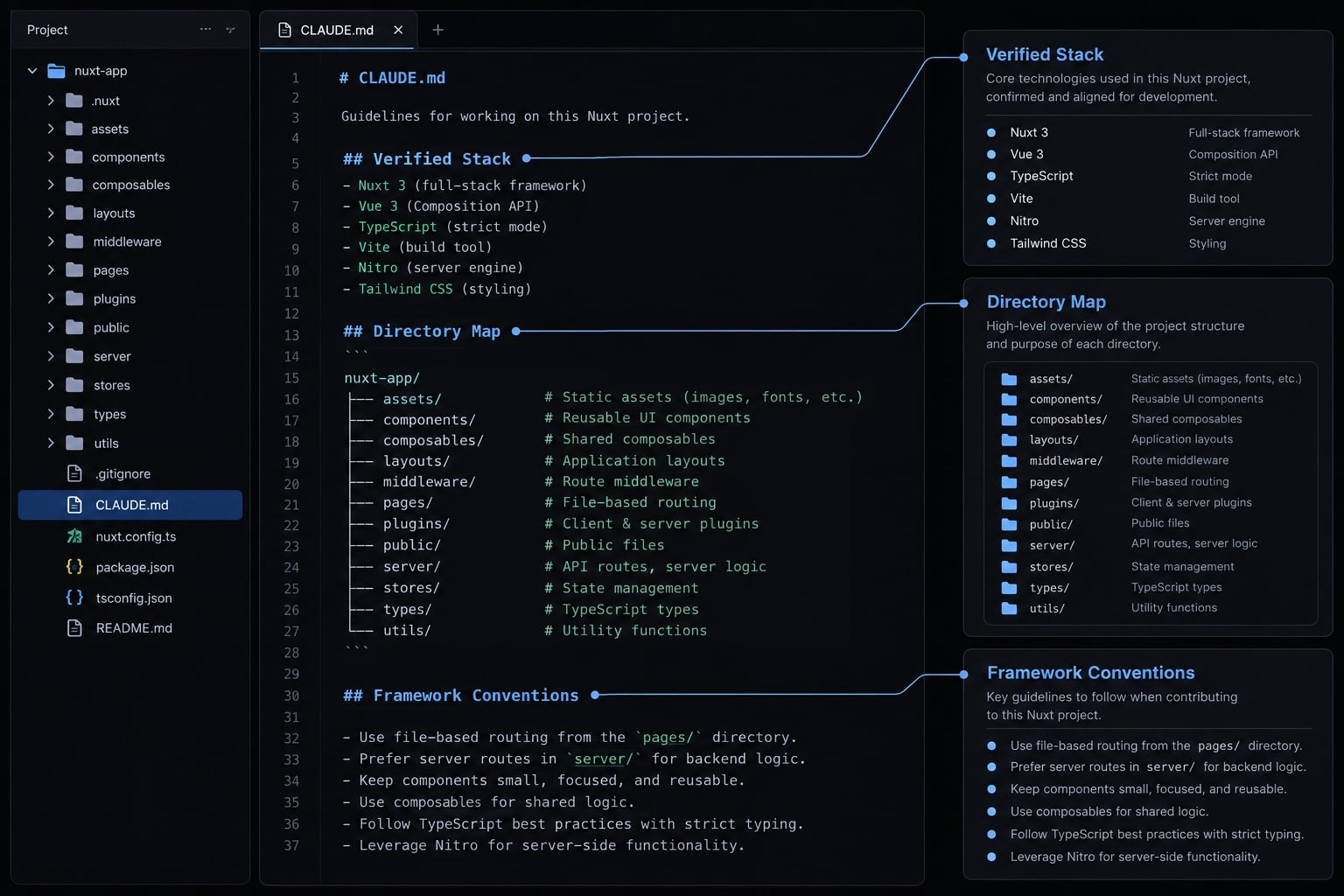
CLAUDE.md is a project instruction file that gives Claude Code repository-specific guidance: where code belongs, which conventions matter, and how changes should be checked. It documents intended behavior and project architecture rules; it does not enforce security, guarantee compliance, or prove that generated changes are correct.
Place this tutorial’s file at the repository root. Claude Code’s official memory documentation describes additional instruction locations and hierarchical loading; inspect existing instructions before introducing conflicting rules.
Capture Nuxt project context, not an entire framework manual. The following is an untested starter template. Replace every angle-bracket placeholder, including unavailable commands and paths, before use.
Nuxt CLAUDE.md template
# Repository instructions## Verified stack- Nuxt: <installed version>- Node.js: <required version or range>- Package manager: <name and version>- Tests: <frameworks and locations, or unavailable>## Actual directory map- Application: <path>- Pages: <path, or unused>- Components: <path>- Composables: <path>- Server: <path>- Shared types: <path, or none>- Configuration exceptions: <srcDir, layers, overrides, or none>## Framework conventions- Use TypeScript and existing Composition API conventions.- Follow configured Nuxt auto-imports and supported directories.- Preserve established naming and module boundaries.- Follow local useFetch and useAsyncData patterns where appropriate.- Preserve async states, response types, and SSR-safe behavior.- Do not use any or suppression comments to conceal typing problems.## Security boundaries- Preserve server/client separation and tenant authorization.- Never place secrets in instructions or client-accessible configuration.- Do not expose sensitive fields through responses or rendered payloads.- Use sanitized fixtures; do not copy production customer data.## Verified commands- Development: <command>- Type checking: <command, or unavailable>- Lint: <command, or unavailable>- Tests: <command, or unavailable>- Build: <command>## Change control- Inspect relevant implementation before editing.- Plan multi-file changes; obtain approval for broad changes.- Preserve architecture and explain dependency/configuration changes.- No unrelated refactors, removed tests, or error suppression merely to make checks pass.## Completion report- List changed files and behavioral changes.- Report commands and outcomes: passed, failed, skipped, unavailable.- Identify baseline failures separately from new failures.- Record assumptions, unverified behavior, and remaining risks.
Instructions are not a security sandbox. Enforce sensitive access through permissions, application controls, and review.
Keep the Instructions focused and maintainable
- Keep local rules; reference documentation rather than copying it.
- Move recurring task procedures into reusable files or skills.
- Review contradictory instructions across applicable locations.
- Update the file after framework or architecture changes.
- Version-control instructions without credentials or environment secrets.
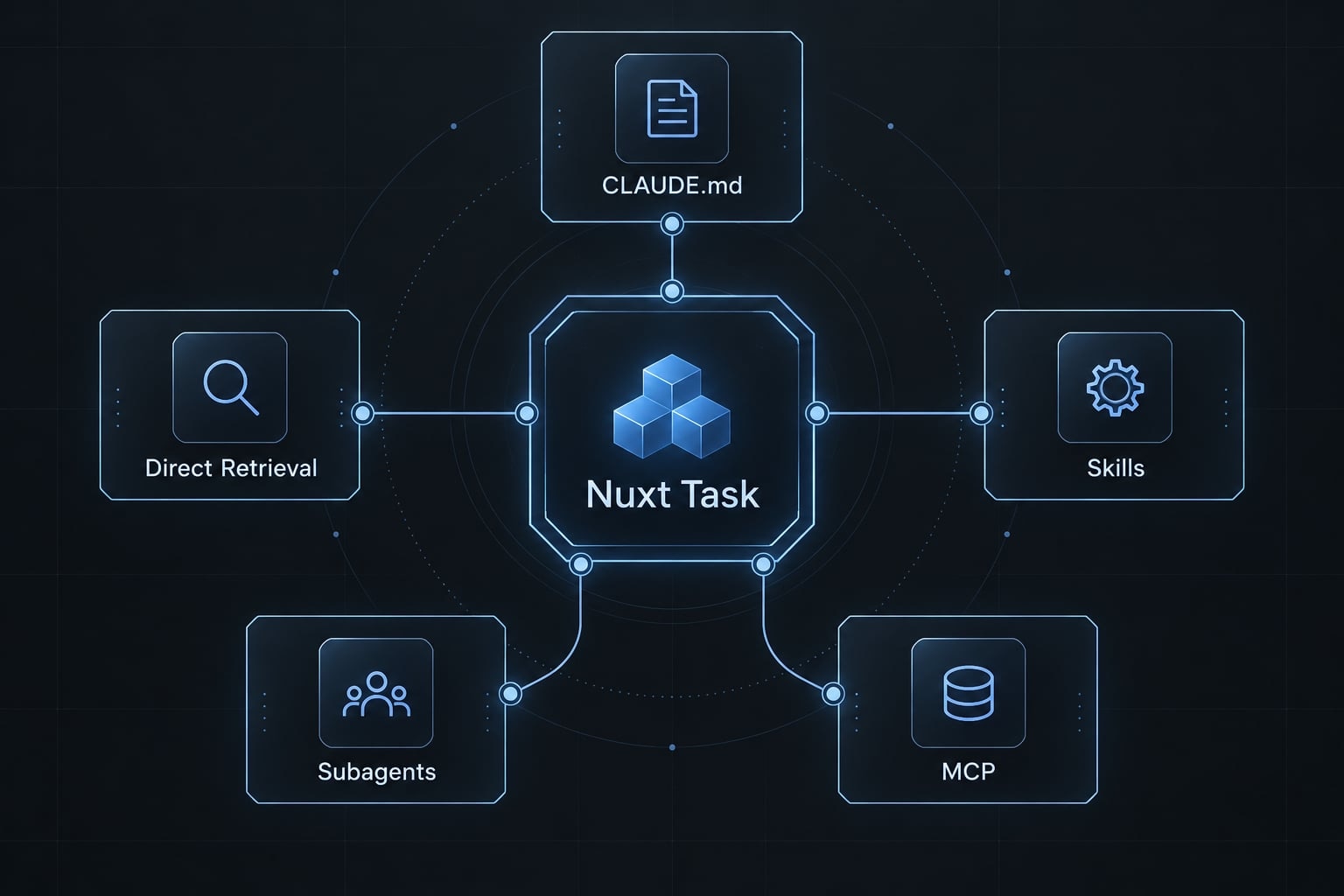
Nuxt MCP vs. skills vs. documentation agents
MCP (Model Context Protocol) lets compatible clients access tools or resources exposed by a server. A Nuxt MCP server provides structured access to Nuxt documentation; it does not replace Claude Code or automatically inspect your local project.
Nuxt’s official MCP documentation describes documentation discovery and retrieval capabilities. Check the connected server’s available tools and version filters rather than assuming every deployment exposes identical features.
Claude Code documents HTTP server registration in this form:
claude mcp add --transport http --scope local nuxt-docs "<NUXT_MCP_ENDPOINT>"
Replace <NUXT_MCP_ENDPOINT> with the endpoint from Nuxt’s official MCP documentation; the command is not executable as written. Local scope keeps this configuration personal to the current project rather than shared project configuration.
Inspect connection status through Claude Code’s MCP controls, then request documentation for an API in your installed Nuxt major version. Review integration permissions and returned content before acting.
Decision table
Option | Best for | Main advantage | Trade-off | Use when |
|---|---|---|---|---|
MCP | Server-exposed documentation tools | Structured retrieval | Setup, availability, variable context overhead | Repeated structured lookups justify integration |
Skill | Reusable instructions and procedures | Consistent task execution | Maintenance; guidance can become stale | The same procedure recurs |
Documentation subagent | Delegated specialist research | Separate research context | Findings still need review | Research repeatedly distracts implementation |
Direct retrieval | Focused documentation lookup | Minimal configuration | Requires retrieval capability and source selection | Questions are occasional |
| Repository instructions | Persistent local conventions | Manual upkeep; not enforcement | Establishing the baseline |
Agent skills package reusable procedures, sometimes with supporting assets. A documentation subagent delegates research with separate context behavior where supported; it still needs suitable retrieval tools.
An llms.txt file can serve as a documentation index. It does not automatically retrieve pages or inject them into a session.
Practical selection rule
Use repository rules → occasional lookups → repeated procedures → isolated research → recurring structured tool use.
This is a selection heuristic, not a mandatory sequence. MCP context-window overhead depends on integration and loading behavior. Reduce context bloat through relevant retrieval, not assumptions that one method universally saves tokens.
Use a Plan-Implement-Verify workflow
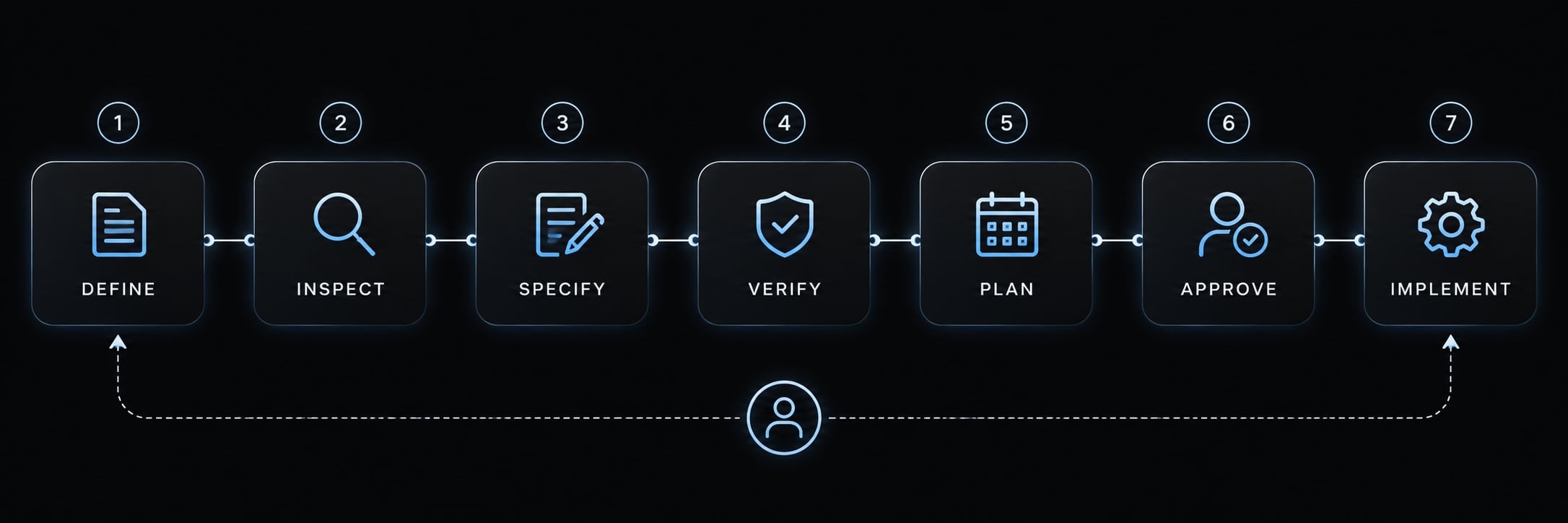
Define success before asking for implementation. A small specification makes the result easier to review than an open-ended request to “improve the dashboard.”
This is lightweight Spec-Driven development: Explicit behavior and acceptance criteria guide a bounded change, without unnecessary specification bureaucracy.
Inspect the existing implementation
Locate workspace components, data-fetching composables, server routes, shared types, authorization checks, and tests. Identify which patterns the new implementation should preserve.
Define scope and acceptance criteria
Use this illustrative B2B SaaS task:
Add a typed workspace-usage view using the existing API. Include pending, empty, success, and error states. Preserve tenant authorization and shared API behavior. Do not change billing, authentication, or navigation. Add no dependencies without approval. Verify state rendering and access boundaries.
State verification expectations before editing, especially when test coverage is incomplete.
Request a plan before Multi-File changes
Ask for likely files, data flow, risks, and proposed checks. Require human approval before broad changes or new dependencies.
A plan-first prompt is an instruction, not the same as Claude Code’s Plan Mode. Official Claude Code documentation describes Plan Mode as an analysis-oriented mode without code editing. Confirm the active mode and permissions rather than relying solely on wording.
Implement the smallest coherent unit
Keep the page, necessary types, and relevant tests together. Preserve naming and architecture. “Smallest coherent” means reviewable functionality, not an arbitrary line limit.
Explain any configuration or dependency change before including it.
Run relevant checks
Execute verified scripts and behavioral checks. For workspace usage, exercise each asynchronous state and unauthorized access - not only successful rendering.
Review the Git diff
Inspect git diff, staged changes, and git status. Read new untracked files separately; ordinary diffs do not show their contents.
Look for unrelated refactors, changed fixtures, generated artifacts, and sensitive content.
Report remaining uncertainty
List assumptions, baseline failures, new failures, and unverified behavior. Keep passed, failed, skipped, and unavailable distinct.
This human-in-the-loop review ends with an acceptance decision, not merely a completion message.
Copy-ready prompts for common Nuxt tasks
These Claude Code prompts assume the repository instructions have already been adapted. Replace task details while preserving inspection, scope, constraints, and verification.
Create a typed Nuxt composable
Inspect existing composables and fetching patterns. Add one typed workspace-usage composable, preserving response types and tenant context. Cover pending, empty, success, and error states. Avoid unrelated abstractions. Run relevant checks and report any asynchronous behavior that remains unverified.
Add a Nitro server route
Inspect existing Nitro server route handlers and validation. Add a workspace-usage endpoint using established patterns. Preserve authentication, tenant authorization, and secret boundaries. Test valid, invalid, and unauthorized requests. Report changed files, check outcomes, and any access-control behavior not verified.
Debug an SSR or Hydration error
Inspect the affected route before editing. Diagnose the hydration error by checking browser APIs, nondeterministic output, and initial-state mismatches. Propose a bounded fix without disabling rendering broadly. Perform SSR validation and hydrated-browser checks; report reproduction steps and remaining uncertainty.
Review Nuxt SEO metadata
Inspect existing metadata conventions. Review one route’s title, description, canonical behavior, and indexing intent. Distinguish public marketing pages from private workspace pages; do not make private pages indexable. Verify rendered output after changes and report checks not performed.
Migrate an outdated Nuxt pattern
Inspect the implementation and installed Nuxt version. Determine whether the pattern is actually deprecated or unsupported before replacing it. Use applicable official guidance, preserve behavior, and avoid an unrequested framework upgrade. Run relevant checks and identify migration risks or unverified assumptions.
SSR means server-side rendering; hydration attaches browser-side behavior to the server-rendered interface. Verification should cover both when the affected route uses them.
Validate AI-generated Nuxt code before accepting it
Compilation, runtime correctness, and security are separate concerns. Treat generated output as a proposal, and consult documentation matching the installed version whenever an API is uncertain.
Nuxt definition of done
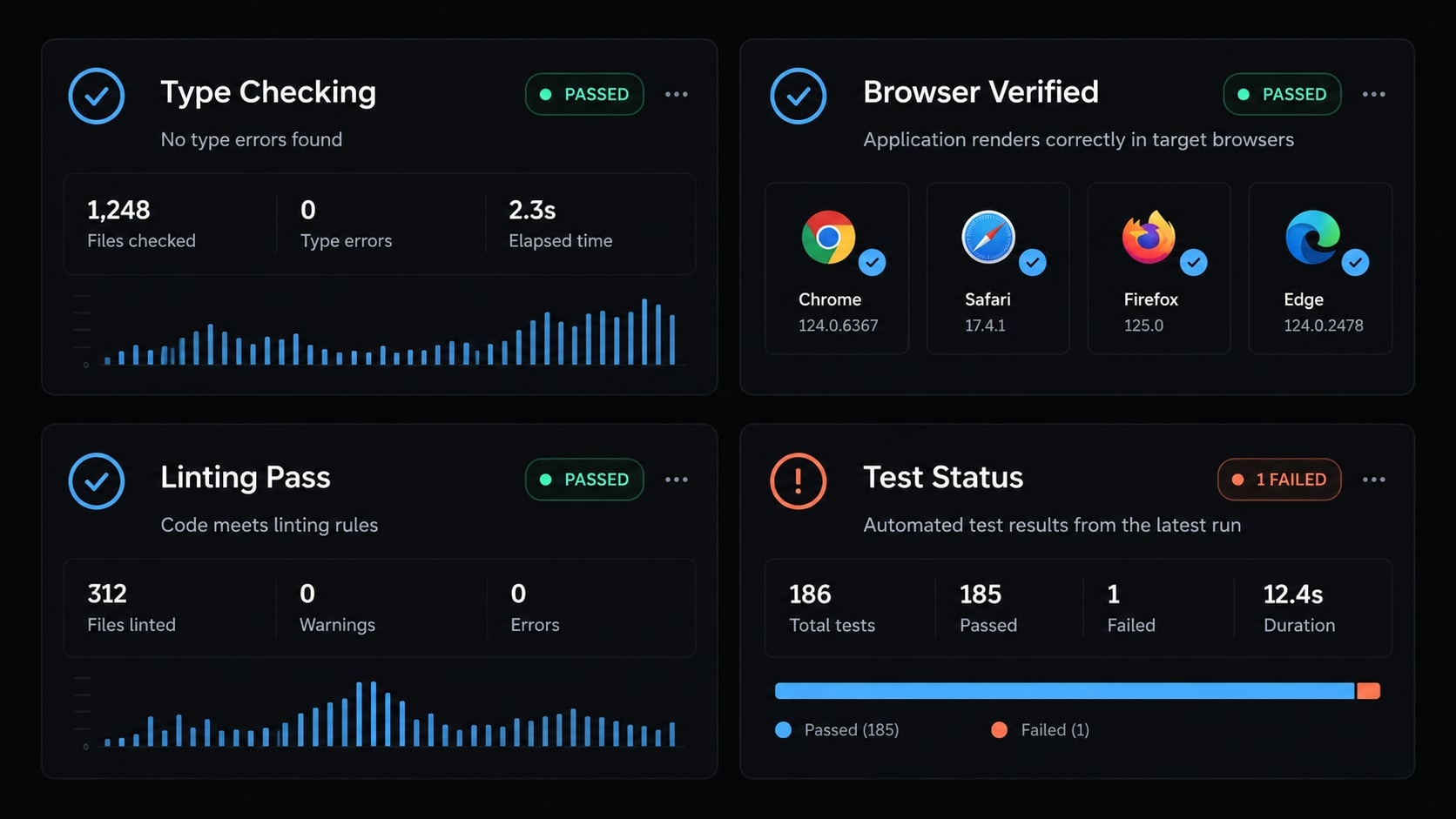
- Confirm APIs support the installed Nuxt version.
- Match actual directories and configuration.
- Run explicit Nuxt type checking.
- Run linting where configured.
- Execute relevant automated tests.
- Complete the production build.
- Check SSR, hydration, and browser behavior.
- Review private configuration and sensitive response payloads.
- Exercise pending, empty, success, and error states.
- Check relevant accessibility and metadata.
- Review diffs, untracked files, and potential secrets.
- Disclose assumptions and unverified risks.
A successful build does not establish that explicit type checking or browser-level validation passed. “Not configured” and “not run” do not mean “passed.” Keep baseline failures identified in the final record.
Common failure patterns and corrective actions
Failure | Corrective action | Evidence to retain |
|---|---|---|
Wrong file locations | Inspect configuration; correct the directory map | Actual paths and configuration |
Unsupported or outdated patterns | Consult installed-version documentation | API compatibility rationale |
Excessive context/tool noise | Remove irrelevant material or delegate bounded research | Focused task inputs |
SSR or hydration failure | Reproduce rendering; inspect browser-only code and initial state | Server and browser observations |
Sensitive config exposure | Correct boundaries; audit serialization; rotate exposed credentials and review impact when needed | Sanitized remediation record |
Unrelated refactors | Restore scope and review a file-level plan | Scoped diff |
Static checks pass, behavior fails | Add behavioral acceptance tests and browser checks | Reproduction and test outcomes |
Nuxt’s official runtime configuration documentation distinguishes private configuration from public values. However, a server-only secret can still leak if a handler returns it or includes it in rendered data.
Likewise, tenant authorization needs behavioral evidence: a correctly typed response can still expose another organization’s usage.
Recommended Claude Code setup for most Nuxt projects
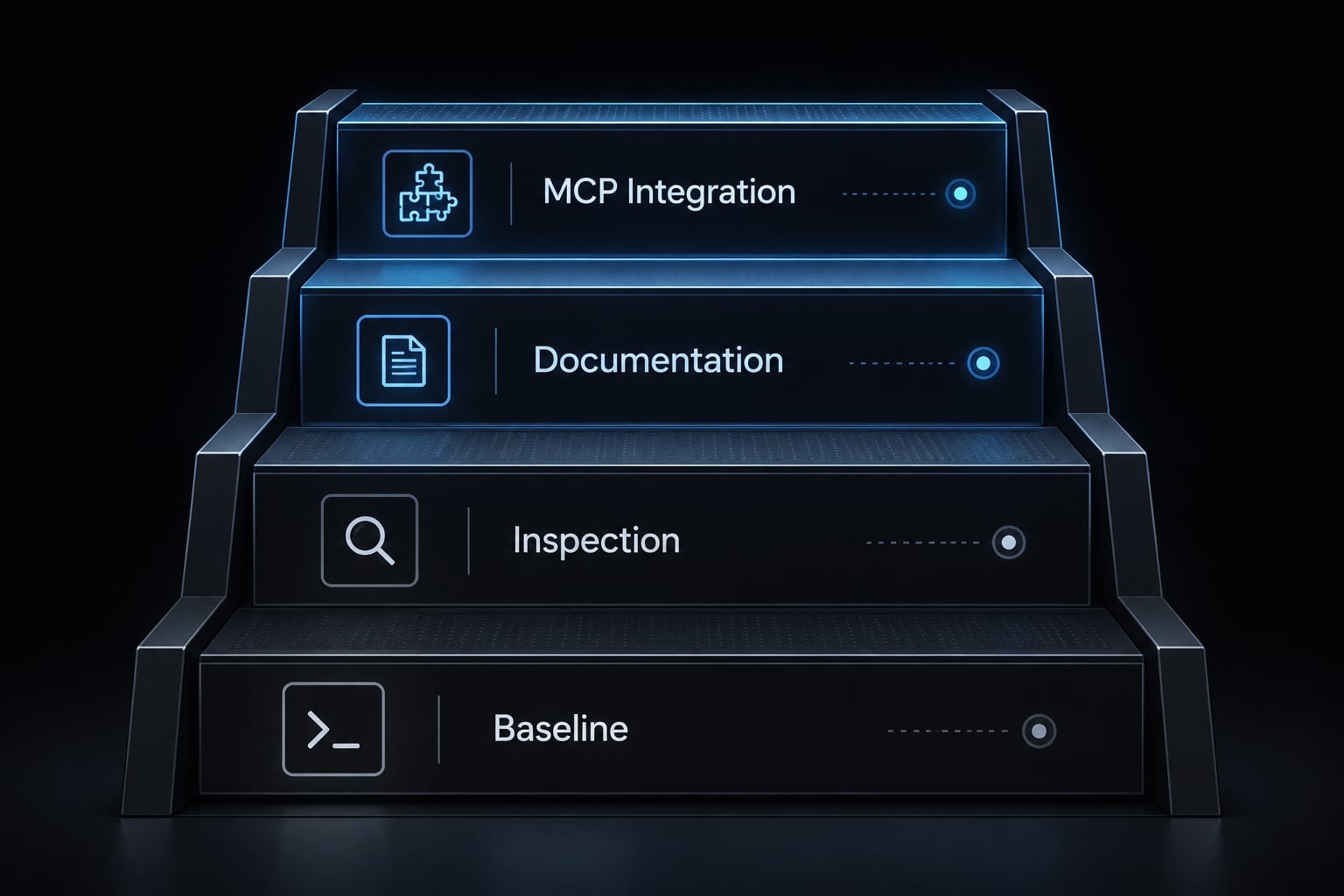
Start with a repeatable baseline, not the largest tool stack. A practical Claude Code Nuxt workflow grows only when additional capabilities solve identifiable problems.
- Write repository-specific instructions covering actual paths, constraints, and completion reporting.
- Verify baseline commands and document unavailable checks before implementation.
- Use inspection-first and plan-first prompts to control scope.
- Consult focused official documentation for version-sensitive APIs.
- Add reusable skills when procedures repeatedly need the same instructions.
- Delegate to a documentation subagent when specialist research repeatedly interrupts implementation.
- Connect Nuxt MCP when structured documentation access justifies setup and maintenance.
The first three practices establish operating discipline. Documentation lookup addresses knowledge gaps; the remaining additions support recurring needs. Stop at the simplest setup that meets your requirements. Adopting every layer is neither necessary nor evidence of a better workflow.
Frequently asked questions
Can Claude Code work effectively with Nuxt 3 and Nuxt 4?
Yes. Claude Code integrates reliably with both Nuxt 3 and Nuxt 4 by using repository-specific instructions and framework-aware tools. Its success depends on your ability to provide clear project context, apply the correct version-specific documentation and verify every AI-generated change against the repository's baseline.
Do I need to use the Nuxt MCP server to use Claude Code?
No. While the Nuxt MCP server provides useful documentation lookup and framework guidance, it is entirely optional. Many developers prefer using structured "Skills" or local CLAUDE.md instructions, which often reduce context bloat and offer more direct control over project-specific patterns and coding styles.
How do I prevent Claude Code from hallucinating outdated Nuxt patterns?
To avoid legacy patterns, define explicit constraints in your CLAUDE.md file. Instruct the agent to prioritize the current Nuxt major version, enforce standard directory conventions, and avoid generating manual imports for auto-imported Nuxt/Vue composables. Always verify the generated code against your repository's existing architecture.
What is the most reliable workflow for making Nuxt changes with AI?
Use a Plan–Implement–Verify workflow: inspect the repository, define clear acceptance criteria, generate a plan for multi-file changes, implement in small units, execute verified local scripts, and review the final Git diff. Never accept AI-generated code without manual review and successful validation.
Which is better: MCP servers or Agent Skills for Nuxt?
MCP servers are best for broad, dynamic access to framework-wide documentation. Agent Skills are generally better for specialized, repeatable tasks - such as using Nuxt UI components or specific module conventions - because they are more lightweight and integrate seamlessly into your project's local context without unnecessary overhead.
Read more:
- Connect GitHub MCP to Claude Code: Step-by-step guide
- Blender MCP with Claude Code: A secure AI scripting setup guide
- Claude Code plugin marketplace: A guide to discover and setup
Conclusion
Reliable Claude Code development in Nuxt relies on clear project context, bounded tasks, and evidence-based verification. Neither an instruction file nor MCP integrations can replace runtime validation and human oversight. Copy the provided CLAUDE.md template to guide small, reviewed changes, and record verified results before expanding your workflow, ensuring AI agents remain strictly aligned with your repository's standards.