Fix Claude Code lint errors: A complete diagnostic workflow
Claude Code lint errors: How to diagnose, fix and verify them
When Claude reports success while repository linting fails, stop relying on summaries and inspect the actual command output. Reproduce the failure, prioritize safe automated fixes over manual edits, and verify exit statuses. Always pause for human review when encountering complex dependencies, permission boundaries, or persistent failures - because command-line evidence remains the ultimate source of truth.
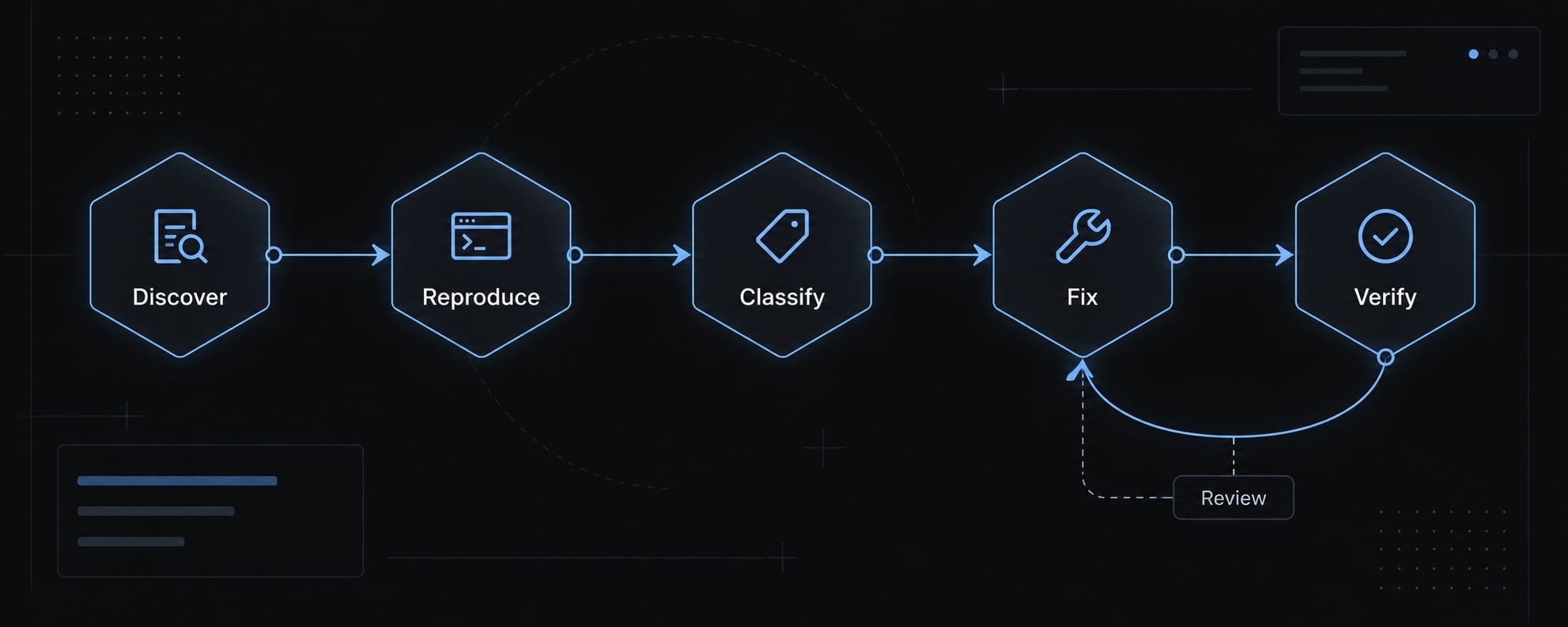
The safest Claude Code lint-fix workflow
To fix lint errors with Claude Code, use five actions:
- Discover: Identify the configured command, directory, and scope.
- Reproduce: Capture the failure before editing.
- Classify: Separate environment problems from code violations.
- Fix: Apply narrow, reviewable changes.
- Verify: Rerun the original check and document the result.
The detailed steps combine discovery and reproduction, then separate automatic from manual fixes. Anthropic’s Claude Code best-practices documentation recommends giving Claude objective ways to verify its work.
Set a correction budget - for example, two fix-and-check passes. Stop earlier when a blocker repeats or a decision requires review.
Copy-ready prompt for the complete workflow:
Inspect before editing. Identify the repository’s lint command, workingdirectory, and scope. Capture baseline output and status. Group failuresby rule or cause. Apply minimal fixes; preserve user edits and avoidgenerated/vendor files. Do not weaken rules. Rerun the original command.Use at most two correction passes; stop on repeated blockers, unavailabledependencies, permission limits, or required human decisions. Requestapproval before installations or protected changes. Return the command,status, changed files, unresolved issues, and checks not run.
Step 1 - Find and reproduce the project’s actual lint command
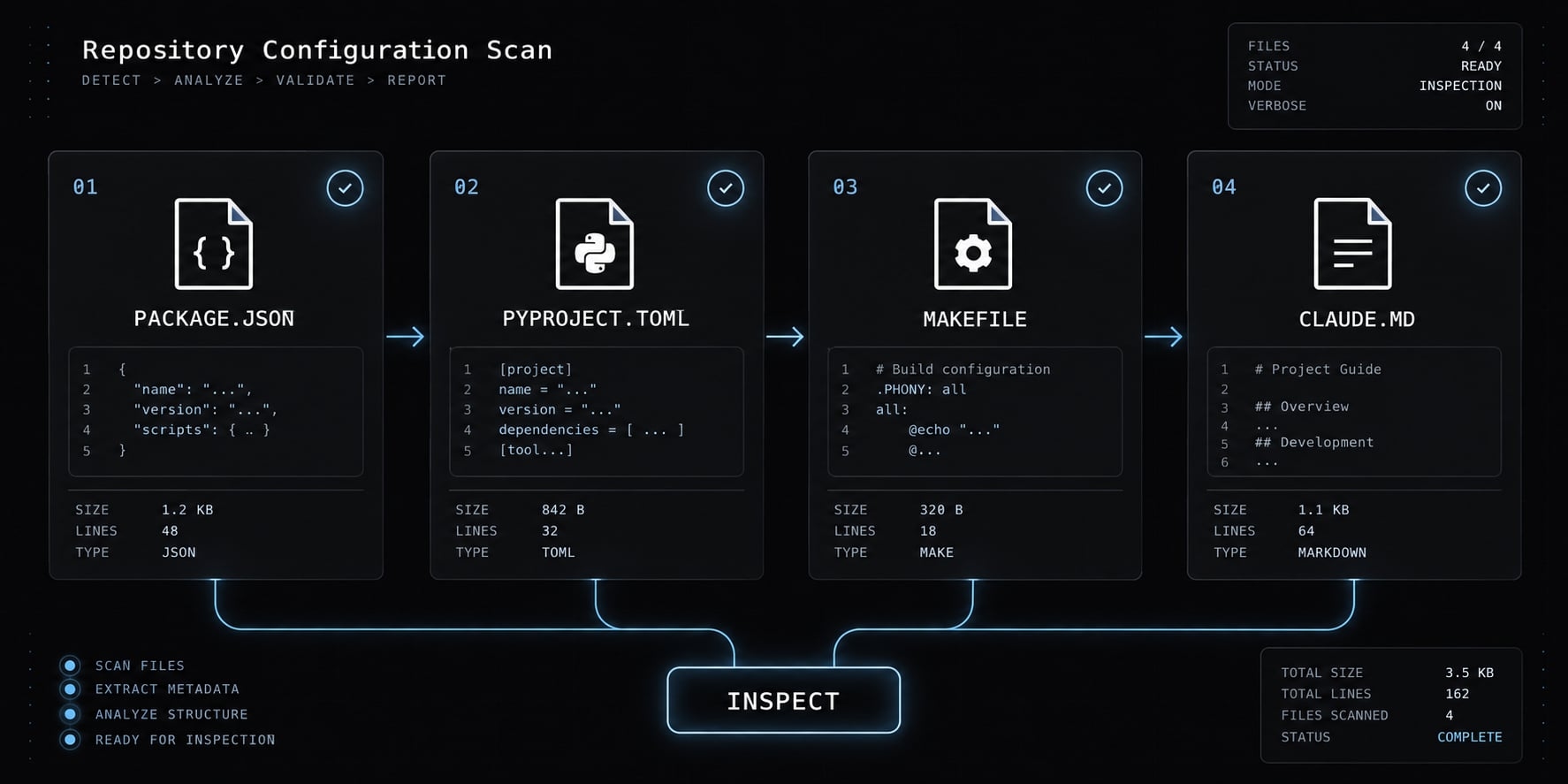
Repository configuration determines the command. Inspect these seven sources:
package.jsonand lockfiles.- Workspace configuration.
pyproject.tomland Python environment configuration.Makefileor other task-runner definitions.- CI workflows.
- Contributor documentation.
- CLAUDE.md.
Also inspect linter configuration and include/exclude patterns. In a monorepo (a repository holding multiple projects), your active working directory determines the command's package scope.
For the illustrative dashboard, suppose apps/dashboard/package.json defines "lint": "eslint src --max-warnings 0". Its package-level command is npm run lint, executed from apps/dashboard.
That command requires a defined script. A Python repository might instead use uv run ruff check ., subject to its environment policy. Inspect scripts before execution: wrappers may write files or combine checks.
Do not install or replace tools prematurely. npx may download missing packages; request permission before network access or dependency changes.
Prompt Claude to diagnose without editing
Identify the project lint command, package/environment manager, workingdirectory, configuration, and excluded paths. Inspect scripts for sideeffects before execution. Run only confirmed non-writing checks, withoutfix/write flags. Report grouped failures and status; request permissionfor missing dependencies.
Distinguish linting from other quality checks
Linting checks rules; formatting checks layout; TypeScript type checking checks types; tests check selected behavior; builds produce artifacts. A wrapper may combine these. biome check can include formatting and other checks.
Step 2 - Classify the errors before Claude changes code
Fix shared causes before individual symptoms. One parser error caused by incorrect project inclusion can affect multiple files. Editing each file will not repair that configuration failure.
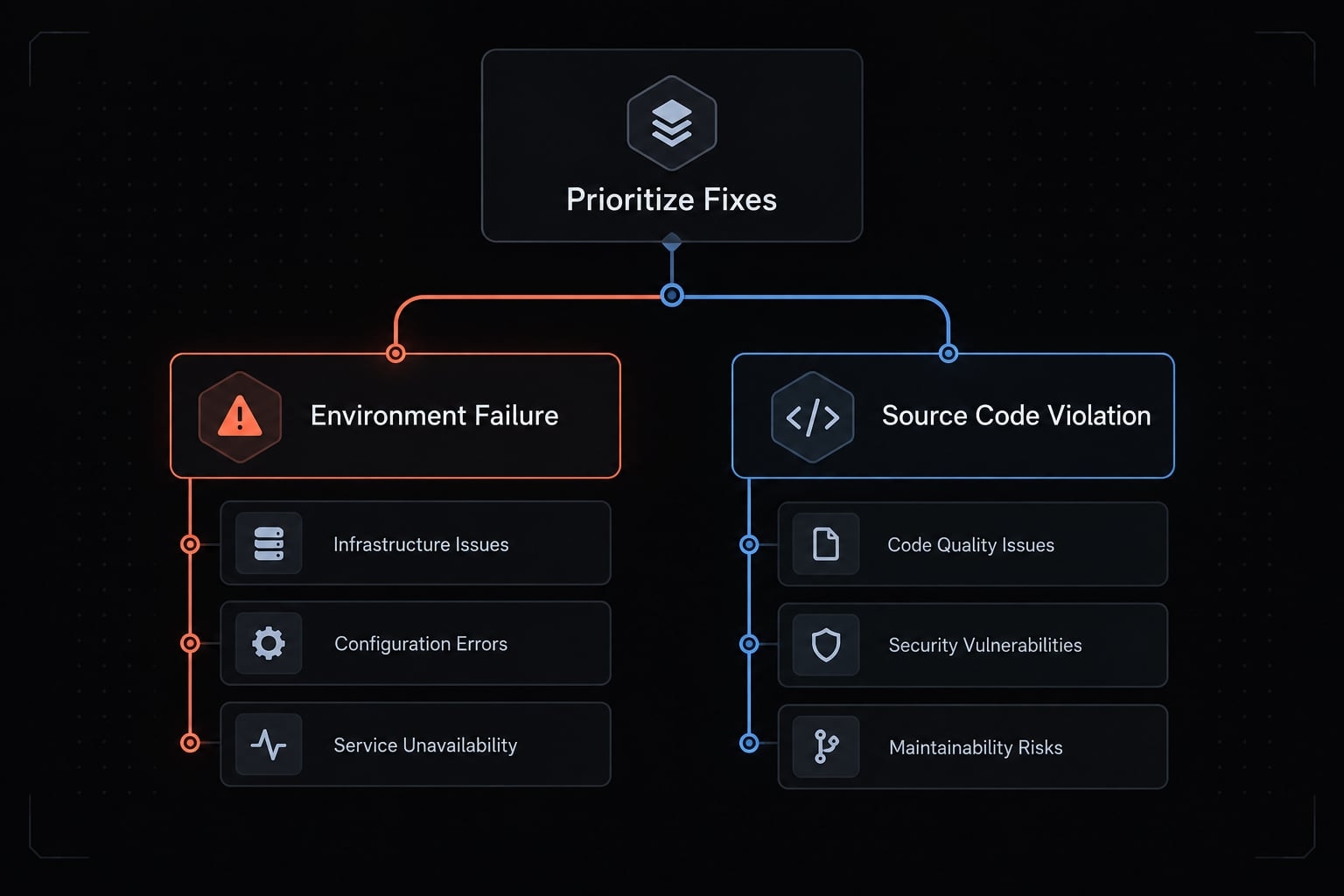
Group diagnostics into:
- Supported automatic fixes.
- Unused or unreachable code.
- Behavior-sensitive rules.
- Type-aware or parser issues.
- Dependency, plugin, or configuration failures.
- Wrong directory or workspace.
- Generated/vendor files in scope.
These are practical triage categories rather than strict, mutually exclusive rules. For instance, an unused import error can often be fixed automatically.
In the illustrative dashboard, starting from the repository root might select different configuration or scope. Confirm this before changing application code.
Recommended fix order
- Confirm command and directory.
- Resolve environment and configuration causes.
- Apply supported automatic fixes.
- Address remaining code violations.
- Review exceptions separately.
A lint rule suppression needs a narrow scope, written justification, and review. Never disable rules globally merely to obtain a passing result.
When the error is in the Claude Code configuration
Settings, hook, or instruction-loading failures belong to Claude Code’s configuration layer, not application linting. Check the relevant documentation; these artifacts do not share one universal validation schema.
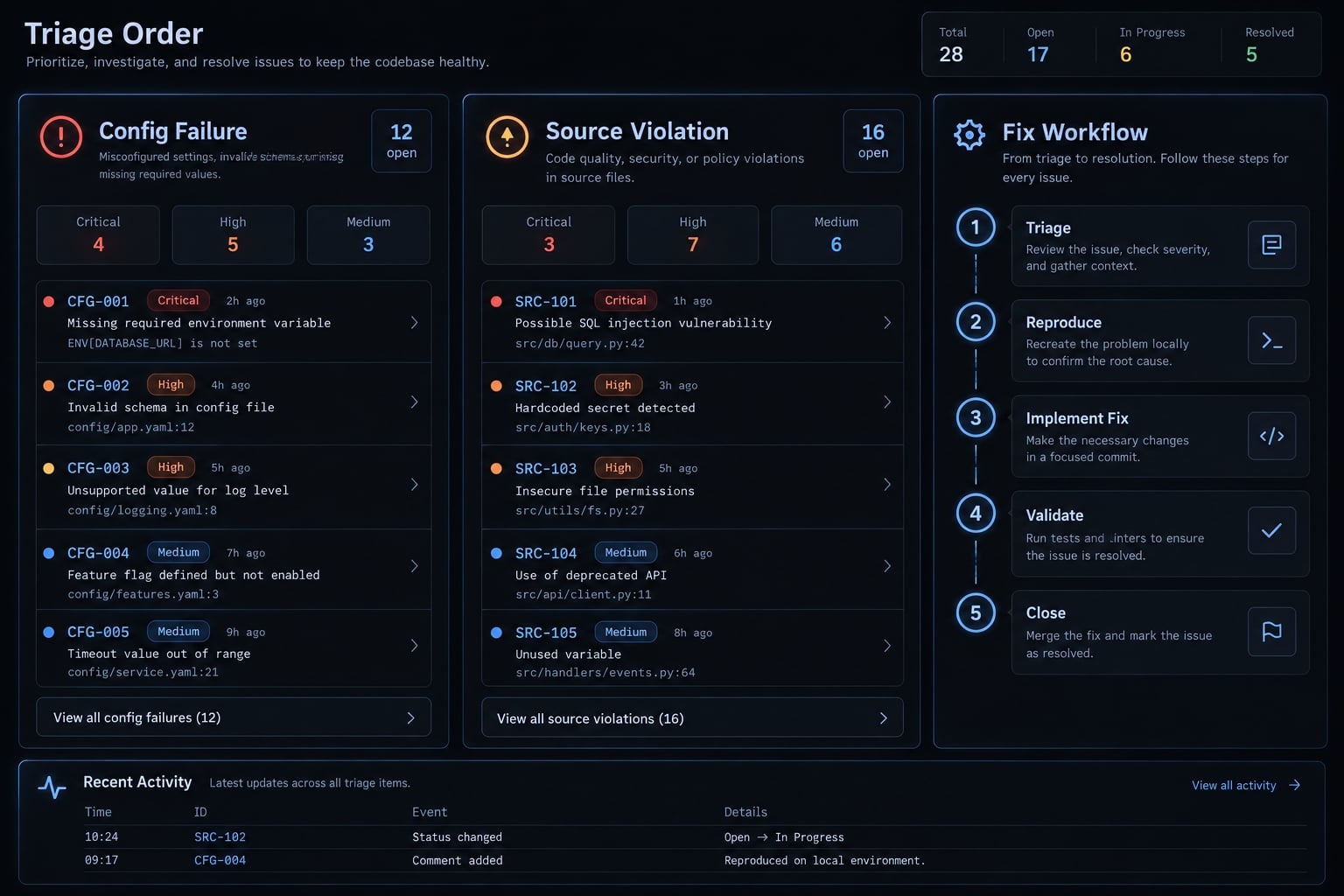
Step 3 - Apply automatic fixes without creating an uncontrolled diff
Prefer the linter’s supported fixes, but native auto-fix is not automatically behavior-neutral. Claude coordinates commands and edits; the linter identifies configured violations and performs supported transformations.
Validate these illustrative forms against the repository:
Tool or wrapper | Example | Caution |
|---|---|---|
Existing npm script |
| Confirm compatible flag forwarding. |
ESLint |
| Use the installed executable and correct scope. |
Biome |
| May format and perform other configured actions. |
Ruff |
| Do not enable unsafe fixes by default. |
The ESLint command-line reference, Biome CLI reference, and Ruff documentation on fix safety describe these distinctions.
Inspect the existing working tree first. After fixing, review the diff and stop if unrelated packages change. Remove only confirmed unrelated changes introduced by this operation. Never use blanket resets that could discard user work.
Minimal-change prompt
Apply supported fixes only within the affected scope. Preserve behavior,user edits, and lint rules. Review the diff for unrelated changes andstop on unexpected expansion. Report remaining errors and requestreview before accepting changes with semantic implications.
When not to accept an automatic fix
Request code review for changes involving control flow, Promise handling, React hook dependencies, security, assertions, public APIs, or error handling. A minimal diff can still change behavior.
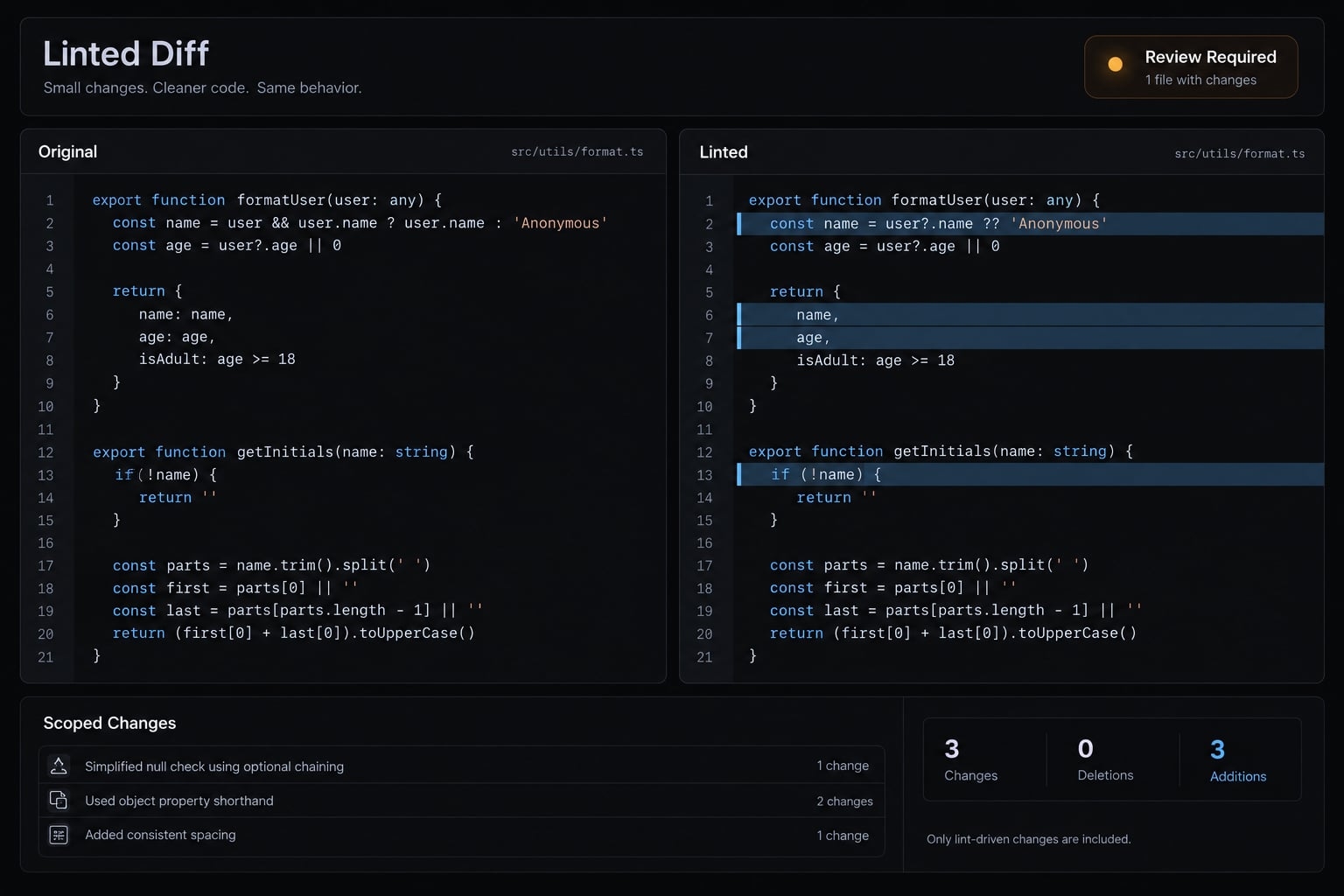
Step 4 - Resolve remaining errors without changing application behavior
Work through one rule group at a time. Inspect nearby implementations and follow project conventions before introducing a new pattern.
Preserve public interfaces and error-handling semantics. Avoid unrelated refactoring, explain logic-sensitive edits, and run targeted checks after each meaningful group. Pause when conventions conflict or suppression appears necessary.
Behavior-preserving changes are a constraint, not a guarantee. Some findings expose bugs requiring an approved behavior change.
For example, a SaaS background task launches a Promise without handling rejection. Adding await changes sequencing. Adding a catch handler defines failure handling. Adding void can signal intentional non-awaiting to some rule configurations, but does not handle runtime rejection.
Consult the relevant rule documentation and the repository’s task-handling pattern. Do not choose whichever edit merely silences the diagnostic.
Prompt for Non-Auto-Fixable errors:
Resolve remaining violations with minimal edits following localconventions. Do not suppress rules globally or refactor unrelated code.Run targeted verification after each rule group. Explain semantic risksand request approval before changing behavior, interfaces, or error handling.
Step 5 - Verify the result with the same command and exit code
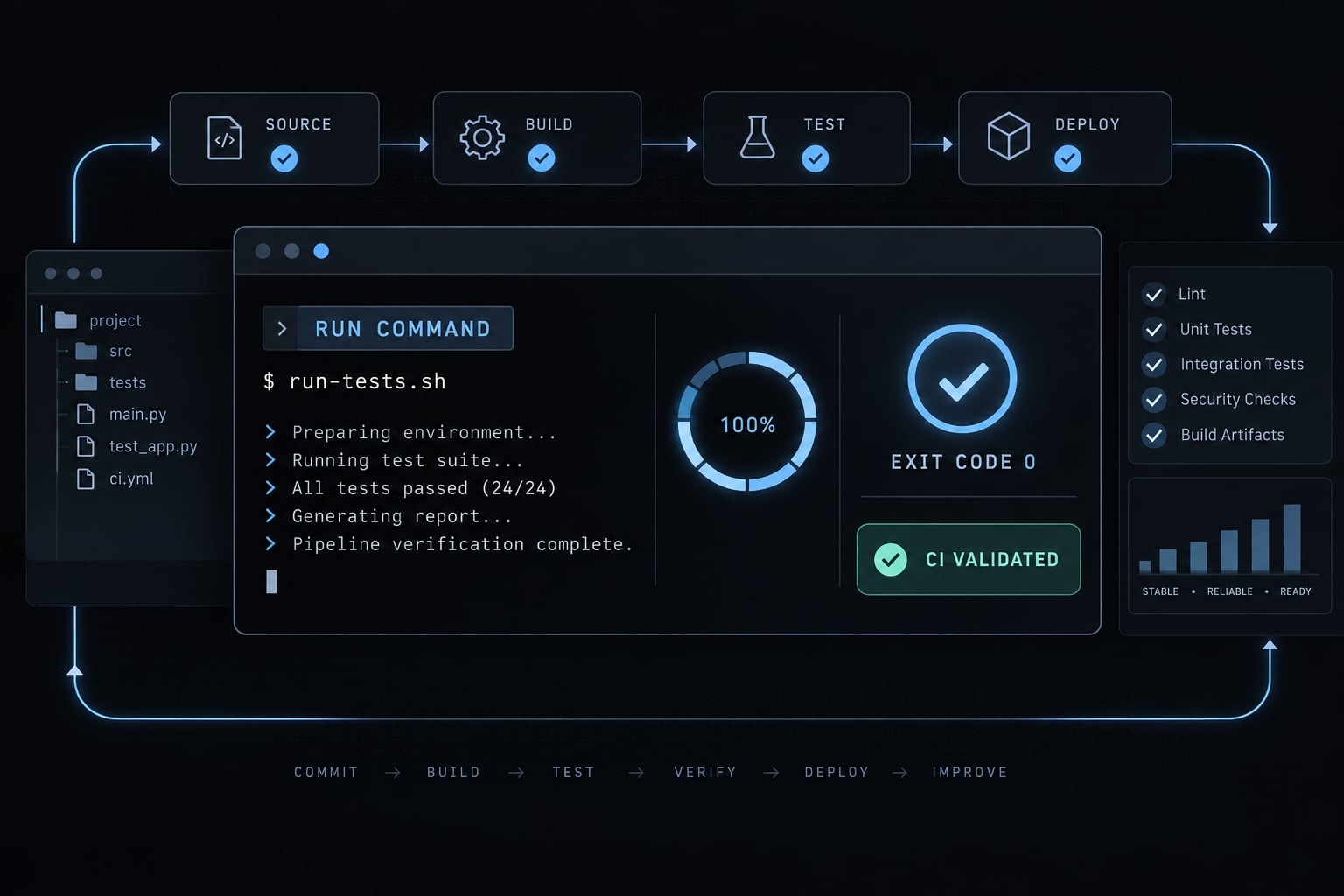
Rerun the original command from the original directory and scope. Narrow checks help iteration; they do not replace full-scope validation.
Exit code 0 means success under that command’s policy. Warnings may remain unless configured to fail. “Zero errors,” “zero warnings,” and “all required checks pass” are different claims.
Check that wrappers propagate failures; a wrapper that masks errors makes its exit code unreliable. CI validation supports merge enforcement only when relevant checks are required and enforced, as described in GitHub’s protected-branch documentation.
Definition of done
- Correct command, directory, and scope confirmed.
- Initial failure recorded.
- Relevant diff reviewed; user changes preserved.
- Original command passes the applicable warning policy.
- No unreviewed weakening of rules or exclusions.
- Behavior-sensitive edits reviewed and relevant checks executed.
- Final evidence and remaining limitations documented.
Final report template
Command and working directory:Exit status:Changed files:Rules resolved:Warnings and blockers:Tests/type checks executed:Checks not run:Manual review needed:
For reproducibility, attach the repository revision and Claude Code, linter, runtime, and package-manager versions.
In the illustrative dashboard, auto-fix might leave the Promise finding unresolved. Report the check as failing until that decision is resolved and verified.
Common Claude Code lint problems and their fixes
Use current command output to investigate these symptoms. Causes are possibilities, not diagnoses.
Symptom | Likely cause | Instruction for Claude |
|---|---|---|
Lint command not found | Missing script, executable, or environment. | Check script, directory, executable availability, and environment before installing. |
Claude uses the wrong linter | Tool selection was assumed. | Inspect configured scripts and dependencies; use the declared tool. |
Configuration cannot be found | Scope, format, compatibility, or discovery mismatch. | Compare the invocation with the tool’s configuration discovery rules. |
Errors remain after auto-fix | Unsupported fixes or unresolved configuration. | Inspect remaining rules and fix support; do not assume semantic changes are necessary. |
Hundreds of files change | Scope expansion or broad formatting. | Stop; inspect the diff and protect pre-existing edits. |
Local passes, CI fails | CI mismatch in environment or policy. | Compare commands, runtime/tool versions, dependencies, scope, environment, and warnings. |
Type-aware linting fails | Parser/project inclusion mismatch. | Inspect parser settings and TypeScript configuration before editing application logic. |
Same error is repeatedly “fixed” | Wrong cause or stale assumptions. | Reproduce the current failure; reconsider the cause and stop unchanged retries. |
Claude reports success without rerunning | Completion inferred from edits. | Require original-command output and status before accepting success. |
Errors return after edits | Later changes escaped validation. | Add targeted checks, then rerun final full-scope verification. |
For monorepo linting, include the package selector and working directory in every handoff.
When repeated attempts clutter the context window - the session’s available working context - start a fresh session. Carry forward the command, directory, relevant output, changed-file scope, attempted fixes, and constraints. Preserve concise durable instructions in CLAUDE.md.
A fresh session can remove contradictory assumptions. It does not repair the underlying repository problem or replace diagnosis.
Prevent future lint regressions with CLAUDE.md, hooks and CI
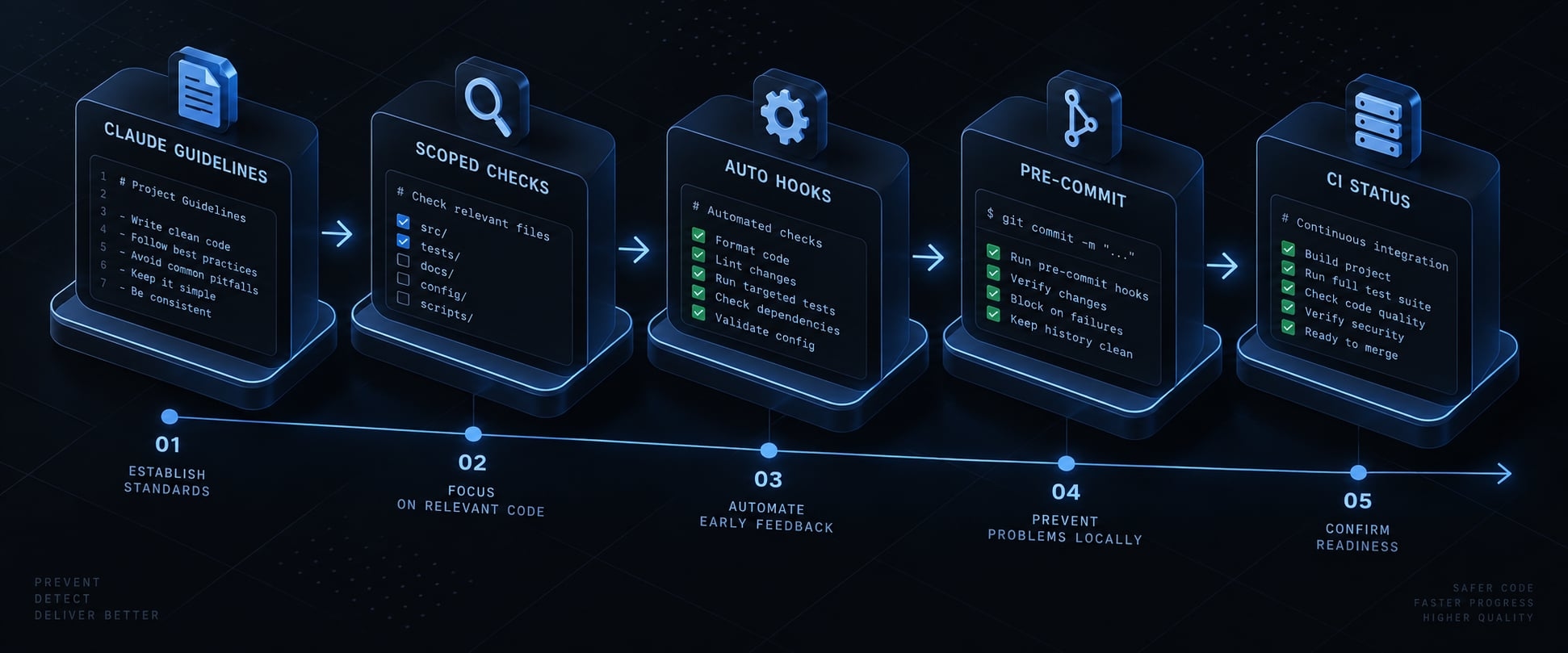
Separate instructions, feedback, and enforcement. Adopt layers as needed:
- Document commands and constraints in
CLAUDE.md. - Run scoped checks during development.
- Add appropriate Claude Code hooks.
- Introduce pre-commit automation where practical.
- Require relevant CI checks before merge.
What to add to CLAUDE.md
## Lint workflow- Command and directory: <verified command>; <directory>- Supported fix command: <verified command, or none>- Excluded paths: <configured exclusions>- Keep changes minimal; preserve existing user edits.- No unapproved rule weakening or exclusion changes.- Rerun the original check; report output and status.- Escalate behavioral changes and unresolved blockers.
Anthropic’s Claude Code memory documentation describes project instructions. They guide behavior; they are not enforcement.
Use hooks for fast feedback, not as the only quality gate
PostToolUse runs after matching tool events, not every filesystem change. Coverage depends on configuration and supported matching. Do not assume shell-based or external edits are covered.
Consult the Claude Code hooks reference for your installed version’s schema, events, matchers, and failure handling before implementation.
Full-repository checks may be too expensive after every edit. Auto-fix hooks produce changes that still require review. Local hooks may be absent or bypassed; required CI checks remain important.
Reusable AI workflow orchestration
AgentKit is an independent suite and scaffolding framework for building AI Engineering Systems. Teams can utilize AgentKit’s modular scaffolding and reusable workflows to standardize automated testing, linting, debugging, and review pipelines across heterogeneous repositories while maintaining strict execution boundaries and human approval checkpoints.
Frequently asked questions
Should I let Claude Code fix all lint errors automatically?
No. While native auto-fixers are effective for formatting, logic-sensitive rules require human judgment. Always review the diff before accepting changes to ensure behavior preservation, especially for complex rules involving Promise handling, React hook dependencies, or public APIs.
What should I do if Claude Code repeatedly "fixes" the same lint error?
This indicates an unaddressed root cause. Stop the current session, inspect the configuration or rule definition, and provide Claude with the specific error output from the repository's lint command. If behavior remains inconsistent, start a fresh session with a clear, concise instruction set in CLAUDE.md.
Can I prevent lint regressions in Claude Code?
Yes. Implement a three-layer strategy: document commands and constraints in CLAUDE.md, use PostToolUse hooks for fast lint feedback during development, and require CI status checks that block merging when linting fails, and ensure your CI pipeline includes required status checks that block merging if linting fails.
Are there linters for Claude Code configuration files?
Yes. Community-maintained tools like claudelint or cclint validate the structure of CLAUDE.md, MCP servers, and custom skill definitions. These tools catch schema errors, circular imports, and metadata issues that prevent the agent from performing optimally.
Does a passing lint check prove the code is correct?
No. A passing lint check only confirms the code conforms to configured stylistic and structural rules. It does not verify functional correctness, security, or business logic. Always complement linting with robust unit tests and human-led quality reviews before final code approval.
Read more:
- Claude Code MCP: Connect servers, setup guide, and fix errors
- Claude Code plugin structure: Guide to directory & file layout
- Claude Code E2E testing: A practical Playwright workflow
Conclusion
Resolving Claude Code lint errors begins with command discovery, not guesswork. Reproduce failures, classify causes, apply supported fixes, and close the loop with verified command outputs and exit statuses. Remember that passing checks only confirm policy compliance, not total application correctness or security, so always preserve user work, escalate behavior-sensitive decisions, and record your verified commands before the next editing session.