Claude Code plugin structure: Guide to directory & file layout
Claude Code plugin structure: Directory layout and required files
The Claude Code plugin architecture separates metadata from functional components like commands/ and skills/ at the root. You only need the folders you use, and while plugin.json is optional, including it clarifies identity. This guide covers the plugin directory layout, required entry files, a copyable skill-based example, and practical loading checks.
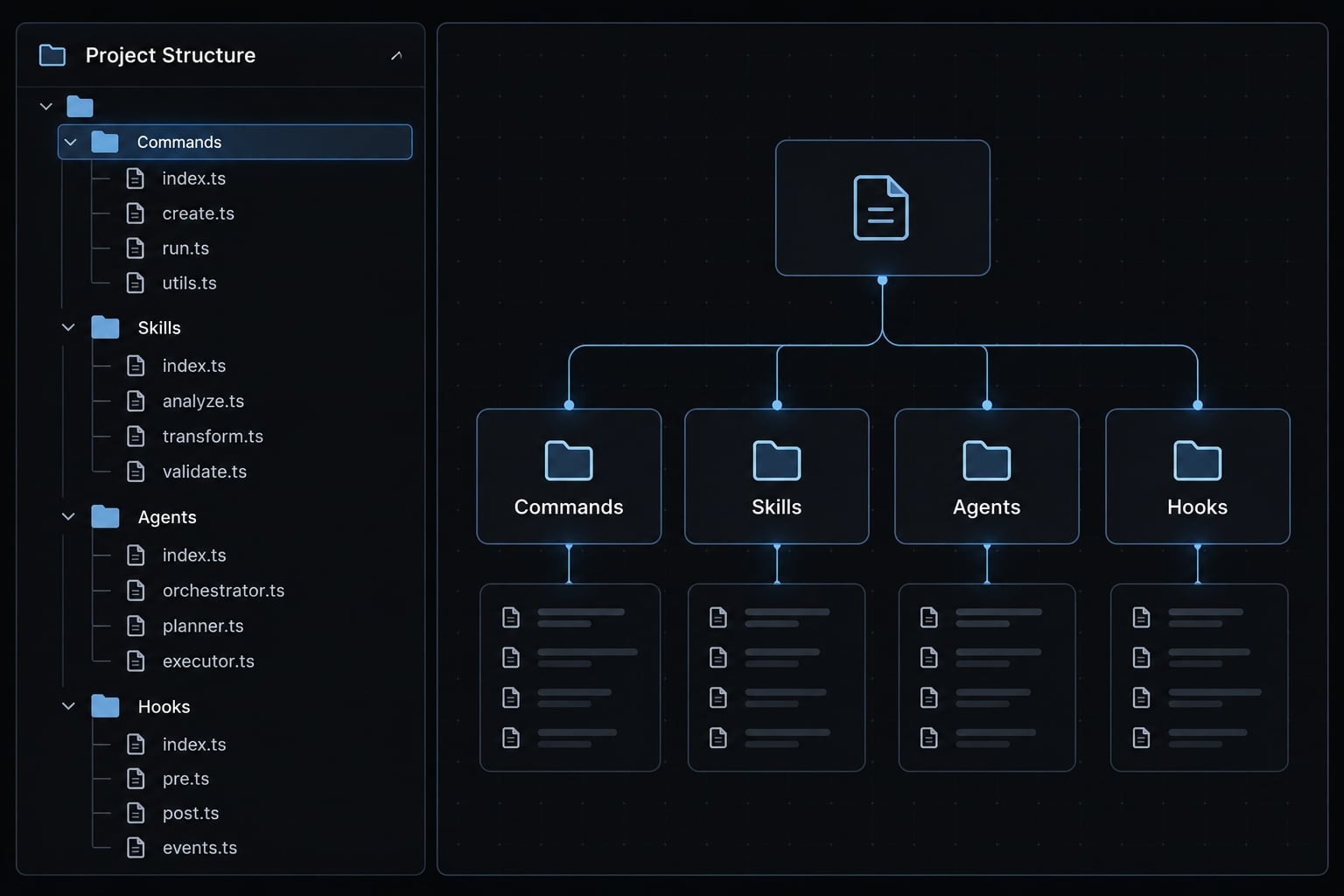
Standard Claude Code plugin directory structure
Use this conventional Claude Code directory layout to separate metadata, discoverable components, and supporting files.
my-plugin/├── .claude-plugin/│ └── plugin.json├── commands/│ └── review.md├── agents/│ └── code-reviewer.md├── skills/│ └── database-review/│ └── SKILL.md├── hooks/│ └── hooks.json├── .mcp.json├── .lsp.json├── scripts/│ └── check-review.sh└── README.md
These are available components, not a required bundle. A skills-only plugin does not need agents, hooks, scripts, or external integrations.
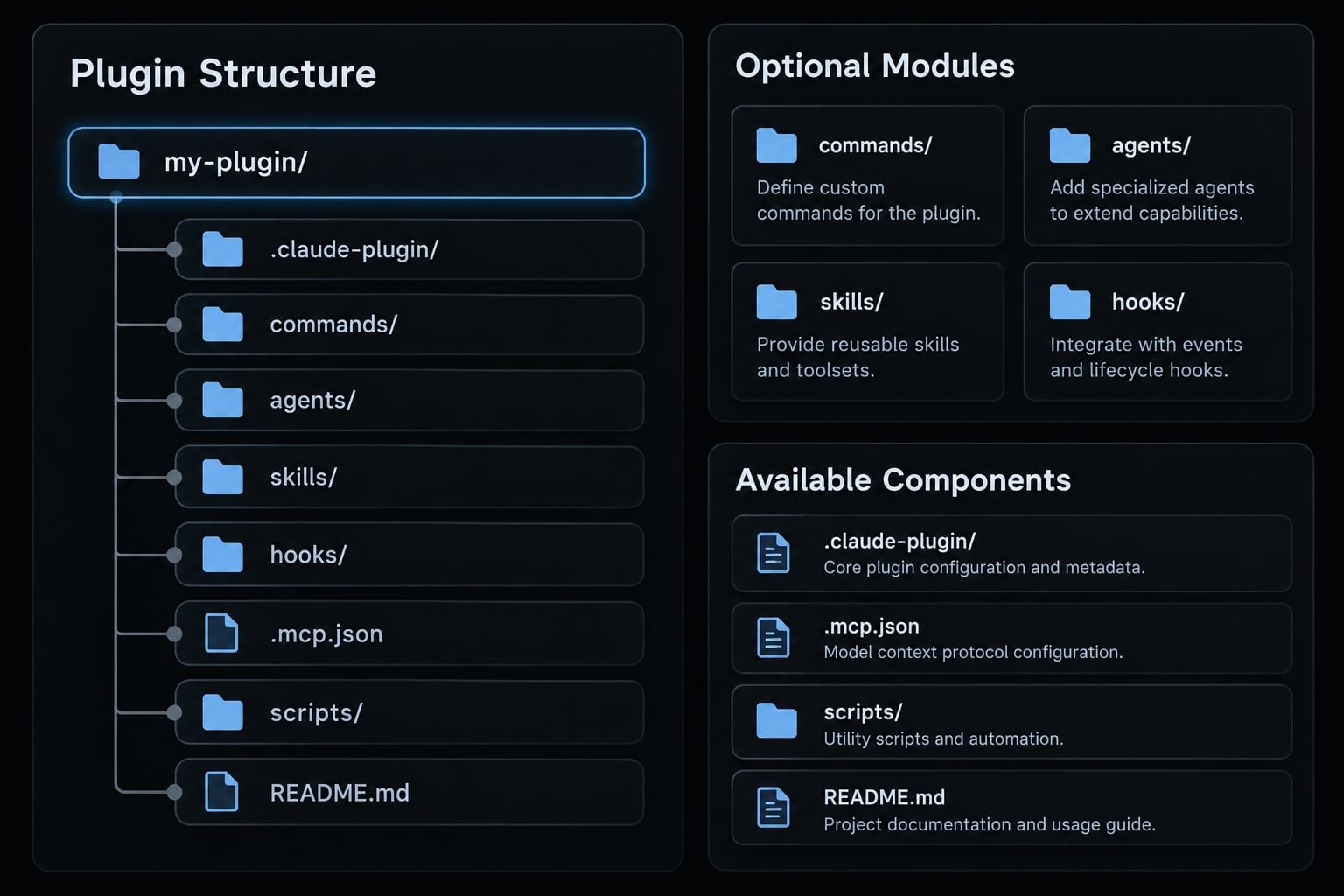
The .claude-plugin/ directory holds the plugin manifest. Root-level components contain instructions or configuration that Claude Code recognizes through conventional discovery locations.
The .mcp.json file configures external tool connections. Optional .lsp.json configuration supports Language Server Protocol integrations for language-aware tooling; implementation is outside this guide.
Supporting scripts can live in scripts/. That directory is an organizational convention, not an instruction to execute its contents. README.md explains installation, usage, and prerequisites for maintainers.
The root-level placement rule
For conventional skill discovery, use:
Correct:my-plugin/skills/database-review/SKILL.mdIncorrect for default discovery:my-plugin/.claude-plugin/skills/database-review/SKILL.md
The distinction is the plugin root, not whether a directory is hidden. Component folders belong beside .claude-plugin/, rather than inside it.
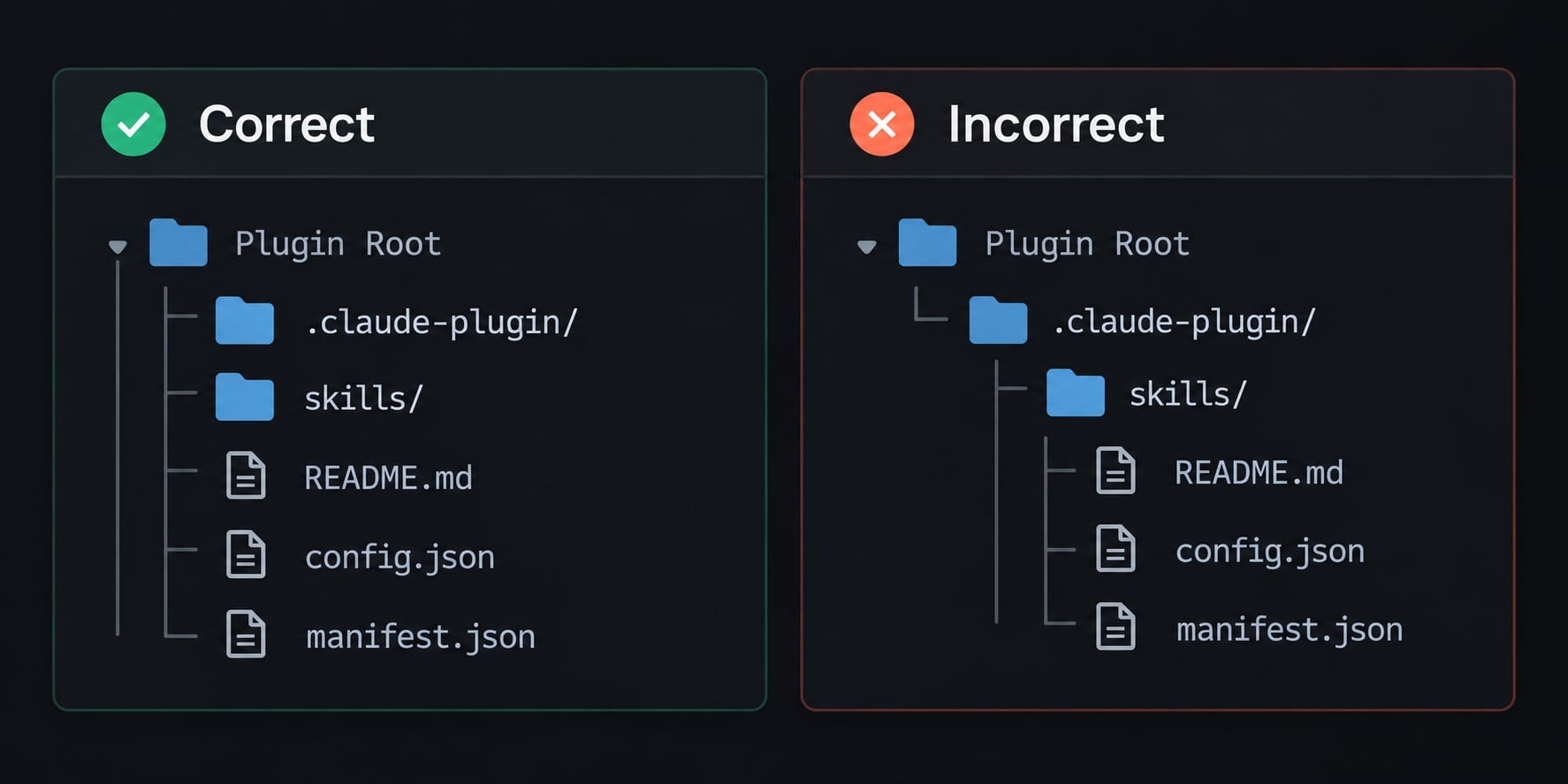
Documented custom component paths offer alternatives. They do not make arbitrary nested directories discoverable without configuration.
Use only the directories the plugin needs
- Start with a single component when it solves the workflow.
- Omit unused empty folders; they add no functionality.
- Add another component when a concrete requirement justifies its configuration and maintenance.
Required vs. optional plugin files
There is no universal checklist requiring every component. The required plugin files depend on what the package implements.
Component | Default location | Requirement status | Purpose |
|---|---|---|---|
Manifest |
| Optional; | Identity and configuration |
Commands |
| Optional | User-invoked instructions |
Agents |
| Optional; agent metadata required | Specialized delegated work |
| Optional; entry file required per skill | Reusable workflow instructions | |
| Optional; valid configuration required when used | Event-triggered actions | |
| Optional; valid server definitions when used | External tool integrations | |
Scripts |
| Optional support files | Executable helpers |
Documentation |
| Recommended, not runtime-required | Usage and maintenance guidance |
Without a plugin manifest, documented behavior uses the directory name as the plugin name and discovers components from default locations. An explicit plugin manifest is preferable when identity must remain stable across differently named checkout folders.
Plugin-level vs. component-level requirements
- Plugin-level inclusion: Whether a component must exist at all.
- Component-level validity: What must be present after choosing that component.
- Syntax versus semantics: Parseable JSON can still contain unsupported fields or incorrect configuration.
A skill needs the exact filename SKILL.md. YAML frontmatter means metadata at the beginning of a Markdown file.
Frontmatter expectations differ: Agent definitions require name and description; commands can omit frontmatter. Skills support inferred names and fallback descriptions, but explicit descriptive metadata improves clarity.
Files recommended for maintainability
Keep repository support separate from runtime requirements:
README.md: Setup, invocation, dependencies, and permissions.LICENSEandCHANGELOG.md: Reuse terms and release history.- Validation fixtures or test scripts: Repeatable maintenance checks.
What each Claude Code plugin component does
Choose components by responsibility, not by an assumption that a larger plugin is more capable.
Component | Location | Format | Typical activation |
|---|---|---|---|
Commands |
| Markdown | Explicit slash invocation |
Agents |
| Markdown with frontmatter | Delegated specialist task |
Skills |
|
| Explicit invocation or relevance |
Hooks |
| JSON configuration | Supported lifecycle event |
MCP servers |
| JSON configuration | Connection followed by tool use |
Scripts | Conventionally | Executable or interpreted files | Referenced by another component |
Commands
Files in commands/ define slash commands. For example, commands/review.md in a plugin named code-review-helper exposes:
/code-review-helper:review
Commands and skills now share the skill-based invocation model. Existing command files remain supported, while skills provide a directory for additional resources. Manual invocation does not require a commands/ directory.
Agents
Claude Code agents define specialized delegated work with their own instructions and configurable tools.
For a small software team, a code-review agent might inspect authorization changes and missing regression tests. Keep its responsibility focused; a specialist definition is more actionable than “handle every engineering task.”
Its description helps Claude determine when delegation is appropriate. Merely adding an agent file does not guarantee delegation.
Skills
Claude Code skills organize instructions and supporting resources around a reusable task:
skills/└── database-review/ └── SKILL.md
A description explains when the skill is relevant. Depending on invocation settings, a skill can be selected by Claude or invoked explicitly using its namespaced name.
Supporting reference files can sit beside SKILL.md; they do not replace that entry file.
Hooks, MCP servers and scripts
- Lifecycle hooks respond to supported events, such as tool execution or session startup.
- MCP (Model Context Protocol) connects external tools through an MCP server configuration.
- Scripts run only when a user or configured component invokes them.
A configured server still needs working dependencies, authorization, and runtime availability. Executable components can launch processes and access resources within applicable permissions and controls.
Minimum viable Claude Code plugin example
This sample structure includes one custom skill and an explicit manifest. It has no bundled executables, credentials, or external-service dependencies.
It is a minimal explicit-manifest example, not the absolute smallest supported plugin: the manifest can be omitted.
- Directory:
code-review-helper/
code-review-helper/├── .claude-plugin/│ └── plugin.json└── skills/ └── review/ └── SKILL.md
Minimal plugin.json
- File:
code-review-helper/.claude-plugin/plugin.json
{ "name": "code-review-helper"}
This plugin.json example sets the namespace used in skill invocation. An explicit name prevents a renamed checkout directory from silently changing the intended identity.
Optional metadata can include version, description, and author. When supplying author, use the documented object format rather than a plain string.
Minimal SKILL.md
- File:
code-review-helper/skills/review/SKILL.md
---name: reviewdescription: Review code changes for correctness, security risks, and missing tests.---Review the code changes identified by the user.1. Establish the target files or diff. Ask if the scope is unclear.2. Inspect available code and relevant tests using permitted tools.3. Prioritize correctness, authorization, input handling, and regressions.4. Report actionable findings with file references and explanations.5. Suggest focused tests. Do not modify files unless requested.Separate confirmed defects from questions or assumptions.If nothing actionable is found, say so and identify untested areas.
The description helps relevance matching; it does not guarantee automatic activation. The skill depends on repository access, session context, and available tools.
The documented local-development loading method is:
claude --plugin-dir ./code-review-helper
Run it from the parent directory, then invoke:
/code-review-helper:review
Identify the diff or files to review. Confirm that the skill appears and its instructions guide the response. These commands are documentation-based instructions, not a recorded test result.
When to expand the structure
- Add skills or commands for distinct review workflows.
- Add agents for focused delegated analysis.
- Add hooks for specific event-triggered checks.
- Add MCP integration when review needs external tools.
How component discovery and loading work
Automatic component discovery is only one part of plugin loading. Use four troubleshooting checks without treating them as an internal execution sequence:
- Structure: Are component files in recognized locations?
- Configuration: Do metadata and configuration match supported formats?
- Loading and enablement: Was the intended plugin loaded locally or installed and enabled?
- Session state: Is the current session using the files you changed?
Installation scope means the context where a plugin is installed or enabled, such as user, project, or local settings. A package available in one context may not be active in another.
Check | Validation question |
|---|---|
Structure | Is |
Configuration | Are identifiers and component definitions valid? |
Activation | Is this copy loaded in this context? |
Session | Does a fresh launch show the change? |
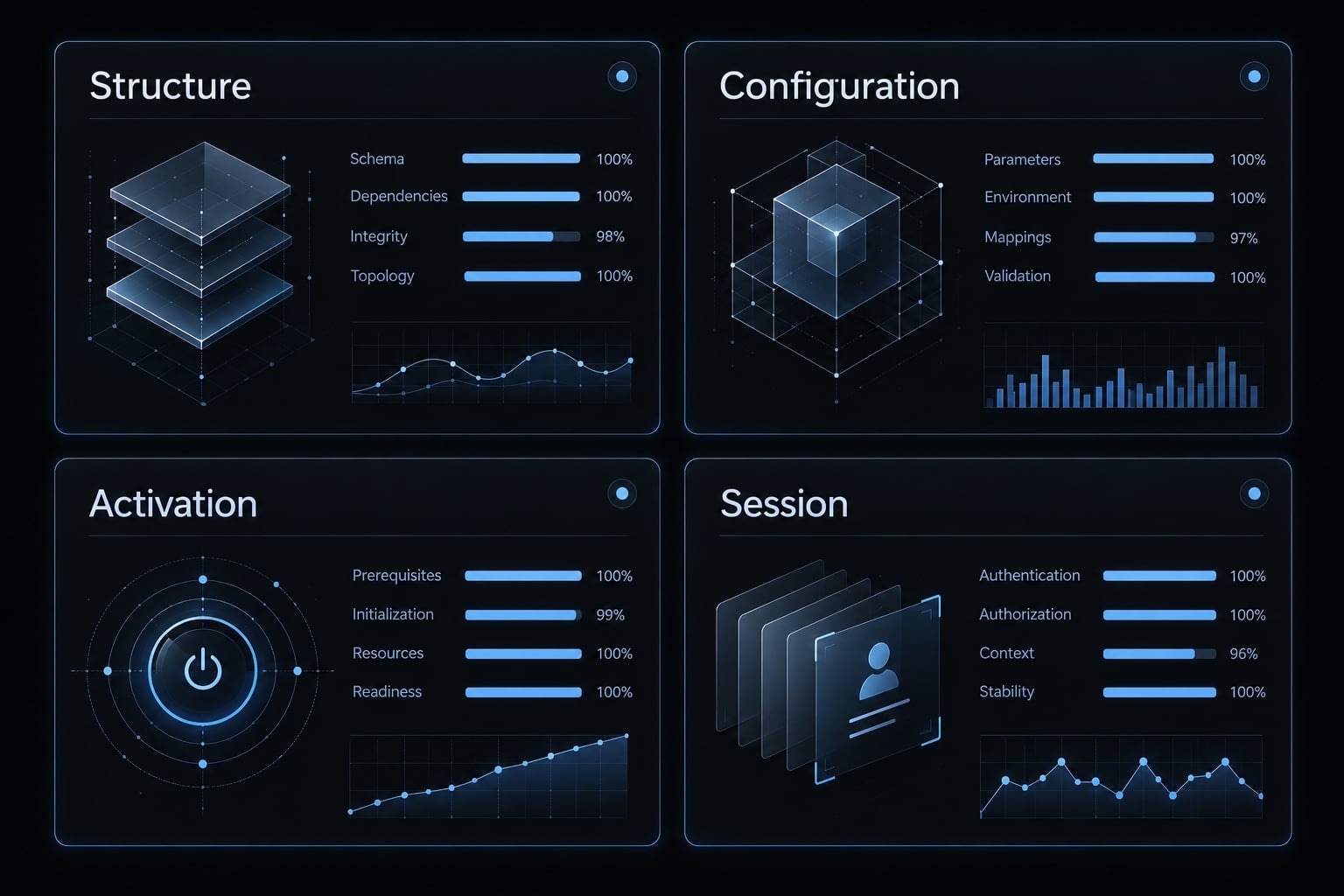
Conventional auto-discovery
Default locations include:
commands/*.mdandagents/*.md.skills/<name>/SKILL.md.hooks/hooks.json,.mcp.json, and.lsp.json.
Discovery does not guarantee execution, as a discovered hook will fail if its interpreter is missing.
Custom paths in plugin.json
Custom component paths support repositories whose organization differs from the defaults. Supported custom paths supplement conventional locations rather than replacing them.
Use manifest-driven configuration only for documented fields and path formats. Do not assume every component accepts identical path settings, or point at the same configuration twice without checking loading behavior.
Portable paths, naming and security rules
Portable plugin paths locate bundled files; they do not supply dependencies or permissions. A developer-specific home-directory path will fail when a teammate installs the package elsewhere.
For supported hook commands, ${CLAUDE_PLUGIN_ROOT} identifies the plugin’s installation root.
Prefer: Command-hook JSON fragment, not complete hook configuration
{ "type": "command", "command": "bash \"${CLAUDE_PLUGIN_ROOT}/scripts/check-review.sh\""}
Avoid: Machine-specific command-hook fragment
{ "type": "command", "command": "bash /Users/developer/private-plugin/scripts/check-review.sh"}
The first example assumes Bash is installed and available. Quoting protects a path containing spaces. Calling an interpreter requires readable script content; directly executing a script also requires appropriate executable permissions and an interpreter declaration.
Use variable expansion only in documented contexts, including supported hook and MCP configuration fields. Arbitrary JSON files do not automatically expand this variable.
Naming conventions
Item | Do | Don’t |
|---|---|---|
Plugin identifier | Use documented kebab-case naming, such as | Use spaces as an identifier |
Component paths | Prefer readable lowercase, hyphenated names | Treat every stylistic preference as mandatory |
Reserved filenames | Preserve | Rename it |
Published names | Keep namespaces stable | Assume renaming is transparent to users |
Naming stability is a compatibility recommendation, not a claim that published identifiers are technically immutable.
Security review for executable components
Plugin security requires reviewing behavior, not just layout:
- Inspect commands and bundled scripts.
- Keep secrets outside the package.
- Document environment variables and dependencies.
- Inspect MCP endpoints and server commands.
- Apply appropriate access controls.
- Describe execution and permissions in
README.md.
Common structure mistakes and validation checklist
Start plugin troubleshooting with the observed symptom. A component not loading may reflect placement, invalid YAML frontmatter, disabled configuration, or session state.
These are plausible causes, not confirmed diagnoses.
Symptom | Likely cause | Check | Recommended fix |
|---|---|---|---|
Missing command | Wrong location or namespace | Inspect | Correct placement or invocation |
Unavailable skill | Missing entry file or invocation restriction | Inspect | Restore entry file or adjust intended settings |
Undiscovered agent | Incorrect location or required metadata missing | Inspect | Correct path and agent frontmatter |
Hook fails after installation | Broken path, interpreter, or permissions | Inspect command and execution error | Fix the specific runtime dependency |
MCP integration fails | Invalid config, unavailable server, or authorization failure | Inspect connection status and prerequisites | Correct configuration or authentication |
Changes do not appear | Different plugin copy or stale session | Compare loaded path and fresh launch | Load the intended directory again |
For hook failures, a plugin-root reference resolves only the path problem. It cannot install Bash, grant permissions, or repair a missing dependency.
For this scaffold, end the session and launch again with the documented --plugin-dir method when checking edits. Do not assume an unspecified reload command exists.
Treat plugin validation as a combination of file checks and behavioral testing:
- Validate the manifest when included or required by distribution tooling.
- Check current identifier rules.
- Confirm default locations or supported custom paths.
- Preserve exact
SKILL.mdfilenames. - Check component-specific frontmatter.
- Validate hook and MCP configuration beyond JSON parsing.
- Use portable references in supported execution contexts.
- Bundle permitted dependencies or document prerequisites.
- Check interpreters and script permissions.
- Remove secrets and machine-specific paths.
- Test the intended loading method and scope.
- Verify behavior in a freshly loaded session.
- Document setup and invocation in
README.md.
Passing this checklist reduces avoidable errors; it does not guarantee correct model behavior or safe executable code.
Frequently asked questions
What is the standard Claude Code plugin structure?
A Claude Code plugin is a directory containing a manifest and optional component folders. The standard layout requires the plugin.json manifest to be located in a .claude-plugin/ subdirectory, while all component directories—such as commands/, agents/, skills/, and hooks/—must reside at the plugin root level to be auto-discovered.
Do I need to create every component folder for my plugin?
No. You only need to create the directories for the components your plugin actually implements. For example, if your plugin only provides a custom skill, you only need a skills/ directory and the plugin.json manifest. Claude Code will ignore any missing directories.
What is the difference between Commands and Skills?
Commands are invoked explicitly. Skills can be invoked by their namespaced name or selected by Claude when the description matches — selection depends on invocation settings and context, and a matching description does not guarantee activation.
Are there strict naming conventions for plugin files?
Only some. SKILL.md must keep that exact filename, and plugin identifiers follow documented kebab-case rules. Other component paths are a readability preference, not a requirement.
Can I share my plugin with others?
Yes, you can share plugins by publishing them to a marketplace. A marketplace is a Git repository containing a marketplace.json file that lists your plugins. Once published, other users can add your marketplace repository to their settings and install your plugins using the /plugin command interface.
Read more:
- Claude Code plugin marketplace: A guide to discover and setup
- How to create a Claude Code plugin: Step-by-step guide
- Claude Code toolkit: Scale your AI development workflow easily
Conclusion
A reliable Claude Code plugin structure simply requires separating manifest configuration from conventional component directories and including only what your workflow needs. While an explicit plugin.json establishes a clear identity, it remains optional as long as default discovery rules are met.
When troubleshooting, verify loading context, permissions, and dependencies before restructuring files, and rely on standard references like ${CLAUDE_PLUGIN_ROOT} for bundled assets. Start with a minimal scaffold and test it in your environment before adopting version-sensitive features.