Claude Code vs Bolt.new: Which AI coding tool fits your workflow?
Claude Code vs Bolt.new: Which AI coding tool fits your workflow?
The Claude Code vs Bolt.new decision is less about which AI coding tool is smarter and more about where your work happens. Choosing poorly can trade a fast first preview for unnecessary setup, difficult maintenance, or an awkward handoff.
Short answer: Choose Bolt.new for low-setup, browser-centered web application creation and rapid prototyping. Choose Claude Code for work inside an existing repository and engineering toolchain. Use both when browser-based validation is useful first, and repository-based development later justifies the handoff effort.
Project stage, technical ability, operating cost, and release controls determine the better fit. This comparison separates product capabilities from workflow recommendations, explains the hidden work behind deployment, and provides a practical evaluation framework rather than an unsupported overall winner.
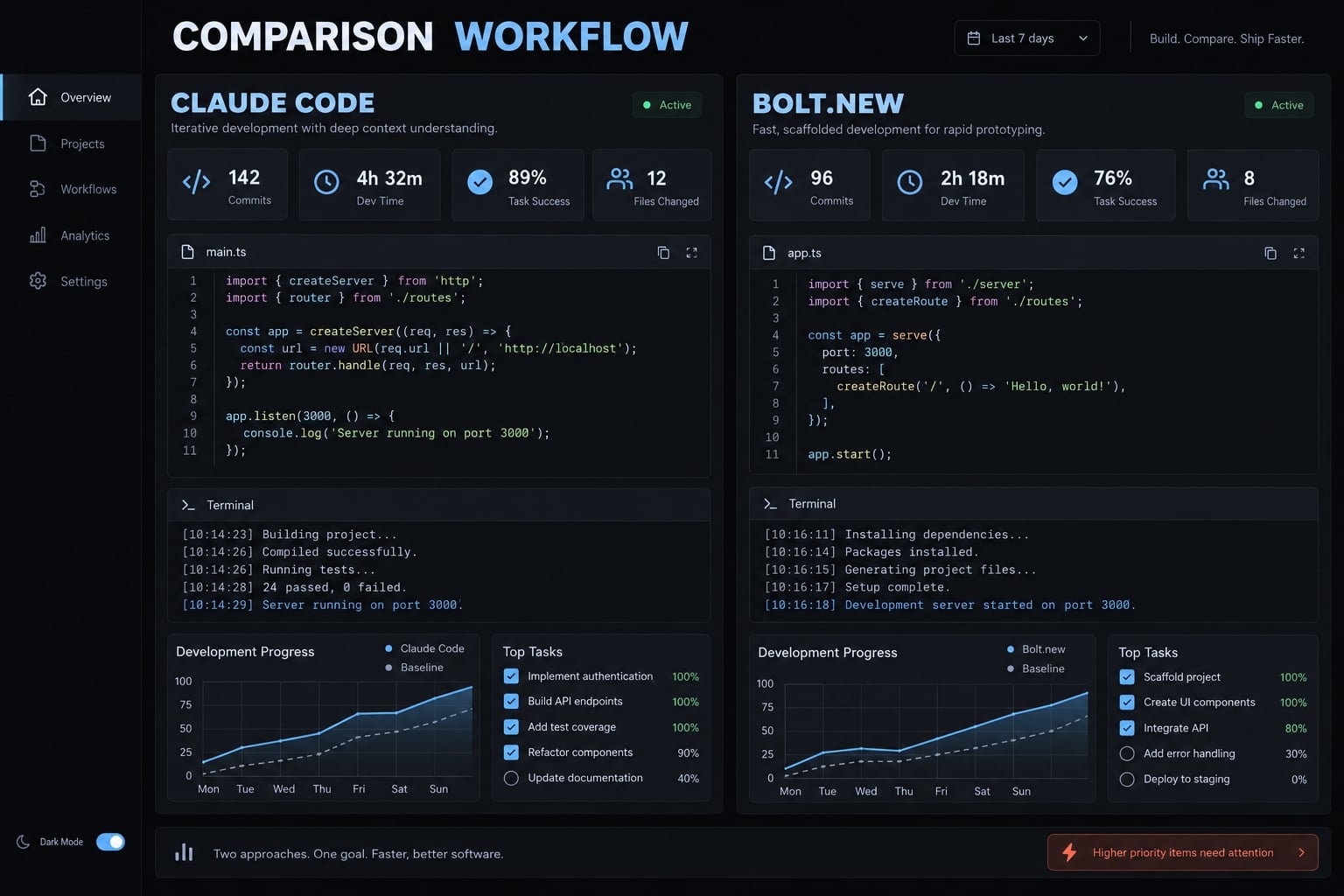
Claude Code vs Bolt.new at a Glance
Claude Code centers development on a repository and its available tools: reading files, making changes, and running project commands under configured permissions. Bolt.new centers development on a browser experience combining prompting, editing, execution, preview, and supported publishing. The practical distinction is lower-friction creation versus closer integration with an established development process.
The fundamental difference
Anthropic’s Claude Code overview describes an AI coding agent, not simply general Claude chat or an unrelated Claude-powered extension. Its terminal-centered workflow also has editor and other supported interfaces; it should not be understood as exclusively terminal-only.
Bolt’s product documentation describes a browser-based AI builder. StackBlitz’s WebContainers documentation explains its in-browser runtime for supported development workloads. That runtime is distinct from remote AI inference, databases, and production hosting.
Local project access does not mean Claude processing stays on your device. Conversely, browser-centered development does not mean your source code is inherently inaccessible or temporary.
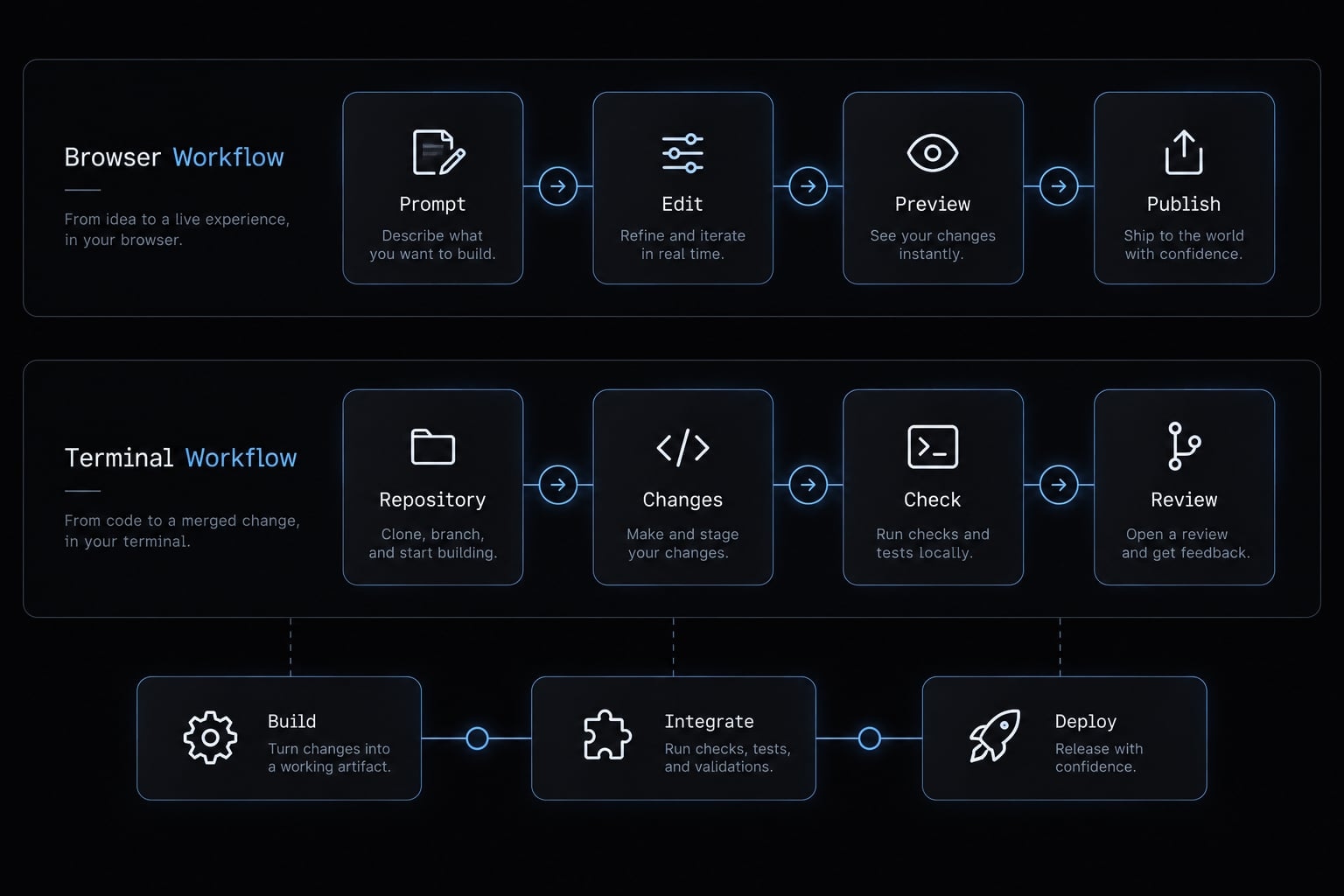
Quick verdict
Requirement | Recommended tool or combination | Reason |
|---|---|---|
New web prototype | Bolt.new | Integrated preview reduces initial setup. |
Existing repository | Claude Code | Fits established commands and conventions. |
Non-technical concept validation | Bolt.new | Visible interaction supports feedback. |
Complex maintenance | Claude Code | Works alongside repository tooling. |
Supported, straightforward publishing | Bolt.new | Integrated deployment can simplify delivery. |
Custom release requirements | Claude Code with configured tools | Accommodates existing delivery controls. |
Validated prototype needing hardening | Either, or both | Choose according to operational gaps. |
These recommendations describe workflow fit, not absolute capability boundaries. Bolt’s repository integrations create overlap, while Claude Code still requires an execution environment and deliberate release configuration.
Claude Code vs Bolt.new feature comparison
Side-by-Side comparison table
“Configured” means the user must supply tools, credentials, or project settings.
Criterion | Claude Code | Bolt.new | Practical condition |
|---|---|---|---|
Primary interface | Terminal and supported integrations | Native browser workspace | Match operator preferences. |
Starting point | New or existing repository | New app or supported import | Assess import compatibility. |
File access | Environment files, permission-dependent | Project workspace files | Access scope differs. |
Runtime | Configured development environment | Supported browser runtime | Check backend requirements. |
Frameworks | Determined by available tooling | Supported web stacks | Neither supports everything automatically. |
Visual preview | Configured app tooling | Native integrated preview | Bolt reduces preview setup. |
Git integration | Uses available Git tools | GitHub integration | Check synchronization behavior. |
Source portability | Repository-based working files | Export/integration routes | Services need separate assessment. |
Commands | Permission-controlled execution | Supported workspace commands | Runtime compatibility matters. |
Automated testing | Runs configured tests | Runs compatible project tests | Tests must exist and be meaningful. |
Debugging | Files, logs, commands | Preview, logs, project changes | Reproduce the actual failure. |
Database access | Configured tools/connections | Supported service integrations | Credentials and permissions matter. |
Deployment | Configured release tooling | Integrated publishing options | Verify destination requirements. |
Collaboration | Repository and plan controls | Project and plan controls | Sharing is not approval governance. |
Infrastructure | Available authorized tooling | Supported platform integrations | Assess required customization. |
Setup and ease of use
Bolt combines generation and preview, reducing the environment work before a first visible result. Connecting services and configuring access can still require technical decisions.
Claude Code requires a usable development environment and appropriate permissions. For an experienced developer, an existing setup can be an advantage rather than overhead.
Scenario recommendation: Favor Bolt for a new stakeholder demo; favor Claude Code when the repository already builds and has established development commands.
Code ownership and development control
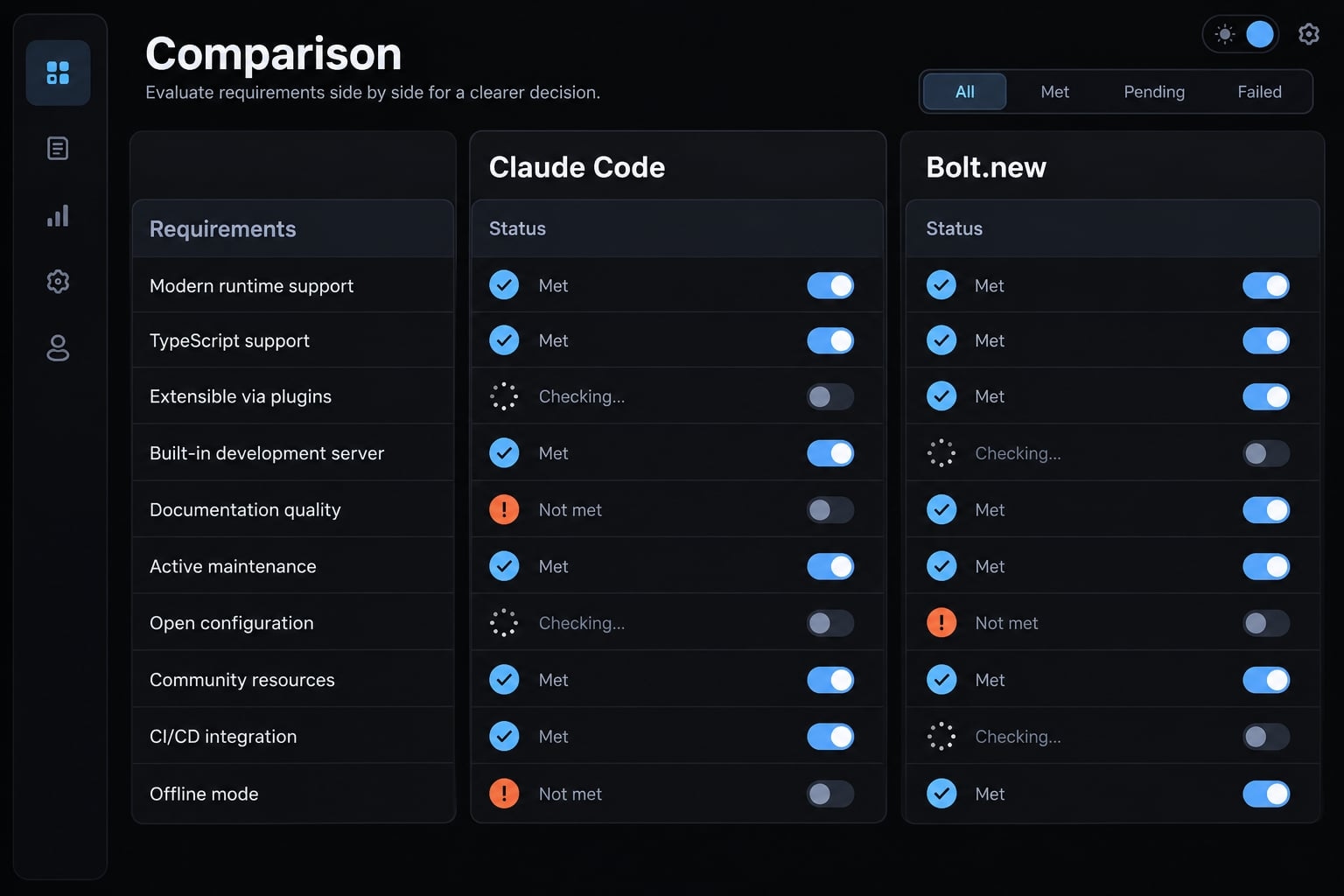
Legal ownership, source access, portability, and codebase control are separate questions. Current product terms determine contractual rights; exporting files does not establish ownership.
Claude Code’s access to the local filesystem-project files available in its development environment-supports existing scripts and dependencies. Access does not guarantee complete architecture understanding.
Bolt’s browser sandbox constrains what runs inside that environment, not necessarily every service the application can use. Source export may exclude database contents, authentication settings, secrets, and hosting configuration.
For either tool, inspect:
- Missing acceptance tests.
- Unclear application structure.
- Unmanaged dependencies.
- Inconsistent environment configuration.
- Broad changes without review.
Git, testing and debugging
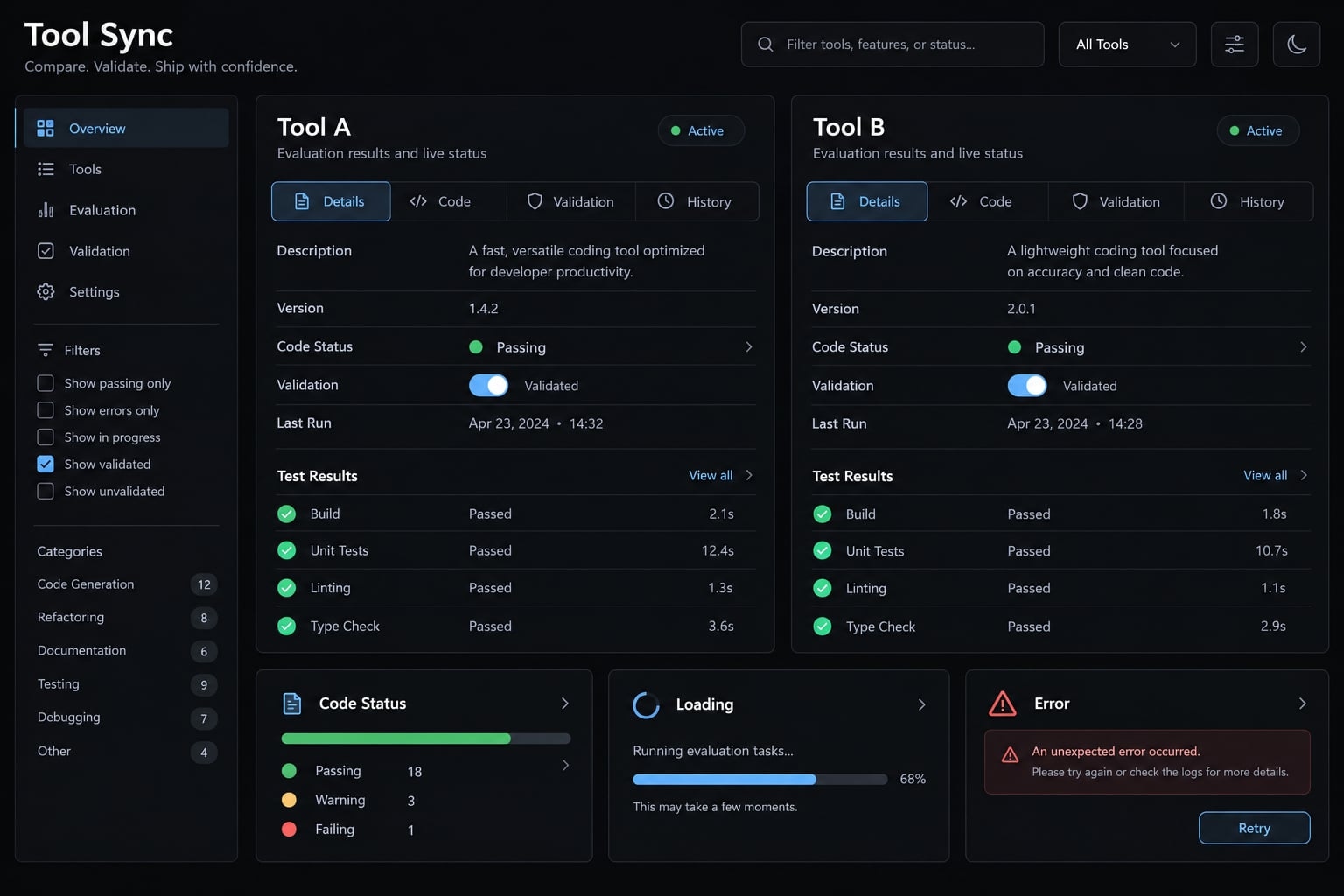
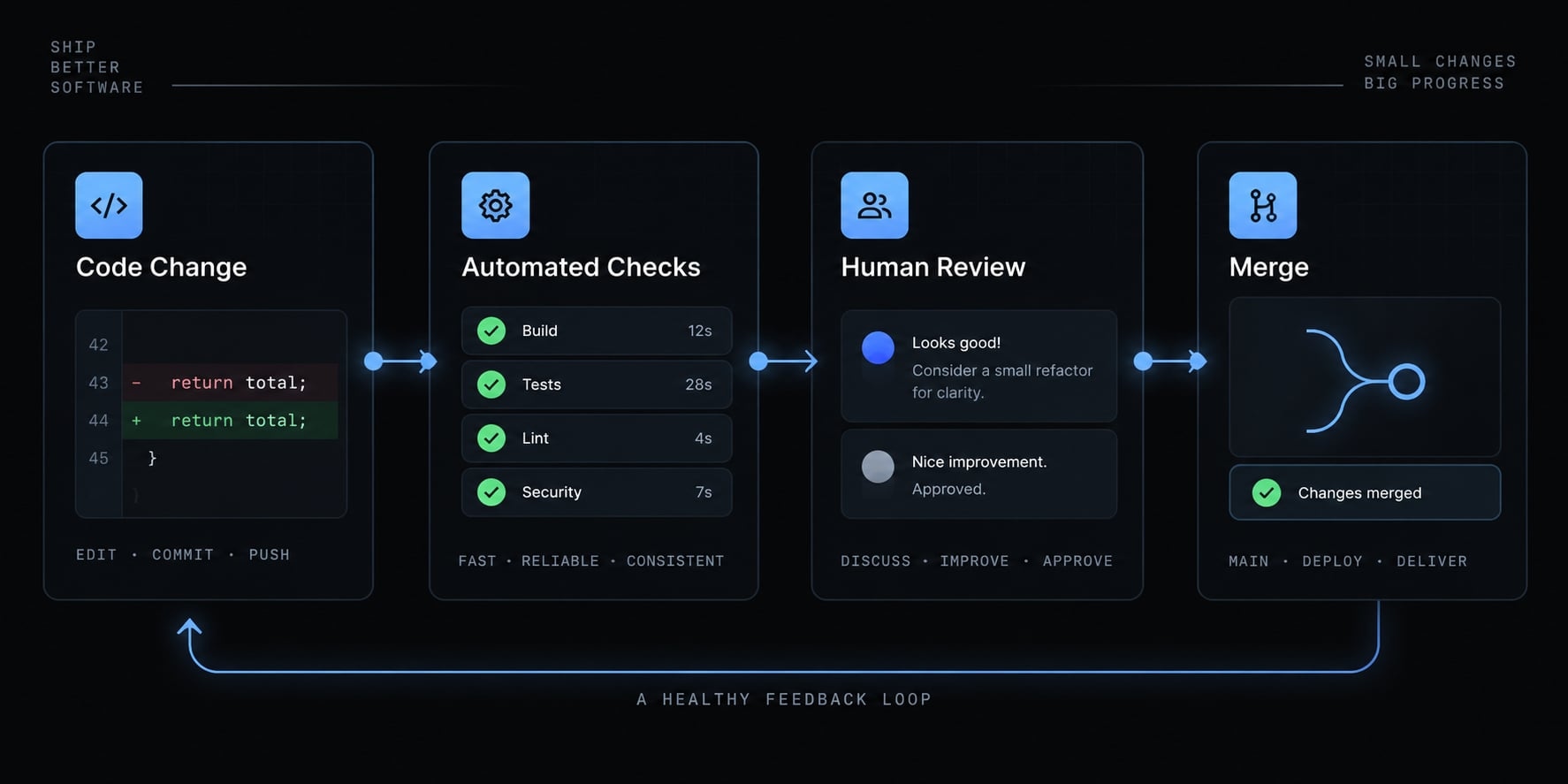
Git provides version history and a way to review or reverse changes. A sound delivery sequence is:
Change → Inspect diff → Run checks → Review → Merge.
A diff shows the proposed code changes. Both workflows should include relevant tests, build checks, and linters that catch common code problems. Neither test presence nor high coverage proves production readiness.
For evaluation, add one change request and one reproducible bug. For example, an invalid account edit must leave saved data unchanged and display an error. Record retries, manual fixes, elapsed time, and platform usage separately.
Deployment and infrastructure
A stakeholder-facing SaaS demo may benefit from Bolt’s integrated publishing. An application entering an organization’s existing staging environment may favor Claude Code alongside configured release tools.
A CI/CD pipeline automates checks and release steps. Claude Code can assist with its configuration; it does not inherently provide your hosting or release governance. Custom infrastructure is not automatically safer than managed deployment.
Collaboration and team governance
Assess permissions, review gates, shared instructions, auditability, reusable configurations, and secret handling separately. Project sharing is not equivalent to enforced approval. Neither product automatically makes generated software production-ready, and tool-assisted security checks do not establish regulatory compliance.
Pricing and total cost of ownership
There is no defensible “cheapest” verdict without workload and current billing details. Claude Code pricing and Bolt.new pricing involve different access arrangements and usage rules.
Anthropic’s Claude Code billing support, Claude plan materials, and API pricing documentation are the relevant references for Claude. Bolt’s Pricing and token-usage documentation govern its offer.
Headline price vs workflow cost
Cost factor | Claude Code | Bolt.new |
|---|---|---|
Access model and entry price | Eligible subscription or supported usage-billing route; verify price. | Plan-based access; verify current entry price. |
Included usage and limits | Depends on plan or billing route. | Depends on plan and usage allowance. |
Additional usage | Check extra-usage settings and separate billing. | Check additional allocation and limit treatment. |
Hosting and services | Budget separately where applicable. | Check bundled versus separately billed services. |
Development and review | Setup, task supervision, verification. | Iteration, debugging, verification. |
Migration and integration | Existing-toolchain integration effort. | Export and service-reconfiguration effort. |
Team requirements | Seats, administration, release tooling. | Collaboration tier and access requirements. |
Before purchasing, confirm currency, monthly versus annual billing, per-seat versus account charges, allowance resets, and excluded services. Pricing and plan features can change.
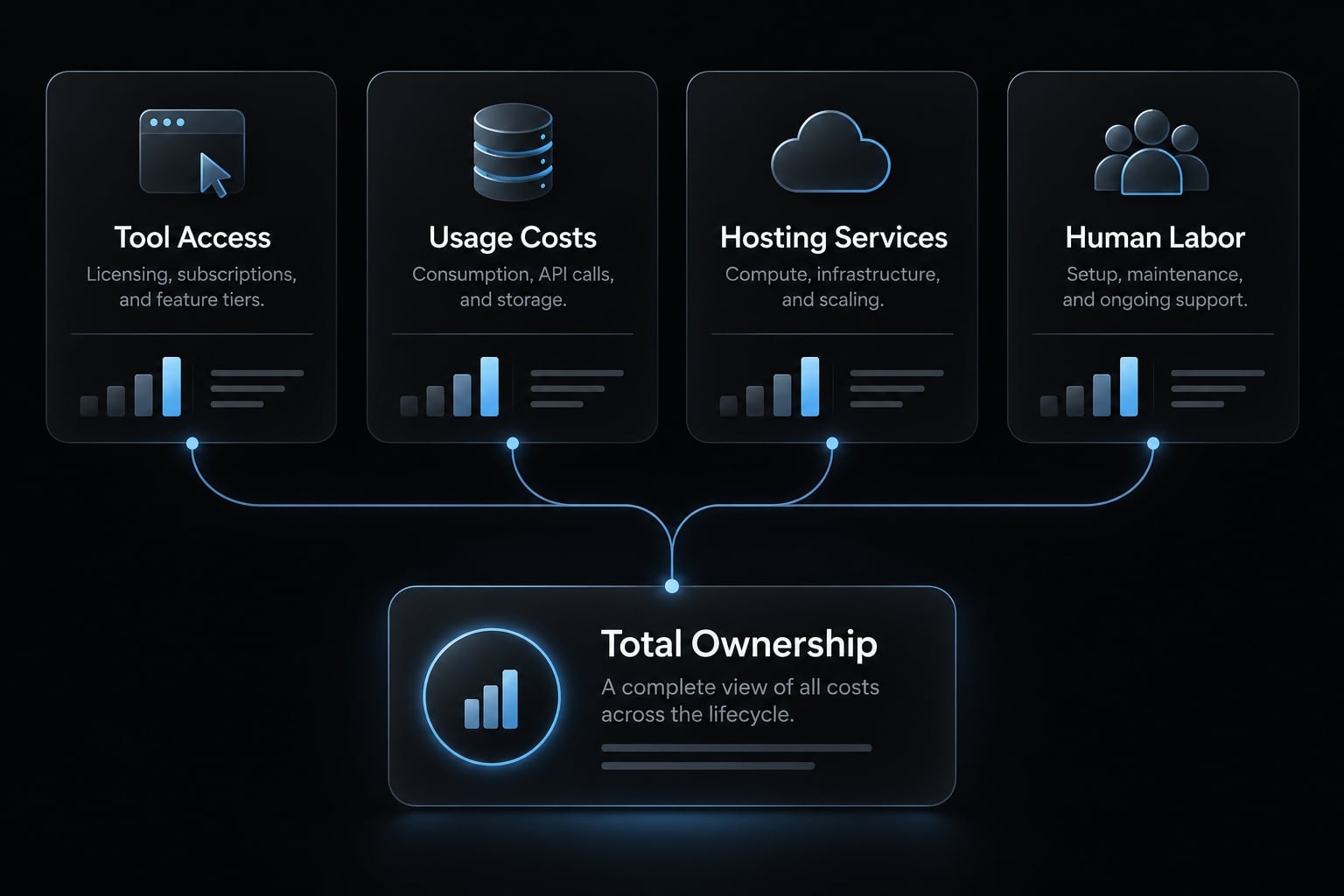
TCO = tool access + separately billed usage + hosting/services + setup, implementation, review, rework, and migration labor.
This total cost of ownership formula avoids counting included usage twice. Token usage across platforms is not directly equivalent: context processing, model selection, and metering rules can differ.
Cost by user profile
- Occasional prototype builder: Setup effort and validation speed may matter more than the subscription difference. Include the cost of obtaining a technical review.
- Solo developer: Recurring changes, debugging cycles, usage limits, and deployment requirements drive development cost. Measure an ordinary maintenance task, not just initial generation.
- Small production team: Review time, access controls, maintenance, and recovery obligations can outweigh tool fees. Cheap generation is not necessarily cheap operation.
Which tool should you choose?
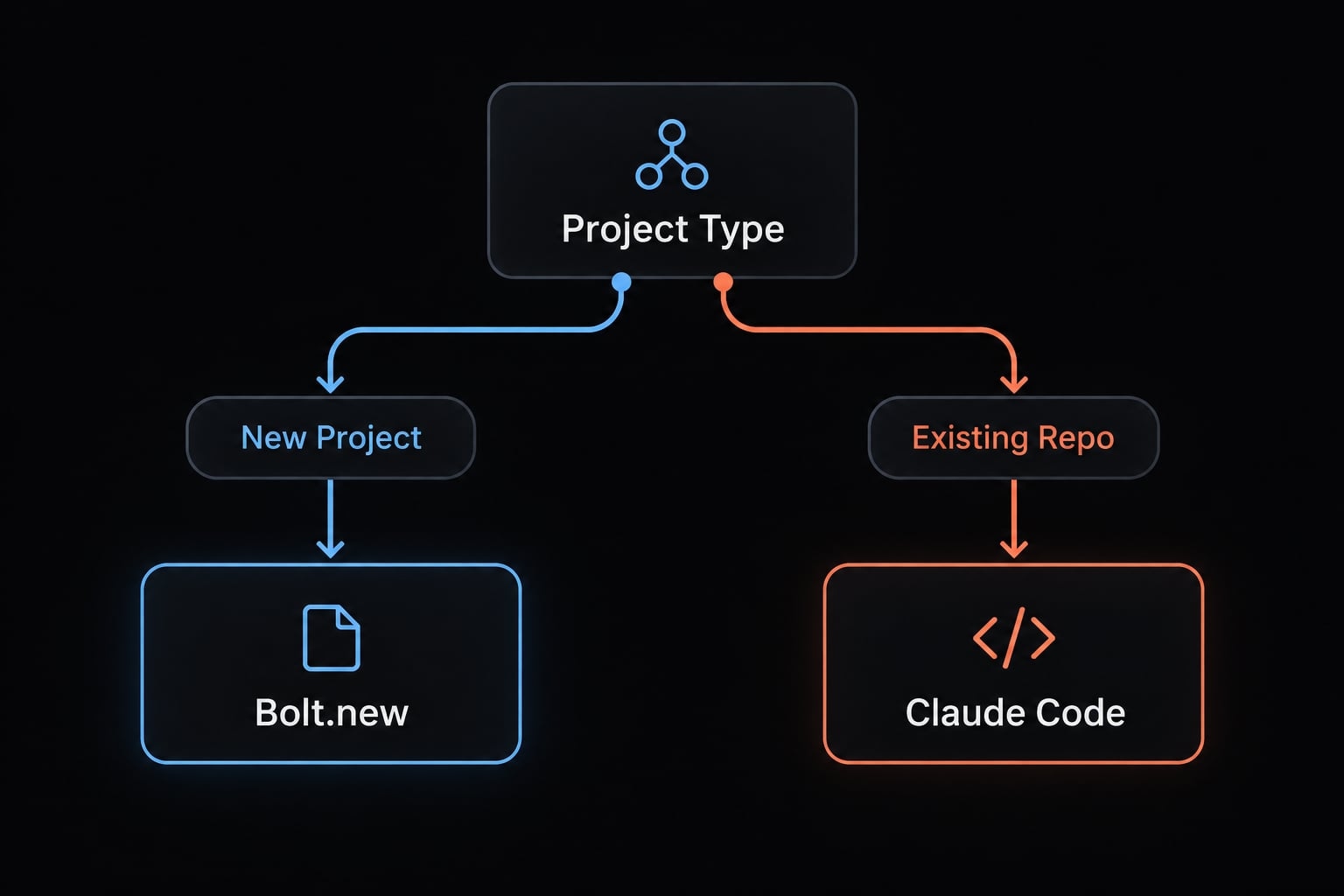
Choose for the next meaningful delivery milestone, not an imagined final architecture. An investor demo, an internal application, and a maintained customer product impose different requirements.
Decision matrix by project type
These are editorial workflow judgments, not measured product scores. “Conditional” means suitability depends on stack, operator skill, and required controls.
Project type | Bolt.new | Claude Code |
|---|---|---|
Non-technical founder’s investor demo | Strong fit | Conditional fit |
Designer’s interactive concept | Strong fit | Conditional fit |
Feature in existing repository | Conditional fit | Strong fit |
Mature-application refactoring | Conditional fit | Strong fit |
SaaS idea validation | Strong fit | Strong fit for developers |
Validated MVP hardening | Conditional fit | Strong fit with review |
Custom infrastructure | Conditional fit | Strong fit with tooling |
Simple web MVP | Strong fit | Strong fit for developers |
Internal automation/non-web scripts | Limited browser-workflow fit | Strong fit with runtime |
Security-sensitive/regulated application | Organizational assessment required | Organizational assessment required |
An MVP, or minimum viable product, tests a useful proposition with limited scope. It still needs appropriate safeguards if real users or sensitive data are involved.
Choose Bolt.new if
- You are starting a new web application.
- You need a visible result quickly.
- You prefer avoiding local development setup.
- You want validation before committing engineering resources.
- You need to share interactive work with stakeholders.
- Supported preview and deployment options meet your needs.
Bolt.new for beginners is compelling because interaction is immediate. That does not make a non-technical founder independently equipped to maintain authentication, permissions, or incident recovery.
Complex debugging, growing usage, backend constraints, and review requirements may change the recommendation.
Choose Claude Code If
- You already have a repository and toolchain.
- You need controlled changes across multiple files.
- You rely on project commands and tests.
- Git and code review govern delivery.
- Infrastructure requirements extend beyond supported builder workflows.
- Long-term maintenance is the main workload.
Claude Code for production development makes sense when it participates in an engineering process. Setup knowledge, permissions, task boundaries, usage monitoring, and human review remain necessary.
For security-sensitive projects, assess data flows, retention, contracts, permissions, and deployment controls before evaluating convenience. Either tool may be unsuitable under a particular organizational policy.
The best AI coding tool for MVP validation may therefore differ from the best fit for maintaining that same application.
Can you use Bolt.new and Claude Code together?
Yes-a Bolt.new to Claude Code workflow can combine browser-based validation with repository-centered engineering. It is useful when the next stage requires controls your current workflow does not conveniently provide.
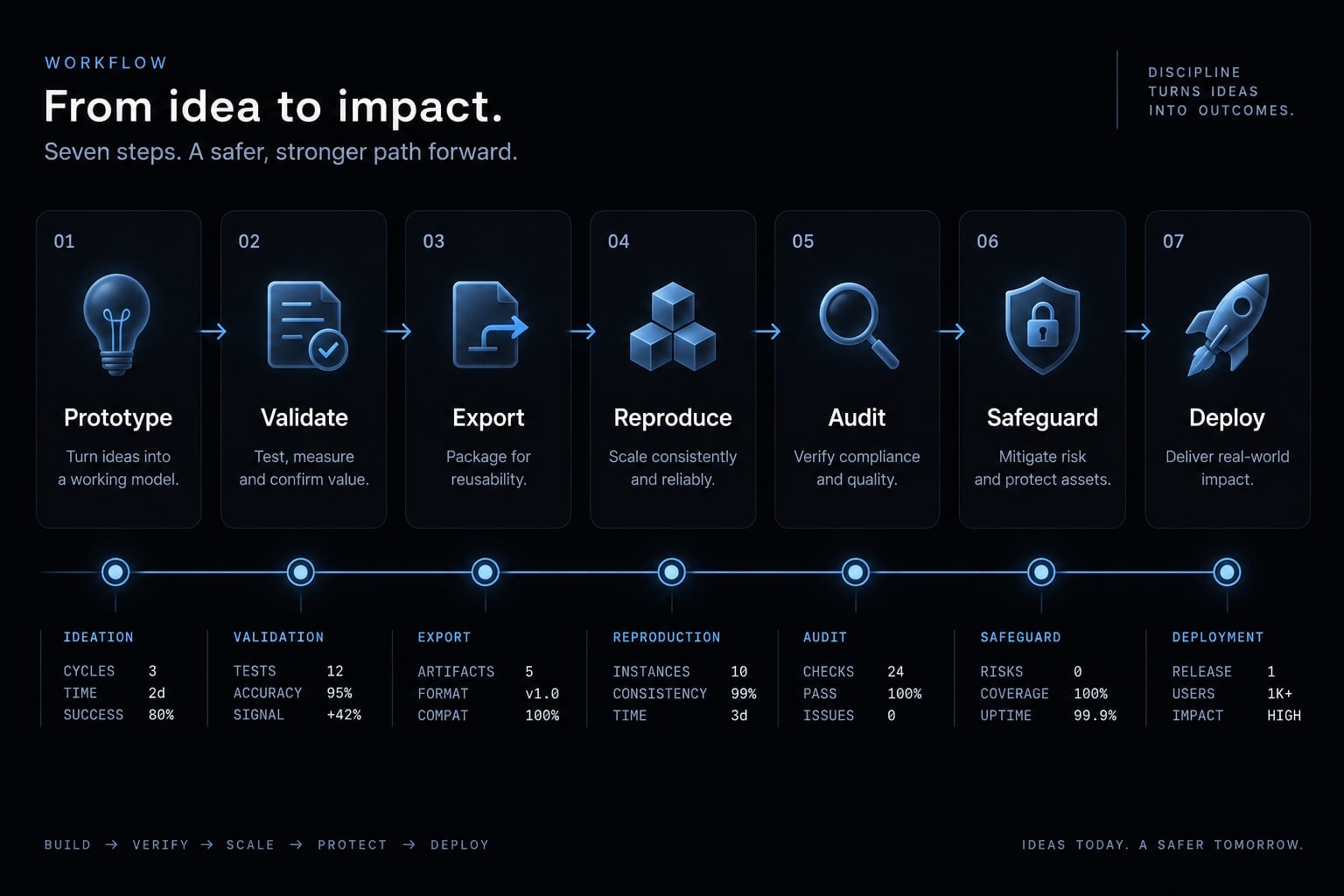
A practical prototype-to-production workflow
- Build the initial prototype: Establish the primary user journey with synthetic data and explicit acceptance criteria. Keep optional features out of the first scope.
- Validate with users: Confirm the workflow solves a useful problem before increasing engineering investment. Record missing behavior separately from cosmetic preferences.
- Export or synchronize source: Verify the available Git/GitHub route. Create a recoverable repository baseline and version history; export does not establish legal ownership.
- Reproduce the environment: Review dependencies, configuration, architecture, and connected services. Confirm another developer can build and run the application.
- Audit and refactor: Use Claude Code to assist investigation and propose bounded changes. Developers approve changes; AI review is not a security audit.
- Add safeguards: Establish tests, linting, type checks, dependency/security checks, and code review. Include negative cases such as unauthorized account access.
- Establish release controls: Configure CI/CD, staging, monitoring, approval, and rollback. Assign responsibility for failures after deployment.
Moving source is not moving the complete application. Database contents, authentication configuration, storage, secrets, domains, and hosting settings may require separate migration work.
Production hardening means making the application reliable, secure, and maintainable. A successful GitHub export is only one part of that work.
Signs it is time to move beyond a browser-only workflow
- Unsupported backend or infrastructure requirements.
- Increasing cross-file complexity.
- Repeated regressions after changes.
- Formal review requirements.
- Mandatory automated checks.
- Uncontrolled iteration costs.
- New security or operational obligations.
These are reasons to reassess, not proof Bolt.new must be abandoned. Keeping supported hosting while changing the development workflow may be sufficient.
Standardizing Claude Code workflows with AgentKit
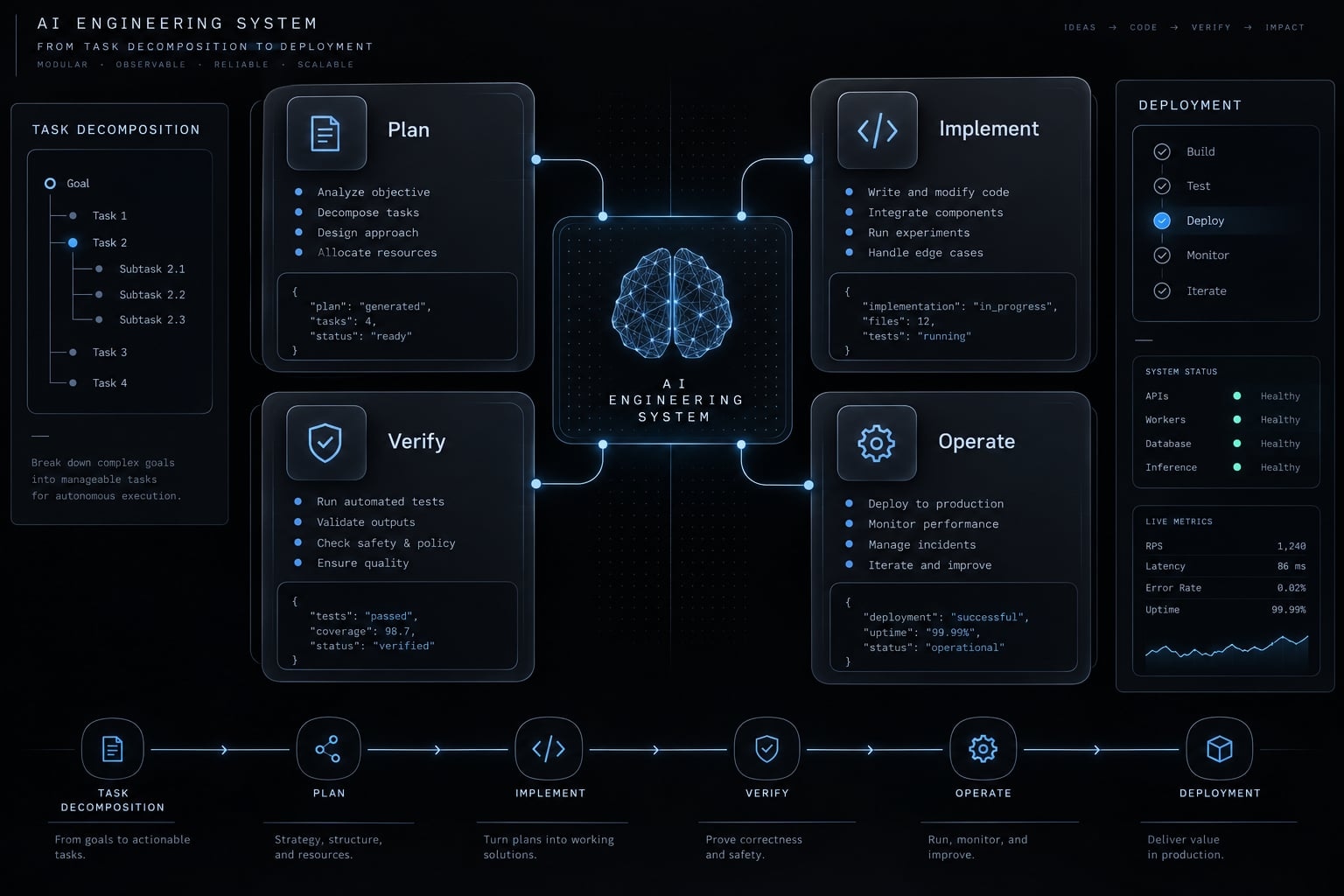
When a prototype moves into a maintained repository, managing context, subagents, and quality gates by hand can become inconsistent. AgentKit provides AI Engineering System scaffolding for coding agents such as Claude Code, Codex, Cursor, and DeepSeek Harness:
- Plan and implement: structured planning separates scope decisions from code edits and helps keep commits focused.
- Verify and improve: testing, security scanning, and code review subagents structure verification instead of assuming generated code is correct.
- Operate: pre-tool hooks prompt for approval before sensitive operations such as destructive database changes.
- Reuse and coordinate: shared skills and project rules keep conventions consistent across developer workstations.
Frequently asked questions
What is the fundamental difference between Claude Code and Bolt.new?
Claude Code is an agentic CLI tool designed for developers to work within existing local repositories, handling complex multi-file tasks and CI/CD workflows. Bolt.new is a browser-based AI platform focused on rapid, zero-setup prototyping of new web applications using virtualized environments.
Which tool should I use for starting a new project?
Bolt.new is generally better for "0-to-1" rapid prototyping, as it handles scaffolding and infrastructure automatically in your browser. If your new project immediately requires complex local tooling, specific production-grade infrastructure, or deep Git integration, Claude Code is the more suitable choice from the start.
Does using Claude Code guarantee production-ready software?
No. While Claude Code can perform tasks like running tests and executing code, all AI-generated output requires human verification, security audits, and professional review. Claude Code acts as an assistant for managing these processes, but it does not replace the human responsibility for production stability.
Can I migrate a project from Bolt.new to Claude Code?
Yes. A common workflow involves building a validated prototype in Bolt.new, exporting the source code to a GitHub repository, and then continuing development with Claude Code. This allows you to leverage Bolt’s speed for initial validation and Claude Code’s toolchain capabilities for scaling.
Which tool is more cost-effective for large projects?
Claude Code is often more cost-effective for large, iterative projects because it uses targeted file patching and prompt caching, which minimizes token consumption. Bolt.new’s tendency to rewrite entire files during edits can lead to higher token costs as the codebase complexity grows.
How do I handle Git integration with these tools?
Claude Code provides native, terminal-based Git integration, allowing you to commit, branch, and manage history directly within your project directory. Bolt.new provides GitHub integration for exporting or synchronizing your code, but it lacks the deep, granular Git control found in local terminal-based workflows.
Do I need to be a developer to use these tools?
Bolt.new is highly accessible for non-technical founders and designers wanting to build visual concepts. Claude Code is a professional developer tool that requires knowledge of terminal environments, dependency management, and software architecture to operate effectively and safely in a production context.
Read more:
- Claude Code vs OpenCode Features: Choosing the right CLI agent
- Claude Code vs Cline: Which AI coding workflow suits you?
- Gemini CLI vs Claude Code: Which coding tool suits you best?
Conclusion
The Claude Code vs Bolt choice should follow your workflow. Bolt.new is a strong starting point for low-friction web application validation when its supported stack, integrations, and publishing options meet your requirements. Its browser-centered experience can make stakeholder feedback easier without automatically requiring a later migration.
Claude Code is generally the closer fit for repository-centered development, established project commands, and ongoing maintenance. It adds assistance inside an engineering environment; it does not replace that environment’s review and release responsibilities.
A hybrid approach makes sense when fast initial validation and subsequent engineering controls both matter. Use it only when the handoff effort addresses a real requirement.
Before committing, evaluate one representative task with synthetic data. Include an initial implementation, a follow-up change, and a reproducible bug. Compare active effort, usage, manual corrections, and acceptance results-not visual polish alone. Verify current billing and confirm who owns maintenance after release.