
Gemini CLI vs Claude Code: Which one fits your development workflow better?
Choosing between Gemini CLI and Claude Code isn't about which AI model boasts the best paper specs; it's about minimizing friction in your daily workflow. As these CLIs transition into standard development tools, the real battleground is usability, context handling, debugging, and pricing. While some developers will prioritize low-cost access and massive codebase awareness, others will gladly pay more for a smoother debugging experience and less prompt rework. This guide breaks down the practical trade-offs of both tools so you can make an informed choice with fewer surprises.
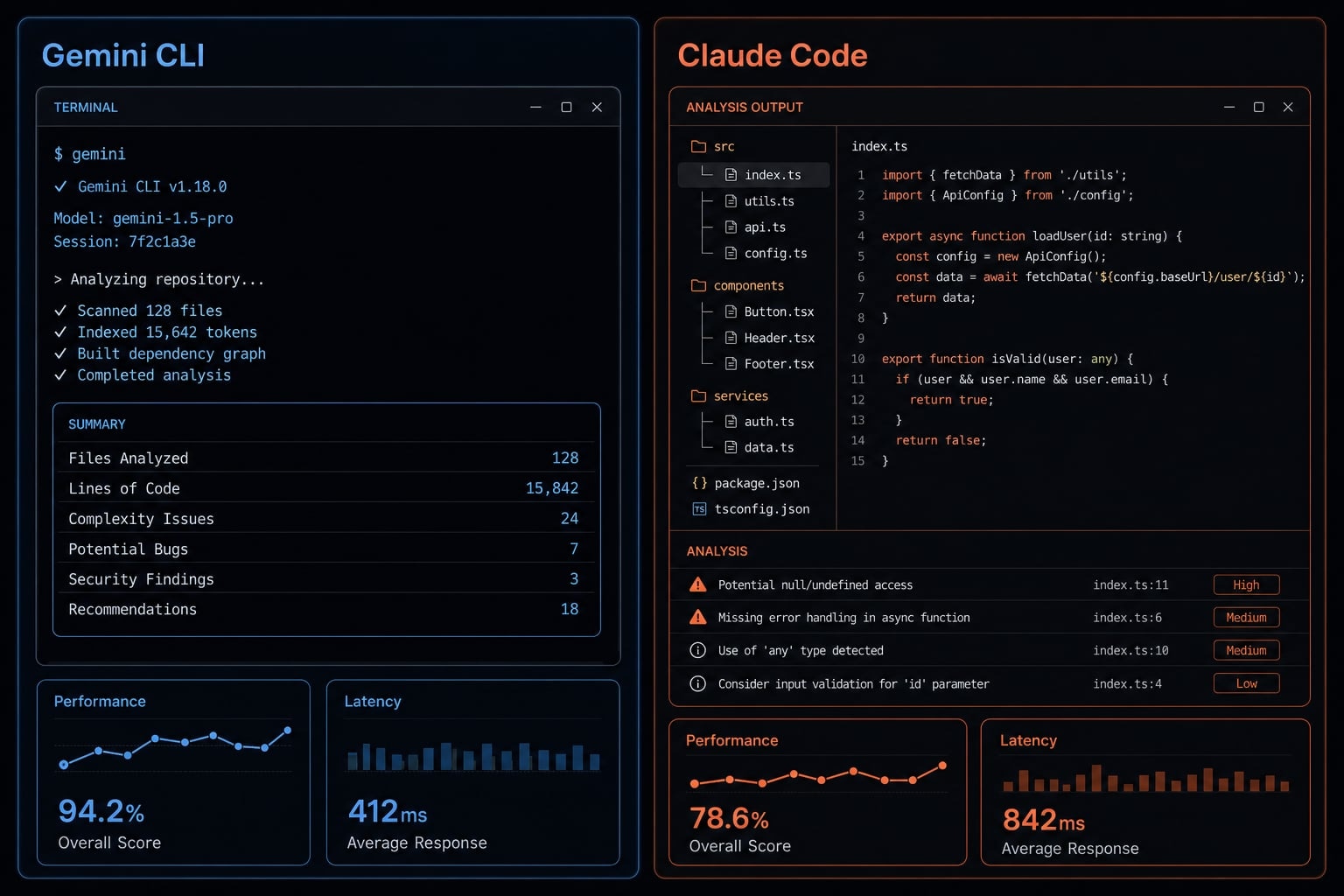
Quick verdict: Gemini CLI vs Claude Code at a glance
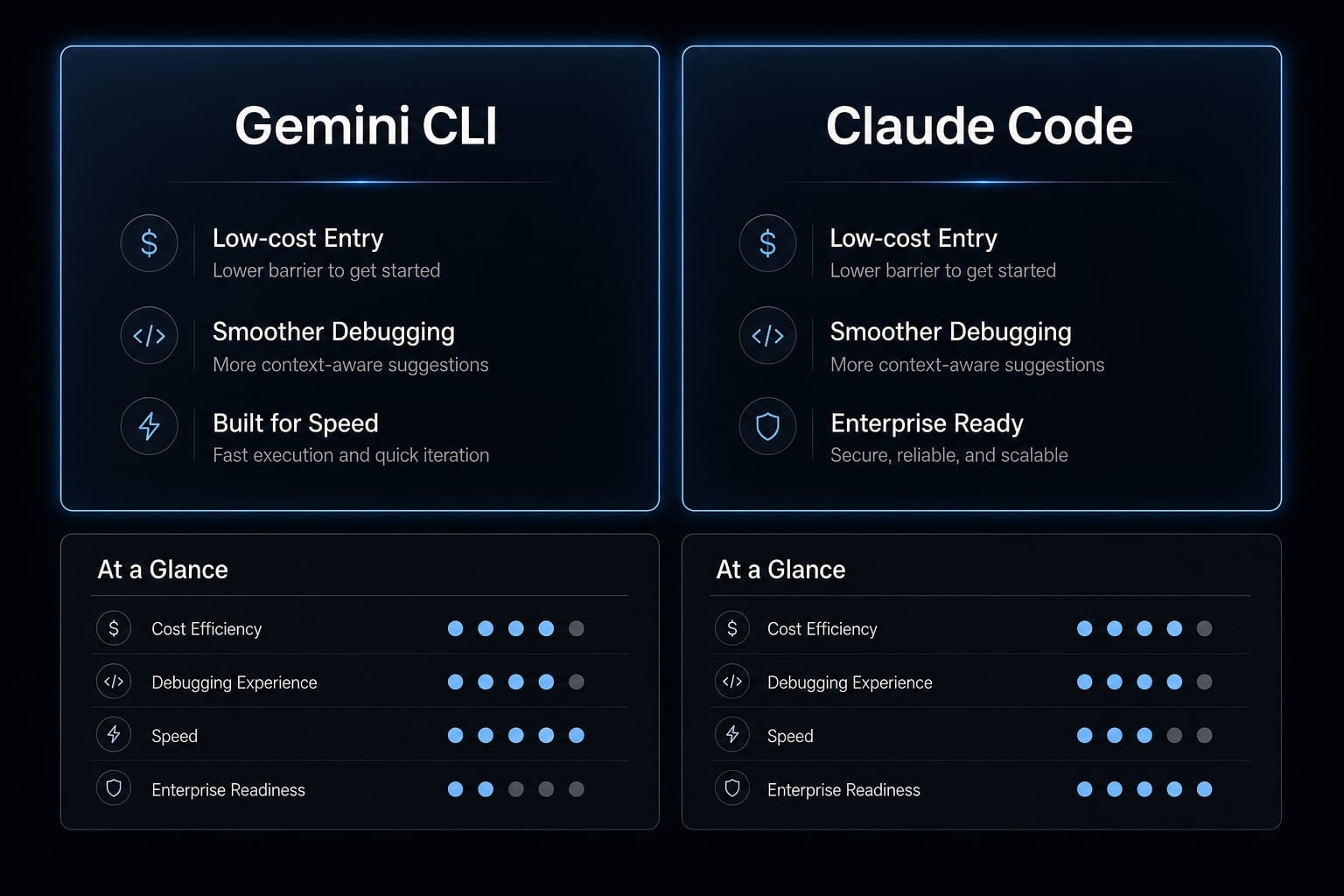
If you want the short answer, Gemini CLI is usually the better fit for users who care most about cost efficiency and context-heavy work. Claude Code is usually the better fit for users who want smoother daily usability, especially for debugging, clearer terminal output, and lower prompt friction. In most real workflows, that difference matters more than headline model specs.
In day-to-day terminal use, the winner often changes based on how much rework a tool creates. A cheaper tool can still be more expensive if it causes extra prompt cleanup, weak debugging paths, or inconsistent outputs across sessions.
- Choose Gemini CLI for low-cost entry and context-heavy work.
- Choose Claude Code for smoother debugging and daily usability.
- Choose Claude Code if you want lower prompt friction.
- Choose Gemini CLI if you are experienced and cost-sensitive.
The main caveat is simple: Output quality in any coding assistant comparison depends heavily on prompt quality, task type, and codebase complexity. That is why a good Claude Code comparison or Gemini CLI review should focus on workflow fit and reliability, not universal winners.
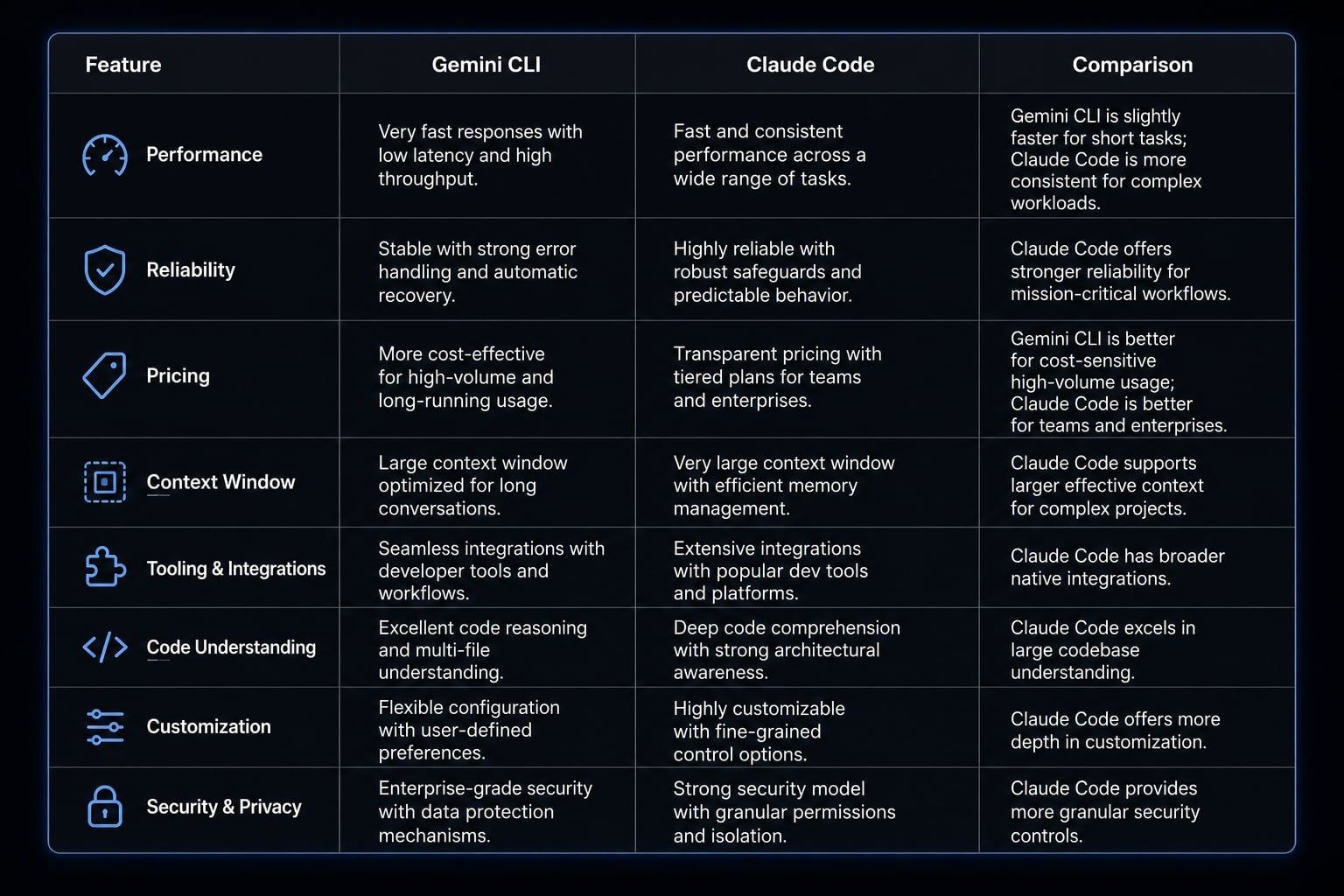
Side-by-side comparison table
When teams compare Gemini CLI and Claude Code, the most useful criteria are the ones that change real output: context window, codebase awareness, ease of use, reliability, and pricing comparison. The table below is designed for fast scanning, not feature dumping.
Criteria | Gemini CLI | Claude Code | Practical Takeaway |
|---|---|---|---|
Core strength | Strong value and broad context handling | Smooth usability and steady debugging flow | Pick based on cost vs workflow friction |
Main weakness | Often needs tighter prompting | Paid access may be harder to justify for light users | Cheap is not always cheaper if rework is high |
Context window | Strong option for large-context tasks | Also strong, but practical performance depends on workflow | Large context helps, but task framing still matters |
Ease of use | Better for users comfortable with prompt discipline | Easier to use consistently day to day | Claude Code is often the safer default |
Debugging reliability | Can do well, but may need more guidance | Often steadier for log-based debugging | Better if debugging is a frequent task |
Terminal output readability | Can feel denser in long sessions | Usually easier to scan quickly | Important when reviewing next steps and commands |
Pricing model | Attractive low-cost or free entry path depending on access tier | Paid model can be worth it for smoother output | Good value depends on time saved, not only sticker price |
Best-fit user profile | Experienced, cost-sensitive, context-heavy workflows | Daily users who prioritize lower friction | Match tool choice to actual development patterns |
The biggest differences that matter in real development work
The biggest gap between these tools usually shows up in how they behave under pressure: multi-file changes, vague bugs, long sessions, and tasks that require repeated judgment calls. In practice, the difference is less about whether both tools can edit files or run commands, and more about how predictably they help you move forward.
Context handling and codebase awareness
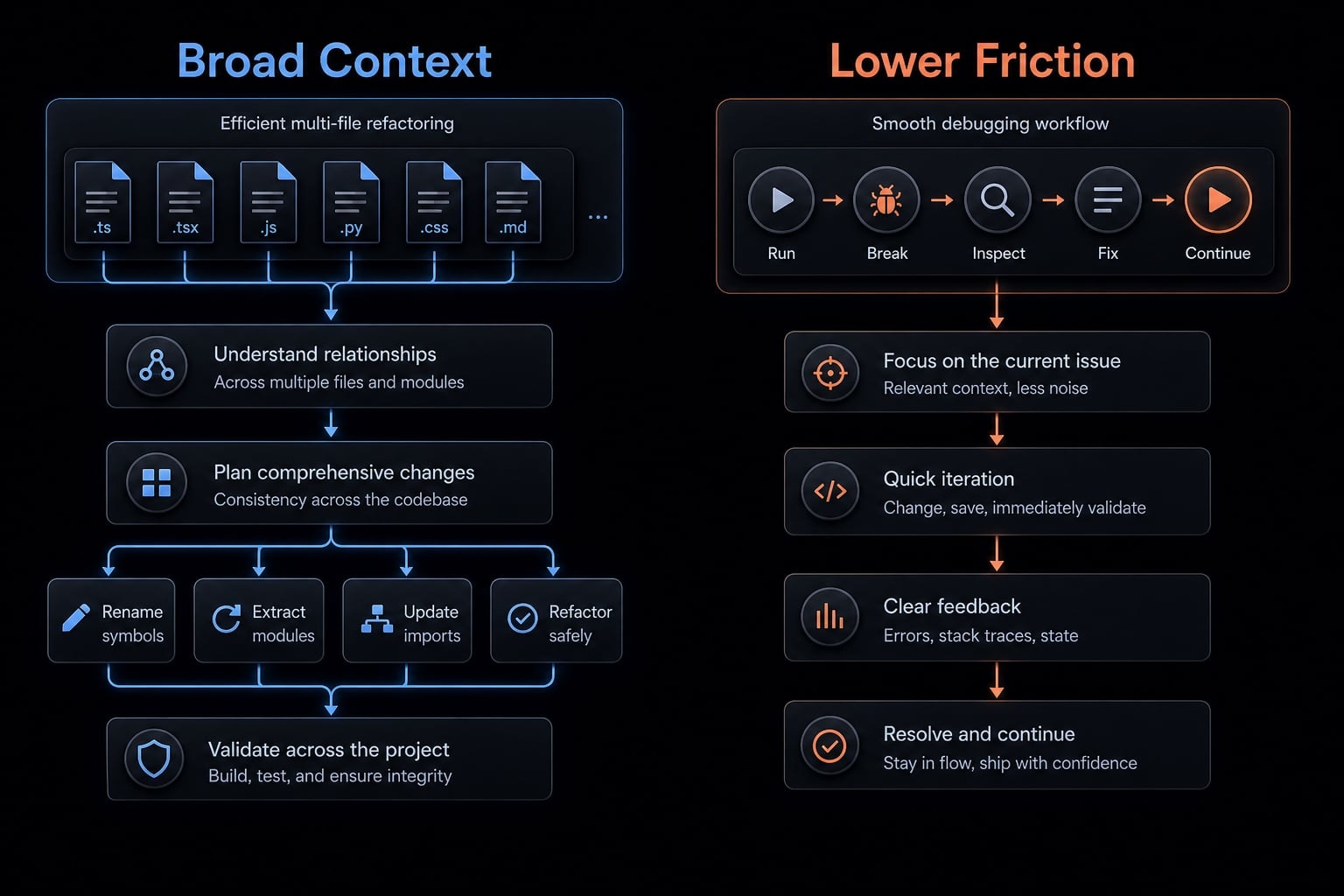
A context window is the amount of code, logs, instructions, and conversation history an AI coding tool can consider at one time. In practice, a larger context window can help with multi-file refactoring and codebase navigation, but it still does not replace clear task framing or human review.
This is where comparing context window limits in Gemini CLI and Claude Code becomes useful. In larger repositories, stronger codebase awareness can reduce the need to manually paste files, explain architecture repeatedly, or restate naming patterns across modules.
That matters most in workflows like:
- Refactoring shared components across multiple files.
- Updating backend services that depend on common interfaces.
- Tracing how one schema change affects several layers of the app.
- Reviewing larger chunks of logs and implementation history together.
A broader context window can help Gemini CLI stay useful in context-heavy work, especially when the task spans many files. Claude Code can also handle large-context sessions well, but the practical outcome still depends on how the model prioritizes the information it sees.
The important limit is this: More context is useful, but not sufficient. If the prompt is vague, the architecture is unclear, or the bug report is weak, a large context window does not guarantee a better answer.
A simple example: For a large refactor that touches routing, validation, and database access across several files, broader repo awareness can save time. But for a bug report that only says “checkout is broken” without useful logs or reproduction steps, even a strong large-context tool may still produce weak output.
Debugging and problem-solving behavior
For debugging-heavy sessions, the difference often shows up in how often a tool gets you closer to the root cause without extra cleanup. That is where reliability matters more than theoretical capability.
In many real workflows, Claude Code tends to feel steadier when working from stack traces, terminal logs, and error messages. It often narrows likely causes more cleanly and presents next-step checks in a way that is easier to act on quickly.
Gemini CLI can still perform well, especially when the prompt is specific and the issue is clearly framed. But it often benefits more from tighter instructions, stronger constraints, and better debugging context from the user.
That matters because fewer dead ends directly improve developer productivity. If a tool sends you through extra iterations before it identifies the likely cause, the time cost compounds quickly.
A practical example:
- You paste a stack trace from a failed backend job.
- The tool needs to identify the failing service path.
- It should suggest likely root causes.
- It should propose focused verification steps before changing code.
In this type of workflow, Claude Code often feels more direct. For many users asking for the best AI terminal agent for code debugging 2026, that smoother debugging behavior is a meaningful advantage.
Terminal UX and output readability
Terminal UX is easy to dismiss until you use these tools every day. In practice, terminal output readability affects how fast you can review next steps, assess risk, and approve actions.
- Claude Code often feels easier to scan quickly. Its structure tends to make command suggestions, short reasoning steps, and proposed changes easier to follow in a narrow terminal window.
- Gemini CLI can feel denser in comparison, especially in longer sessions. That is not always a problem, but it can increase review effort when you are trying to judge command safety, understand what changed, or decide whether the agent is staying on task.
This is less about aesthetics and more about decision speed.
Prompt sensitivity and control
One of the clearest workflow differences is prompt engineering overhead. Some users are happy to trade more careful prompting for lower cost. Others want the tool to be more forgiving by default.
In many sessions:
- Gemini CLI rewards more precise instructions.
- Claude Code is generally more forgiving.
- Gemini CLI often works better when you define constraints clearly.
- Claude Code often requires less prompt cleanup to stay productive.
- Experienced users may accept more control overhead if the value for money is better.
That tradeoff matters because prompt sensitivity changes how tiring a tool feels over time. If each task requires tighter framing, extra corrections, and more explicit guardrails, the actual workflow cost rises even if the subscription cost stays low.
Which tool is better for specific use cases?
The right answer depends on the kind of work you do most often. A useful Gemini CLI vs Claude Code recommendation should map tool choice to task pattern, not brand preference.
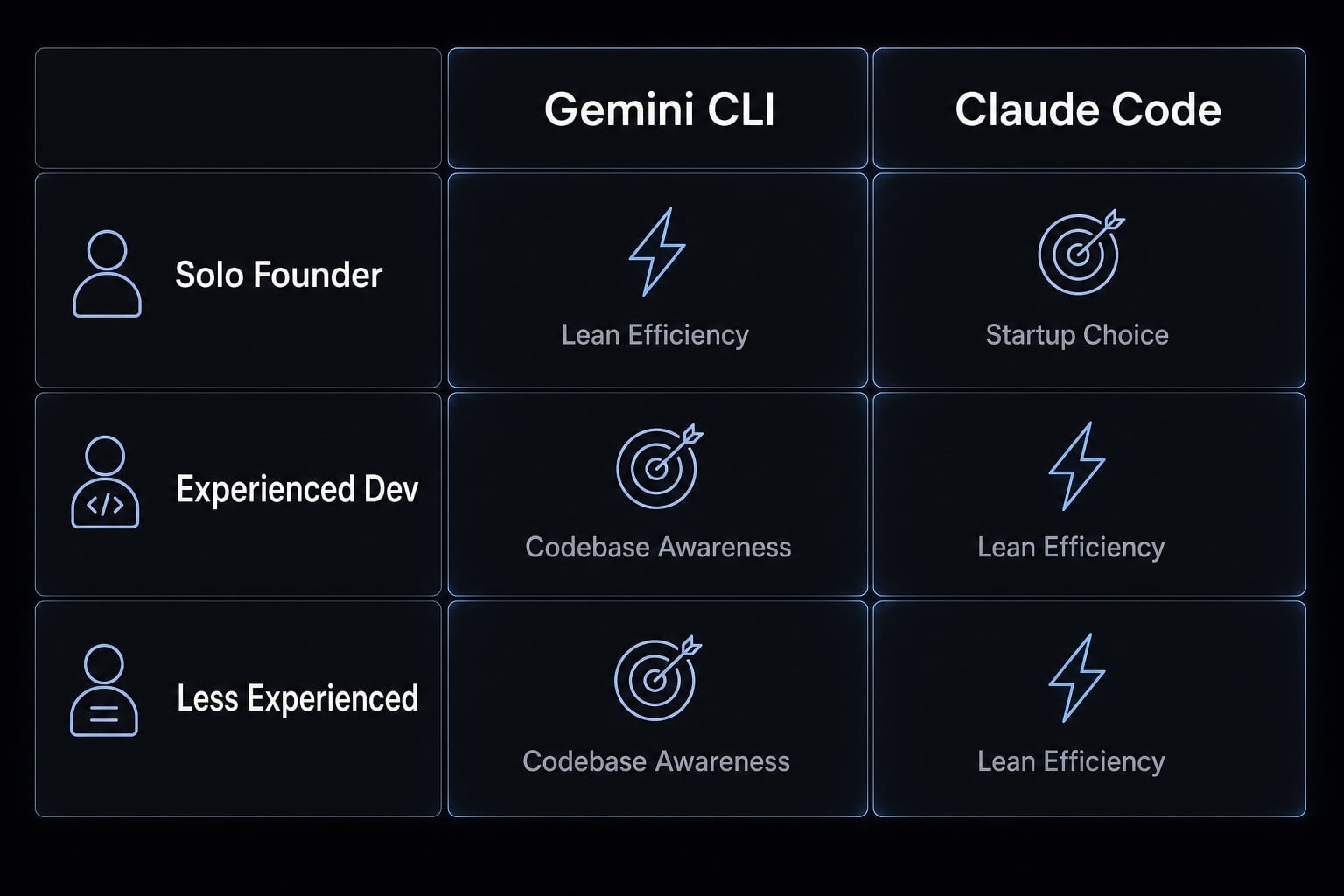
Solo founder or indie maker
For many founders, the tradeoff is straightforward: Lower spend vs smoother execution.
- Choose Gemini CLI if budget matters most.
- Choose Claude Code if lower cognitive overhead matters more.
- Gemini CLI is often attractive for lean experimentation.
- Claude Code may be worth paying for if you switch contexts often and want fewer avoidable dead ends.
For AI dev tools for startups, both can work. The better fit depends on whether you optimize first for monthly cost or for lower workflow friction.
Experienced developer in a larger codebase
This is where codebase awareness and context handling become more important.
- Gemini CLI can be attractive for large-context tasks.
- It is often a reasonable fit for backend refactoring.
- Experienced developers can usually compensate for higher prompt sensitivity.
- Claude Code may still be better if the workflow is debugging-heavy or highly iterative.
If your work includes broad repo navigation, multi-file updates, and architecture-aware changes, Gemini CLI may be worth the tradeoff. If your day is dominated by issue triage, log analysis, and repeated fix-verify cycles, Claude Code often feels steadier.
Less experienced developer
For less experienced users, Claude Code is usually the safer recommendation. Its lower prompt sensitivity and clearer output can reduce avoidable mistakes. That does not mean Gemini CLI is unsuitable. It means the margin for weak prompts is often smaller. This recommendation is about reducing friction, not judging skill.
Refactoring, debugging, and quick feature shipping
The best fit changes by task type:
Workflow scenario | Better fit | Why |
|---|---|---|
Broad refactoring across multiple files | Gemini CLI | Stronger fit when context-heavy repo awareness matters |
Debugging from logs and stack traces | Claude Code | Often steadier and easier to iterate with |
Small feature shipping under time pressure | Claude Code | Lower prompt friction can speed daily execution |
Cost-sensitive shipping for solo builders | Gemini CLI | Better value if you can manage prompt precision |
Mixed workflow across refactoring and bug fixing | Depends | Choose based on whether cost or smoother execution matters more |
This is the most practical lens for AI-assisted refactoring workflows, developer productivity, and choosing the best AI terminal agent for debugging.
Pricing, limits, and value for money
A pricing comparison only becomes useful when you look beyond subscription cost. In real use, the bigger question is whether the tool saves enough time to justify itself. A low-cost tool can still be expensive if it creates extra prompt cleanup, weak debugging paths, or repeated retries.
A simple framework works well here:
- Cost saved.
- Time lost.
- Task complexity.
When Gemini CLI is the better value
Gemini CLI is often the better value for money when:
- Budget is tight.
- You are comfortable with more prompt discipline.
- Your work benefits from stronger large-context handling.
- You are a solo builder or startup trying to control spend.
For many cost-conscious users, a practical Gemini CLI review comes down to this: If you can manage the prompt overhead, the economics may be very attractive.
When Claude Code is worth paying for
Claude Code is often worth paying for when smoother execution translates into more shipped work. That is especially relevant for:
- Billable developers.
- Technical founders.
- Small product teams.
- Users who spend a lot of time debugging or iterating inside one terminal flow.
If a paid tool reduces rework, improves token budget management, and cuts prompt cleanup, the real value for money can be better than a free or cheaper option.
For free vs paid coding assistant decisions, the right question is not “Which costs less?” It is “Which creates less wasted effort for the work I do most?” That is particularly important for AI dev tools for startups, where both cash and engineering time are constrained.
Note: Access models, quotas, and included usage can change over time. Always verify current limits directly from Anthropic or Google before making a team-wide decision.
Limitations and risks to know before you choose
Both tools can save time, but neither should be treated as an autonomous substitute for production review. That is the most important trust point in any serious Claude Code comparison or Gemini CLI review.
Common failure modes
Common issues tend to look like this:
- Incomplete task execution where the tool finishes only part of the requested work.
- Unproductive loops where it repeats similar actions without making real progress.
- Misdiagnosed bugs caused by weak logs or incorrect assumptions.
- Unsafe commands that should not be approved without review.
- Irrelevant terminal actions that try to “fix” the wrong problem.
- A self-correction loop where the agent keeps patching its own previous mistakes.
These are not edge cases. They are normal operating risks when using autonomous coding agents in a terminal environment.
Safe usage habits
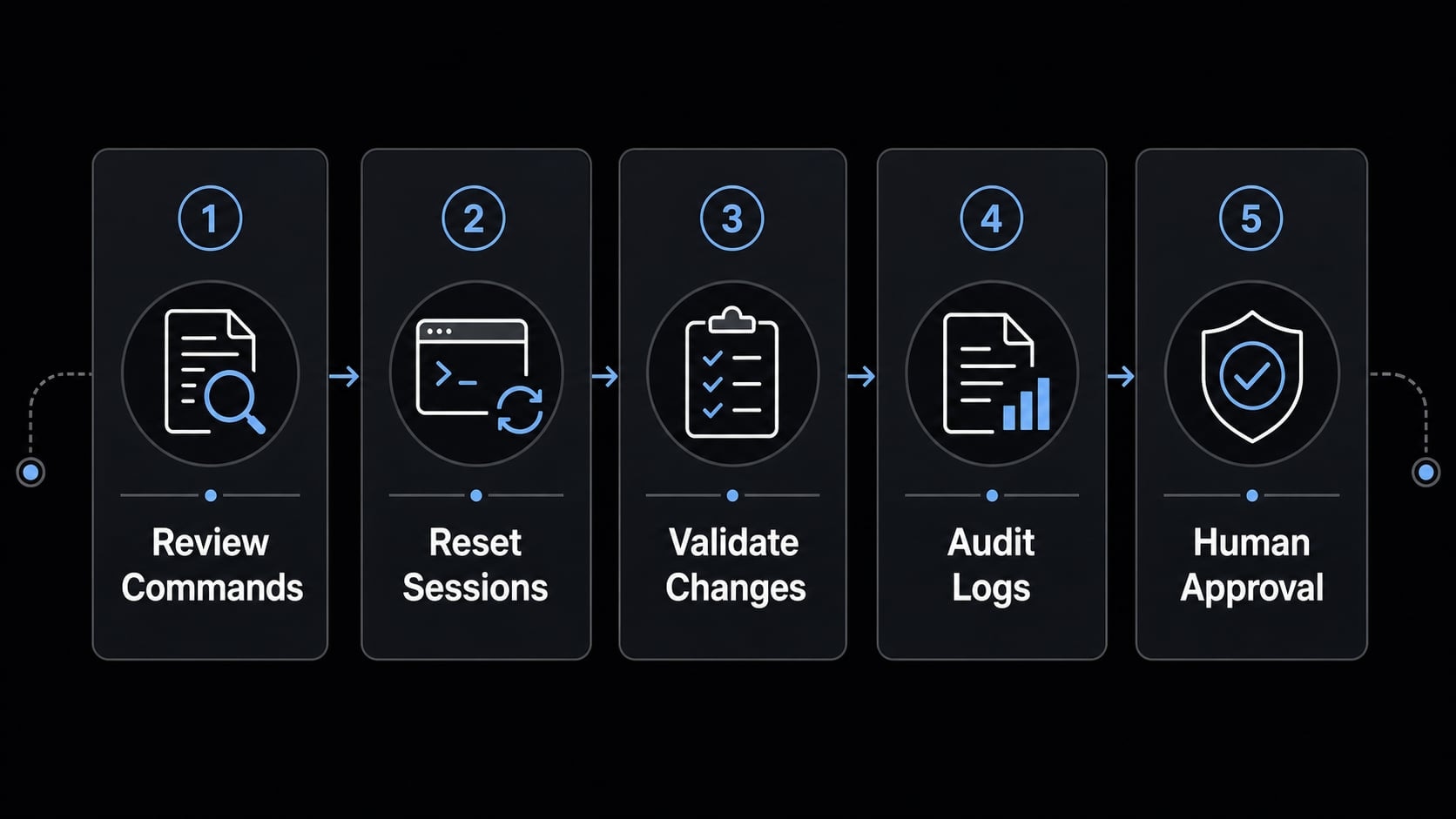
Use this checklist consistently:
- Review commands before approving them.
- Reset weak sessions early.
- Validate architecture and security changes manually.
- Treat logs and diffs as evidence, not truth.
- Use human review before production deployment.
This matters because command-line authorization is a real control point, not a formality. Good security best practices for terminal AI agents start with active review, especially when file permissions, deployment scripts, environment settings, or authentication logic are involved.
When standalone coding CLIs stop being enough
At some point, the question changes. It is no longer just “Which CLI should I use?” It becomes “How do we make AI-assisted work consistent across a team?”
Signs a team has outgrown standalone CLI usage
Common signs include:
- One developer gets great results, while others do not.
- Prompts are not reusable across projects or teammates.
- Output quality varies too much between sessions.
- There is poor visibility into tools, tokens, permissions, or routing.
- Team consistency depends too heavily on individual operator skill.
- Useful workflows are not being captured as reusable skills.
When that happens, the problem is no longer only tool selection. It becomes an operations problem.
Where structured agent operations help
Structured layers become useful when teams need:
- Standardized workflows.
- Reusable subagents or skills.
- Better visibility and control across engineering tasks.
- More predictable AI development workflows.
- More reliable production-ready workflows.
This is where orchestration starts to matter. The goal is not replacing developers with autonomous coding agents. It is making useful workflows easier to repeat, review, and improve across the team.
AgentKit perspective: If you need more than a single coding agent
If your only question is Gemini CLI or Claude Code, the earlier comparison is enough. For many individuals, choosing the better-fit CLI will solve the immediate workflow issue.
The next layer starts when the challenge becomes repeatability. If your team needs stronger control over coding agents, reusable execution patterns, and shared visibility across tasks, the category changes from “single coding assistant” to workflow orchestration.
That is the role of AgentKit Engineer. It is not just another coding CLI. It is designed as a coordination and control layer for structured agent-based work, including reusable workflow patterns, specialized skills, MCP integrations, and more consistent execution across real engineering tasks.
This becomes relevant when teams want to turn ad hoc prompting into production-ready AI teams with better operational control. Readers exploring that stage can review AgentKit’s engineering workflow approach and evaluate whether a structured layer is warranted for their environment.
Frequently asked questions
How do Gemini CLI and Claude Code differ?
Gemini CLI and Claude Code offer comparable capabilities, but their main differences lie in their underlying AI models and user experiences. Gemini CLI is generally optimized for tasks requiring a large context window, while Claude Code provides a more intuitive debugging experience and CLI output that is easier to scan.
How should I choose between Gemini CLI and Claude Code?
Choose Gemini CLI if you prioritize lower costs and need to process large code files. Choose Claude Code if you value reliable debugging, a user-friendly interface, and less time spent manually refining prompts.
Is Gemini CLI or Claude Code better for beginners?
Claude Code is generally the safer choice for beginners. It is less sensitive to prompt wording, produces more readable output, and offers reliable debugging capabilities, helping users avoid unnecessary mistakes while becoming familiar with automated coding tasks.
Why should I be cautious when using coding agents?
Both tools may suggest unsafe commands or become trapped in inefficient processing loops. Always review proposed commands carefully, validate architectural changes manually, and never allow AI to deploy code to a production environment automatically.
When should I upgrade to an AI agent orchestration solution?
Consider moving from standalone CLI tools to a professional orchestration platform such as AgentKit when your team experiences inconsistent workflows, difficulty reusing prompts, or growing requirements for security, access control, and token monitoring. This transition helps maintain consistency across the organization.
Can coding agents replace software developers?
No. Coding agents are support tools that accelerate repetitive tasks. Human involvement remains essential for evaluating logic, reviewing security, and verifying the accuracy of critical changes before the code is released.
Conclusion
In a practical Gemini CLI vs Claude Code decision, the tradeoff is fairly clear. Gemini CLI is usually the better free or low-cost entry point for cost-conscious users and context-heavy work. Claude Code is usually the smoother choice for daily usability, debugging flow, and lower prompt friction.
Neither tool wins in every scenario, and both still require human review for production-impacting changes. If your workflow stays individual, choosing the better-fit CLI is often enough. If your next challenge is repeatability, team consistency, and reusable skills, it may be time to look beyond standalone tools and explore a more structured AI workflow layer such as AgentKit.