Claude Code SwiftUI guide: A workflow for production apps
Claude Code for SwiftUI: A practical workflow for building production apps
Generating a SwiftUI view is straightforward. Maintaining an application means preserving state behavior, deployment compatibility, accessibility, and release safety. Xcode still matters, even when an agent writes much of the code. This guide provides a seven-step workflow, copyable project instructions, delegation rules, and validation checkpoints. The examples use an internal account-management screen, keeping the process concrete without assuming a particular architecture.
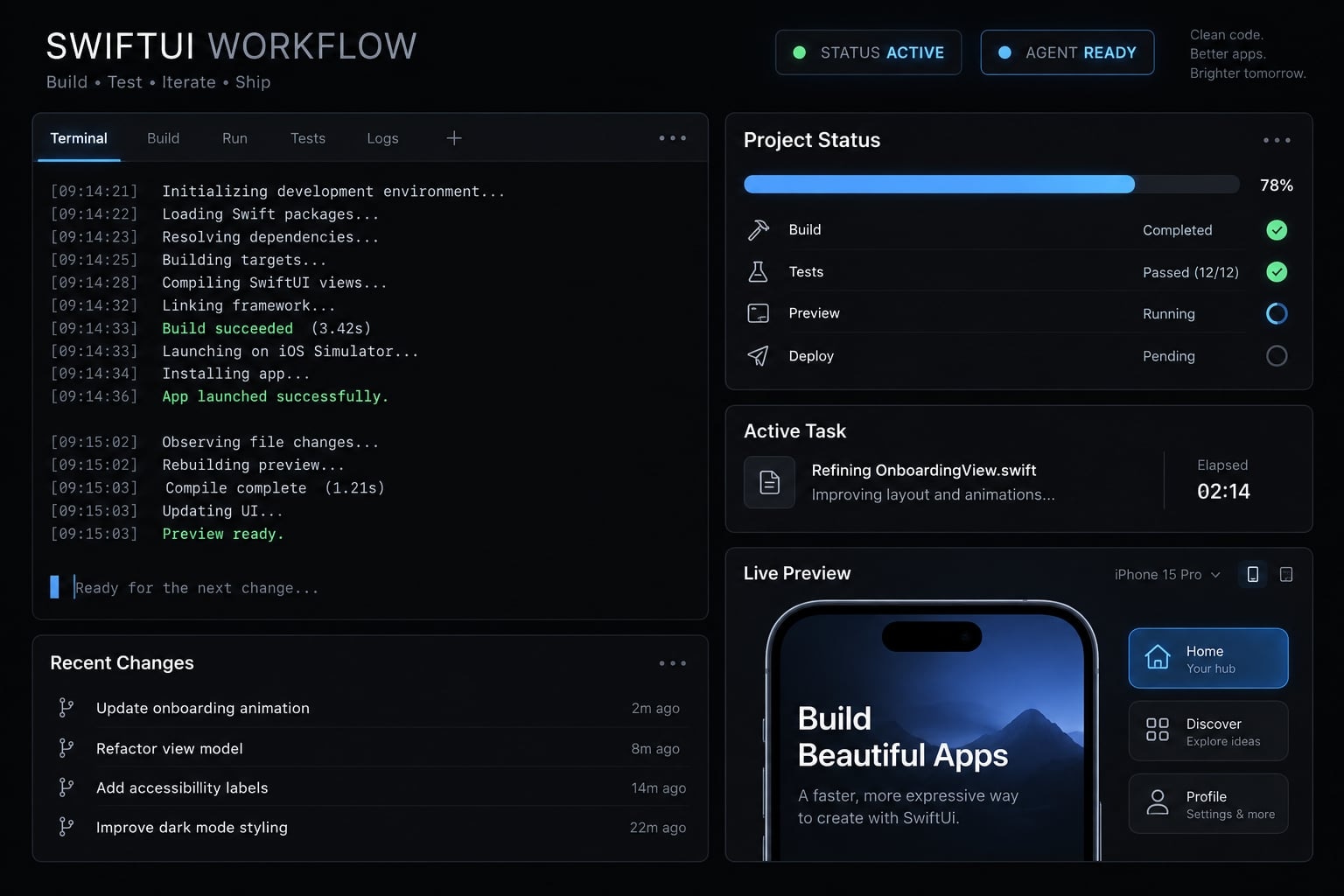
Claude Code can assist with production SwiftUI development when developers provide repository context, bounded tasks, and a structured build-test-review process. It can inspect code, implement changes, and work from diagnostics. Architecture, security, concurrency, accessibility, and release judgment still require experienced supervision; generated code alone is not a production-ready application.
Can Claude Code for SwiftUI build production apps?
Yes-as a supervised implementation tool within an established engineering process. Claude Code for SwiftUI works best when requirements are explicit and feedback is observable. Developers remain accountable for design decisions, accepted changes, and release approval. A production SwiftUI app requires more than successful Swift code generation, regardless of who writes it.
Where Claude Code adds the most value
- Repository exploration: Locate views, services, models, and relevant tests.
- Repetitive implementation: Draft views, fixtures, models, and mock data.
- Bounded refactoring: Extract components while preserving existing behavior.
- Engineering support: Draft tests, documentation, and fixes informed by build diagnostics.
Anthropic’s Claude Code documentation describes repository inspection, file editing, and command execution. These capabilities support development; they do not replace Apple’s build environment.
What still requires experienced human review
Review architecture and state ownership, actor isolation, authentication, storage, privacy, and dependencies. Accessibility, interaction design, signing, and release approval also remain supervised. For example, generating an account-list screen is different from approving how account credentials are stored. Release-script drafting can be delegated; publishing authorization cannot.
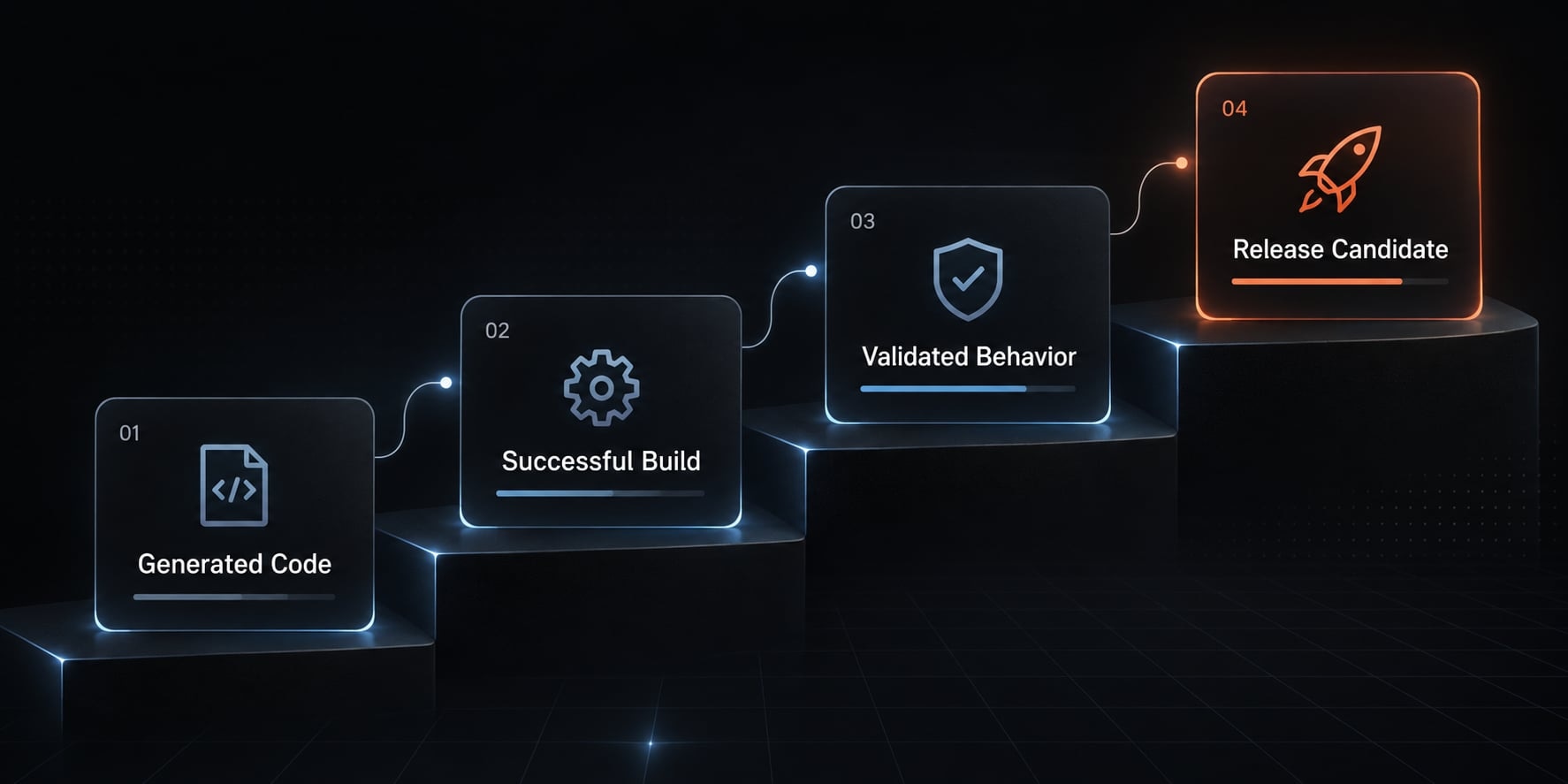
What real SwiftUI projects show about Claude Code
Practitioner accounts demonstrate feasibility, but they are not controlled productivity studies. Their value lies in showing project scope and developer involvement-not establishing a universal speed multiplier.
Real-world evidence table
The following are third-party reports, not AgentKit implementations or first-party tests conducted for this article. Numerical productivity claims and release-status claims are deliberately excluded.
Project and source | Reported outcome | Tasks attributed to Claude Code | Human contribution and limits |
|---|---|---|---|
Indragie Karunaratne’s account of building a native macOS MCP debugging application | Describes substantial agent-assisted work on a native application | Application implementation within a developer-directed workflow | Product direction, architectural context, and acceptance remain developer responsibilities; not an independent quality audit |
TwoCentStudios’ account of rewriting a legacy iOS application | Describes using Claude Code during an application rewrite | Rewrite implementation guided by existing application requirements | Existing behavior provides a specification; the account does not establish that comparable rewrites require equal effort |
How to interpret these results
A useful SwiftUI case study identifies accepted changes, validation, corrections, and remaining limitations. Code volume cannot reveal whether navigation, persistence, or accessibility works correctly.
Likewise, elapsed time does not isolate specification, debugging, review, or prior experience. These factors materially affect both iOS and macOS app development.
Keep migration categories separate. Objective-C-to-Swift conversion changes the implementation language; UIKit-to-SwiftUI migration changes the interface framework. A rewrite may involve both, with different architectural risks.
The defensible conclusion is narrow: Substantial agent-assisted work is possible. Your repository needs its own measured pilot.
A seven-step Claude Code + SwiftUI workflow
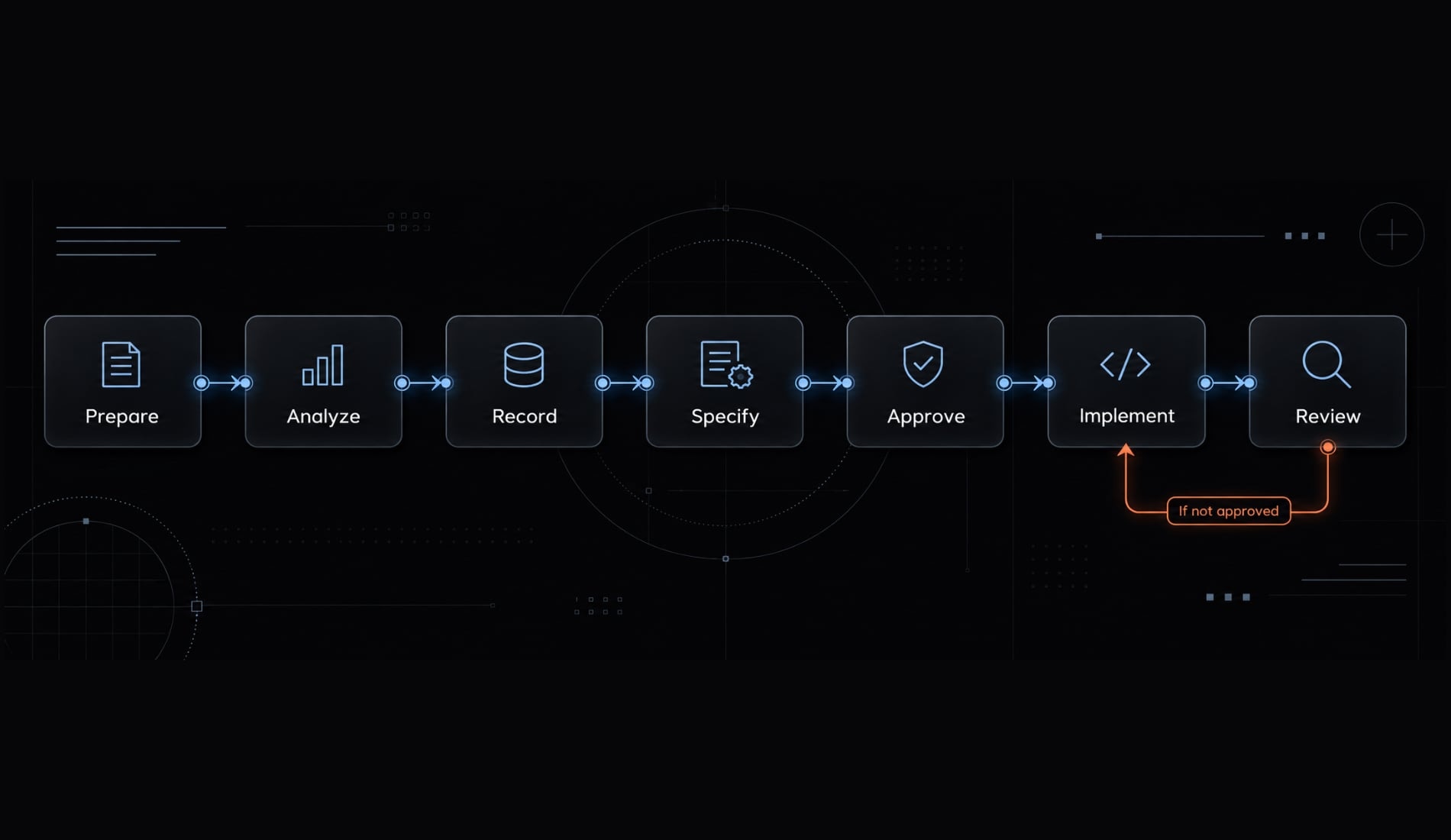
A reliable Claude Code workflow separates investigation, authorization, implementation, and acceptance.
- Prepare the repository.
- Analyze relevant code.
- Record project instructions.
- Specify the feature.
- Approve the plan.
- Implement a bounded slice.
- Review behavior and engineering quality.
Prerequisites: A compatible macOS/Xcode environment, an authorized Claude Code installation, repository access, a known scheme and destination, and a baseline build. MCP tooling is optional.
Prepare the repository and define boundaries
Start with the repository and task description. Let the agent inspect structure and identify sensitive areas. Confirm the branch, baseline build, permitted tools, and protected assets before editing. A Git branch supports rollback; it neither protects secrets nor restricts commands.
Output: Recorded baseline status and an edit-boundary list. Note existing failures so they are not mistaken for new regressions.
Analyze before editing
Provide relevant views, models, services, and tests. Ask the agent to map state flow, dependencies, and risks-not summarize every file.
This is context engineering: Selecting the information needed for the task. Verify referenced files and correct architectural assumptions.
Inspect the account-list view, its state owner, service interface, and related tests without modifying files. Identify current behavior and dependencies, cite file paths and symbols supporting your conclusions, and list uncertainties requiring confirmation before planning.
Output: A short analysis memo distinguishing observed facts from assumptions.
Create persistent project instructions
Use verified conventions and commands to create or update CLAUDE.md. Include platform requirements, architecture, test expectations, and approval boundaries. Compare every instruction against the actual repository. Do not introduce a new state-management framework simply because a template recommends it.
Output: An approved instruction file, paired with separately configured tool permissions.
Write a scoped feature specification
Translate the product request into observable behavior. For the account screen, define loading, empty, error, and populated states. Specify retry behavior, accessibility expectations, and non-goals. Use synthetic account data rather than customer records.
Draft a specification for the account-list screen covering loading, empty, error, and populated states. Include retry behavior, accessibility expectations, testable acceptance criteria, and explicit non-goals. Identify unresolved product decisions. Do not implement code or modify project configuration.
Approve the criteria before coding.
Output: A feature specification that can support independent acceptance testing.
Review the implementation plan
Give the approved specification to the agent. Request ordered changes, affected files, tests, dependencies, and rollback concerns. Review state ownership and scope. Require explicit approval for project-file changes, whether performed through text edits, scripts, or tools.
Output: An approved implementation plan with a small first slice-such as loading and empty states without persistence changes.
Implement in small, buildable changes
Authorize one slice at a time. Use compiler feedback and relevant tests to guide corrections.
Implement only the approved loading and empty-state slice in the listed files. Preserve existing architecture and dependencies. Run the authorized build and relevant tests, report actual results and changed files, identify untested behavior, then stop for review.
Inspect the diff and actual command results before proceeding. Preserve full logs separately; supply focused diagnostics for subsequent fixes.
Output: A reviewable diff and validation summary. If tests cannot run, report “not run,” never “passed.”
Perform visual and final engineering review
Render the changed screen using controlled fixtures. Compare all required states with the specification, then inspect accessibility and interaction behavior.
Review the final diff for unrelated changes, risky assumptions, and missing tests. The developer approves acceptance and merge.
Output: A reviewed candidate with limitations explicitly recorded.
Workflow summary table
Stage | Agent responsibility | Human checkpoint | Output |
|---|---|---|---|
Repository + task | Inspect boundaries | Confirm permissions and baseline | Boundary list |
Relevant files | Map behavior | Correct assumptions | Analysis memo |
Conventions | Draft instructions | Verify accuracy |
|
Product request | Specify behavior | Approve criteria | Feature specification |
Specification | Sequence changes | Approve design | Implementation plan |
Approved slice | Edit and validate | Inspect diff/results | Tested change |
Candidate | Summarize evidence | Accept and merge | Reviewed candidate |
Use this Claude Code workflow on one low-risk feature before widening delegation.
What to put in CLAUDE.md for a SwiftUI project
CLAUDE.md supplies persistent project guidance that Claude Code can load as context. Anthropic’s Claude Code documentation on memory and project instructions explains this mechanism. The file should describe your repository, not an idealized replacement architecture. It is guidance-not an access-control mechanism or a guarantee of compliance.
Copyable starter template
# SwiftUI Project Instructions## Verified environment- Platforms and minimum deployment targets: <fill in>- Xcode version and selected Swift toolchain: <fill in>- Swift language mode and concurrency settings: <fill in>- Resolve missing configuration before implementation.## Architecture- Follow existing architecture: <name and reference files>.- Preserve the current Observation or ObservableObject approach.- Confirm API availability against deployment targets.- Do not introduce frameworks or dependencies without approval.## Concurrency- Preserve documented actor isolation.- Update UI-bound state on its required actor.- Keep expensive work off the main actor where appropriate.- Investigate concurrency diagnostics; do not suppress them unchecked.## Interface behavior- Cover loading, empty, error, and populated states.- Preserve navigation and cancellation behavior.- Check Dynamic Type, VoiceOver labels, and localization.## Validation- Exact approved build command: <REQUIRED; NOT EXECUTABLE>- Exact approved test command: <REQUIRED; NOT EXECUTABLE>- Scheme and destination: <fill in>- Existing unit framework and targets: <XCTest or Swift Testing>- Existing UI test target: <fill in or explicitly absent>- Report exit status, failures, and checks not run.## Boundaries- Protected files and assets: <fill in>- Approval required for dependencies, project files, deletions, migrations, signing, entitlements, and credential access.## Definition of done- Approved scope only; reviewable diff; relevant validation recorded.- Unresolved risks disclosed; human acceptance required before merge.
Rules that must be customized
- Deployment targets: Check every proposed API’s availability.
- Architecture: Reference existing state-management examples.
- Language mode: A compiler version does not determine the project’s Swift language mode.
- Scheme/destination: Record commands actually used by the team.
- Tests: Match framework support, toolchain, and existing targets.
- Permissions: Enforce sensitive boundaries outside
CLAUDE.md.
Apple’s Observation documentation and Swift’s migration guidance provide compatibility context. Do not treat Observation or Swift Testing as mandatory modernization.
Copy this template only after replacing every placeholder. It is an untested starting asset, not deployment evidence.
What to delegate to Claude Code and what not to delegate
Delegate according to testability, reversibility, architectural impact, security impact, and feedback availability. These mean: Can you verify, undo, contain, secure, and observe the change? Confidence in generated prose is not a substitute.
Agent delegation matrix
These ratings are editorial guidance for bounded tasks, not benchmark findings. Even “good” suitability requires verification.
Task | Delegation suitability | Review requirement | Main risk |
|---|---|---|---|
Repository mapping | Good | Verify cited symbols | Incorrect relationships |
Boilerplate and fixtures | Good | Inspect types and data | Unrealistic assumptions |
Mechanical SwiftUI refactoring | Good when bounded | Compare behavior | Changed view identity |
Legacy migration | Conditional | Review language and UI changes separately | Hidden behavior loss |
Unit-test generation | Good | Challenge assertions | Tests confirm wrong behavior |
Build diagnosis | Good with logs | Verify proposed cause | Superficial workaround |
Layout and styling | Conditional | Render representative states | Device-specific regressions |
Navigation/state ownership | Supervised | Architecture review | Lifecycle errors |
Swift concurrency changes | Supervised | Isolation and runtime review | Races or blocked UI |
Authentication/secure storage | Assistance only | Security-owner approval | Credential exposure |
UX/accessibility acceptance | Assistance only | Human interaction checks | Excluded users |
Signing, entitlements, release | Assistance only | Explicit owner authorization | Unsafe distribution |
Practical delegation rule
- Delegate: Easy to inspect, test, and reverse.
- Supervise: Changes state flow, lifecycle, architecture, or concurrency.
- Human-owned: Security decisions, final UX/accessibility acceptance, signing, and release authorization.
Human-owned does not mean agent-excluded. An agent can draft a threat checklist or explain an entitlement. It cannot assume authority to approve either.
For the account screen, extracting an empty-state component may be straightforward. Changing where account data lives or how cancellation works requires broader review.
Reversibility also has limits. Reverting a commit can restore code, but it cannot retract exposed credentials or automatically repair production data.
Build, test, visual QA and safety loops
Four separate feedback loops catch different failures. Compiler feedback means evaluating actual build diagnostics instead of guessing whether code compiles. Reproducibility still depends on the toolchain, configuration, dependencies, and environment.
Build and compiler loop
Use the intended scheme and destination. Inspect the actual exit status and relevant diagnostics, retaining full logs for investigation.
Ask for the smallest justified correction. Reject unchecked warning suppression as a substitute for fixing causes. Do not bypass macro trust checks merely to keep automation running. A passing build establishes compilation in that configuration-not product acceptance.
Test loop
Follow the project’s existing XCTest or Swift Testing setup. Test requirements, state transitions, transformations, cancellation, and failure behavior. Review whether assertions would reject an incorrect implementation. A test that merely reproduces generated logic provides weak independent evidence.
Apple’s testing documentation distinguishes unit testing from UI automation. Swift Testing is not a drop-in replacement for XCTest/XCUIAutomation UI tests. Record flaky, skipped, and unavailable tests separately.
Visual feedback loop
Use a repeatable sequence: Render → capture → compare with criteria → request bounded correction → rebuild and recheck.
Check device sizes, light/dark mode, Dynamic Type, localization, and loading/error states. Screenshots cannot establish VoiceOver behavior, focus order, or complete accessibility compliance. Use interaction checks and appropriate accessibility tools, consistent with Apple’s Accessibility Inspector guidance.
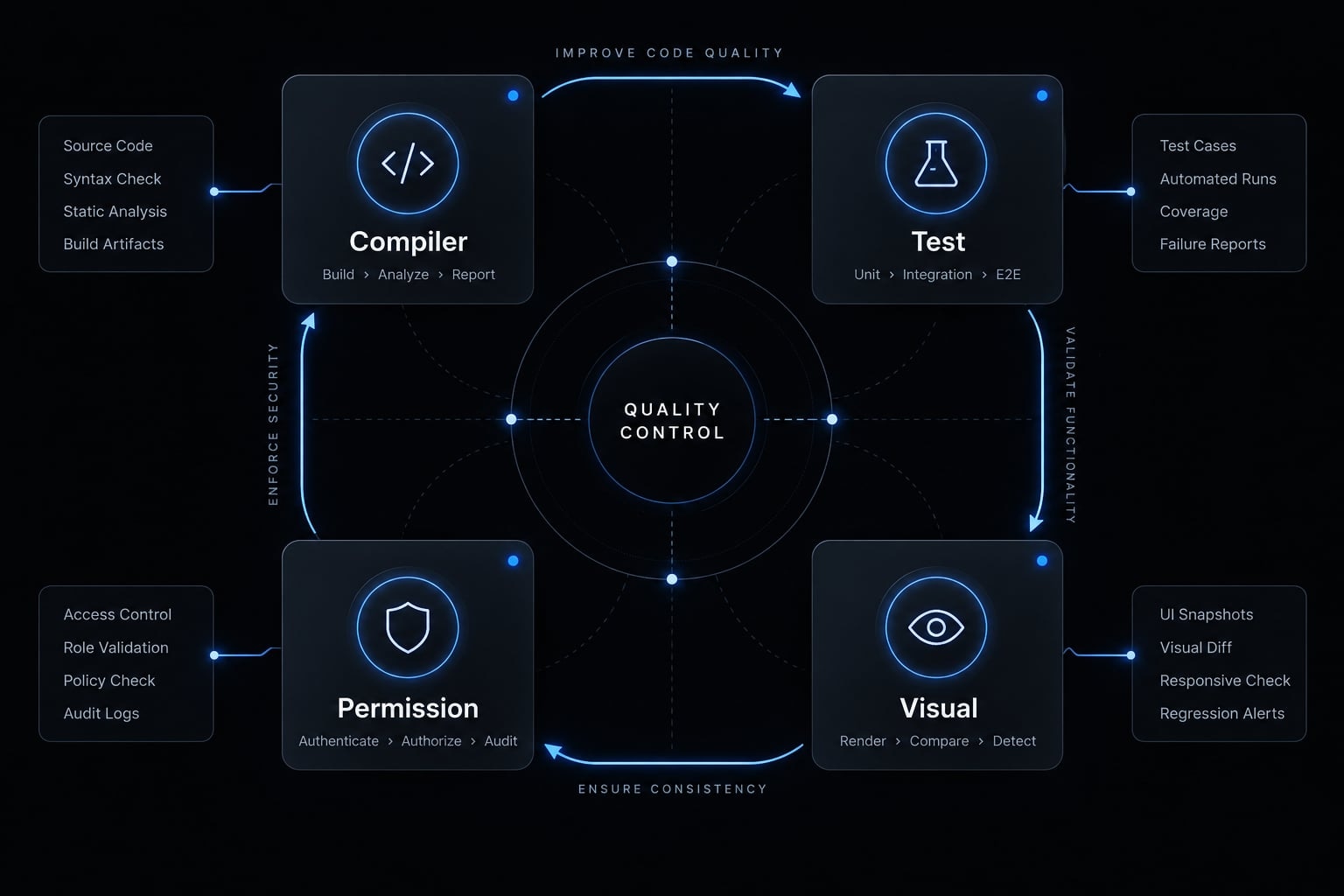
Repository and command safety
Require approval for:
- Dependencies and destructive commands.
- Signing and entitlements.
- Database migrations and project-file rewrites.
- Secret or production-credential access.
Back approvals with least-privilege permissions and available isolation controls. Git history cannot undo credential exposure. Model Context Protocol (MCP) is a protocol through which configured servers expose tools. It is optional and requires a separate trust assessment.
For integrations such as XcodeBuildMCP, inspect the installed version’s maintainer documentation, exposed tools, and Apple-environment prerequisites before authorizing operations. Do not assume universal simulator, debugger, or preview support. MCP exposes capabilities; it does not guarantee correct code or safe operation. Untrusted repository text and tool output are not authorization for sensitive actions.
Standardizing the workflow with AgentKit engineer
Repeated prompts, inconsistent checklists, duplicated configuration, and uneven handoffs create overhead across repositories. AgentKit Engineer is an optional standardization layer for teams repeating similar development workflows.
A single small repository with stable instructions may not need another layer. Native Claude Code instructions and a maintained checklist remain viable.
Example coordinated SwiftUI agent workflow
This is an illustrative configuration, not a list of verified, preconfigured SwiftUI components. Role names describe responsibilities rather than official product names.
Stage | Agent or skill role | Expected output | Human approval |
|---|---|---|---|
Analysis | Repository analyst | Evidence memo | Scope |
Specification | Requirements drafter | Acceptance criteria | Behavior |
Implementation | Bounded implementer | Small diff | Changes |
Testing/debugging | Validation assistant | Results and diagnosis | Fixes |
Review | Code reviewer | Findings | Merge |
Security | Risk reviewer | Risk checklist | Sensitive decisions |
Release preparation | Release assistant | Candidate checklist | Publication |
AgentKit engineer solution specifications
The product overview describes general capabilities. Validate installation-specific behavior before making it part of a release process.
Area | Scope and qualification |
|---|---|
Product | AgentKit Engineer supports development-lifecycle workflows |
Coding agents | Positioned for Claude Code, Codex, and GitHub Copilot users |
Reuse | Agent kits, specialized subagents, reusable skills, workflows |
CLI | Cross-platform tooling; Apple builds still require macOS/Xcode |
Desktop | Control center for configurations, skills, plugins, plans, and tokens |
MCP integrations | General support does not prove a bundled XcodeBuildMCP integration |
Configuration | Inspect generated or applied changes before adoption |
Security checks | Assistance, not proof of secure code |
Human control | Review steps need separate enforcement where required |
Evaluation | Measure setup effort, review time, rework, and validation completeness |
Setup time and benefits depend on repository health, task scope, developer skill, and review discipline-not product adoption alone.
Copyable starter pack
Copy the CLAUDE.md template and delegation matrix above, then add this compact working checklist:
# Feature and Validation Record- Goal, affected files, and non-goals:- Loading / empty / error / populated behavior:- Accessibility and testable acceptance criteria:- Approved implementation slice:- Build/test commands, environment, exit status, and logs:- Checks not run and unresolved limitations:# Safe Command Policy- Allow only approved tools and scoped operations.- Ask before sensitive changes; never expose credentials.# Pre-Merge- Scope reviewed; diff inspected; build/tests checked.- Visual and accessibility checks recorded.- Remaining risks accepted by the responsible developer.
Use these in-page assets first. If repeated setup becomes the constraint, explore AgentKit Engineer through the AgentKit product overview.
Frequently asked questions
Can Claude Code build production-ready SwiftUI applications?
Claude Code is a supervised development tool that accelerates SwiftUI implementation, but it is not an autonomous release authority. It excels at bounded tasks like generating UI components, writing tests, and managing boilerplate. Production readiness remains the developer's responsibility, requiring human oversight for architecture, concurrency, security, and release approval.
How does Claude Code handle SwiftUI compilation and feedback?
Claude Code can run approved build and test commands and work from actual compiler diagnostics rather than guessing. Some teams add an MCP integration such as XcodeBuildMCP; that is optional and needs its own trust assessment. Corrections should be the smallest justified fix, reviewed before acceptance — architectural changes stay supervised.
What should be included in a CLAUDE.md file for SwiftUI projects?
A robust CLAUDE.md provides persistent instructions to ensure agent outputs remain idiomatic. Essential elements include your deployment target, Swift language mode, preferred architecture (e.g., Observation framework vs. ObservableObject), testing framework, concurrency conventions, and specific build/test command placeholders. It must be updated to match the specific repository's configuration.
Which SwiftUI tasks are best delegated to Claude Code?
You can safely delegate tasks that are highly testable and easily reversible, such as generating mock data and fixtures, bounded mechanical refactoring, and drafting unit tests. Layout and styling work needs rendering across representative states; anything touching state ownership, concurrency, secure storage, or accessibility acceptance stays supervised.
Does Claude Code support Swift Testing and XCTest?
Yes, Claude Code can work with both Swift Testing and XCTest frameworks. By providing clear instructions in your repository configuration, you can direct the agent to generate test suites that align with your existing quality assurance standards. Always review generated tests to ensure they cover critical edge cases and expected state transitions.
Is an AgentKit setup required to use Claude Code?
No, AgentKit is optional. You can implement a highly effective Claude Code workflow using only native terminal tools, structured project instructions, and manual review checkpoints. AgentKit provides standardized workflow building blocks and reusable agent configurations that help teams scale these processes consistently across multiple projects.
Read more:
- How to create a Claude Code skill: Step-by-step tutorial
- Claude Code trial: How to evaluate access and performance
- Context engineering for Claude Code: Better agent results
Conclusion
Claude Code for SwiftUI is most useful when implementation sits inside a disciplined engineering process. Clear specifications, accurate repository instructions, bounded changes, and verified feedback make proposed work easier to inspect. They do not remove responsibility for architecture, security, accessibility, or release decisions.
Begin with one low-risk feature, such as adding loading and empty states to an existing account screen. Record the baseline, approved scope, actual validation results, human corrections, and review effort. Expand delegation only when that evidence supports it-not because the generated code looks plausible.