Claude Code Cloudflare deployment: A safe 5-step workers guide
Claude Code Cloudflare deployment: A five-step workers guide
Claude Code can inspect your repository, prepare configuration changes, and invoke deployment commands when authorized. A Claude Code Cloudflare deployment still requires valid credentials, a compatible application, and an explicit target. For the Workers workflow here, the Wrangler CLI performs deployment; Skills provide optional guidance, and MCP connections are optional rather than prerequisites.
This walkthrough follows an illustrative small B2B SaaS API deployed as a Cloudflare Worker, with an optional D1 database. It covers preparation, authentication, approval, deployment, and verification-not hosting Claude Code itself. Framework applications and Cloudflare Pages may require different commands.
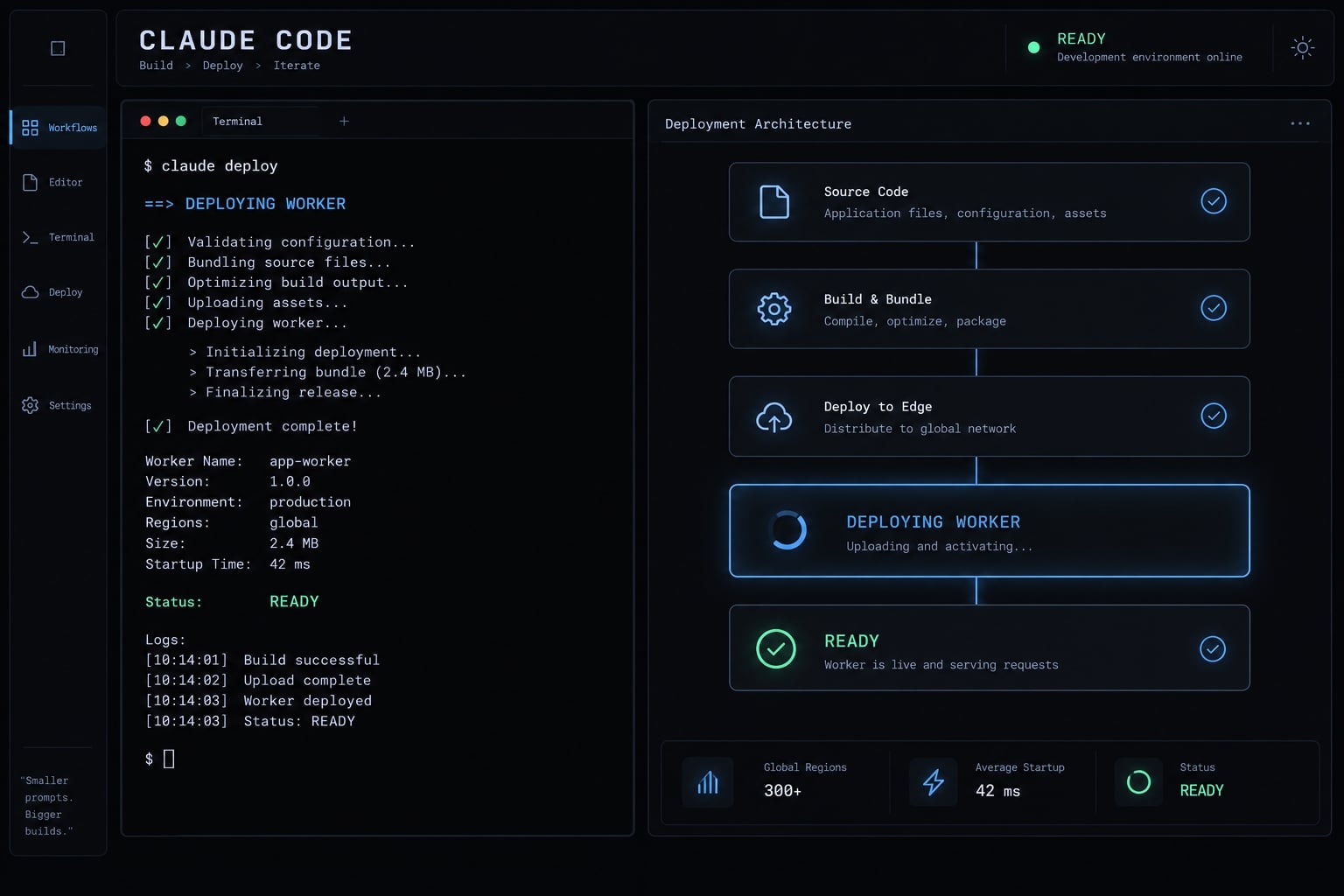
What you actually need for a Claude Code Cloudflare deployment
Start with a working repository and authorized Cloudflare access; add integrations only when they solve a specific problem.
Component | Needed for this walkthrough? | Role |
|---|---|---|
Yes | Inspects code and coordinates approved actions | |
Cloudflare account/access | Yes | Authorizes deployment to the intended account |
Wrangler | Yes | Develops, configures, and deploys Workers |
Project configuration | Yes | Defines entry point, compatibility, and resources |
Node.js and package manager | Yes | Run Wrangler and repository tooling |
Cloudflare Skills/plugin | Optional | Supplies platform-specific guidance |
Cloudflare MCP | Optional | Exposes tools through a separately authorized server |
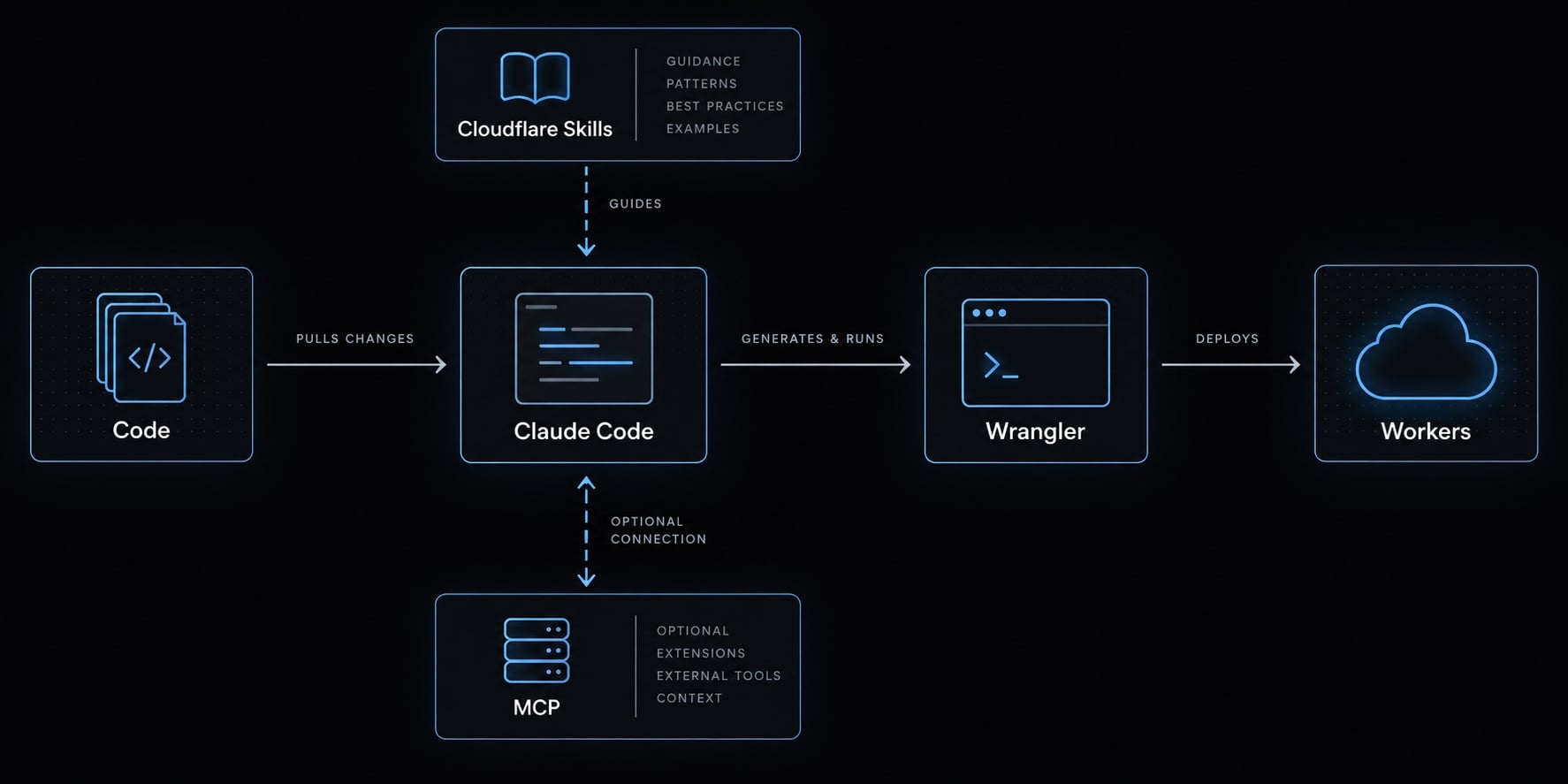
Claude Code vs. Wrangler
- Claude Code interprets your request and proposes or executes permitted repository operations.
- Wrangler CLI performs the actual Workers development and deployment operations.
You can deploy manually with Wrangler without Claude Code. Neither tool removes the need to select the correct account and environment.
When MCP becomes useful
MCP (Model Context Protocol-a standard for connecting AI tools to external systems) can support resource inspection, account queries, or authorized resource operations.
Capabilities depend on the selected Cloudflare MCP server. A documentation server does not automatically provide deployment tools; read access does not imply write access. Its authorization is separate from Wrangler authentication.
Step 1 - Check the project and install the required CLIs
Preserve the repository’s existing toolchain. Installing a different package manager or generating another configuration file can introduce unnecessary deployment failures.
Before proceeding, confirm:
- Claude Code is installed and authenticated.
- Node.js satisfies your Wrangler version’s requirements.
- The repository’s package manager and lockfile agree.
- Wrangler is preferably pinned as a project development dependency.
- You have permission to deploy the intended Worker.
For Claude Code installation, follow Anthropic’s official setup instructions for your operating system. Native installers and shell requirements differ; do not assume a Bash installer applies to Windows PowerShell.
Version-sensitive setup: Installation guidance has not been live-verified for this example. Check Anthropic’s setup documentation and Cloudflare’s Wrangler installation requirements before installing or upgrading.
Record your actual environment:
claude --versionnode --versionnpm --versionnpx wrangler --version
The examples below assume npm and a locally installed Wrangler. If npx offers to download Wrangler, stop and confirm the intended dependency version first. Record pnpm or Yarn versions instead when applicable.
Confirm you are in the repository root
For macOS/Linux shells:
pwdls -lagit status --short
Look for package.json, a lockfile, source directories, and deployment configuration. These are clues, not definitive proof in a monorepo.
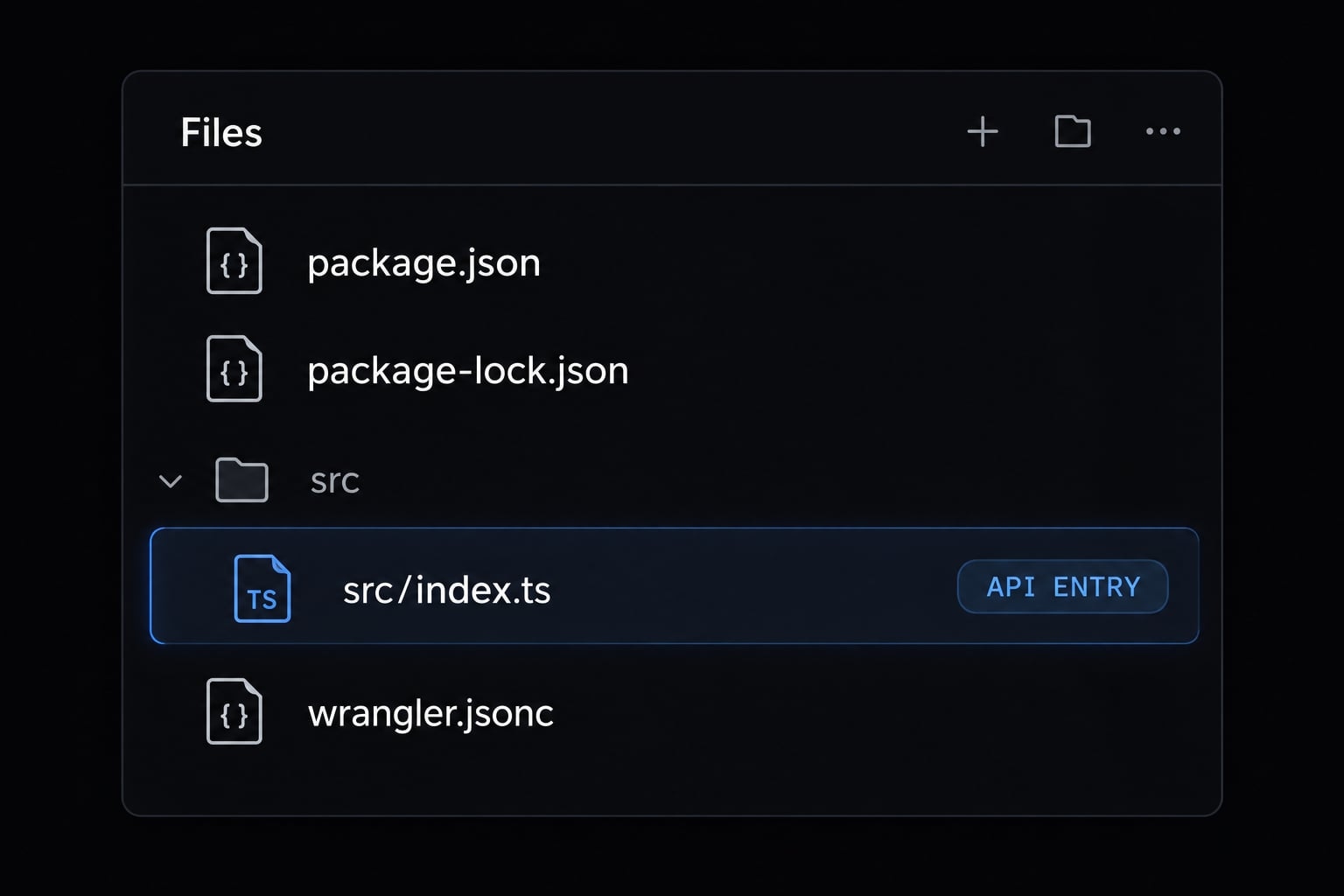
Identify the deployment target before making changes
Determine whether this is:
- A standalone Worker.
- A framework application targeting Workers.
- An application using Pages or another deployment path.
Existing scripts and adapters take precedence. Wrangler supports wrangler.jsonc, wrangler.json, and wrangler.toml in supported versions; they are alternative formats, not files you should create together.
Step 2 - Add Cloudflare context and authenticate safely
Guidance and access are different controls. Installing instructions does not authenticate Wrangler or authorize production changes.
Optional: Add Cloudflare-specific guidance
Cloudflare Skills can provide useful platform-specific instructions. Add a plugin only after confirming its official repository, identifier, installation syntax, and compatibility with your Claude Code version.
This baseline does not depend on a plugin. You can instead provide repository-specific documentation and point Claude toward relevant Cloudflare documentation.
Skills guide behavior; they do not guarantee compliance. Avoid treating a successful plugin installation as evidence that permissions, resource access, or deployment targets are correct.
Authenticate wrangler before asking Claude to deploy
Run these commands in your terminal:
npx wrangler loginnpx wrangler whoami
Browser-based login is the straightforward local path. Review the resulting identity and available accounts.
Then inspect the repository’s configured account selection and intended environment. For multiple accounts, confirm the account ID used by the deployment-not merely that your email appears in identity output.
whoami does not prove authorization for every database, zone, or Worker. Automated environments may use scoped API tokens instead of browser login; keep those credentials in the automation platform’s secret storage.
Optional - Connect a Cloudflare MCP Server
Choose a server for a concrete task, such as documentation lookup or supported resource inspection. Review its available tools and authorization requirements before connecting.
Authorize only the operations needed. Do not assume MCP authorization is shared with the Wrangler CLI.
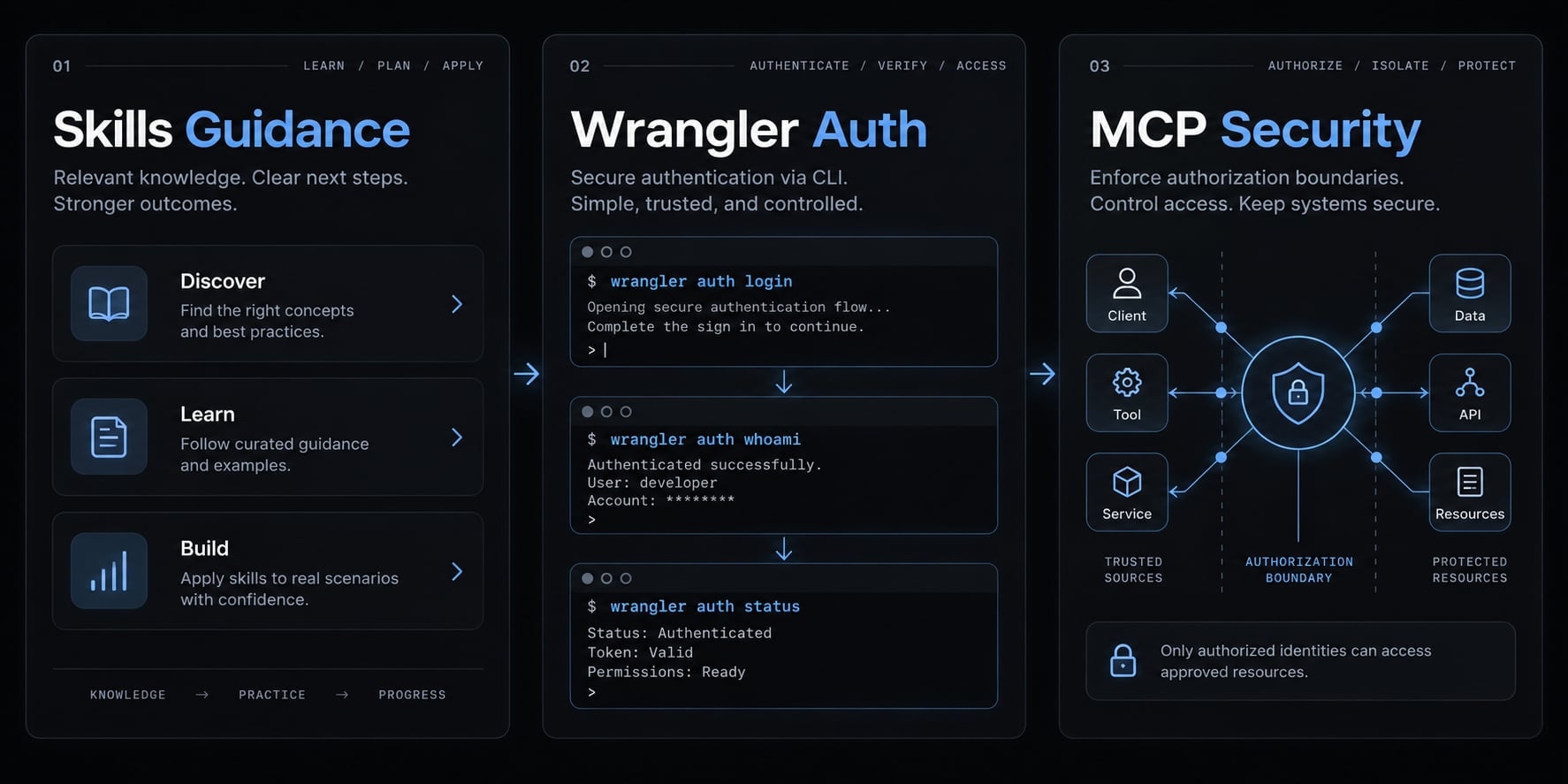
Security boundaries:
- Use least privilege: grant only necessary access.
- Keep credentials outside repositories and prompts.
- Separate staging and production permissions where practical.
- Require separate approval for resource provisioning, deletion, and migrations.
- Never paste token values or application secrets into Claude.
Step 3 - Ask Claude to inspect and prepare the project
Repository inspection comes before edits, and edit approval comes before deployment approval. Keep these decisions separate so a configuration fix cannot silently become a production release.
Use a Task-scoped deployment prompt
Use this illustrative safe deployment prompt after opening Claude Code in the correct repository:
Inspect this repository for deploying our SaaS Worker API to Cloudflare.Do not edit files or change remote state yet.Identify the framework, runtime, deployment target, package manager,repository scripts, existing Wrangler configuration, and framework adapters.Locate the entry point, build output, bindings, and environment names.List required secret names only from non-secret references; do not opencredential files or print secret values.Propose the smallest necessary change set. Show a proposed patch or clearchange summary, explain uncertainties, and wait for edit approval.After approval, apply only those changes, run existing required checks,and show the actual Git diff. Report missing or failed checks withoutinventing results or weakening tests.Prepare a staging deployment only if staging is explicitly configured andauthorized. Confirm account, environment, and resource references beforerequesting deployment approval. Stop for separate production approval.Do not change DNS, run migrations, delete resources, or provision billableresources without separate approval.After an authorized deployment, report its identity, endpoint if available,verification results, and the previous known-good version.
This prompt establishes expectations, not enforceable isolation. Configure tool permissions and credential scope separately.
Review Claude’s proposed configuration
Check the proposed Cloudflare configuration for:
- Correct entry point and build output.
- Intentional compatibility date and flags.
- Correct environment and resource references.
- No duplicate configuration or unrelated changes.
- No secrets in the actual Git diff.
Workers bindings are configured connections to resources such as D1, Cloudflare’s managed SQL database. An optional DB binding must reference the intended environment’s database.
Do not change compatibility settings merely to suppress an error.
Configure secrets separately
For an explicitly configured staging environment, enter secrets yourself through Wrangler’s interactive prompt:
npx wrangler secret put API_TOKEN --env staging
Use the actual required secret name. For the default configuration, omit --env staging only after confirming that target.
Secret commands change remote state and can affect deployment state; they are not read-only preparation.
Step 4 - Test locally and deploy to Cloudflare
To deploy to Cloudflare with Claude Code, preserve this seven-step sequence:
- Confirm repository and deployment target.
- Check tooling, authentication, and account.
- Inspect configuration and propose changes.
- Apply only approved edits and review the diff.
- Run required repository checks.
- Test the Cloudflare runtime locally.
- Approve deployment, execute it, and verify live behavior.
Run pre-deployment checks
Use the repository’s documented scripts and package manager. These npm commands are examples only when the corresponding scripts exist:
npm testnpm run typechecknpm run lintnpm run build
Stop on failed required checks. If a check is absent, report that gap rather than inventing a script or declaring it passed.
Review any proposed test changes independently. A deployment fix should not quietly weaken assertions to obtain a passing result.
Test the Cloudflare runtime locally
For the standalone Worker baseline:
npx wrangler dev
For a configured staging environment:
npx wrangler dev --env staging
Framework applications should use their documented Cloudflare development script. A successful build alone does not establish runtime compatibility.
Test the API’s request handling and, if D1 is enabled, one representative database-dependent operation. Local data, bindings, and secrets may differ from remote resources. Review configuration before assuming development requests cannot reach remote systems.
Deploy to staging or production
For explicitly configured and approved staging:
npx wrangler deploy --env staging
For the approved default configuration:
npx wrangler deploy
An unqualified deploy targets the default configuration-not automatically staging. Do not fall back to it when a staging command fails.
Before execution, confirm account, environment, bindings, secret availability, and approval. Environment-specific bindings may need explicit configuration rather than inheritance.
Record the deployed identifier, endpoint when available, and previous known-good version. Framework adapters, Workers Static Assets and Pages can require different build or deployment paths.
Step 5 - Verify the live deployment
Deployment verification checks application behavior, not just command success. Use the same account and environment recorded during deployment.
Apply this acceptance checklist:
- Correct account, environment, and deployment identity.
- Intended endpoint is reachable.
- Expected status and response body.
- Working API or Worker route, where applicable.
- Correct resource-dependent behavior.
- No errors during sampled verification requests.
- Correct configured route or custom-domain behavior.
Test the default deployment URL first
Use the returned Worker URL on workers.dev when enabled. Private deployments or disabled default URLs require an approved alternative endpoint; do not enable public access merely for testing convenience.
For a Bash-compatible shell, replace the placeholder and request the actual health route:
ENDPOINT='<approved deployment endpoint>'curl --silent --show-error --include "$ENDPOINT/health"
This sends a GET request and displays headers and body. For the demonstration API, define an expected result such as HTTP 200 and {"status":"ok"} before testing.
A health endpoint alone does not validate database access or authentication.
Check logs and runtime errors
For staging:
npx wrangler tail --env staging
Use npx wrangler tail only for the confirmed default target. Generate test requests while observing Cloudflare logs.
A short error-free sample supports verification but does not prove complete reliability.
Confirm routes, bindings and environment selection
Check that staging uses the intended D1 resource rather than production data. Validate secrets indirectly through expected application behavior; never print their values.
Retain a sanitized request result and corresponding log sample as release evidence.
Common Claude Code and Cloudflare deployment errors
Diagnose the actual failed command, not a generic description of the symptom. These are diagnostic possibilities, not failures observed in a tested deployment.
Symptom | Likely cause | First safe action |
|---|---|---|
Authentication failure or access denied | Expired login, wrong account, or insufficient permissions | Check identity, selected account, and required permissions separately |
Project or configuration not found | Wrong directory or missing script context | Inspect working directory and documented repository commands |
Build passes but deployment fails | Adapter, entry point, or output mismatch | Compare generated output with deployment configuration |
Missing bindings or variables | Target environment lacks configuration | Inspect that environment before creating resources |
Runtime API or import failure | Unsupported Node.js APIs or compatibility mismatch | Inspect logs and documented runtime support |
Domain or route fails | Routing, access policy, or DNS mismatch | Test an approved direct endpoint to isolate application behavior |
Wrong environment deployed | Default target or incorrect environment selection | Confirm the actual deployment before any corrective release |
Agent makes overbroad changes | Ambiguous scope or excessive tool access | Stop execution and review the diff before selective reversal |
Do not use a blanket reset to remove agent changes. Unrelated uncommitted work may belong to another task.
Give Claude the actual error output
Sanitize credentials, cookies, customer data, sensitive request contents, and private identifiers. Then provide a bounded diagnostic request:
Failed command: <exact command>Versions: <Claude Code, Wrangler, Node.js>Target: <sanitized account reference and environment>Error: <sanitized output>Relevant configuration: <non-secret excerpt>Explain the likely cause and smallest proposed fix.Do not edit files, change resources, or deploy without approval.
Apply one reviewed fix at a time. If the evidence is incomplete, gather more information rather than stacking speculative production edits.
Roll back or redeploy the last known-good version
- Identify the last known-good application version and relevant resource state.
- Choose a supported rollback or controlled redeployment after checking compatibility.
- Repeat live verification against the intended endpoint.
Code rollback is not data recovery. Database migrations, external writes, and resource changes may require separate recovery. Older code must remain compatible with current bindings and database schema.
Make the deployment workflow repeatable and production-safe
Record repository-specific decisions once, then reuse them. A useful deployment checklist includes exact scripts, environment names, expected responses, resource owners, and recovery references.
Store sanitized release evidence alongside your normal engineering records. Include tool versions and the actual verification date after execution. Avoid retaining tokens, customer payloads, or unnecessary personal identifiers.
Suggested CLAUDE.md deployment rules
1. Inspect existing configuration and adapters before proposing changes.2. Use documented repository commands and the pinned package manager.3. Do not read, print, or commit credential values.4. Confirm the intended account, environment, and resource references.5. Use staging only when explicitly configured and approved.6. Show the actual diff; stop on failed required checks.7. Require approval before deployment, with separate approval for production, DNS changes, destructive operations, provisioning, migrations, and secret updates.8. Verify live behavior and record deployment identity, results, tool versions, and the previous known-good version.
CLAUDE.md is an instruction file, not a permission boundary. Tool permissions, scoped credentials, and human review provide additional controls around each approval gate.
Assign a named reviewer for production changes so ownership remains clear when several people or agents work in the same repository.
Optional AgentKit resource
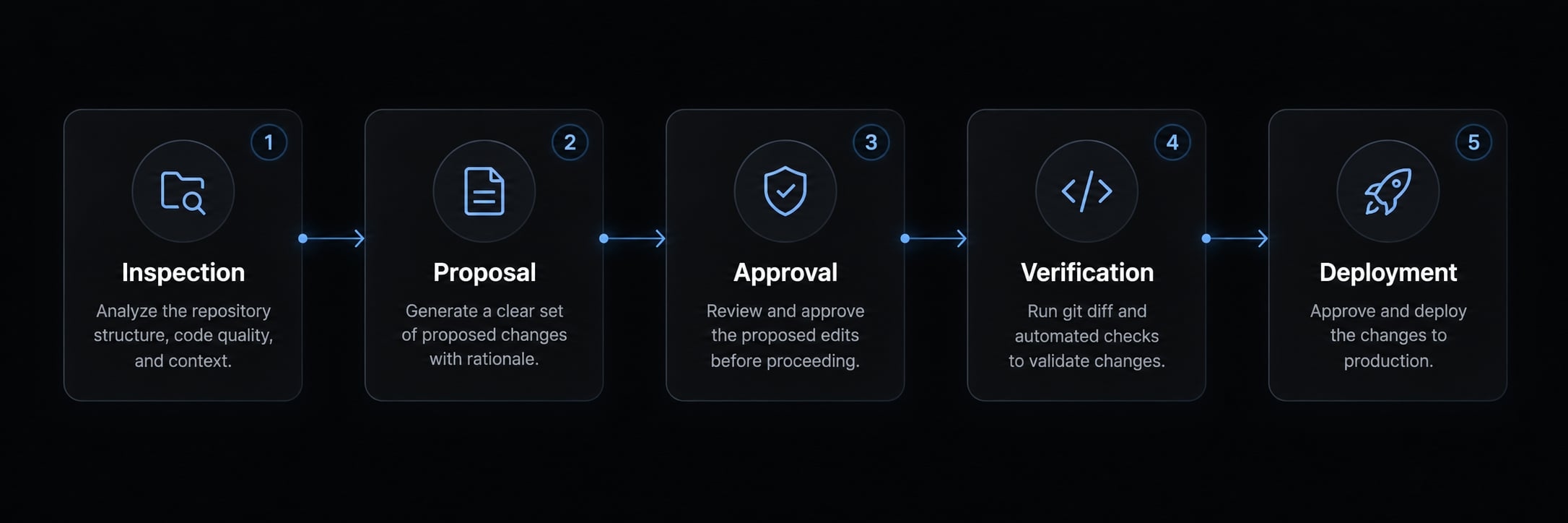
AgentKit includes editable skills for planning, code review, and DevOps/CI work in Claude Code. You can adapt them to encode this checklist — inspect, diff, staging, approval, verify — for your repository.
Keep environment names, expected responses, and approval rules project-specific; the kit structures the workflow, while Wrangler, permissions, and your reviewer control the release.
Frequently asked questions
Can Claude Code deploy to Cloudflare?
Yes. Claude Code can assist with the deployment process by inspecting your repository, validating configuration, and invoking the Wrangler CLI. While Claude Code coordinates these actions based on your architectural intent, the actual deployment to Cloudflare is executed by the Wrangler CLI.
What tools are required for a Claude Code Cloudflare deployment?
For this workflow, you need:
- Claude Code: To orchestrate the deployment steps.
- Wrangler CLI: To handle the actual deployment to Cloudflare.
- Cloudflare Account: Authorized to manage the specific project resources.
- Project Configuration: A
wrangler.jsoncorcloudflare.config.tsfile defining your Workers settings.
How do I authenticate Claude Code and Wrangler safely?
Authenticate Wrangler via npx wrangler login in your terminal to establish your identity. For Claude Code, you should use the least-privilege principle by ensuring your API tokens or credentials remain outside the repository. Avoid pasting secret values directly into Claude prompts; instead, manage secrets via Wrangler’s secure secret-handling commands.
What should I ask Claude to do before deploying?
Request that Claude inspects your repository to identify the runtime, entry point, and environment-specific bindings. Ask for a proposed plan and a clear Git diff of any configuration changes. Always review these changes and verify that no secret values or unrelated modifications are included before approving the execution.
How do I verify a successful Cloudflare deployment?
Cli success only confirms the command executed. To verify, check your Cloudflare account to confirm the deployment identity and intended environment. Test the application endpoint to ensure the expected response body is returned, and use npx wrangler tail to monitor logs for runtime errors during initial verification requests.
What is the purpose of the Cloudflare MCP?
The Cloudflare Model Context Protocol (MCP) server allows Claude Code to securely access Cloudflare API tools. It provides capabilities like inspecting DNS records, querying deployment status, and retrieving zone analytics. It is an optional tool that enables Claude to understand your infrastructure context without leaving the terminal environment.
How can I make this deployment workflow repeatable?
Maintain a CLAUDE.md file in your repository root containing project-specific rules. Include policies such as "always require approval for production changes," "confirm the environment before deploying," and "verify results against the expected endpoint." This ensures that Claude Code adheres to your team’s discipline and safety standards across every deployment session.
Read more:
- Everything Claude Code: A guide to streamlined AI coding
- Claude Code Next.js: A practical workflow for faster development
- Claude Code slash commands: Essential shortcuts for CLI flow
Conclusion
A safe Claude Code Cloudflare deployment starts with inspection, not a broad instruction to ship: identify the existing deployment path, approve only reviewed changes, run the required checks and a local runtime test, then authorize deployment to a confirmed account and environment. Claude coordinates the work, Wrangler executes it, and live verification shows whether the release actually behaves as expected.
Before production, confirm permissions, resource references, and a rollback path, and reuse the checklist and CLAUDE.md rules so every deployment follows the same explicit, reviewable steps.