Claude Code Astro: A practical workflow to build or migrate
Claude Code Astro: A practical workflow to build or migrate a website
While a Claude Code Astro workflow accelerates web development, oversized changes, outdated APIs, and inconsistent components can quickly ruin maintainability. Building a production-ready Astro site requires far more than generating code that compiles. This guide details essential repo preparation, project setup, structured build and migration paths, and thorough pre-release verification. The core strategy is simple: leverage Claude Code to speed up implementation while using strict permissions, automated checks, and human oversight to control what ships to production.
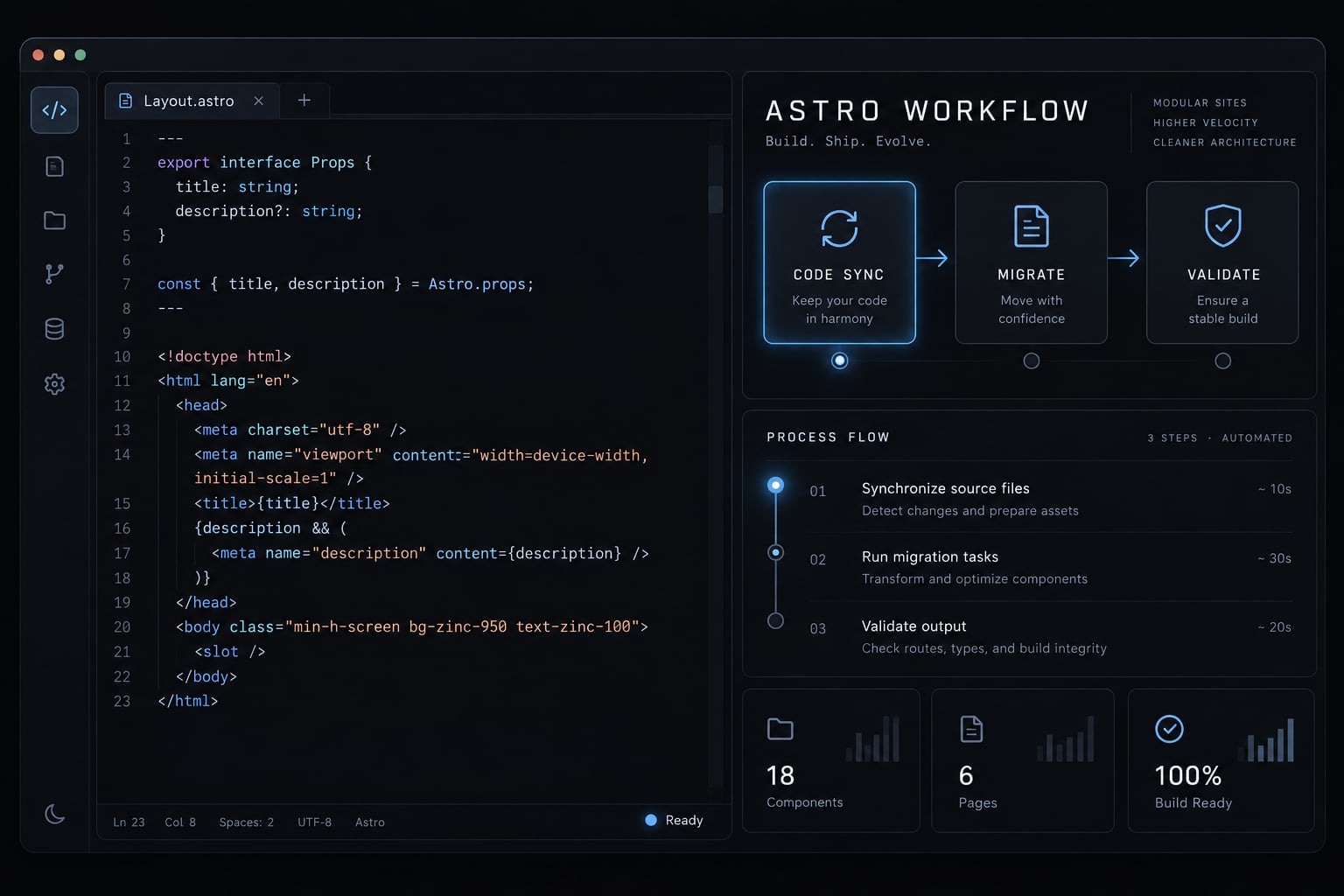
Why Claude Code and Astro work well together
A Claude Code Astro workflow is a controlled repository process in which Claude Code inspects an Astro project, proposes scoped changes, and runs permitted tools. Astro supplies the routing, rendering, and content structure; developers supply requirements, review results, and approve releases. It is not an official bundled product.
What Astro simplifies for an AI coding agent
Astro’s component-based architecture separates file-based routes, shared layouts, and reusable components. Content collections—structured groups of content with defined fields—provide consistent inputs for page generation.
A SaaS resource library might give every article an approved layout, title, description, and publication date. That structure makes implementation tasks easier to bound.
Official Astro documentation describes static-first rendering, with on-demand rendering available when required. Astro components render HTML without client-side JavaScript by default. Interactive islands can add JavaScript selectively; hydration makes those components interactive in the browser. React is one possible integration, not a requirement.
What Claude Code adds to an Astro project
Official Claude Code documentation describes these capabilities, subject to permissions and available tooling:
Capability | Practical use |
|---|---|
Repository inspection | Locate existing patterns |
Coordinated edits | Update related files |
Terminal execution | Run configured checks |
Error investigation | Trace failures |
Project instructions | Reuse working conventions |
A repository-aware coding agent relies on inspected files and tool outputs rather than complete codebase knowledge. Claude Code for Astro development does not replace human decisions about content, usability, architecture, or release risk.
Prepare the project before asking Claude Code to write pages
Establish the implementation baseline before requesting code. Use this Astro development checklist:
- Define site purpose and audience.
- Record the Astro version and rendering mode.
- List routes or capture the sitemap.
- Identify design tokens and component conventions.
- Define content types and required fields.
- Record the deployment target and verification scripts.
- Create a Git branch and document the baseline.
- Inventory migration sources, where applicable.
Use a Node.js version supported by the selected Astro release, npm, and an installed, authenticated Claude Code environment.
For a new project, this adaptable sequence follows Astro’s documented scaffolding approach; it has not been executed for this article:
npm create astro@latest# Choose the directory "site" and install dependencies when prompted.cd sitenpm run dev# In another terminal, from the same directory:claude
Record the generated version and lockfile. For an existing repository, do not scaffold over it; follow its dependency-installation instructions.
Illustrative structure—not a tested repository or mandatory Astro layout:
site/├── CLAUDE.md├── astro.config.mjs└── src/ ├── pages/ ├── layouts/ ├── components/ └── content/
Connect Claude Code to current Astro documentation
MCP (Model Context Protocol) makes external tools or documentation available to an agent. Follow the official Astro Docs MCP and Claude Code setup instructions. This is a non-runnable configuration placeholder:
claude mcp add --transport http <server-name> <official-Astro-MCP-endpoint>
Confirm the connection in Claude Code’s MCP status view. Then request an actual documentation lookup and inspect its tool result; connection alone proves nothing about consultation.
Check content collections, images, adapters, and client directives against the installed version. If MCP is unavailable, consult official Astro documentation manually.
Establish a safe starting point
Record the baseline build result and existing changes. Back up source content outside Git.
Name editable and protected paths. Require approval before dependency changes, deletions, deployment, or secrets-related edits. Support these restrictions with tool permissions and review practices—not prose alone.
Create an Astro-specific CLAUDE.md
CLAUDE.md is a project instruction file that communicates working conventions to Claude Code. Start with a root file describing the actual repository, commands, and acceptance criteria. Claude Code supports additional instruction scopes, but this file is guidance—not executable configuration, an access-control boundary, or a substitute for source code.
Copyable CLAUDE.md starter for Astro
Replace every angle-bracket placeholder. Remove unavailable commands or configure them with approval before use. The paths below are illustrative.
# ProjectAudience: <audience>Purpose: <site purpose>Page types: <approved page types># StackAstro: <installed version>Styling and integrations: <actual stack>Rendering and deployment: <mode and hosting target># StructureRoutes: src/pages/Layouts: src/layouts/Components: src/components/Content and collection configuration: <actual locations># Working rules- Inspect relevant files before proposing changes.- Reuse approved components and <design-token source>.- Keep tasks bounded; plan cross-cutting changes first.- Add client JavaScript only for a named interaction.- Verify APIs against installed-version Astro guidance.- Identify documentation consulted and unresolved uncertainty.# SEO- Preserve approved URLs, titles, descriptions, canonicals, headings, and applicable structured data.- Flag existing mistakes; propose corrections for approval.- Check internal links and migration mappings.# Validation- Build: npm run build- Diagnostics: npx astro check- Lint: <configured command or unavailable>- Tests: <configured command or unavailable>- Migration checks: <configured command or unavailable>- Request approval before installing missing check dependencies.- Report browser or crawler checks as "not checked" if unavailable.# Safety- Editable paths: <paths>- Protected paths: <paths>- Ask before dependencies, deletions, secrets-related changes, merge, or deployment.- Preserve unrelated work.# Done- Report changed files, affected routes, and check evidence.- Separate passed, failed, and not-run checks.- Obtain human approval of rendered output.- List unresolved items; do not claim unverified success.
Instructions that prevent generic or inconsistent output
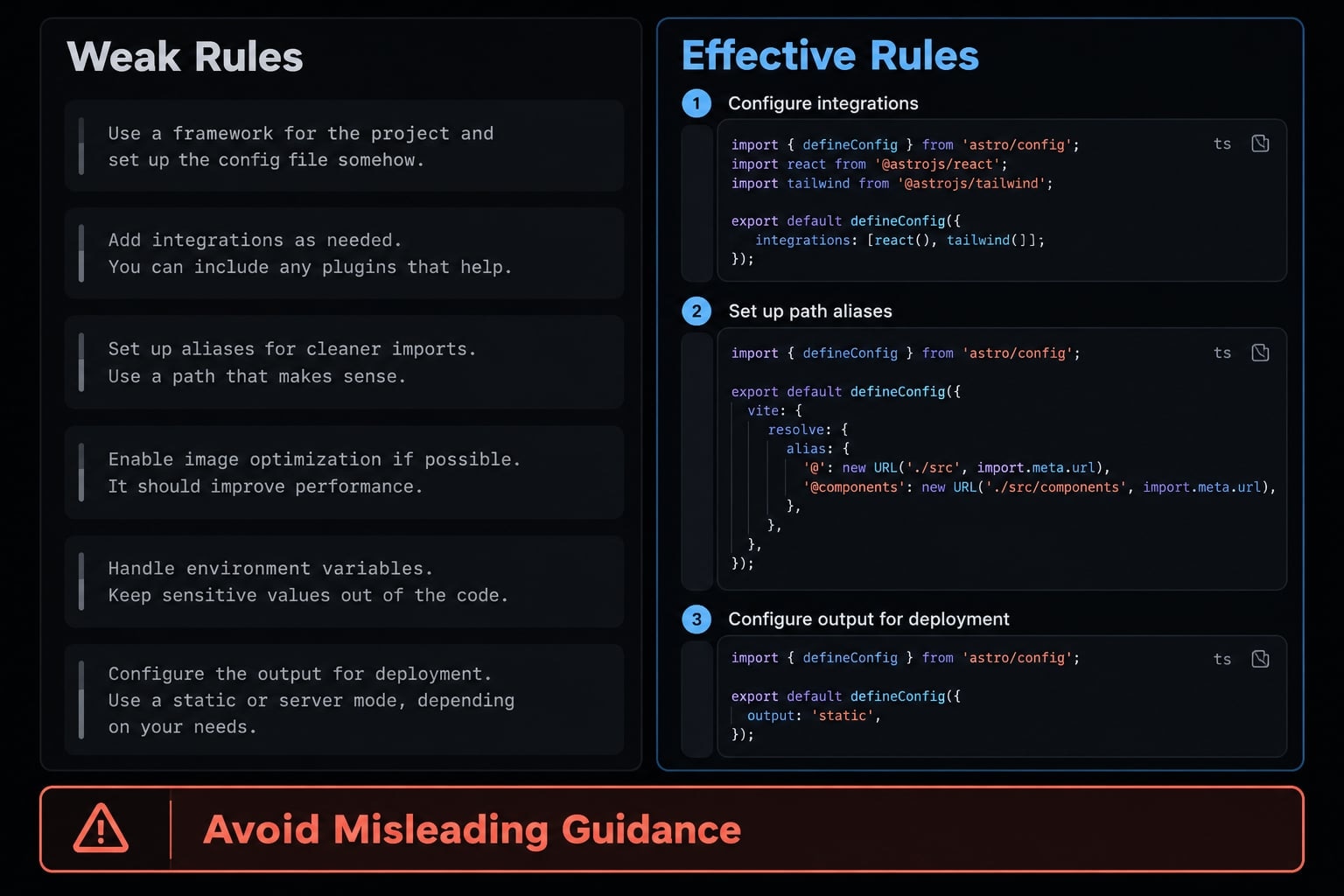
Useful Astro project instructions replace subjective requests with observable coding conventions and verification commands.
Weak rule | Effective rule |
|---|---|
“Make it modern.” | Use approved spacing, typography, and color tokens. |
“Build the whole site.” | Propose routes and an implementation plan before edits. |
“Make it interactive.” | Name the interaction before adding client JavaScript. |
“Optimize SEO.” | Check titles, descriptions, canonicals, indexing, and links. |
“Fix everything.” | Repair the named failure in one approved file group. |
Keep instructions synchronized with the repository. A nonexistent test command or outdated component path gives the agent misleading guidance rather than useful constraints.
Use one workflow with separate paths for new builds and migrations
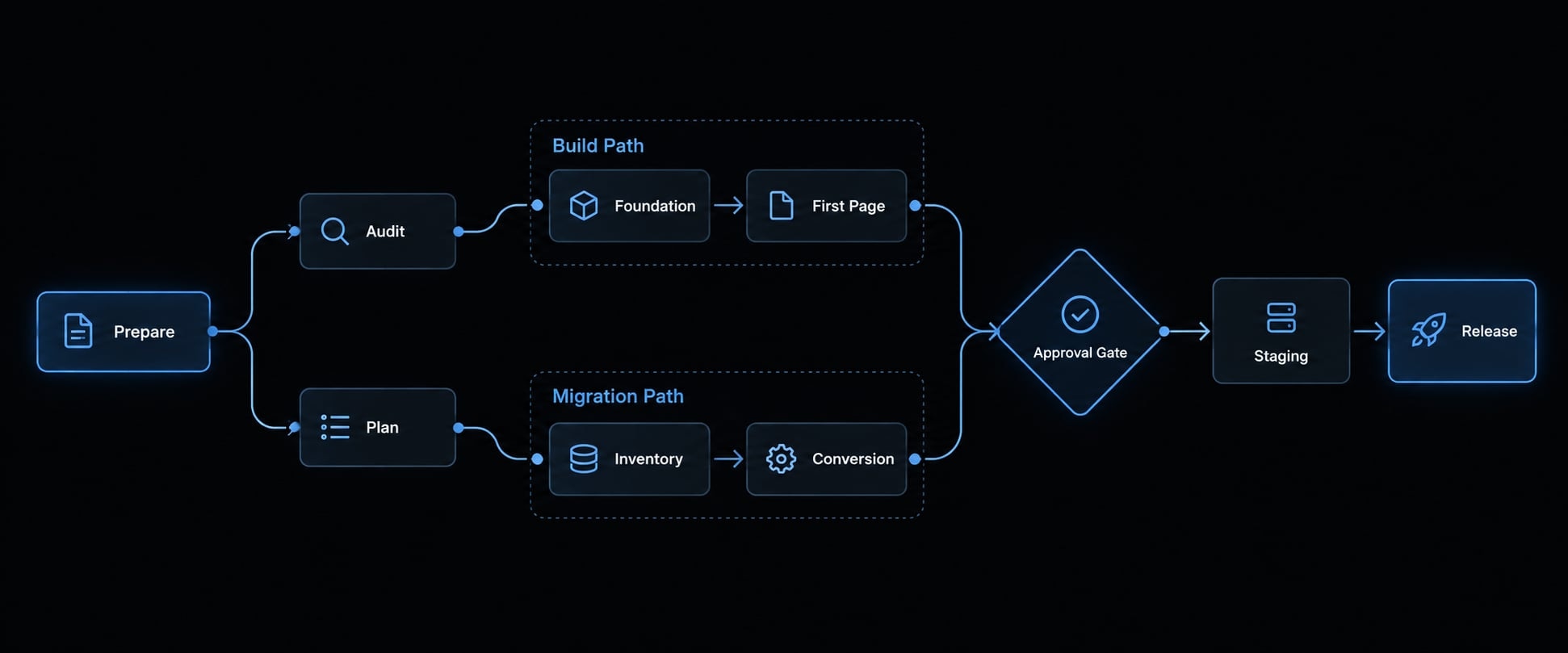
Both paths share seven controls:
- Audit the repository and inputs.
- Plan routes and acceptance criteria.
- Build the foundation.
- Implement a representative page.
- Validate that page.
- Scale approved patterns.
- Prepare release and deployment checks.
Prepare → Audit → Plan ├─ New build: foundation → first page └─ Migration: inventory → first conversion ↓ Checks + human approval ↓ Small, reviewable batches ↓ Staging → release checks → approval
Path a: Build a new Astro website
Prove the page pattern before expanding the component library.
- Inspect before editing: Identify existing routes, scripts, and conventions.
- Approve structure: Choose routes, content organization, and rendering mode.
- Establish design tokens: Define colors, spacing, typography, and breakpoints.
- Build necessary components: Implement only what the first page needs.
- Create one representative page: Use realistic content rather than placeholders.
- Review responsiveness: Inspect navigation, reading width, wrapping, and overflow.
- Refine reusable layouts: Extract shared structure proven by that page.
- Add small batches: Group pages by a common, approved pattern.
- Add justified islands and production checks: Verify interactions, staging integrations, and rollback readiness.
Copyable planning request:
Audit this B2B SaaS resource website repository read-only.Identify reusable patterns. Propose routes, layouts, contentstructure, and rendering choices. Justify any client JavaScript.List assumptions and missing inputs. Make no edits before approval.
Keep static content static unless a requirement justifies interactivity. A searchable resource directory may need client behavior; an article body usually does not.
Path B: Migrate an existing website to Astro
Migration acceptance includes preserving content meaning and URL intent, not merely reproducing the design. For a Jekyll to Astro migration, remember that Jekyll is a static-site generator.
- Inventory URLs and content: Include published pages, downloads, and important historical routes.
- Inventory metadata and assets: Capture titles, descriptions, canonical tags, headings, structured data, and image references.
- Group content types: Define required fields and identify exceptional pages.
- Map old templates: Assign each template to an Astro layout and content model.
- Convert representative pages: Include ordinary content and a meaningful edge case.
- Compare output: Inspect text, headings, assets, links, and rendered appearance.
- Preserve approved URLs: Verify slugs, trailing slashes, and internal links.
- Map changed URLs: Specify relevant equivalents and required 301 redirects.
- Check technical behavior: Validate sitemap, robots directives, forms, analytics, and deployment responses.
- Retain original sources: Keep content exports and the prior release until acceptance and rollback requirements are satisfied.
Do not redirect every removed page to the homepage. Where no replacement exists, evaluate a deliberate 404 or 410.
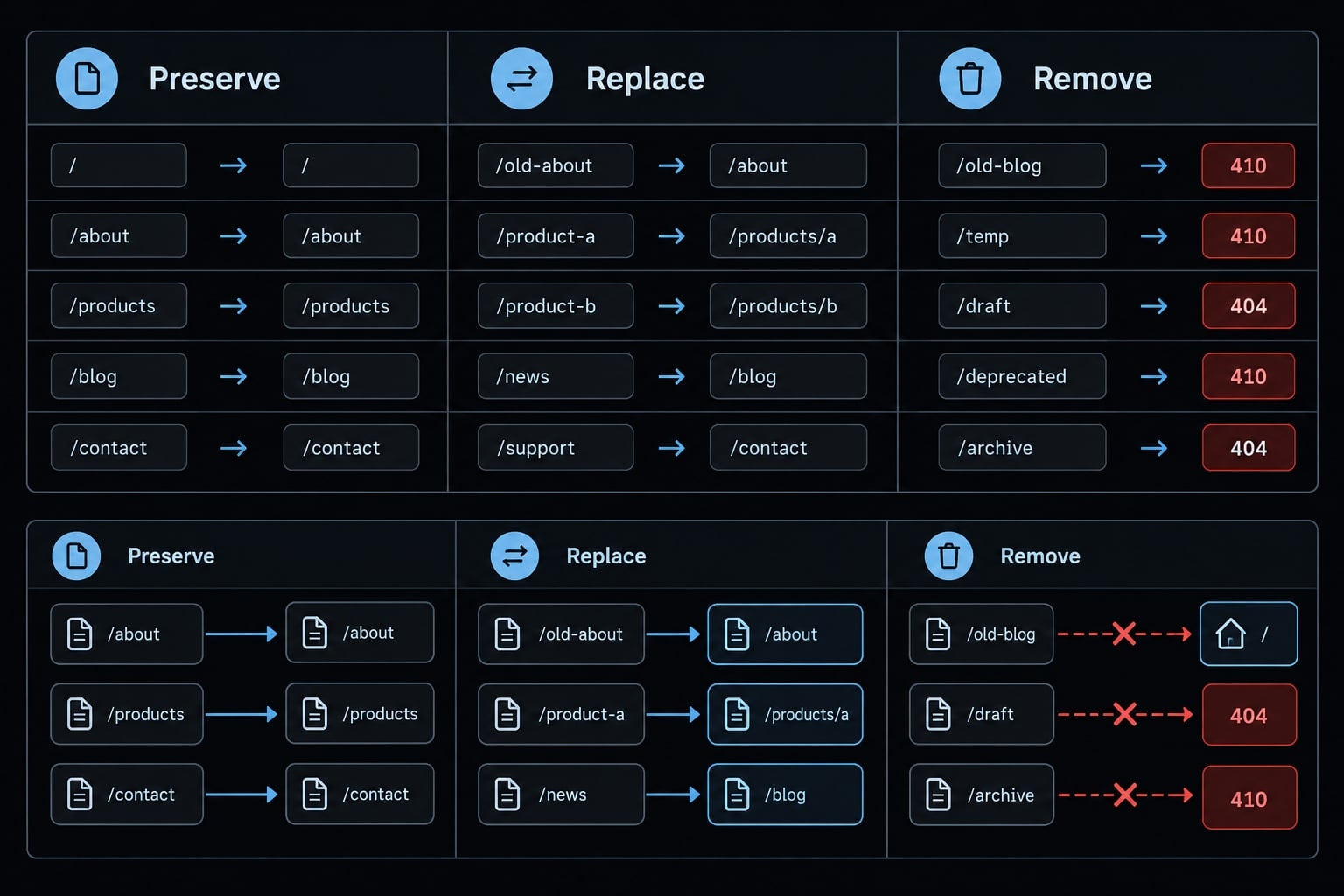
Google Search Central’s site-move guidance supports explicit URL mapping and redirect testing. These controls reduce migration risk; they cannot guarantee unchanged rankings.
Create a planning-only URL map from the supplied inventory.Mark each source URL preserve, replace, or intentionally remove.For replacements, propose relevant destinations. List missingevidence, risks, and unknowns. Do not edit routes or redirects.
Scale only after one pattern passes review
Expand only when the representative content type works, design and content are approved, and required checks pass. Reuse shared components and keep each batch independently reviewable. Before production approval, test staging integrations, confirm environment configuration, and document how the previous release can be restored.
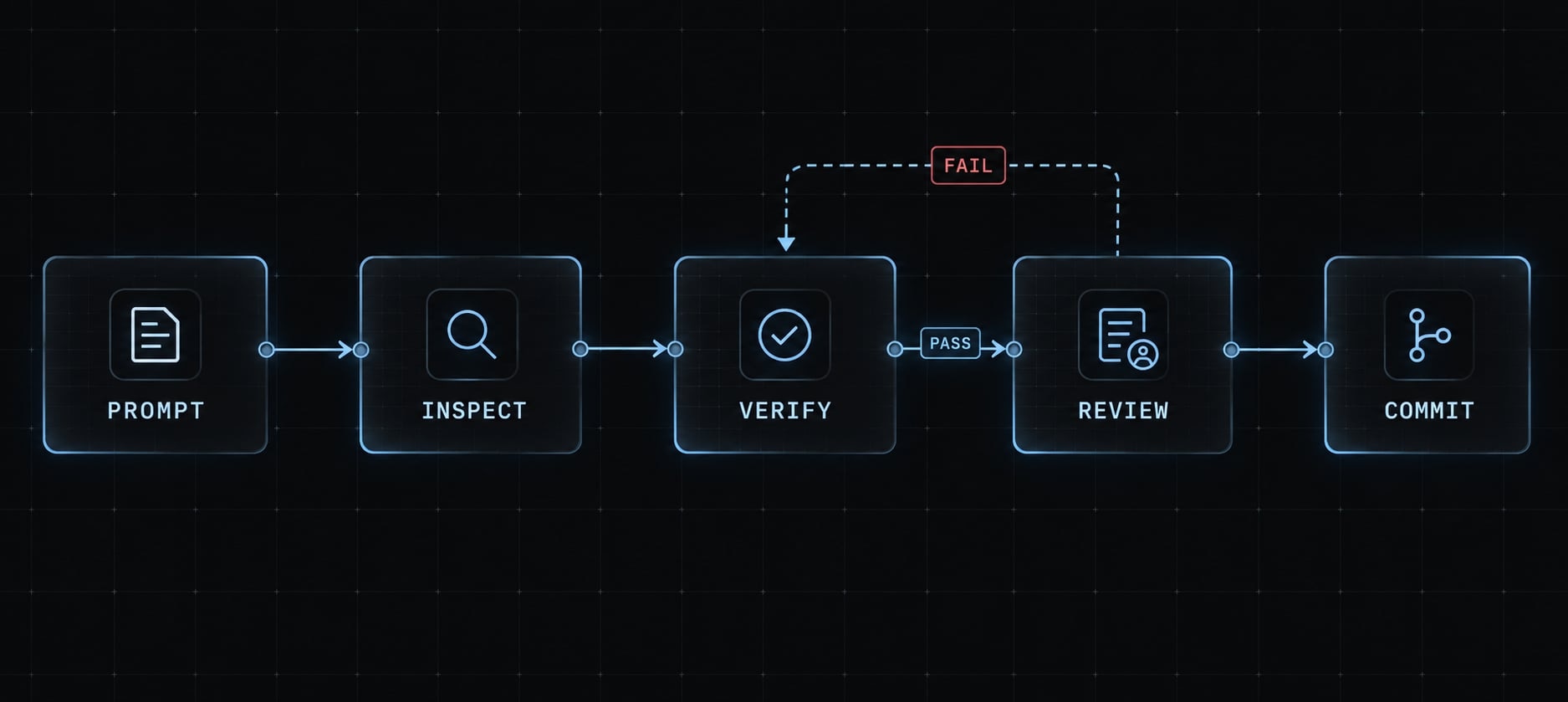
Apply the prompt → verify → commit loop
The Prompt → Verify → Commit loop turns each request into a reviewable unit of work. Define one bounded change, inspect the resulting diff, run available checks, and review affected pages. Commit only approved work, keeping failed checks and unverified assumptions visible rather than treating generated code as completed implementation.
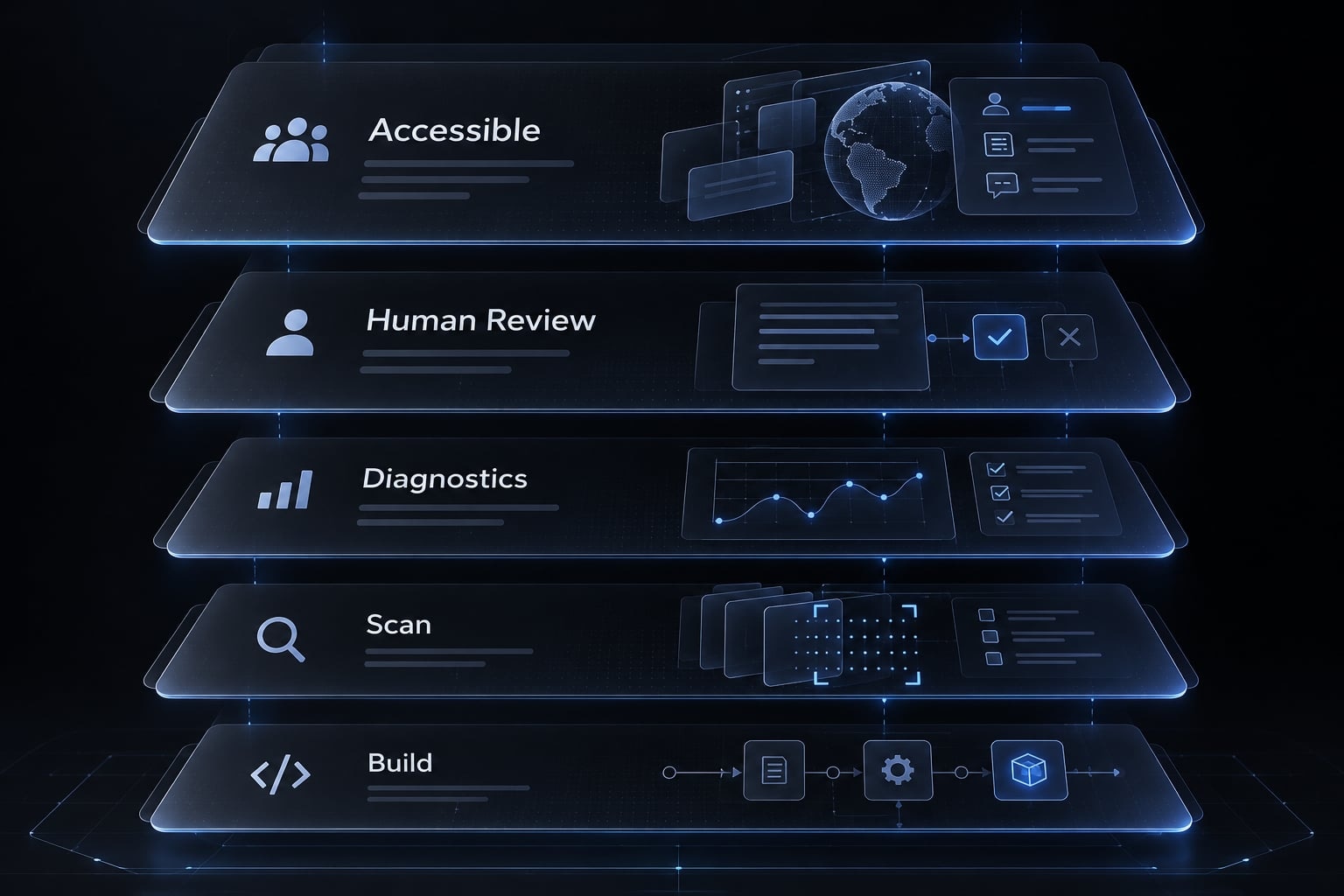
A passing build does not prove visual, accessibility, content, or SEO correctness.
- Prompt for a bounded task.
- Inspect the diff.
- Run documented checks.
- Review rendered output.
- Commit approved changes.
Prompt → Diff inspection → Automated + human verification ├─ Fail → Correct → Verify again └─ Pass → Approval → Commit
Code and build validation
Astro’s CLI documentation distinguishes diagnostics from building. npx astro check requires appropriate project dependencies, including @astrojs/check and TypeScript. Approve missing installations first; do not allow implicit installation.
Adapt these commands to the documented project setup:
npx astro checknpm run build# Run configured lint and test scripts separately.git diffgit status --short
Inspect dependency and lockfile changes, configuration edits, unrelated modifications, and unresolved warnings. GitHub Actions can repeat configured checks on pull requests; it does not replace acceptance review.
Visual, responsive and accessibility review
Check affected routes for:
- Mobile, tablet, and desktop layouts.
- Navigation and interactive states.
- Typography, spacing, overflow, and content accuracy.
- Images, dimensions, and layout stability.
- Keyboard access, visible focus, labels, and contrast.
- Critical forms and actual submission behavior.
Follow the project’s supported Astro image pipeline; remote assets and deployment modes can behave differently.
W3C WAI guidance emphasizes that automated accessibility scans detect only some issues. Include human keyboard review and appropriate assistive-technology testing. Lighthouse is a lab diagnostic, not proof of field performance or complete accessibility.
SEO and migration validation
Canonical URLs identify the preferred indexing version of a page.
Check | Method | Failure Prevented |
|---|---|---|
Titles and descriptions | Inspect rendered HTML against inventory | Missing or incorrect metadata |
Canonicals | Compare tags with approved destination URLs | Wrong preferred URL |
Structured data | Validate rendered markup and content match | Invalid or misleading markup |
Redirects | Test HTTP status and destination on target host | Broken mappings and chains |
Sitemap and robots | Fetch deployed files; compare intended routes | Discovery or crawl restrictions |
Internal links | Crawl routes and inspect destinations | Broken or obsolete links |
| Inspect HTML and HTTP headers | Accidental indexing exclusion |
Valid structured data does not guarantee rich results. Test redirects using the hosting platform’s documented behavior, not just the generated mapping file.
After launch, monitor Search Console, 404s, indexing signals, analytics, and priority pages. These are post-release checks, not substitutes for staging validation.
Example verification prompt
Run available documented checks for affected routes.Provide command output or evidence references. Separate passed,failed, and not-run checks. Use browser or crawler tools only ifconfigured; report unavailable checks. Report findings beforecorrective edits. Do not commit or deploy.
Know where Claude Code commonly fails
Treat repeated failures as a signal to reduce uncertainty and scope, not increase the number of retries. These are likely explanations to investigate, not diagnoses.
Failure | Recovery direction |
|---|---|
Outdated Astro APIs | Consult installed-version documentation |
Excessive hydration | Identify the actual interaction requirement |
Duplicate components | Reference approved existing patterns |
Design drift | Supply concrete tokens and reference pages |
Metadata or redirect errors | Compare with the migration inventory |
Large unstable diffs | Isolate the failure and reduce scope |
For example, generated code may call an entry method incompatible with the project’s content API. Capture the diagnostic, inspect the collection configuration, and verify the supported rendering approach. Do not assume defineCollection itself is obsolete; API compatibility depends on version and usage.
Use this recovery sequence:
- Stop the current retry loop.
- Protect unrelated work; revert only failed task changes where appropriate.
- Reproduce the smallest failing case.
- Check applicable official documentation.
- Validate a minimal working approach.
- Reintroduce one change at a time.
Task decomposition is safer than a broad request to “fix the migration.” Avoid blind hard resets.
Automation checks defined conditions. Human review approves meaning, usability, risk, and release.
Task | Claude Code | Automated checks | Human approval |
|---|---|---|---|
Repository audit | Inspect accessible files | Inventory coverage | Scope and assumptions |
Components | Draft bounded changes | Types and tests | Design and behavior |
Content migration | Transform supplied content | Fields and counts | Meaning and completeness |
Redirects | Draft mappings | Status and destination | Replacement relevance |
Metadata | Populate approved fields | Presence and consistency | Accuracy and intent |
Accessibility | Suggest or apply fixes | Configured scans | Keyboard and assistive use |
Dependencies | Propose changes | Compatibility and security scans | Installation and risk |
Deployment | Execute if permitted | Configured release checks | Explicit release gate |
Marketing copy | Draft revisions | Defined content rules | Claims and positioning |
Practical example: What a controlled Claude Code + Astro project looks like
Illustrative scenario—not a documented project outcome: A developer-tool company moves its Jekyll resource library to Astro.
Before: Article templates repeat markup, descriptions vary between templates, and routine updates require editing several files. The team lacks a reviewed URL inventory.
Process: The team inventories content, records project instructions, and selects one article as the representative conversion. Claude Code proposes a shared layout and content mapping. Reviewers compare rendered output, approve reusable components, and examine the redirect plan before further conversions.
Sample planning inventory:
Existing route | Decision | Proposed destination |
|---|---|---|
| Preserve |
|
| Replace |
|
| Intentionally remove | Evaluate 410; no equivalent |
Acceptance criteria: An approved article layout, reviewed URL map, complete required metadata, and a validation report separating passed, failed, and unrun checks.
The release remains blocked until the proposed redirect works on the target host and critical forms pass submission testing. These are expected deliverables, not measured improvements in publishing speed, performance, rankings, or conversions.
Frequently asked questions
What is the Claude Code Astro workflow?
The Claude Code Astro workflow is a controlled development method where Claude Code serves as an implementation assistant for building or migrating websites using the Astro framework. It relies on project-specific instructions, MCP-enabled documentation access, and a strict verify-before-commit loop to keep changes reviewable and bounded.
Why is Claude Code effective for building Astro websites?
Astro's content-first architecture and explicit hydration make tasks easier to bound: routes, layouts, and content collections give an agent structure to work within. That reduces ambiguity — performance and SEO outcomes still depend on review and verification.
What is the purpose of CLAUDE.md in an Astro project?
The CLAUDE.md file serves as a project-specific instruction manual for the AI. It defines your design tokens, component conventions, architectural constraints, and specific validation commands. It communicates your design tokens, component conventions, constraints, and validation commands. It is guidance, not enforcement — back it with tool permissions and review.
How do I ensure Claude Code uses current Astro documentation?
You should configure the official Astro Docs MCP server within your Claude Code environment. This allows the agent to perform real-time queries against current Astro API documentation before writing code then confirm it actually consulted the docs by inspecting a tool result — a connected server does not prove a lookup happened. If the MCP server is unavailable, you must manually verify component syntax against official documentation to avoid deprecated patterns.
What should I do if Claude Code produces unreliable changes?
Stop the current task, protect your unrelated work, and revert the specific failing changes. Reproduce the error with a minimal test case, manually consult the official Astro documentation for the correct API, and guide the agent step-by-step through a bounded fix rather than allowing it to attempt automated retries.
How do I validate changes before merging?
Always run the configured project checks, such as npx astro check, npm run build, and git diff. Beyond automated tests, humans must perform visual, responsive, accessibility, and SEO validation—including verifying titles, canonical tags, redirects, and structured data—before approving any changes for production deployment.
Read more:
- Mastering the Claude Code workflow for reliable AI development
- Claude Code toolkit: Scale your AI development workflow easily
- Claude Code refactoring: A safe and repeatable workflow guide
Conclusion
A reliable Claude Code Astro workflow starts with a known baseline, useful project instructions, and a representative implementation. Keep CLAUDE.md aligned with actual commands and conventions. Review the diff, run available checks, inspect rendered output, and scale only approved patterns. For migrations, preserve more than page appearance. Maintain explicit controls for URLs, content, metadata, internal links, and redirects. Keep original sources and a rollback path until acceptance, and continue monitoring after launch.
Copy the Astro development checklist and starter into your next repository, replace the placeholders, and begin with one bounded page task. AgentKit can help standardize reusable development workflows, while your team retains responsibility for validation and release approval.