
Article 1/20 in the AgentKit v3 onboarding series. About a 10 minute read.
On 29/10/2026, the v3.0.0 tag landed on GitHub with 101 assets: kits for 8 runtimes, the ak CLI for macOS/Linux/Windows (amd64 and arm64) with SBOMs, the ak-gui desktop app, checksums.txt and release-provenance.json. The release note is long enough to be a eulogy, roughly 300 bullet points of features and fixes 😂
Reading all of it is exhausting, so I boiled it down to the 5 changes you will actually feel.
1/ New structure: one system, many runtimes ✅
Back in ClaudeKit days, everything revolved around Claude Code. With v3, the kit is built as a runtime-native package for each agent:
| Runtime | ID in ak |
Kit package in the v3.0.0 release |
|---|---|---|
| Claude Code | claude-code |
✅ |
| Codex | codex |
✅ |
| Cursor | cursor |
✅ |
| DeepSeek Harness | dsh |
✅ |
| Oh My Pi | omp |
✅ |
| Pi | pi |
✅ |
| Grok | grok |
✅ |
| CloudHarness | cloud-harness |
✅ (kit package exists, no certified measurements yet) |
Each package ships with a .sha256 file and a manifest.json, so the CLI can check whether a downloaded package was tampered with before installing it.
What does this mean for you? Switching agents does not mean starting over. Use Claude Code today, try Codex tomorrow, and your workflow stays exactly the same. v3 has two main workflows: /ak-plan → /ak-cook → /ak-ship for smaller models, and /ak-brainstorm → /ak-advise → /ak-vibe --ship for frontier models like Opus 5.5, Fable or GPT-Astra. For how "mature" each runtime really is, read article 4 (I have a real certification table, no rose-tinted glasses).
2/ Skills: a single name ak-<slug>, 4 new skills, many reworked ✅
One name only
In v2, skills had two kinds of names: the folder was ak-cook but the call name was ak:cook. v3 consolidates to a single name ak-<slug> for every runtime:
The reason is simple: not every runtime tolerates the : character, and your machine may have skills from several sources (mine, Anthropic's, the community's). The ak- prefix keeps two skills both named cook from fighting each other. v3 also has a preflight that checks for alias collisions before writing files. On a clash it stops instead of overwriting blindly.
4 new skills compared to v2.19.0
I counted the skill folders directly in the v2.19.0 and v3.0.0 tags: Engineer went from 64 to 65, Marketing from 43 to 44, Core stayed at 40 (2 added, 1 removed).
| Skill | Kit | What it does |
|---|---|---|
ak-atoz |
Engineer | Locks scope once via ak-advise, gathers all prerequisites first, then runs multiple sub-sessions in parallel on a GitHub issue until each "Done" criterion is verified |
ak-dogfood |
Core | Reviews the session you just finished: which skills were used, what went wrong, what was slow, then proposes skill fixes. Dry-run by default, only --apply writes |
ak-vault |
Core | Lets the agent use secrets through ak secrets without ever printing the value, and remembers your choice if you use .env or another secret manager |
ak-filmmaking |
Marketing | Makes long AI films of 5-30 minutes as a production graph: consistent characters, storyboards, animatics, lipsync, cost-aware model choice |
Exactly one skill was removed: ak:ak (operating the ak CLI itself). ak-agentkit now carries that job, so you lose nothing.
A correction for anyone who read the earlier draft: ak-advise is not a new v3 skill. It has been around since v2.The most reworked skills
I ranked these by the number of changed lines between v2.19.0 and v3.0.0, ignoring shared changes like renames:
| Skill | Main changes |
|---|---|
ak-motion-video |
Recording-driven editing mode, preflight, production orchestration with multiple parallel sub-sessions, plus storytelling techniques and vox-director style collage |
ak-diagram |
Hardened render fallback path, fixed render notes |
ak-skill-creator |
Reworked alongside the launch of ak-dogfood |
ak-elevenlabs |
Voice direction using the v4 model's audio tags |
ak-orchestrate |
Each worker runs as an independent session |
ak-test |
Skill verification based on contracts and evidence |
ak-agentkit |
Took over CLI operations from ak:ak, added runtime support tiers and new vault commands |
ak-preview |
Added an HTML route through AK Render, opt-in and only enabled after measurements pass |
ak-docs, ak-advise, ak-brainstorm, ak-plan |
Teach the agent to expand the system "just enough", without over-engineering |
One more change across all skills: descriptions were shortened, with when_to_use split out, so that however long the catalog gets, it still fits within each runtime's display limit (Cursor once truncated the skill list when the catalog was too long).
3/ --ssot: a single-source-of-truth skill store 🧪 (opt-in)
This is the biggest architectural change, but it is off by default. You have to turn it on yourself.
ak update --ssot moves skills from the "copy into each runtime folder" model to a single content-addressed skill store inside ~/.agentkit. Each skill tree gets its own SHA-256 digest, writes are journaled to survive crashes, and skills are then "projected" into each runtime's folder.
Benefits:
One skill, many runtimes, one original copy. No more Claude Code running the new version while Codex is stuck on the old one.
It also turns on SkillX (install signed skills, personal kits, multi-machine sync), see article 5.
A snapshot is taken before any change, so if something goes wrong you can
ak rollback --to v2.
Always do a trial run first:
ak update --ssot --dry-run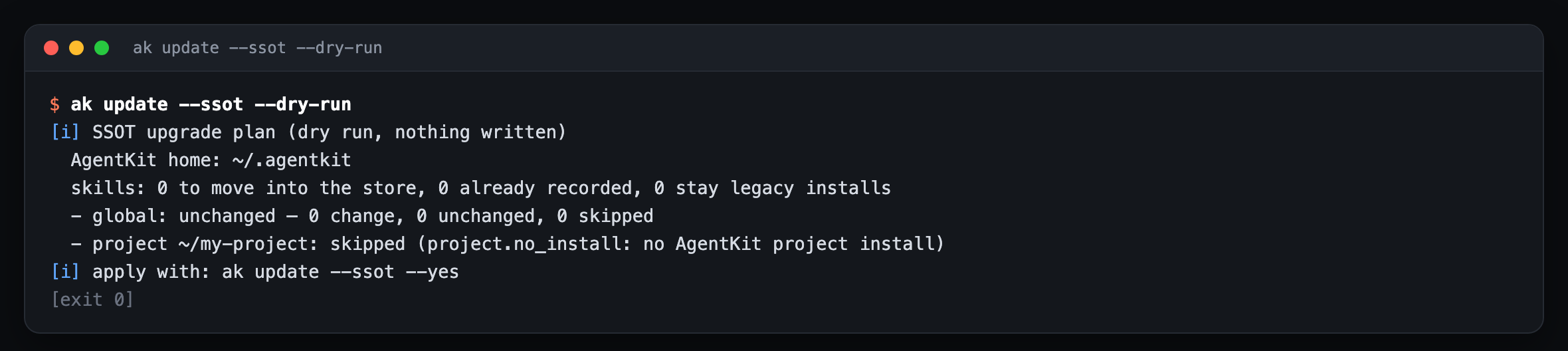
If it looks fine:
ak update --ssot --yesI made it opt-in for one reason: nobody wants to open their machine in the morning and find the folder structure changed without ever agreeing to it.
4/ Model management per agent ✅
Before, if you wanted to change the model of the code-reviewer subagent from Opus to Sonnet, you had to open the agent file and edit it by hand, and then the next update would overwrite it. Painful!
v3 has a whole ak agents model command group:
ak agents model list
ak agents model set kongming --runtime codex --model gpt-5.5 --effort high
ak agents model explain kongming --runtime claude-code
ak agents model inherit explore --runtime claude-code
ak agents model reset kongming --runtime codex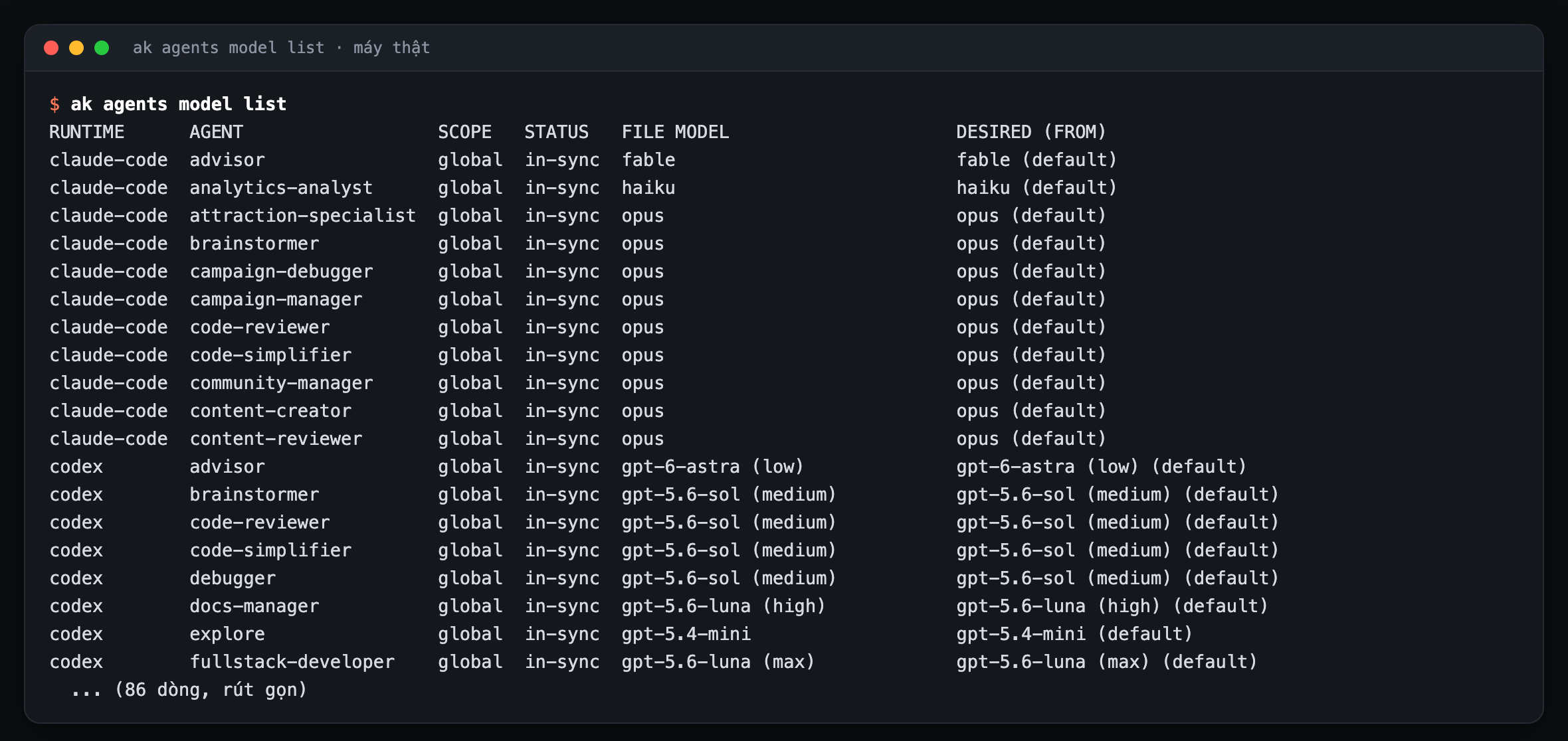
A few things I like:
Layered: the model is decided in this order: kit default → adapter default → user config → project config → runtime file.
explaintells you clearly which layer wins.Survives updates: overrides live in config (
agent_models.<runtime>.agents.<agent>.modelandreasoning_effort), not in files that get overwritten.Hand edits still work: if you edit the agent file directly,
akleaves it alone and flags it asdrift. To lock it in, runak agents model adopt.Has a UI: the desktop app has a Subagents → Models page.
Supports Claude Code, Codex, Oh My Pi and Pi (per the release note: "Reconcile OMP and Pi agent model edits").
5/ A CLI that "talks": agent-native CLI and feedback ✅
The most valuable breaking change in v3: ak is designed to be called by agents, not just typed by humans.
Almost every command has
--jsonand--no-interactive, and exit codes are explicitly declared (for example3means preview only,15means renewal required).ak describeprints out each command's "contract": whether it writes anything, its risk level, whether it needs confirmation, whether it takes a snapshot, whether it touches the network.
ak describe kit install --jsonThe agent reads this and knows which commands are safe to run on its own and which ones it must ask you about first. That is how I understand "agent experience" (AX): the agent is a user too, and deserves to be treated decently.
And when you hit an error or have an idea, send it straight from the terminal:
ak feedback --type bug --title "Update failed" --attach-diagnostics--attach-diagnostics attaches a redacted ak doctor summary. To look at it before sending, use --export feedback.md.
Honest note: error messages still have some "curt" spots likeError: Command failed., and you have to add--verboseto see the reason. I have put it in the gap report and will fix it.
What else? (quick rundown)
| Feature | Status | Read more |
|---|---|---|
Privacy guard + .akignore allowlist |
✅ | Article 7 |
Local vault ak secrets |
✅ | Article 6 |
| Multi-device vault sync (E2E) | 🧪 | Article 6 |
Local skill router ak skills route |
✅ | Article 5 |
| Run skill scripts in a sandbox (exec broker) | 🧪 behind a flag | Article 5 |
| Semantic decision (Clef, System One) | 🧪 shadow-only | Article 8 |
| Scheduled auto-update | ✅ opt-in | Article 2 |
| Rollback to v2 | ✅ | Article 2 |
| AK Render HTML route in skills | 🧪 opt-in | Article 10 |
Why did I build v3 this way?
Some people ask: "Why not just add new skills quickly? Why mess with the foundation?"
Because adding skills on a weak foundation means the more you add, the faster it collapses. In the v2 days, I received every kind of report: skills with clashing names, updates overwriting files users had edited, switching machines meaning reinstalling from scratch, agents running dangerous commands on their own because they did not know the command was dangerous. You cannot fix those by writing more skills.
v3 is the release where I accepted slowing down for a few months so that what you build on AgentKit lasts. Your kit, your config, the skills you write yourself, all of it has to survive every update. That is the promise.
Next article: Updating to v3, rollback, auto-update and troubleshooting →
Sources
GitHub release
v3.0.0: https://github.com/bestagentkits/agentkit/releases/tag/v3.0.0 (published 2026-10-29T11:05:07Z)Skill comparison:
git ls-treeof thekits/{core,engineer,marketing}/skillsfolders andgit diff --numstat v2.19.0 v3.0.0, plus commitacb50a358"useak-<slug>as the single skill name" (#2634) in thebestagentkits/agentkitrepoInternal migration guide:
agentkit/docs/guides/v2-to-v3-migration.md(tagv3.0.0)Real output:
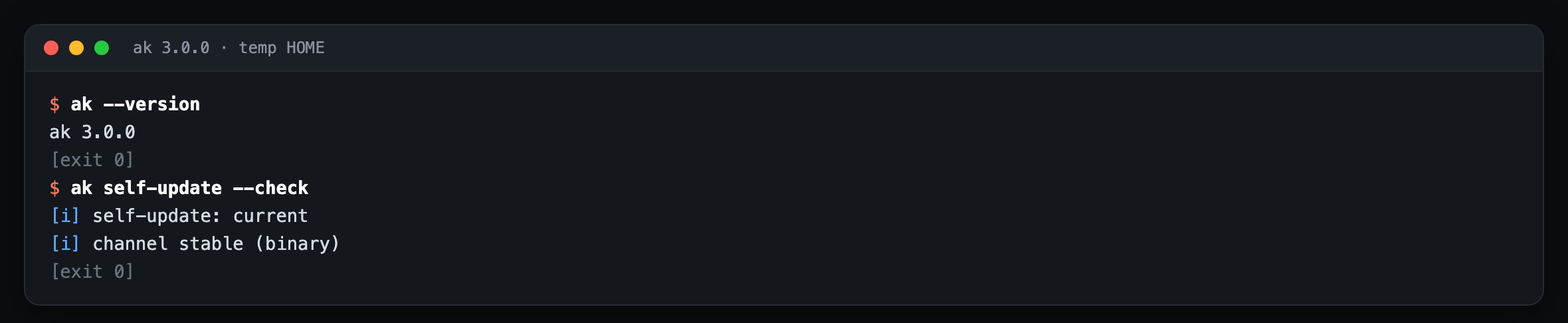
ak --version,ak self-update --check,ak update --ssot --dry-run,ak agents model list,ak describe --help,ak feedback --help(ak 3.0.0, 02/11/2026)