
Article 2/20 in the AgentKit v3 onboarding series. About a 12 minute read, about 10 minutes to follow along.
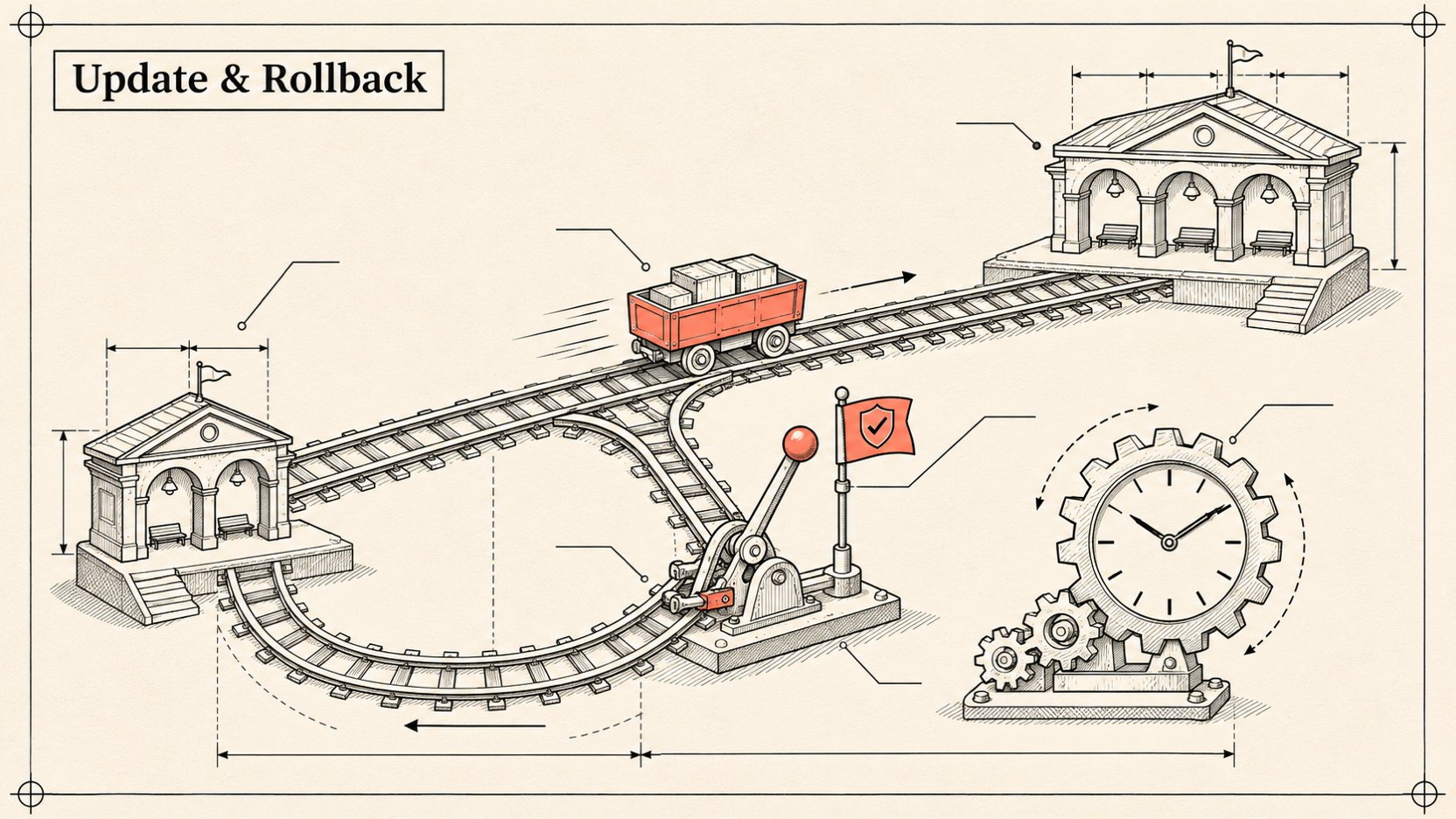
I have one rule when building tools for devs: anything that can break things needs a way back. This article follows the order I recommend: capture the current state, update, verify, and only then think about turning on auto-update. If something goes wrong, scroll down to the rollback section.
1/ Before updating: know where you stand ✅
ak --version
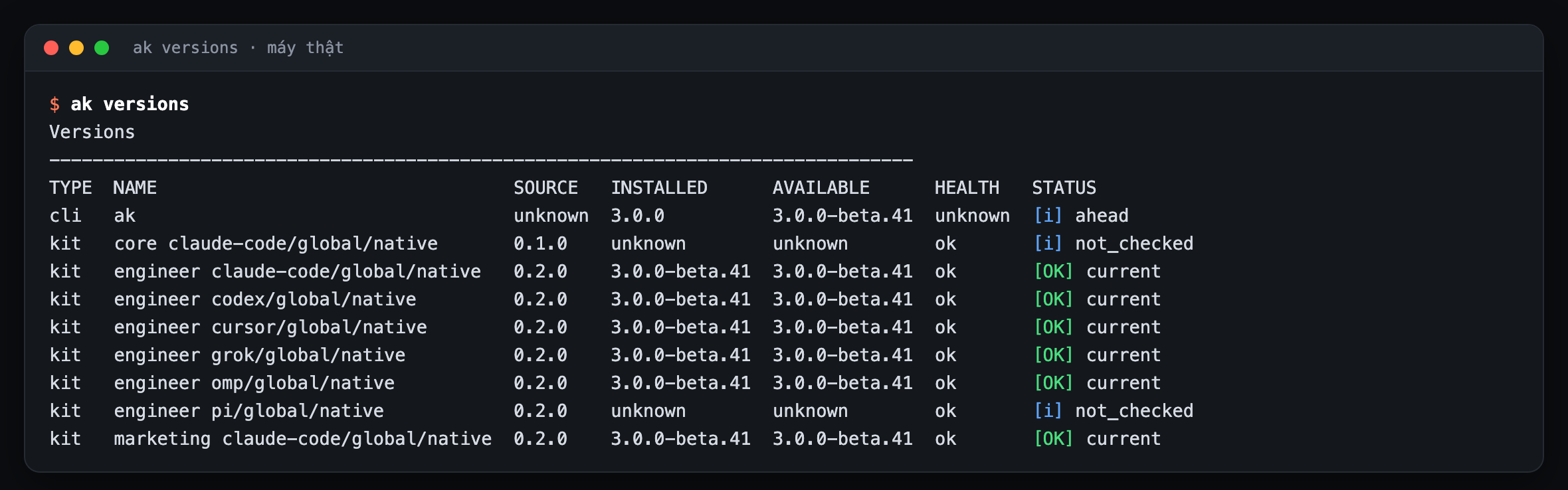
ak versions
ak doctor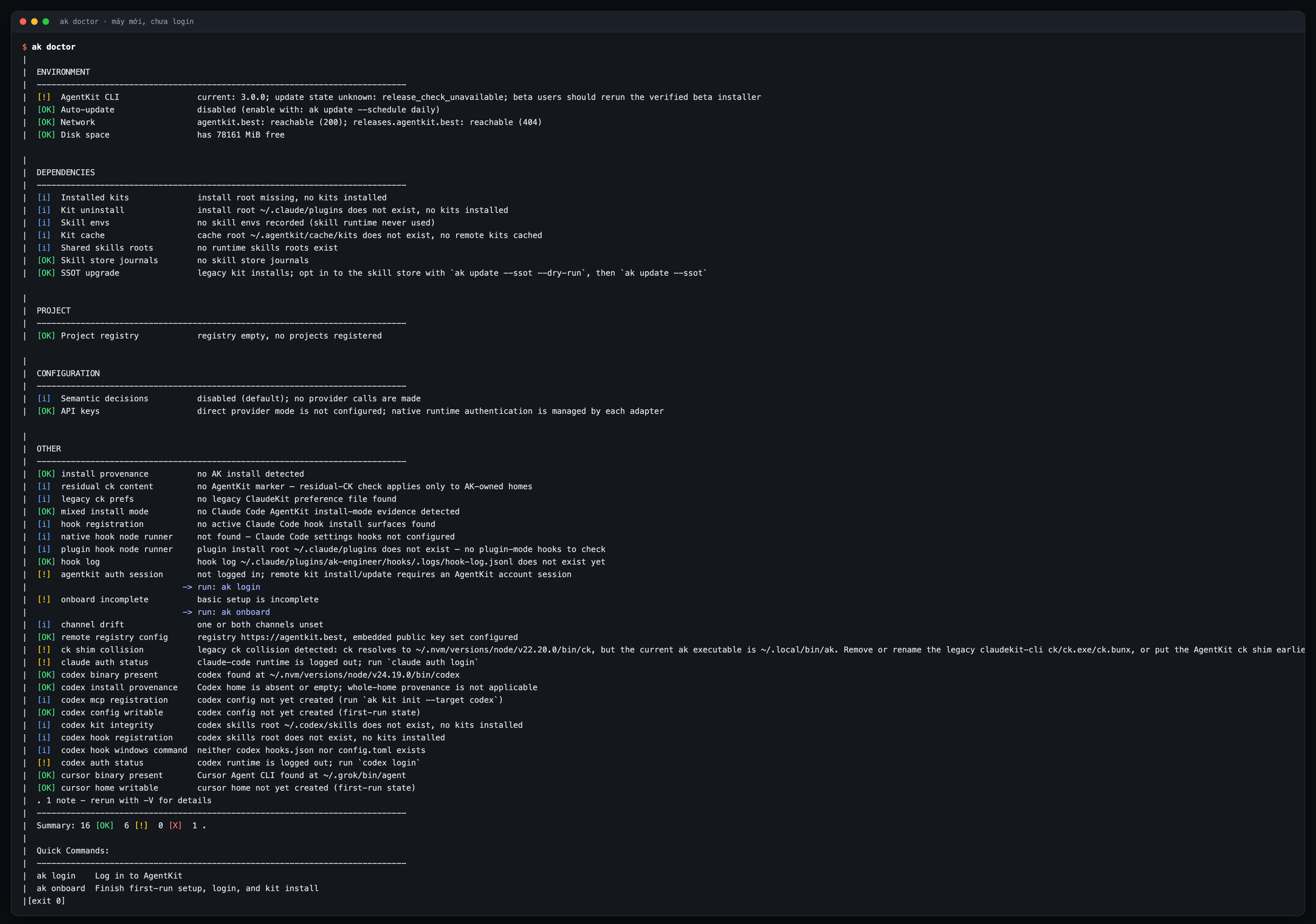
ak versions gives you a table of the CLI version, the desktop app and each kit. ak doctor checks the environment: Node, Git, registry connectivity, the ~/.agentkit folder, old ClaudeKit shims...
If you are still on ClaudeKit (the old install, the ck command), also run:
ak migrate --dry-runak migrate moves a ClaudeKit install over to AgentKit. Always --dry-run first, read carefully what it plans to touch, and only then run it for real.
2/ Take a checkpoint before moving to v3 ✅
v3 automatically snapshots the files it is about to write (every ak update leaves a restore point in ak backups list). But I still recommend creating a deliberate checkpoint before a major version jump:
ak backups checkpoint --pre-upgrade
ak backups list
This checkpoint captures ~/.agentkit, the runtimes' home folders and the project's agent config. It is exactly what ak rollback --to v2 will use to restore.
Lesson learned the hard way: the checkpoint has to be taken before the update. The screenshot below is ak rollback --to v2 --dry-run on a machine already on v3 that never had a v2 checkpoint. It honestly says there is nothing to restore.
3/ Update in 3 steps ✅
This order is taken straight from the official v3 migration guide:
Step 1: update the CLI
ak self-update --channel stable --yesTo update the desktop app too, add --include-desktop:
ak self-update --channel stable --include-desktop --yesStep 2: refresh the kit in each project
ak update /path/to/project --yesIf you have a global kit (for every project), refresh that as well:
ak update --global --yesA small note: on a machine with no global kit this command exits with 2. That is not an error, it just means "nothing to update".
Step 3: verify
ak versions
ak licenses
ak doctor --json
Done. Open Claude Code and type /ak- to see the skill list under the new ak-<slug> names (replacing v2's ak:<slug>). In Codex, type $ak-.
When the update is blocked by your license
If you see the error renewal_required (exit 15), it means the version you requested is beyond your license's update window. The current kit keeps running normally, nothing is locked. The policy details are in article 3.
4/ Turning on auto-update (optional) ✅ opt-in
By default ak does not update behind your back. To turn it on, you have to register the project first, then set a schedule:
ak projects add /path/to/project
ak update --schedule daily --project /path/to/project
The options are daily, weekly and off. Check the status and mark the results as read:
ak update --status
ak update --ack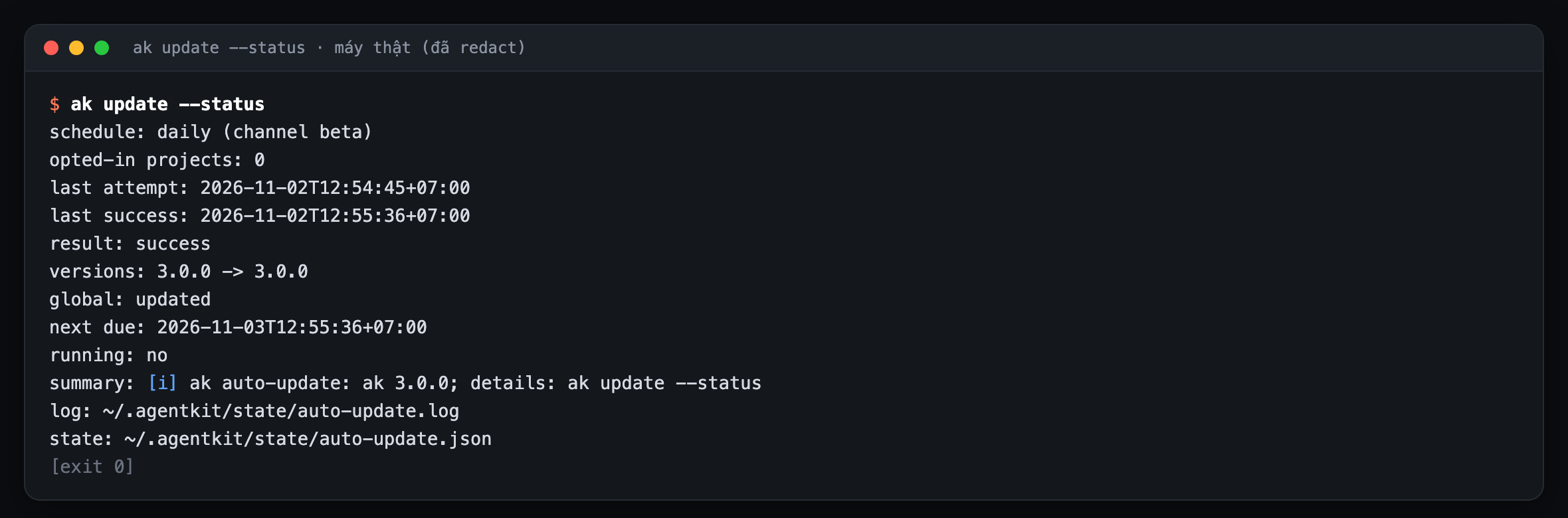
The desktop app checking for and downloading new versions is enabled separately (written to ~/.agentkit/config.yaml, turned off with --disable-auto-update):
ak self-update --enable-auto-updateWhen does auto-update switch itself off?
If the
CIenvironment variable is set (running in GitHub Actions, GitLab CI...), auto-update does not run. Reasonable, nobody wants a pipeline changing versions halfway through.Set
AK_NO_AUTO_UPDATE=1to turn it off completely on a machine.After you
ak rollback --to v2, every update path to v3 is frozen (--checkand--dry-runwill reportrollback-hold) until you deliberately runak update --ssotagain.
5/ Rollback to v2 ✅
If v3 annoys you (I hope not, but I have to plan for it), then:
ak rollback --to v2 --dry-runRead the plan carefully, and if it looks fine, run it for real:
ak rollback --to v2Some useful flags:
| Flag | Effect |
|---|---|
--dry-run |
Only shows the plan, writes nothing |
--install-v2 |
Reinstalls the v2 CLI as well |
--with-desktop |
Rolls back the desktop app too |
--checkpoint <id> |
Picks an exact checkpoint (see IDs with ak backups list) |
--skip-secrets |
Does not touch the secret vault |
Rollback keeps a journal at ~/.agentkit/backups/rollback/journal.json, so if it gets interrupted midway, running it again picks up where it left off.
Special case: if you ran ak update --ssot twice in two different scopes (for example global first, then project), the second checkpoint already carries the new layout. Rollback will refuse that checkpoint. You have to point it at the first one:
ak backups list
ak rollback --to v2 --checkpoint <first-checkpoint-id>
Installing v2 directly when there is nothing left to restore:
curl -fsSL https://agentkit.best/install.sh | AK_VERSION=2.19.0 shWindows:
$env:AK_VERSION = "2.19.0"
irm https://agentkit.best/install.ps1 | iex(ak self-update only moves forward, never backward, so to go back to v2 you have to use the version-pinned installer.)
6/ Troubleshooting: the errors I actually hit
"Error: Command failed." with nothing else
This is the thing I find oddest about 3.0.0. Mistype a command name, or call a command that needs login before you have logged in, and you may get just one curt line. Here is how to see the real reason:
ak <your-command> --verbose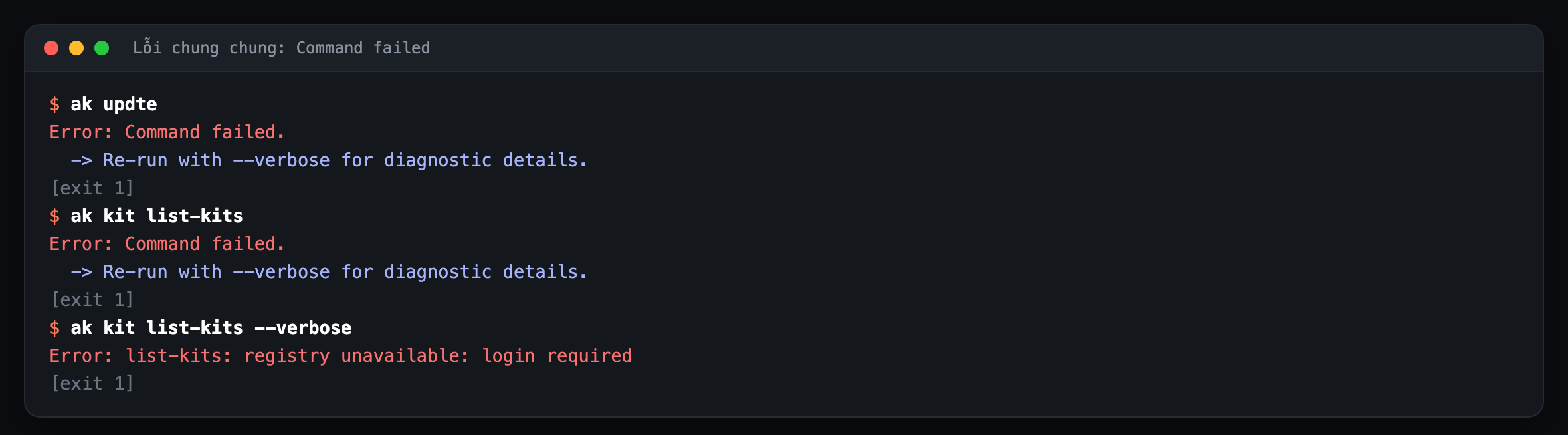
Already logged in the gap report.
ak doctor says "update state unknown" but ak versions says you are up to date
The two commands read from two different state sources. Trust ak versions for the question "am I on the latest version?". Doctor will stop saying "unknown" after the first ak update writes state.
The network check says "OK" but it is actually a 404
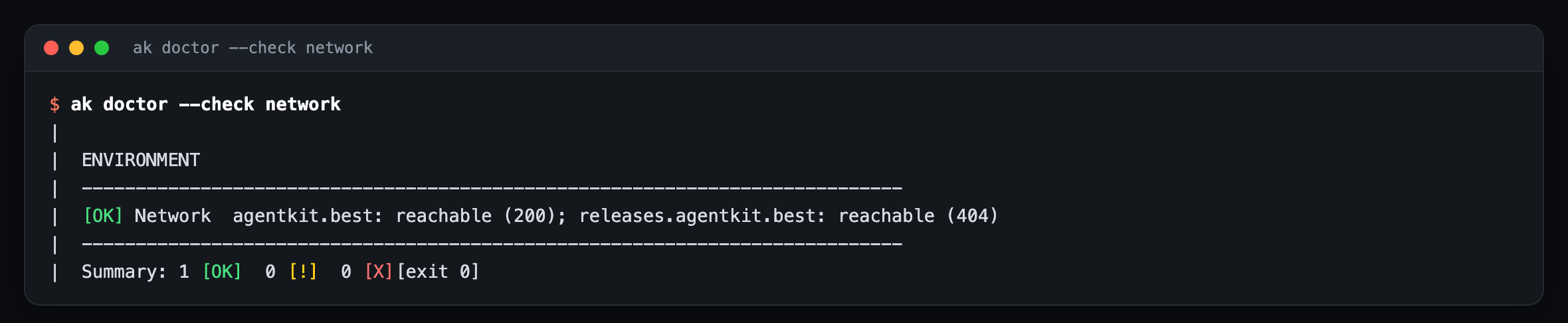
Doctor currently counts "the server responded" as OK, even when it returns 404. If you suspect a network problem, try this directly:
ak self-update --checkThis command has to call the real registry, so network failures show up much more clearly.
Colliding ck shim warning
A machine that once had ClaudeKit may still have the old ck command on PATH. Doctor will warn about it. It is not dangerous, but you should clean it up with ak migrate to avoid typing the wrong command.
Not logged in but ak licenses still says "[OK]"
Version 3.0.0 may print a bare [OK] when you are not logged in. Do not trust that line, check with:
ak whoami
ak login --email ban@example.com
Still stuck?
Send a report with redacted diagnostics:
ak feedback --type bug --title "Short description" --attach-diagnostics --export feedback.mdRead the feedback.md file first, and if it looks fine, send it for real (drop --export).
1 minute checklist
ak versionsandak doctorrun fineak backups checkpoint --pre-upgradehas been runak update <project> --yesfor each projectak update --global --yesif you have a global kitak versions,ak licenses,ak doctor --jsonshow no more errors(Optional) turn on
--schedule daily
Next article: License and the new update policy →
Sources
v2 → v3 migration guide:
agentkit/docs/guides/v2-to-v3-migration.md(tagv3.0.0), sections "Upgrade steps", "SSOT upgrade", rollbackak update --help,ak self-update --help,ak rollback --help,ak backups --help,ak migrate --help(ak 3.0.0)Real output:
ak doctor,ak versions,ak update --status,ak rollback --to v2 --dry-runrun in a temporary HOME, 02/11/2026GitHub release
v3.0.0: https://github.com/bestagentkits/agentkit/releases/tag/v3.0.0