
Article 3/20 in the AgentKit v3 onboarding series. About a 7 minute read.
The question I have been asked most since announcing v3: "Does v3 make me pay again? Will the kit I bought get locked?"
Short answer: It does not get locked. The kit you bought is yours, to use forever. The rest of this article explains it clearly, with evidence, so nobody has to guess.
1/ Three things that do not change ✅
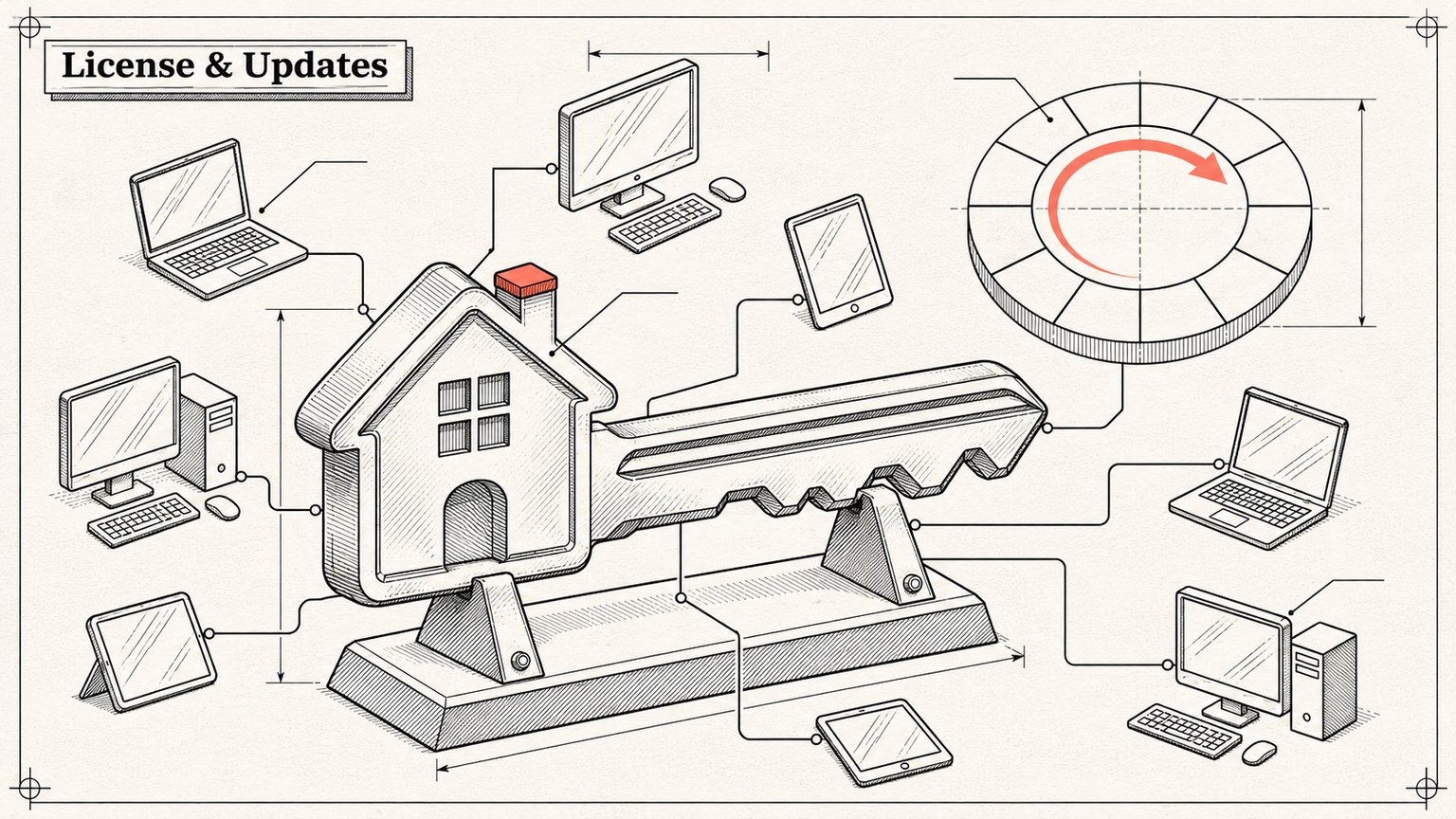
You own the kit permanently. The license is perpetual. When your update window ends, nothing is switched off, blocked or removed. The version you installed keeps running, even offline.
Install it on as many machines as you like. Kit licenses (Engineer, Marketing) have no device limit. In the site's code, the kits have deviceLimit: null, meaning there is no ceiling.
Your old purchase rights stay intact. If you bought ClaudeKit or AgentKit v1/v2, the rights you paid for are still there. The agentkit.best home page says it verbatim: "Your v1/v2 purchase rights stay intact."
A note to avoid confusion: the desktop app (AgentKit App) is a different matter. It is sold yearly and has a device limit (1 or 3 machines). Kits do not.
2/ What is new: a 12 month update window ✅
From v3 on, buying a kit = a perpetual license + 12 months of new updates.
| Who you are | Updates until when |
|---|---|
| Bought ClaudeKit / AgentKit before v3 | 12 months free, counted from the v3 launch date |
| New purchase from v3 onward | 12 months from the payment date |
| 12 months are up and you want to keep getting new versions | Renew (optional), which adds another 12 months |
About the "v3 launch date": the v3.0.0 tag landed on GitHub on 29/10/2026. But the official starting point for counting the 12 months is the date the registry records the stable v3 release. In the code, as long as that date has not been recorded, the window for earlier buyers stays open, with no limit. I will update this article when the official date exists. For now, read it as "the v3 launch date".
What happens after the 12 months?
You keep every release published inside your window.
You also still get the patches of the last minor released within your window. For example, if your window ends while we are at 3.4, then 3.4.1 and 3.4.2 are still downloadable.
Newer minor/major releases (3.5, 4.0...) require a renewal.
How does renewal work?
Renewal adds 12 months to the later date between your current expiry date and the date you pay. Renewing early does not lose you any days.
One renewal applies to every kit you own.
Manage it on the
/account/updatesaccount page on agentkit.best.
What this window does NOT block
ak self-update(updating the CLI itself)The desktop app's updater
Kits already installed on your machine
The window only decides which kit versions you can download from the registry. And the CLI does not compare dates against your machine's clock. The registry decides and the CLI just follows, so changing your system time will not do anything, ya know 😁
3/ What it looks like in the terminal ✅
ak licenses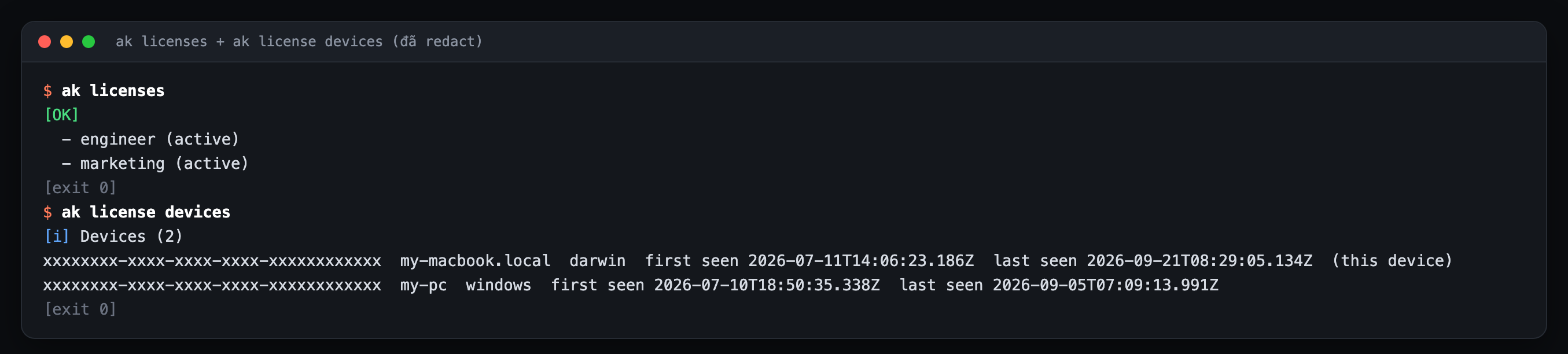
When you ask for a version outside your window, ak update will:
No version specified: install the newest version your window allows. If you are already on that version, it skips that kit and exits
0.--versionspecified beyond your window: refuse withrenewal_required, exit15, write nothing to your machine, and state clearly which is the newest version you can download.
Exit code 15 is that explicit so agents and CI can handle it without guessing.
4/ Three kinds of "keys", don't mix them up ✅
A lot of people mix these up, so I gathered them here:
| Type | Used for | Command |
|---|---|---|
| Email + OTP | Logging into the CLI on a personal machine | ak login --email ban@example.com |
| API key | CI, cloud, machines with nobody sitting at them | ak login --api-key-stdin or the AGENTKIT_API_KEY variable |
License key (ak_license_...) |
Only for activating the desktop app on one device | ak login --license-key |
A license key does not log the CLI in to download kits. To view or remove desktop app devices: ak license devices or the /account/devices page.
5/ GitHub invites have retired ✅
It used to be that after buying you were invited to a GitHub repo to clone. From v3, kits are distributed only through the AgentKit registry and installed with ak. Anyone who is already a collaborator on the old repo keeps their access, but the official route is now:
ak login --email ban@example.com
ak kit init engineer
The reason: the registry can verify signatures, checksums, the update window and rollback. Cloning a repo has none of that.
Why did I pick this model?
Honestly: ClaudeKit originally sold as "pay once, get updates forever". It sounds attractive, but every update is real effort, real servers, real tokens. That model only survives while the number of new buyers keeps growing, and anything that grows forever is... usually a bubble.