Vibe coding idea validation: How to test product ideas without confusing speed with demand
Fast AI prototypes often create dangerous false confidence. When users say "this is cool," teams mistakenly assume the idea is validated. "Vibe coding" is only valuable if it helps you learn faster-not if it tricks you into building on weak evidence. This guide explains what AI prototyping can actually validate and how to run a tight process that justifies your next sprint.
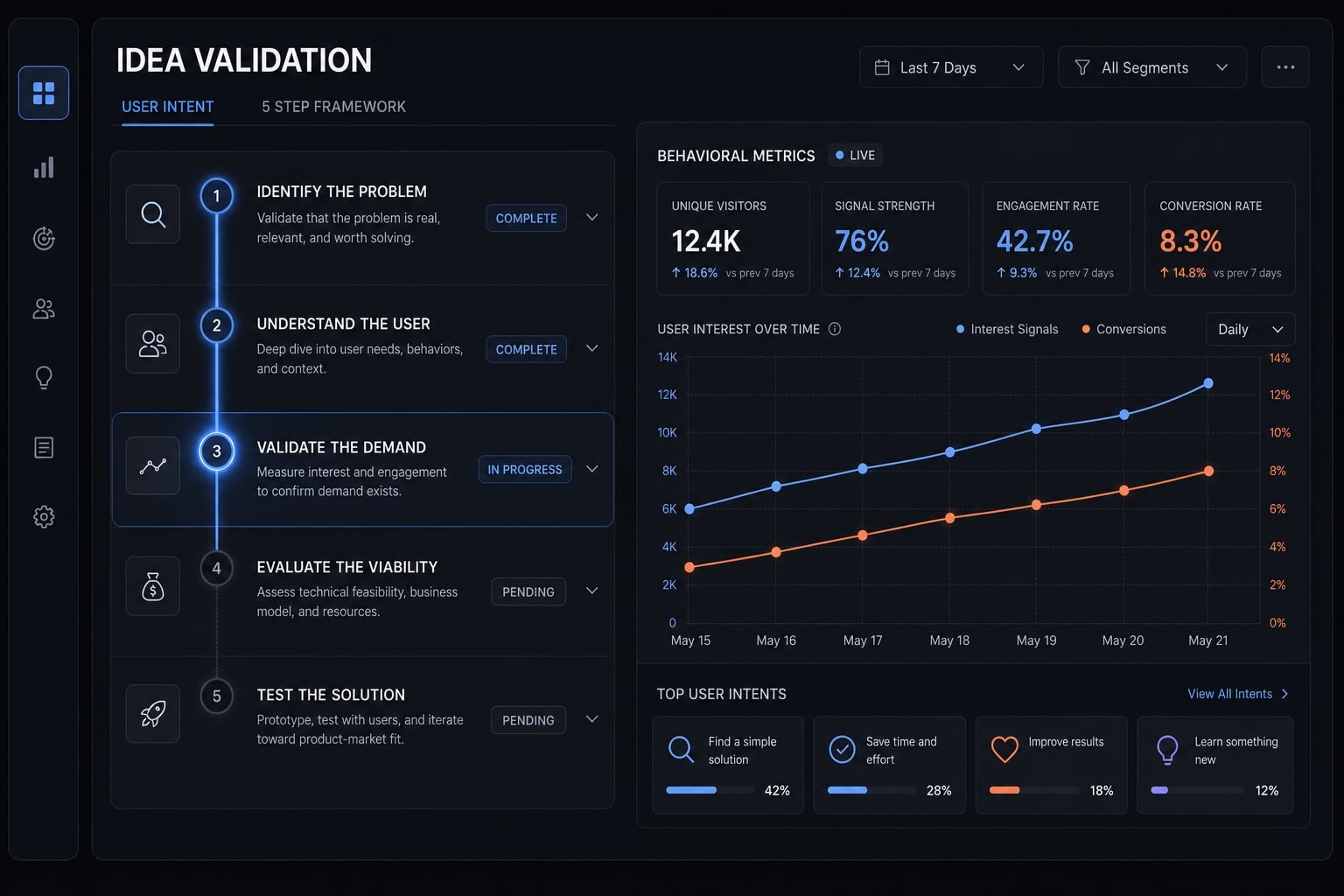
What “vibe coding idea validation” actually means
Vibe coding idea validation means using AI coding tools and AI coding agents to create fast, testable prototypes that help you learn whether users understand, care about, and act on a product concept. It is useful for shortening feedback loops, but it does not prove real demand on its own.
Used well, this approach helps founders turn an idea into something visible in days instead of weeks. Tools like Claude Code, GitHub Copilot, and other AI coding agents can help generate interfaces, workflows, and thin test assets quickly. That speed is valuable because early product idea validation is mostly about reducing uncertainty.
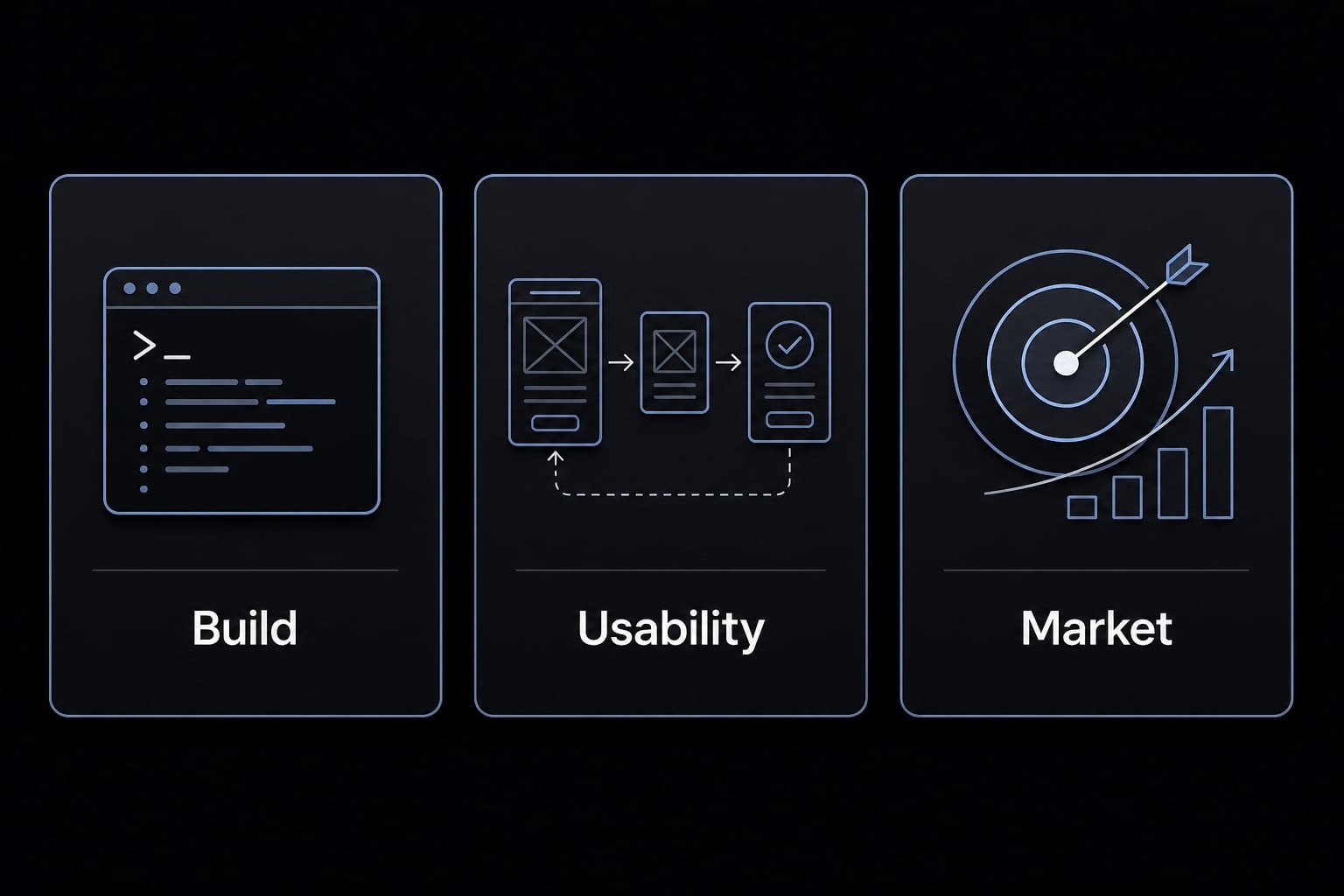
The important boundary is this: build validation is not the same as market validation.
- Build validation asks whether something can be created.
- Usability validation asks whether people can understand and navigate it.
- Market validation asks whether the problem is painful enough that people will act.
Teams often confuse these layers. A generated artifact looks polished, so they treat it like proof of opportunity. That is where AI-assisted speed becomes risky. The output may be impressive, but without human-in-the-loop judgment and real user behavior, it is still only a hypothesis with better visuals.
What vibe coding is good at
- Creating clickable prototypes and workflow demos through rapid prototyping.
- Building a thin-slice MVP that shows the core promise without full engineering depth.
- Testing whether users understand the value proposition.
- Surfacing friction, confusion, and feature assumptions early.
- Helping founders shorten learning loops before investing in a larger build.
What it does not prove
- It does not prove willingness to pay.
- It does not prove repeat usage or retention.
- It does not prove the urgency of the underlying problem.
- It does not prove product-market fit.
- It does not prove true market validation or durable proof of demand.
Vibe coding idea validation works best when you treat prototypes as learning tools, not verdicts.
The core principle: A working prototype is not market proof
A working prototype proves that something can be shown, clicked, or demonstrated. It does not prove that users care enough to change behavior, commit time, or spend money.
A prototype that works is not market proof because product validation depends on behavior, not appearance. It may confirm technical feasibility or message clarity, but it does not confirm demand unless users take a meaningful next step.
This distinction matters because early-stage teams often confuse progress with evidence. One common false-confidence scenario looks like this: A founder builds a polished AI-generated demo in a weekend, posts it online, gets encouraging comments, and interprets that attention as traction. Two weeks later, the waitlist is flat, nobody books a call, and no one returns to use the product again.
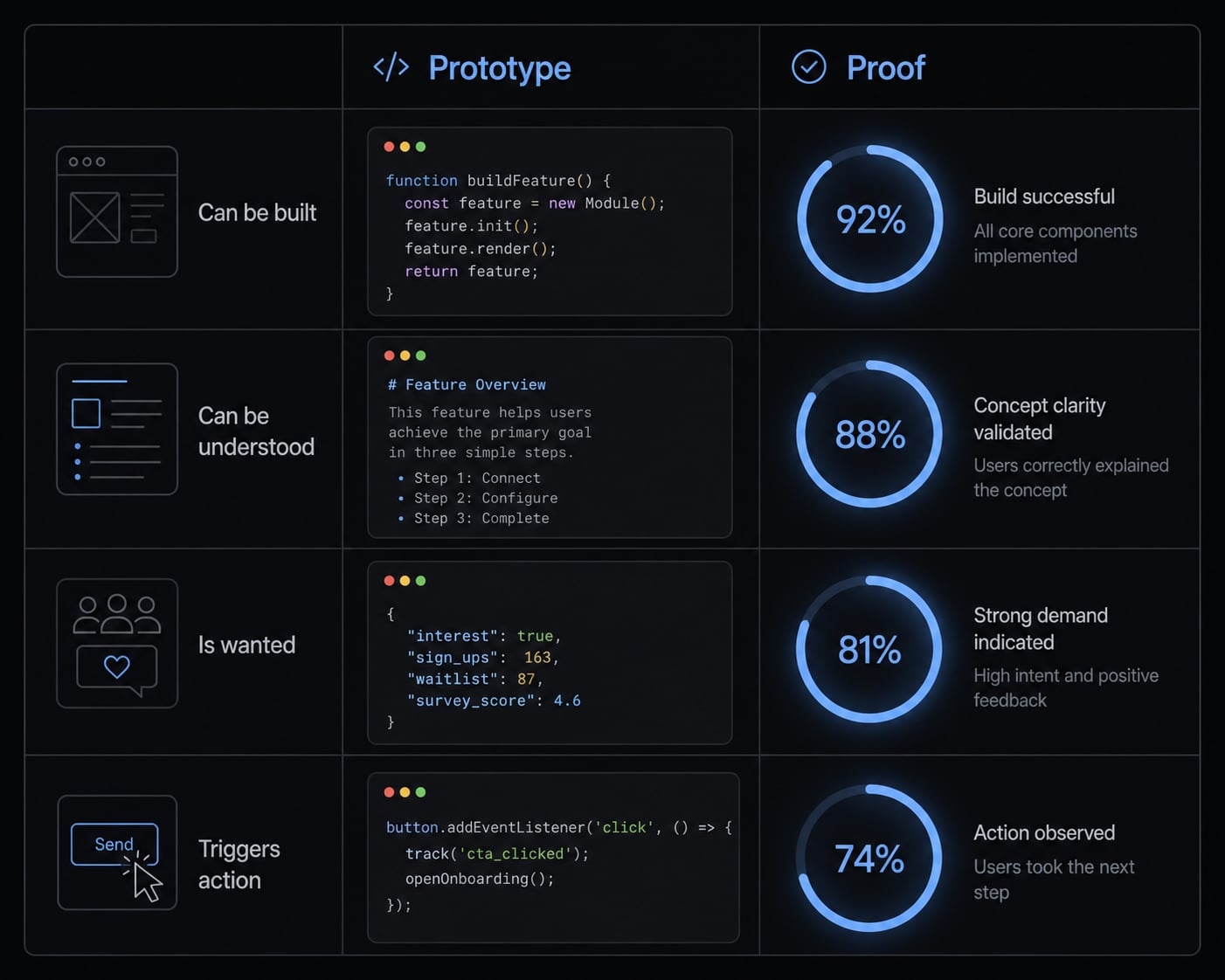
The better lens is a simple four-question model:
- Can it be built?
- Do users understand it?
- Do they want it?
- Will they act on it?
The first question is useful, but it is the weakest validation layer. The fourth is where real evidence starts. If your prototype answered only question one, you have not yet de-risked much of the business.
Signs of false validation
- Compliments without conversion.
- Curiosity without any next-step commitment.
- One-time use with no return behavior.
- Social engagement that is detached from real pain severity.
- Positive reactions that create false confidence without actual demand.
- Vanity signals that feel encouraging but do not reduce risk.
What counts as real evidence
Real evidence includes:
- Waitlist conversion from targeted traffic.
- Users accepting follow-up interviews after seeing the product.
- Completed onboarding or setup flow.
- Repeat sessions after the first exposure.
- Pre-orders, deposits, or other payment intent.
- Direct requests for access from qualified users.
- Strong behavioral signals tied to a real problem.
- Early startup MVP validation through action, not praise.
The most useful founder question is simple: Does the evidence justify another sprint?
If your decision is based solely on compliments, the answer is usually no - do not keep building.
A 5-step framework for validating ideas with vibe coding
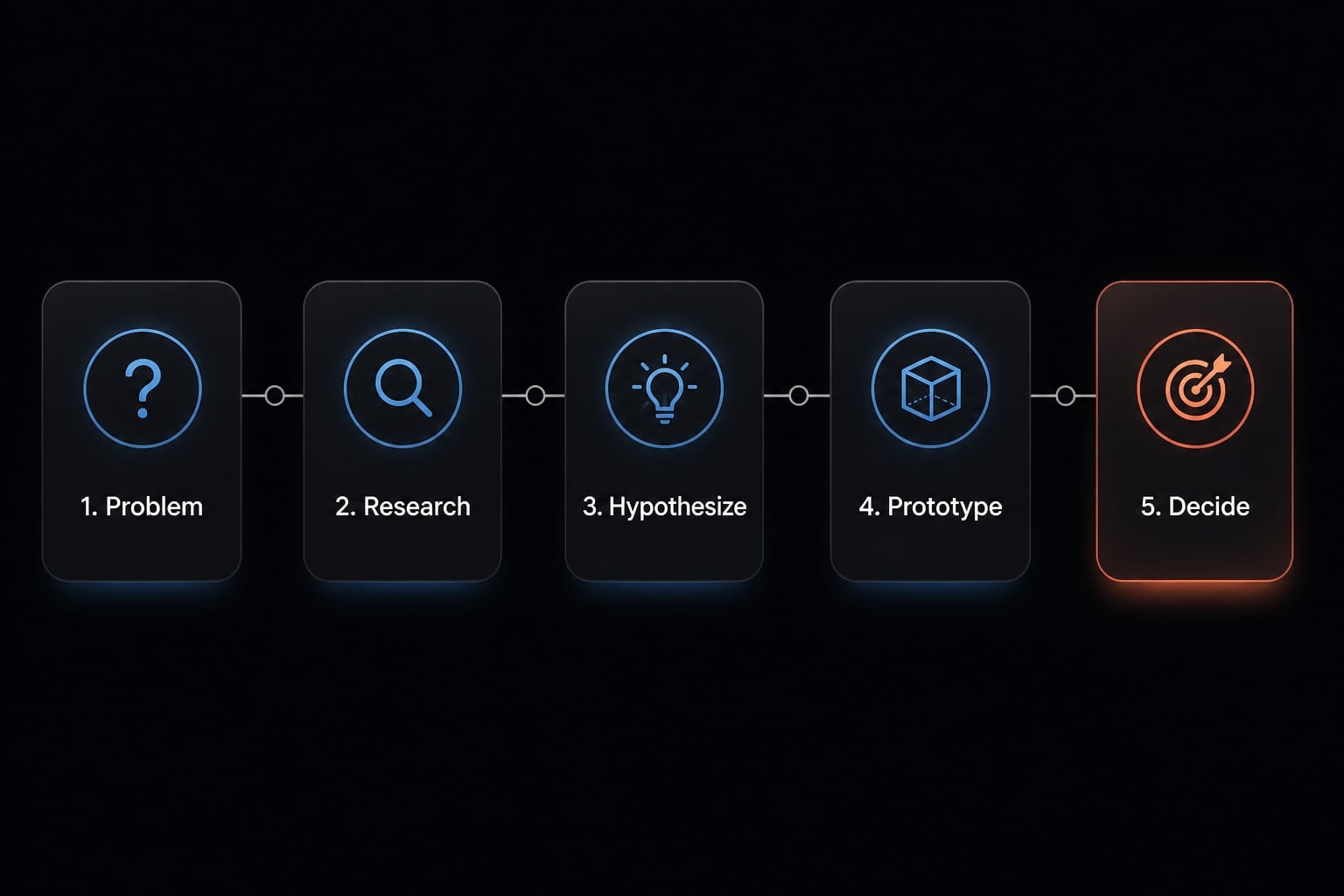
If you want AI-assisted prototyping to produce meaningful learning, the process needs structure. The goal is not to build more quickly. The goal is to learn more cheaply.
- Define the problem before the prototype.
- Build the smallest believable prototype.
- Put it in front of real users quickly.
- Measure behavior, not enthusiasm.
- Decide to iterate, pivot, or stop.
1. Define the problem before the prototype
Most wasted prototype cycles begin with weak strategic clarity. The founder opens an AI tool, starts prompting, and lets the interface evolve before the problem is properly defined. That usually creates prompt chaos, inflated scope, and output that looks productive while teaching very little.
Start with a sharp problem statement. Identify the user, the painful job they are trying to get done, the workaround they use today, and the signal that would count as evidence. This is where collaborative AI planning is more useful than freestyle generation. The model can help organize assumptions, but it should not invent the product direction.
Use a simple hypothesis: “If we solve X for Y, they will do Z.”
Checklist:
- Define the target user as narrowly as possible.
- Describe the painful problem in plain language.
- Document the current workaround or substitute behavior.
- Decide what specific action would count as evidence.
Decision question: What specific behavior would make this worth another week of work?
2. Build the smallest believable prototype
The right test artifact is not the smallest possible thing. It is the smallest believable prototype. Users need enough substance to understand the promise, but not a full product shell with unnecessary features.
In early validation, believability matters more than completeness. A good thin MVP may be:
- A landing page with a fake dashboard preview.
- A clickable flow that shows the core workflow.
- A concierge backend where you manually deliver value behind the scenes.
- A narrow task-specific interface built through rapid prototyping.
Concrete examples you can build in days, not weeks:
- A research assistant concept shown through one working upload-and-summary flow.
- A SaaS analytics idea presented as a guided dashboard mockup plus signup form.
- An internal ops tool simulated through a simple form, output page, and manual fulfillment.
Smaller scope improves learning speed because every extra feature creates new ambiguity. If users do not understand the value from the narrow test, more build time rarely fixes the root problem.
Decision question: Is this enough for the right user to understand the core value proposition?
3. Put the prototype in front of real users quickly
Validation quality depends on audience quality. Ten reactions from the wrong people are less useful than three from the exact users with the problem.
Keep the audience narrow. Show the prototype to people who match the user profile and already experience the workflow or pain point you are targeting. In most cases, speed-to-feedback matters more than polish.
Useful exposure methods:
- Live demo testing over a short call.
- Async walkthroughs with a recorded explanation.
- Clickable prototypes shared with a simple task prompt.
- Fake-door tests that measure interest before full functionality exists.
Capture more than opinions. Log:
- What users tried to do.
- Where they got confused.
- What questions they asked.
- Whether they asked for access, follow-up, or pricing.
- What they did after the first interaction.
A lightweight observation sheet is often enough. The goal of real user testing is not to collect compliments. It is to see whether the product moves someone closer to commitment.
Decision question: Did users only react, or did they move closer to commitment?
4. Measure behavior, not enthusiasm
This is where many teams lose discipline. The prototype gets attention, the founder feels momentum, and the evidence standard quietly drops. But behavior plus commitment, not praise is what matters.
Focus on early behavioral metrics that show movement:
- Signup rate from a relevant audience.
- Interview acceptance after product exposure.
- Activation: users completing the core first action.
- Repeat usage within a defined short window.
- Requests for access from qualified users.
- Pre-orders, deposits, or explicit payment intent.
By contrast, these are weak or incomplete signals:
- Likes.
- Views.
- Generic praise.
- “I’d use this”.
- Curiosity without follow-through.
A simple evidence scorecard helps keep the process honest.
Hypothesis | Audience | Test Asset | Target Behavior | Result | Decision |
|---|---|---|---|---|---|
Busy agency operators need faster content QA | 15 agency leads | Clickable workflow demo | 5 request access | 2 requested access | Refine message and retest |
Founders want AI-generated investor updates | 20 founders | Landing page + fake door | 4 signups + 2 interviews | 8 signups, 1 interview | Improve qualification |
RevOps teams need meeting-summary routing | 10 ops managers | Concierge MVP | 3 repeat uses | 4 repeat uses | Continue build |
This keeps vanity metrics from dominating the story.
Decision question: Which signals show action, not just interest?
5. Decide to iterate, pivot, or stop
The final step is where discipline protects runway. Founders often keep building because the prototype exists, not because the evidence supports continued work. That is sunk-cost logic.
Use clear decision criteria.
- Iterate if users clearly care, but friction blocks them from reaching value.
- Pivot if users understand the concept but the problem urgency is weak.
- Stop if no meaningful signal appears after a fair test with the right audience.
- Use phased implementation only when each phase earns the next one.
A simple if/then rule helps:
- If fewer than 3 of 15 target users take the next step, revisit the problem before building more.
- If users repeatedly ask for the value in a different context, test repositioning.
- If activation is strong but repeat usage is weak, improve workflow clarity before adding features.
Decision question: Does the evidence justify another sprint, a repositioning, or a stop?
Strong validation is not about staying optimistic. It is about making better build decisions with less waste.
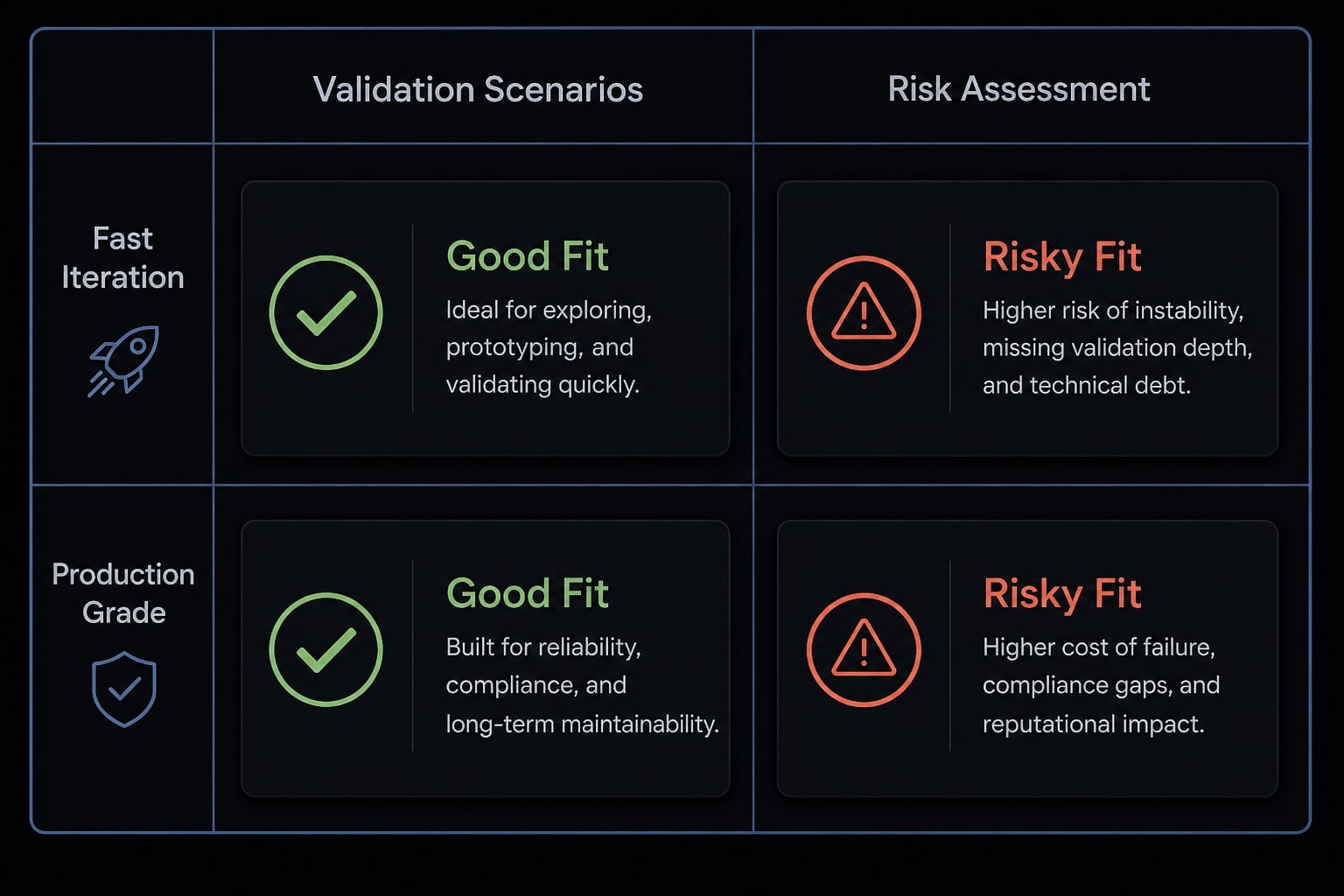
Where vibe coding works best for idea validation
Vibe coding is not universally good or bad. Its usefulness depends on what you are trying to learn. If the goal is learning demand, it can be highly effective. If the goal is simulating production reliability, its limits appear quickly.
Best-fit scenarios
- Workflow prototype for a repetitive business task.
- Clickable SaaS demo testing message clarity and perceived value.
- Thin MVP wrapped around a manual or concierge backend.
- Internal tools where compliance pressure is low.
- Message-to-interest testing through landing pages and fake doors.
Risky-fit scenarios
- Regulated workflows in health, finance, or legal contexts.
- Products involving sensitive customer or company data.
- Complex integrations across multiple systems.
- Cases where production reliability matters from day one.
- Products where security architecture is part of the core value.
Validation scenario | Vibe coding is a good fit | Vibe coding is a risky fit | Why |
|---|---|---|---|
Landing page + fake-door demand test | Yes | No | Fastest way to test message-market response |
Clickable SaaS workflow demo | Yes | No | Good for testing clarity and perceived value |
Concierge MVP wrapper | Yes | No | Simulates value before full build |
Internal productivity tool concept | Yes | No | Low compliance pressure, high speed-to-learning |
Security-sensitive B2B platform | No | Yes | Surface prototype hides architecture and security risk |
Regulated product (health/finance/legal) | No | Yes | Auditability and correctness matter early |
Multi-service production app | Limited | Yes | Mockups are useful, but reliability needs disciplined engineering |
The practical question is not whether AI can generate the interface. It is whether that interface helps you learn what matters.
The most common mistakes founders make
Most failures in this process are not caused by the AI itself. They come from poor evidence discipline, weak scope control, and confusing attention with intent.
Mistake 1 - Building too much too early
Overbuilding creates emotional attachment before demand exists. Founders often build a full shell, add settings pages, dashboards, and edge-case features before proving the user problem is urgent.
That slows learning loops and raises the psychological cost of stopping. A pre-demand build should stay narrow enough that abandoning it feels rational, not painful.
Mistake 2 - Letting the AI drive product direction
In prompt-based development, AI tends to expand, elaborate, and fill gaps confidently. That can feel helpful, but it is not strategy. Generated ideas are not the same as validated direction.
When founders let the model shape positioning, feature priorities, or workflow design without user evidence, they drift into AI-led product direction. The tool should assist execution and synthesis, not decide what deserves to exist.
Mistake 3 - Measuring attention instead of intent
Attention is not intent. Views, likes, compliments, and “interesting idea” comments are easy to collect. They are also easy to misread.
Weak evidence:
- Positive comments.
- Social shares.
- Long conversations with no follow-up.
Stronger evidence:
- Signups from the right users.
- Completed onboarding.
- Repeat usage.
- Clear intent signals such as payment discussion or deposit behavior.
This is the difference between noise and decision-grade learning.
Mistake 4 - Ignoring engineering boundaries
Even validation prototypes need guardrails. AI-generated output can include hallucinated functionality, hidden dependencies, broken assumptions, and fragile flows that collapse under light use.
Common operational risks include:
- AI hallucination mitigation not being part of review.
- Poor context window management causing the tool to forget earlier constraints.
- Hidden dependencies that make the prototype look more stable than it is.
- No checkpoints, no versioning, and no rollback path.
You do not need enterprise process here, but you do need manual review, simple test checkpoints, and basic version history. Otherwise, the team may end up debugging AI drift instead of validating the idea.
The discipline that matters most is simple: protect the evidence standard.
A more reliable workflow: Structured AI beats freestyle prompting
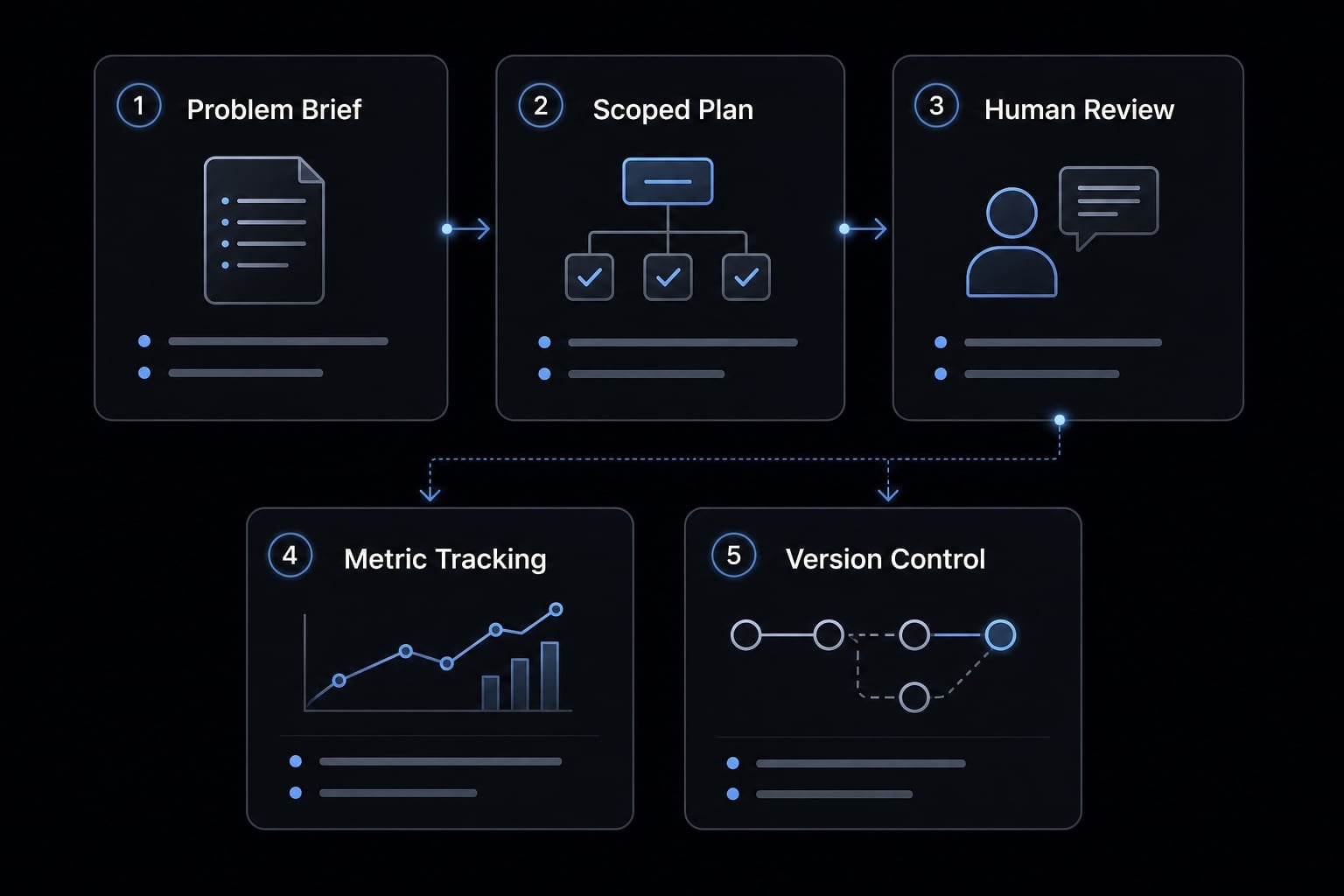
Structured AI workflows are planning-first ways of using AI to build and test prototypes with clearer scope, repeatable steps, and human review checkpoints. They reduce drift, improve consistency, and make validation runs easier to compare across ideas.
Freestyle prompting often feels fast at the start, then turns noisy. The tool expands scope, context gets muddy, outputs become inconsistent, and the team cannot tell whether the problem is the idea or the execution. A planning-first approach improves signal quality because every prototype is tied to a defined test.
What a structured workflow includes:
- Problem brief.
- Scoped build plan.
- Human checkpoints.
- Validation metric tracking.
- Rollback or version control.
This does not need to be heavy. Even solo founders benefit from reusable prompts, scoped tasks, and a fixed review habit before each user test. When teams are running multiple experiments, repeatability becomes even more important than raw speed.
Platforms such as AgentKit are one example of how teams operationalize repeatable AI-assisted workflows without relying on one-off prompting alone.
Frequently asked questions
What does "vibe coding idea validation" actually mean?
Vibe coding idea validation is the process of using AI coding agents to rapidly build prototypes for testing product hypotheses. It focuses on using AI-generated artifacts to compress learning loops, helping founders clarify if their value proposition is understood before committing to full-scale development or complex engineering.
Why is a working prototype not enough for market proof?
A working prototype only proves that a product can be built. It does not prove that users have an urgent problem, that they want your solution, or that they will pay for it. Real validation requires behavioral evidence of commitment, such as repeat usage, deposits, or signed agreements.
How do I validate an idea using vibe coding?
- Define a clear problem hypothesis.
- Build the smallest believable prototype.
- Expose it to a specific target audience.
- Measure actual user behavior, not just praise.
- Use that evidence to iterate, pivot, or stop development.
What are common mistakes when validating product ideas?
Common mistakes include overbuilding features before proving demand, letting AI expand the product scope unnecessarily, mistaking vanity metrics like "likes" for intent signals, and failing to maintain human oversight, which leads to hidden dependencies and fragile product logic that collapses under real-world usage.
When is vibe coding a good fit for testing?
Vibe coding is ideal for testing landing page messaging, workflow concepts, and perceived value via clickable demos or concierge MVPs. It is a risky fit for regulated industries, security-sensitive applications, or scenarios where technical architecture and compliance are core requirements for the product's success.
Is AI-assisted prototyping faster than traditional development?
Yes, AI-assisted prototyping significantly accelerates the creation of front-end artifacts and workflow demos. However, it does not compress the time required to build meaningful market trust or gather reliable behavioral data, which are the true bottlenecks in successful product validation and sustainable scaling.
Read more:
- Vibe coding MVP: Build fast without fooling yourself
- Vibe code mobile app: Build ideas faster with AI development
- Vibe code marketplace: Defining AI-driven development & risks
Conclusion
Vibe coding idea validation works when it shortens feedback loops without lowering your evidence standard. A fast prototype can confirm that something can be built and understood, but only user behavior can tell you whether it deserves more time.
The practical sequence is straightforward: define the problem, build the smallest believable test, expose it to real users, measure action, and then iterate, pivot, or stop. That is the core of structured AI prototyping.
If you are testing a new idea soon, use a validation checklist or scorecard before writing the next prompt. A little structure upfront often saves far more time than another polished prototype ever will.