Vibe code admin panels: A practical guide from prompt to production
AI agents can build sleek admin panels in seconds, but visual polish cannot ensure safe permissions or tenant isolation. Production readiness for vibe-coded admin tools requires strict specification, explicit access controls, and human-in-the-loop verification. Using a B2B SaaS support dashboard as a model, this guide explains how to secure core workflows and enforce strict release blocks before deployment.
What is a vibe-coded admin panel?
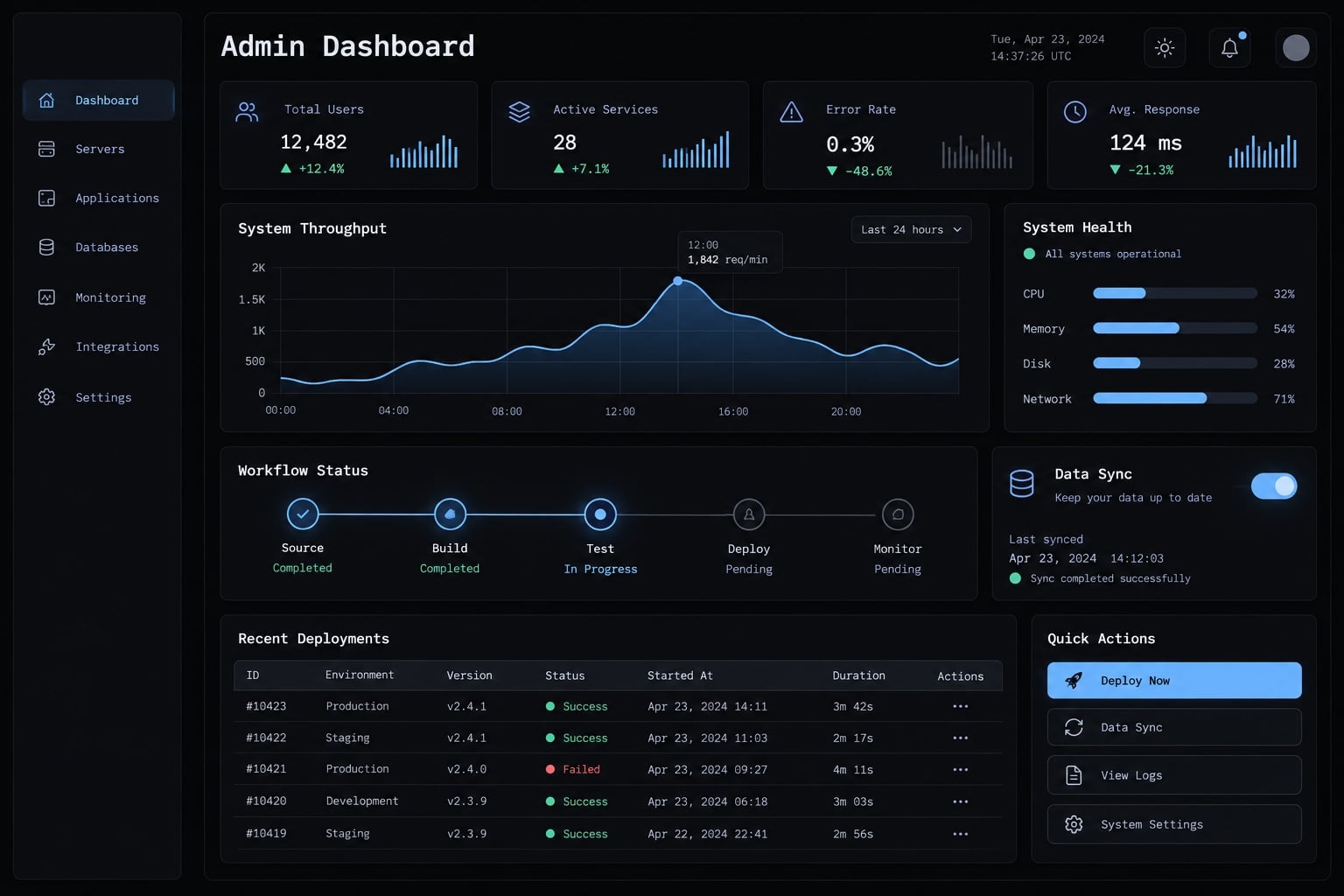
A vibe-coded admin panel is an administrative application whose code is generated or modified by AI using natural-language instructions. It lets authorized users inspect business records and perform operational actions. AI can produce interfaces and supporting logic, but human engineers must specify requirements, verify behavior, and approve its deployment with real production data.
"Vibe coding" is often used loosely. In professional software development, it means AI-assisted code generation paired with explicit review gates - never accepting generated code without fully understanding its execution path and security posture. Natural-language generation works well for repeatable interface patterns such as tables and forms.
What AI can usually generate
- Tables, filters, global search, and multi-tier navigation.
- Forms, record-detail views, and CRUD (Create, Read, Update, Delete) workflows.
- Responsive dashboard cards, dynamic data charts, and UI component libraries.
What AI does not automatically solve
- Correct database relationships, data integrity, and complex business logic.
- Robust authentication, role-based access control (RBAC), and server-side input sanitization.
- End-to-end integration testing, real-time monitoring, failure recovery, and ongoing maintenance ownership.
Generated code is not validated merely because it compiles and renders without errors.
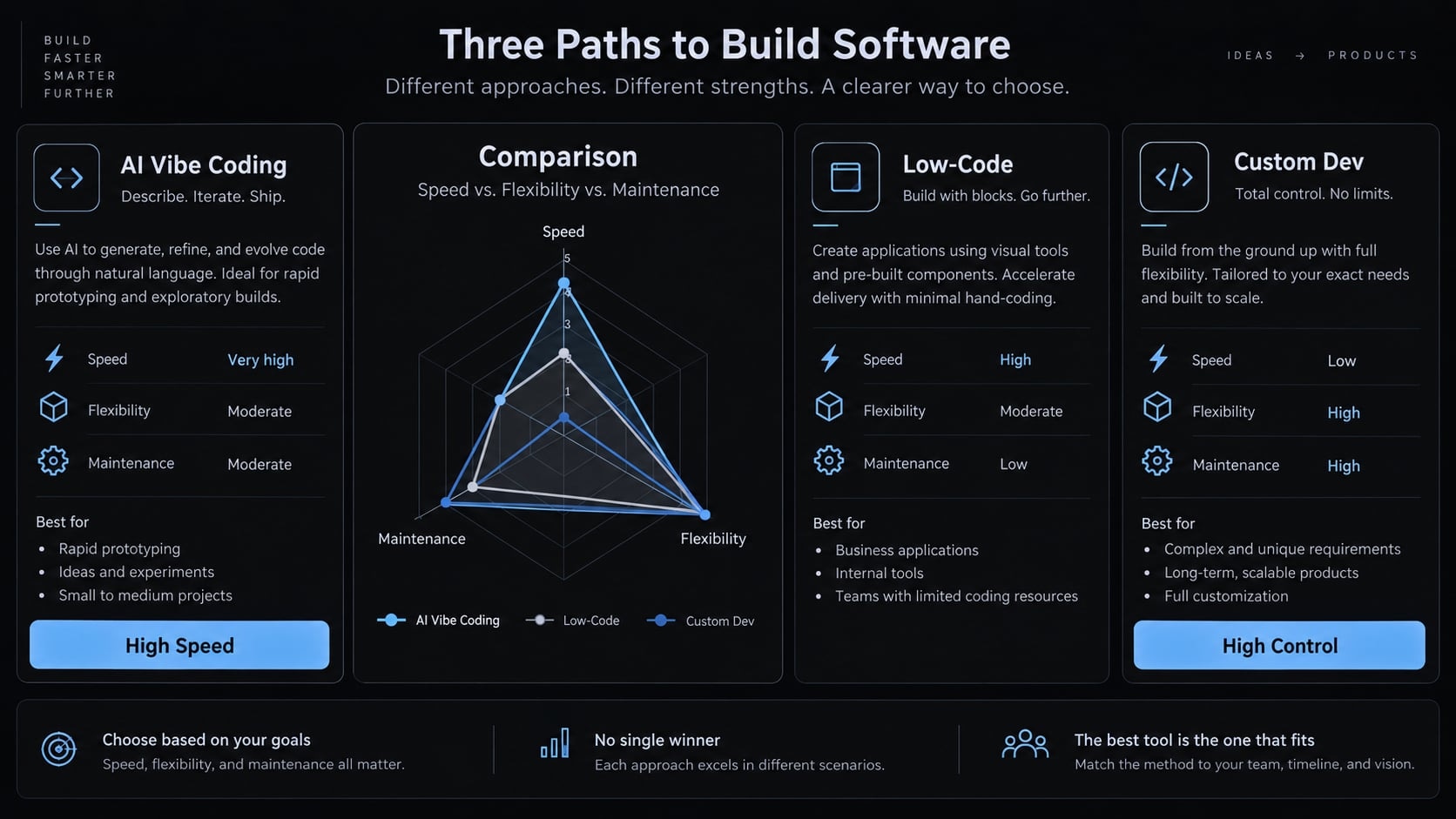
Vibe coding vs. Low-code and traditional development
Approach | How it works | Main advantage | Team responsibility |
|---|---|---|---|
AI-assisted code generation | Natural-language instructions generate raw codebase | Accelerates initial drafting & boilerplate generation | Review code execution, verify security, and maintain output |
Low-code platform | Visual configuration, drag-and-drop connectors | Reduces manual codebase assembly | Verify access scopes, platform configuration, and vendor constraints |
Admin framework | Pre-built, reusable administrative UI components | Established UX & architectural patterns | Integrate proprietary APIs and enforce business logic rules |
Custom development | Hand-written, purpose-built application code | Maximum architectural flexibility | Full ownership of architecture, security, and operations |
These approaches frequently overlap. An AI coding agent can operate directly inside a modern admin framework or a custom codebase. Code ownership depends on tooling licenses, whereas system governance depends on actual server-side configuration, not category labels.
What should an AI-Generated Admin Panel include?
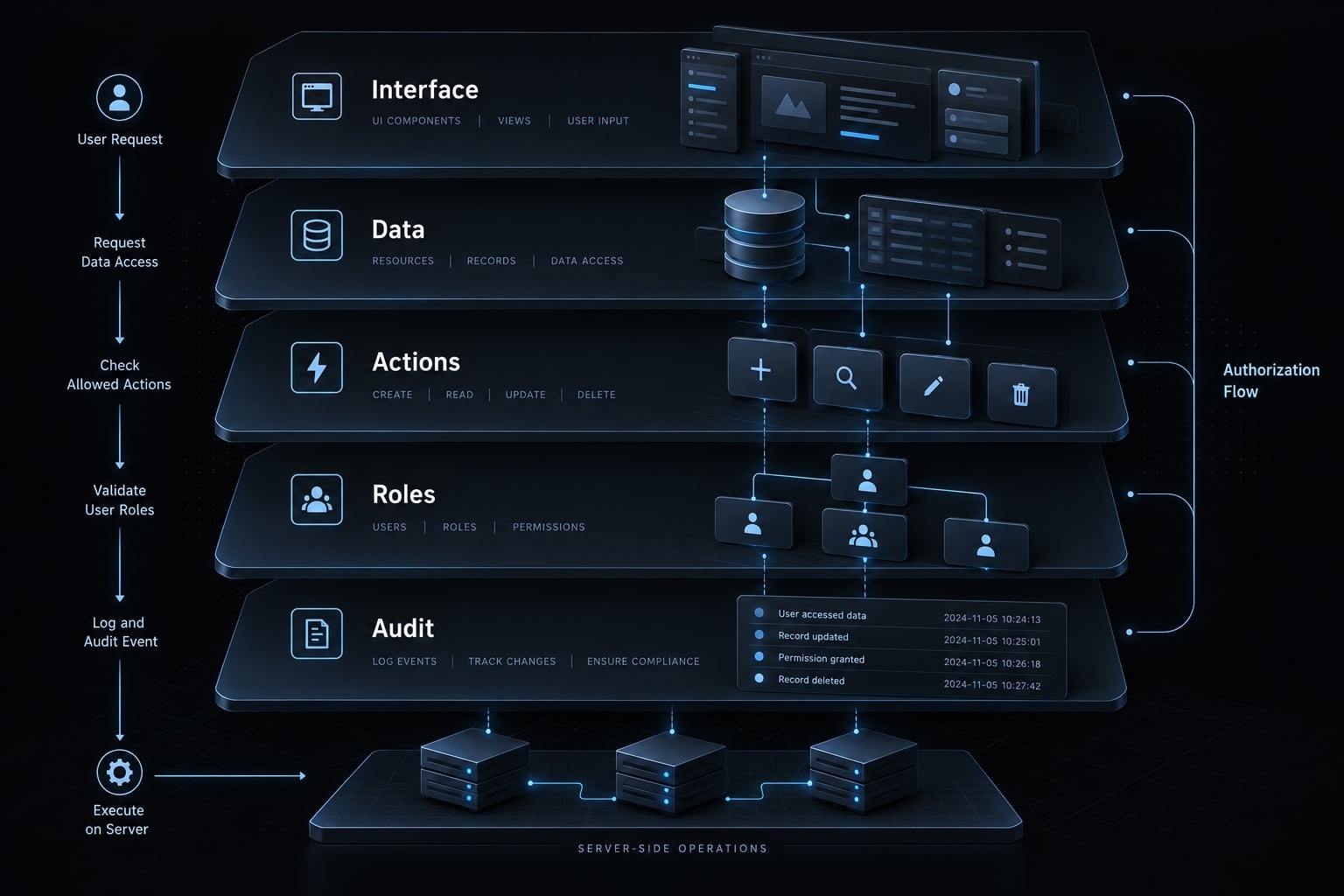
Admin dashboard requirements must describe functional and security behavior, not just interface layouts. Organize your specification into five foundational layers:
- Interface and navigation.
- Data and integrations.
- Actions and business rules.
- Users, roles, and permissions.
- Auditability and operations.
Interface and navigation
Specify clearly:
- Essential views, master-detail layouts, and record-inspection screens.
- Search syntax, parametric filtering, multi-column sorting, and server-side pagination.
- Explicit UI feedback for empty, loading, optimistic update, success, and error states.
- Full keyboard accessibility, focus management, and ARIA-compliant form labels.
- Double-confirmation modals and progress tracking for bulk or destructive operations.
A robust CRUD interface must explicitly distinguish unsaved draft edits from server-confirmed updates. A success notification must confirm a completed backend transaction, not merely the firing of an asynchronous button-click event.
Data, integrations and business rules
In our B2B support panel example, a customer organization owns authorized contacts, active subscriptions, and support tickets. A ticket can initiate a billing-adjustment request, but the billing lifecycle status must remain decoupled from ticket workflows.
Provide the AI agent with your actual database schema and API specs. Define strict data validation schemas, acceptable value ranges, allowed state machine transitions, and mandatory server-side sanitization. Require explicit server confirmation for all write operations and define automated rollback behaviors when external service calls fail.
Users, roles and privileged actions
Authentication verifies identity; authorization determines access rights. Role-Based Access Control (RBAC) assigns permissions through explicit operational roles.
Action | Viewer | Support operator | Support lead | Administrator |
|---|---|---|---|---|
View records | Assigned tenant scope | Assigned tenant scope | Assigned tenant scope | Assigned tenant scope |
Edit approved fields | No | Allowlisted fields only | Allowlisted fields only | Allowlisted fields only |
Export data | No | No | Approved, redacted CSV | Approved, redacted CSV |
Delete records | No | No | No | Soft-delete with mandatory approval |
Change roles | No | No | No | Requires dual-control approver |
Soft-deletion marks records as inactive without physically removing them; confirm it matches your retention and erasure obligations.
Server-side authorization must strictly enforce these rules - merely hiding UI controls on the frontend provides zero security. Align with OWASP authorization principles: enforce least privilege, default to deny-all, and validate permissions on every inbound API request across all tenant boundaries.
Auditability and operational controls
Audit logs must record all administrative actions: operator identity, timestamp, target record ID, field-level state changes (before and after values), and transaction outcome.
Never store sensitive credentials, session tokens, or unencrypted Personal Identifiable Information (PII) within audit logs. Define clear log retention, real-time alerting, and named operational maintainers during initial requirements gathering.
How to vibe code an admin panel step by step
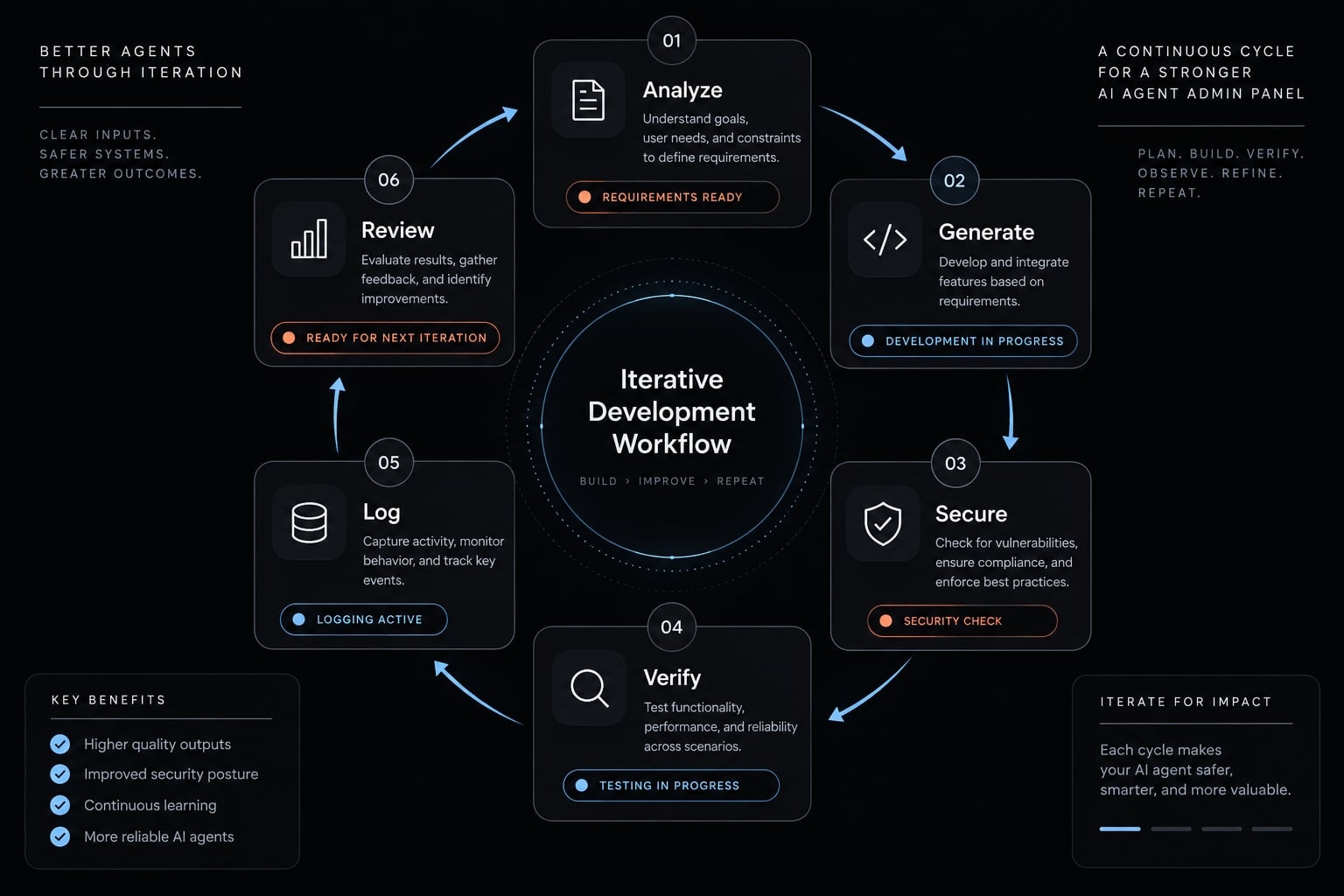
To build a secure admin panel using AI agents, translate your requirements into incremental, testable updates:
Step 1 - Define the operational goal
Identify key stakeholders, operational workflows, high-risk actions, and success metrics. For our support team, success means an operator can locate an account and update allowlisted fields, while a read-only viewer cannot. Sensitive billing adjustments must trigger an escalation workflow rather than direct execution.
Step 2 - Create an admin-panel specification
Copy this template before generating screens:
Purpose:Primary users:User roles:Data entities:Required screens:Allowed actions:Permission rules:Validation rules:External integrations:Audit requirements:Error and recovery behavior:Acceptance criteria:
Under permission rules, include organization-level boundaries and field-level restrictions. Under acceptance criteria, specify observable results: “A viewer’s update request is rejected, and the record remains unchanged.”
Include approval owners, integration credentials boundaries, and what users see after failure. Keep the specification in version control so changes remain reviewable.
Step 3 - Generate one vertical slice
A vertical slice implements a single complete end-to-end feature path across the entire stack:
Authentication → Locate Record → Server Authz Check → Execute Update → Database Persistence → Audit Event Log
Start with synthetic or staging data. Integrate server-side permission checks and logging into this first slice before scaling up UI screens.
Step 4 - Connect real data and backend actions
Connect the slice to your actual database schema and staging APIs. Enforce least-privilege database connections. When integrating tooling protocols like the Model Context Protocol (MCP) to supply contextual schema data to AI agents, ensure credentials and access boundaries are strictly controlled. Never paste production secrets or live customer data into AI prompts.
Step 5 - Verify and harden permissions
Enforce role boundaries and tenant isolation directly at the API and database layers (e.g., via Row-Level Security policies). Test negative security cases programmatically (e.g., calling backend endpoints directly via curl or Postman without proper JWT tokens). Ensure the system fails securely (fail-closed principle).
Step 6 - Test, review and deploy in stages
Do not rely exclusively on AI-generated unit tests, as they frequently mirror the AI's internal assumptions. Validate system code against your independent acceptance criteria. Require mandatory human-in-the-loop (HITL) review by a senior engineer for security-critical modules, API integrations, and database migrations.
Which approach should you use to build the admin panel?
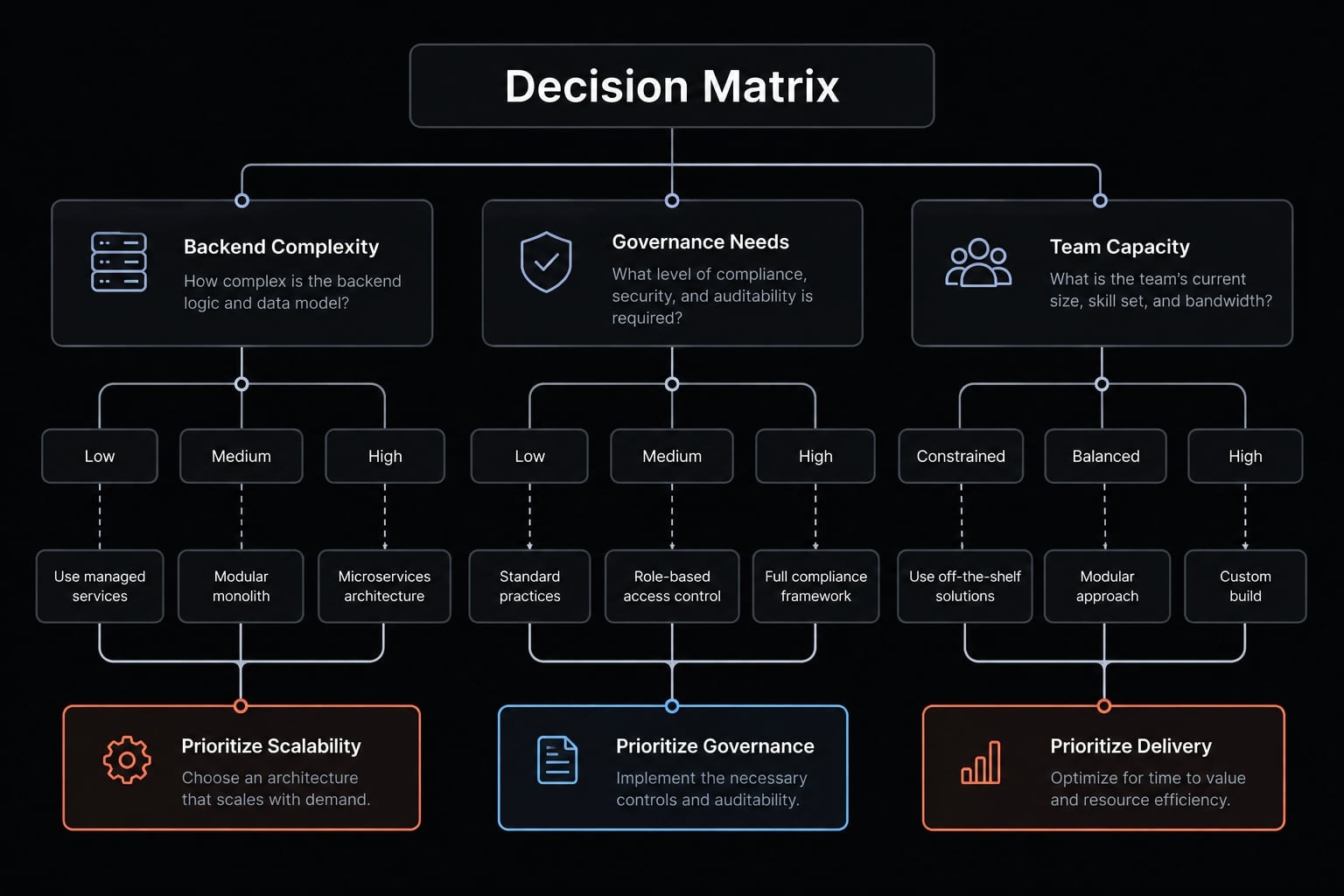
Choose your tech stack based on risk profile, integration requirements, long-term maintainability, and engineering capacity - not dynamic UI styling.
Admin-panel Implementation options
Approach | Best for | Strengths | Main trade-off |
|---|---|---|---|
AI coding agent | Teams able to review generated code | Flexible drafting and iteration | Verification burden; portability depends on tooling and licensing |
Admin framework | Standard record-management workflows | Reusable tables, forms, and conventions | Conventions constrain customization and do not validate business rules |
Low-code internal-tool platform | Connector-driven operational tools | Visual assembly and managed capabilities | Governance varies by platform and plan |
CMS-based back office | Content-centered administration | Existing editorial and record interfaces | Content management system roles and plugins need configuration and maintenance |
Fully custom development | Distinctive workflows and deep integrations | Control over architecture and behavior | Full engineering ownership; no automatic security advantage |
Simple decision rules
- Existing backend APIs: Choose frameworks or custom code that plug directly into existing authentication, OAuth, and RBAC middleware.
- Standard internal workflows: Utilize established admin frameworks (e.g., React Admin, Refine) combined with AI code generation for rapid scaffolding.
- Limited engineering bandwidth: Avoid fully custom generated code bases if you lack engineers to review and maintain the output. Opt for managed low-code platforms with built-in audit capabilities.
- Regulatory or strict security obligations: Require a qualified security assessment. A vetted managed platform or a custom build can both be appropriate; neither is inherently safer.
- Regulatory or security obligations: Require qualified engineering assessment. A vetted managed platform may be appropriate; custom development is not inherently safer.
- Maintenance lifespan: Evaluate upgrades, documentation, exportability, dependency management, and who will own changes after the initial builder leaves.
When is a vibe-coded admin panel production-ready?
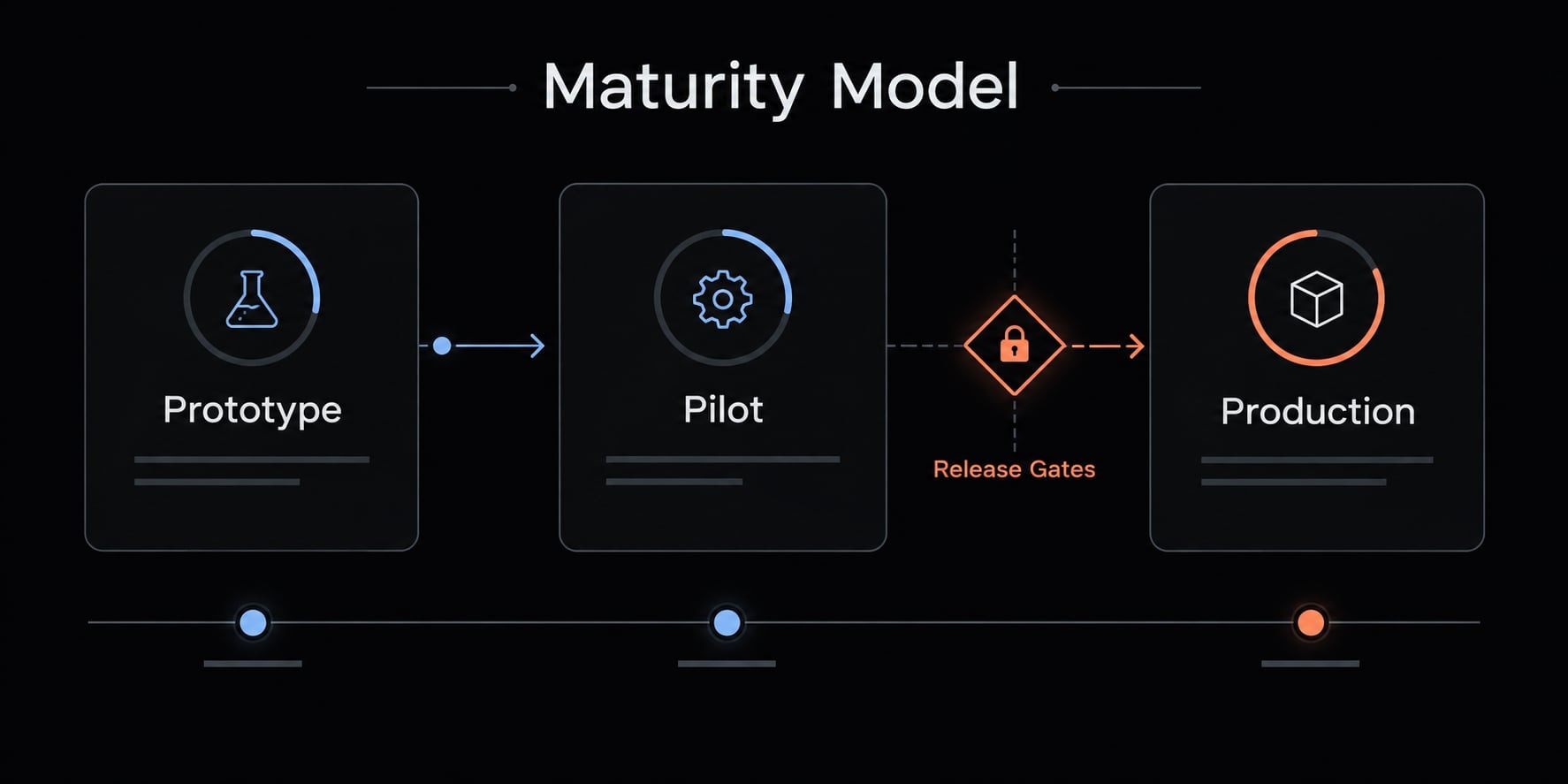
Visual polish and error-free rendering do not equal production readiness. A production-grade system requires concrete evidence of strict security, data integrity, and operational resilience.
Production-readiness levels
Requirement | Visual prototype | Controlled Internal Pilot | Production admin system |
|---|---|---|---|
Data Source | Mock / Synthetic Data | Sanitized Staging Integration | Approved Production Database |
Authentication | Simulated / Hardcoded | Tested OAuth / SSO Integration | Verified Session & Identity Management |
Authorization | UI Visibility Toggles Only | Enforced on Connected Staging APIs | Multi-Tenant & RBAC Hardened |
Data Validation | Basic Client-Side Checks | Server-Side Validation Active | Complete Business Rule Enforcement |
Audit logging | Console Logs / Mock Events | Enabled for Sensitive Actions | Immutable, Tamper-Proof Audit Store |
Secrets Handling | Plaintext Environment Variables | Vault / Key Management Service | Rotated Managed Credentials |
Automated Testing | Basic Interactive Checks | Critical Path & Negative Tests | E2E Integration & Regression Suites |
System Recovery | Manual State Reset | Documented Rollback Process | Verified Backup & Instant Rollback |
Code Governance | Individual Developer Review | Security-Focused Peer Review | Qualified Architect Sign-Off |
Common risks in vibe-coded admin panels and mitigations
- Client-side-only authorization: AI frequently hides UI buttons instead of securing backend endpoints → Enforce authorization checks on every backend route.
- Unvalidated database mutations: Direct write operations without schema validation → Implement strict server-side validation schemas (e.g., Zod, Pydantic).
- Exposed secrets & Hallucinated dependencies: Secrets leaked in client bundles or AI installing non-existent/malicious packages → Automated secret scanning (e.g., GitGuardian) and dependency verification.
- Missing audit trails: Destructive administrative actions occurring silently → Implement structured, centralized audit logging for all write operations.
A reliable multi-agent workflow for admin panels
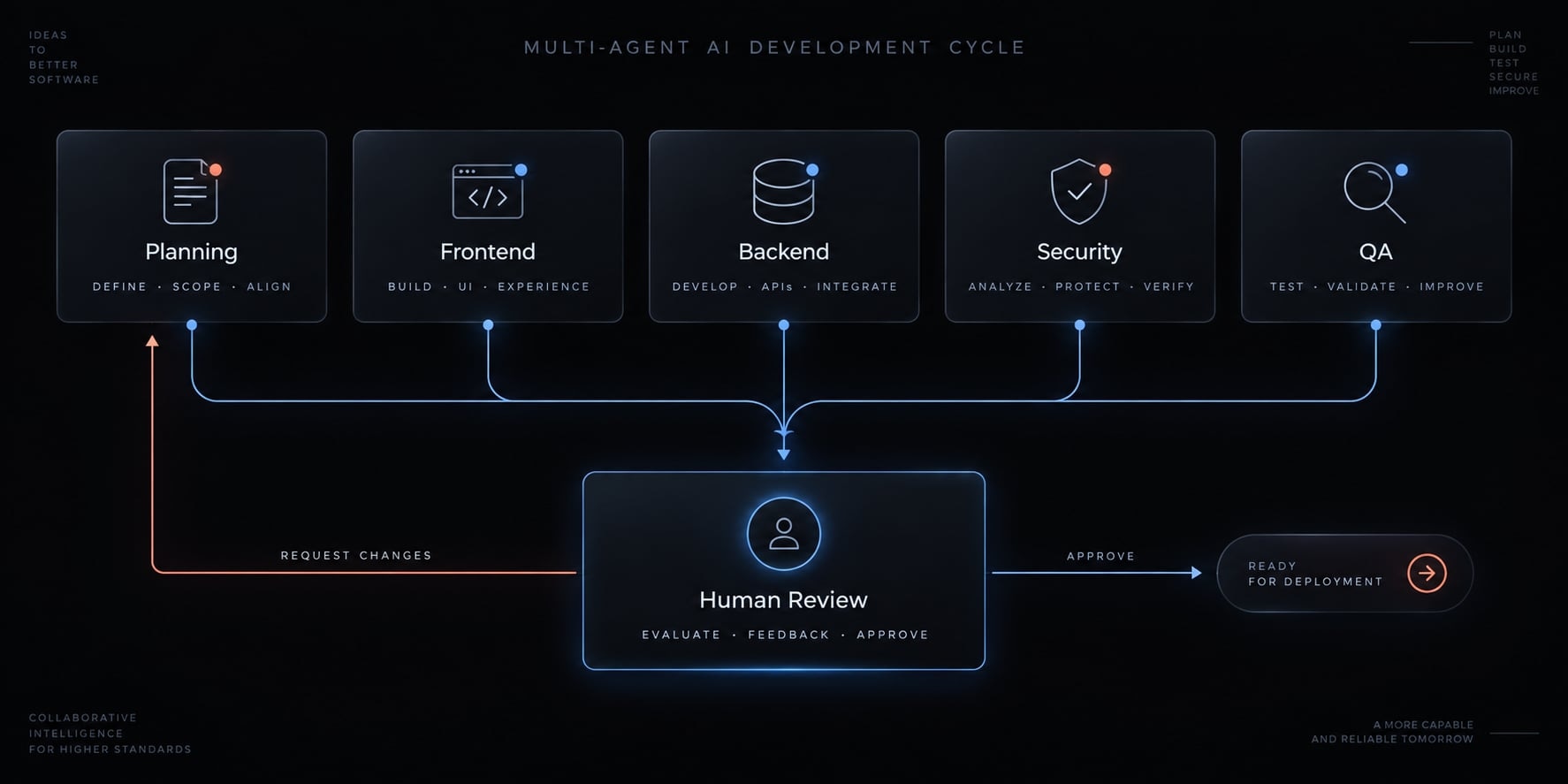
To maximize reliability, organize AI agents into specialized, single-responsibility roles with explicit human review checkpoints:
- Planning: Scope, entities, and acceptance criteria.
- Frontend: Screens, forms, and interaction states.
- Backend: Data access and business rules.
- Testing: Expected behavior and failure conditions.
- Security review: Permissions, secrets, dependencies, and sensitive actions.
- Deployment: Configuration, checks, and release preparation.
Separating roles makes each handoff easier to review, but it does not guarantee independent verification. However, human engineers remain ultimately responsible for approving code merges and production deployments.
Frequently asked questions
What is a vibe-coded admin panel?
A vibe-coded admin panel is an internal dashboard built using AI-assisted, natural-language prompts. Instead of writing every line of code, developers use AI agents to generate UI components, CRUD workflows, and navigation structures while maintaining control over backend logic and database integration.
Is vibe coding safe for building internal admin tools?
Yes, but only if you implement human-in-the-loop review. AI-generated code often defaults to permissive security settings. Production safety requires manually verifying server-side authorization, enforcing row-level security, and testing against unauthorized access attempts rather than relying solely on generated code.
How do I ensure my AI-generated admin panel is production-ready?
To ensure production readiness, verify that your panel implements server-side role-based access control (RBAC), immutable audit logging for privileged actions, and parameterized database queries. Never release a dashboard that relies only on frontend visibility toggles to protect sensitive administrative actions.
Should I use an admin framework or generate code from scratch?
Use an admin framework if you need a standard, maintainable interface with built-in authentication and layout patterns. Generate from scratch only if your operational workflows are highly unique. AI agents can significantly accelerate development by generating boilerplate for either approach while you focus on business logic.
Can I build an admin panel without being a developer?
Yes, but you remain responsible for the operational risks. While AI can build the interface, you must understand how to configure database access, set up permission policies, and conduct testing. We recommend using a structured specification process to ensure the AI tool creates secure, functional workflows.
What are the most common security risks in AI-generated panels?
The most frequent risks include client-side-only authorization (where users can bypass UI protections to call backend APIs), overly permissive database rules that expose data, and the accidental inclusion of sensitive credentials within AI prompts or project configuration files.
Read more:
- AI-Assisted coding vs vibe coding: A practical comparison
- Vibe coding MVP: Build fast without fooling yourself
- Vibe coding vs traditional coding: Which approach wins?
Conclusion
Building a production-ready admin panel with vibe coding requires separating rapid interface generation from core security and operational discipline. AI agents excel at drafting UI layouts and repetitive backend logic, but they cannot inherently guarantee multi-tenant security, data integrity, or regulatory compliance.
Before prompting your coding agent to generate screens, establish your 5-layer requirements, define a strict specification, and build out one complete vertical slice. Enforce production release gates to ensure your administrative software earns trust through observable, secure, and verifiable behavior.