How to vibe code a calculator: Prompt, workflow and testing checklist
AI can draft a sleek calculator interface in seconds, but visual polish does not guarantee accurate formulas or robust error handling. This guide walks through vibe coding an annual software subscription cost calculator from specification and prompt engineering to testing, logic validation, and deployment. By prioritizing input verification and edge-case testing over mere visual output, you ensure your calculator delivers reliable, publication-ready results.
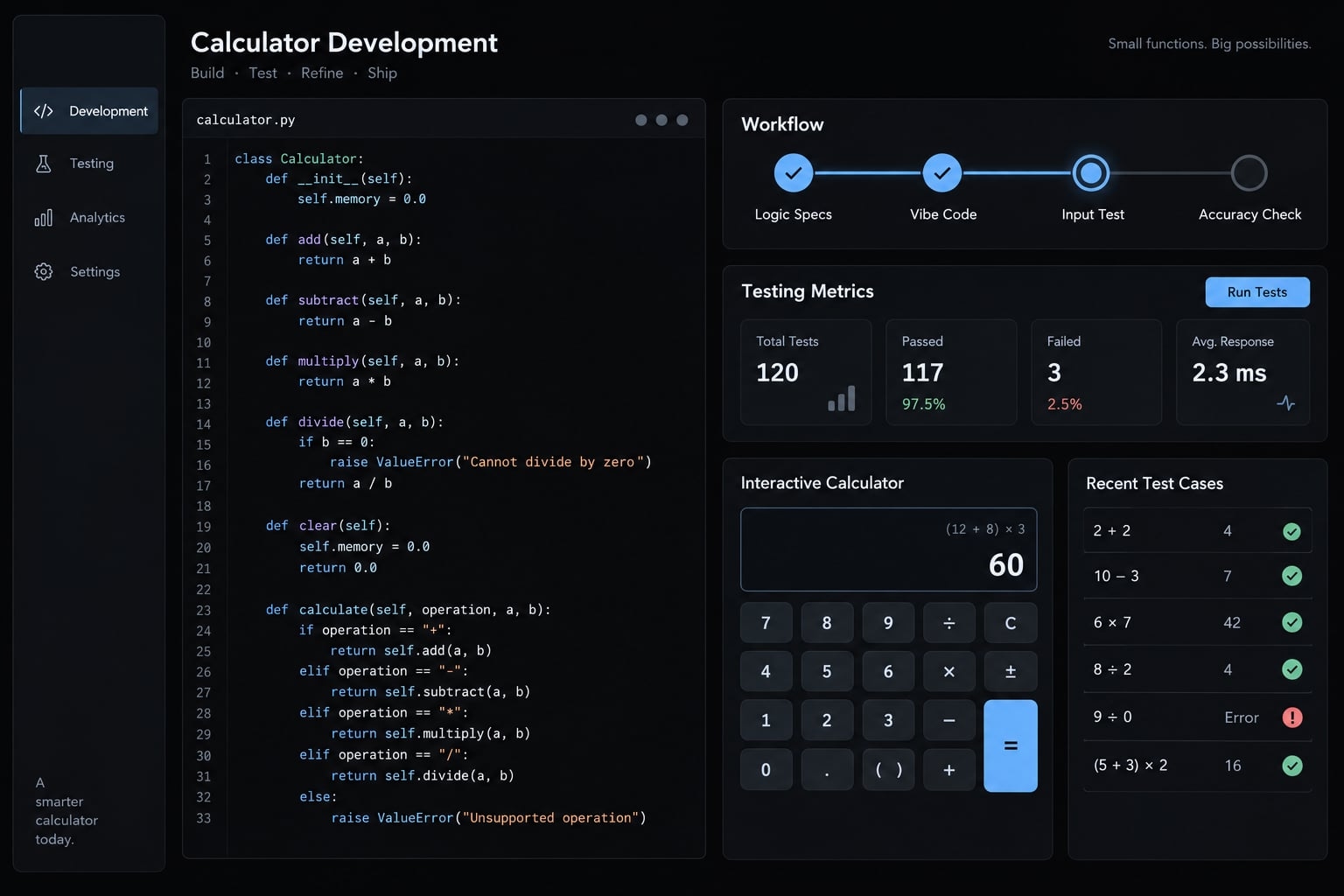
What is a vibe-coded calculator?
A vibe-coded calculator is a calculator built through natural-language instructions that an AI system translates into an implementation. In this guide's workflow, you define the formulas, inputs, and validation rules upfront. You then test and inspect the generated app before release - never assuming AI output is inherently correct.
This is conversational coding: An instruction–generation–review loop. You describe behavior, inspect the result, and request specific corrections. Generating an implementation and verifying it are separate tasks.
You don't need to memorize every line of code to get started. However, unfamiliar code still requires qualified human review before going live.
Why calculators are a useful vibe-coding project:
- Small scope supports rapid prototyping without a large application.
- Simple formulas make independent arithmetic checks practical.
- Business applications include subscription costs, discounts, pricing, and software savings.
- A calculator app exposes percentage, rounding, state, and invalid-input errors.
The walkthrough below is illustrative: no application was executed or deployed for this article. Expected answers are supplied; actual results must be recorded during your build.
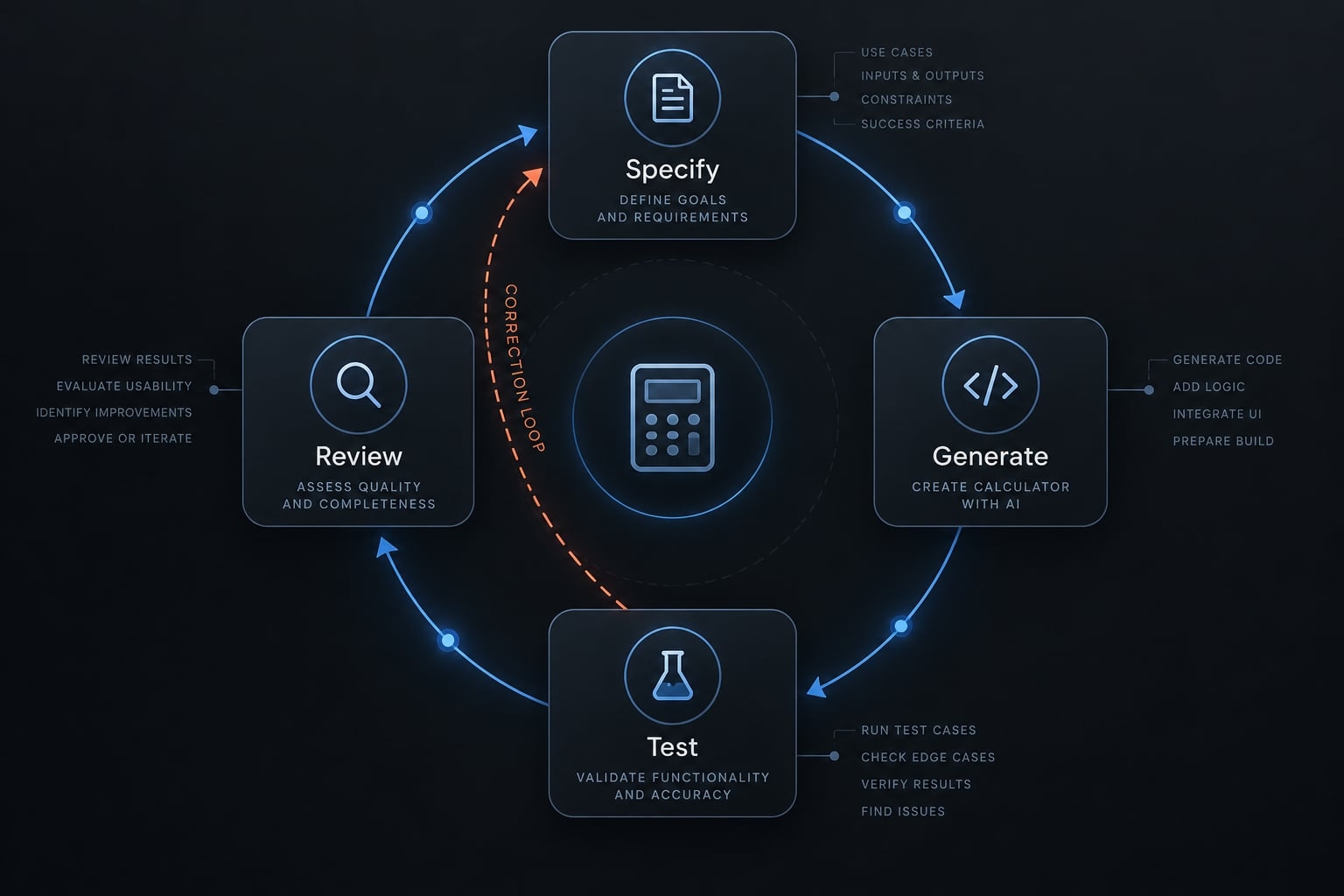
Define the calculator before opening an AI coding tool
Specify business rules before requesting an interface. “Build a software cost calculator” leaves the model to invent billing periods, exclusions, and acceptable inputs.
A short technical specification makes those decisions explicit. Input validation (the rules determining whether entered values are acceptable) belongs in that spec, not in a later cleanup pass.
Choose one calculator type
Start with annual software cost. A SaaS discount calculator adds percentages; a pricing calculator introduces conditional rules. An ROI calculator, estimating return on investment, depends on business assumptions. A business tax estimate requires a higher review standard.
Keep version one limited to one formula.
Document inputs, outputs and units
This illustrative spec defines the baseline throughout the tutorial:
Required field | Specification |
|---|---|
Purpose | Annual cost of a fixed monthly software subscription |
Input | Monthly cost in USD; initially blank |
Allowed range | $0–$100,000 inclusive; a sample project choice, not an industry limit |
Precision | Accept at most two decimal places; reject extra decimals |
Output | Annual cost in USD |
Formula | Monthly cost × 12 |
Assumptions | Fixed price for 12 months; excludes taxes, usage charges, and discounts |
Rounding | Calculate using whole cents; display two decimal places |
Invalid states | Blank, negative, non-numeric, or above maximum: error and no result |
Format policy | Decimal point allowed; reject thousands separators and currency symbols |
Input units prevent monthly-versus-annual confusion. The format policy prevents ambiguous parsing of pasted values. For percentage-based adaptations, separately specify whether 10 means 10%. The baseline has no percentage input.
Create known-answer examples
Known-answer testing compares outputs against independently verified expectations:
$100monthly →$1,200annually.$0monthly →$0annually.-$100monthly → validation error and no active result.
Establish each expected output before generation. Otherwise, the model may repeat the same mistaken assumption in both implementation and tests.
How to vibe code a calculator in 6 steps
- Write a one-page specification.
- Choose the right type of AI coding tool.
- Generate the smallest working version.
- Run a known-answer test.
- Refine through focused prompts.
- Review, retest, and deploy.
Step 1 - Write a one-page specification
Copy the specification above into a plain-language brief. Identify the intended user: someone estimating a fixed software subscription’s annual expense.
Add version-one exclusions: no currency conversion, annual-plan discounts, seat calculations, or usage-based billing. Include the expected answers beside the formula.
- Deliverable: A brief ready to paste into your tool.
- Proceed when: Another person could implement the formula, units, and invalid states without inventing business assumptions.
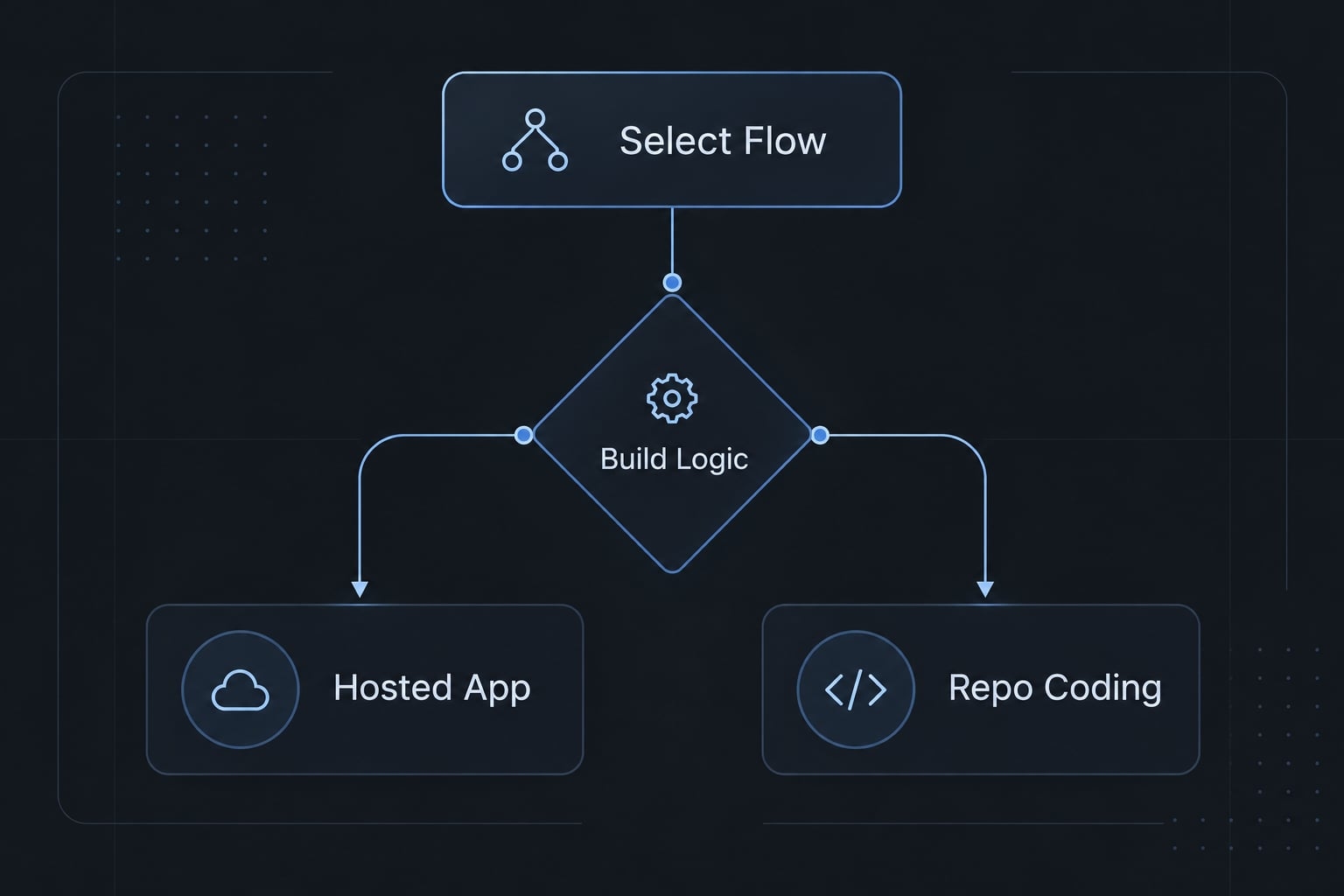
Step 2 - Choose the right type of AI coding tool
Choose based on your working environment, not a tool ranking.
Requirement | Suitable approach |
|---|---|
Fast visual prototype | Hosted prompt-to-app builder |
Existing codebase | IDE or terminal coding agent |
Repeatable test execution | Repository and test-runner access |
Minimal setup | Hosted development environment |
Greater code and deployment control | IDE or command-line workflow |
An IDE is an integrated development environment. Claude Code, Codex, and GitHub Copilot are options for code-oriented workflows; Lovable and Replit are options to investigate for hosted workflows.
Categories overlap. Hosted tools may support tests; repository access does not guarantee maintainable code. Check current official documentation for permissions and deployment options.
Use an isolated project. Review command and file permissions; confirm any claimed sandbox environment actually restricts access.
- Deliverable: A controlled workspace.
- Proceed when: You understand its permissions.
Step 3 - Generate the smallest working version
Use the master prompt to request:
- One monthly-cost input with USD units.
- The specified calculator formula.
- An annual-result area.
- Clear validation messages.
- Readable mobile layout and explicit labels.
Exclude accounts, databases, analytics, lead gates, and customer-management integrations. They add dependencies without helping validate multiplication.
Ask for the simplest implementation compatible with your chosen environment. Preserve the brief alongside the generated files.
- Deliverable: A runnable calculator app.
- Proceed when: The required elements exist and respond to input—not when colors and spacing look finished.
Step 4 - Run a known-answer test
Enter 100. The expected annual result is $1,200.00, because 100 × 12 = 1,200.
If it differs:
- State the expected and actual results.
- Ask the agent to explain the implemented formula.
- Identify and correct the discrepancy.
- Add a regression test, a repeatable check that catches a previously fixed problem.
An AI explanation is never a substitute for independent verification. Always verify the calculations yourself.
- Deliverable: a recorded input, expectation, and actual output.
- Proceed when: this case matches; boundary and invalid checks still remain mandatory before publication.
Step 5 - Refine through focused prompts
Use iterative prompting to change one behavior at a time.
Weak: “Fix validation and improve everything.”
Specific:
Reject negative monthly costs. Show “Enter a monthly cost of $0 or more” beside the input and remove any previous result. Add checks for negative input and correction back to valid input. Preserve the formula and unrelated layout.
Related acceptance checks can share one request. Avoid combining formula changes with an unrelated redesign.
- Deliverable: one bounded change and its checks.
- Proceed when: the requested behavior works and previously confirmed cases still match. Record unresolved issues rather than prompting around them.
Step 6 - Review, Retest, and Deploy
Perform code review of the formula and validation. If you cannot assess them, involve someone who can. Check labels, assumptions, keyboard behavior, and mobile layout. Preview first, then publish through supported hosting and retest the published URL.
Review client code, logs, analytics, and third-party integrations for exposed secrets or unnecessary collection. Browser-side calculation alone does not establish privacy. Simple arithmetic generally needs neither runtime AI calls nor API keys.
- Deliverable: a reviewed release and deployment test record.
- Proceed when: applicable checks in the publishing checklist pass. A working preview is not publication approval, and deployment retesting is not a complete security audit.
Copy-and-use prompt for building a calculator
Use this calculator prompt to build a calculator with AI without delegating business assumptions. Replace the bracketed fields before sending it to an AI coding agent.
Reusable master prompt
Build an annual software subscription cost calculator.Intended user: [user]. Purpose: estimate fixed yearly expense.Environment: [chosen tool/project].Input: monthly cost in USD, decimal text, initially blank.Allow 0–100000 inclusive, with at most two decimal places.Reject commas, currency symbols, scientific notation, andnon-numeric input. Use a decimal point only.Formula: annual cost = monthly cost × 12.Convert valid input to whole cents before multiplication.Display annual USD with two decimal places.Time convention: 12 fixed-price months.Percentage and division rules: not applicable.Treat zero as valid. Blank, negative, excessive, orincorrectly formatted input must not calculate.Show clear inline errors after interaction or submission.Remove any stale result immediately when input becomes invalid.Provide labeled input, calculate control, and result area.Support keyboard use, accessible errors, and mobile layouts.Show assumptions: fixed monthly price; excludes taxes,usage charges, and discounts.Do not add authentication, databases, analytics, or integrations.Use these independently confirmed expected cases:100 → $1,200.00; 0 → $0.00;100000 → $1,200,000.00.-100, blank, abc, 100000.01, 1.001, and 1,000.50→ validation error with no active result.Generate automated tests and run them where supported.Report files changed, test commands, actual outcomes,and limitations. Distinguish generated tests from executed tests.Do not invent assumptions. Ask clarifying questions ifmaterial requirements remain ambiguous.
How to customize the prompt
- Replace every placeholder with your actual user and environment.
- Supply confirmed formulas and expected results, including relevant percentage conventions.
- Remove irrelevant fields; add division-by-zero behavior only when division exists.
- Add integrations only after standalone behavior is validated.
A calculator prompt is a specification aid, not a guarantee of identical results across tools.
Test the formula, inputs and edge cases
Verify expectations independently, then compare them with actual behavior. Known-answer testing establishes specific matches; edge-case testing investigates boundaries and unusual inputs. Neither proves complete correctness.
Use the three-case validation method
Start with normal, boundary, and invalid inputs. Extend coverage with format and extreme-value checks.
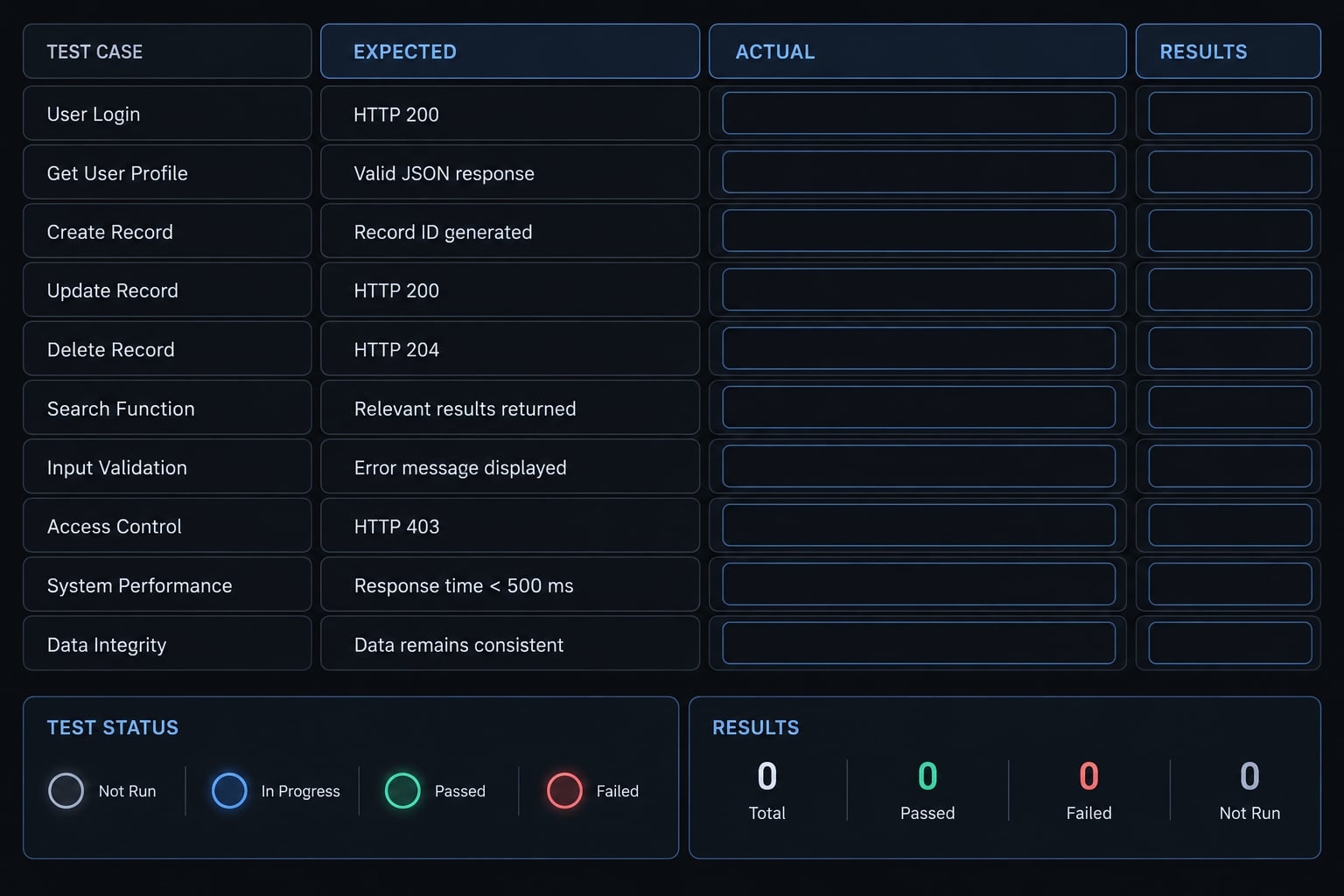
This illustrative matrix has no executed results:
Test type | Input | Expected result | Actual result | Pass/fail |
|---|---|---|---|---|
Normal |
|
| Record during testing | Not assessed |
Boundary |
|
| Record during testing | Not assessed |
Invalid |
| Error; no result | Record during testing | Not assessed |
Format |
| Format error; no result | Record during testing | Not assessed |
Upper limit |
|
| Record during testing | Not assessed |
Also reject 100000.01, blank input, text, and excess decimals. Check 1000.50 → $12,006.00. Enter a valid value before an invalid one to expose stale results.
Check common calculator failure modes
Check these explicitly:
- Operator precedence changes the intended formula.
- Percentage conversion is wrong, where percentages apply.
- Monthly and annual units are mixed.
- Intermediate values are rounded prematurely.
- Division by zero is unhandled, where division applies.
- Blank input becomes zero.
- Invalid negative values calculate.
- Old results remain after invalid input.
- Hidden assumptions contradict the displayed explanation.
MDN Web Docs’ number-input guidance explains browser constraints; these do not replace application-specific logic validation.
Turn confirmed cases into automated tests
Use the independently confirmed expectations above. Add automated regression tests, preserving unrelated files and behavior. Run tests where supported. Report failures, actual results, and execution limitations.
Formula tests do not cover every interaction. Check keyboard access, mobile layout, and deployed behavior separately. W3C WAI’s Forms Tutorial provides relevant labeling and error-feedback guidance.
Apply a higher review standard to high-stakes calculators
High-stakes warning: Financial, tax, medical, legal, and regulated tools require current authoritative sources, documented assumptions, version dates, and qualified domain review. Add legal or compliance review where applicable. Disclaimers alone do not make a tool safe.
Adapt the workflow to different calculator types
Calculator ideas and risk levels
Complexity below is indicative. Implementation difficulty and business risk are different: a short tax formula may still require specialist review.
Calculator type | Typical inputs | Relative build complexity | Main risk |
|---|---|---|---|
Basic arithmetic practice tool | Numbers, operators | Low | Operator precedence |
SaaS discount calculator | Price, discount percentage | Low | Percentage interpretation |
Software savings calculator | Current and proposed costs | Low–medium | Inconsistent comparison scope |
B2B pricing calculator | Seats, tiers, billing period | Medium | Conflicting pricing rules |
ROI calculator | Costs, projected benefits, period | Medium | Unsupported assumptions |
Business tax estimate | Tax base, jurisdiction, period | Variable | Outdated or misapplied rules |
ROI outputs depend on assumptions and the chosen formula. Distinguish revenue, profit contribution, and monetized time savings. Time saved is not automatically realized cash savings.
Prototype, public tool or production calculator?
These are baseline checks, not certification of a production-ready calculator. High-stakes use is a separate risk category.
Readiness category | Baseline checks |
|---|---|
Prototype | Runs; limitations explicitly identified |
Tested demo | Confirmed cases recorded; review scope stated |
Public business tool | Validation, accessibility, privacy, visible assumptions, maintenance owner |
High-stakes use | Domain expertise, current rules, applicable compliance review |
A tax calculator needs domain scrutiny regardless of interface simplicity. Analytics are optional. If lead generation or contact collection is added, disclose collection and minimize data.
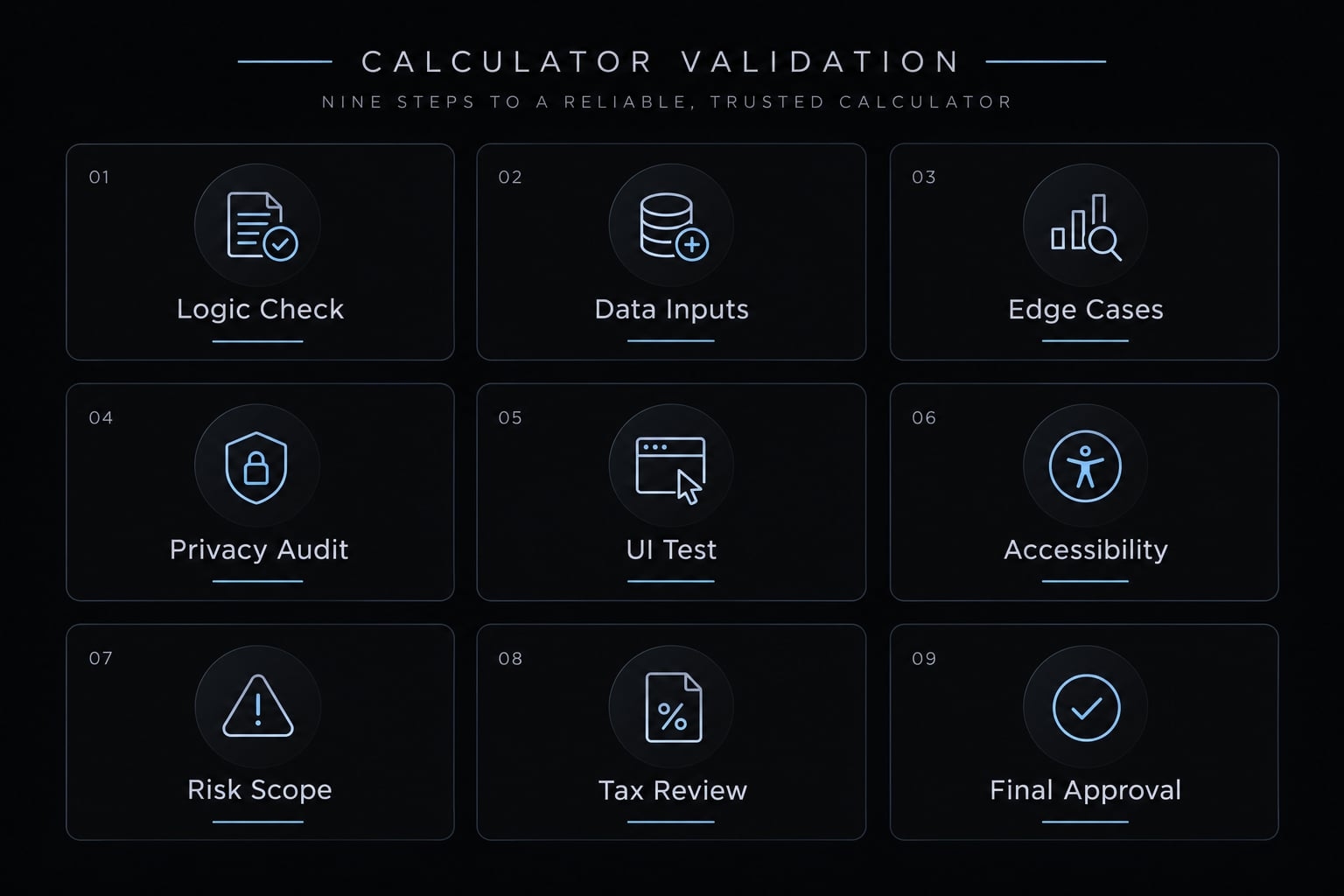
Publishing checklist
- Document the formula and exclusions.
- Independently verify expected answers.
- Check normal, boundary, invalid, format, and extreme cases.
- Display assumptions.
- Label units clearly.
- Test mobile and keyboard behavior.
- Review data handling.
- Retest the published URL.
- Complete applicable domain review.
If coordinating repeatable builds, AgentKit can support reusable planning, implementation, testing, and review workflows; it does not guarantee calculation correctness.
Frequently asked questions
What is a vibe-coded calculator?
A vibe-coded calculator is a web-based tool generated using AI coding agents through natural-language instructions. It combines the speed of AI implementation with human-defined formulas, logic validation, and rigorous testing to ensure the calculator provides accurate, reliable results before it is deployed for user access.
Why are calculators a recommended project for vibe coding?
Calculators serve as ideal projects because they have a small, well-defined scope that allows for rapid prototyping. They require precise logic for formulas and state management, which helps builders practice essential validation steps and rounding, that are critical for any professional AI-assisted application.
How do I ensure my vibe-coded calculator is accurate?
You ensure accuracy by performing known-answer testing. Before and after generation, run specific inputs through the calculator and compare the results against independently verified manual calculations. Never assume an AI-generated interface is correct without validating the underlying math against your predefined business rules.
What should I include in a calculator specification?
A professional specification must explicitly detail the purpose, input units, allowed value ranges, and exact formulas. It should also define how the system handles edge cases like blank entries, negative numbers, division by zero, and the required precision or rounding policies to avoid ambiguous outputs during the generation process.
Can I build a production-ready calculator in one prompt?
No. While AI tools can generate an interface in one prompt, a production-ready tool requires an iterative workflow. This involves generating the core logic first, conducting targeted testing to identify bugs, using focused prompts to refine behaviors, and performing a final review of labels, mobile responsiveness, and data-handling policies before public release.
What is the difference between "vibe coding" and traditional development?
Vibe coding relies on conversational instructions and AI agents to handle the implementation, whereas traditional development focuses on manual code authorship. However, both require the same engineering rigor: clear requirements, logic verification, regression testing, and security reviews. In vibe coding, the human’s role shifts from writing syntax to defining the architecture and verifying the output.
Read more:
- How to vibe code: A practical beginner guide to AI development
- How to vibe code an AI agent: Build prototypes to production
- How to learn vibe coding: A beginner’s step-by-step guide
Conclusion
Responsible vibe coding requires defining calculator logic before generating its UI. Specify formulas, inputs, edge cases, and pre-calculated target answers upfront. Start with a minimal build, compare generated outputs against expected results, and iteratively fix defects.
Never equate a clean layout with correct business logic. Review invalid states, accessibility, and data boundaries before deploying through a verified workflow. Copy the master prompt and test matrix to your repository, verify every calculation, and ensure human ownership precedes any public launch.